The module with the technical name is a payment gateway designed to integrate Klarna payment solutions with your instance.This module allows businesses to offer a variety of flexible payment options to their customers, which can help improve the checkout experience and reduce cart abandonment.
Seamless Klarna Integration: This module facilitates the seamless integration of Klarna as a payment provider.
Secure Transactions: It ensures secure and reliable payment processing by utilizing Klarna's security protocols.
Flexible Payment Options: It offers customers flexible payment methods, including "Pay Now," "Pay Later" (typically within 14 or 30 days), and a financing option to split payments over time.
Multi-Currency Support: The module supports payments in various currencies, allowing businesses to accept orders from customers worldwide.
Refund Processing: It enables the processing of refunds directly, with the transactions being synchronized with Klarna.
Real-time Order Status Updates: The module synchronizes order statuses in real-time between and Klarna platform.
Improved Conversion Rates: Offering flexible payment options at checkout can reduce cart abandonment and increase sales.
Enhanced Customer Experience: A quick and hassle-free checkout process makes it easier for customers to complete their purchases.
Automated Workflows: The integration automates payment processing, from sales orders and invoices to refunds, reducing manual data entry and errors.
The Klarna Payment Acquirer provides a convenient and secure payment option for customers using Klarna. This integration allows merchants to accept Klarna payments, enhancing customer satisfaction and expanding payment options available during checkout. By leveraging Klarna's established reputation for secure transactions, businesses can improve their checkout process.
Klarna Payment Method Benefits

Increased Payment Options

Enhanced Checkout Experience

Flexible Payment Solutions

Improved Sales

Customer Trust

Ease of Use
Klarna Payment Method Features
Klarna Payment Integration:
- Allows merchants to accept payments through Klarna directly in their environment, enhancing the payment options for customers.
Simple Setup:
- Admins can configure the app effortlessly by inputting their Klarna credentials, streamlining the integration process.
Secure Transactions:
- Ensures safe and reliable payment processing by utilizing Klarna's robust security protocols, which increases confidence in online transactions.
Enhanced Customer Experience:
- Providing a trusted and flexible payment method helps boost conversion rates by catering to customer preferences during the checkout process.
Comprehensive Reporting:
- Admins can access detailed reports on Klarna transactions, allowing for effective tracking of sales and payment performance.
Supported customer countries:
- Integrates support for various Klarna payment options, ensuring customers have flexible ways to settle their purchases.
Ongoing Payment Support:
- Integrates support for various Klarna payment options, ensuring customers have flexible ways to settle their purchases.
Presentment currency:
- AUD, CAD, CHF, CZK, DKK, EUR, GBP, NOK, NZD, PLN, RON, SEK, or USD.
Supported customer countries:
- Australia, Austria, Belgium, Canada, Czechia, Denmark, Finland, France, Greece, Germany, Ireland, Italy, Netherlands, New Zealand, Norway, Poland, Portugal, Romania, Spain, Sweden, Switzerland, United Kingdom, and the United States.
Klarna Payment Method Workflow
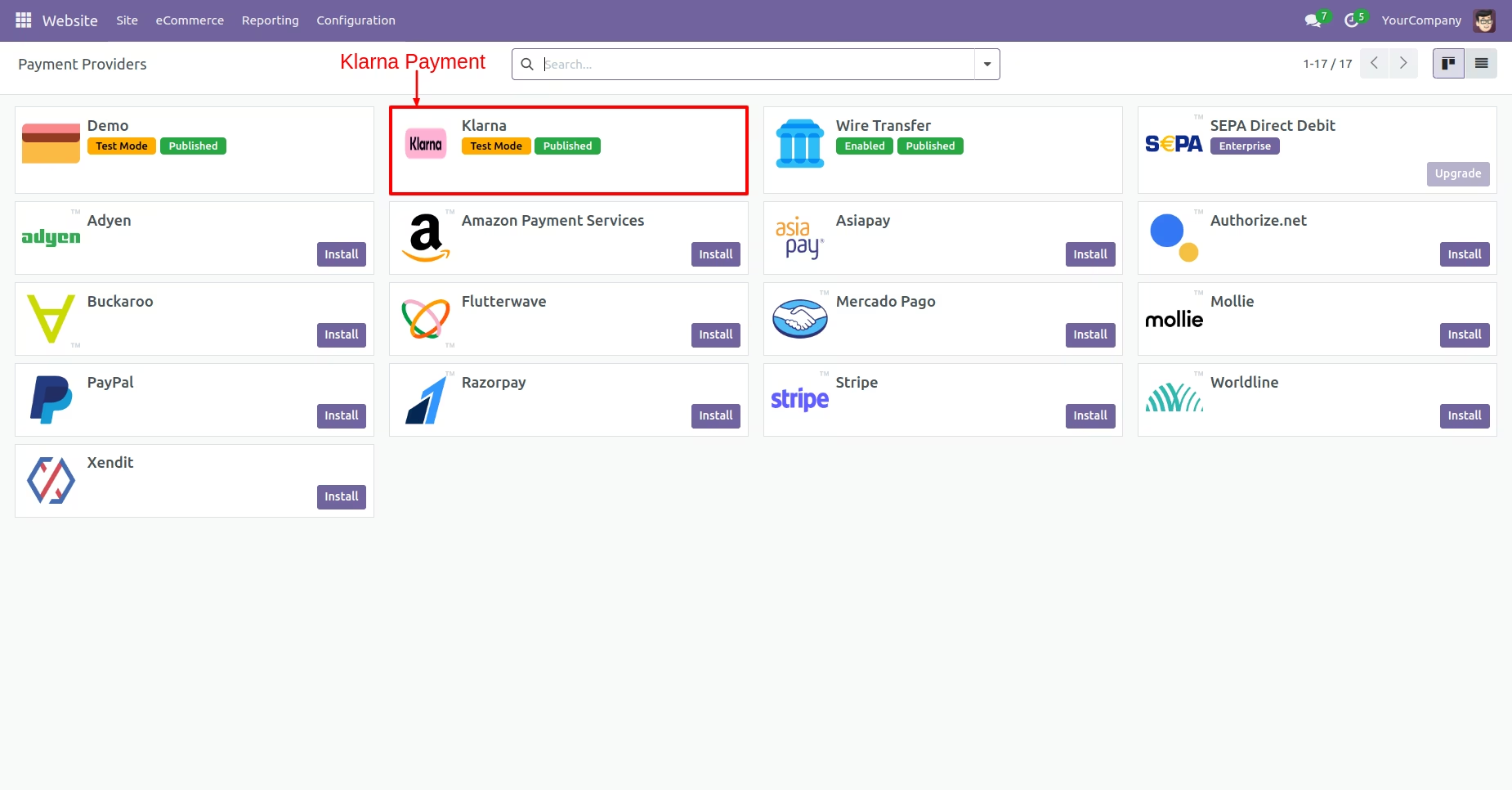
- Go to Website -> Configuration -> Payment Providers.
- Select the Klarna Payment Provider.
- Configure the credentials by entering the Username and Password from the Klarna website.
Payment Providers
To configure payment options for online transactions, first, navigate to the website and select Configuration. Next, click on payment providers to access the available payment methods. Finally, select the Klarna payment provider.
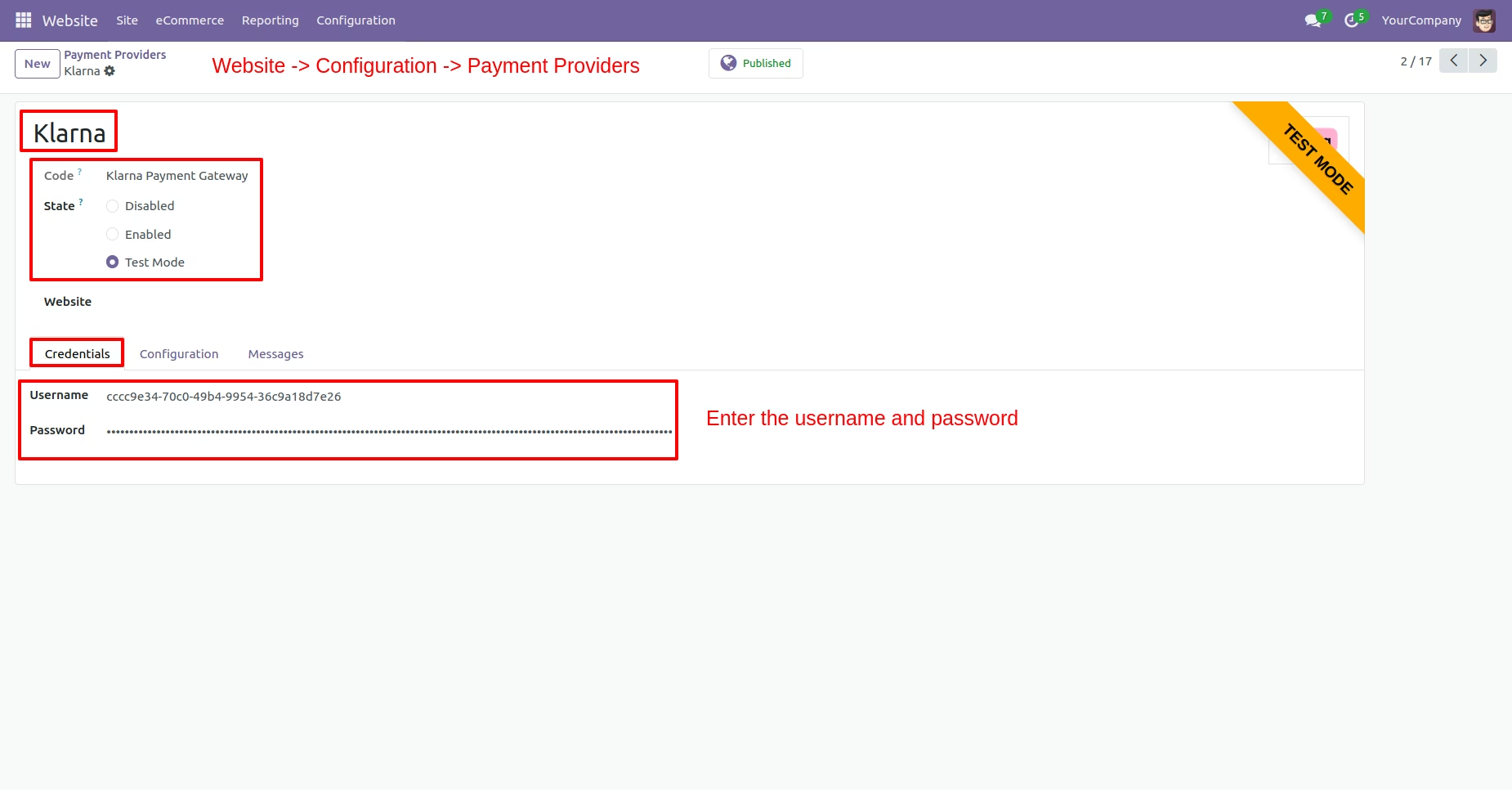
Enter Credentials
Select the Klarna payment provider to activate it for processing transactions. Once Klarna is enabled, configure the necessary credentials by entering the username and password obtained from Klarna on the payment providers page.
Enable Payment Method
Go to the configuration tab and the admin click on "Enable Payment Methods." Once this feature is enabled, the name of the selected payment method will appear in the payment form section. This enables users to view the available payment options for efficient transaction processing.
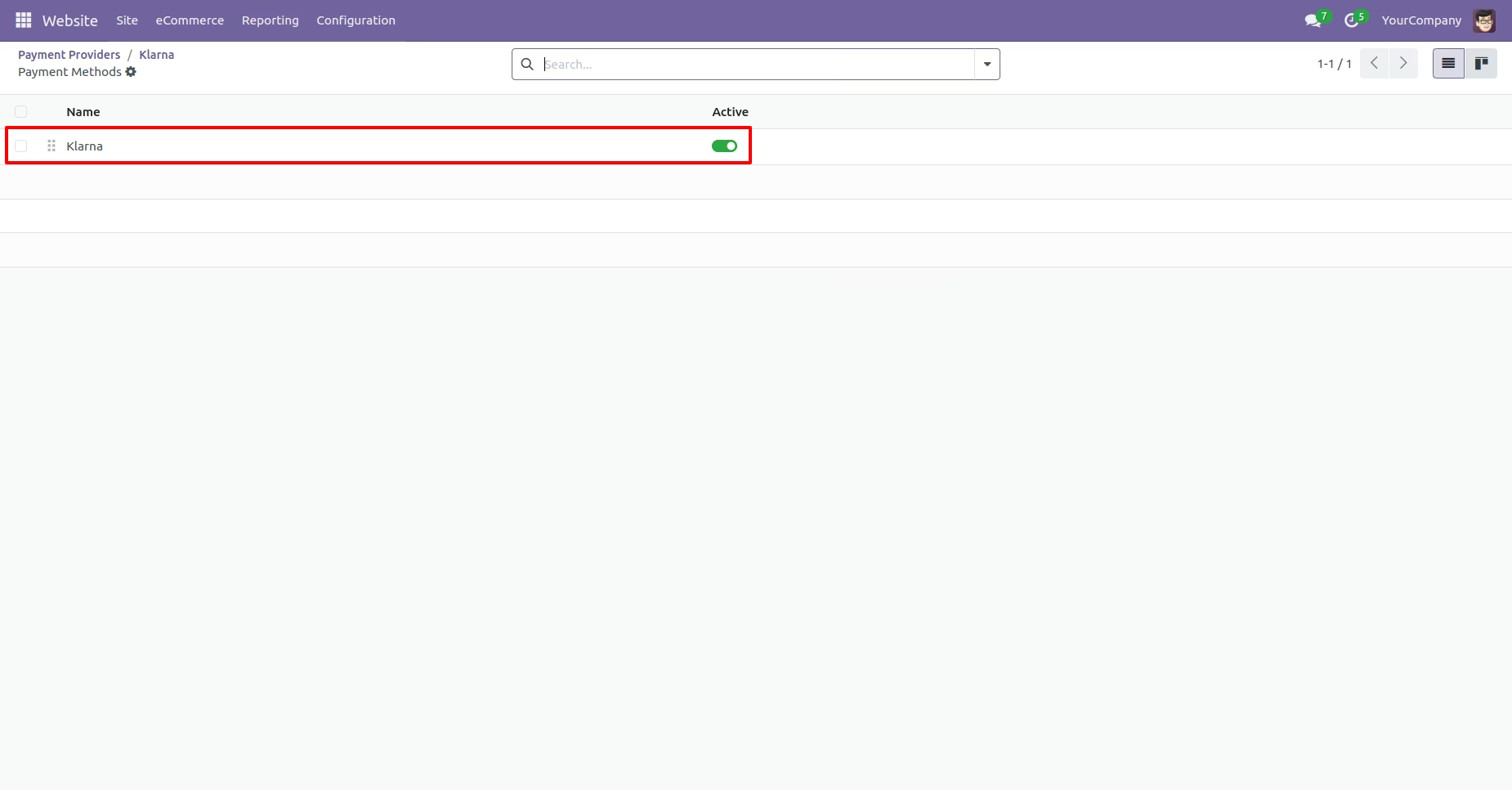
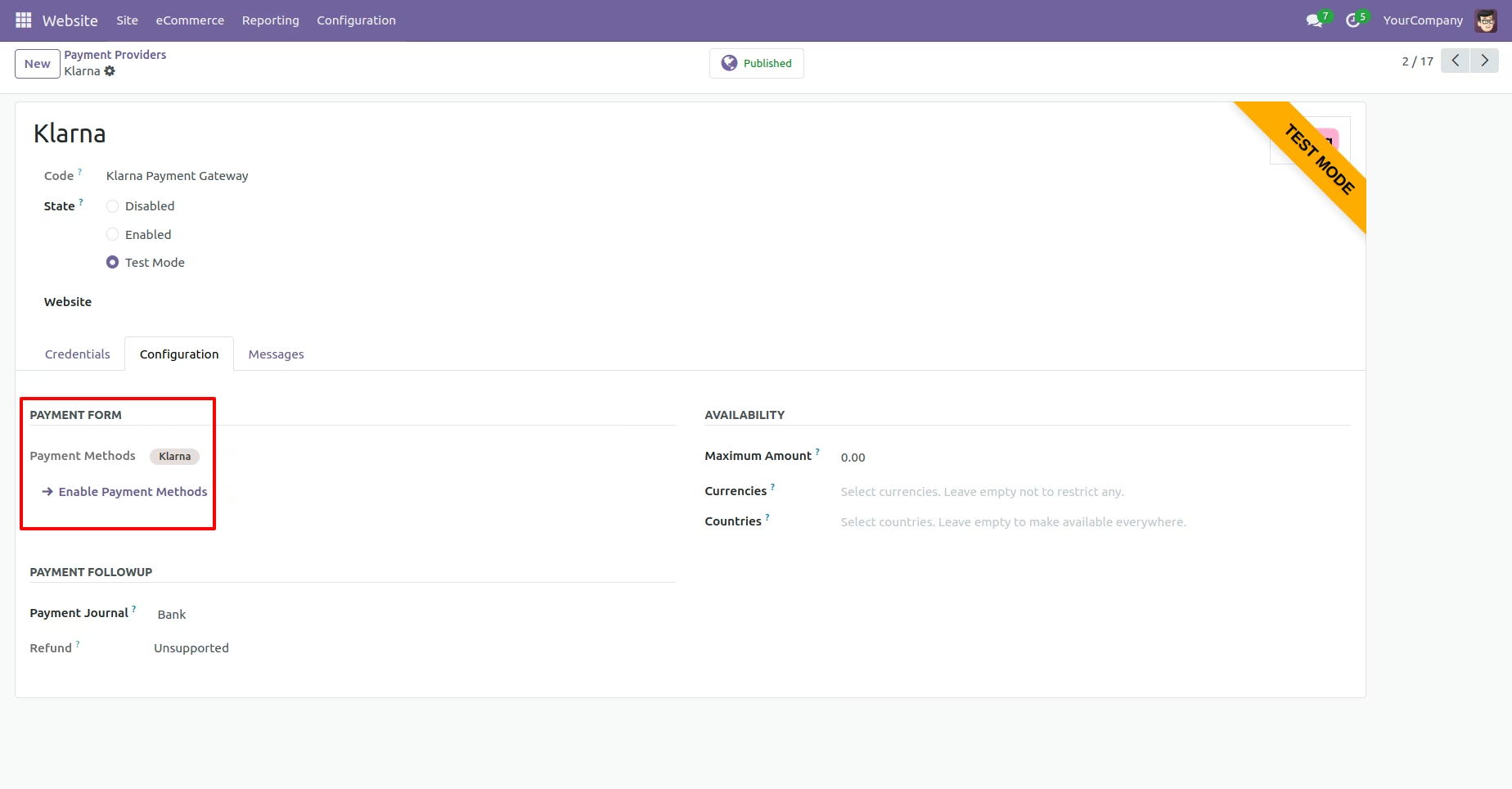
Klarna From Payment Method
To proceed with online transactions, you need to enable the Klarna payment option in the payment method settings. This allows customers to make Klarna payments during the checkout process.
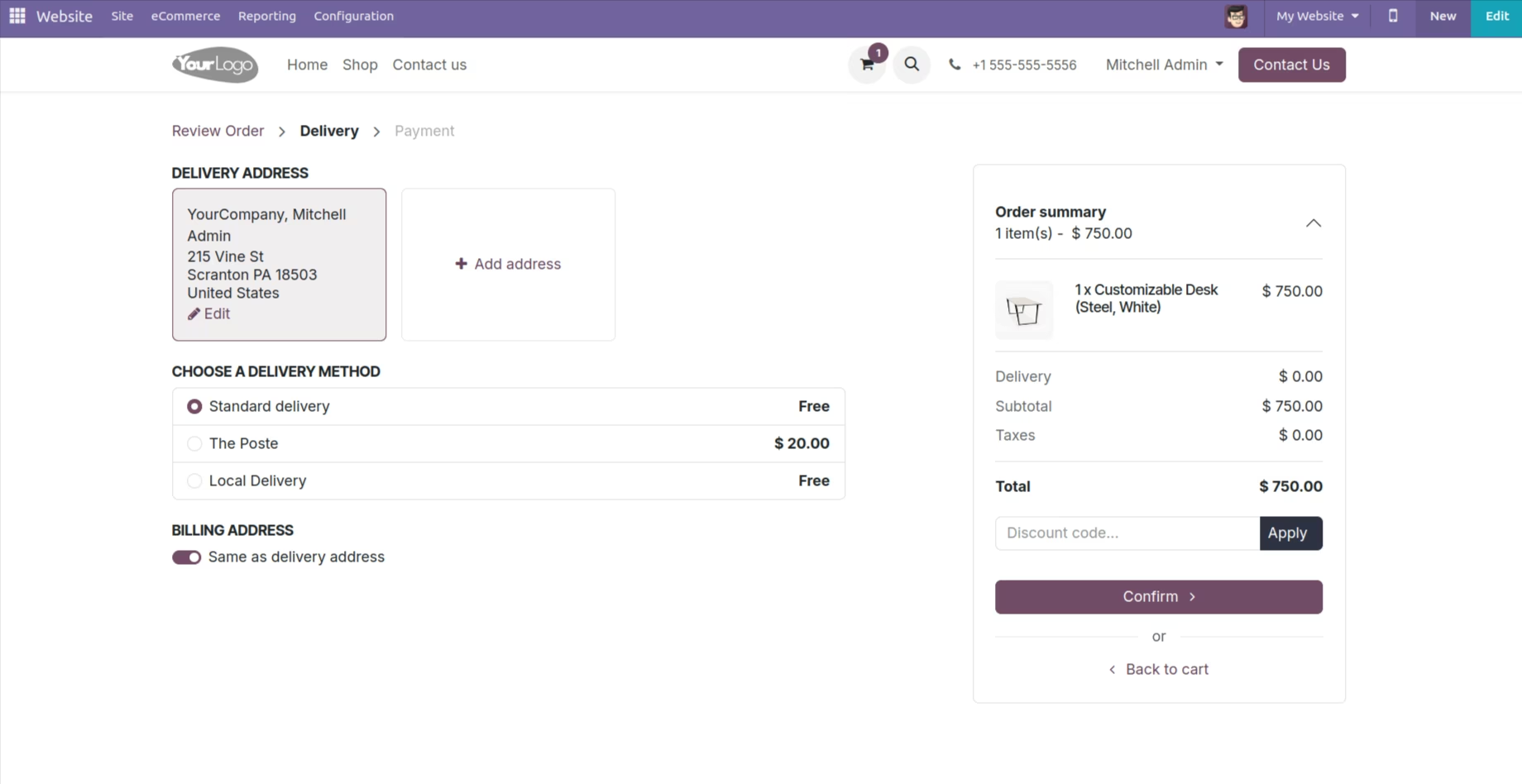
Delivery Page
After selecting products, choose the delivery method to ensure proper shipping of your order.
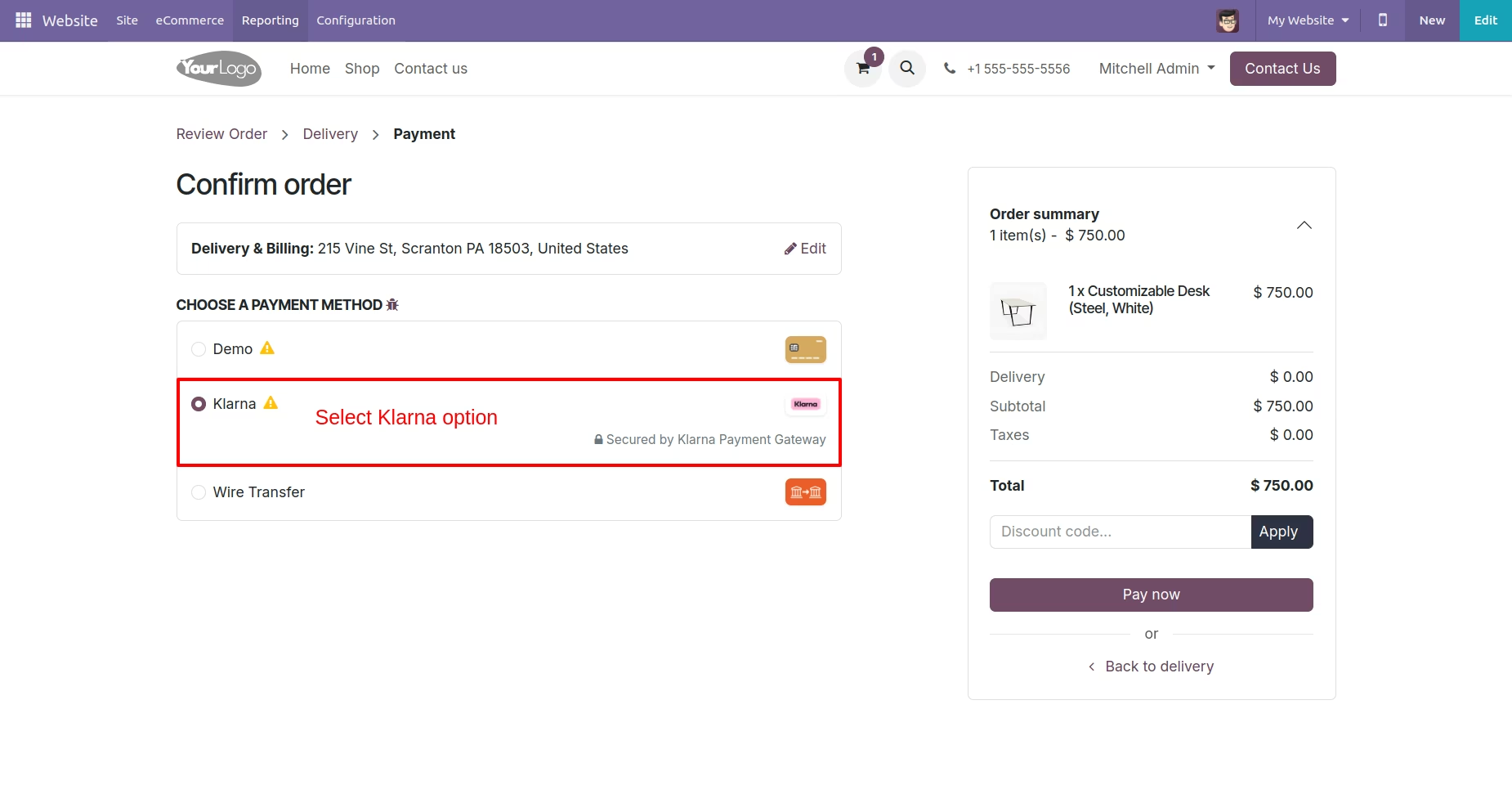
Klarna Payment Option
The Klarna payment is now accessible for use. Select the Klarna payment option to initiate online transactions using this payment method. This integration allows for seamless processing of payments through Klarna.
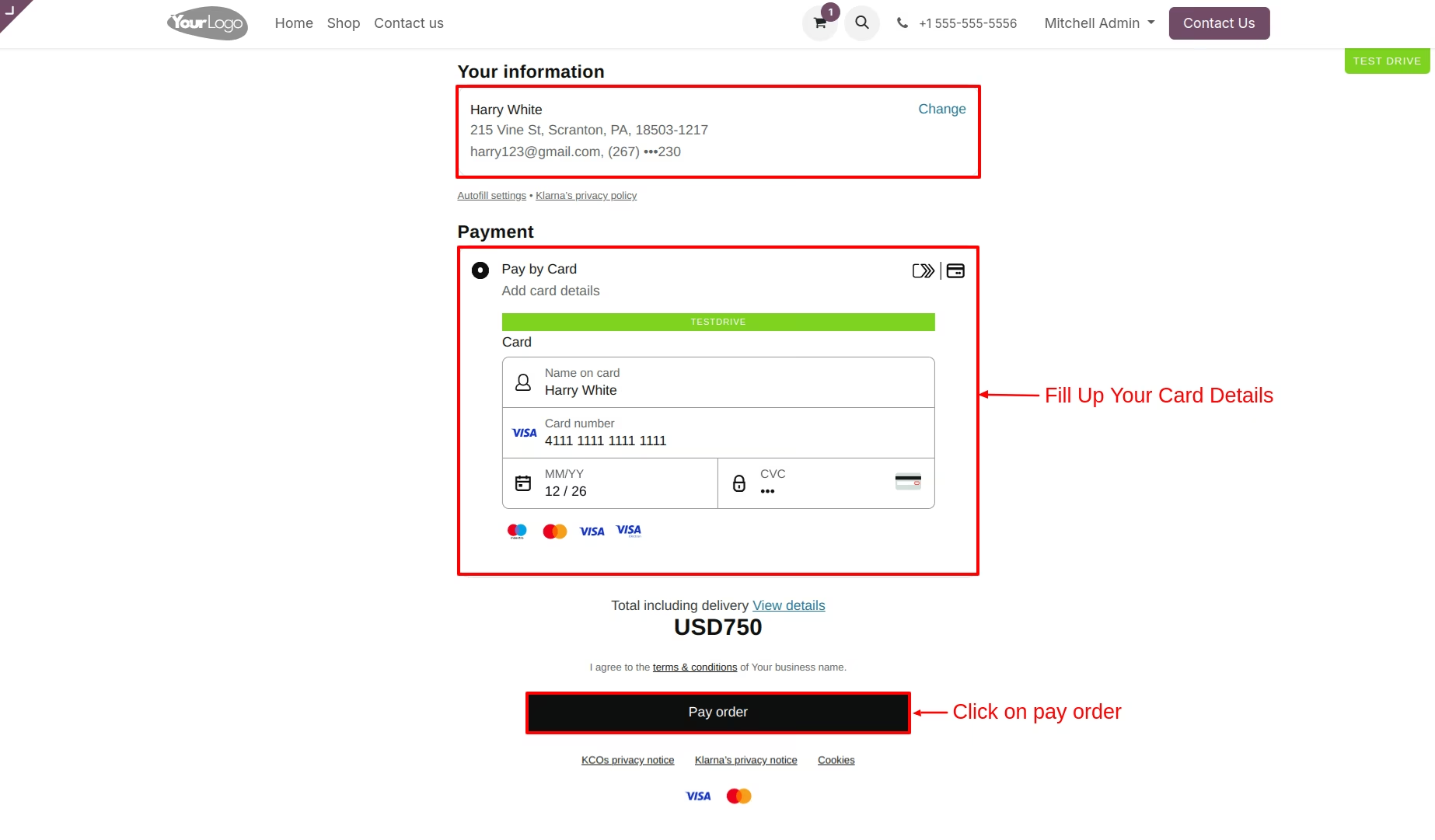
Card Details
Enter the card details, including the cardholder's name, card number, expiration month and year, and CVC code. After filling in all the required card information, click on "Pay Order" to proceed with the transaction. This will initiate the payment processing for your order.