
The module for streamlines your financial operations by enabling precise management of journal entry numbering. Designed to improve accuracy, consistency, and compliance, it integrates seamlessly with your accounting tools while offering flexible configuration and automation. Enhance your accounting workflow in with structured sequence control that saves time and supports organized financial records.
Customize journal entry numbering formats within for tailored sequence control.
Automate numbering to ensure consistency and eliminate manual errors.
Integrates with invoicing and communication tools to unify sequence workflows.
Easy configuration of sequence rules for streamlined financial operations.
Increase accuracy and consistency in financial record-keeping through precise numbering.
Save time and reduce errors with automated journal sequence management.
Improve compliance and audit readiness with structured numbering processes.
Enhance organizational efficiency by simplifying accounting workflows.
This plugin makes it simple to customise and modify the invoice, bill, credit, and debit notes sequence number from the journals.
 This plugin makes it simple to customise and modify the invoice, bill, credit, and debit notes sequence number from the journals.
 - The user can quickly set up the invoice, bill, credit, and debit note sequence from journals using the same easy approach as V13.
User can see sequence in Journals menu under Accounting/Invoicing.
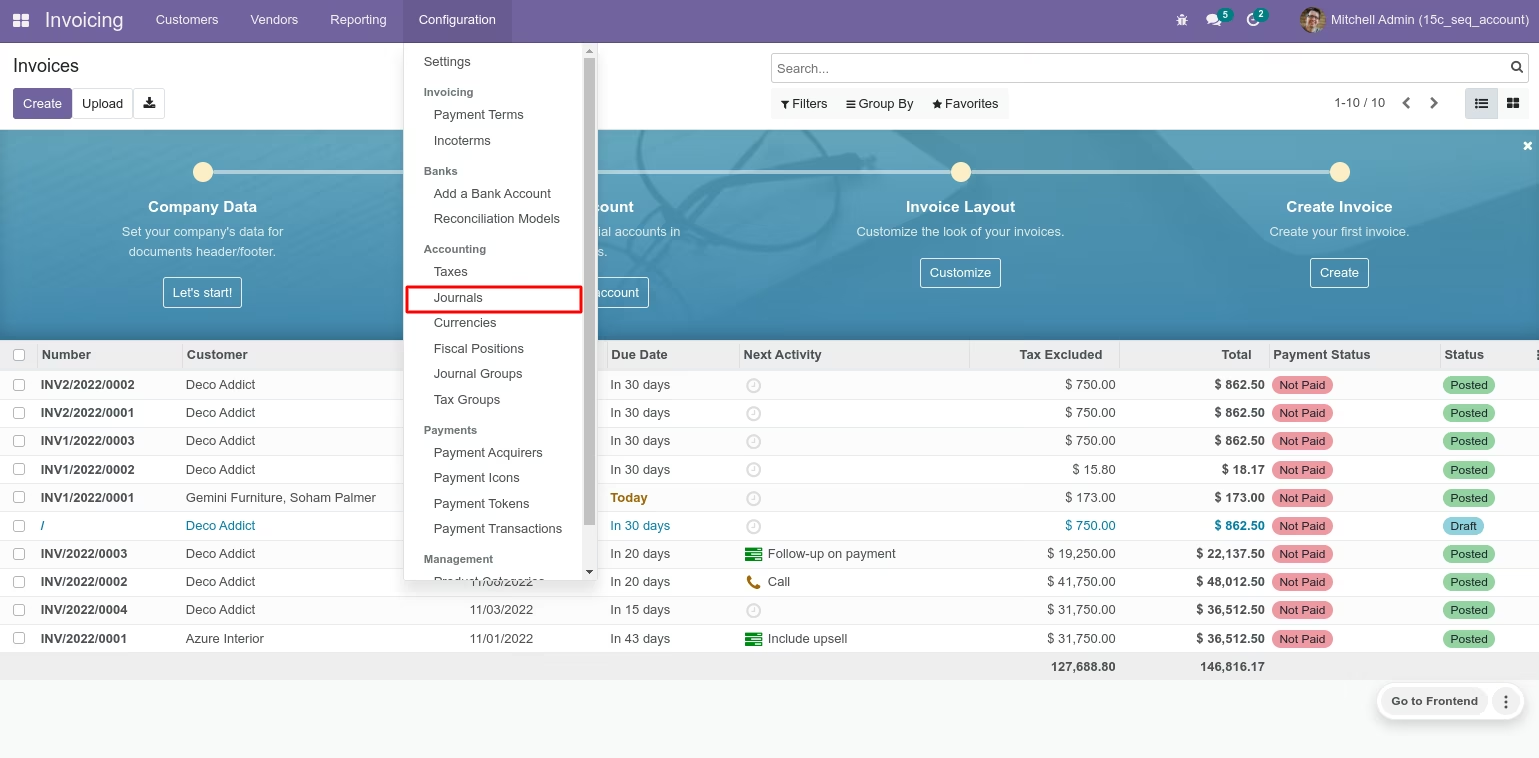
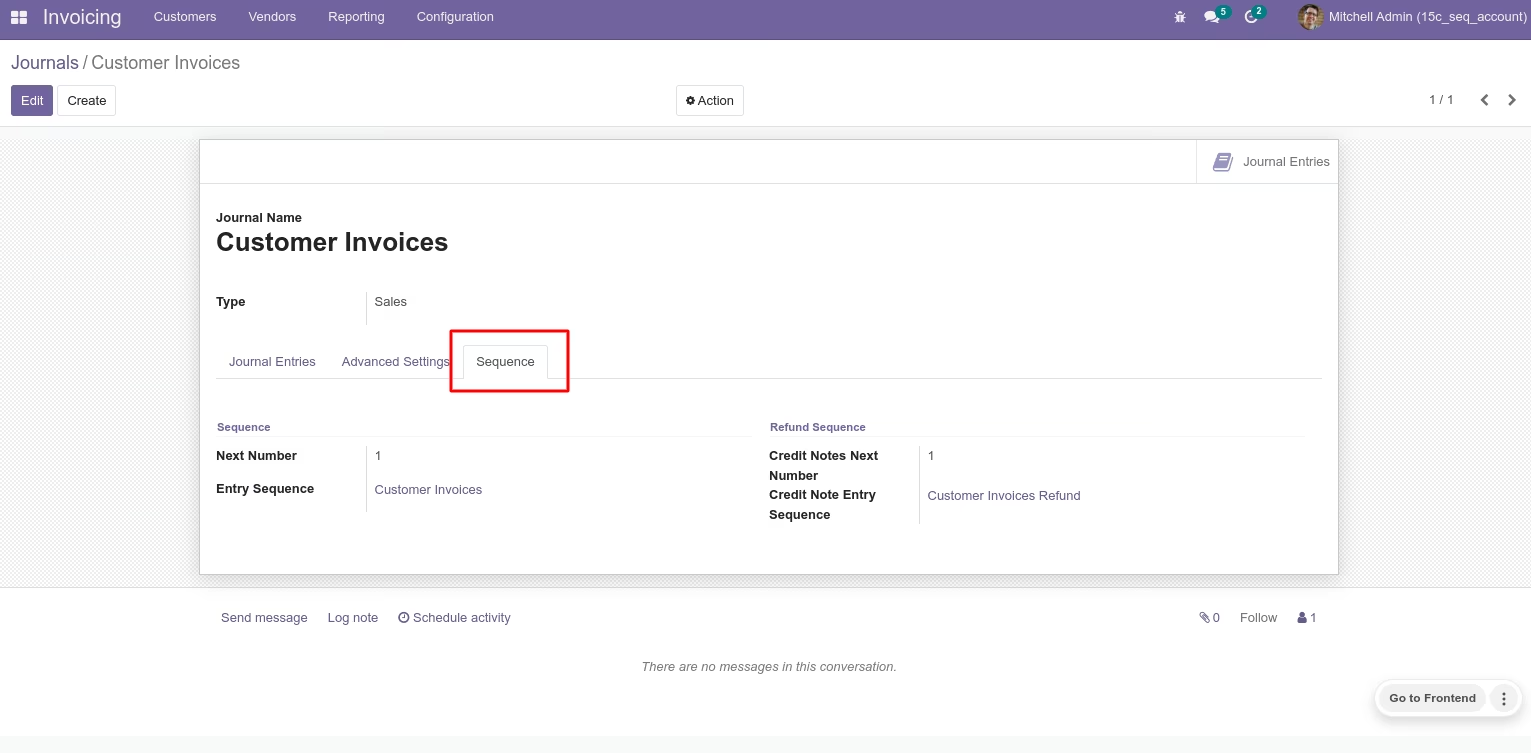
While creating new journals entry sequence and credit note entry sequence will be automatically created. User can see Sequence tab here in Journal.
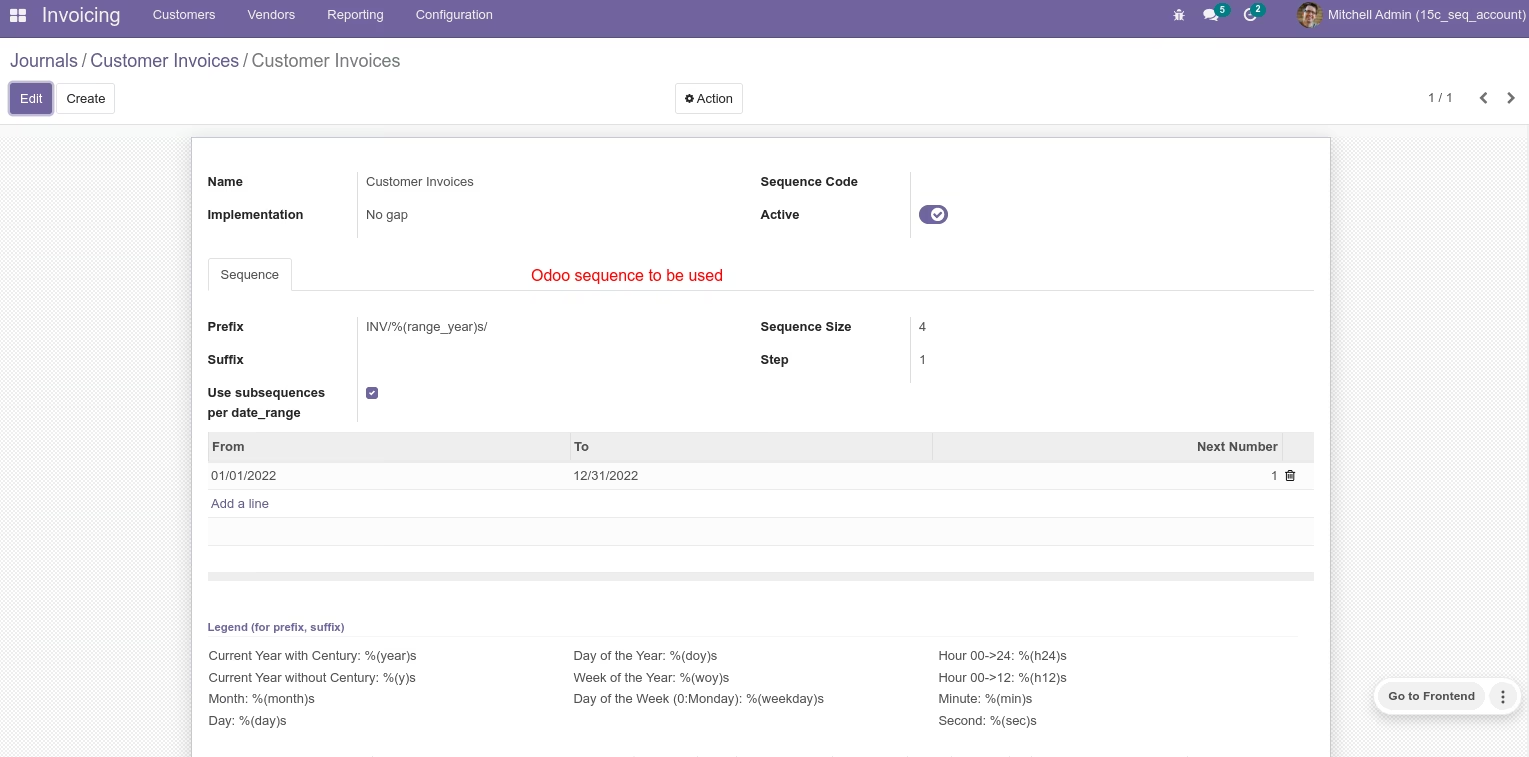
User can set sequence here, user can see default sequence v13.
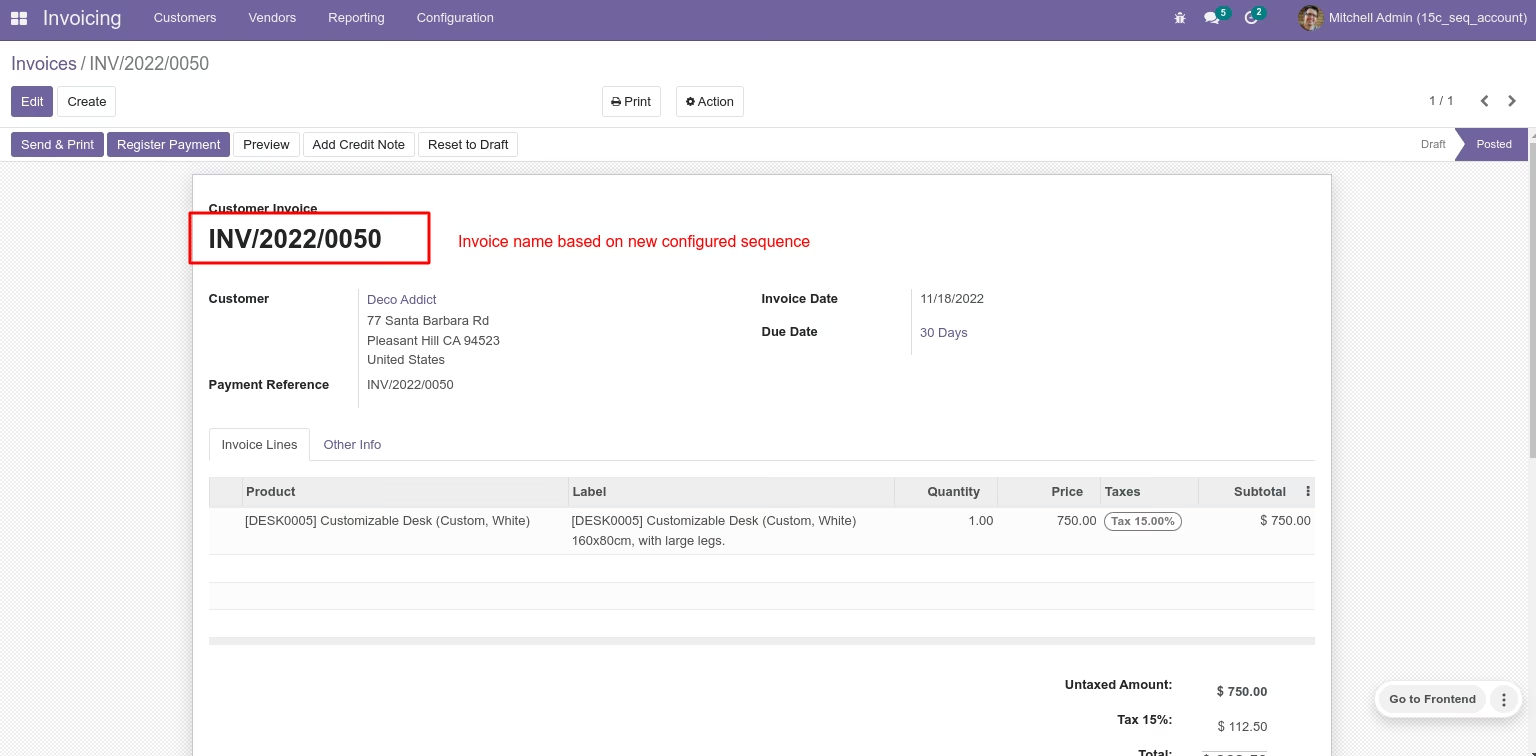
Invoice name based on configured sequence in Journal.
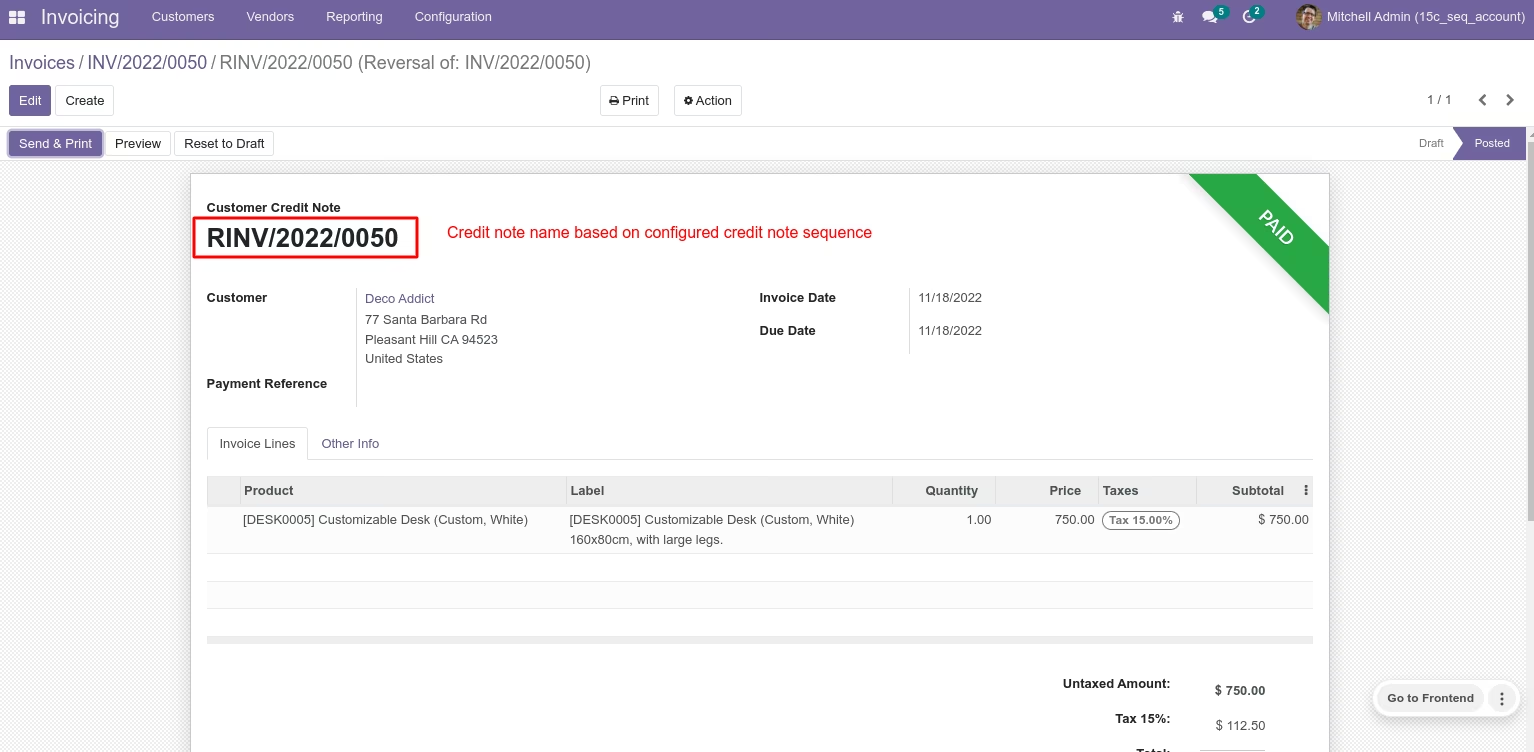
Customer Credit Note name based on configured sequence in Journal.
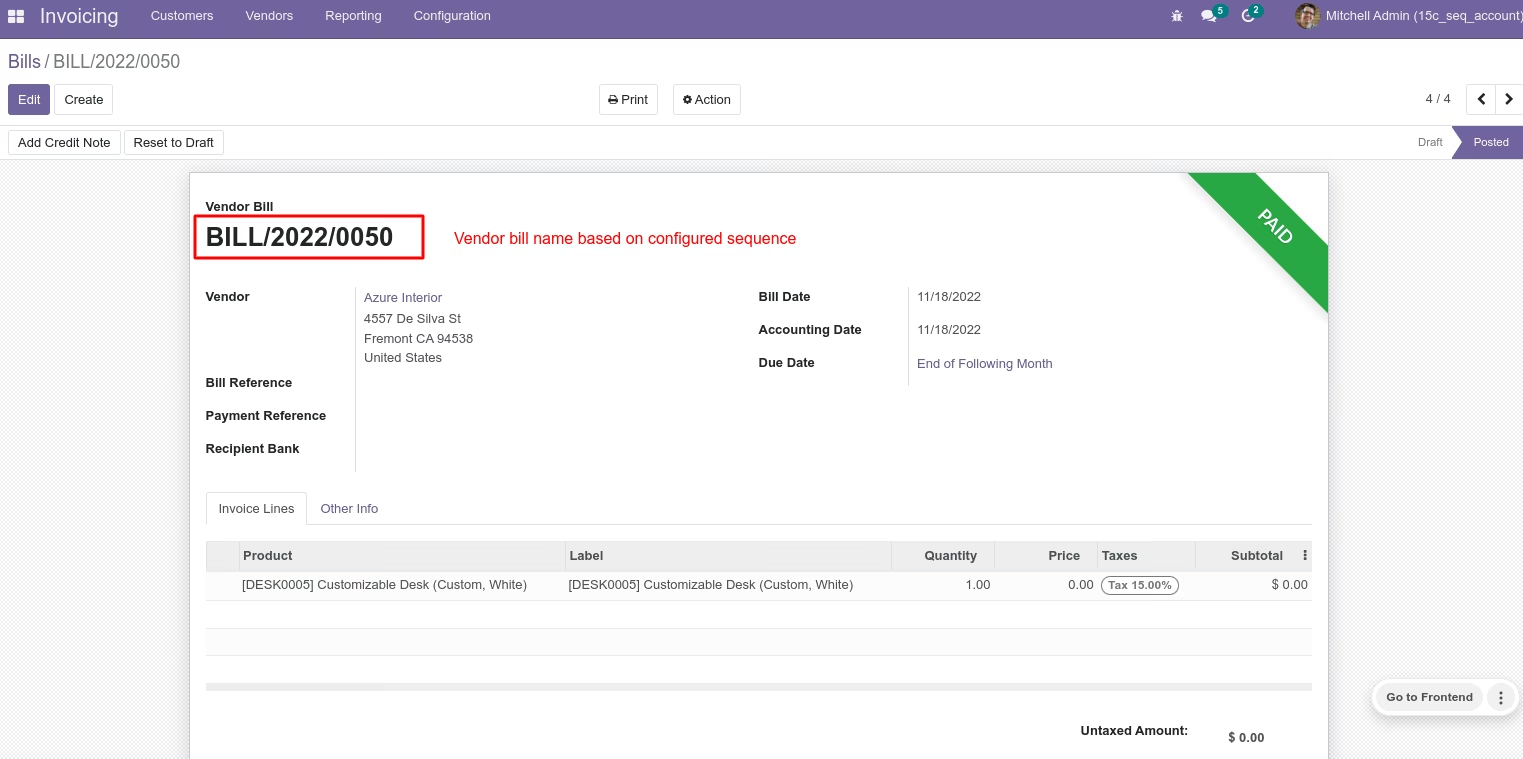
Vendor Bill name based on configured sequence in Journal.
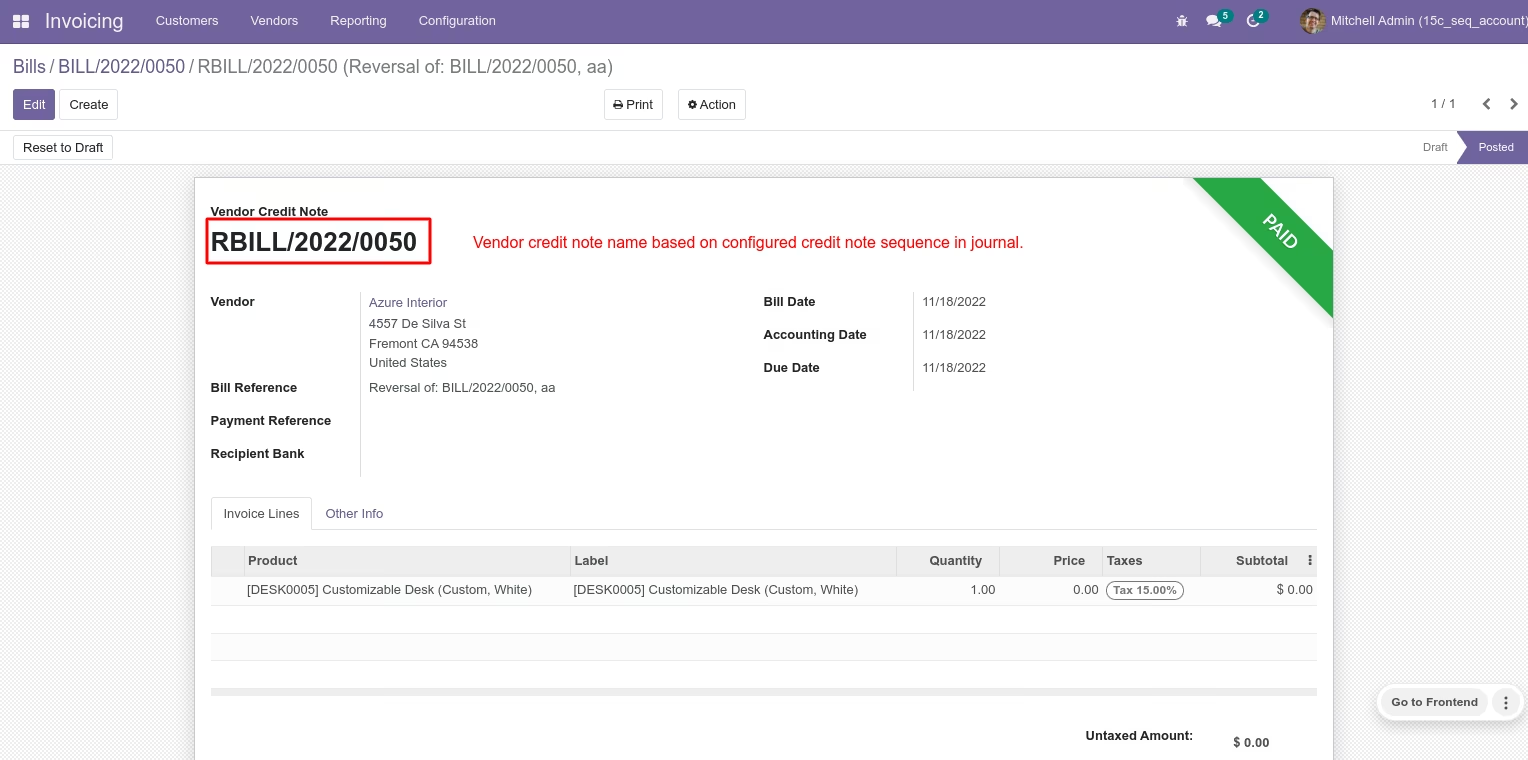
Vendor Credit Note name based on configured sequence in Journal.
This plugin makes it simple to customise and modify the invoice, bill, credit, and debit notes sequence number from the journals.
- This plugin makes it simple to customise and modify the invoice, bill, credit, and debit notes sequence number from the journals.
- The user can quickly set up the invoice, bill, credit, and debit note sequence from journals using the same easy approach as V13.
- This plugin makes it simple to customise and modify the invoice, bill, credit, and debit notes sequence number from the journals.
- The user can quickly set up the invoice, bill, credit, and debit note sequence from journals using the same easy approach as V13.