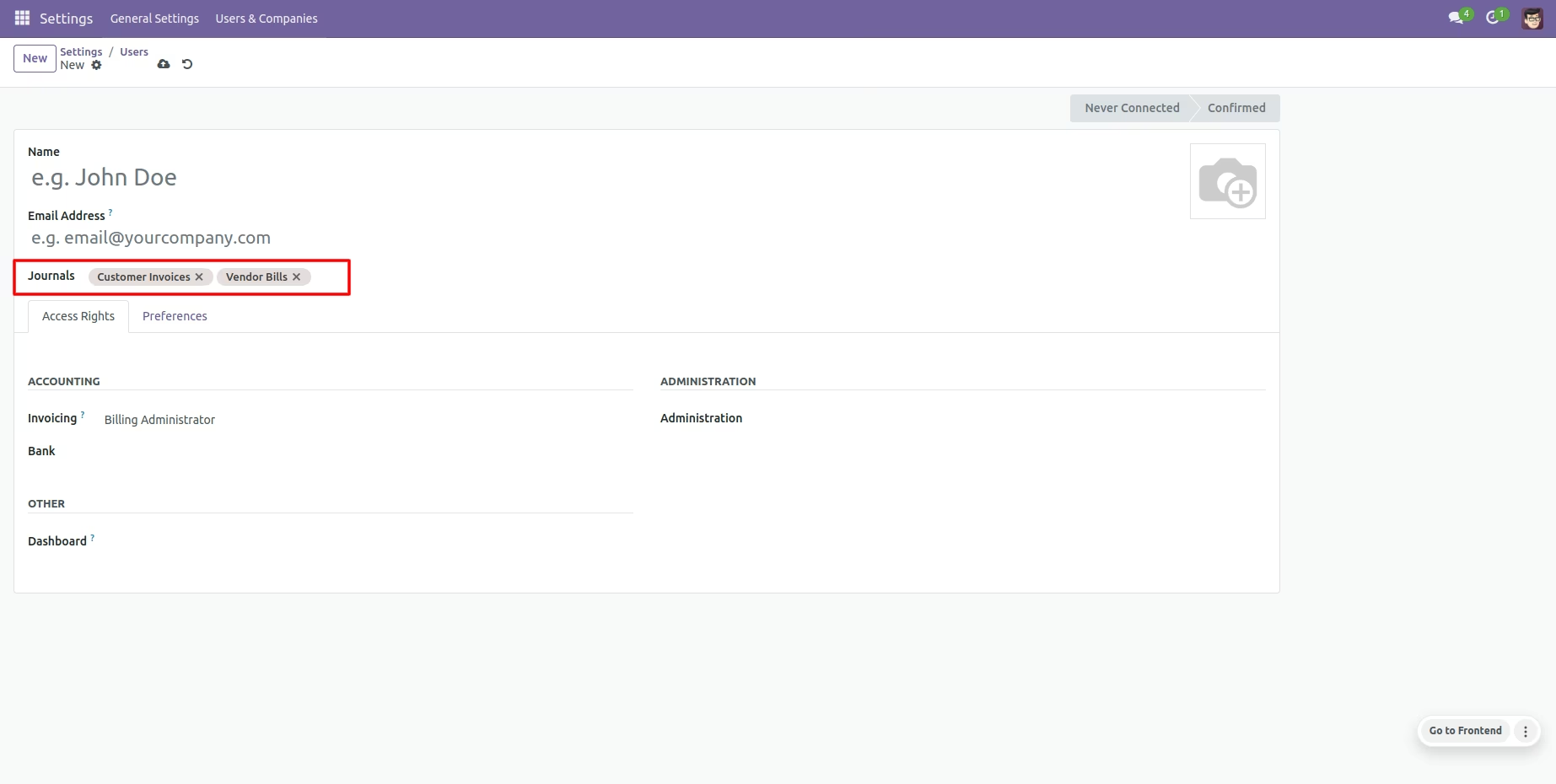
The module for delivers precise access control by restricting users to designated accounting journals. Designed for security-conscious organizations, this module ensures that only authorized personnel can view or interact with specific journals, such as invoices, bills, cash, bank, sales, and purchase journals. With streamlined configuration and clear access assignment, it enhances governance and simplifies financial operations.
Restrict specific accounting journals to selected users for targeted access control.
Configure access by assigning users within journal settings to enforce restricted access.
Enable journal-level restrictions or user-level restrictions for flexible permission management.
Supports restriction across various journal types including invoice, bill, cash, bank, sale, and purchase journals.
Includes a security group toggle to activate journal restriction features with intuitive interface prompts.
Boost security by limiting journal access to authorized users only.
Improve accountability through controlled access to sensitive financial data.
Reduce administrative errors by eliminating unauthorized journal interactions.
Streamline finance workflows with clear and manageable permission settings.
Enhance audit readiness by defining explicit access boundaries within Odoo.
This module restricts journals for specific users. You can add access users on journal configuration, only allowed users can access that journal. Users are allocated in specific journals like invoice, bill, cash, bank, sale & purchase, So users can not access a journal where the journal is not available for that user.
- You can restrict specific journals for specific users.
- You have to configure a user in a journal so users can access that journal.
- You can restrict journals like invoice, bill, cash, bank, sale & purchase.
- You can restrict users inside journals as well as you can also define restricted journals inside users.
- This module saves your important time.
- It reduces human efforts.
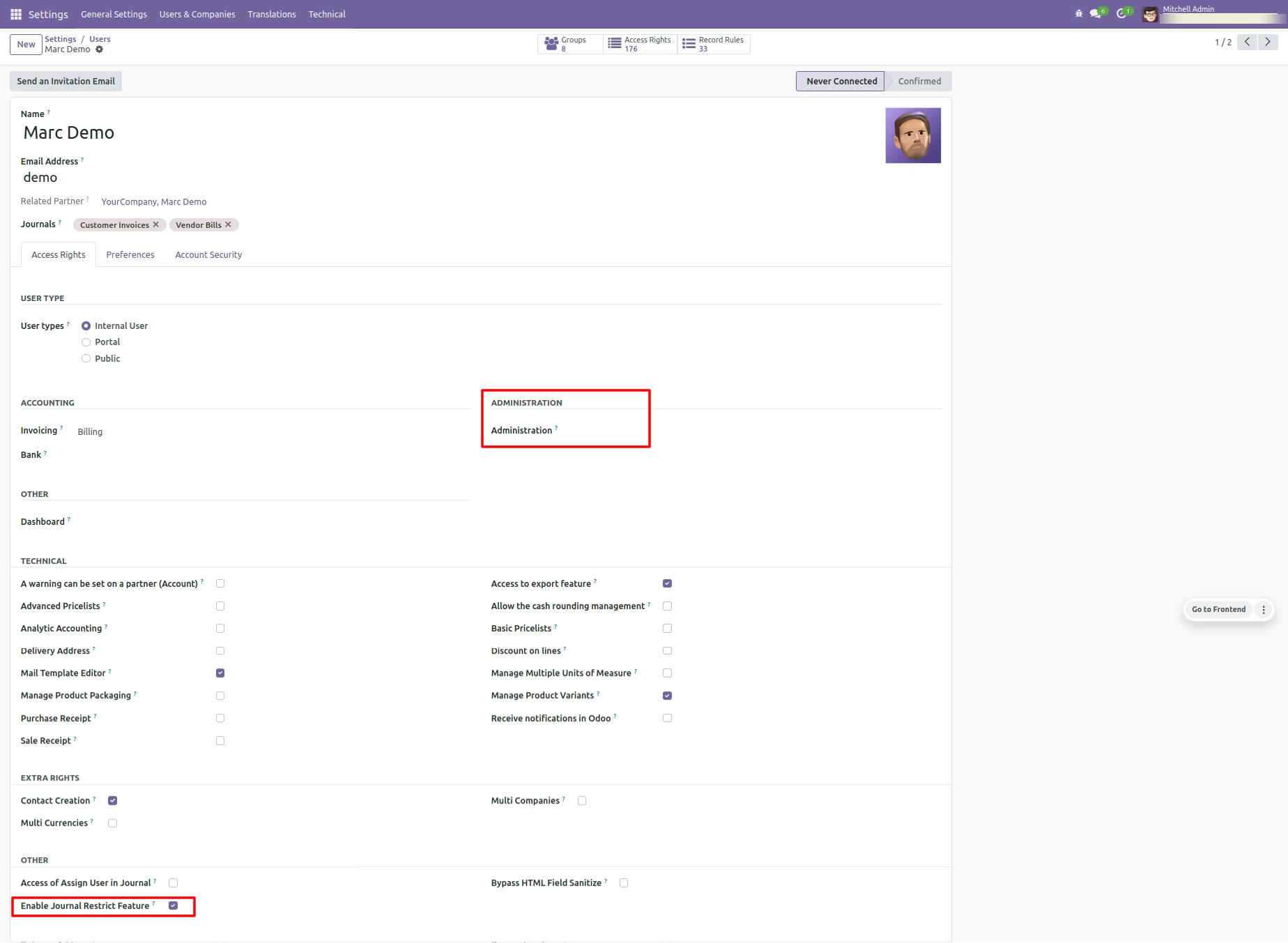
Enable security group to assign journals.
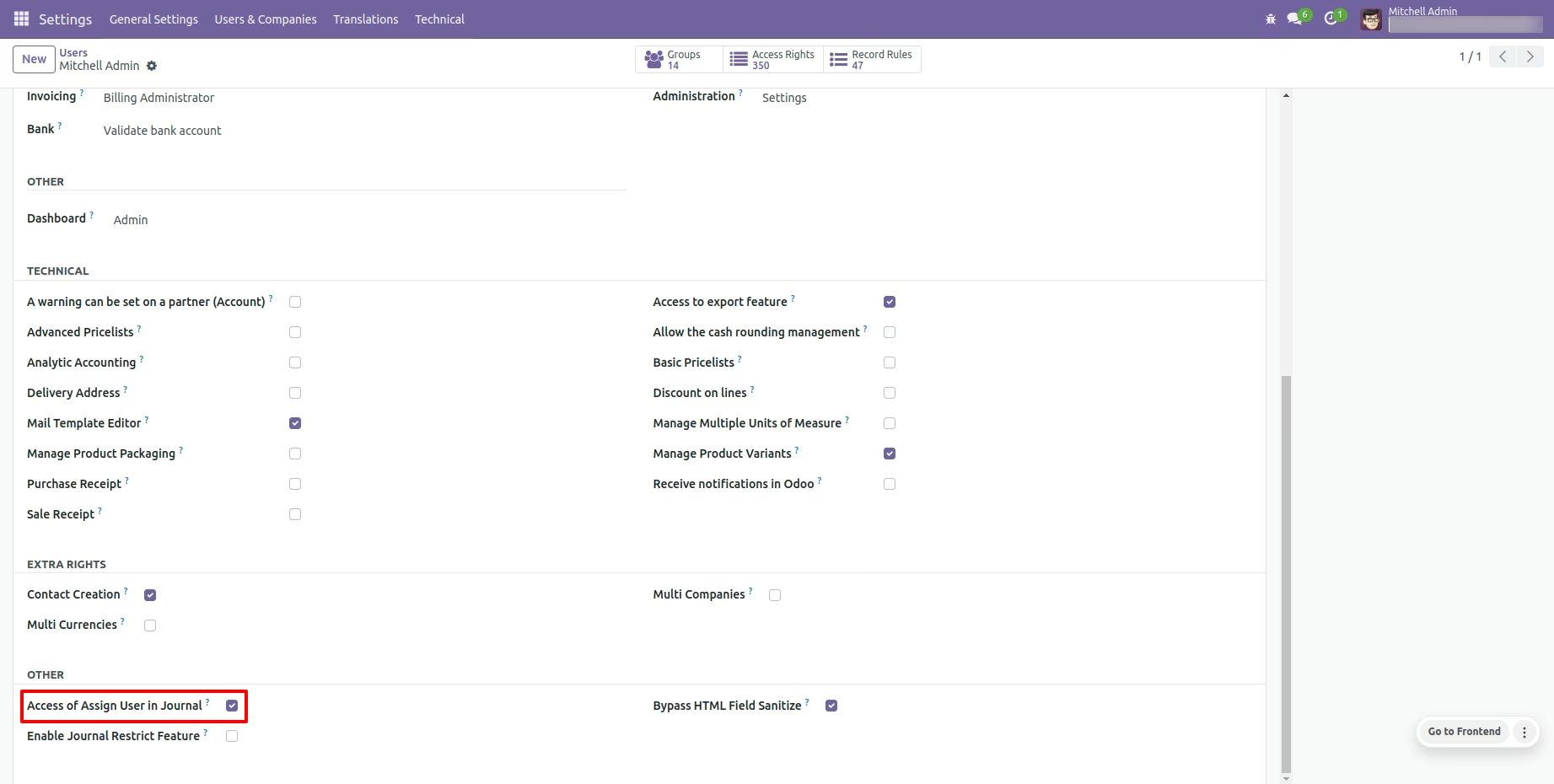
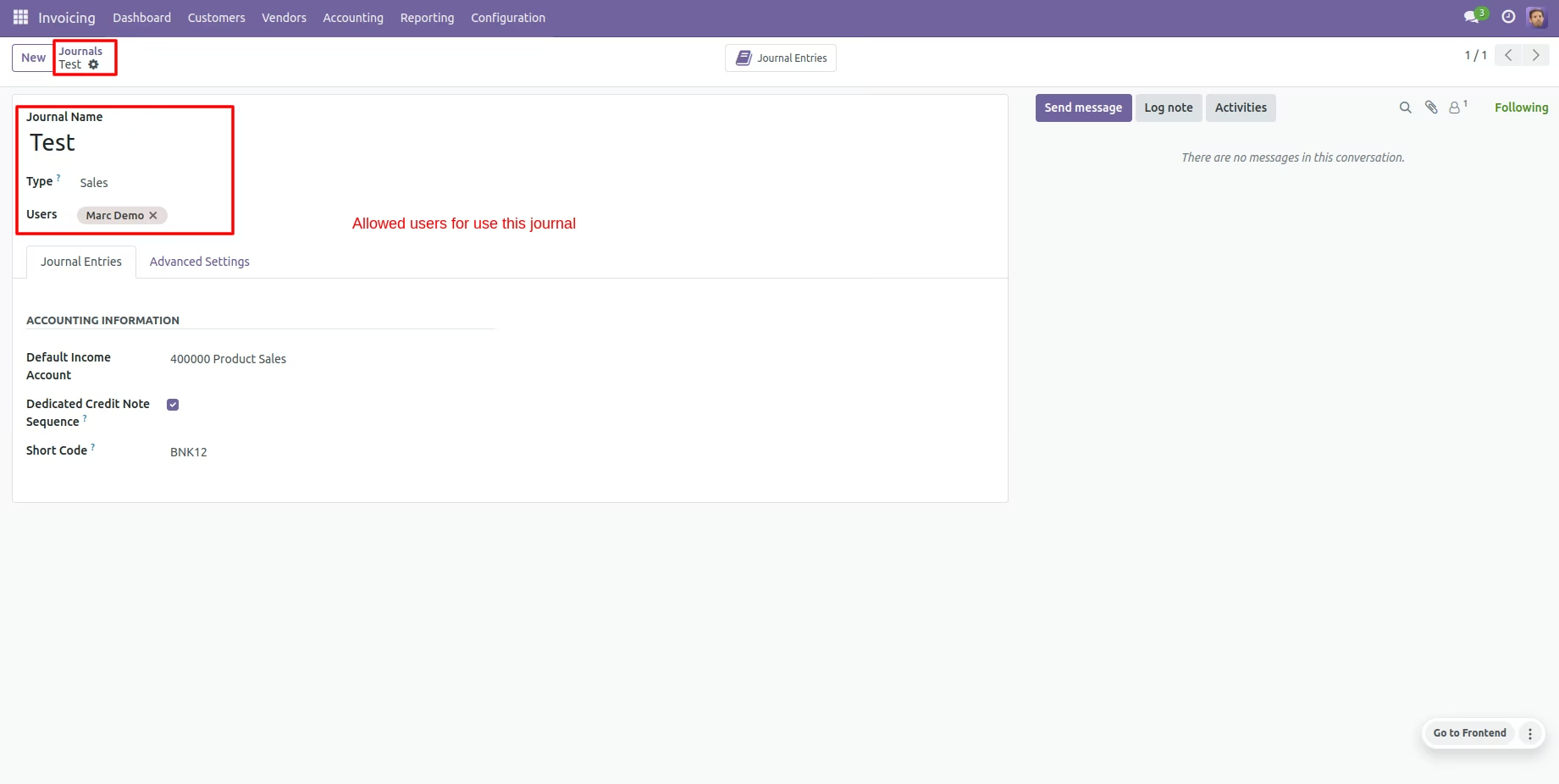
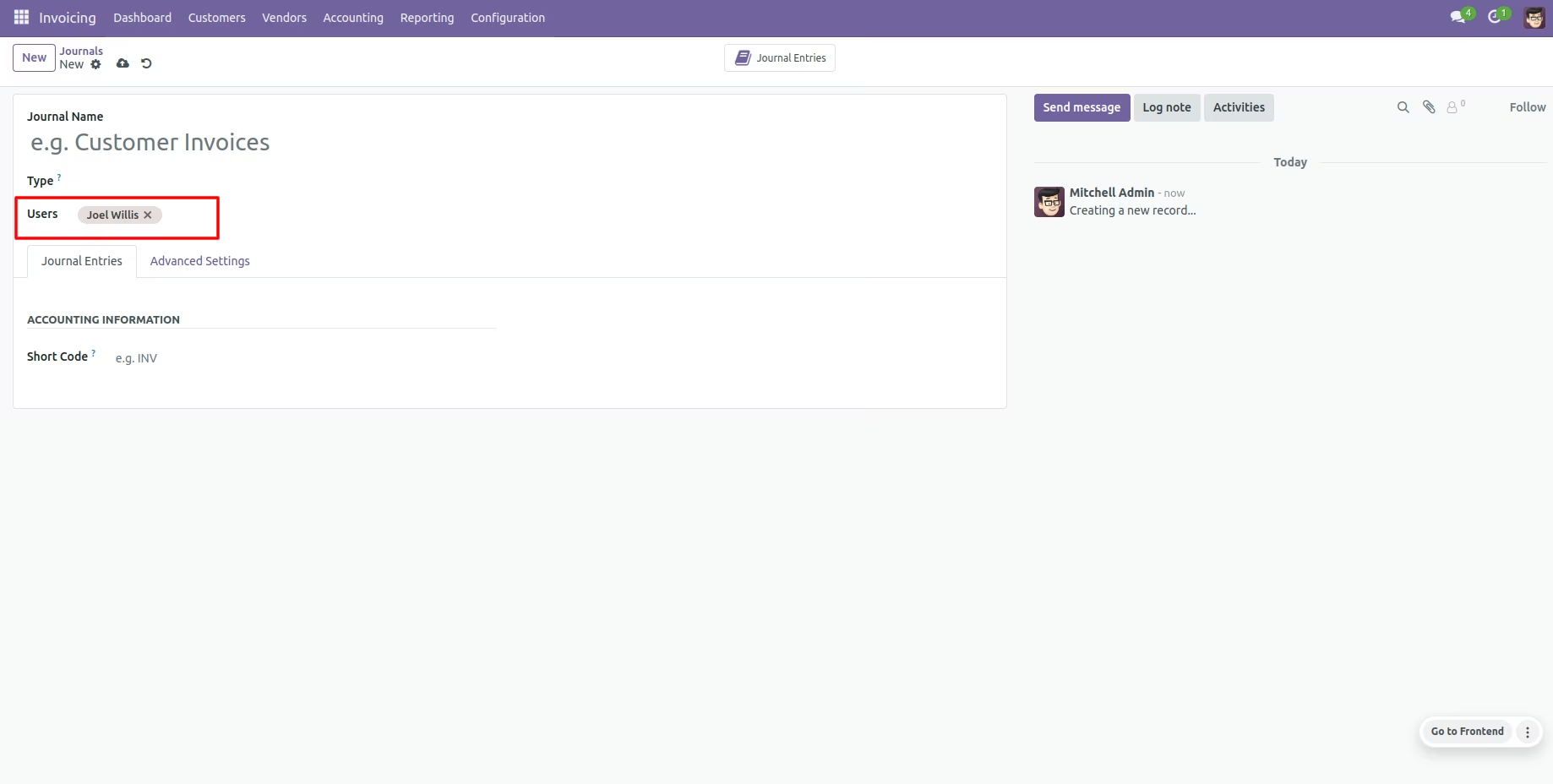
Admin can restrict users inside journals so those users are allowed to access those journals if you have ticked that security group then only the "Journals" field displays.
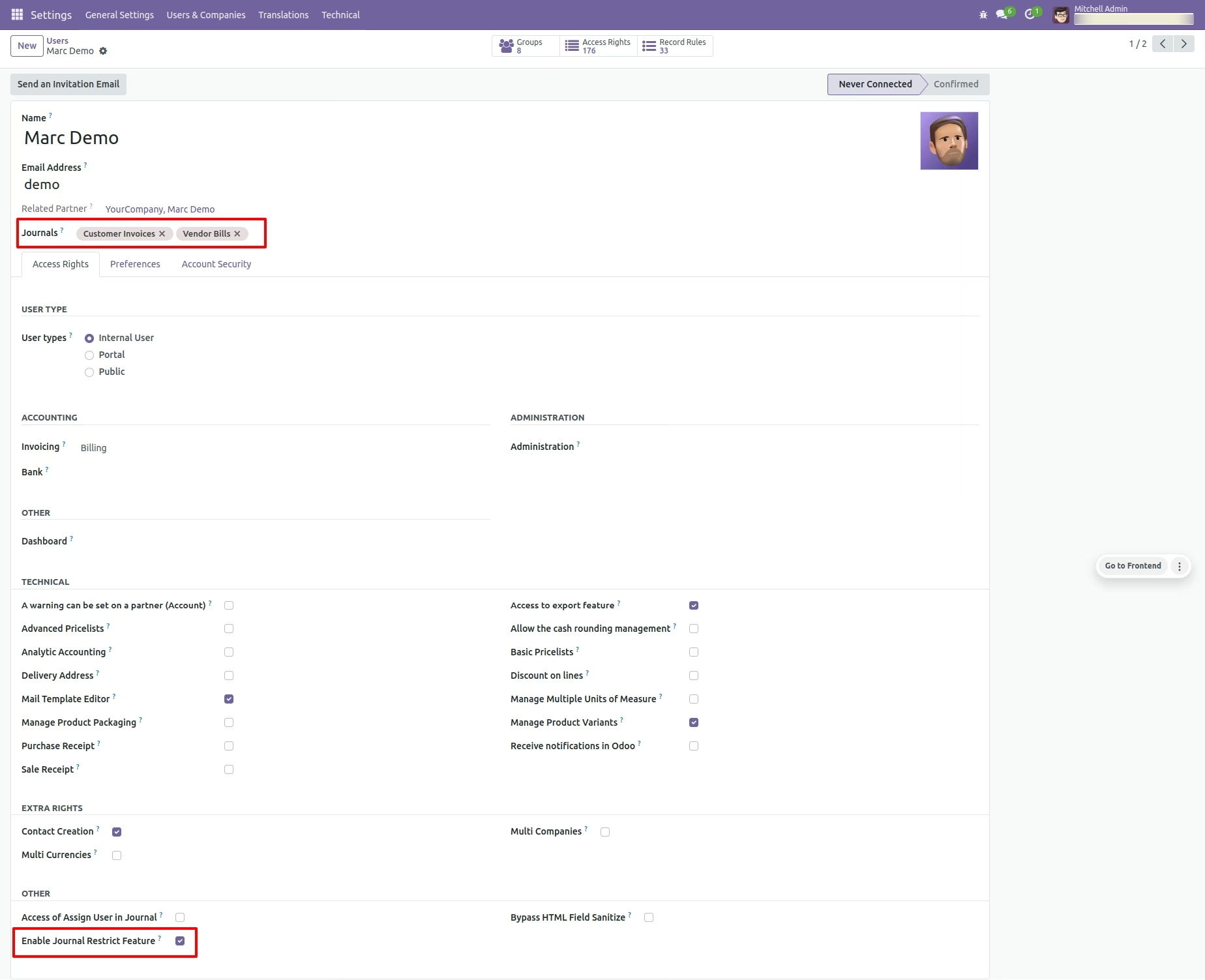
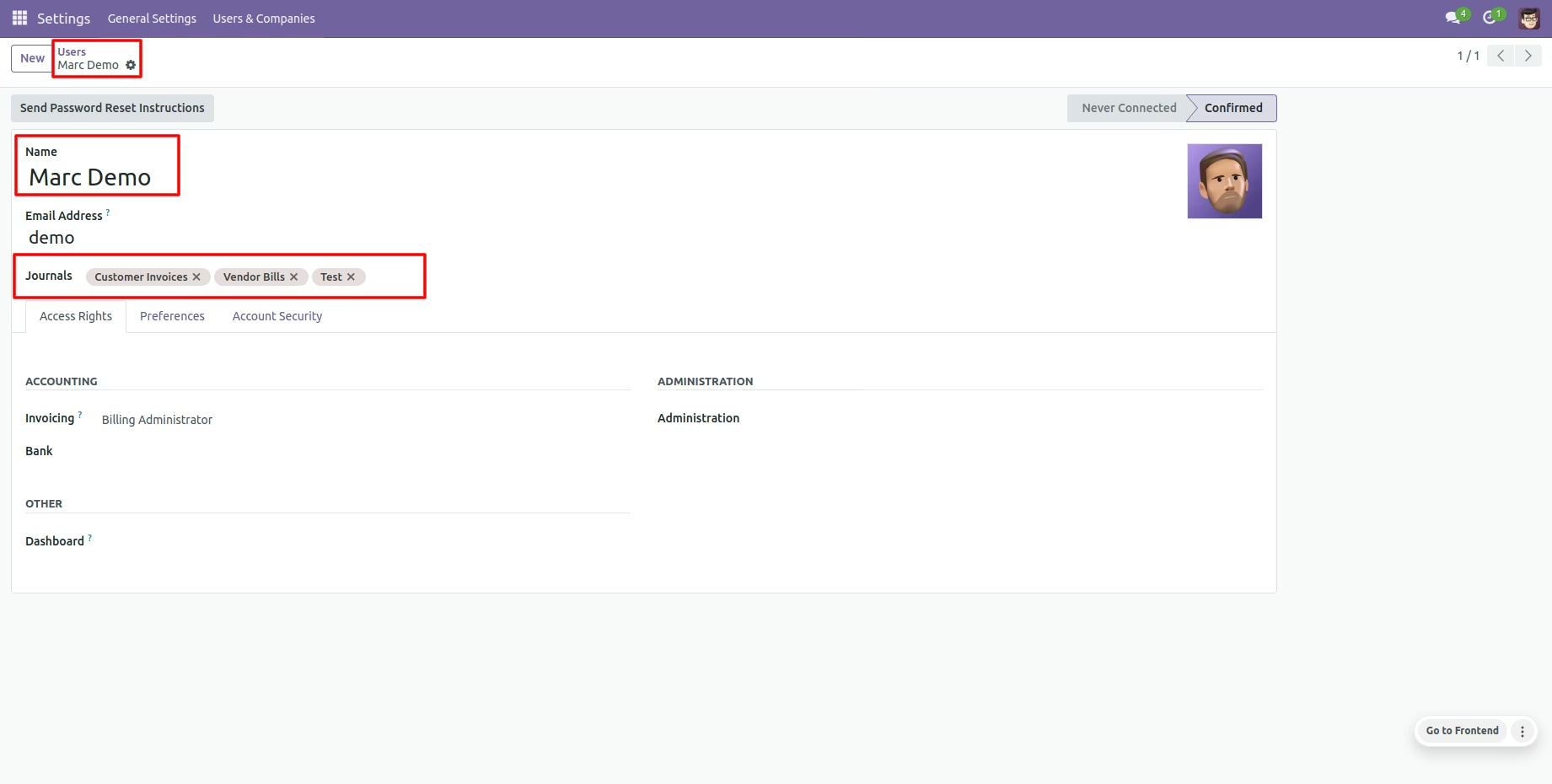
Admin can also define restricted journals inside users so that journals are only accessible by the user if you have ticked that security group then only the "Users" field displays.
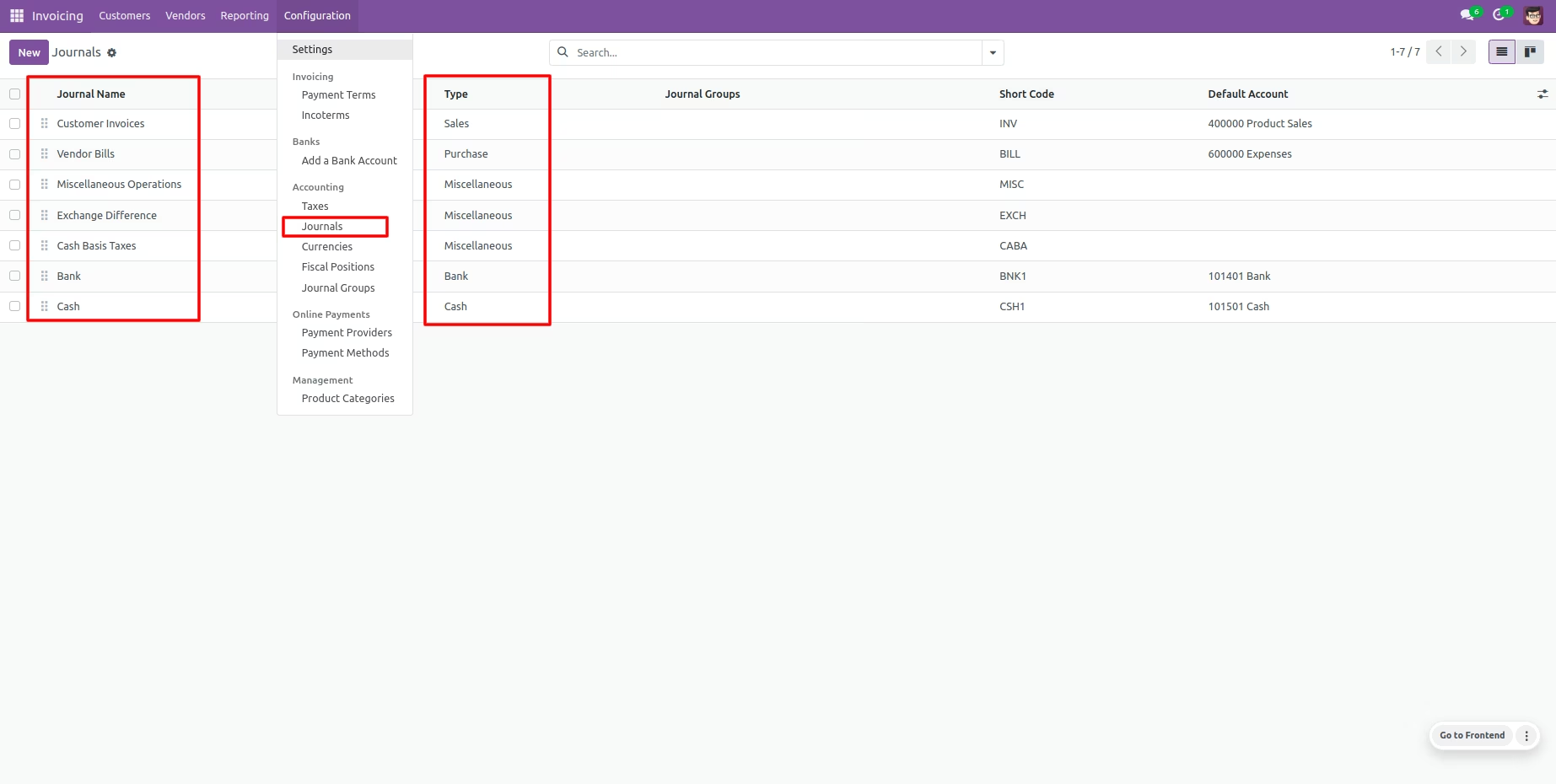
Admin has access rights => settings so admin can see access all journals.
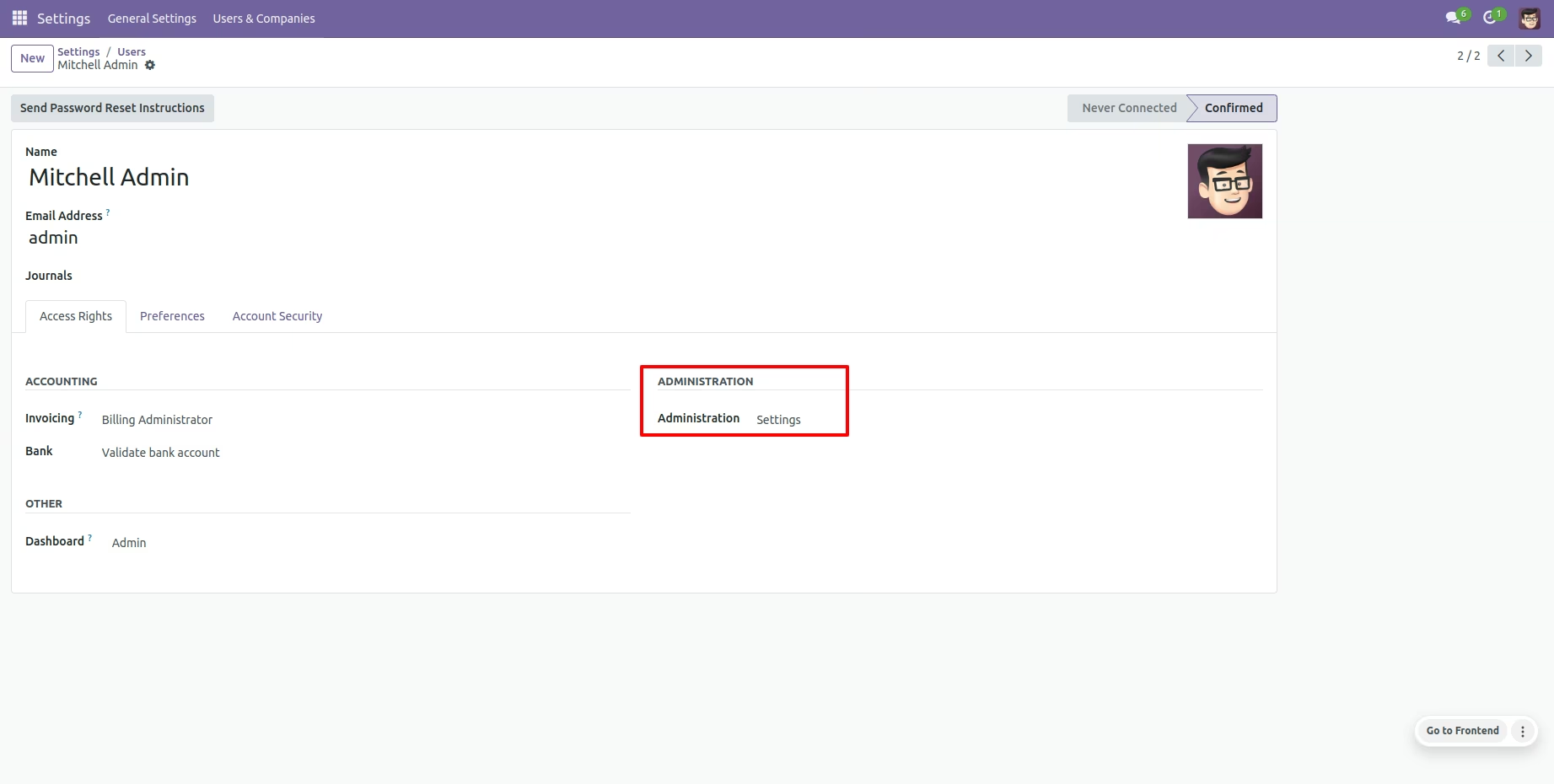
journals list view of admin.
Now admin enable the "journal Restrict Feature" group in user to restrict journals.
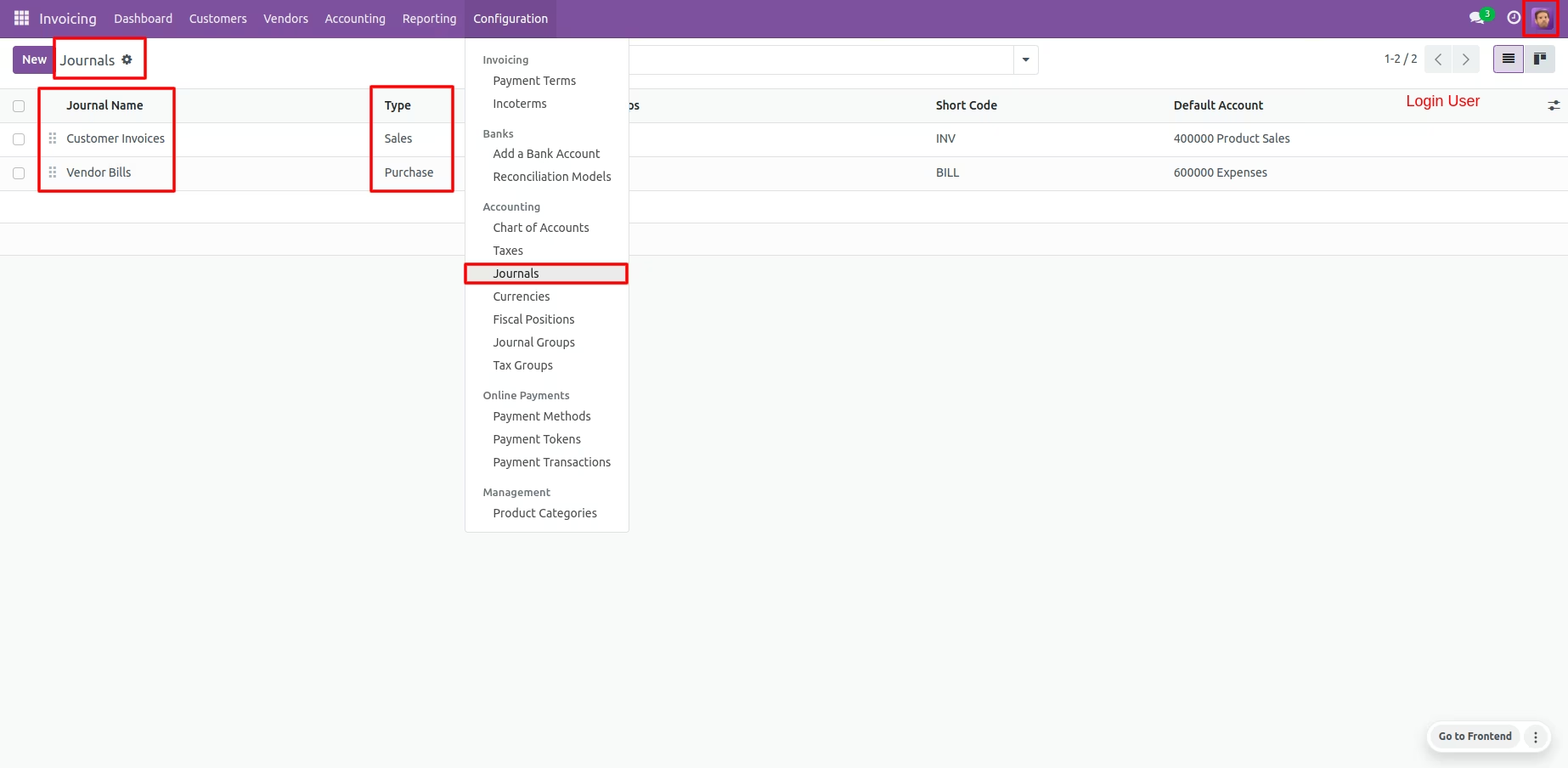
User can access only allocated journals.
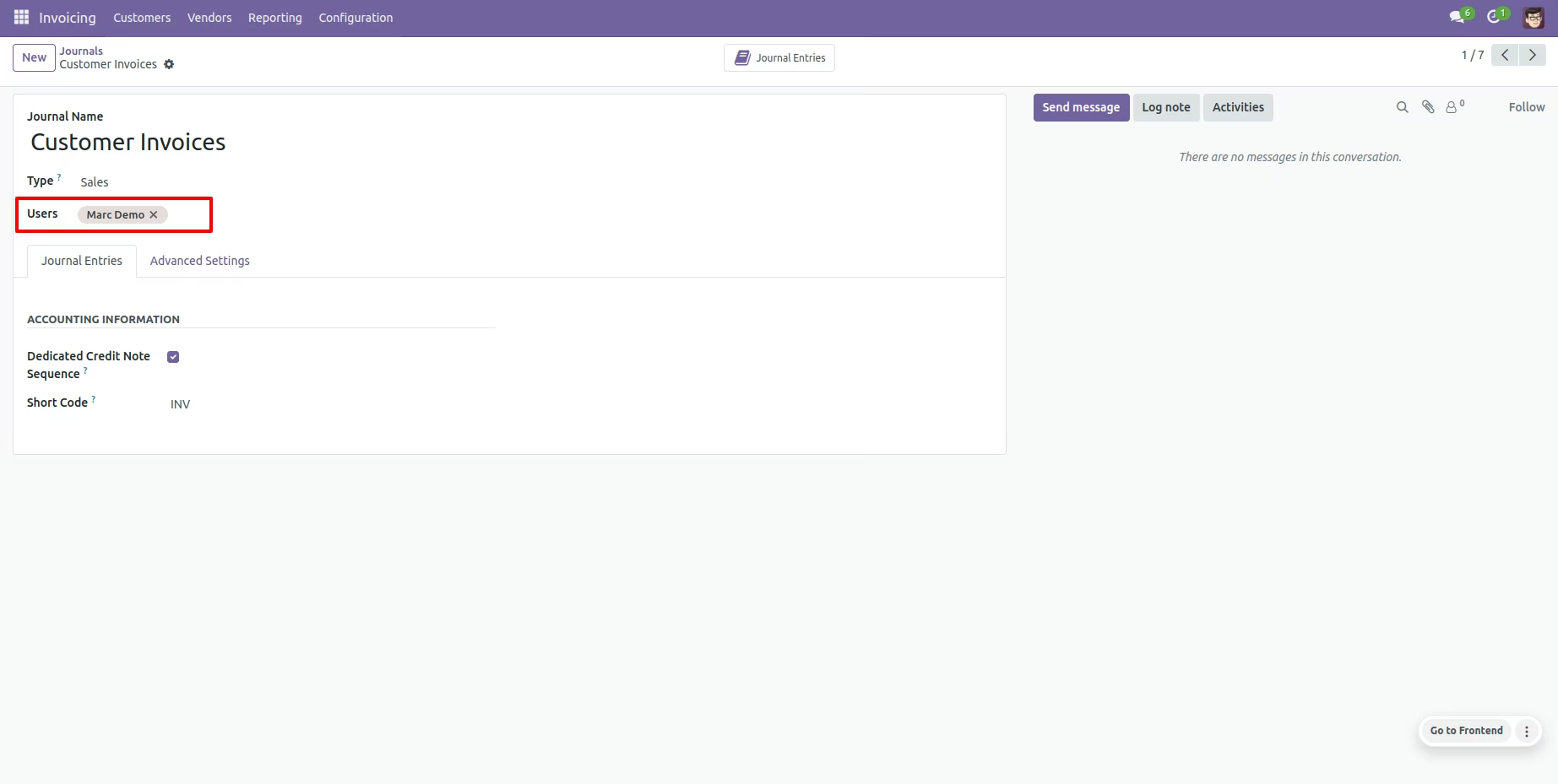
Admin can restrict users inside journals so those users are allowed to access those journals.
Admin can also define restricted journals inside users so that journals are only accessible by the user.
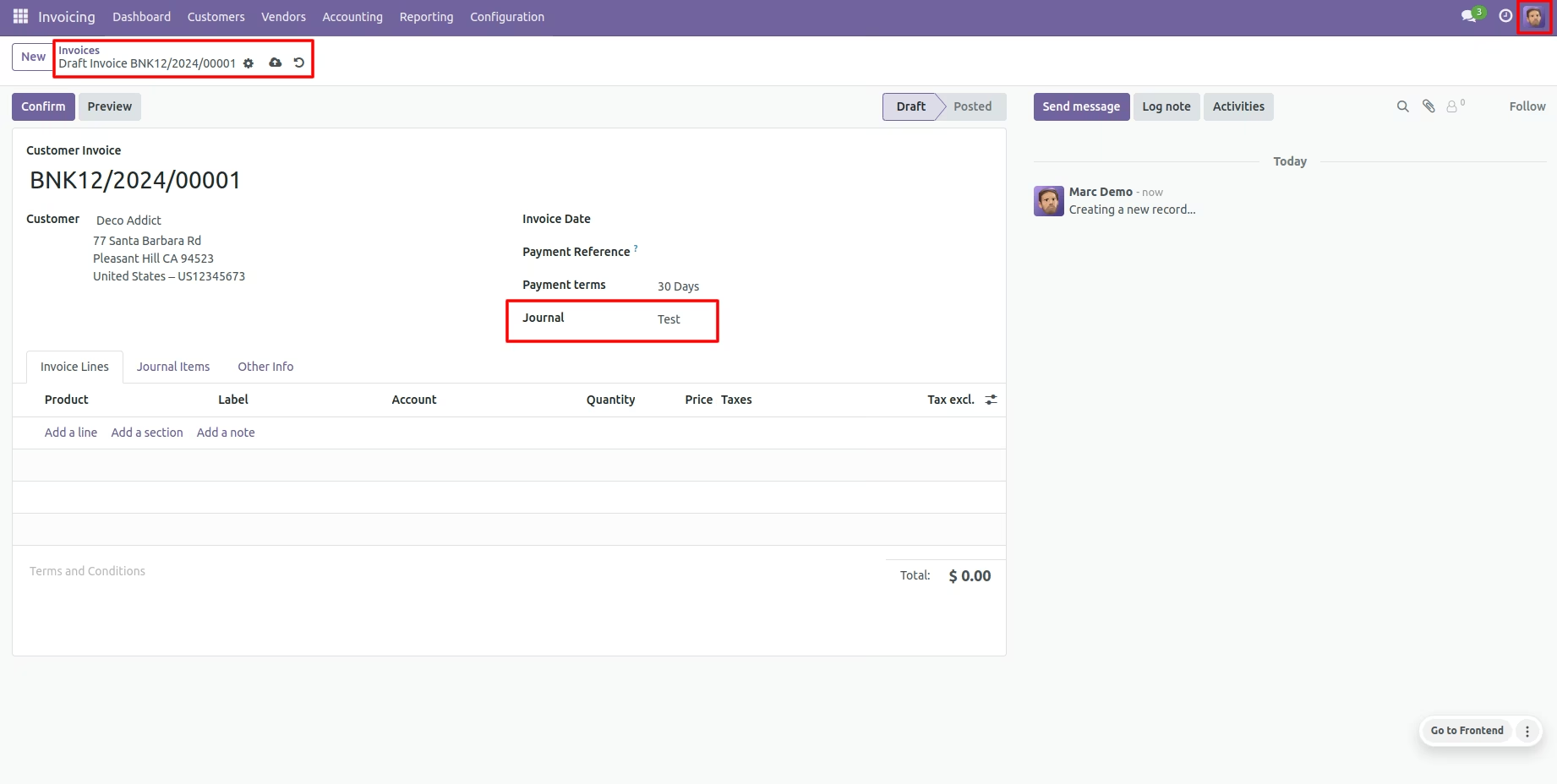
Only allowed journals displayed for that user.
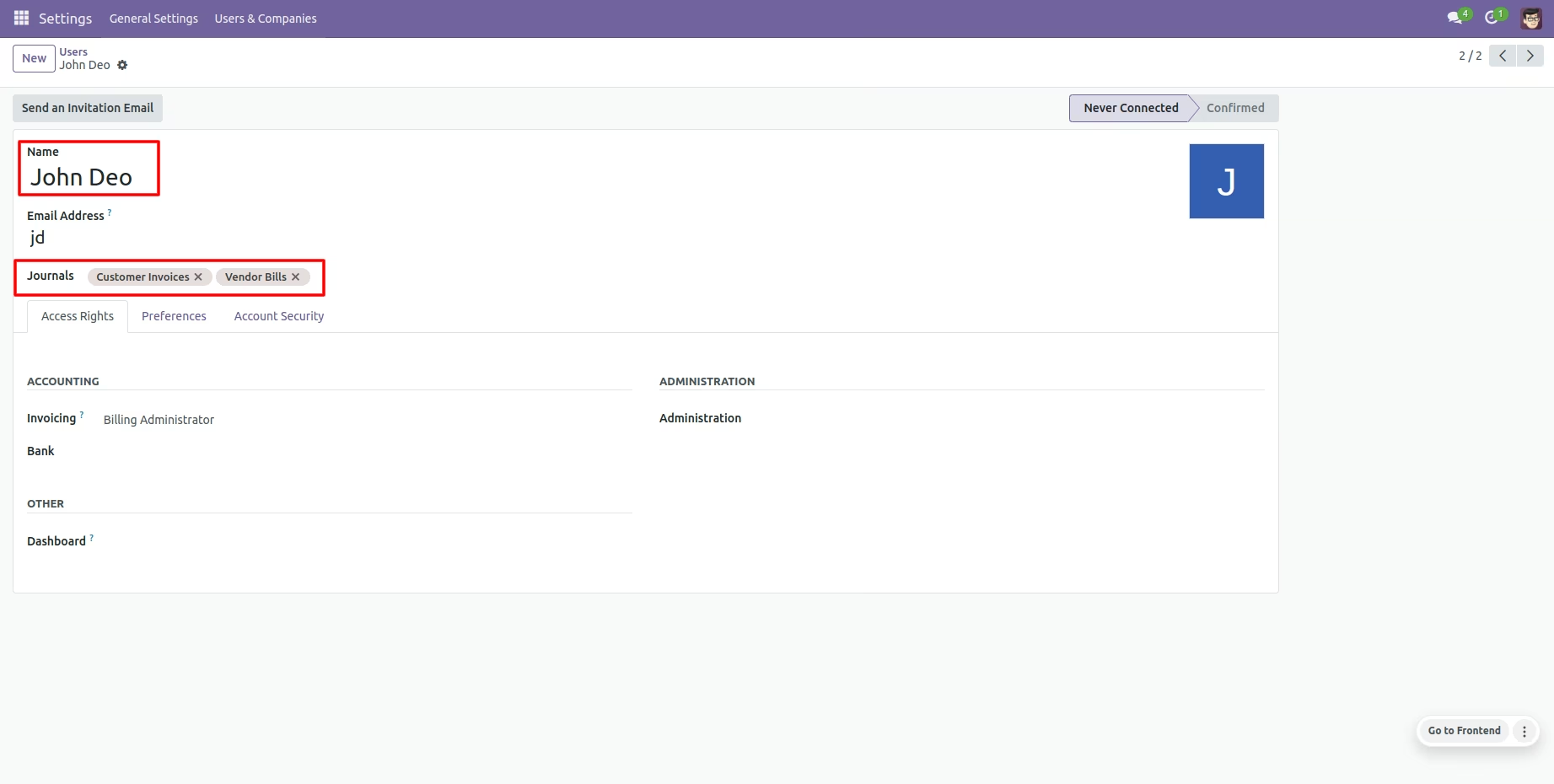
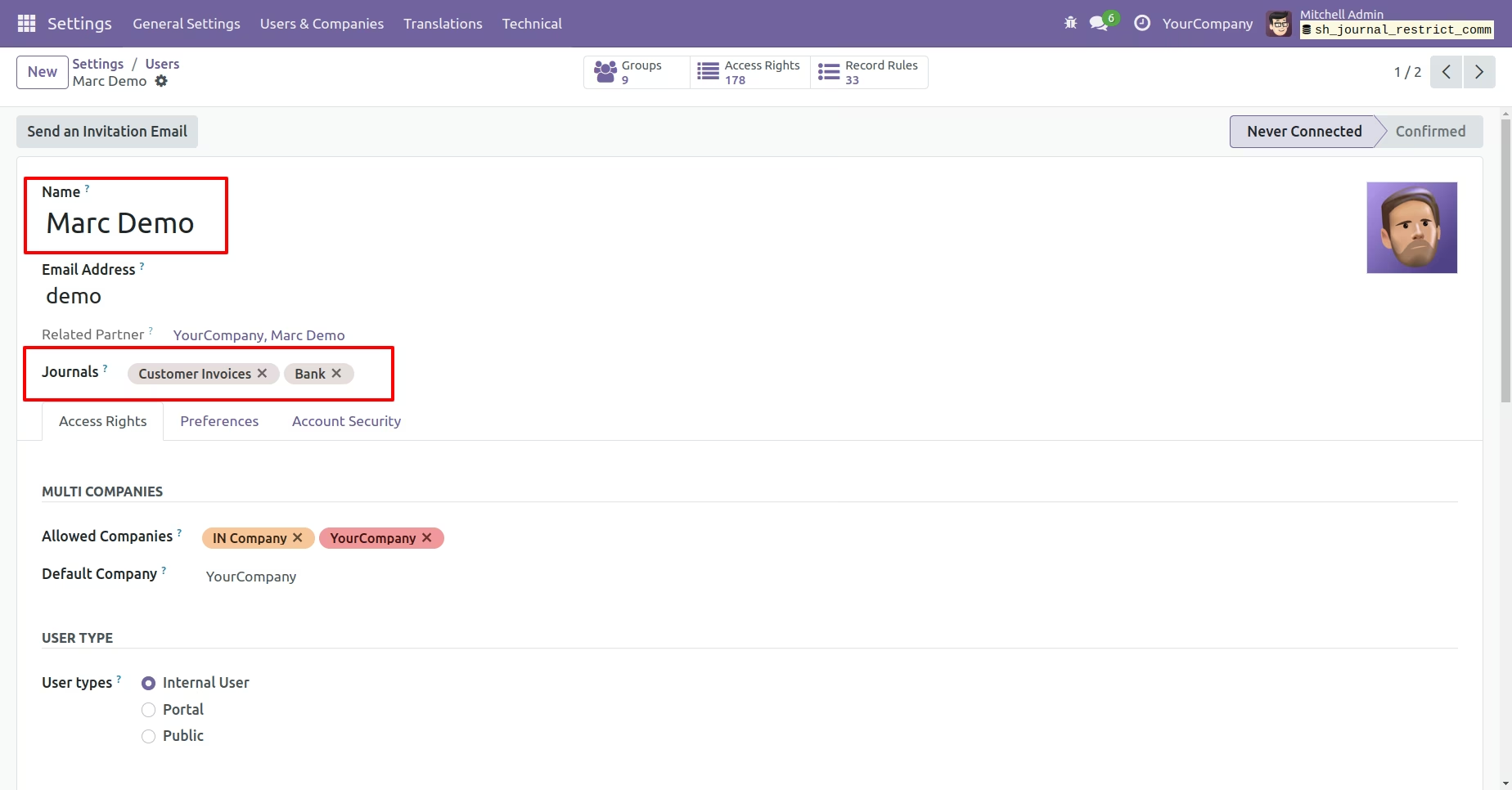
Define journals inside users so that journals are only accessible by the user.
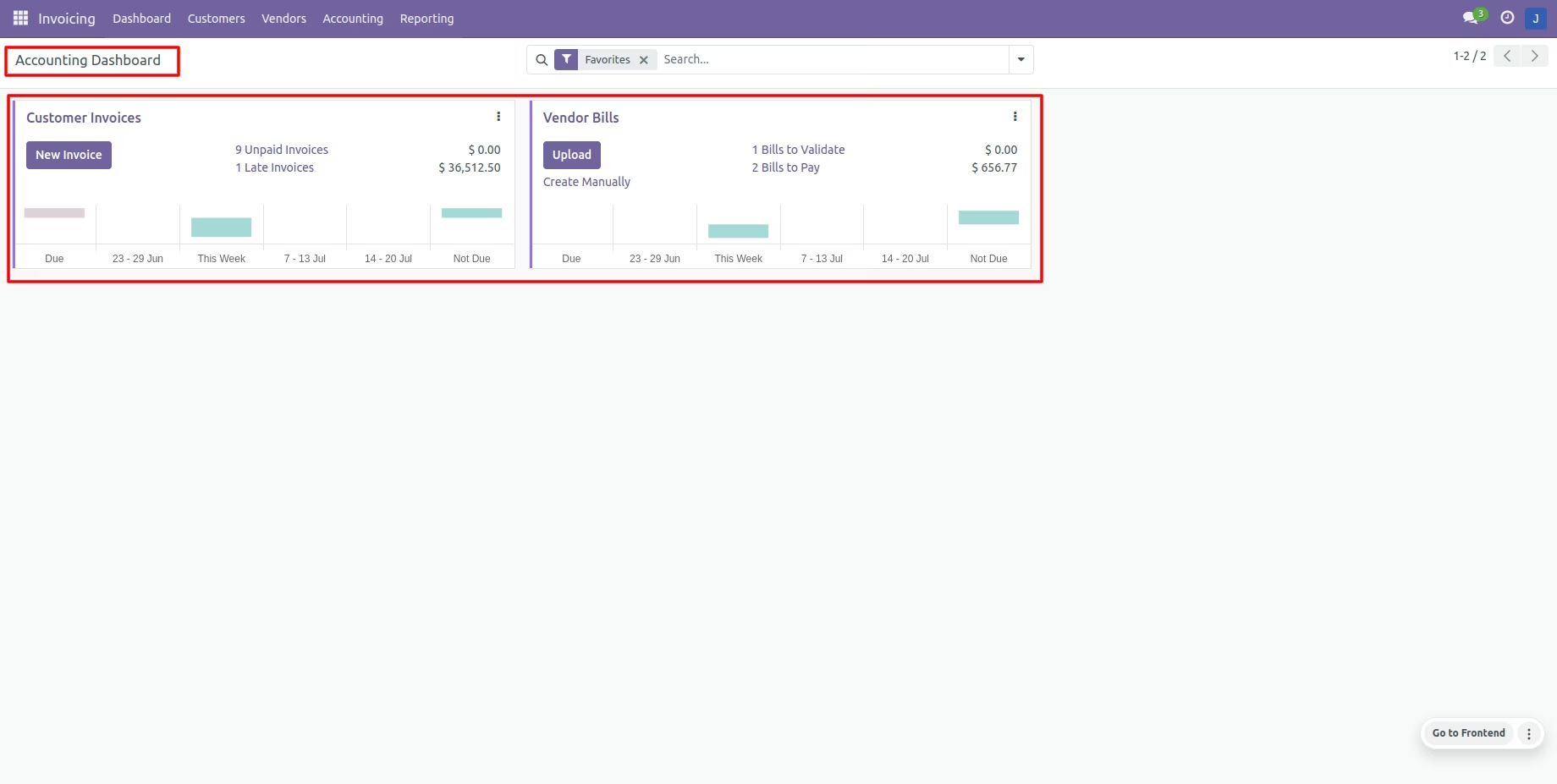
Only allowed journals are displayed on the dashboard.
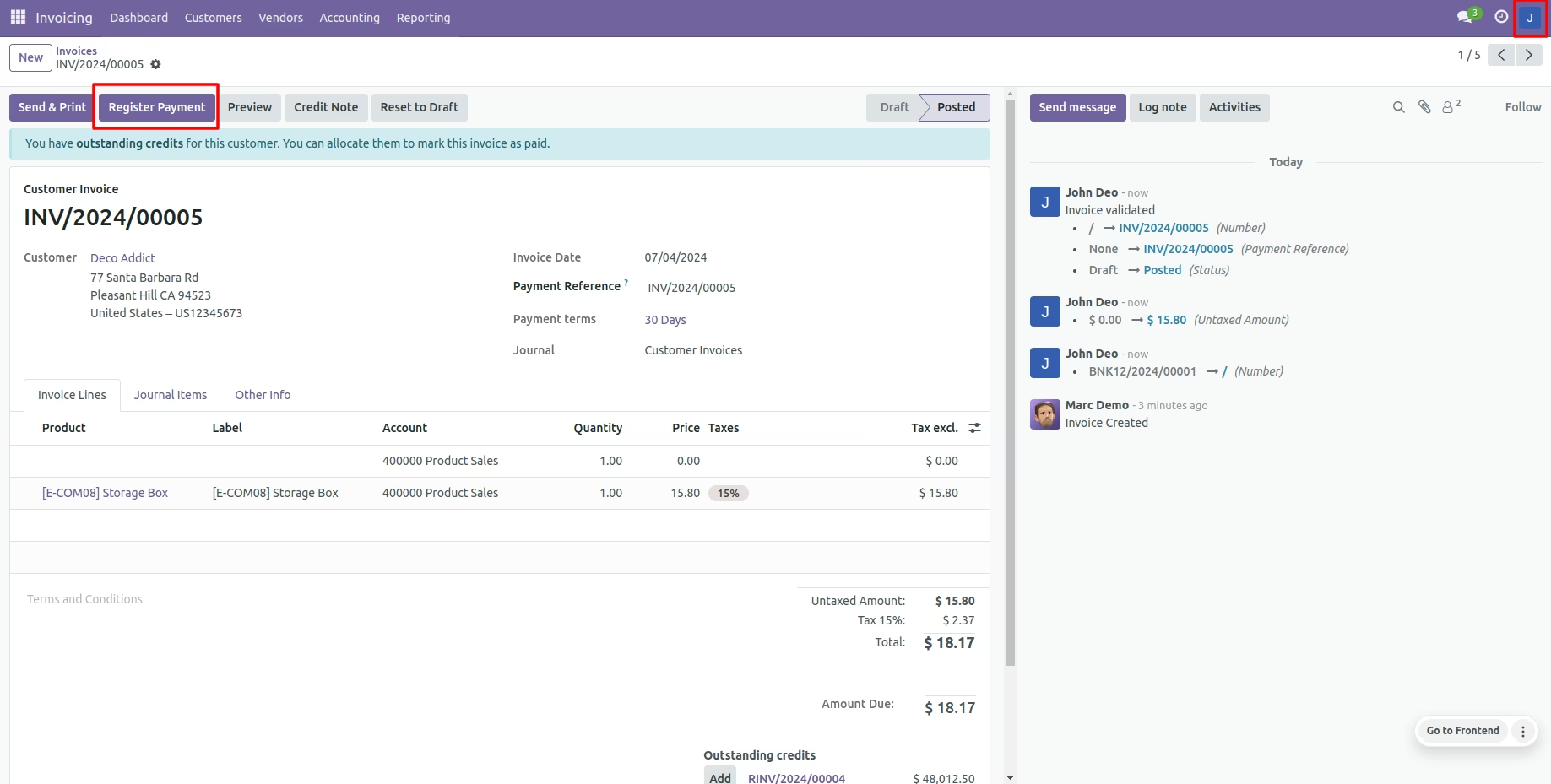
Now press the "Register Payment" button.
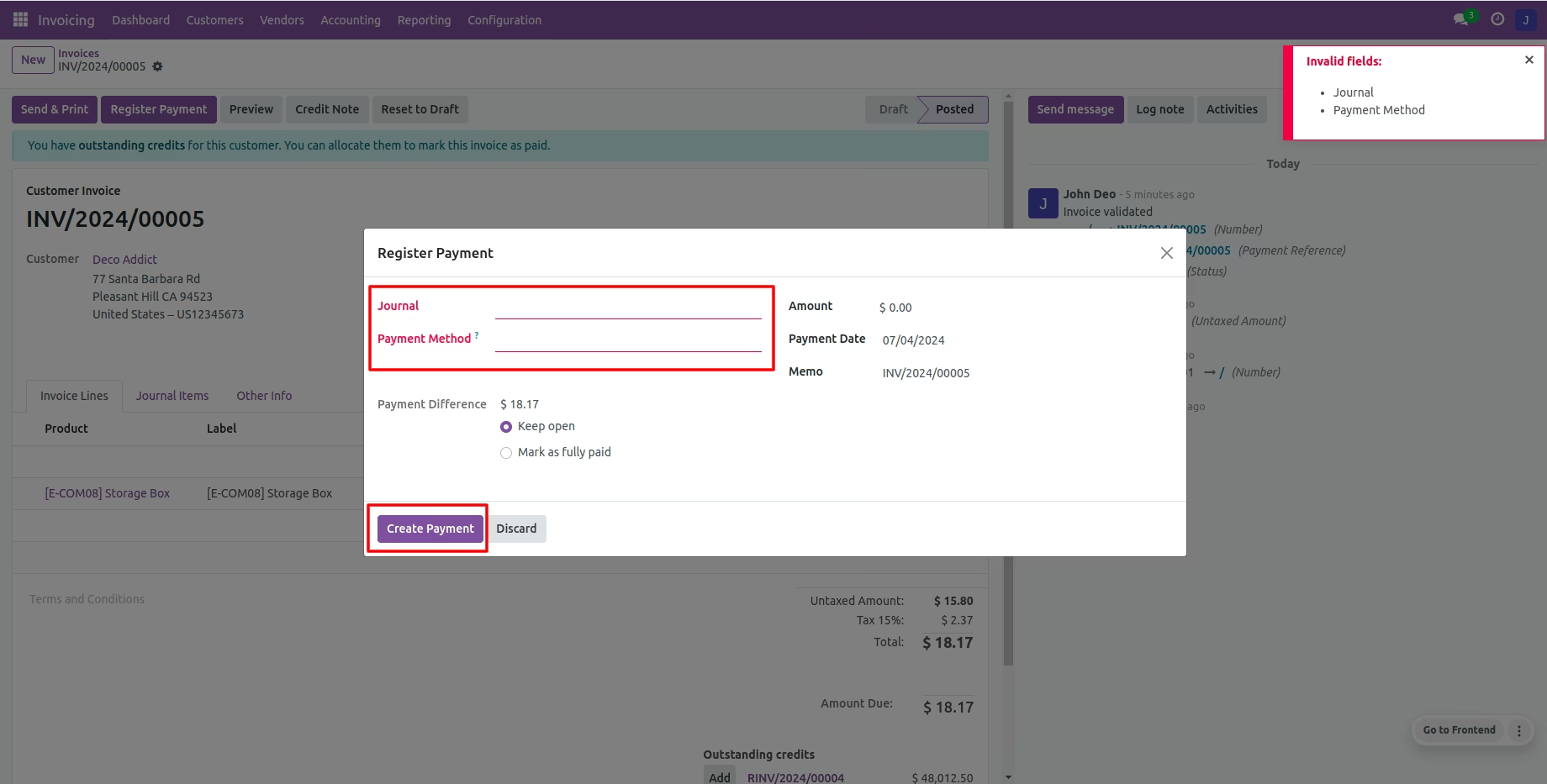
If you create payment without selecting journals then it shows an alert.
Assign journals to users based on their accessibility.
The user can view and create invoices because they have access to customer invoices.
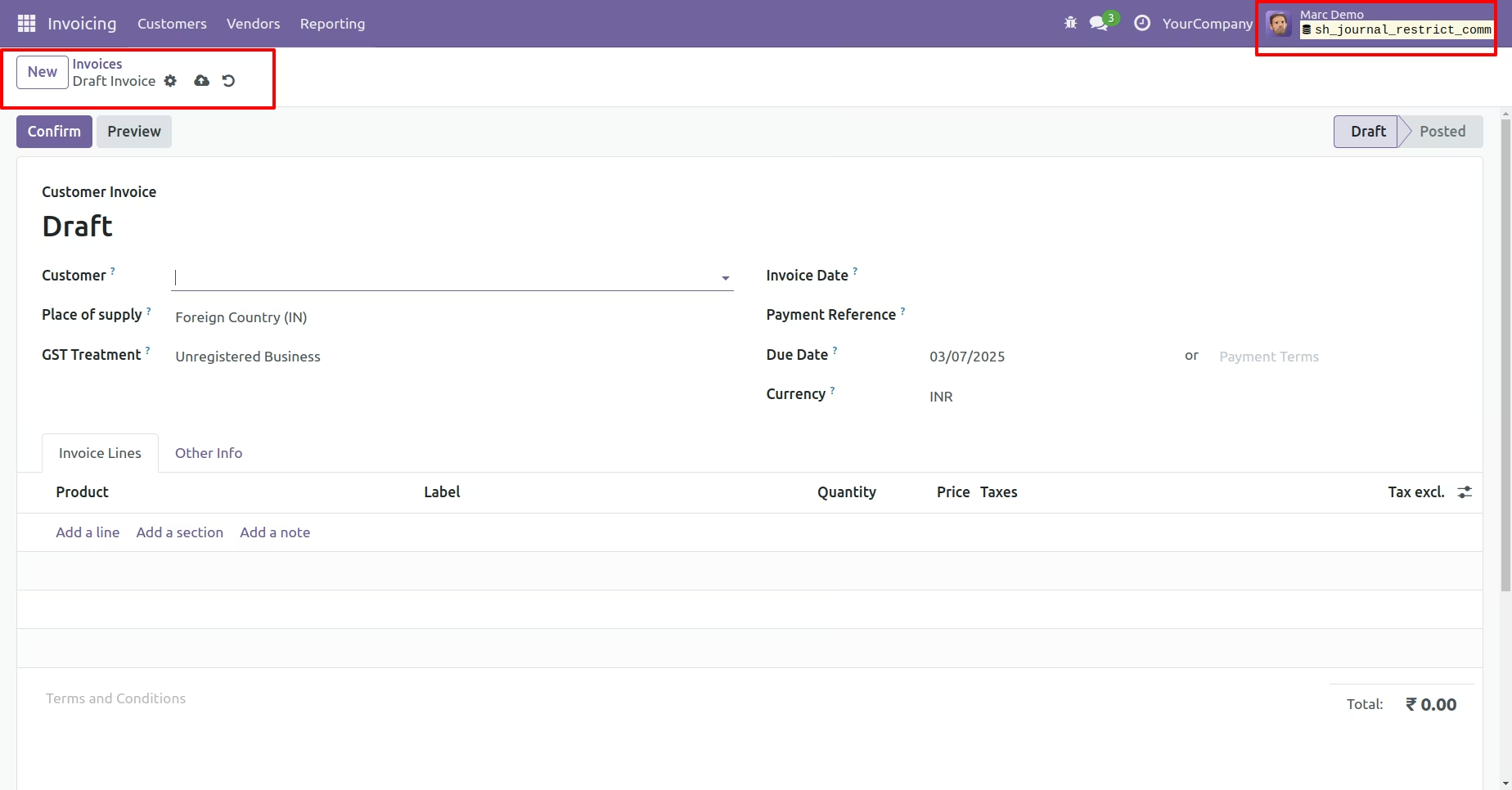
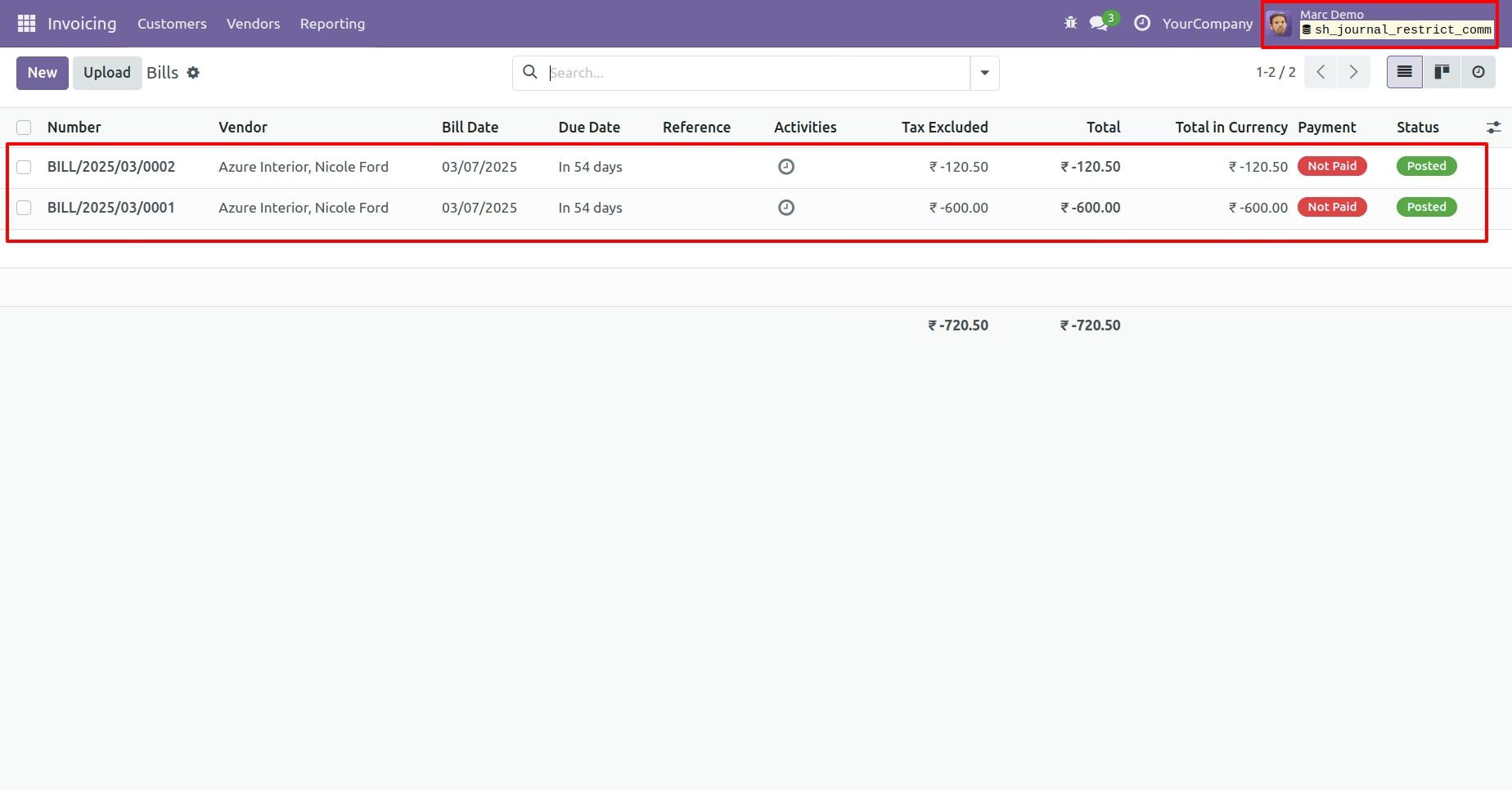
The user can view vendor bills, click on new button to create bills.
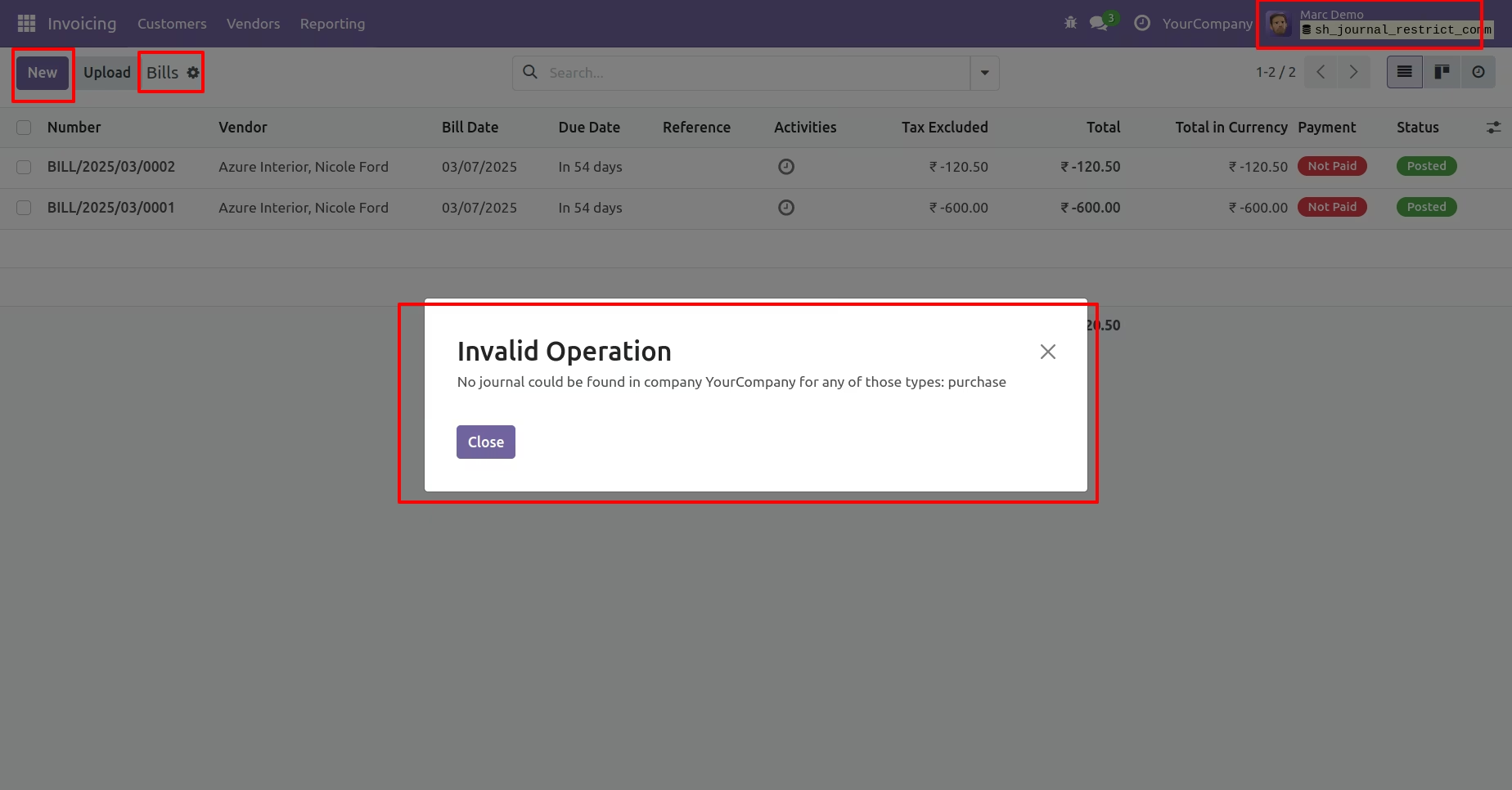
By clicking the "New" button, a warning message will be displayed because the user can only view bills and cannot create new ones due to a lack of access to the vendor bills journal.
Configuration for default journals and users.
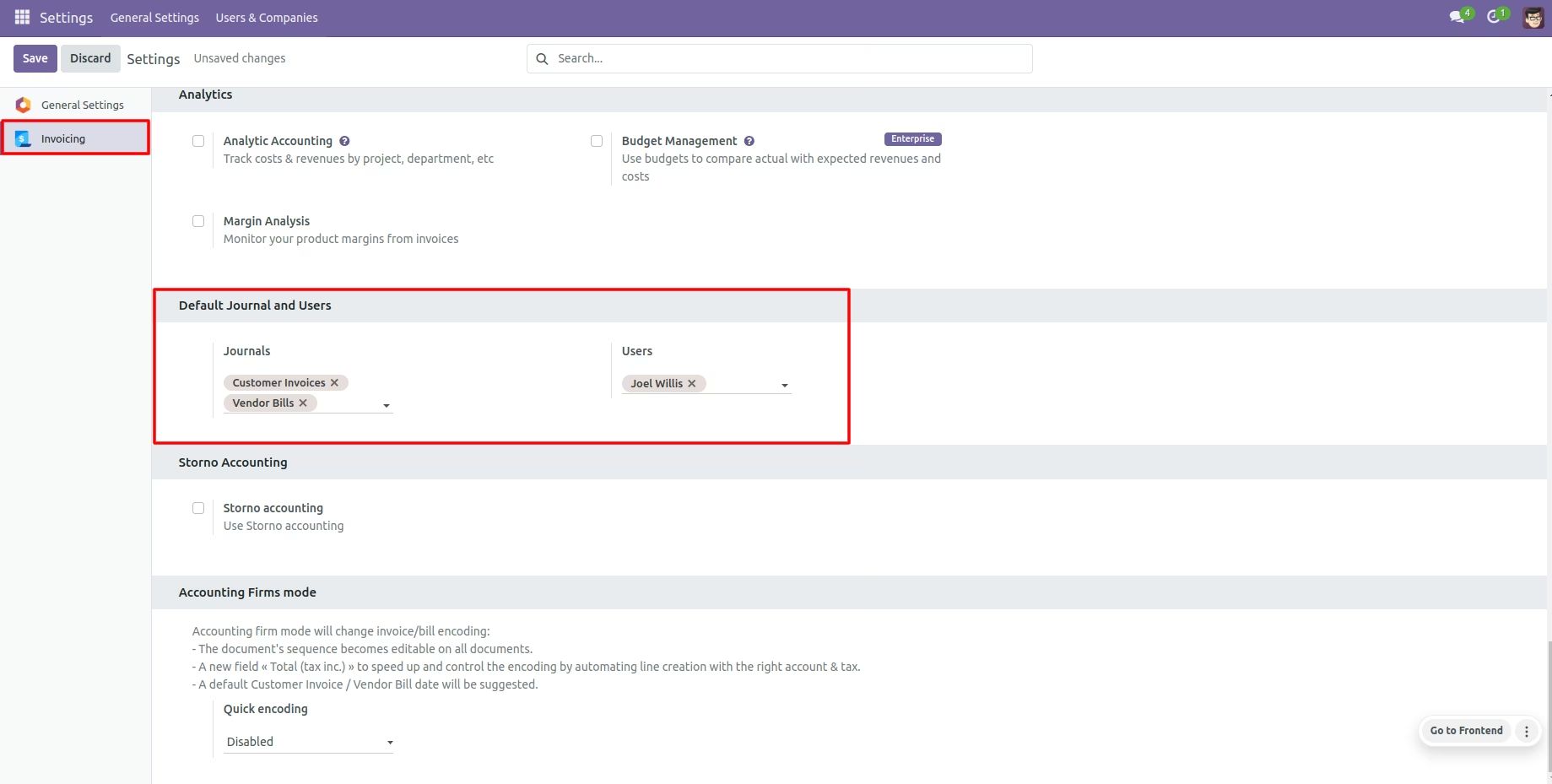
Default users inside journals.
Default journals inside users.