The Journal Entry Import module for streamlines the accounting process by enabling users to import journal entry items directly from Excel files. This feature reduces manual work, minimizes human errors, and ensures accurate financial data. With template-driven import functionality, businesses can efficiently manage large volumes of journal entries.
Import journal entry items seamlessly from Excel files.
Includes sample Excel templates for quick and easy setup.
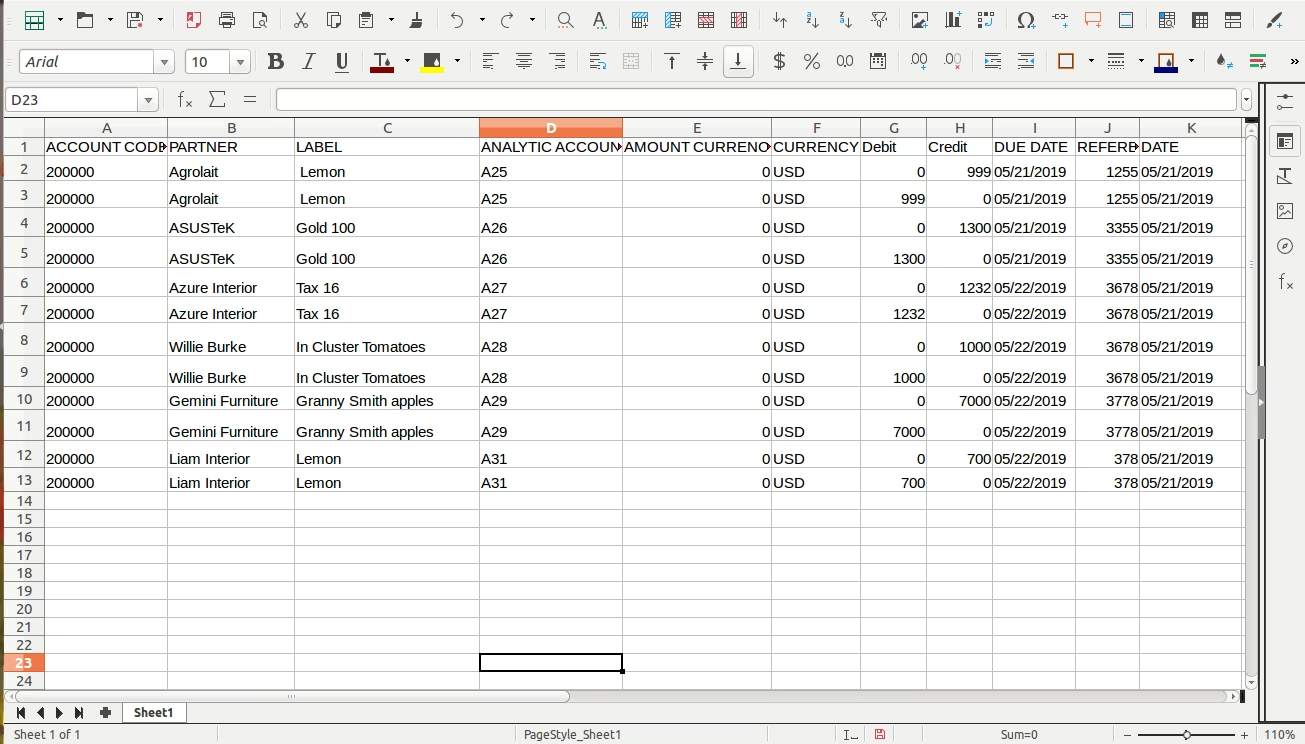
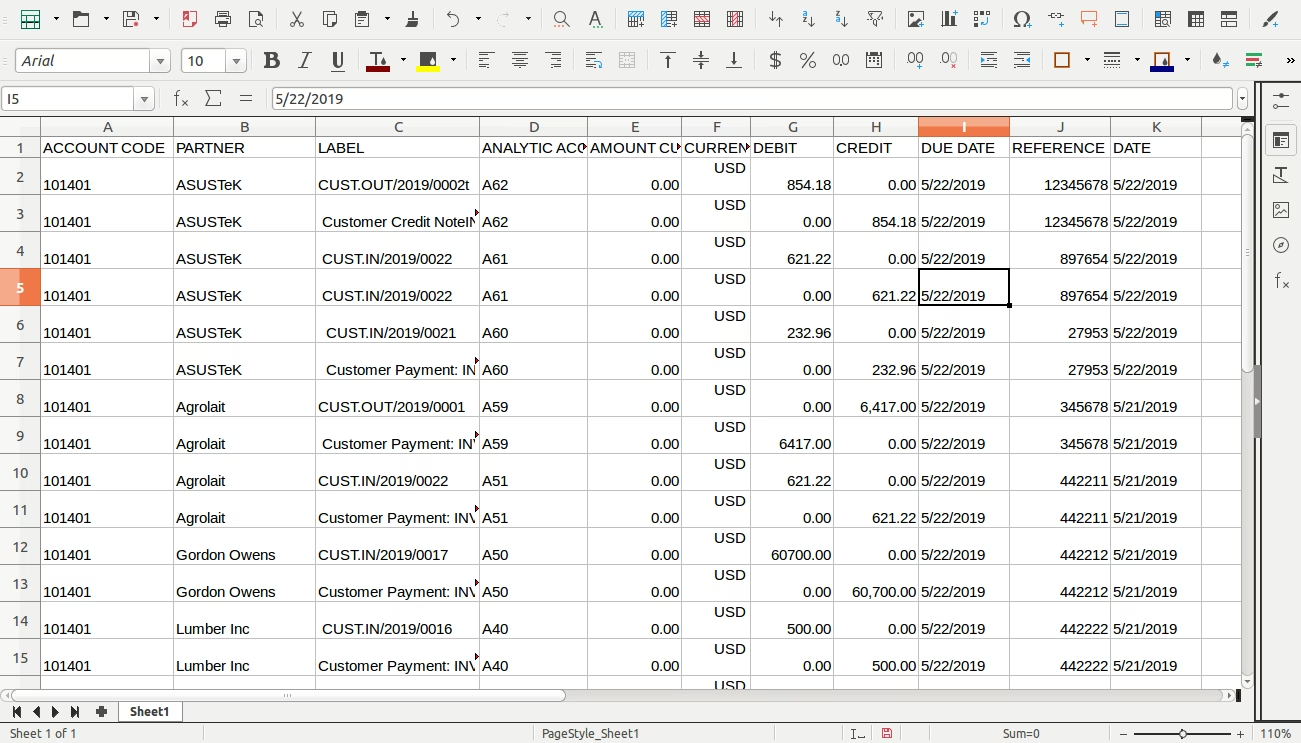
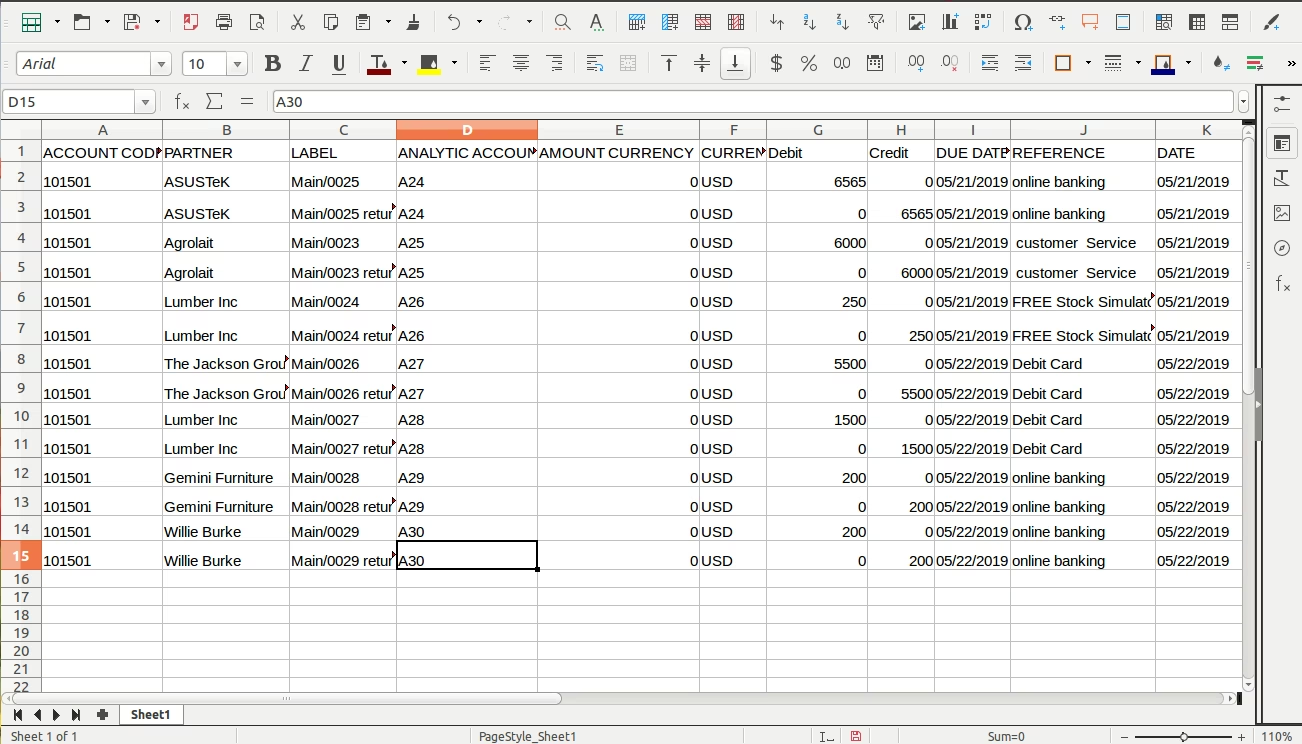
Supports importing key fields such as account code, partner, label, currency amount, debit, credit, due date, reference, and date.
Requires the xlrd Python library to process Excel file data.
Save time by importing bulk journal entries instead of manual input.
Improve accuracy and consistency of financial records.
Reduce errors in accounting workflows with structured import.
Enhance productivity and streamline data management.
Import Journal Entry / Items Module
This app allows your accounting team to import journal items from excel files.
Main Features:
- Allow you to import journal items from excel file.
- Excel samples are available inside the module.
- Make sure you have xlrd Python module installed. https://pypi.python.org/pypi/xlrd
- For more details please see video and below screenshots.
Following fields can be import:
- ACCOUNT CODE
- PARTNER
- LABEL
- AMOUNT CURRENCY
- CURRENCY
- DEBIT
- CREDIT
- DUE DATE
- REFERENCE
- DATE
Bank Journal Item Details
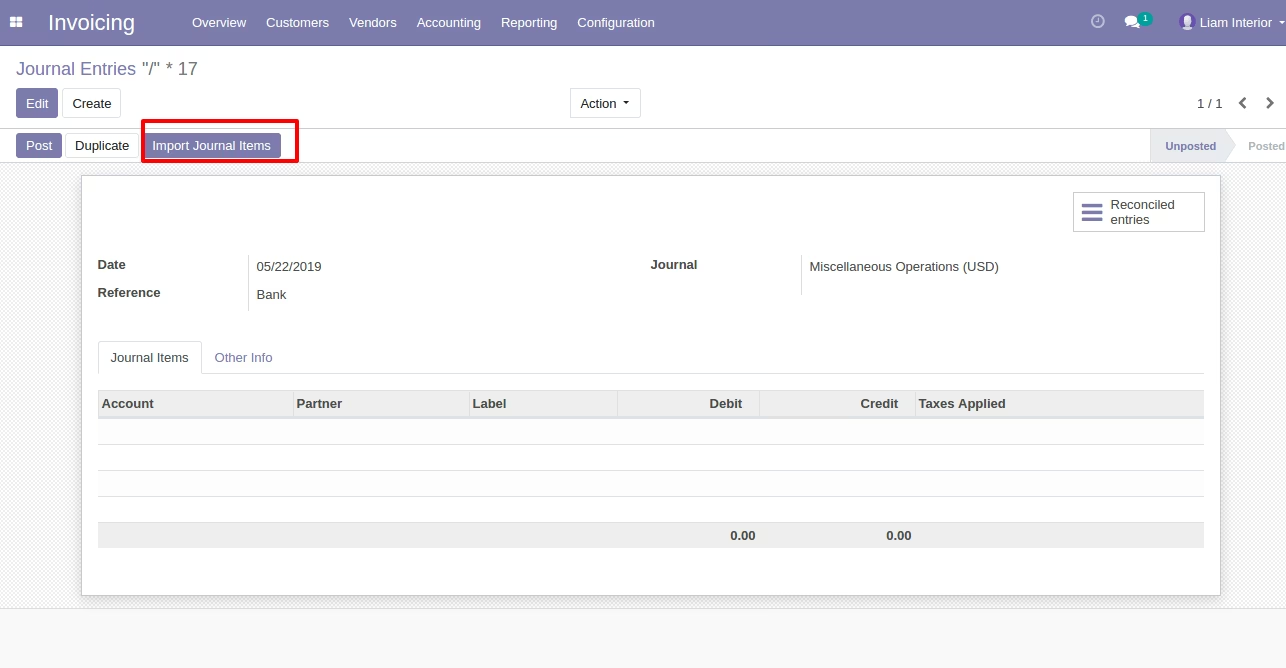
Button to Import Journal Items
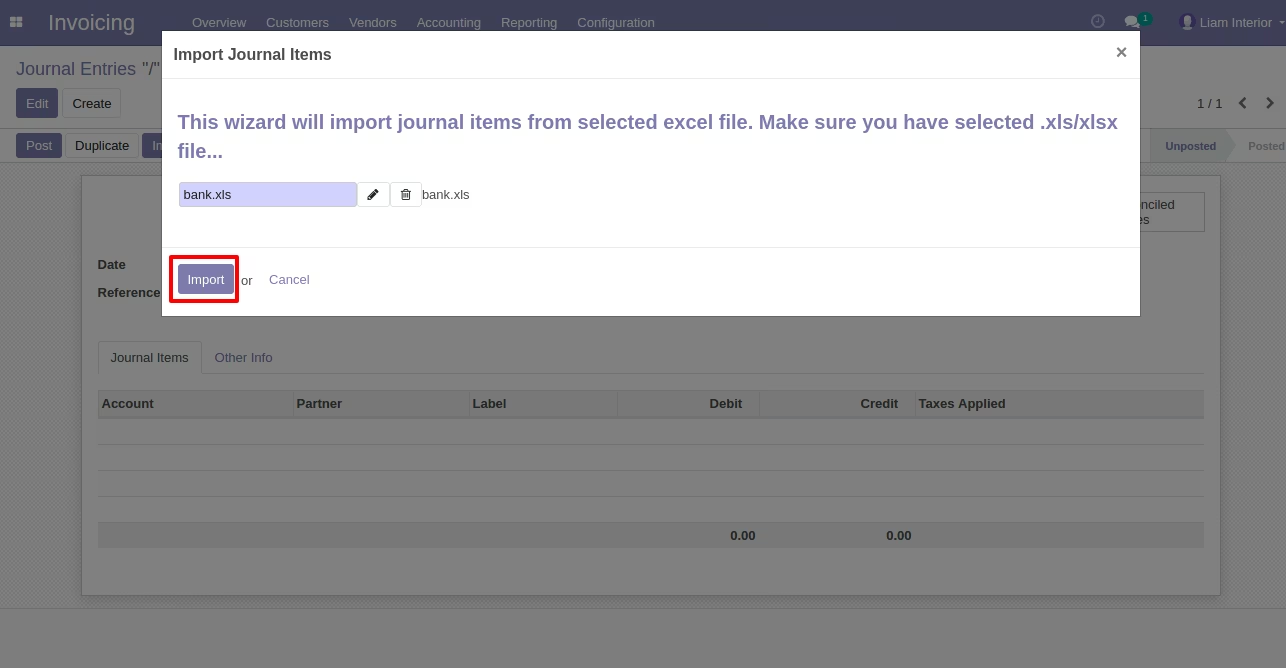
Wizard to Select Excel
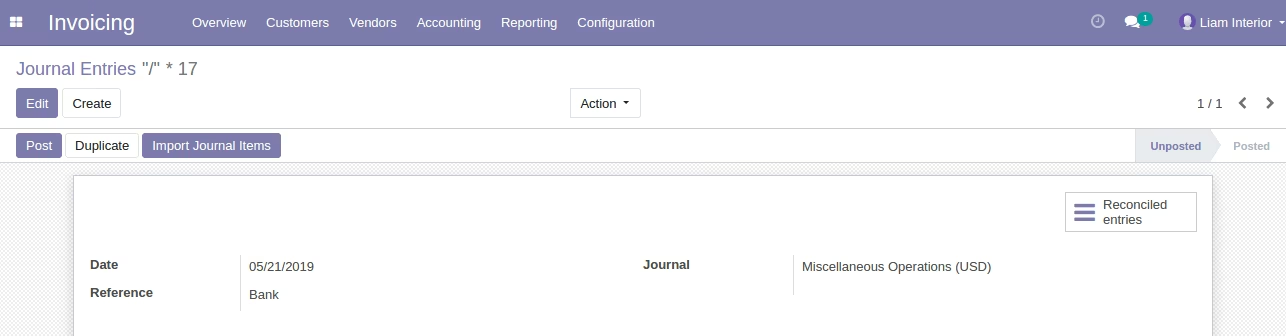
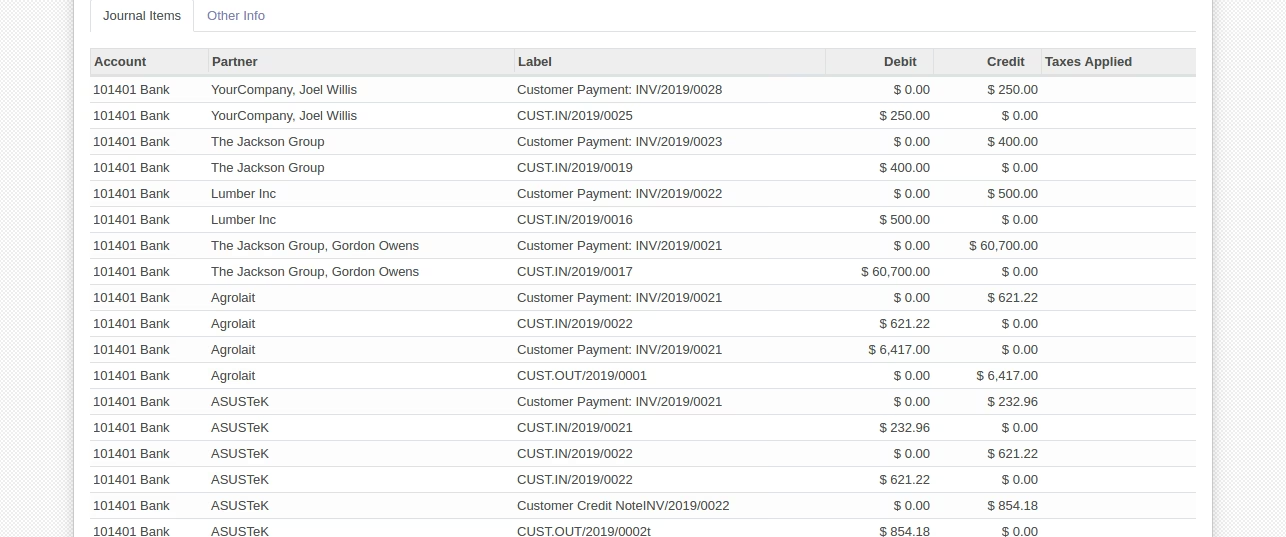
Imported Journal Items(Bank)
Sample Bank Excel File (Also available inside Module/Sample Folder)
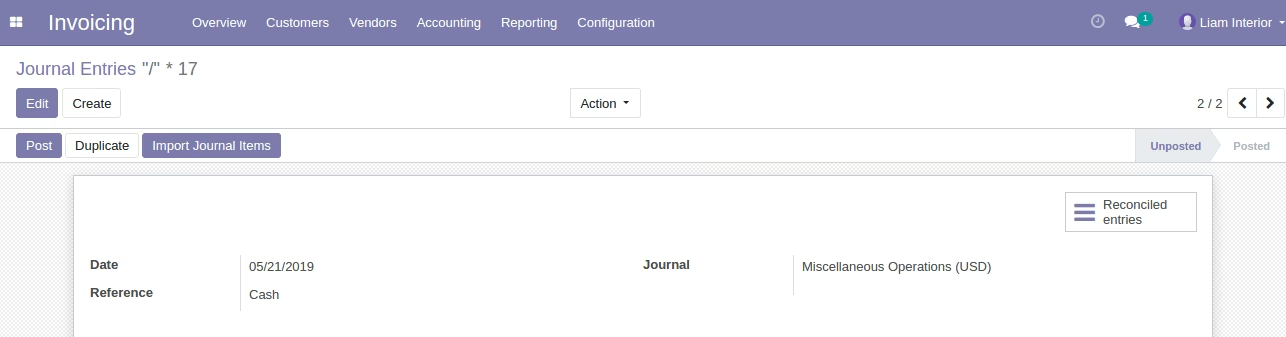
Cash Journal Item Details
Button to Import Journal Items
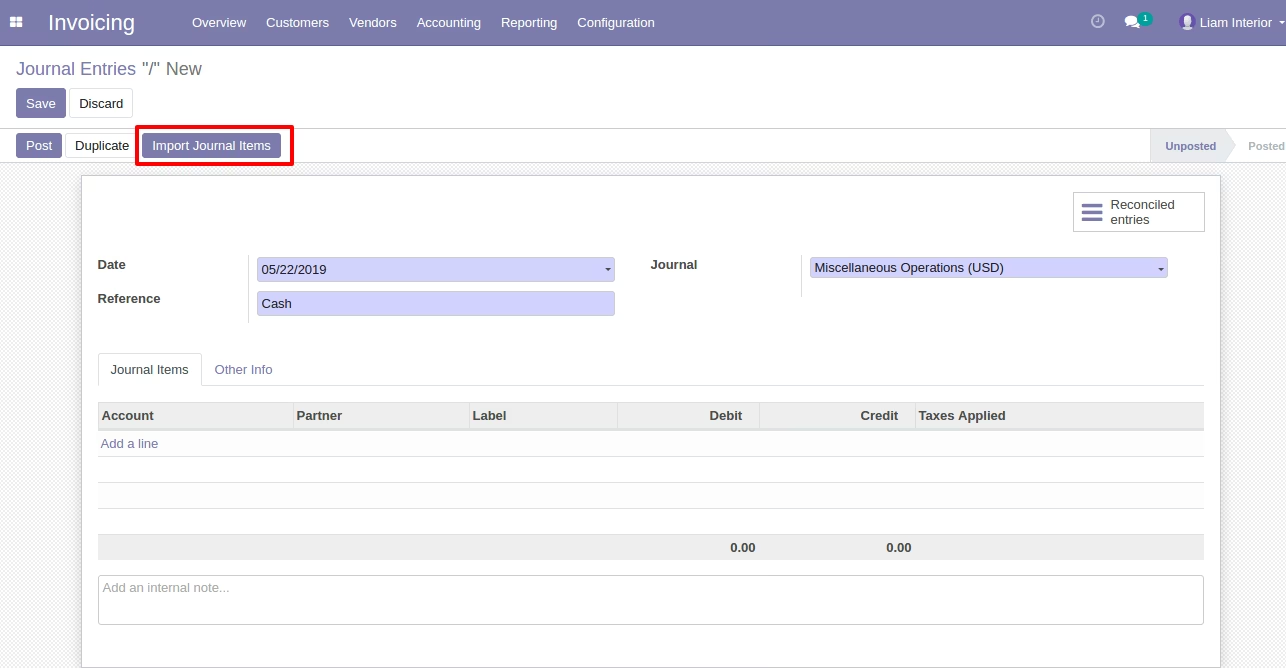
Button to Import Journal Items
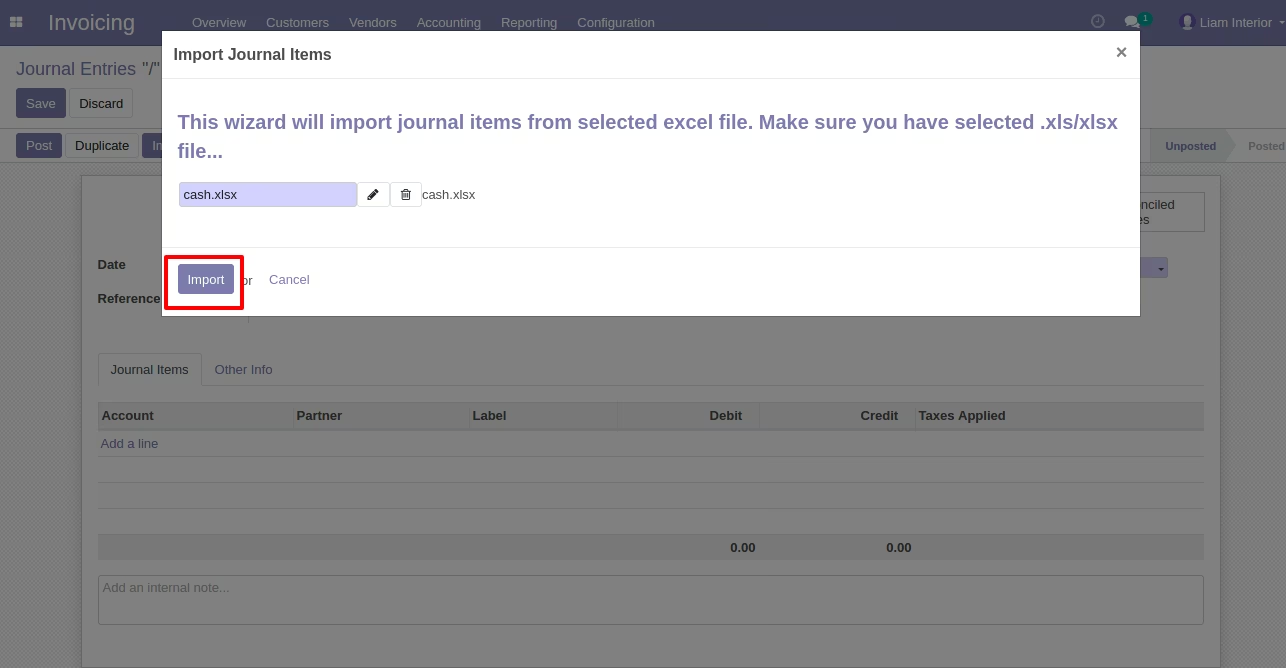
Button to Import Journal Items(Cash)
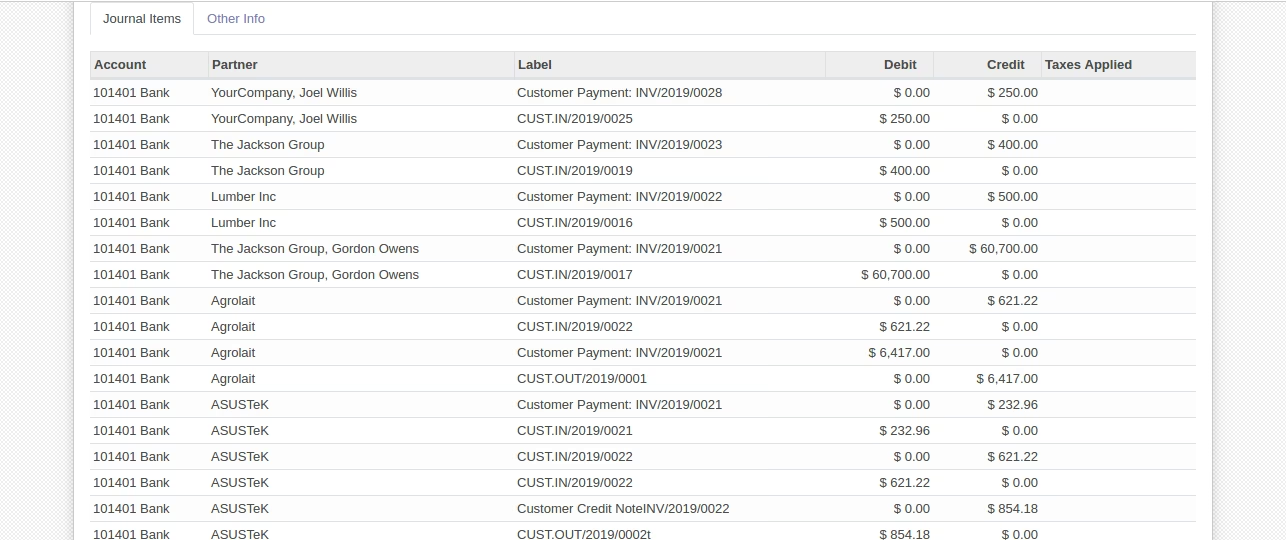
Sample Cash Excel File (Also available inside Module/Sample Folder)
Product Sales Journal Item Details
Button to Import Journal Items
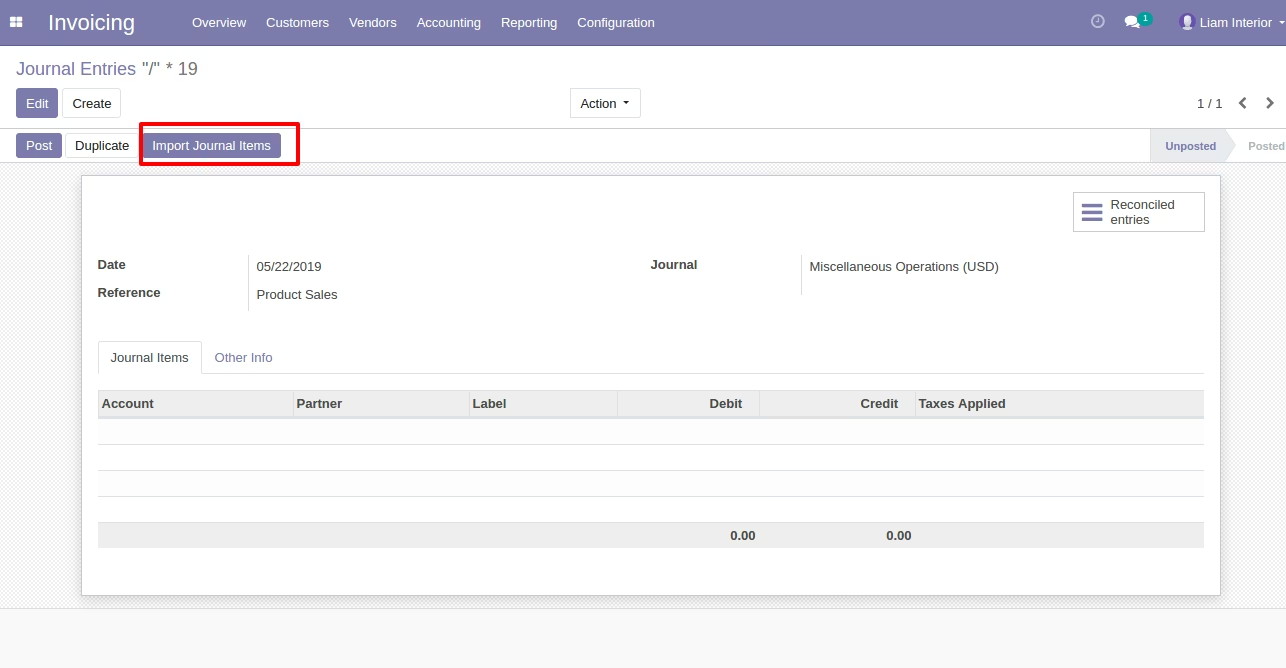
Button to Import Journal Items
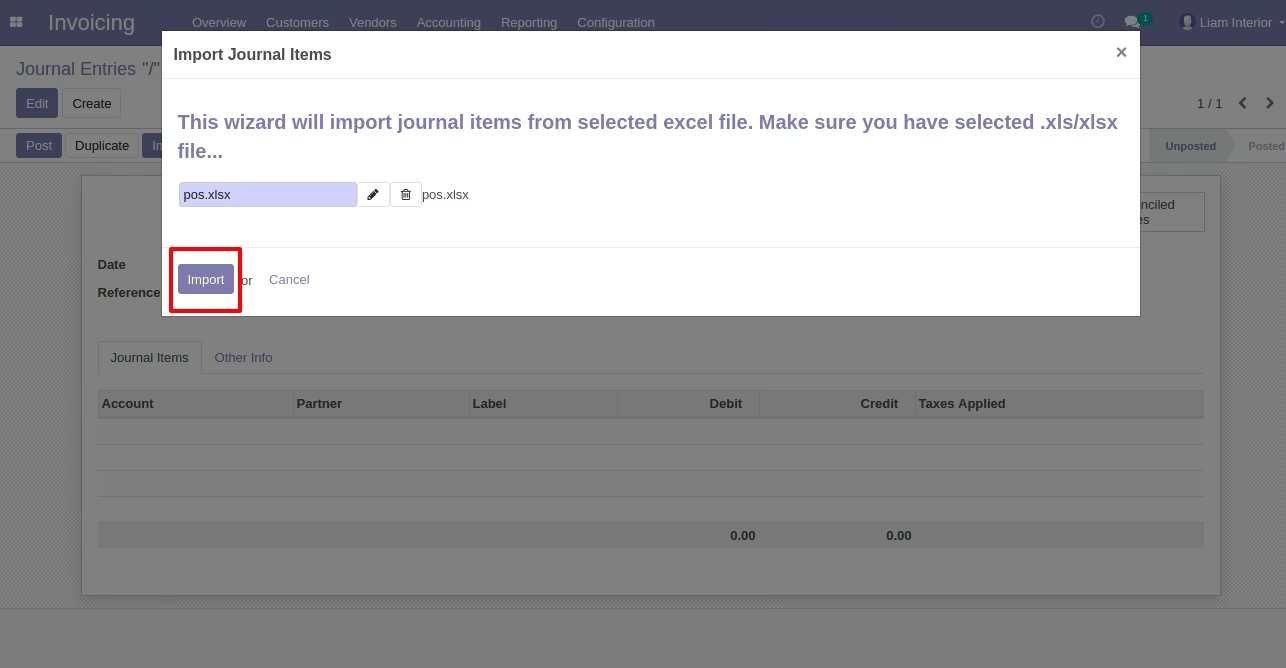
Button to Import Journal Items(Cash)
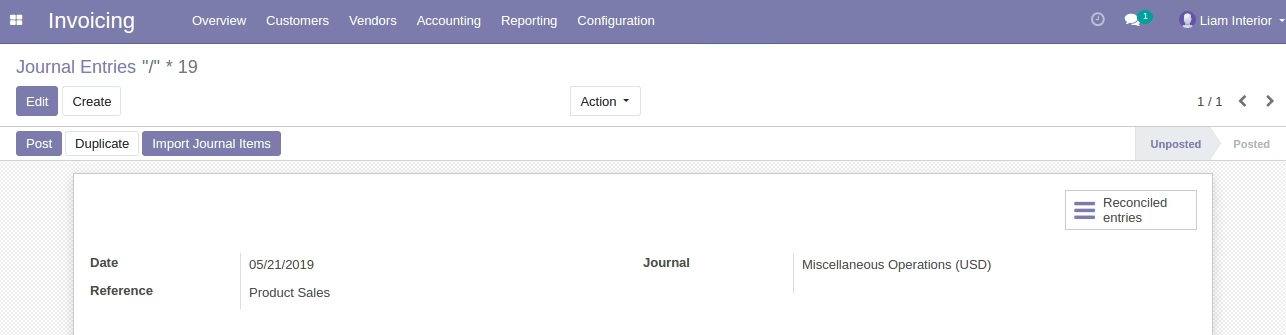
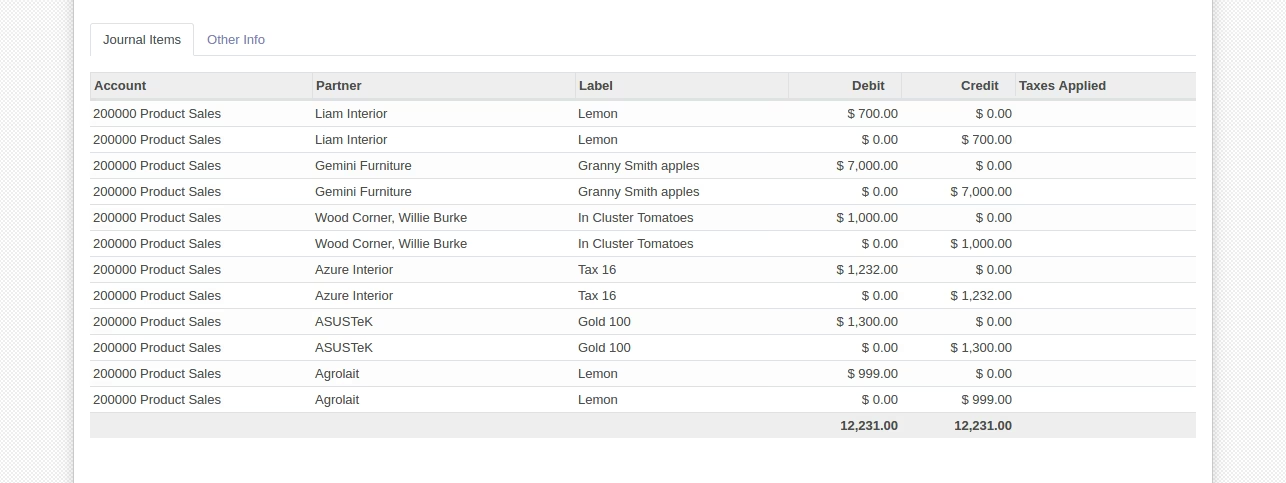
Sample Product Sales Excel File (Also available inside Module/Sample Folder)