The Multiple Journal Entry Import module for empowers businesses to upload multiple journal entries at once using Excel files. It improves efficiency by minimizing manual input, reduces human errors, and ensures reliable financial data integration. With easy-to-use templates and seamless configuration, this module accelerates accounting processes and keeps financial records accurate.
Import multiple journal entries from Excel files in bulk.
Includes sample Excel templates for quick setup and consistency.
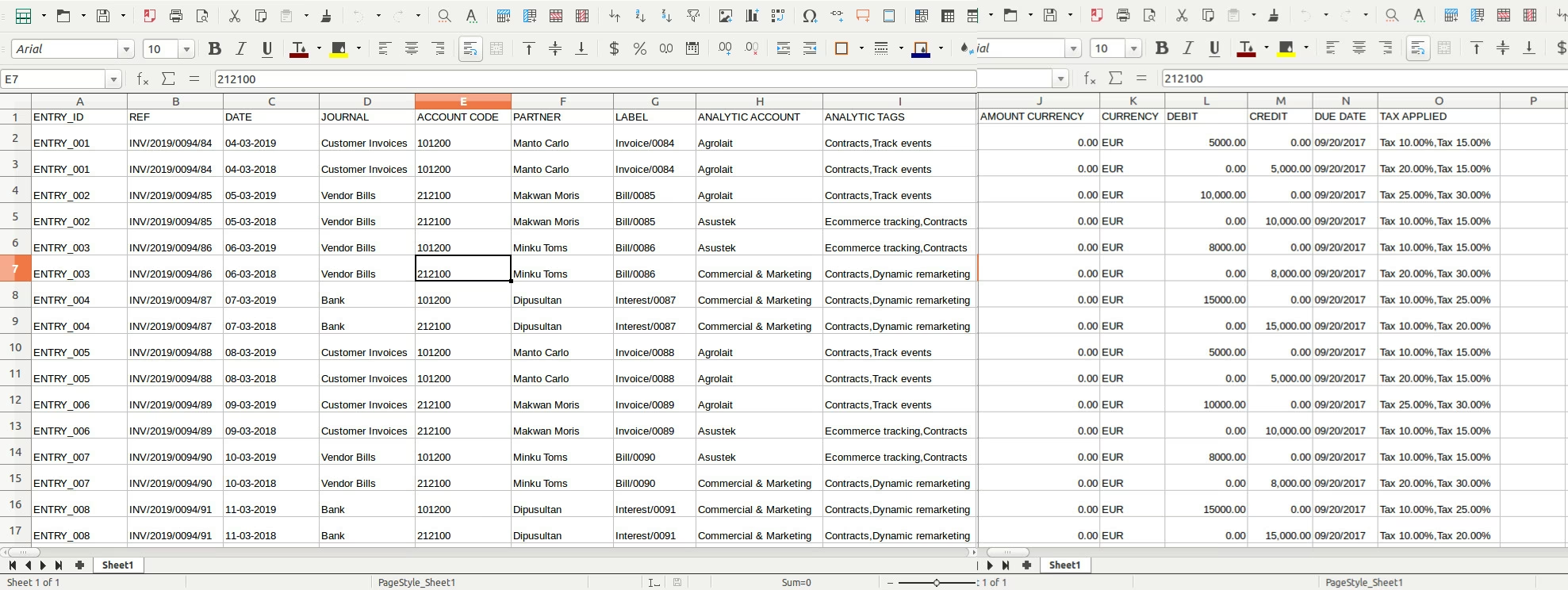
Supports importing essential fields such as entry ID, reference, date, journal name, account code, partner, label, analytic account, tags, currency amount, debit, credit, due date, and tax.
Requires standard Excel processing library (e.g., xlrd) for data handling.
Designed for bulk imports to improve productivity and minimize errors.
Save time by uploading multiple journal entries simultaneously.
Improve accuracy and reduce errors in financial records.
Streamline accounting workflows with structured, template-driven import.
Simplify handling of complex data including analytic accounts, tags, and taxes.
Enhance productivity and maintain consistent, accurate accounting data.
Import Multiple Journal Entry App for .
This module allow you to import multiple journal entries from excel file.
Main Features:
- This module will allow you to import Multiple Journal Entries from excel.
- Make sure you have xlwt Python libarary installed.
- Sample Excel is available inside sample folder in module.
- For more details see video and below screenshots.
Following fields can be Import From Excel Column.
- ENTRY_ID : Entry Id for Journal
- REF : Reference for Journal
- DATE : Date for Journal
- JOURNAL : Journal Name
- ACCOUNT CODE : Account Code for Journal Items
- PARTNER : Partner for Journal Items
- LABEL : Journal Items Label
- ANALYTIC ACCOUNT : Analytic Account for Journal Items
- ANALYTIC TAGS : Analytic Tags for Journal Items
- AMOUNT CURRENCY: Amount Currency for Journal Items
- DEBIT : Debit Amount
- CREDIT : Credit Amount
- DUE DATE : Due date for Journal Items
- TAX APPLIED : Tax appliesd for journal entries
Make sure you have xlrd Python module installed. https://pypi.python.org/pypi/xlrd
For more details please see Video in Live Preview section. Excel sample is available inside module.
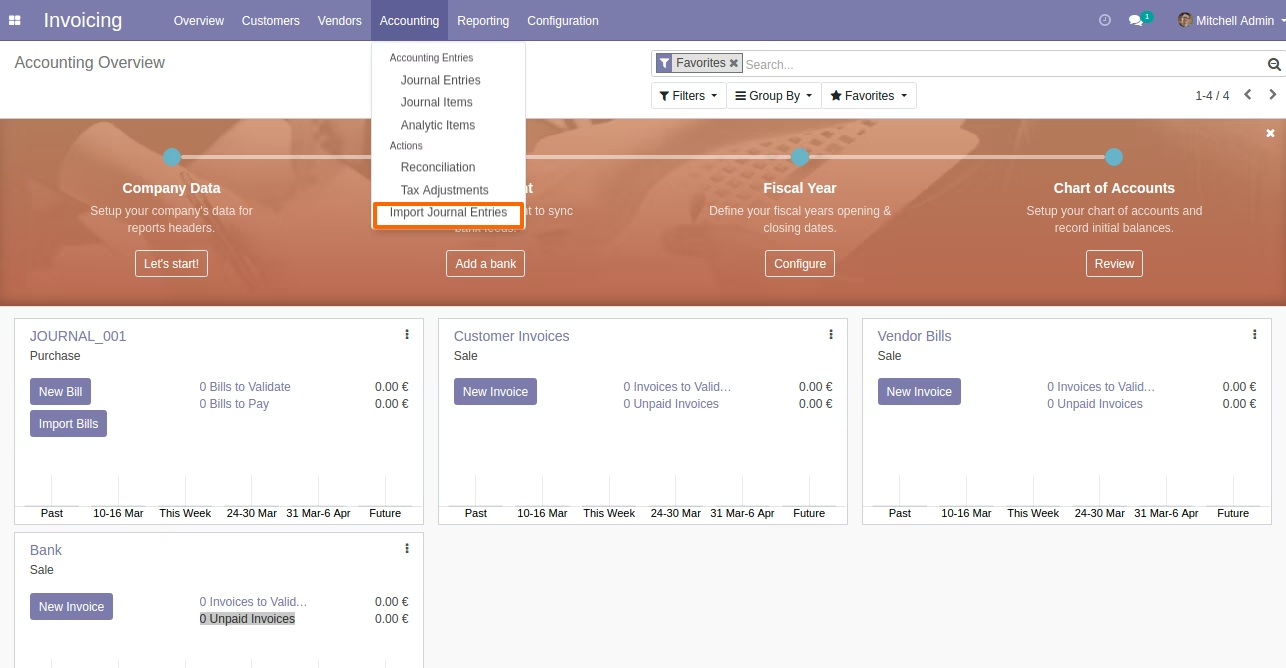
Menu to Import Journal Entries
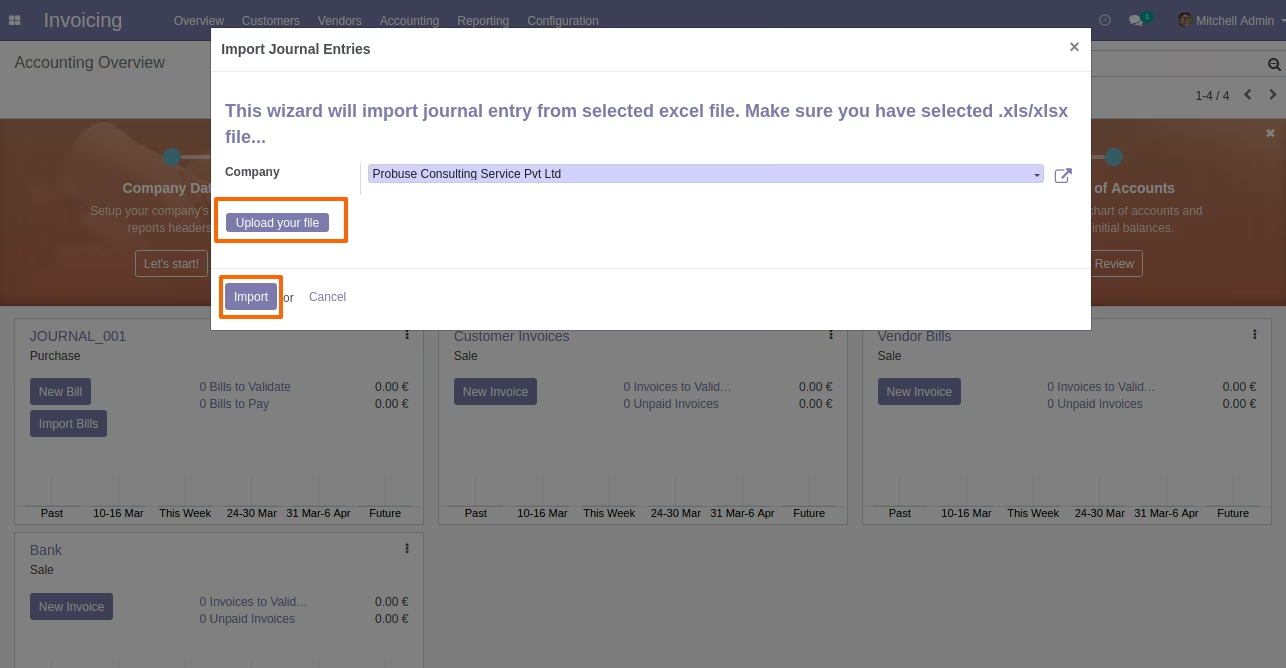
Wizard to Select Excel
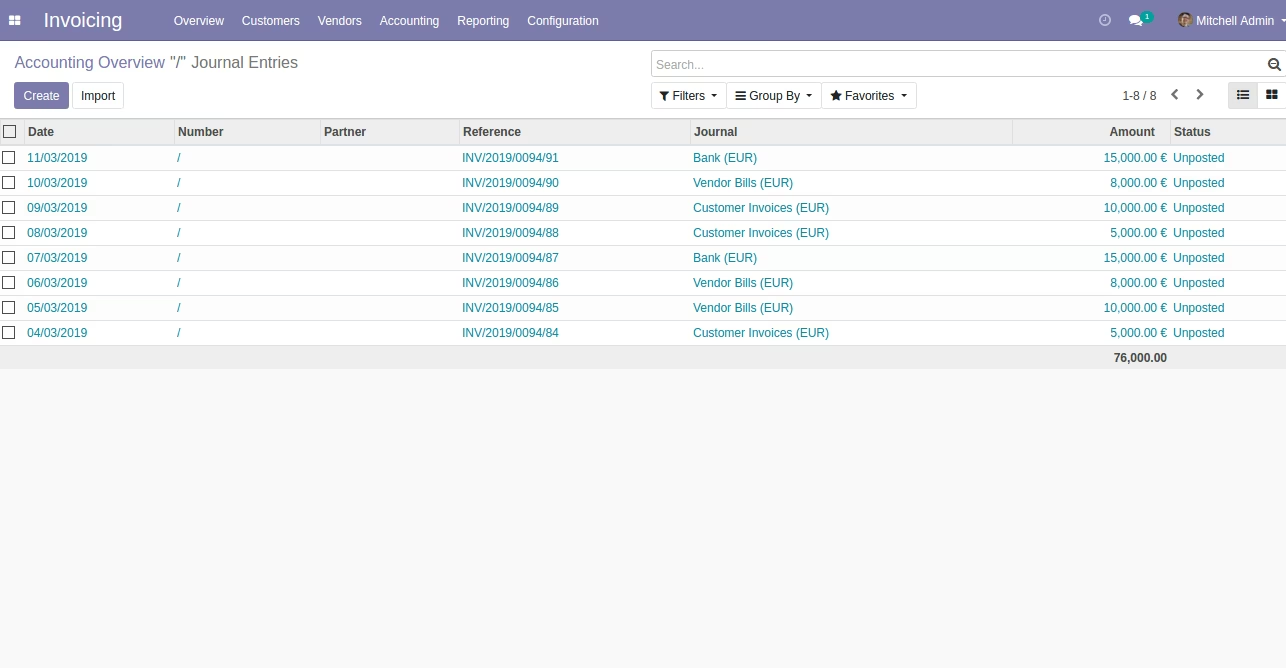
Imported Journal Entries in List View
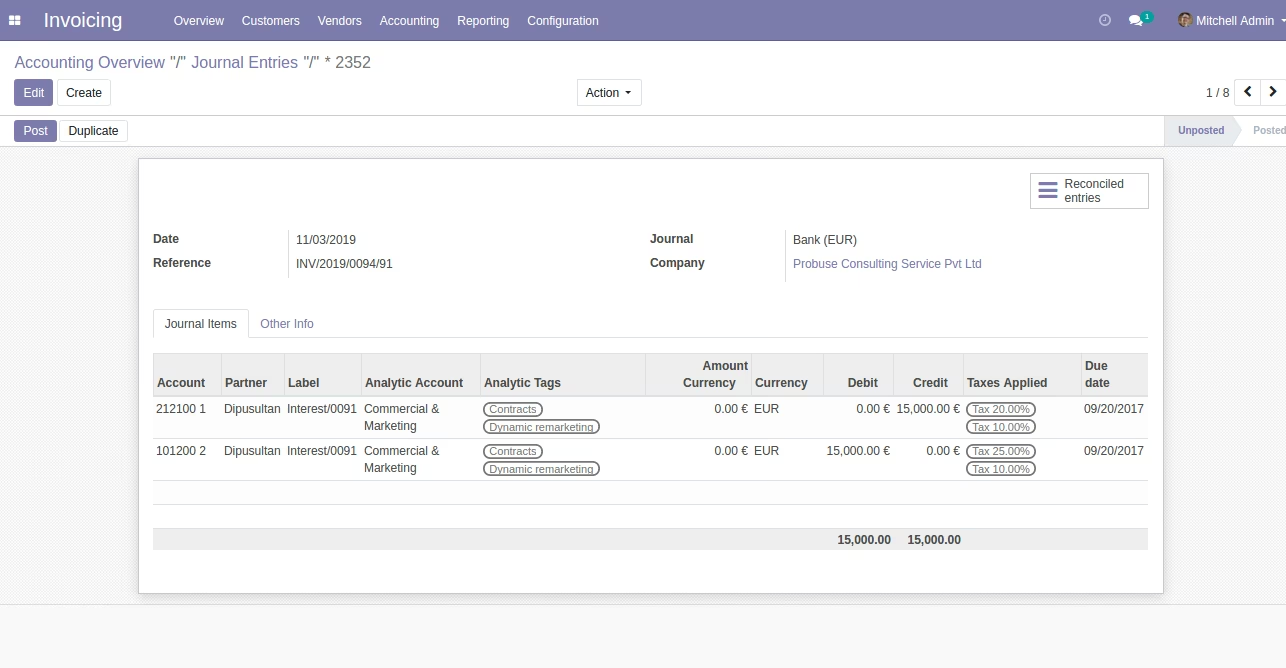
Imported Journal Entries in Form View
Sample Excel File (Also available inside Module/Sample Folder)