The Job Card Management module is a versatile and powerful tool designed to streamline the workflow of any service-based operation. Whether you run a workshop, factory, repair shop, or any other technical service industry, this module provides the structure and functionality needed to manage job orders with precision. By centralizing all job-related information into a single, easy-to-use "job card," you can enhance communication, improve efficiency, and ensure that every task is executed to the highest standard. This module empowers your team, from managers to technicians, with the tools they need to perform their jobs effectively.
Create and manage detailed job cards for all types of work orders and service requests.
Assign job cards to specific workshop teams, technicians, or operators.
Define and attach quality checklists to ensure standardized service delivery.
Provide clear work instructions directly on the job card.
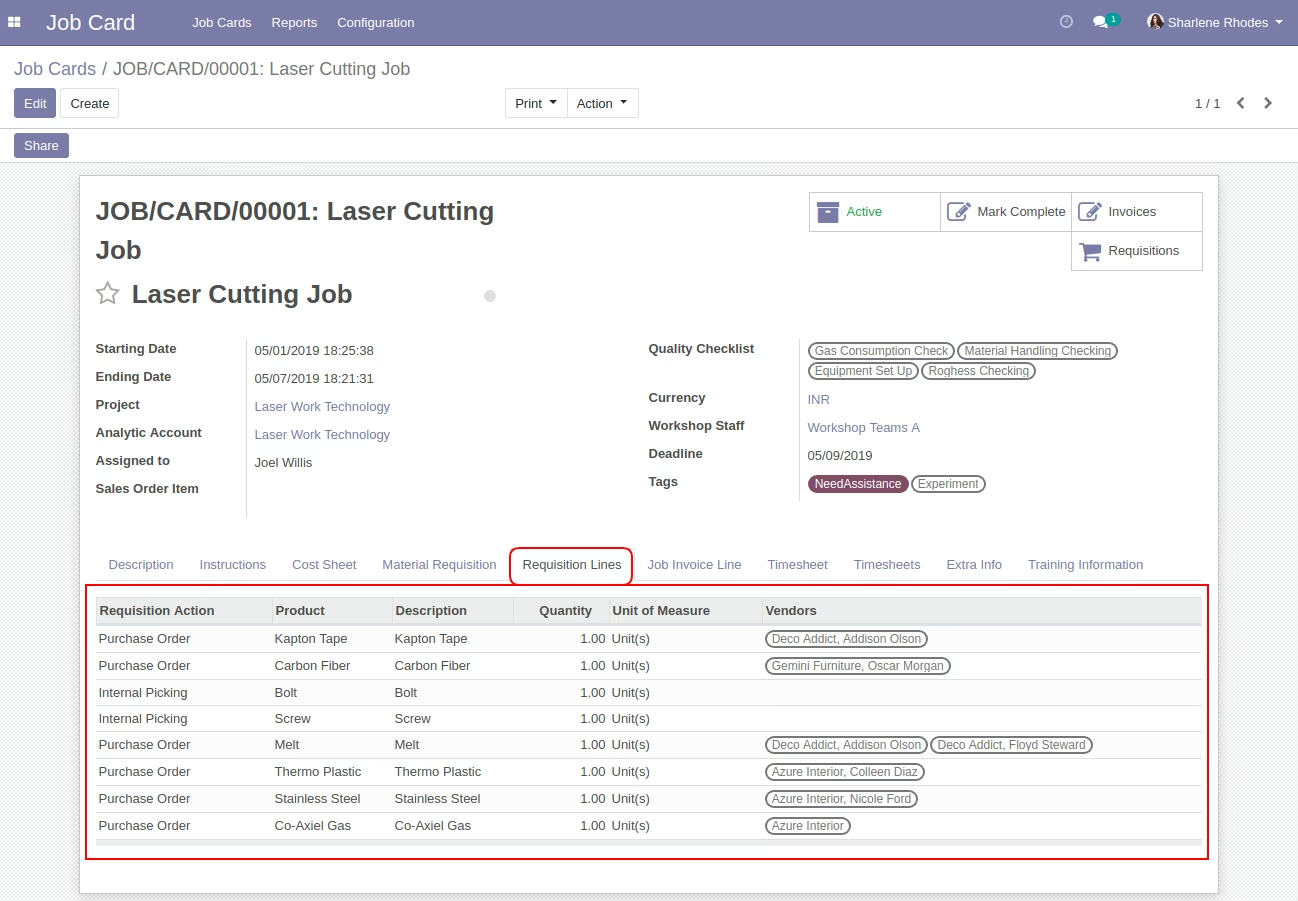
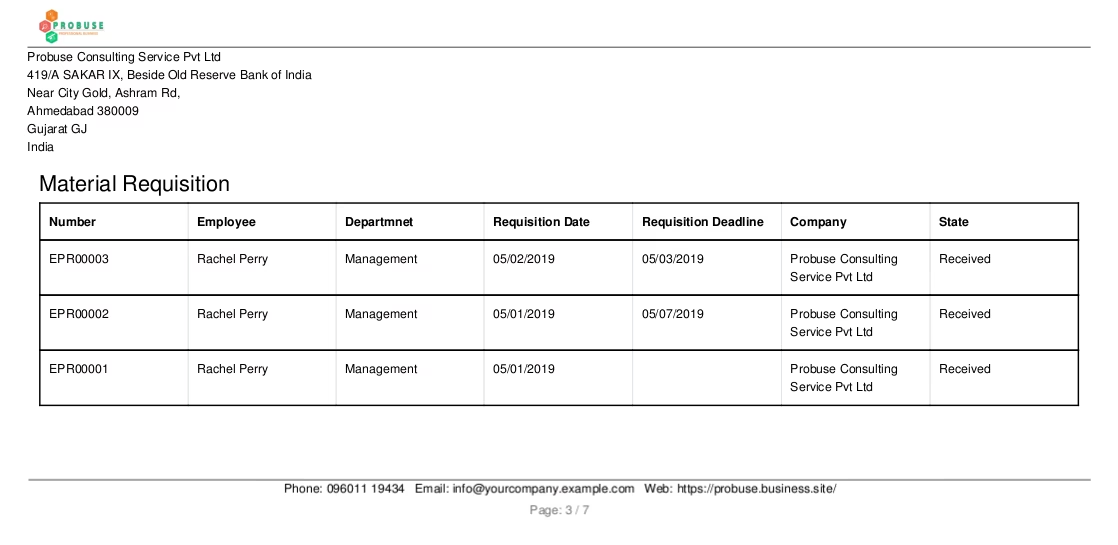
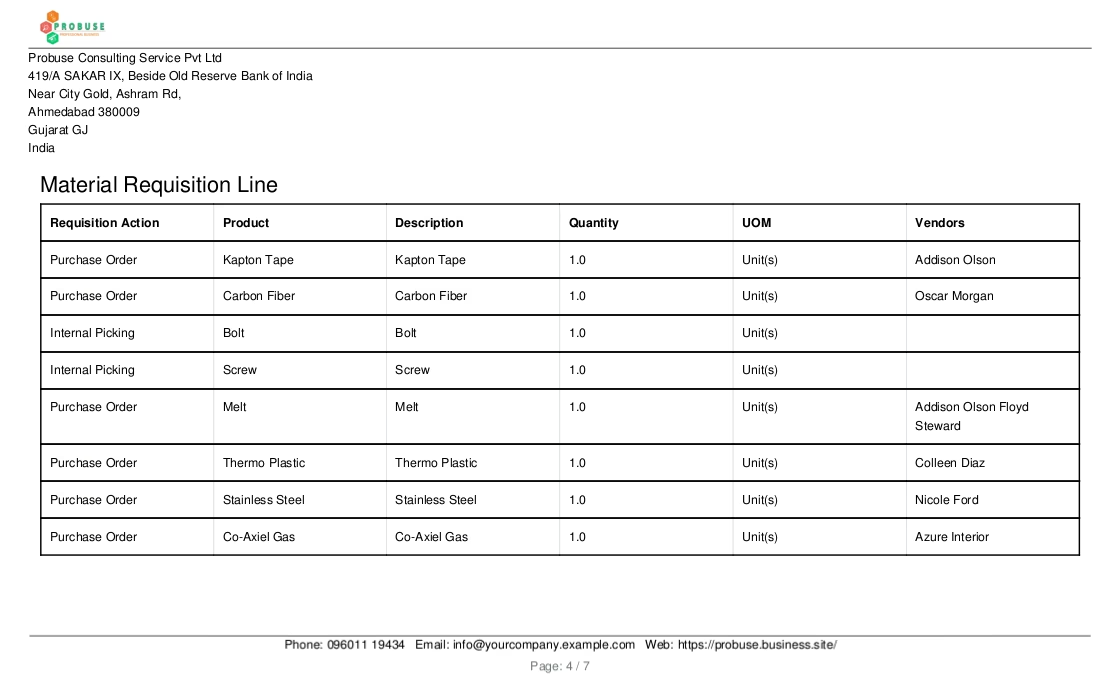
Manage material requisitions and track parts consumption for each job.
Integrated timesheet functionality for accurate tracking of labor hours.
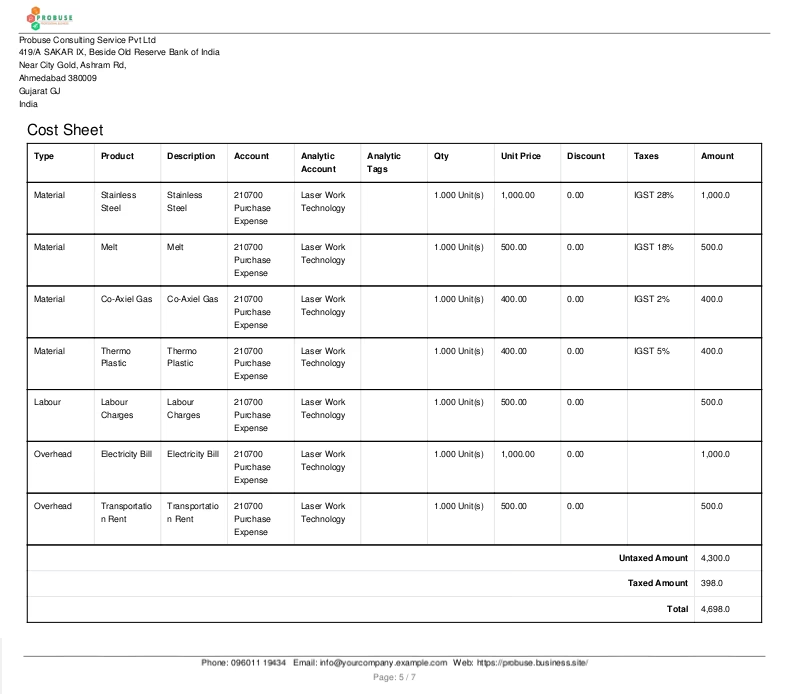
Create cost sheets to monitor the financial performance of each job card.
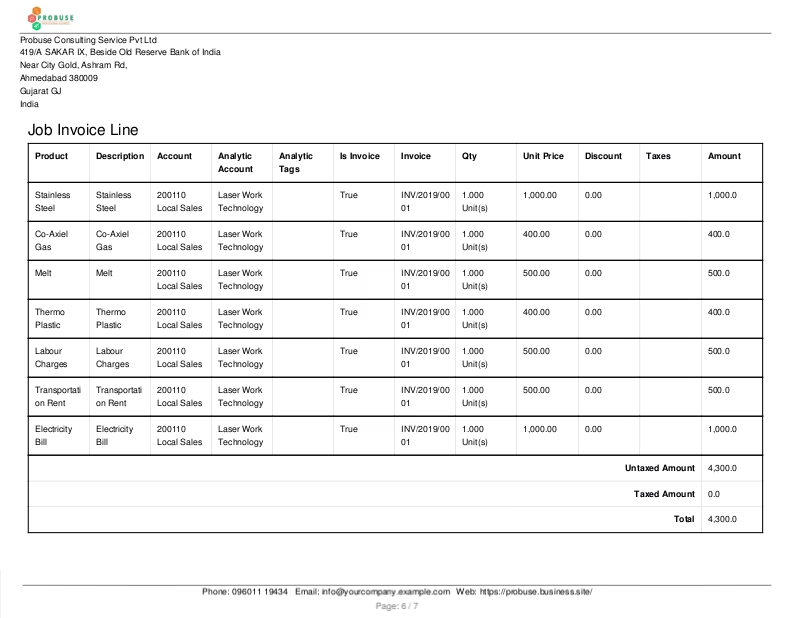
Generate customer invoices directly from the job card's billable lines.
Print professional PDF reports for job cards and their associated cost sheets.
Configure workshop teams and quality checklists to match your operational needs.
Streamline your entire job order and work order management process.
Improve communication and clarity between managers, supervisors, and technicians.
Enhance service quality and consistency with standardized instructions and checklists.
Gain full visibility and control over material and labor costs.
Increase the accuracy of your customer billing and invoicing.
Boost the productivity and efficiency of your workshop or service team.
Make more informed, data-driven decisions with integrated reporting.
Reduce administrative overhead and the risk of manual errors.
Improve customer satisfaction with more organized and transparent service delivery.
Achieve greater profitability by effectively managing the costs of each job.
Job Card Management for Job Orders / Work Orders
Job Card App in for Workshops / Factory / Any Technical / Repair Shops / Industry
Job Card App in using Project Management App
Job Card for Worker / Technician / Internal Users / Machine Operators / Supervisors.
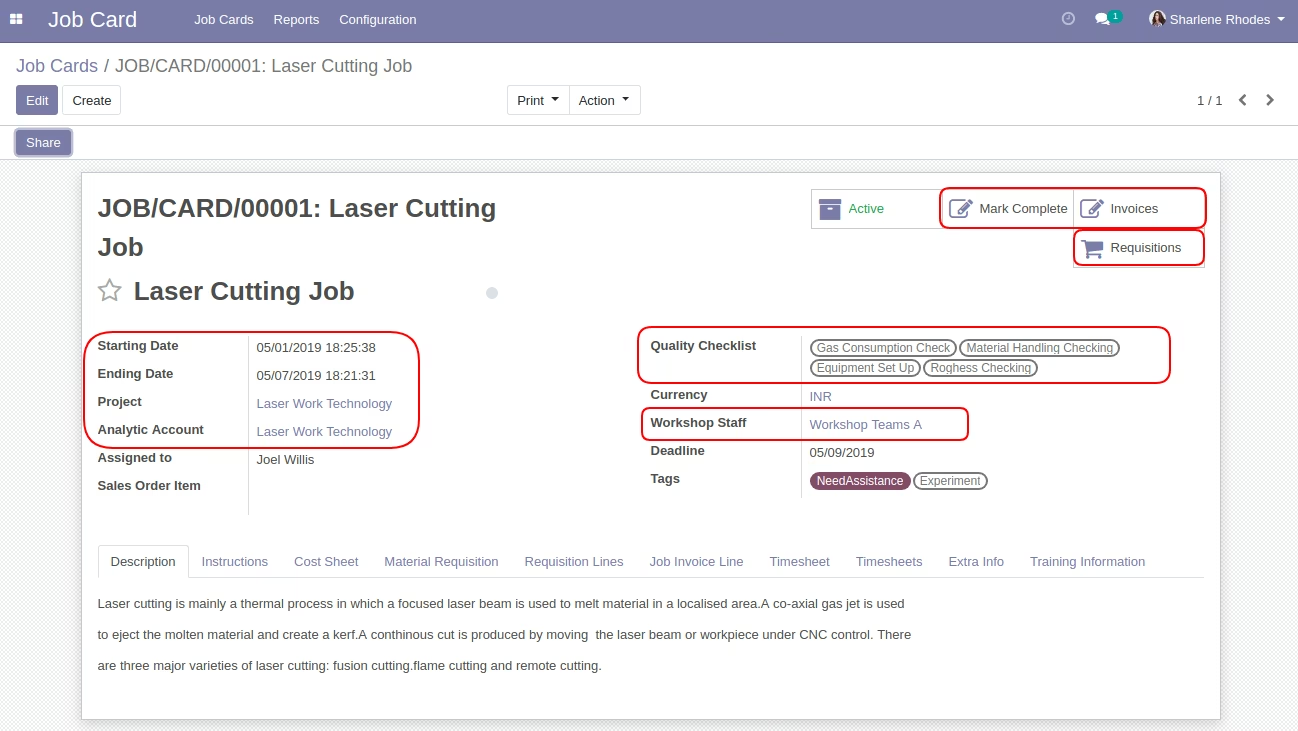
This app allows your users to have a job card feature as shown in the below screenshots with all the details related to that job along with instructions to complete a job.
Your Worker / Technician / Users / Machine Operator / All Types of Job Workers can access job cards in and see details and instructions. They can also fill the Timesheet(s) in the time card tab available on the Job card.
Main Features:
- Job card form and list view for your users/operators/supervisors/technician. Allow you to create and manage job cards with things needed to execute jobs.
- Allow your manager to set up a Workshop Teams under configuration and also allow them to set it on a job card form.
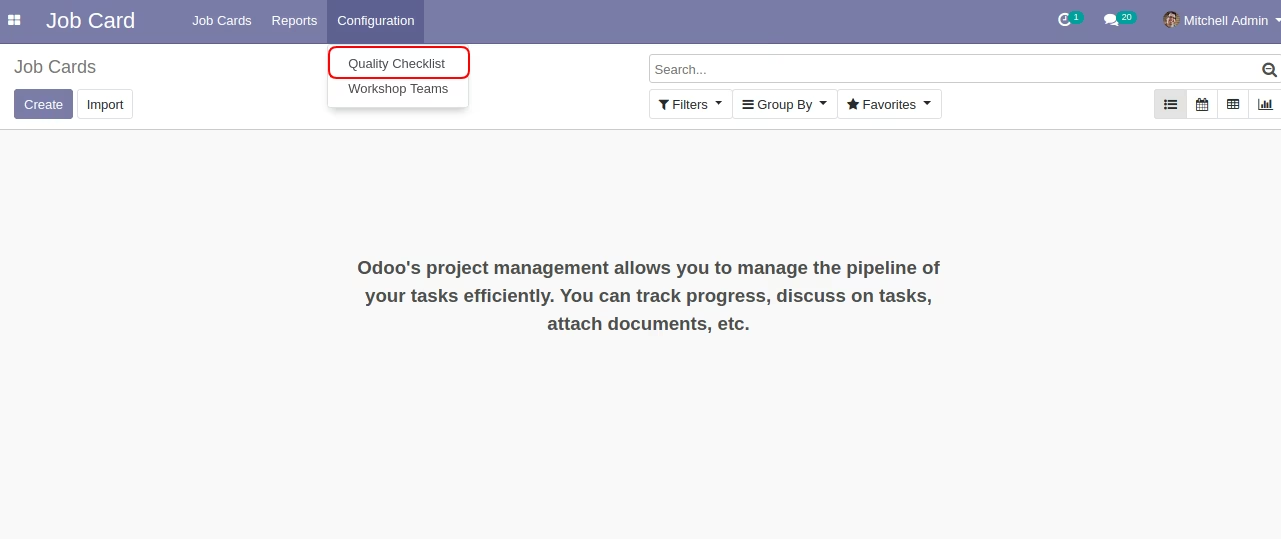
- Allow your manager to set up a Quality Checklists under configuration and also allow them to set it on a job card form.
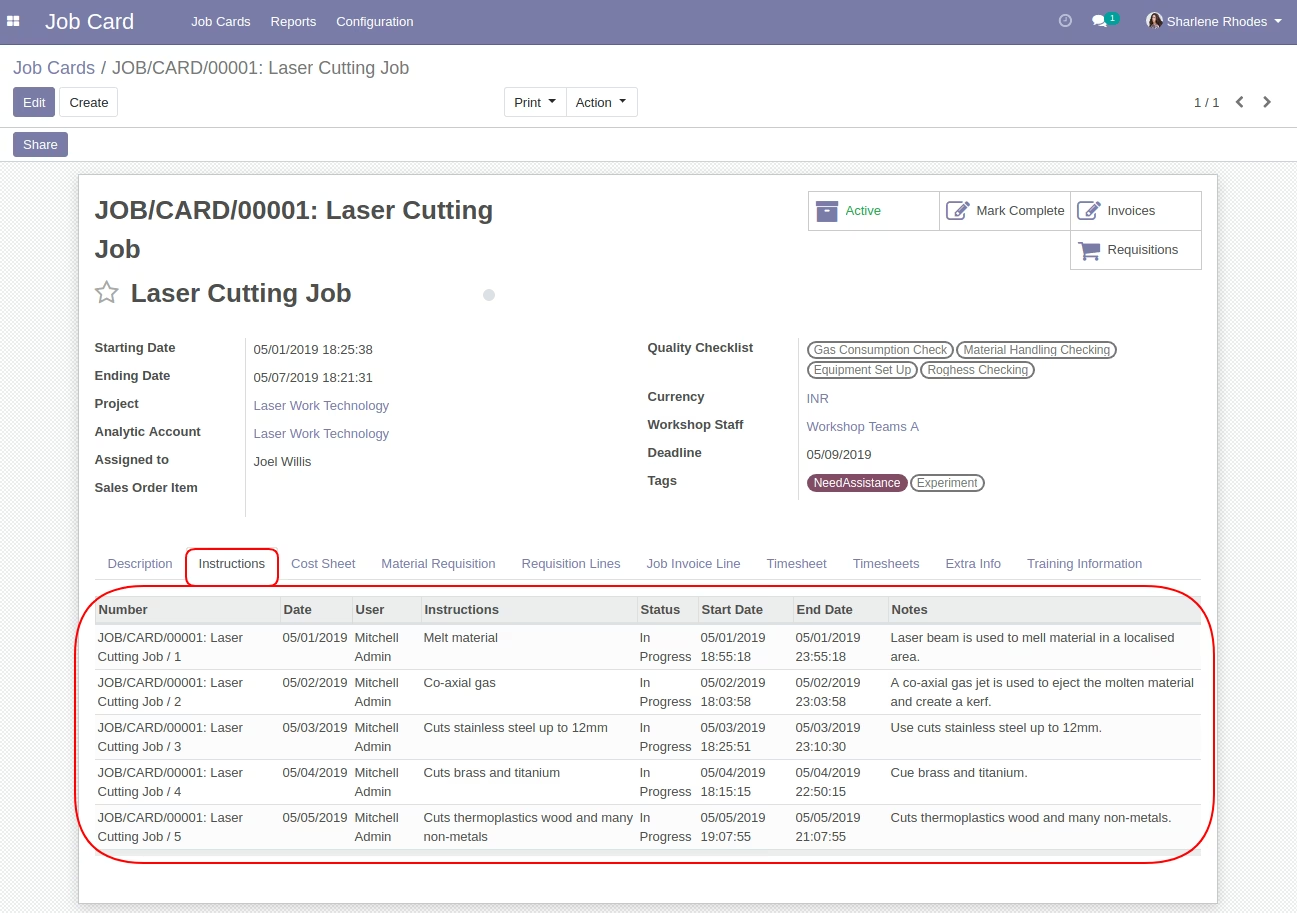
- Allow user to set and manage job related instructions on the job card form.
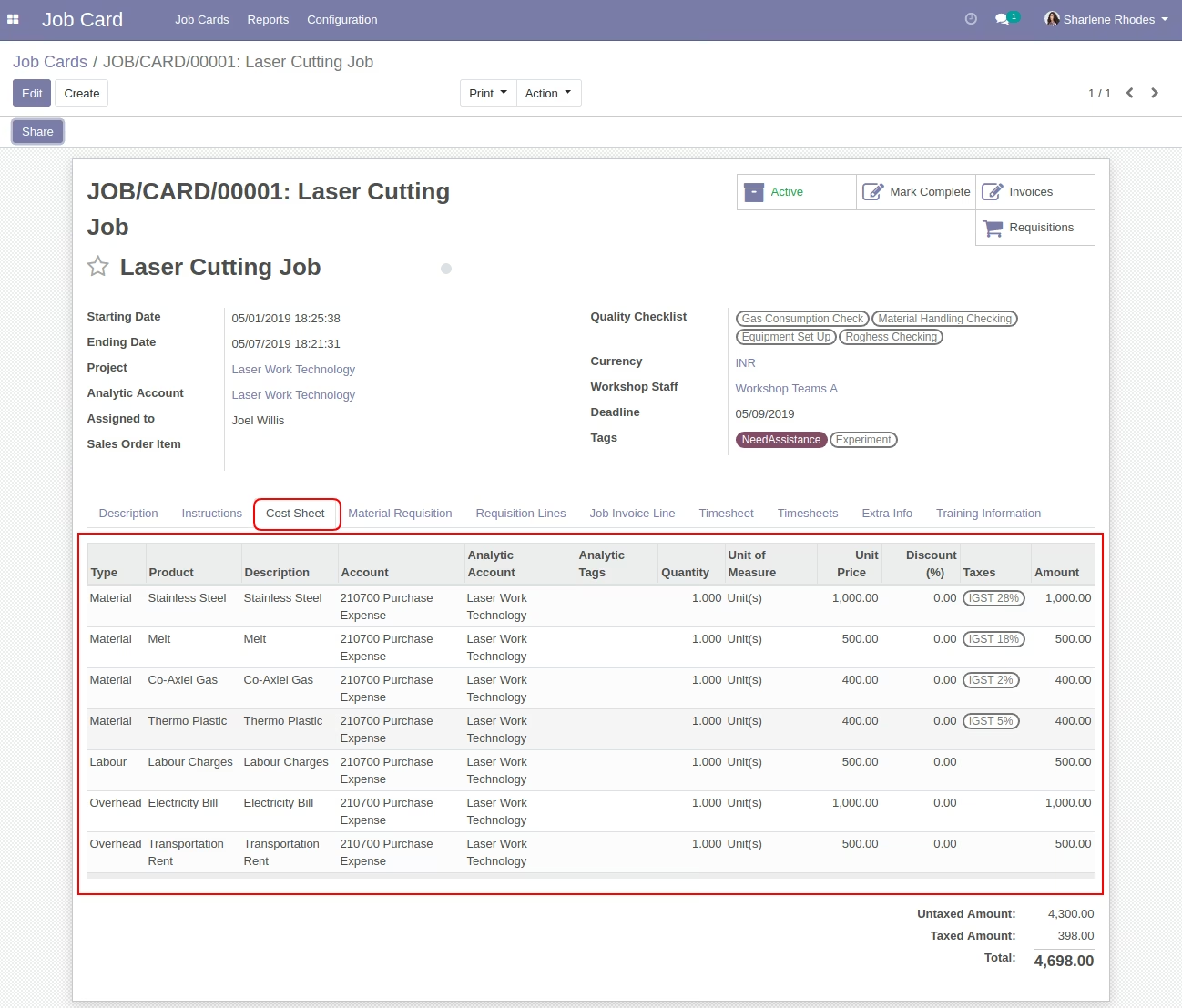
- Allow users to set and manage job-related cost sheets on the job card form.
- Allow your user to choose job card reference on material requisition request.
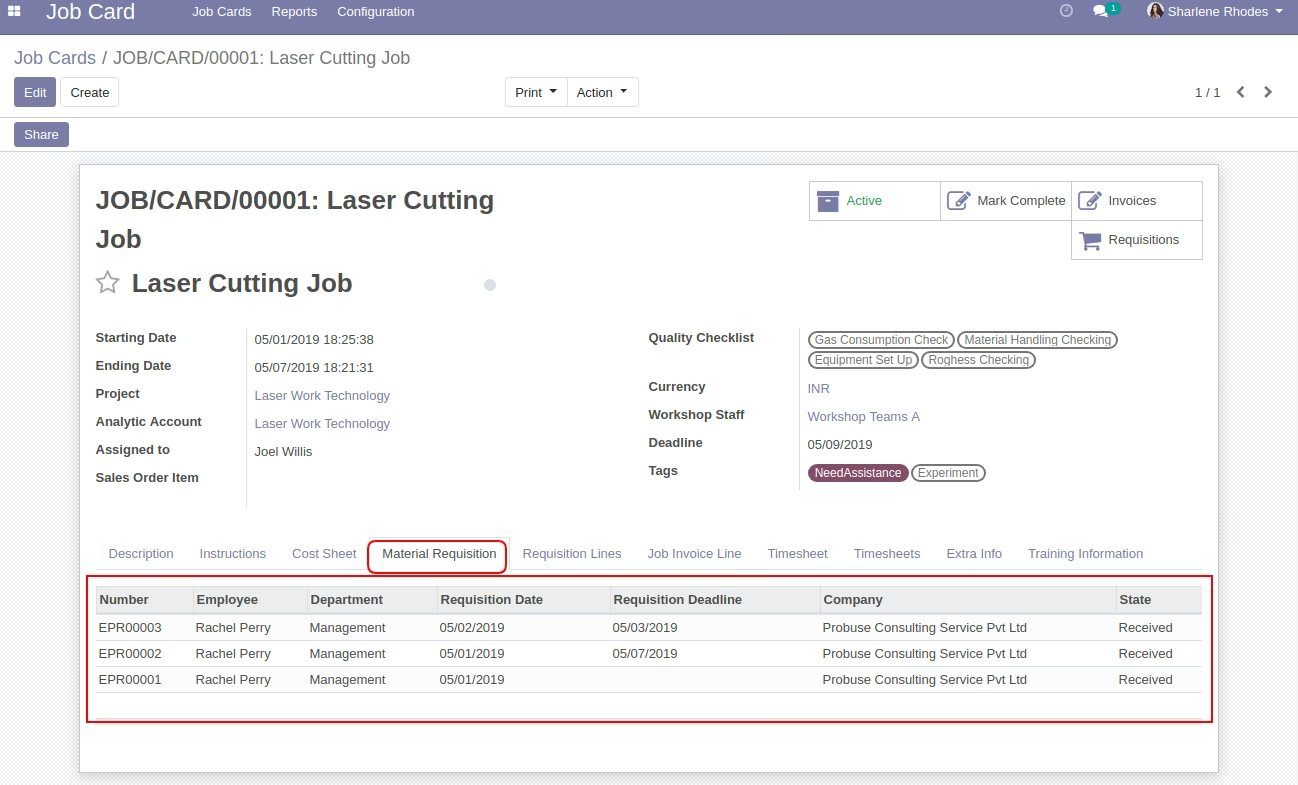
- Allow your user to create and manage material requisition for the job card.
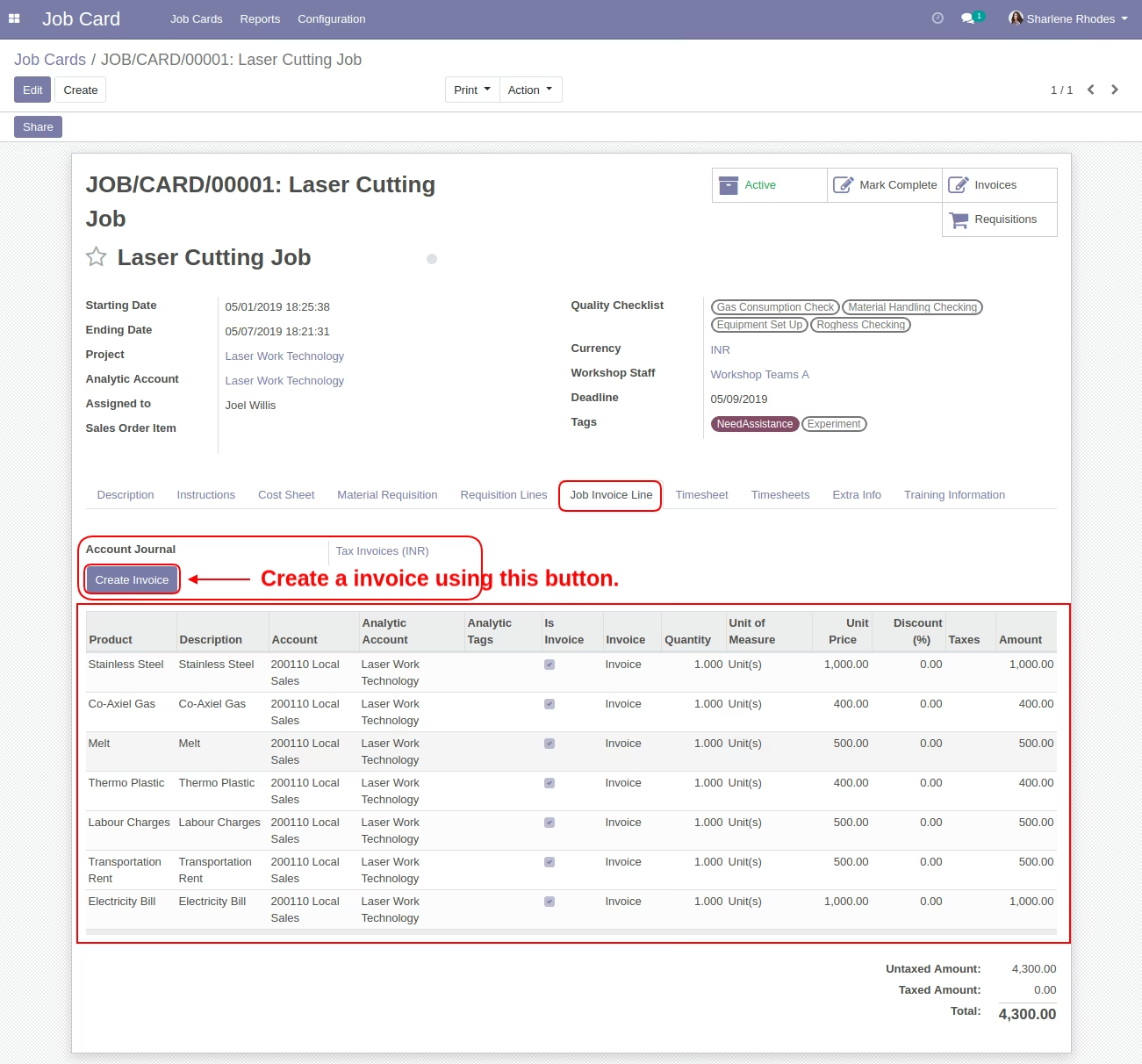
- Allow you to add job invoice lines on the job card and then create an invoice based on it from job card.
- Allow your users/workers to fill the timesheet(s) on the job card form.
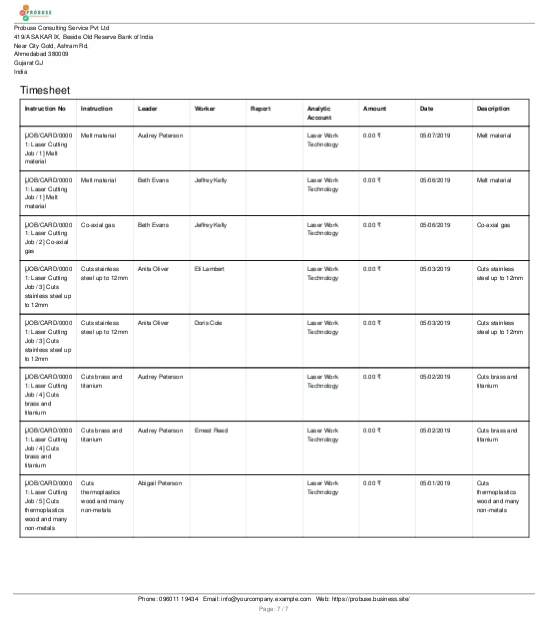
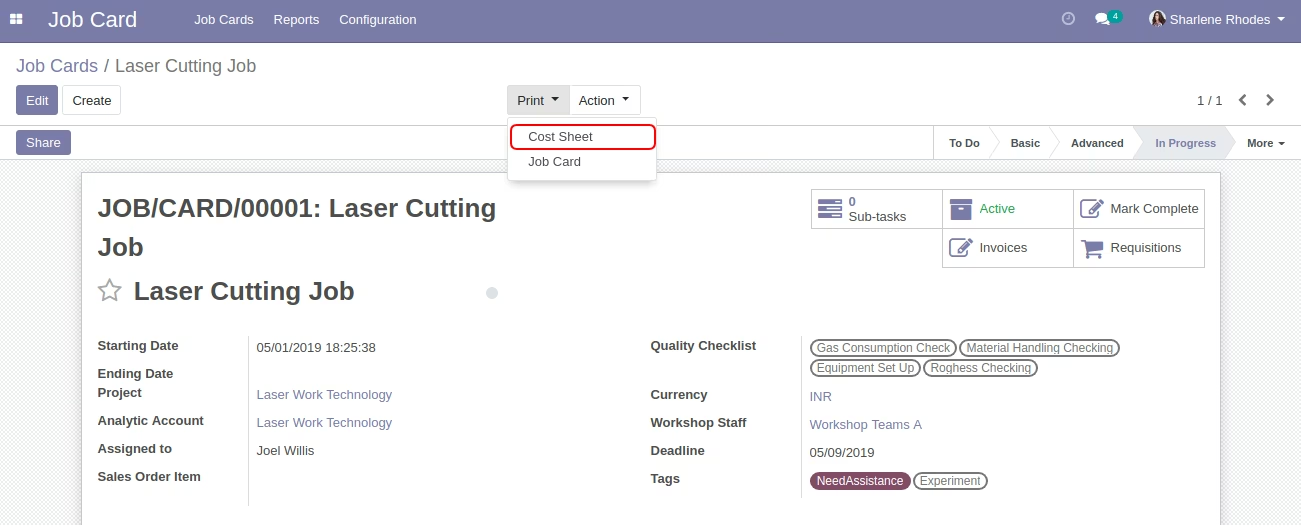
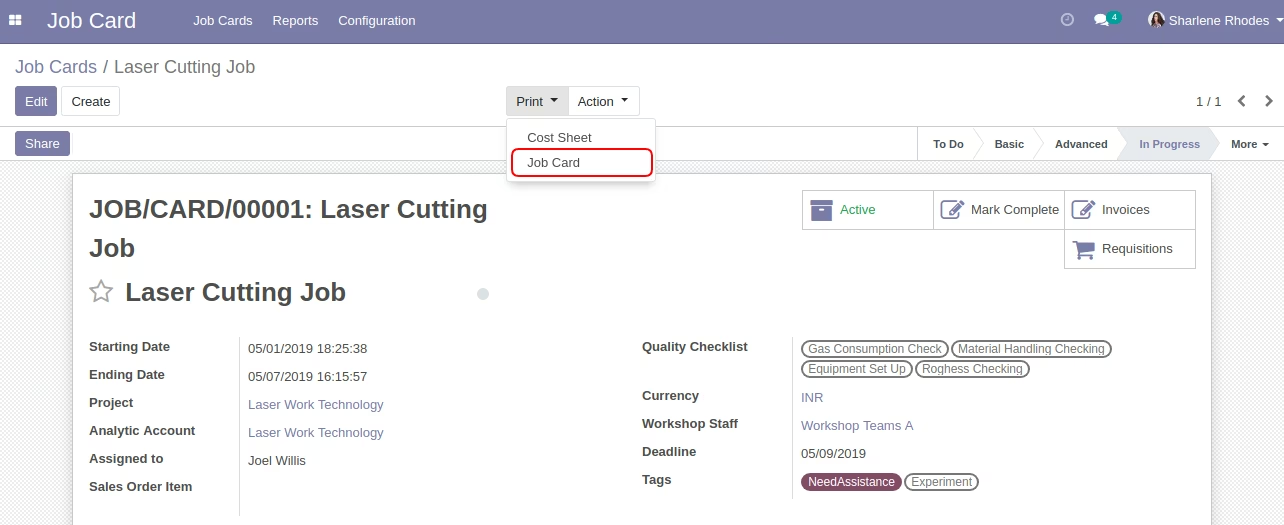
- Allow your user to print PDF report for job card and cost sheet from job card form as shown.
- For more details please check the below screenshots and watch the video.
General Workflow:
- The project manager/supervisor can configure the quality checklists and workshop team and instructions on the Job Card.
- The project manager/supervisor can create and manage the Job Card.
- Project user/job operator/technician can view/add/work with the instruction, cost sheet, material requisition, requisition line, job invoice line, and timesheet on the job card form.
- The project manager can create and manage the customer invoice from the job invoice line on the job card form.
Menus Available:
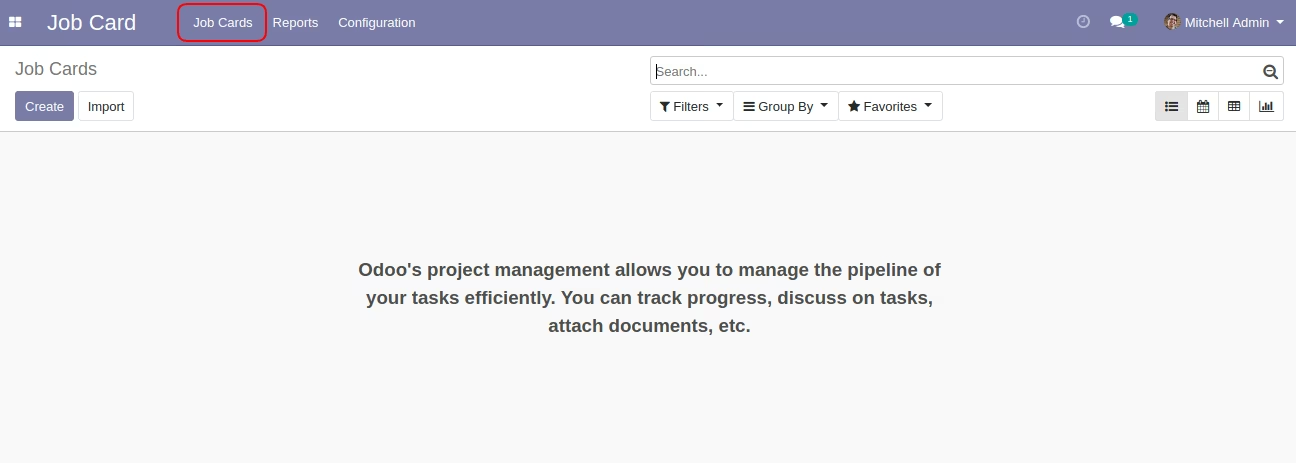
- Job Card
- Job Cards
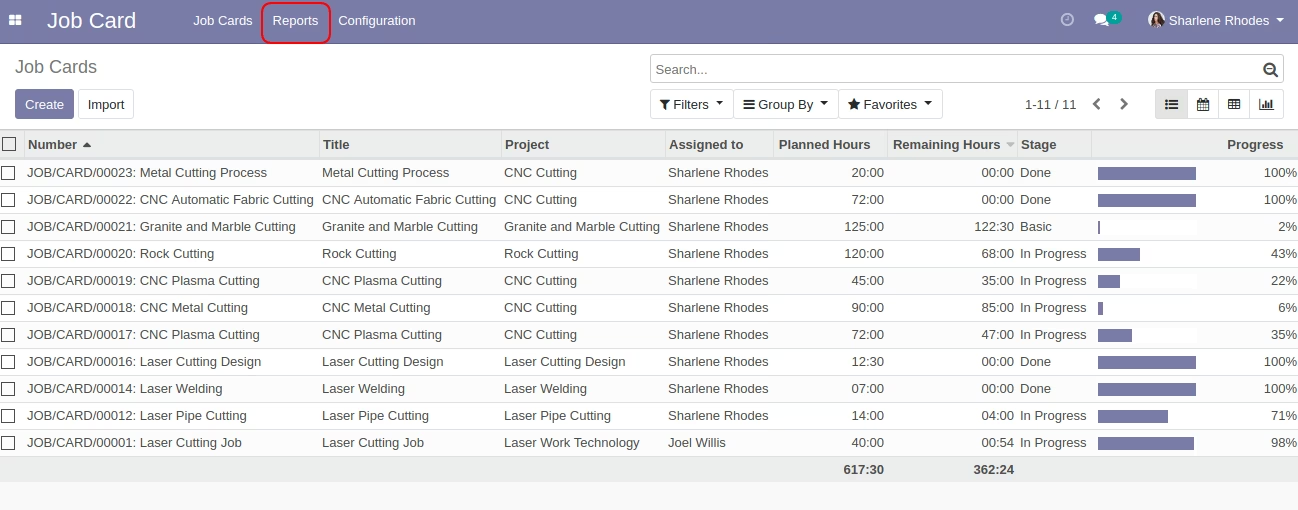
- Reports
- Configuration
- Quality Checklist
- Workshop Teams
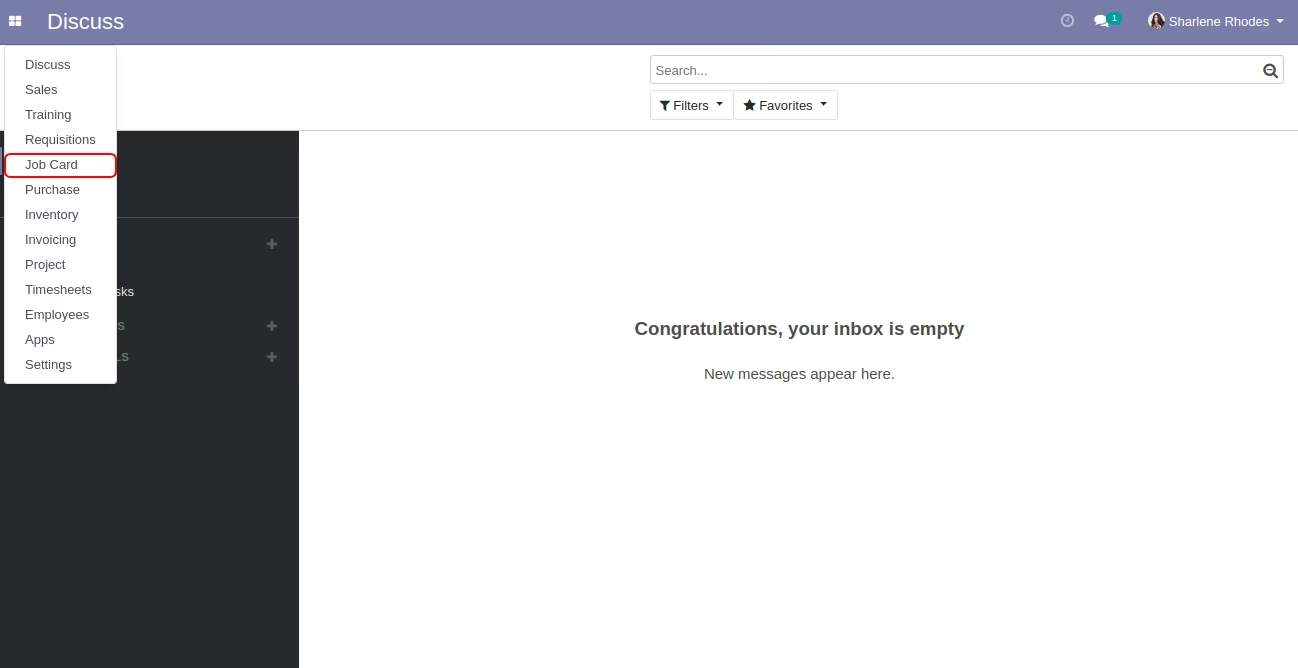
Job Card Menu
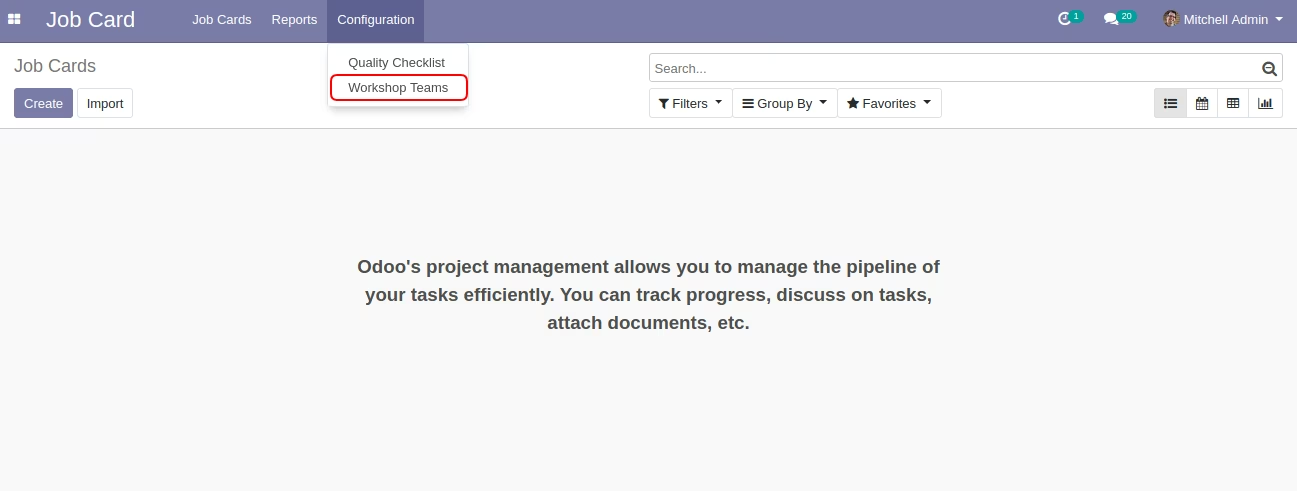
Workshop Teams Menu
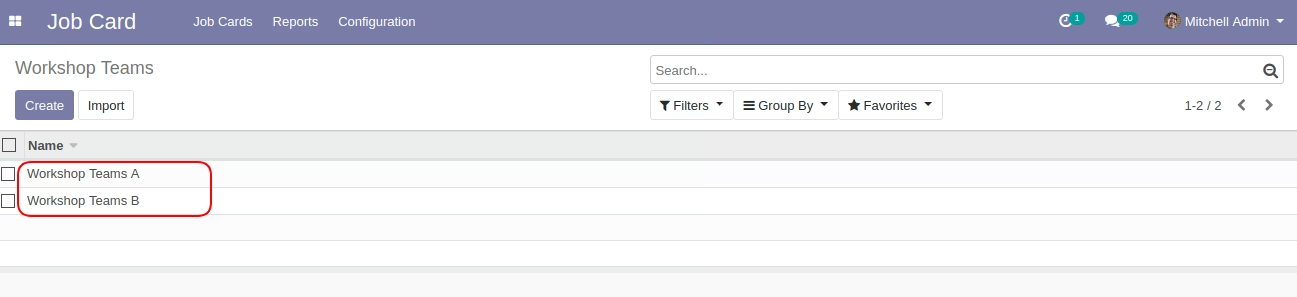
Workshop Team
Configure Workshop Team for Job Card.
Quality Checklist Menu
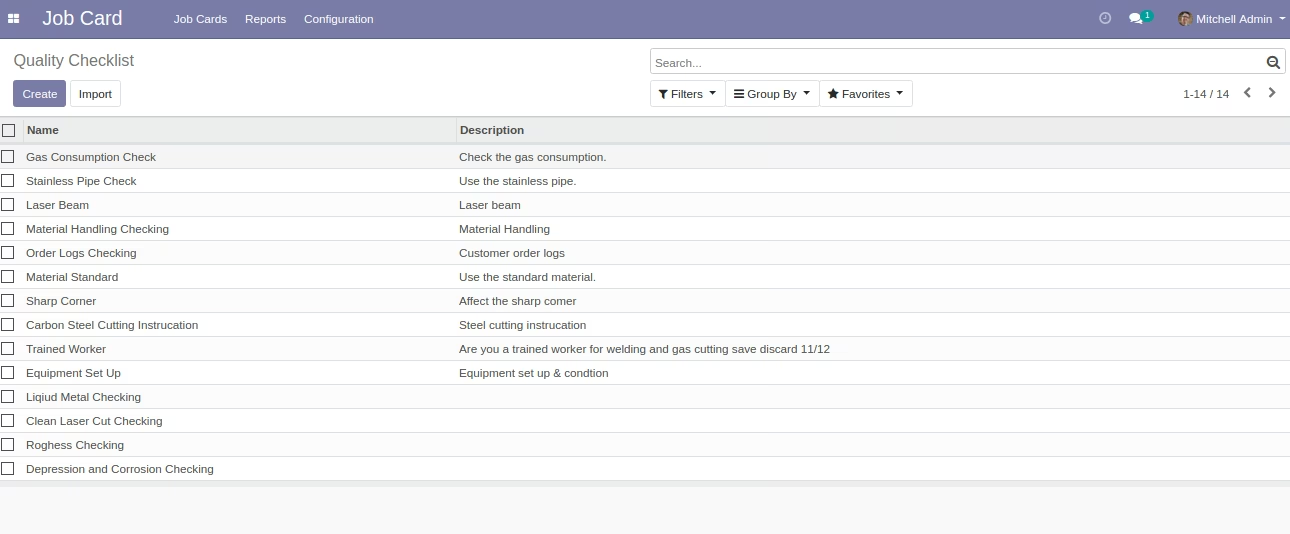
Quality Checklist
Configure Quality Checklists for Job Card.
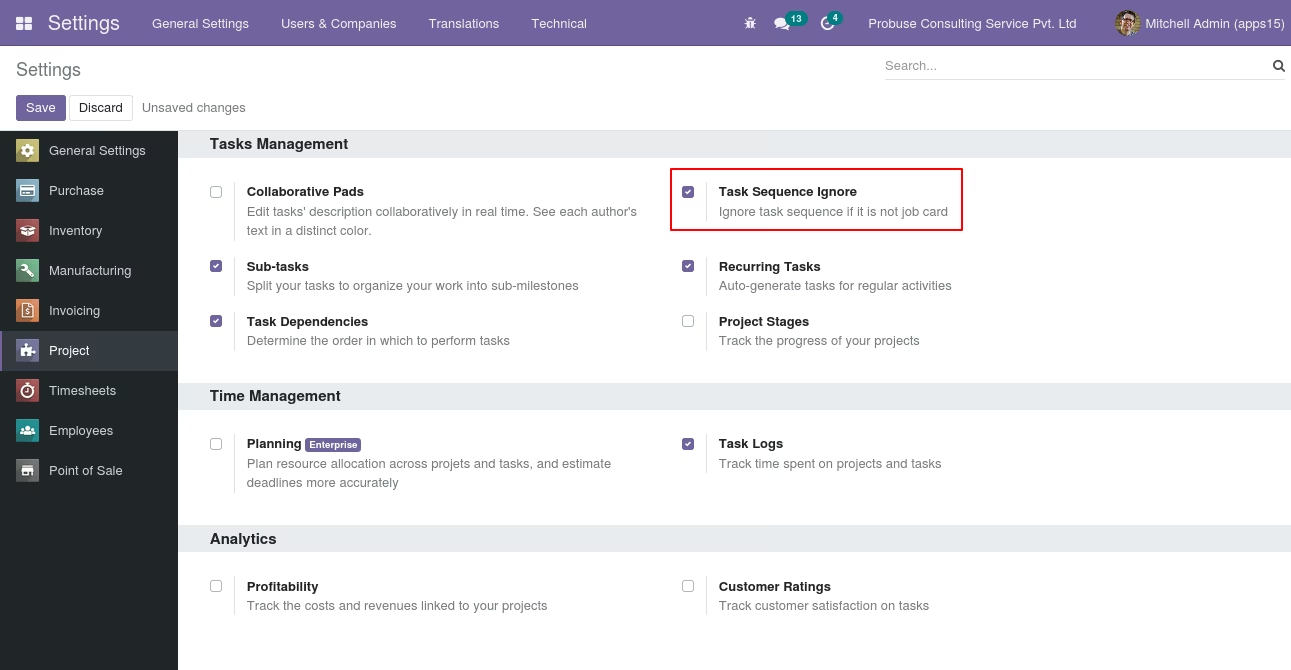
Project Settings [Standard] Setting for Numbering
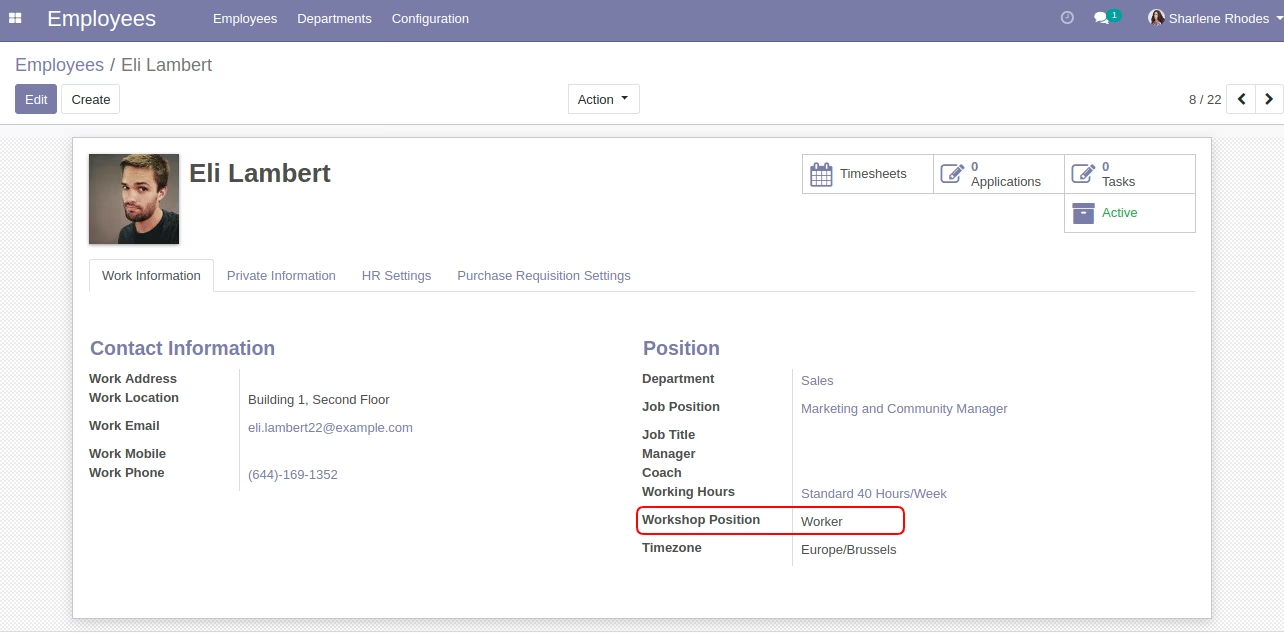
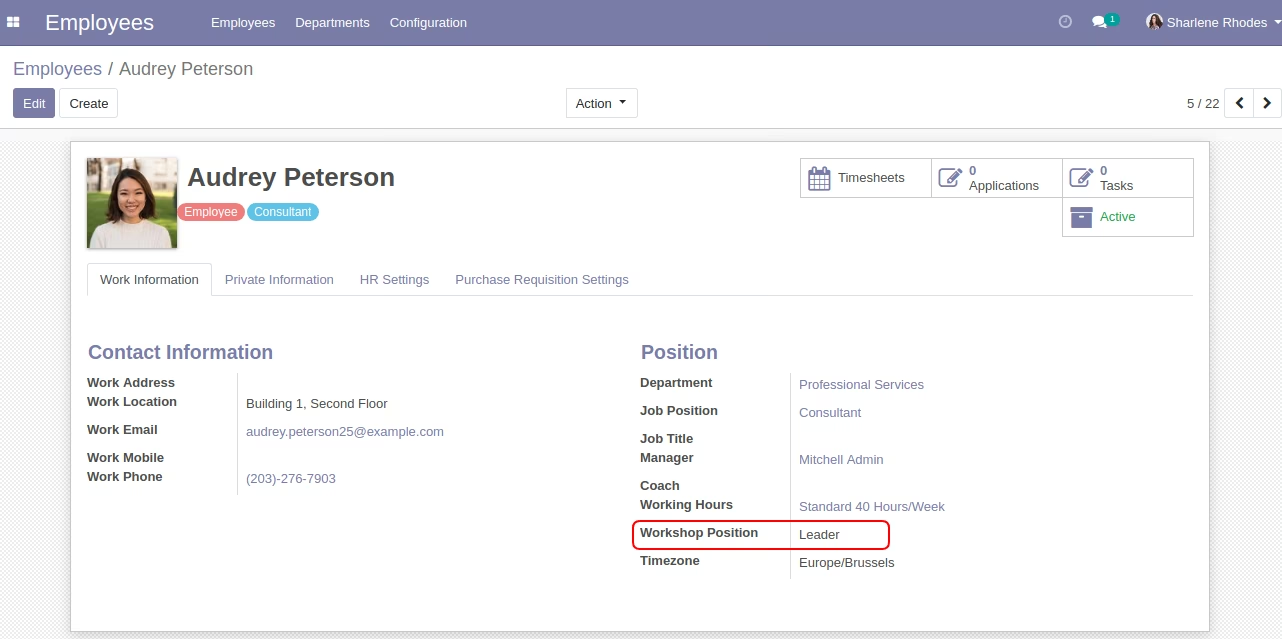
Employee Form View
Set an employee 'Workshop Position'.
Eli Lambert (Example)
Audrey Peterson. [Example]
Job Card Menu
Job Card Form View
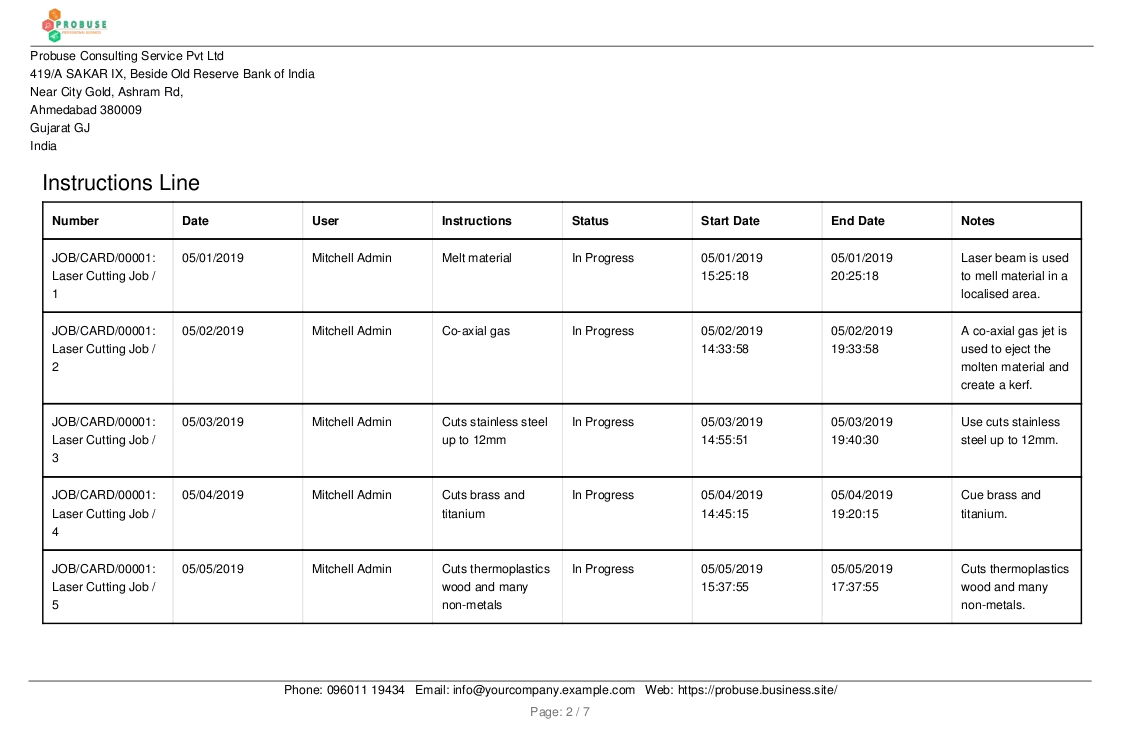
Instructions tab on job card form view
Cost sheet tab on job card form view
Material requisitions tab on job card form view
Requisitions line tab on job card form view
Job invoice line tab on job card form view
Create invoice using 'Create Invoice' button.
Timesheet tab on job card form view
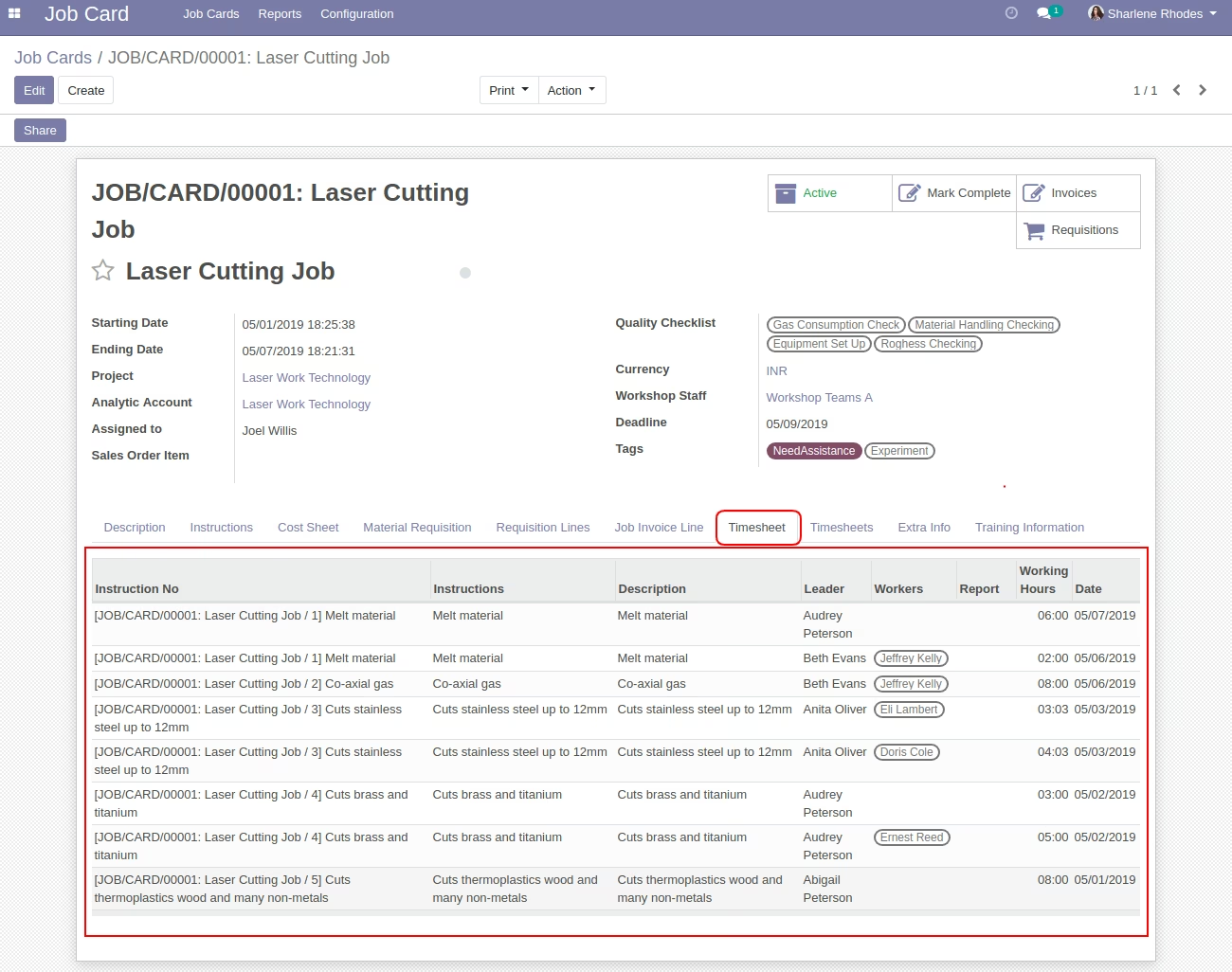
Timesheets tab on job card form view
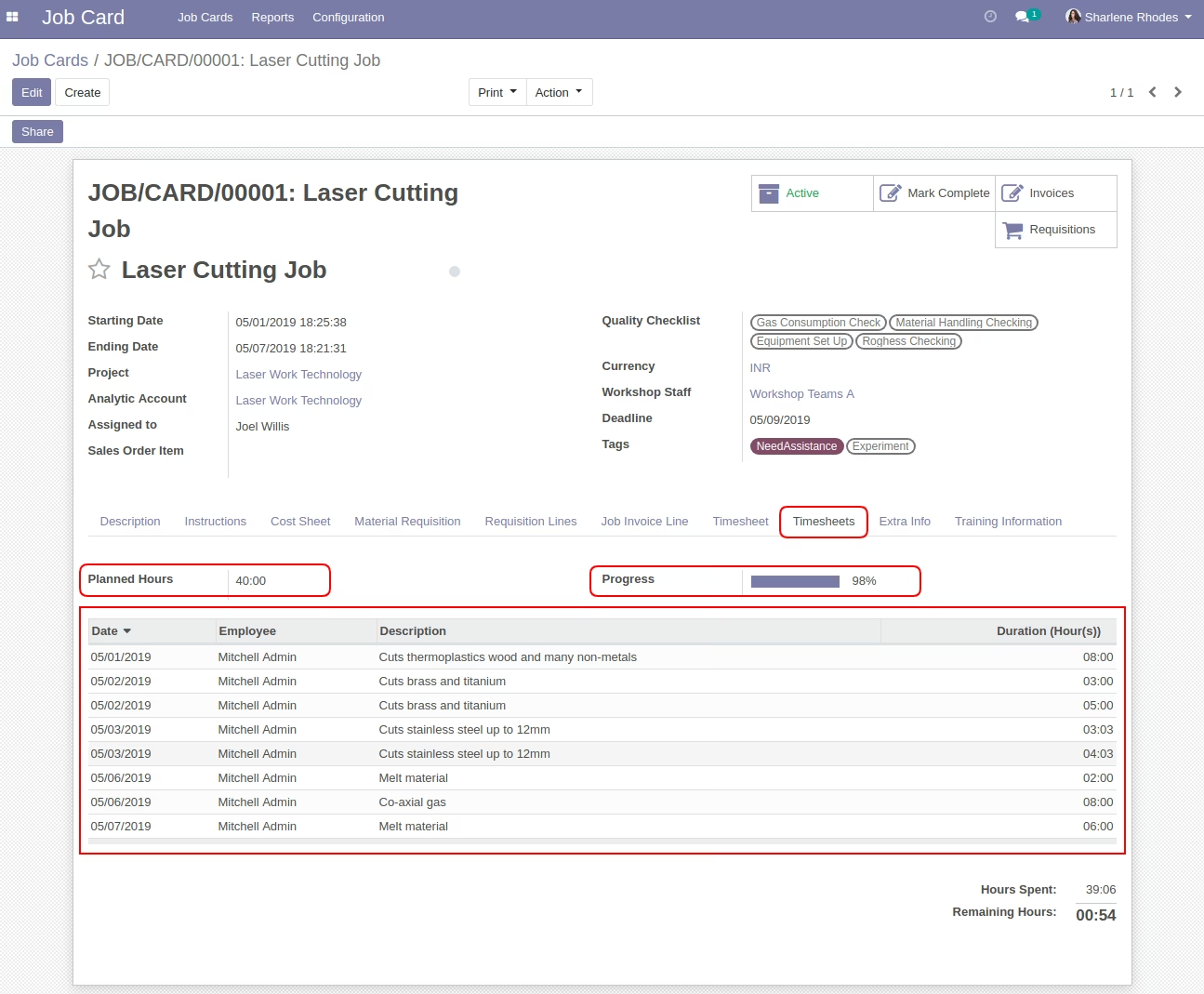
Extra info tab on job card form view
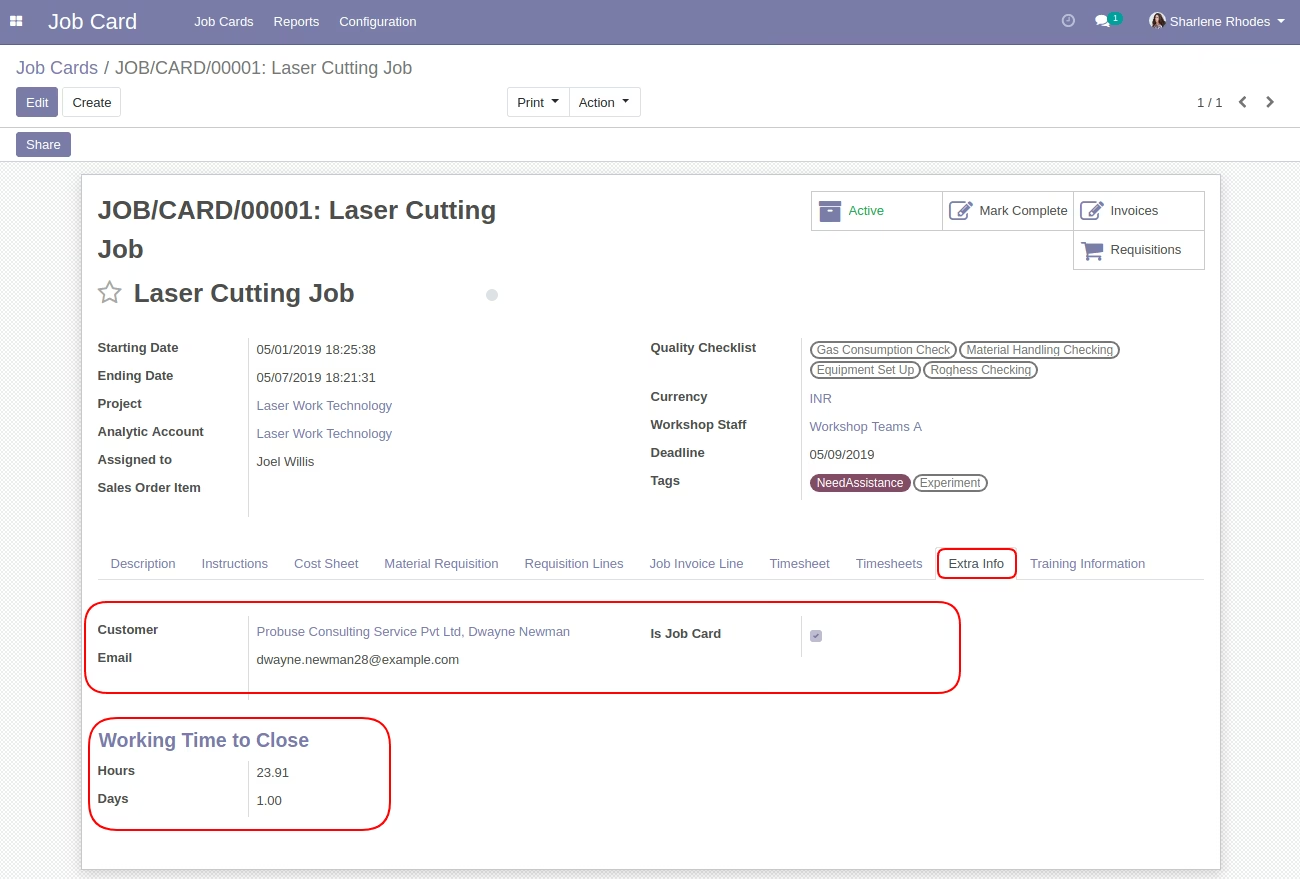
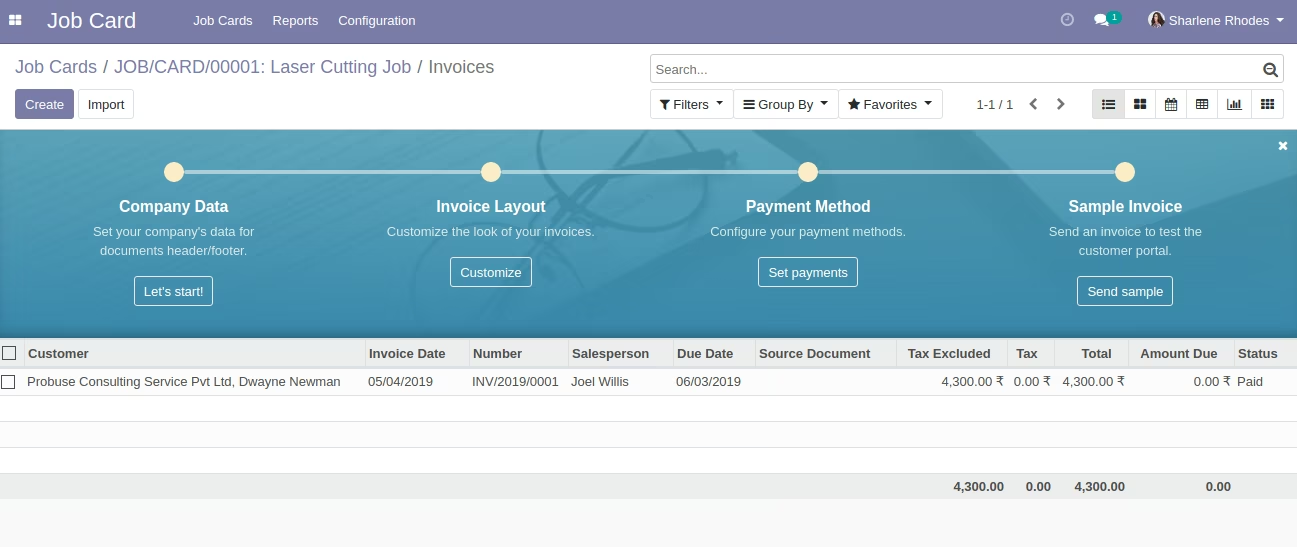
Invoice list view [Standard]
See created invoice using 'Invoices' smart button.
Create Invoice Form View [Standard]
Task field on invoice.
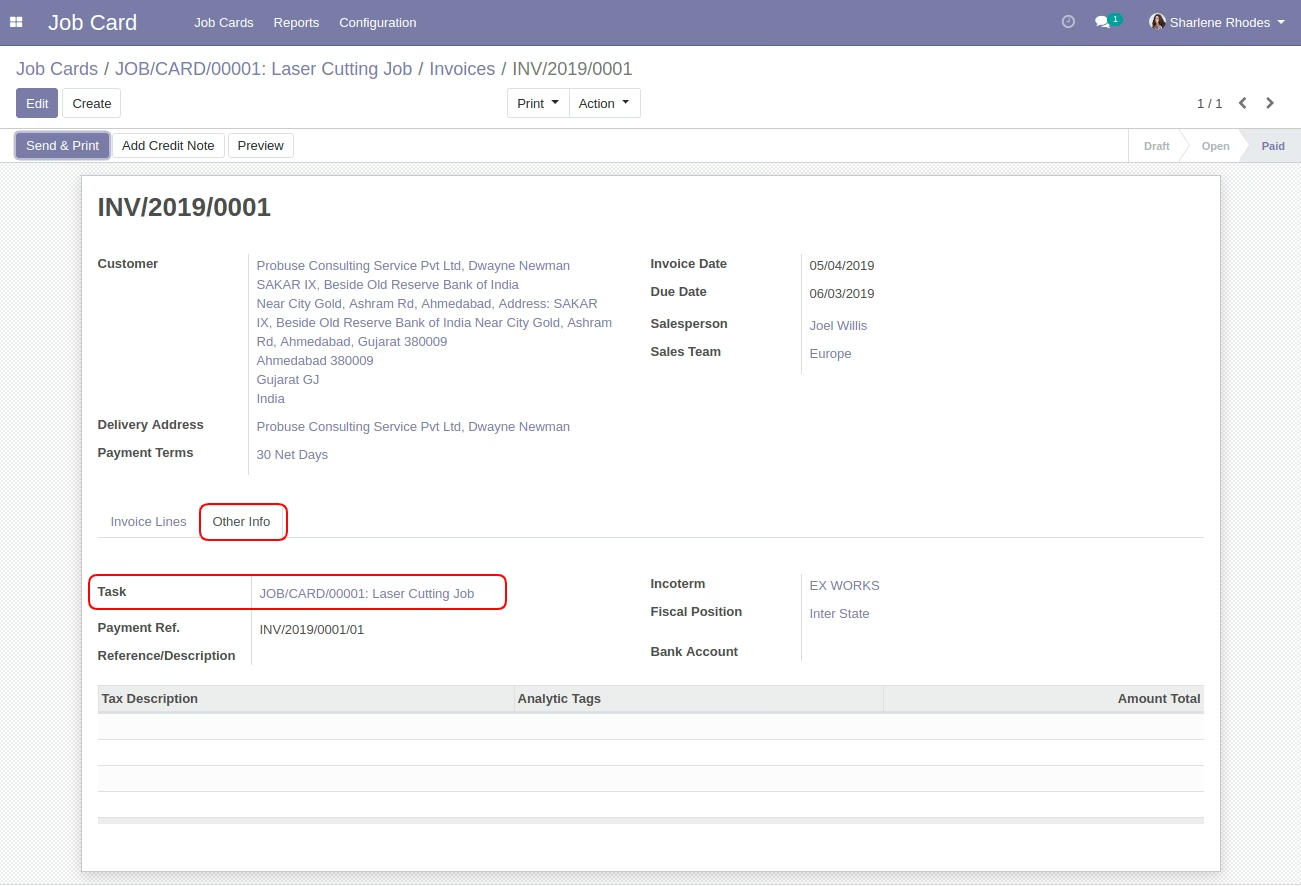
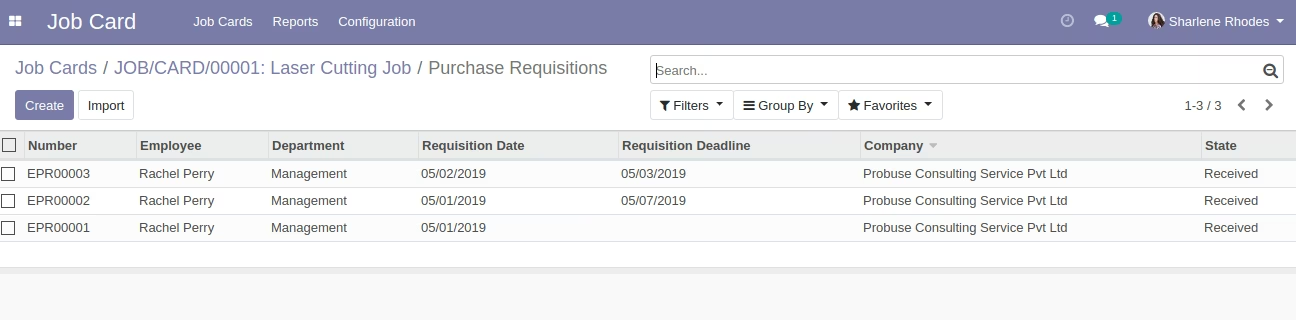
Purchase Requisitions list view
See created Material requisition using 'Requisitions' smart button.
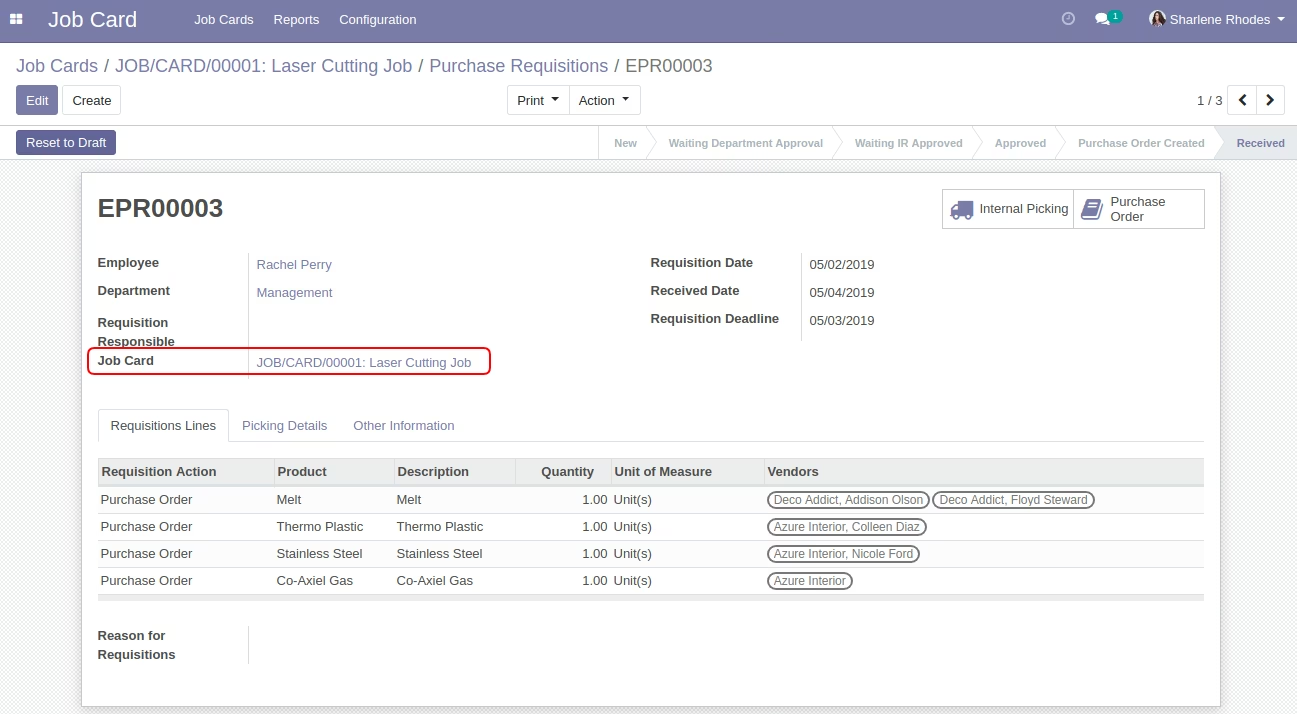
Purchase Requisitions Form view
Job card field on purchase requisitions.
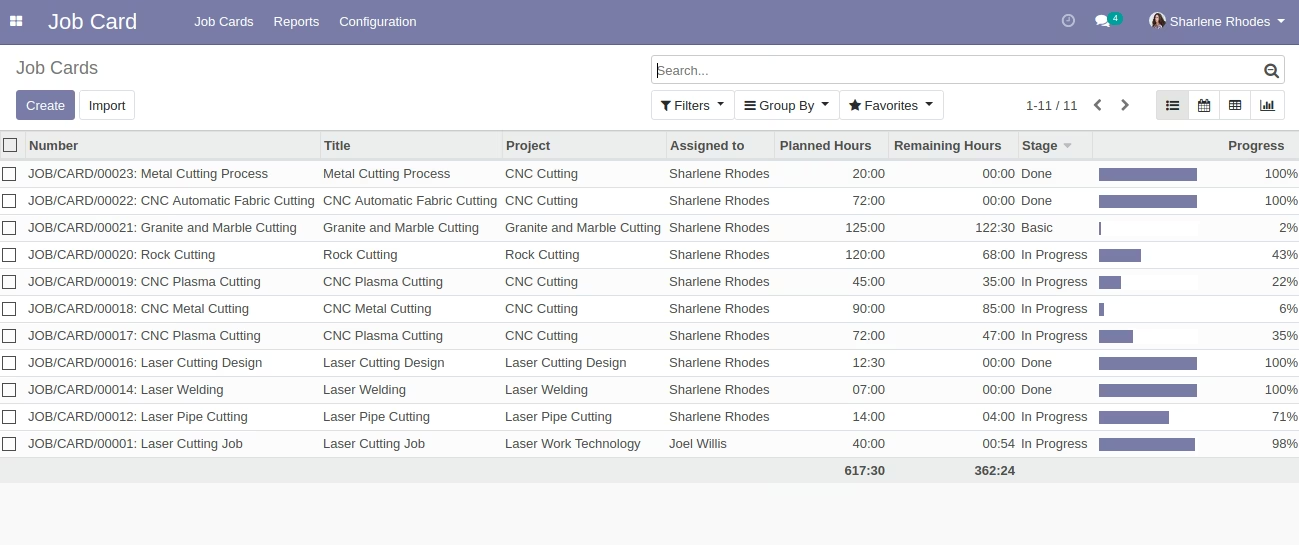
Job Card List View
Reports Menu
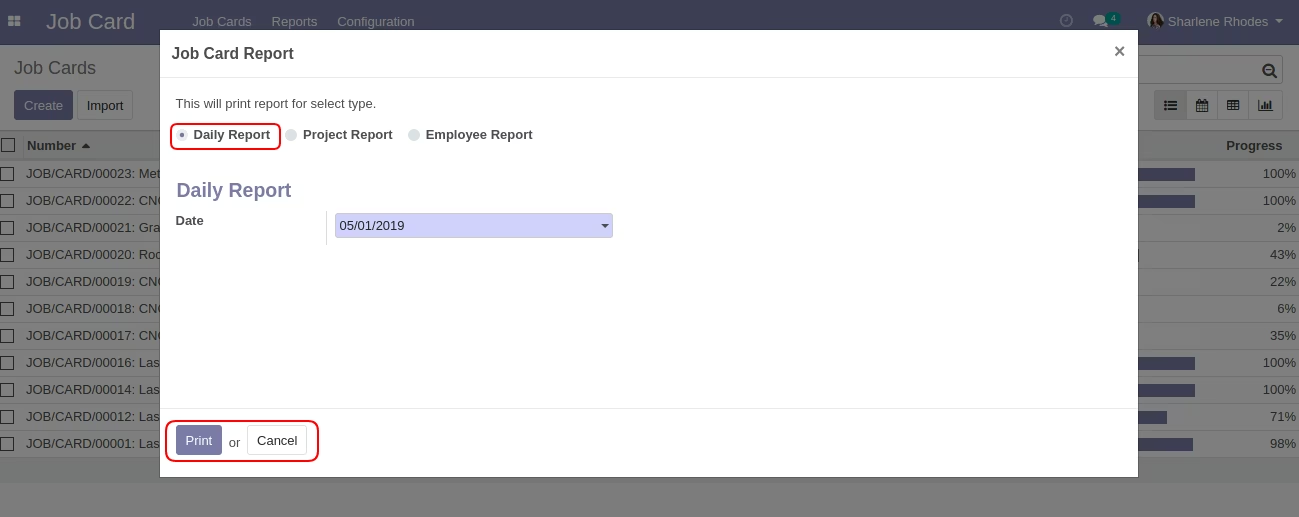
Job Card Report Wizard
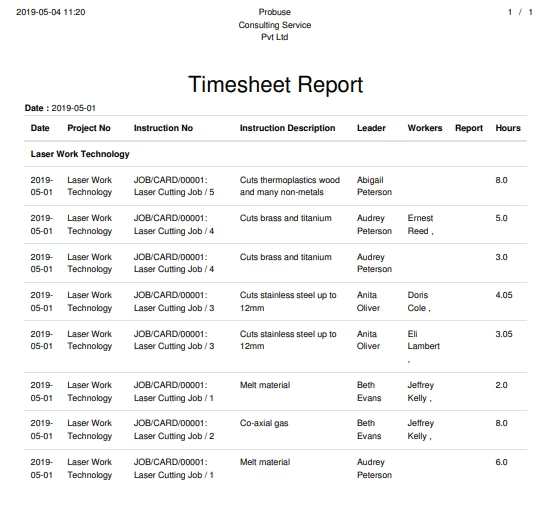
Print 'Daily Report' using selectd date.
Daily Report PDF
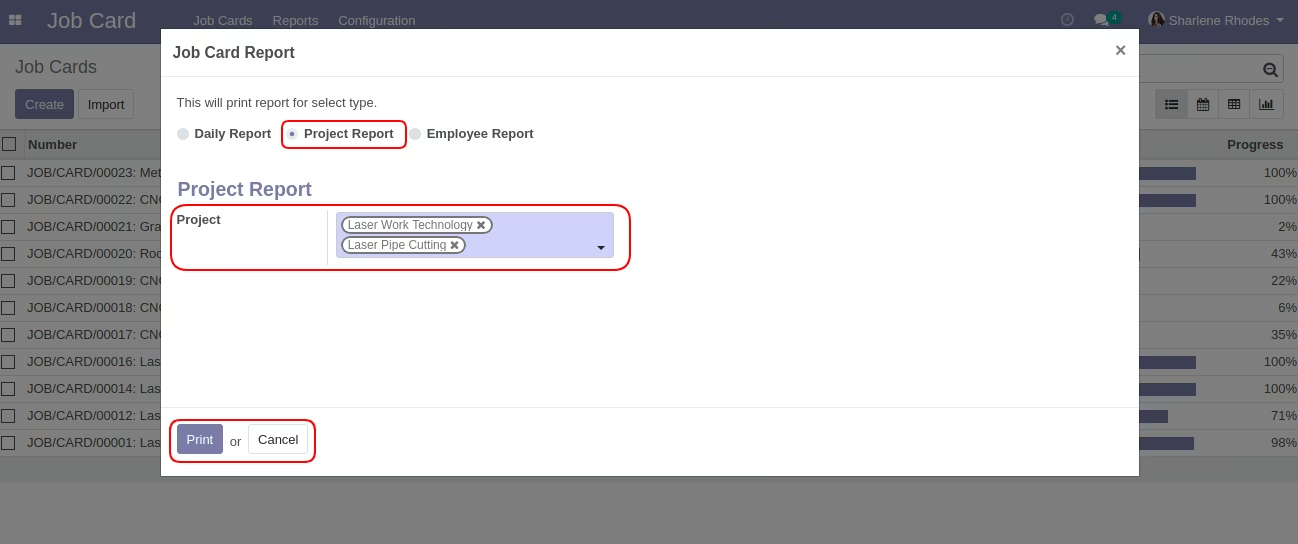
Job Card Report Wizard
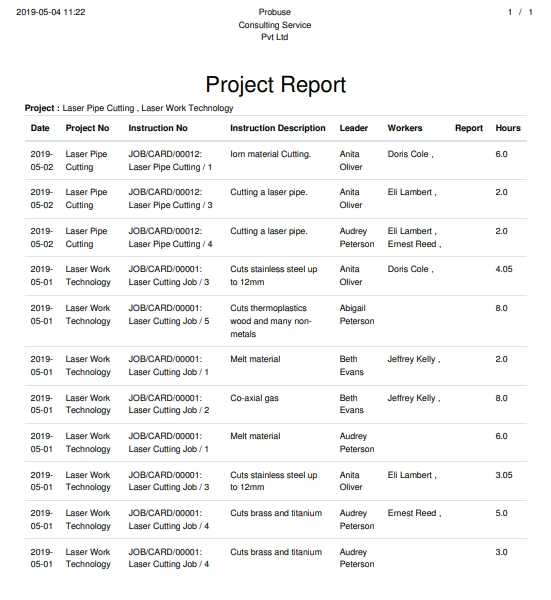
Print 'Project Report' using selected projects. .
Project Report PDF Sample
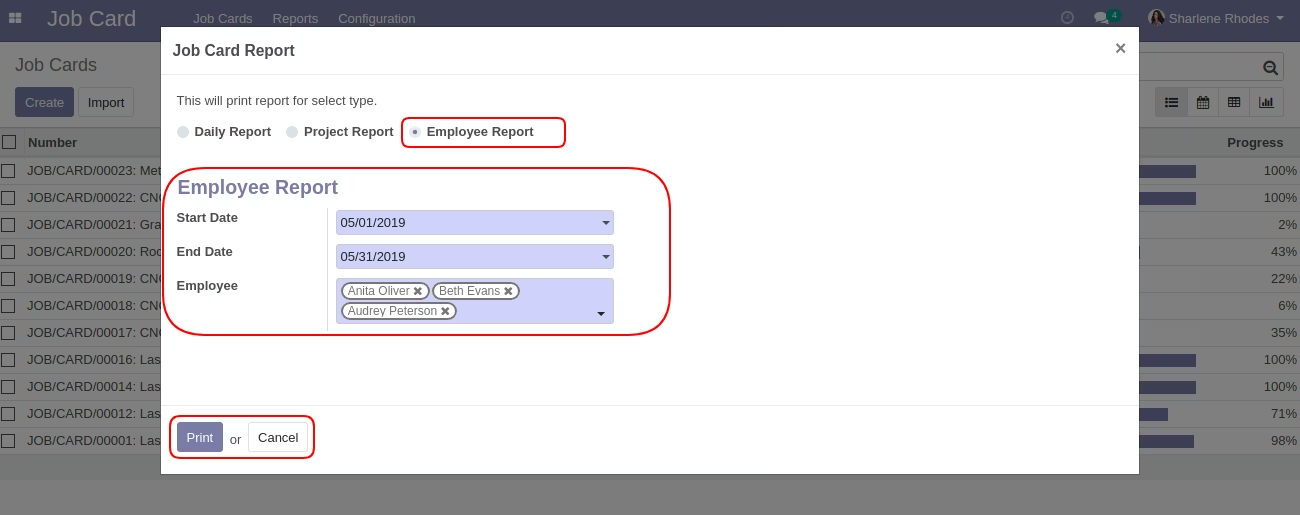
Job Card Report Wizard
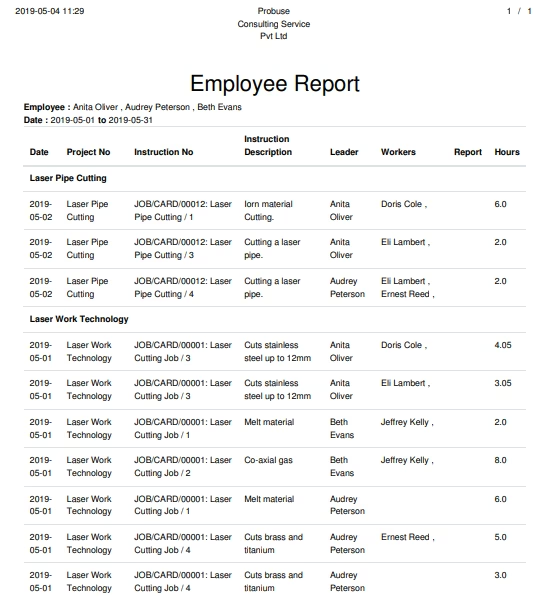
Print 'Employee Report' using selectd date and employee related.
Employee Report PDF Sample
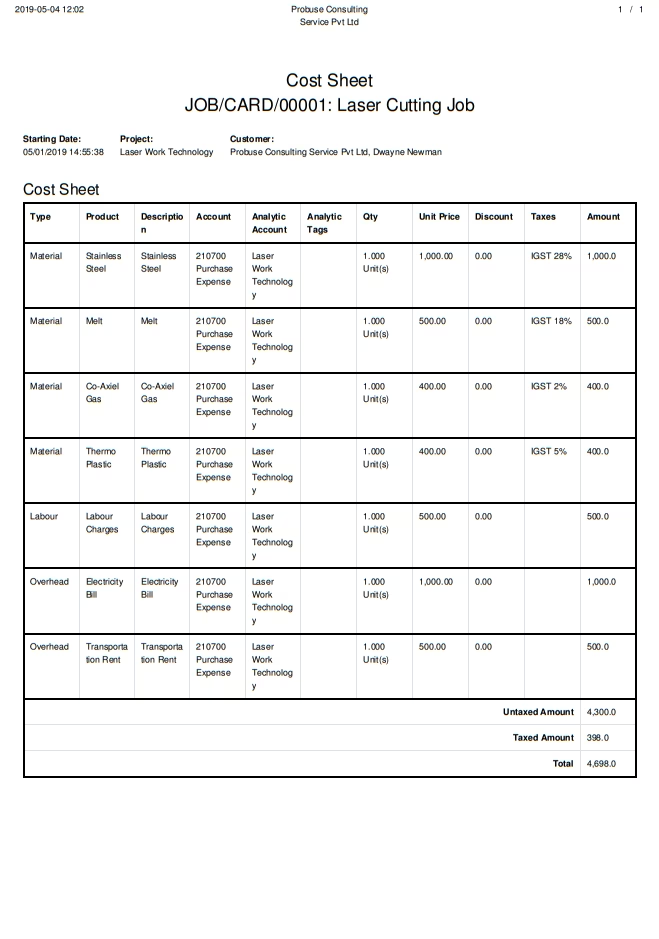
Cost Sheet Report Menu on Job Card Form View
PDF Report
Job Card Report Menu
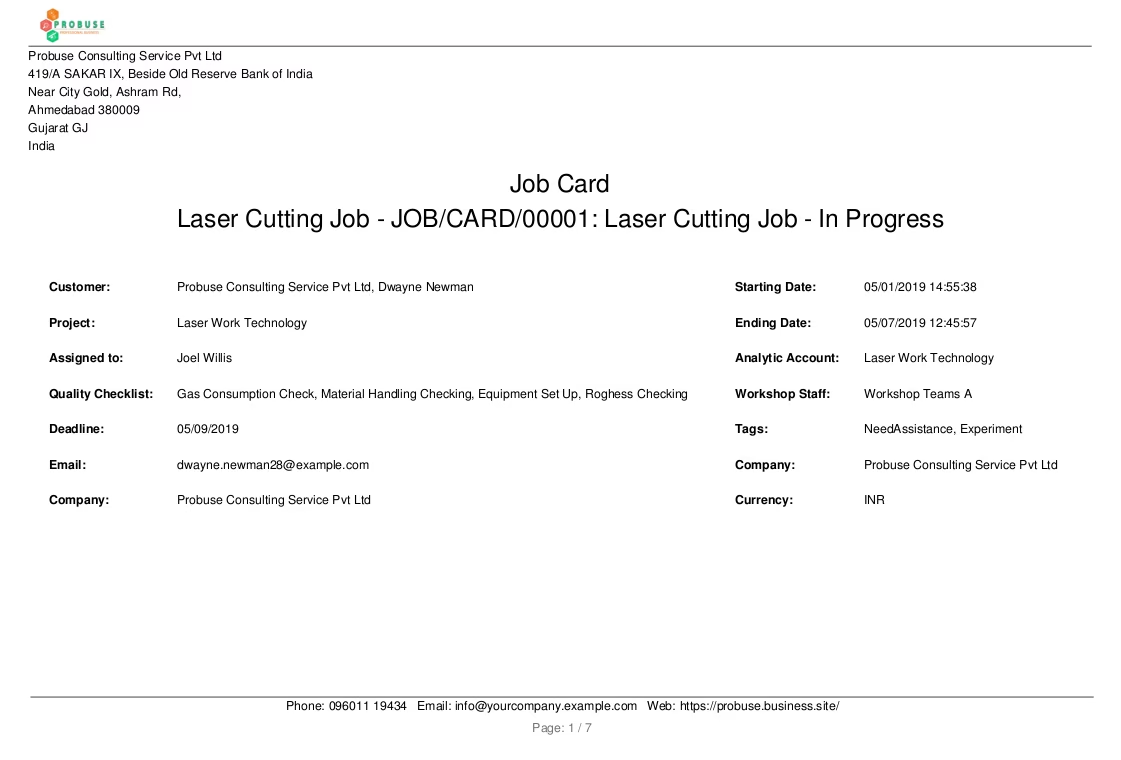
PDF Report
Page:1
Page:2
Page:3
Page:4
Page:5
Page:6
Page:7