The module allows businesses to easily import invoices, vendor bills, credit notes, and debit notes directly into from Excel files. It is designed to save time, minimize manual data entry, and reduce errors, ensuring smooth and efficient accounting processes. With a user-friendly wizard and ready-to-use templates, financial teams can manage invoice data quickly and accurately.
Import customer invoices, vendor bills, credit notes, and debit notes from Excel.
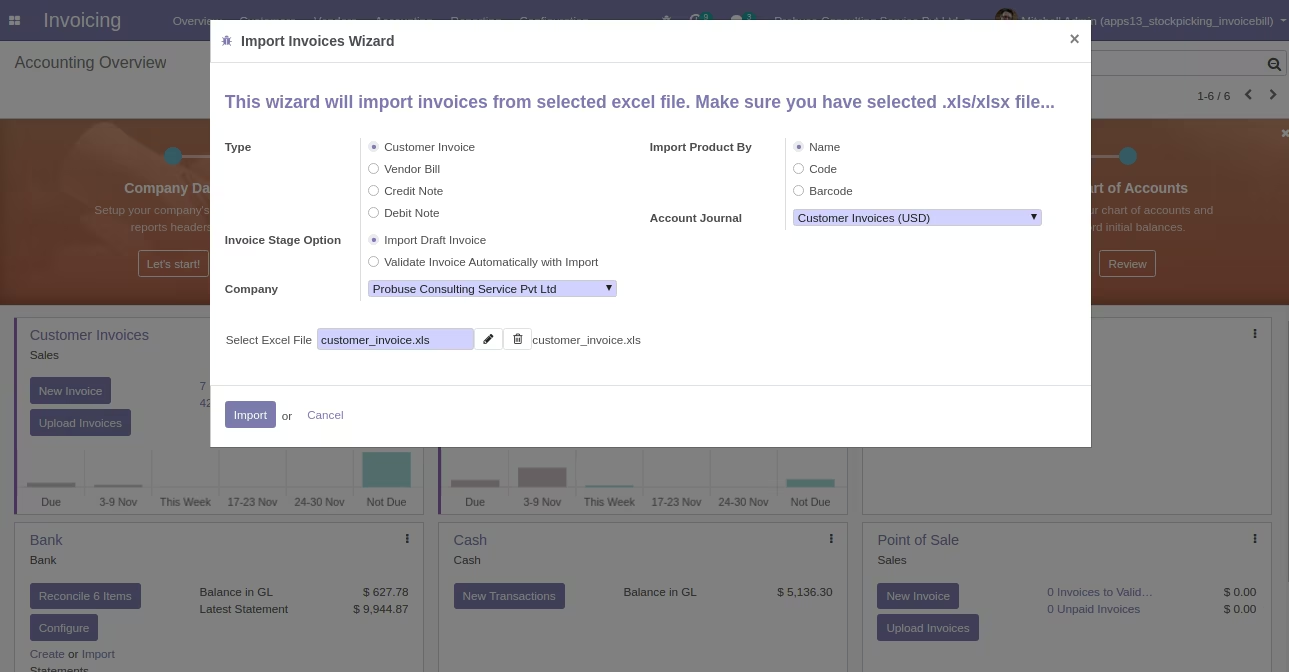
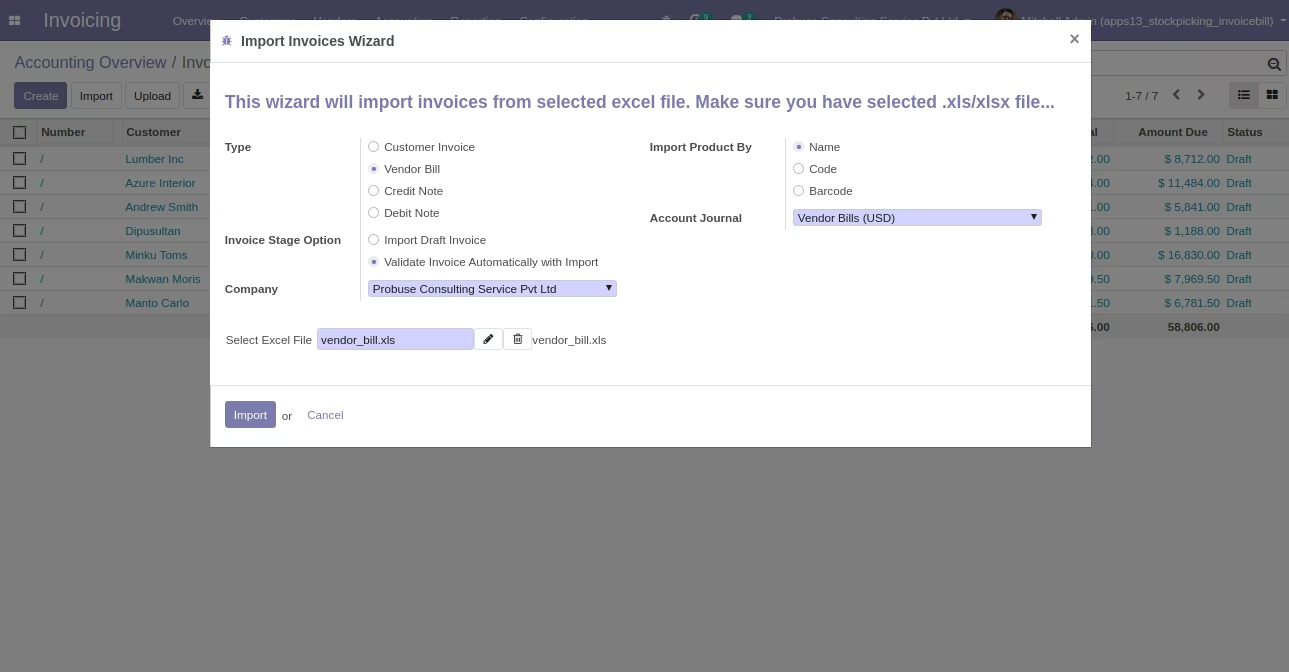
Wizard interface with options to select document type and invoice stage (draft or auto-validate).
Product identification supported by name, code, or barcode.
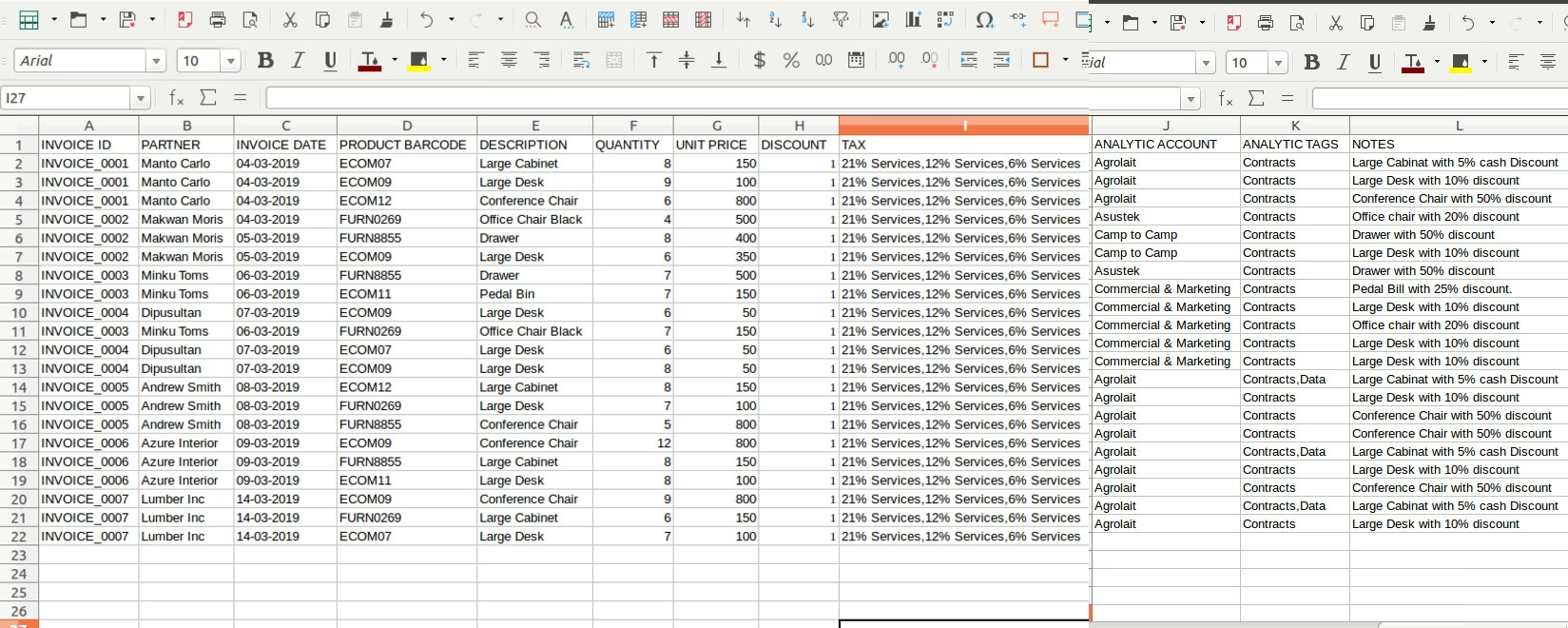
Import key fields such as invoice ID, partner, invoice date, product, description, quantity, unit price, discount, tax, analytic account, analytic tags, and notes.
Comes with a sample Excel template for easy setup and quick use.
Requires the xlwt Python library for full functionality.
Save time by importing multiple invoices and bills in bulk.
Improve accuracy with structured templates and precise field mapping.
Accelerate accounting operations with automated invoice validation.
Flexible product matching ensures clean and reliable data entry.
Reduce manual effort, allowing teams to focus on core financial tasks.
Import Customer Invoice, Vendor Bill, Credit Note, Debit Note from Excel
This app will allow you to import Invoices / Vendor Bills / Debit-Credit Notes from excel.
Main Features:
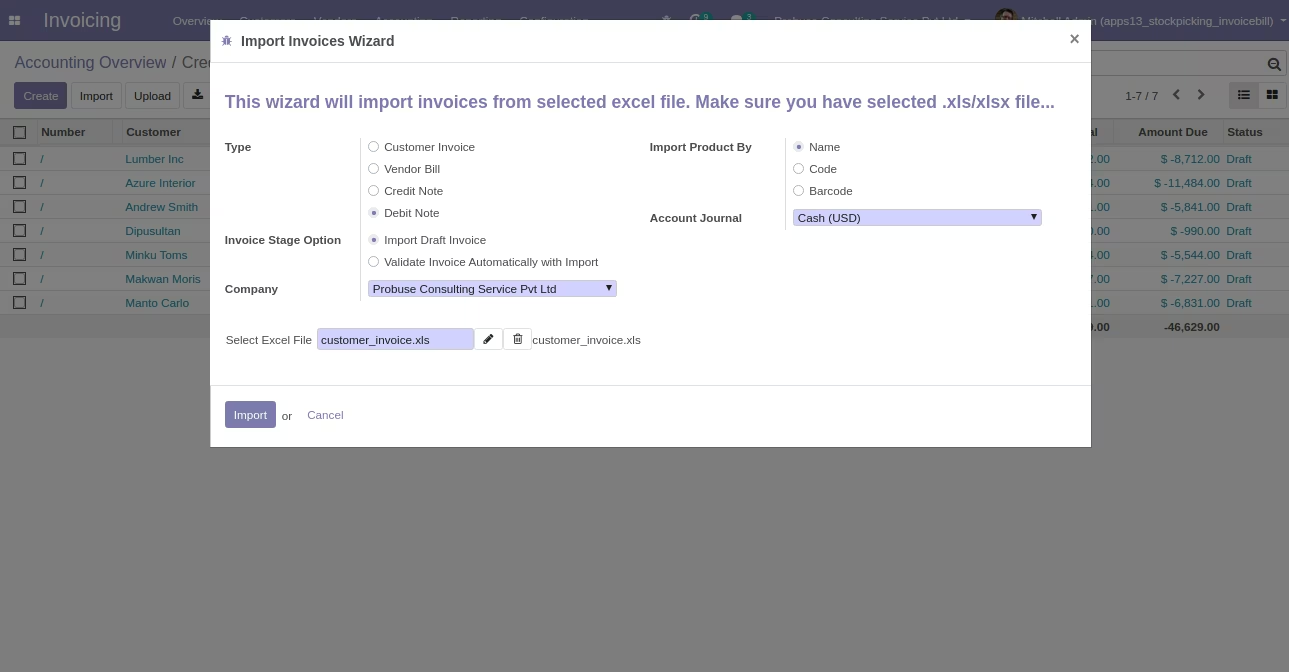
Wizard Filter
- Type
- Customer Invoice ==> If Selecting Customer Invoice Option you will be Importing Customer Invoices.
- Vendor Bill ==> If Selecting Vendor Bill Option you will be Importing Vendor Bill.
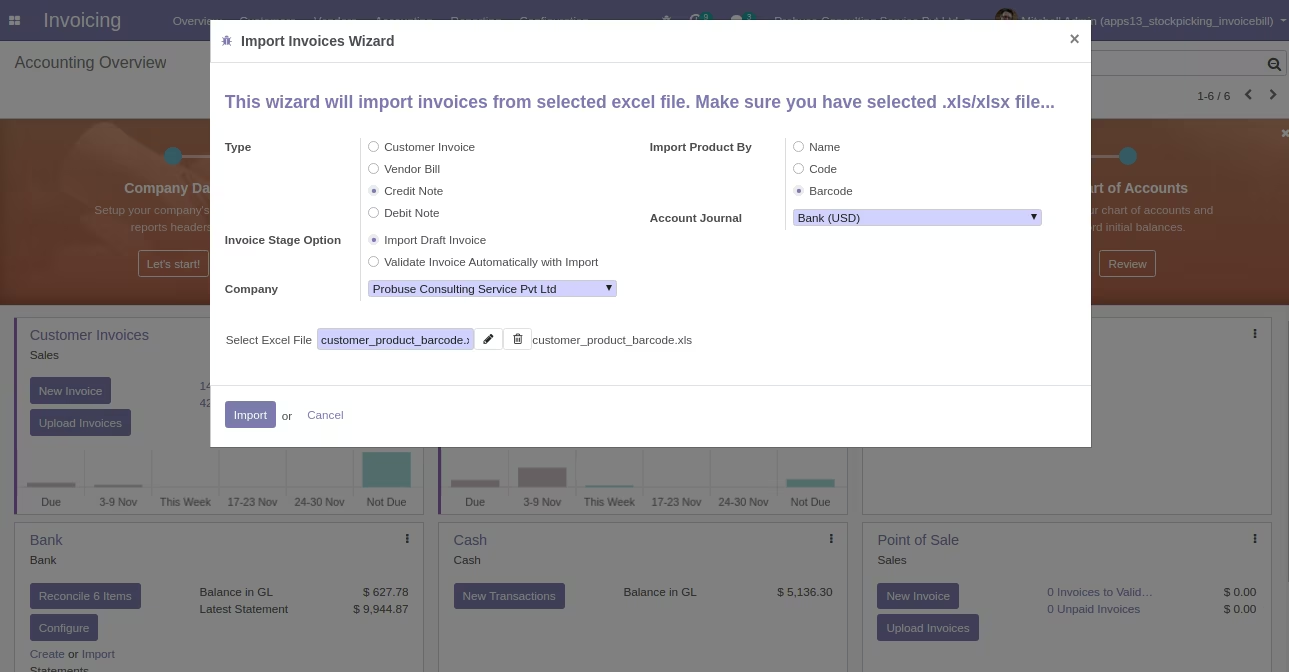
- Credit Note ==> If Selecting Credit Note Option you will be Importing Credit Note.
- Debit Note ==> If Selecting Debit Note Option you will be Importing Debit Note.
- Invoice Stage Option
- Draft Invoice ==> If Selecting Import Draft Invoice with Invoice Stage Option Importing Invoices in Draft State.
- Validate Invoice ==> If Selecting Validate Invoice Automatically with with Invoice Stage Option Importing and Validating Invoices automatically.
- Import Product By
- Name ==> If Selecting Import Product By Name than Search Product with Name.
- Code ==> If Selecting Import Product By Code than Search Product with Code.
- Barcode ==> If Selecting Import Product By Barcode than Search Product with Barcode.
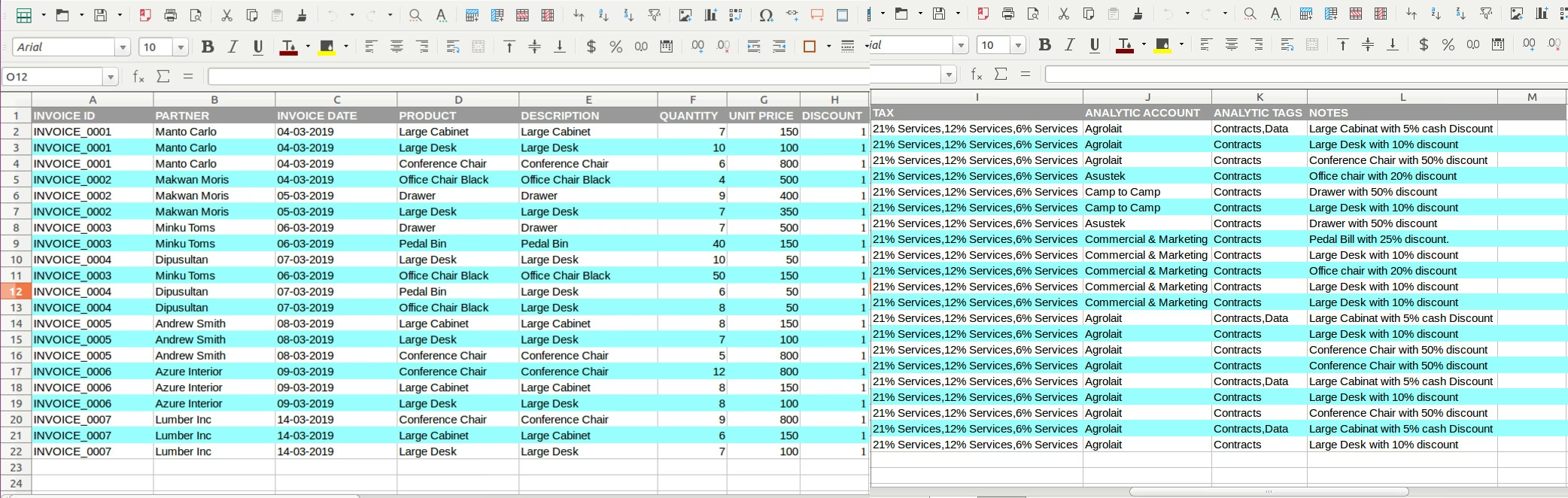
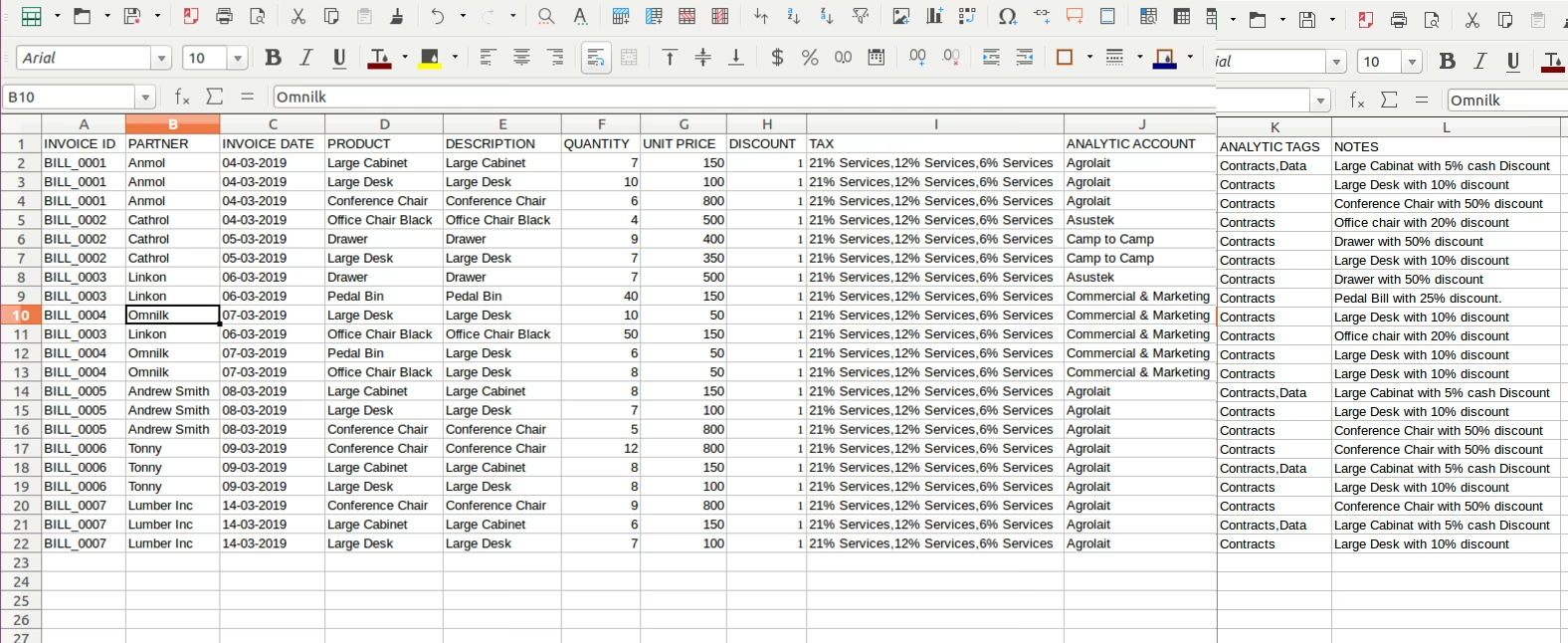
Following fields can be Import From Excel Column.
- INVOICE_ID : Invoice Id
- PARTNER : Partner/Customer/Vendor Name
- INVOICE DATE : Date of Invoice or Bill
- PRODUCT : Product Name or Code or Barcode
- DESCRIPTION : Description of Product
- QUANTITY : Quantity
- UNIT PRICE : Price Unit of Product
- DISCOUNT : Discount
- TAX : Multiple Tax are Seperated by Comma
- ANALYTIC ACCOUNT : Analytic Account
- ANALYTIC TAGS : Multiple Analytic Tags are Seperated by Comma.
- NOTES : Comment
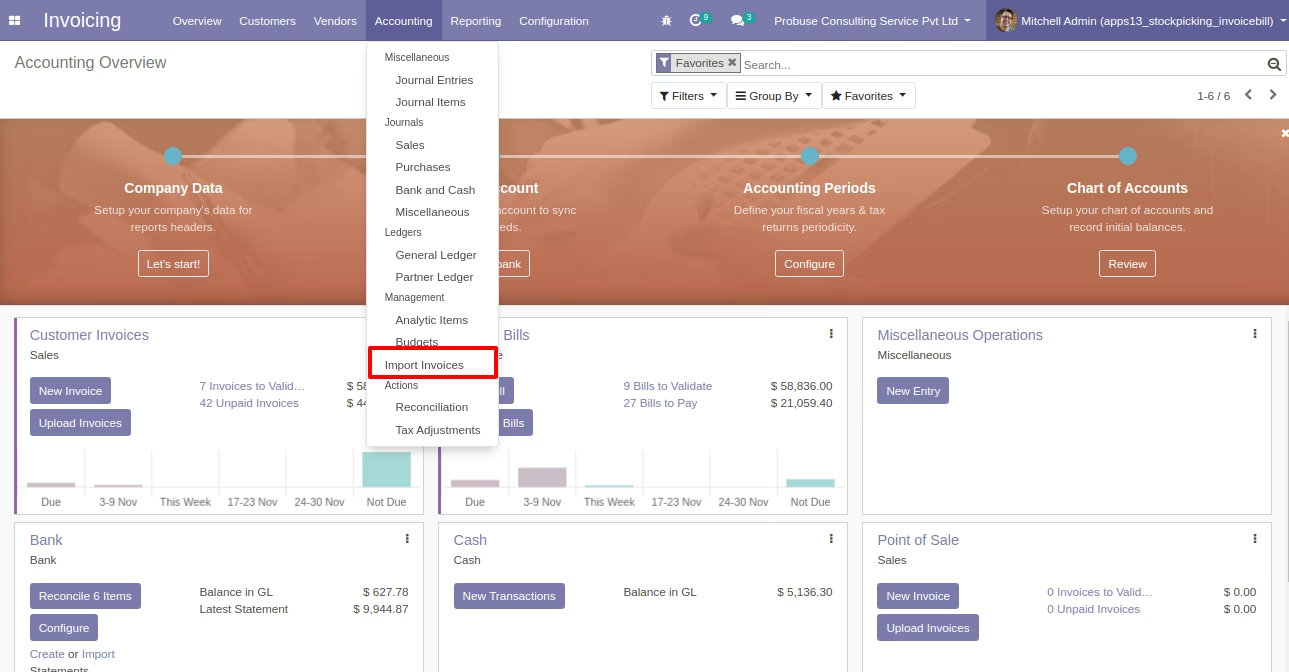
Import Invoices Menu
Wizard for Import Invoices from Excel
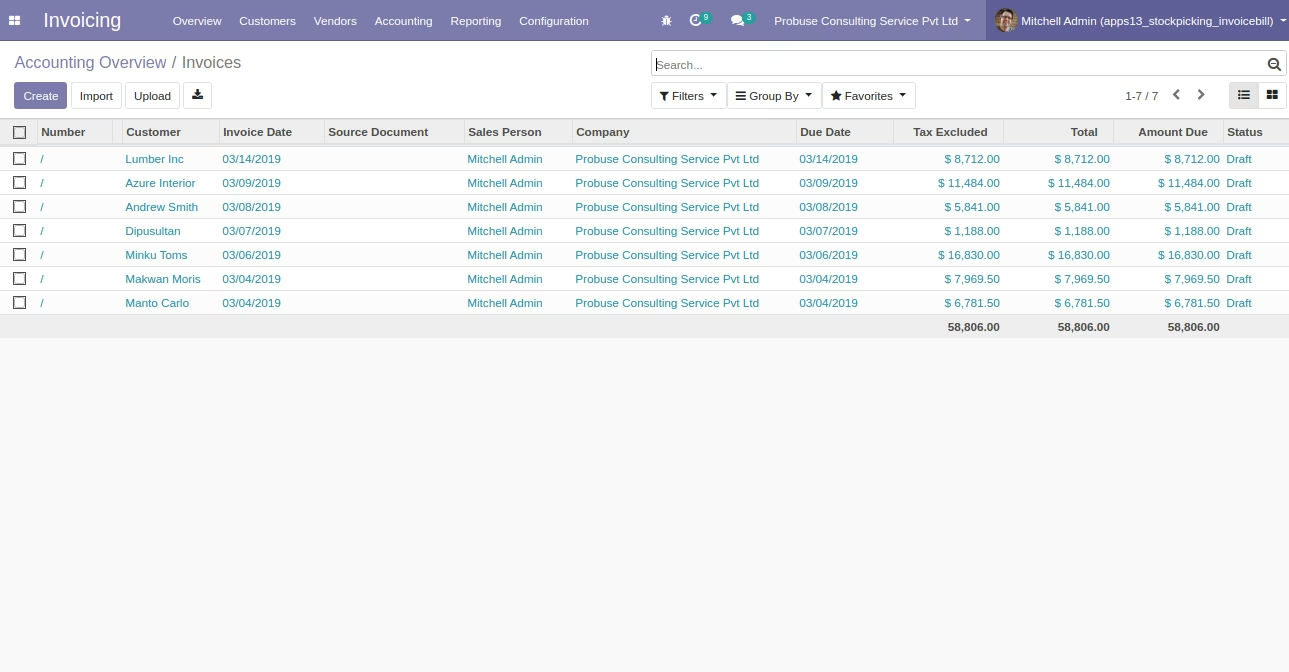
Imported Customer Invoices
Wizard Option for Import Vendor Bill from Excel
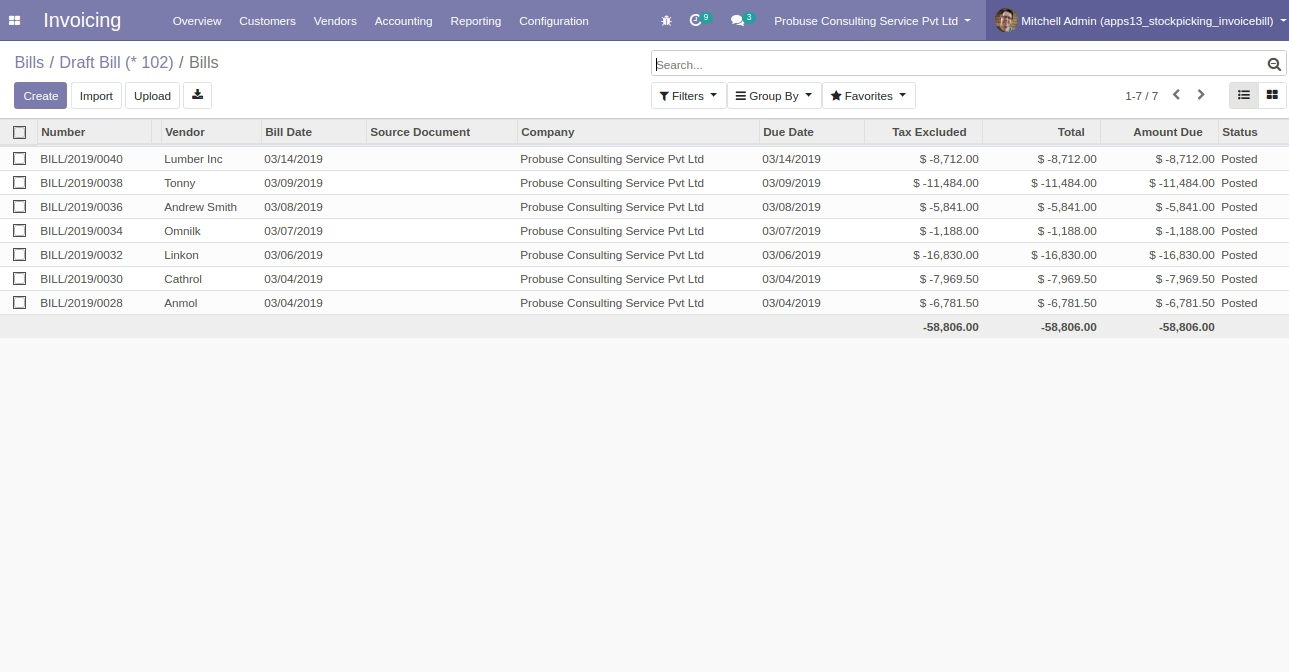
Imported Vendor Bills
Wizard Option for Import Credit Note from Excel
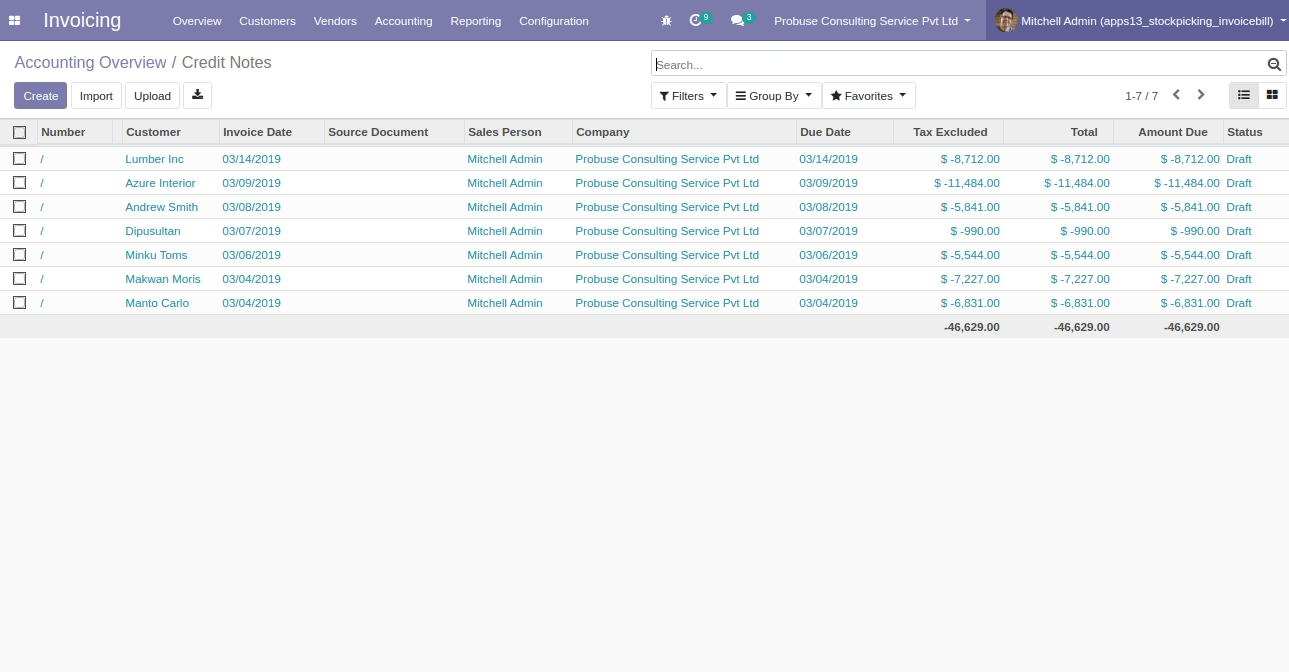
Imported Credit Notes
Wizard Option for Import Debit Note / Refund from Excel
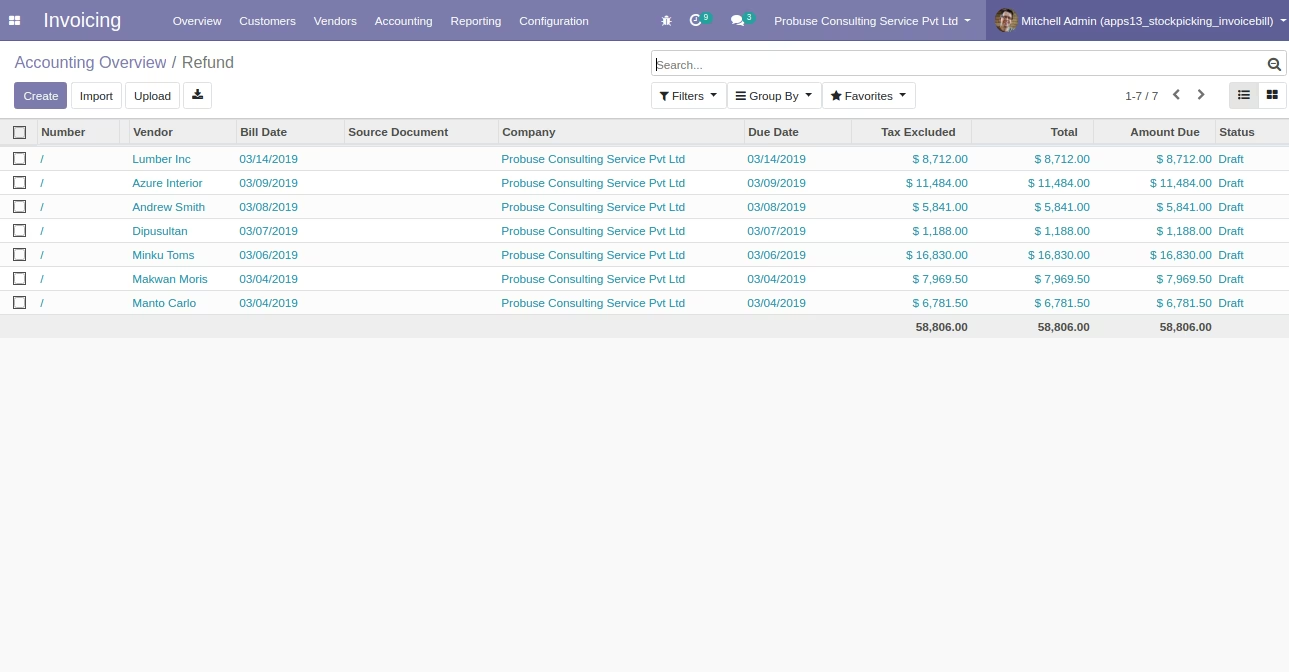
Imported Debit Notes
Sample Excel File for Import Customer Invoice
Sample Excel File for Import Vendor Bill
Sample Excel File for Import Product With Code
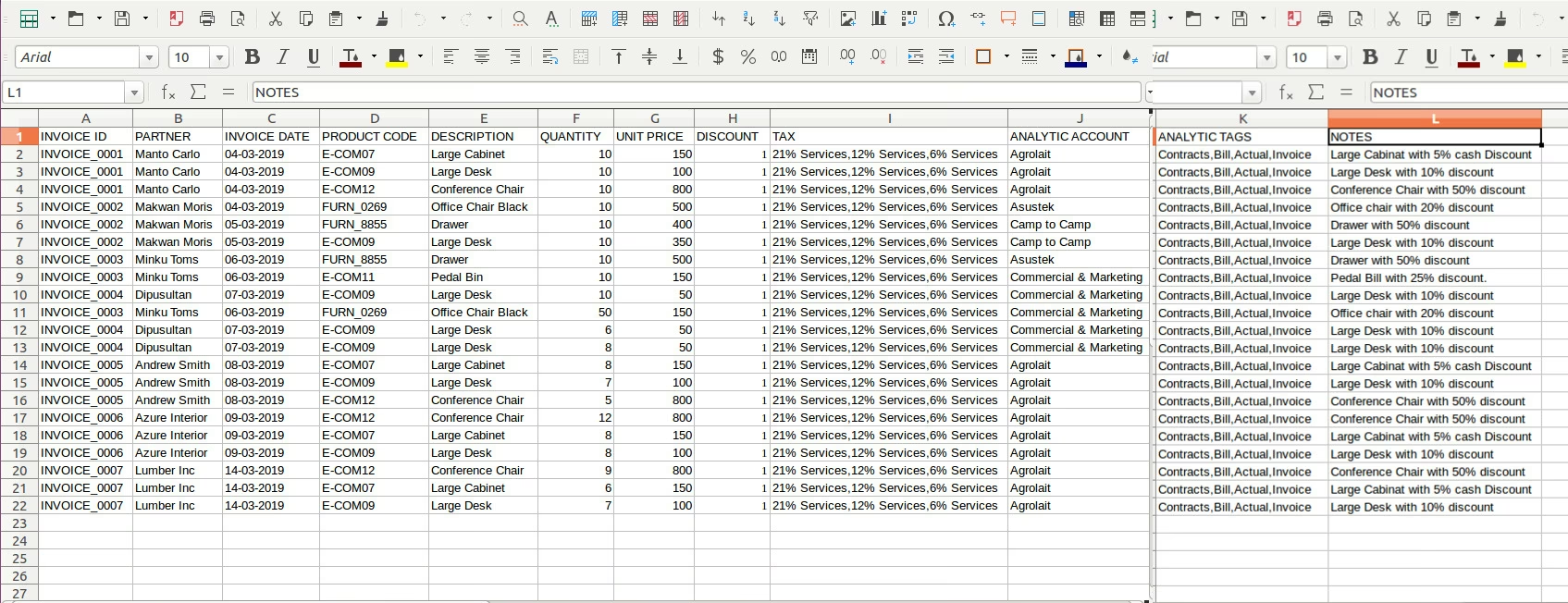
Sample Excel File for Import Product With Barcode