The module provides a streamlined method to generate and print payment receipts for invoices, vendor bills, and payment entries directly. It simplifies financial documentation by presenting all transaction types in a clear receipt format, enhancing the efficiency of bookkeeping and accounting workflows.
Print payment receipts for customer invoices, vendor bills, and standalone payment entries in a compact receipt layout.
Add an option in user settings to enable receipt-style printing for invoices, bills, and payments.
Designed to work seamlessly across Community and Enterprise editions.
Compatible with both on-premise deployments and .sh environments.
No additional Python libraries or external dependencies required.
Speeds up financial documentation by enabling quick printouts of payment receipts.
Streamlines operations by consolidating different payment types into a consistent receipt format.
Reduces manual effort with one-click printing options and simplified settings.
Ensures broad compatibility with multiple deployment architectures and versions.
Easy to adopt no additional technical setup or modules needed.
This app is useful for obtaining detailed invoices and bills information on a salesperson-by-salesperson basis. This report can also be used to print reports for both salespeople and managers. If a salesperson prints a report, they will only see their own invoice and bill details. Managers, on the other hand, can select multiple salespeople if access-group assignments allow it. This app allows you to obtain all salesperson-specific sales, purchase invoices, bills, credit notes, and debit notes in PDF or Excel format. We have highlighted the reports in red text to make it easy for you to find refund information. It's a convenient way to track salesperson-specific sales, purchase invoices, and bills. Additionally, you can easily access information on the payments collected by each salesperson. This report is also suitable for daily use.
- Generate reports for single companies as well as multiple companies.
- Multi-company users can print a report for more than one company assigned to them.
- Single company users are only allowed to print their own company's report.
- You can view the report directly from the wizard.
- You can easily filter payment information by salesperson.
- You can easily print payment reports in PDF and Excel sheets.
- It's easy to obtain sales information for individual salesperson.
- You can easily calculate the total amount based on different payment methods.
- It's easy to filter records by different statuses.
- It's easy to grant access rights to select multiple salespeople from the wizard. If you don't grant these access rights, the user who is logged in will be automatically selected in this wizard, and only their report will be printed.
- If you have granted rights, the user can select more than one salesperson and generate the report for all of them in PDF/Excel format.
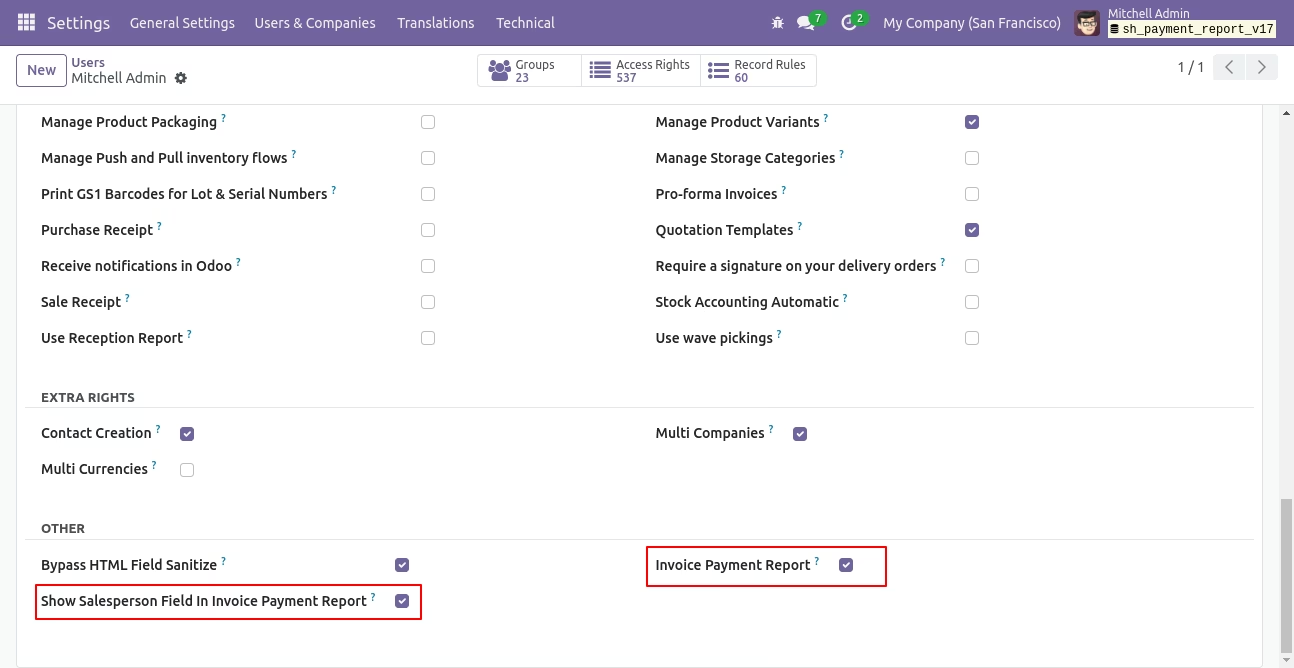
Go to the "Configuration" ==> Users ==> Tick the 'Show Salesperson Field In Invoice Payment Report' option to display the salesperson field in the wizard, and tick 'Invoice Payment Report' to display the report user-wise using a security group.
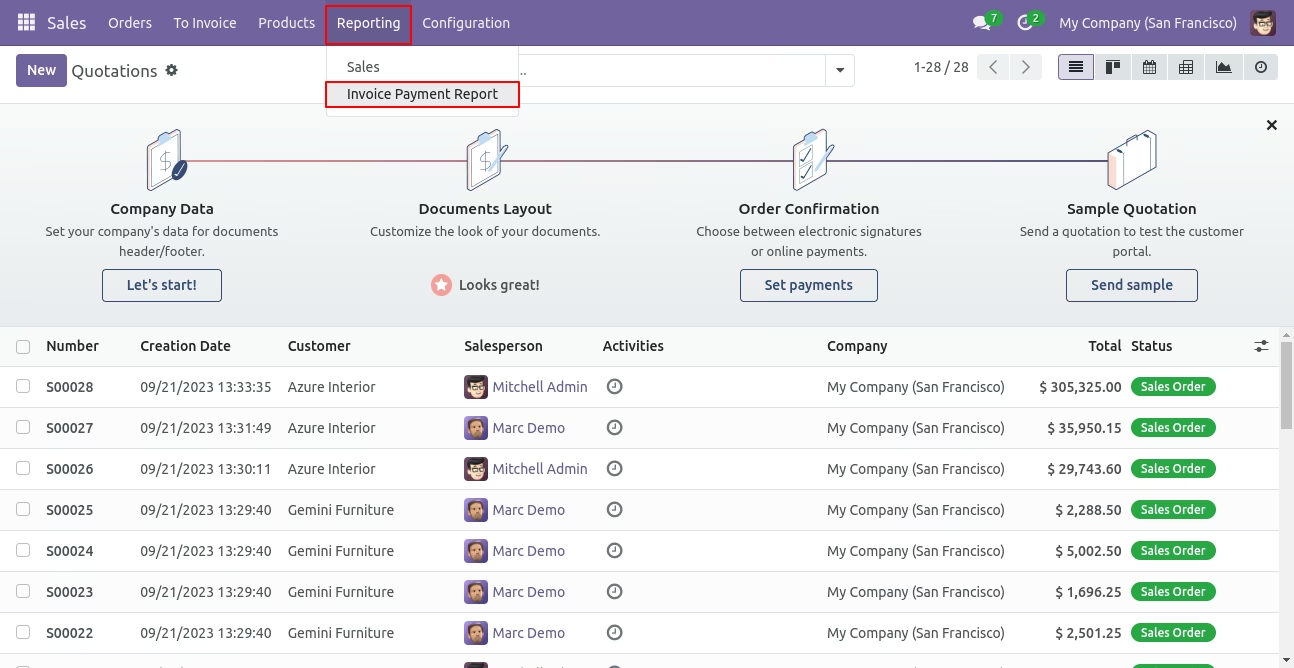
Go to reporting and select the invoice payment report.
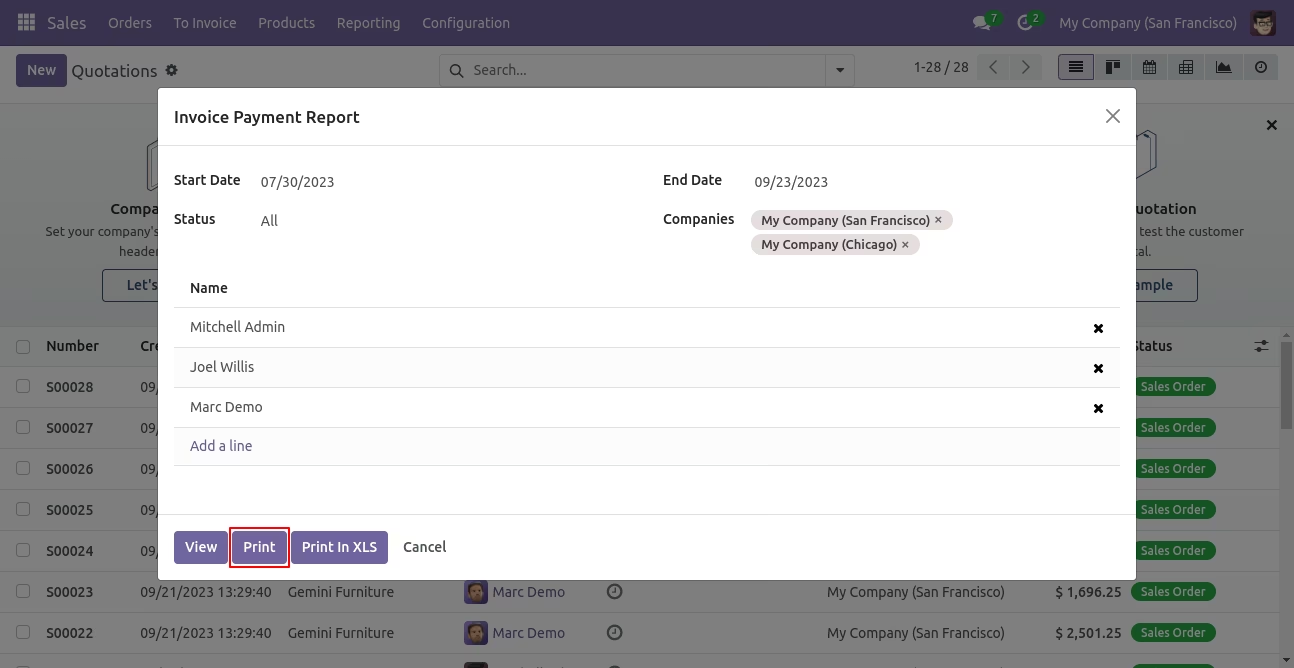
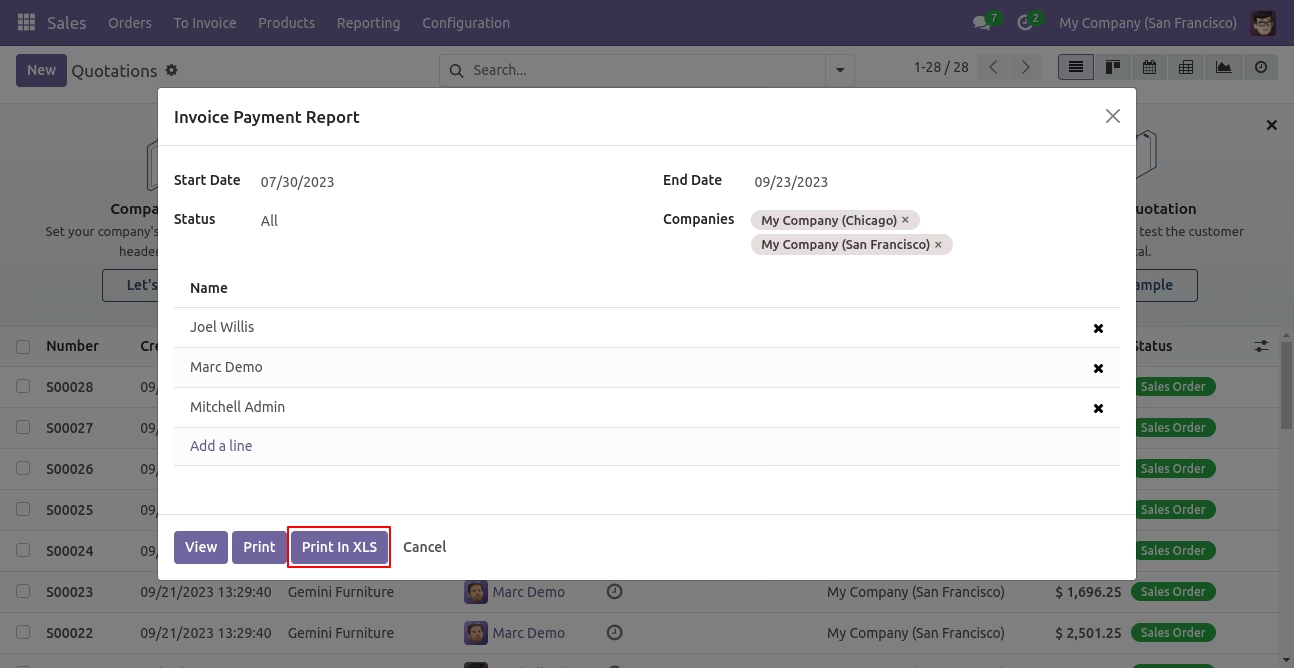
The Invoice Payment PDF/Excel Report Wizard.
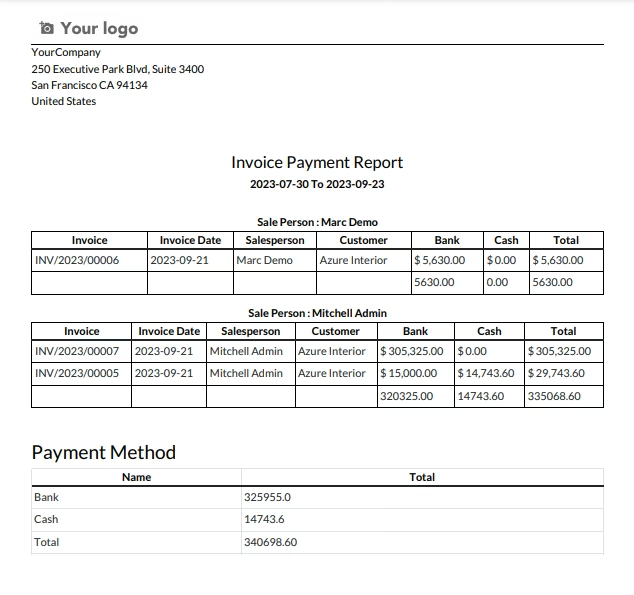
Invoice Payment PDF report looks like below.
Invoice payment PDF/Excel report wizard.
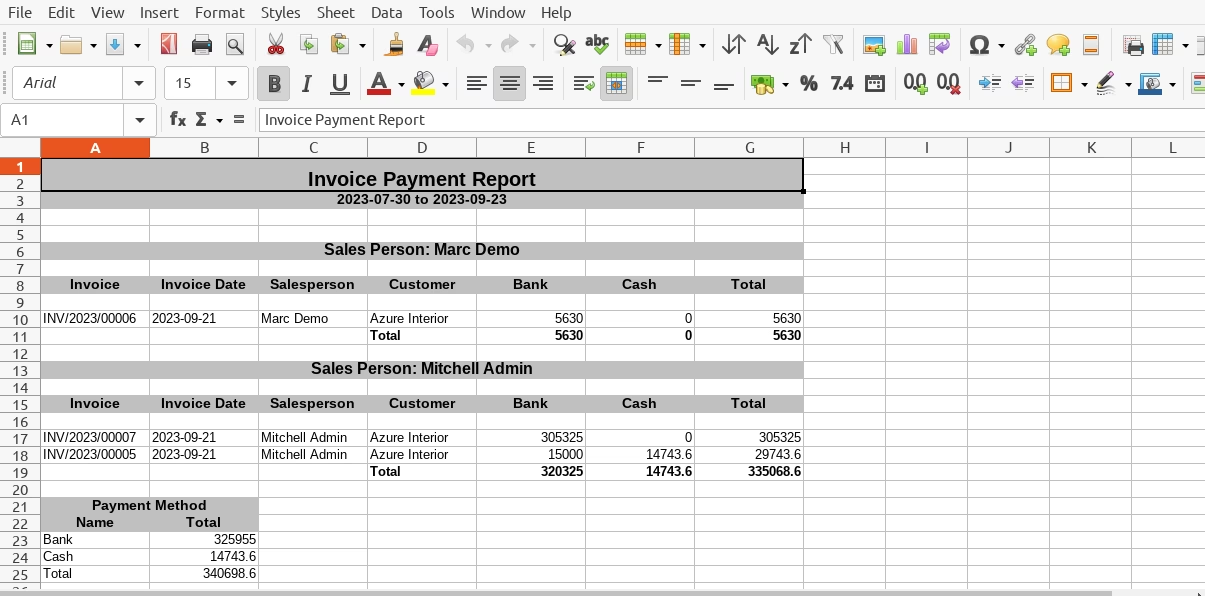
Invoice Payment Excel report looks like below.
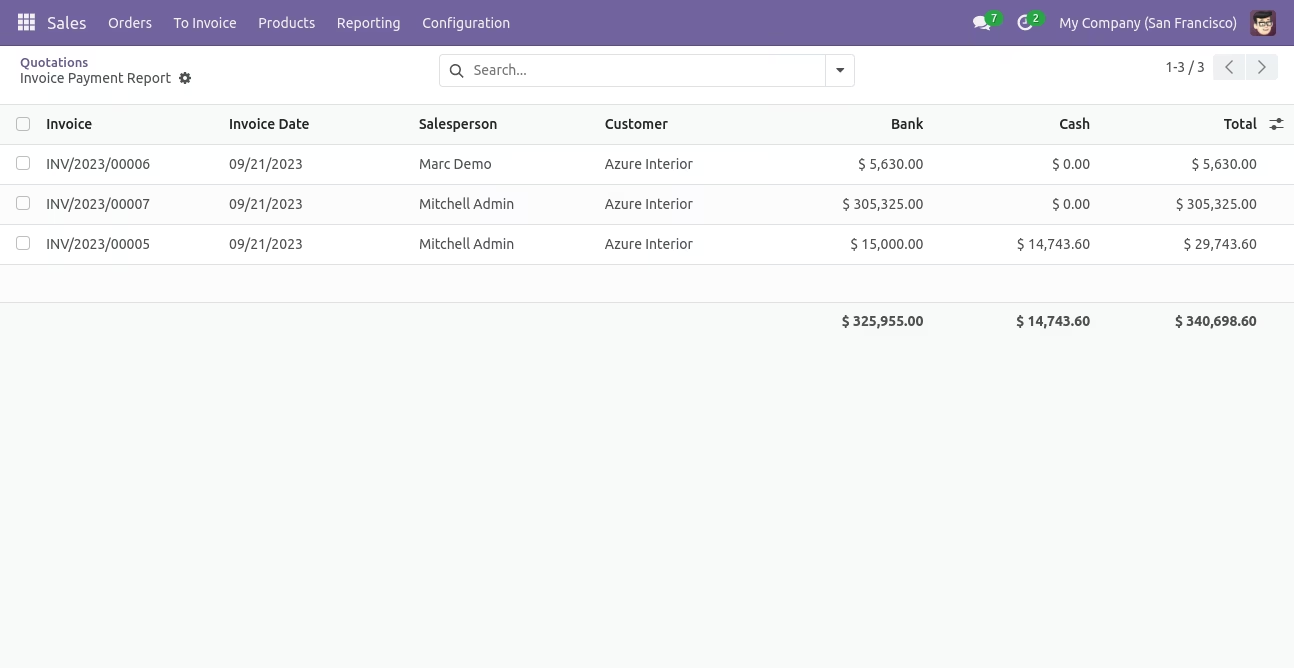
In the Invoice Payment PDF/Excel report wizard, we can view the report.
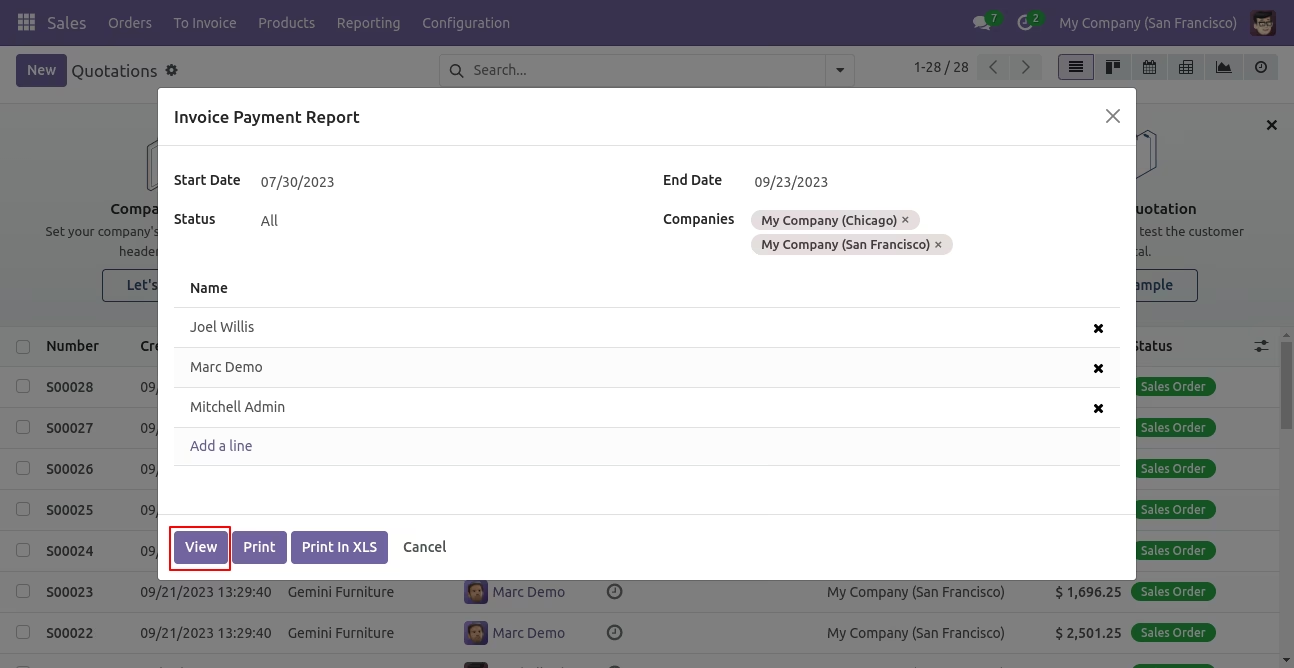
You can view the invoice payment report in list view.