The module allows businesses to handle partial payments efficiently for both customer invoices and vendor bills. It provides flexibility to apply payments partially, track residual balances, and keep accounting records accurate without manual effort. This ensures smoother financial operations and better cash flow management.
Register partial payments on customer invoices and vendor bills.
Apply partial payments to single or multiple invoices and bills through a simple wizard.
Automatically calculate and display outstanding amounts after each partial payment.
Prevent overpayments with built-in validation and alerts.
Real-time update of payment status and reconciliation.
Improve financial flexibility by supporting partial settlements of invoices and bills.
Save time with automated reconciliation and balance tracking.
Reduce accounting errors through validation checks and accurate calculations.
Streamline payment operations with batch partial payment processing.
Enhance control over receivables and payables for better cash flow management.
Invoice Partial Payment with Write-Off
Register Partial Payments for Invoices/Bills
Invoice-Bill Partial Payment Reconciliation Apps
Invoice Reconciliation with Partial Payment Apps
Invoice Partial Payment Reconciliation app is very useful for maintaining customer or vendor payment management to register partial payment with write off and reconciliation. You can select existing payment from the invoice screen and register payment for whatever amount you have to register for the invoice against payment along with a write off option. This module allows you to create a single/multiple invoice/bill for partial payment. Users can also check the remaining outstanding credit/debit amount for partial invoice payment.
Partial Reconciliation for Single Invoice
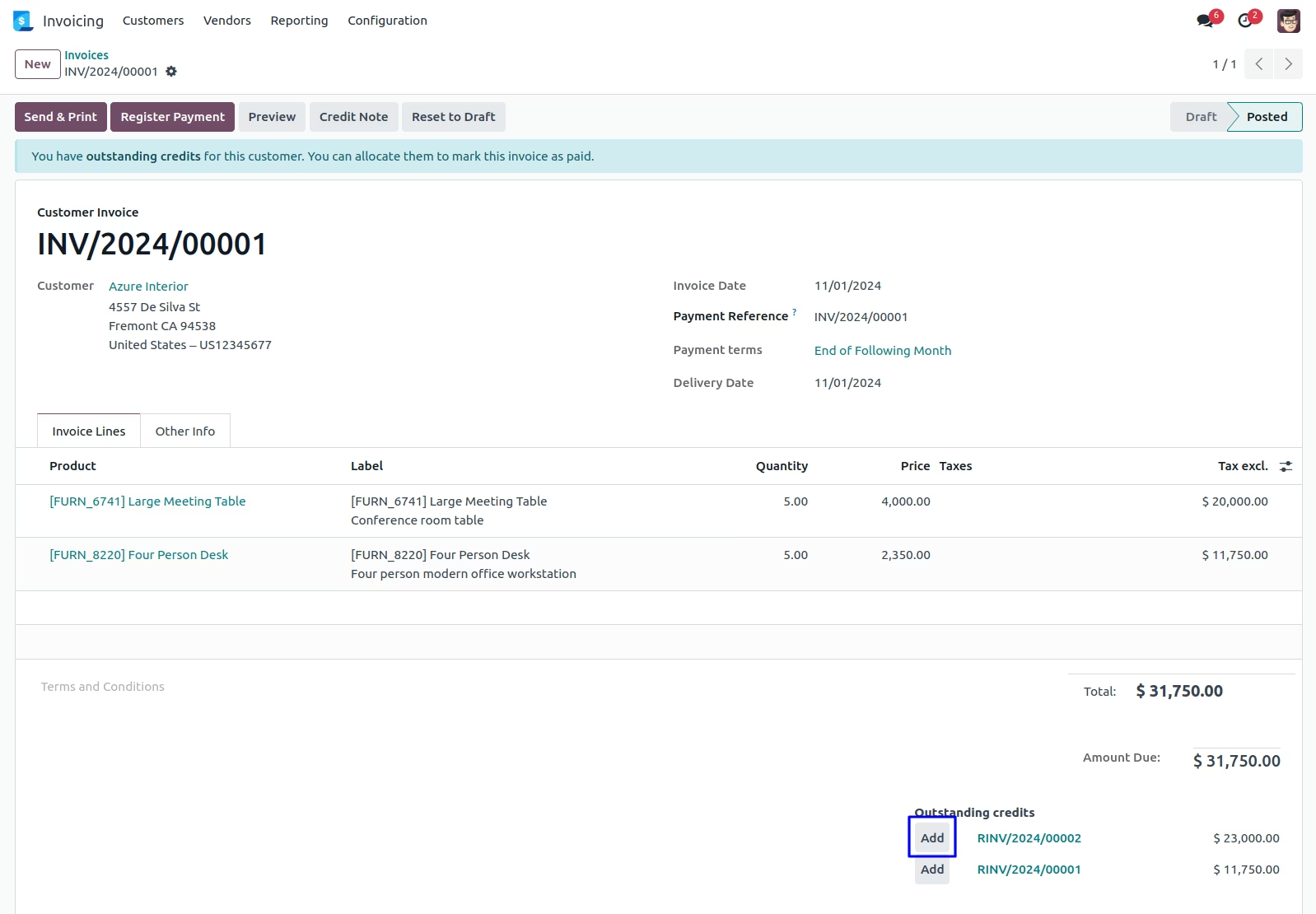
Customer Invoice
Here you can see outstanding credit payment of the customer, when you click on "Add" button so one payment wizard will be open.
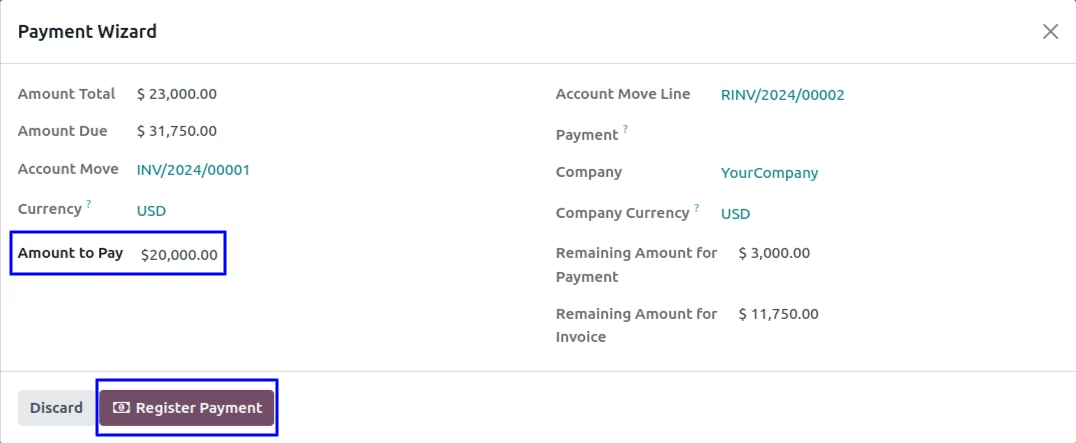
Outstanding Payment Reconciliation Wizard
In standard there is no way for partial reconciliation on invoice but this popup you can pay the invoice for partial amount.
Amount total field you can see the total invoice value is $5000 and in amount to pay you have to enter how much amount you want to pay for the invoice then once you enter that automatically remaining amount for your outstanding payment it will be show here remaining amount for payment and remaining amount for invoice.
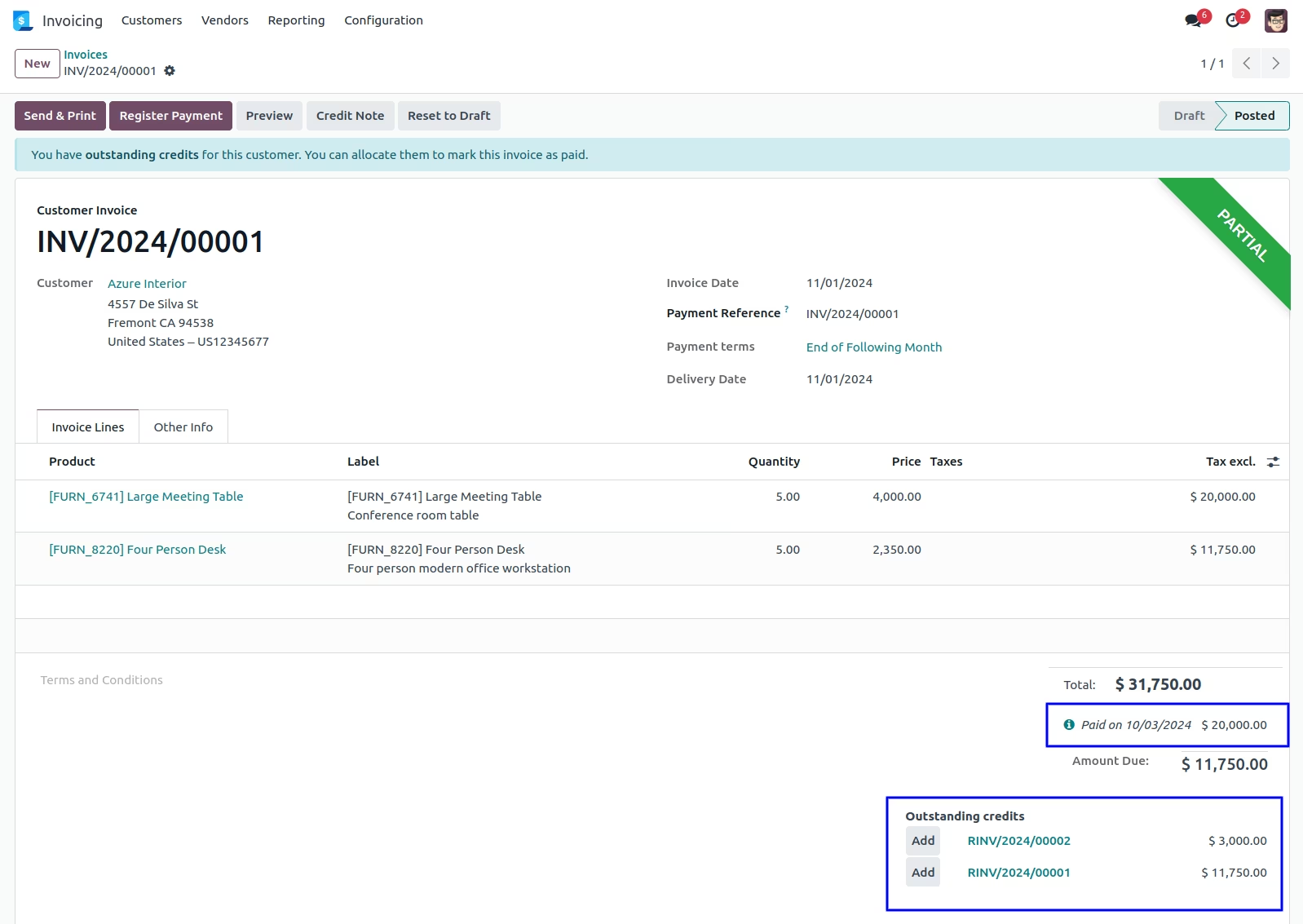
Partially Paid Invoice
You can see the customer single invoice has been partially paid and also calculate remaining outstanding credit payment for customer.
Partial Reconciliation for Multiple Invoice
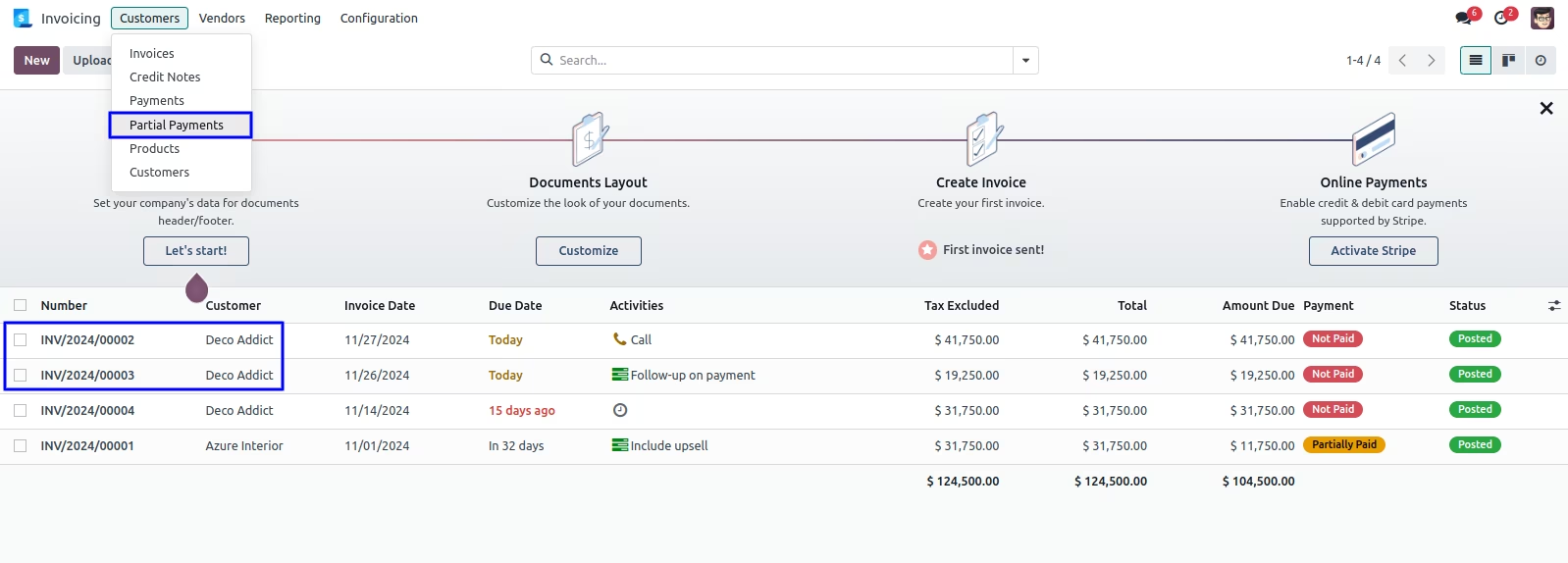
Partial Payments Menu for Multiple Customer Invoice
Under Invoicing -> Customers -> Partial Payments menu for customer multiple invoice, When you click on partial payments one wizard will be open.
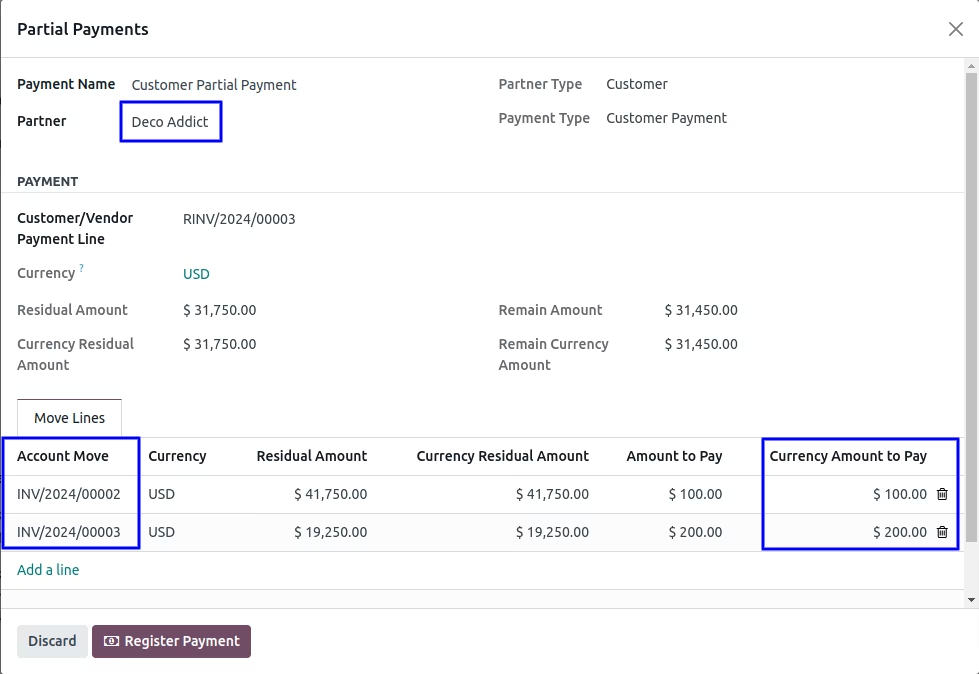
Partial Payments Wizard for Multiple Customer Invoice
In this wizard you can select partner so according to that partner residual amount will be calculated then select multiple invoices with entered amount to pay so remain amount is calculated. After click on "Register Payment" button.
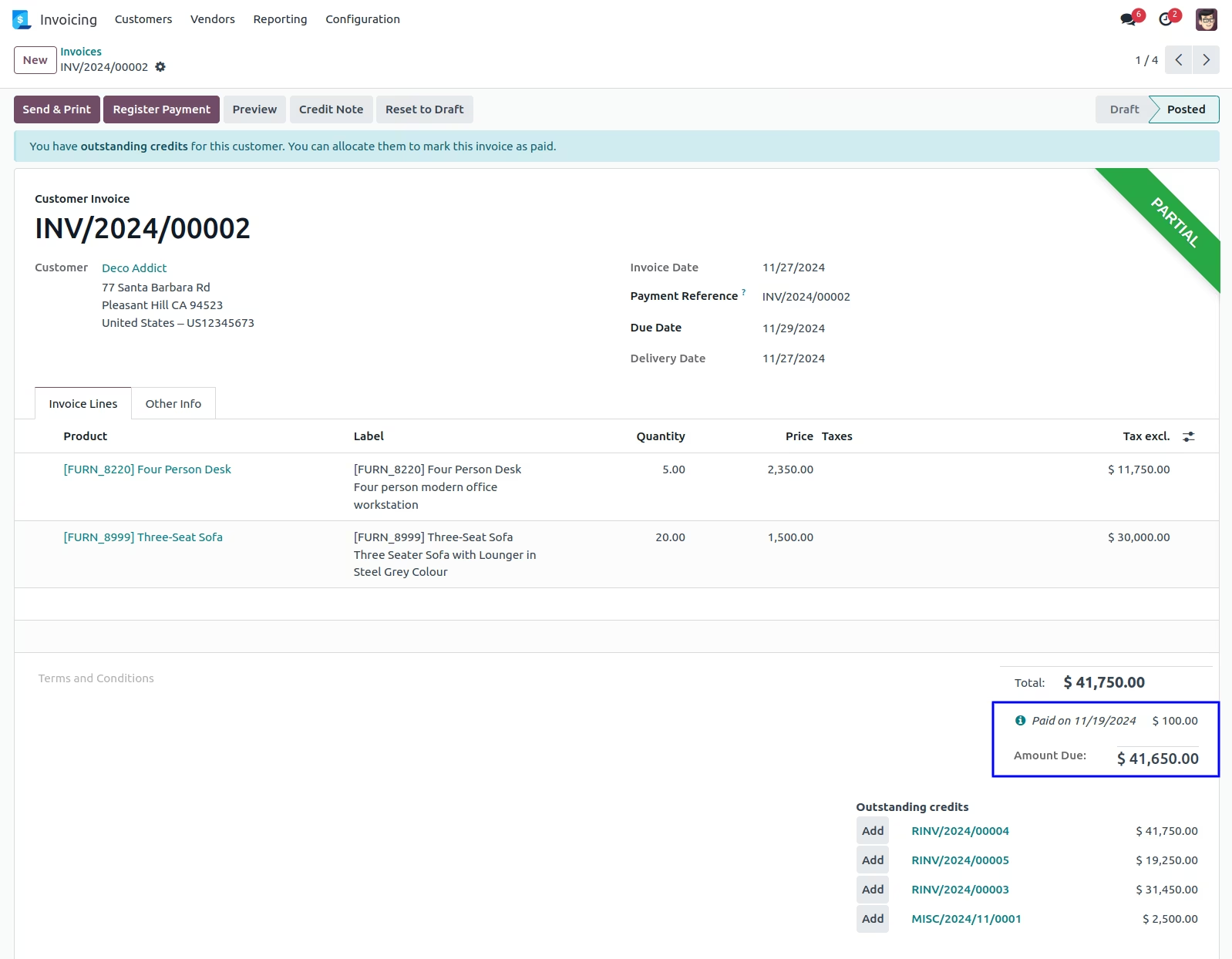
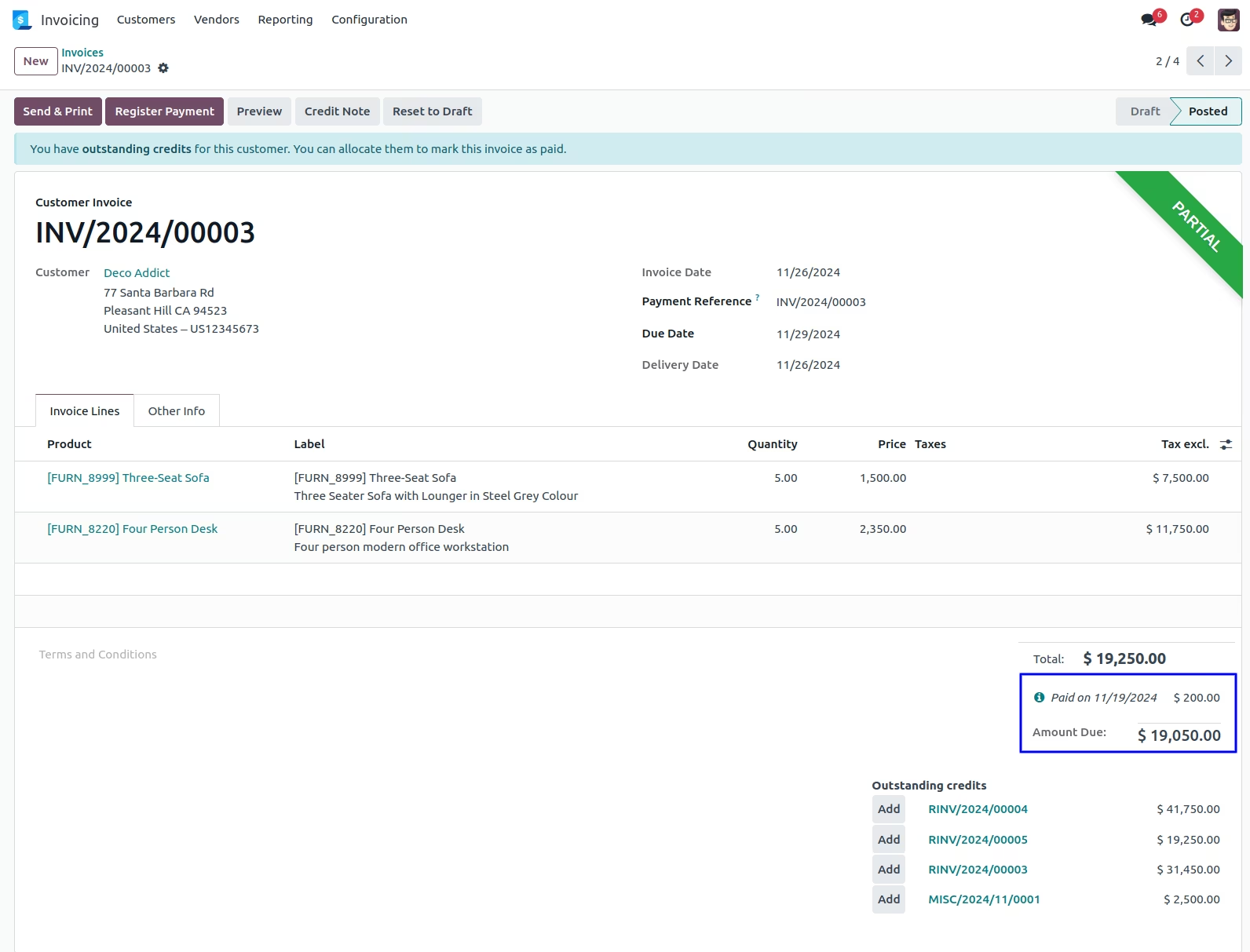
Multiple Invoices Partially Paid Reconcile with the Outstanding Payment
You can see the customer multiple invoice has been partially paid and also calculate remaining outstanding credit payment for customer.
Partial Reconciliation for Single Vendor Bill
Vendor Bill
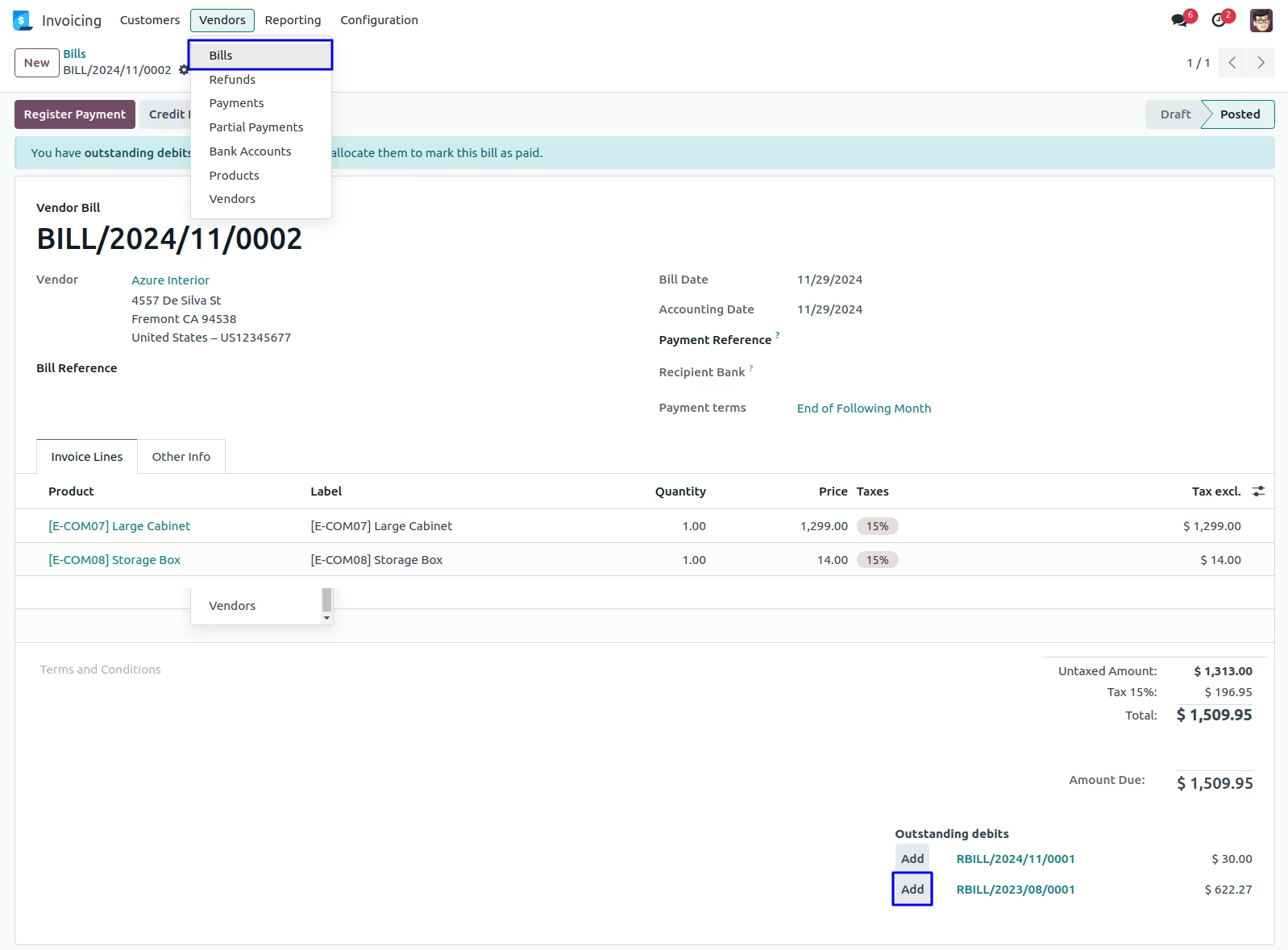
Here you can see outstanding debit payment of the vendor, when you click on "Add" button so one payment wizard will be open.
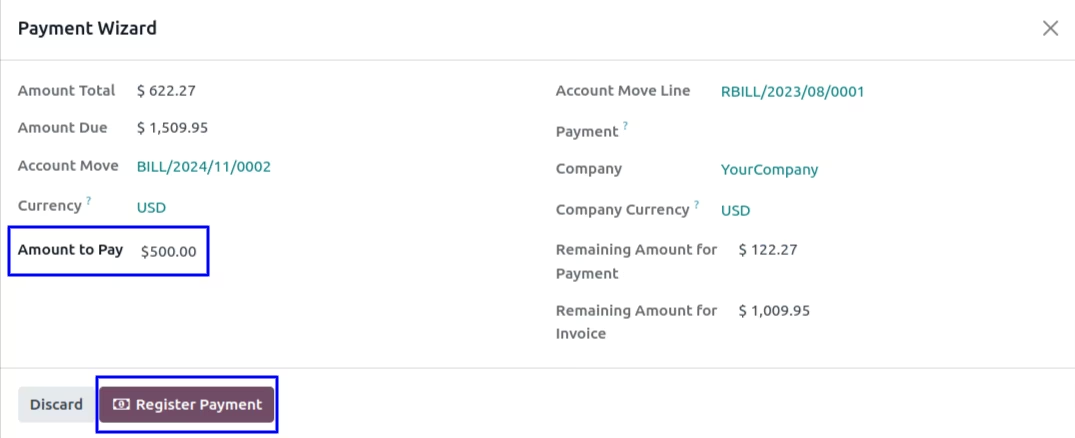
Outstanding Payment Reconciliation Wizard
In standard there is no way for partial reconciliation on vendor bill but this popup you can pay the bill for partial amount.
Amount total field you can see the total bill value is $8000 and in amount to pay you have to enter how much amount you want to pay for the bill then once you enter that automatically remaining amount for your outstanding payment it will be show here remaining amount for payment and remaining amount for invoice.
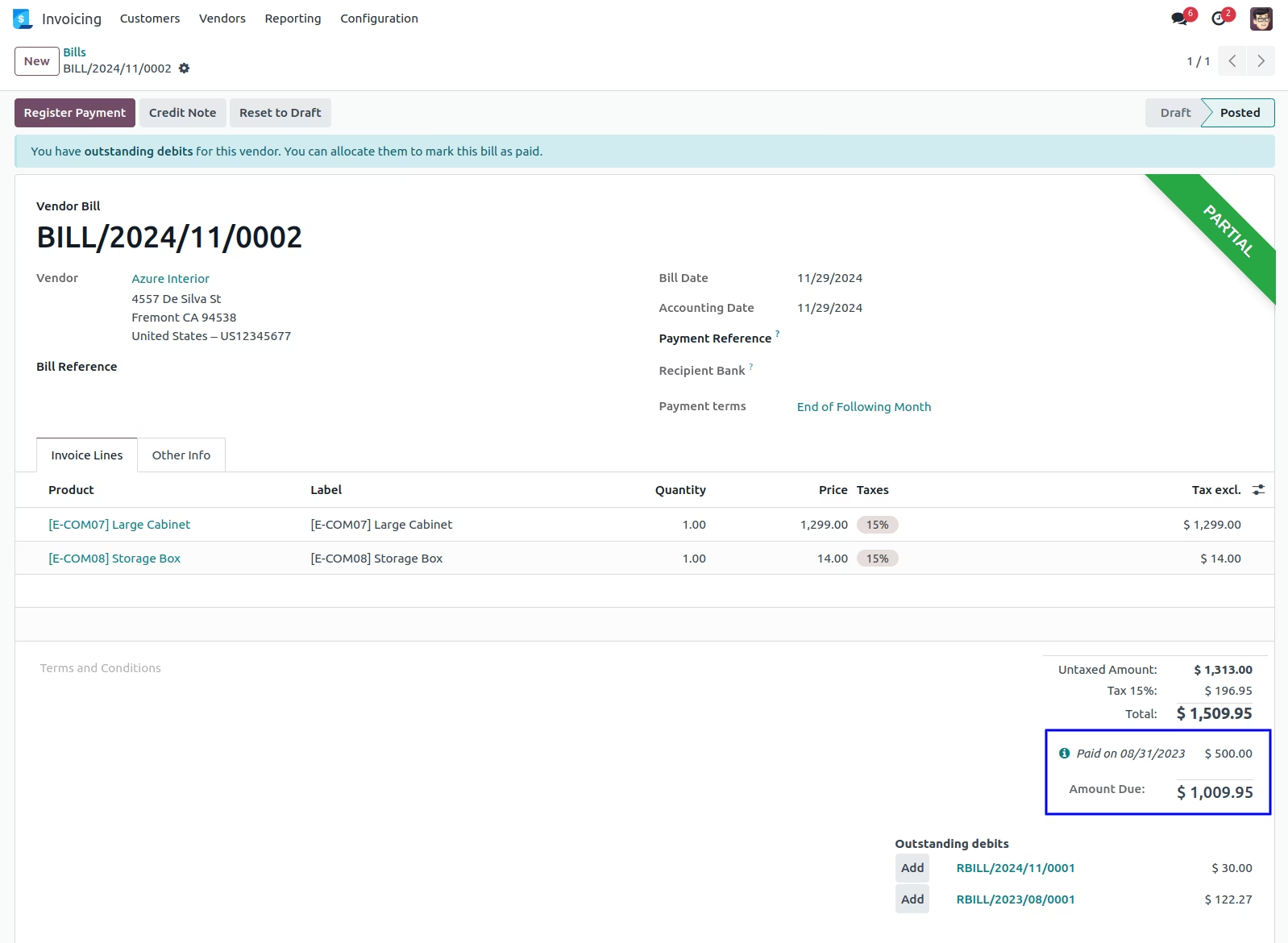
Partially Paid Bill
You can see the vendor single bill has been partially paid and also calculate remaining outstanding debit payment for vendor.
Partial Reconciliation for Multiple Vendor Bill
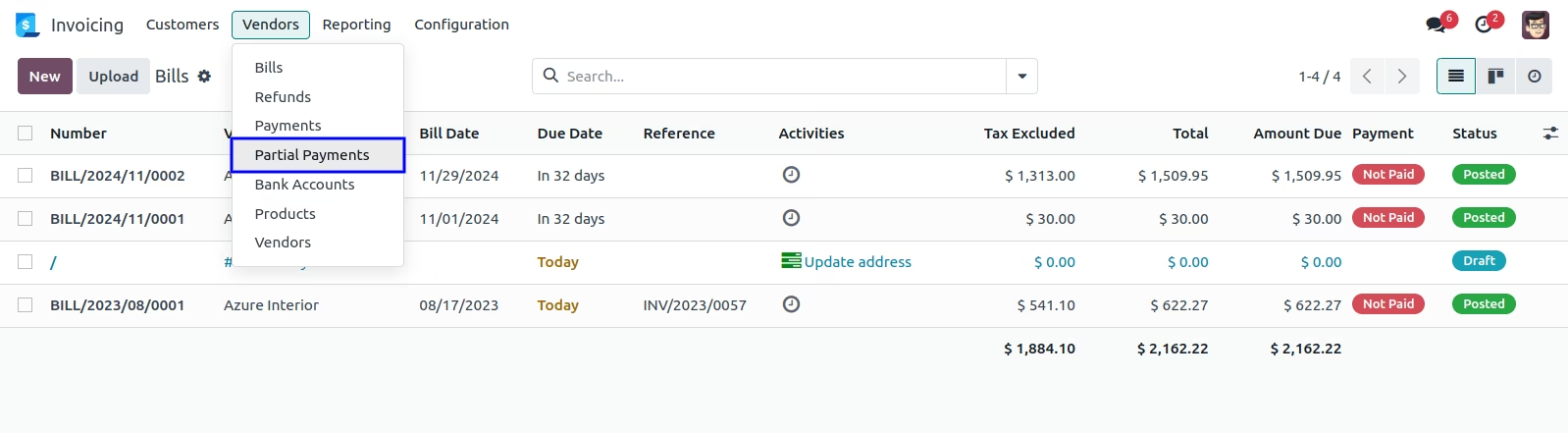
Partial Payments Menu for Multiple Vendor Bill
Under Invoicing -> Vendors -> Partial Payments menu for vendor multiple bill, When you click on partial payments one wizard will be open.
Partial Payments Wizard for Multiple Vendor Bill
In this wizard you can select partner so according to that partner residual amount will be calculated then select multiple bills with entered amount to pay so remain amount is calculated. After click on "Register Payment" button.
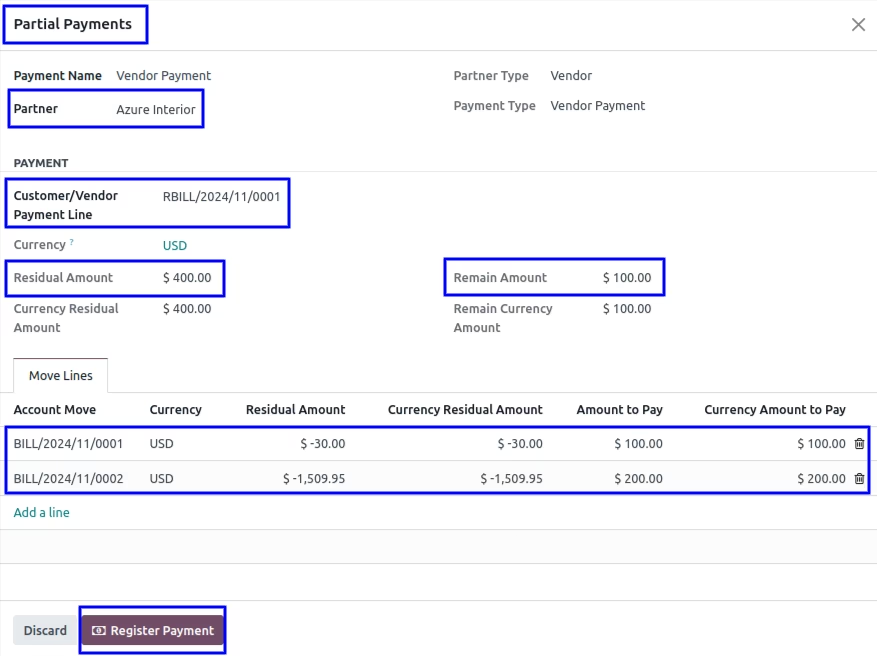
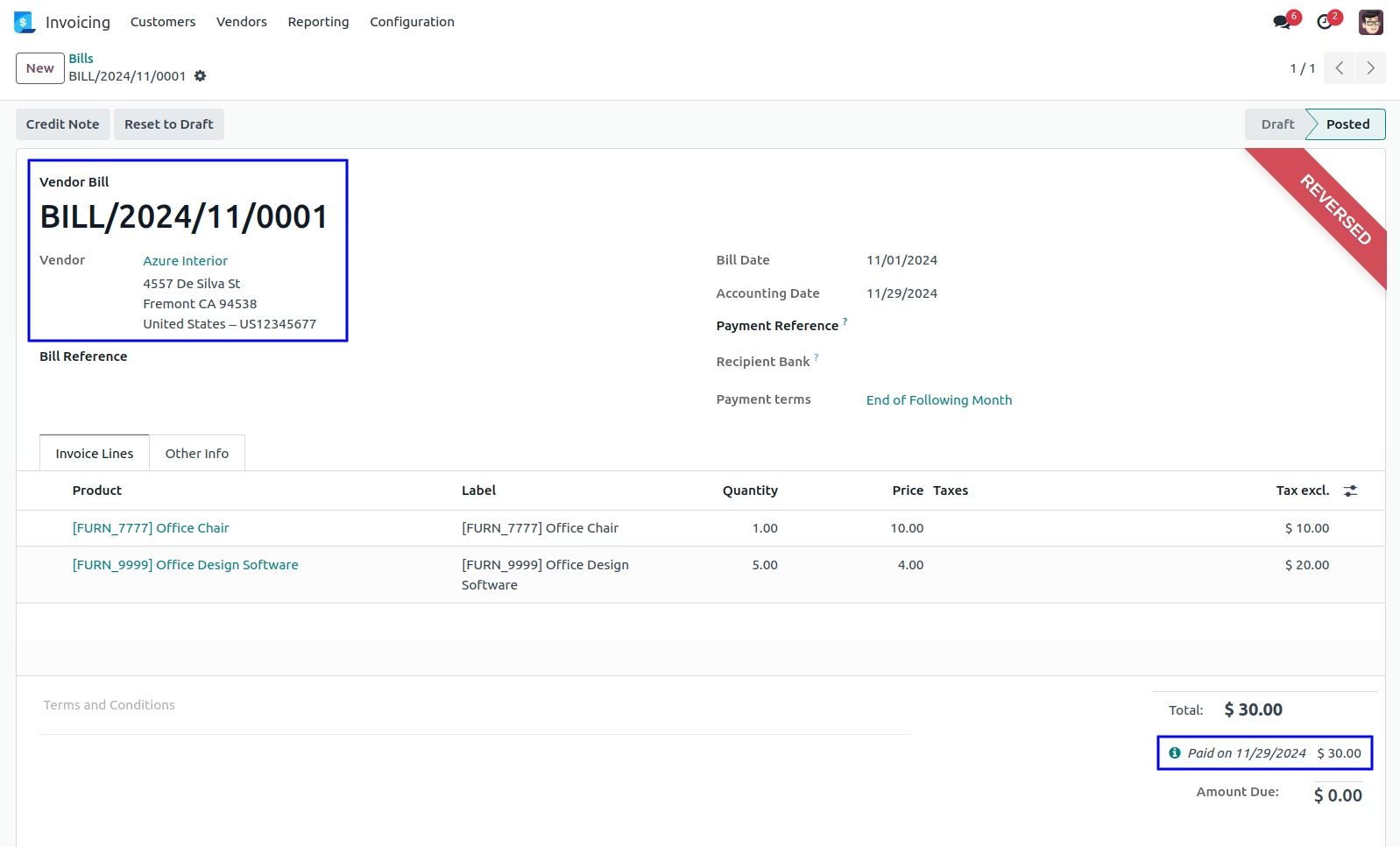
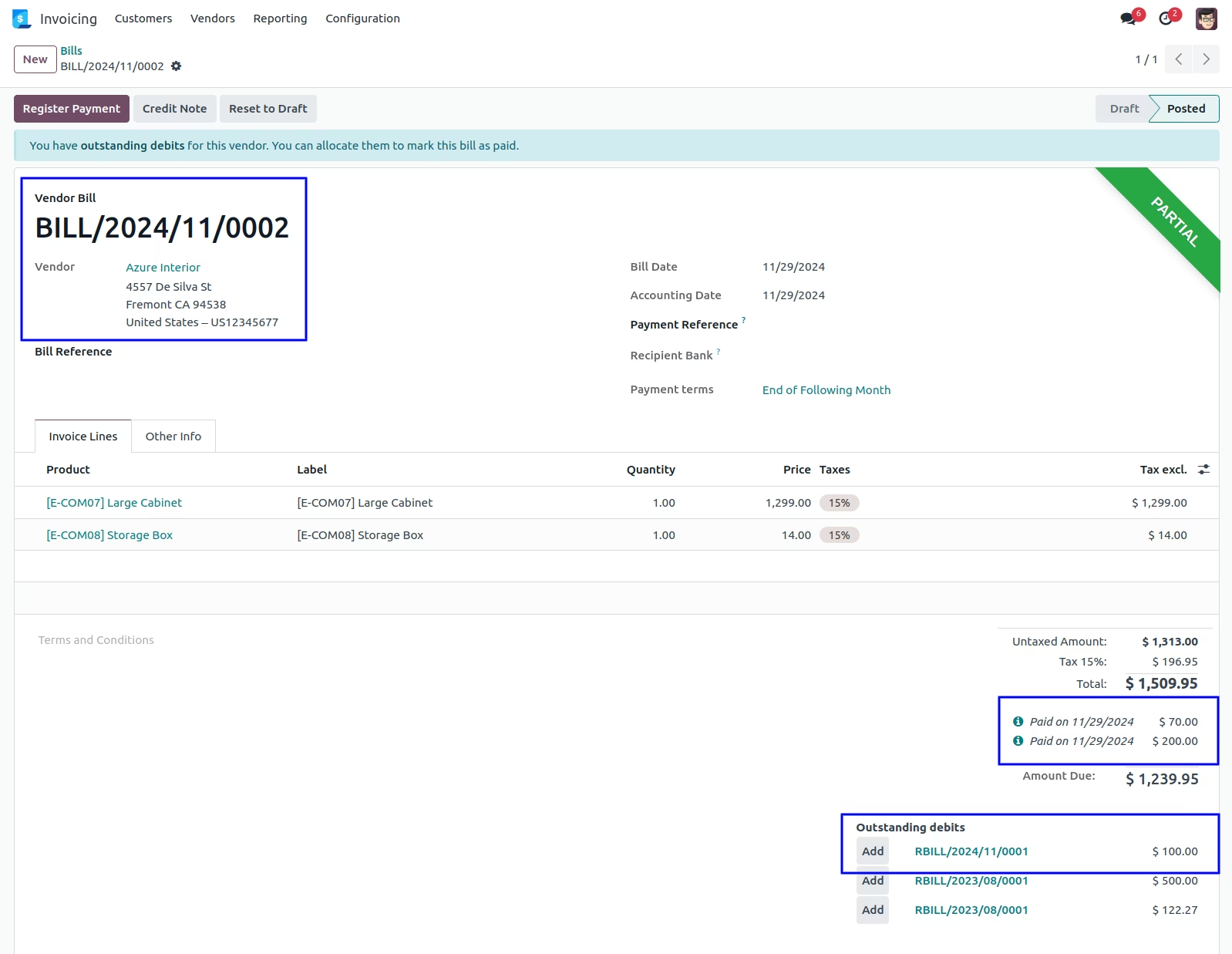
Multiple Bills Partially Paid Reconcile with the Outstanding Payment
You can see the vendor multiple bill has been partially paid and also calculate remaining outstanding debit payment for vendor.
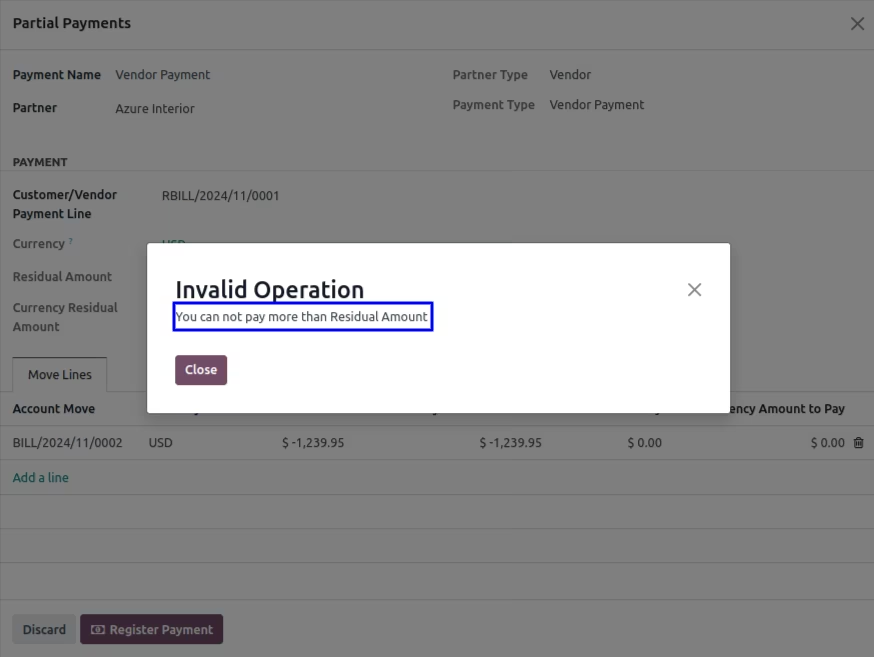
Warning/Validation Message
When customer/vendor entered amount is more than remaining amount that time warning message is generated.