The module allows businesses to generate invoices directly from delivery pickings. By eliminating the need for sales or purchase orders, this feature simplifies billing, accelerates financial workflows, and reduces manual processing errors. It ensures smooth integration between inventory operations and accounting.
Generate customer invoices and vendor bills directly from delivery pickings.
Create grouped invoices by selecting multiple pickings in list view.
Automatic status updates for pickings once invoices are created.
Invoicing tab added to delivery pickings for quick tracking.
Seamless integration with invoicing and stock management.
Save time with faster invoice creation from warehouse operations.
Reduce errors by removing dependency on sales or purchase orders.
Enhance flexibility with options for single or grouped invoices.
Improve financial accuracy with automated status updates.
Strengthen workflow efficiency between logistics and accounting.
Generate Invoices from Pickings
Invoice Based on Delivery or Receipt
Auto-Invoice from Delivery or Shipment
Create Customer Invoices from Stock Moves
This app create customer invoice from picking (Delivery Order/ Incoming Shipment).for warehouse, accounting and invoicing this app easy way around many user, who are managing different vendor and their stock inventory dependent on supplier this app suits for that even it automate that process. with this app you can create vendor bill and purchase invoice too for supplier. Invoice from Picking (Deliveries To Invoice and Incoming Shipment) feature is only available in version 8, After v8 this feature is deprecated. So we create custom module to add this functionality.
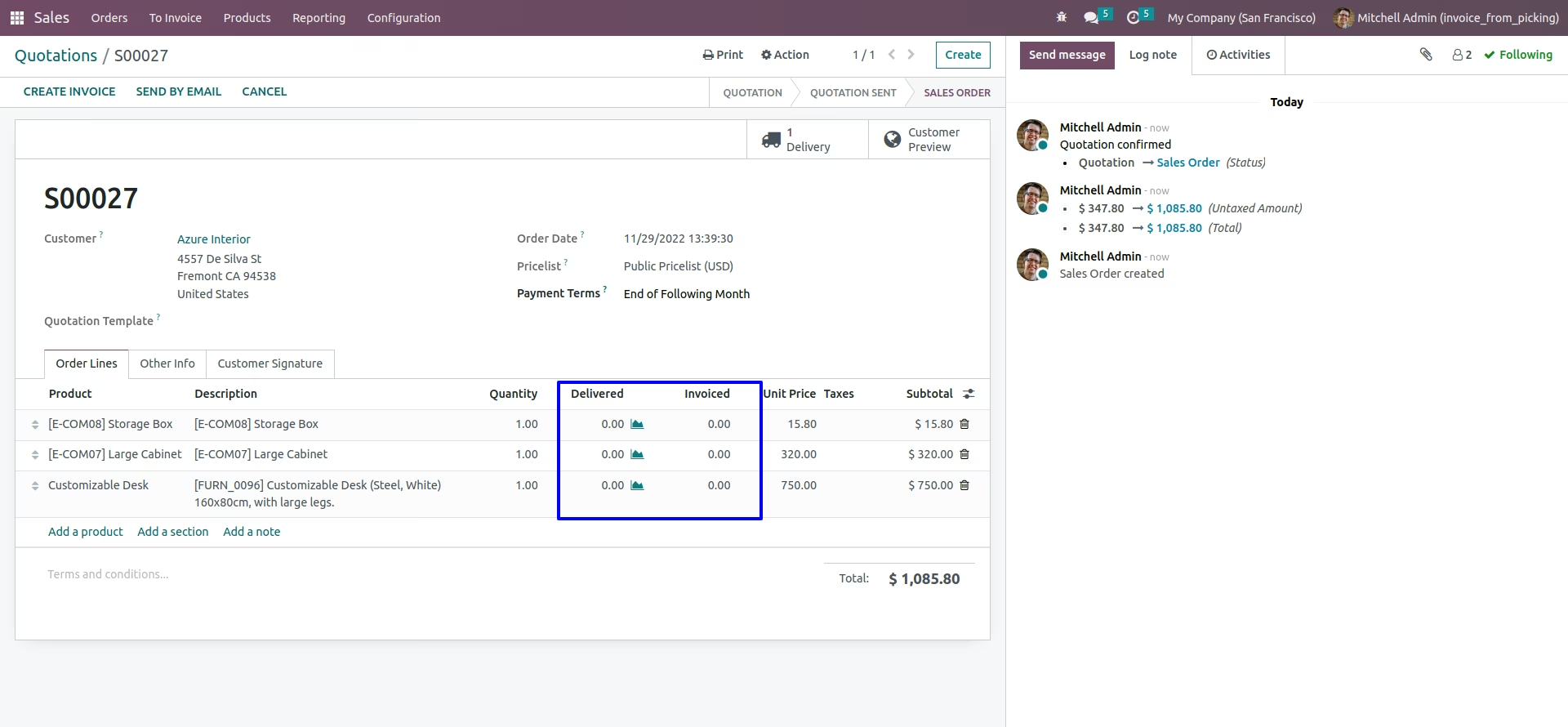
Sale order view
You can see sale order view.
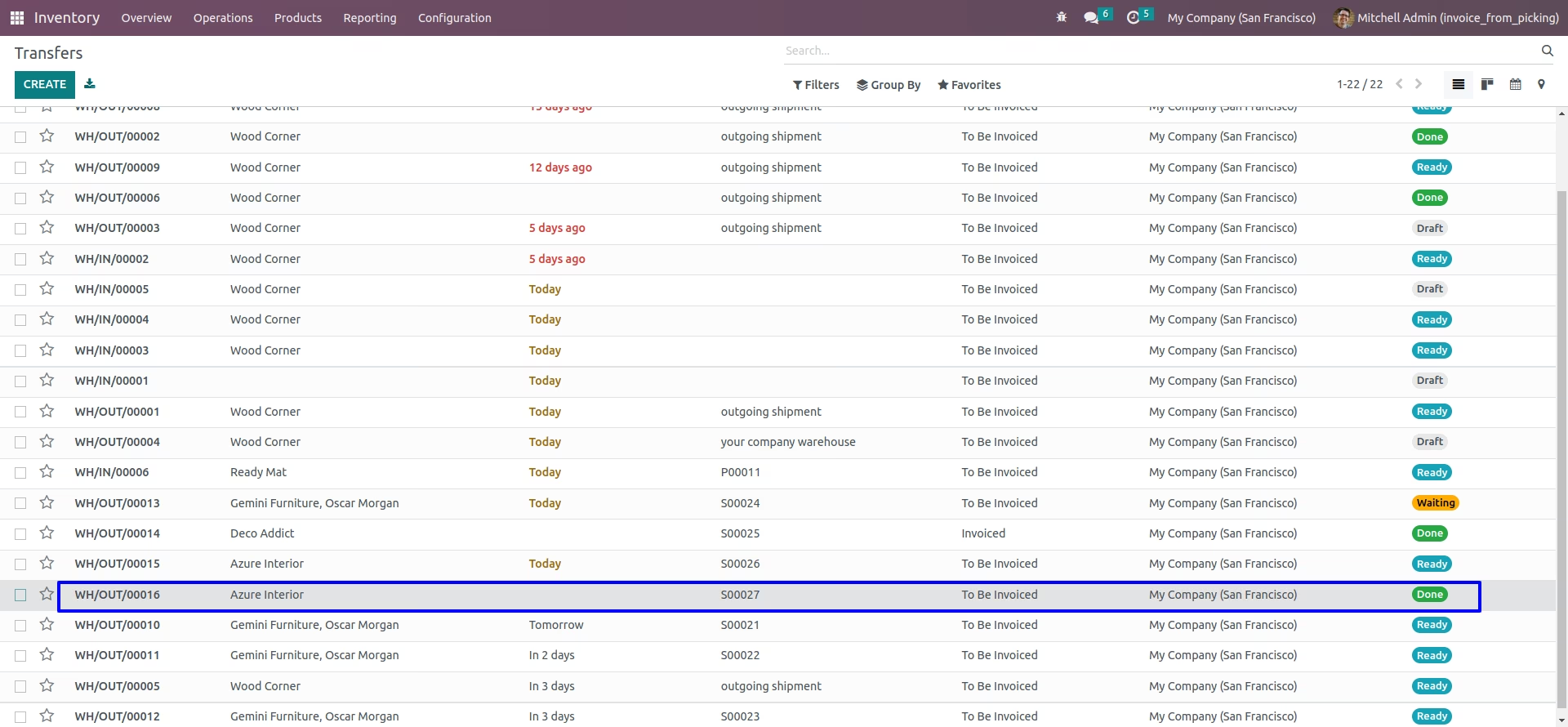
Deliveries To Invoice Menu
You can see deliveries to invoice from Sales > Invoicing > Deliveries to Invoice menu.
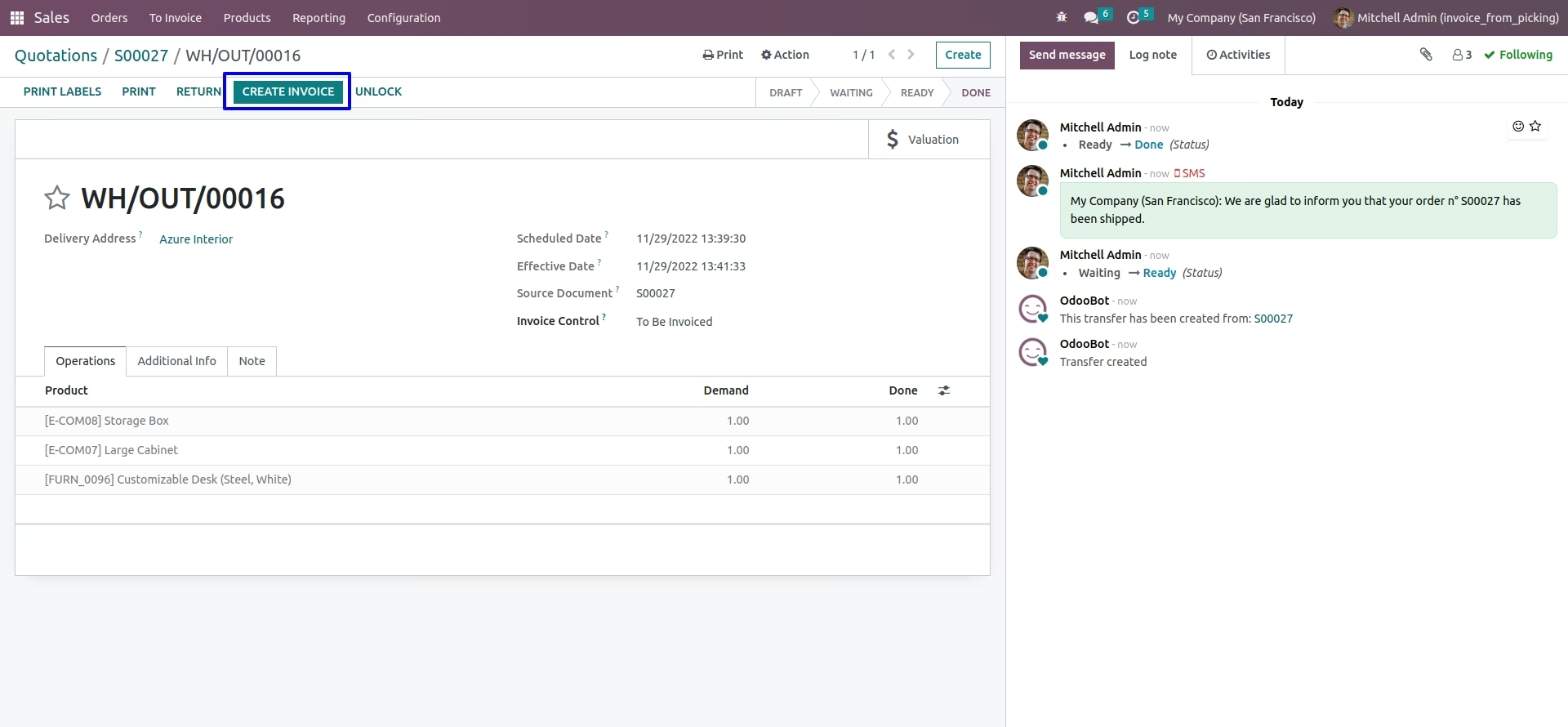
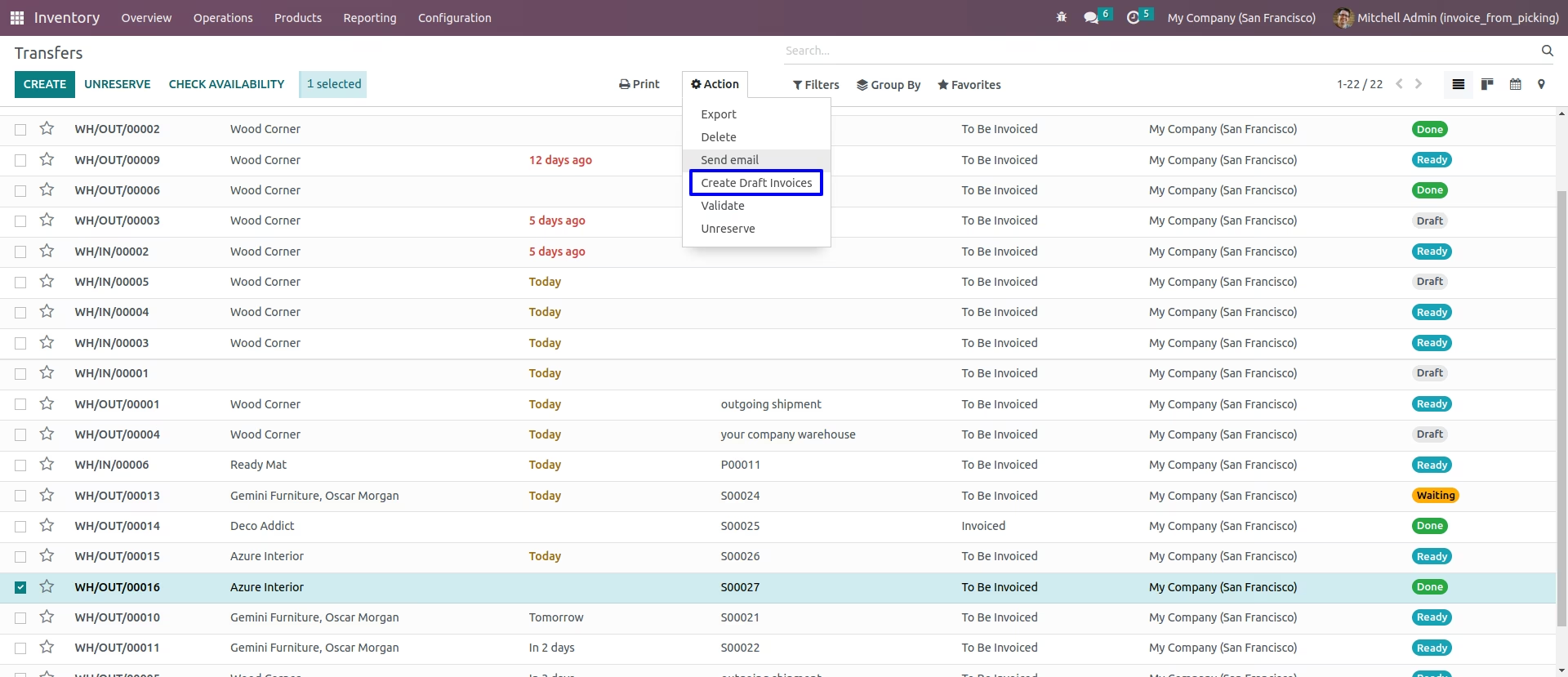
Create Draft Invoice.
After confirming delivery order you can create draft invoice by clicking create invoice button.
You can also create invoice from action menu.
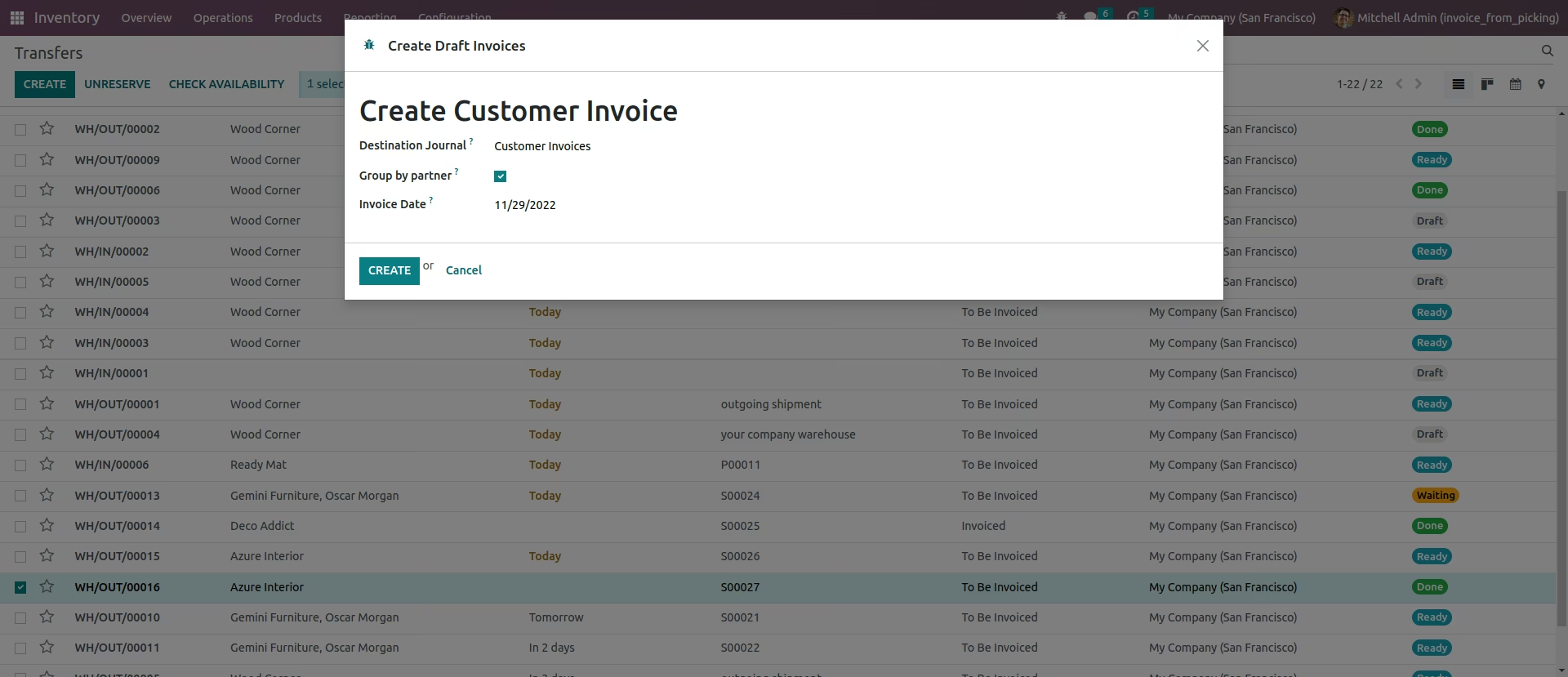
Create Invoice Wizard.
When you click on create invoice button, One wizard will be open. In that wizard you can select invoice date and also apply group by filter in partner.
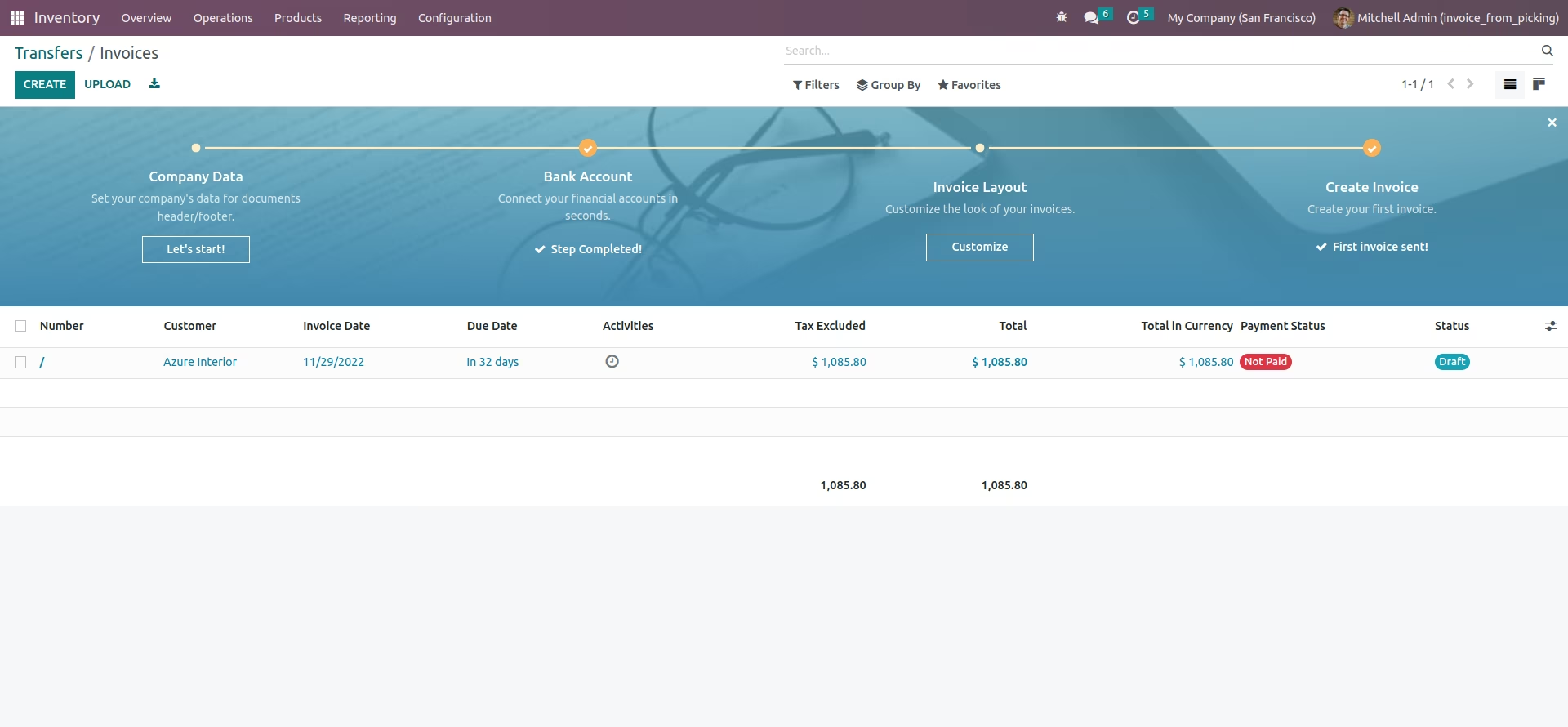
View Invoice.
After creating invoice from picking you can see created invoice in tree view.
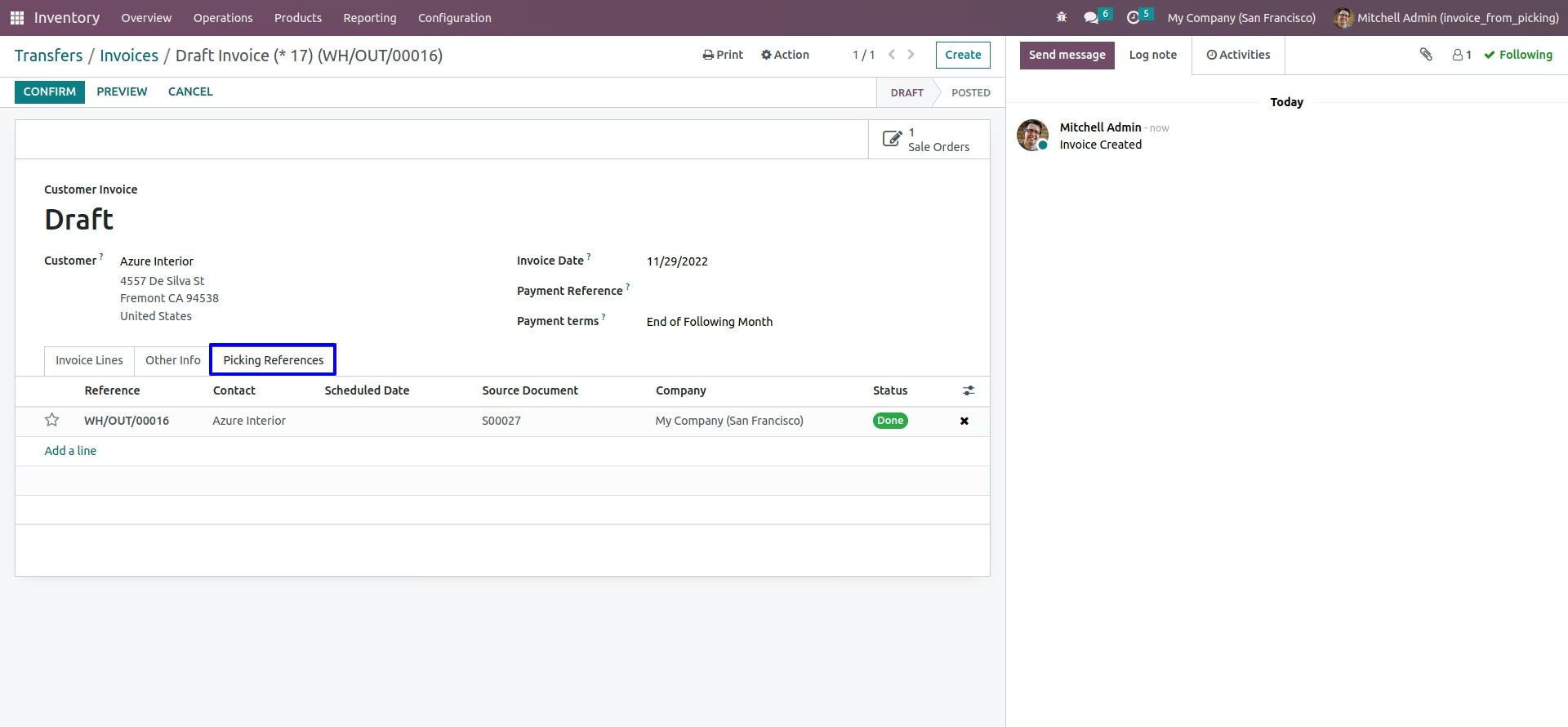
Delivery invoice form view.
Created invoice form view.
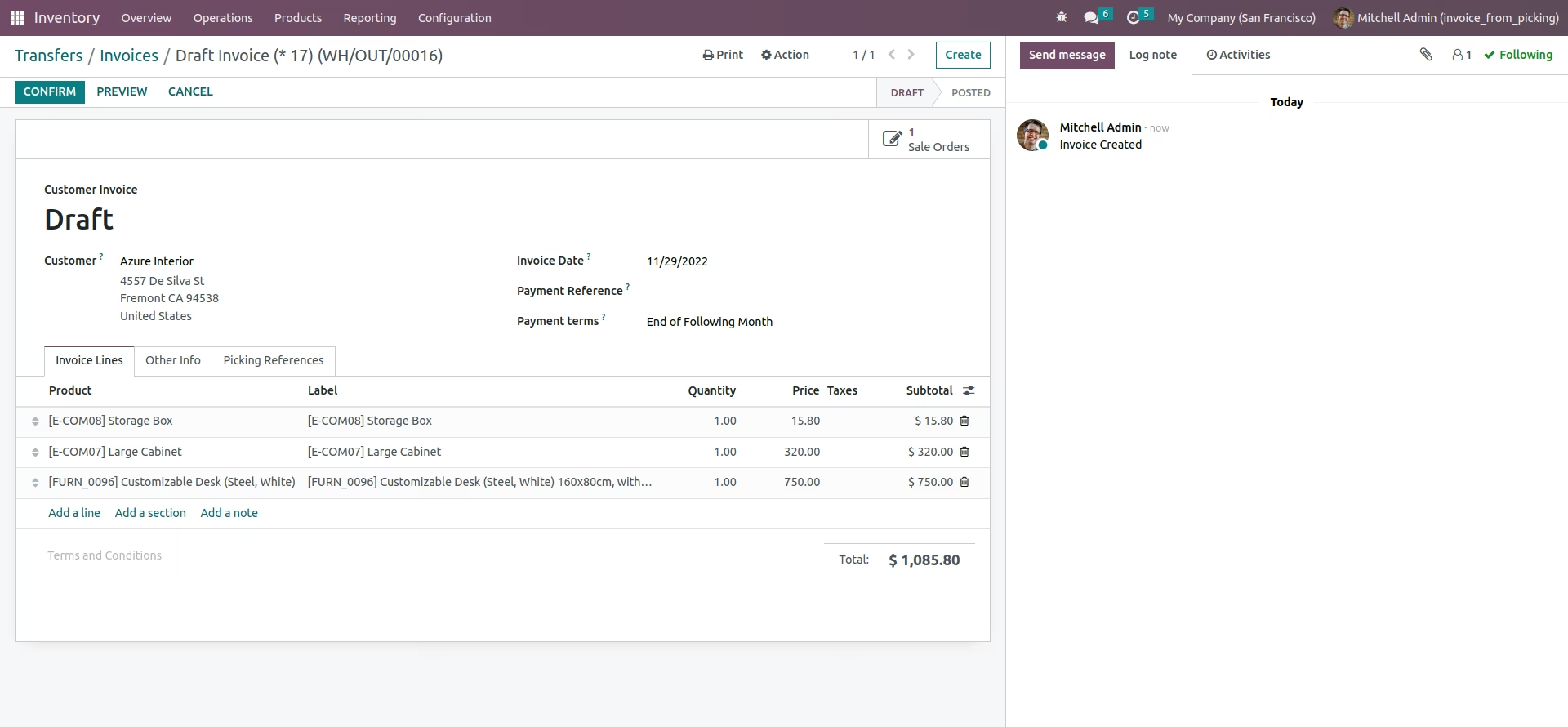
Here you can see created invoice linked with picking (Delivery Order).
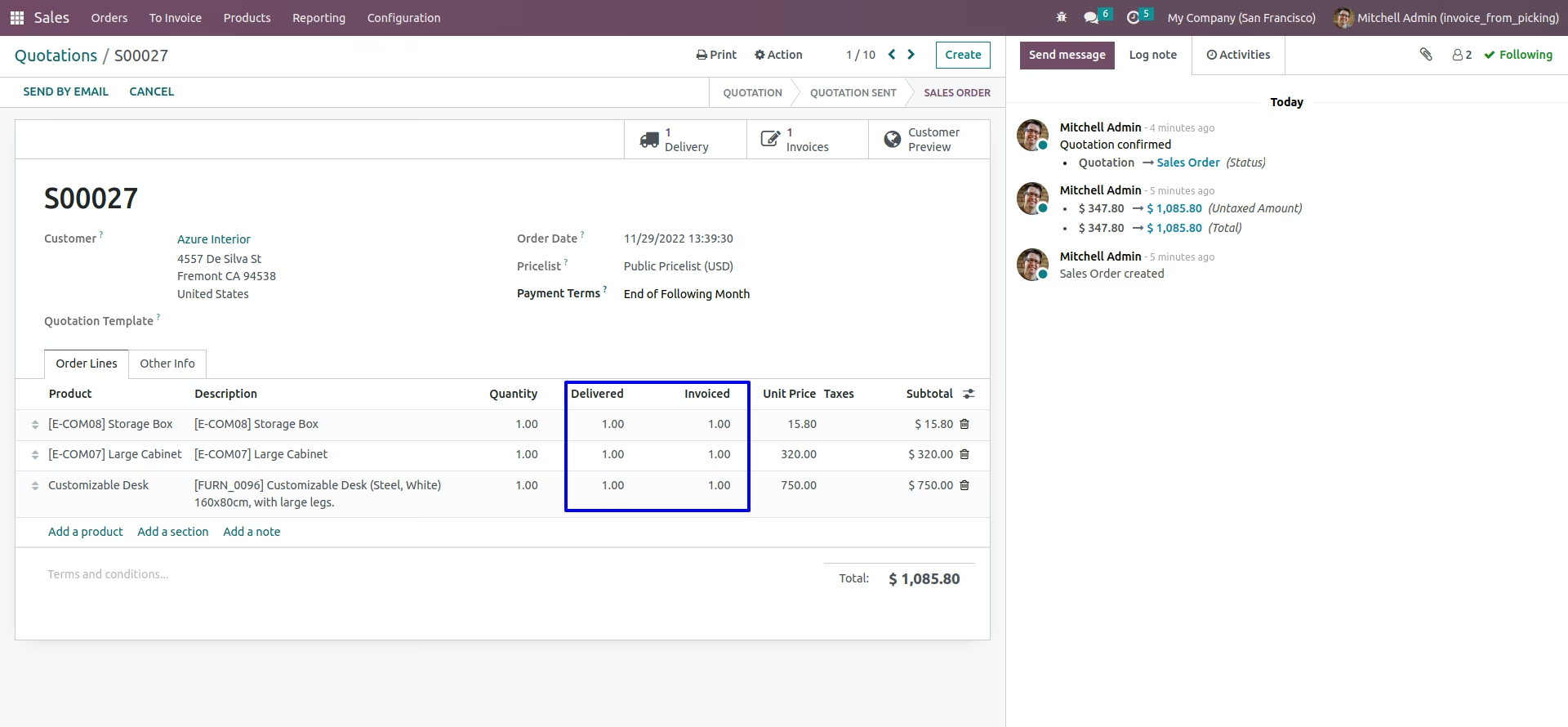
Changed Delivered Quantity
Delivered quantity and invoiced quantity will be changed.
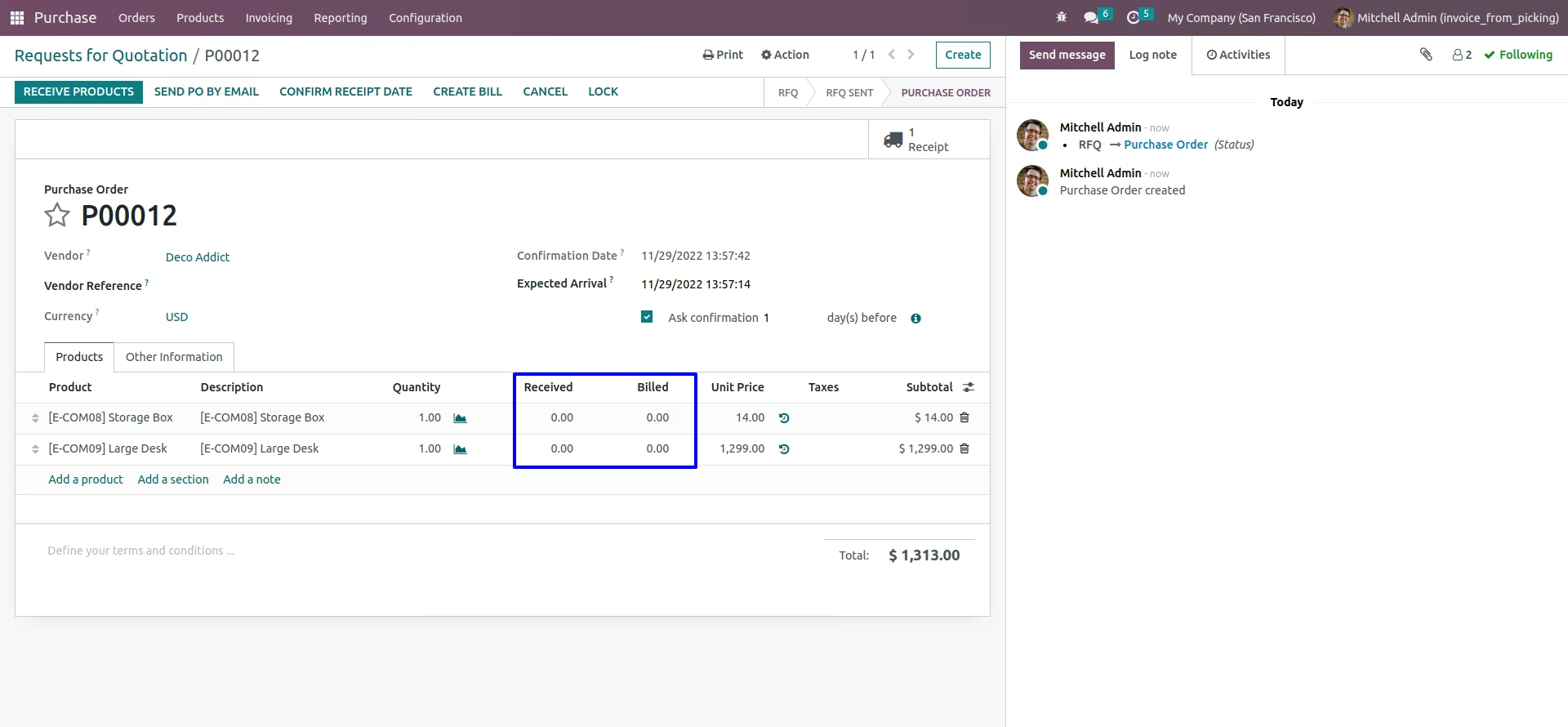
Purchase Order View
You can see purchase order view.
Incoming Shipments Menu
You can see Incoming Shipments from Purchase > Invoicing > On Incoming Shipments menu.
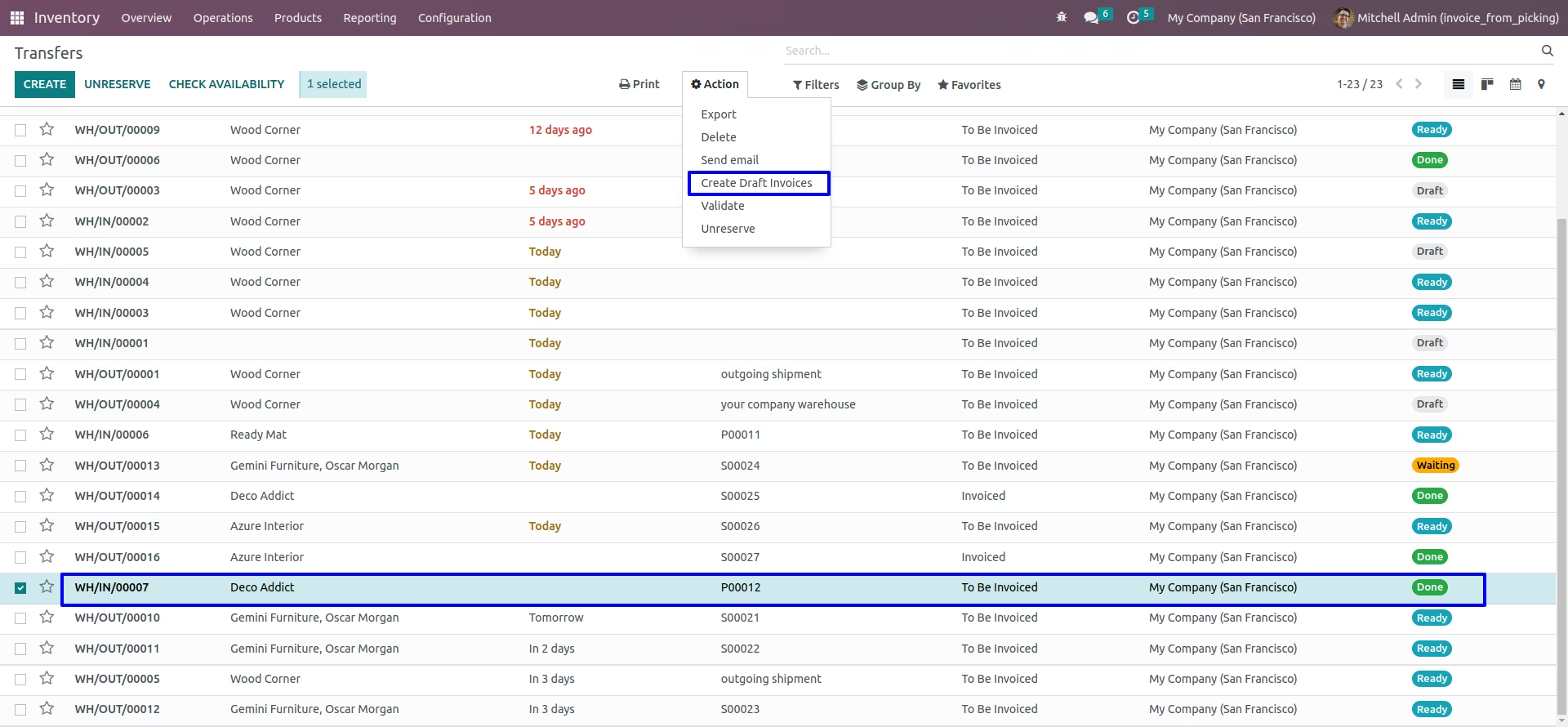
Create Draft Invoice
After confirming incoming shipment you can create draft invoice by clicking create invoice button.
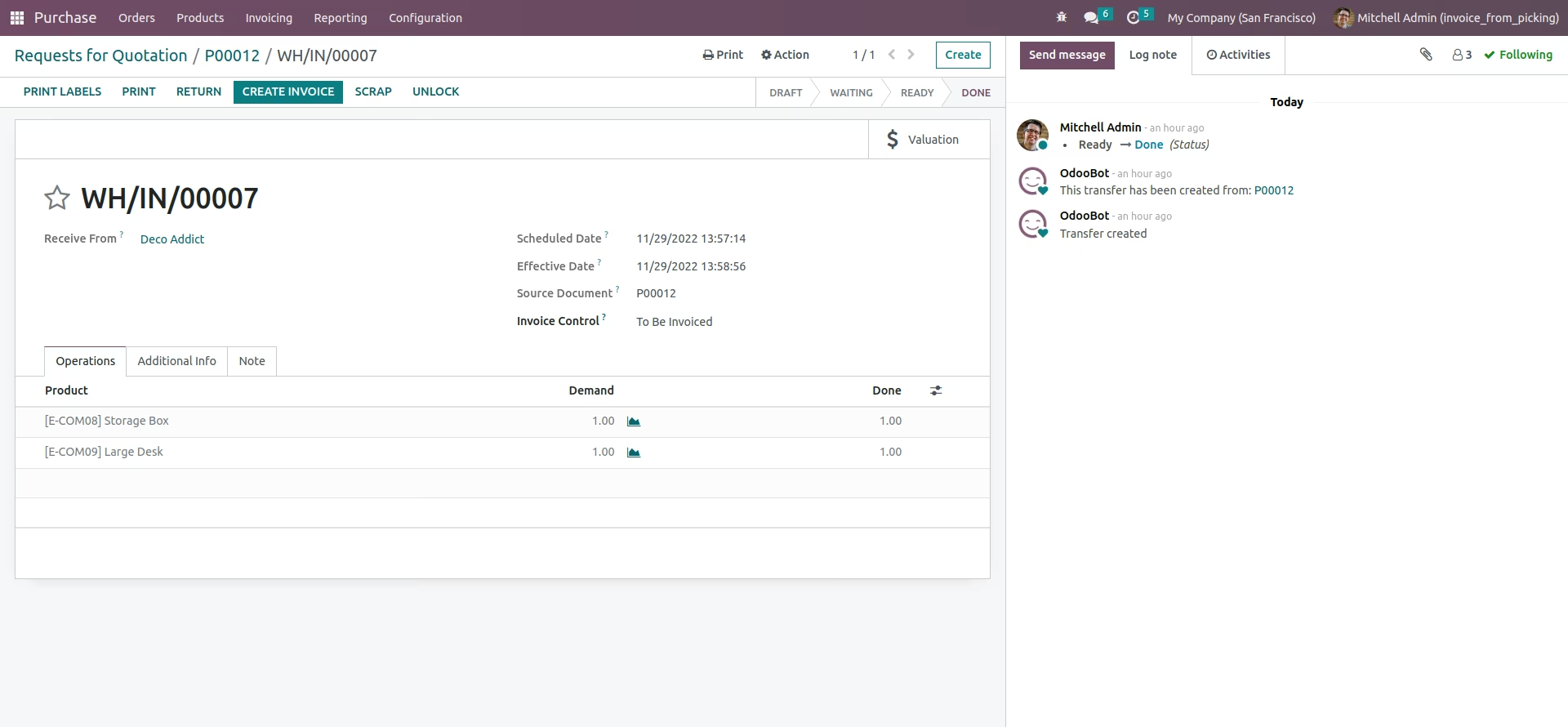
You can also create invoice from action menu.
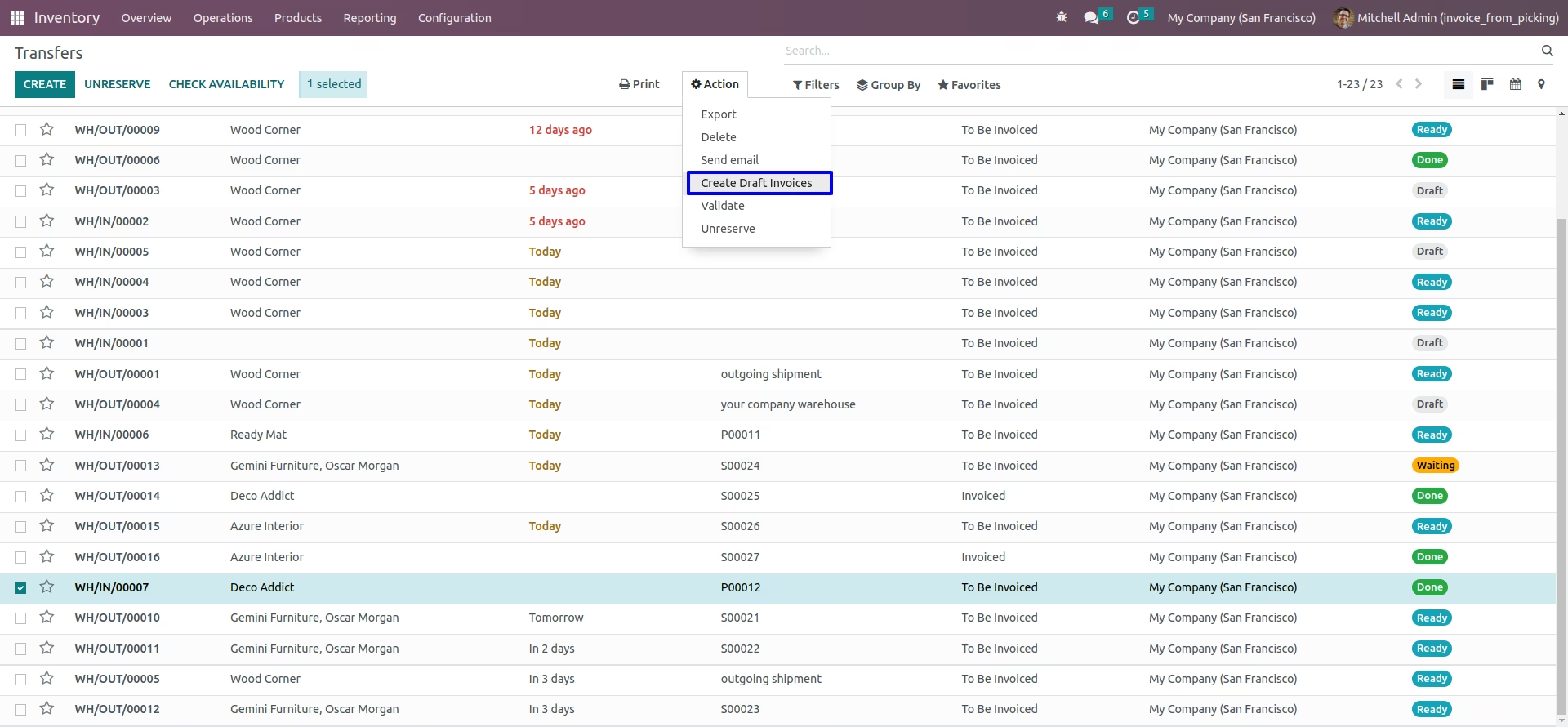
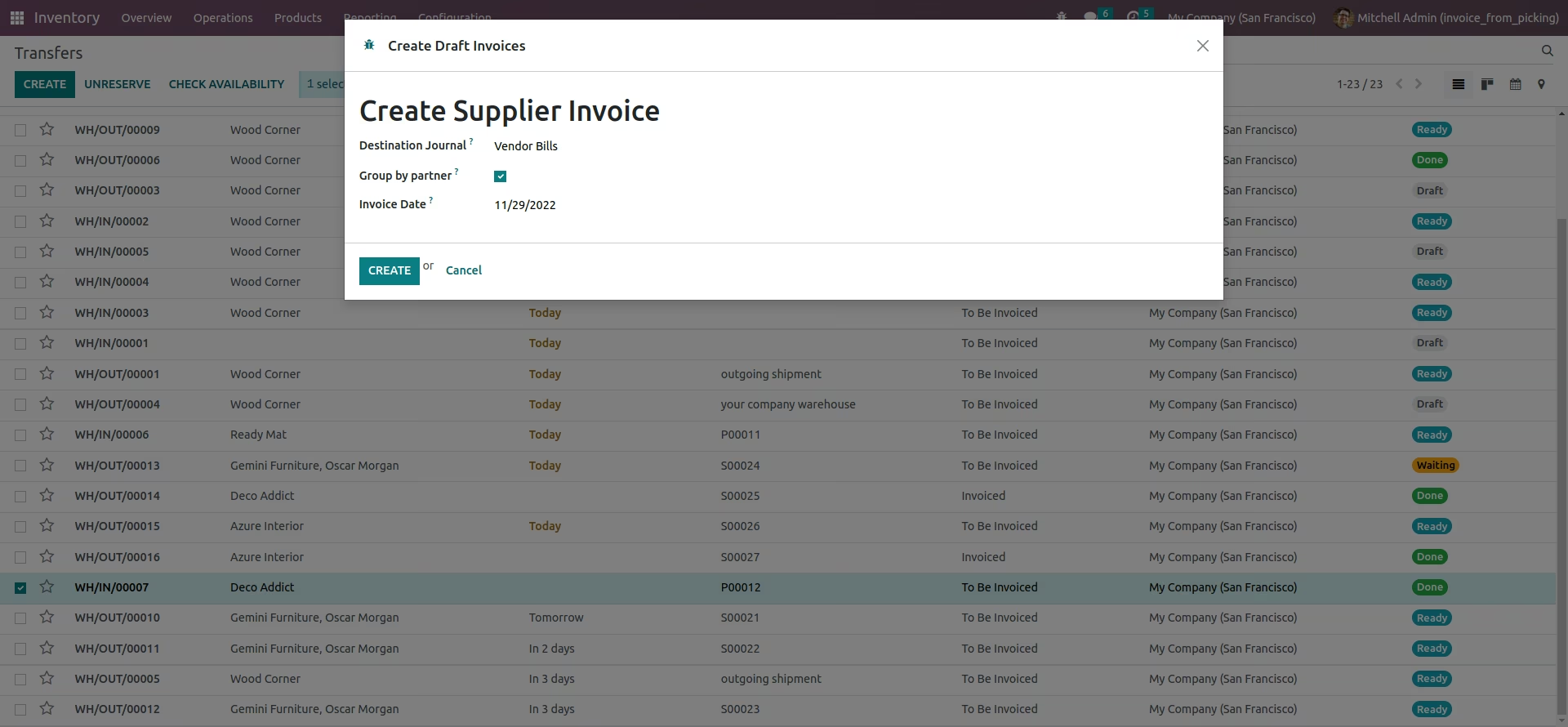
Create Invoice Wizard.
When you click on create invoice button, One wizard will be open. In that wizard you can select invoice date and also apply group by filter in partner.
View Invoice.
As shown below Margin Percentage will be calculated using "Sale Price" and "Cost Price" and shown in form view of Product.

Invoice Form View.
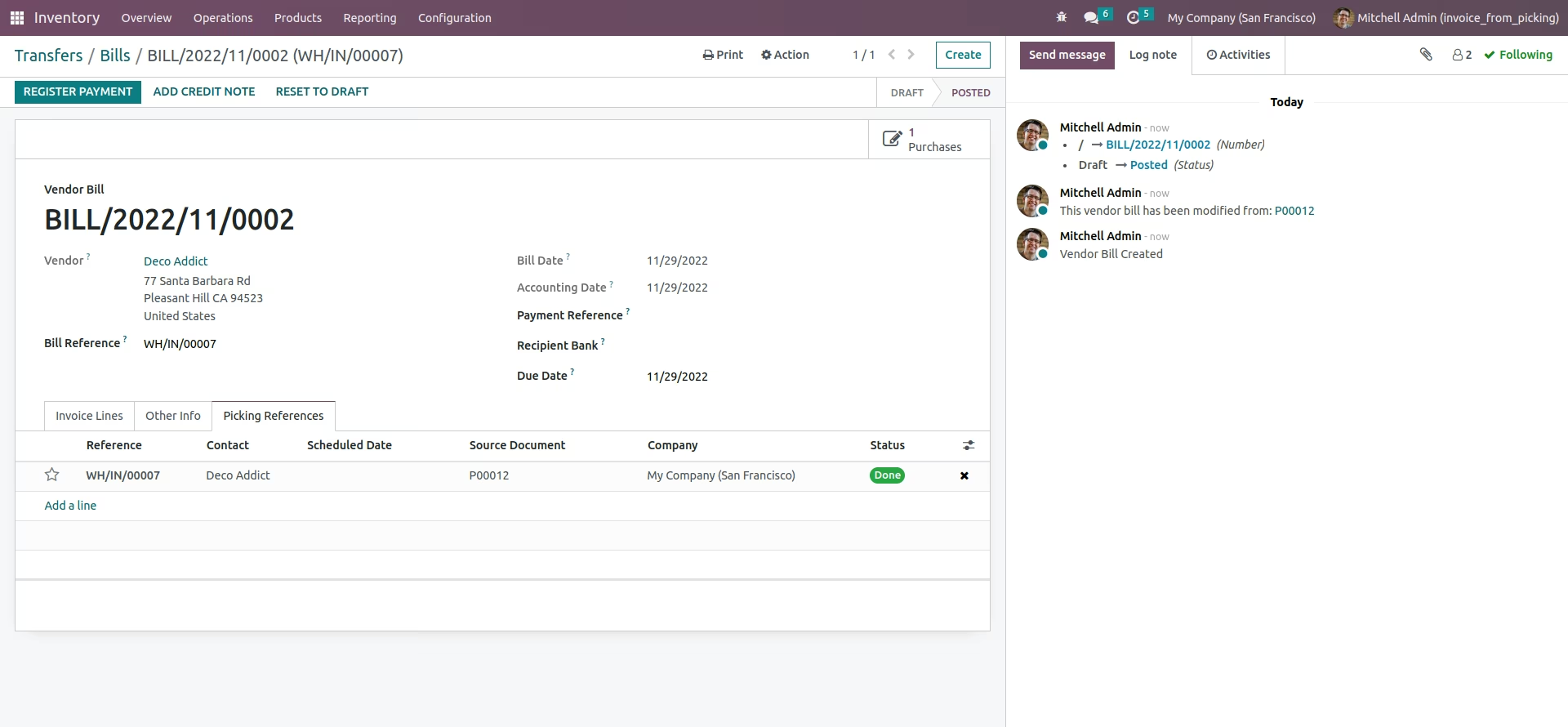
Created invoice form view.
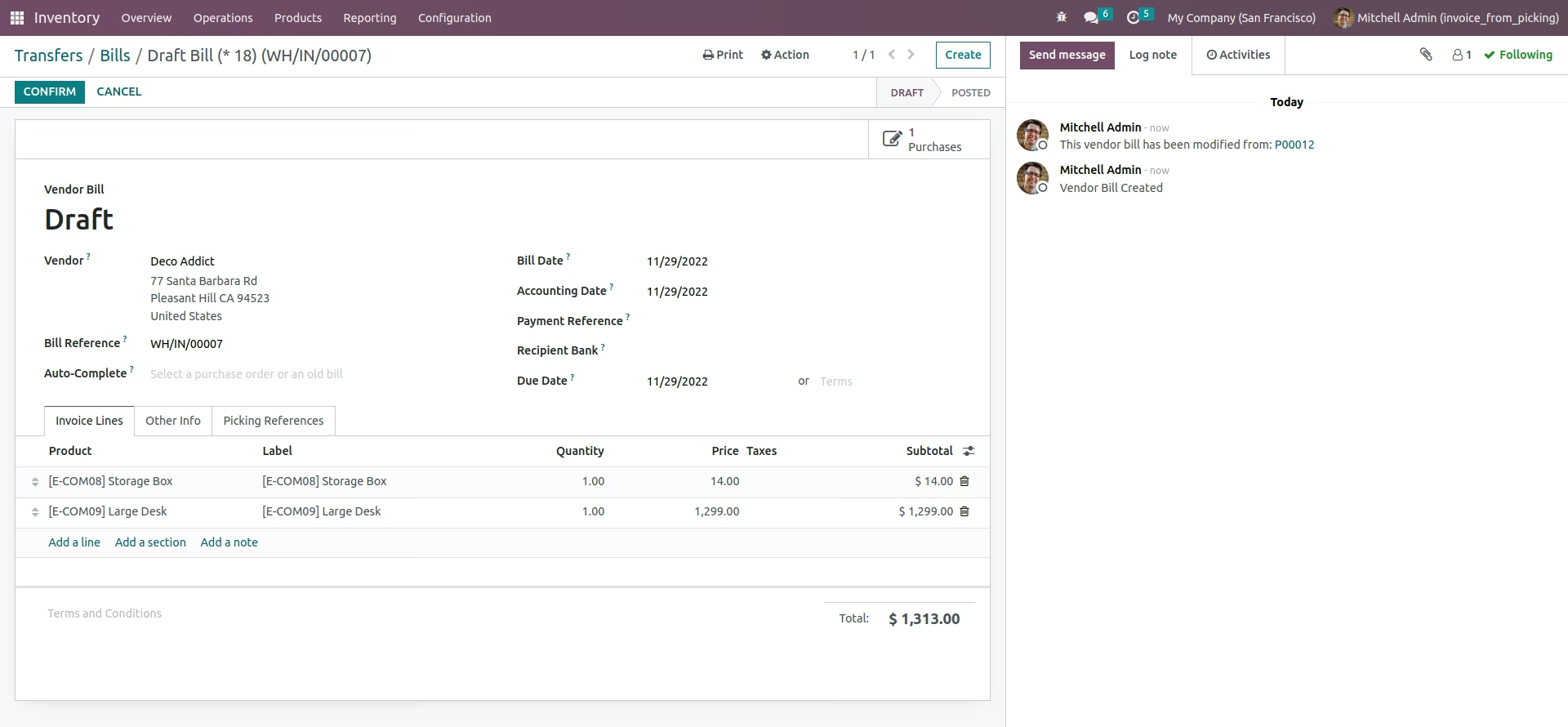
Here you can see created invoice linked with incoming shipment.
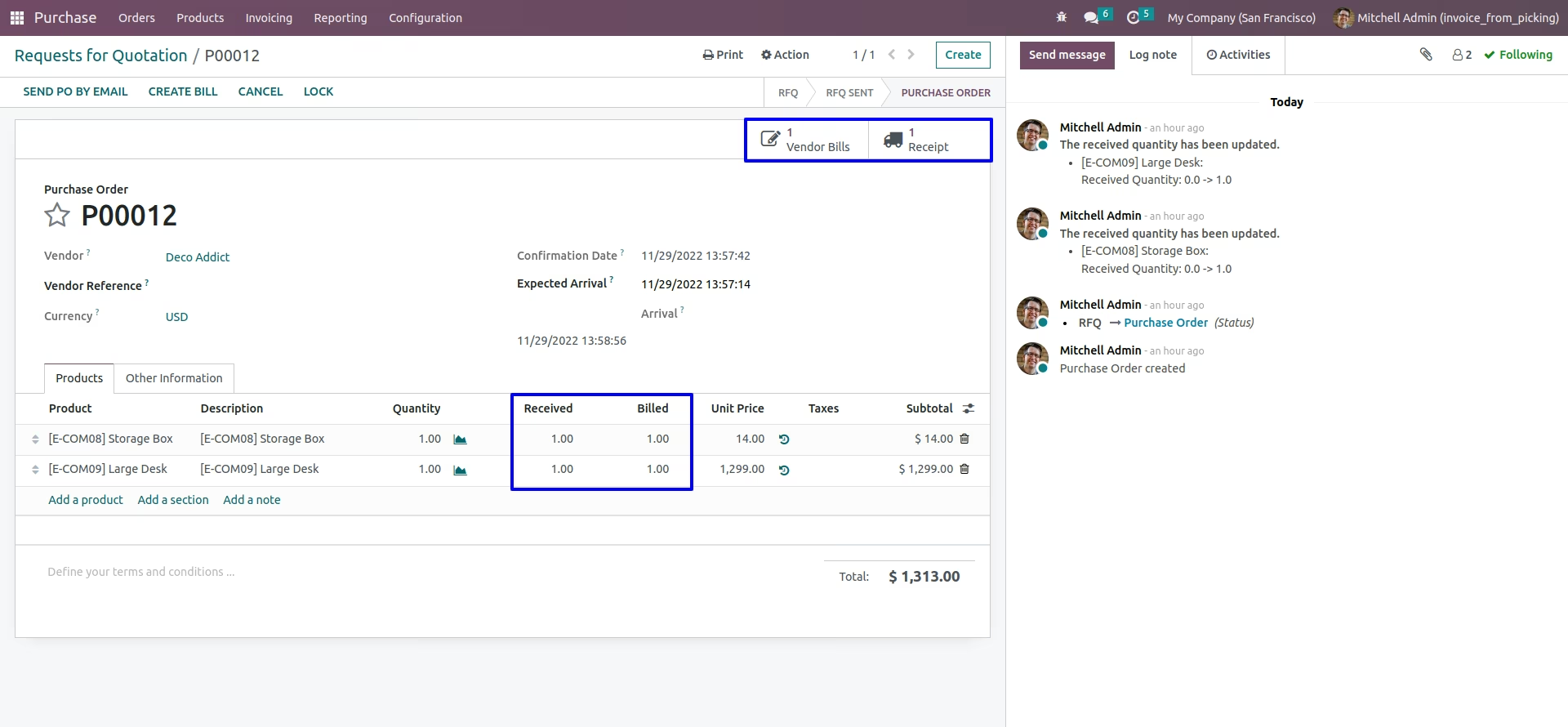
Changed Billed Quantity
Billed Quantity and Received Quantity will be changed.