Skip to Content

Invoice From Picking

12.80 16.00

Technical Name
eq_invoice_from_picking
Subscribe to download Add to collection

The module enables businesses to effortlessly generate invoices directly from delivery pickings. This approach removes dependence on sales or purchase orders for invoicing, helping to accelerate billing, reduce manual intervention, and improve overall operational accuracy.

  • Create customer invoices or vendor bills directly from delivery pickings with a single click when the invoice status shows ‘To be invoiced’.

  • Option to select multiple pickings and generate a grouped invoice in bulk.

  • An additional 'Invoicing' tab appears on picking forms once an invoice has been created; if a related invoice is cancelled or deleted, the picking status reverts to ‘To be invoiced’ automatically.

  • No need for sale or purchase orders streamlined process directly linked to pickings.

  • Save time by automating invoice creation from pickings.

  • Reduce errors and administrative effort by eliminating manual invoice entry.

  • Maintain accurate tracking of invoicing statuses with real-time status updates.

  • Speed up billing cycles and improve cash flow management.

  • Support bulk processing through grouped invoicing for enhanced efficiency.

  • Allows you to create customer/vendor invoices from Picking (Delivery Order/ Incoming Shipment).
  • Allows you to create invoice by partner wise.
  • Link invoice to Sale/Purchase order respectively.
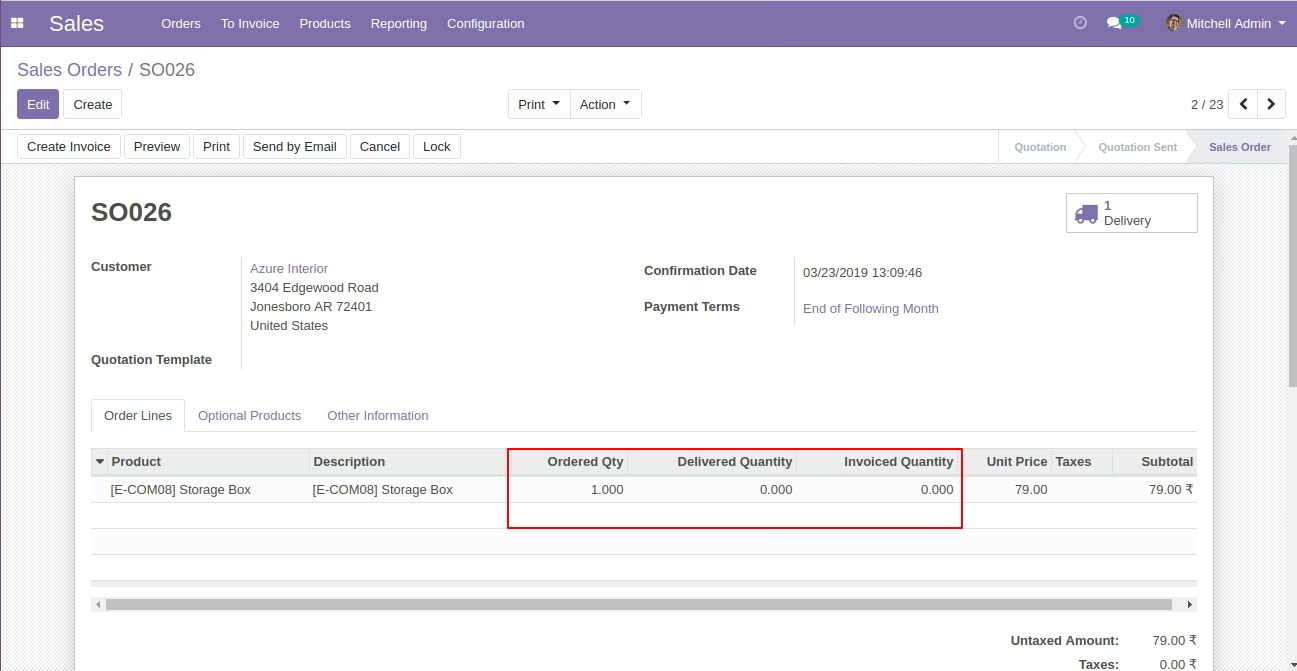
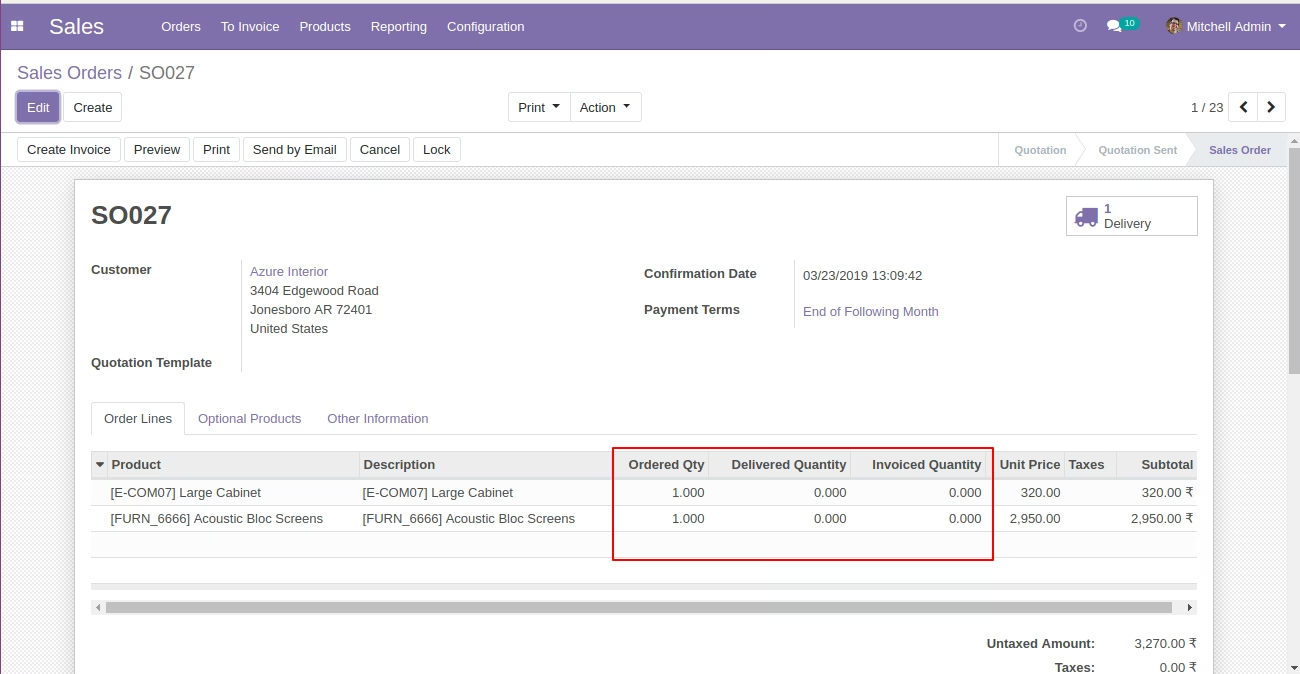
  • Confirm Sale Order form view.
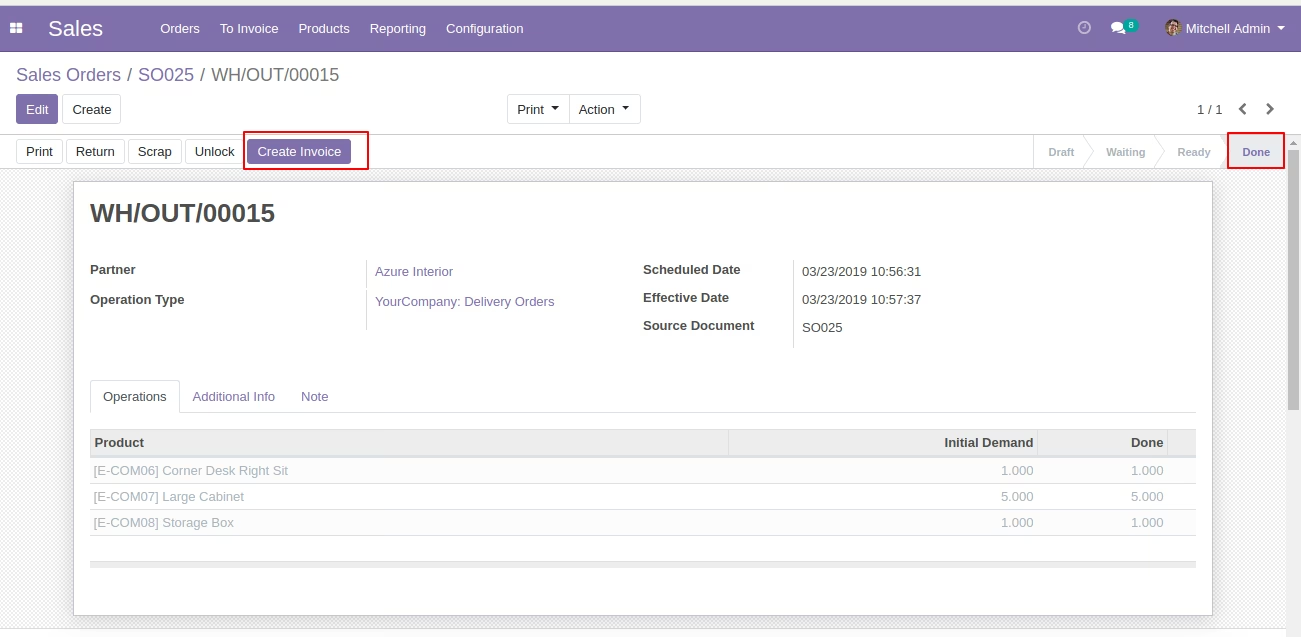
  • Once delivery order is in done state after that "Create invoice" button will display.
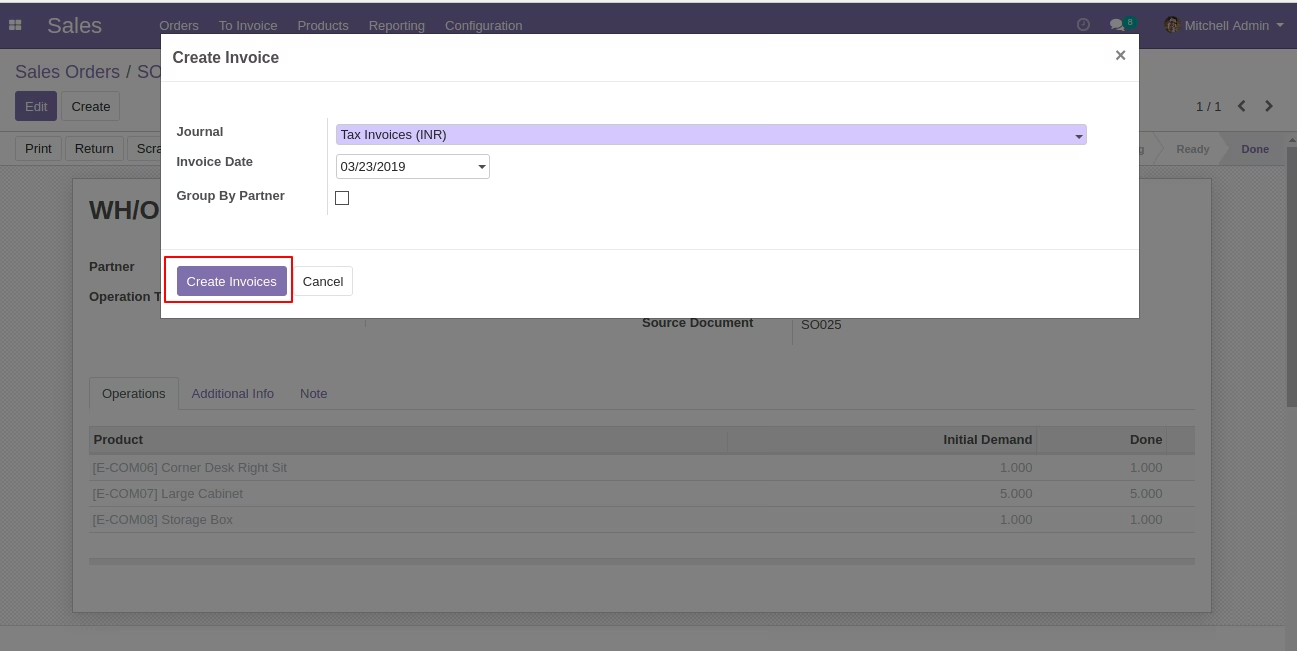
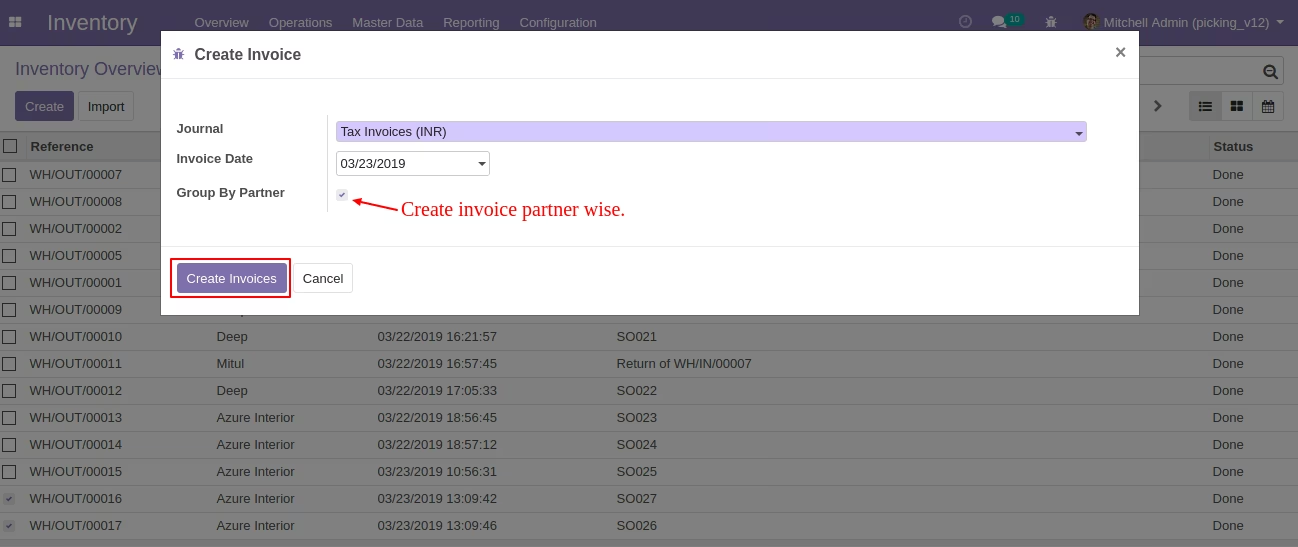
  • Click on "Create Invoice" button it will open wizard where user can select journal,invoice date and invoice create based on that.
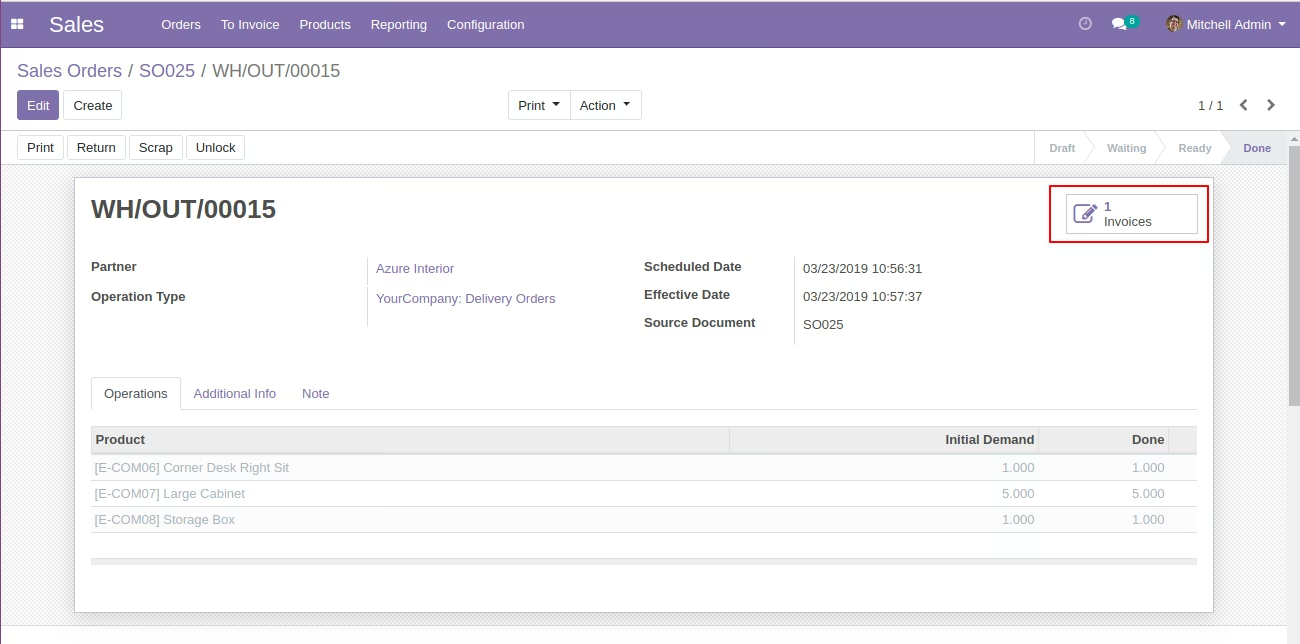
  • invoice create and linked with picking.
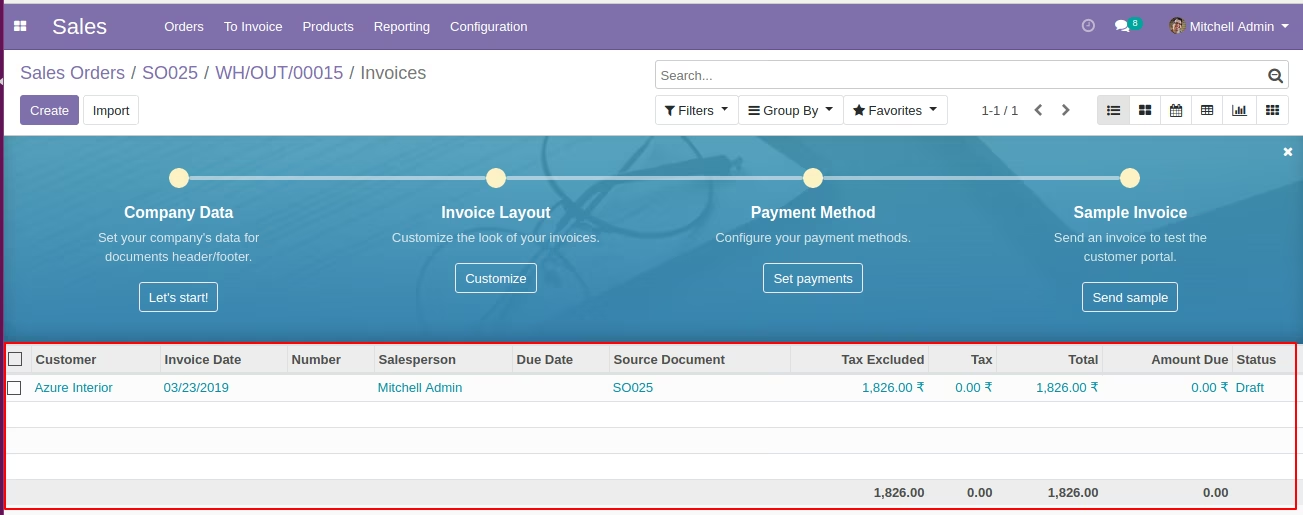
  • invoice list view from picking.
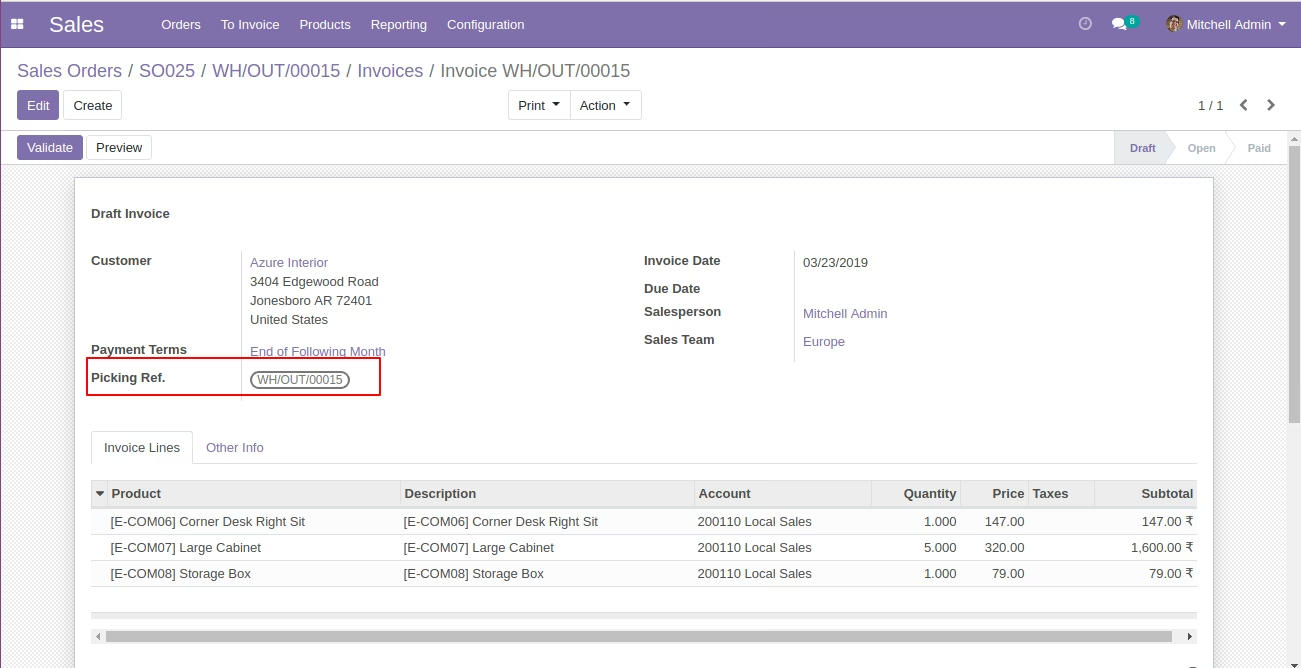
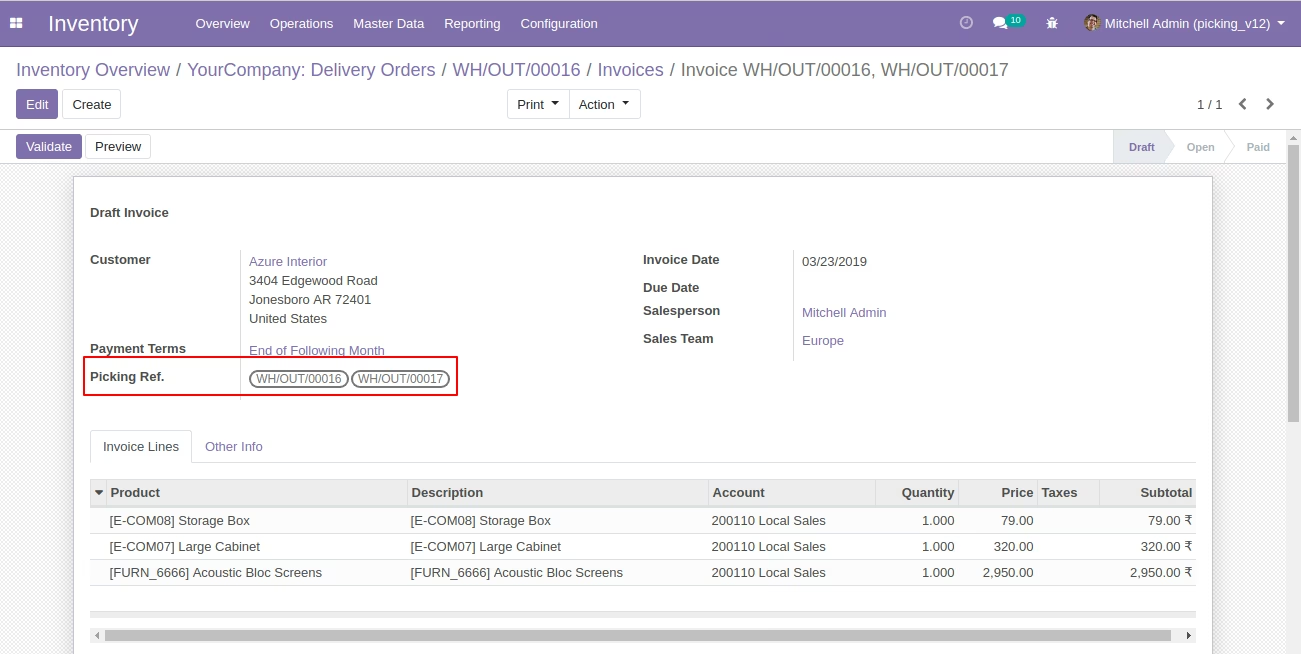
  • invoice form view and picking references will linked with invoice.
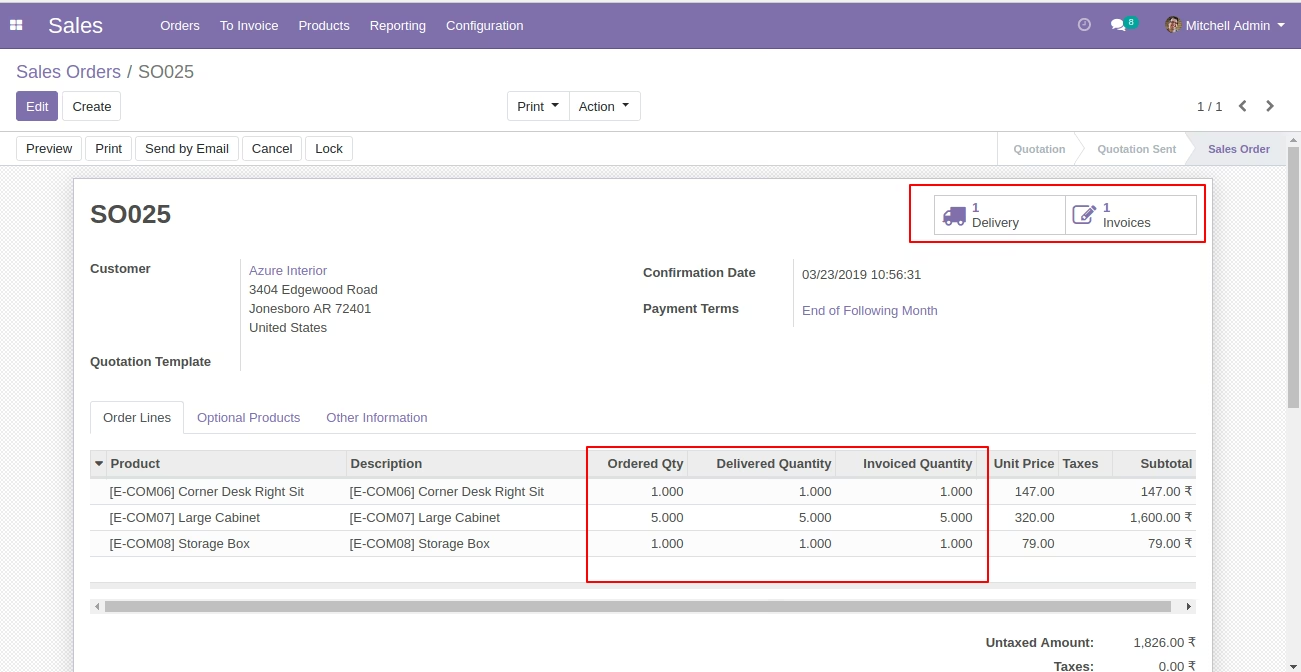
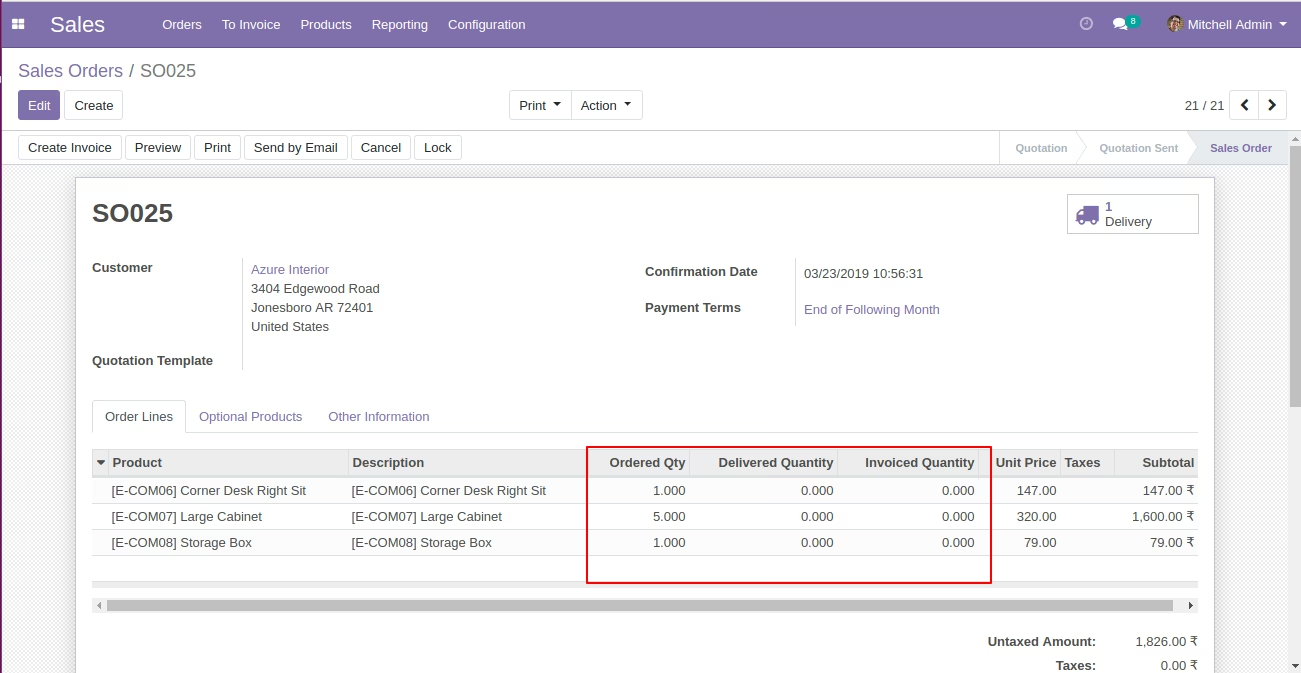
  • Invoice linked with Sale order and invoiced quantity will be updated.
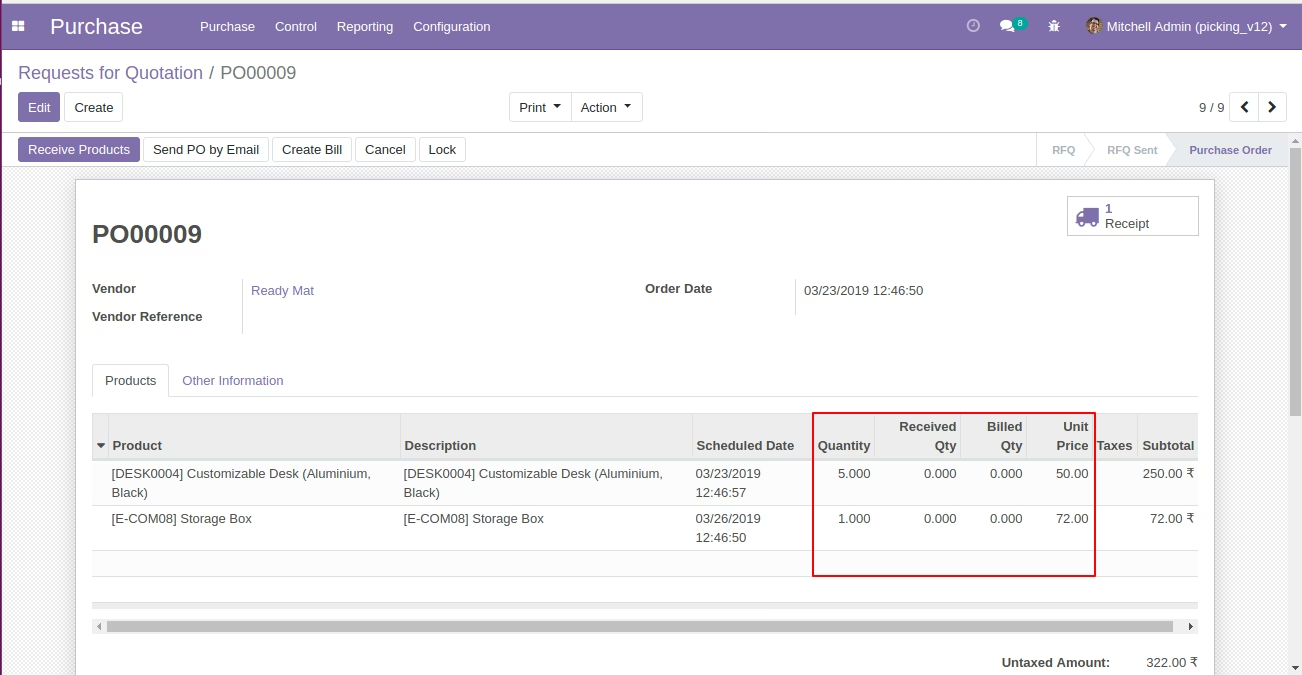
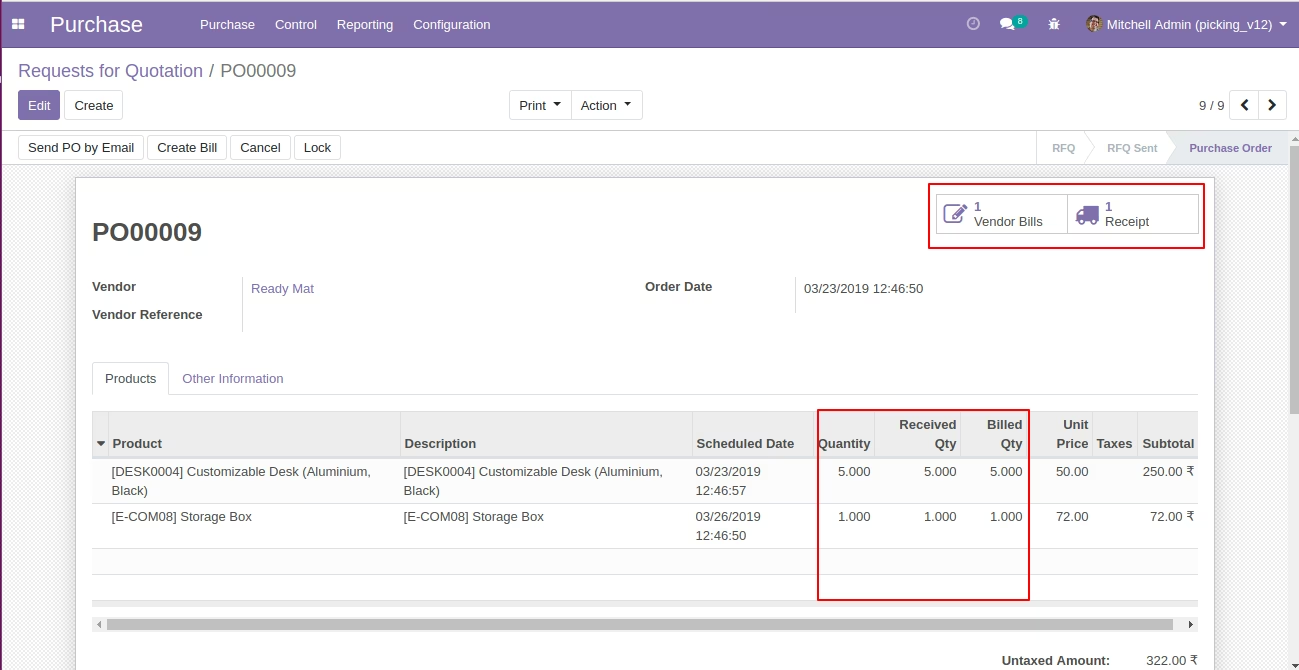
  • Purchase order form view.
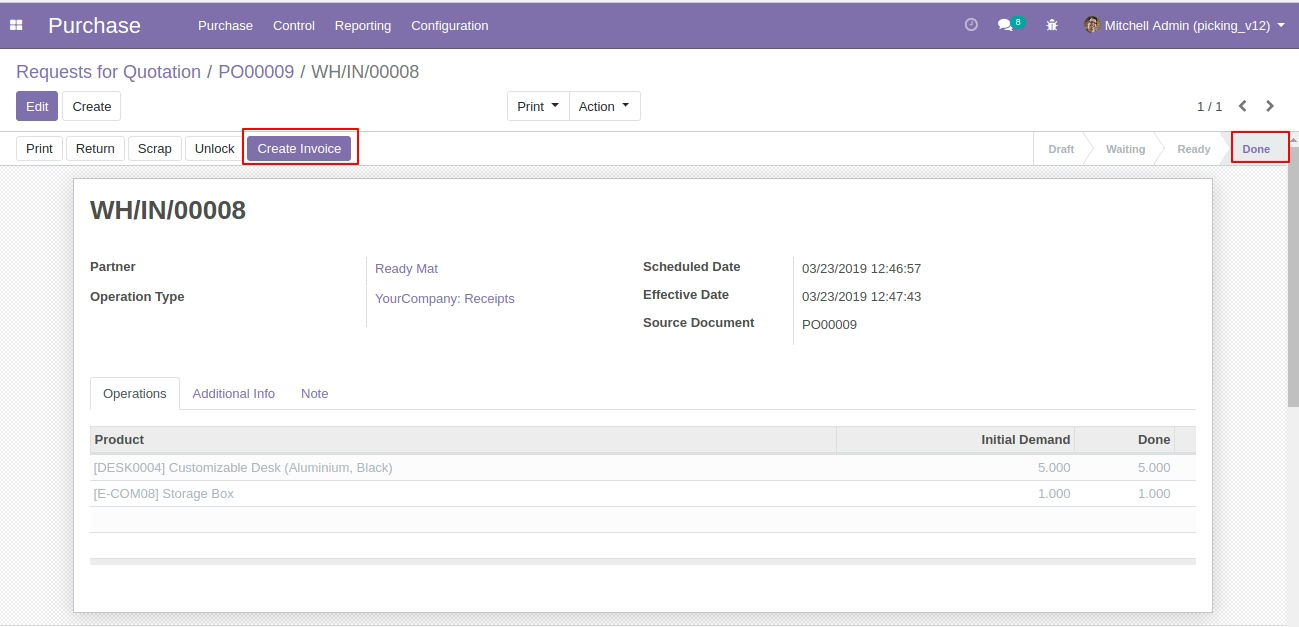
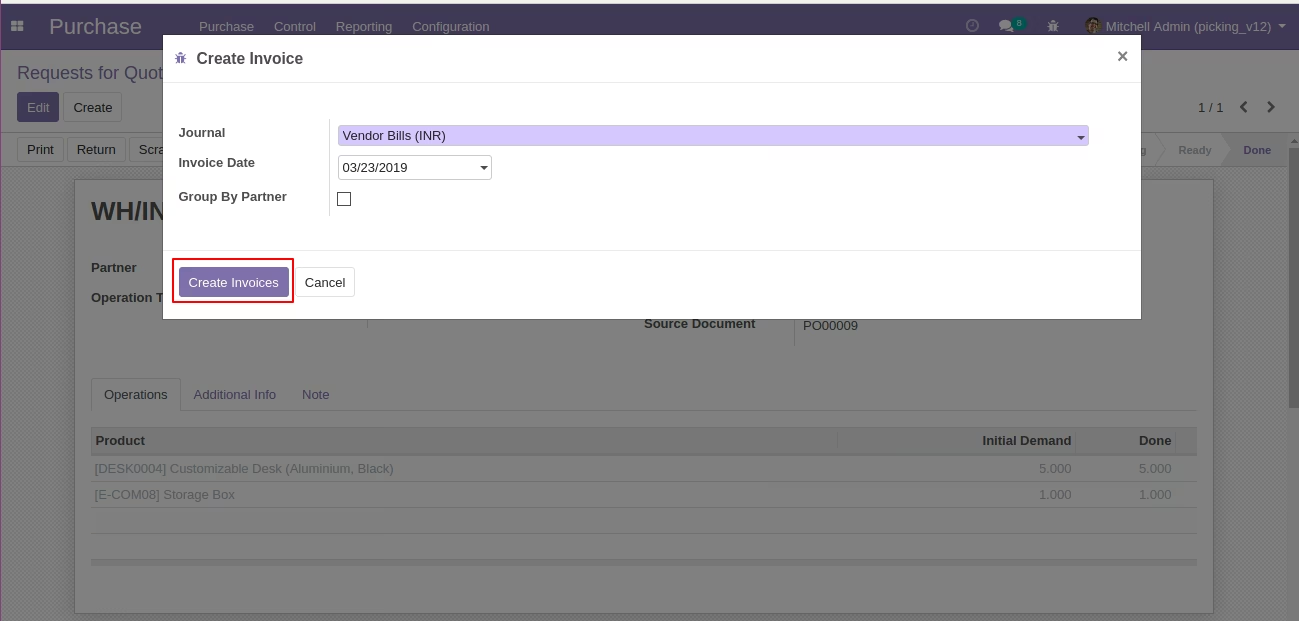
  • Once Incoming Shipments is in done state after that "Create invoice" button will display.
  • Click on "Create Invoice" button it will open wizard where user can select journal,invoice date and invoice create based on that.
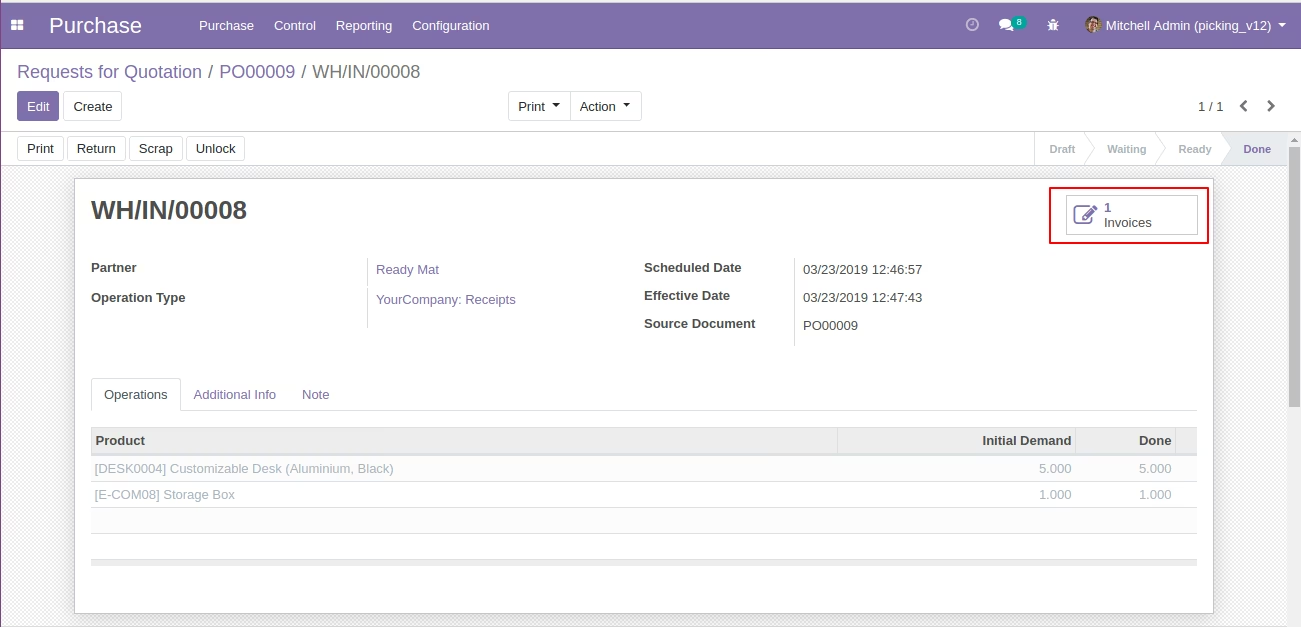
  • invoice create and linked with picking.
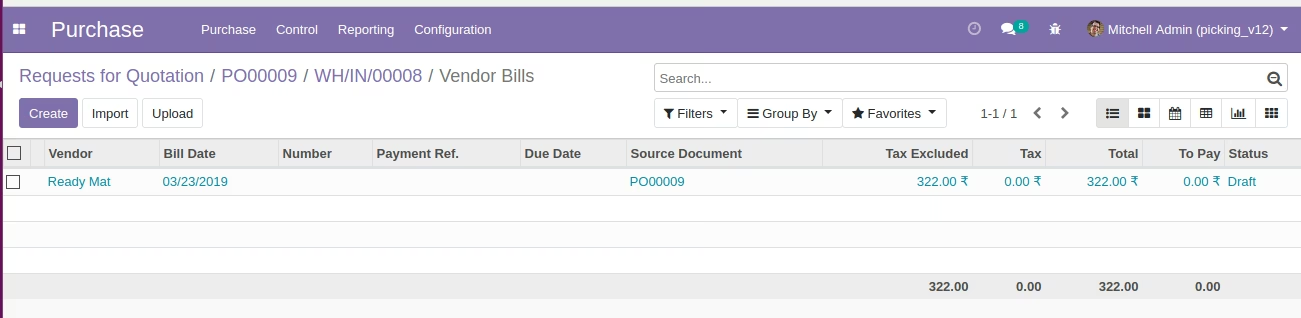
  • click on invoices button in picking it will open invoice list view.
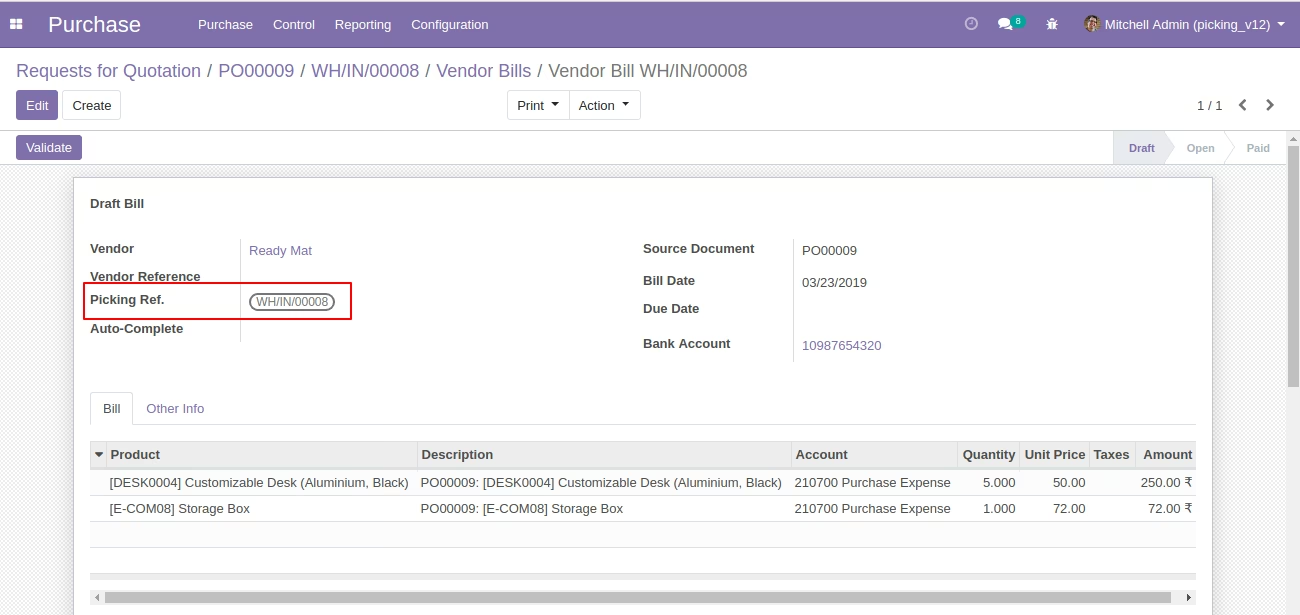
  • open invoice form view and linked picking references with invoices.
  • Invoice linked with Purchase order and Billed quantity will be updated.
  • Create sale order with same partner and make it confirm.
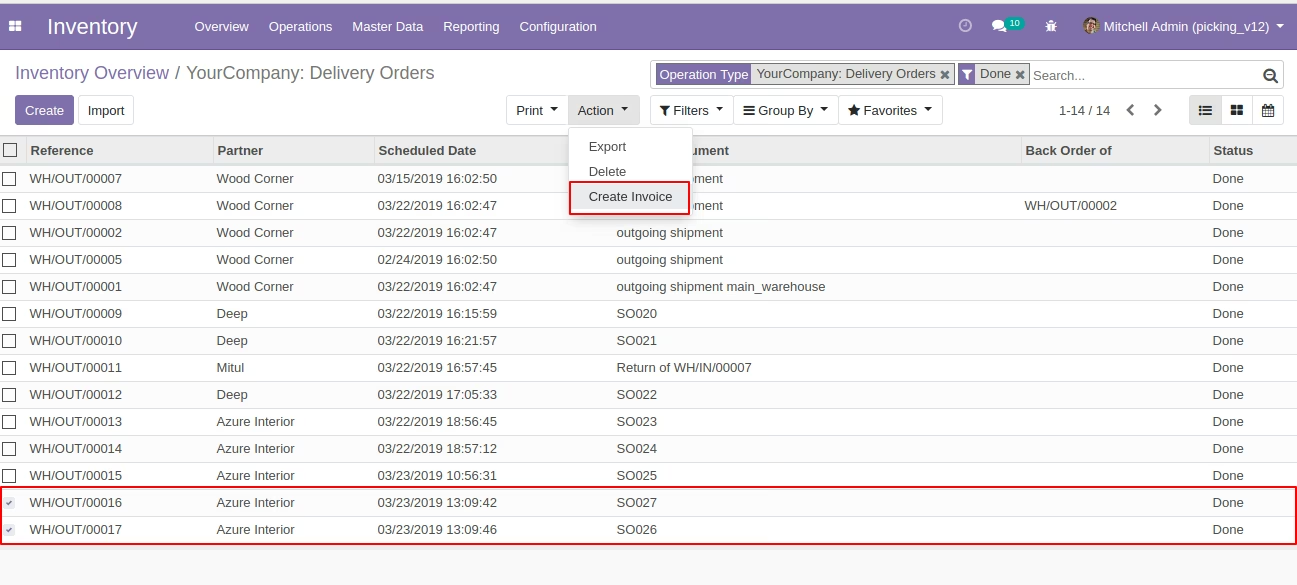
  • Create invoice group by partner wise.
  • Enable group by partner, it will create invoice based on partner wise.
  • create invoice based on partner wise and linked picking references with invoices.