The module enables businesses to archive or hide accounts in the Chart of Accounts. Instead of deleting accounts (which may lead to data loss or system issues), archiving allows users to streamline the interface while preserving the historical integrity of financial records. This ensures easier account management and cleaner navigation.
Archive or deactivate unused or obsolete accounts with a single action.
Automatically hide archived accounts from standard views like lists and forms.
Retain historical data for audit and compliance through non-destructive archiving.
Easily restore archived accounts when needed by reactivating them.
Seamless integration with Chart of Accounts and accounting interface.
Maintain a clean and clutter-free chart of accounts by hiding inactive accounts.
Preserve data accuracy and audit trails without losing transactional history.
Improve user experience with a simplified account selection interface.
Enable administrators to manage account visibility without risking deletion.
Support compliance and reporting by keeping archived accounts accessible when needed.
- Easy to archive/unarchive mass records for the invoices.
- You can easily archive or unarchive multiple records for bills, credit notes, debit notes, and payments.
- Easy to filter archive records.
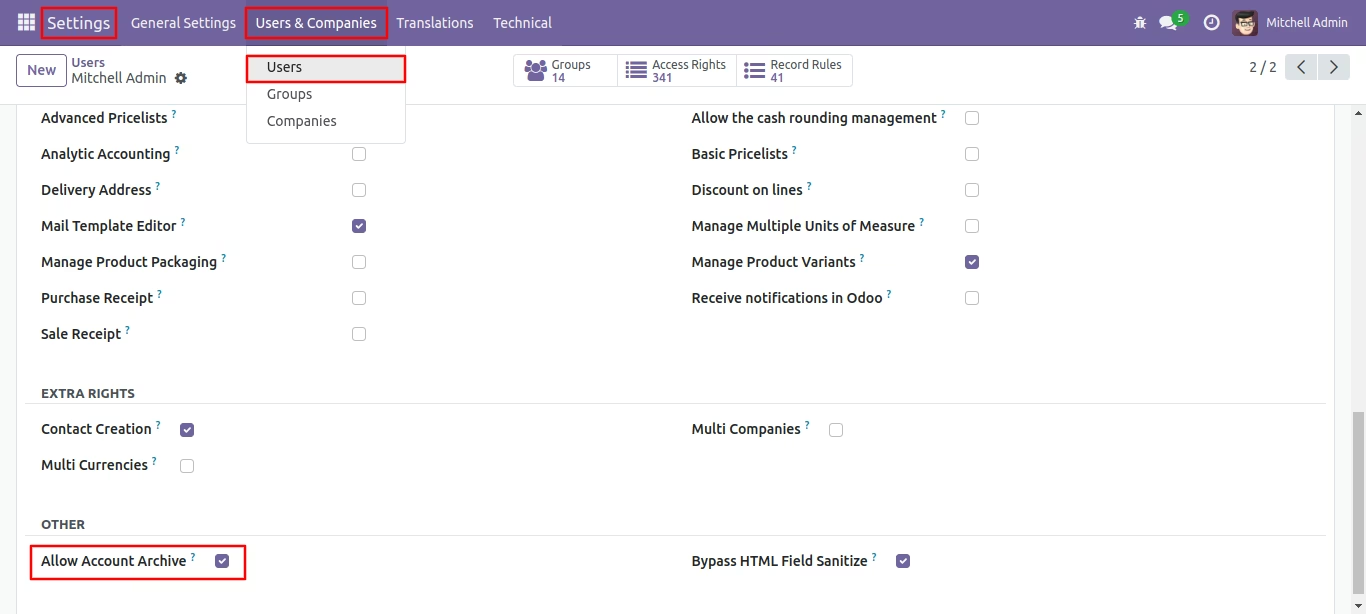
Go to user settings for access configurations.
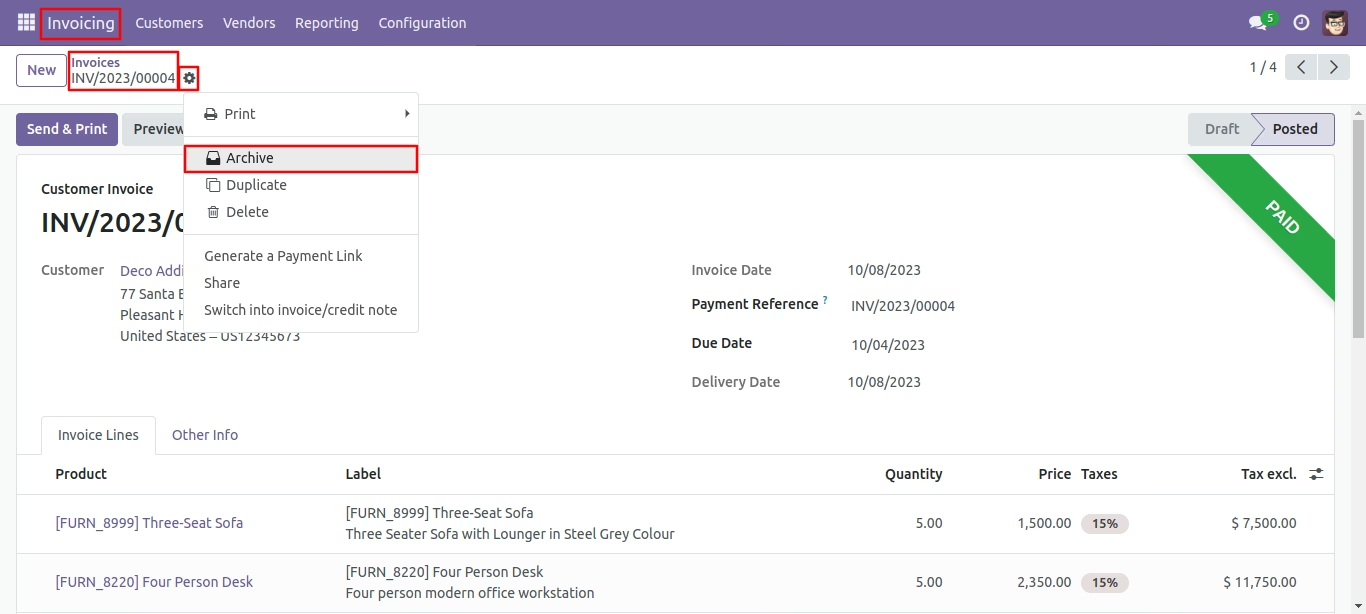
Press the 'Archive' option from action button to store the record.
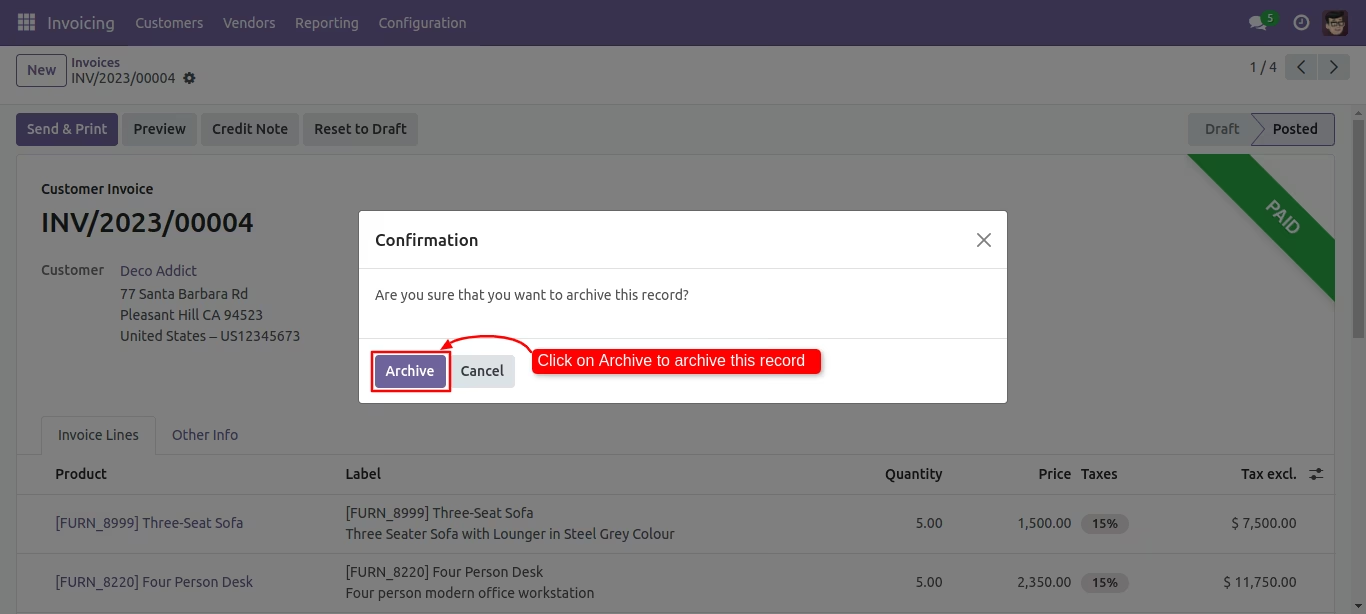
Click 'Archive' for confirmation.
You can archive records using mass action.
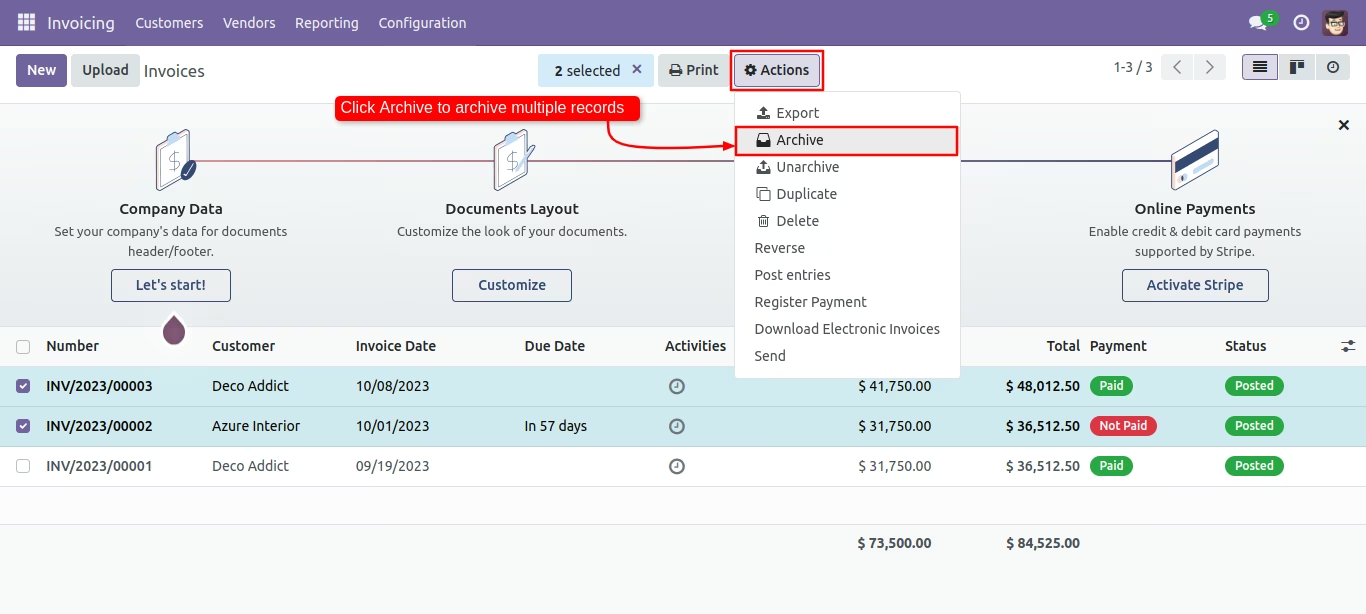
You can filter archived records in invoices.
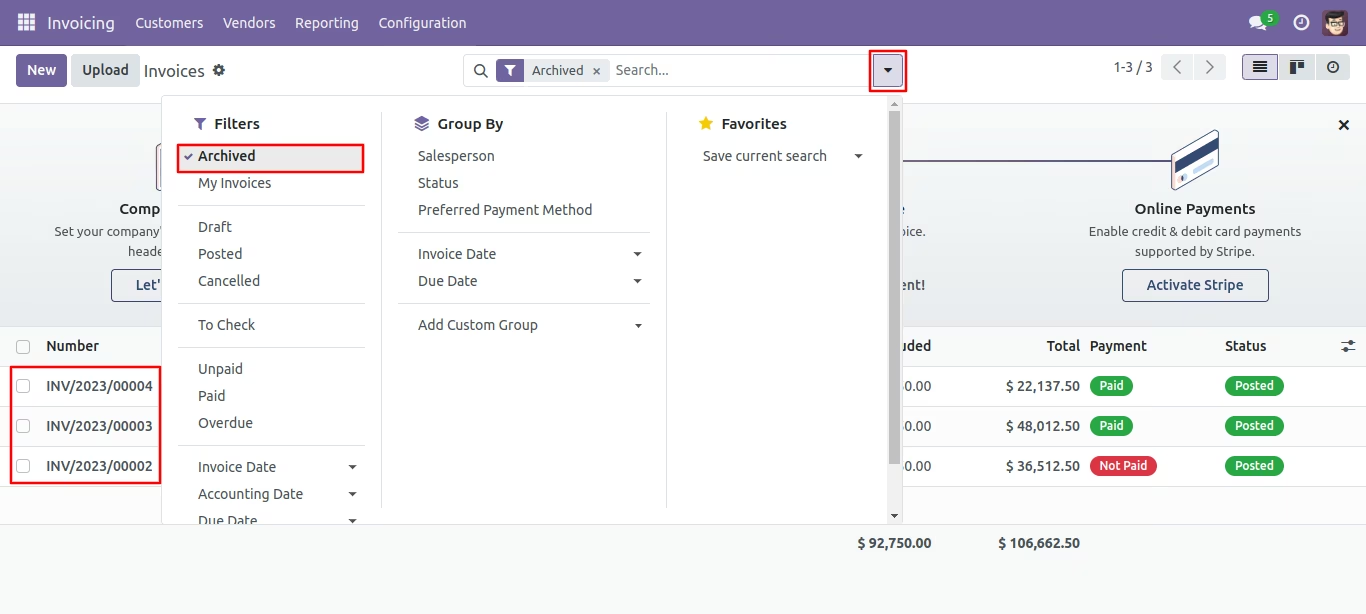
Press the 'Unarchive' option from action button to unarchive the record.
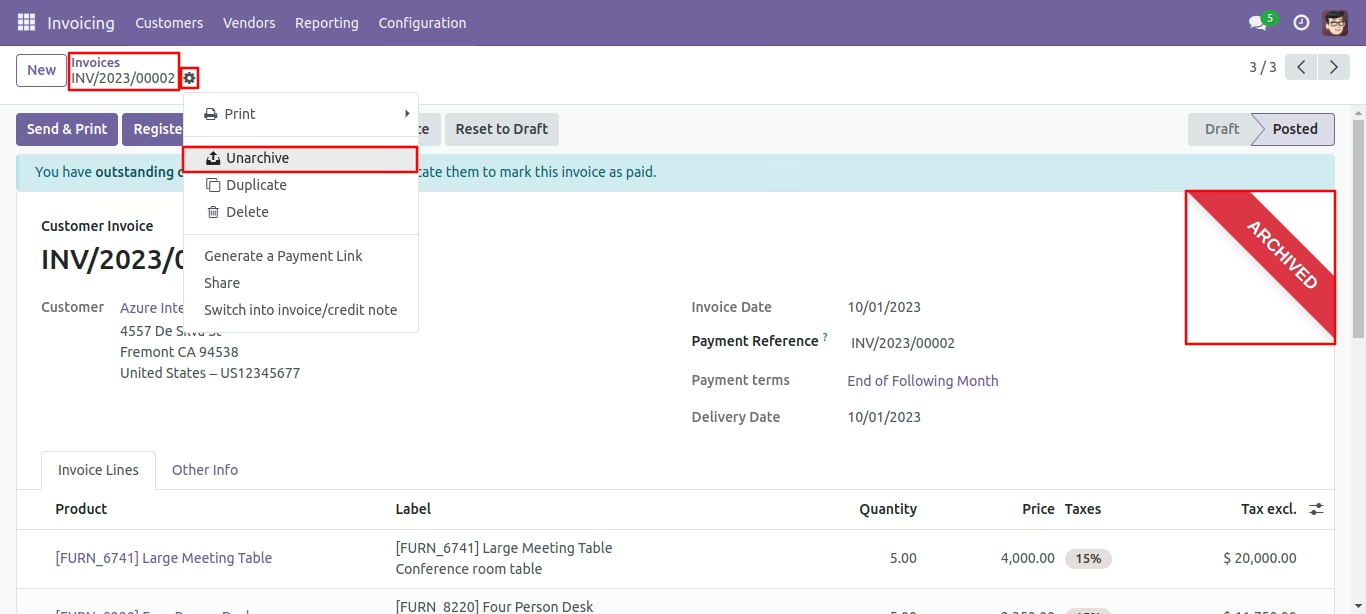
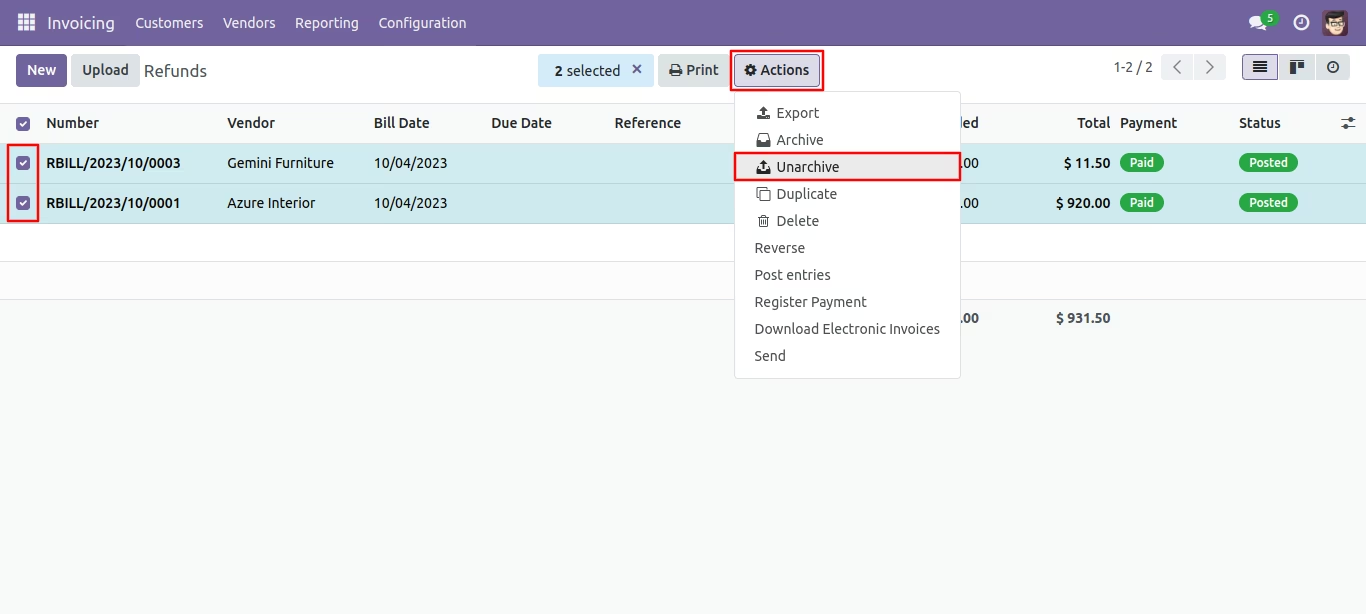
You can unarchive record using mass action.
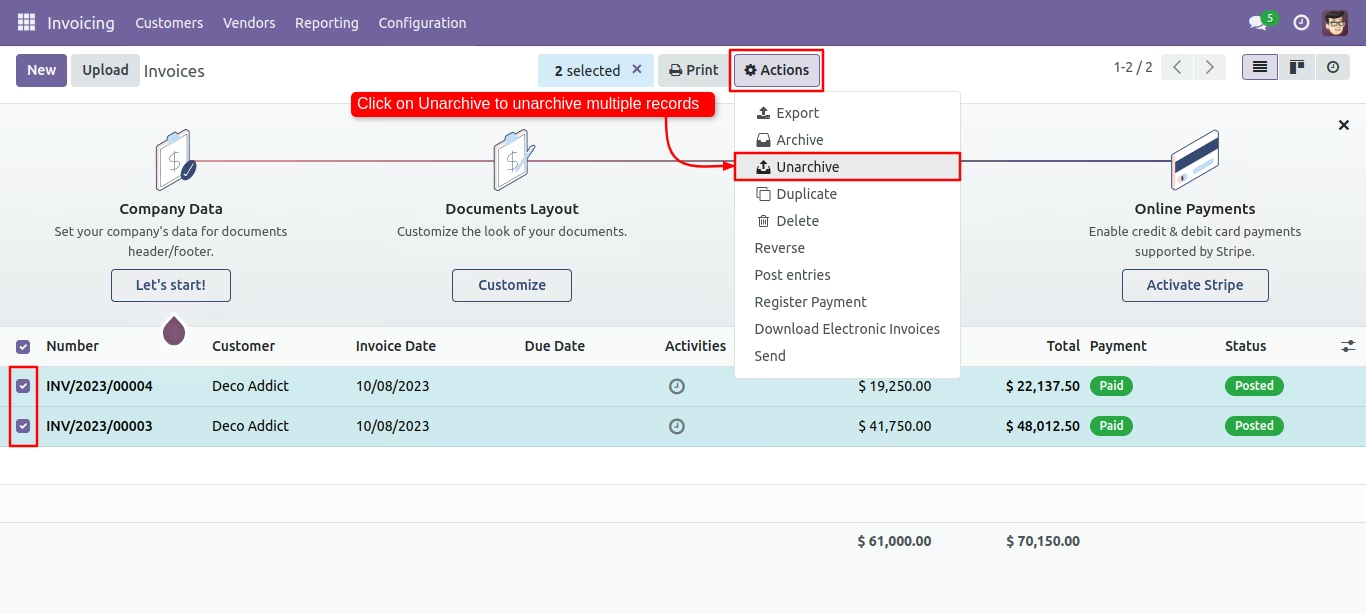
Press the 'Archive' option from action button to store the records.
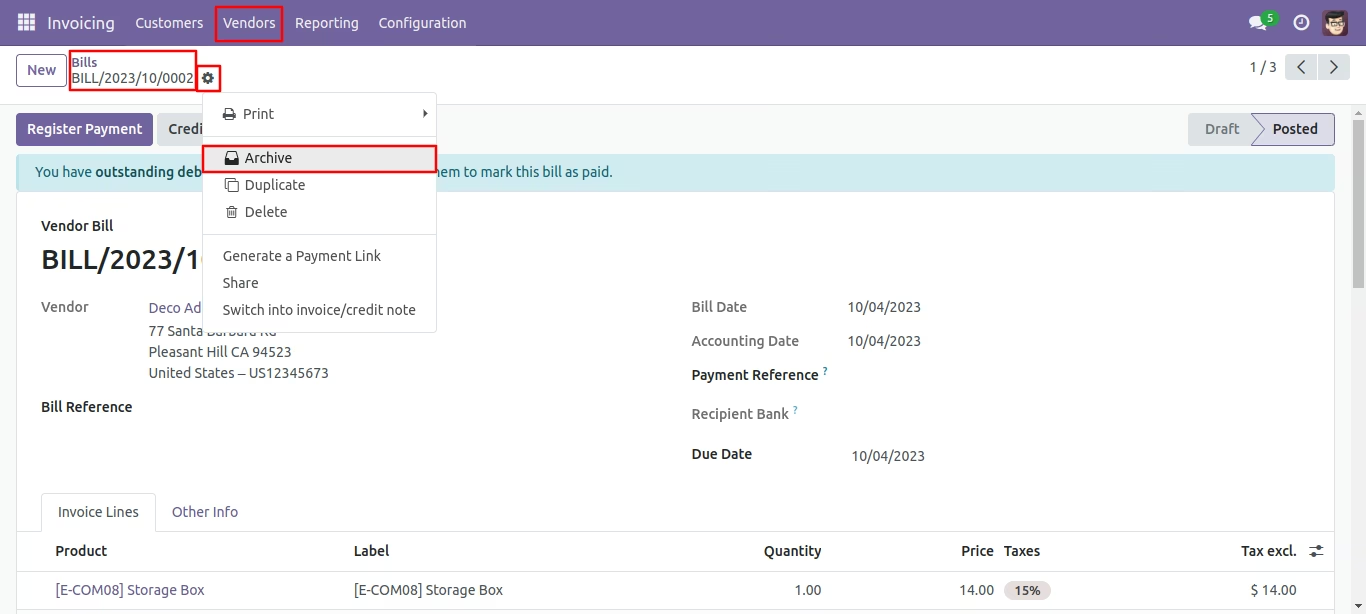
Click 'Archive' for confirmation.
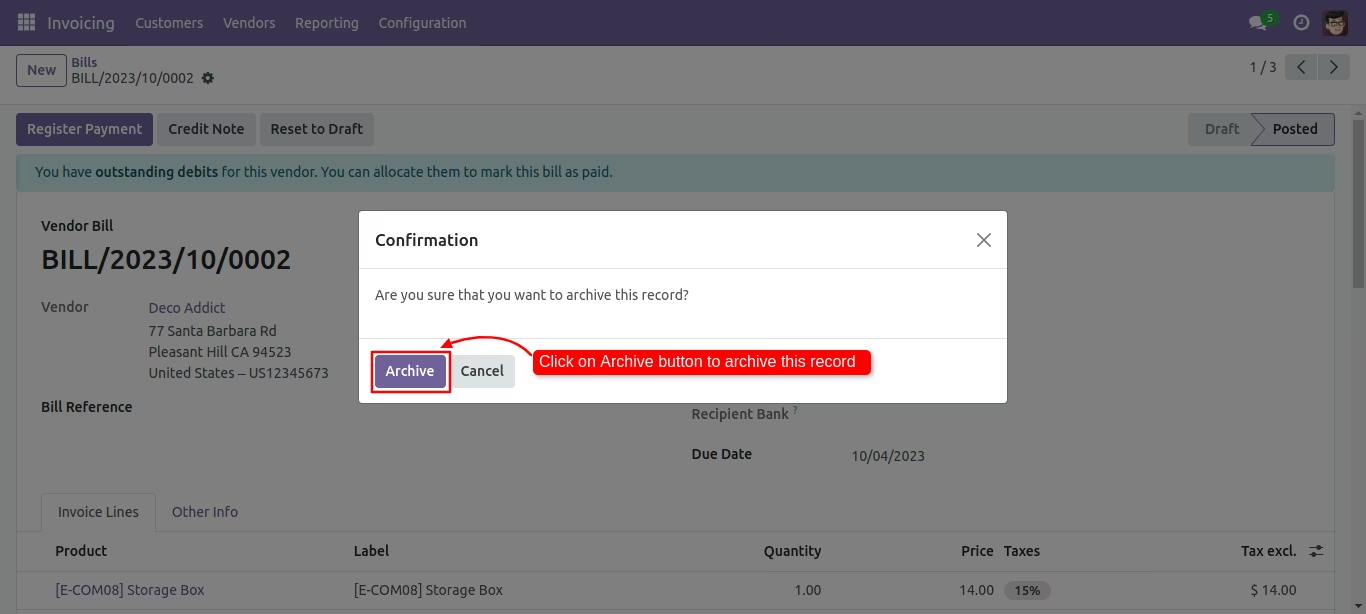
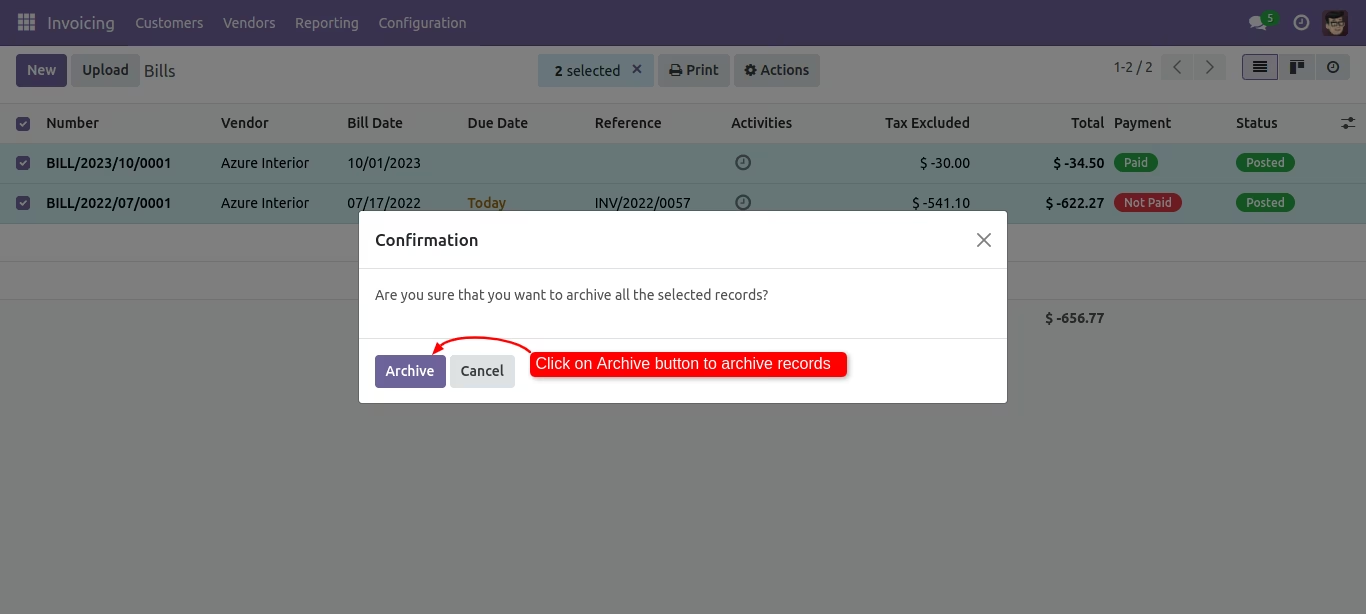
Tree view of the bills. You can archive records using mass action.
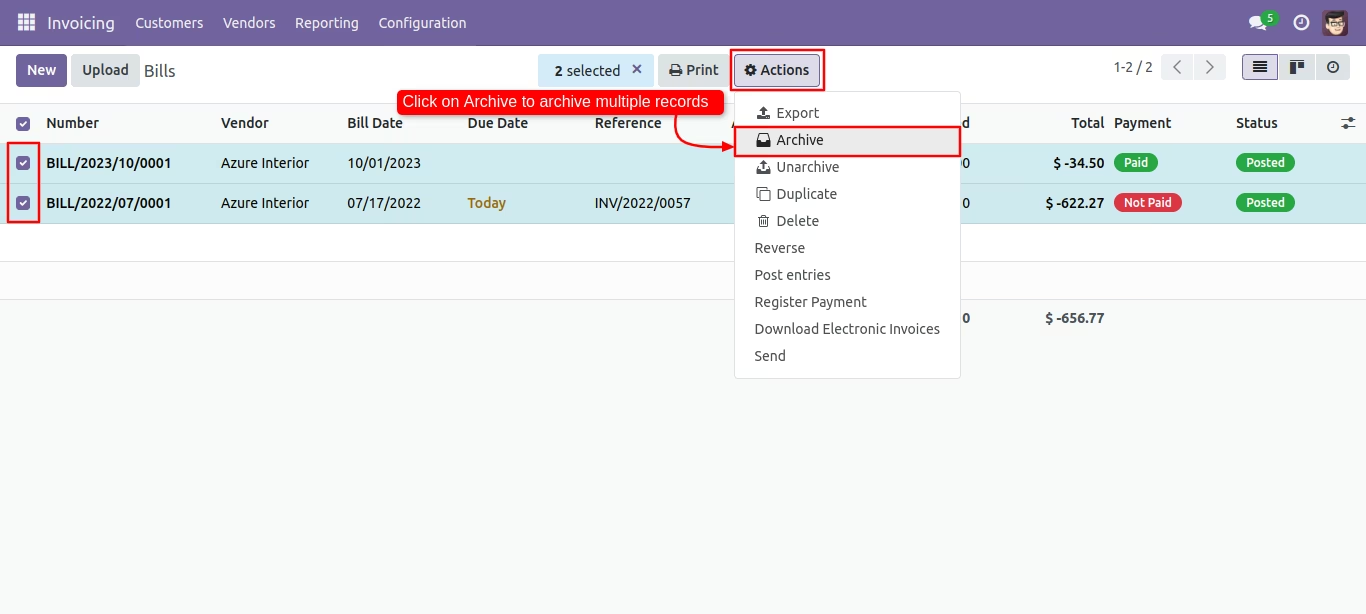
Click 'Archive' for confirmation.
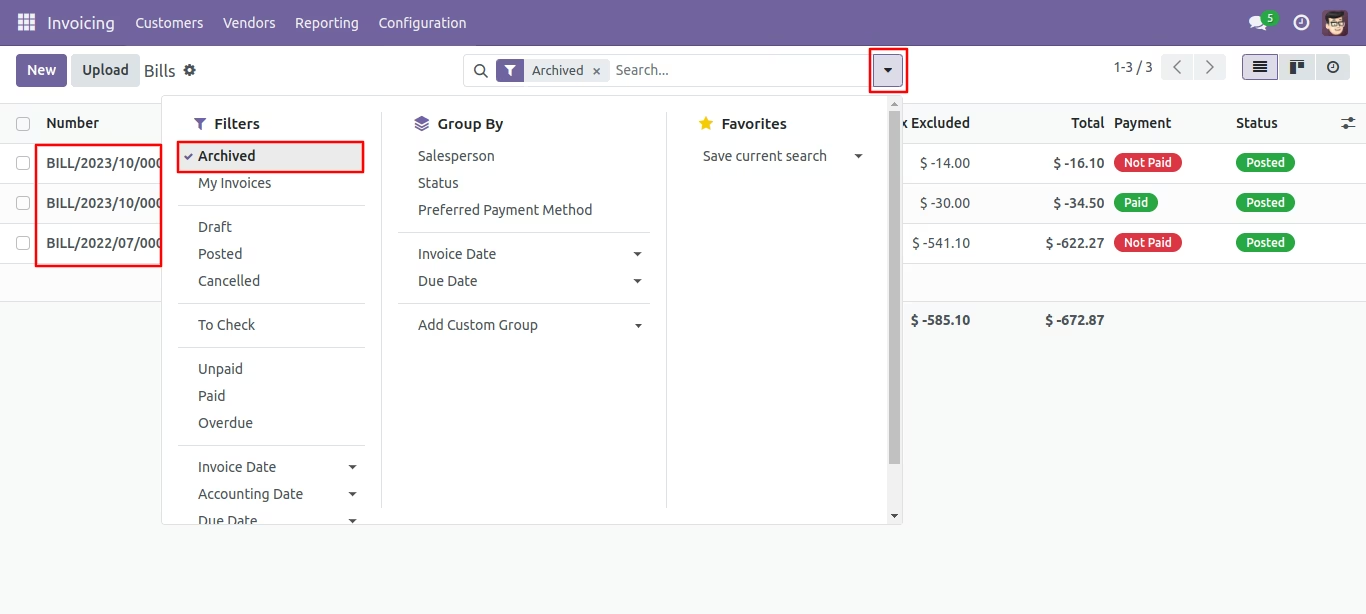
You can filter archived records in bills.
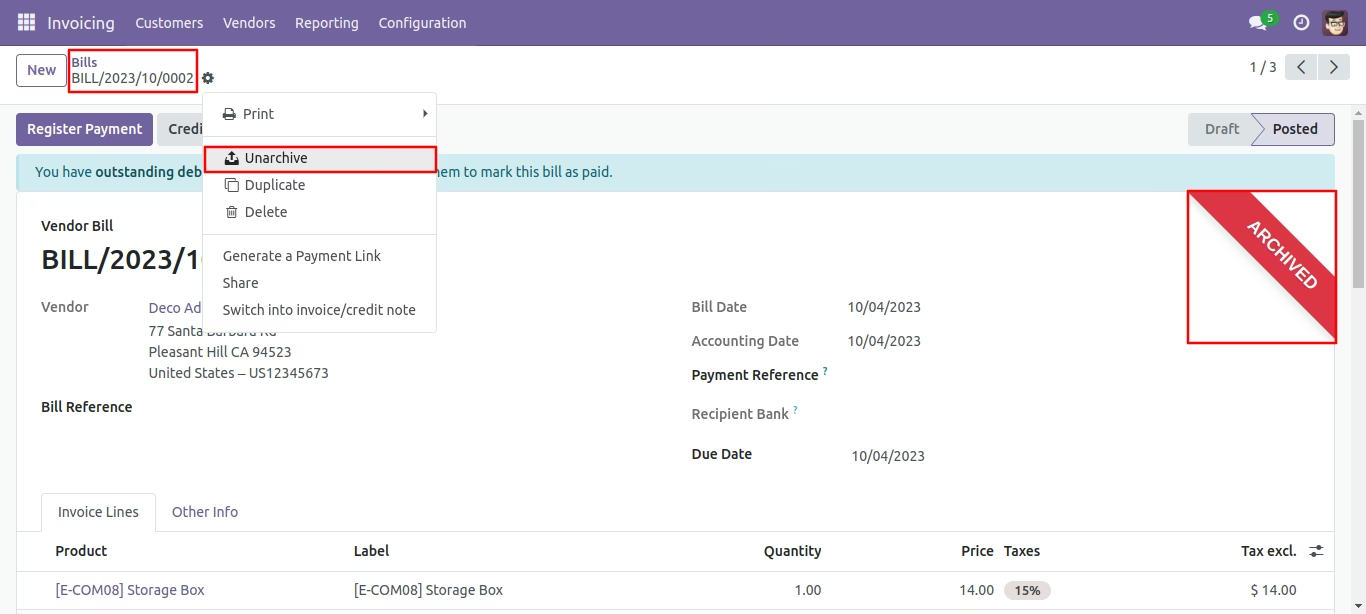
Press the 'Unarchive' option from action button to unarchive the record.
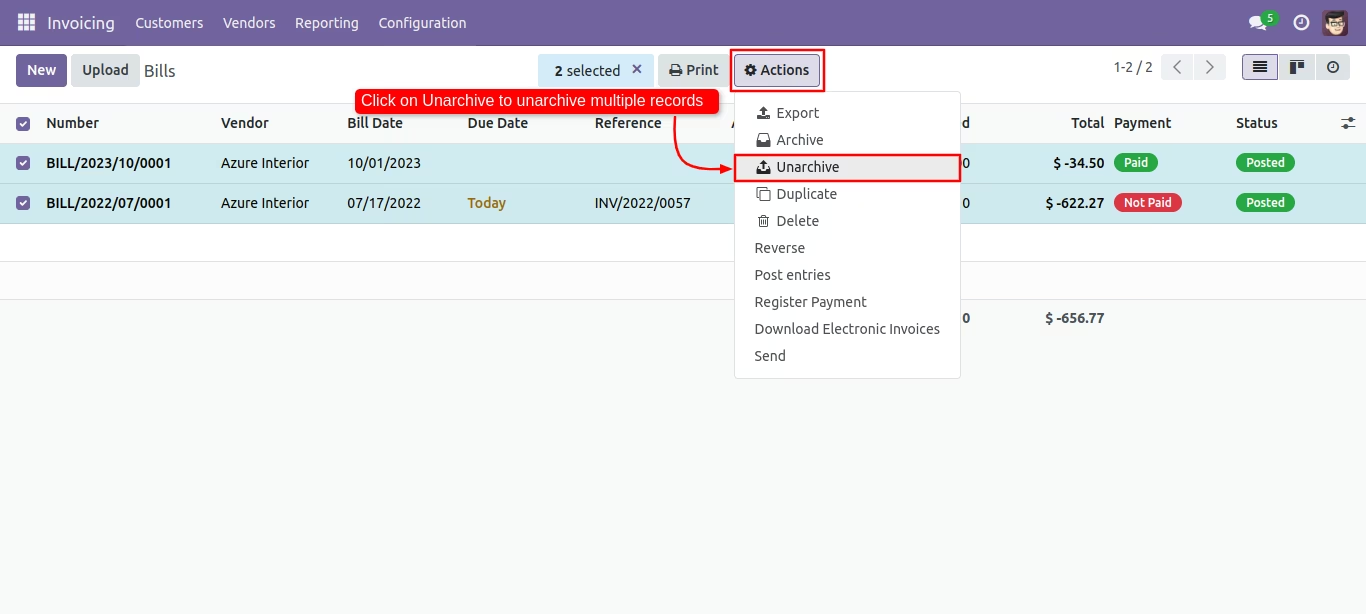
You can unarchive record using mass action.
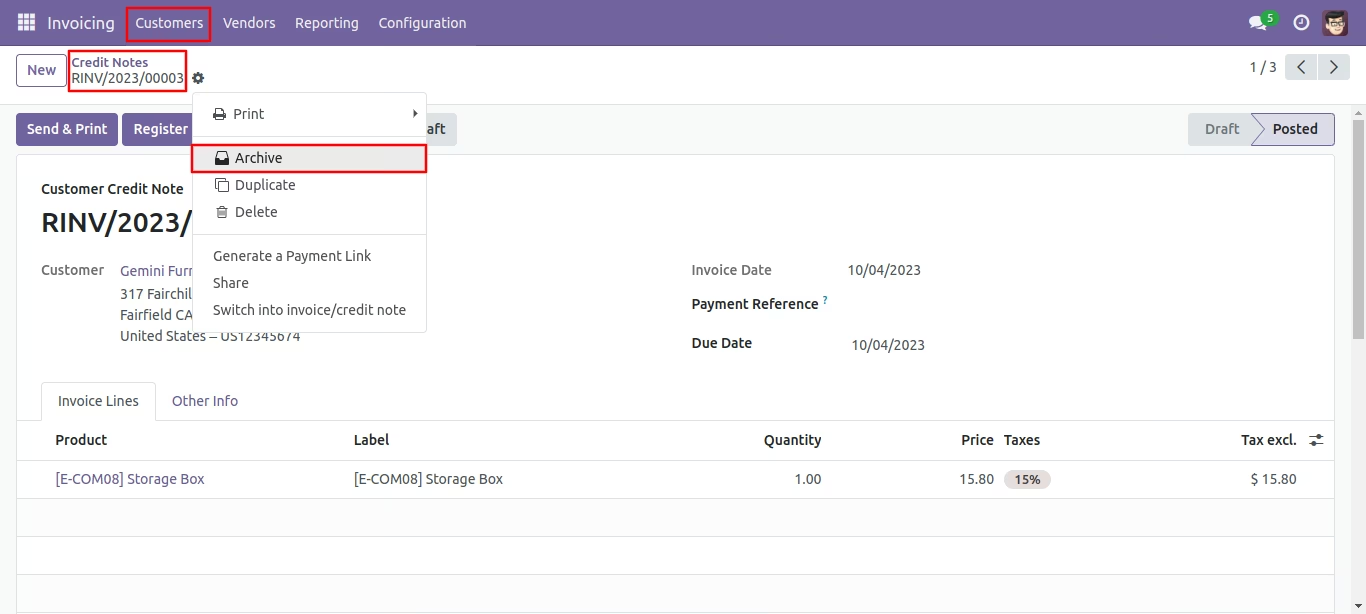
Press the 'Archive' option from action button to store the records.
Click 'Archive' for confirmation.
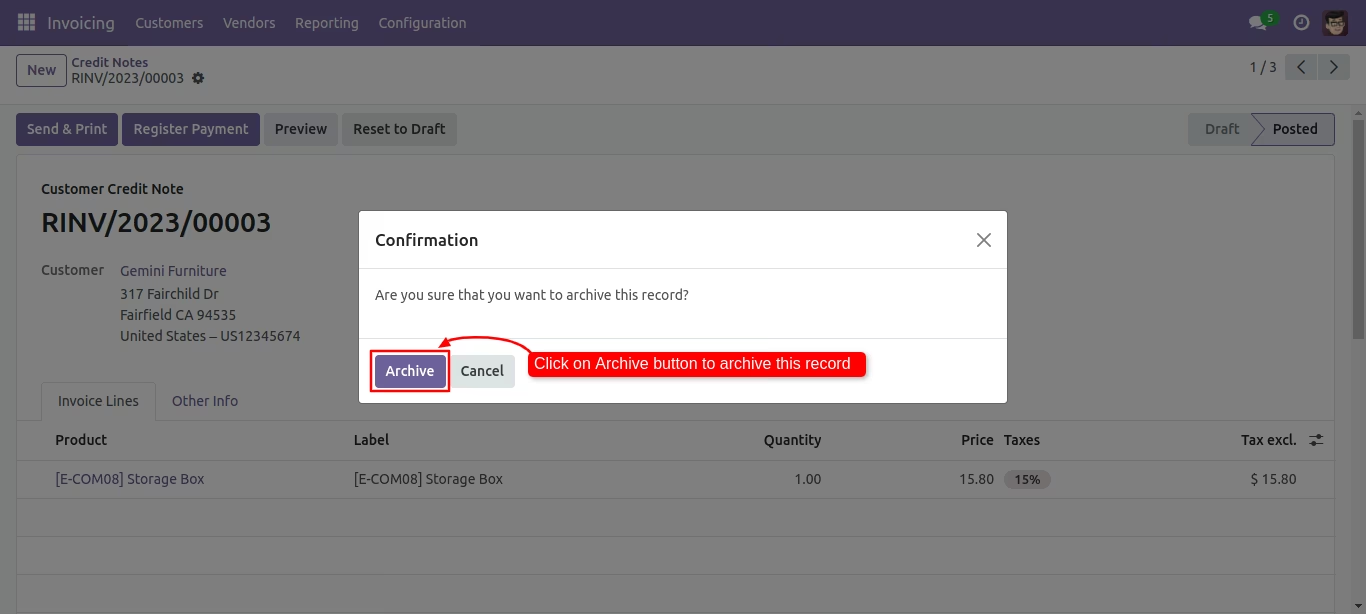
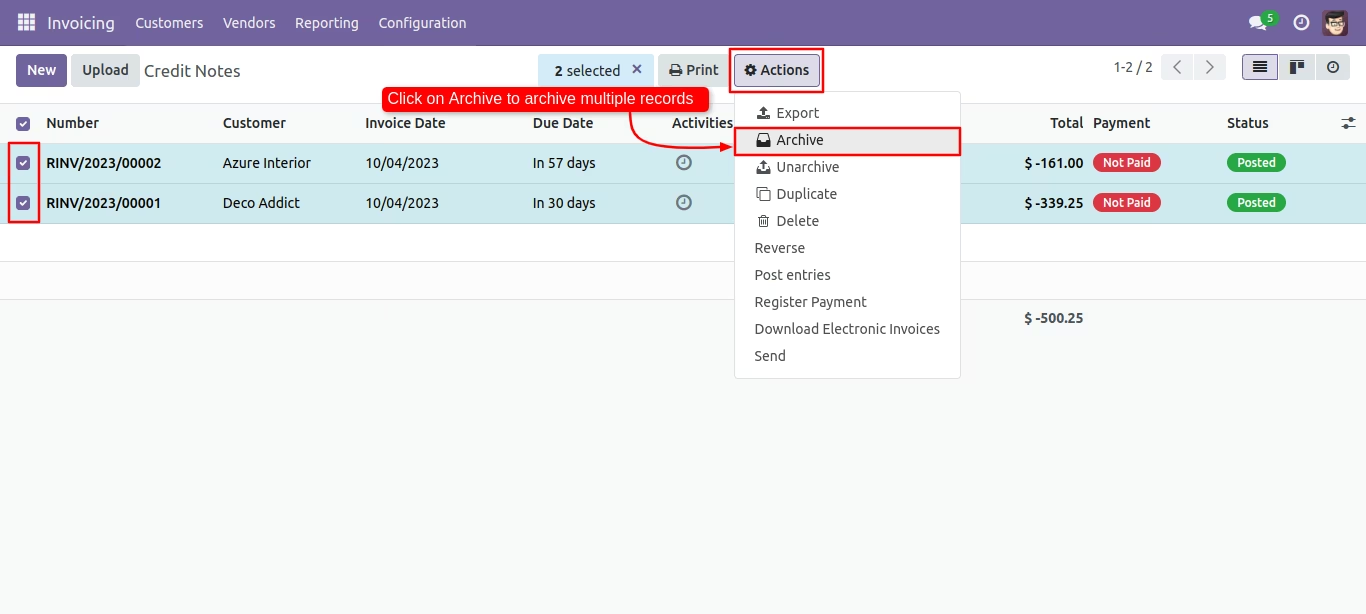
Tree view of the credit note. You can archive records using mass action.
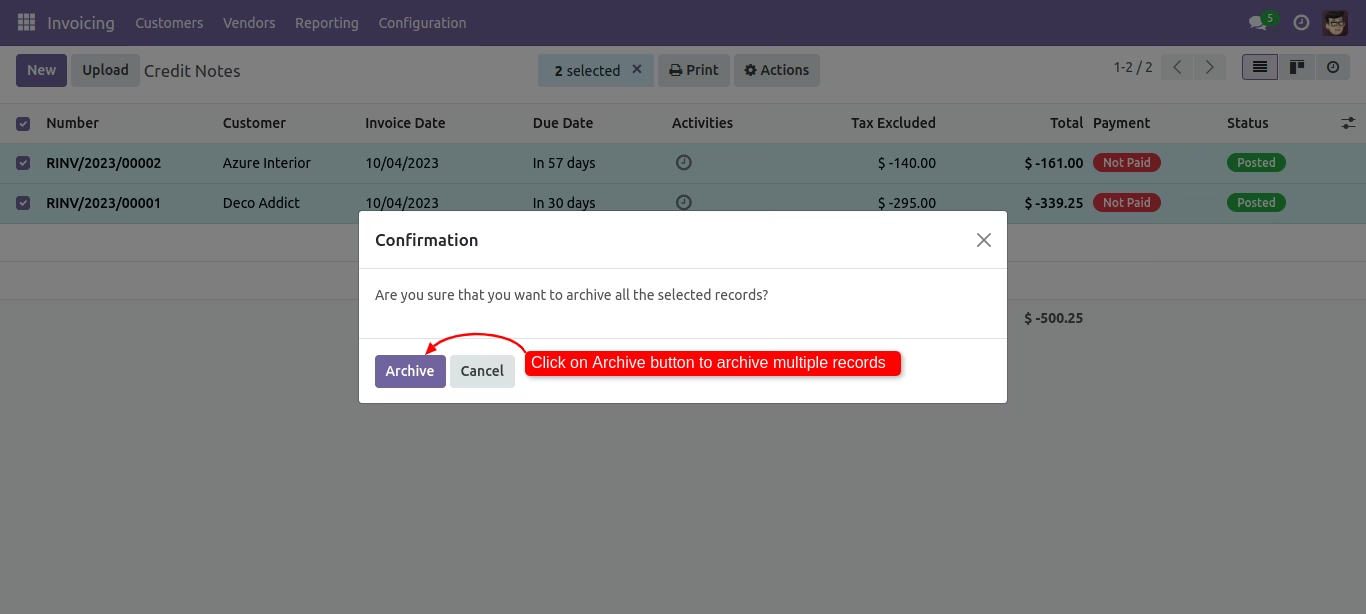
Click 'Archive' for confirmation.
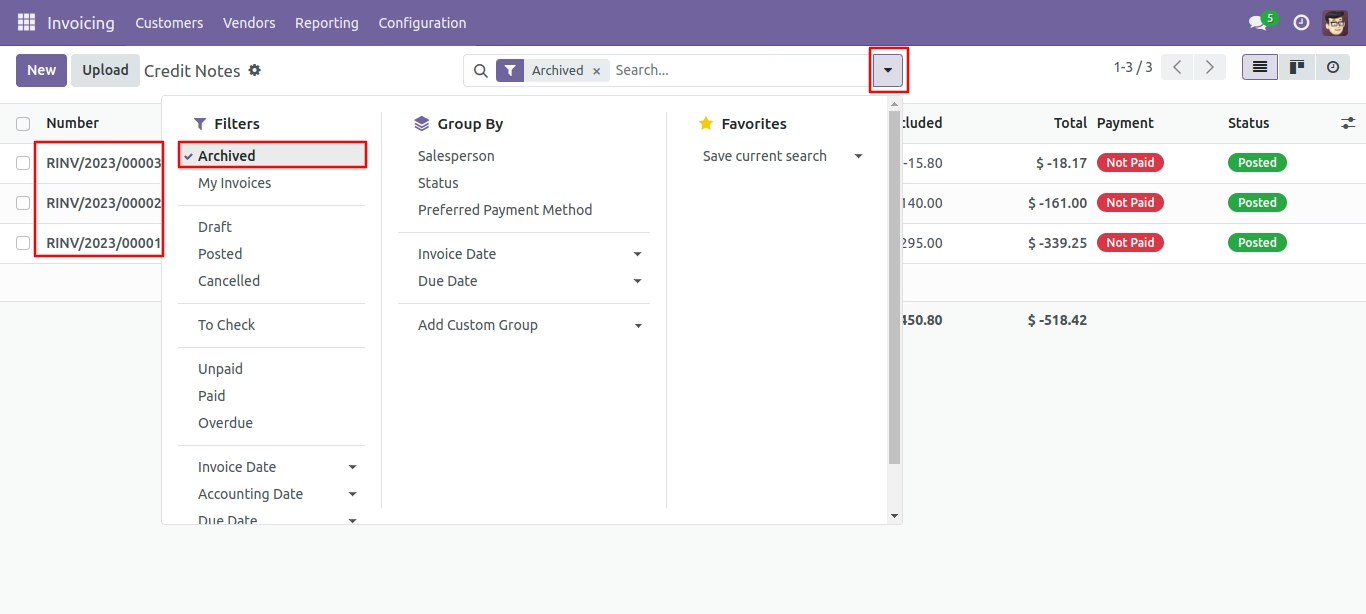
You can filter archived records in credit notes.
Press the 'Unarchive' option from action button to unarchive the record.
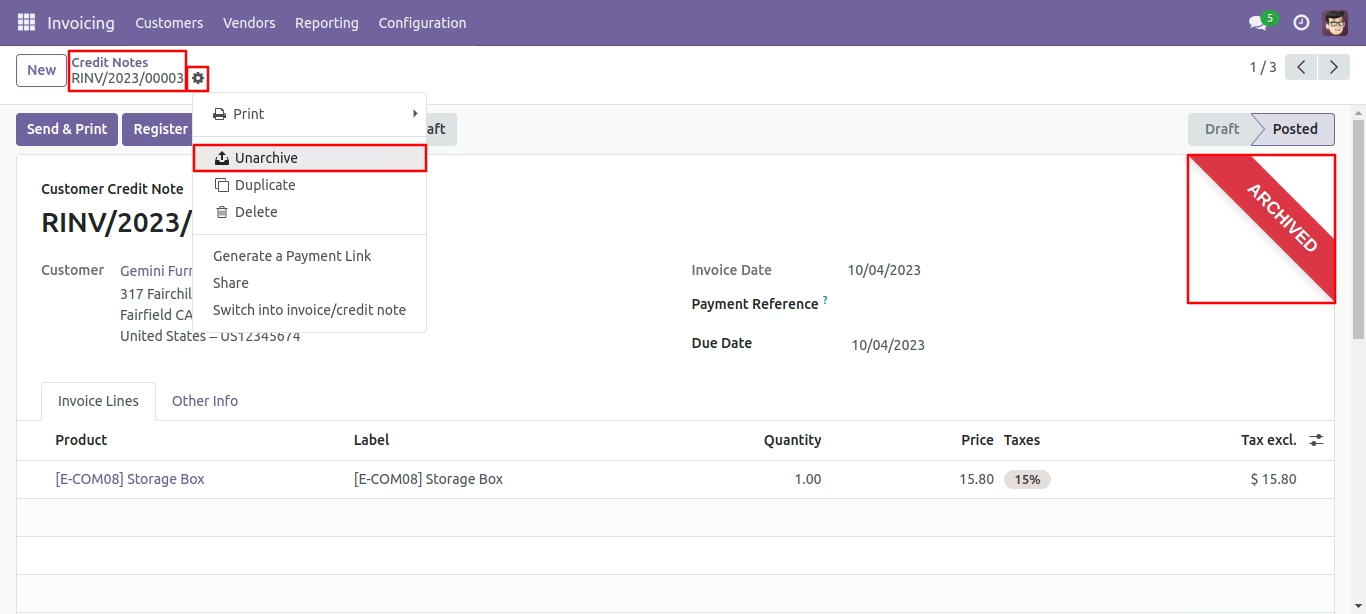
You can unarchive record using mass action.
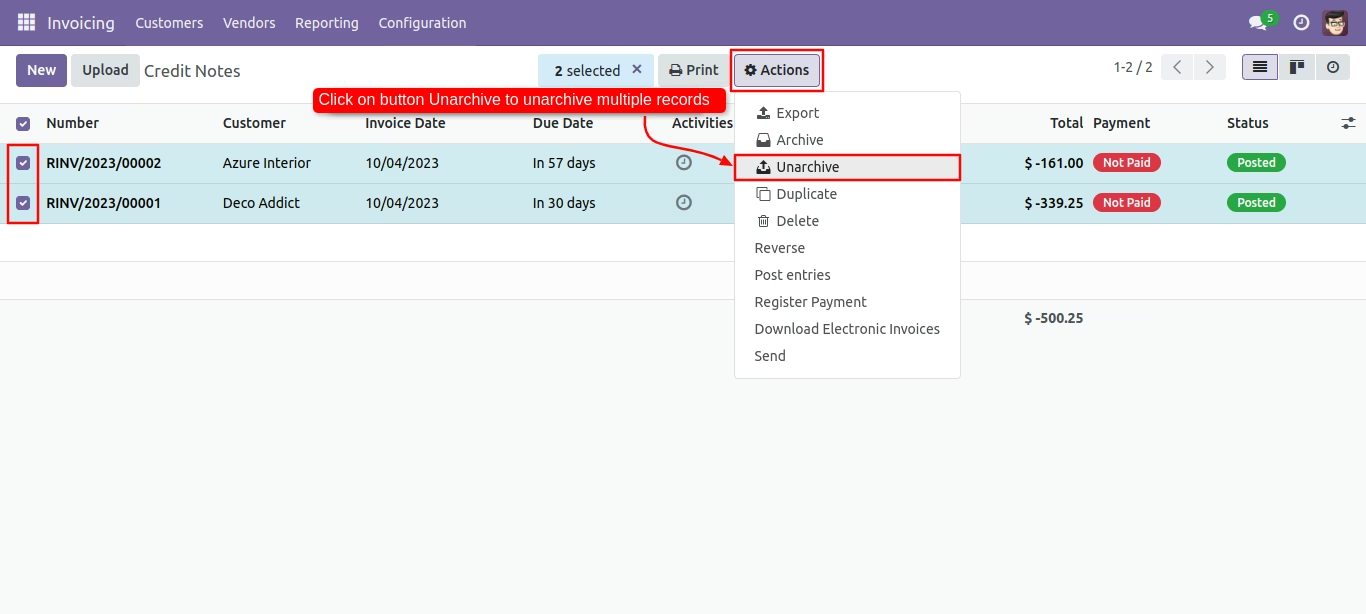
Press the 'Archive' option from action button to store the records.
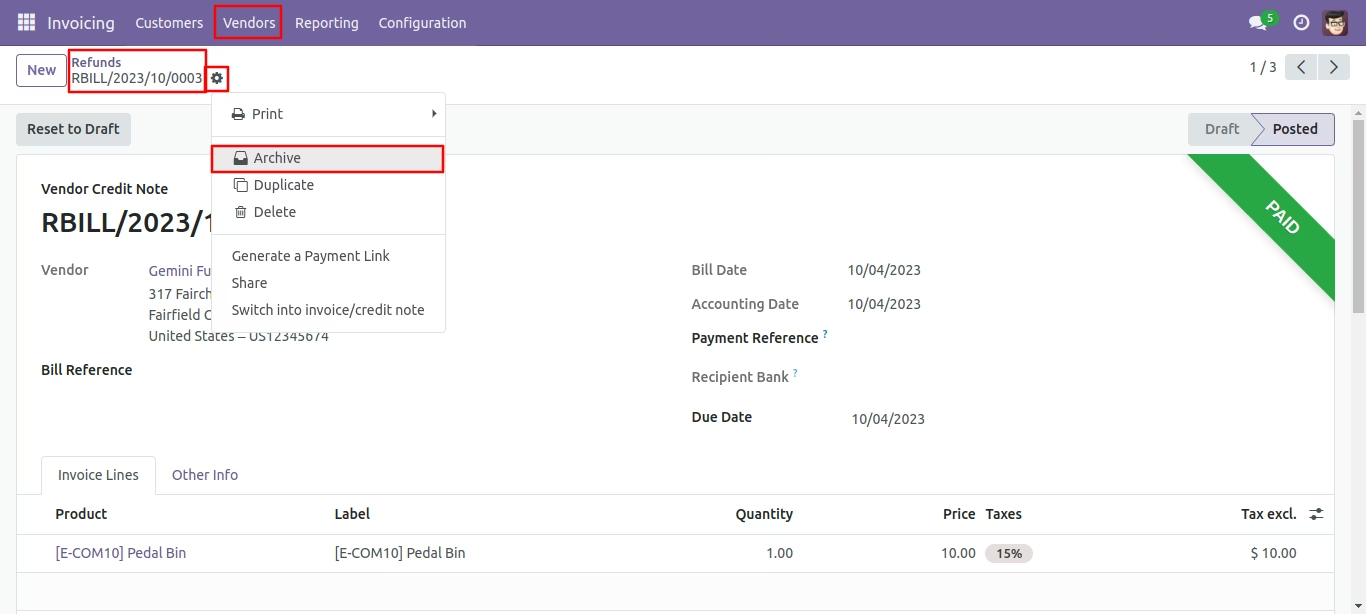
Click 'Archive' for confirmation.
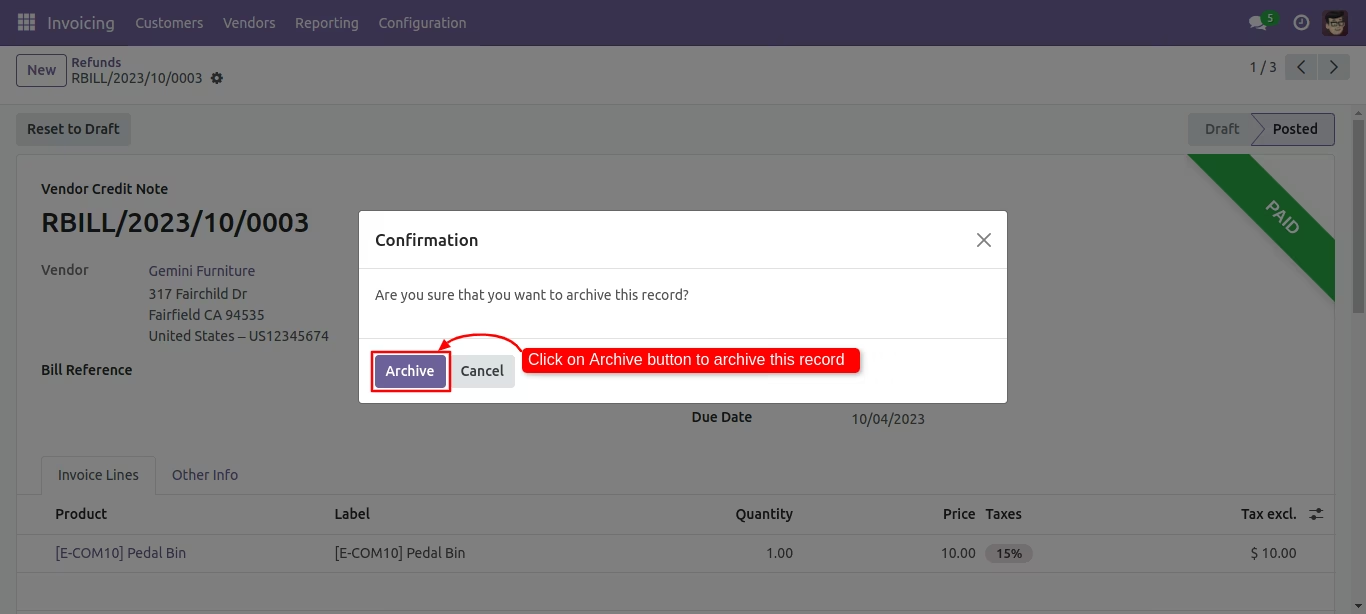
Tree view of the refunds. You can archive records using mass action.
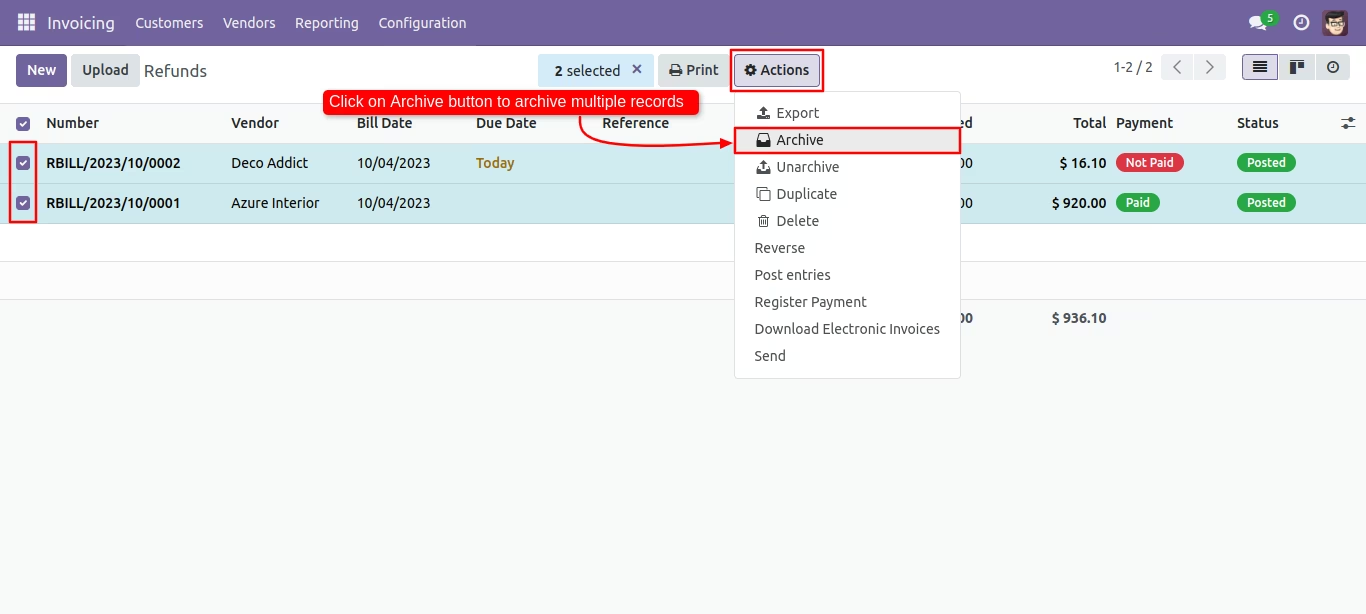
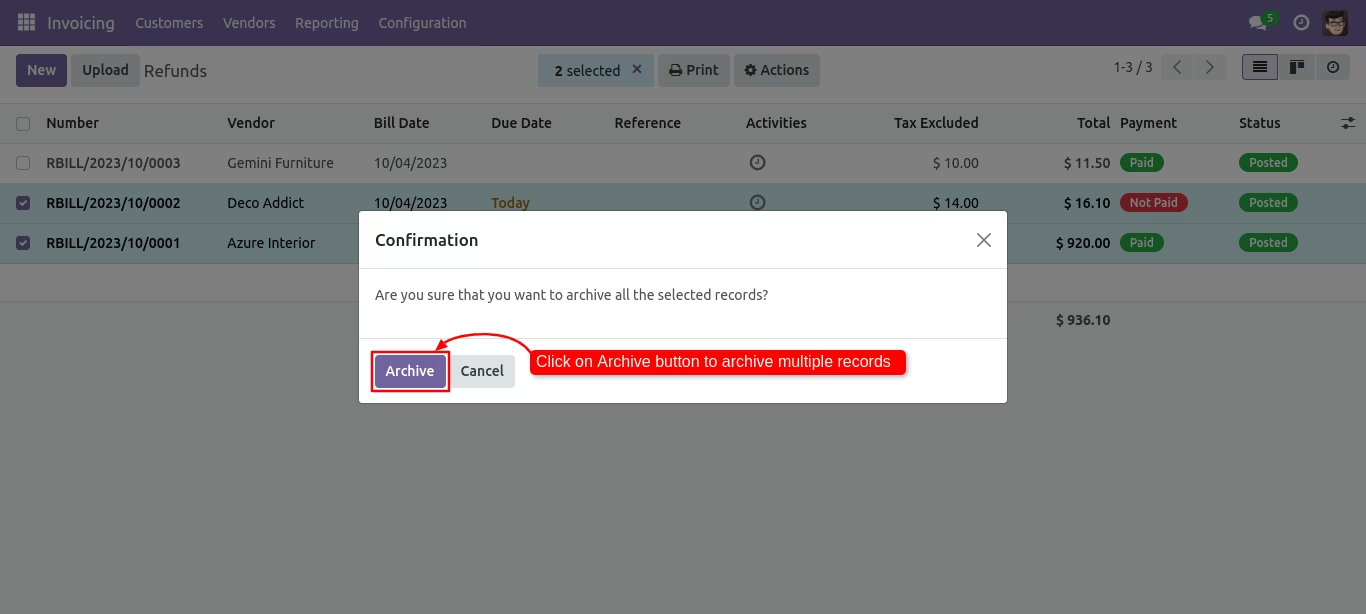
Click 'Archive' for confirmation.
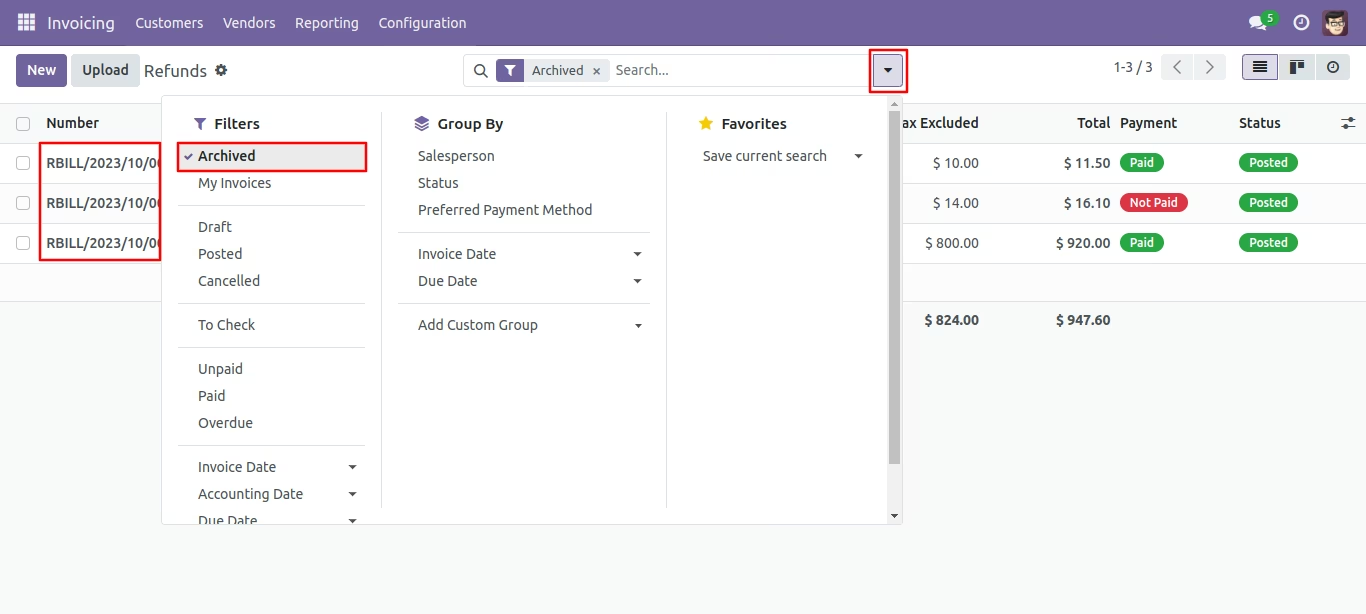
You can filter archived records in refunds.
Press the 'Unarchive' option from action button to unarchive the record.
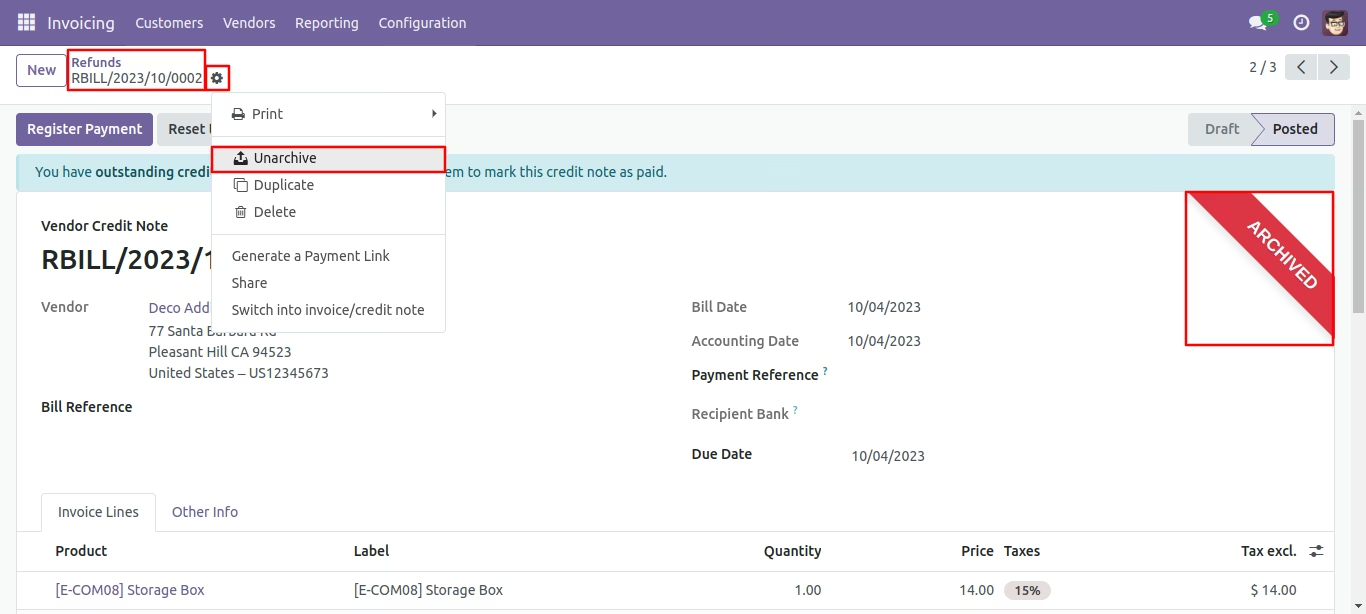
You can unarchive record using mass action.
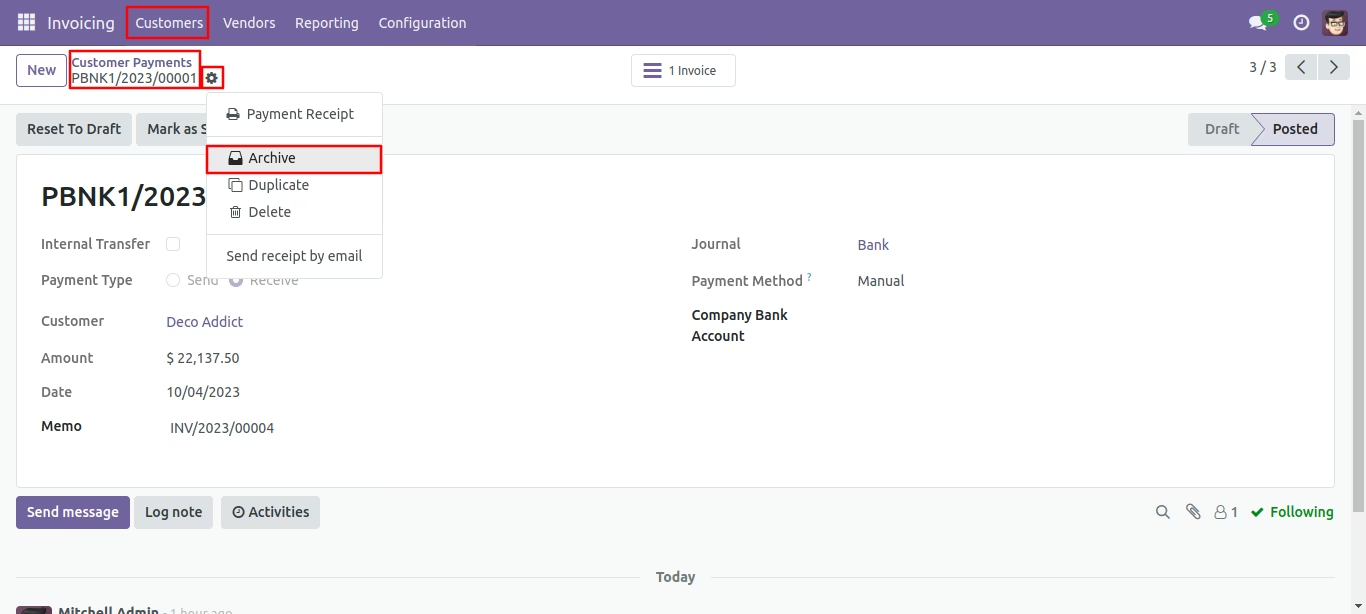
Press the 'Archive' option from action button to store the records.
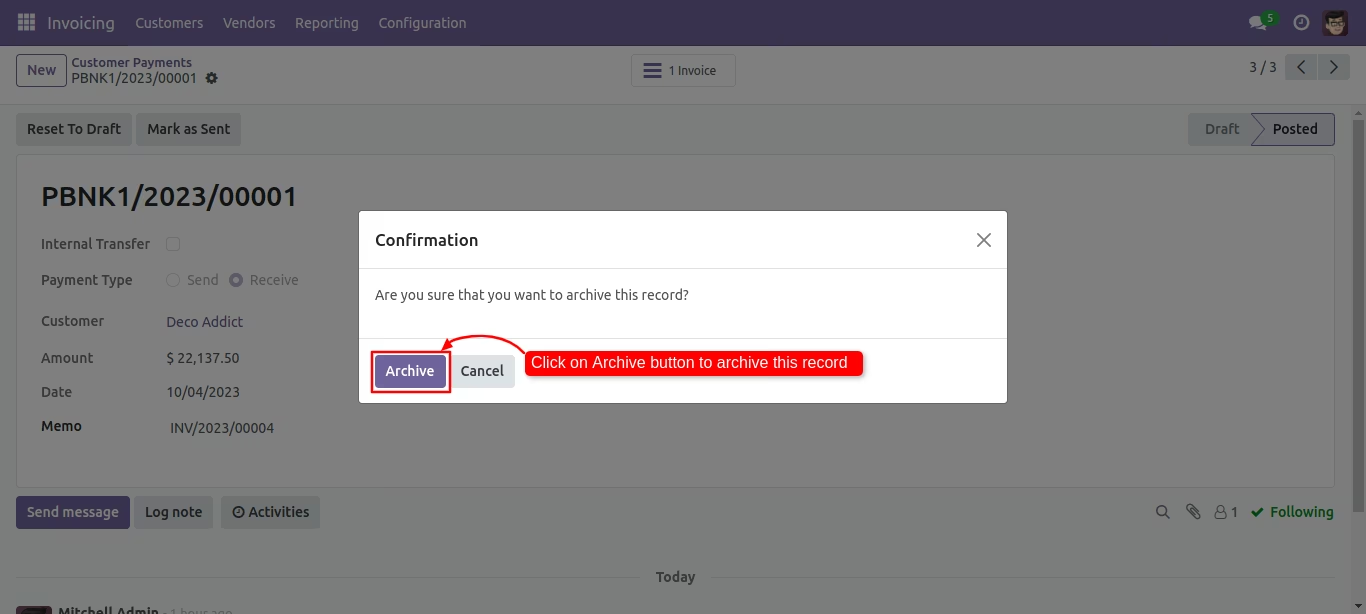
Click 'Archive' for confirmation.
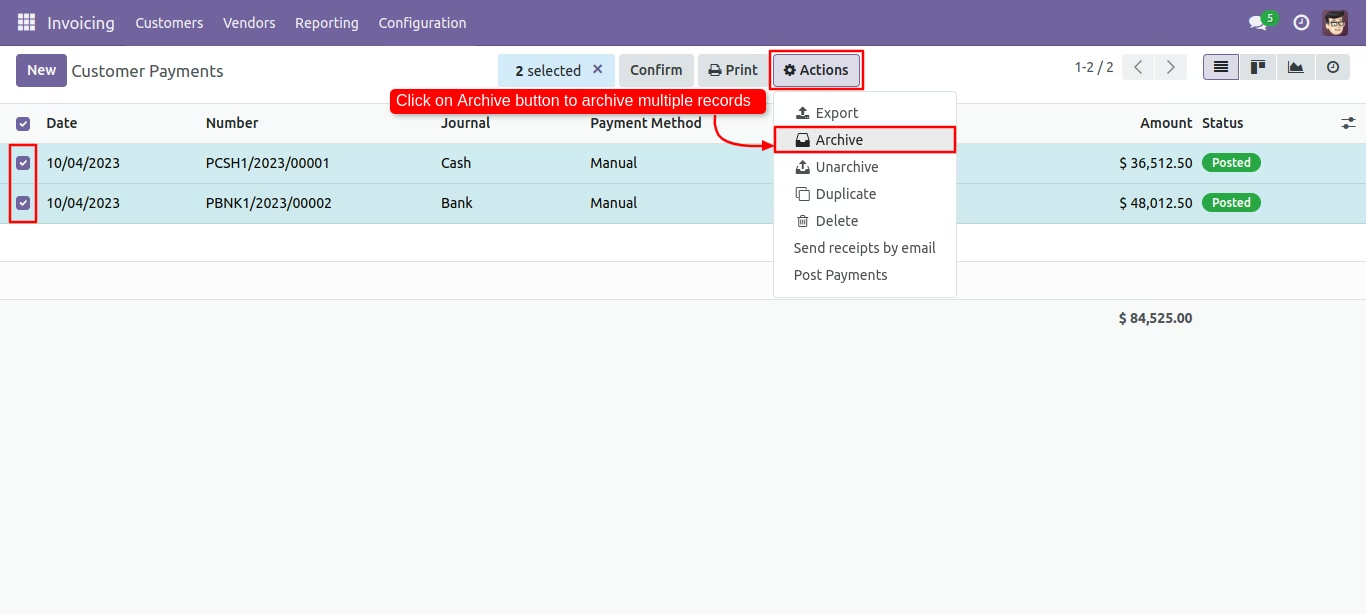
Tree view of the customer payments. You can archive records using mass action.
Click 'Archive' for confirmation.
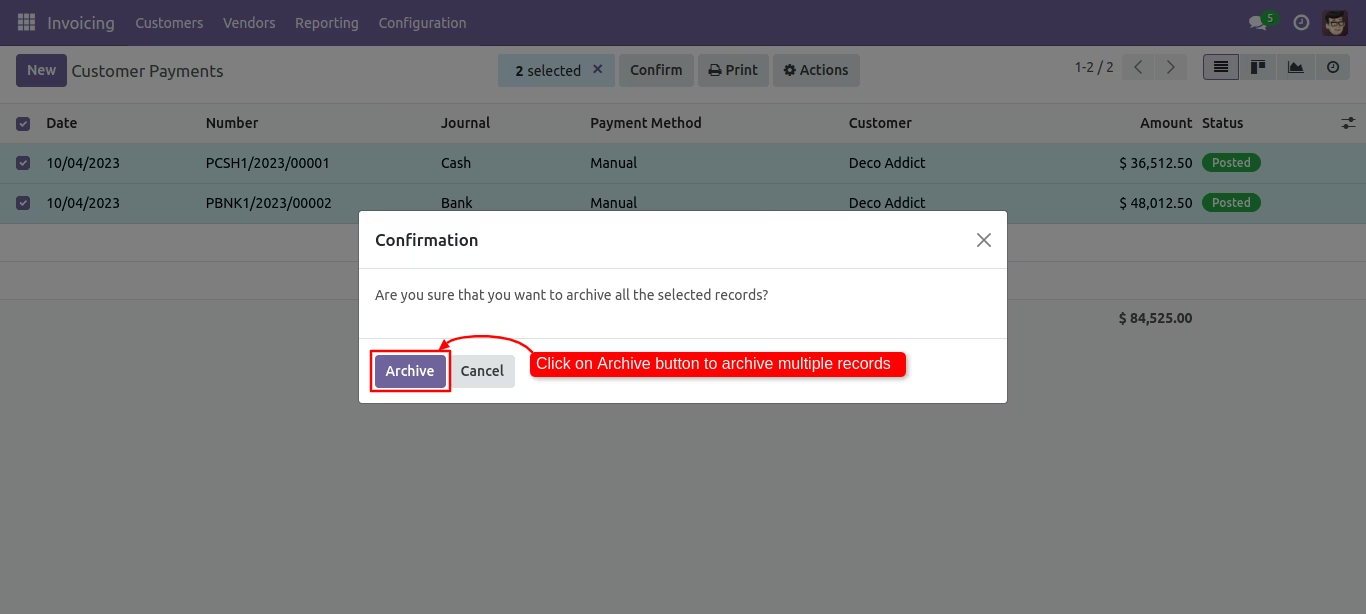
You can filter archived records in customer payments.
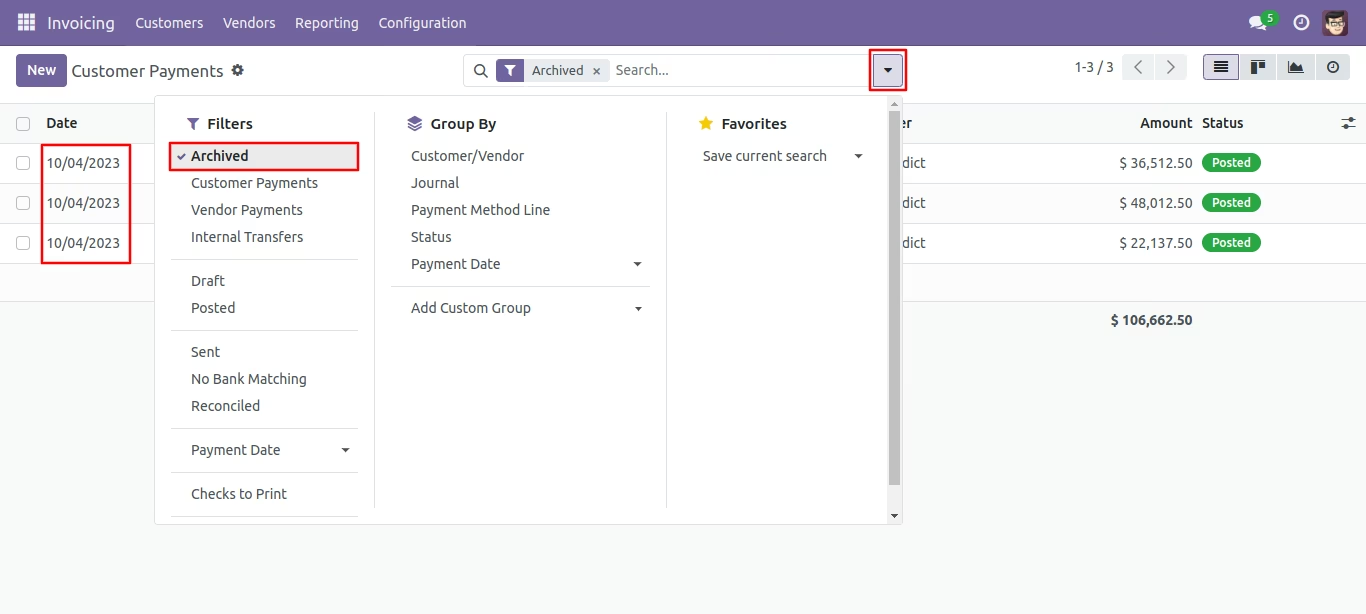
Press the 'Unarchive' option from action button to unarchive the record.
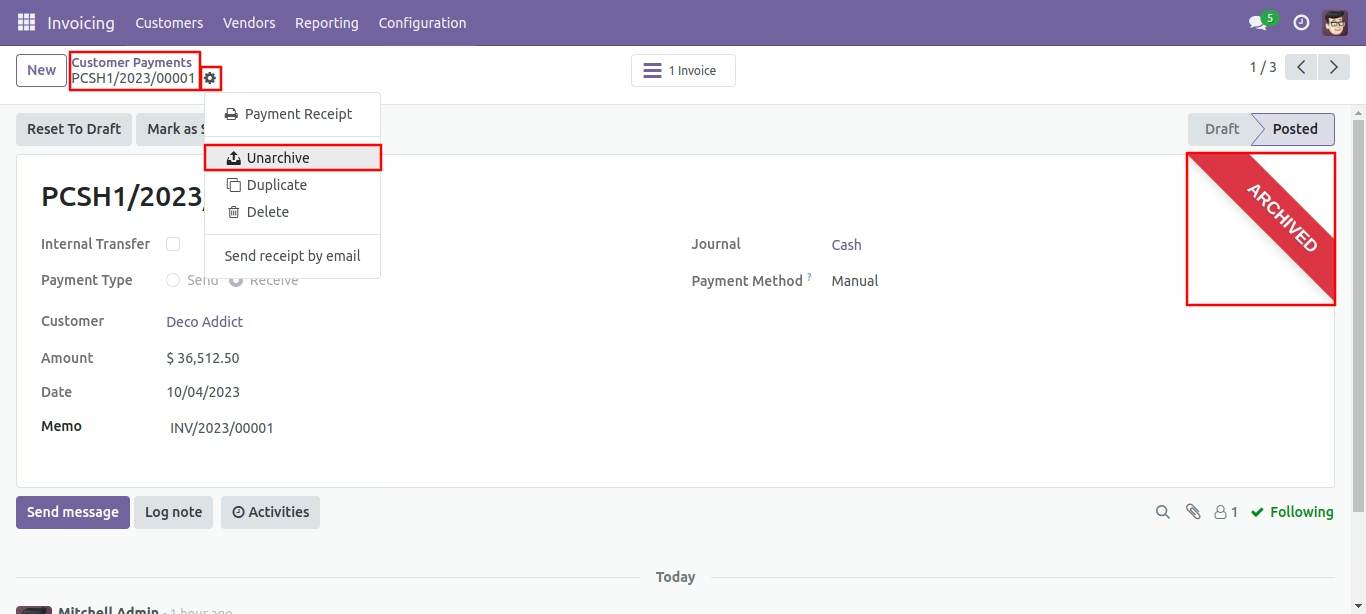
You can unarchive record using mass action.
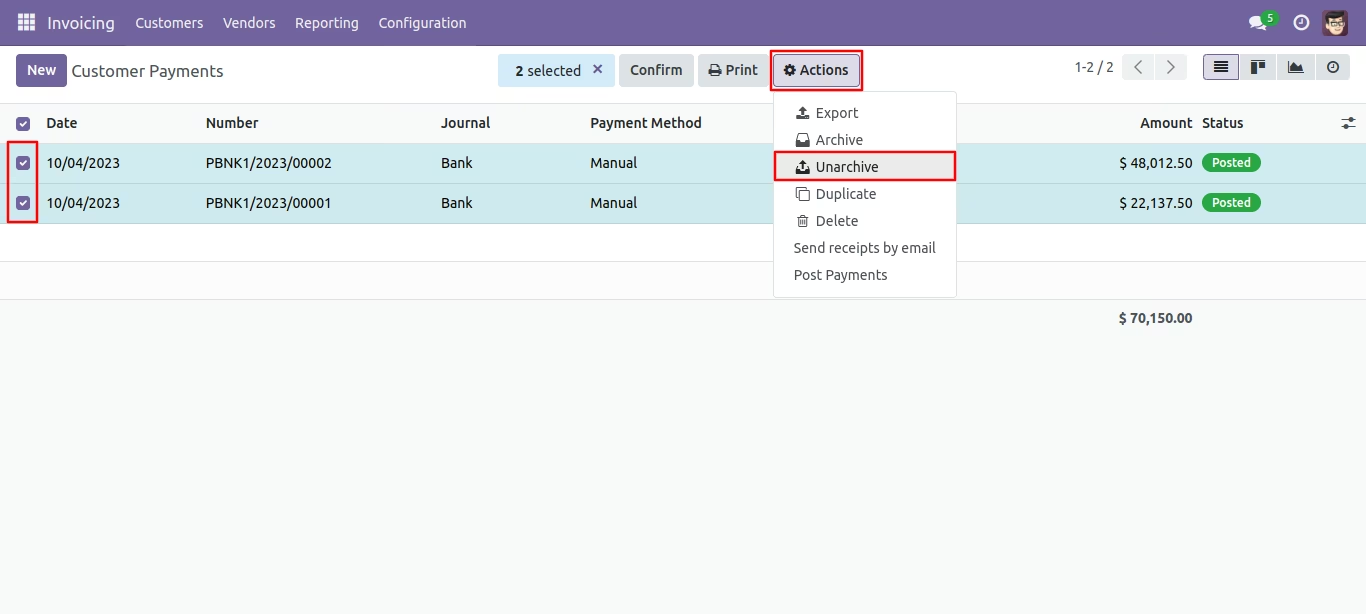
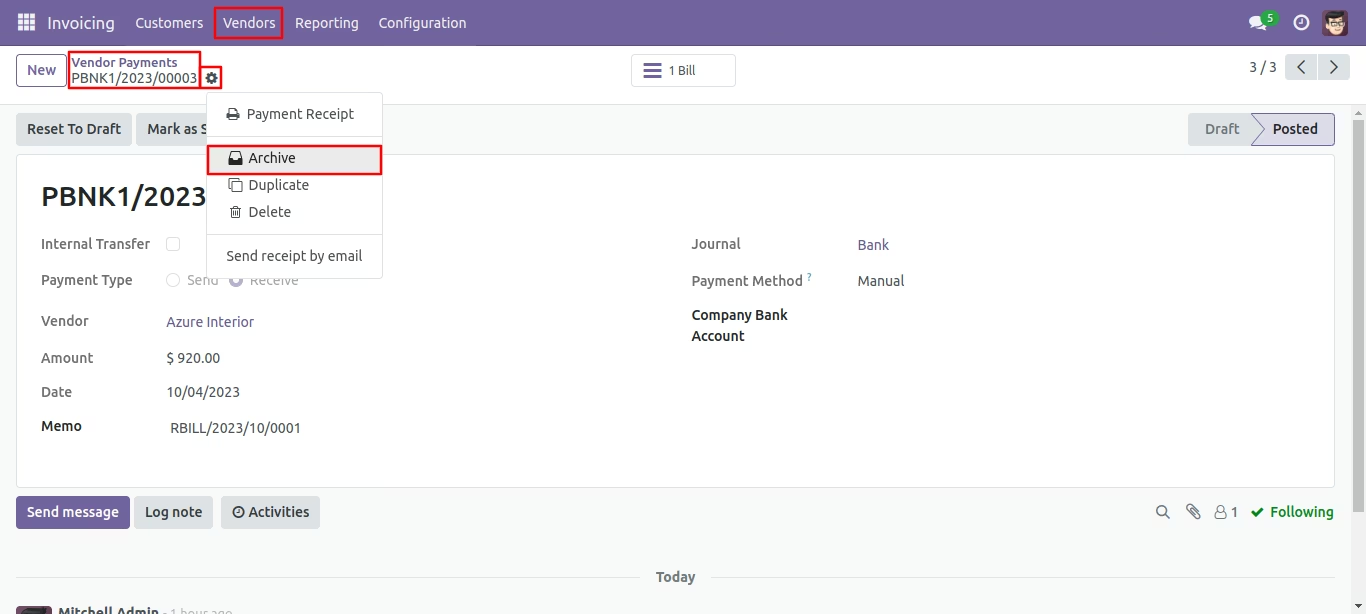
Press the 'Archive' option from action button to store the records.
Click 'Archive' for confirmation.
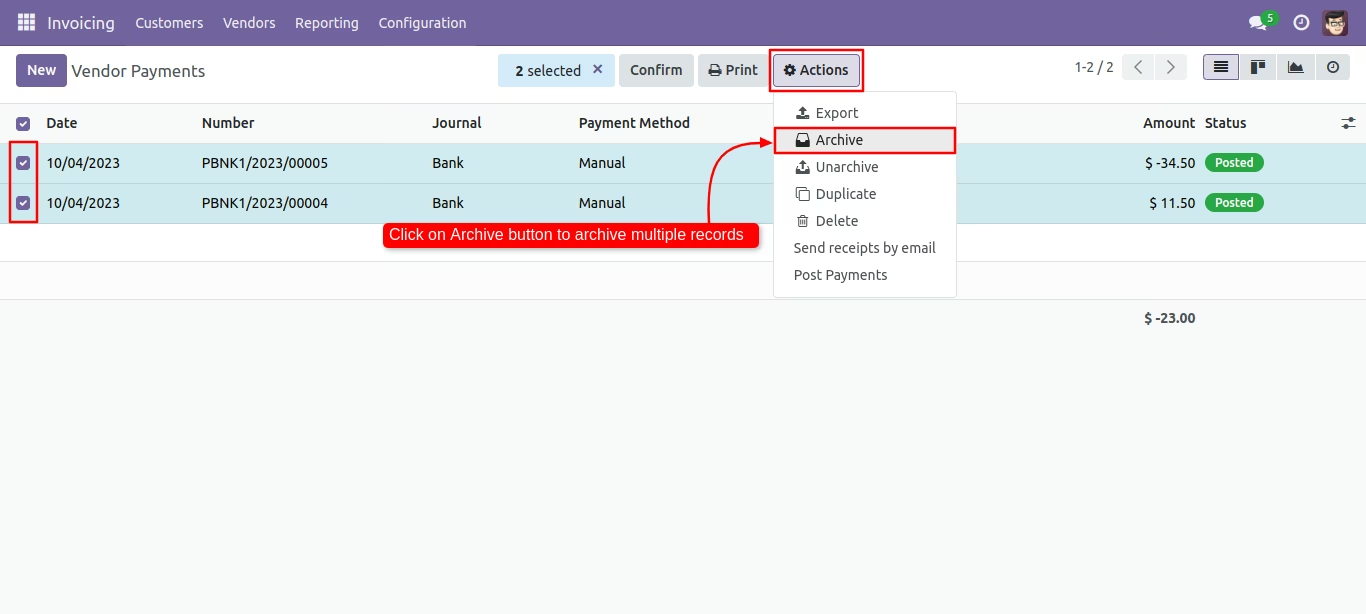
Tree view of the vendor payments. You can archive records using mass action.
Click 'Archive' for confirmation.
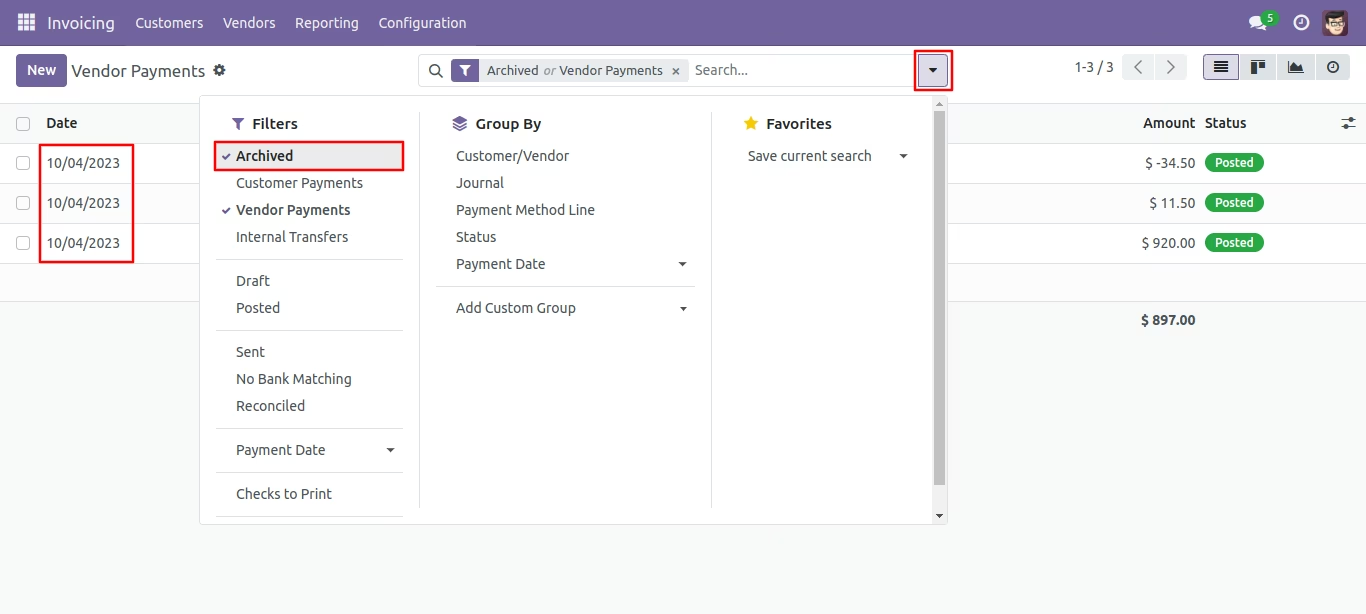
You can filter archived records in customer payments.
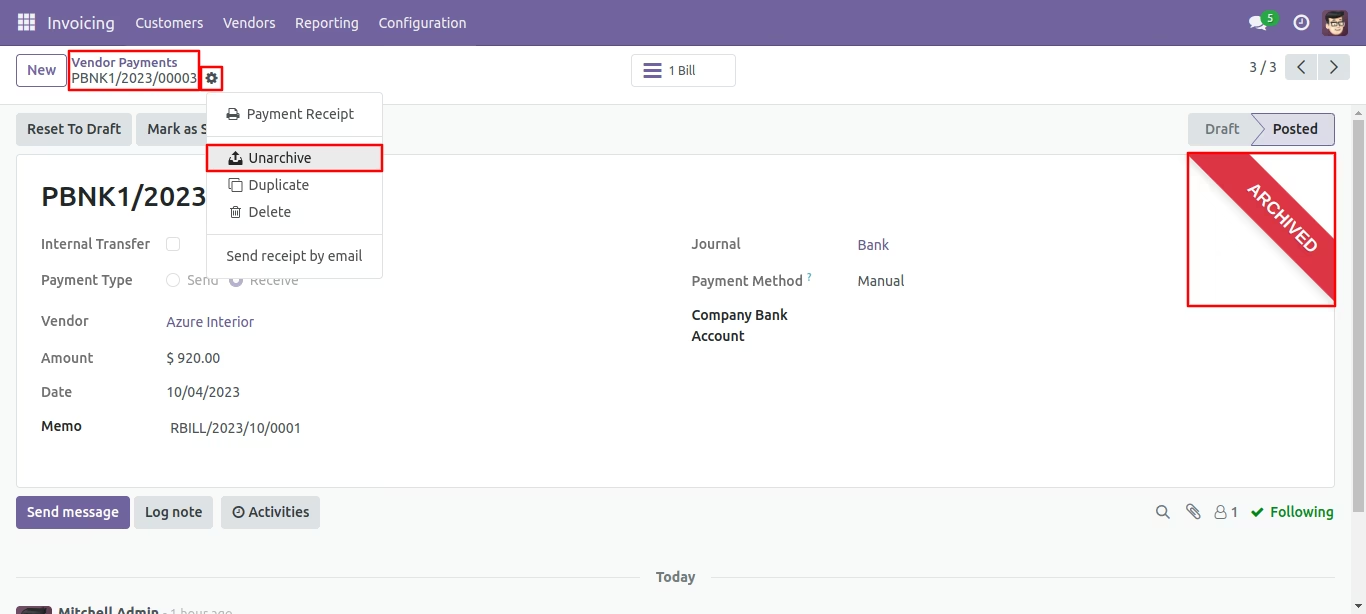
Press the 'Unarchive' option from action button to unarchive the record.
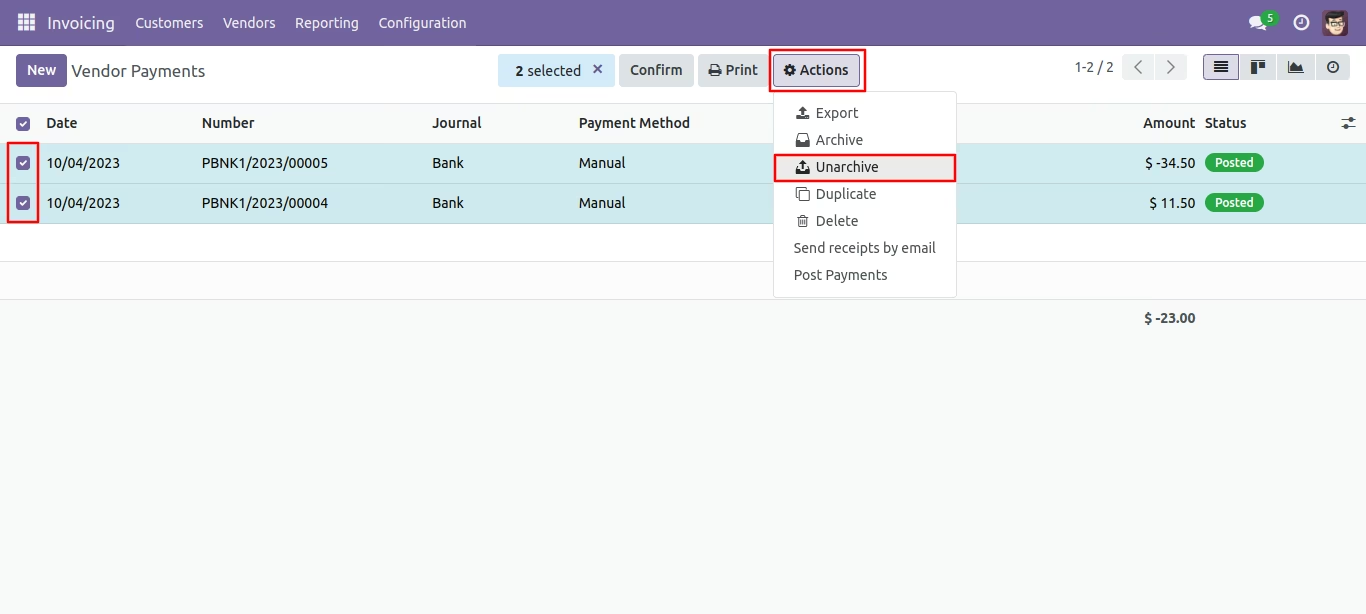
You can unarchive record using mass action.
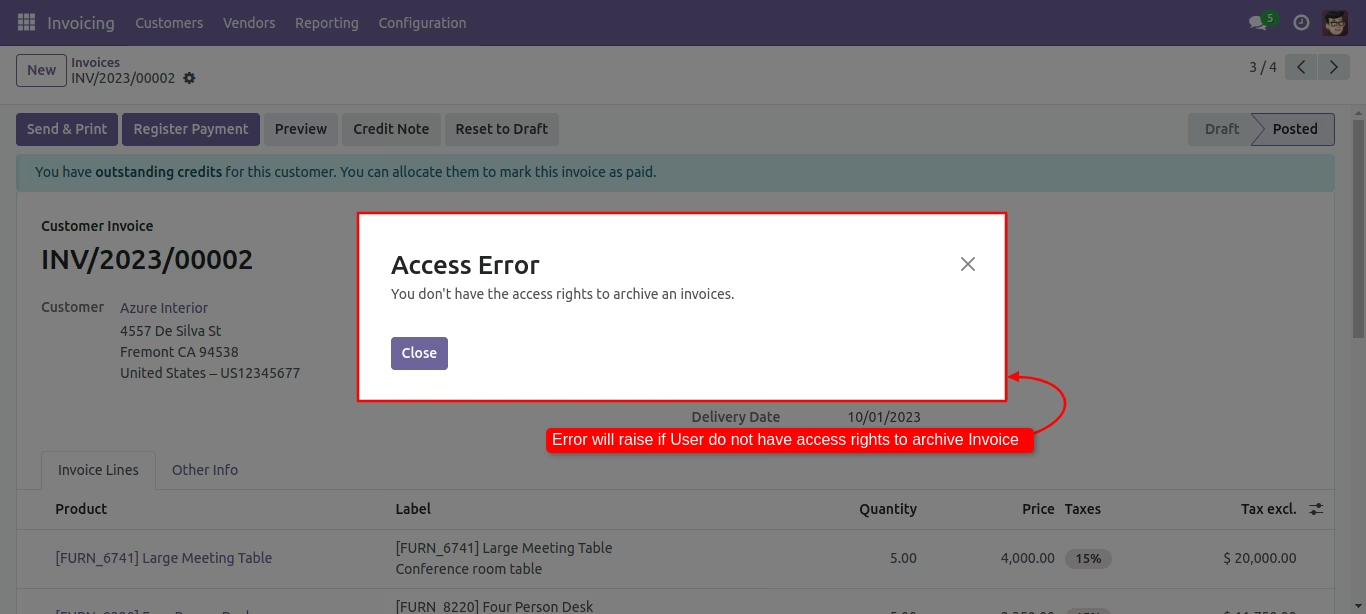
If user doesn't have the rights then the error will be appear when trying to unarchive the invoice.