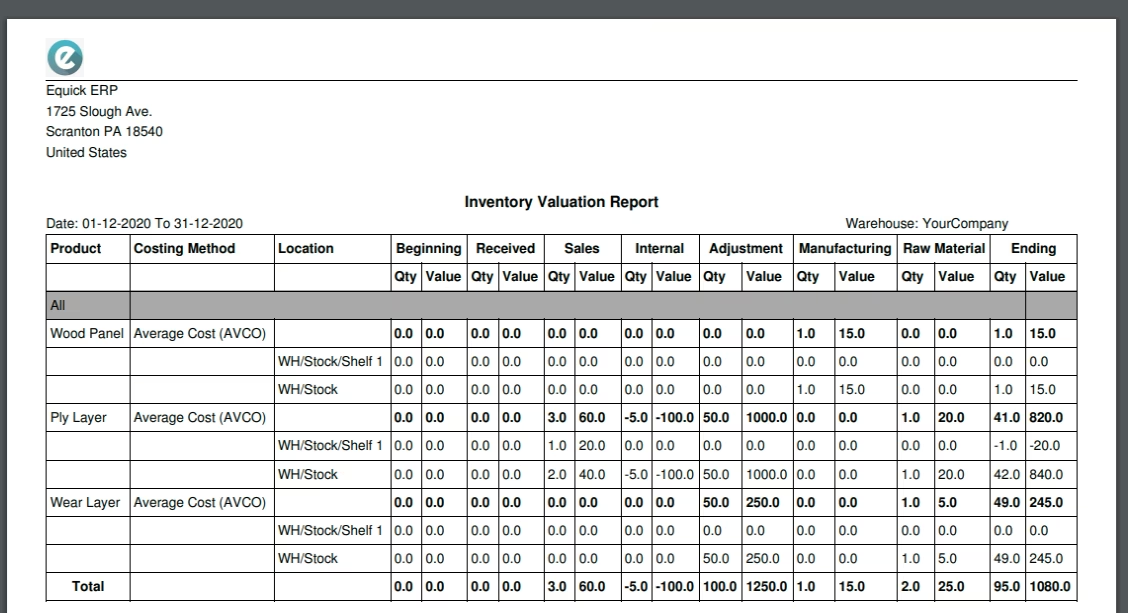
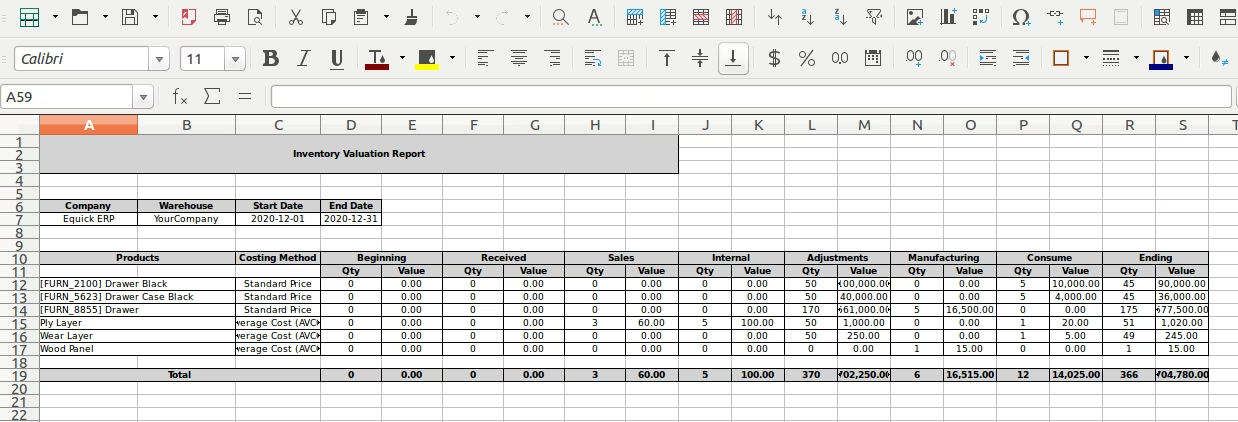
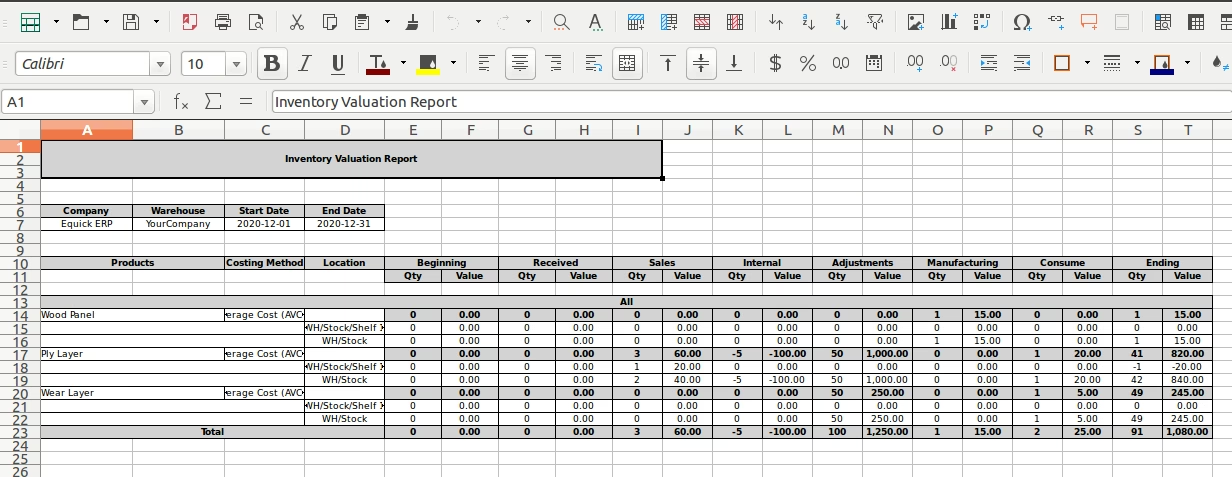
The module extends inventory valuation capabilities by incorporating manufacturing data. It provides businesses with detailed insights into stock values by combining standard inventory movements with MRP operations. This helps improve financial accuracy and supports better production planning and cost control.
Enhanced inventory valuation report including manufacturing (MRP) stock movements.
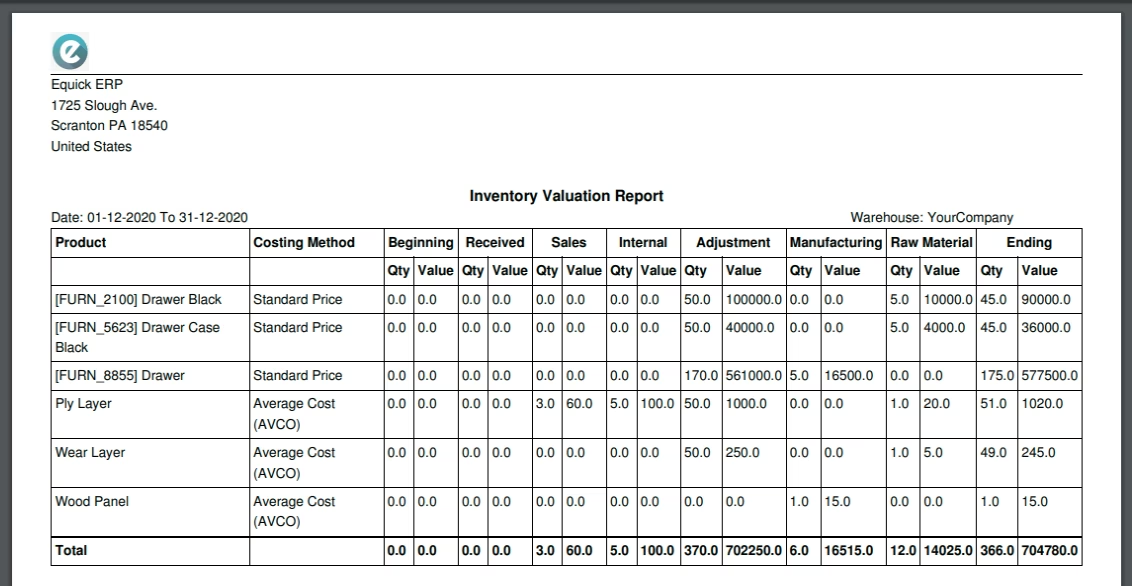
View current and historical stock values with combined purchase, delivery, and production data.
Support filtering by product, date, and valuation methods for precise analysis.
Automatically include MRP transactions like manufacturing orders in valuation metrics.
Real-time or as-of-date valuation views for dynamic financial assessment.
Gain deeper financial insight by integrating manufacturing impacts into inventory valuation.
Improve production planning and cost forecasting with accurate stock valuation data.
Streamline audit and financial reconciliation with consolidated valuation reporting.
Enhance decision-making with detailed, filtered views by product, date, and valuation method.
Reduce manual reconciliation work by automating inclusion of MRP-related stock movements.
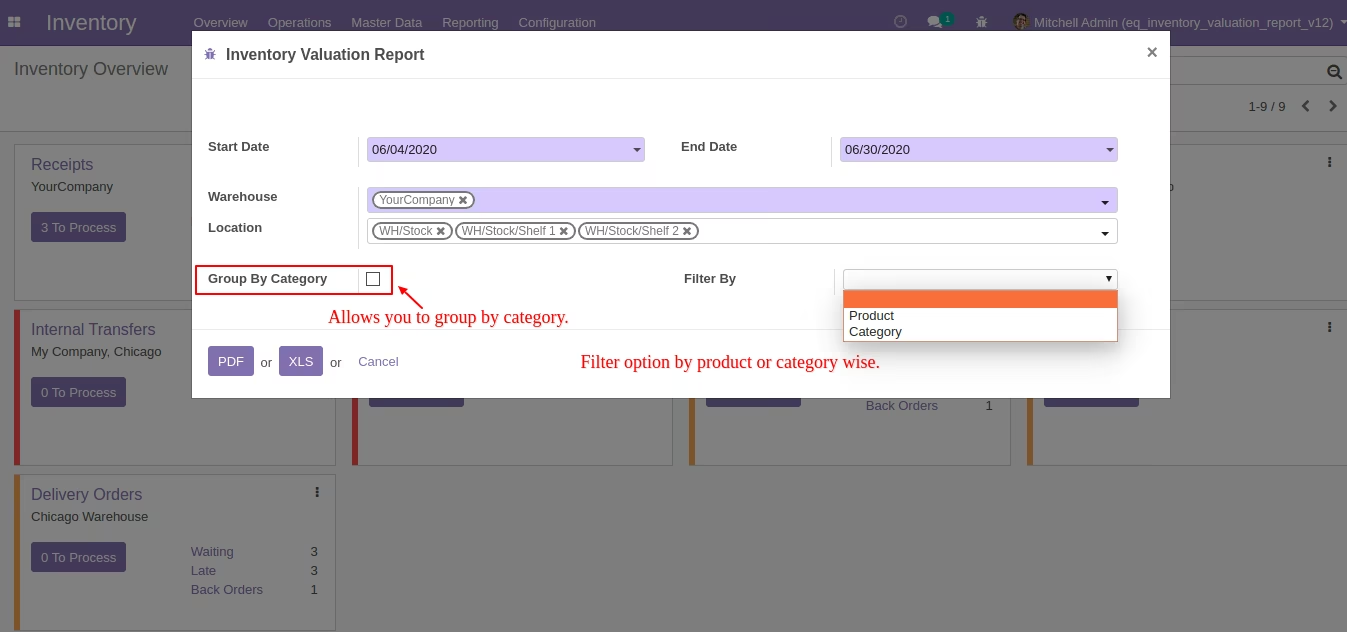
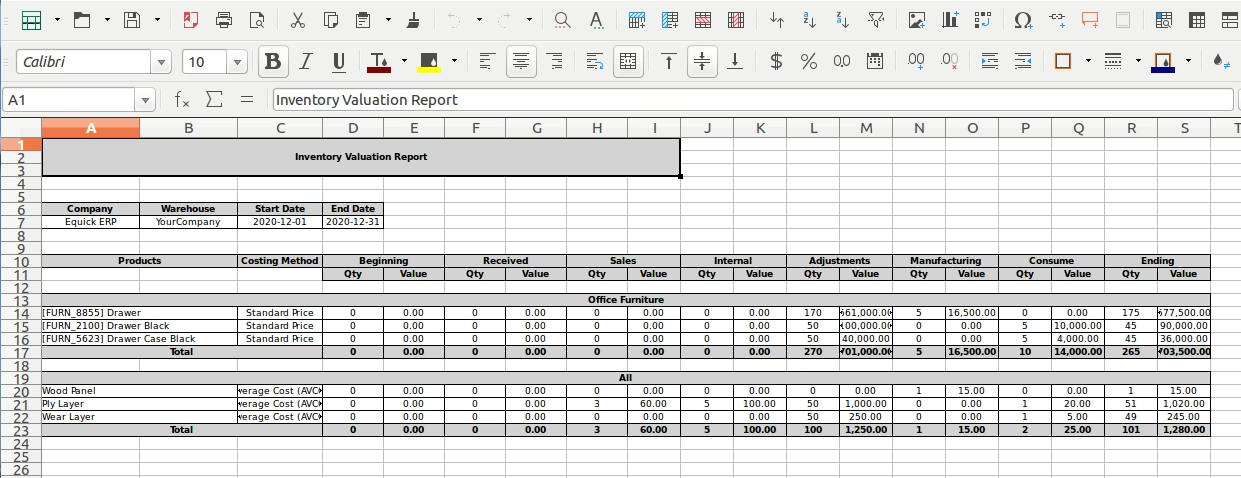
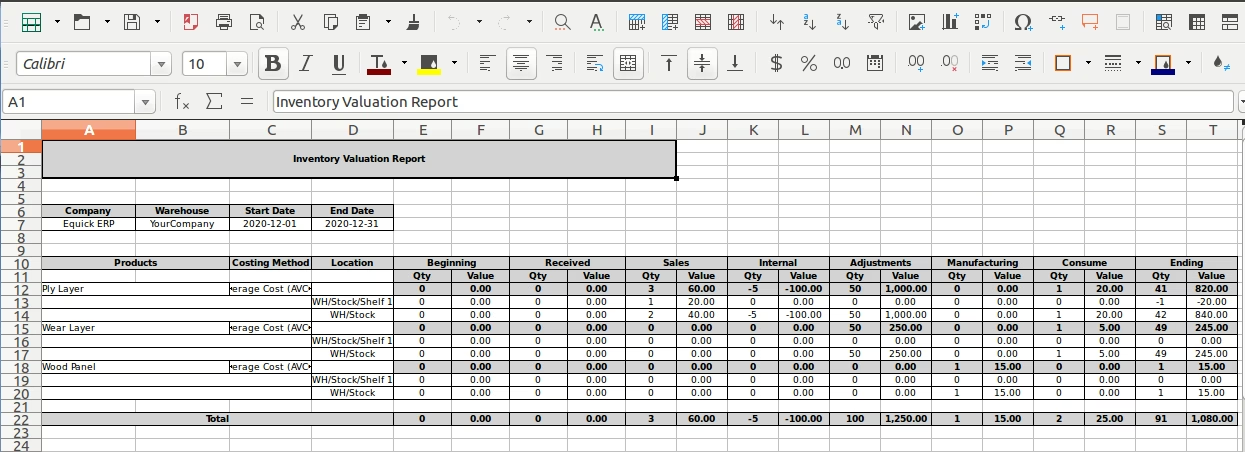
- Allows you to Generate Inventory Valuation Report PDF/XLS Report.
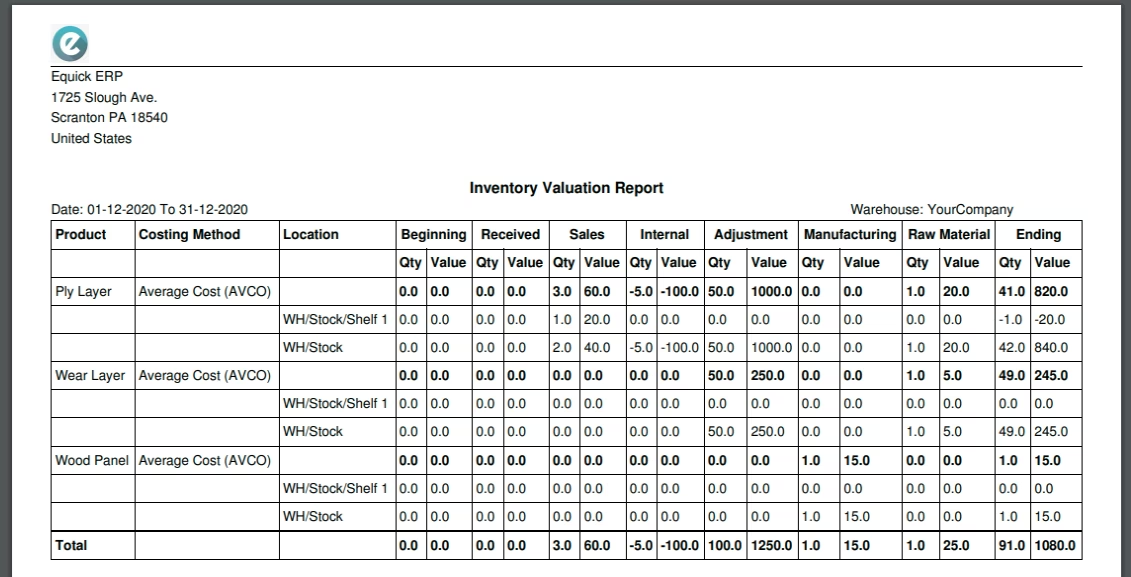
- Support Multi Warehouse And Multi Locations.
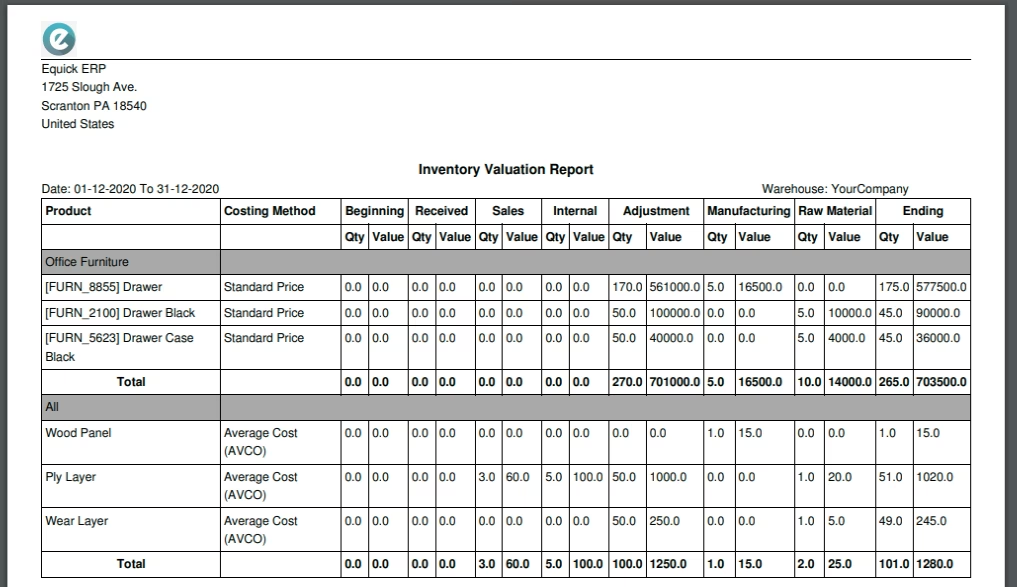
- Group By Product Category Wise.
- Filter By Product/Category Wise.