The module enables businesses to organize warehouses and inventory operations under distinct branches. It streamlines multi-branch logistics by linking each warehouse or transfer to a specific branch, enhancing clarity, automating workflows, and supporting accurate reporting across organizational units.
Associate each warehouse and inventory transaction with a dedicated company branch.
Automate branch assignment for operations such as stock moves, receipts, and internal adjustments.
Default branch selection based on user permissions to simplify multitasking in multi-branch environments.
Reflect branch values in inventory, sales, purchase, and accounting documents for transparent data flow.
Enable branch-level filtering and grouping in reports to support granular analysis.
Achieve cleaner multi-branch inventory separation for better operational oversight.
Save time by automating branch allocation across diverse inventory tasks.
Enhance reporting accuracy with branch-based financial breakups.
Reduce errors in branch-specific logistics through consistent data assignment.
Empower decision-makers with clear, branch-filtered insights across all inventory and transaction data.
provides multiple company feature which helps to manage your different company in one database. But if you want to manage your business with multiple locations/branches/Stores/Chains in one database so that feature is not available. Our this app provides feature to manage your business with multi branches.
Multiple Branch Selection
Users can select multiple branches simultaneously. Easy to manage records across several branches in a single view.
Key Feature For Multi Branch
Multiple Branches support in Customers, Vendors, Products, Warehouses, Scrap Orders, Locations.
Inventory Multi Branch
Multi-branch support in Incoming Orders, Delivery Orders, Internal Transfers, Warehouses, Locations, Inventory Adjustments, Scrap Orders, Inventory Valuation, Stock Moves, and Product Moves.
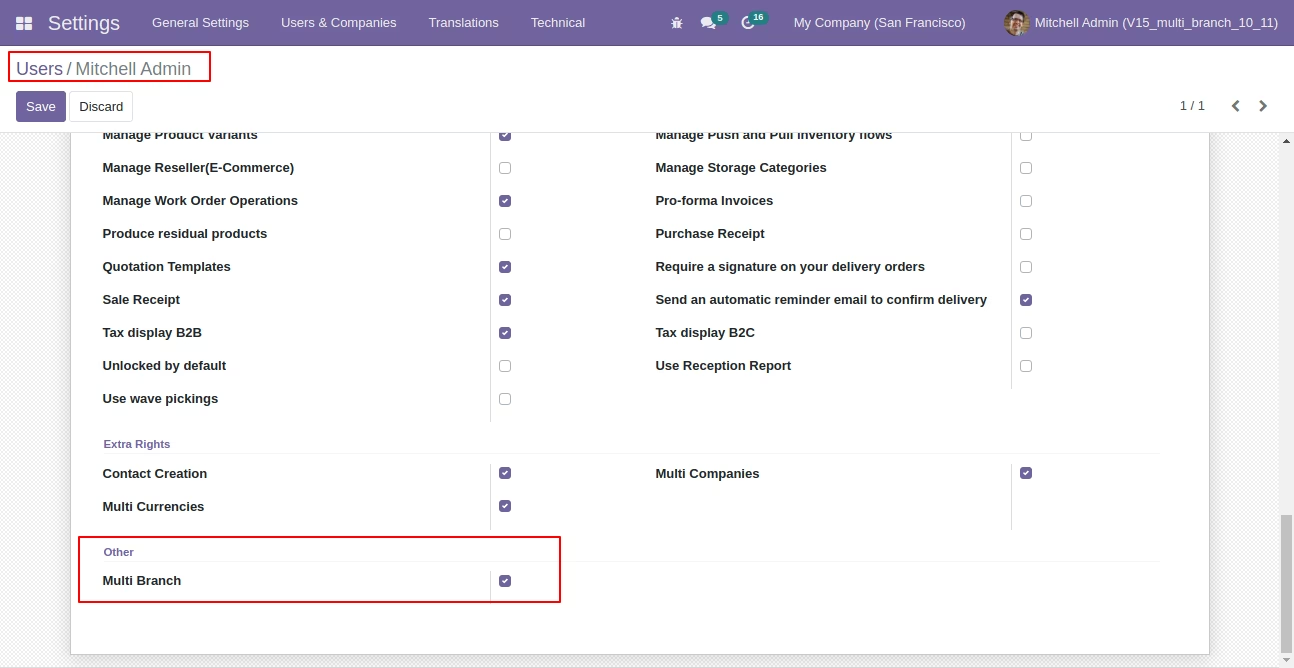
Enable 'Multi Branch' in users. For giving multi branch access to the users.
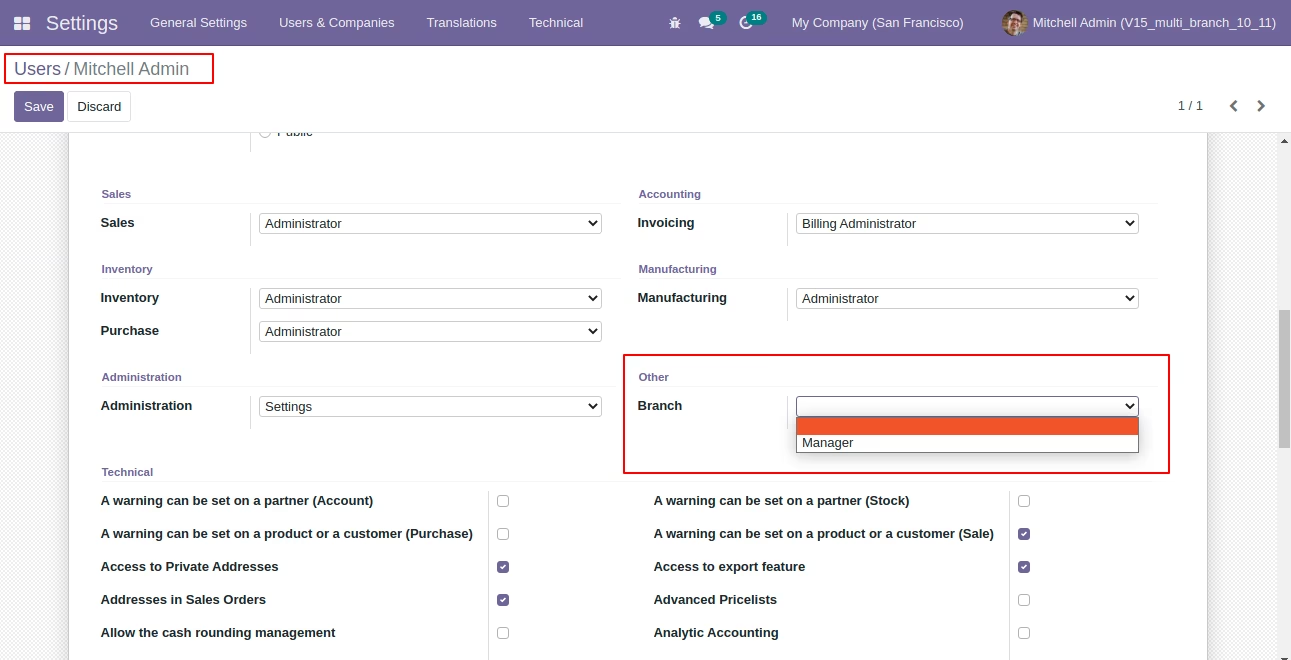
Select Manager for the branch manager, who can create branches and assign branches to the users.
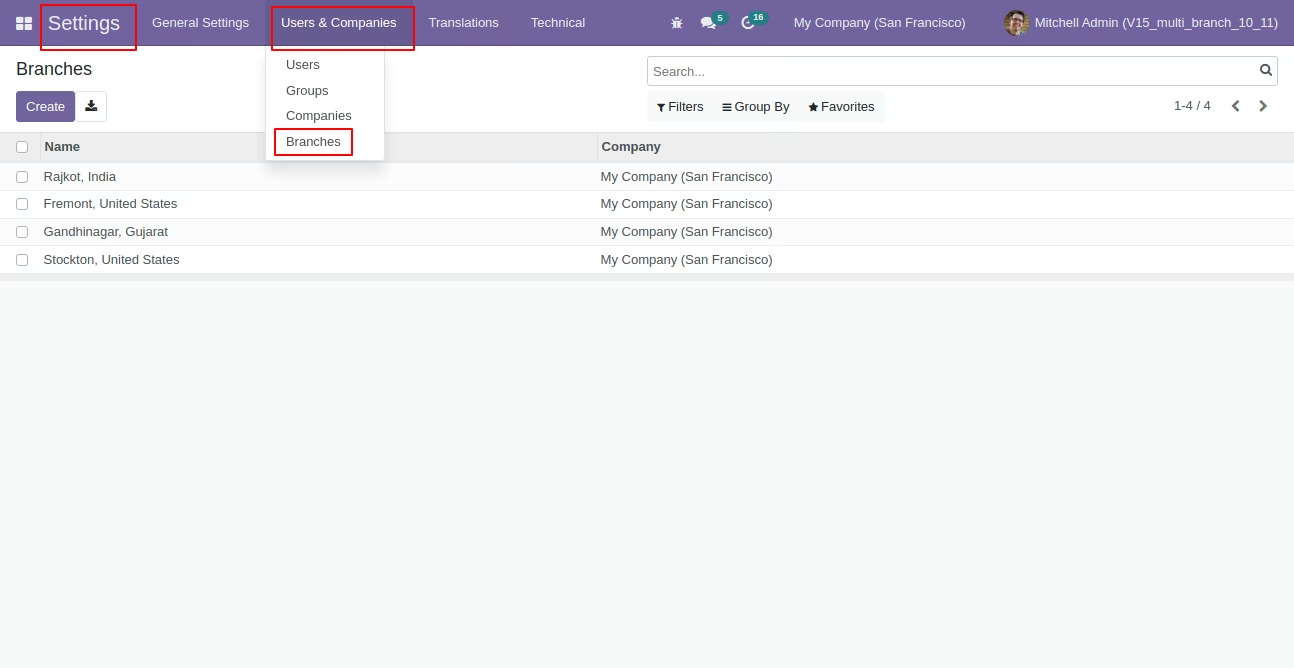
Branches menu and tree view.
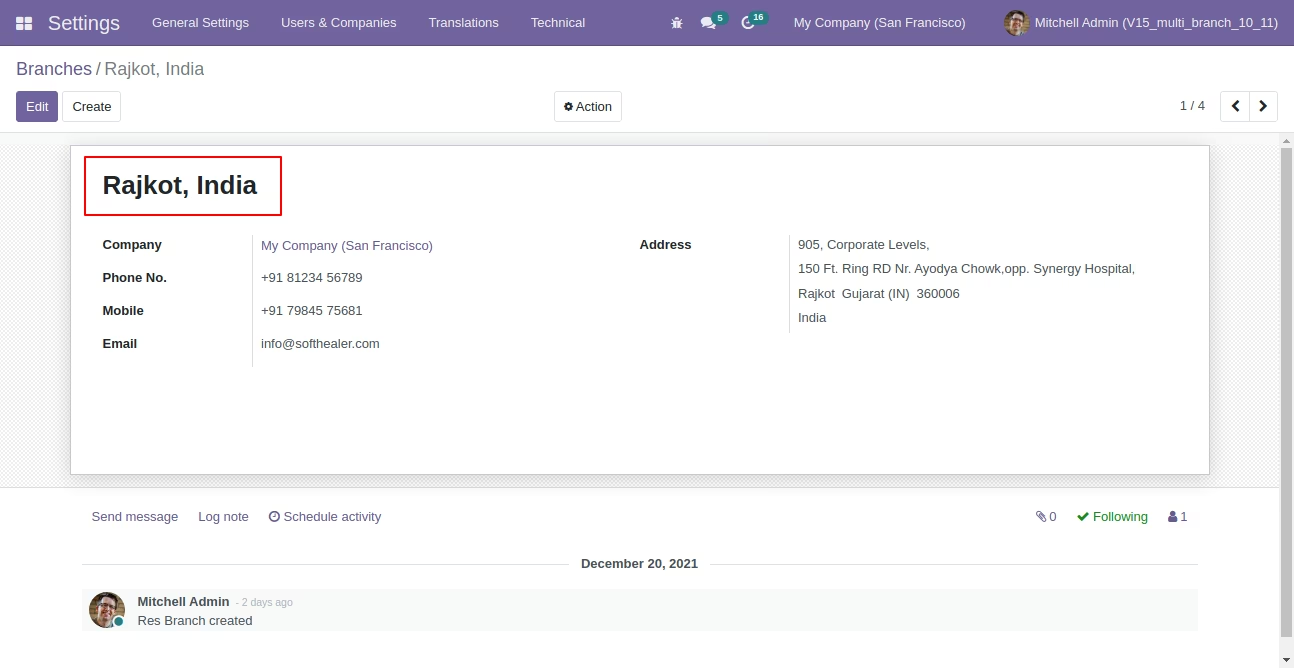
Branch form view.
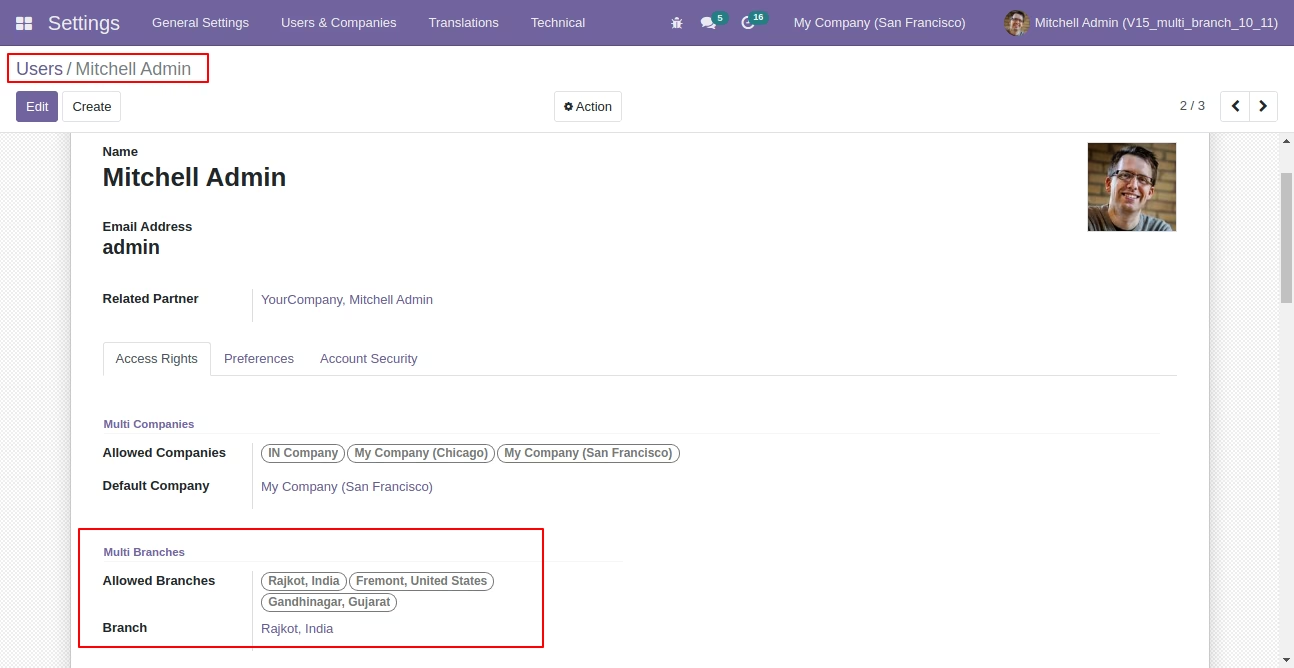
Assign branches to the users and select one default branch in 'Branch' for that user.
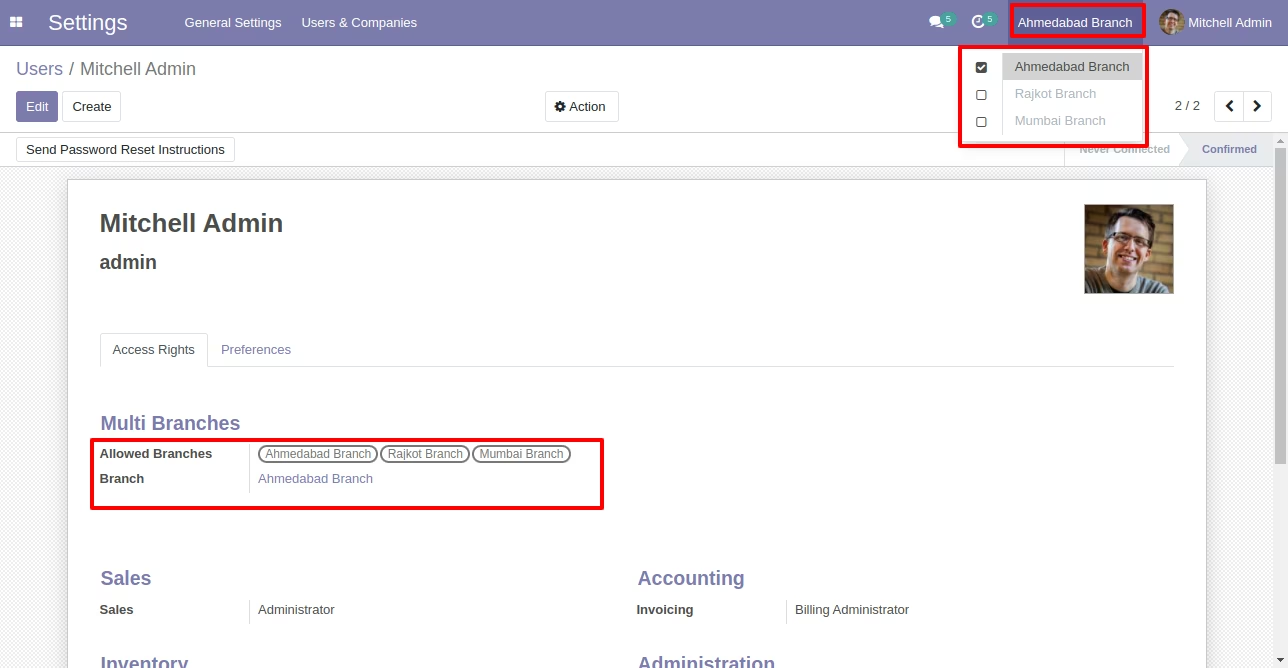
Dropdown for allowed branch.
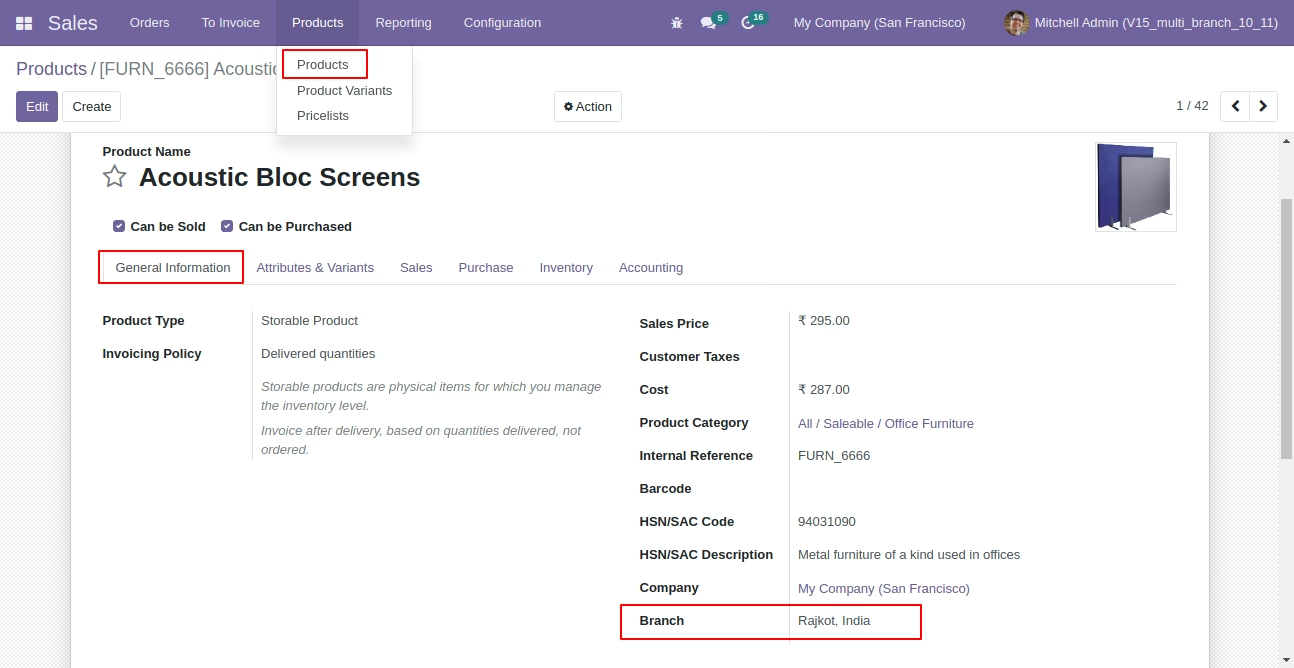
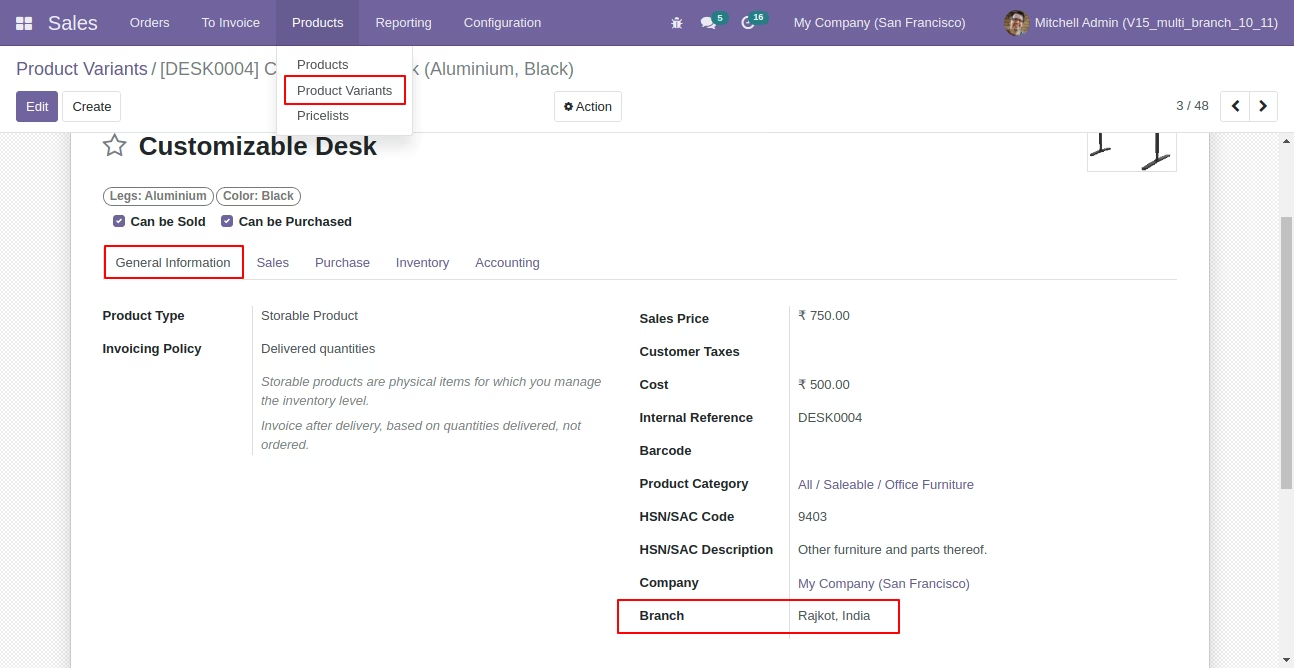
Define the branch in products.
In product variant branch auto detect from the product.
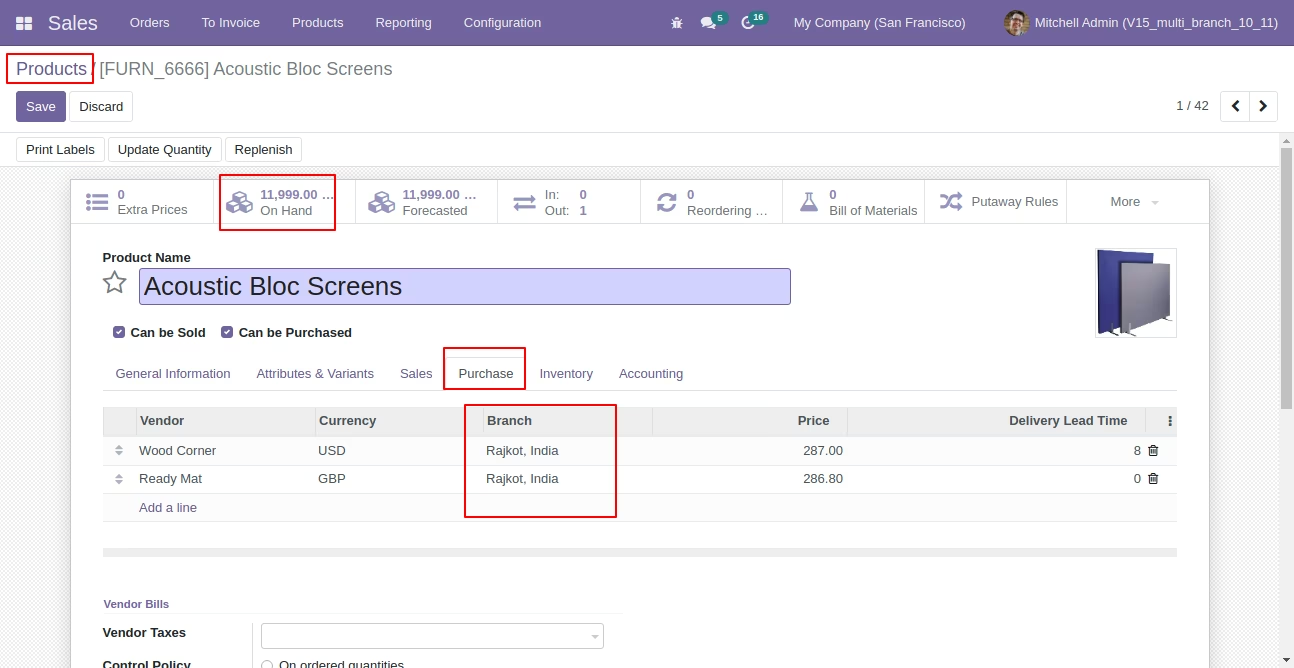
Set branch in product vendors list.
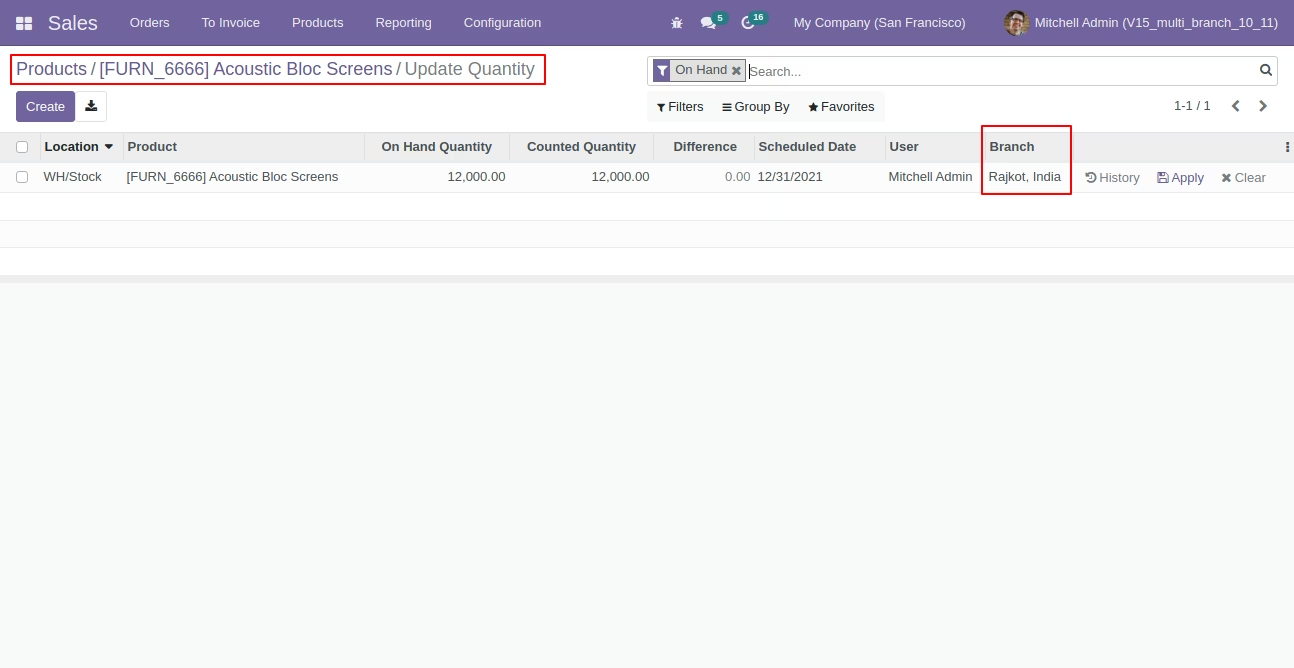
Define product onhand quantity branch wise.
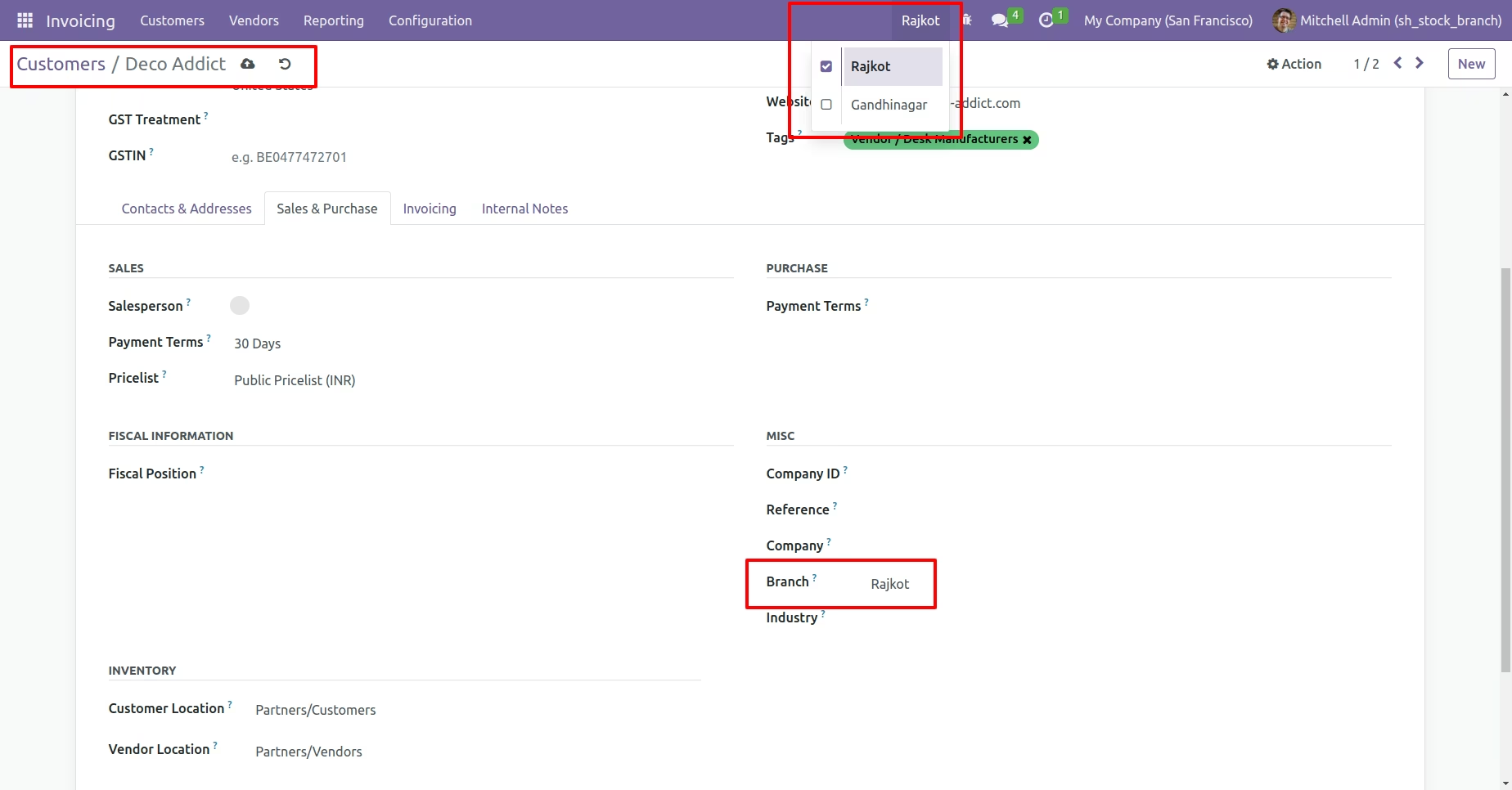
Set branch in customers.
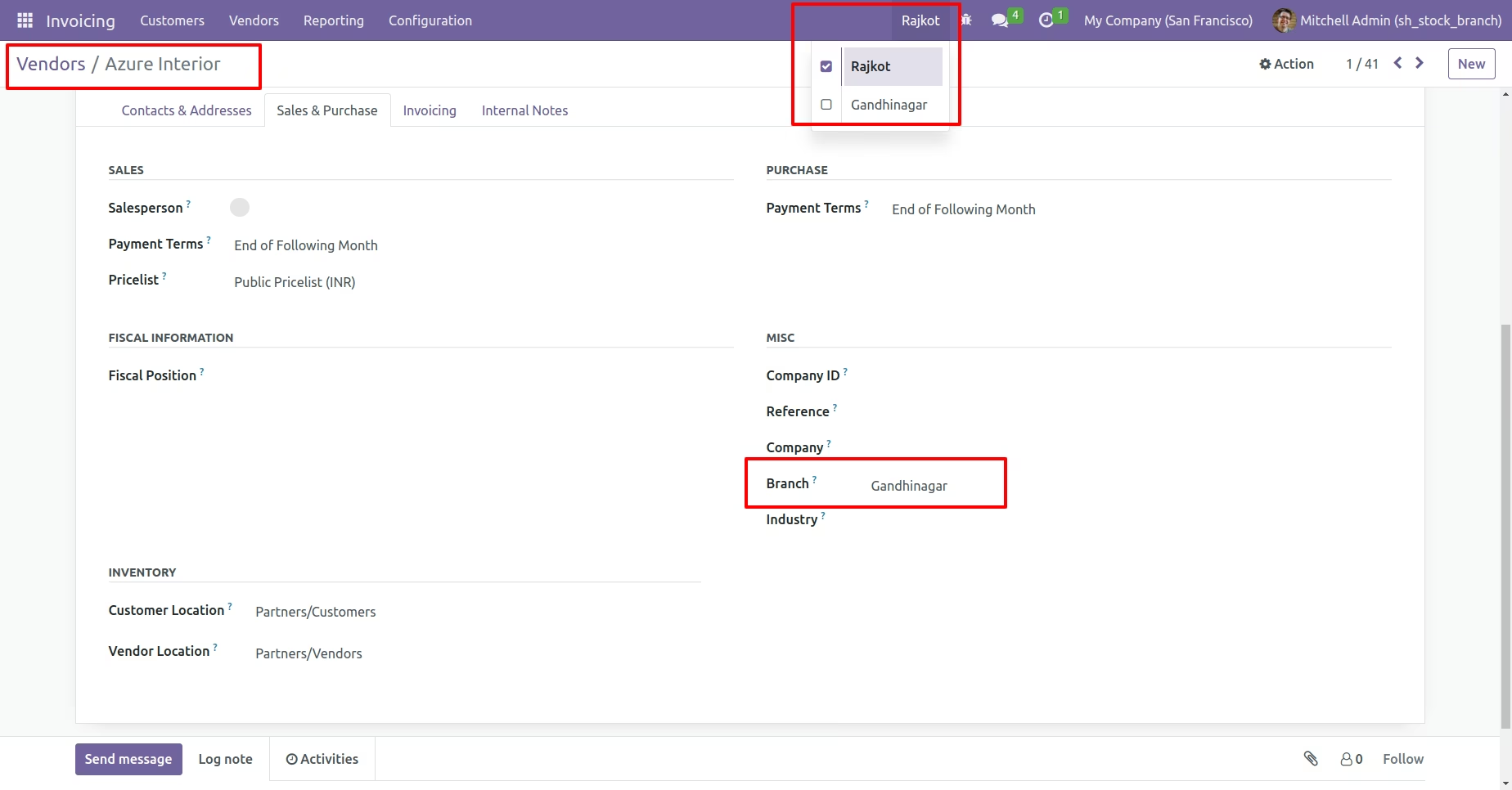
Set branch in vendors.
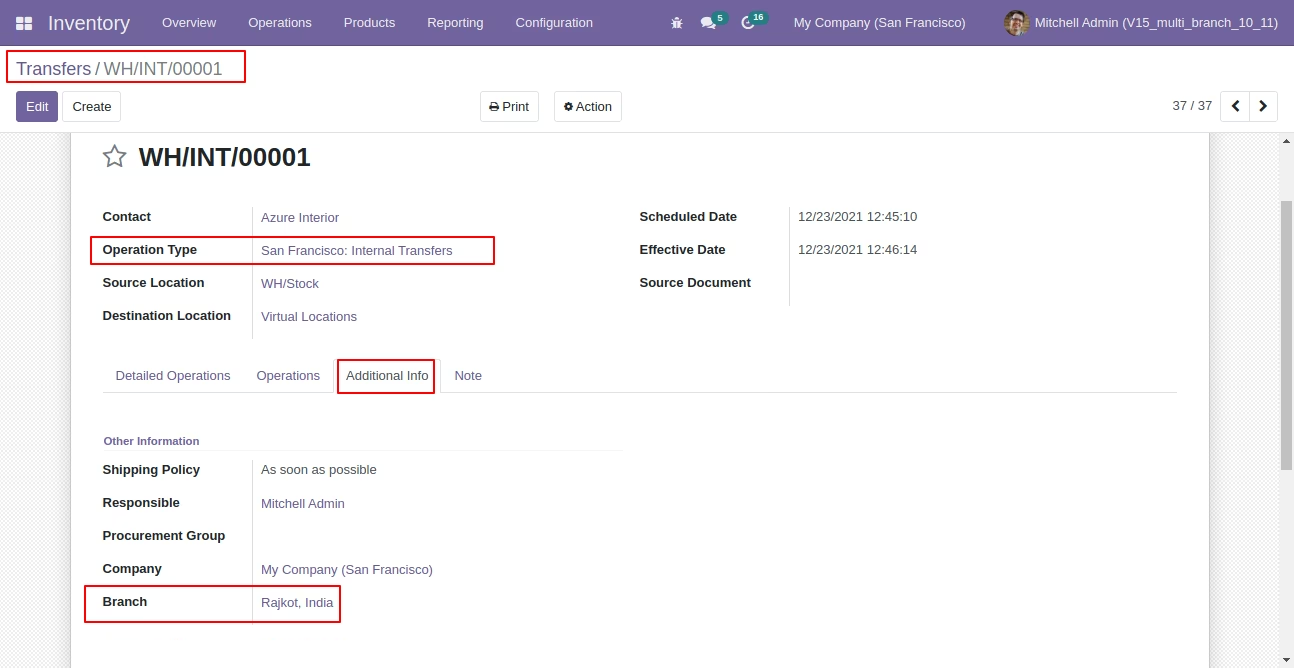
Branch field in internal transfer operation.
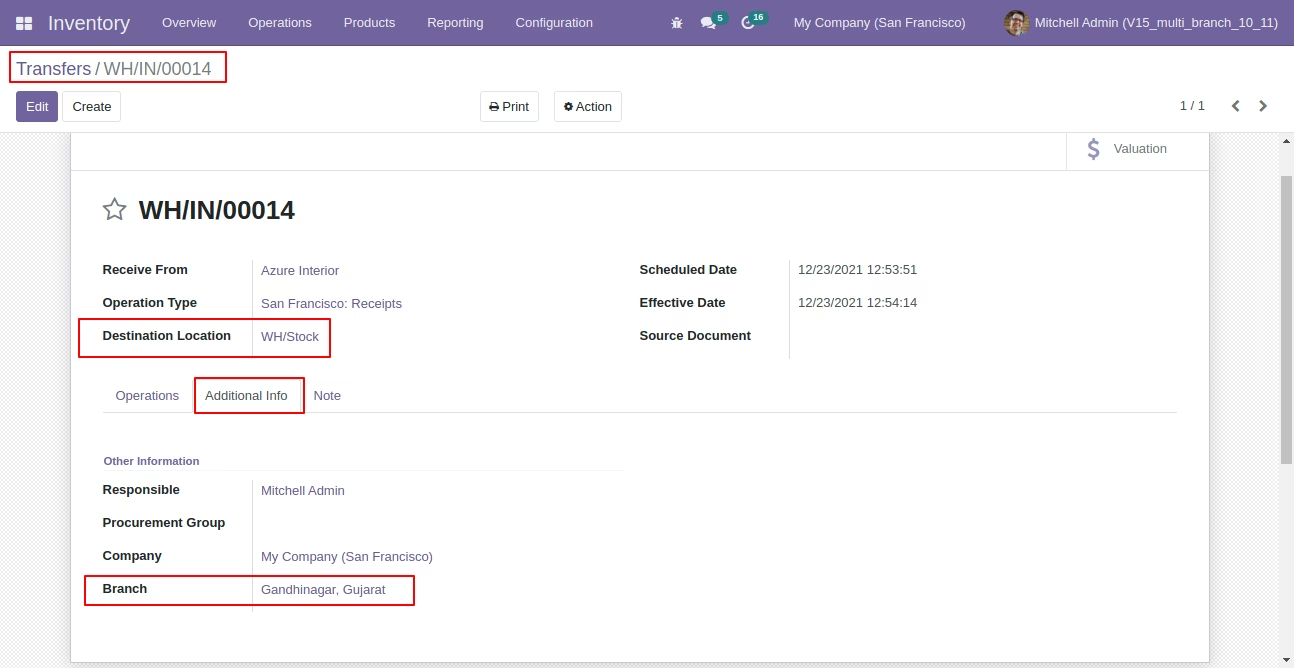
Branch field in incoming transfer operation.
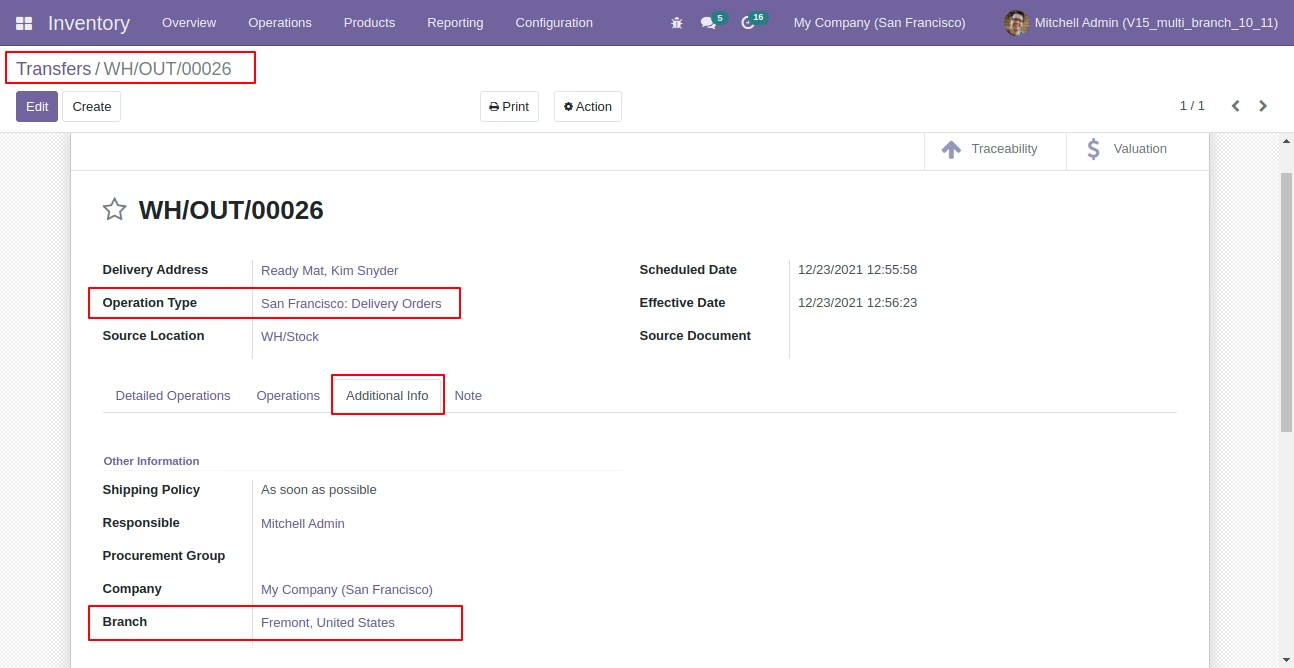
Branch field in delivery transfer operation.
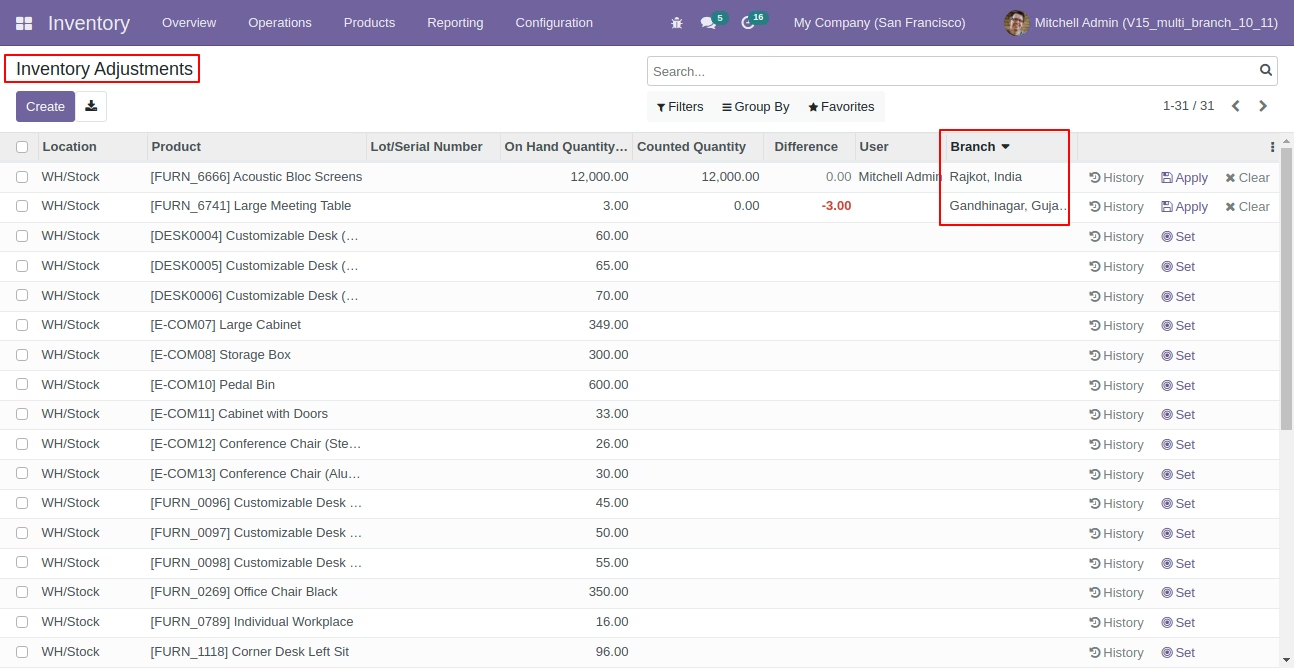
Branch field in the inventory adjustment tree view.
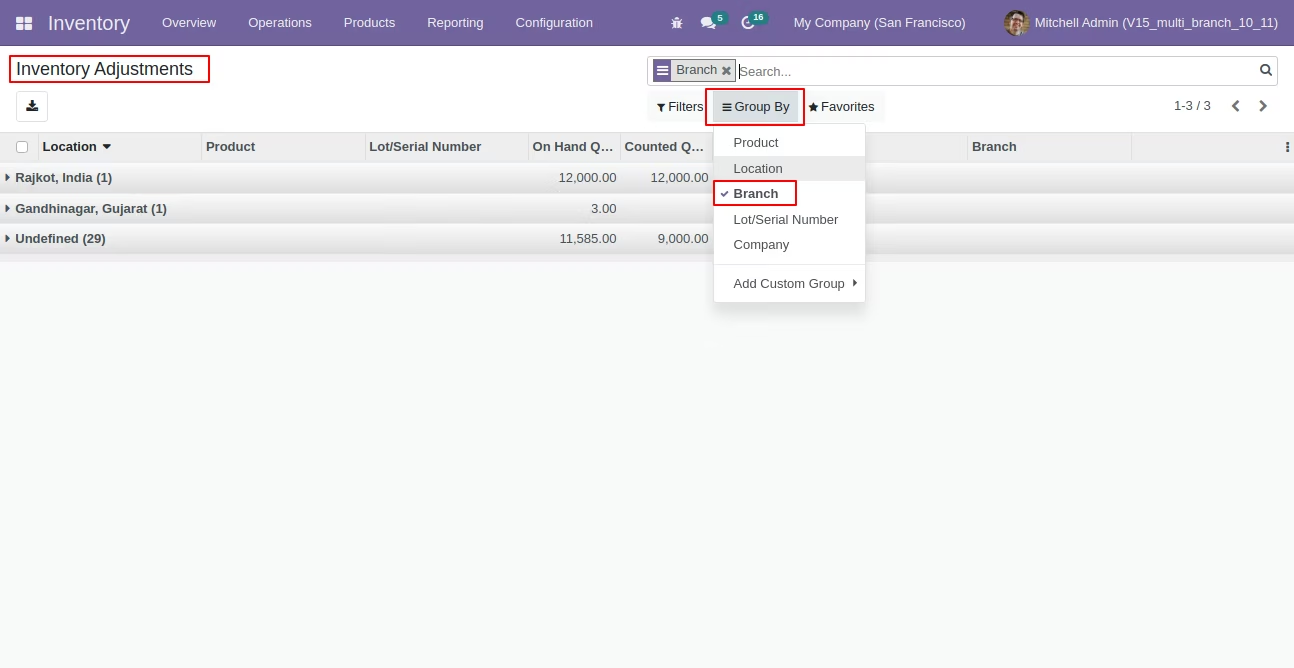
Inventory adjustment group by 'Branch'.
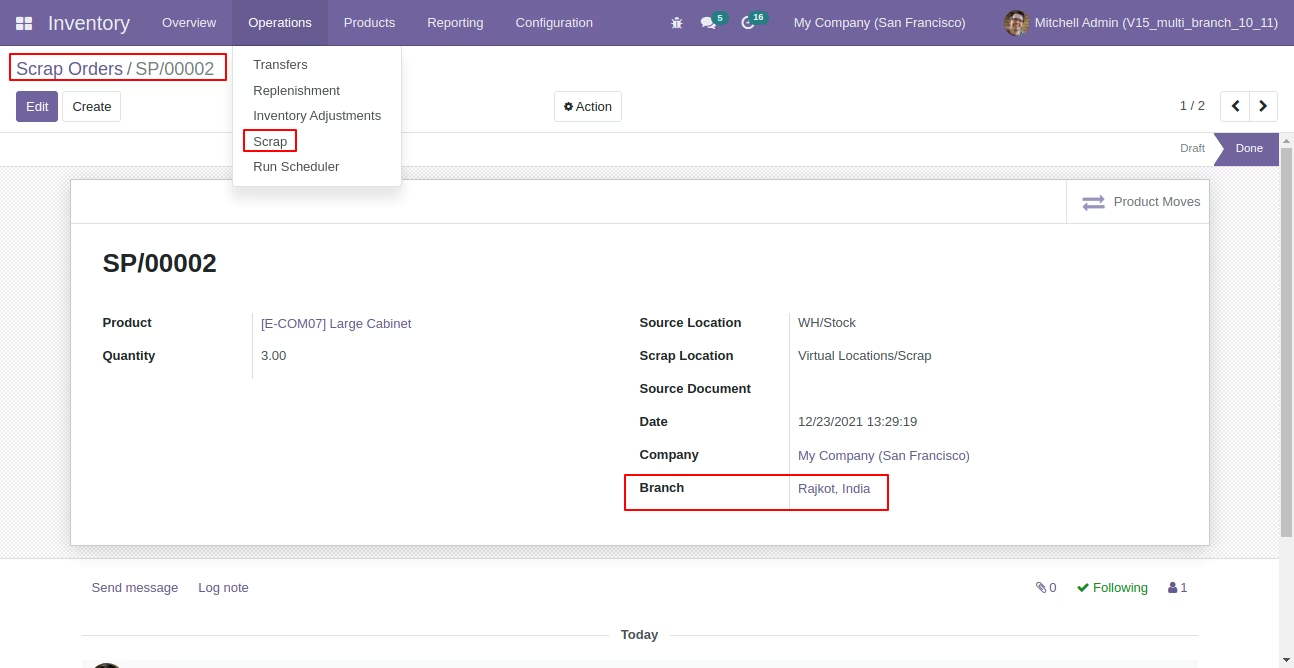
Branch field in scrap order.
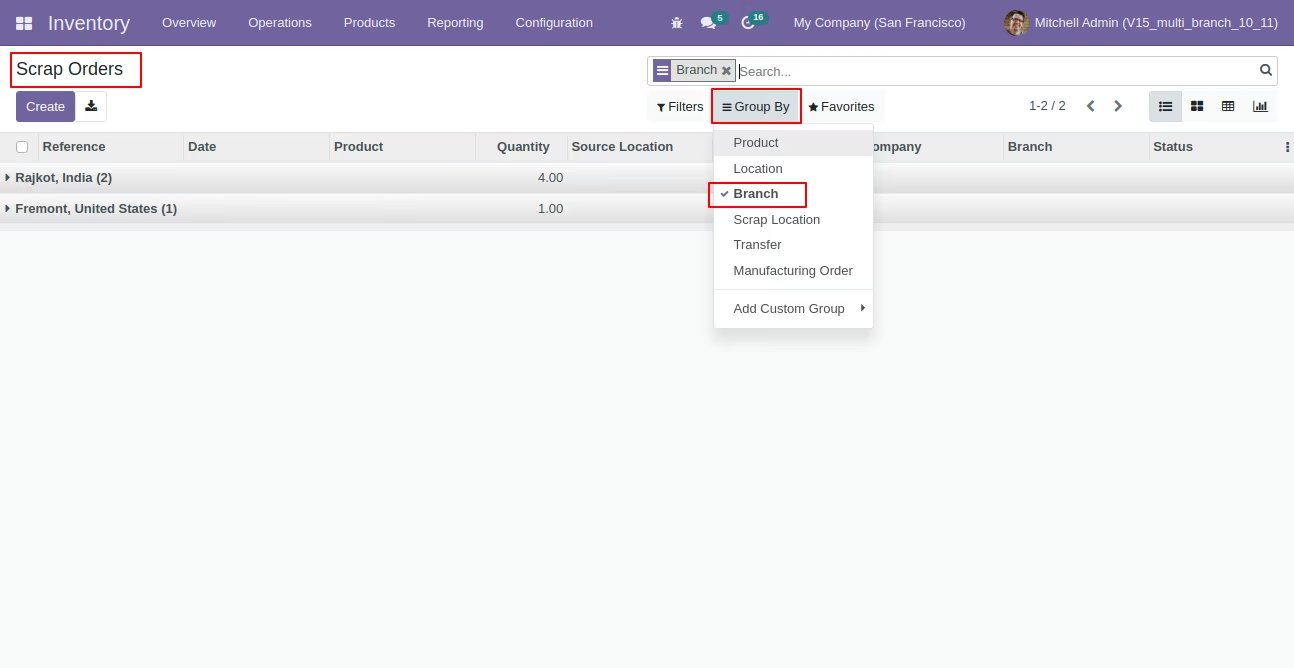
Scrap order group by 'Branch'.
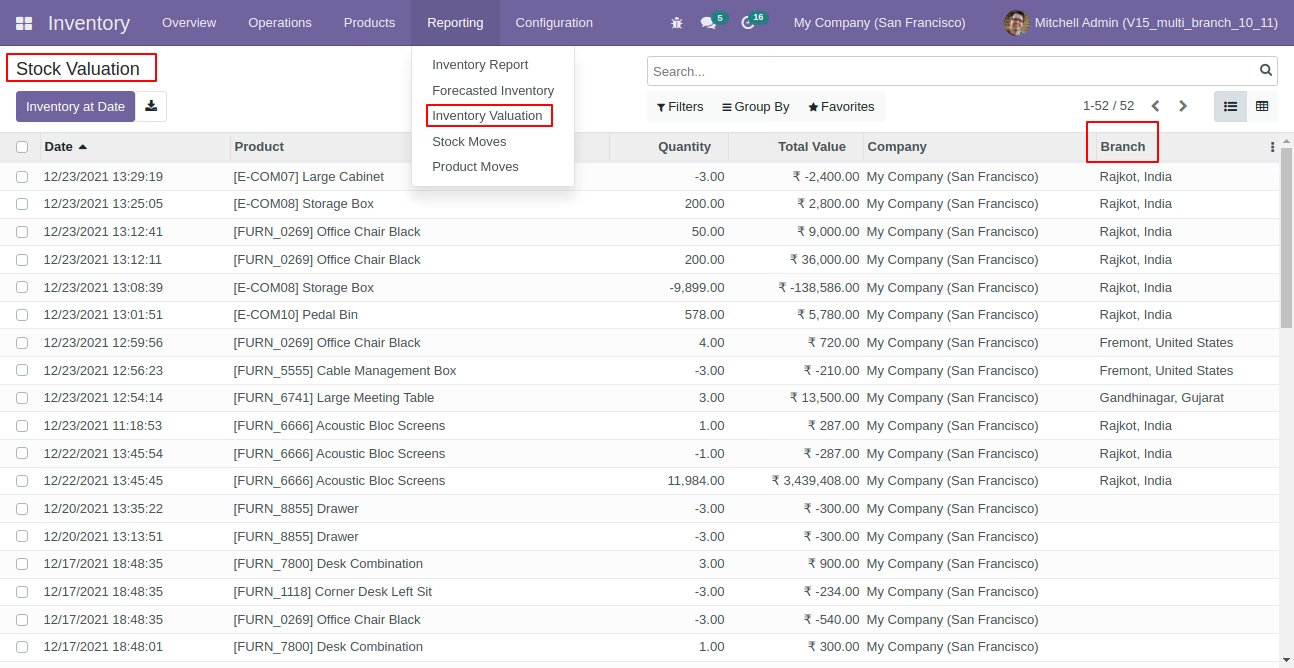
Branch field in stock valuation tree view.
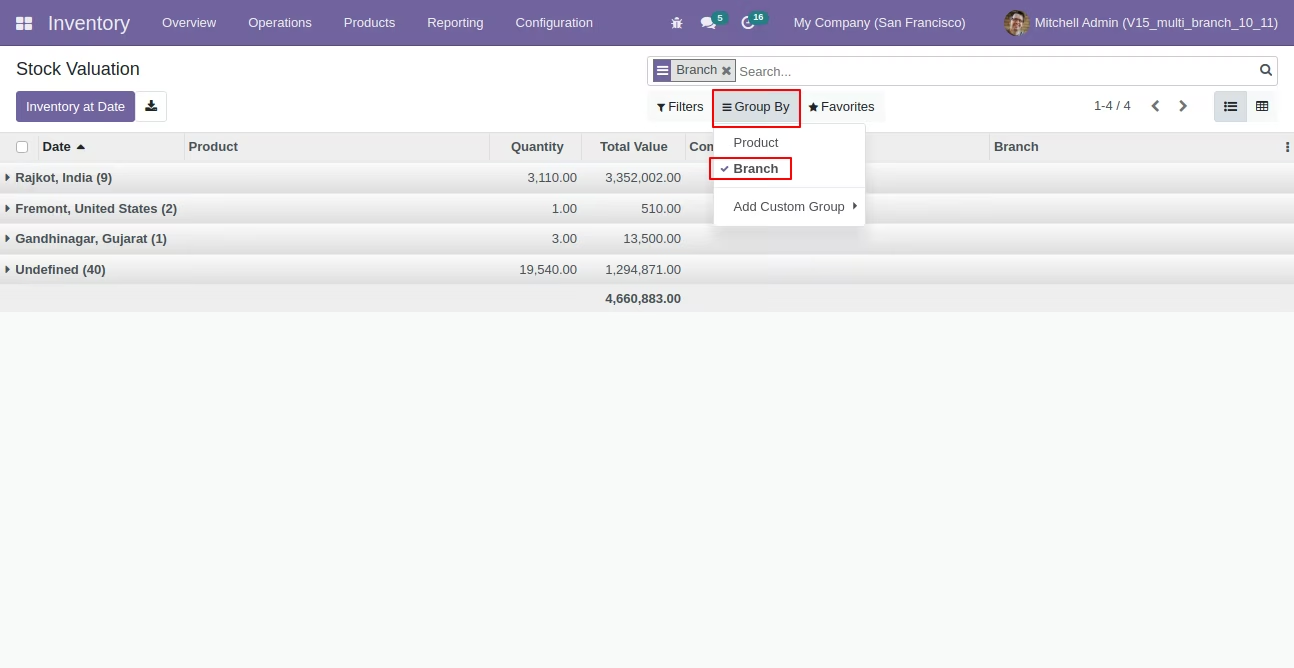
Stock valuation group by 'Branch'.
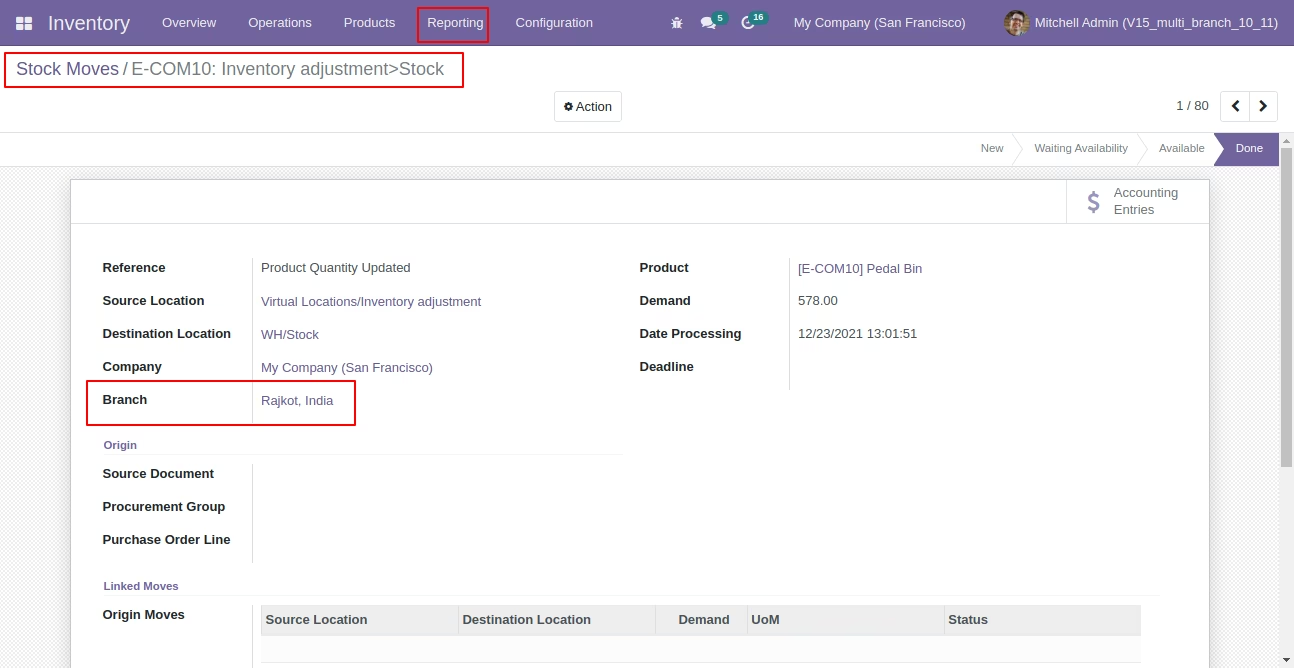
Branch field in stock moves Form view.
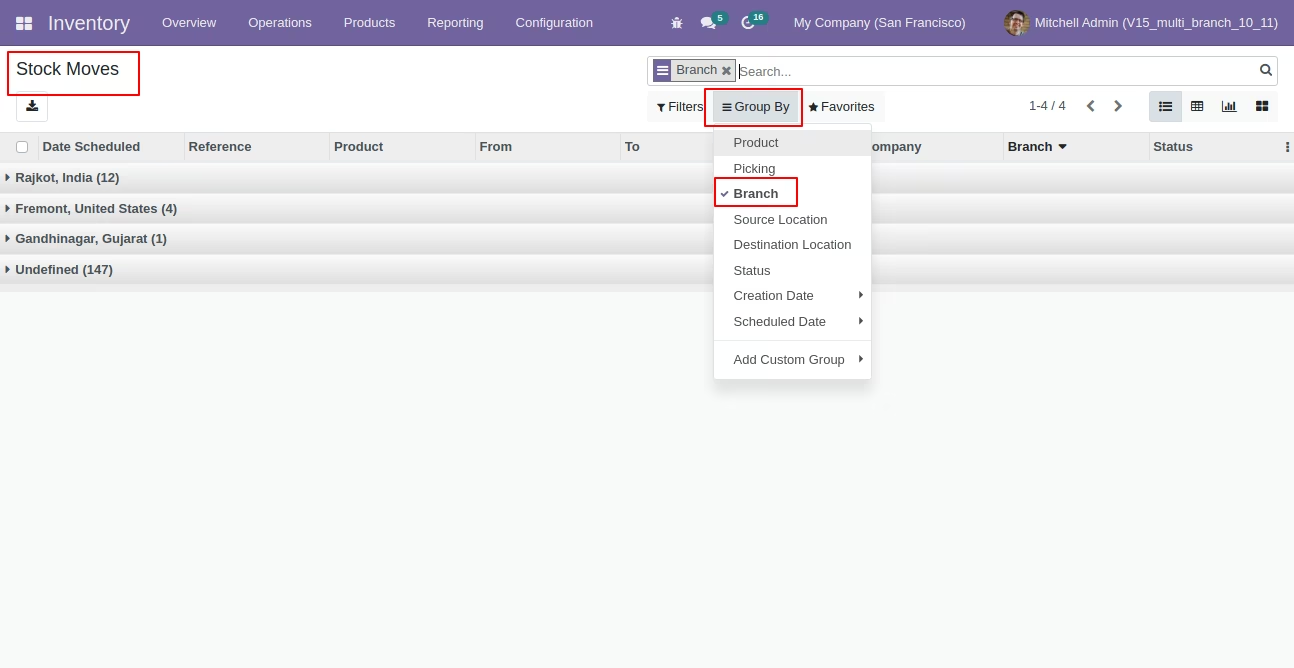
Stock moves report group by 'Branch' name.
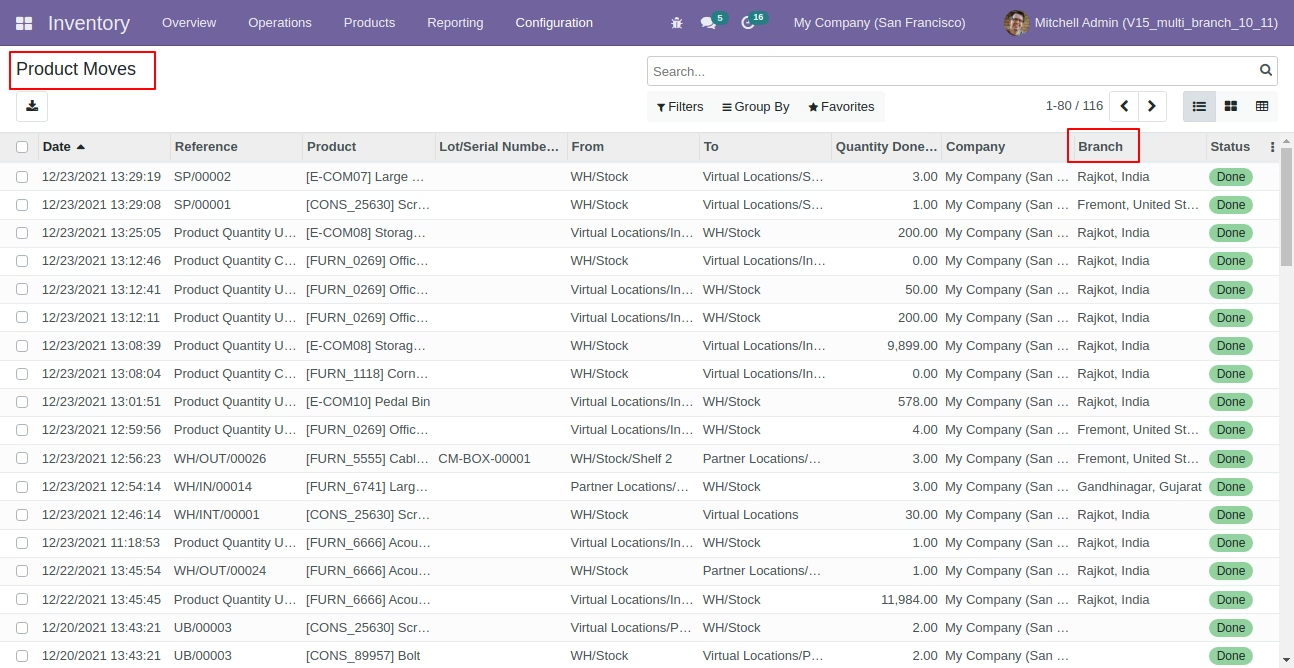
Branch field in product moves report tree view.
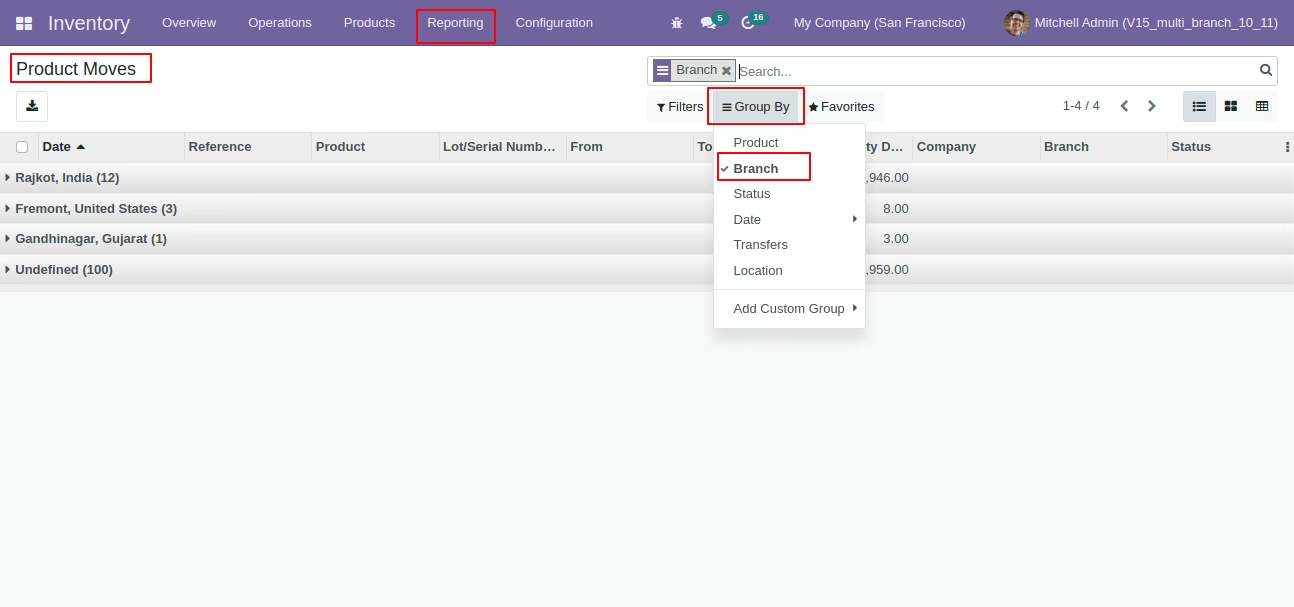
Product moves report group by 'Branch' name.
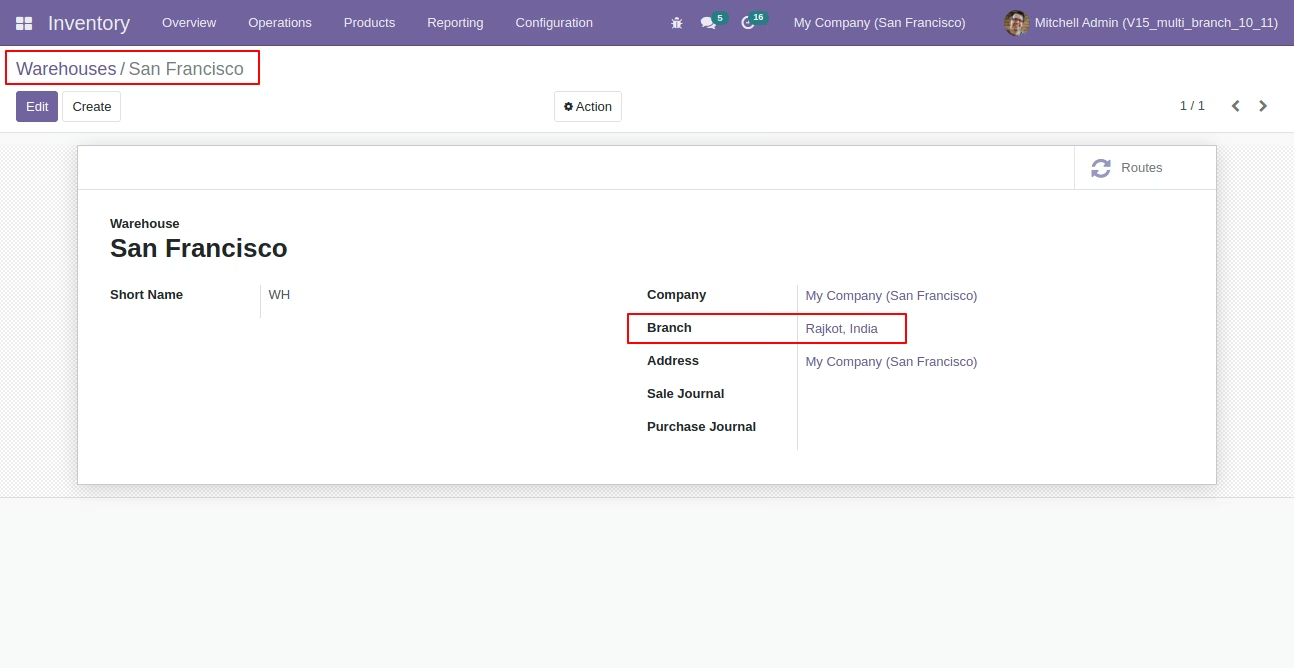
Define branch name in warehouse.
Group by warehouse using 'Branch'.
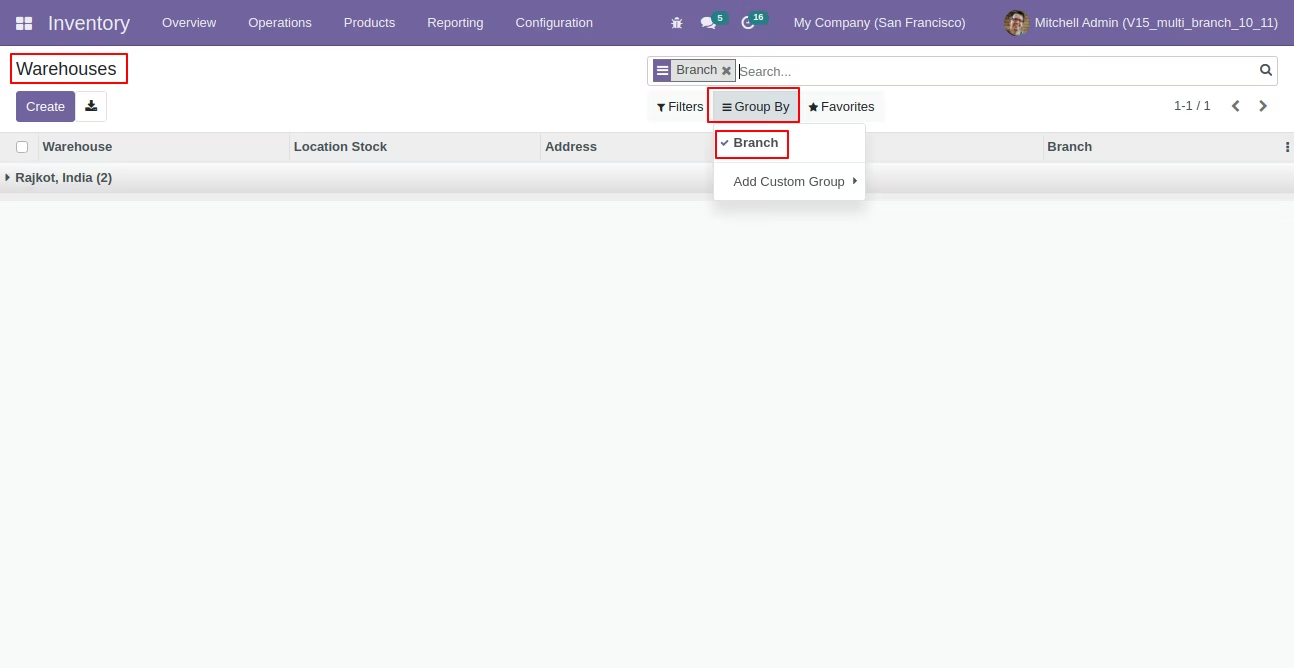
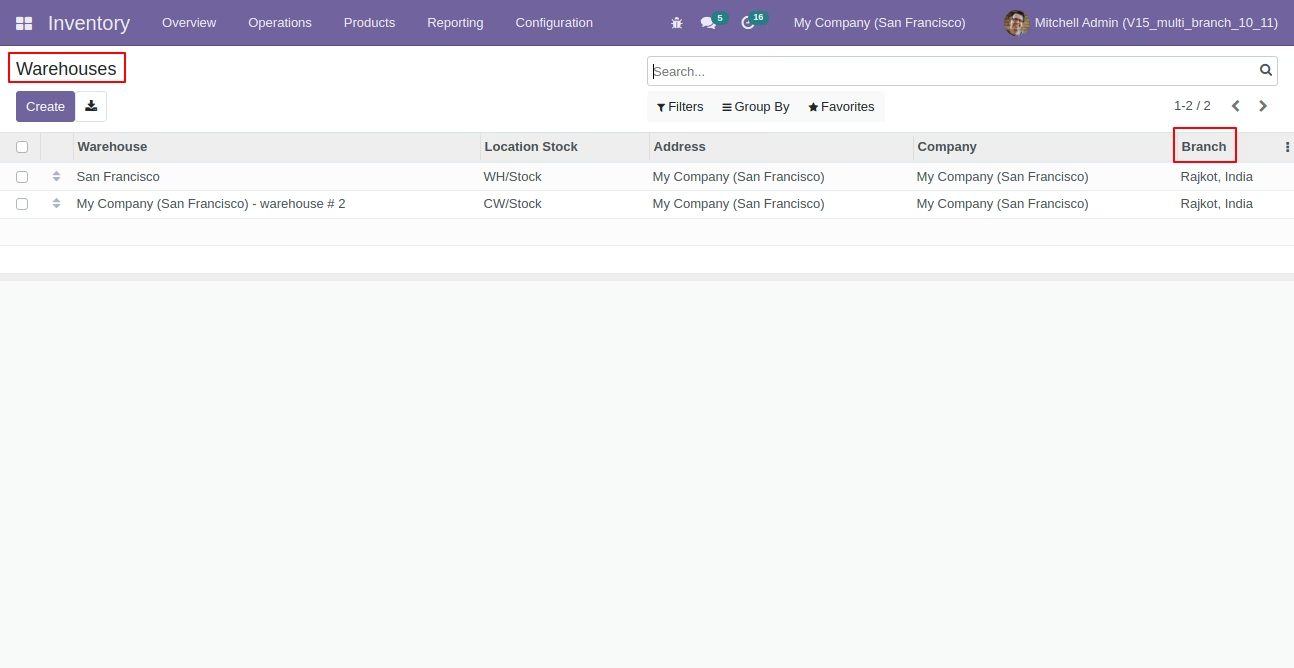
'Branch' fields in warehouse tree view.
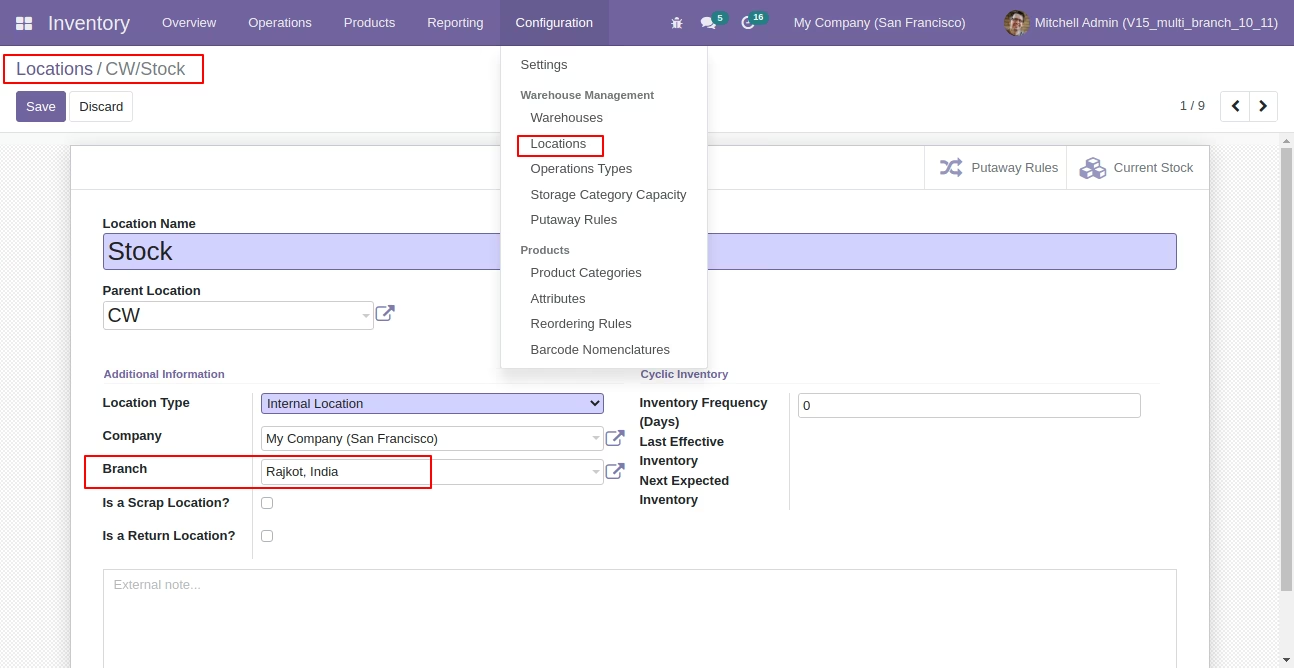
Branch field in location form view.
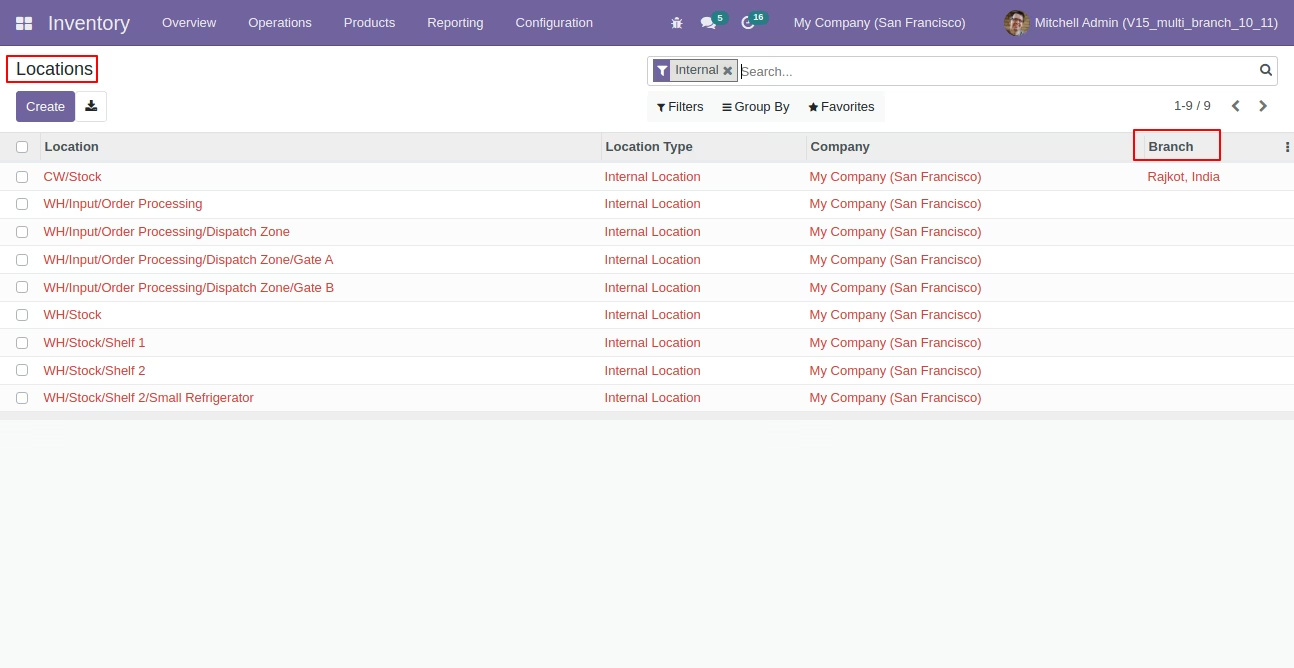
Branch field in location tree view.
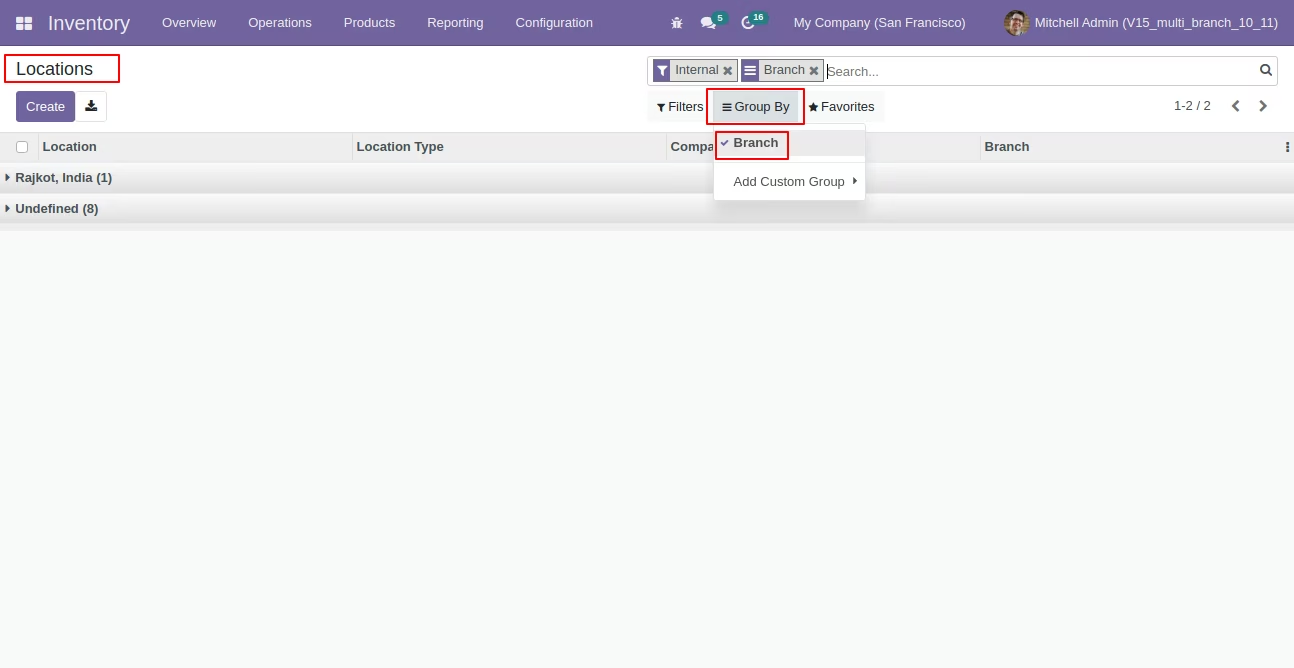
Location group by 'Branch' name.