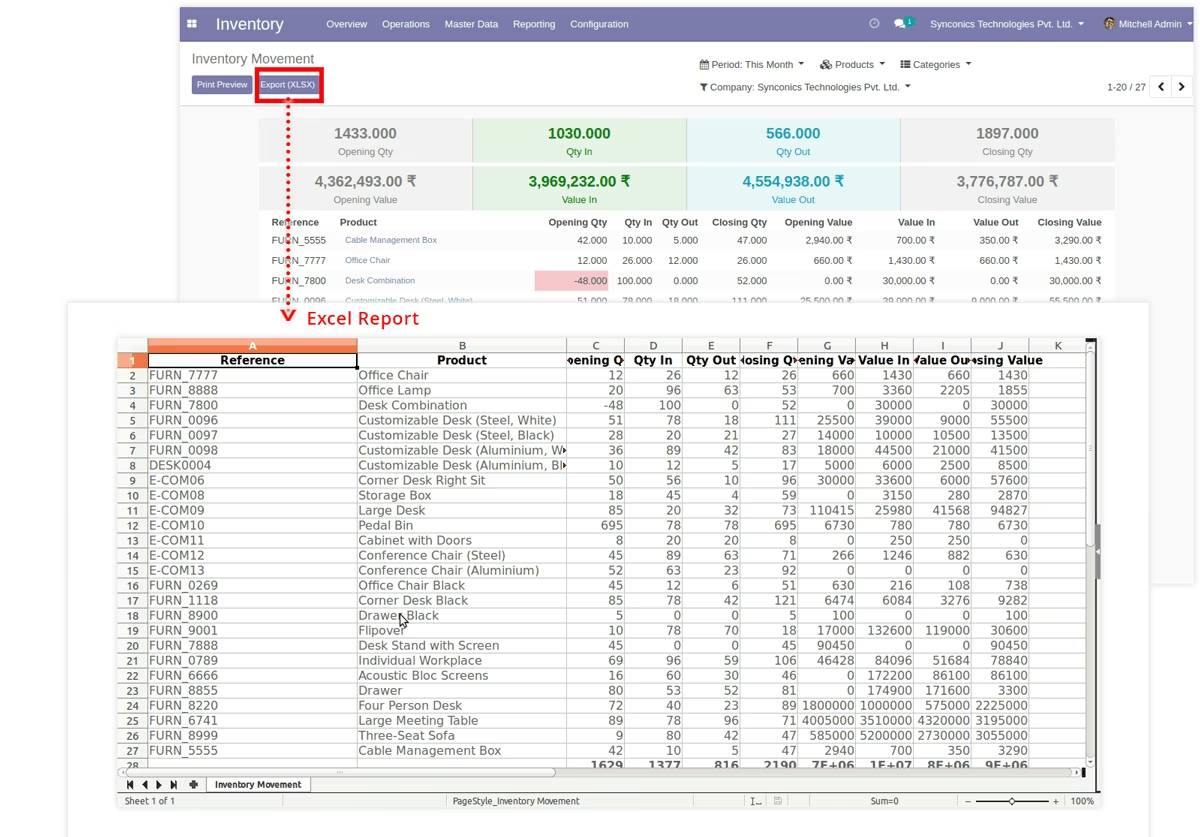
The module provides businesses with complete visibility into product transfers and inventory flows. It delivers detailed insights into stock operations by showing product quantities, movement status, dates, and locations, helping companies maintain transparency and improve warehouse control.
Generate detailed reports of product transfers, including source and destination locations.
Display quantities, movement types, and statuses for accurate stock monitoring.
Apply filters by product, date, movement type, or location for customized analysis.
Support different movement types such as incoming, outgoing, internal, and manufacturing transfers.
Export reports into PDF or Excel for documentation and analysis.
Gain better inventory visibility and traceability across all warehouses.
Simplify audits and reconciliations with accurate movement history.
Improve decision-making with clear insights into product flow patterns.
Save time with easy-to-use filters and reporting tools.
Enhance operational efficiency and warehouse management.
This module helps inventory managers to analyze their inventory status and each inventory related real time updations with affecting inventory valuations.
At the starting and ending of financial year, this reports helps inventory managers to display all kinds of real time inventory data and updations directly on a single screen rather than going at each individual report
This module is compatible with
-
 Community
-
Enterprise
-
Odoo.sh
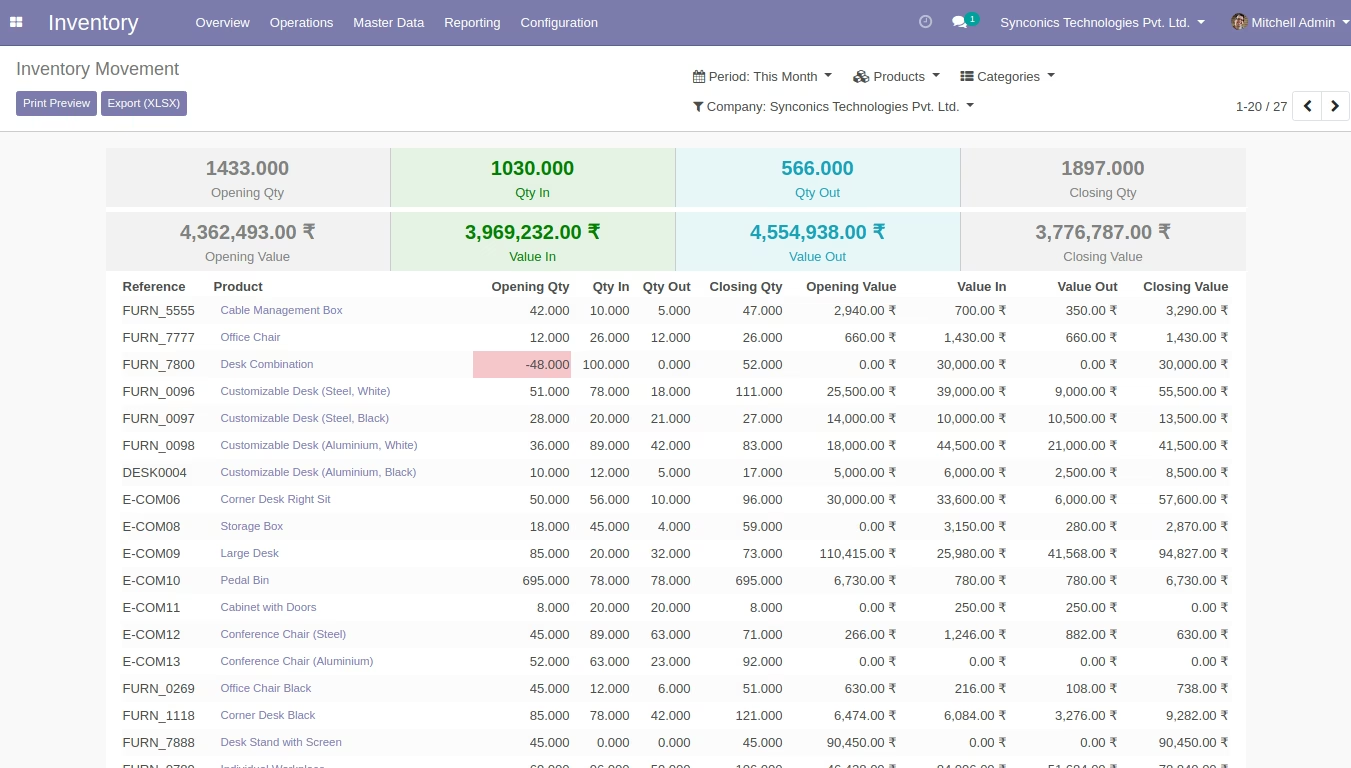
- Opening Inventory quantity and valuations
- Incoming Inventory quantity and valuations
- Outgoing Inventory quantity and valuations
- Closing Inventory quantity and valuations
- Highlighted negative quantity and valuations
- Easily identify totals of quantity and valuations with different colours
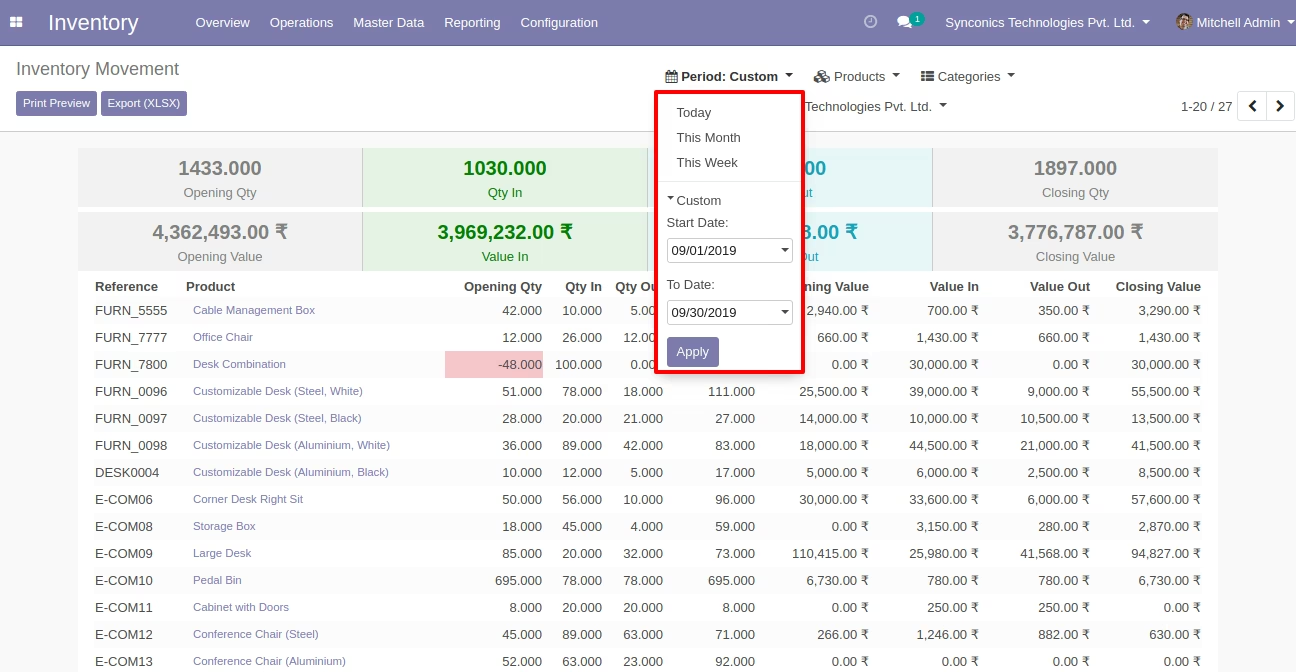
- Filterization like Today, Monthly, Weekly
- Date-Range search functionality
- Filterize by selective products across various products
- Filterize by selective products categories
- Filterize by selective warehouse across various warehouse.
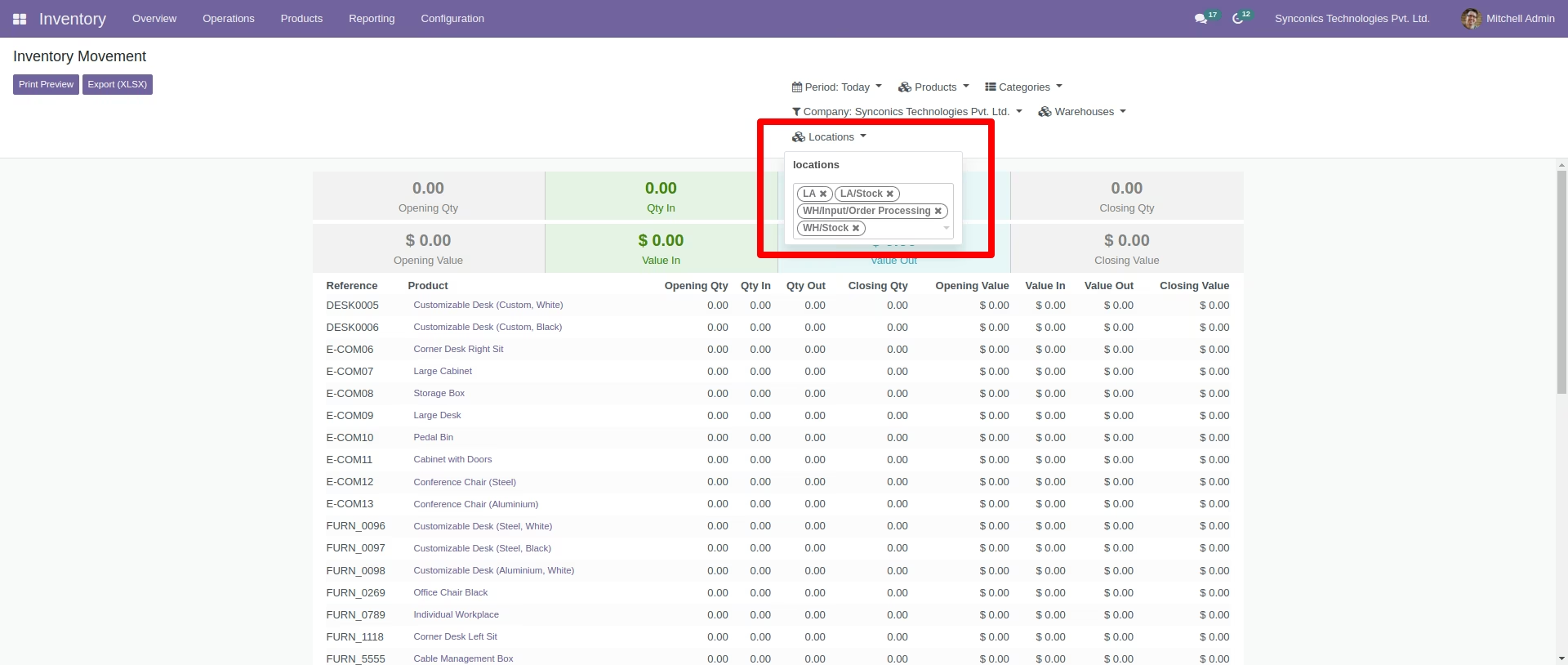
- Filterize by selective location across various locations.
- Company wise Inventory bifurcation
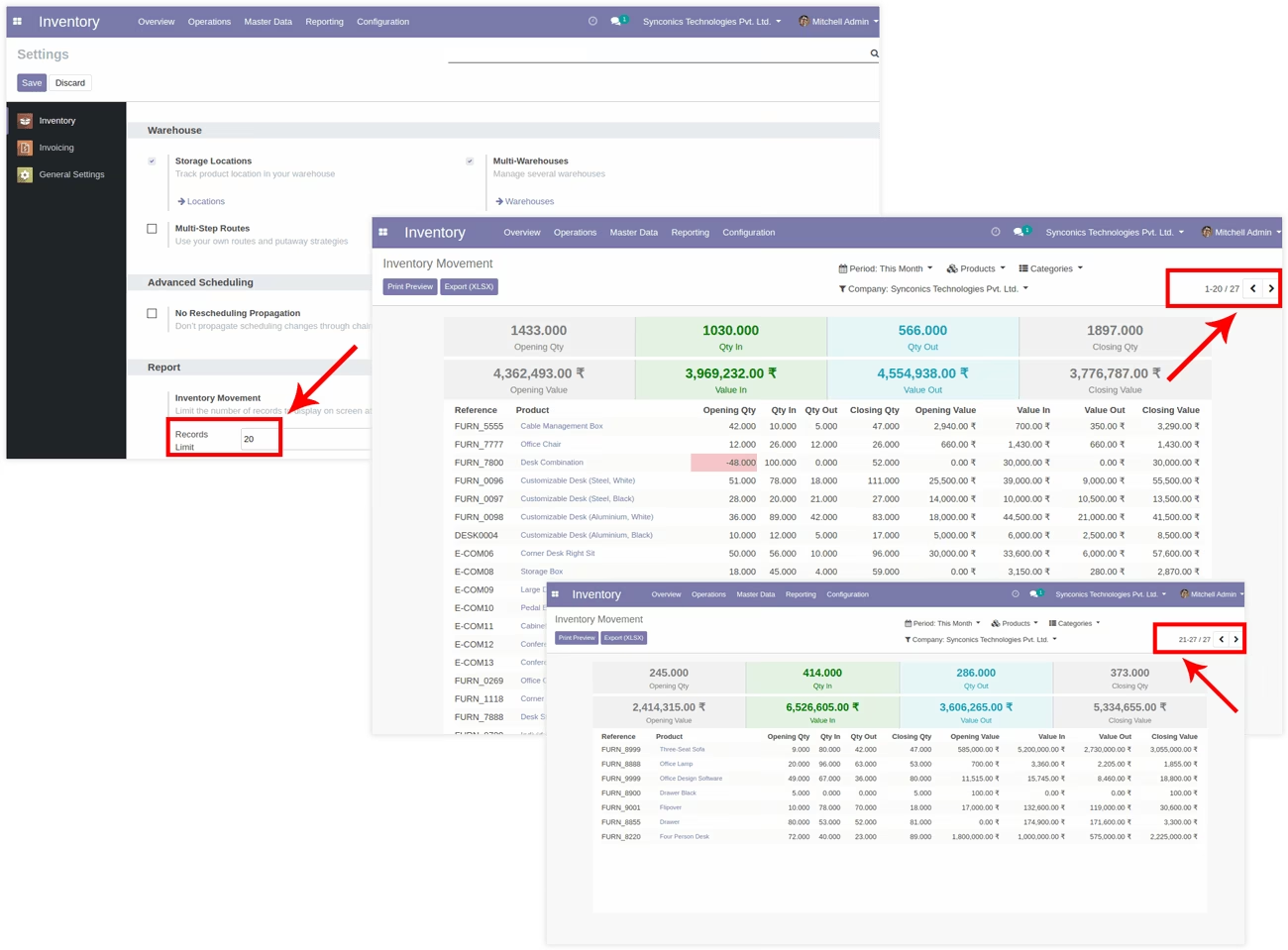
- Pagination for records limit
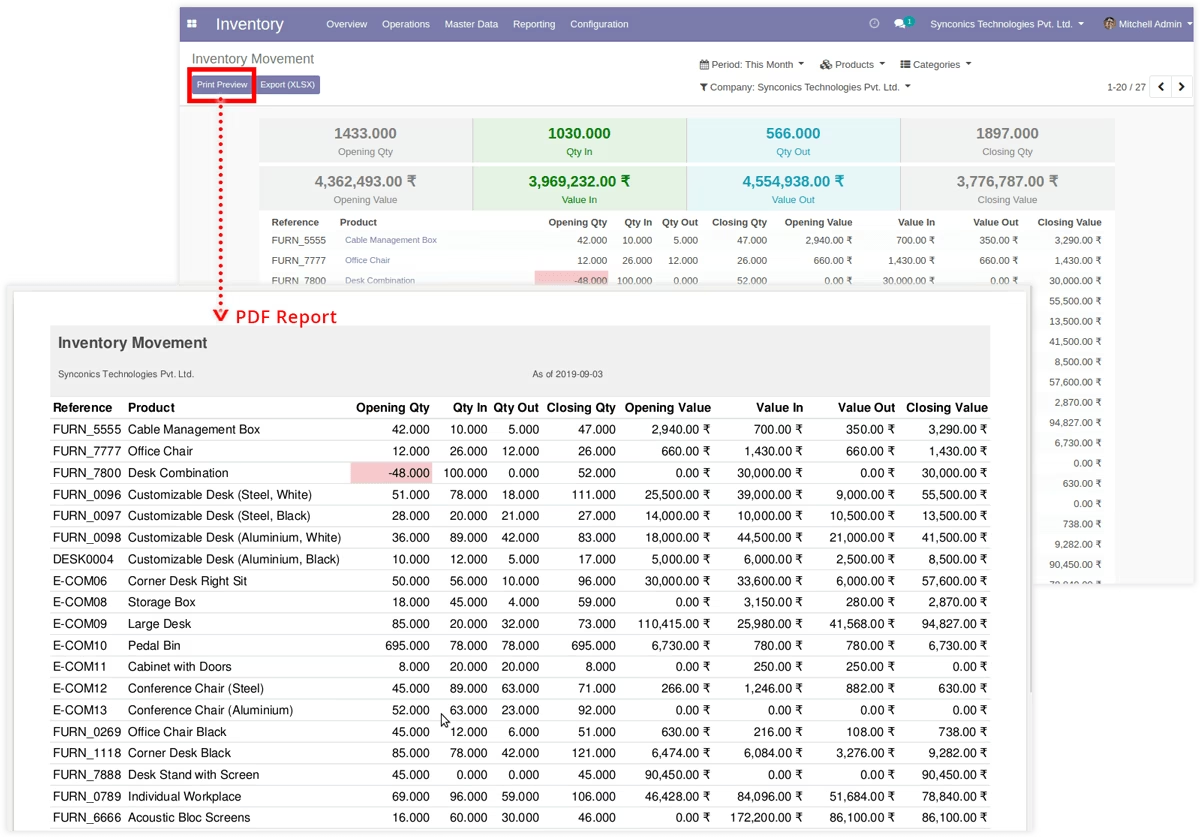
- Download PDF Reports
- Download Excel Reports
 Configure number of records to display
Menu Sequence: Inventory Configuration Settings
Inventory manager will configure pagination limit like how many records should be displayed on a single page of an inventory report.
 Inventory Movement Screen
Menu Sequence: Inventory Reporting Inventory Movement
All Inventory movements will be displayed with detailed information.
 Filters & Options
 Date Filters
Inventory manager can filter inventory data by daily, monthly, weekly or selective date range.
Products Filter
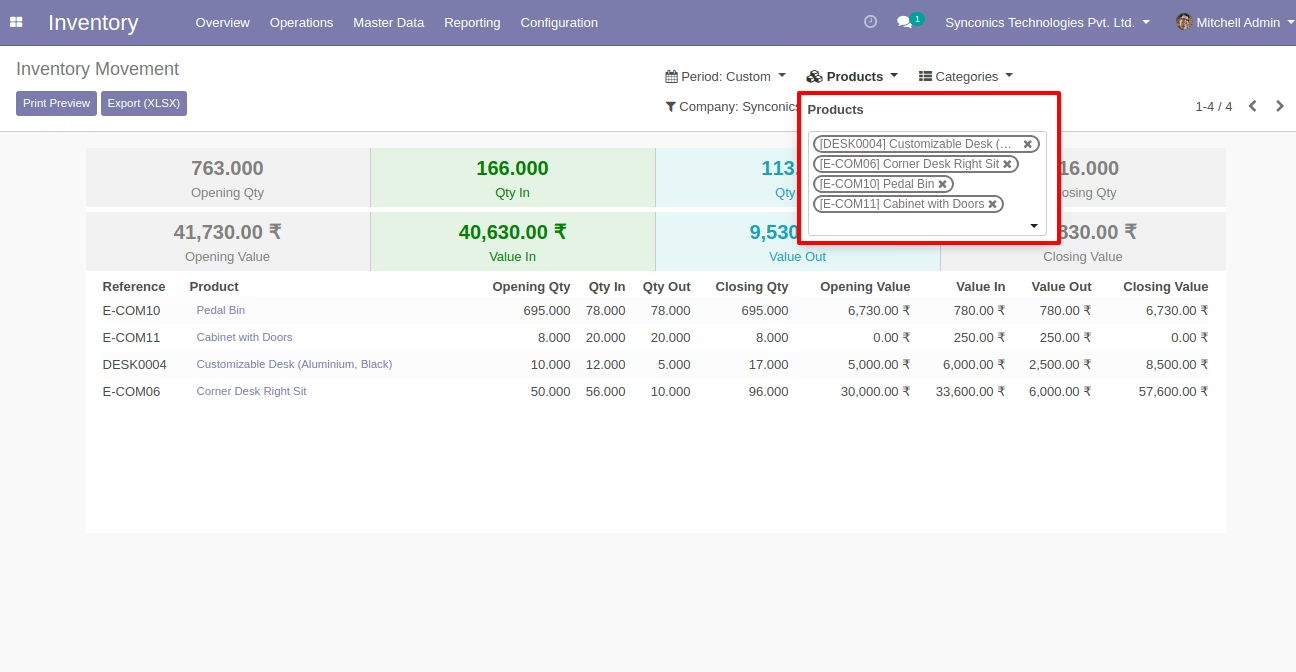
Inventory manager can filter inventory data grouped by various products.
Product Categories Filter
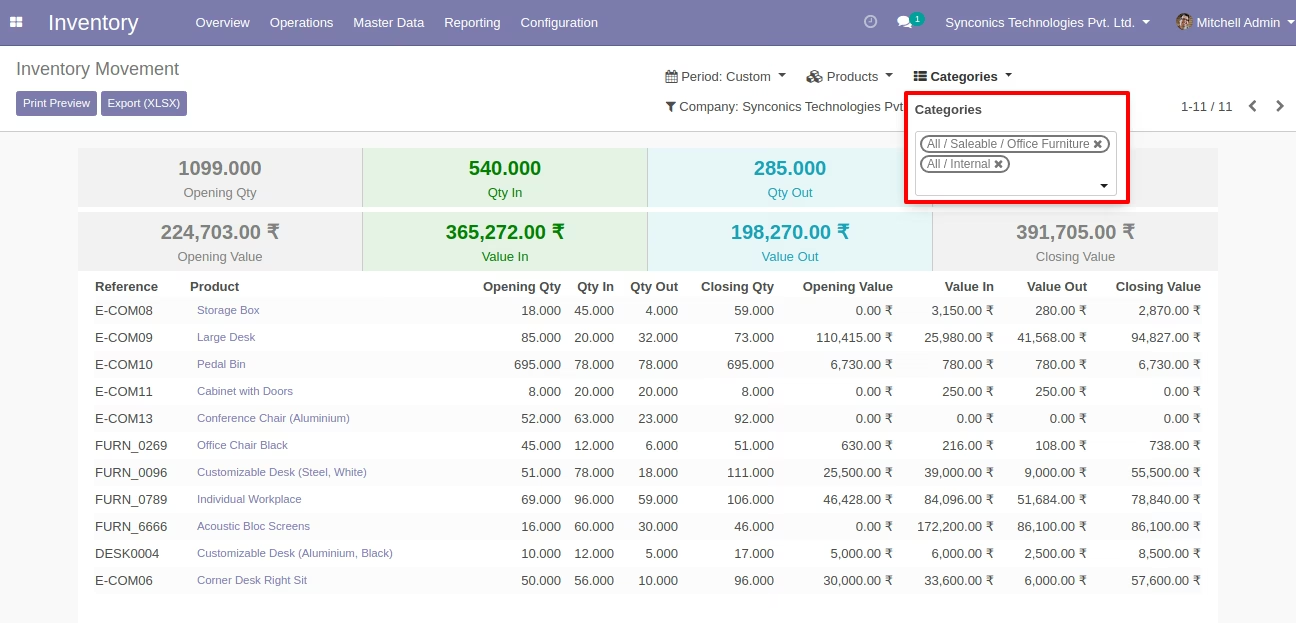
Inventory manager can filter inventory data grouped by various products categories.
 Company Options
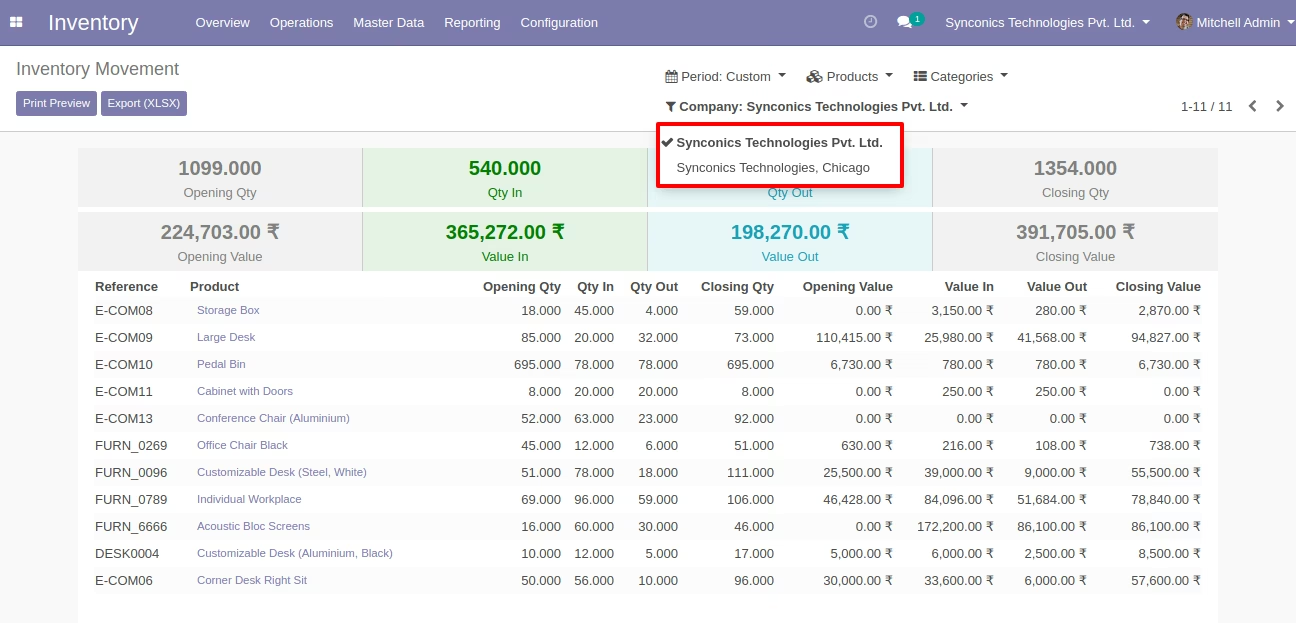
Inventory manager can filter inventory data as per different companies at once.
Warehouse Options
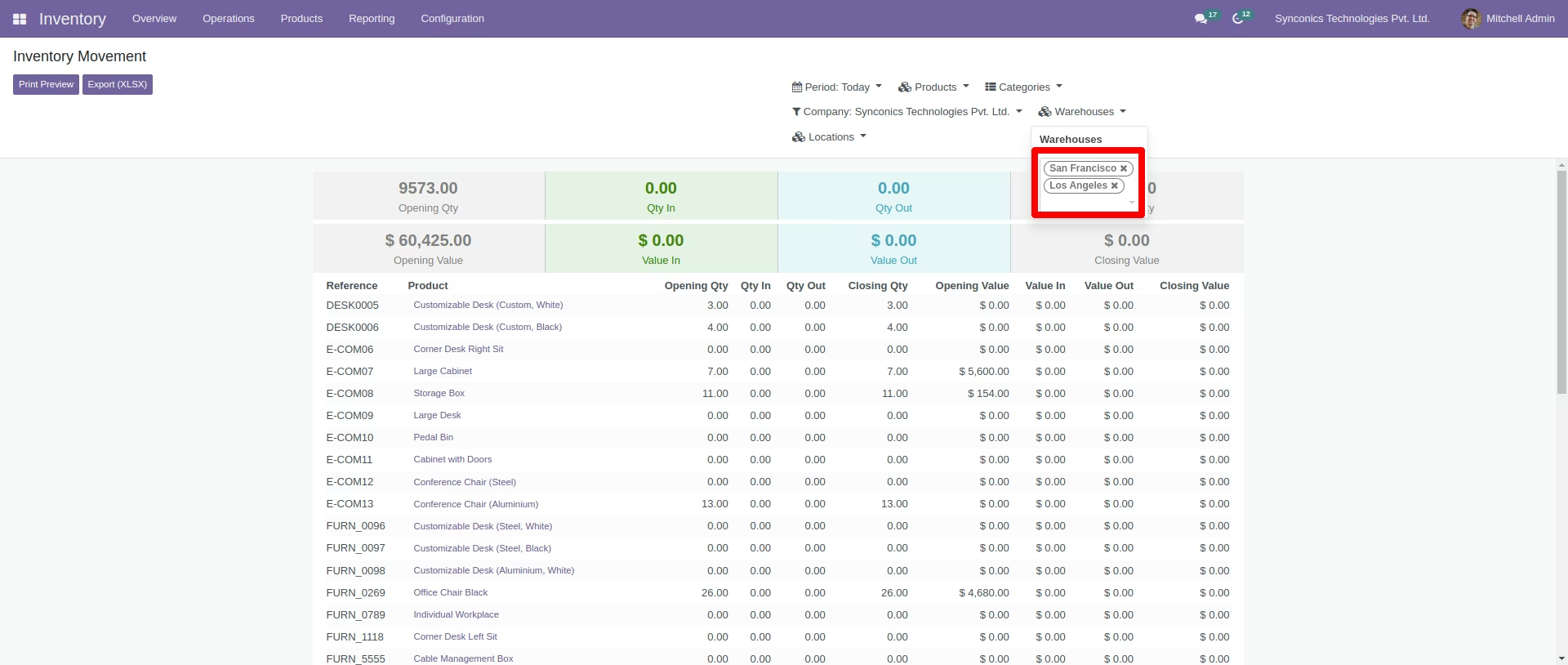
Inventory manager can filter inventory data as per different Warehouse at once.
Location Options
Inventory manager can filter inventory data as per different Location at once.
 PDF & Excel Reports
 PDF report
Inventory manager can generate inventory data into pdf file format.
 Excel report
Inventory manager can exports inventory data into excel file format.