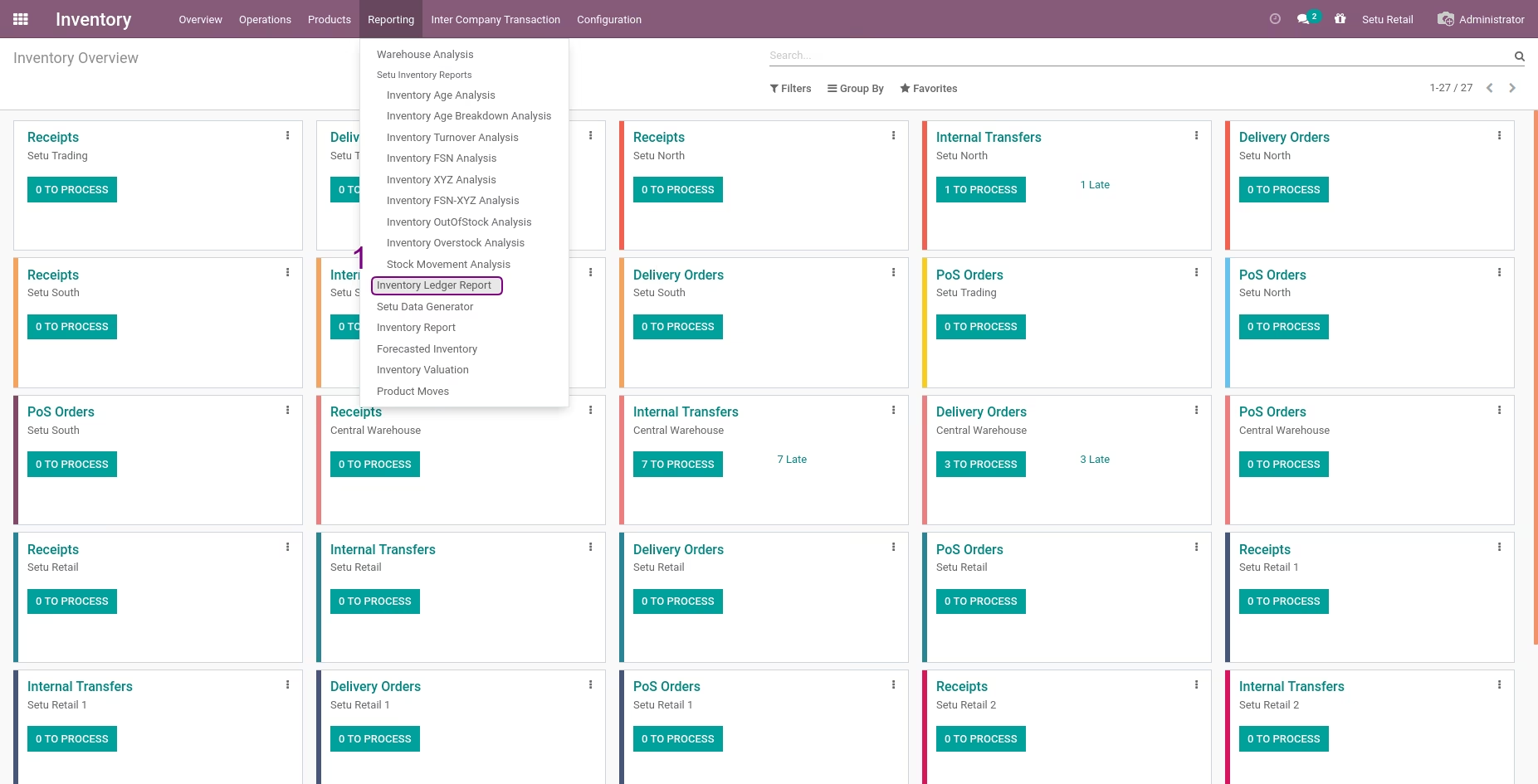
The module enables businesses to achieve precise day-by-day tracking of stock movements across all warehouses. It provides both detailed and summary views of daily opening balances, incoming and outgoing transactions, and closing balances. This comprehensive visibility supports accurate inventory management and aids in financial reconciliation.
View daily opening and closing stock balances for each product and warehouse.
Get both summary and detailed reports of all daily stock movements.
Clearly separate and identify inbound (IN) and outbound (OUT) transactions by date.
Track movements across multiple locations, companies, or warehouses in one unified report.
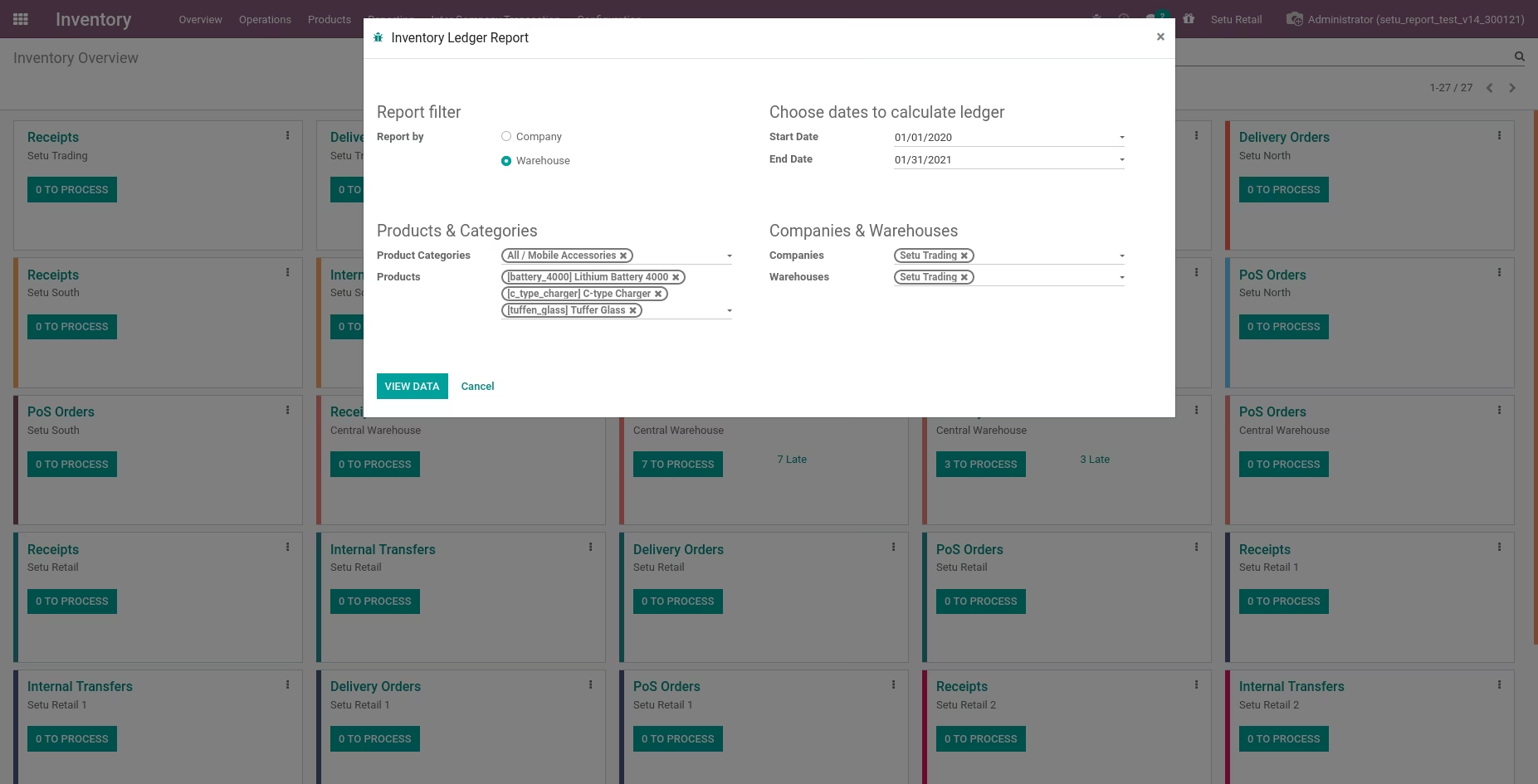
Apply filters such as product, warehouse, or date ranges for focused analysis.
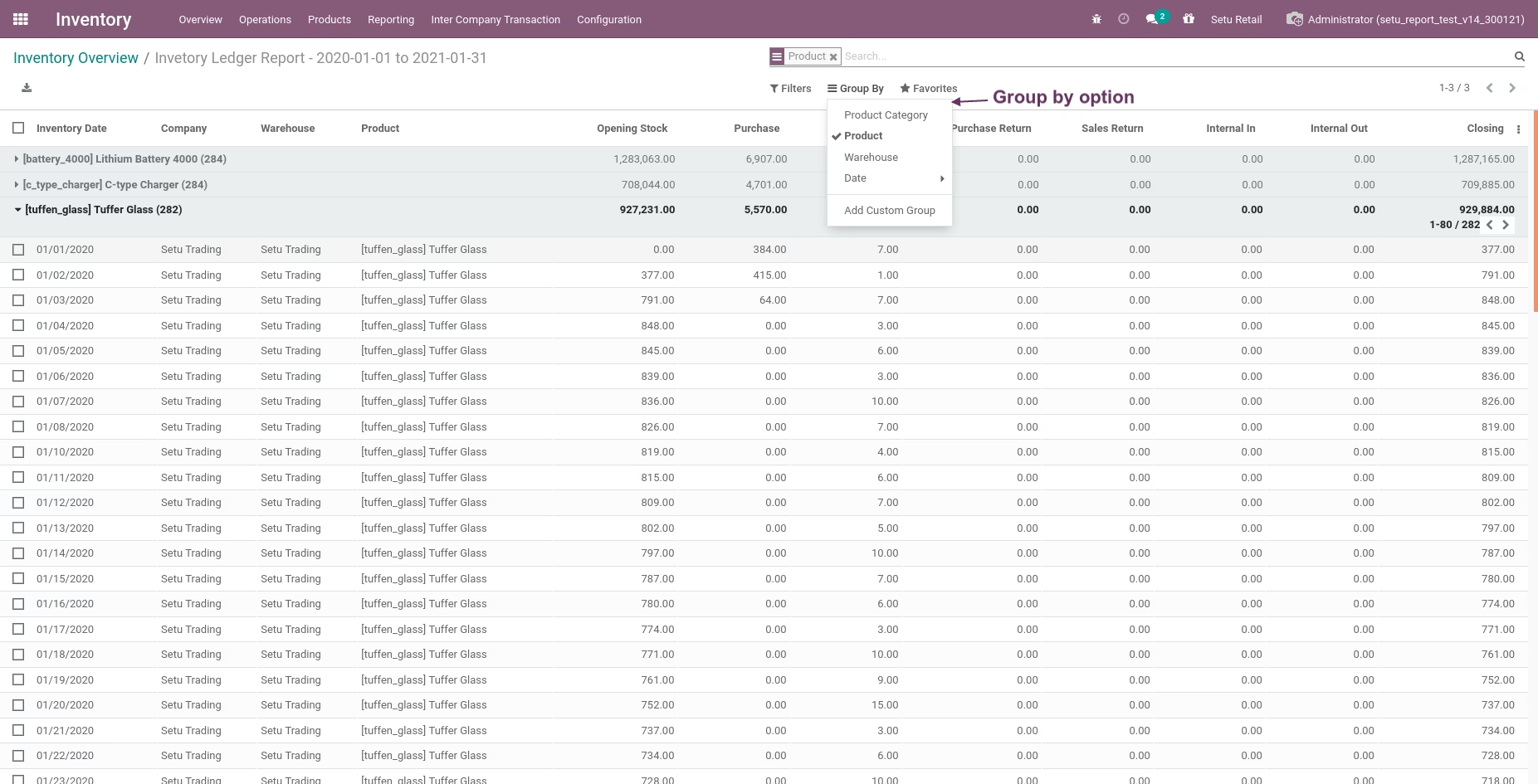
Navigate data in list or grouped views for easy interpretation.
Enhance inventory accuracy with transparent daily tracking of stock levels.
Streamline audits and reconciliation using precise historical data.
Boost operational insights with clear patterns of daily stock inflow and outflow.
Improve planning and control through date-based analysis of stock activity.
Support multi-location management by consolidating ledger information across warehouses.
In any industry today inventory optimization is such a vital function. It’s hard to track inventory movements, especially when you have a large products catalog, multiple warehouses or multi company environment.
It’s necessary to know inventory movements each day with all possible movements for each product for each warehouse or company and it’s very difficult to manage. So we introduced a solution for that and built an Inventory Ledger Report where users can track each day's transactions or summary of all dates together with real calculated opening and closing. This app helps you to track the inventory for specific periods or up to a certain date.
 Detailed and Summary reports available
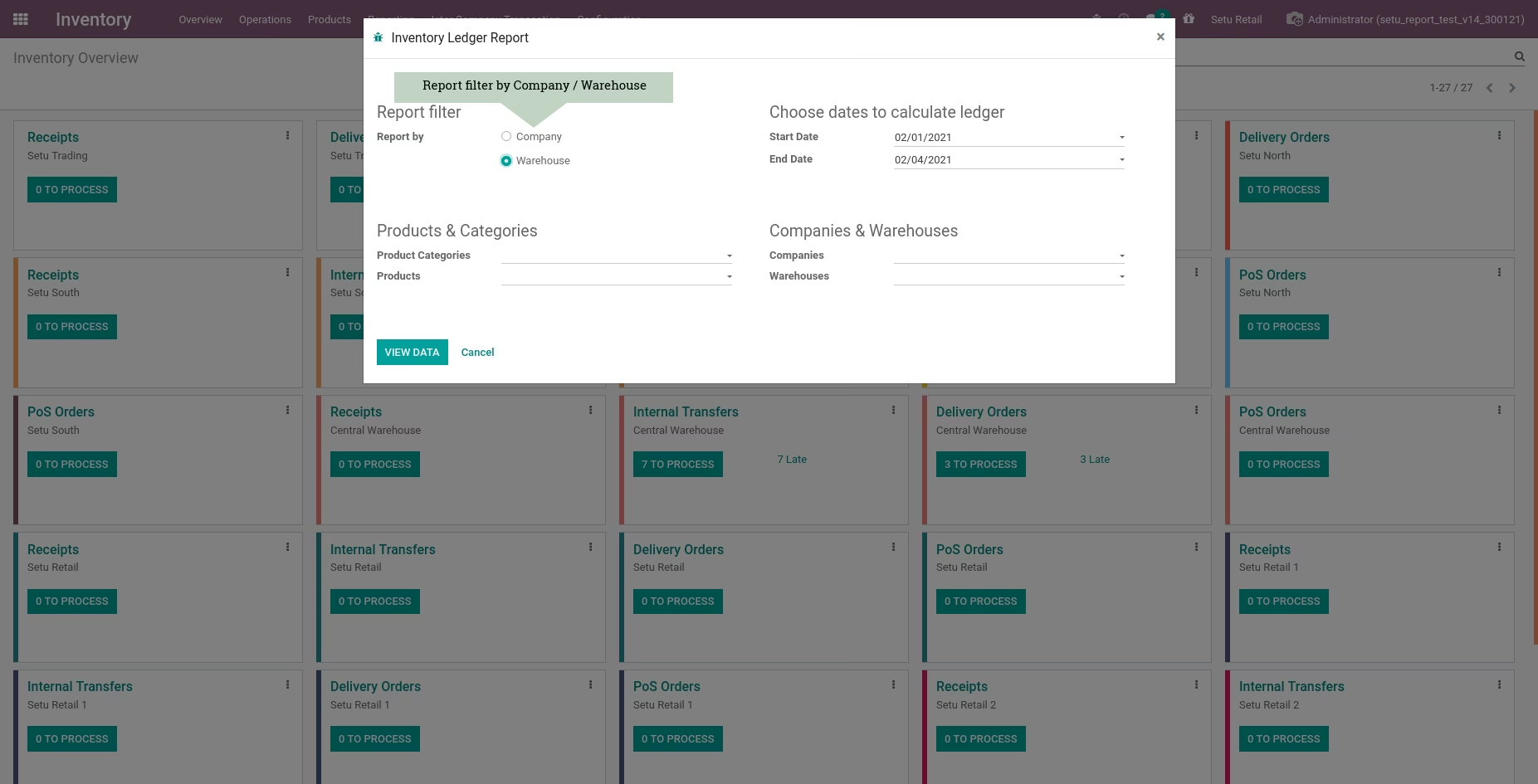
Report can be downloaded by company or warehouse, for both summary report and detailed reports are available
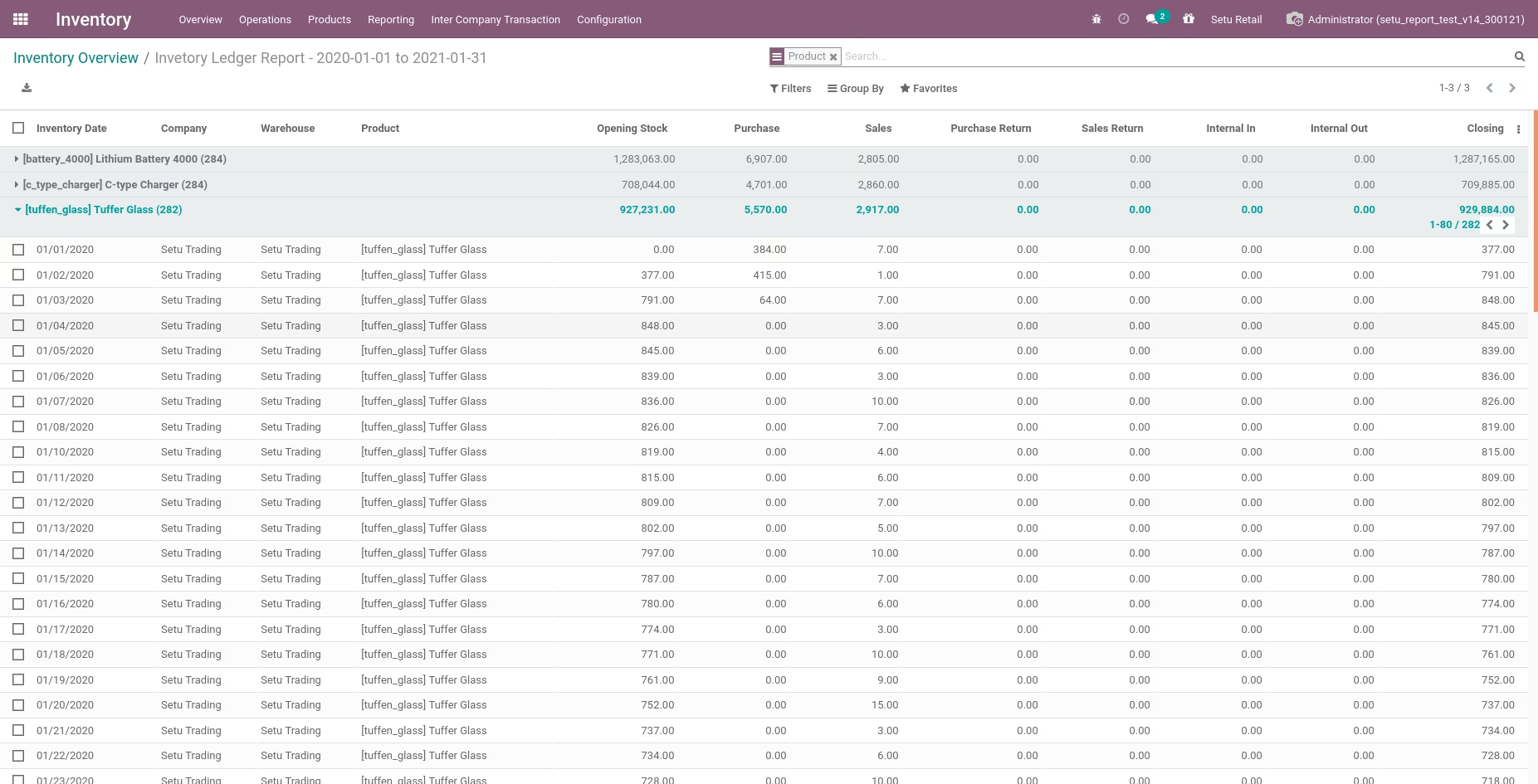
Date wise calculated opening stock and closing stock
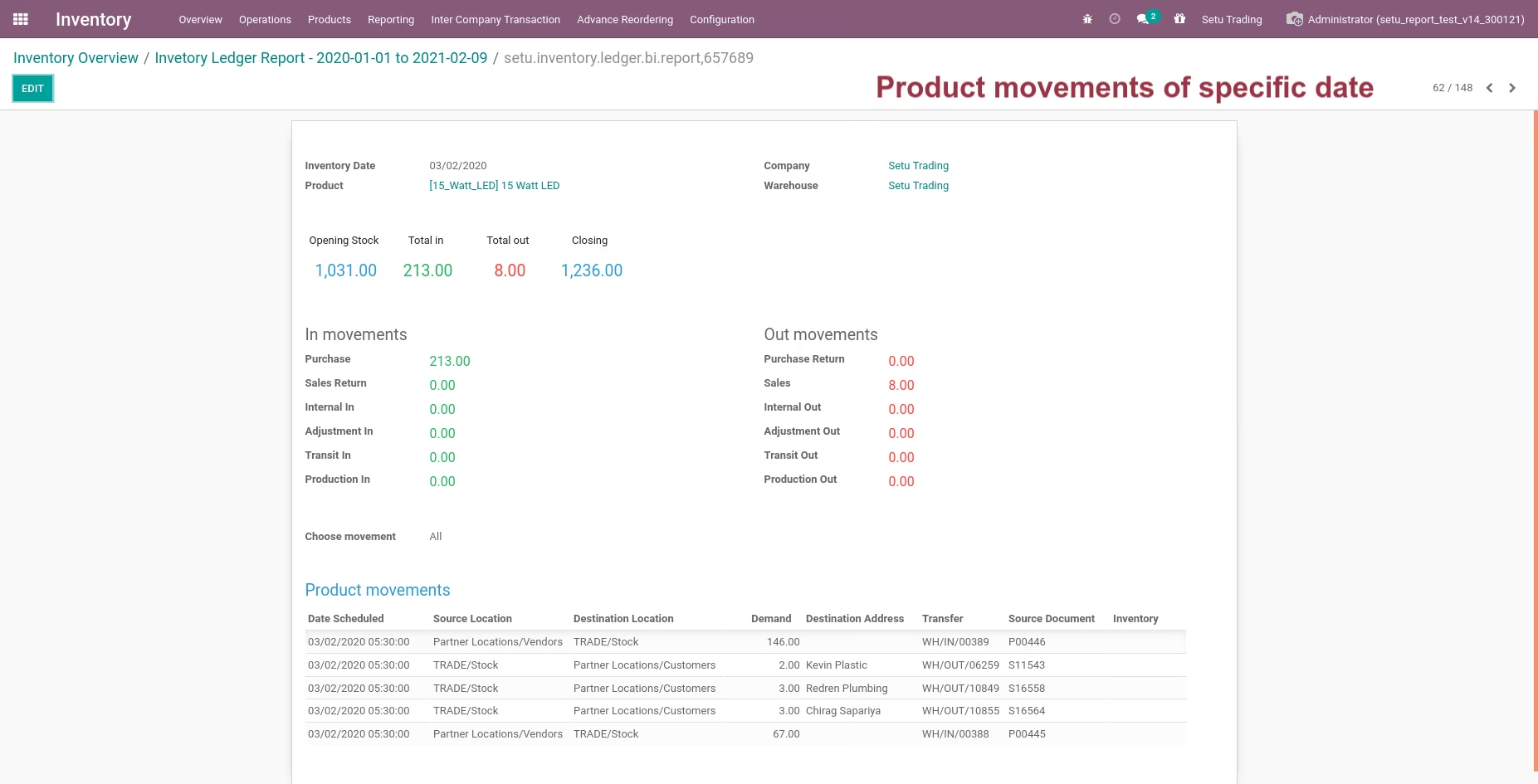
Date wise detailed data for each movement.
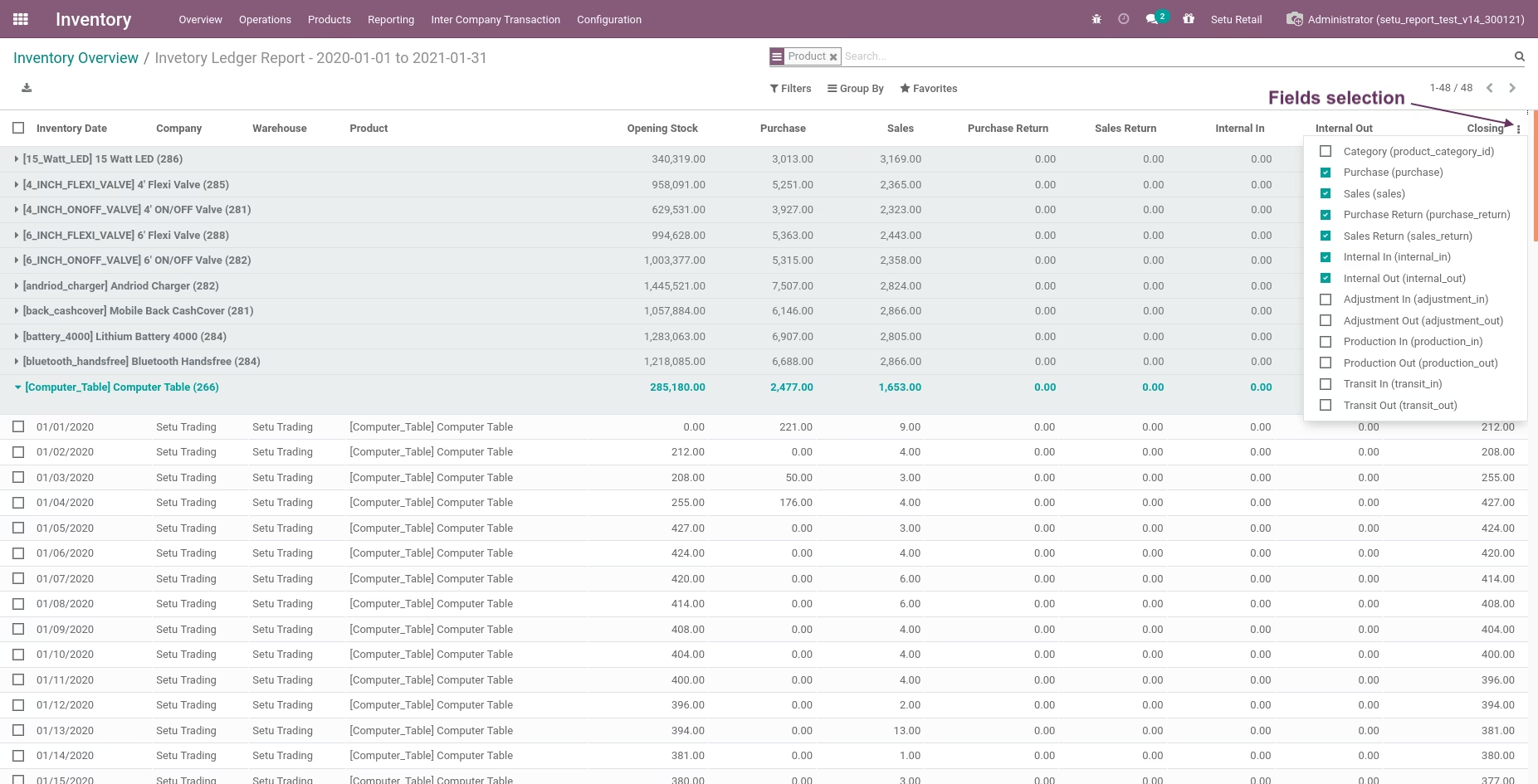
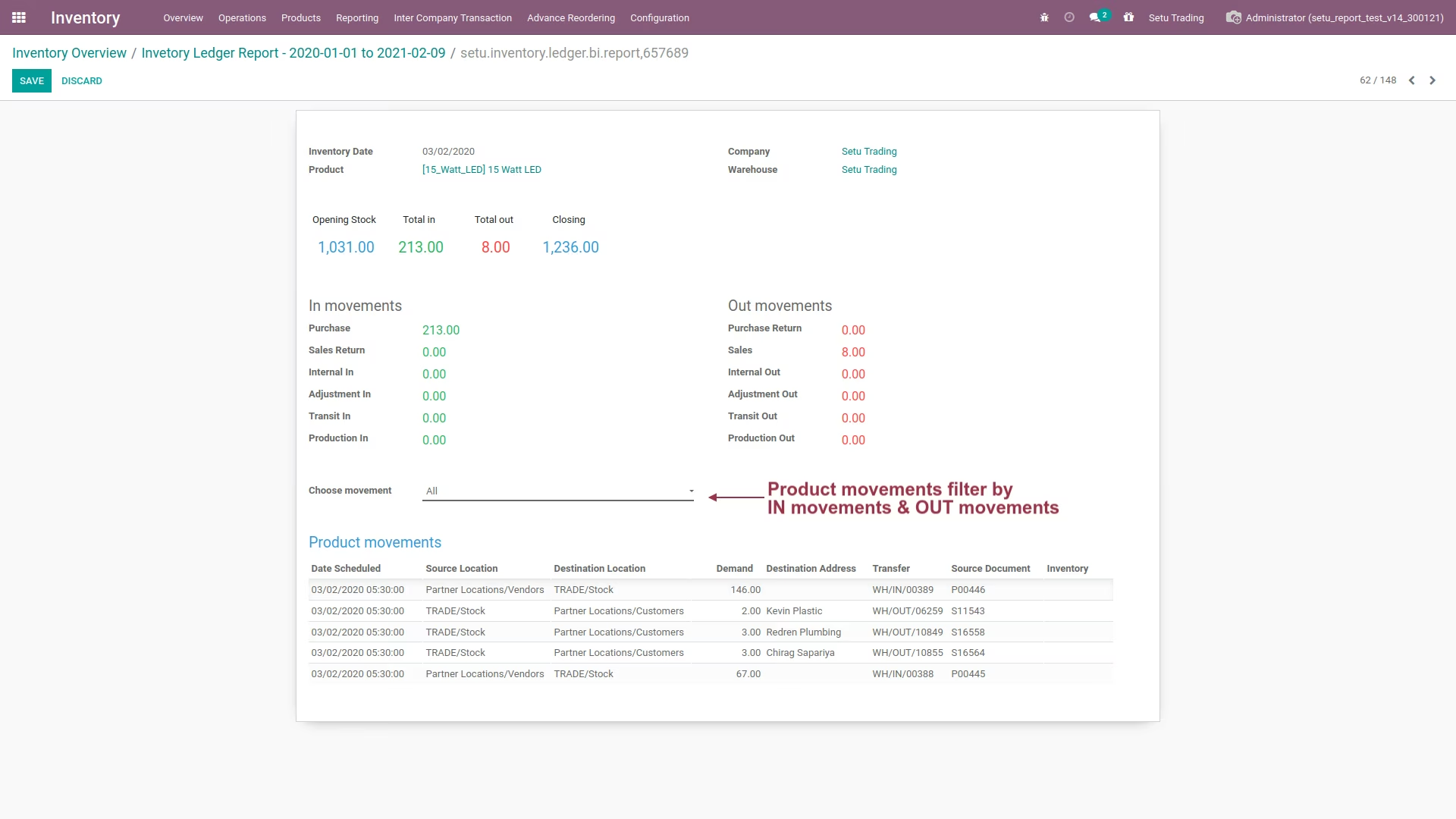
Capture all possible inventory movements and separately visible all IN transactions and OUT transactions in report. (Date wise / Summary).
Report can be visible in list view, where user can perform grouping, advance searching and filtration easily.
Quick filters for company, warehouse, product category and products to generate reports for specific dataset.
Users can perform inventory comparison to compare calculated inventory v/s theoretical inventory available in the system.
Detailed and Summary reports available
Report can be downloaded by company or warehouse, for both summary report and detailed reports are available
Date wise calculated opening stock and closing stock
Date wise detailed data for each movement.
Capture all possible inventory movements and separately visible all IN transactions and OUT transactions in report. (Date wise / Summary).
Report can be visible in list view, where user can perform grouping, advance searching and filtration easily.
Quick filters for company, warehouse, product category and products to generate reports for specific dataset.
Users can perform inventory comparison to compare calculated inventory v/s theoretical inventory available in the system.