
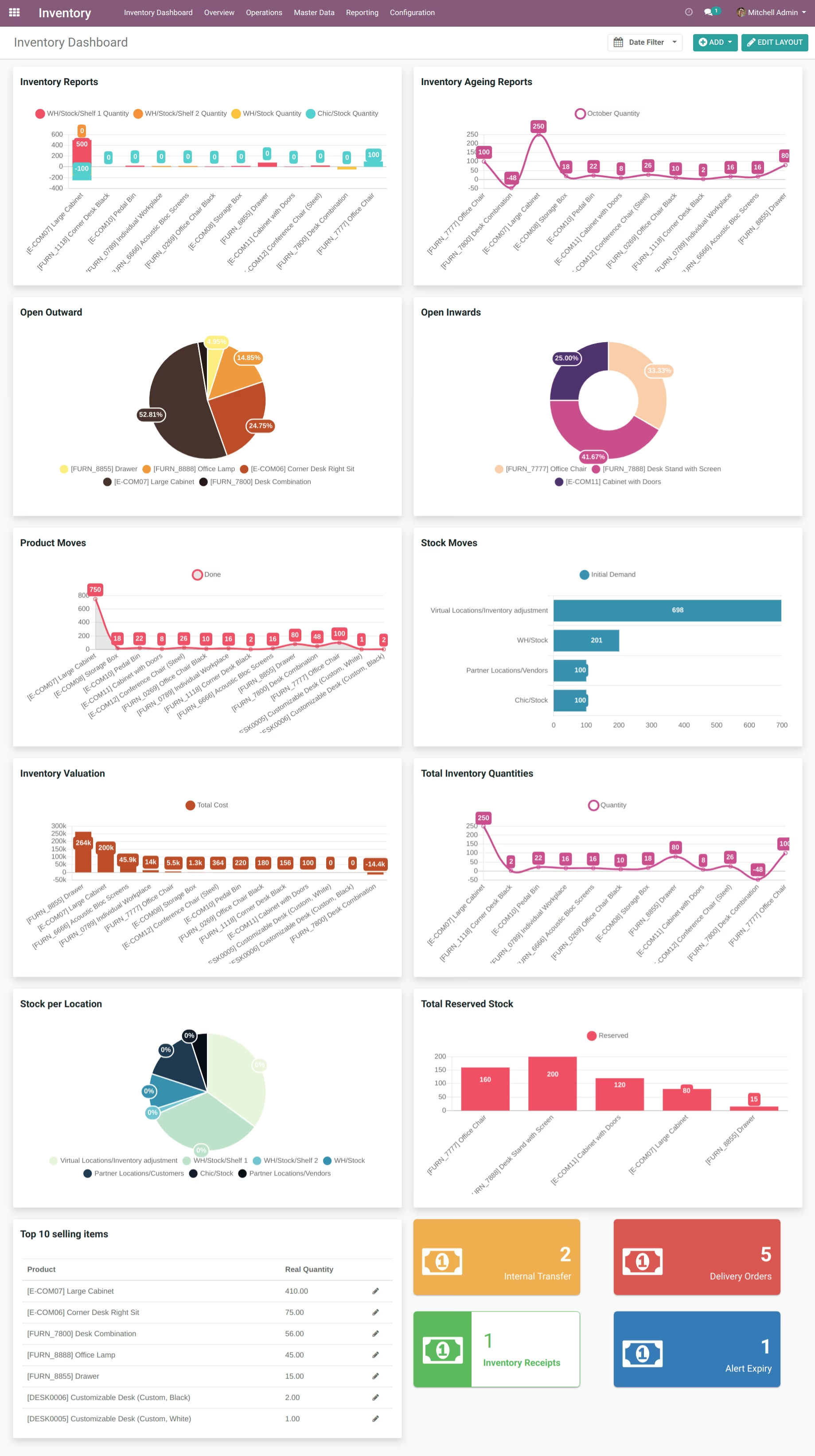
The module transforms inventory management in by providing a unified and visually rich dashboard view. It brings together key metrics like transfers, delivery orders, receipts, product movement trends, ageing reports, and stock valuation. This central hub helps teams monitor inventory health and make informed decisions quickly.
Interactive tiles showing counts for internal transfers, delivery orders, and inventory receipts.
Visual charts for inventory valuation, stock ageing, stock moves, and inventory trends.
Pie and doughnut charts illustrating open inwards and outwards.
Area and bar charts displaying product move trends and stock per location.
A dynamic list highlighting the top 10 selling items for quick product insights.
Gain visibility into critical inventory metrics at a glance for proactive decision-making.
Boost operational effectiveness by tracking real-time indicators like aging and stock movements.
Streamline workflows with consolidated analytics across transfers, shipments, and valuation.
Identify top-performing items quickly to guide inventory prioritization.
Enable flexible, intuitive monitoring through customizable dashboard visuals.
-
Internal Transfer (Tile): Display Count Internal Transfer

-
Delivery Orders (Tile): Display Count Delivery Orders
-
Inventory Receipts (Tile): Display Count of Inventory Receipts
-
Alert Expiry (Tile): Display Count of Alert Expiry
-
Inventory Reports (Bar Chart): Display Inventory Reports
-
Inventory Ageing Reports (Line Chart): Display Inventory Ageing Reports
-
Open Outward (Pie Chart): Display Open Outward
-
Open Inwards (Doughnut Chart): Display Open Inwards
-
Product Moves (Area Chart): DisplayProduct Moves
-
Stock Moves (Horizontal Bar Chart): Display Stock Moves
-
Inventory Valuation (Bar Chart): Display Inventory Valuation
-
Total Inventory Quantities (Line Chart): Display Total Inventory Quantities
-
Stock per Location (Area Chart): Display Stock per Location
-
Total Reserved Stock (Bar Chart): Display Total Reserved Stock
-
Top 10 selling items (List View): Display Top selling items
Installation
-
This app is an extension of Dashboard, so before installing this app make sure you have installed Dashboard. After successfull installation of Dashboard, install this app and go to menu "Inventory" > Inventory Dashboard.