The is designed to optimize stock management by providing an intuitive and user-friendly interface for inventory adjustments. It allows businesses to simplify the process of stock counting, quickly update product quantities, and ensure accurate warehouse records with minimal effort.
Streamlined screen for creating and managing inventory adjustments.
Display of product details, counted quantity, on-hand quantity, and variance.
Batch actions for applying, clearing, or validating multiple adjustments.
Advanced filters by product, location, or category for targeted stock updates.
Quick reset options to manage corrections when needed.
Direct integration with product records for seamless adjustment workflows.
Save time during stock counting and adjustment tasks.
Increase accuracy and consistency in inventory records.
Reduce errors with a clear and structured adjustment interface.
Empower warehouse staff with easy-to-use bulk actions.
Maintain reliable data for smoother supply chain and reporting.
This app helps to we will be able to type wise inventory adjustment like all product, one category, one lot/serial number, one product and also select a manual product.

Inventory Adjustment
Inventory type wise inventory adjustment like all product, one category, one lot/serial number, one product and also select a manual product.

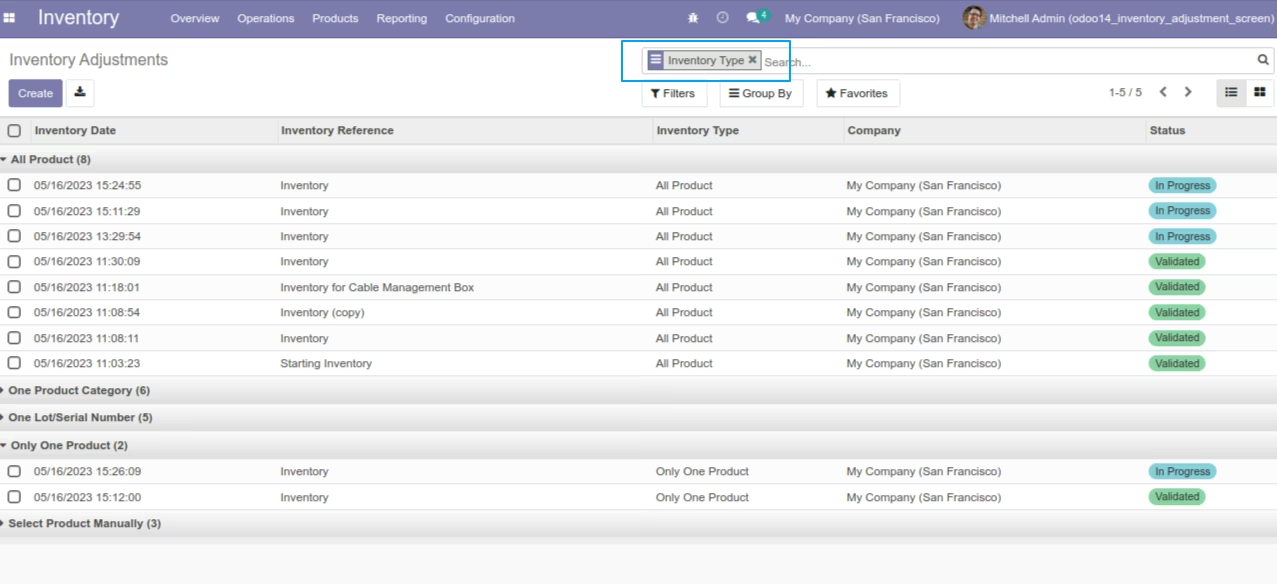
Search And Group By
User can search and group by of inventory type.

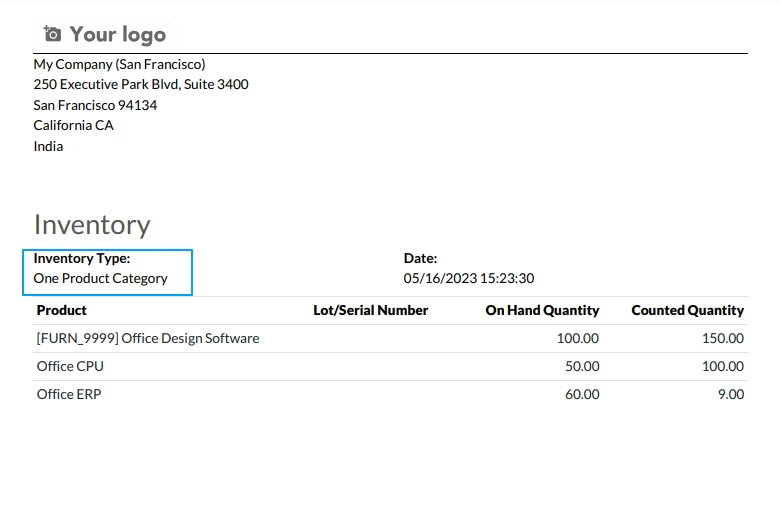
Report
User can see inventory type in report.
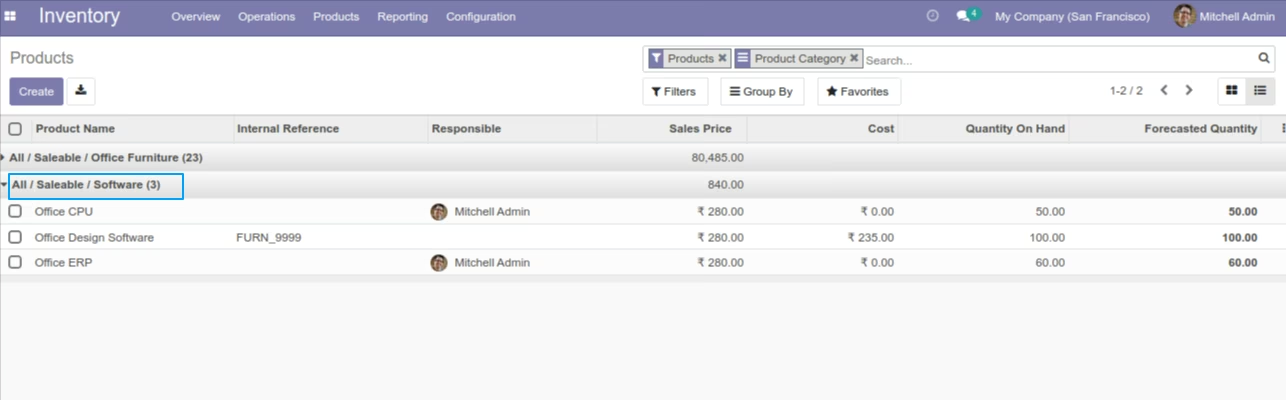
Product
Here product is category wise.
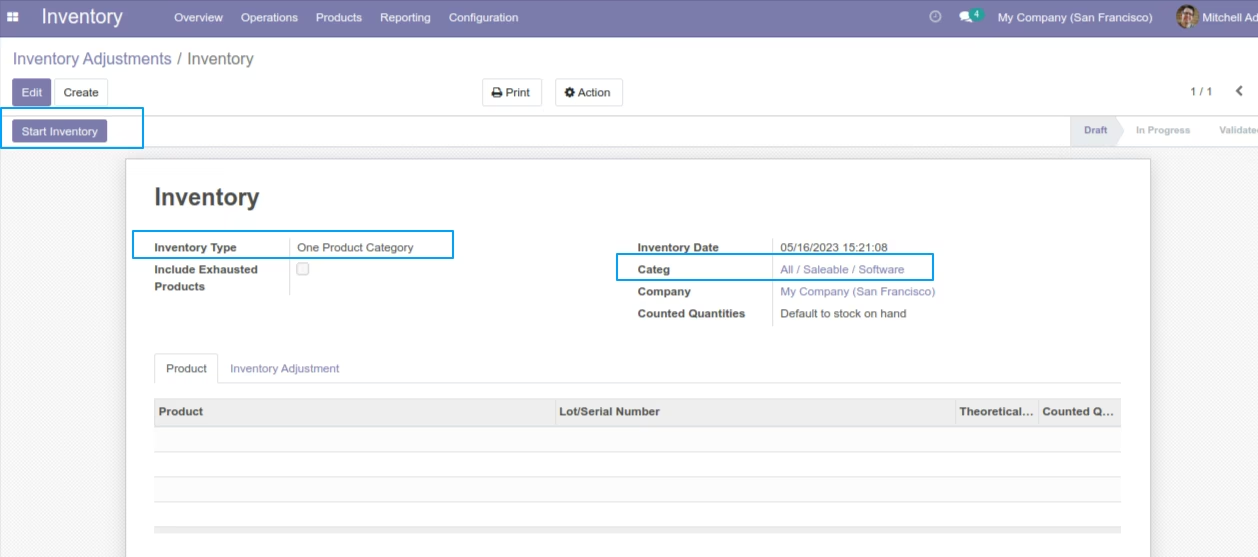
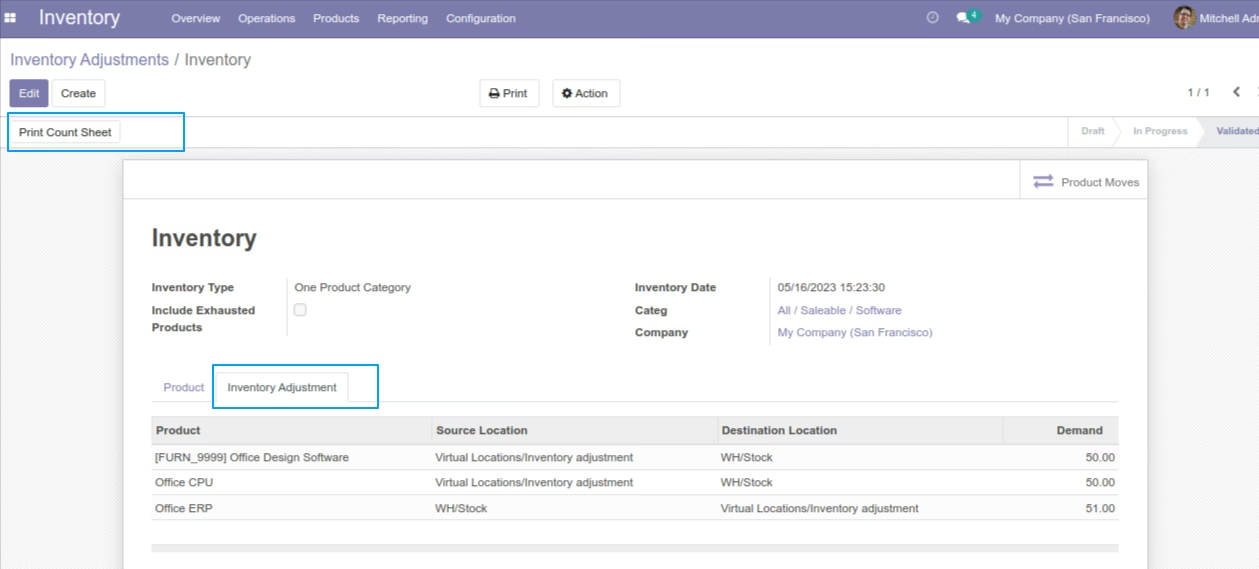
Inventory Type Is One Product Category
When we select this option then we can select category and onclick start inventory then selected category's product set in line.
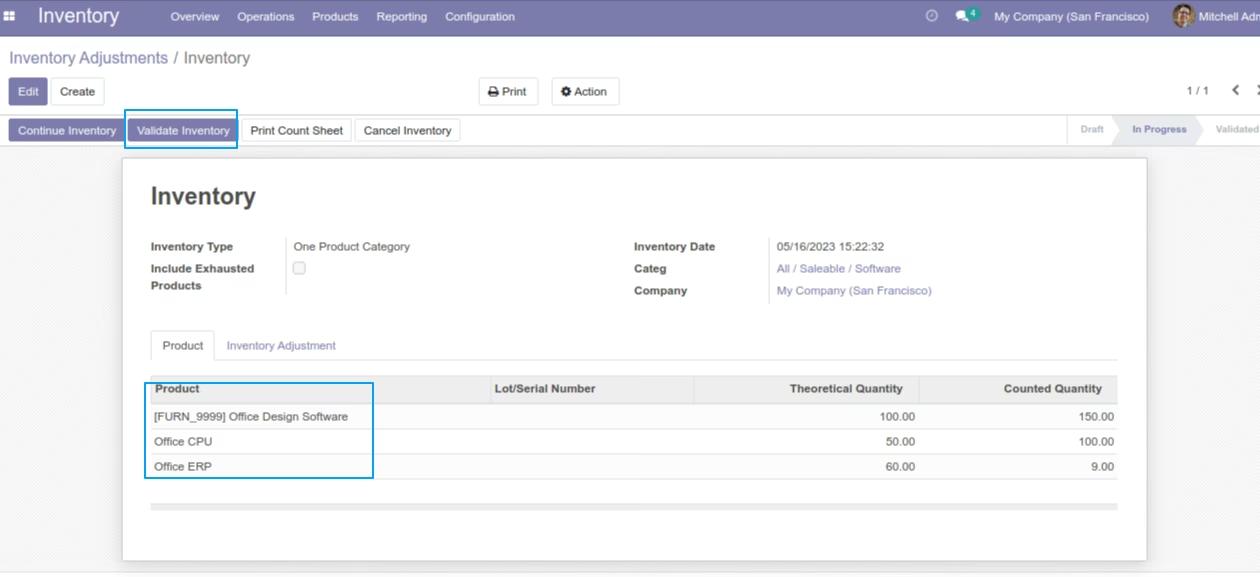
Onclick validate inventory then adjustment show in inventory adjustment tab.
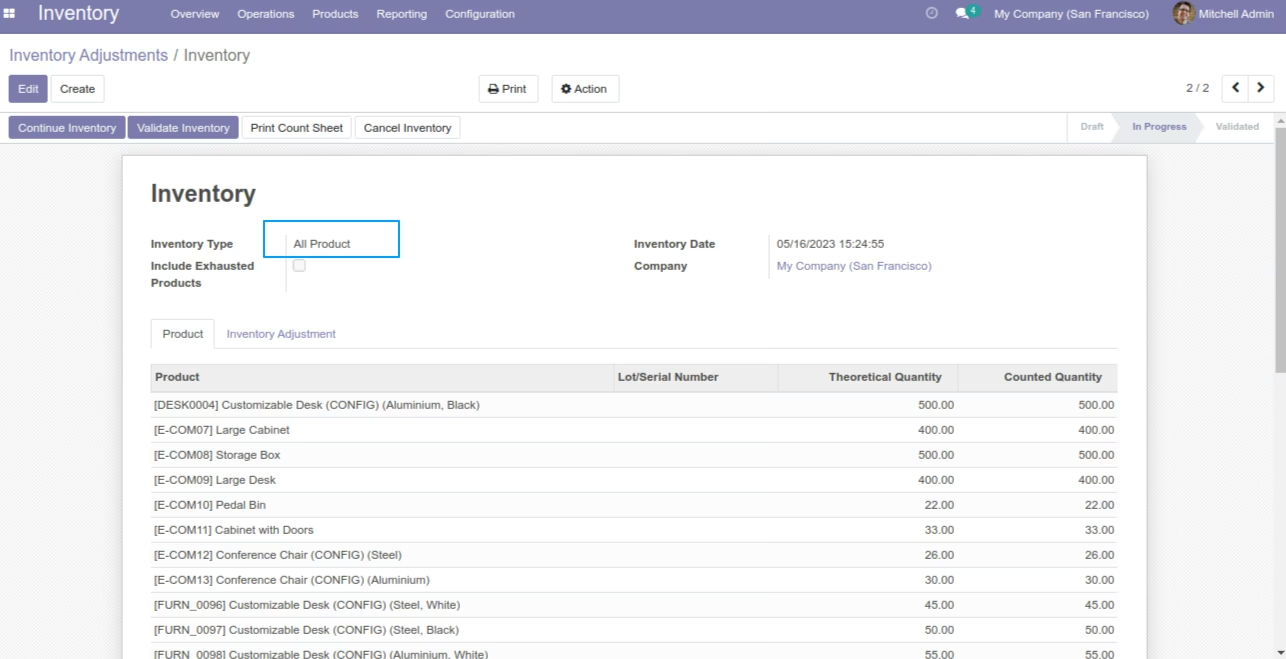
Inventory Type Is All Product
When we select this option and onclick start inventory then all storable product set in line.
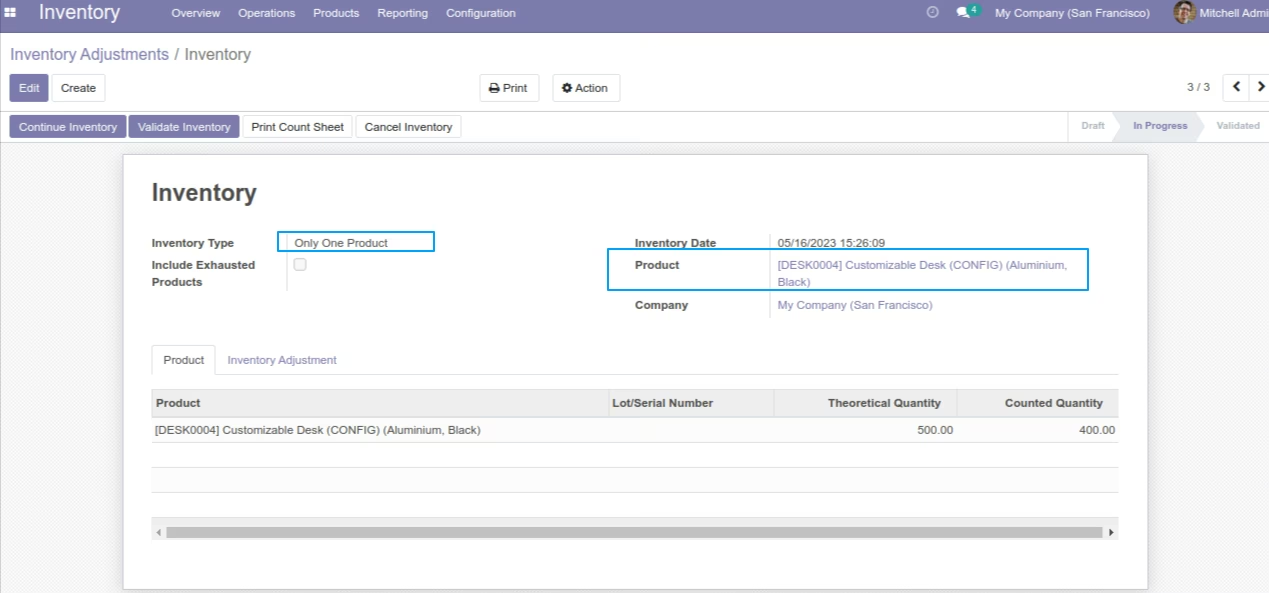
Inventory Type Is Ony One Product
When we select this option then we can select product and onclick start inventory then selected product set in line.
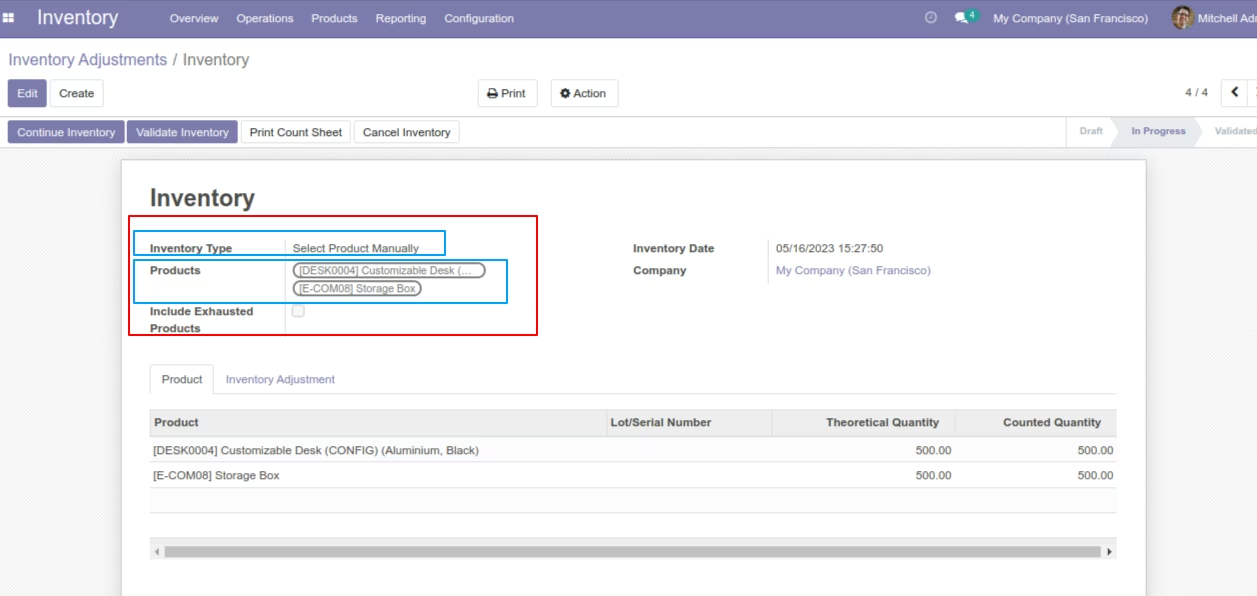
Inventory Type Is Select Product Manually
When we select this option then we can select more than one product and onclick start inventory then selected product set in line.
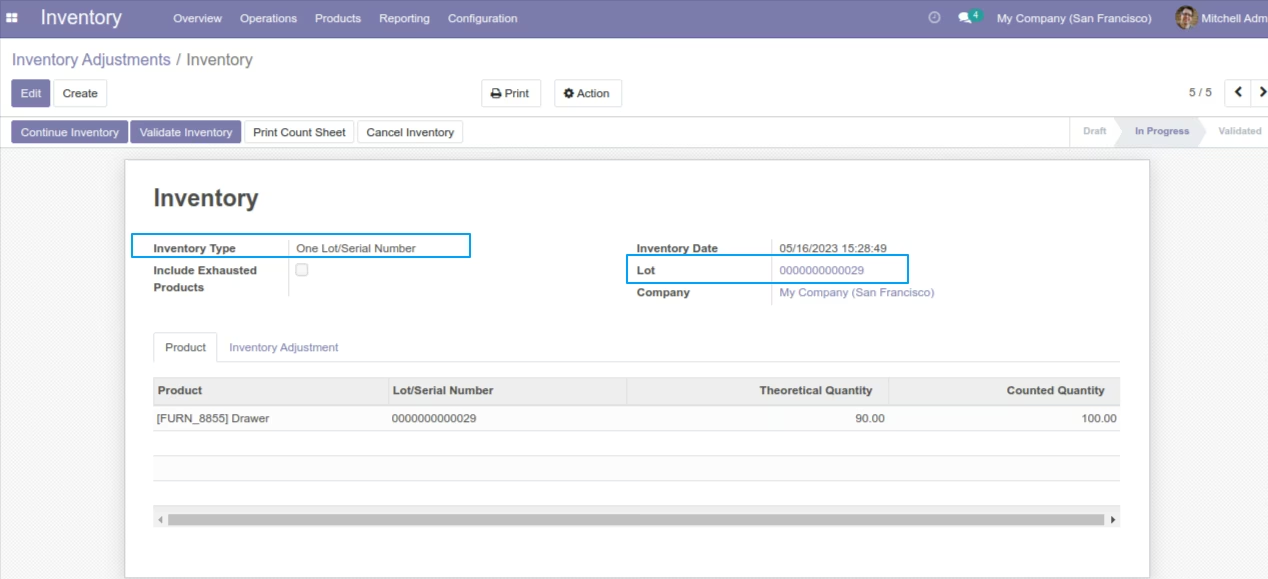
Inventory Type Is One Lot/Serial Number
When we select this option then we can select lot and onclick start inventory then selected lot's product set in line.
Report
We provide inventory type in report.
Search And Group By
We provide inventory type in search and group by.