
The module allows to automatically receive and process inventory adjustment data from external sources or systems. It ensures your recorded stock levels in always align with physical counts or external updates streamlining reconciliation and maintaining inventory accuracy without manual re-entry.
Import inventory adjustment data from external systems.
Automatically update stock levels based on received adjustments.
Support bulk processing of adjustment entries for efficiency.
Maintain audit trail by logging adjustment sources, timestamps, and values.
Provide reconciliation visibility with difference tracking between external count and records.
Ensure real-time or scheduled synchronization depending on configuration.
Eliminate manual data entry and reduce reconciliation errors.
Ensure consistent inventory records across systems and locations.
Support multi-source integration for omnichannel operations.
Improve inventory accuracy, enabling better planning and fulfillment.
Enhance operational transparency with synchronized data and audit logs.
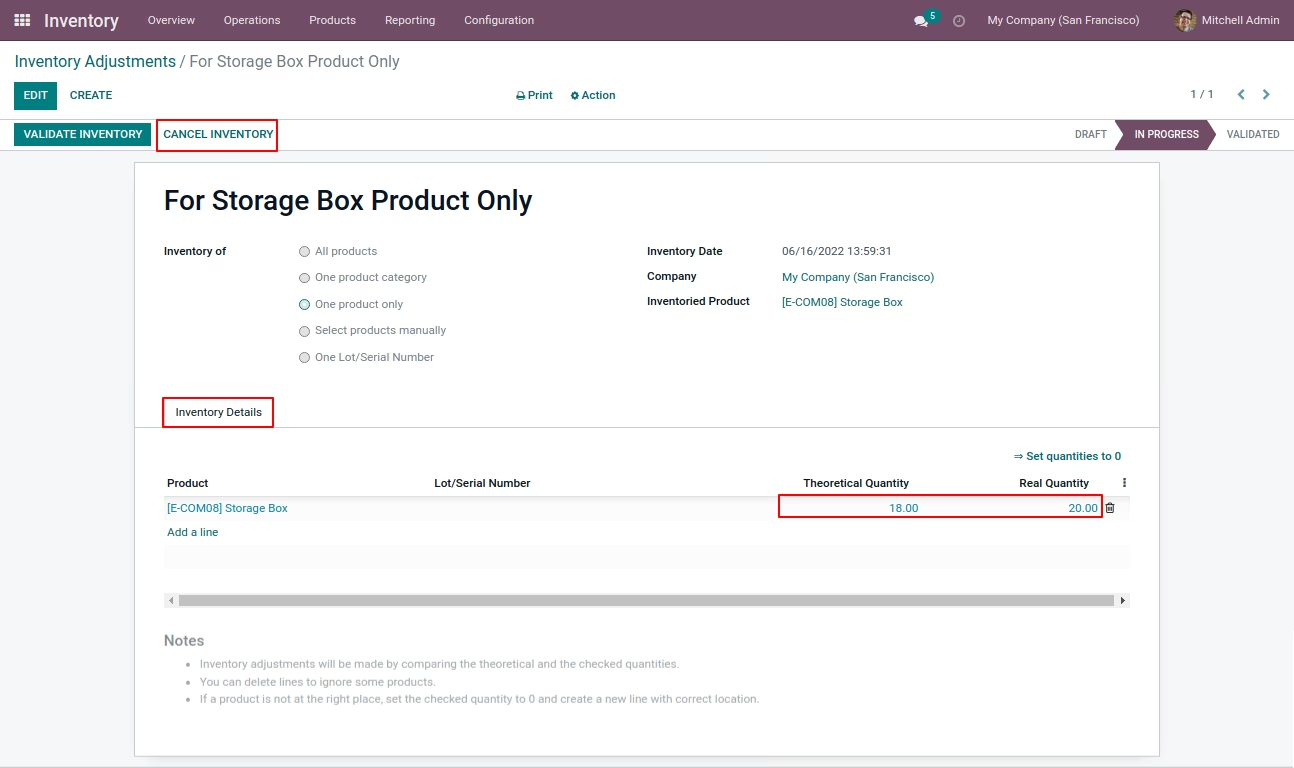
Inventory Adjustment will allow you to change the product quantity by verifying the physical quantity automatically which will be directly reflected on the stock quantity of the product.
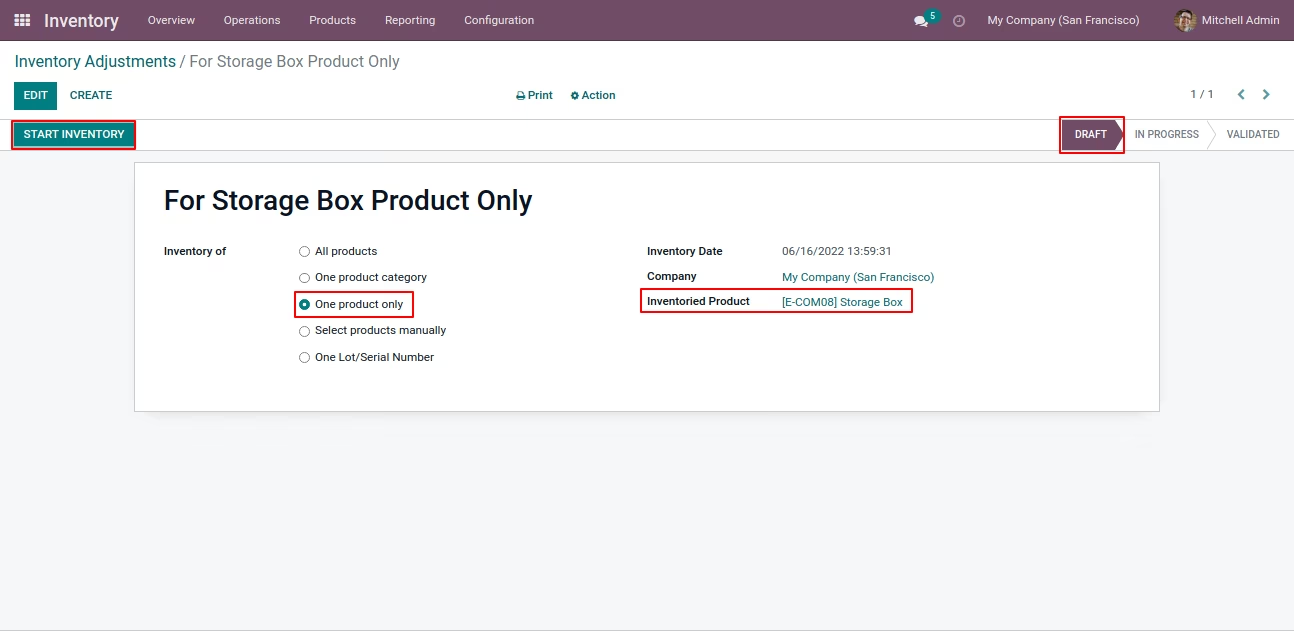
We can update quantity based on product, product category, all configured products, selected product and allocated lot and serial number wise.

Inventory Adjustments
Based on All products, One Product Category, One Product Only, Selected Product manually and Allocated Lot and Serial Number wise.
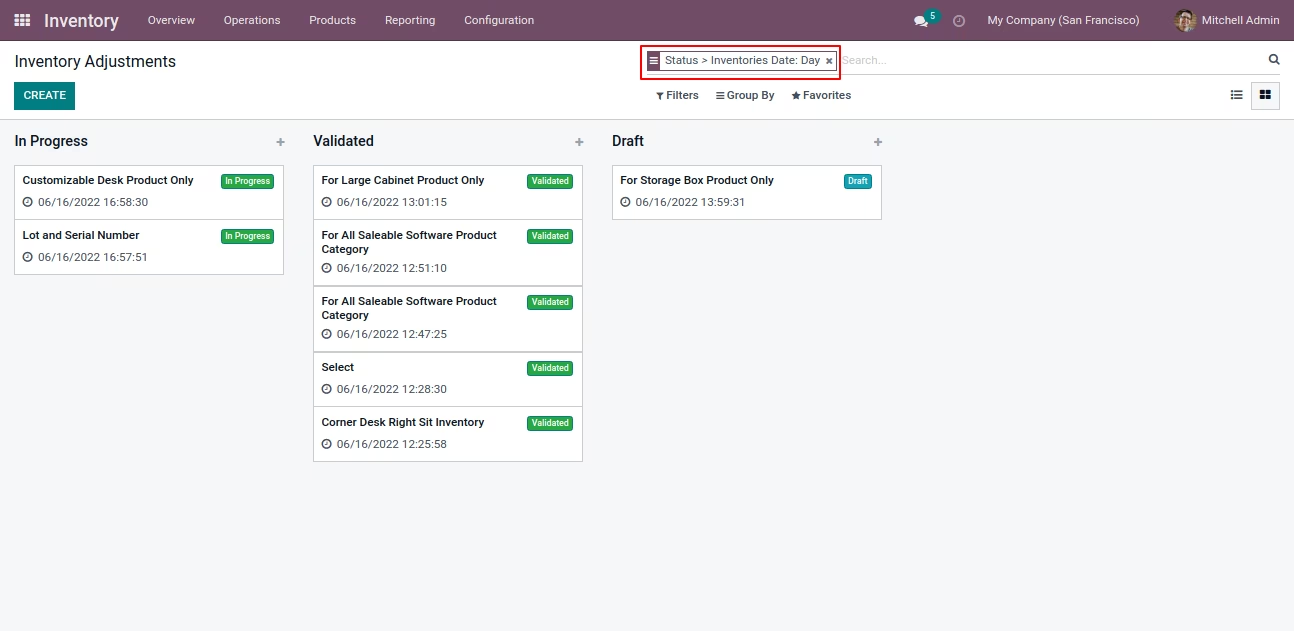
Easily Search Record
You can search record by status and Inventory of Day, Week, Month, Quarter,Year wise
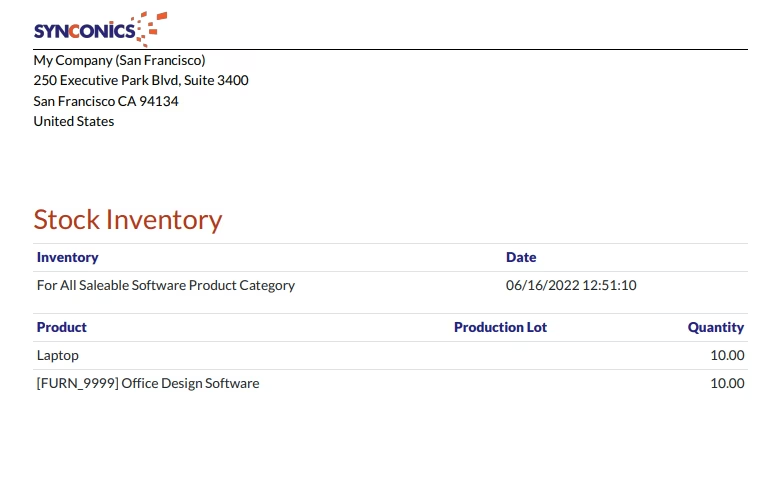
Inventory Report
You can generated Inventory Report based on selected inventory configuration.
|
Inventory -> Products -> Products
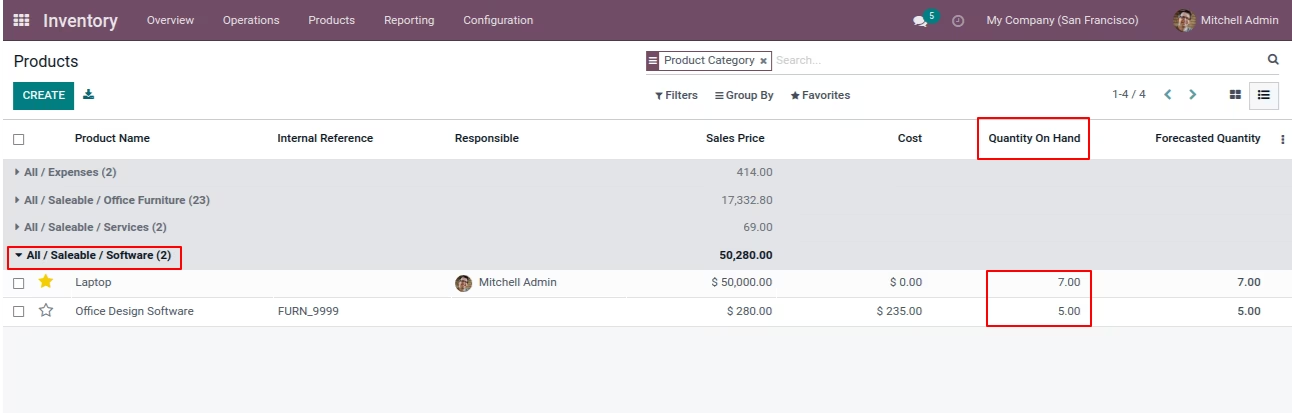
Configure Inventory Adjustment
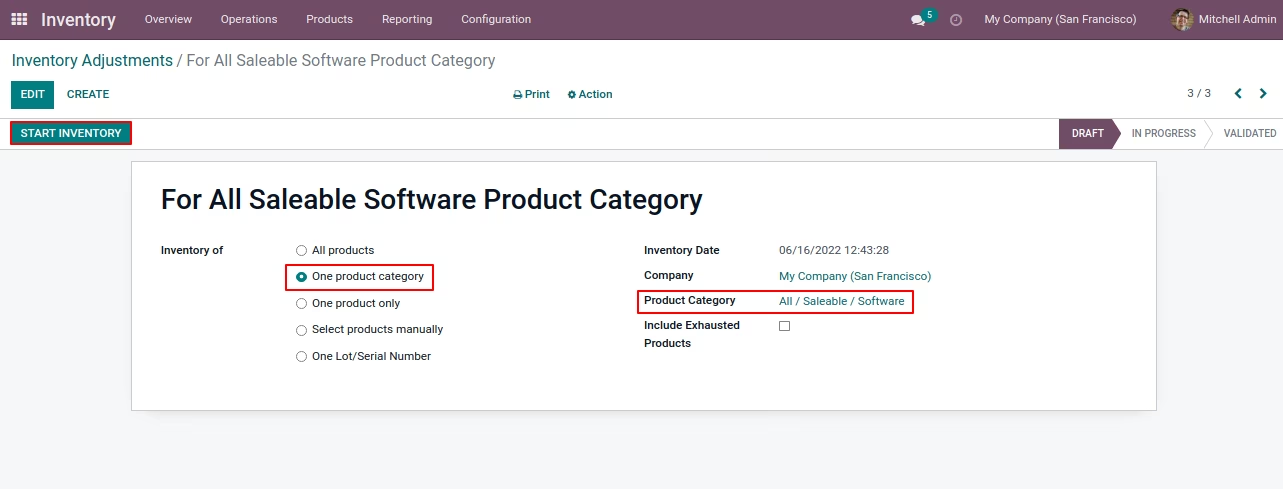
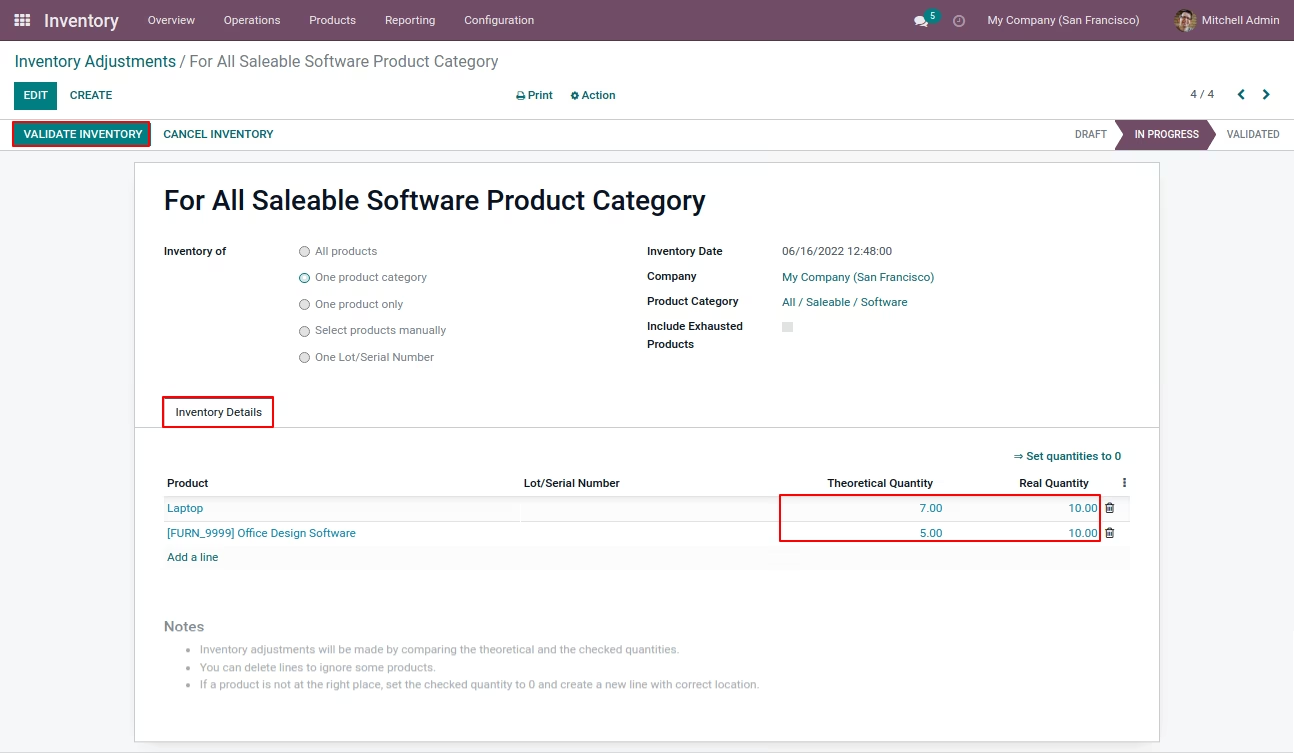
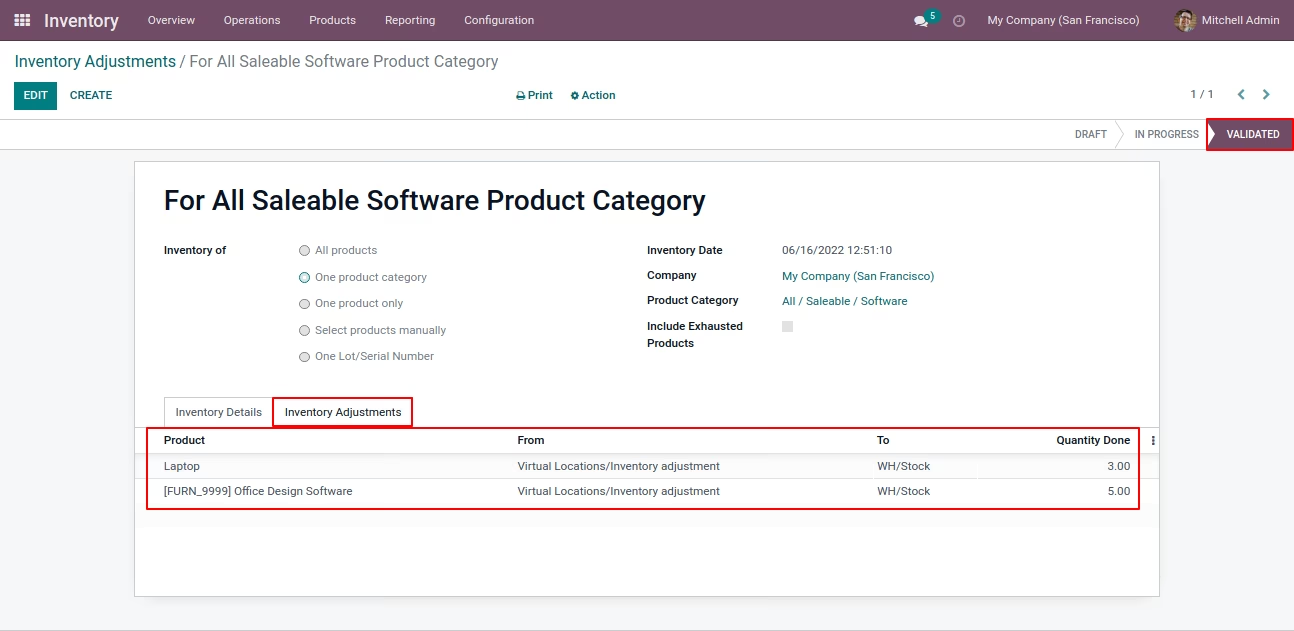
|
|
Search Record
|
|
Inventory Report
|