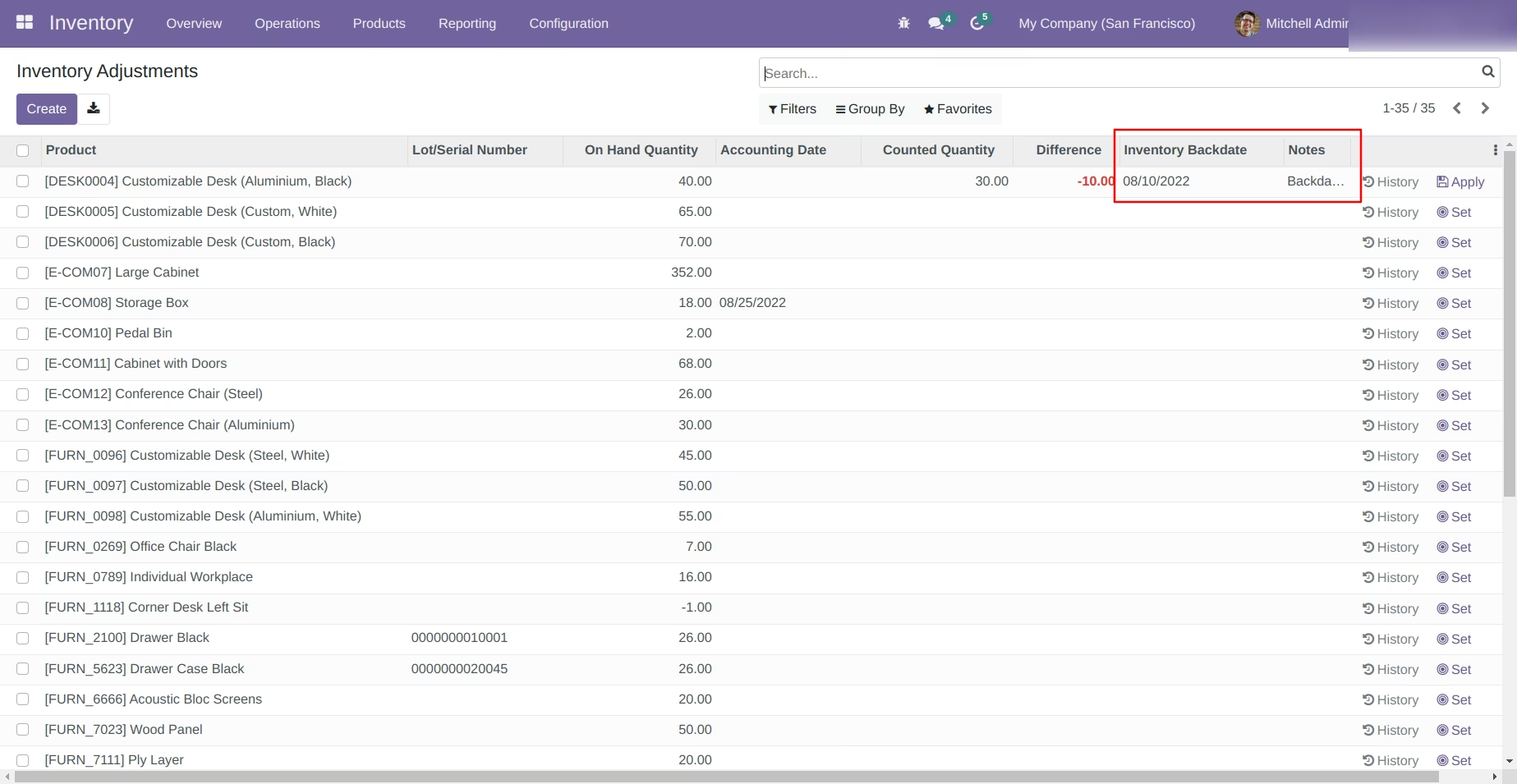
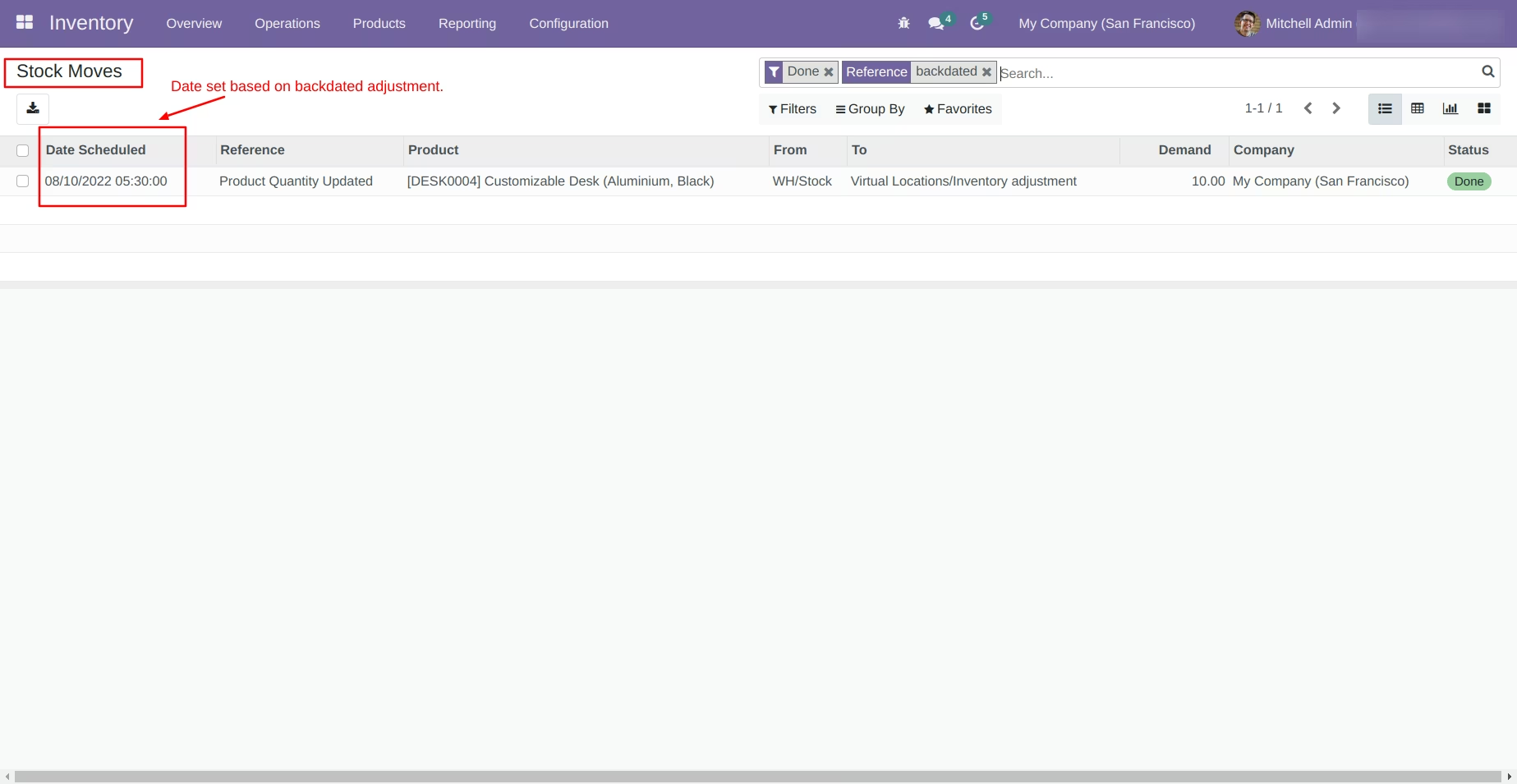
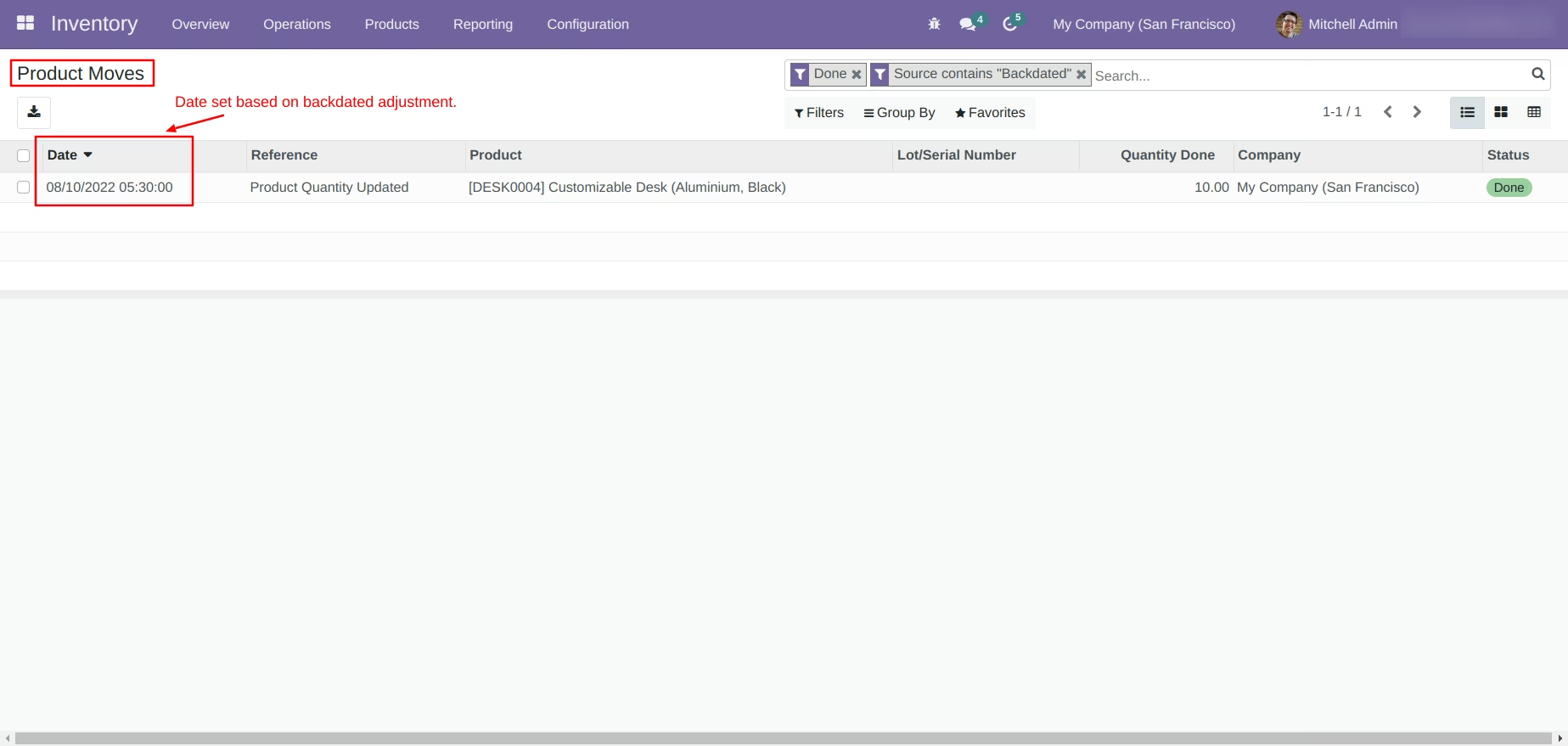
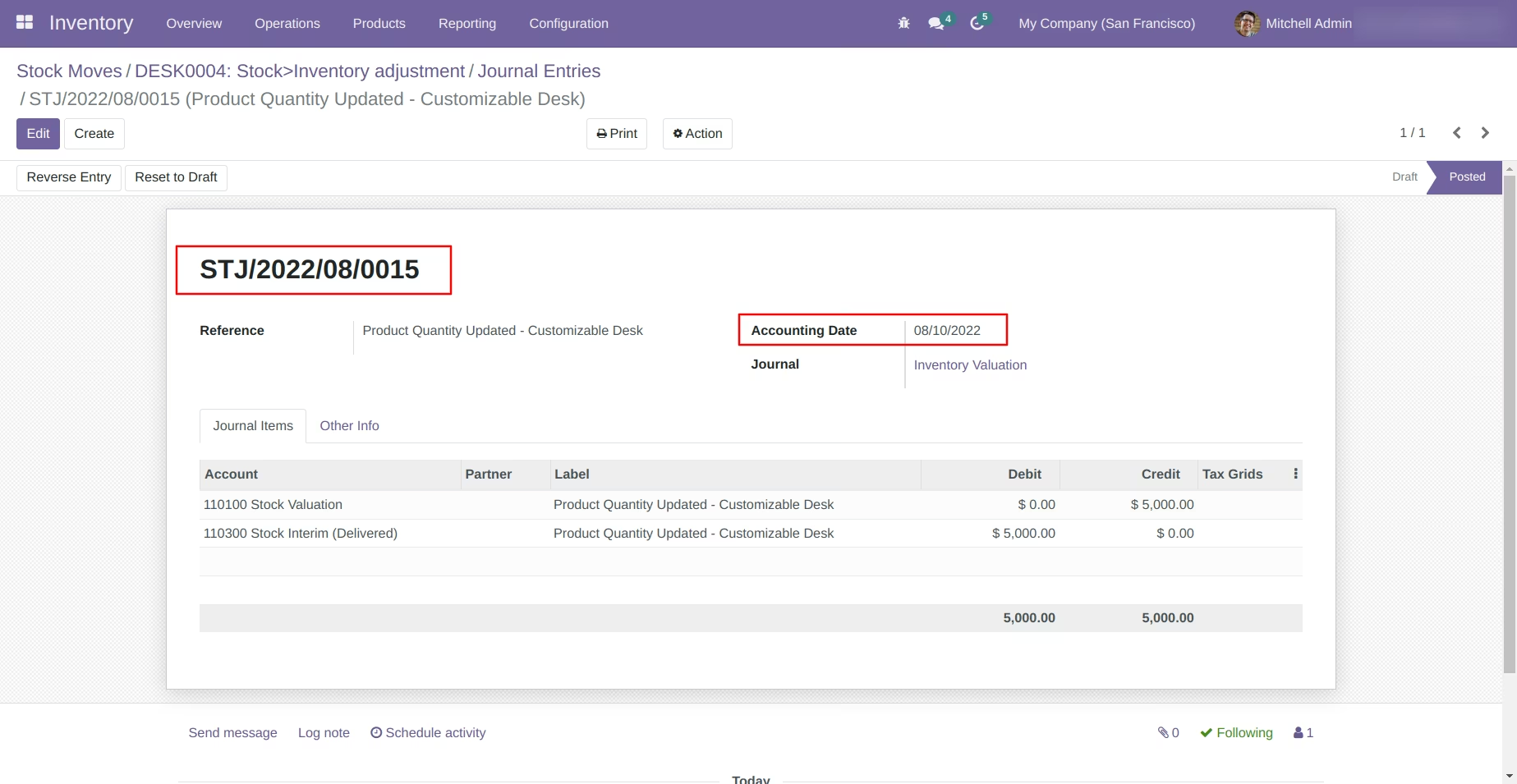
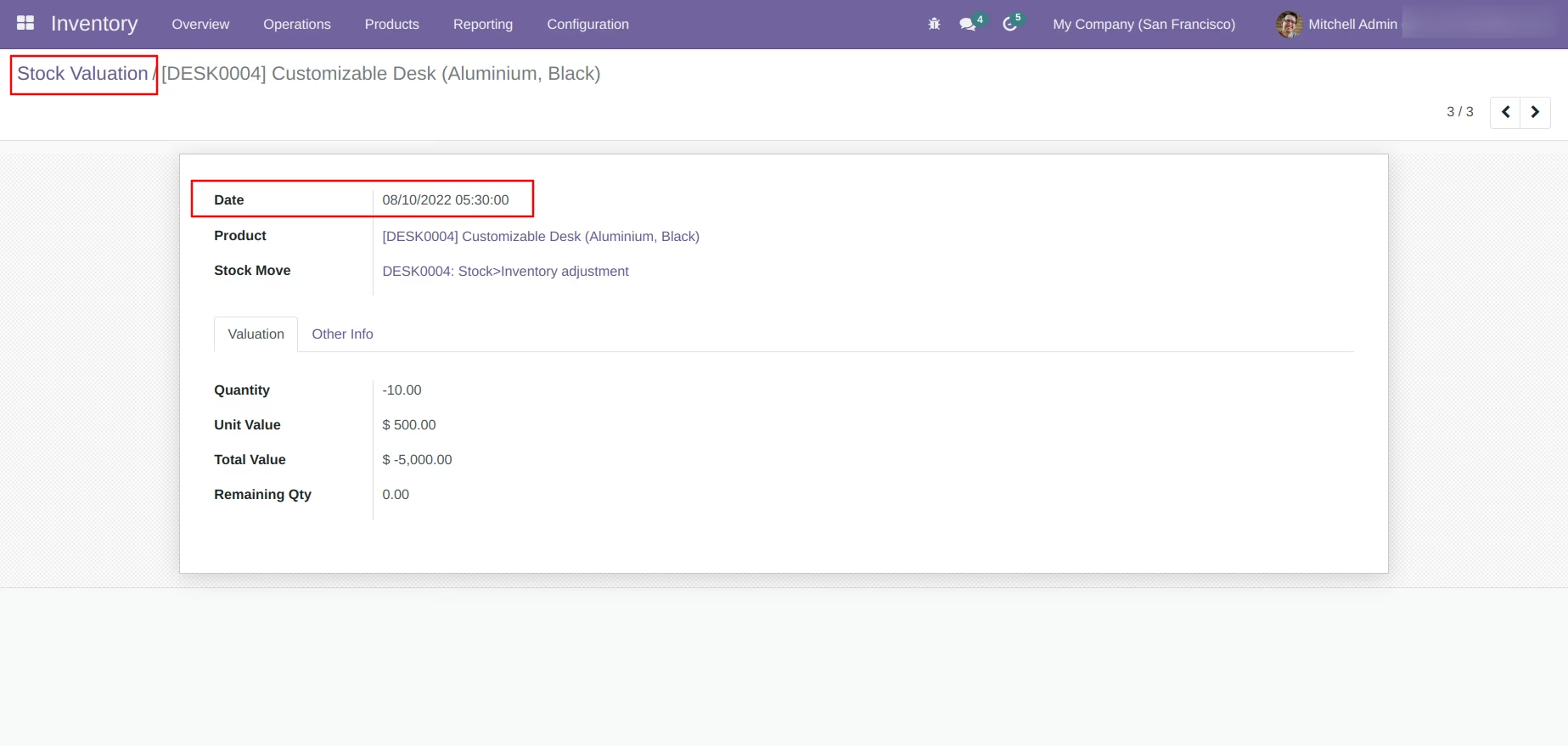
The module enables users to apply stock count corrections using past dates. It ensures that all related records such as stock moves, product moves, inventory valuation, and accounting entries consistently reflect the backdated adjustment. This enhances data accuracy, auditability, and reporting integrity.
Enable backdating for inventory adjustment entries.
Apply notes or remarks associated with backdated adjustments.
Update timestamps in stock moves and product moves to match the backdate.
Adjust inventory valuation and accounting journal entries to align with the chosen date.
Support automated valuation methods, ensuring valuation accuracy despite retrospective corrections.
Improve historical accuracy by aligning system records with actual stock count dates.
Strengthen audit and compliance through transparent and consistent data changes.
Enhance financial reporting by ensuring that valuation entries reflect the correct historical period.
Reduce discrepancies caused by delayed data entry or physical count processing.
Enable more reliable inventory and accounting reconciliation for backdated events.
- Allow user to do Inventory Adjustments in back dated/force dated.
- Update the date in stock moves, product moves and inventory valuation.
- Update the date in journal entries if product have automated valuation method.