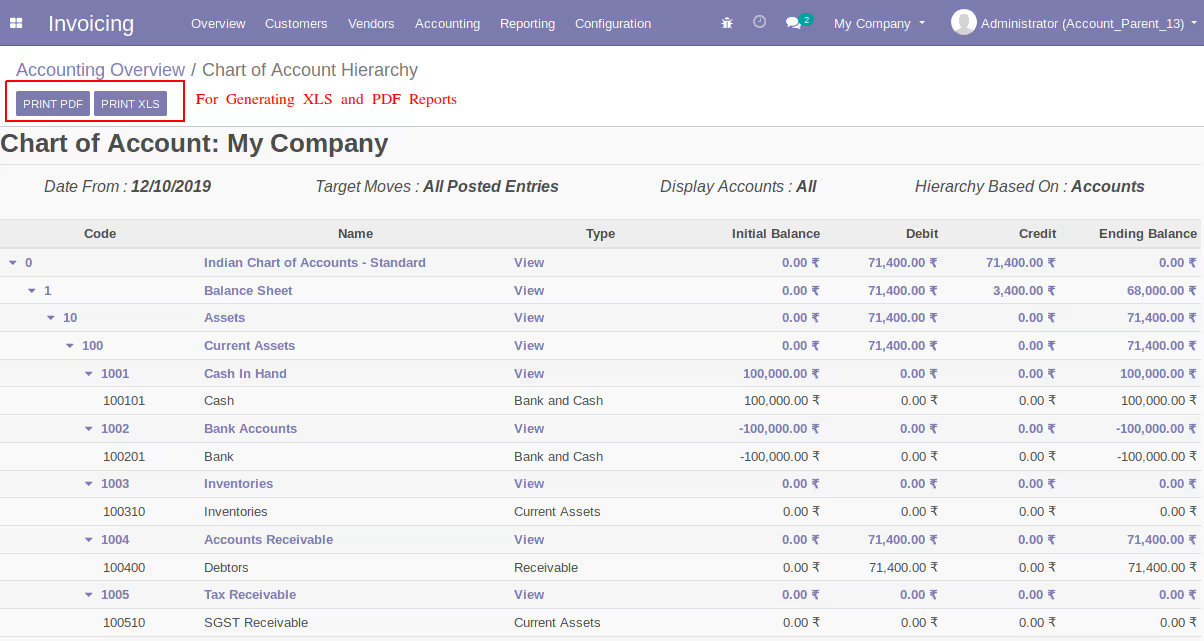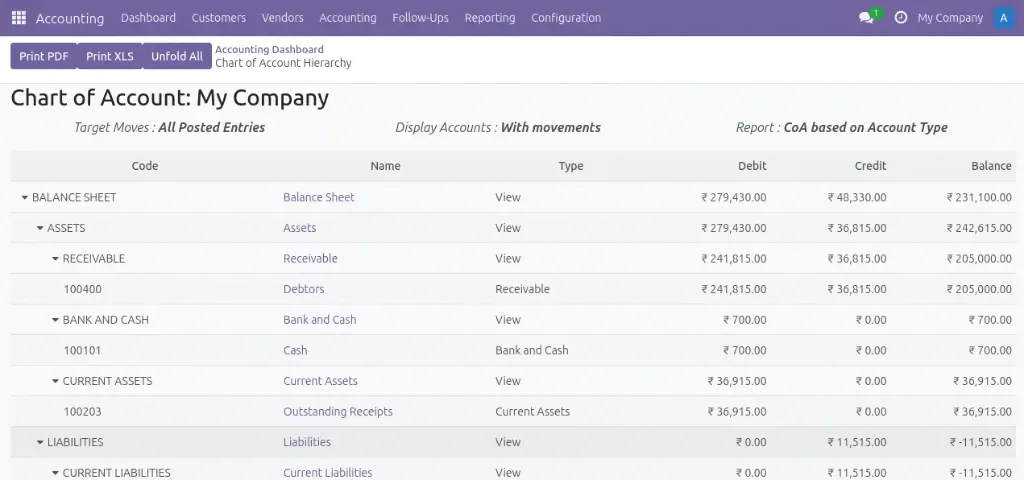
The Parent Account (Chart of Account Hierarchy) module for enables you to define hierarchical parent-child relationships within your chart of accounts, creating a clear tree structure that improves financial visibility across your organization. By linking individual accounts to parent accounts, finance teams can aggregate balances automatically and simplify reporting while maintaining a logical account structure.
Parent-Child Relationships: Easily assign parent accounts to child accounts to form a hierarchy.
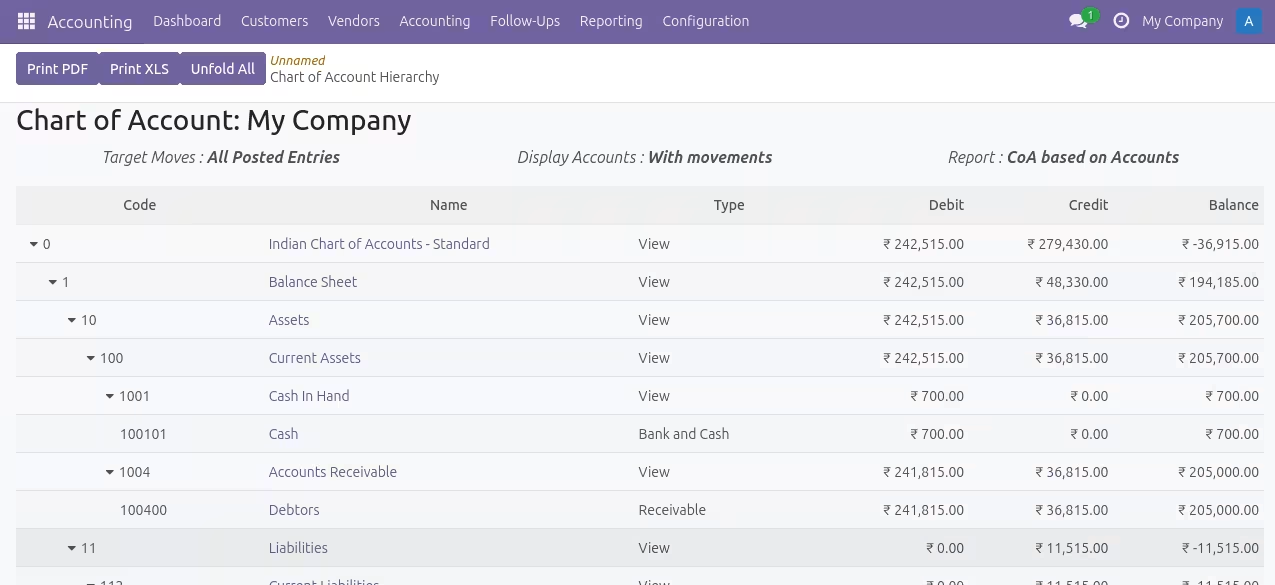
Automated Balance Consolidation: Child account balances roll up into parent accounts, giving a complete financial picture at each level.
Hierarchical Chart of Accounts View: Navigate your accounts in a tree view that highlights grouping and structure.
Enhanced Financial Reporting: With accounts logically grouped, reports become easier to analyze and understand.
Clear Organizational Financial Structure: See how accounts relate to each other in a structured tree format.
Faster Consolidated Reporting: Eliminate manual roll-ups by automatically aggregating balances.
Improved Account Navigation: Quickly locate and analyze related accounts in large datasets.
Whether you’re managing financial accounts for multi-department organizations, preparing consolidated reporting, or streamlining audit processes, this module enhances accounting capabilities with logical hierarchical views and automated balance management.
Account Parent
Chart of Account Tree View
New Features Added!
- Unfold All button added
- Print PDF and XLS button added in the filter window for quick print
- New filter 'Display Accounts' added
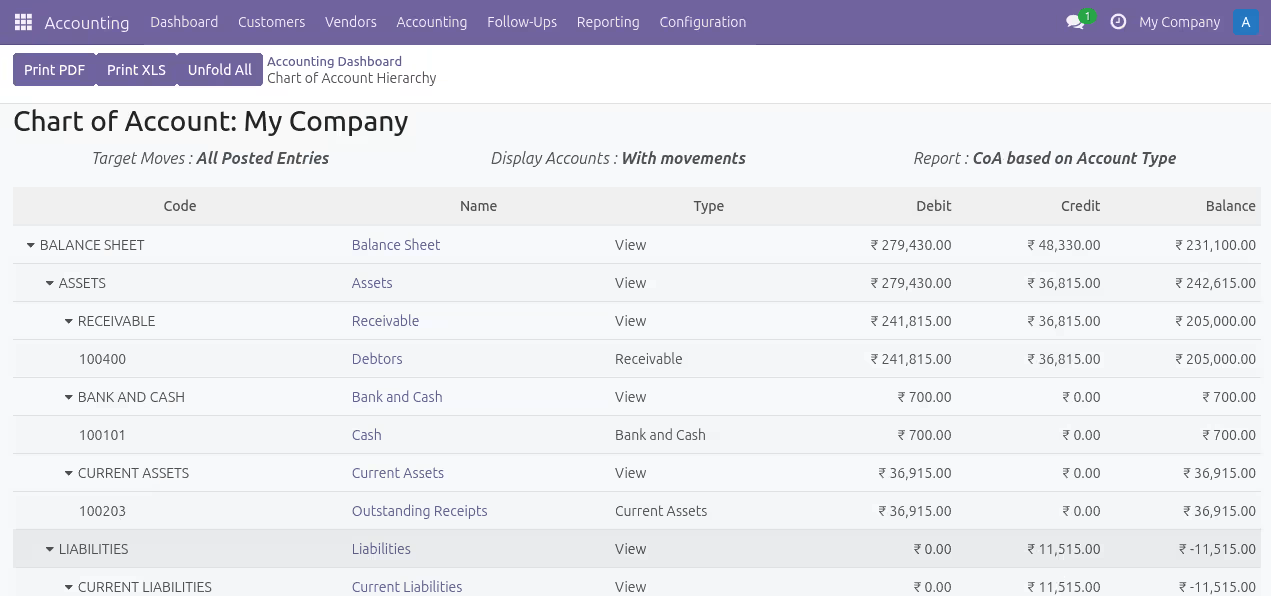
- New Hierarchical report based on account type added
Configuration
- After installing the account parent module go to the user configuration menu and activate the security group Show Chart of Account Structure.
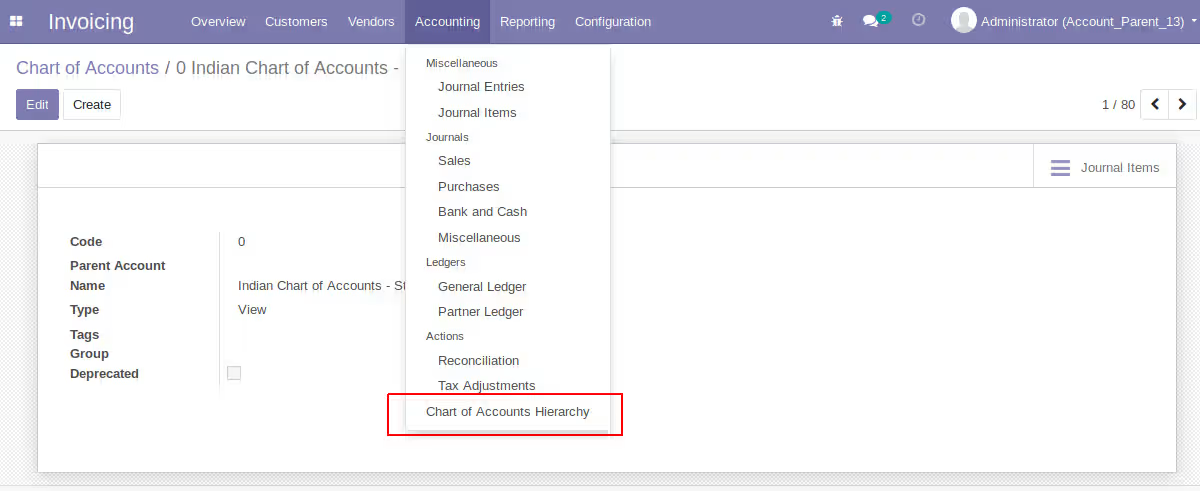
- Under Reporting menu now you can see Chart of Account Hierarchy menu. Then open the Chart of Accounts menu under accounting configuration, open one account you can see a new field Parent Account, if you map the parent properly you can achieve the tree structure.
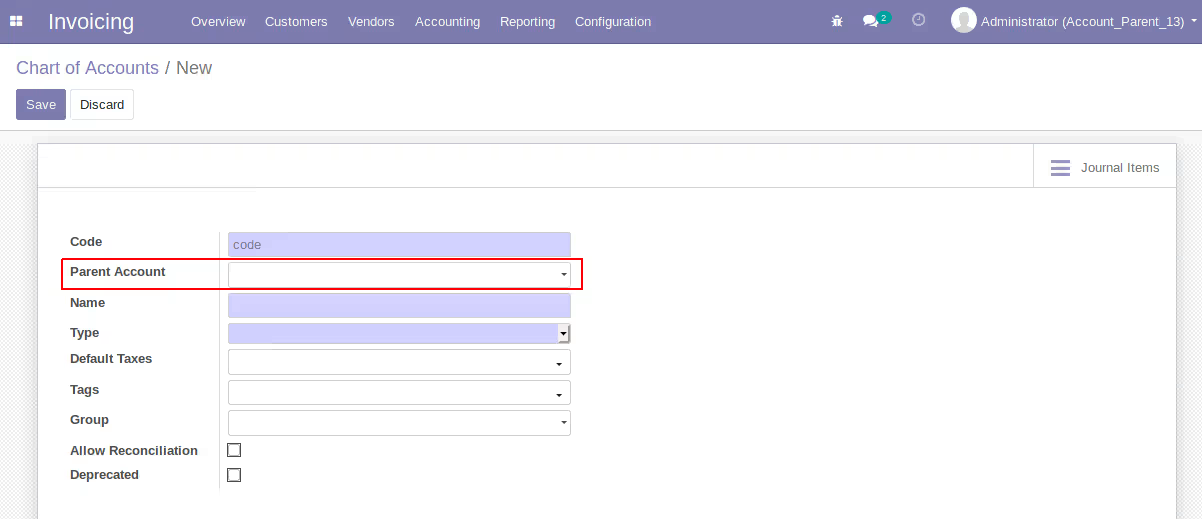
- We provide an example for configuring parent account and to show in the tree view. First create a view account.
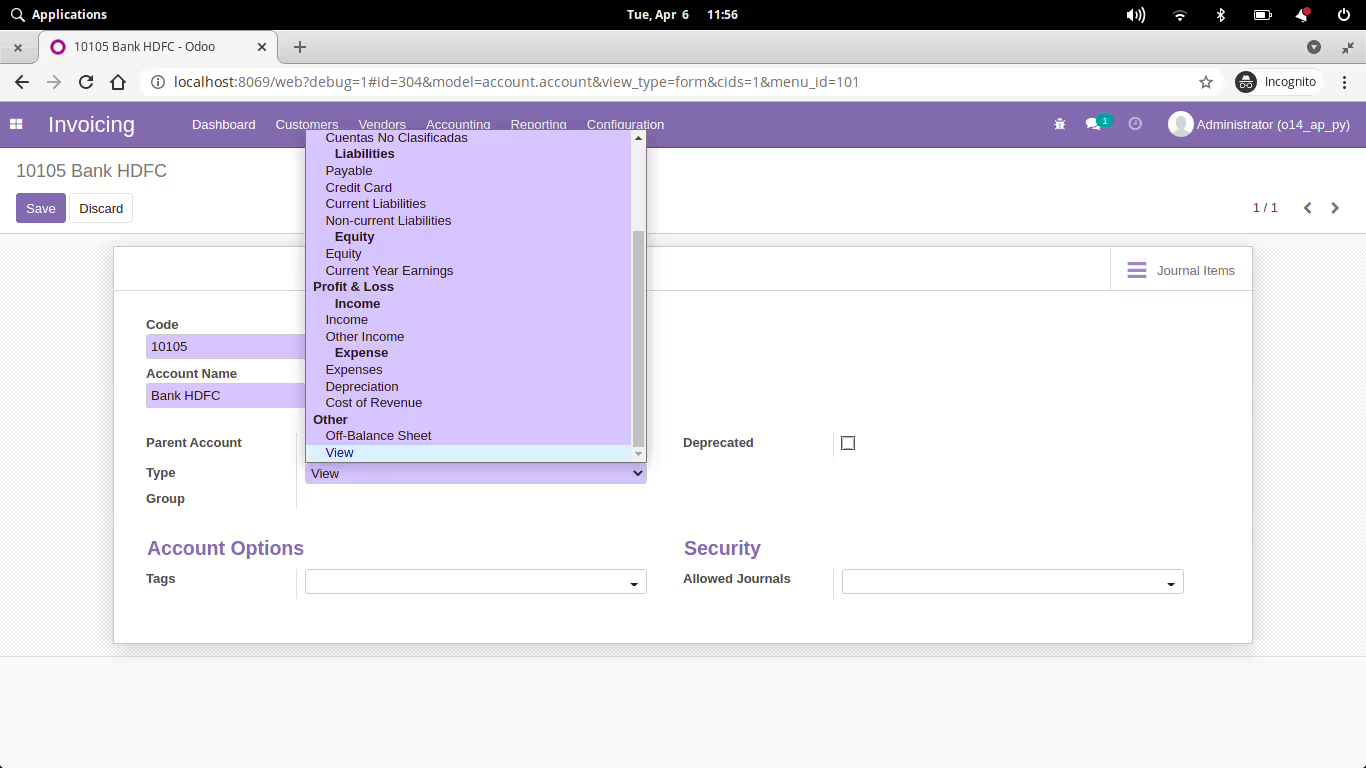
- Map the parent account to sub parent accounts and then to its sub accounts.
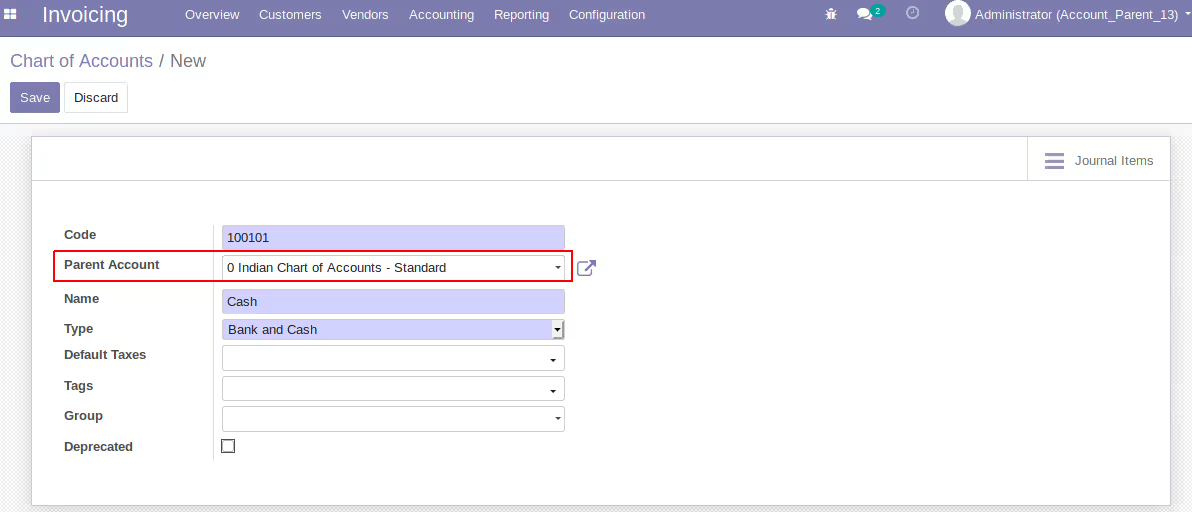
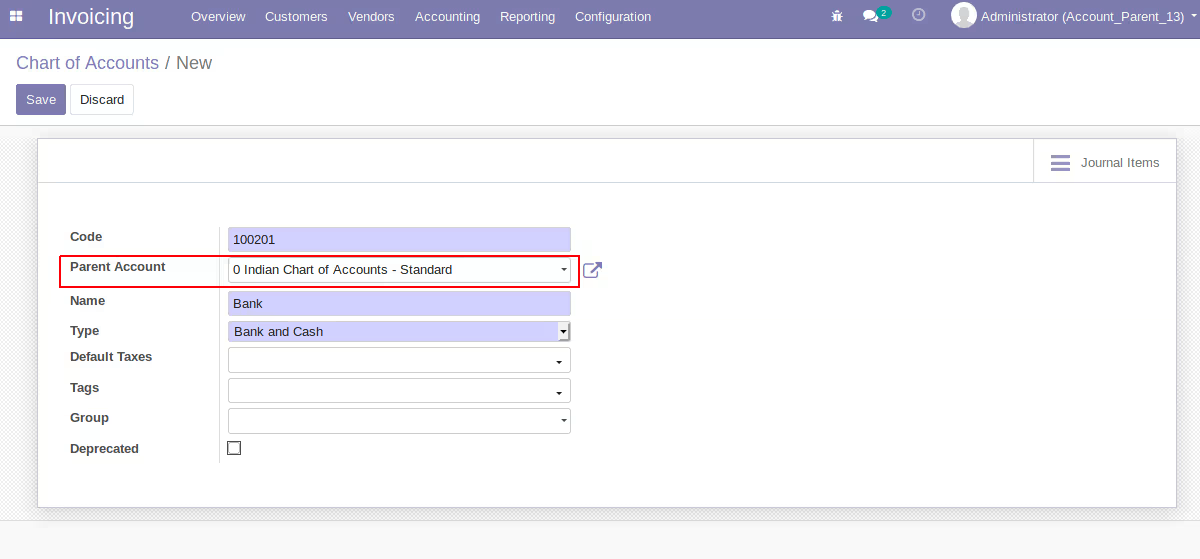
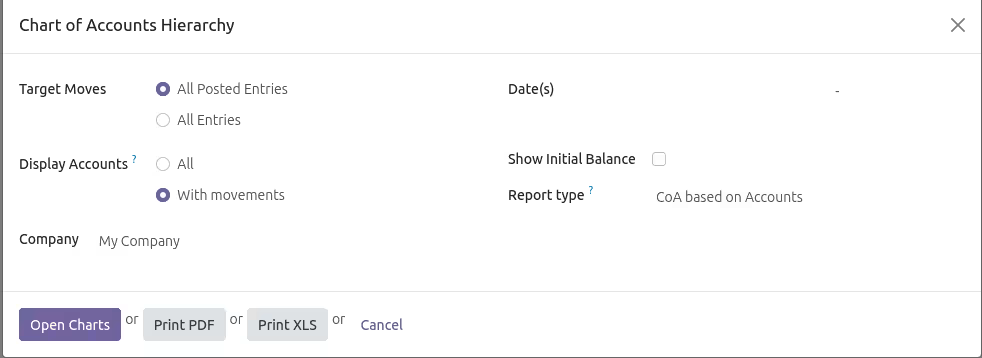
- After the structure configuration is complete, you can Open the chart of Account Hierarchy. Set the Targeted moves or other filters available and click Open Charts
Now you can see a tree structure for the accounts we configured, if you configured all you will get full structure.
Features
Target Moves
- Select "All Posted Entries" if you want to get the hierarchy view of all accounts with posted journal entries only
- Select "All Entries" if you want to get the hierarchy view of all accounts
Display Accounts
- Select "All" to get full hierarchy view. That is all accounts having with or without movements will be there in the hierarchy view.
- Select "With movements" for getting the hierachy view of accounts having journal entries
Hierarchy based on
- Select "Accounts" to get hierarchy view based on account
- Select "Account Type" for getting the hierachy view based on account internal types
Show Initial Balance
- If "Show Initial Balance" is checked you will get initial balance of all accounts in hierarchy view
Report Hierarchy Based On Accounts
Report Hierarchy Based On Account Type
Click on the Unfold All to expand all or click on arrow to expand the chart
click on the Account name to view the related journal items
Reports
You will be able to export the hierarchical view in pdf and xls formats.