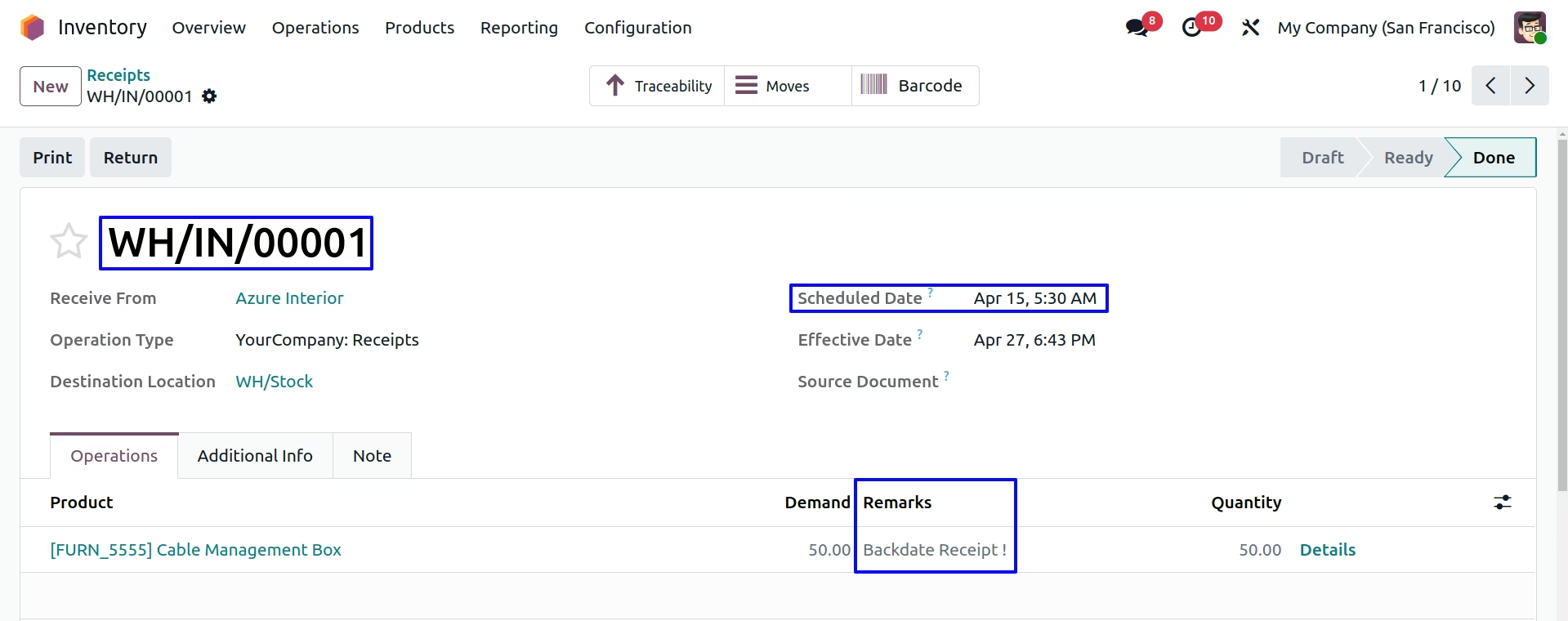
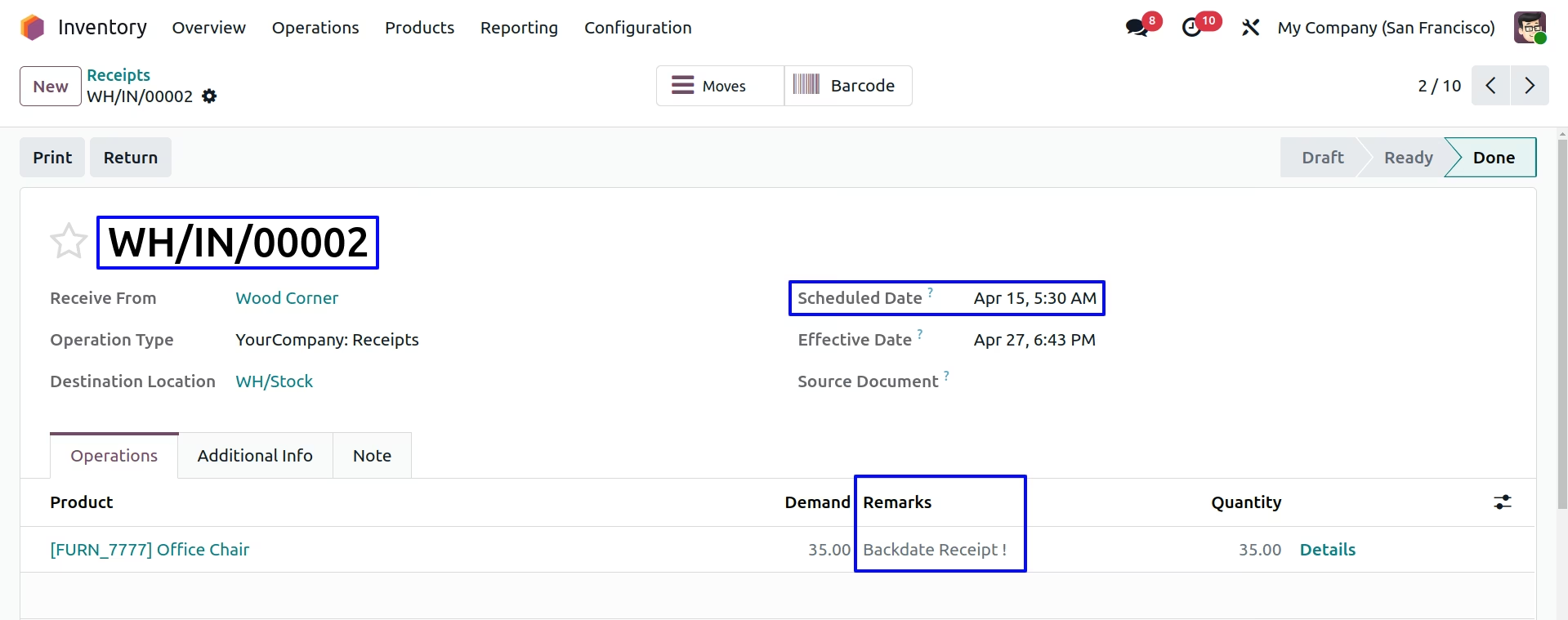
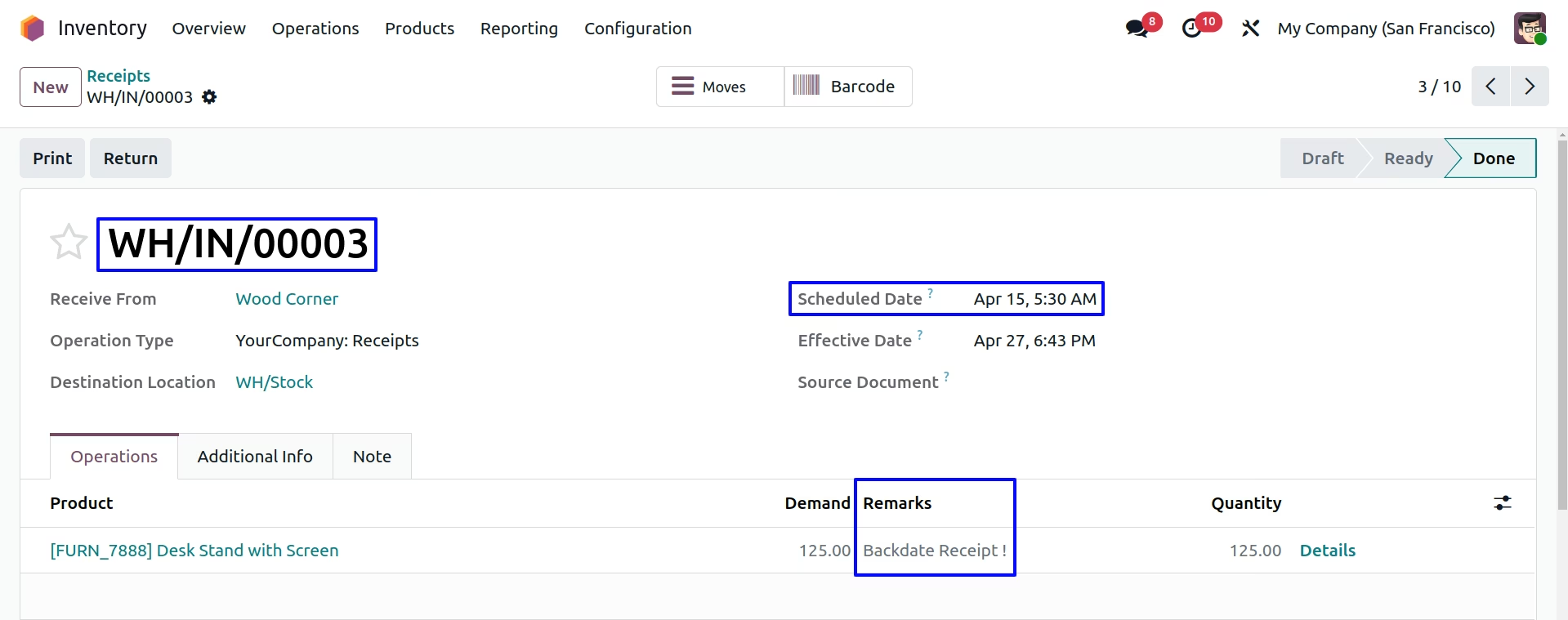
The module empowers users to backdate internal receipt transactions. By allowing custom entry dates and optional remarks at validation, the module ensures internal receipts along with stock movements and accounting entries accurately reflect the intended historical timeline. This capability improves audit trails, valuation accuracy, and overall financial integrity.
Input a custom backdate for internal receipt entries.
Add optional remarks or notes associated with the backdated transaction.
Update stock move and accounting timestamps to match the specified date.
Ensure alignment of inventory valuation and stock records with the backdated entry.
Support transparent audit trails by preserving both the entry date and user remarks.
Enhance historical accuracy of inventory records by aligning system data with real-time events.
Strengthen audit compliance with precise, date-aligned stock movements and valuations.
Improve financial reporting by reflecting accurate inventory timing.
Facilitate clean reconciliation using backdated adjustments without manual corrections.
Increase transparency with remark-supported entries for clearer user intent documentation.
Backdated Internal Transfers in Journal Entries
Receipt and internal transfer remarks in stock moves
Add Custom Remarks to Receipts and Internal Transfers
Receipt and internal transfer backdate in Accounting Entries
This apps help to put custom backdate and remarks on purchase receipt and internal stock transfer. This module allow receipt and internal stock transfer backdating operations in warehouse, backdate will be transfer to stock entries and accounting entries automatically when you received the goods to vendor while process incoming shipment as receipt also when you transfer the goods between internal warehouse. Whatever remarks you want to add you can add those custom remarks on purchase receipt and internal transfer, this remarks automatically pass on stock accounting journal entry if you set inventory valuation method as Automated.
Looking for All in one Stock Transfer Backdate Apps, please check below module link
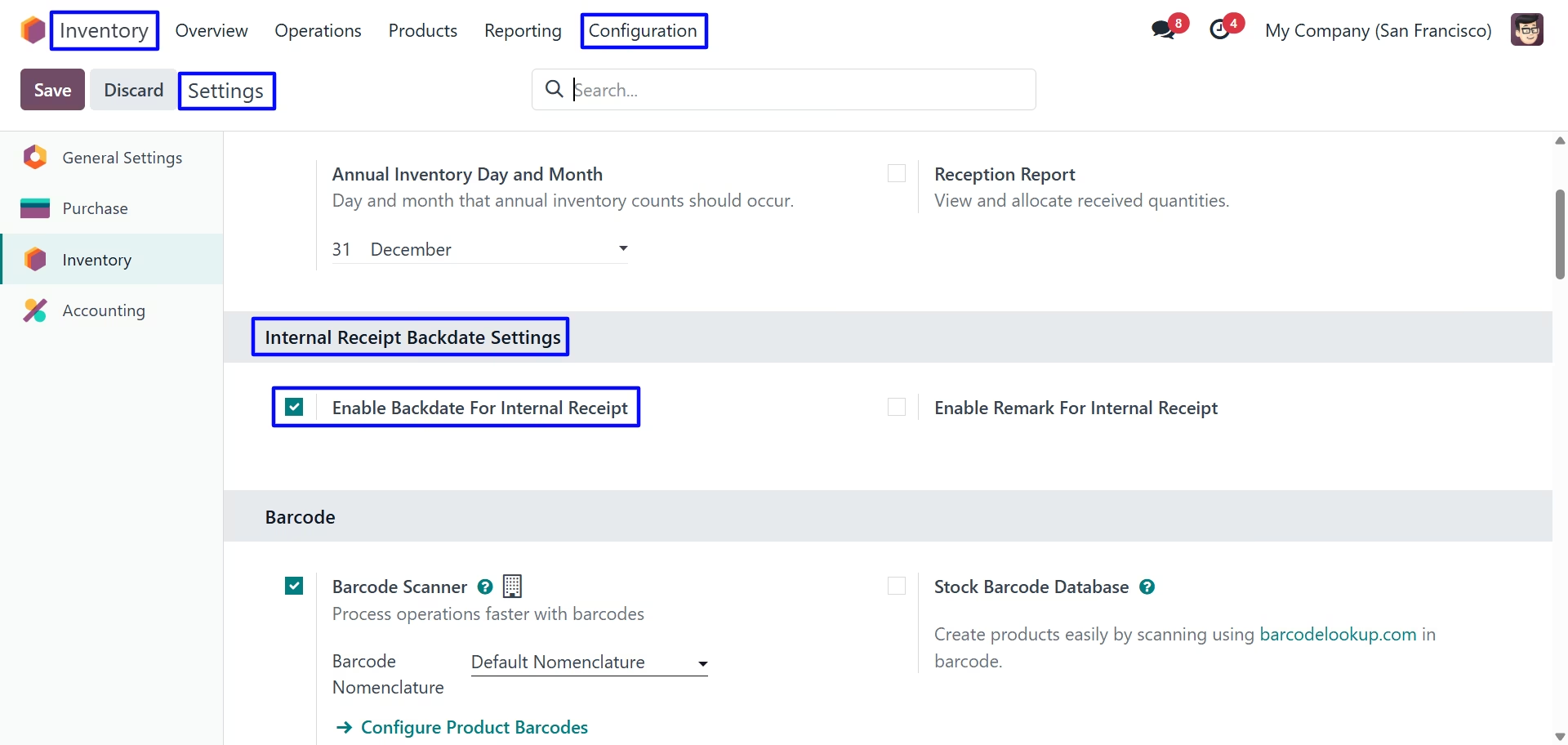
Internal Receipt Backdate Settings
Under Inventory > Configuration > Settings menu user can see options for backdate and remarks for Internal Receipt and configure as per need.
First we configure the Enable Backdate For Internal Receipt
Validate Internal Transfer
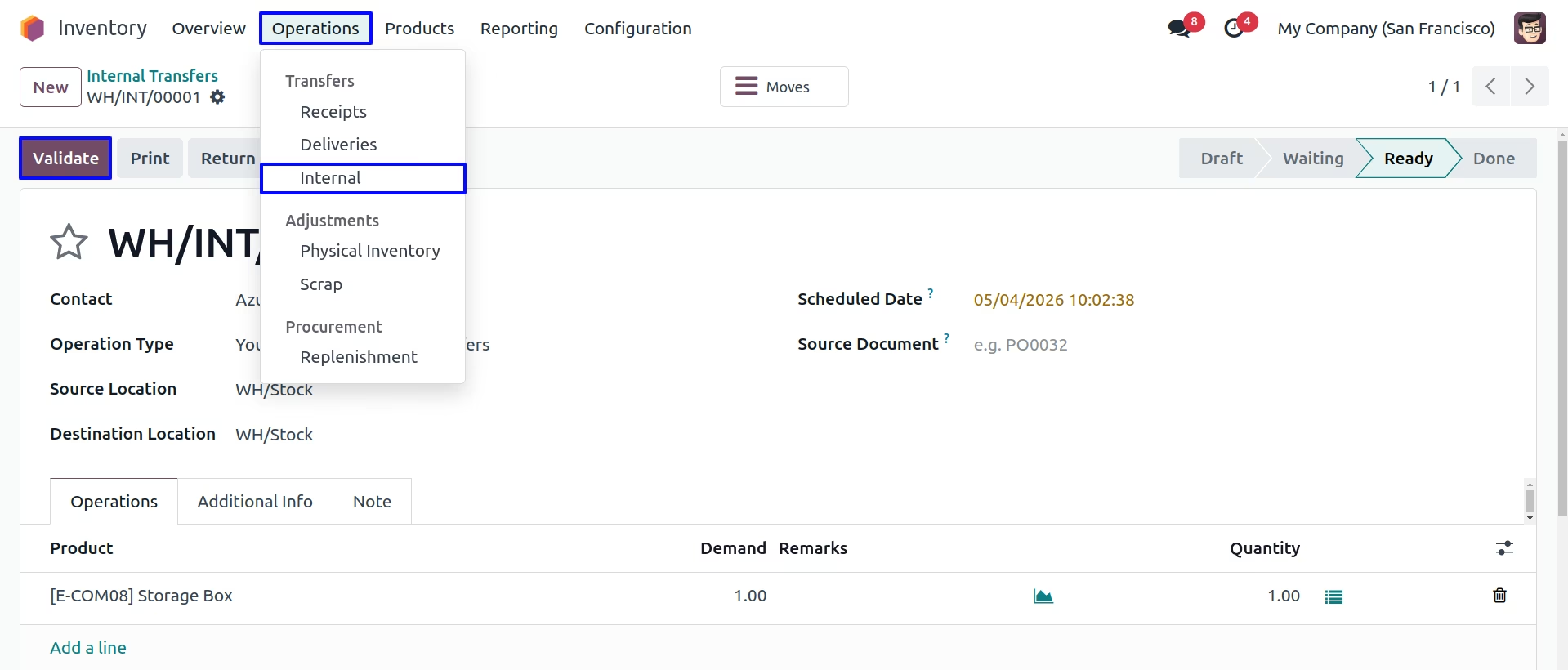
Internal Transfer Backdate & Remarks
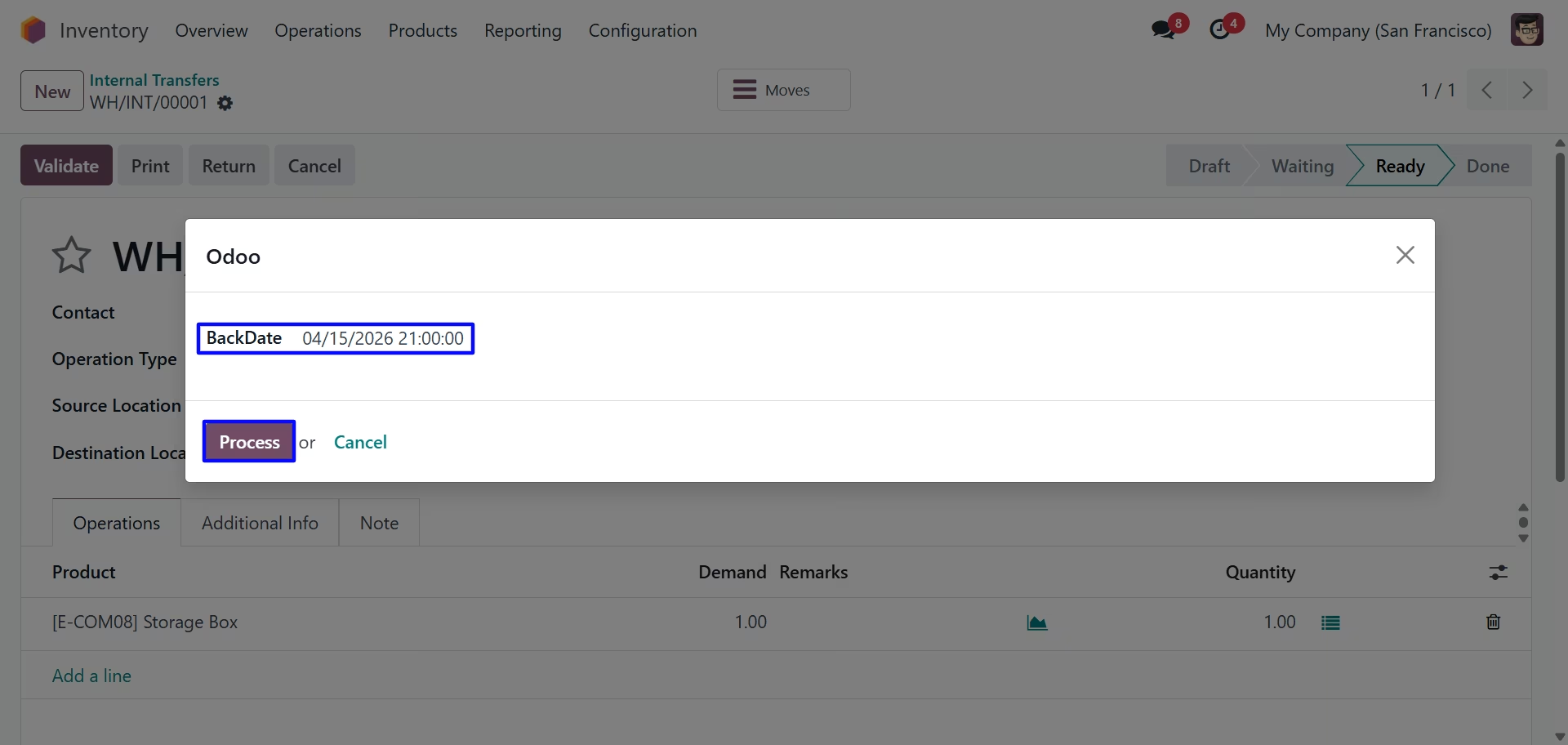
For Enable Backdate For Internal Receipt backdate wizard is render
On clicking "Validate" button new wizard will open, Here user have to select "BackDate" for internal transfer.
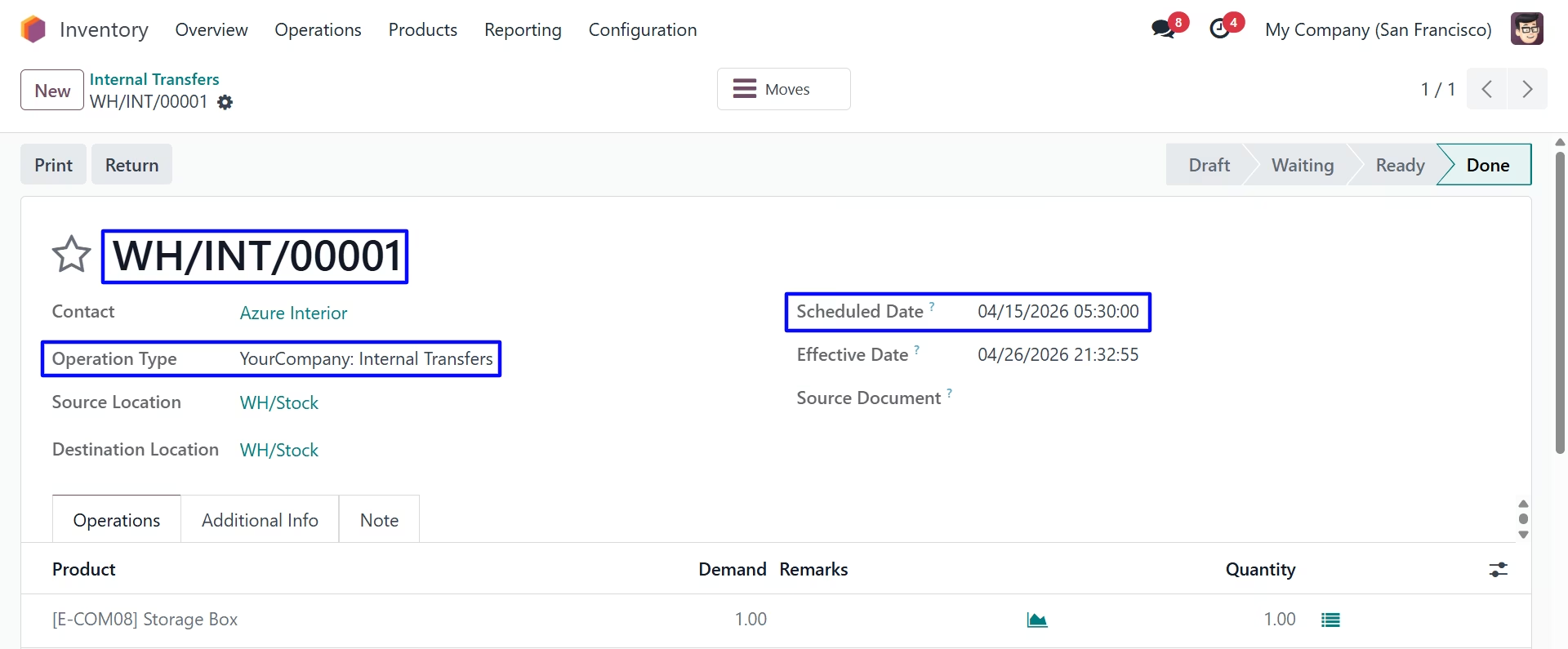
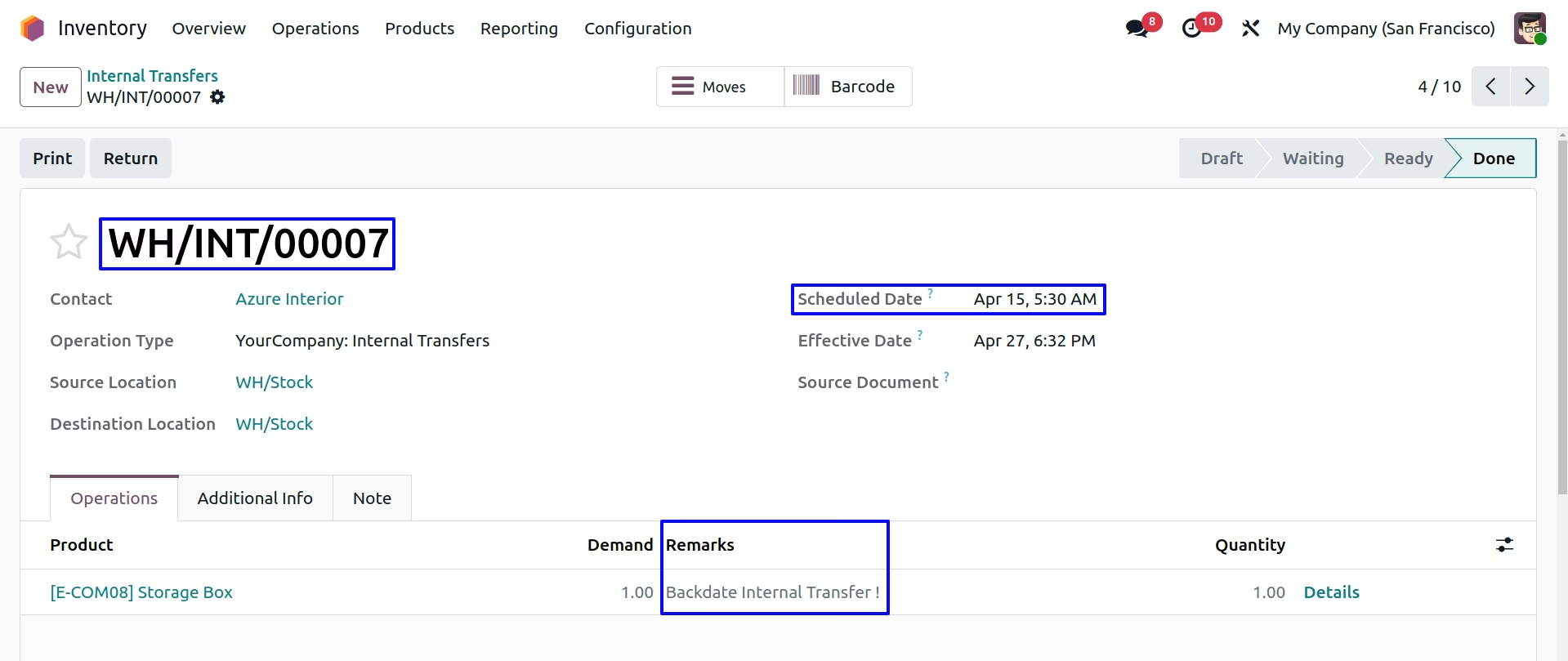
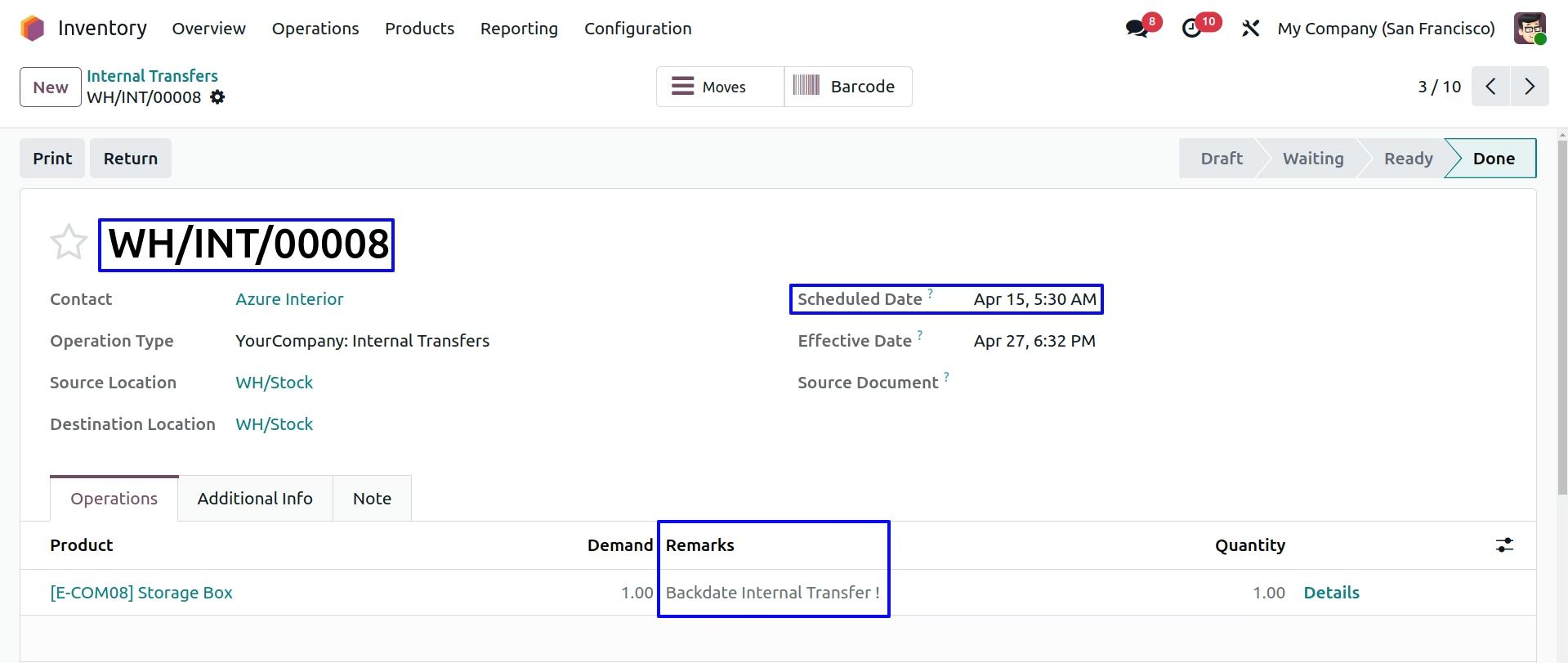
User can see backdate on internal transfer.
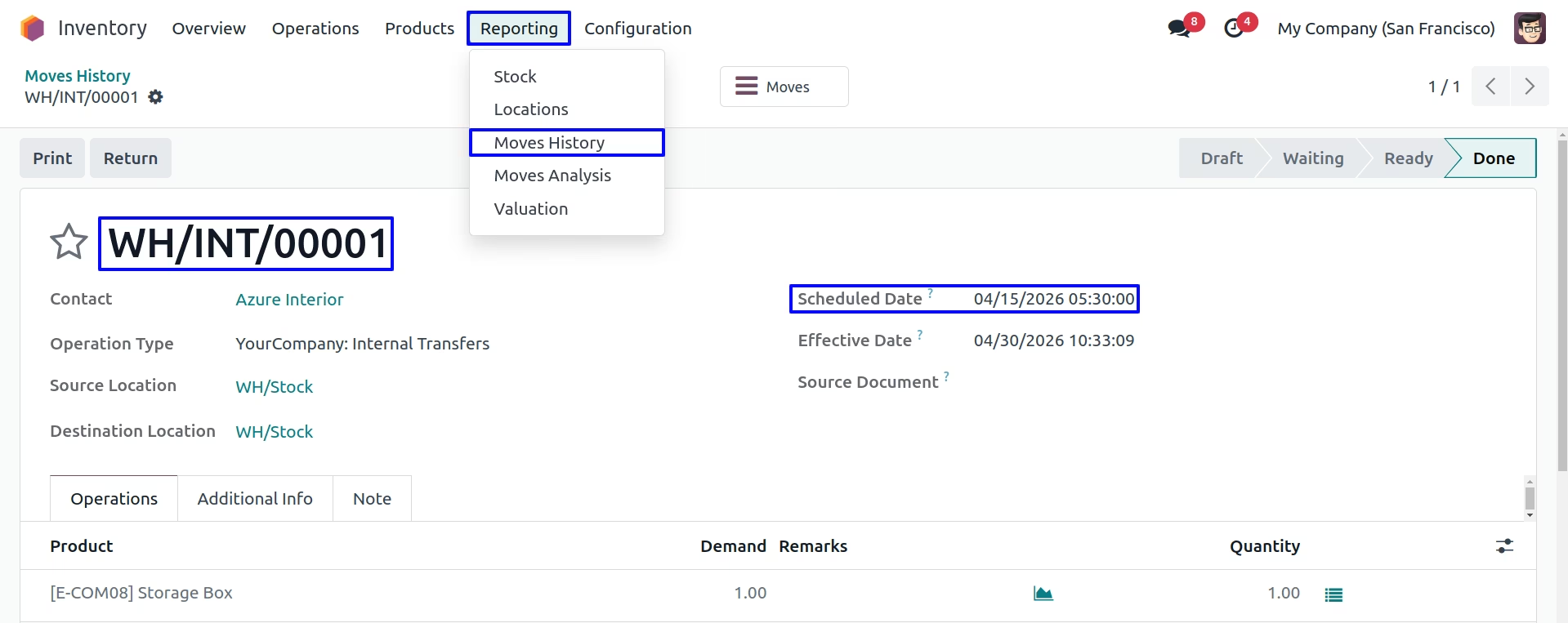
Product Move
Under Inventory > Reporting > Moves History menu user can see created product move for internal transfer with backdate.
Stock Move
Under Inventory > Reporting > Stock Moves menu user can see created stock move for internal transfer with backdate.
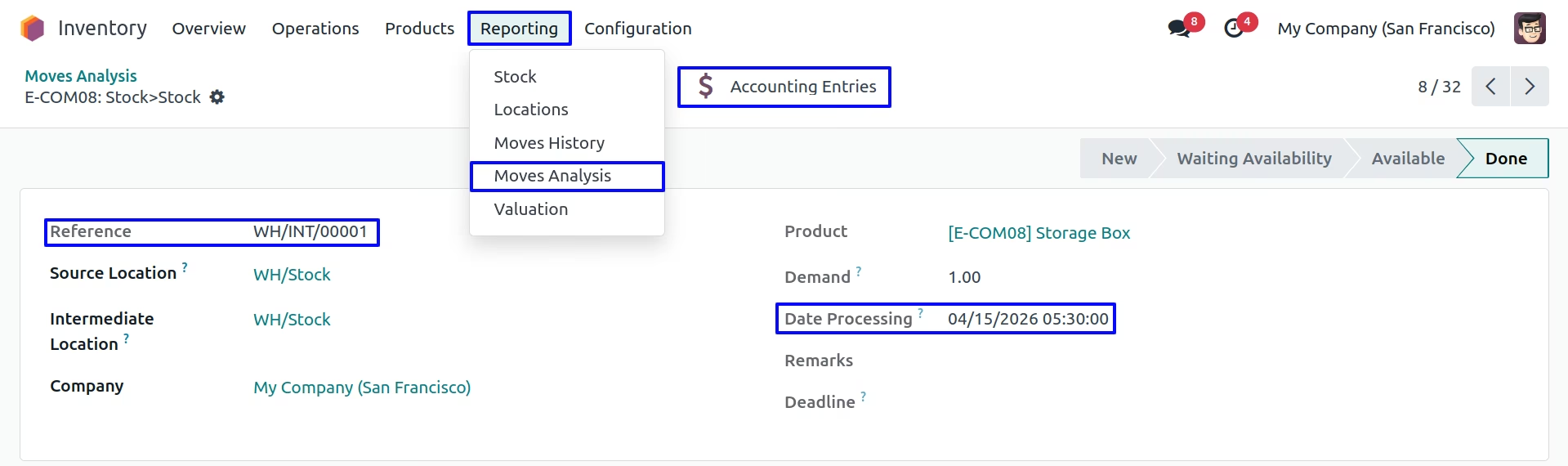
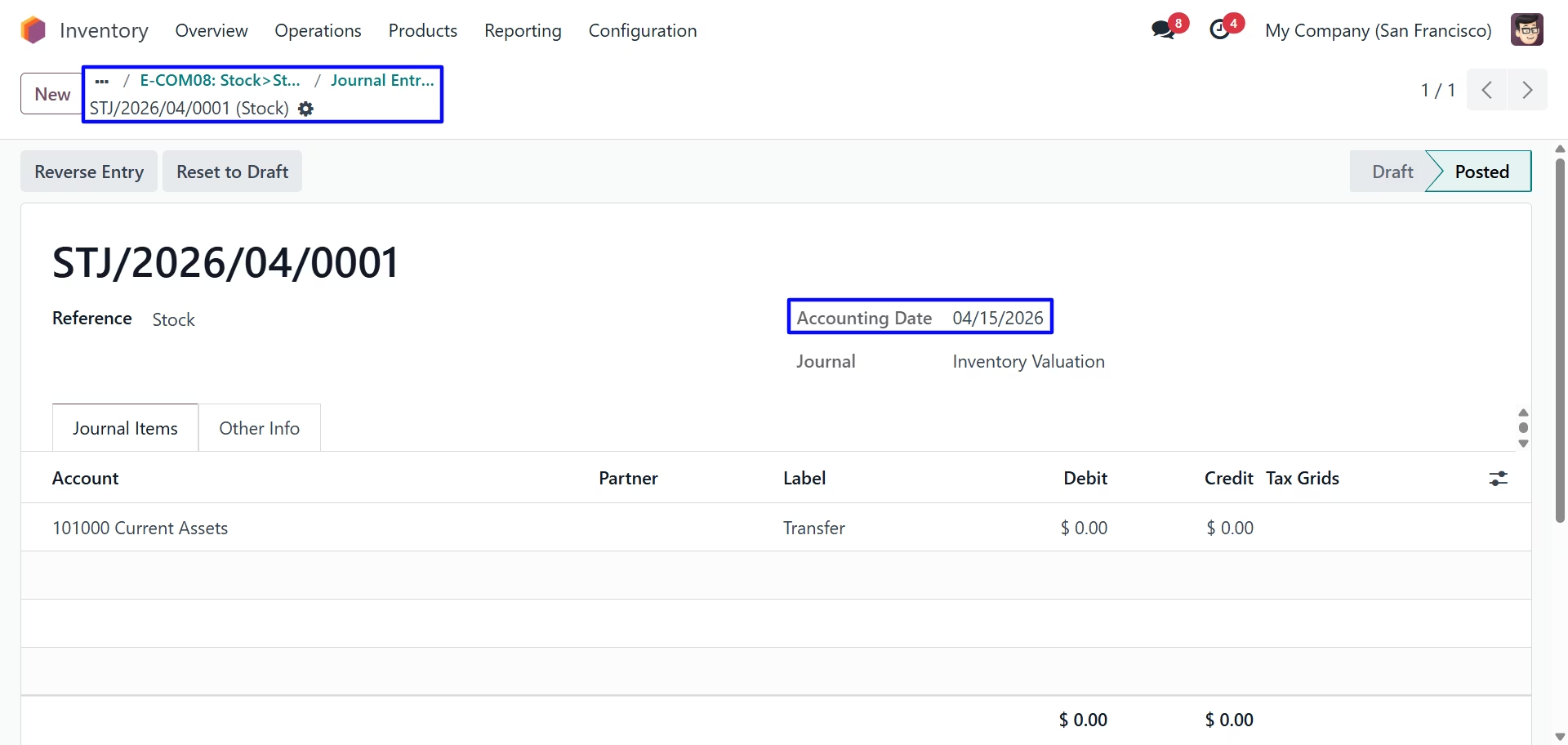
Stock Journal Entry
User can find backdate on created stock journal entry for internal transfer.
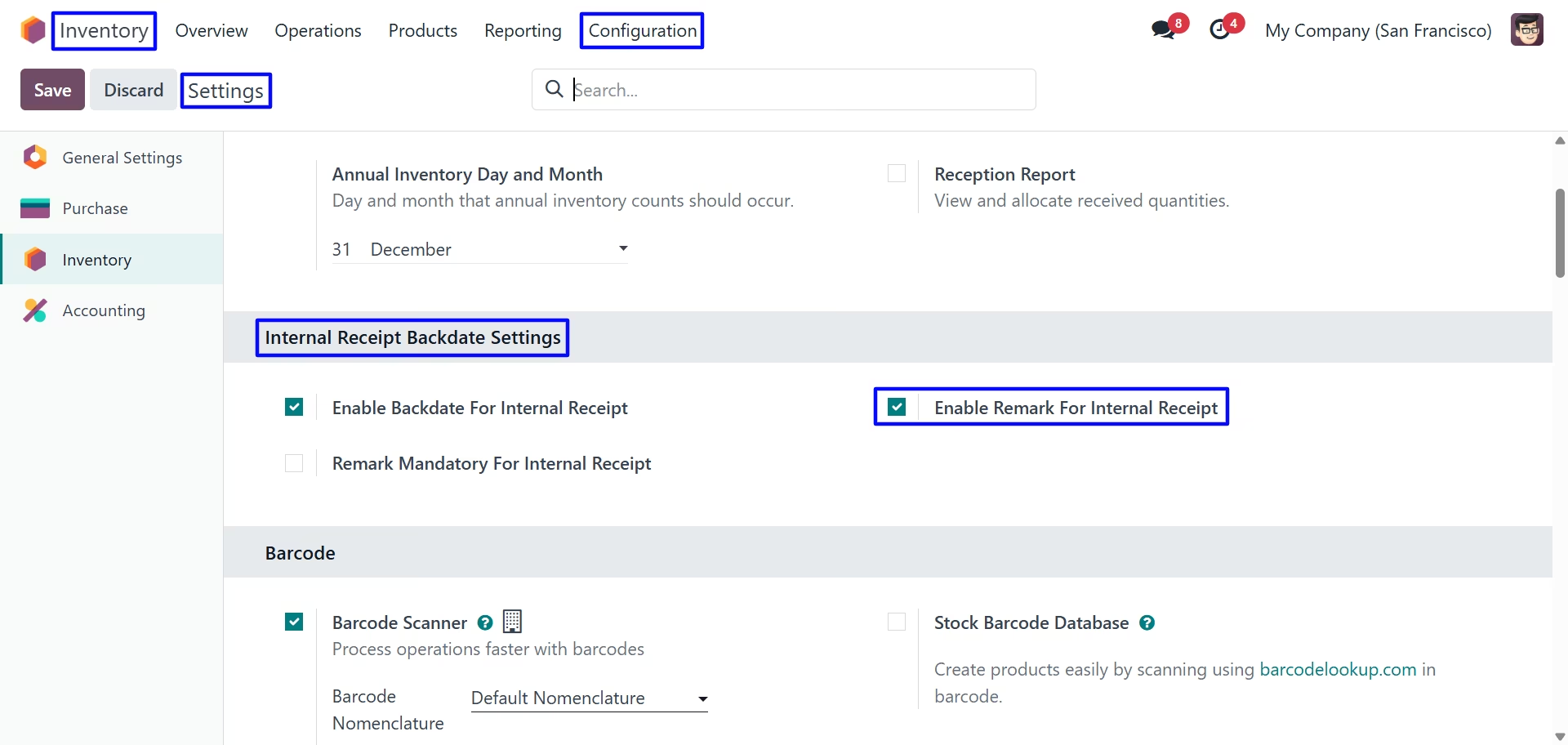
Internal Receipt Backdate Settings
Second we configure the Enable Remark For Internal Receipt
Validate Internal Transfer
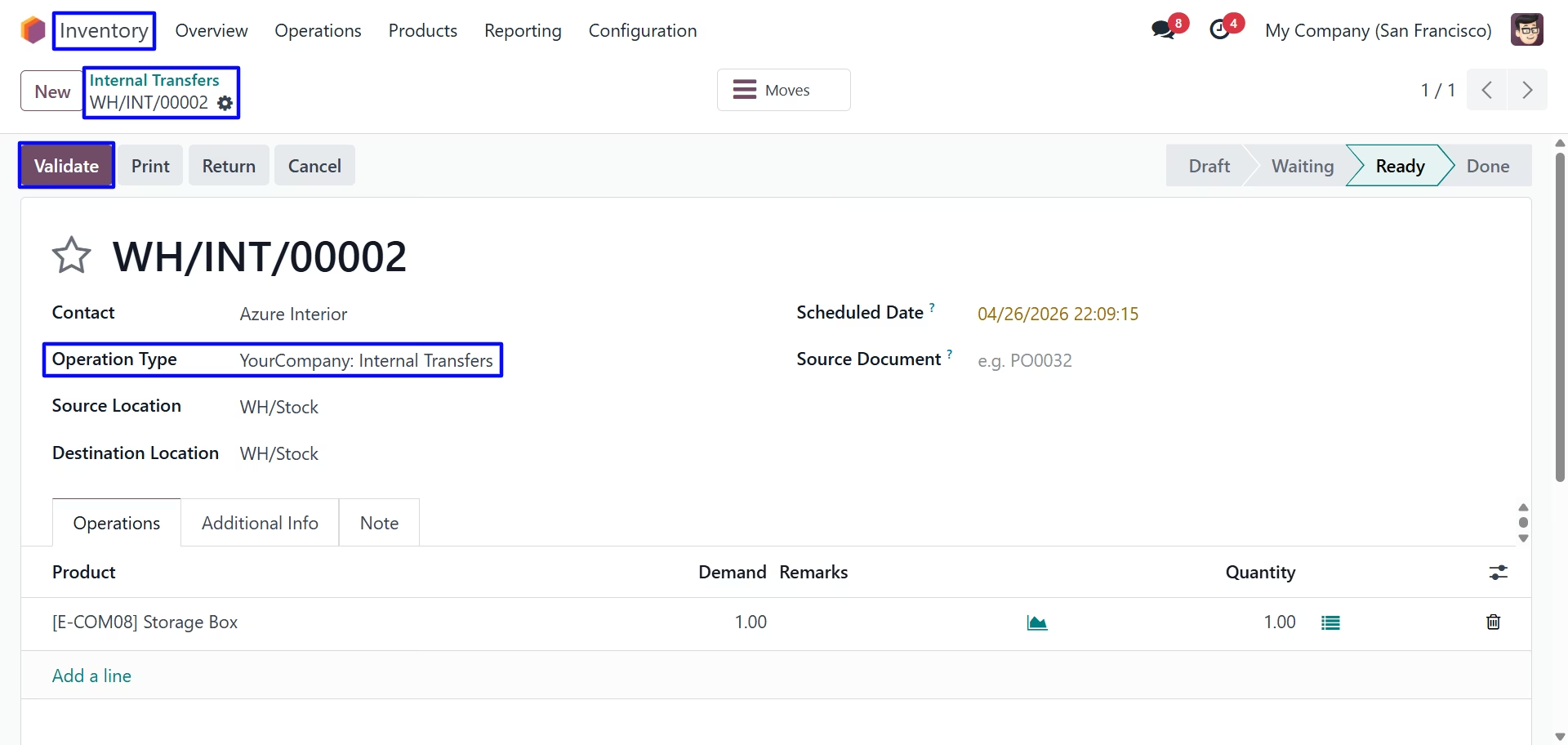
Internal Transfer Backdate & Remarks
For Enable Remark For Internal Receipt Remark field is visible but not mandatory.
On clicking "Validate" button new wizard will open, Here user have to select "BackDate" & "Remark" for internal transfer.
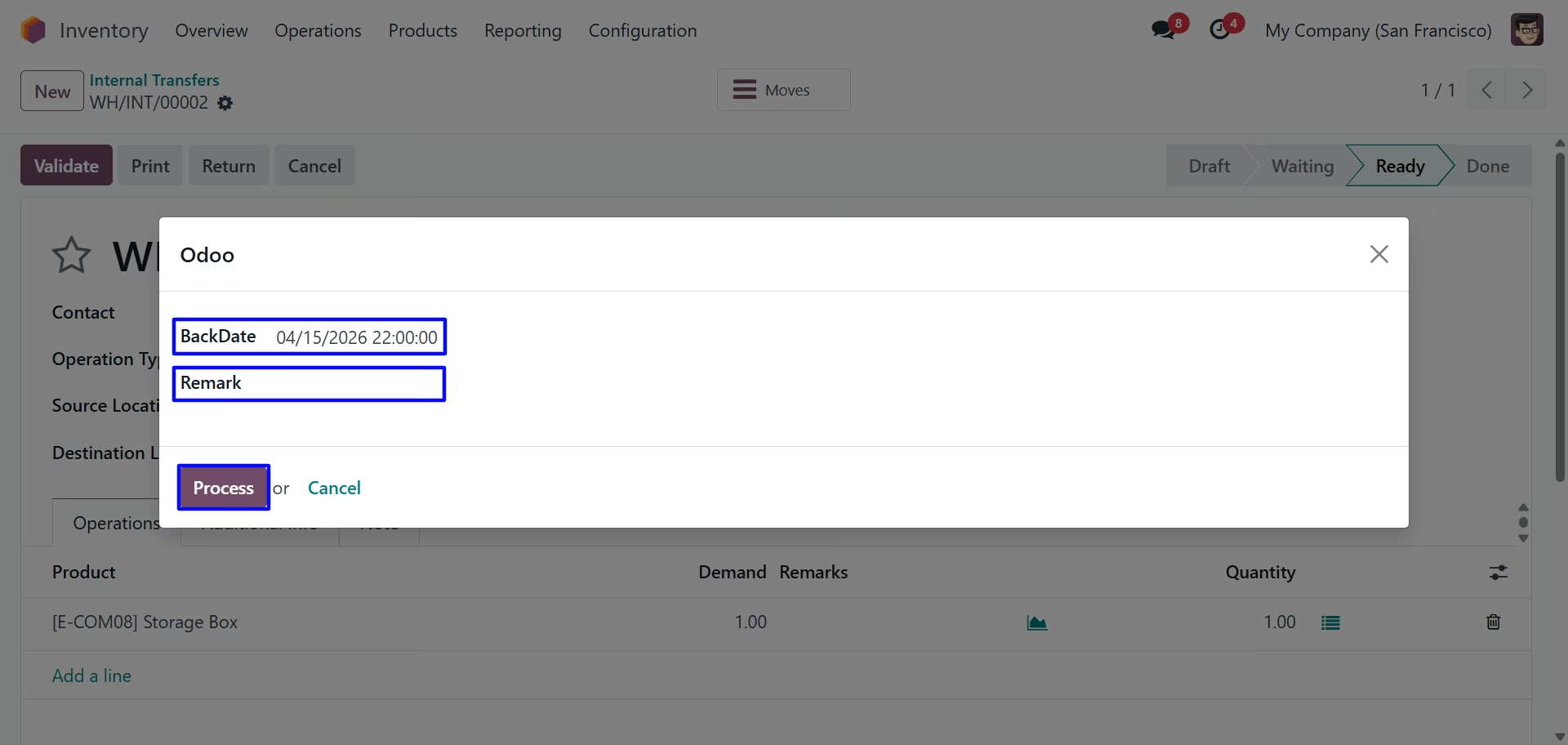
User can see backdate on internal transfer.
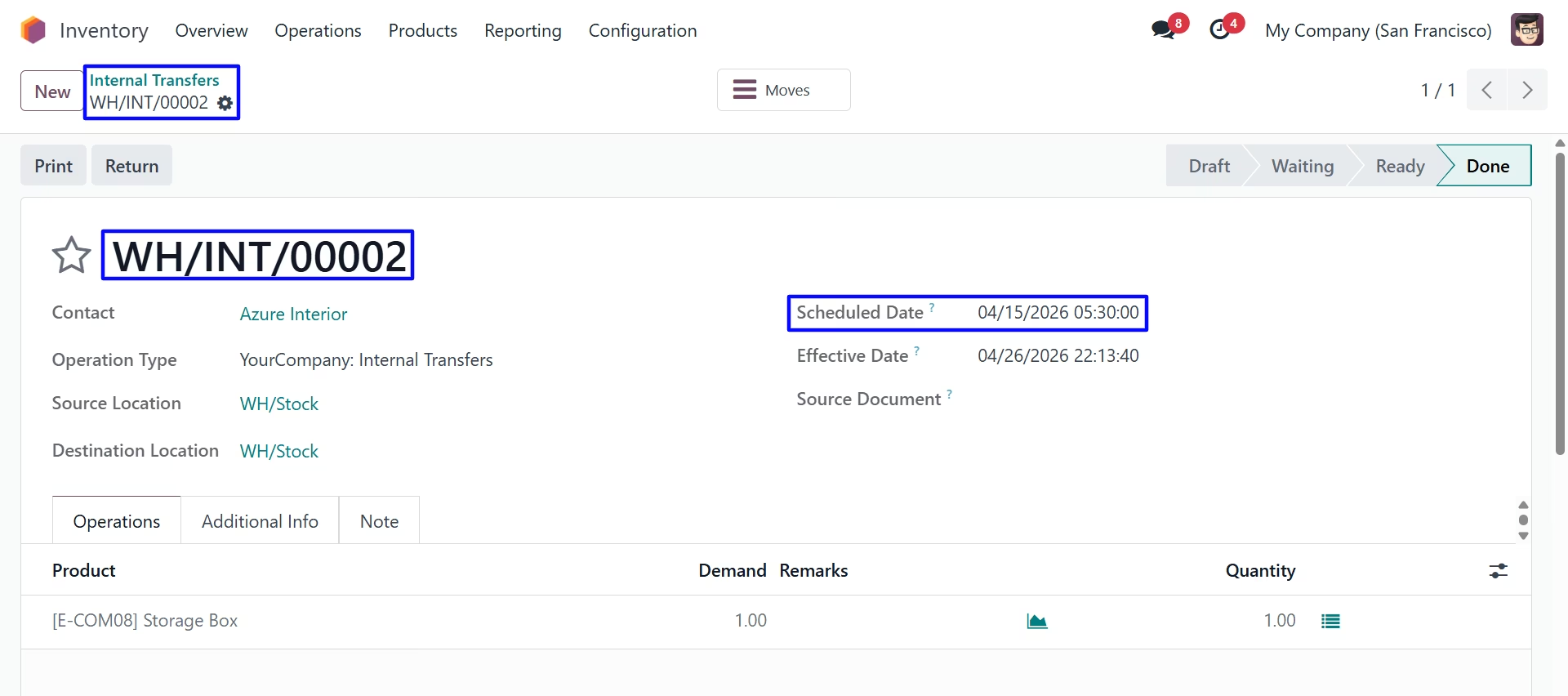
Product Move
Under Inventory > Reporting > Moves History menu user can see created product move for internal transfer with backdate.
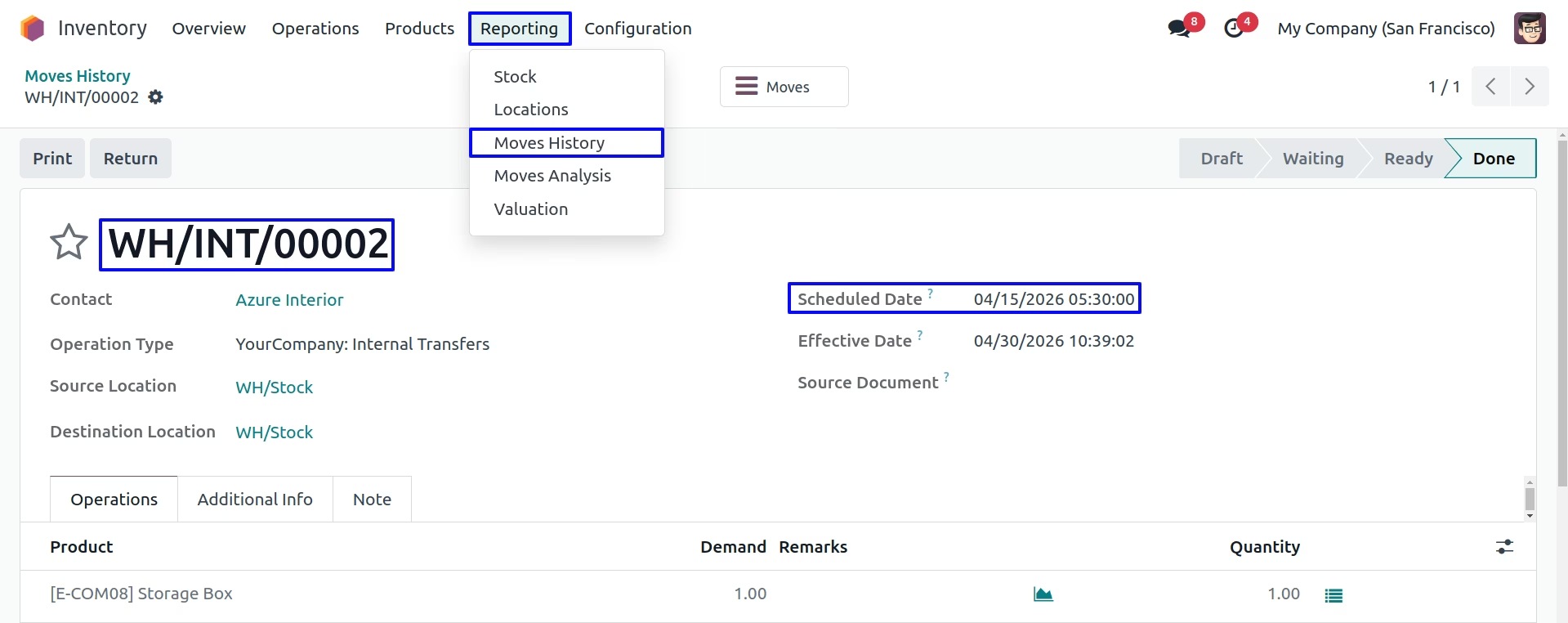
Stock Move
Under Inventory > Reporting > Stock Moves menu user can see created stock move for internal transfer with backdate.
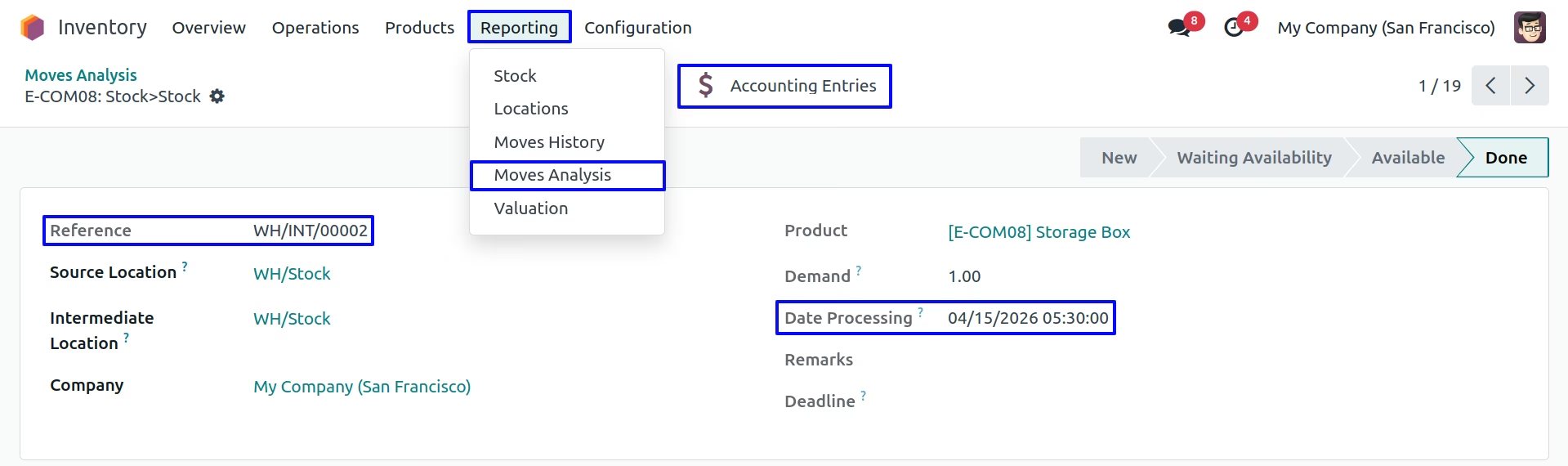
Stock Journal Entry
User can find backdate on created stock journal entry for internal transfer.
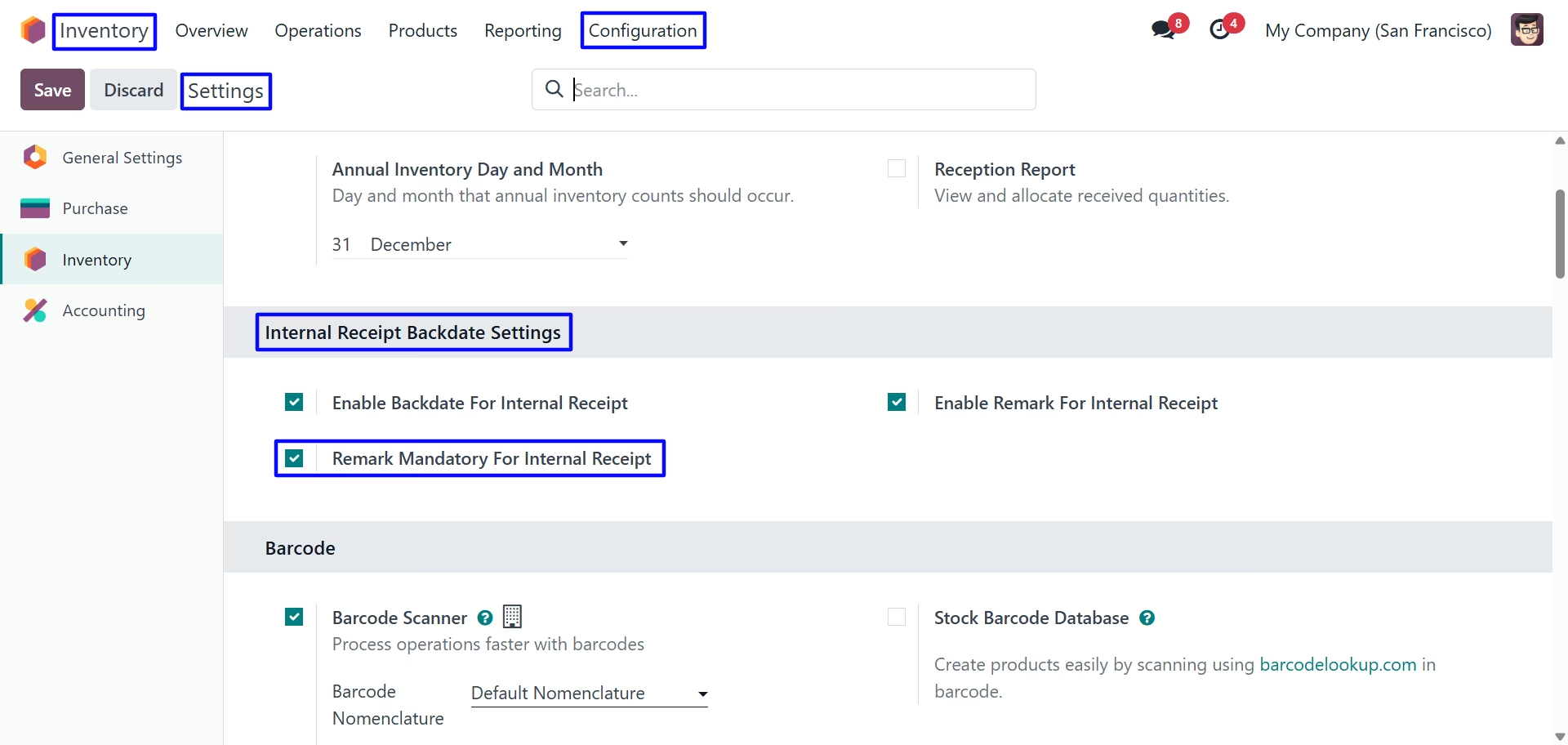
Internal Receipt Backdate Settings
Third we configure the Remark Mandatory For Internal Receipt
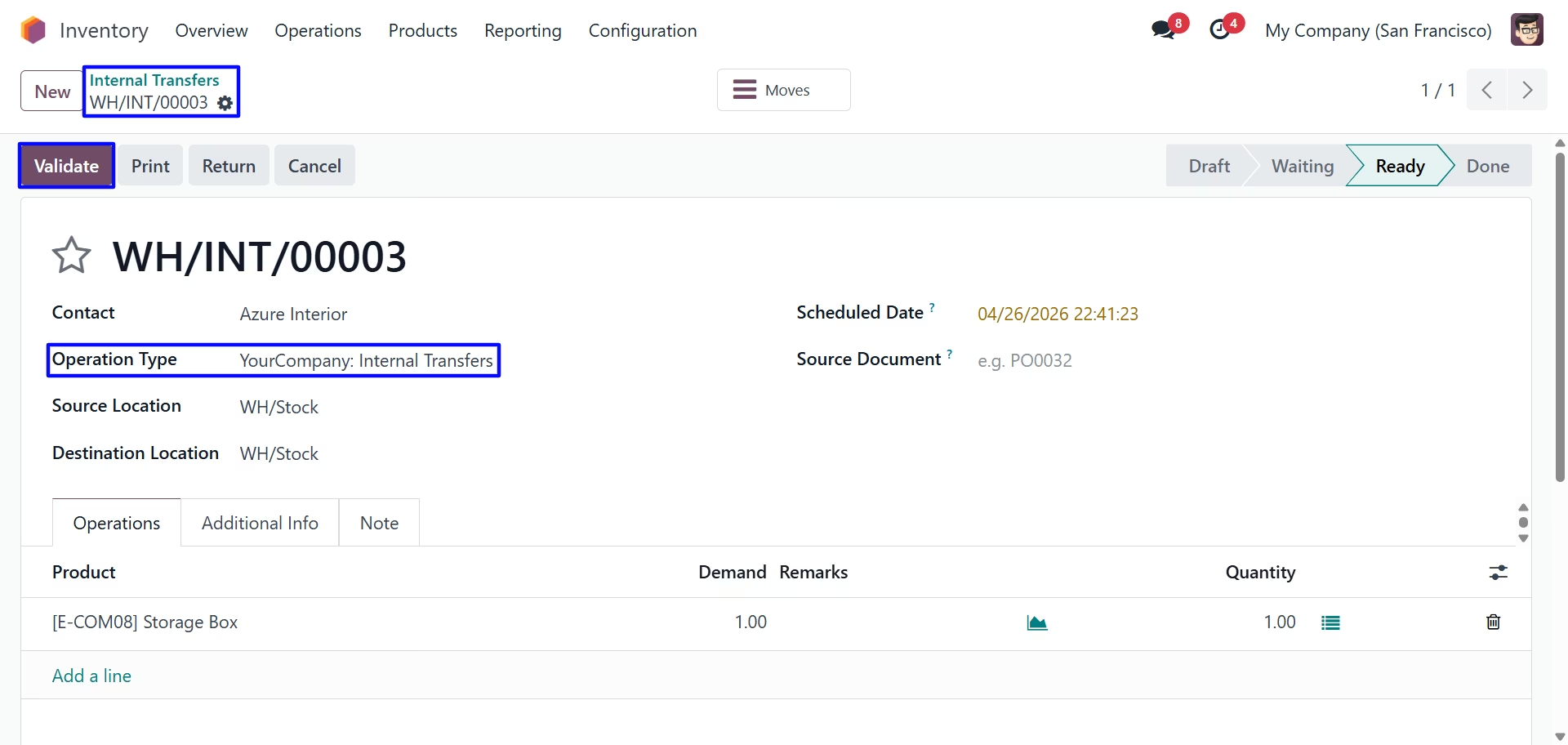
Validate Internal Transfer
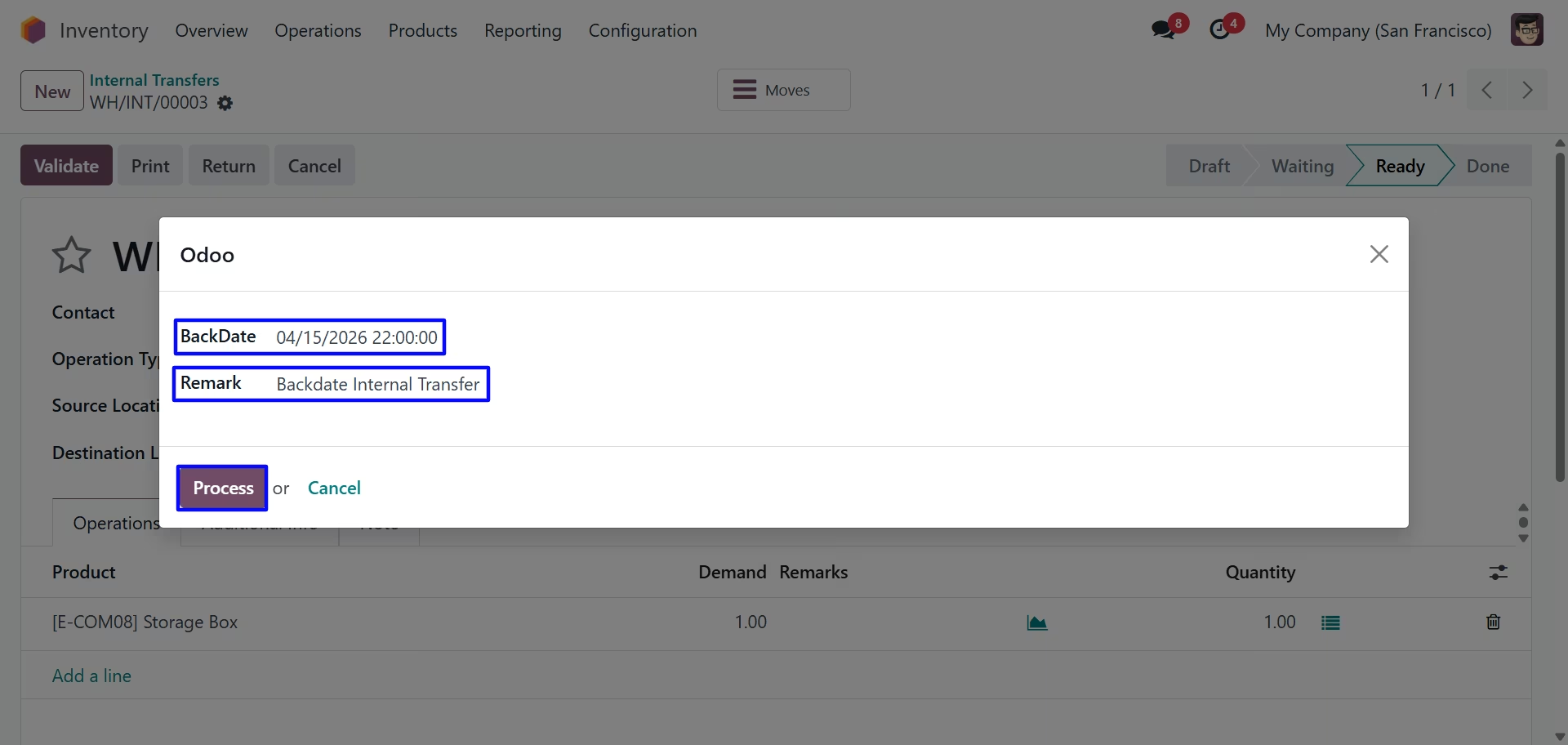
Internal Transfer Backdate & Remarks
For Remark Mandatory For Internal Receipt Remark field is mandatory.
On clicking "Validate" button new wizard will open, Here user have to select "BackDate" & "Remark" for internal transfer.
User can see backdate & remark on internal transfer.
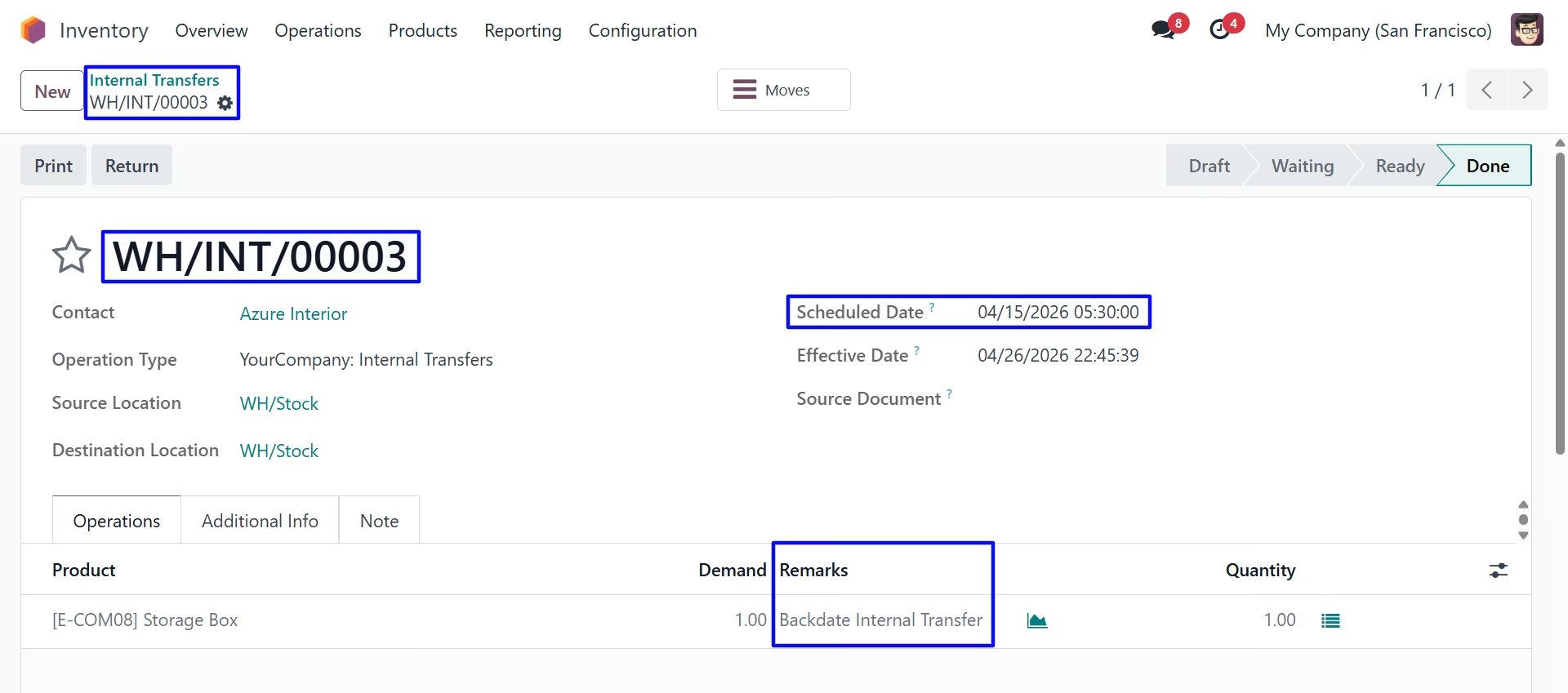
Product Move
Under Inventory > Reporting > Moves History menu user can see created product move for internal transfer with backdate.
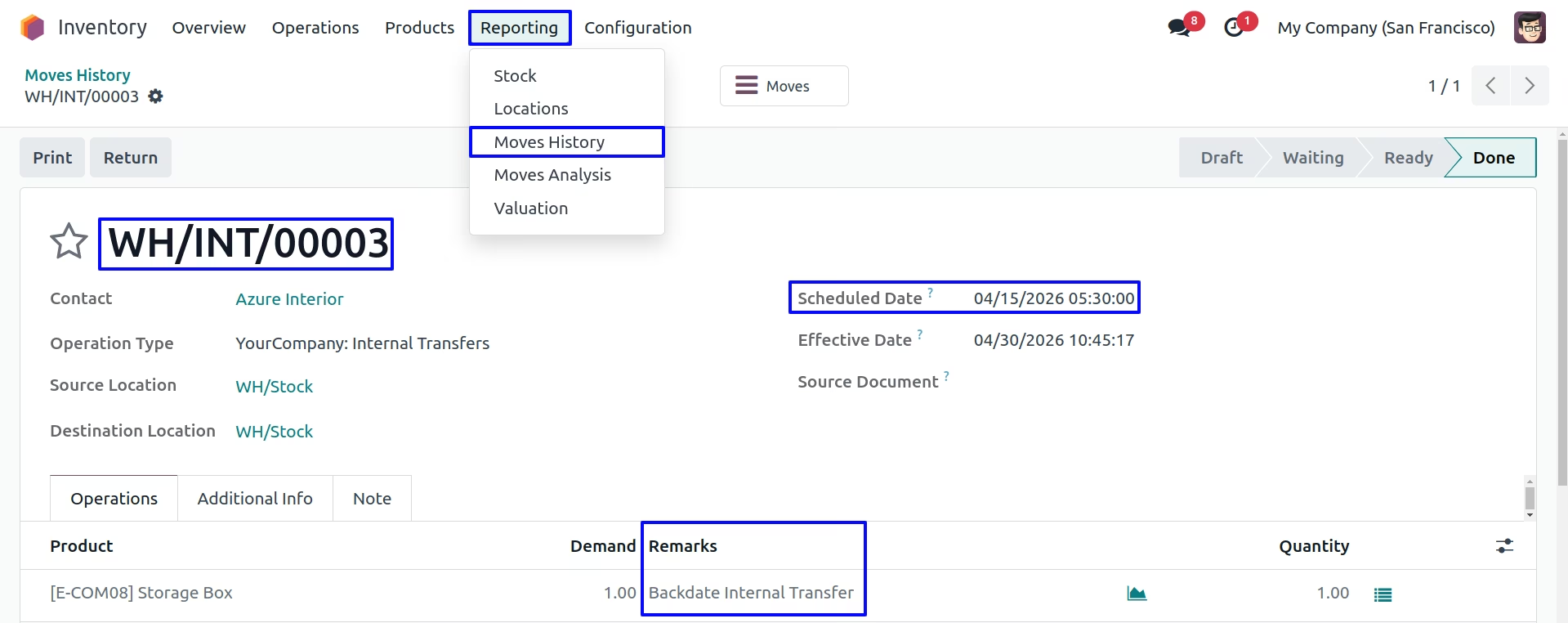
Stock Move
Under Inventory > Reporting > Stock Moves menu user can see created stock move for internal transfer with backdate.
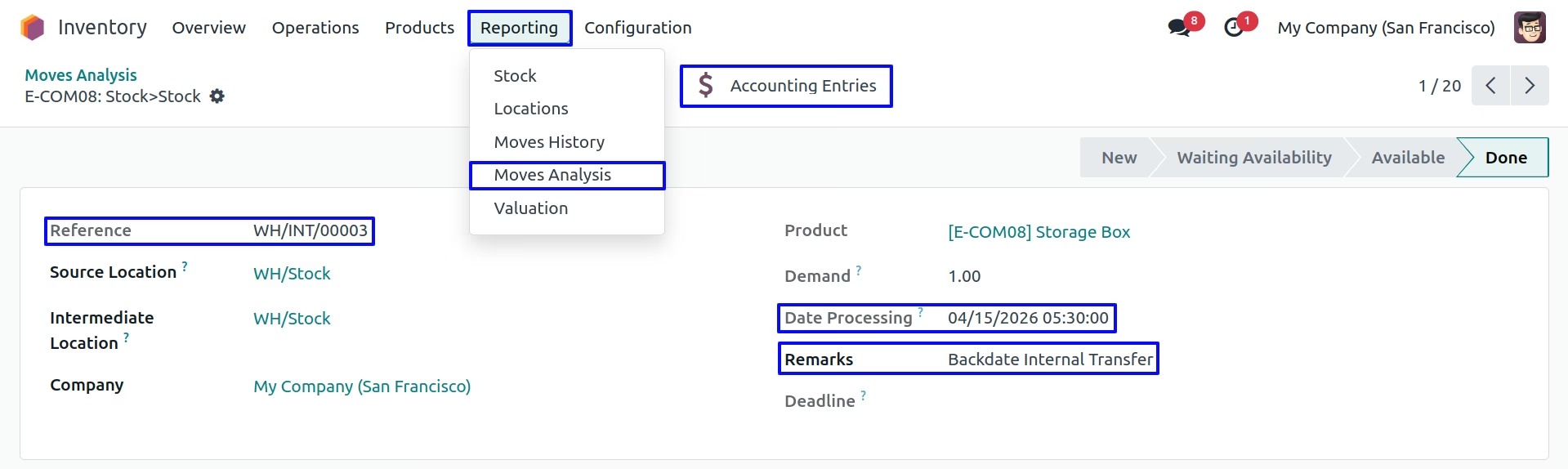
Stock Journal Entry
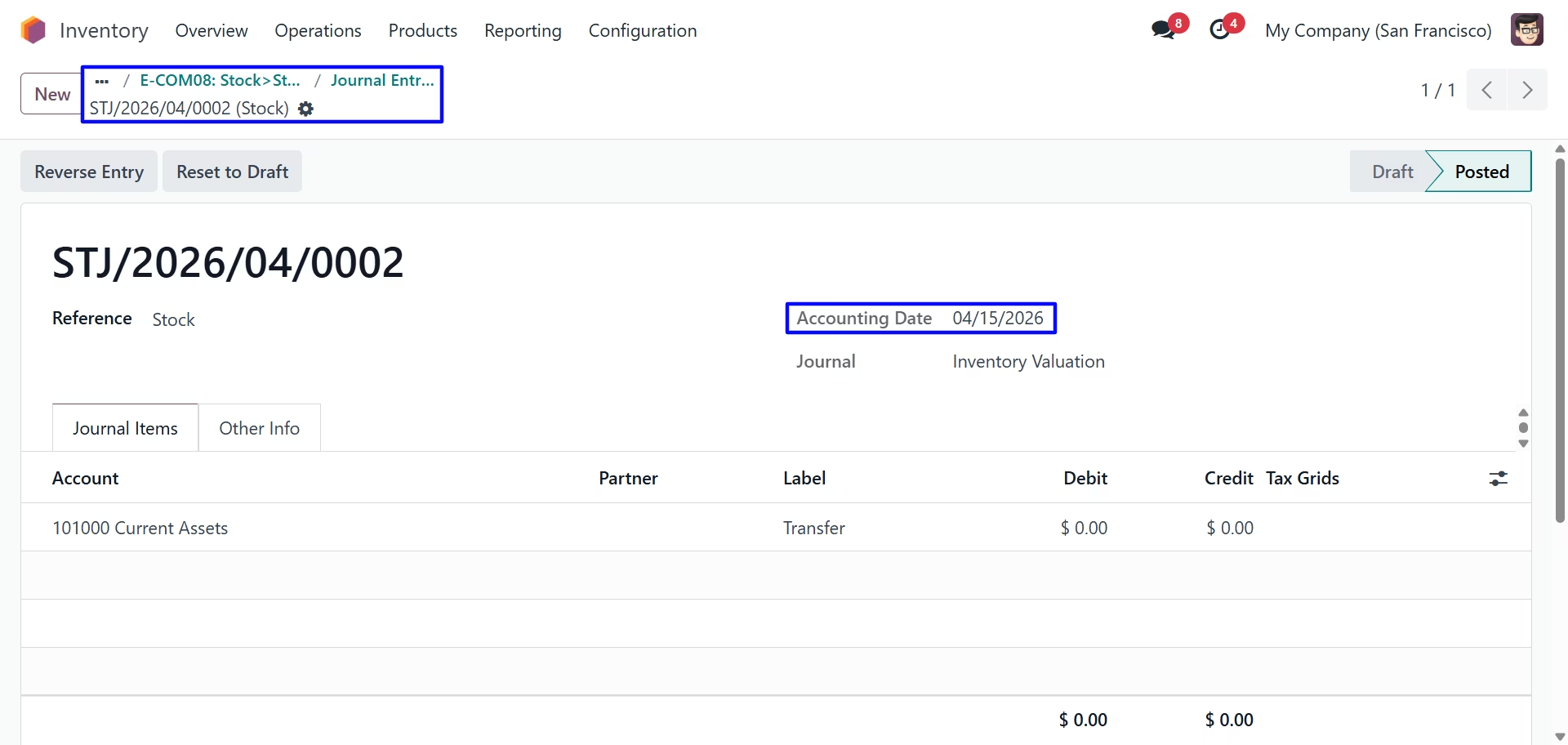
User can find backdate on created stock journal entry for internal transfer.
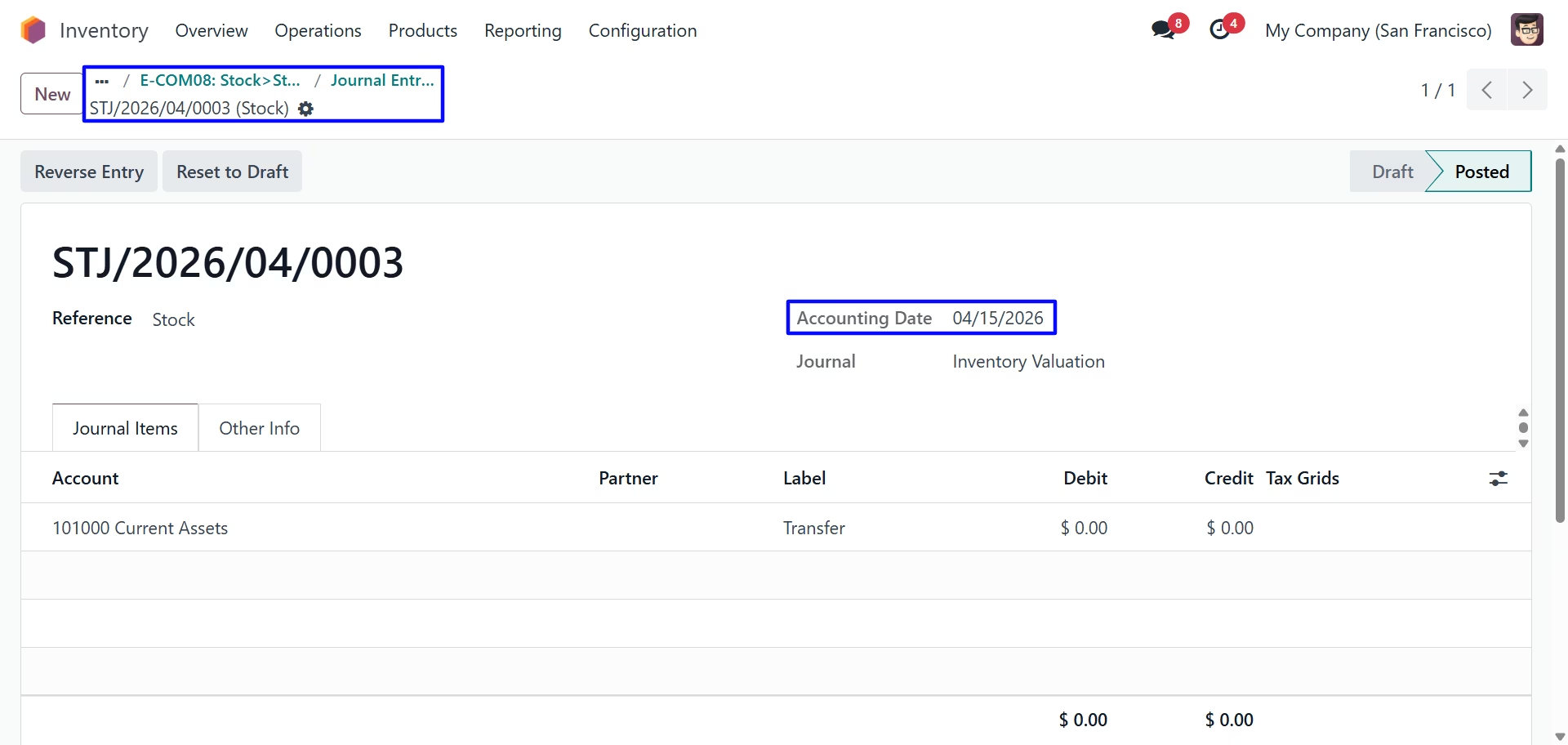
Mass Backdate Settings
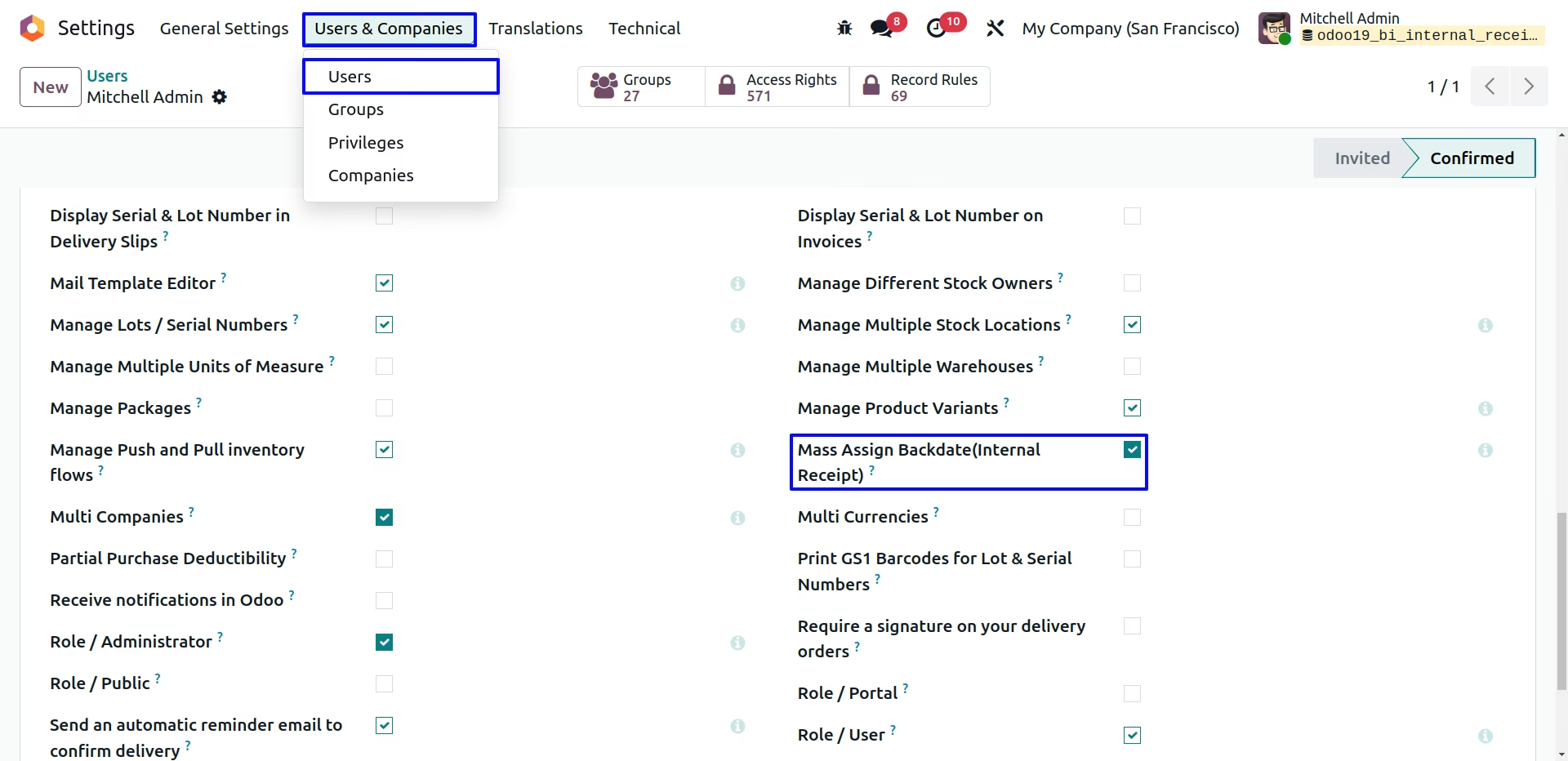
Update Mass Backdate on Internal Transfers
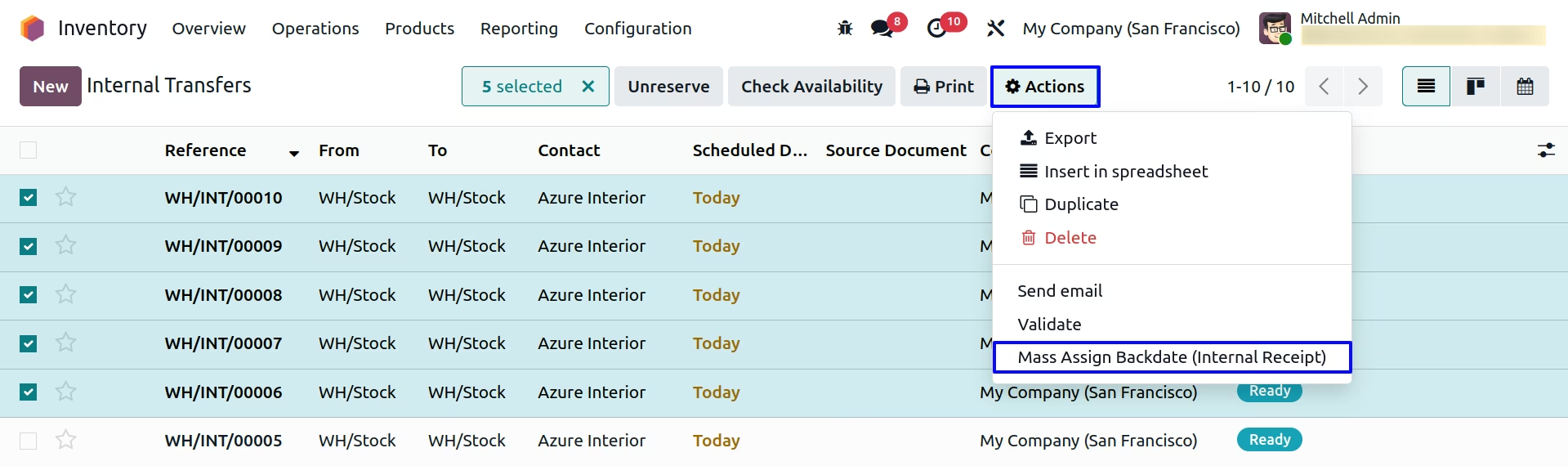
User can see select multiple Internal transfer from tree view, and under "Action" menu user can see "Mass Assign Backdate (Internal Receipt)" menu to update backdate and remarks for multiple selected internal transfer backdate and remarks.
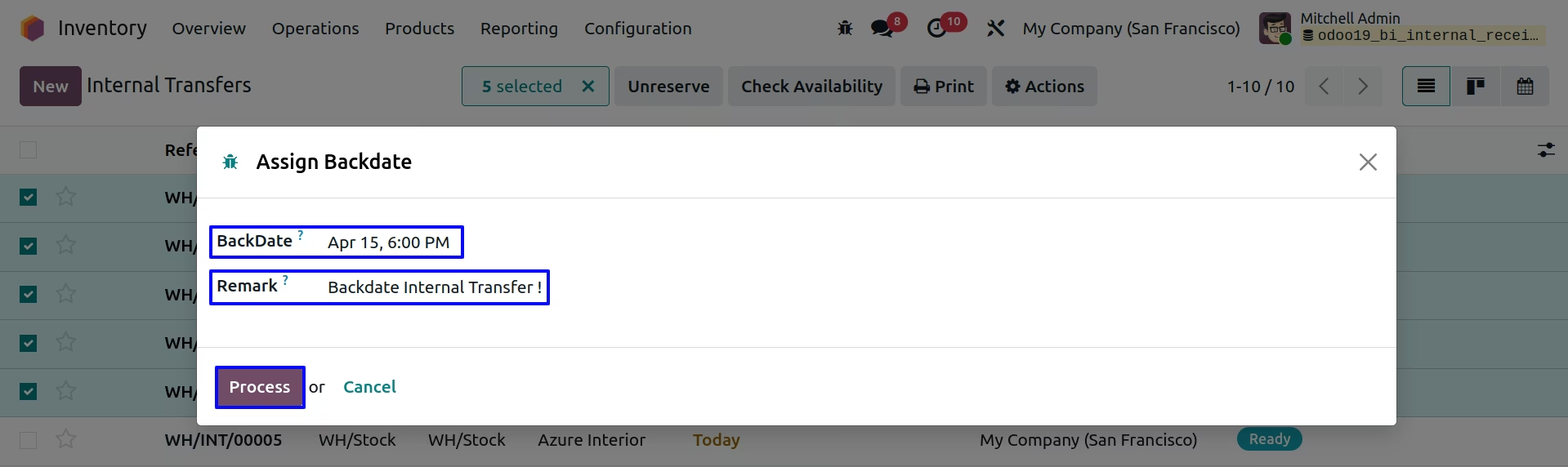
User can enter backdate and remarks for selected multiple internal transfers and this will added to internal transfer, stock moves, product moves and journal entry for that.
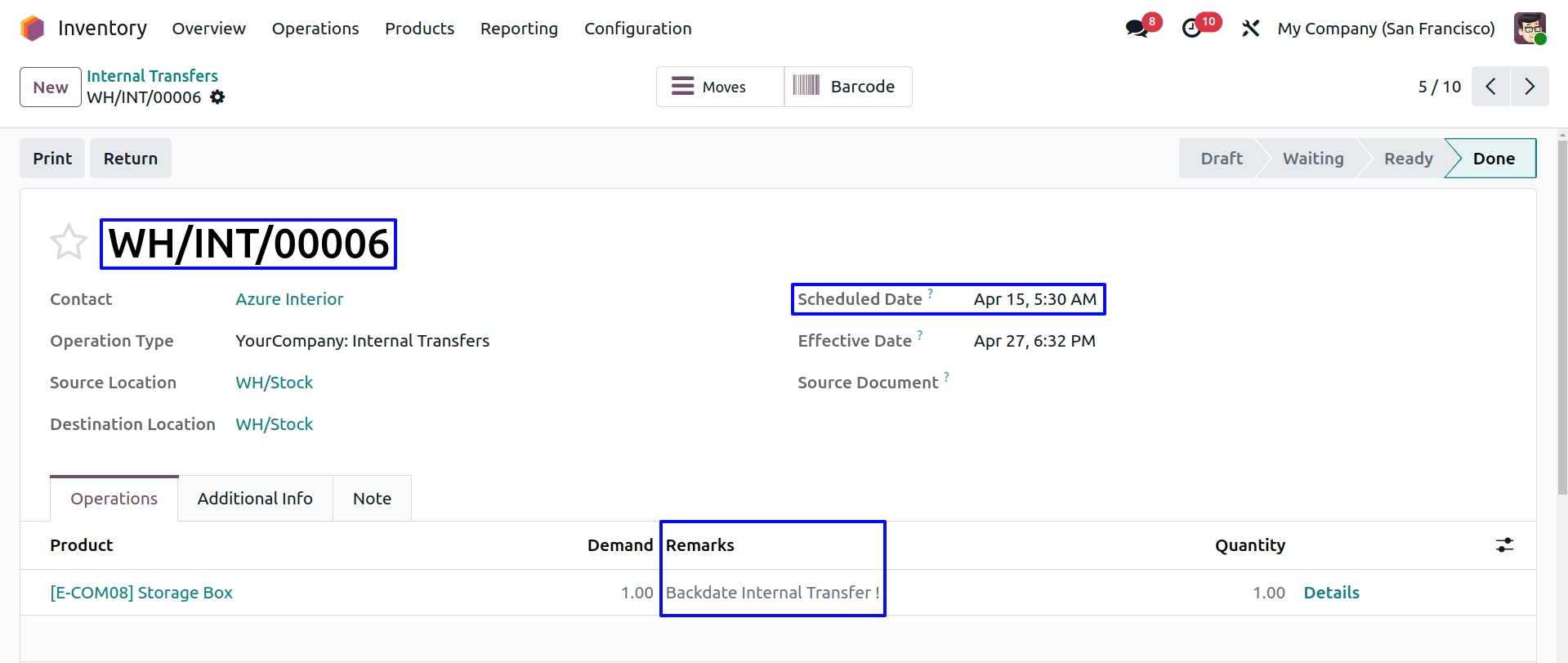
Updated Mass Backdate and remarks on Internal Transfers
User can see entered transfer date and remarks added to Internal transfer.
Transfer date and remarks also added to stock moves, product moves and journal entry for all selected multiple transfer.
Receipt Backdate and Remarks
Internal Receipt Backdate Settings
Under Inventory > Configuration > Settings menu user can see options for backdate and remarks for Internal Receipt and configure as per need.
First we configure the Enable Backdate For Internal Receipt
Validate Receipt
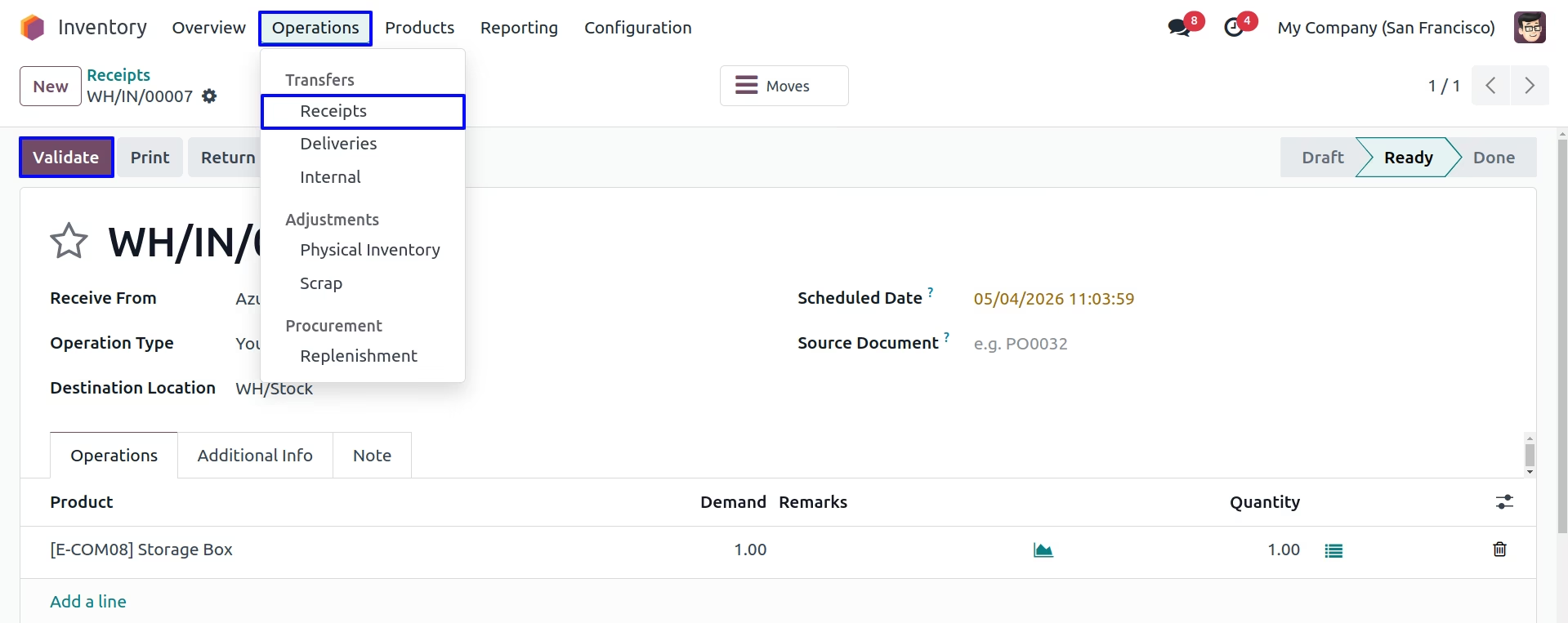
Internal Transfer Backdate & Remarks
For Enable Backdate For Internal Receipt backdate wizard is render
On clicking "Validate" button new wizard will open, Here user have to select "BackDate" for Receipt.
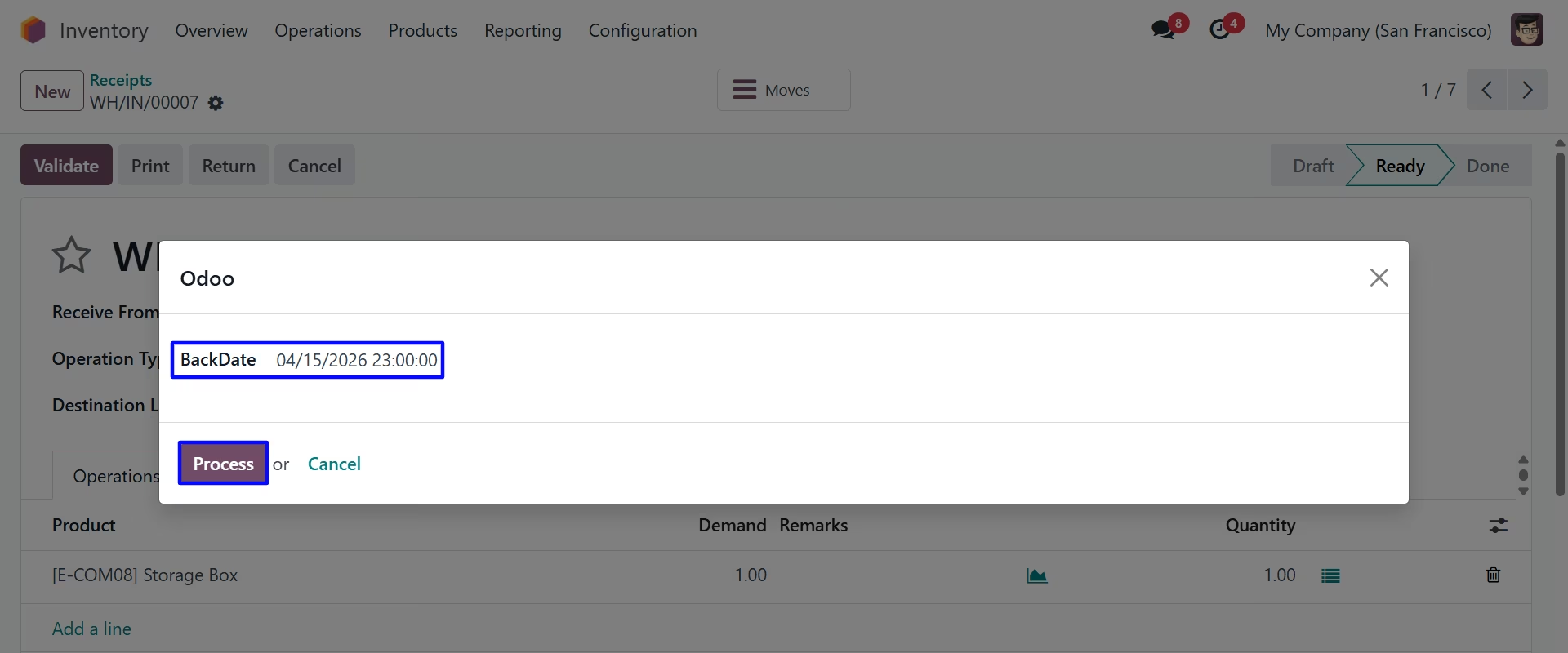
User can see entered backdate on receipt.
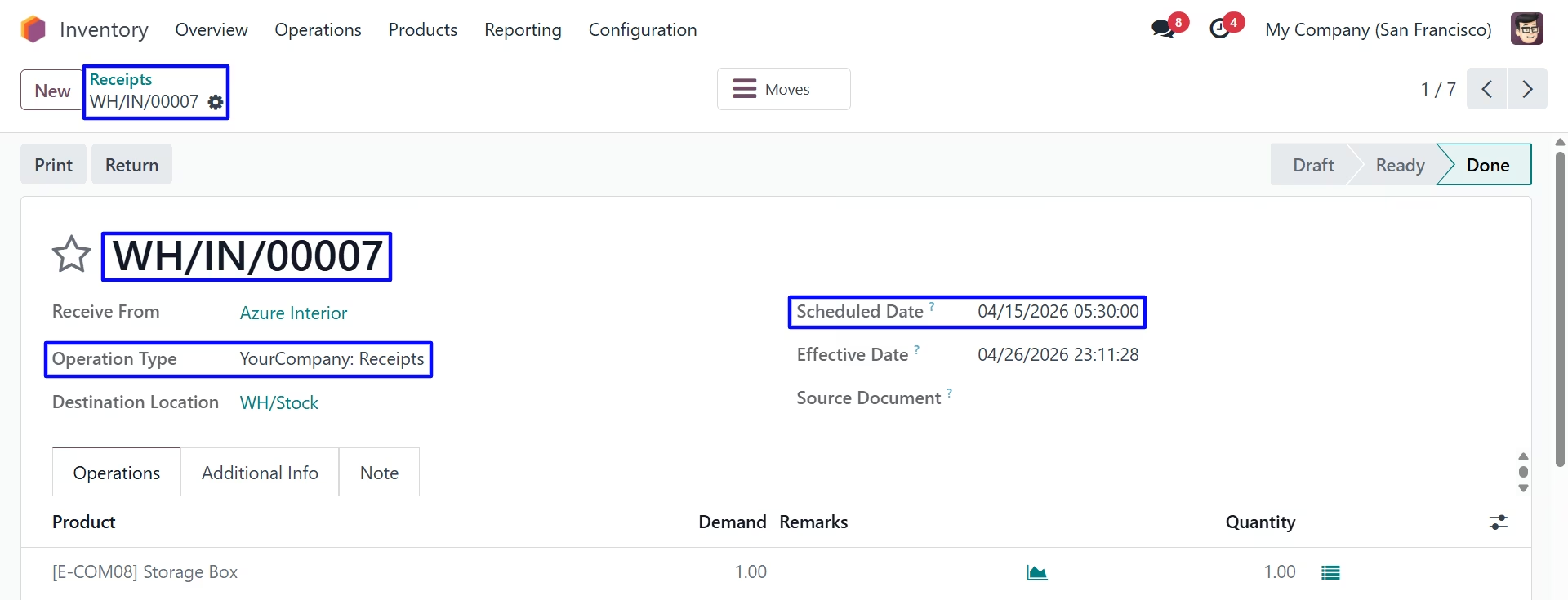
Product Move
Under Inventory > Reporting > Moves History menu user can see created stock move for receipt with backdate.
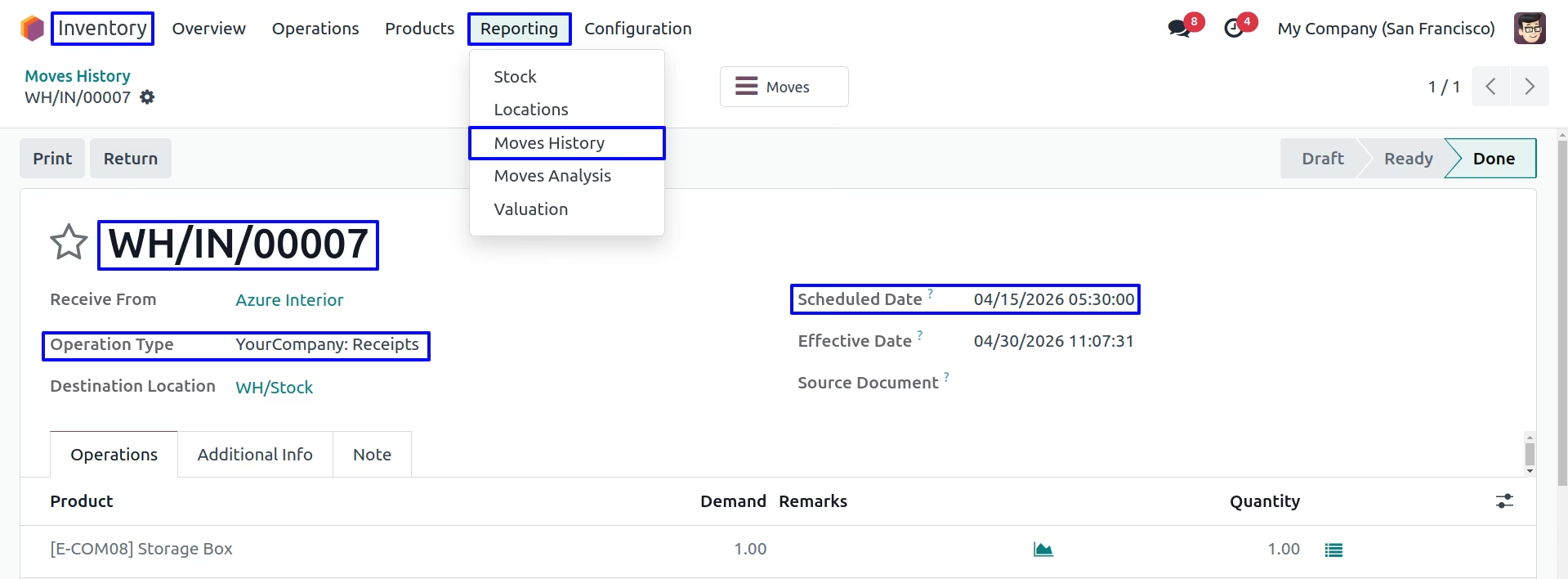
Stock Move
Under Inventory > Reporting > Move Analysis menu user can see created stock move for Receipt with backdate.
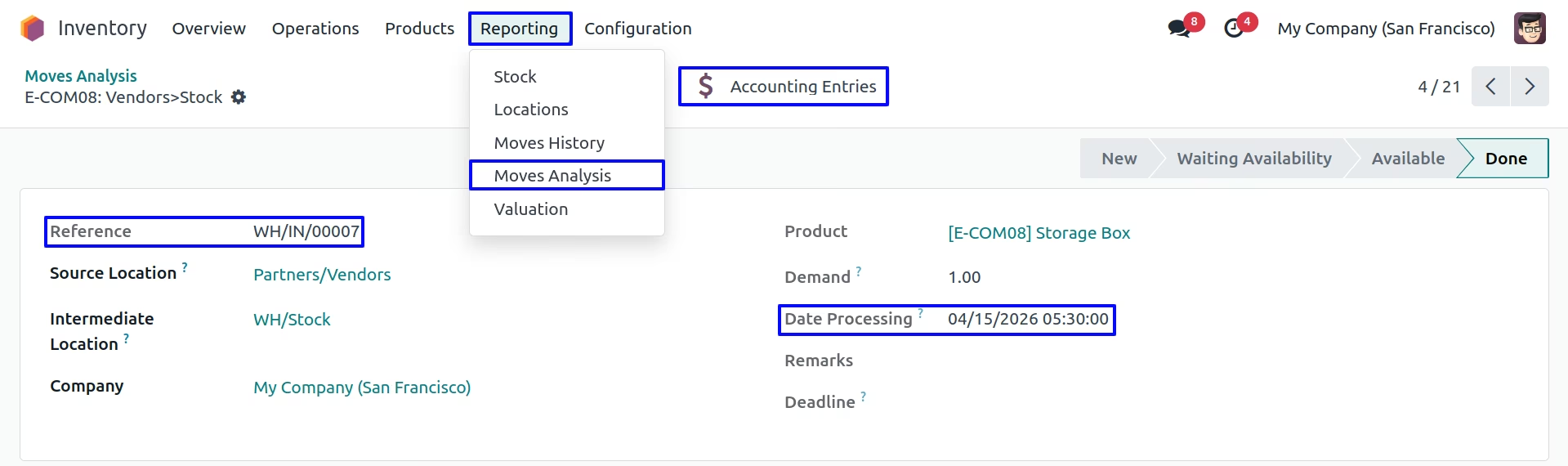
Stock Journal Entry
User can see backdate on stock journal entry created for receipt.
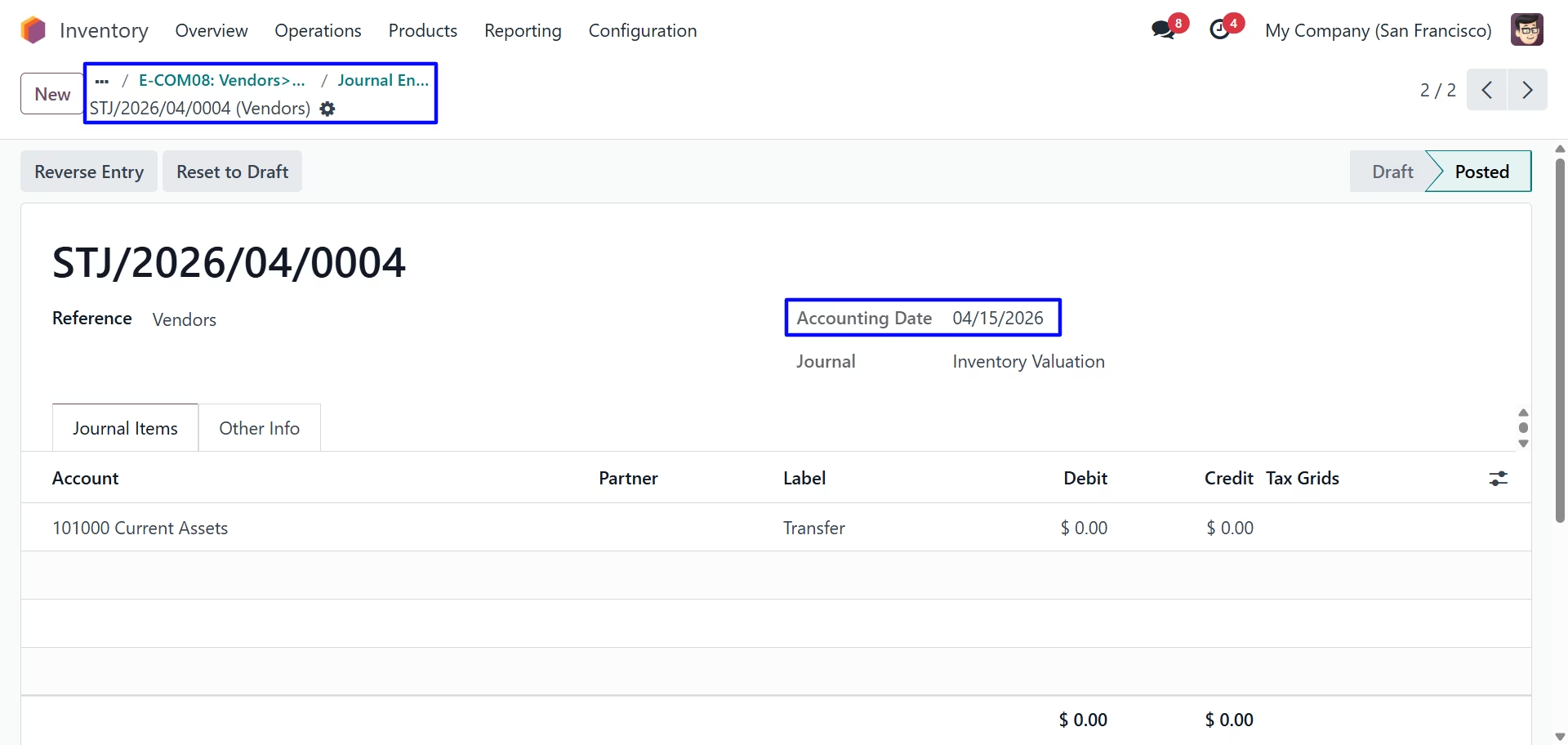
Internal Receipt Backdate Settings
Second we configure the Enable Remark For Internal Receipt
Validate Receipt
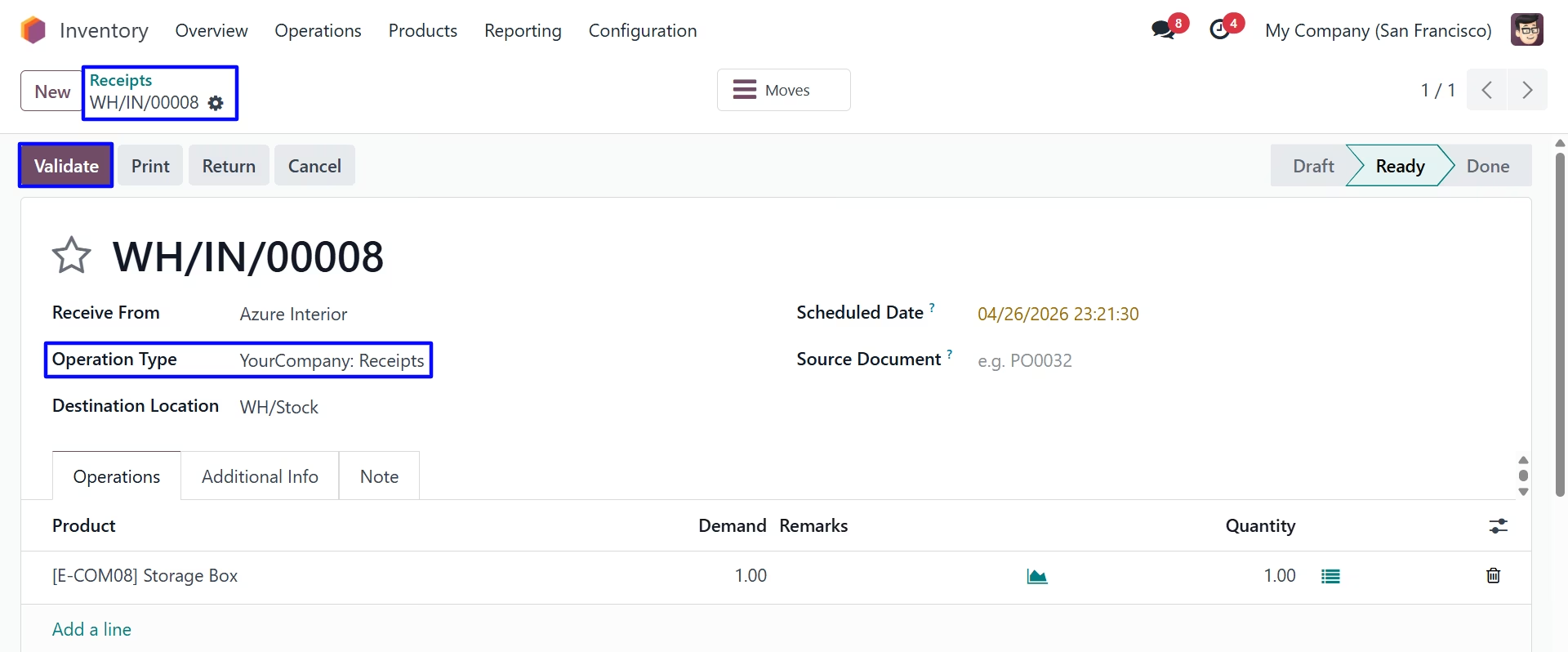
Internal Transfer Backdate & Remarks
For Enable Remark For Internal Receipt Remark field is visible but not mandatory.
On clicking "Validate" button new wizard will open, Here user have to select "BackDate" for Receipt.
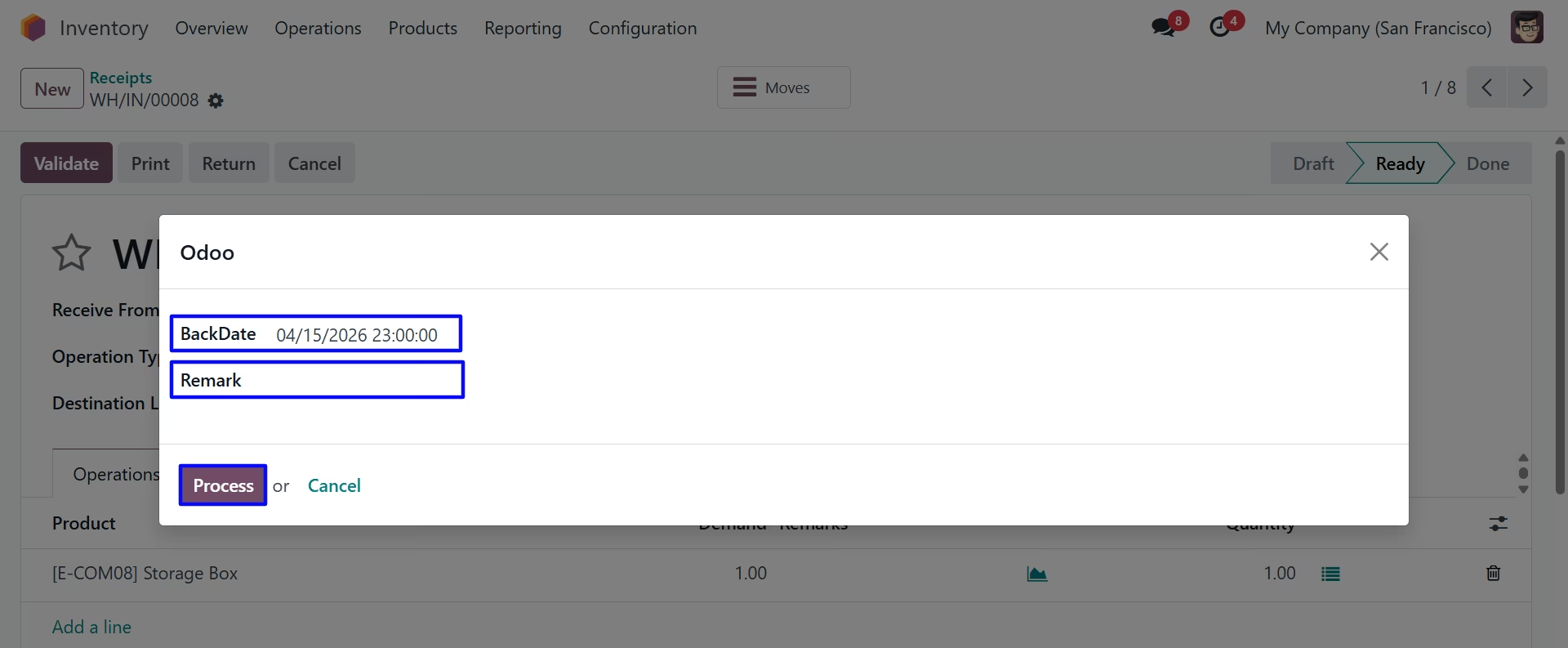
User can see entered backdate on receipt.
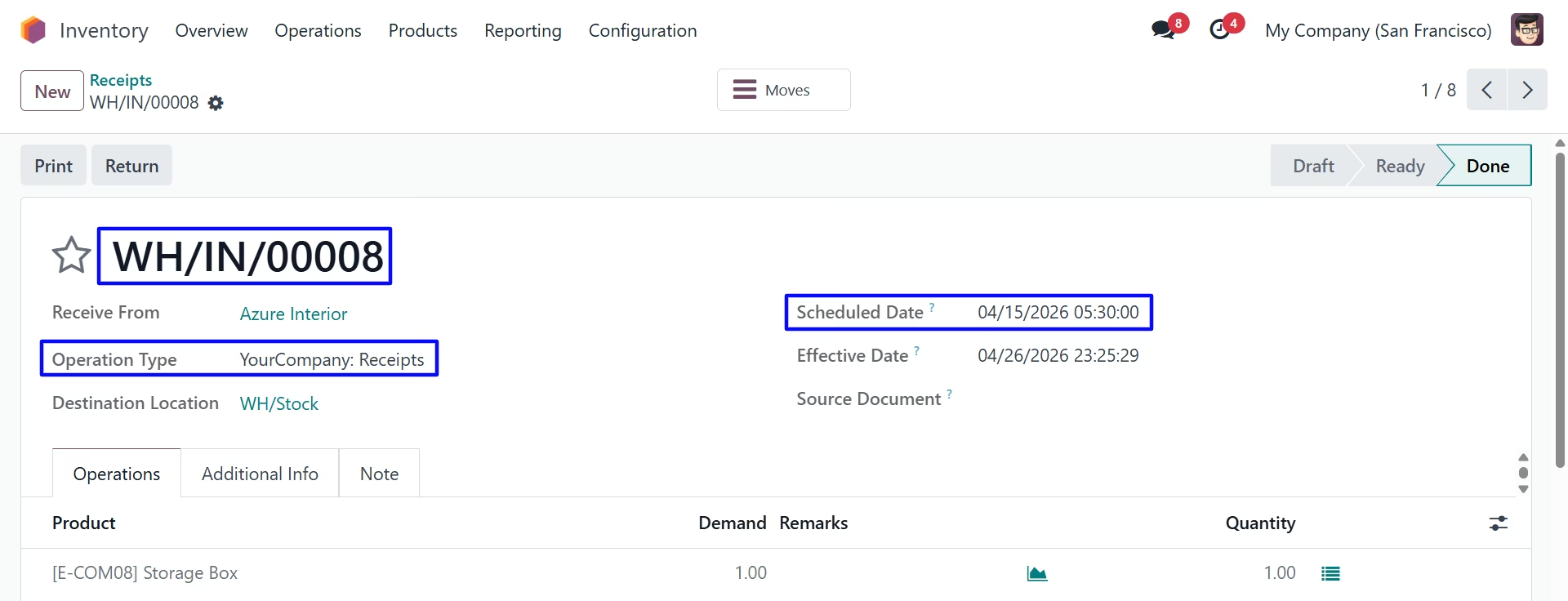
Product Move
Under Inventory > Reporting > Moves History menu user can see created stock move for receipt with backdate.
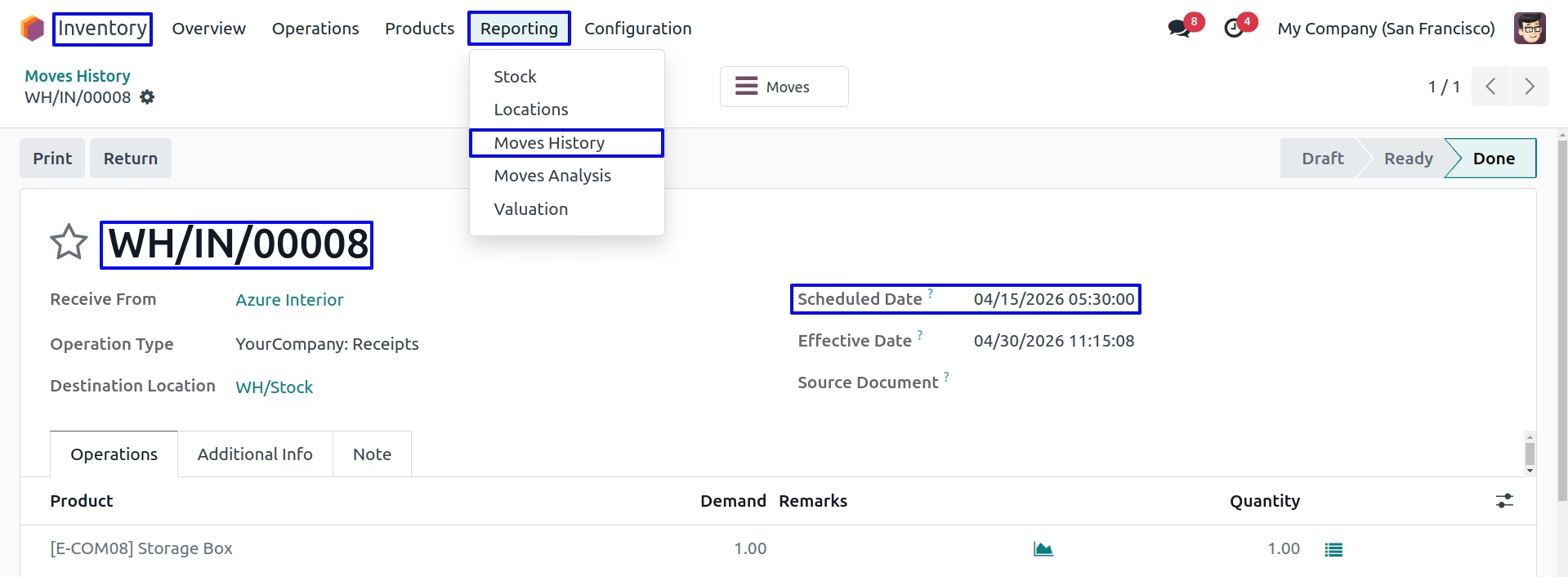
Stock Moves
Under Inventory > Reporting > Stock Moves menu user can see created stock move for Receipt with backdate.
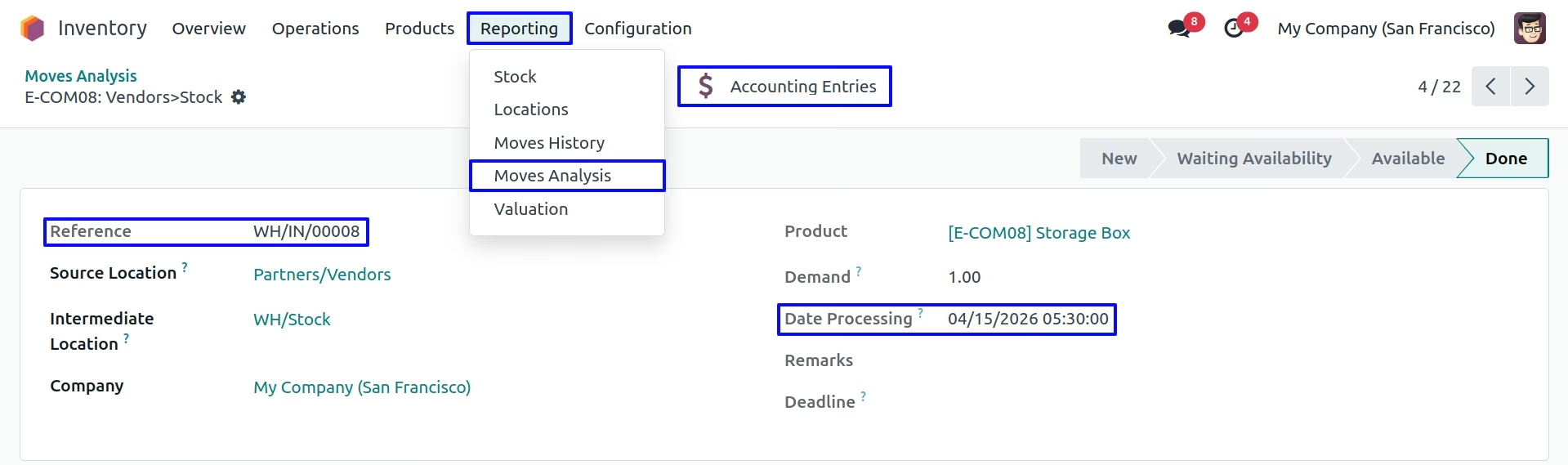
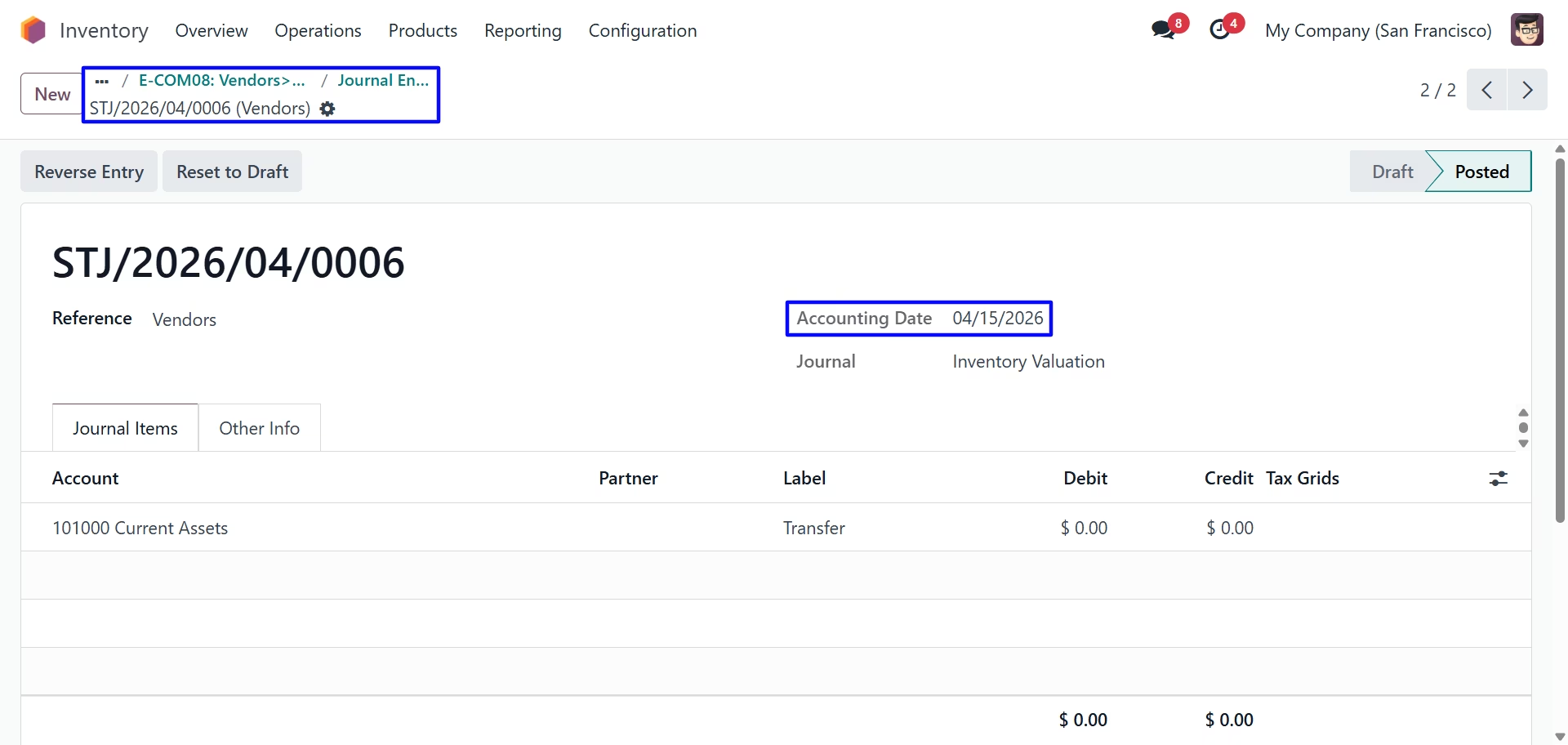
Stock Journal Entry
User can see backdate on stock journal entry created for receipt.
Internal Receipt Backdate Settings
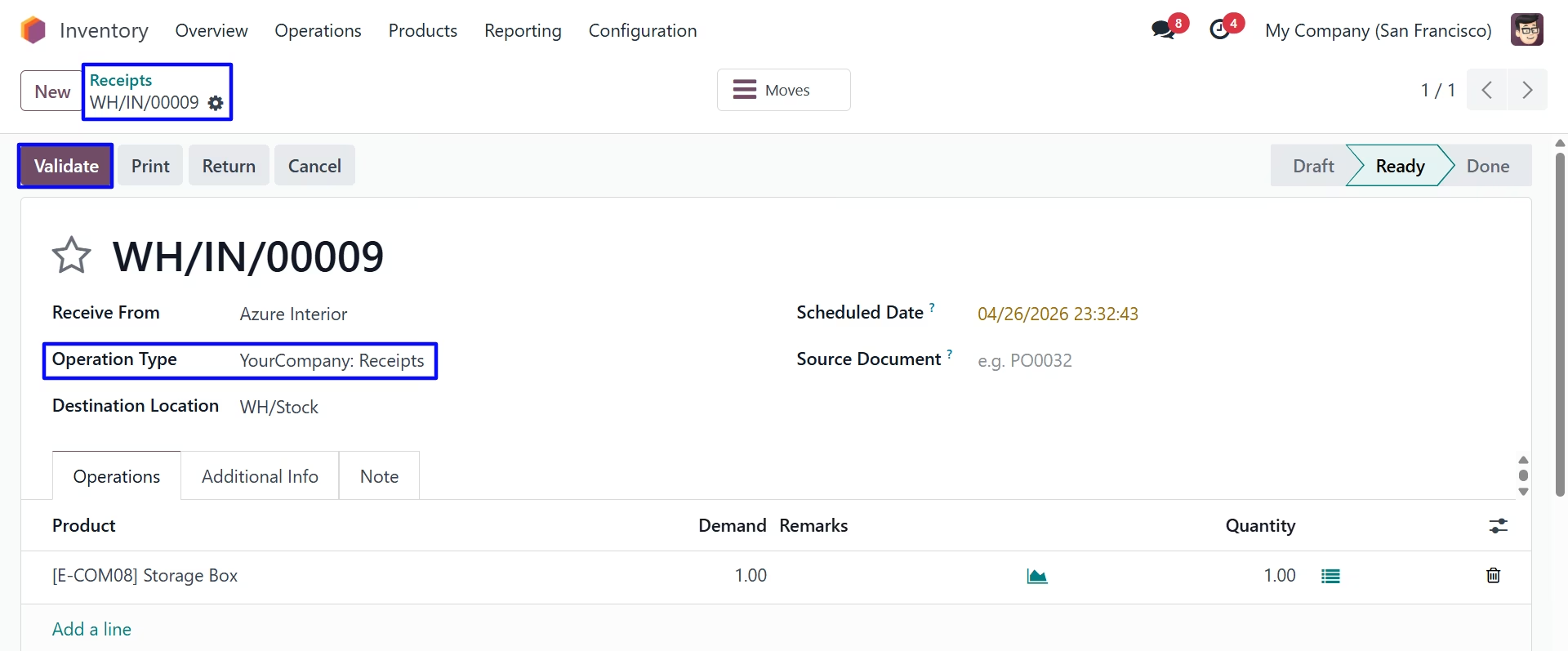
Third we configure the Remark Mandatory For Internal Receipt
Validate Receipt
Internal Transfer Backdate & Remarks
For Remark Mandatory For Internal Receipt Remark field is mandatory.
On clicking "Validate" button new wizard will open, Here user have to select "BackDate" & "Remark" for Receipt.
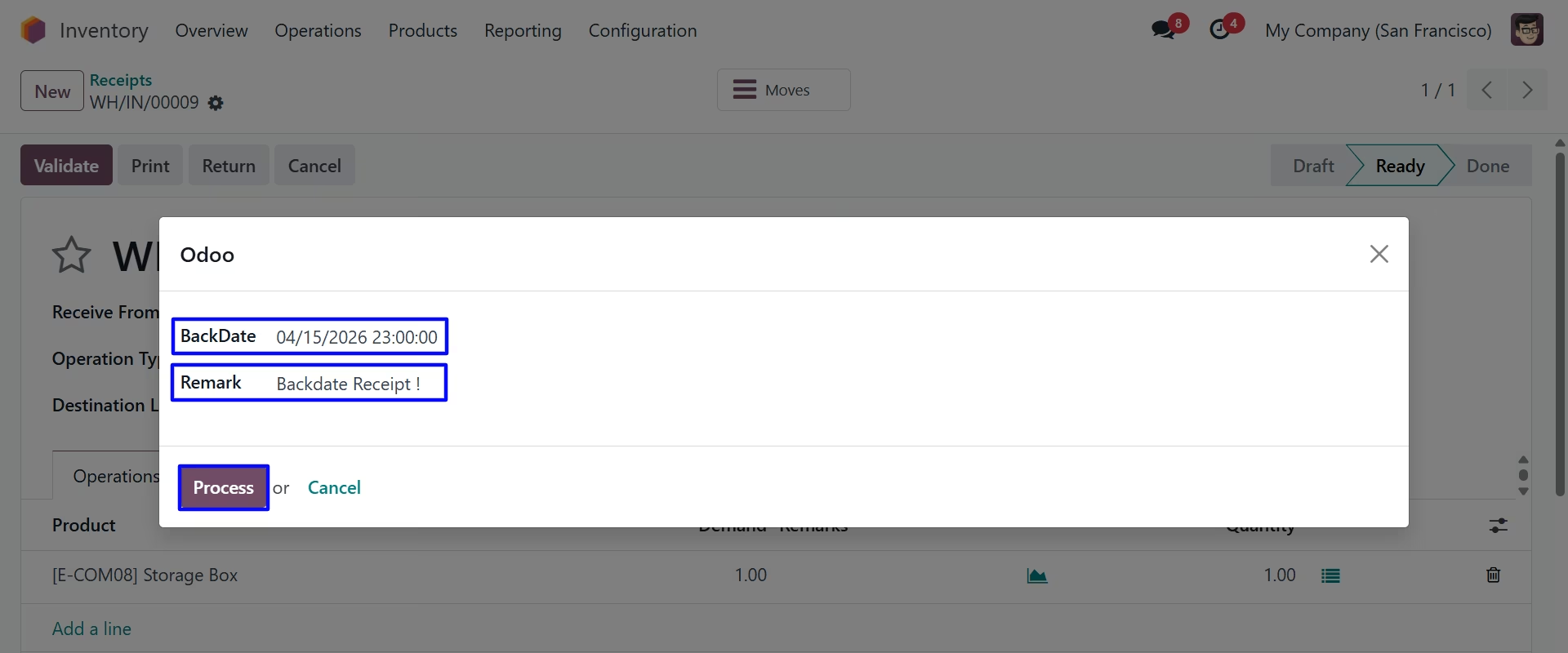
User can see entered backdate & remark on receipt.
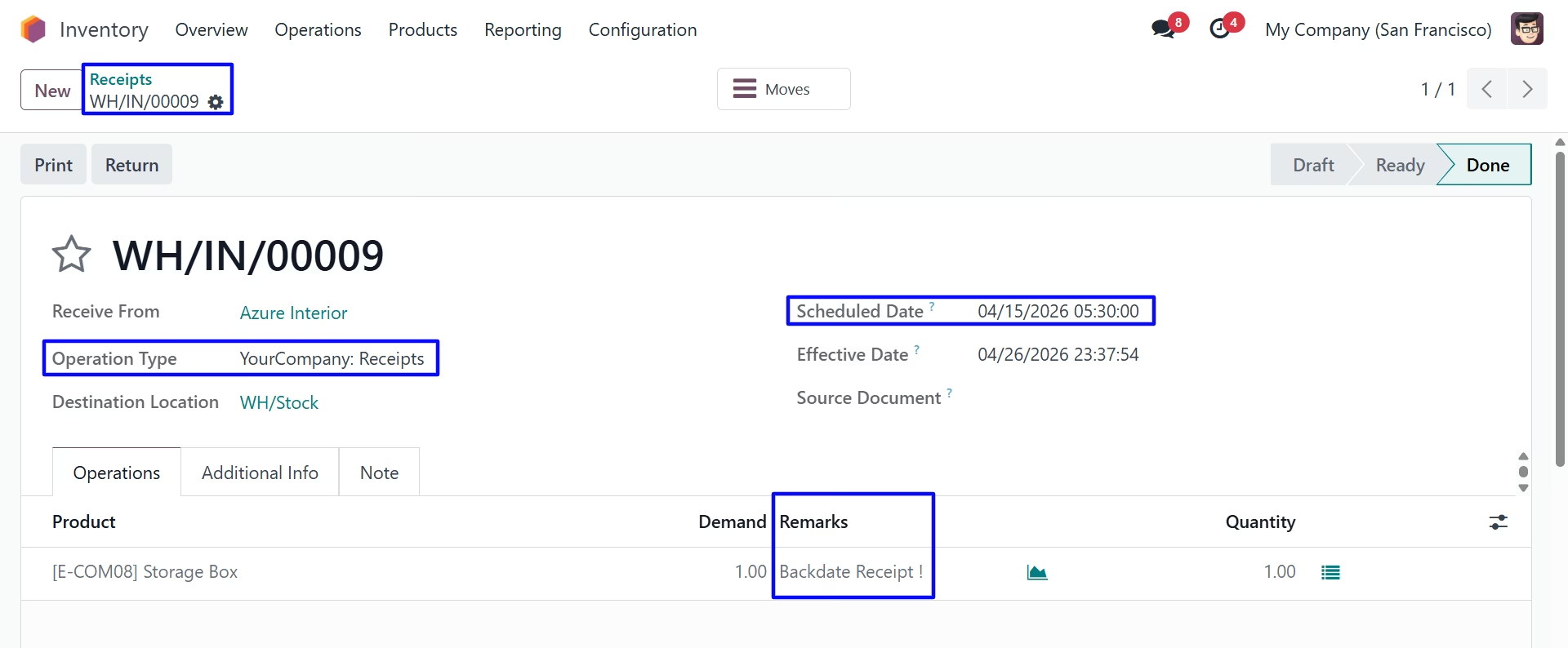
Product Move
Under Inventory > Reporting > Moves History menu user can see created stock move for receipt with backdate.
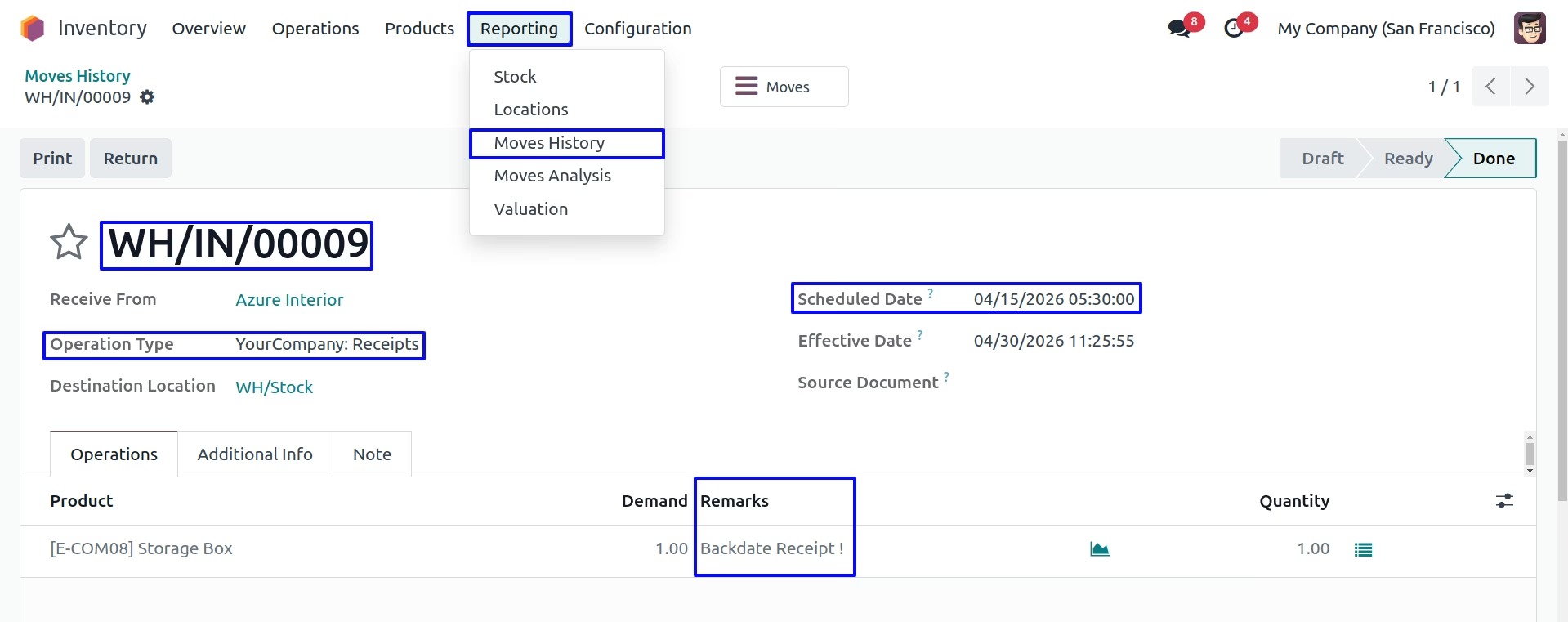
Stock Moves
Under Inventory > Reporting > Stock Moves menu user can see created stock move for Receipt with backdate.
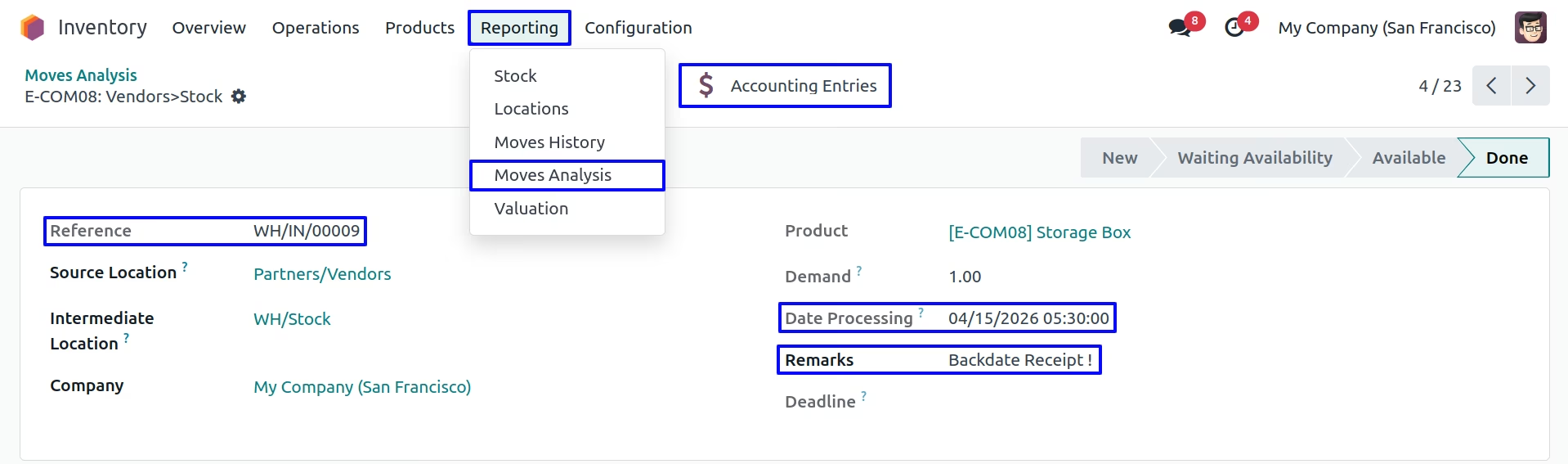
Stock Journal Entry
User can see backdate on stock journal entry created for receipt.
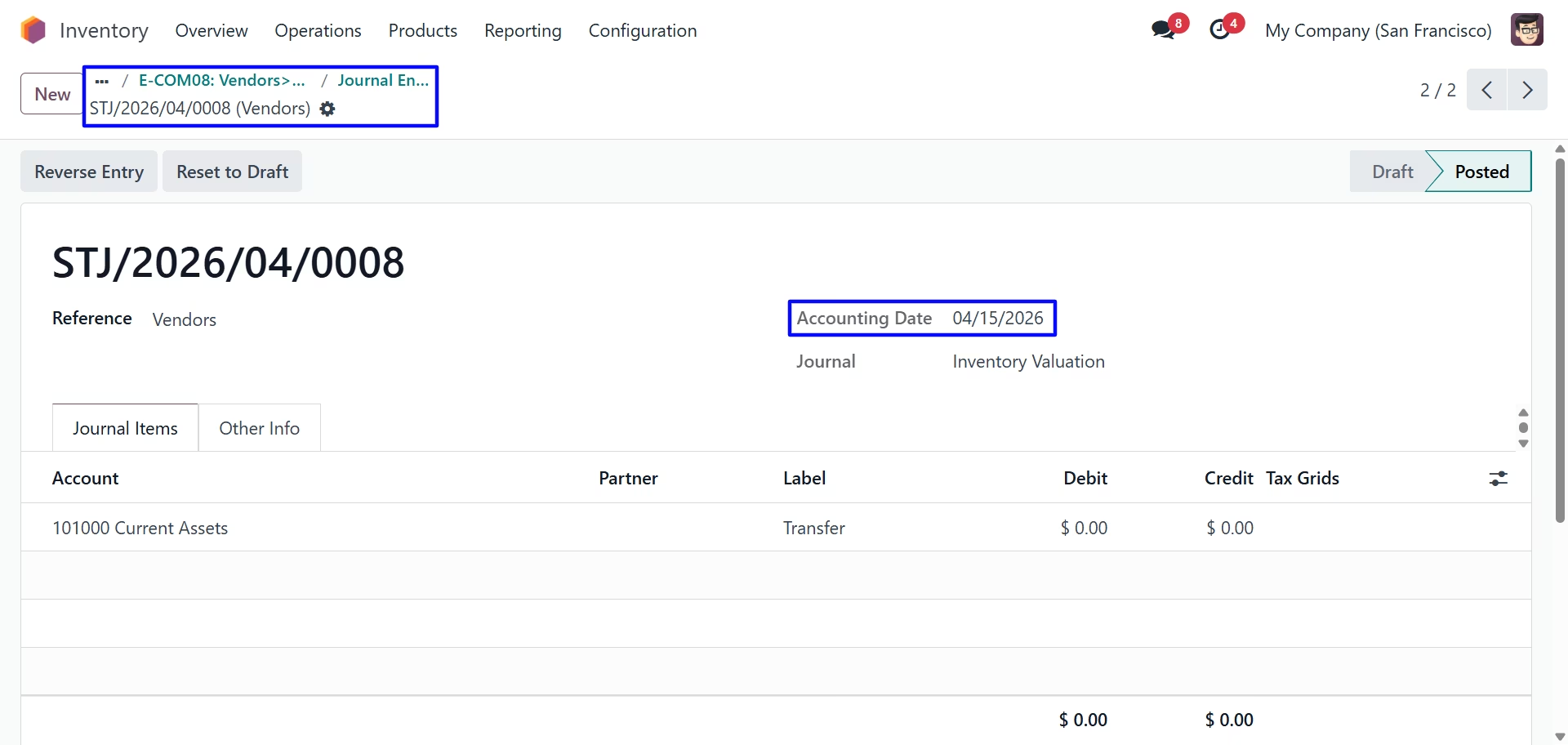
Mass Backdate Settings
Update Mass Backdate on Receipt
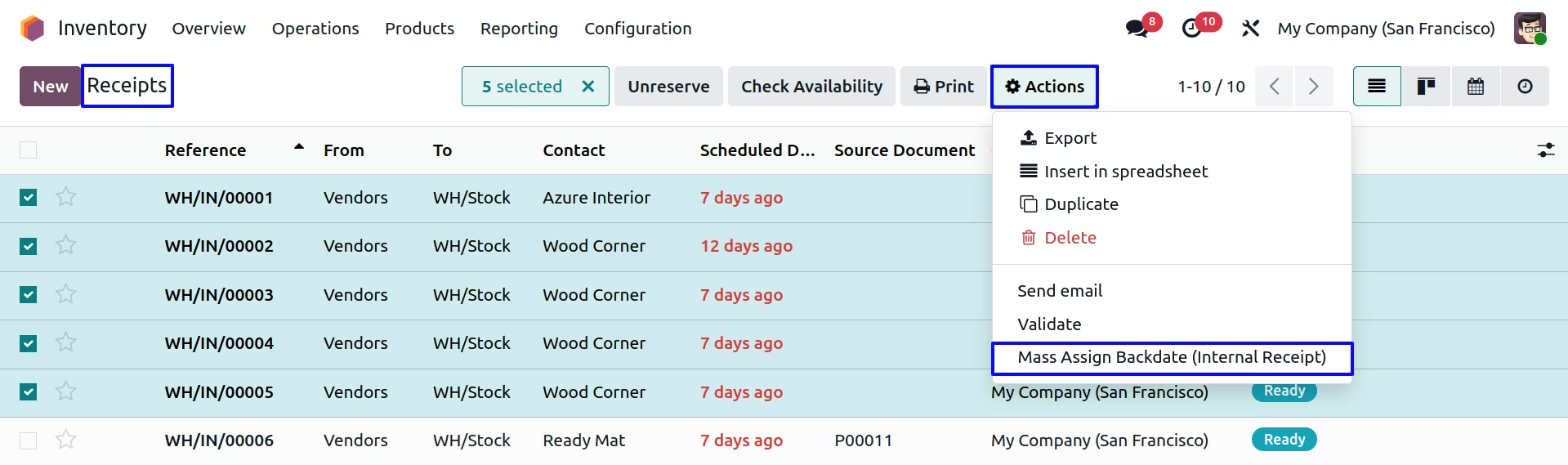
User can see select multiple Receipt from tree view, and under "Action" menu user can see "Mass Assign Backdate (Internal Receipt)" menu to update backdate and remarks for multiple selected receipt backdate and remarks.
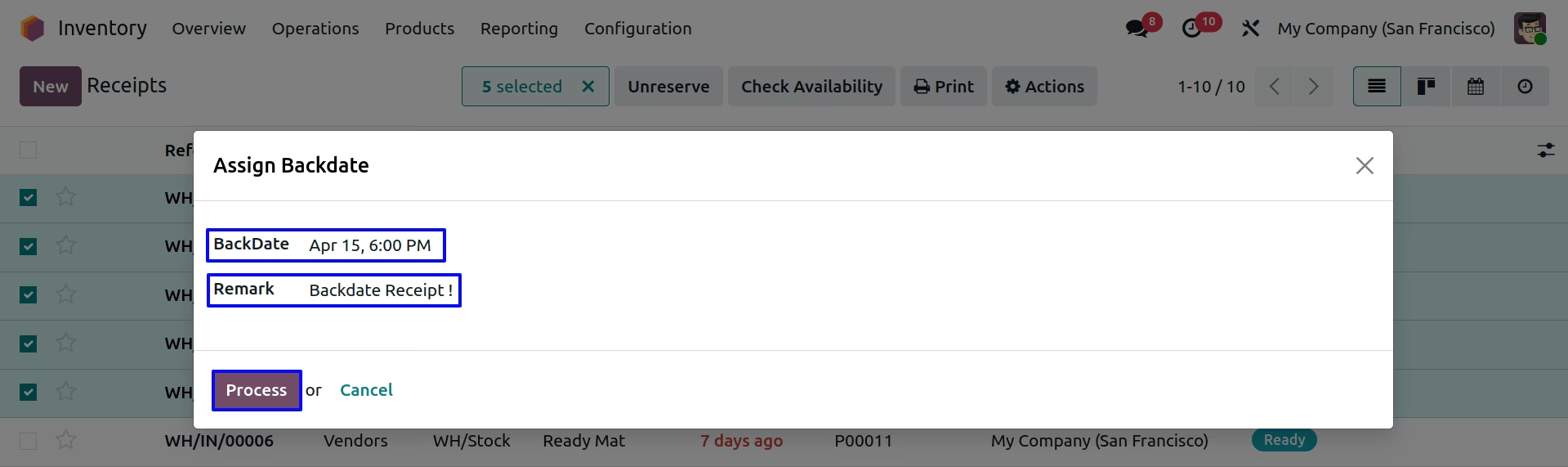
User can enter backdate and remarks for selected multiple receipt and this will added to receipt, stock moves, product moves and journal entry for that.
Updated Mass Backdate and remarks on Receipt
User can see entered transfer date and remarks added to receipt.
Transfer date and remarks also added to stock moves, product moves and journal entry for all selected multiple receipt.