
Streamline your procurement process and maintain up-to-date supplier pricing with the Import Supplier Info module. This essential tool eliminates the tedious and error-prone task of manually entering or updating vendor pricelists. By enabling you to bulk import supplier information directly from CSV or Excel files, you can ensure data accuracy, save valuable time, and optimize your purchasing strategy. Keep your supplier data consistently accurate, enabling your team to make informed purchasing decisions based on the latest pricing and terms.
Bulk import supplier pricelist data using either CSV or Excel files.
Easily map product records by name, internal reference, or barcode.
Supports importing data for both specific product variants and product templates.
Automatically updates existing vendor price entries or creates new ones.
Import key supplier details including price, minimum quantity, and delivery lead time.
Provides a downloadable sample file to ensure correct formatting for import.
User-friendly wizard to guide you through the import process.
Detailed success messages and error logs for easy validation and troubleshooting.
Significantly reduces manual data entry, saving time and minimizing human error.
Ensures your product costs and supplier pricing are always accurate and current.
Improves the efficiency of your procurement and purchasing workflows.
Facilitates better supplier management by maintaining a comprehensive price history.
Empowers your purchasing team to make quicker, more informed decisions.
Simplifies the initial setup and ongoing maintenance of supplier data.
Enhances overall operational efficiency by automating a critical data management task.
Import Supplier Info for Products via CSV
Link Vendors to Products in Bulk with Ease
Quickly Import Product-Vendor Relationships
Simplify Supplier Mapping During Product Import
When you are importing product then its most important things is all supplier need to link with thier product which is not possible with now.
We provide this apps which helps you to import product vendor details (supplier information of product) easily with CSV files.
It also provide feature to link with existing product template (if product is already available).
Data File Sample
Given below is the sample data file, Please use given format to create data file.

- VENDOR
- - Vendor Name for Supplier Info./dd>
- PRODUCT
- - Product name for the sale order line
- DELIVERY TIME
- - Delivery Time.
- QUANTITY
- - Quantity of Above Selected Product.
- PRICE
- - Price for the above product.
Import Supplier Information Menu
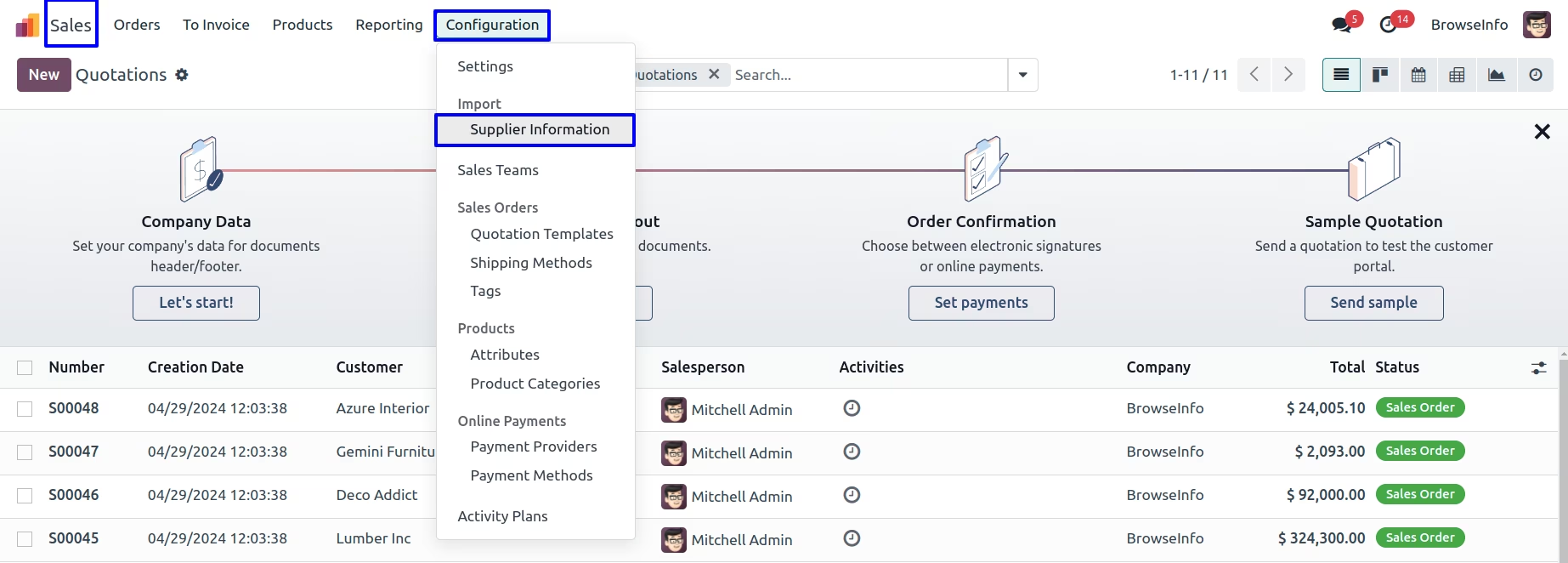
Under Sales > Configuration > Supplier Information menu user can import product for vendor.
Option 1 : Create product template if not available
Import Supplier Information Wizard
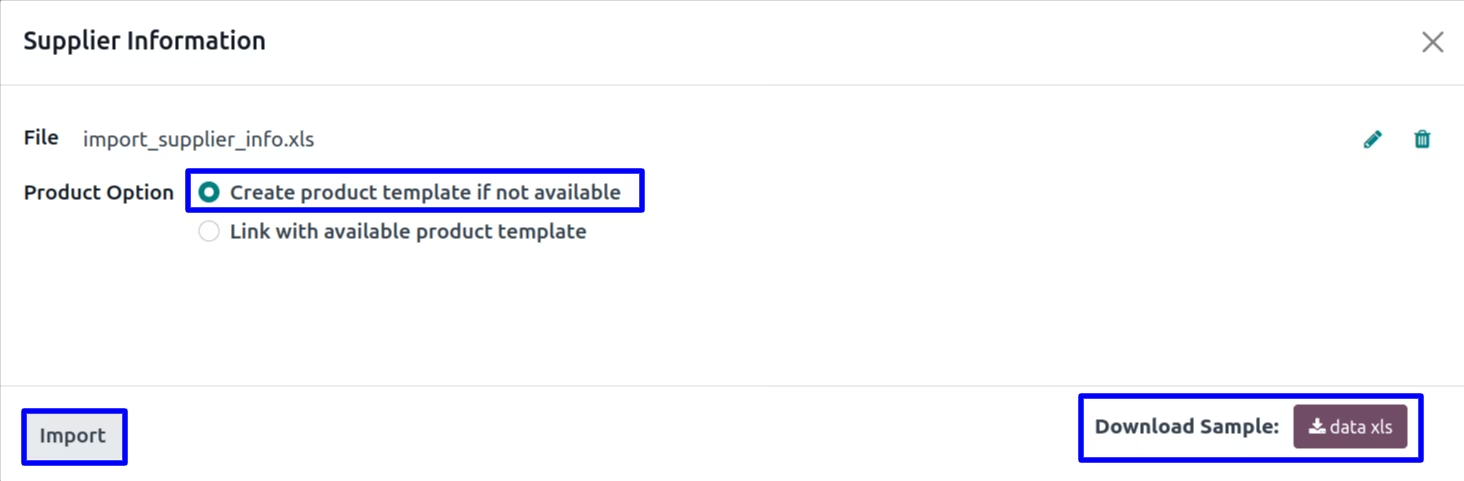
While importing supplier information, If user want to create product which is not available in system then user need to select first option ""Create product template if not available", It will create new product and link supplier info with it.
User can download sample file to import product vendor by clicking "DATA XLS" button on wizard.
New Created Product
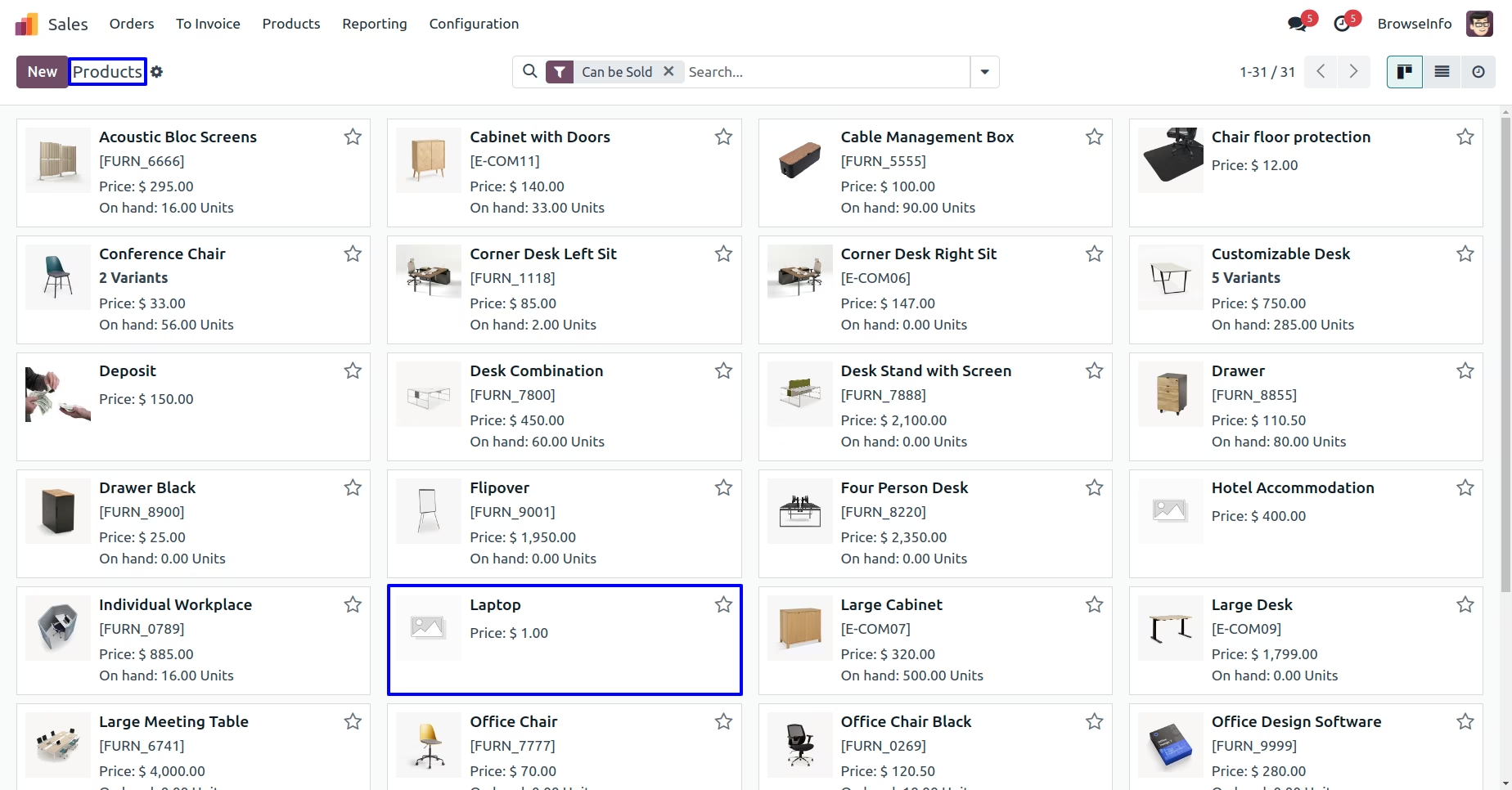
User can see new created product from data file.
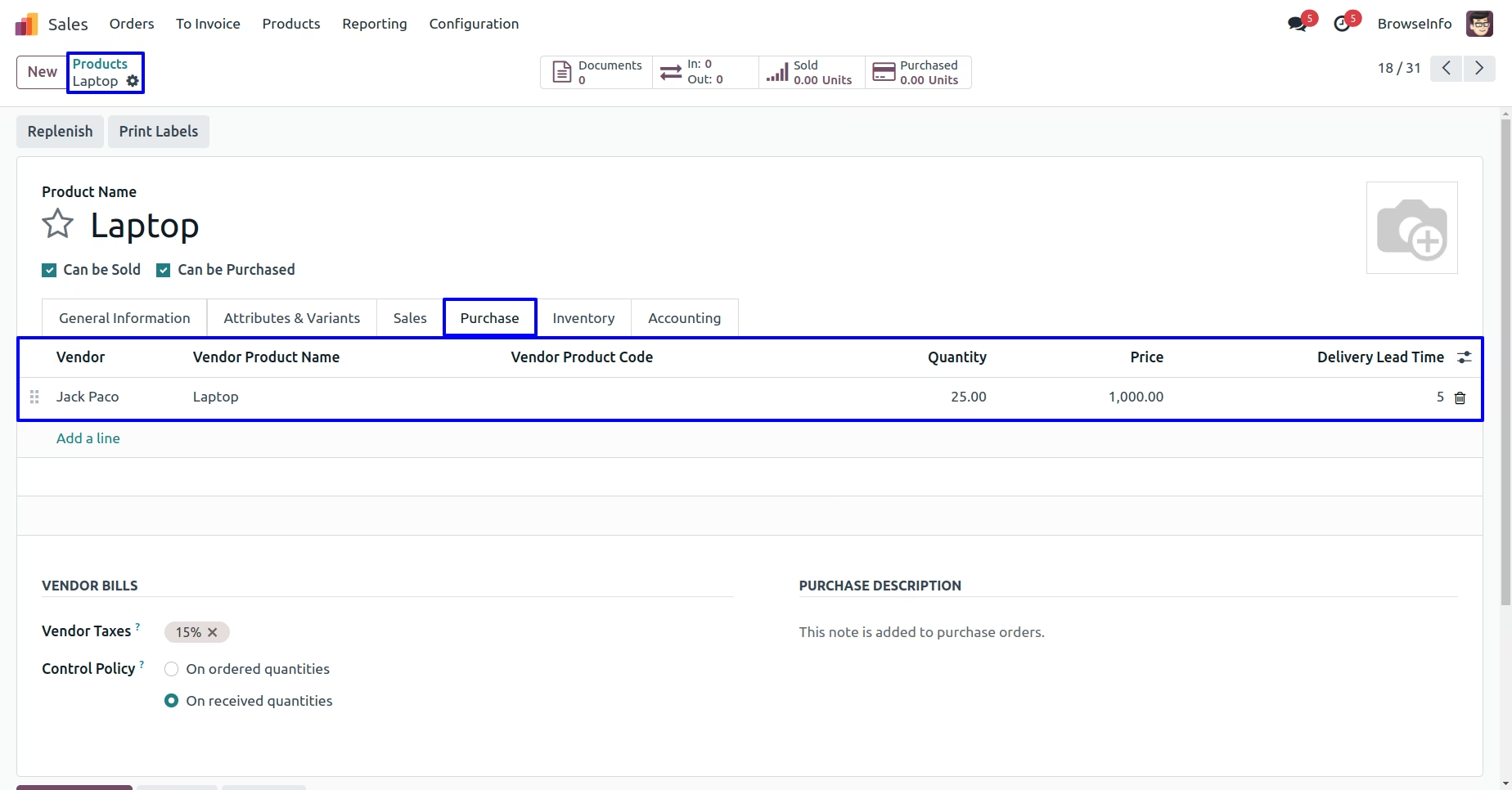
User can also see that supplier information also linked with new created product
Option 2 : Link with available product template
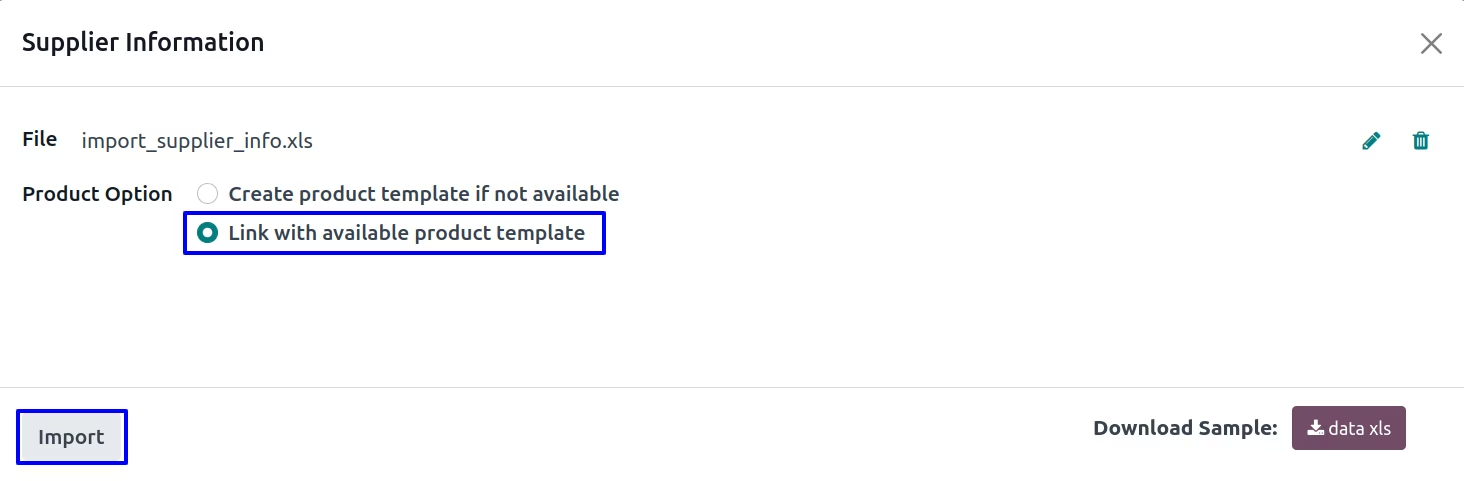
Import Supplier Information Wizard
While importing supplier information, If user want to just link supplier information with existing product then user need to select "Link with available product template" option.
User can download sample file to import product vendor by clicking "DATA XLS" button on wizard.
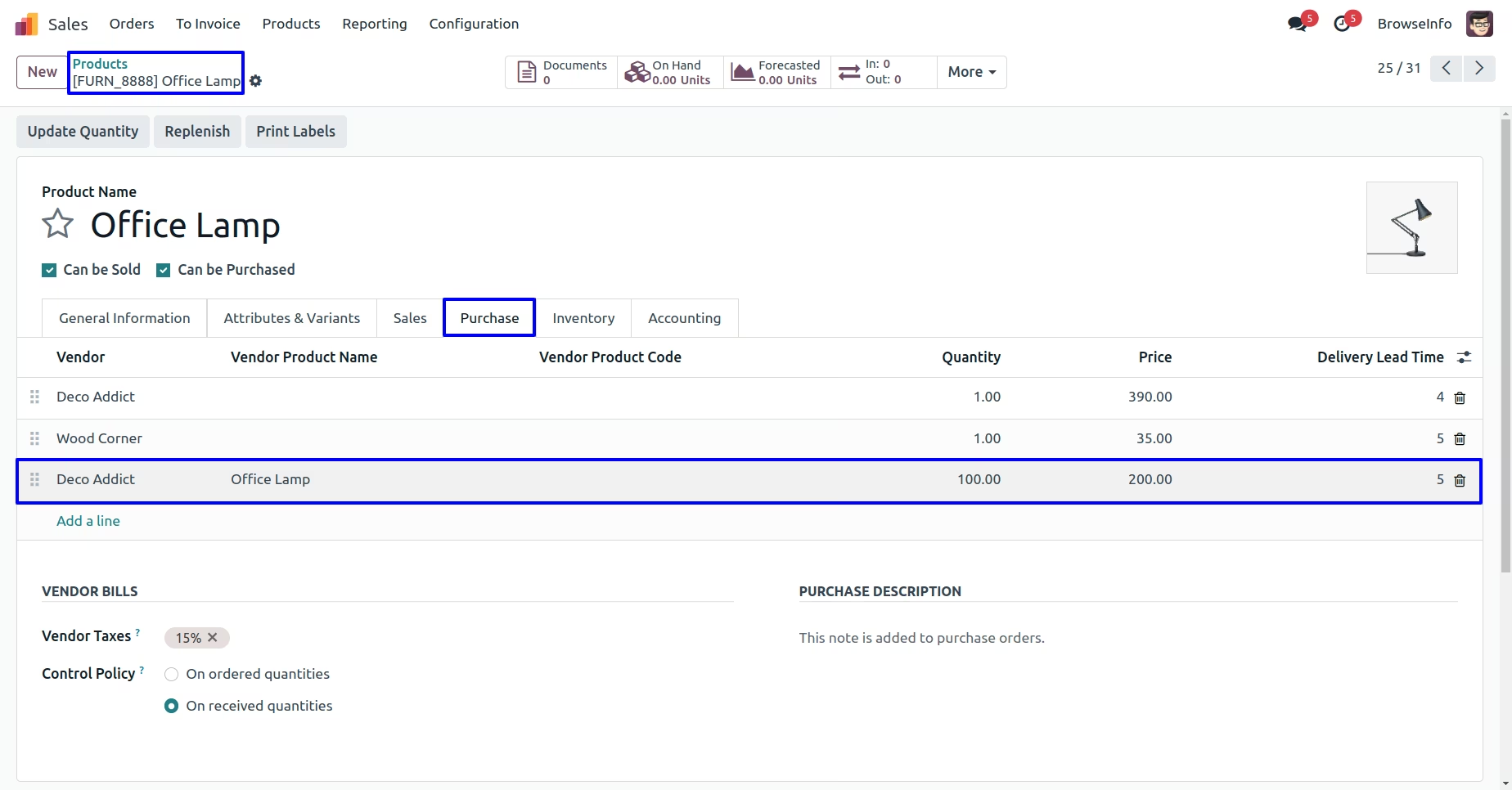
User can see that supplier information linked with existing product
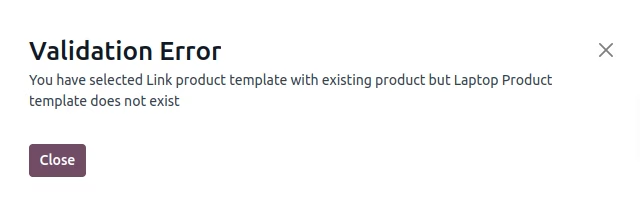
Warning
If product template is not existing and user select second option, It will show following error.
Installation Guide
Before installing this module you have to install following packages in your system.
1.sudo pip install xlrd
2.sudo pip install xlwt
OR
1.sudo apt-get install python-xlrd
2.sudo apt-get install python-xlwt