Efficiently manage your user base with the User Import from Excel/CSV module. This tool is expertly designed to solve the challenge of creating and updating multiple user accounts, a process that is often time-consuming and prone to error when done manually. By allowing administrators to bulk import user data from a structured spreadsheet, this module streamlines onboarding, simplifies role management, and ensures data consistency across your system. It is the perfect solution for new implementations, large-scale user updates, or any organization looking to optimize its administrative workflows.
Import user data seamlessly from both Excel (.xlsx) and CSV (.csv) file formats.
Flexibility to either create new users or update the information of existing ones.
Map essential user fields including name, login email, language, and timezone.
Assign user types, such as Internal User, Portal, or Public, during import.
Easily allocate users to multiple security groups and applications.
Set company access for users in a multi-company environment.
Includes a downloadable template file to ensure your data is formatted correctly.
Provides clear success notifications and error logs for straightforward validation.
Drastically reduces the administrative time required for user setup and management.
Eliminates data entry errors associated with manual user creation.
Ensures consistency in user profiles, roles, and access permissions.
Accelerates the onboarding process for new employees or system users.
Simplifies bulk updates of user information, such as roles or contact details.
Enhances security by allowing precise and audited control over user access.
Improves overall efficiency for system administrators.
Import Users and Images from Excel
(File Path and Web URL)
This module allow you to import Users and Users images from excel using URL and Path
This module gives allow you to create Users and modify existing users image on wizard
Make sure you have xlrd Python library installed.
Main Features:
- Allow to import *.jpg or .png or .jpeg ... files types.
- Customer can see Allow you to create new Users based on you choise and selected on wizard..
- Allow you to modify existing Users baesd on your choise and selected on wizard
- Allow you to have image file path of your directory and Website URL where you keep your image. (Both option can work together with single import.)
- Allow you to give http or https as website URL to import image using Excel.
- Create Users Image
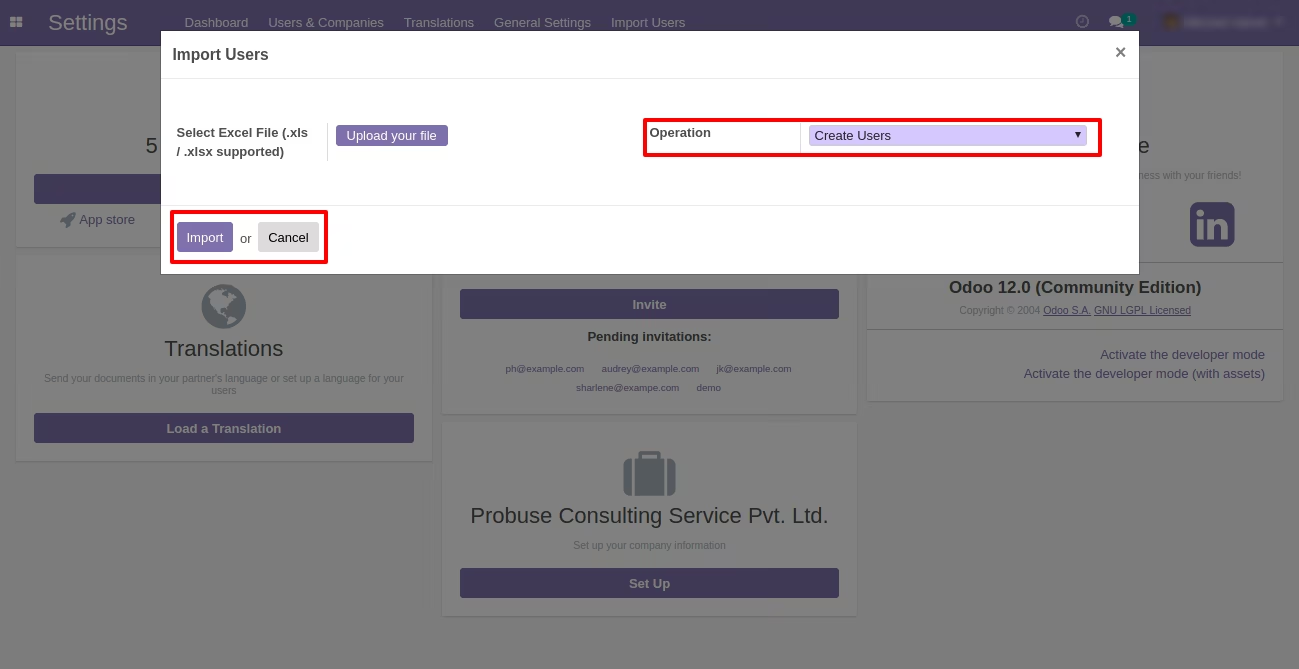
- For Create Users you should select on wizard model as Users and operation as Create Users on wizard.
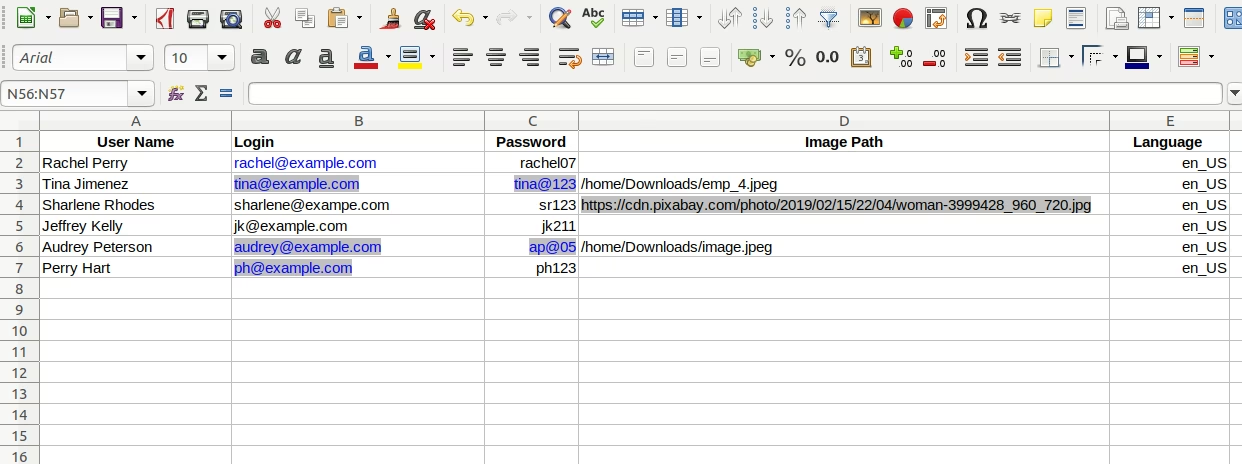
- You can add columns like User Name, Identification No, Image Path on your .xls file.
- Update Users Image
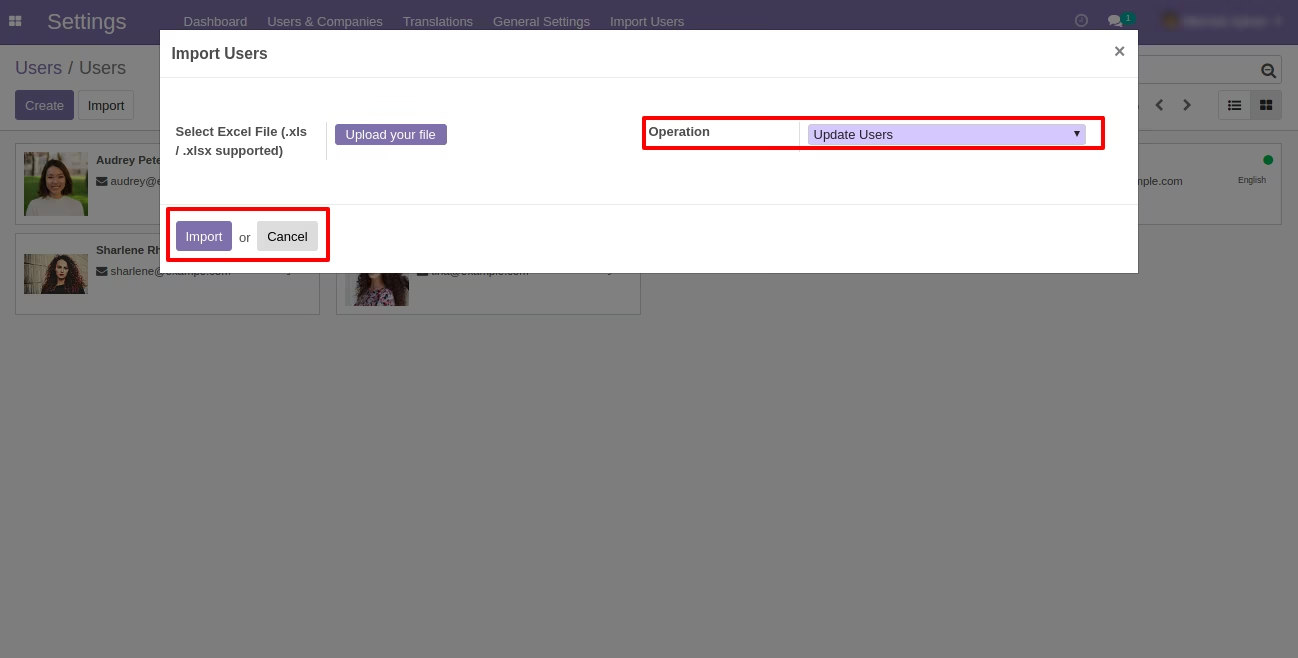
- For Update Users you should select on wizard model as User and operation as Update Users on wizard
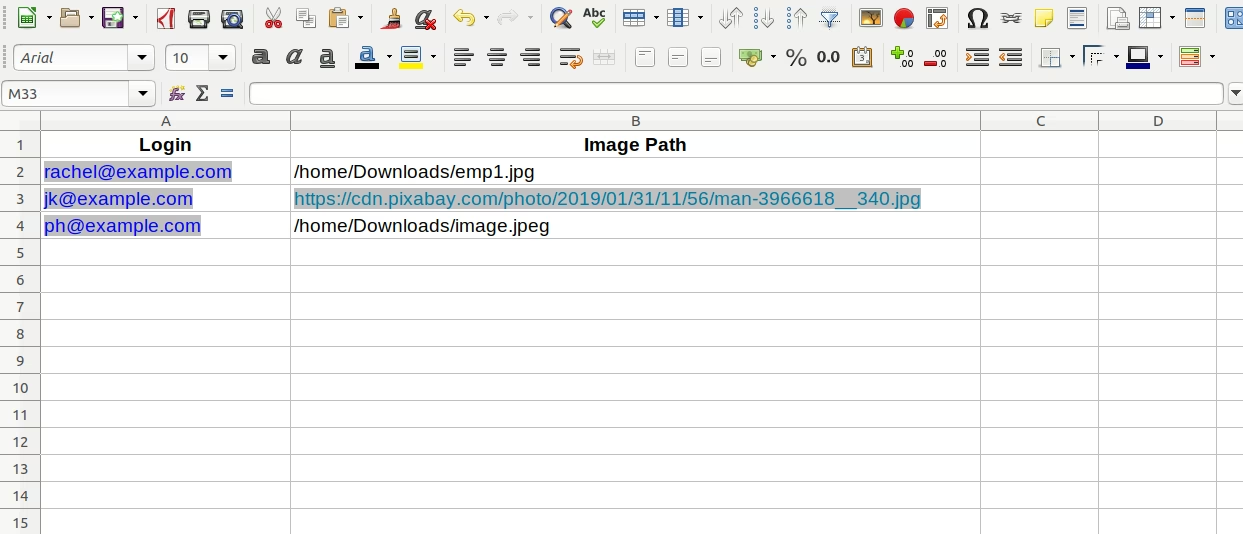
- You have add values as User Name or Employee Identification No and Image Path on .xls file
- For more details please watch Video.
Menus Available:
- Import Users
- import Users & Images
Menu Of Settings
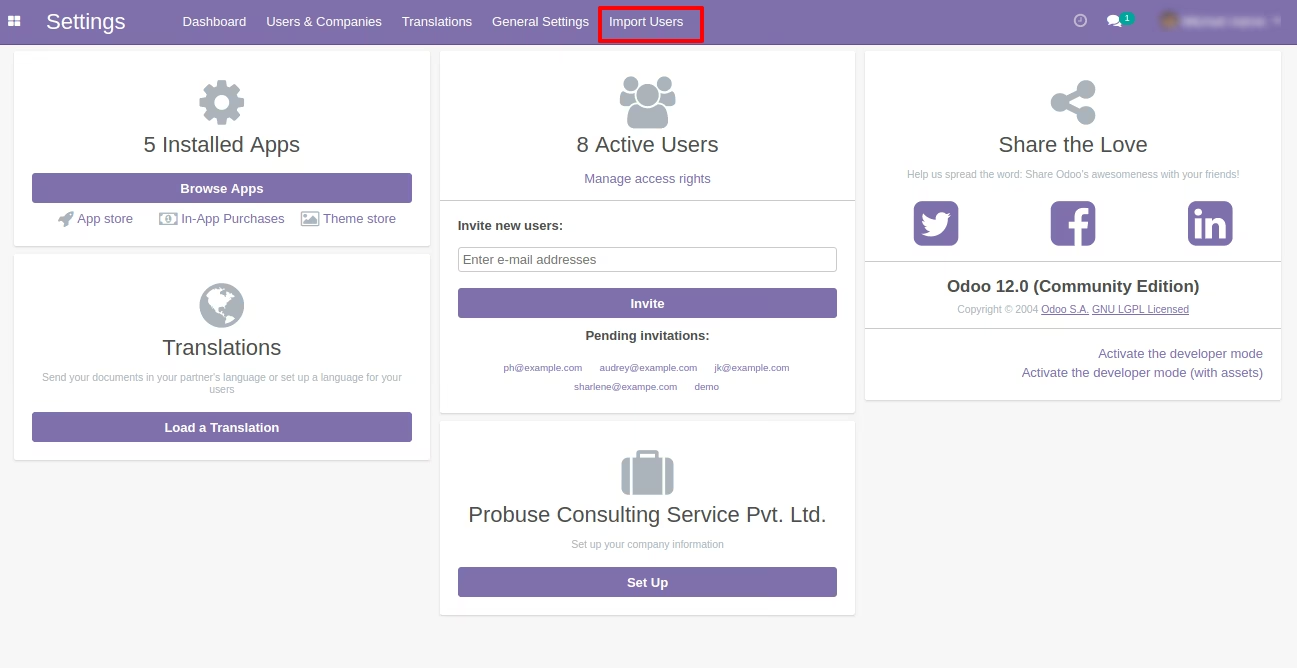
1. Import Users from Wizard
Select operation as Create for create Users.
Sample of Import Users
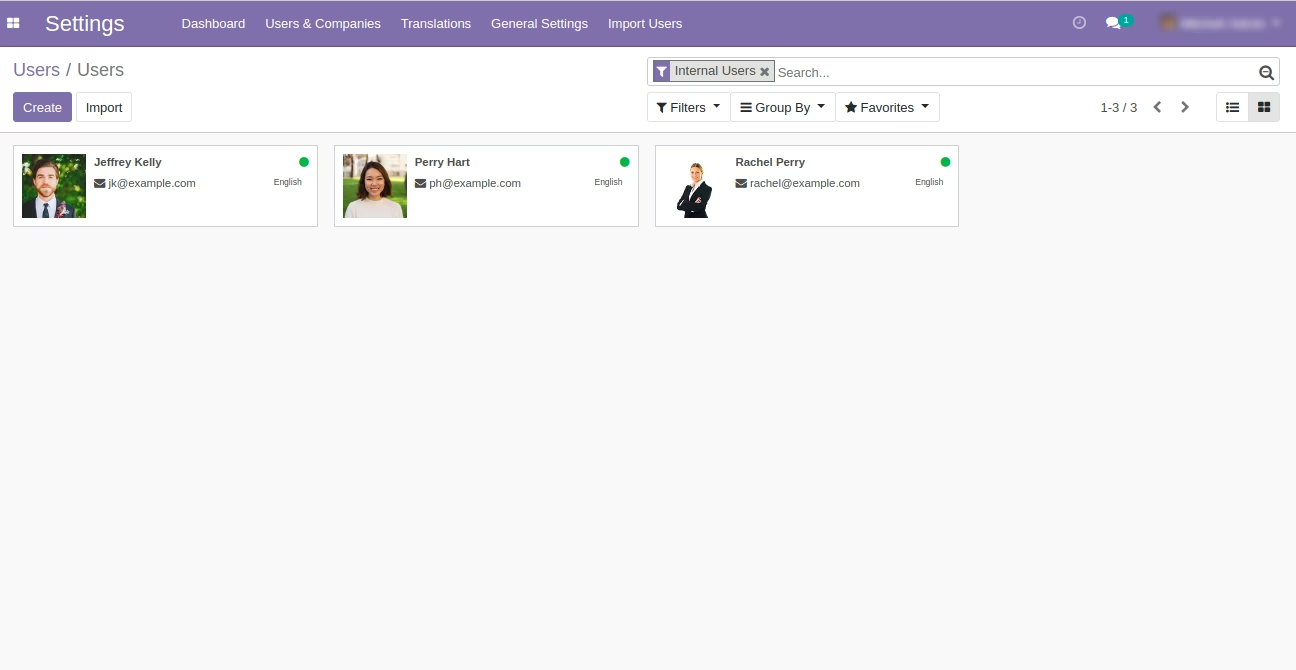
Created User in Odoo
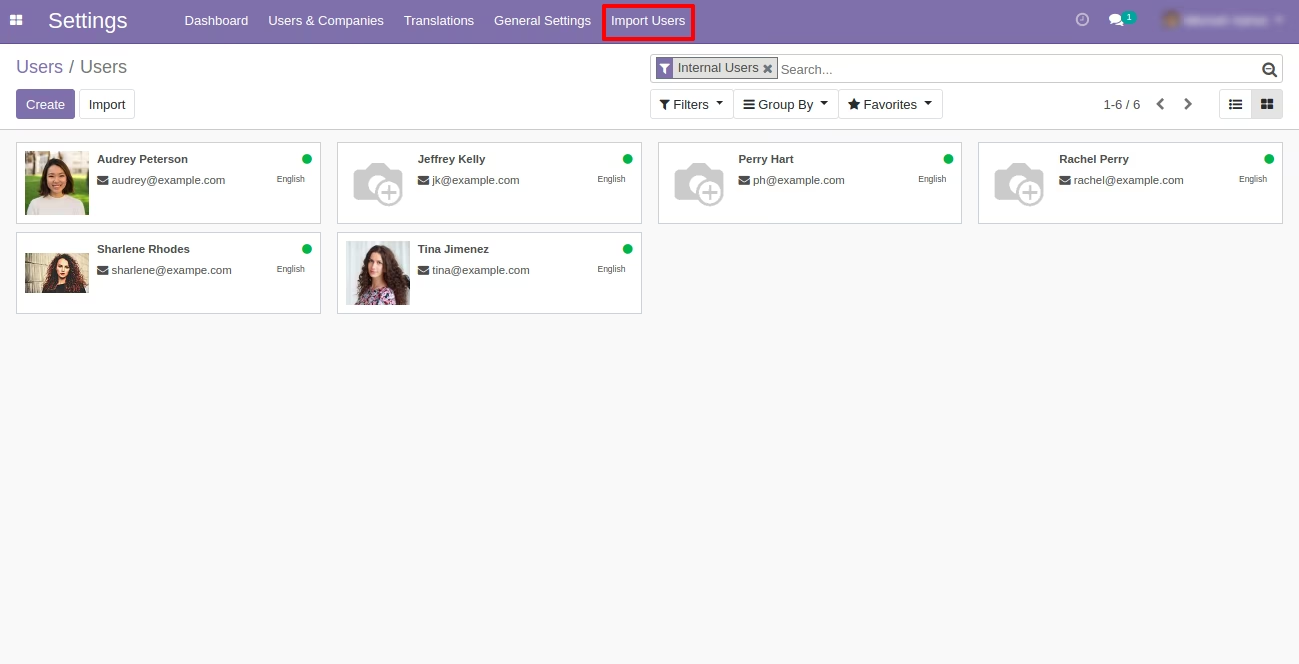
2. Update Existing Users from Wizard
Select operation as Update Users for update Users.
Sample of Update Employee - Existing Employee
Updated Employee