
The module for allows businesses to import inventory adjustments in bulk using Excel or CSV files. This functionality streamlines the process of updating stock levels, reduces manual data entry, and improves operational efficiency.
Bulk Import: Import multiple inventory adjustments at once from Excel or CSV files, saving time and reducing errors.
Data Validation: Ensure data integrity with built-in validation checks during the import process.
Error Handling: Identify and address errors promptly with detailed error messages and logs.
Automated Workflow: Automatically update stock levels upon import, if configured.
Compatibility: Works seamlessly with Community and Enterprise editions.
Time Efficiency: Significantly reduce the time spent on manual data entry by importing multiple inventory adjustments in bulk.
Error Reduction: Minimize human errors associated with manual entry, ensuring accurate inventory data.
Streamlined Operations: Enhance inventory management workflows by automating the inventory adjustment process.
Improved Data Accuracy: Maintain consistent and accurate data across the inventory system.
Upload Product Stock Data Effortlessly
Bulk Import Stock Levels from Excel/CSV
Simplify Stock Management with Excel Uploads
Instant Inventory Updates with One-Click Import
Getting started? Or your inventory get mess up ? Don't worry This is the apps which helps you to fix that with stock inventory import feature .
When you are newbie with and just started, then everyone want to import their initial inventory balance from other software or may be from excel file.
Here we provide feature with this apps to import your inventory easily in one click on all products,Or if your inventory get mess up and not correct and you have correct inventory managed with the excel file then again this apps works.
We need to import inventory adjustment on and all inventory data get corrected easily
Use this import plug-in make file format as we shown on module description and follow guidelines on module. When you import file in one click your inventory(product stock) get corrected or imported.
If you want to import extra fields from default apart from our sample files, we will add those on our import module without any extra cost. You can purchase our module and contact us on sales@browseinfo.in e.,g If you want to add Inventory Date and owner on inventory, we will add without any cost
XLS/CSV File Format
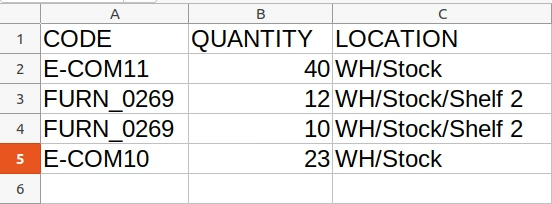
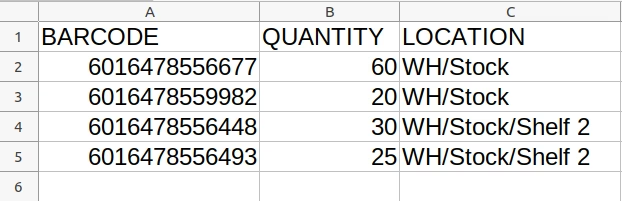
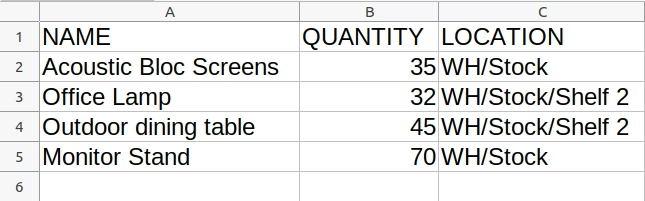
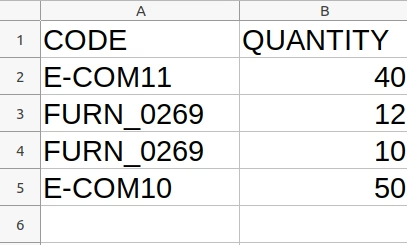
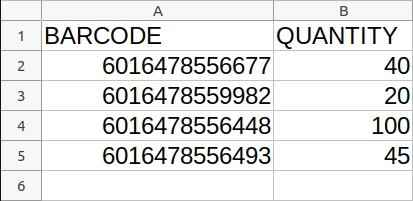
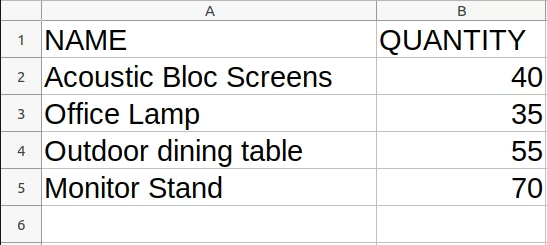
This is the file format you need to follow to import inventory data.
You have 2 different options to import inventory.
1.Import Inventory with Location on inventory line.
If you are using only numeric value for Internal ref or Barcode field then please make sure the cell type/format is Text/Character
Import with Code.
Import with Barcode.
Import with Name.
2.Import Inventory without Location on inventory line.
If you are using only numeric value for Internal ref or Barcode field then please make sure the cell type/format is Text/Character
Import with Code.
Import with Barcode.
Import with Name.
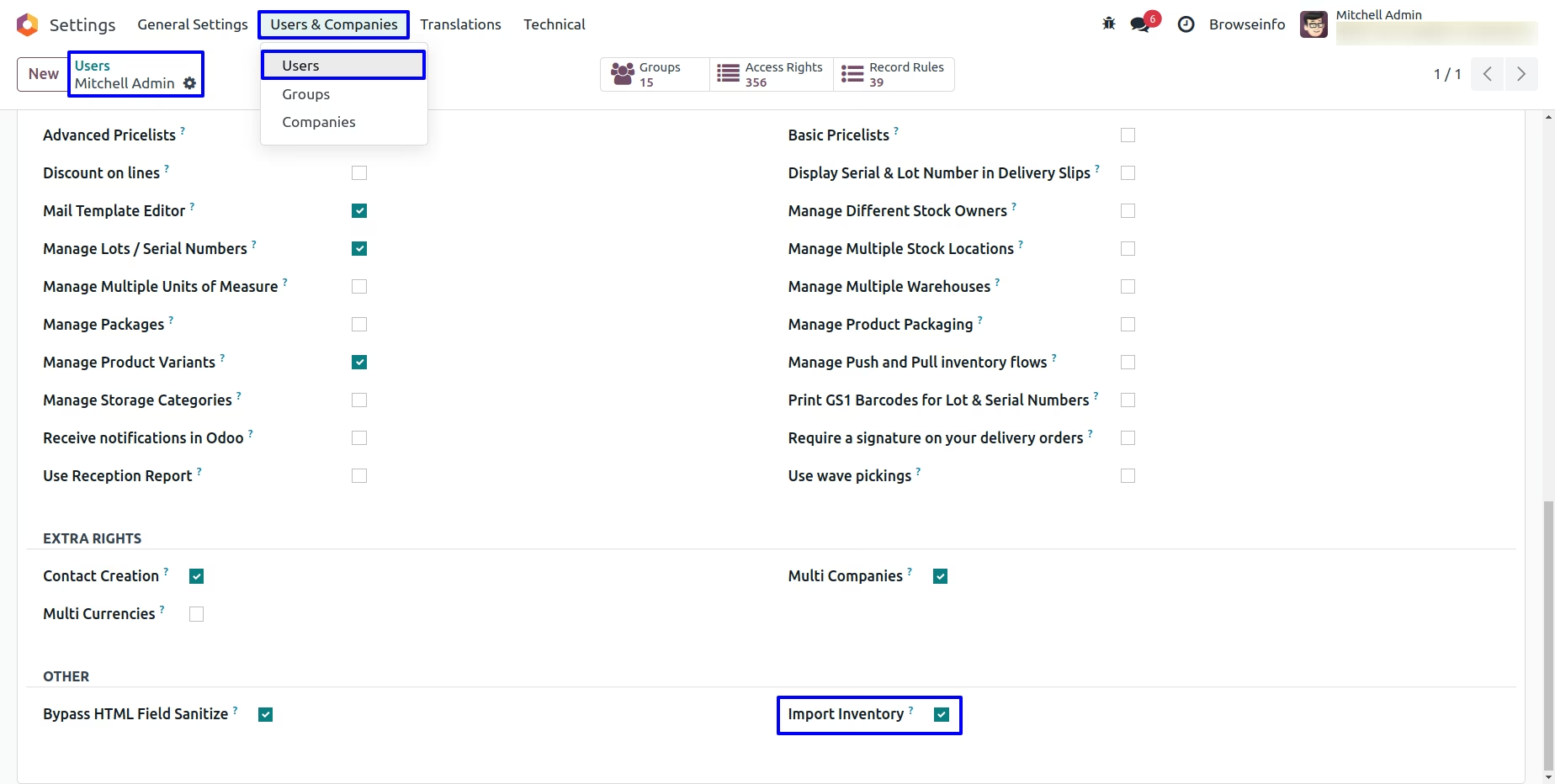
Import Inventory User Access
Users with "Import Inventory" access rights only can import inventory adjustments.
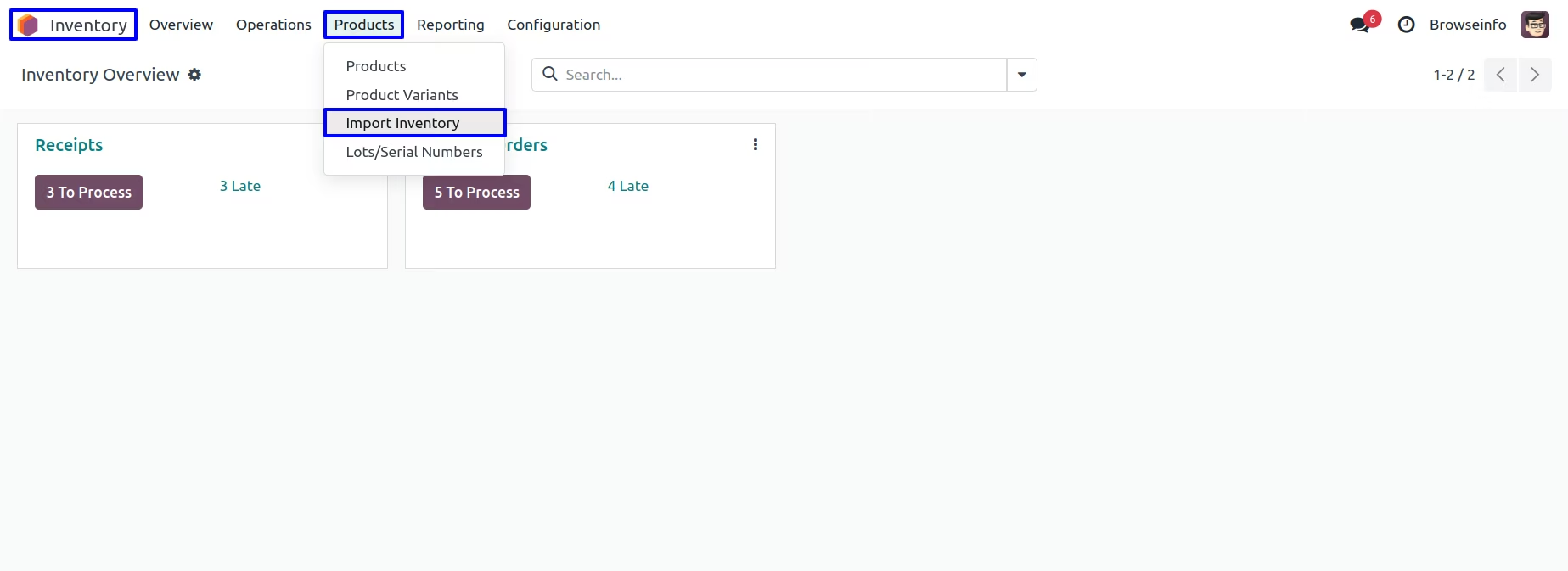
Import Inventory Menu
Users with "Import Inventory" access can see "Import Inventory" menu under Inventory > Products menu.
Import Inventory Wizard
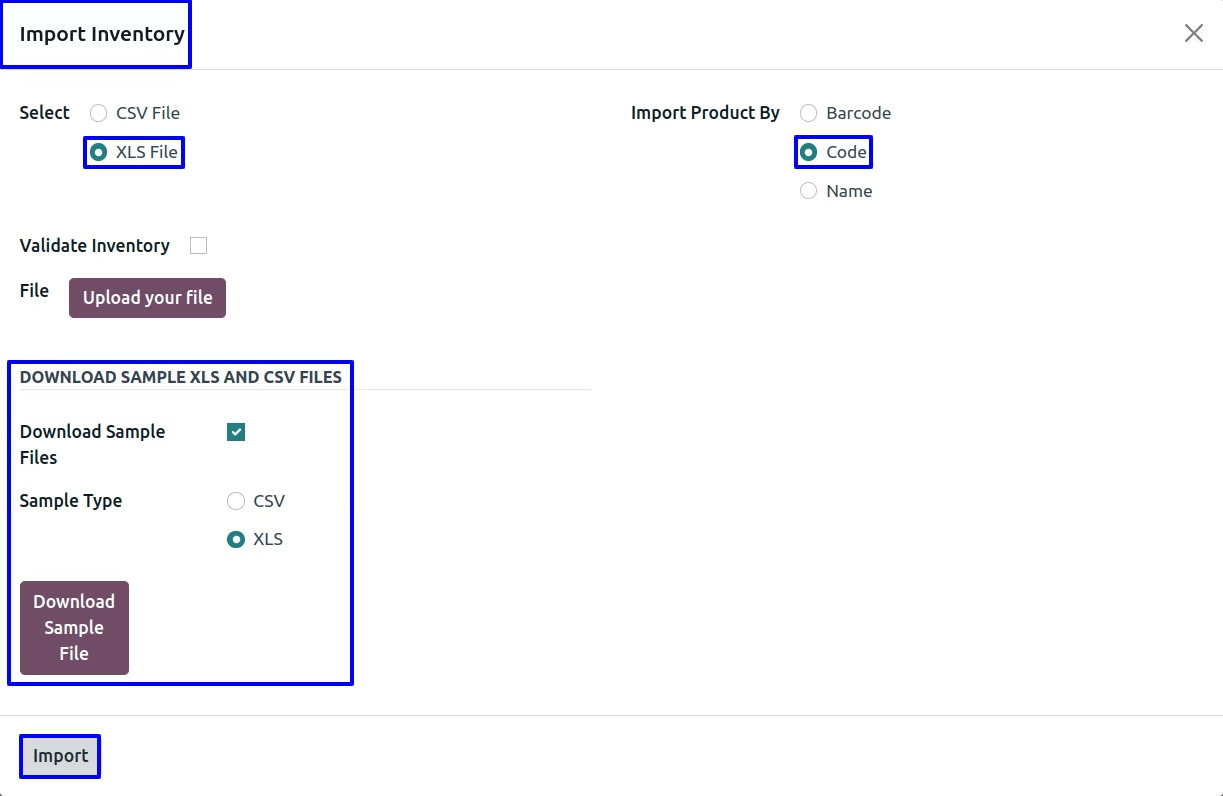
From import inventory wizard user enable "Download Sample Files" option, select "Sample Type" as "CSV or XLS" and download sample file to import inventory adjustment.
User have option to import inventory adjustment from CSV or XLS file, "Import Product By" name, code and barcode, upload file and click "Import" button.
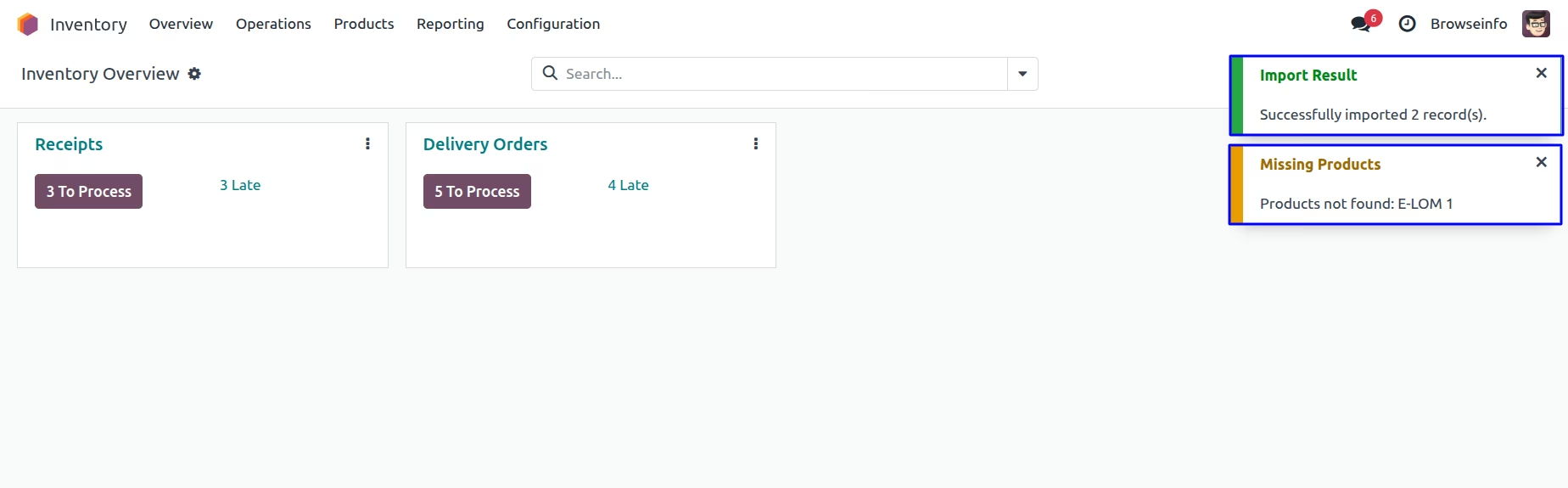
Inventory Adjustments
User can see a success confirmation and any missing products for quick validation.
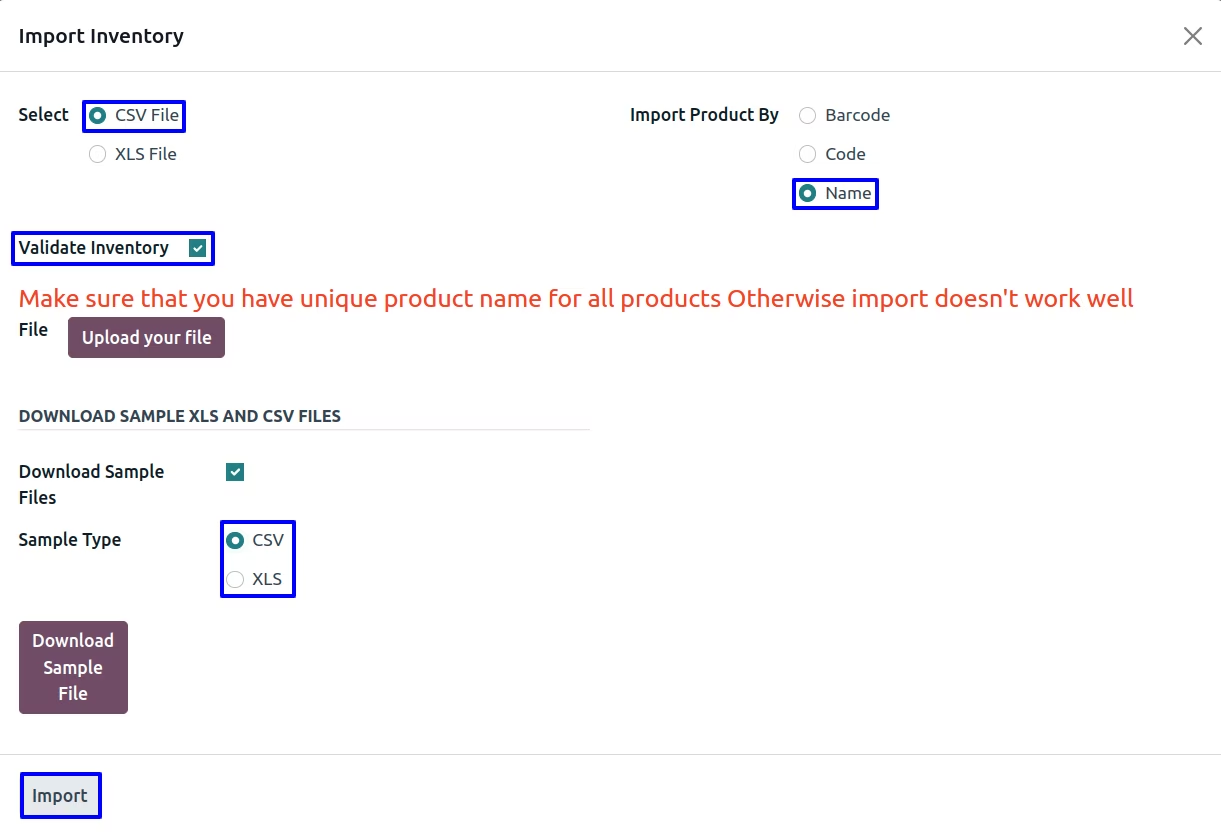
Import Validate Inventory Adjustment
User can validate inventory adjustment while importing from file by enabling "Validate Inventory" option wizard.
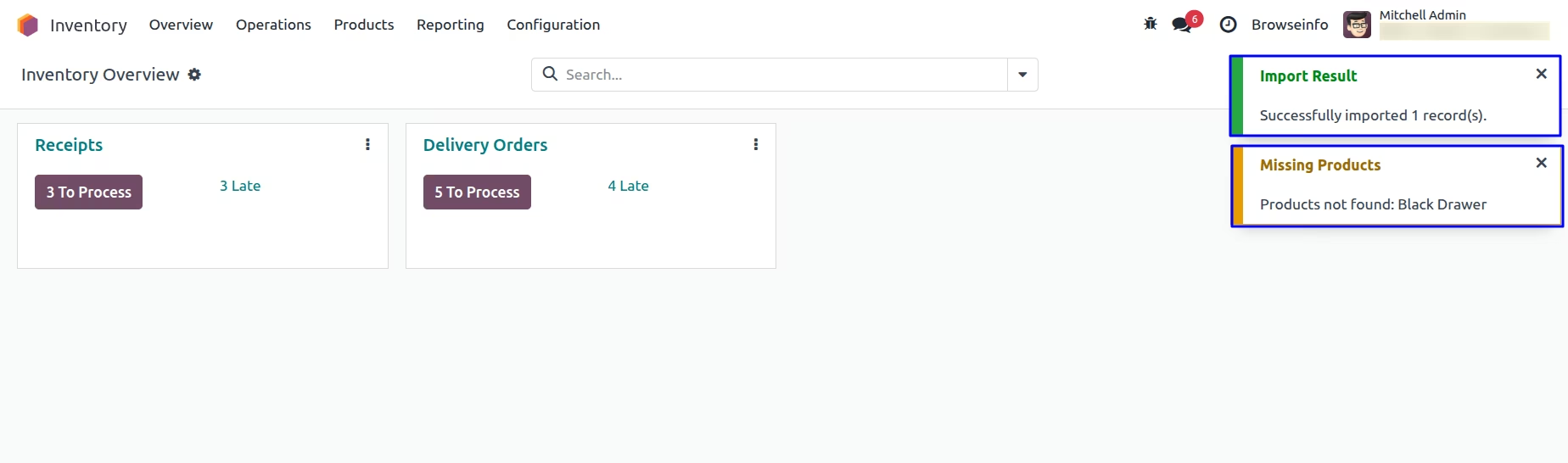
Validated Inventory Adjustment
User can see a success confirmation and any missing products for quick validation.
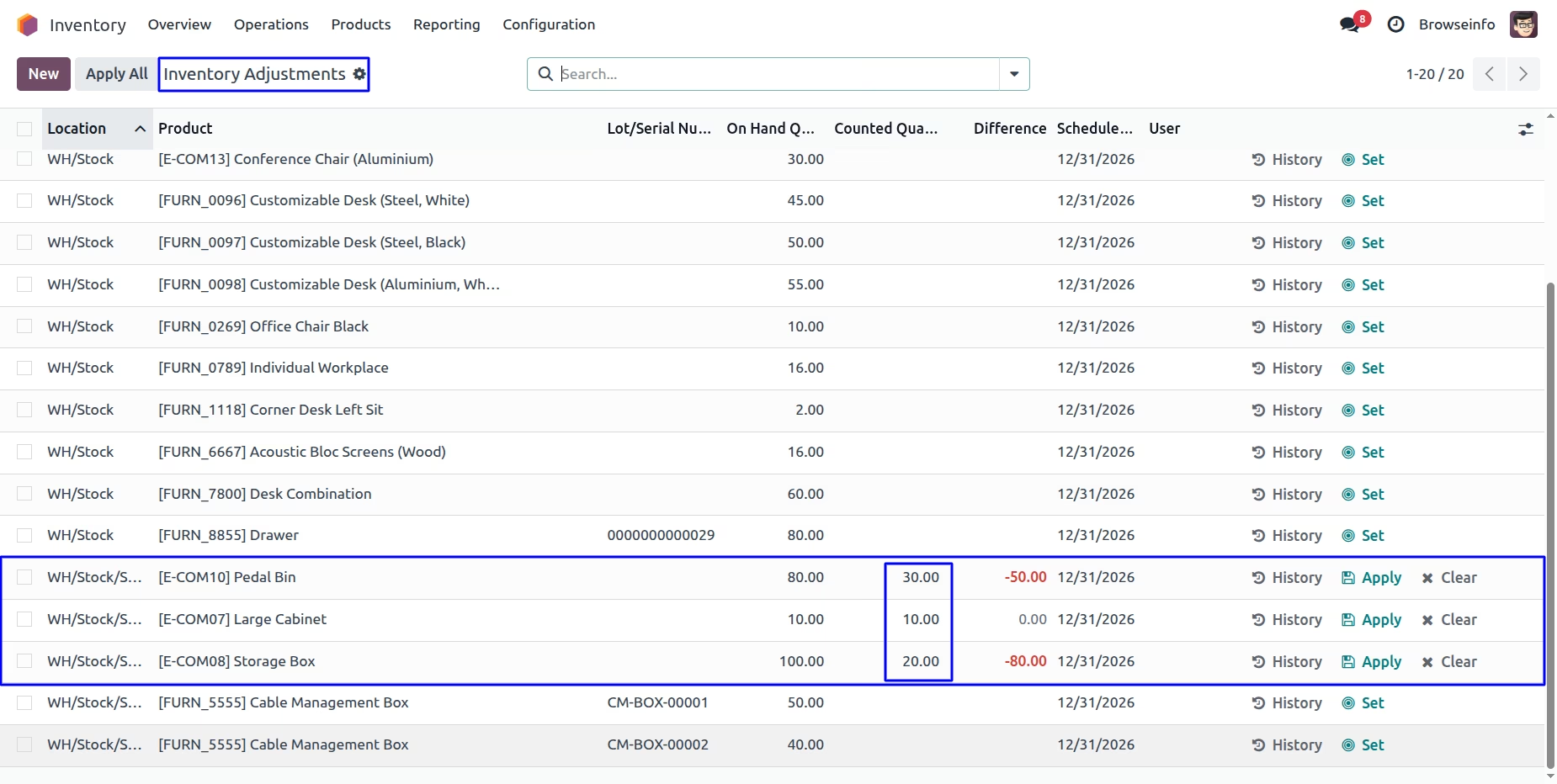
User can see imported inventory adjustment by name from xls file data.
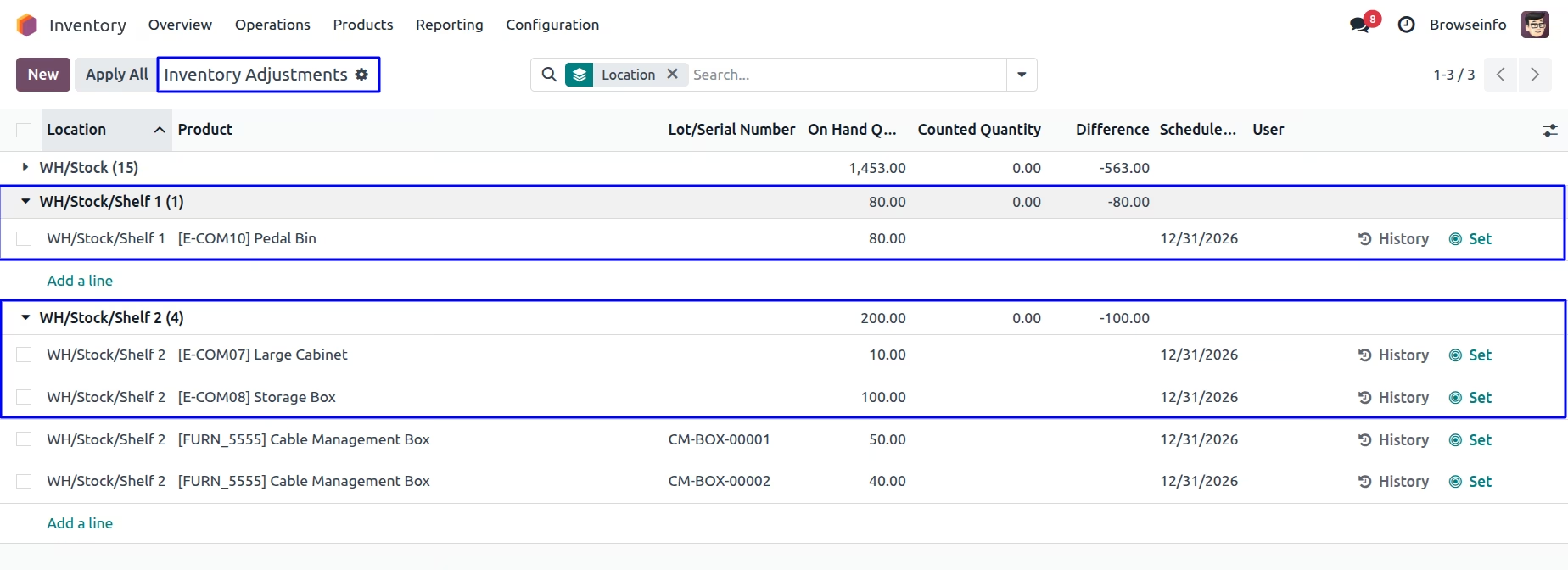
User can see in inventory adjustment, if the code is the same, quantities will be summed; otherwise, only the counted quantity will be shown.
Warnings
Warning on selecting invalid File.

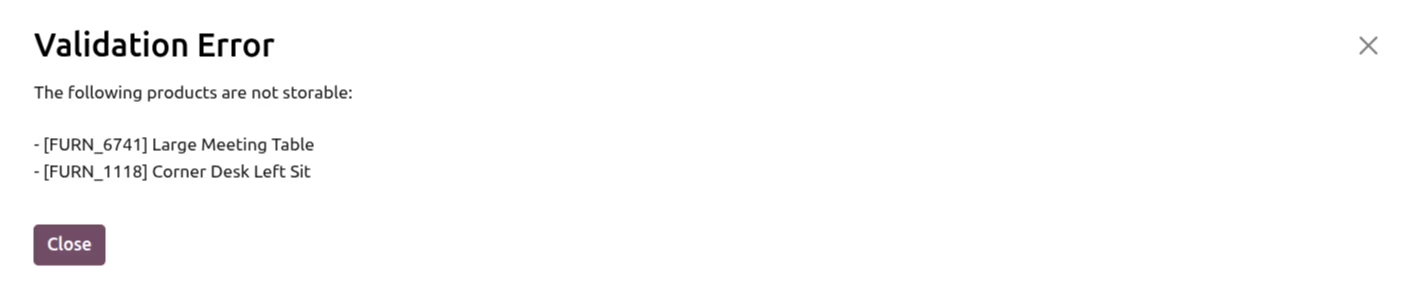
This validation error occurs when the product type is set to Service or Consumable.
Also note that this plug-in doesn't import inventory with serial number , if are tracking your stock with lot number or serial number don't get confused we have another plug-in available for that which allows you to import stock with serial number or lot number.Please check module link attached below.
Installation Guide
Before installing this module you have to install following packages in your system.
1.sudo pip install xlrd
2.sudo pip install xlwt
OR
1.sudo apt-get install python-xlrd
2.sudo apt-get install python-xlwt