Take control of your warehouse operations with the Import Stock Inventory module. This powerful tool is engineered to simplify the complex process of updating inventory levels, especially for products tracked by lot or serial numbers. Eliminate time-consuming manual adjustments and the risk of data entry errors by importing your stock counts directly from an Excel or CSV file. Ideal for initial stock setup, cycle counting, or receiving large shipments, this module ensures your inventory data is accurate, traceable, and effortlessly managed.
Import initial stock levels or perform inventory adjustments from a single file.
Supports both Excel (.xlsx) and CSV (.csv) formats for maximum flexibility.
Seamlessly import product quantities along with their corresponding lot or serial numbers.
Optionally create new lot/serial numbers directly during the import process.
Identify products easily using their internal reference, barcode, or name.
Assign imported inventory to specific warehouse locations.
Includes user-friendly templates to ensure your data is structured correctly for a smooth import.
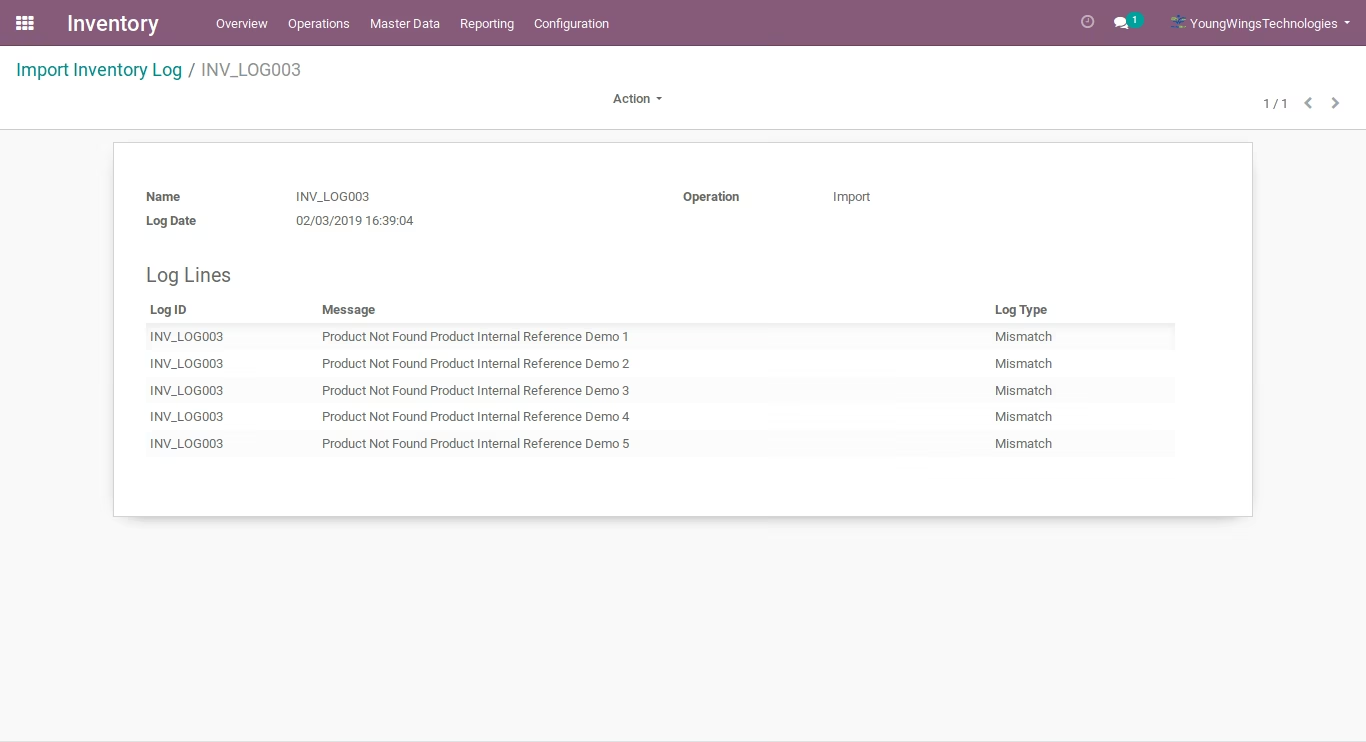
Provides clear validation messages and logs to quickly identify and resolve any import issues.
Massively accelerates the process of updating stock quantities and traceability information.
Guarantees higher accuracy in your inventory records by removing manual data entry.
Streamlines the receiving process for goods with lot or serial number tracking.
Makes initial stock migration and regular physical inventories fast and efficient.
Improves product traceability and inventory control within your system.
Reduces the administrative workload on your warehouse and inventory management teams.
Enhances overall operational efficiency through a simplified, automated workflow.
- Import Stock Inventory by CSV/Xlsx/Xls.
- Import Stock Inventory by Internal Reference.
- Import Stock Inventory by Name.
- Import Stock Inventory by Barcode.
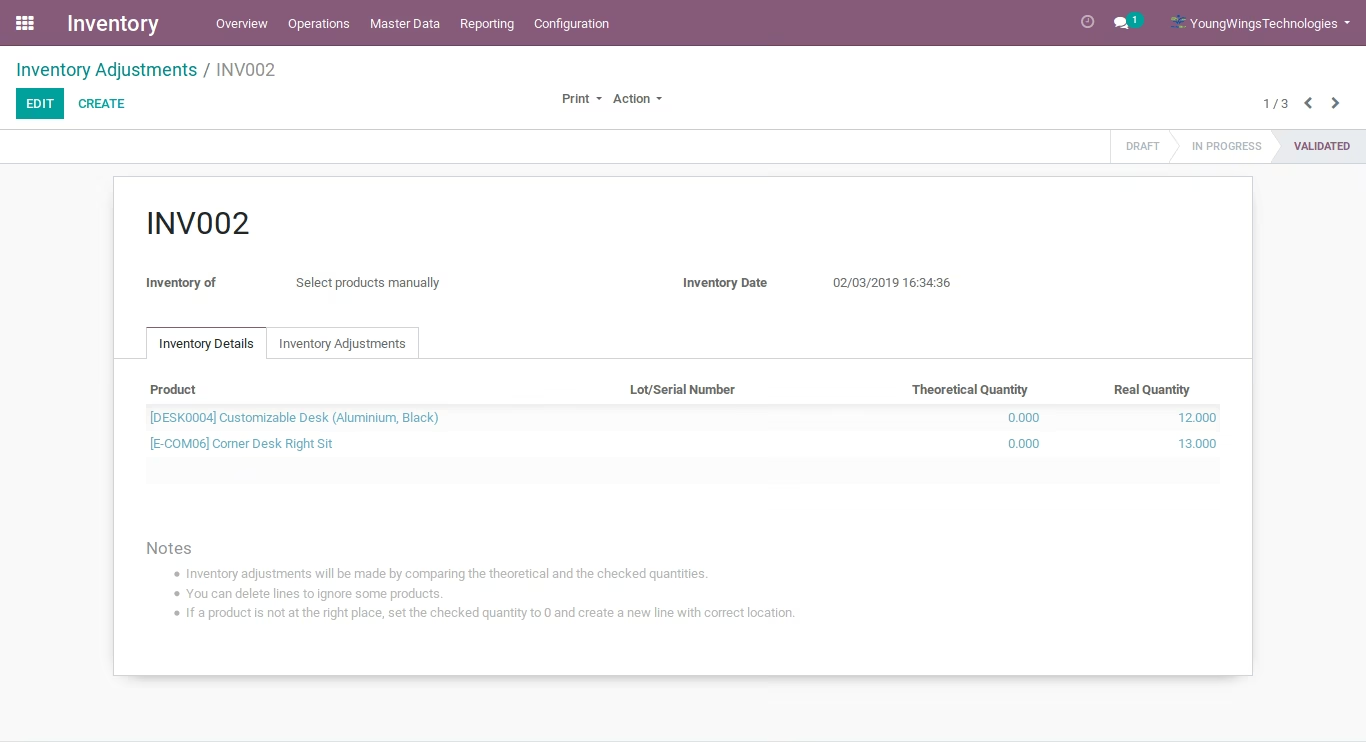
- Auto Validate Inventory Adjustments.
- Import Stock Inventory Log Management.
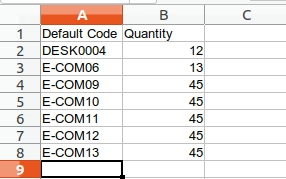
Import Stock Inventory by Internal Reference.
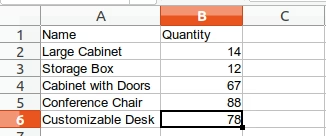
Import Stock Inventory by Name.
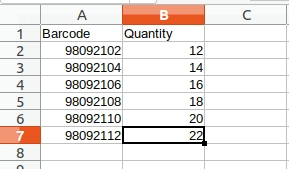
Import Stock Inventory by Barcode.
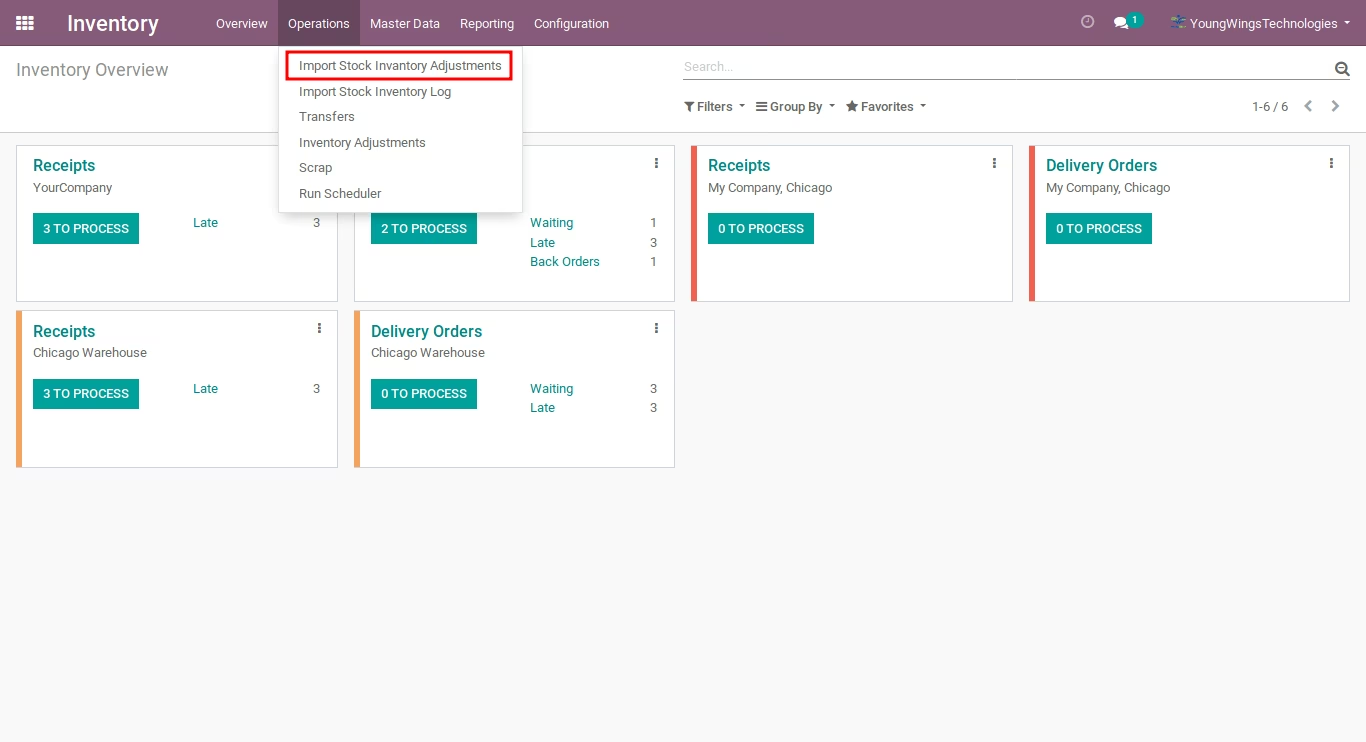
Inventory -> Operation -> Import Stock Inventory Adjustments
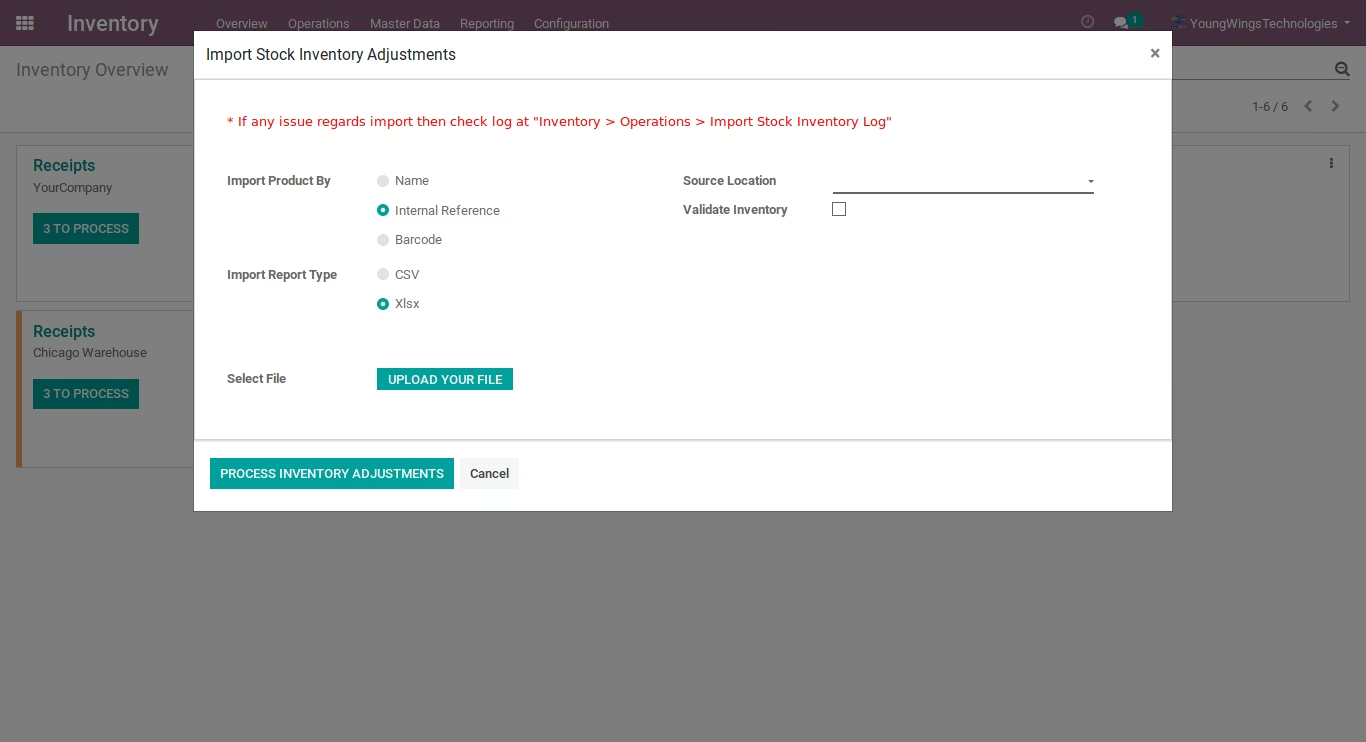
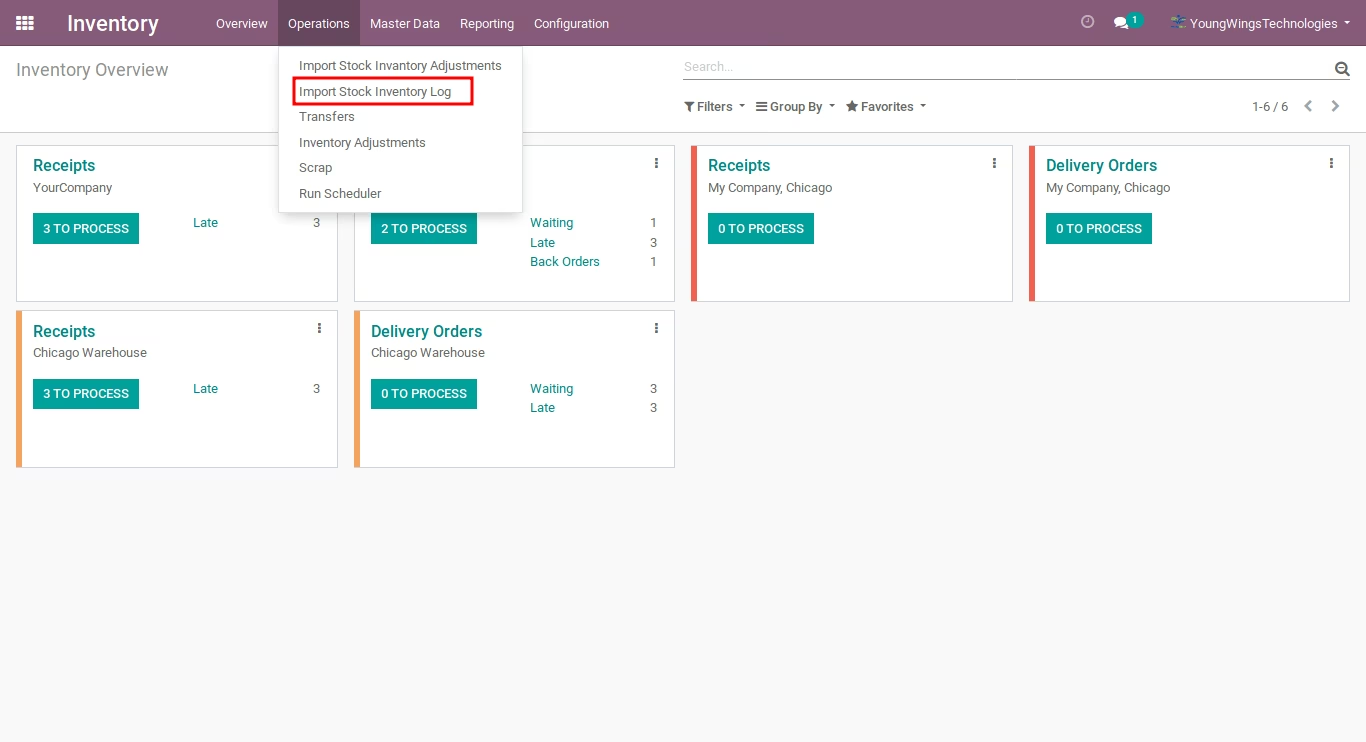
If any issue import then check log at "Inventory > Operations > Import Stock Inventory Log"