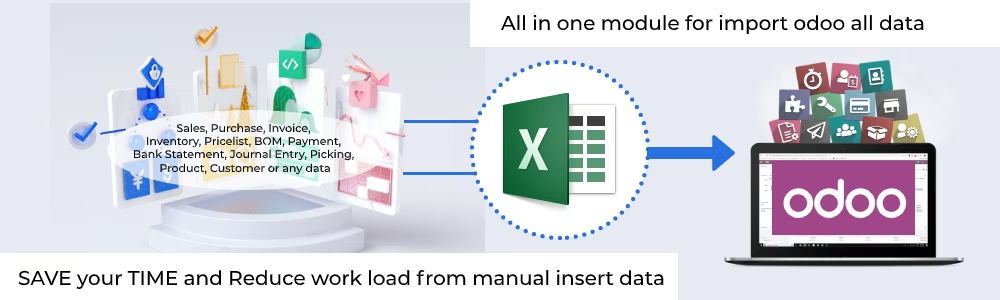
The All-in-One Import Bridge is the ultimate data management tool, designed to dramatically simplify and accelerate the process of populating and updating your ERP system. This comprehensive module provides a centralized and user-friendly interface to import a vast range of data types from Excel or CSV files, effectively eliminating the need for tedious manual entry across multiple applications. Whether you are migrating, performing a large-scale data update, or simply streamlining daily operations, this import bridge saves invaluable time, reduces the risk of errors, and ensures data consistency across your entire business.
Universal Data Import: Supports a wide array of data including Sales Orders, Purchase Orders, Invoices, Products, Customers, Pricelists, Inventory Adjustments, and more.
Accounting Imports: Effortlessly import Chart of Accounts, Journal Entries, Bank Statements, and Customer/Supplier Payments.
Manufacturing & Inventory: Import complex Bills of Material (BOMs) and manage warehouse data including Inventory Adjustments and Picking/Delivery Orders.
Flexible File Formats: Seamlessly import your data using either Excel (.xlsx) or CSV (.csv) files.
Multiple Import Options: Identify and map records by name, internal reference, or barcode for maximum flexibility.
Product Variant Support: Easily import products with multiple attributes and variants.
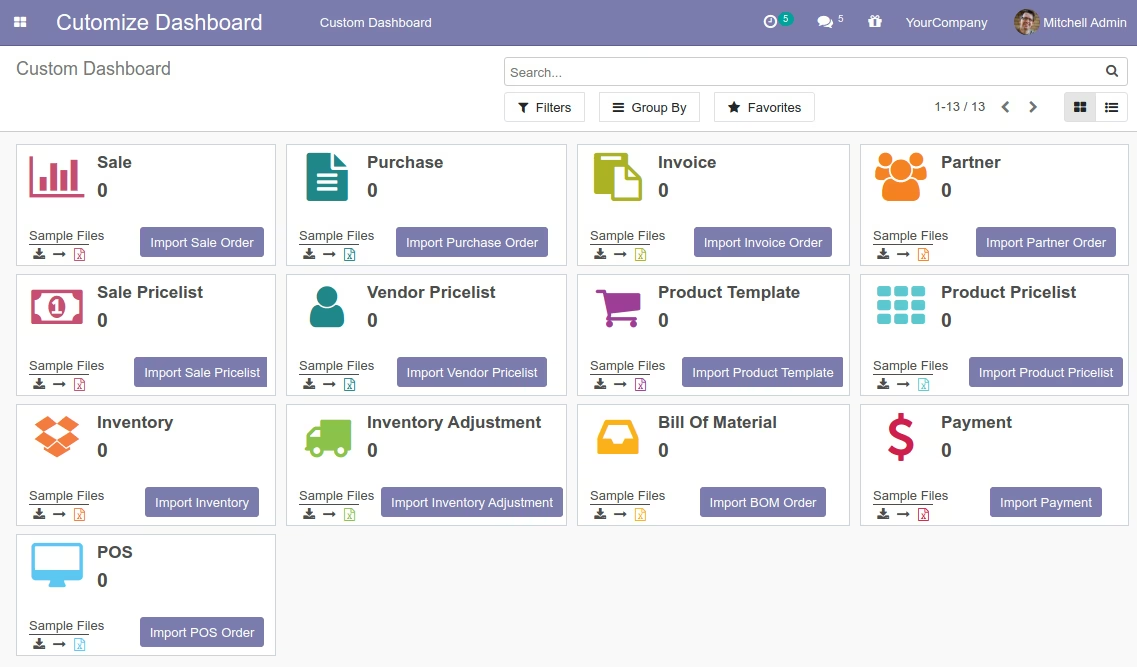
User-Friendly Interface: An intuitive dashboard provides a central point for all import operations.
Sample Files Provided: Downloadable templates are available for each data type to ensure correct formatting and a smooth import process.
Massively reduces time and effort by consolidating all data import needs into one module.
Significantly minimizes the risk of human error compared to manual data entry.
Accelerates system implementation and data migration projects.
Ensures data integrity and consistency across all applications.
Empowers users to manage large volumes of data without technical expertise.
Streamlines routine tasks like updating pricelists or adding new product lines.
Boosts overall operational efficiency by automating critical data management workflows.
Import data in using excel or CSV
Bulk data import in
using excel or CSV,Import data in
using excel or CSV such as;Import Sale Orders
,Import Purchase Orders
,Import POS orders
,Import Order line
,Import sales data
,import products
, payment, invoice,Import Inventory data
, Pricelist,import Bill of material
(BOM),Import Customer data
,Import Supplier
,Import Stock
,Import Purchase
,Import Journal data
,journal entry data import
, Bank entry, Chart Of Account only with ourall in one data import bridge module
using CSV file or Excel file.import bridge helps you to import data in 15, 14, 13, 12 from CSV or Excel files. Import a set of data into, You need to select the individual data file in .csv or .xlsx format and upload it in, With few clicks data import successful finished in.
import bridge allows to import data using CSV, Excel in to save time, efforts then why need to add data manually.
Email us for your language support without any cost. We have used google translator for translation, let us know if any translation needs to update.This module is supported in community and enterprise edition
All in One Import Bridge (CSV or Excel File) for importing data

Features of all data import module
Import Customers / Import Supplier Payment in

Create several customers without any manual process and import customers list using csv, xls, xlsx file. Supplier payment information import using csv, excel in

Import Products Information with Attributes and Attributes Values in, you can update product template wizard using product import excel file or CSV file format.
Import Purchase Orders with code, barcode, name

Purchase orders Import with various fields in, Create purchase orders without any manual entry, this module help to import purchase orders using excel or CSV.
Import Purchase Order Line data

Feature allows to import purchase orders data and Import Purchase Order Line data by its Name / Barcode or Code (Internal Reference) using csv, excel file.
Import Inventory data in

Inventory data Import using excel file or CSV file format, Create Inventory data without any manual process or NO manual entry, automatic inventory data import using module.
Import Inventory Adjustment in
Import Inventory adjustment with barcode, code, name in using excel file or CSV file. Its really easy process to import inventory data adjustment in using import bridge module.
Import Invoice, Invoice Line Data

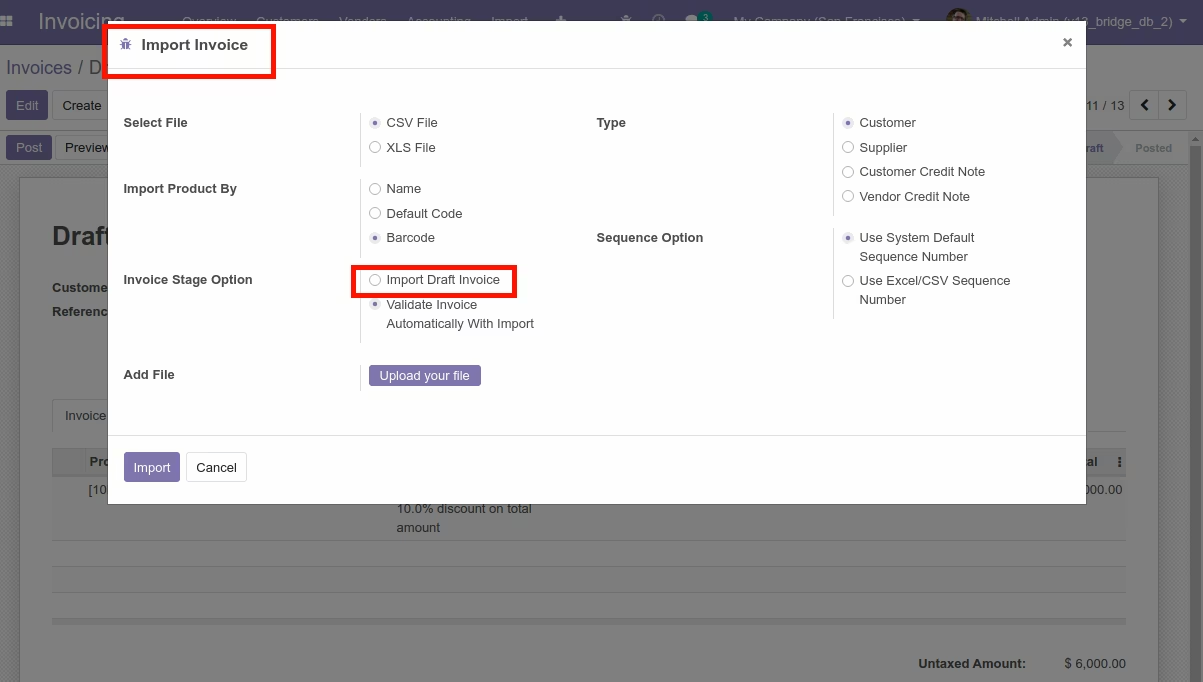
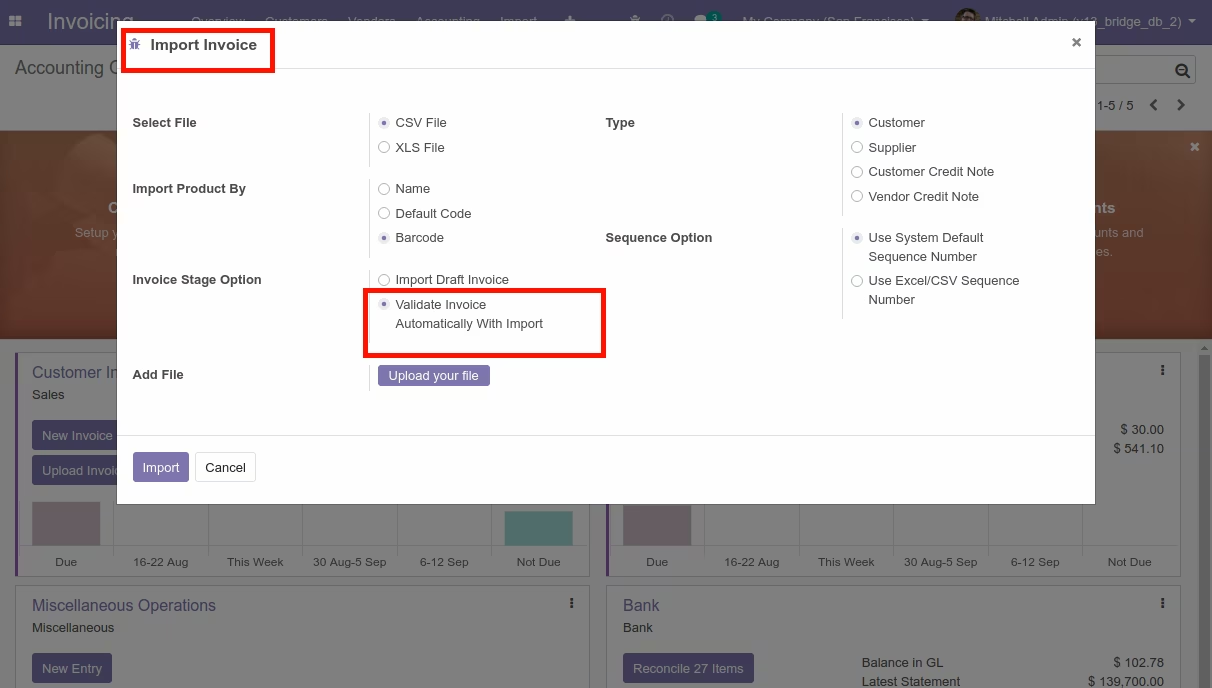
Import Invoice data with File type CSV or Excel. Import By Name, Default Code, BarCode, Invoice stages, Invoice Type with allowing Sequence Number option to import invoice wizard in all data import module.
Import Journal, Journal Entry Data
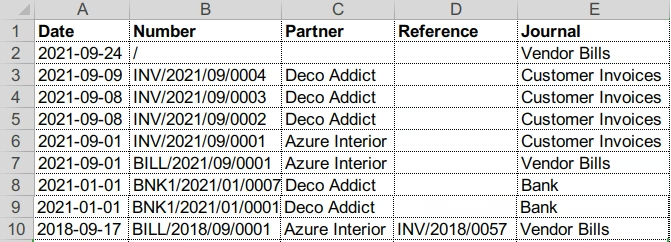
You can import Journal data with fields Sequence, Journal Name, Type, Short Code and Journal Entry with fields Date, Number, Partner, Reference, Journal using csv or excel format.
Import Partner, Payment Data in
Import Partner, Payment Data in with fields like Name, Company, address, Customer, Vendor, Terms etc. and Payment data import with fields Partner, Payment Amount, Payment Journal, Payment Date, Memo.
Import Sale Order, Order line, PriceList
You can import Sale Orders, Sale Orders line, Sale Price Lists data with its fields. Import excel data or csv data format make it easy and fast for importing data in with Import bridge module.
Import Payment data in

In all data import module in, import payment data feature added for importing data of Customer/Supplier Payments using excel or CSV data format.
Import Bank Statement data in

We have added feature Menu for Import Bank Statement Lines and import bank statement in using excel or CSV with various fields.
Import Shipment / Delivery Orders

Import easilty Incoming Shipments in (Source location Zone, Destination location Zone)/ Import Delivery Order in/ Internal Transfer from Picking Type using excel or CSV data.
Import Bill of Material (BOM) in

Import Bill of Material (BOM) data in. Data fields Product, Reference, Product Qty, Material Product, UOM etc. supported for excel or CSV data import.
Import Vendor Pricelist in

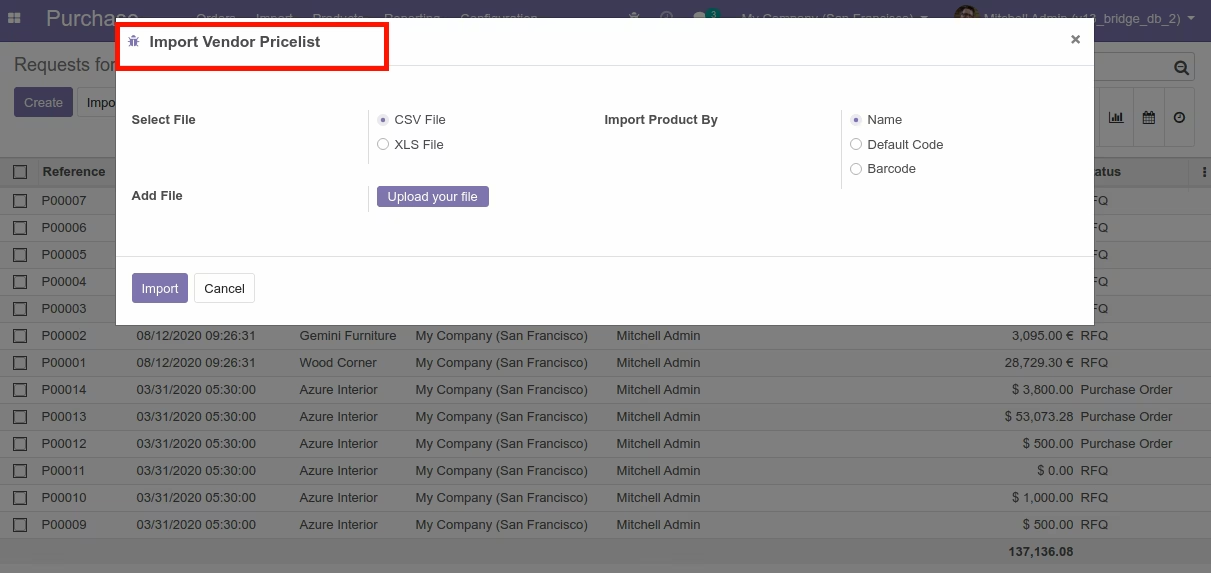
Import Vendor Pricelist data with fields Partner, Product, Variant, Qty, Currency, Price, Delay etc. using excel or CSV to import vendor pricelist data.
Import Product Pricelist

Import Vendor Pricelist data By Name, Barcode, Code with fields Partner, Product Template, Product Variant, Quantity, Price etc. using excel or CSV
Import Account Chart data in

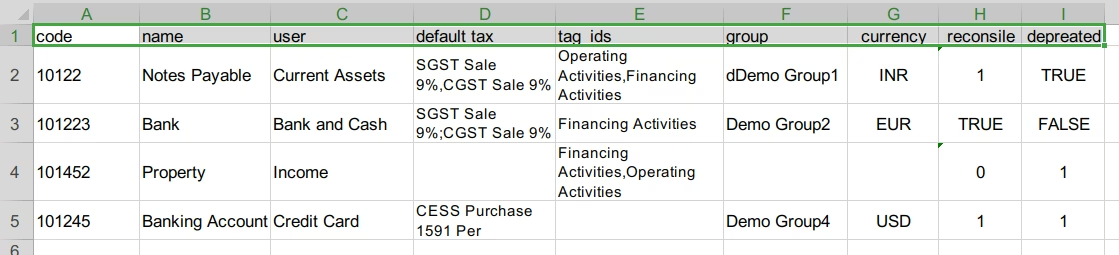
Import Account Chart data in using Excel and CSV file. Import by Name, Import By Barcode, Import by Code in accounts using import bridge module.
Import Sales Pricelist

You can import sale price list in and Import by Name, Import By Barcode, Import by Code, product pricelist easily import using excel or CSV
Import POS order and order line

User can create import pos orders in customers without any manual entry and Import POS Orders from Excel or Import POS Orders from CSV data in
Easy to Configure and Import data

Easily import Invoice, Purchase, Sales, Inventory, Pricelist, BOM, Payment, Bank Statement, Journal, Journal Entry, Picking, Customer, Orders and import product price list in.
Easy to Use import data bridge

Import sales data in, Purchase, Invoice, Inventory, BOM, Customer Payment, Bank Statement, Journal Entry, Products, Pricelist (Sale, Purchase)
All Data Import using Excel or CSV file :
Here are the list of fields given from which data can be imported :
-
Import POS Orders in
-
Import Sales Orders in
-
Import Sales Order Lines in
-
Import sales wizard in
-
Import Purchase Order in
-
Import Purchase Order Line in
-
Import with Barcode in
-
Import with Code in
-
Import csv file in
-
Import invoice data in
-
Import invoice data Line in
-
Import product variants, Attributes in
-
Import Journal, Journal Entries
-
Import Bank Statement Line
-
Import Bill of Material
-
Import Partner
-
Import Inventory
-
Import Inventory Adjustment
-
Import Product Template
-
Import Product Pricelist
-
Import Sale Pricelist
-
Import Customer/Supplier Payment
-
Import Chart of Account
-
Import Vendor Pricelist
-
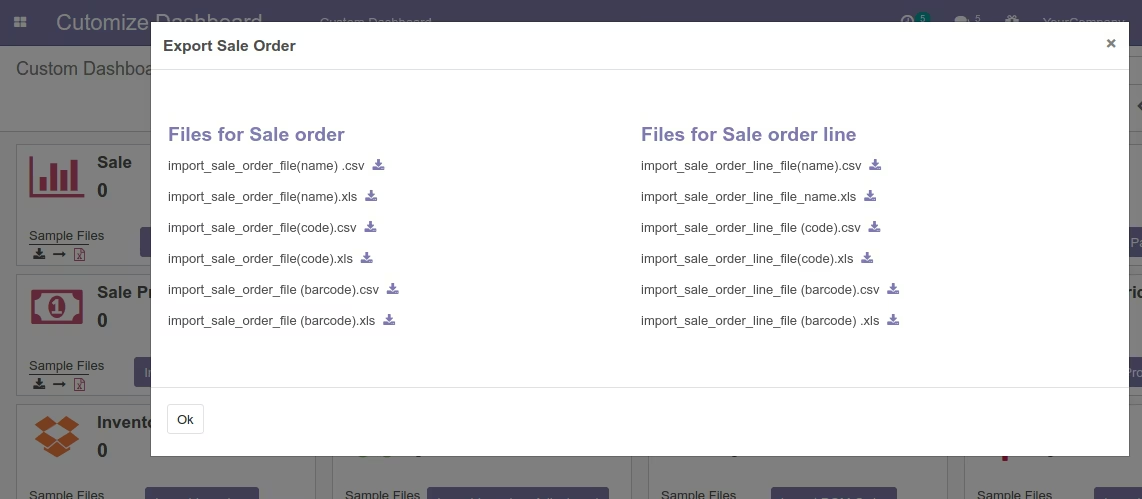
Data export from
-
template import
Dashboard for Data import bridge module
Import Invoice Menu
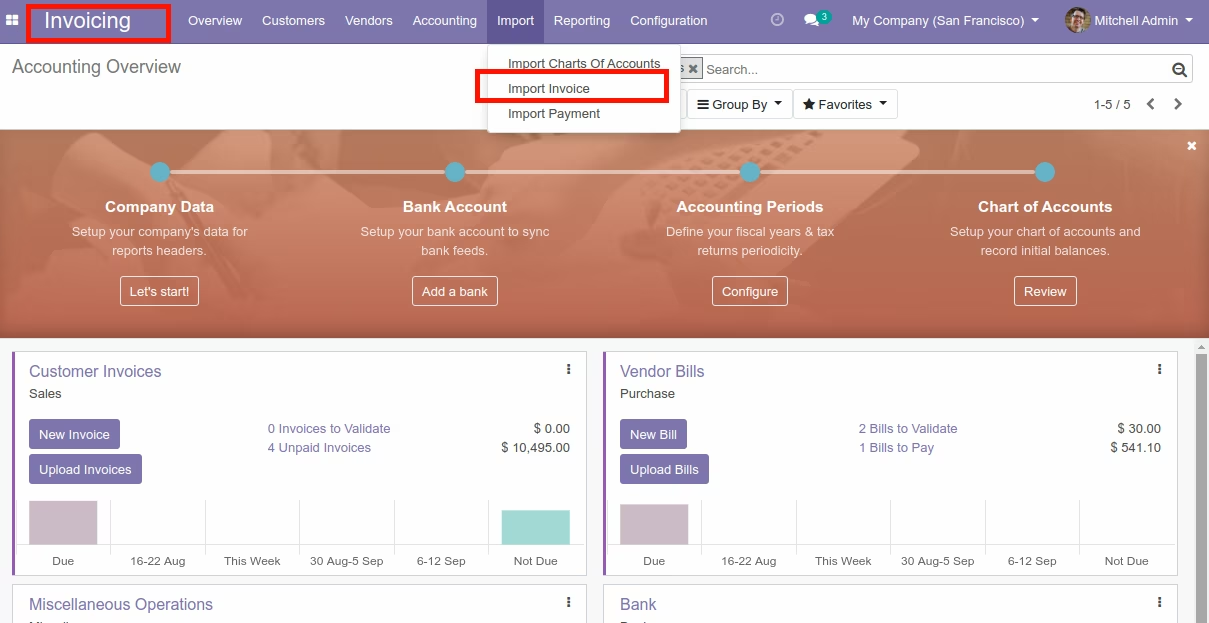
Invoice Data import with module



Invoice Data Line import with module
Sample Data file Format for Import Invoice Line

Import Invoice Wizard With Invoice Stages (Draft), Invoice Type and Import By option
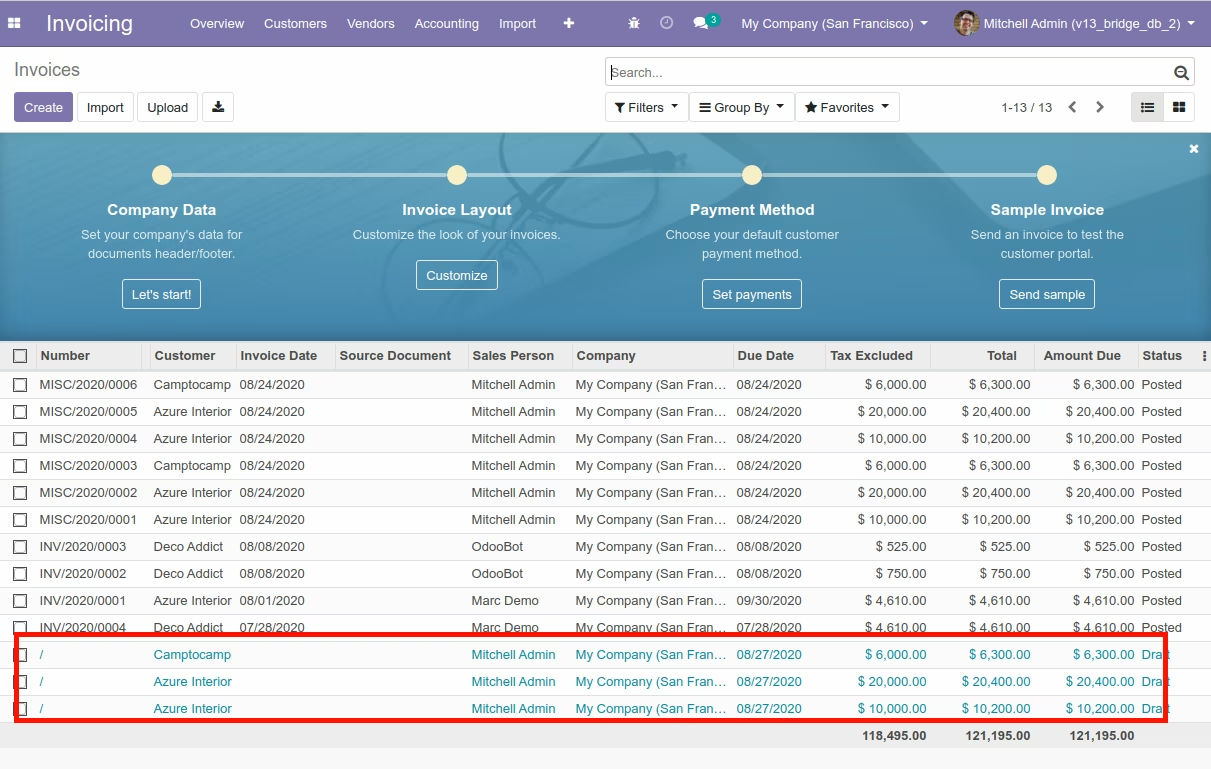
Invoice Data View
Import Invoice Wizard (With Confirmed Invoice)
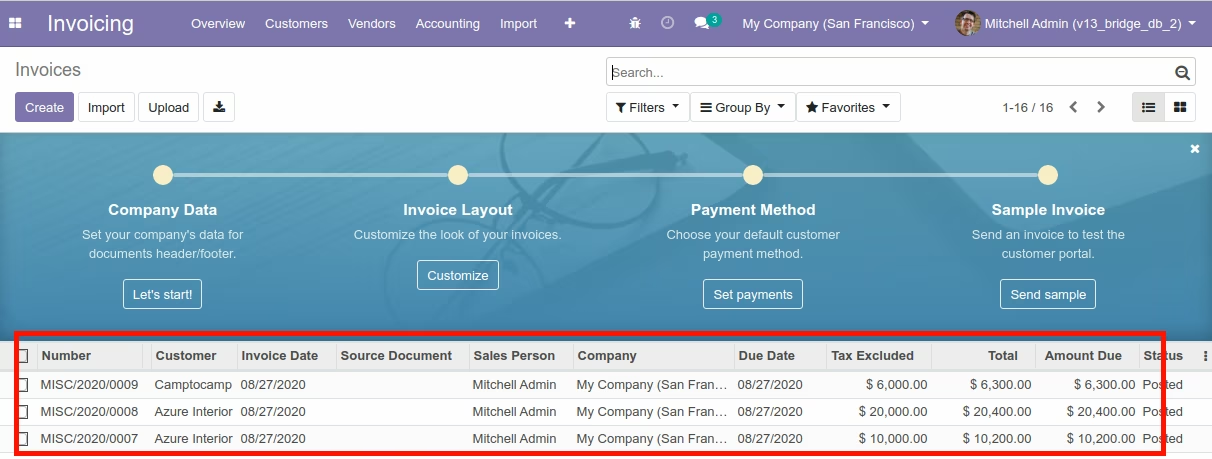
Invoice View
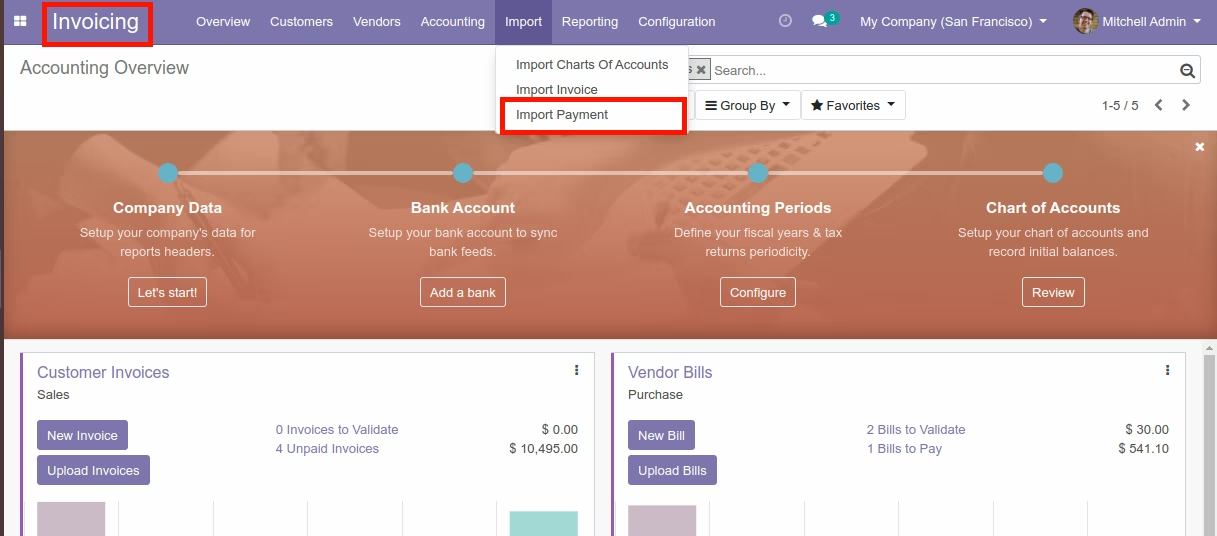
Import Customer/Supplier Payment

Import Payment Menu
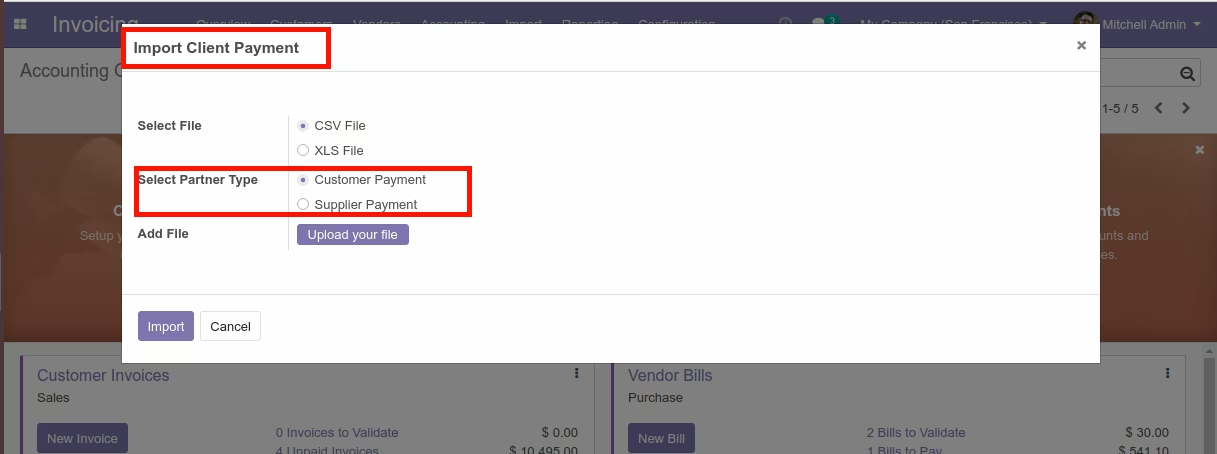
Import Customer Payment Wizard
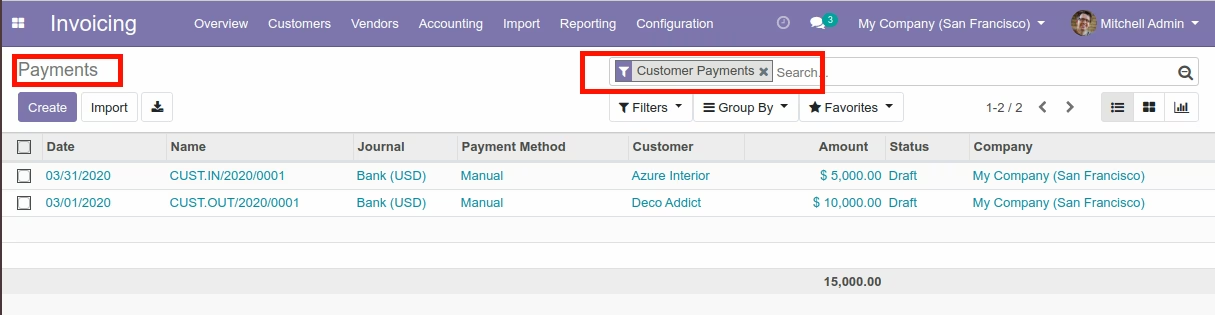
Import Customer Payment View
Import Supplier Payment Wizard
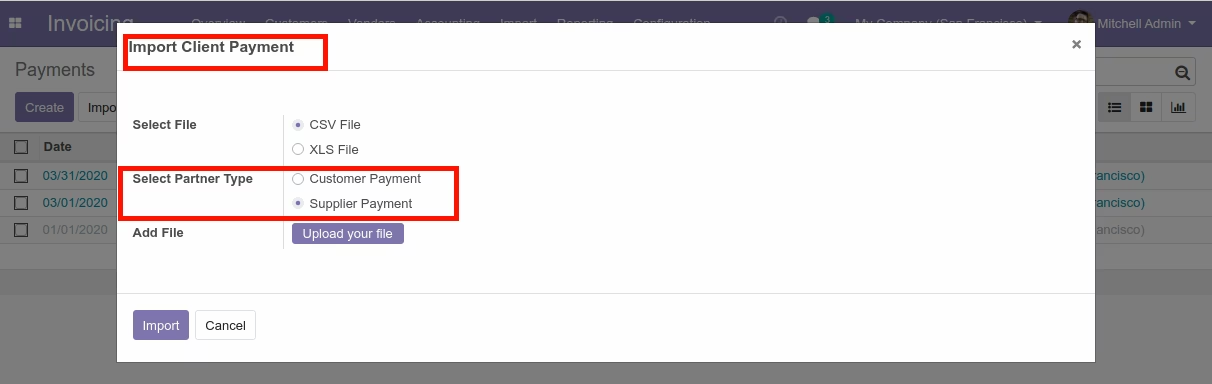
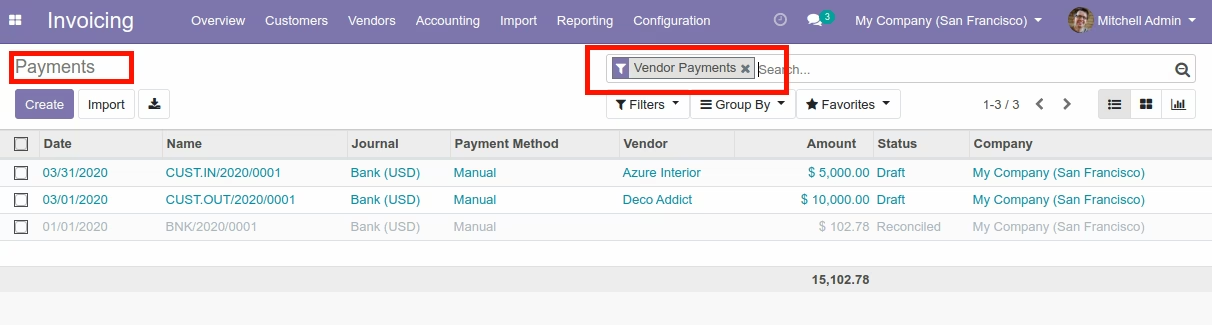
Import Supplier View
Journal, Journal Entries Import
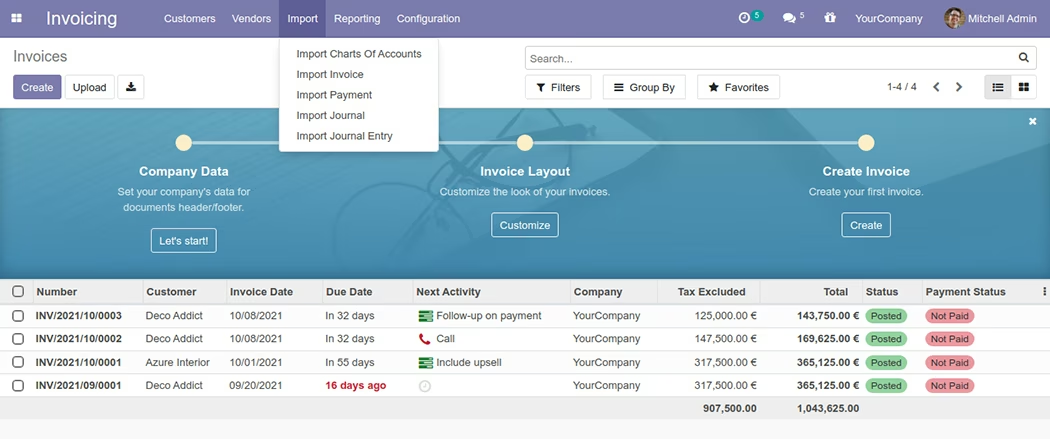
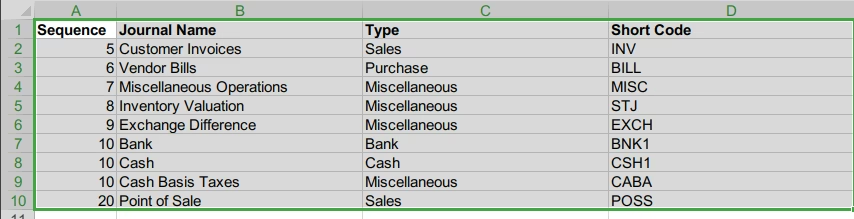
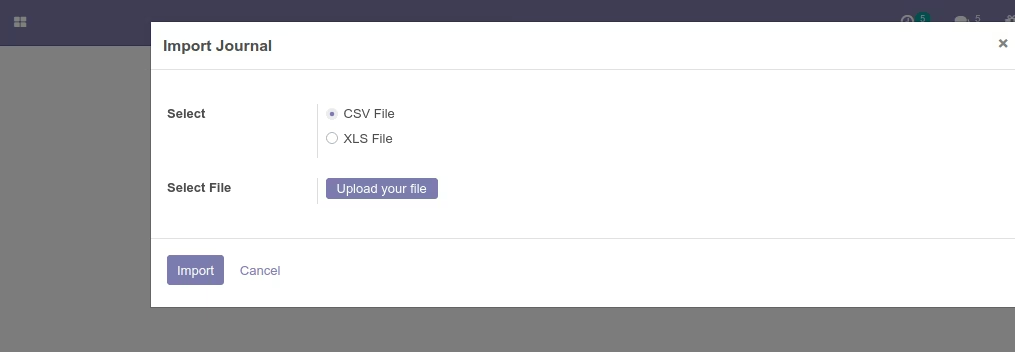
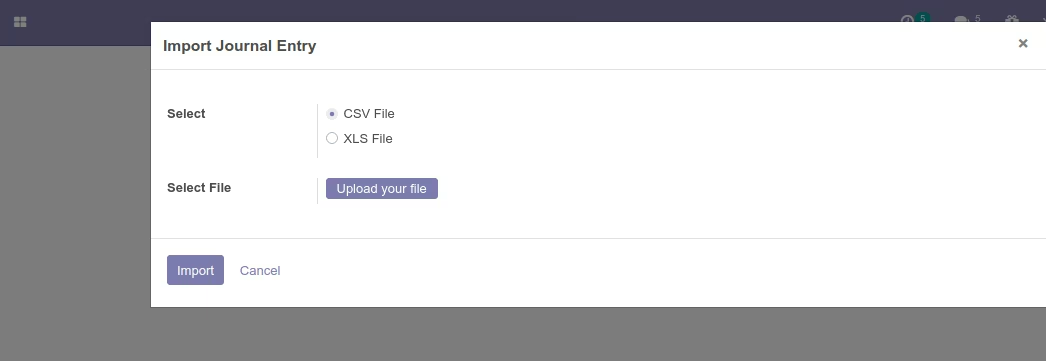
Accounting Menu Wizard
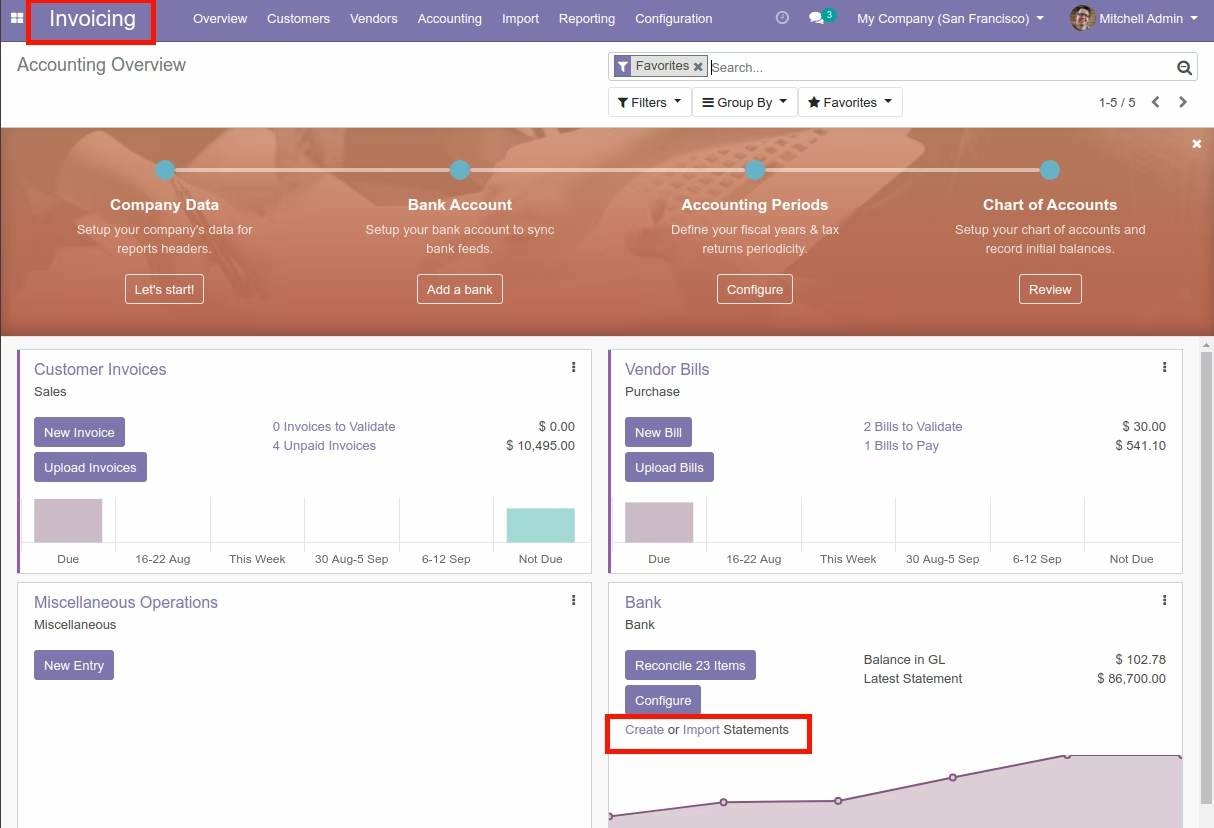
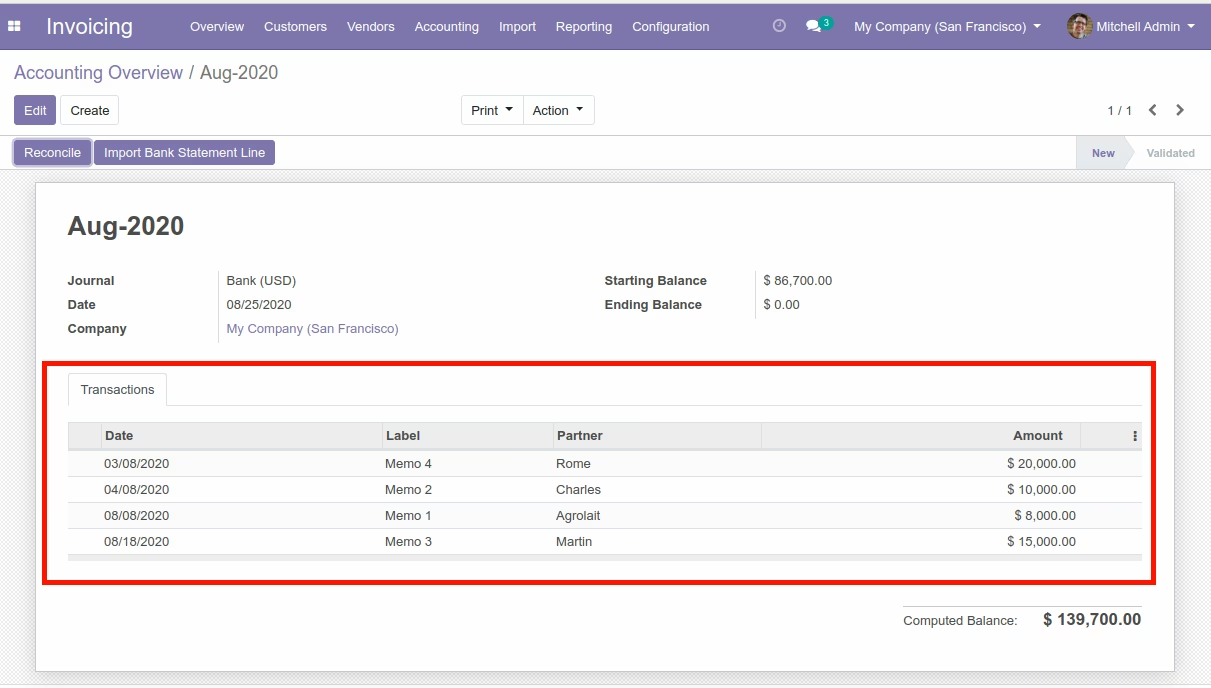
Import Bank Statement Line

Add Bank Statement Lines
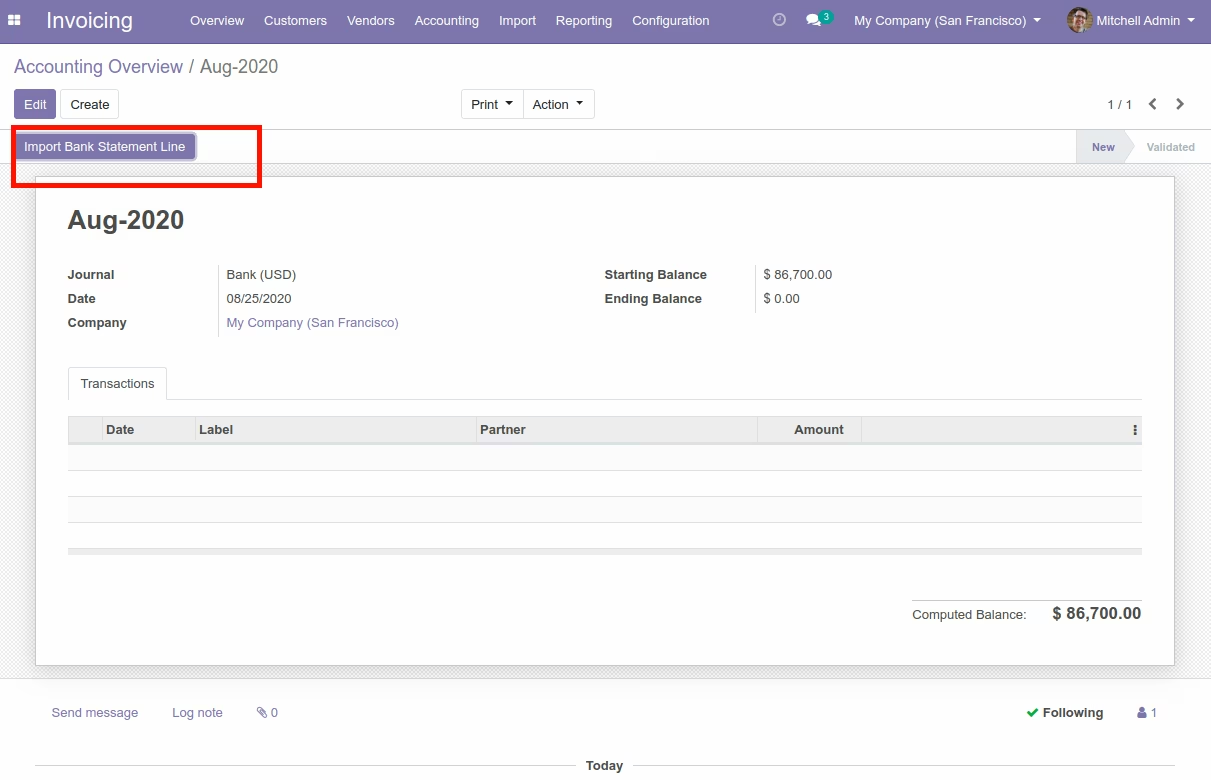
Import Bank Statement Lines
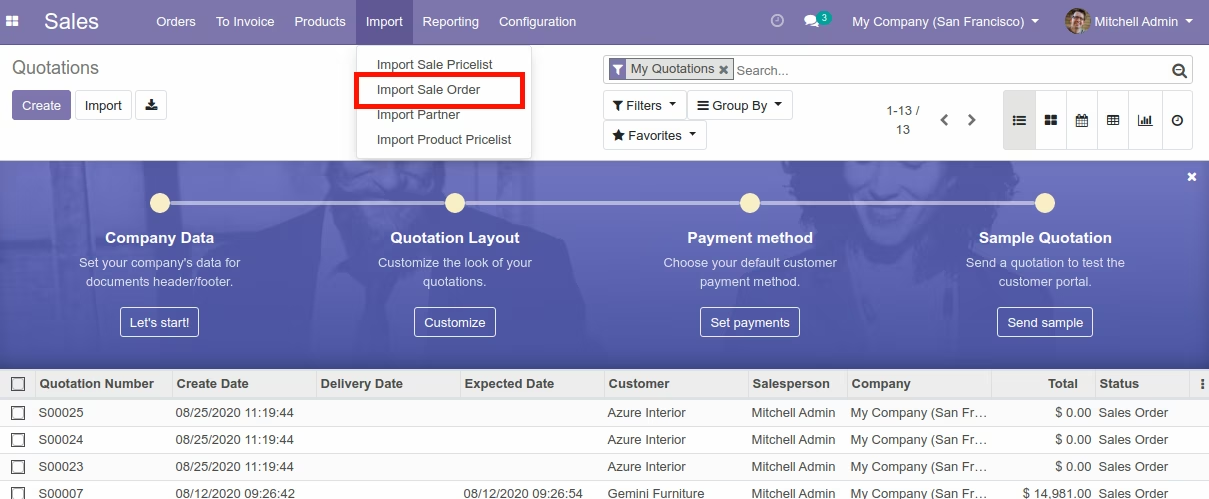
Import Sale Order Menu
Import Sale Order data
Data File : Import with Product Code

Import with Product BarCode

Import with Product Name

Import Sale Order with Custom Fields
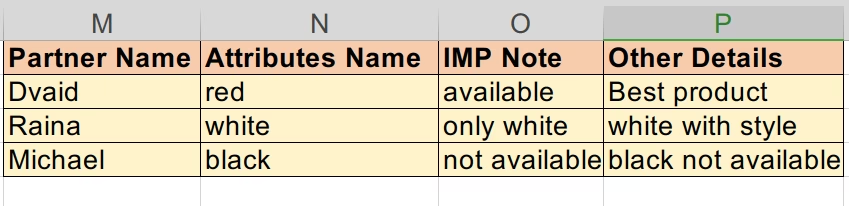
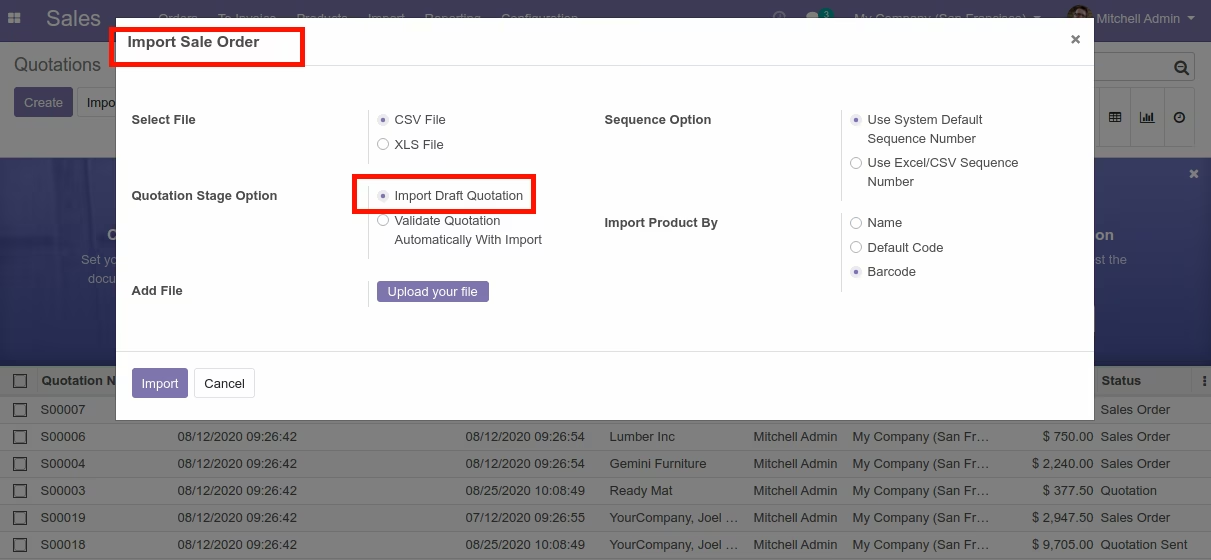
Import Sale Order Wizard (With draft Quotation)
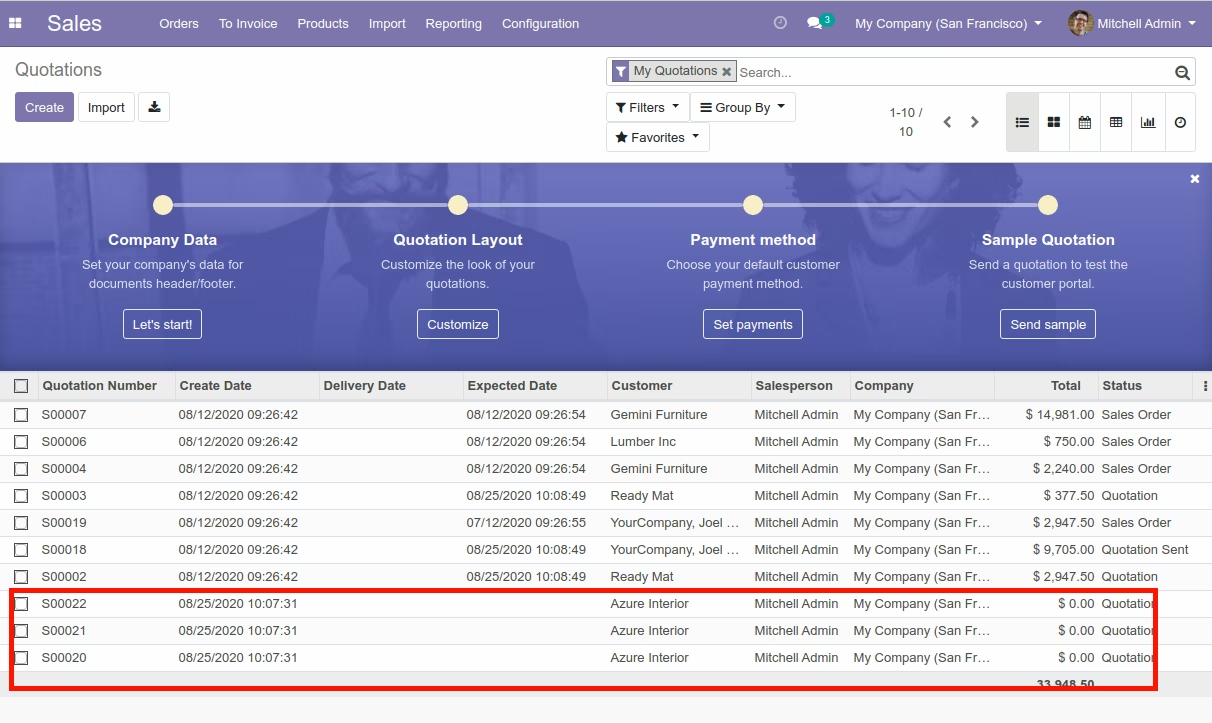
Sale Order View (With draft Quotation)
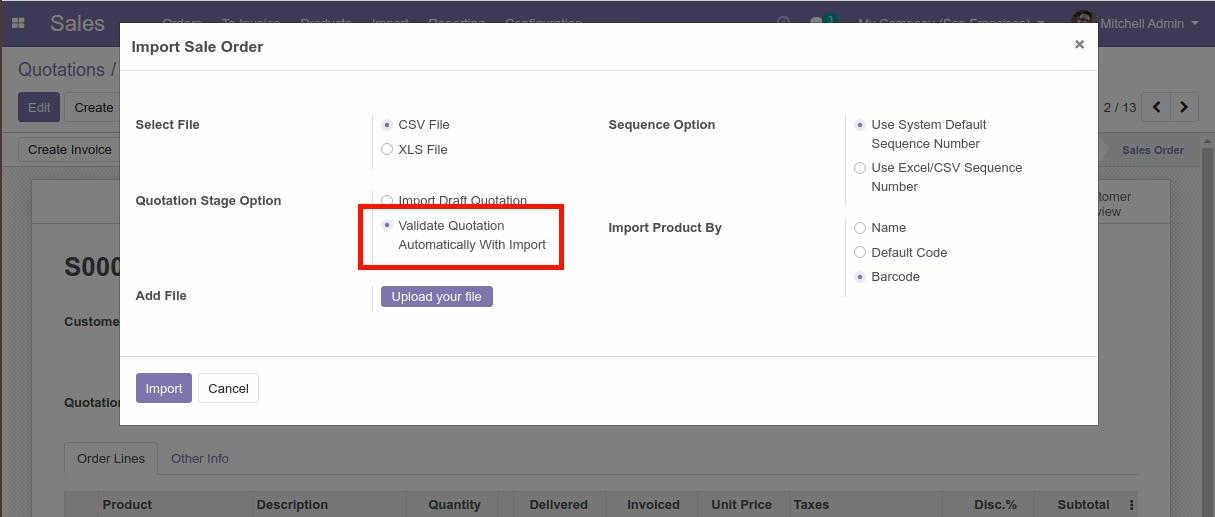
Import Sale Order Wizard (With Confirm Quotation)
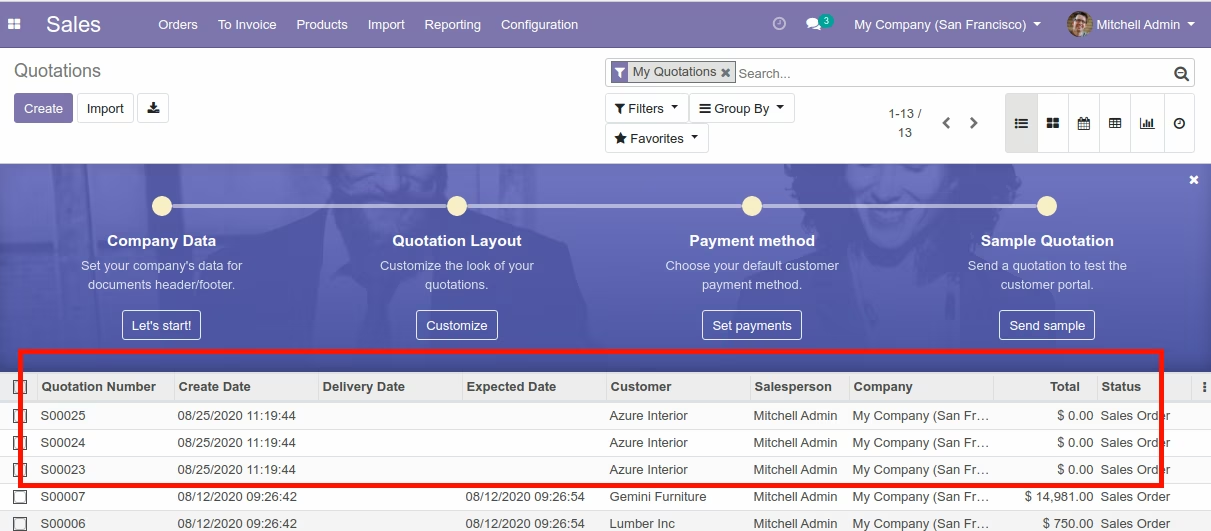
Sale Order View (With Confirm Quotation)
Import Sale Order Wizard(Using Sequence of CSV/XLSX File)
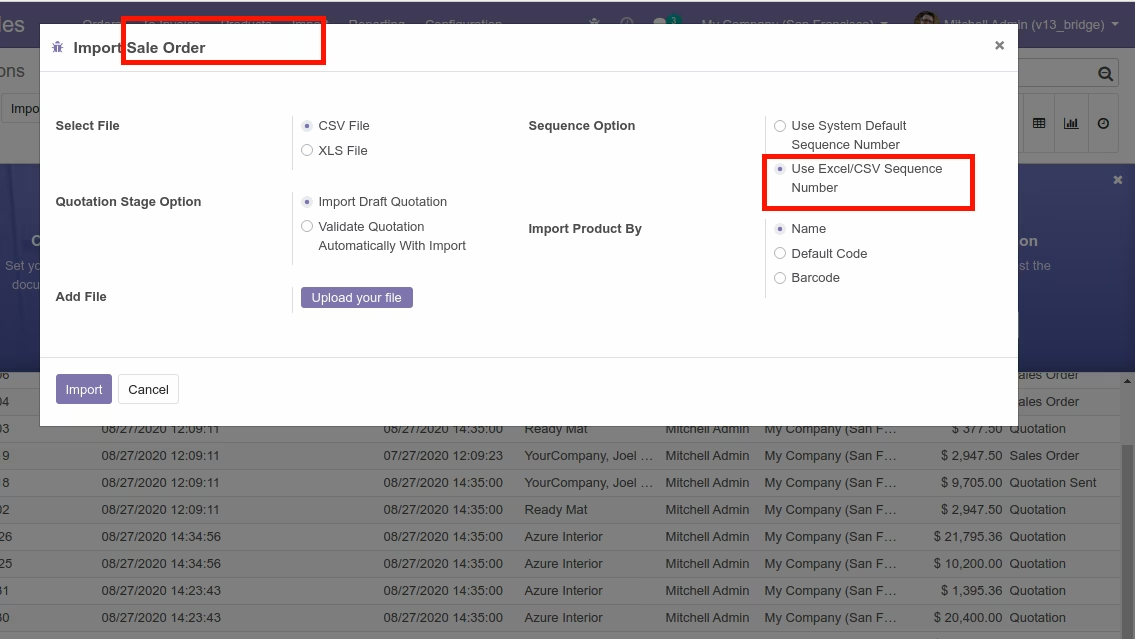
Import Sale Order View
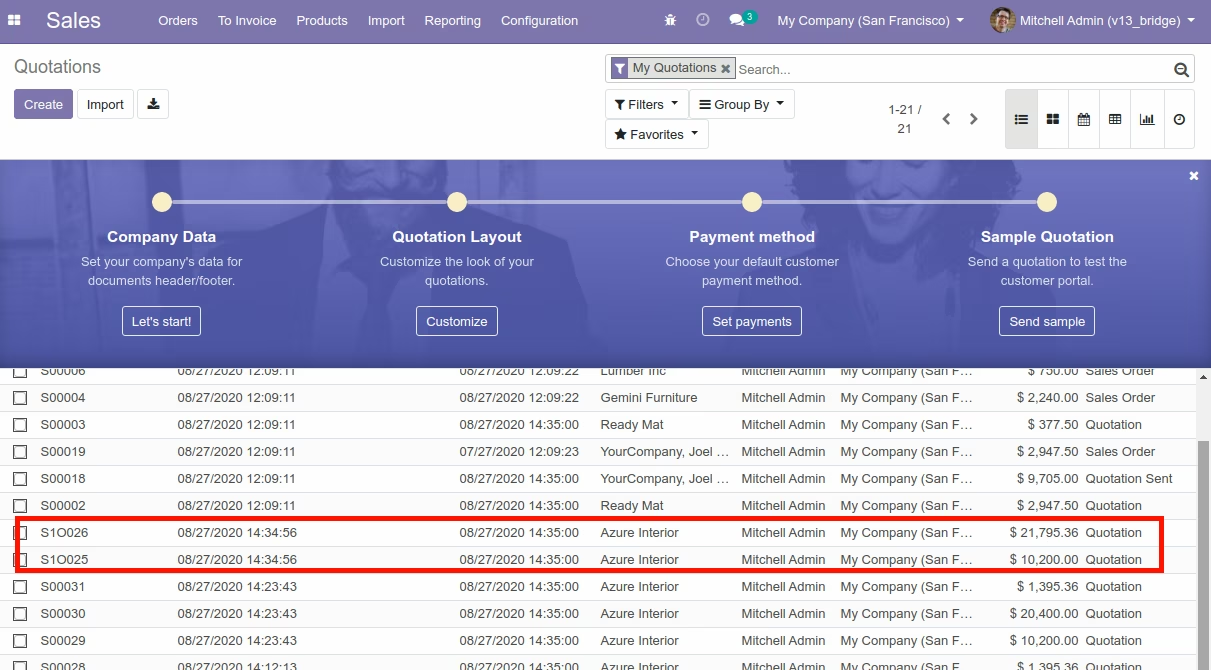
Import Sale Order Line Menu
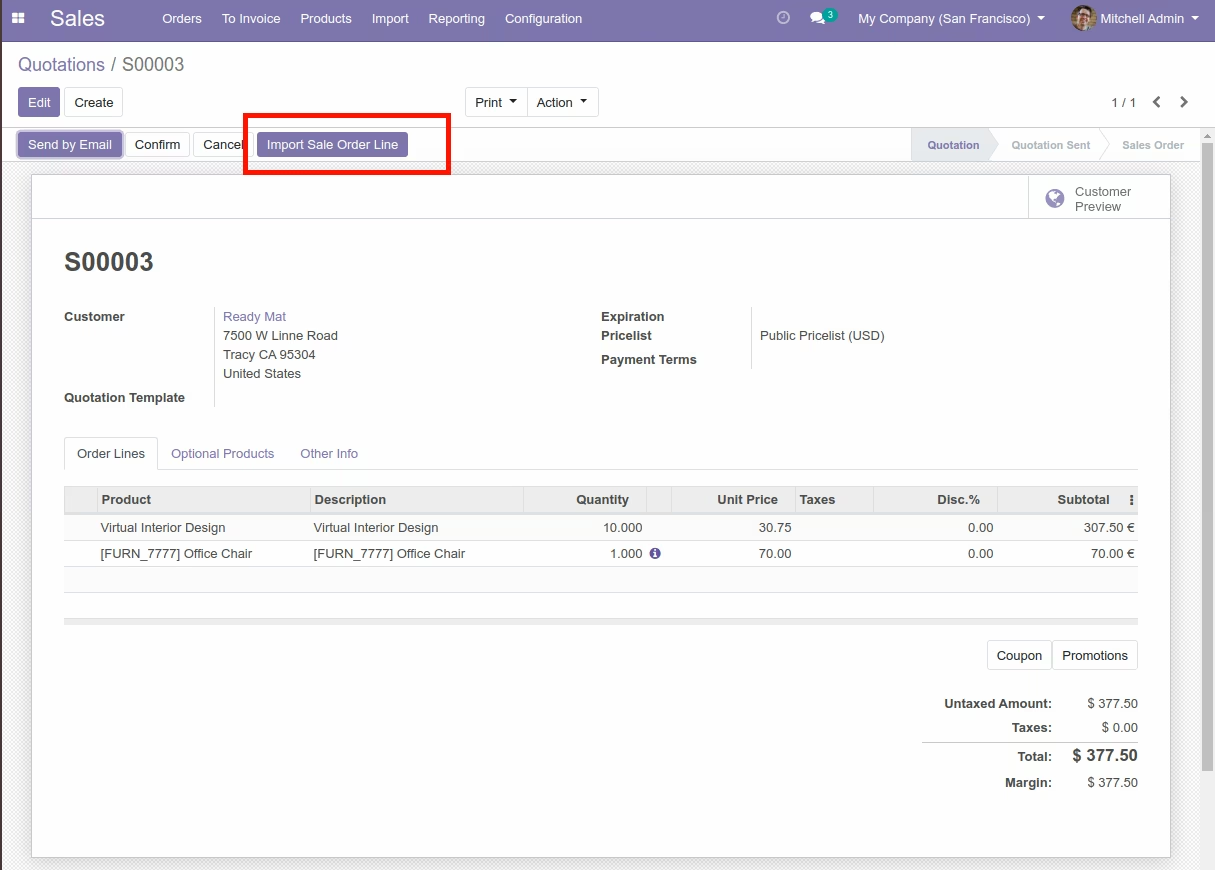
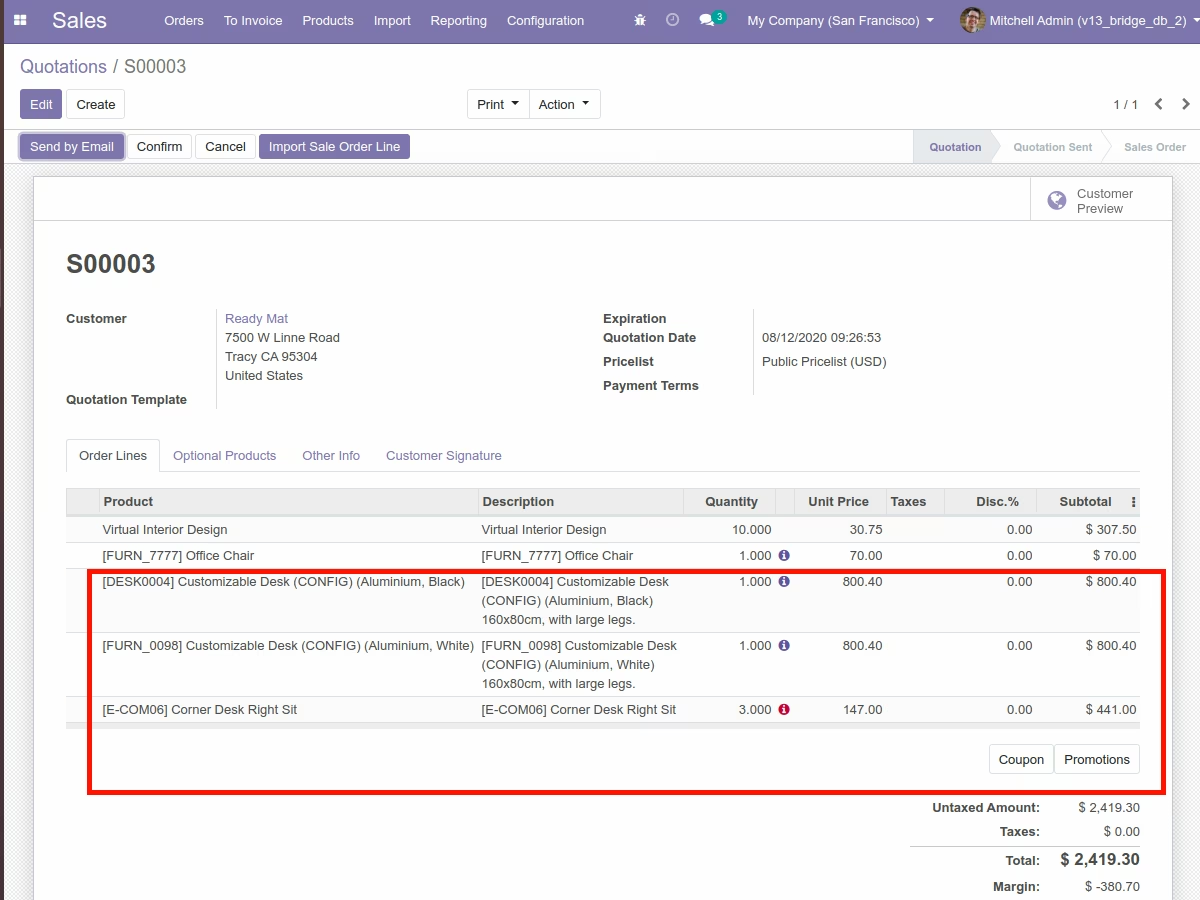
Import Sale Order Line



Import Sale Order Line Wizard (Take deatils from Product)
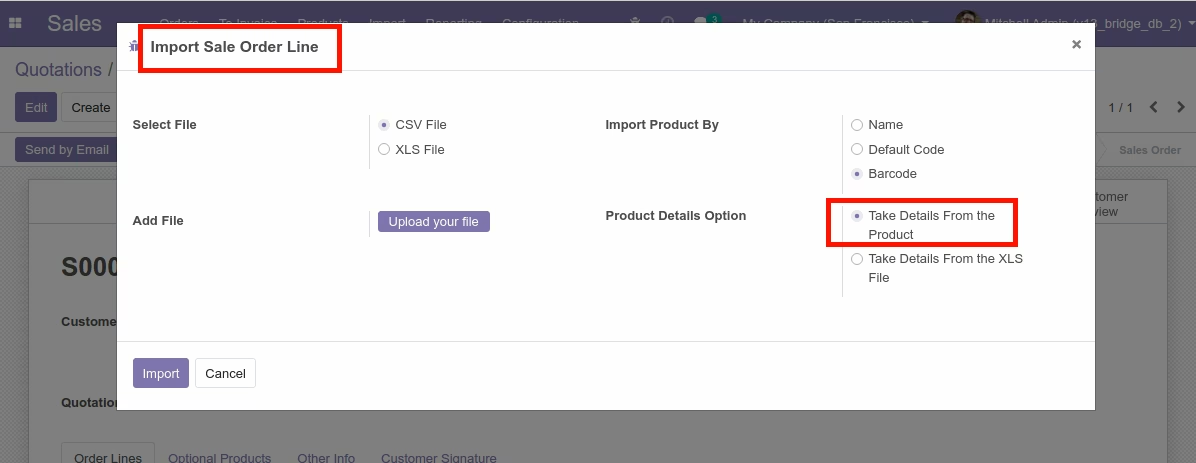
Import Sale Order Line View
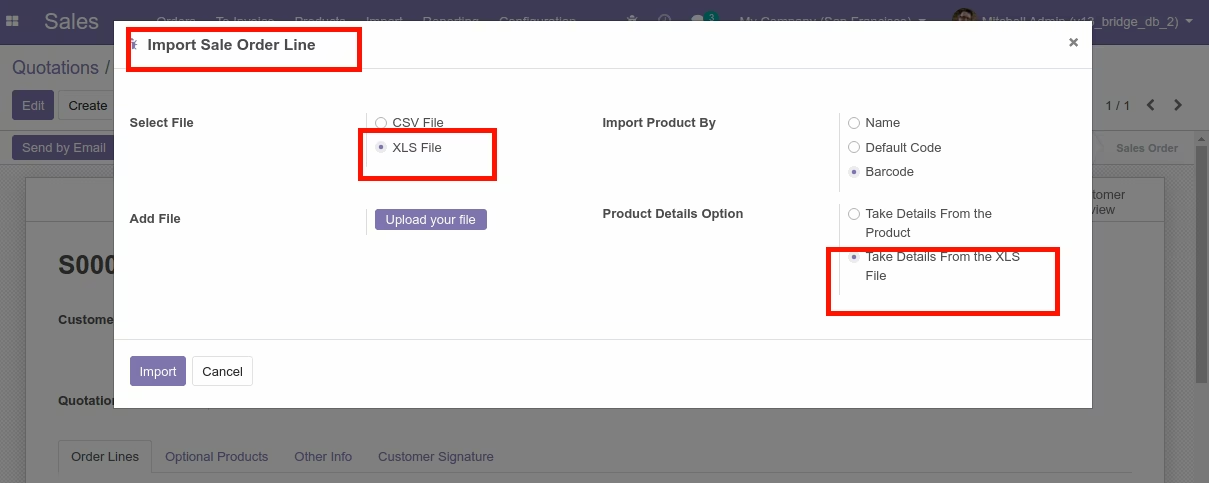
Import all Order Line Wizard (Details from XLS File)
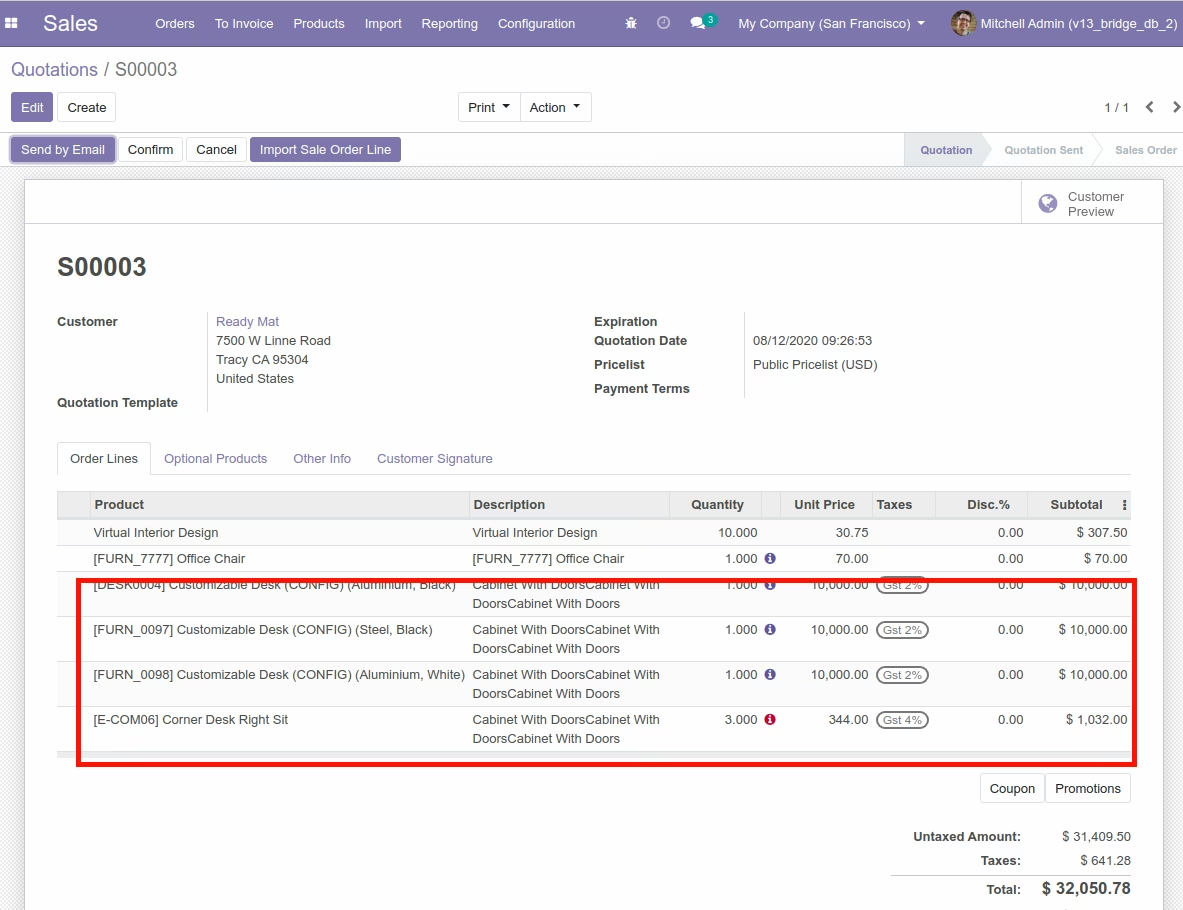
Import Sale Order Line View
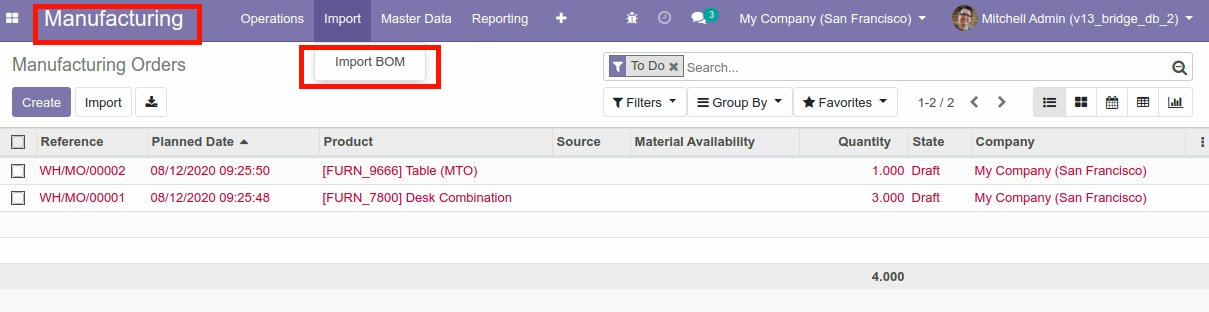
Import Bill of Material Menu
Import Bill of Material

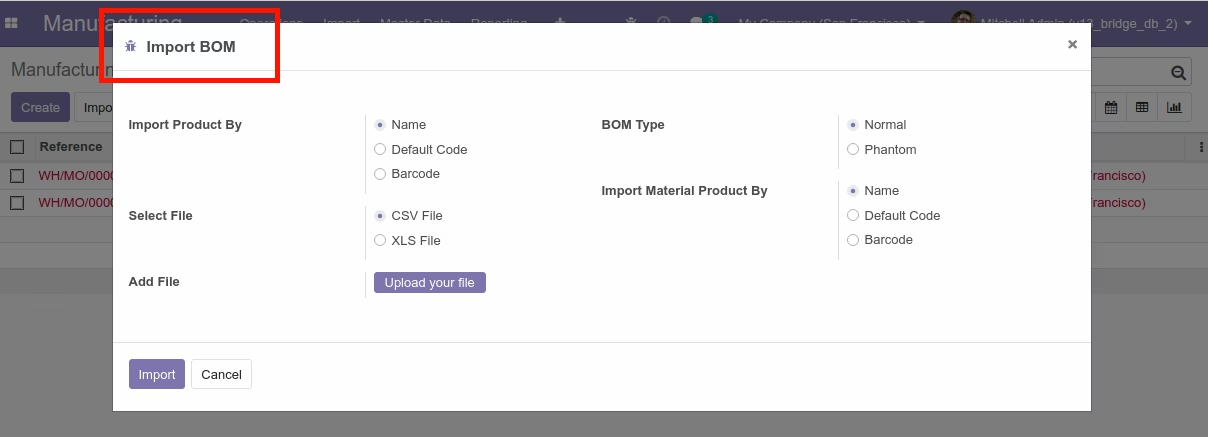
Import Bill of Material Wizard
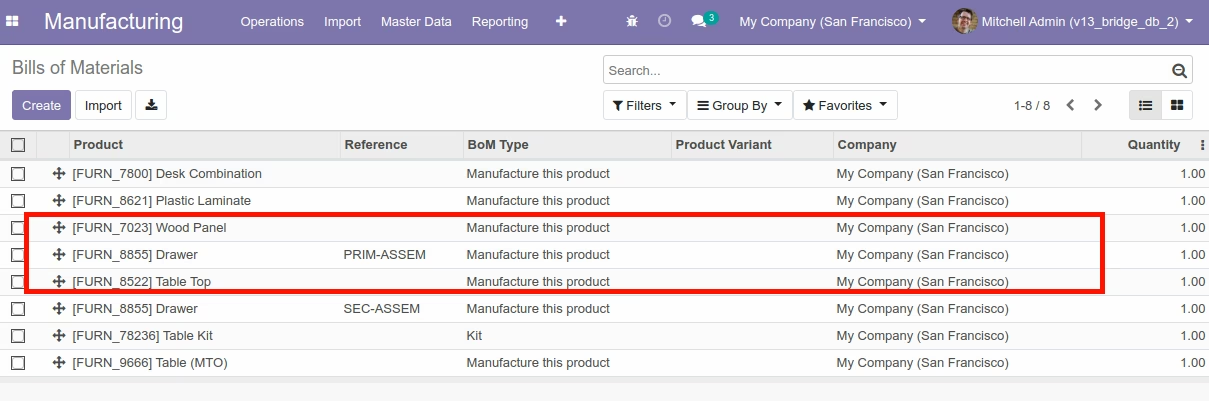
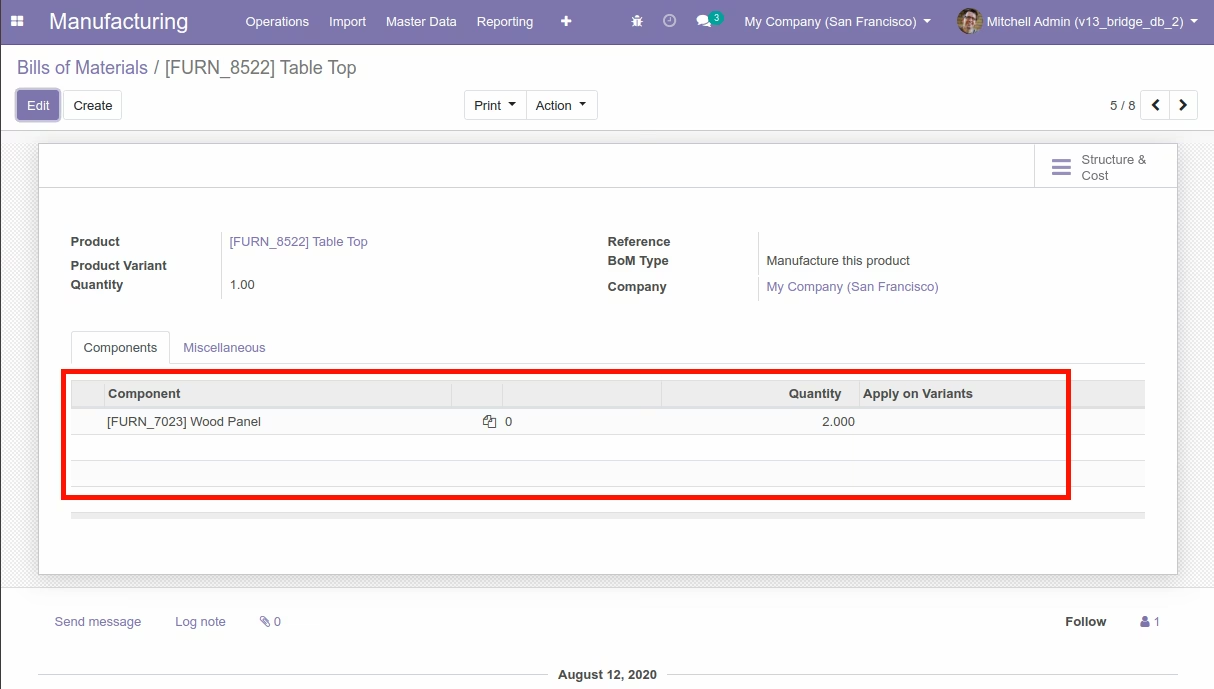
Bill of Material View
Import Purchase Order Menu
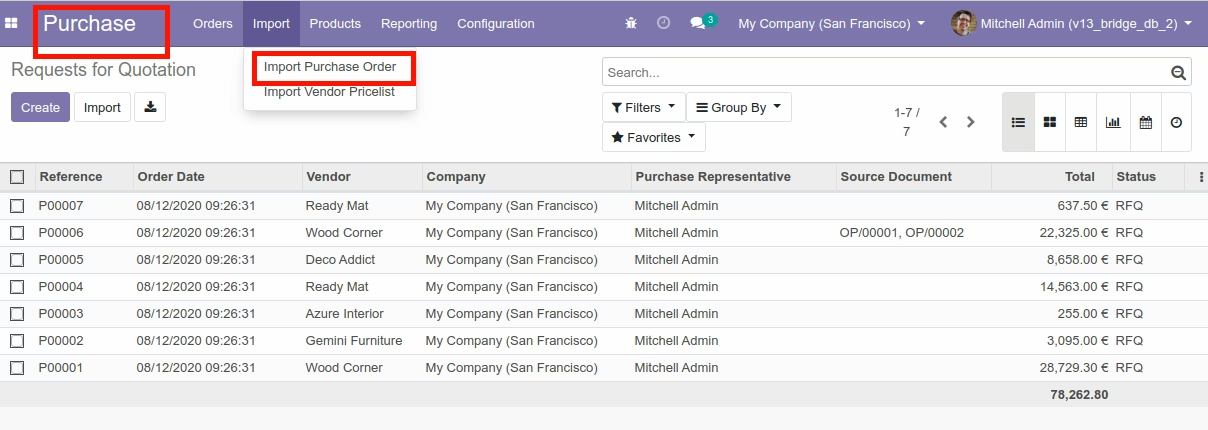
Import Purchase Order



Import Purchase Order with Custom Fields

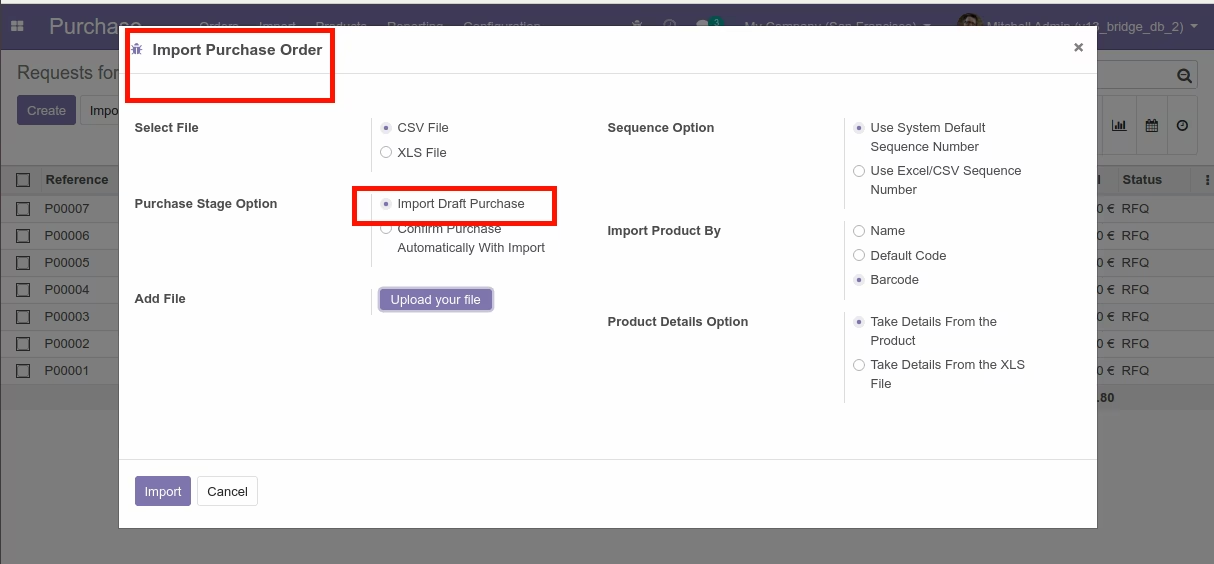
Import Purchase Order Wizard(With draft)
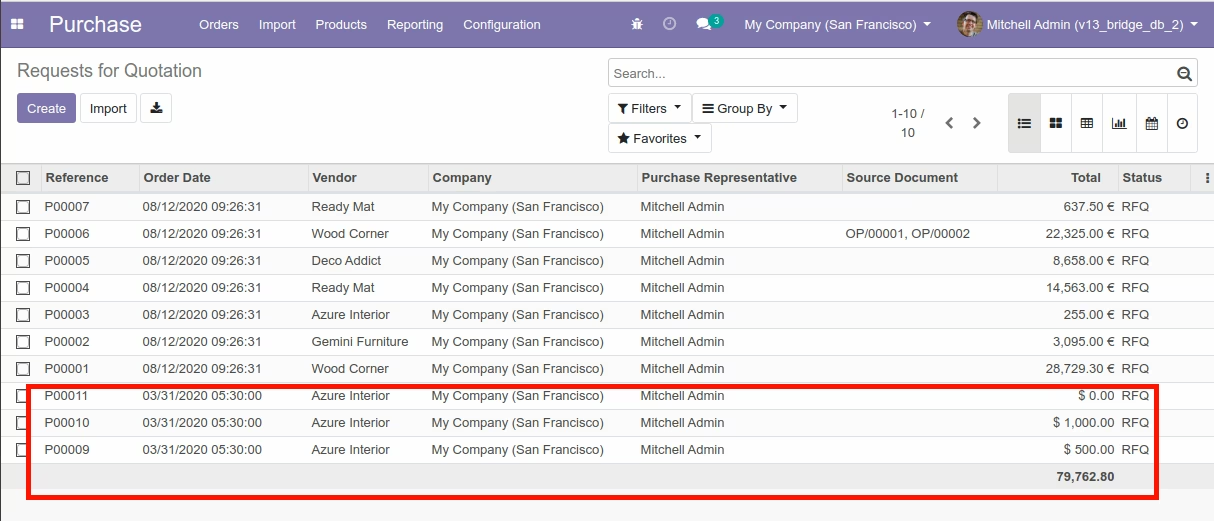
Purchase View
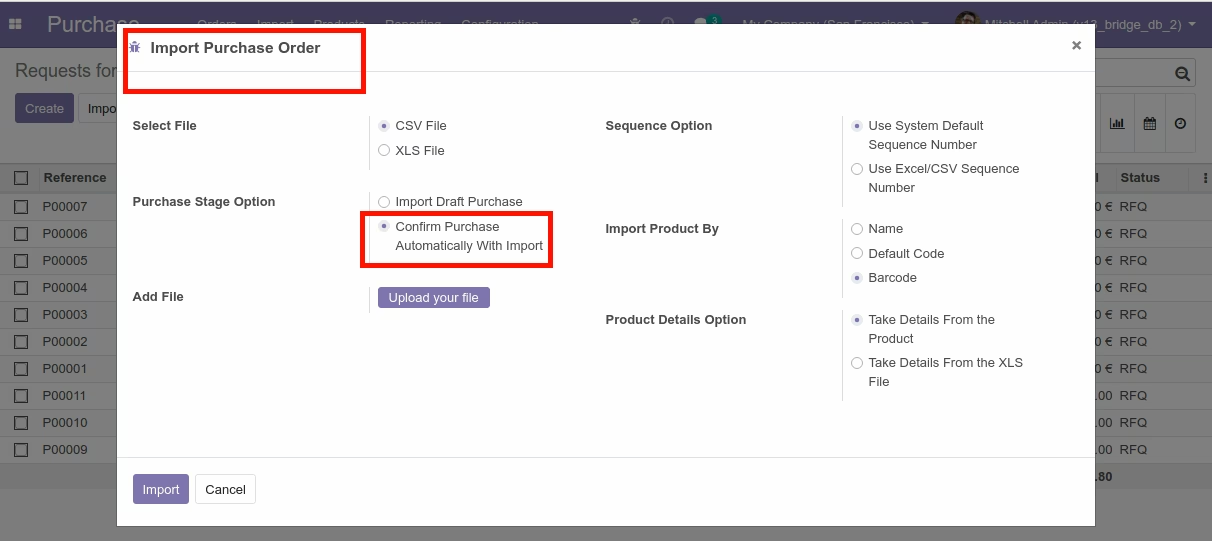
Import Purchase Order Wizard(With Confirmed)
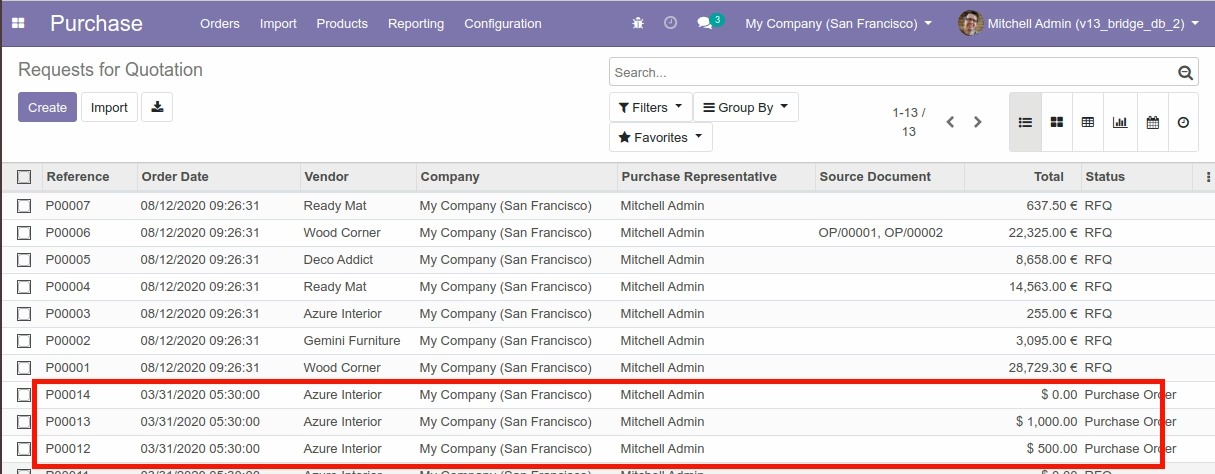
Purchase View
Import Purchase Order Line Menu
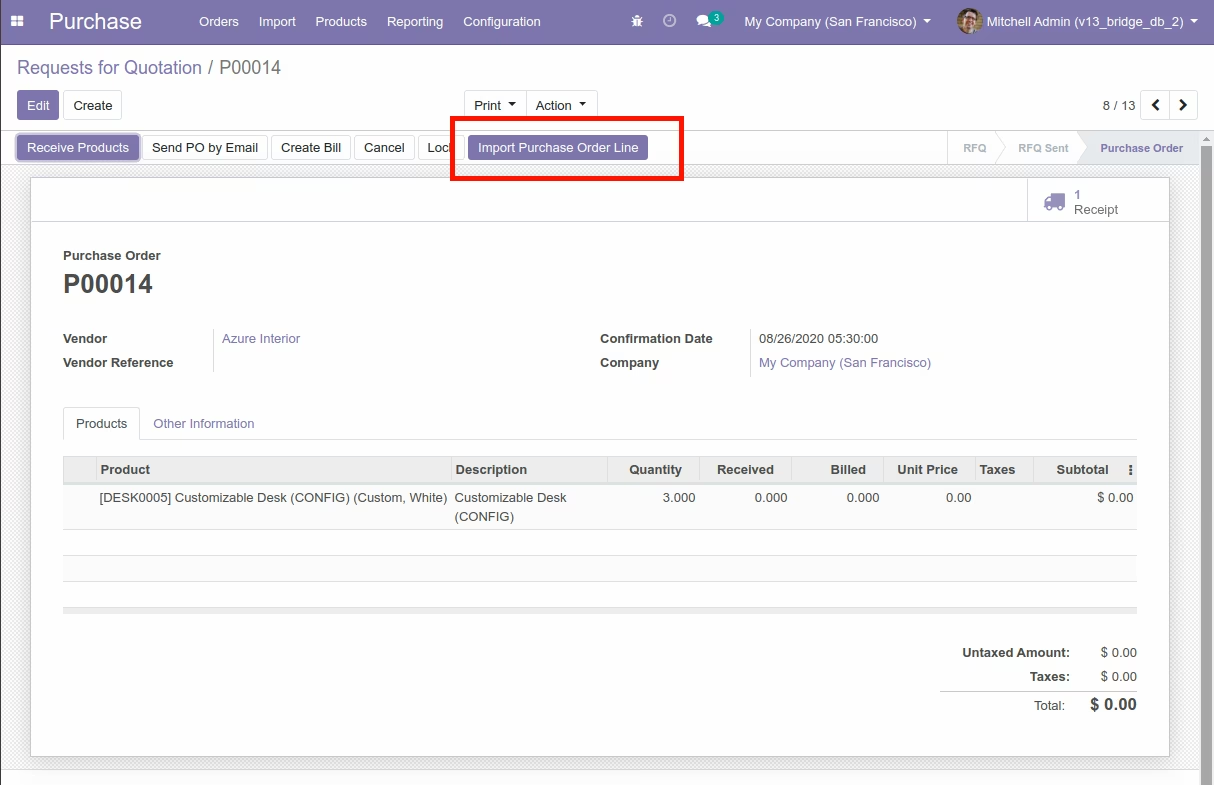
Import Purchase Order Lines

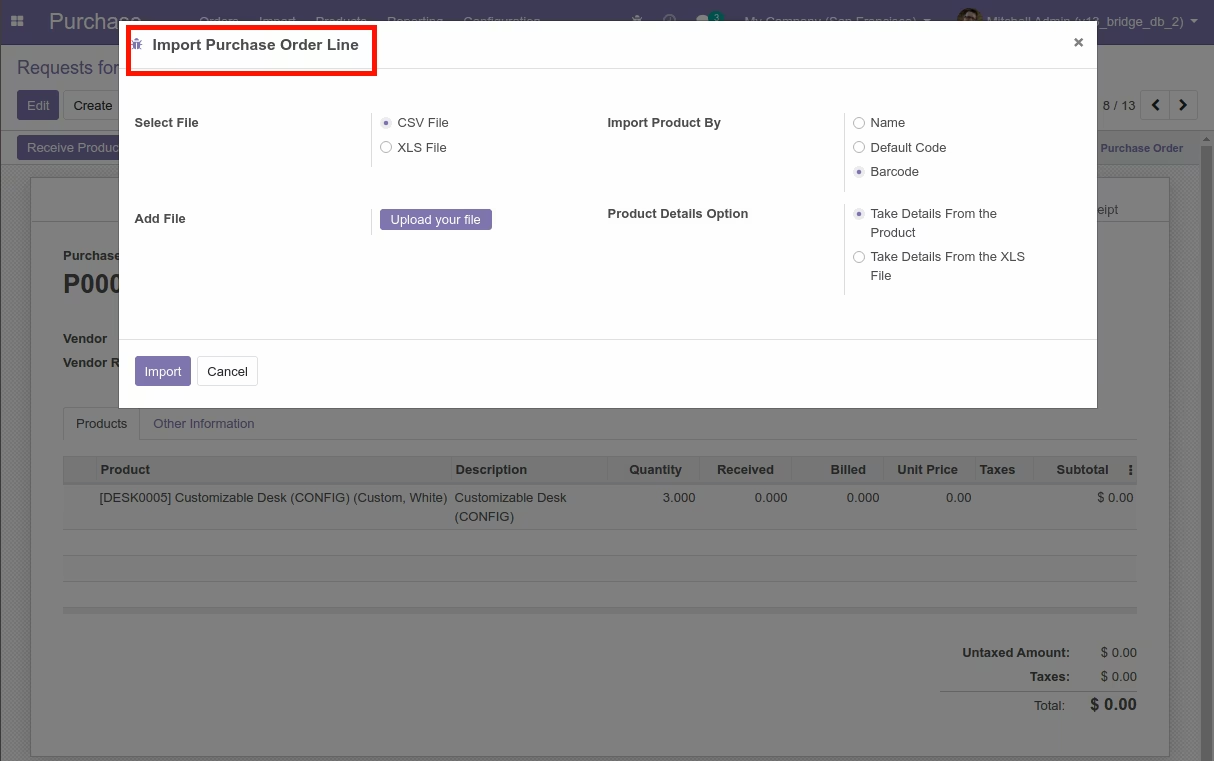
Import Purchase Order Line Wizard
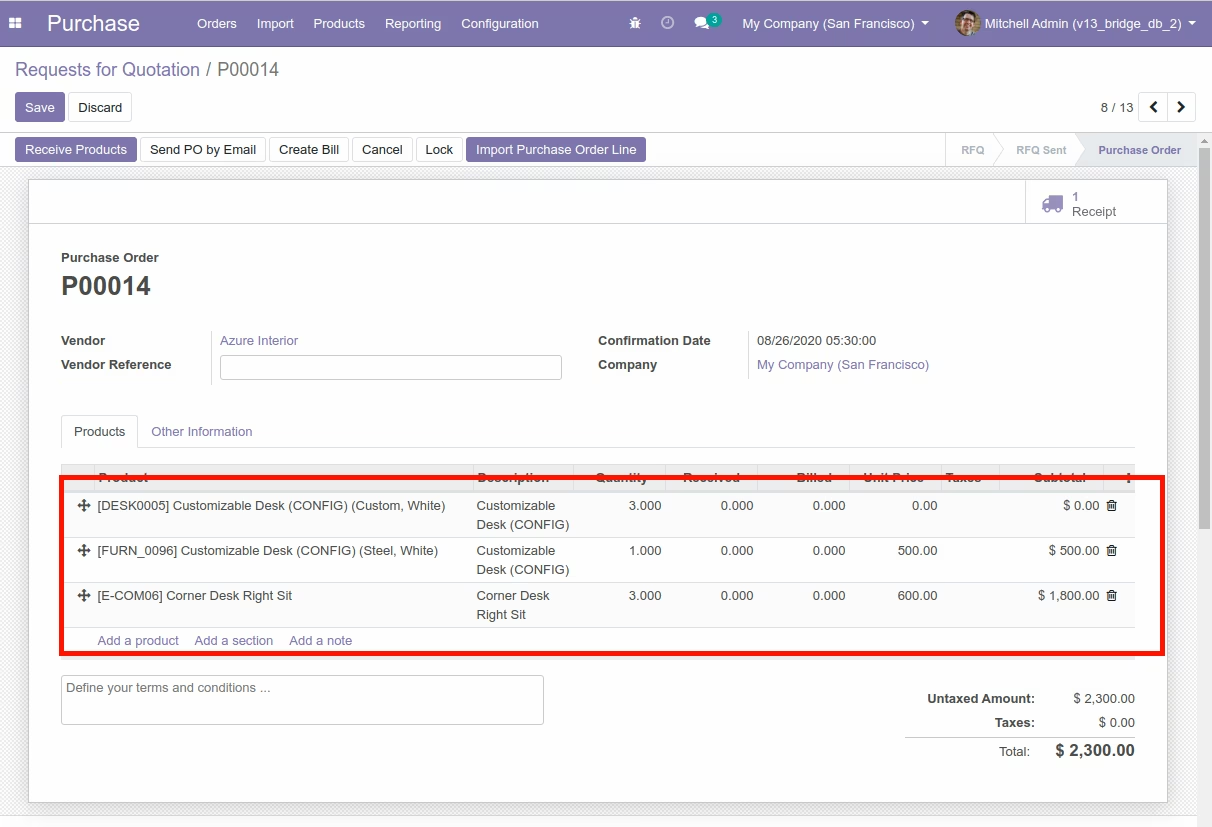
Purchase View
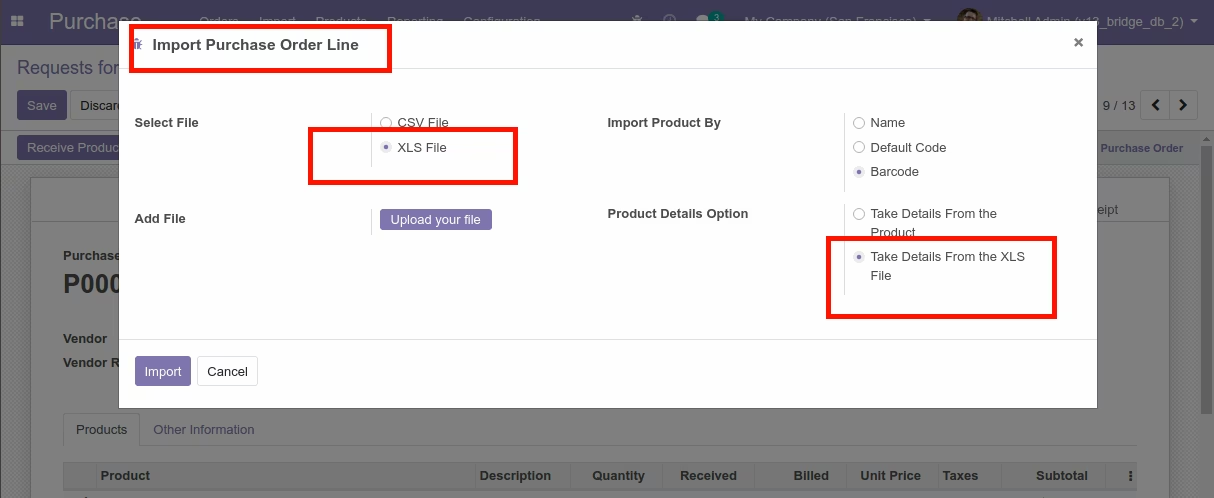
Import Purchase Order Line with XLS,XLSX File
Purchase View
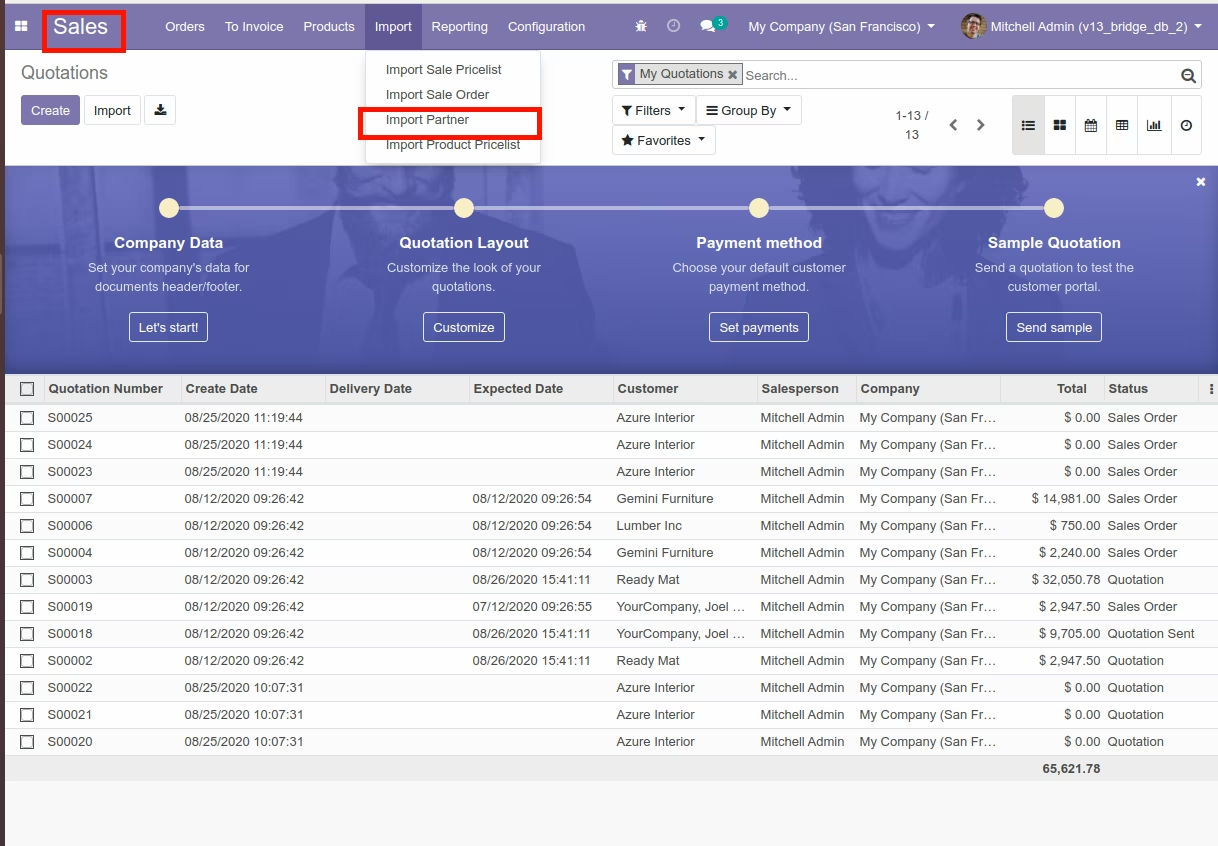
Import Partner Menu
Import Partner


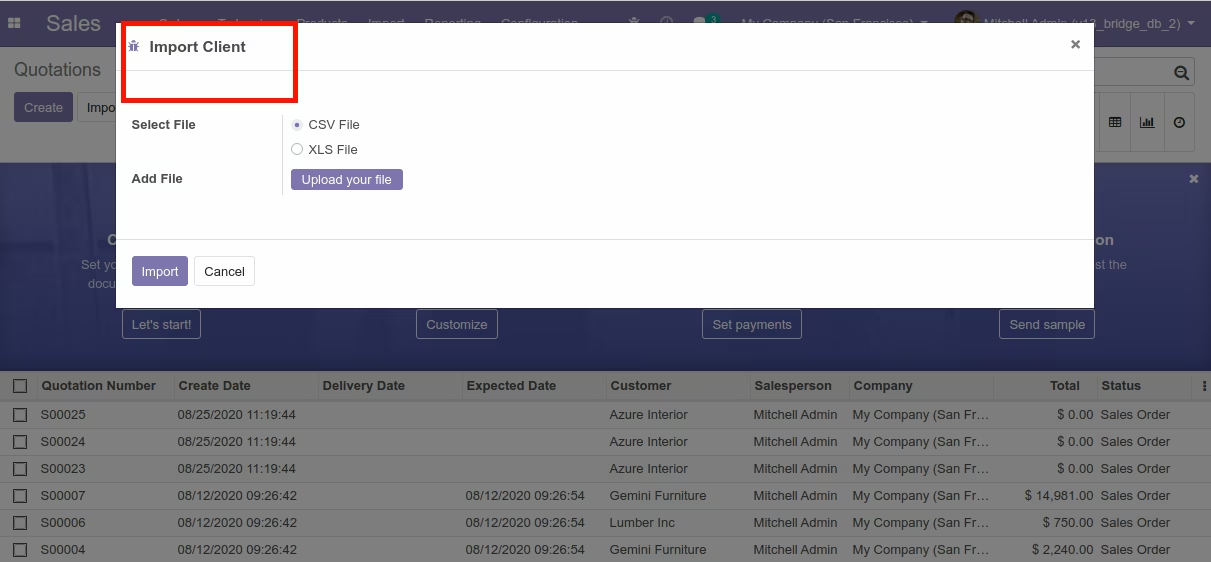
Import Partner Wizard
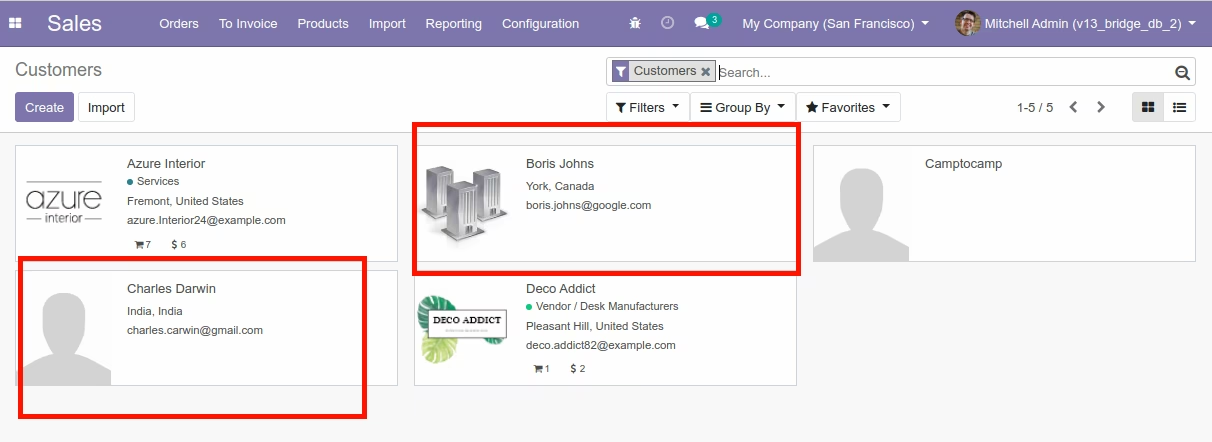
Partner View
Import Chart of Account Menu
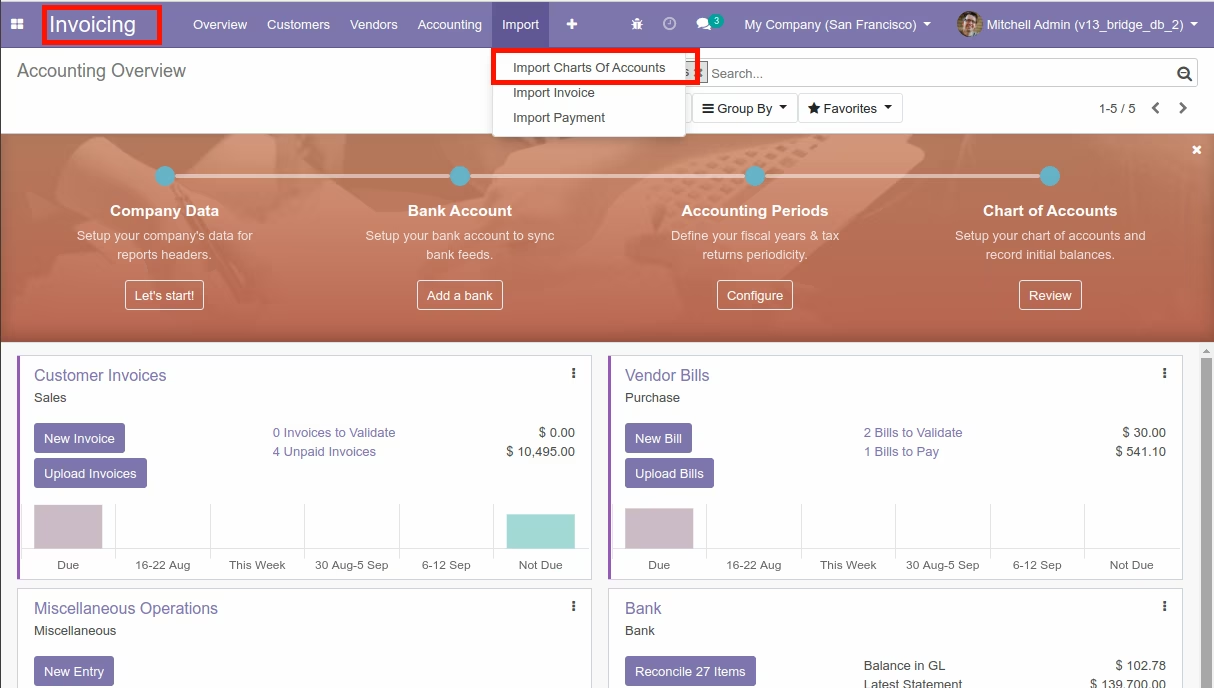
Import Chart of Account
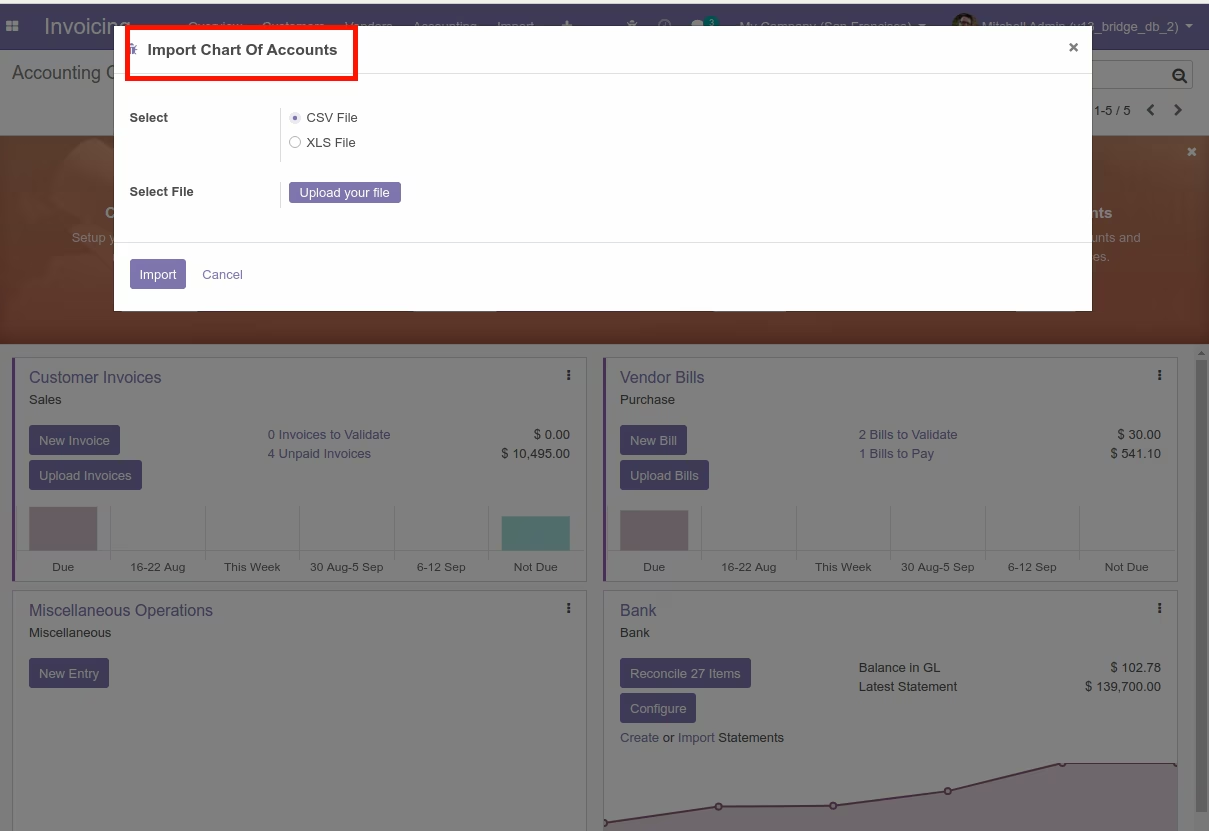
Import Chart of Account Wizard
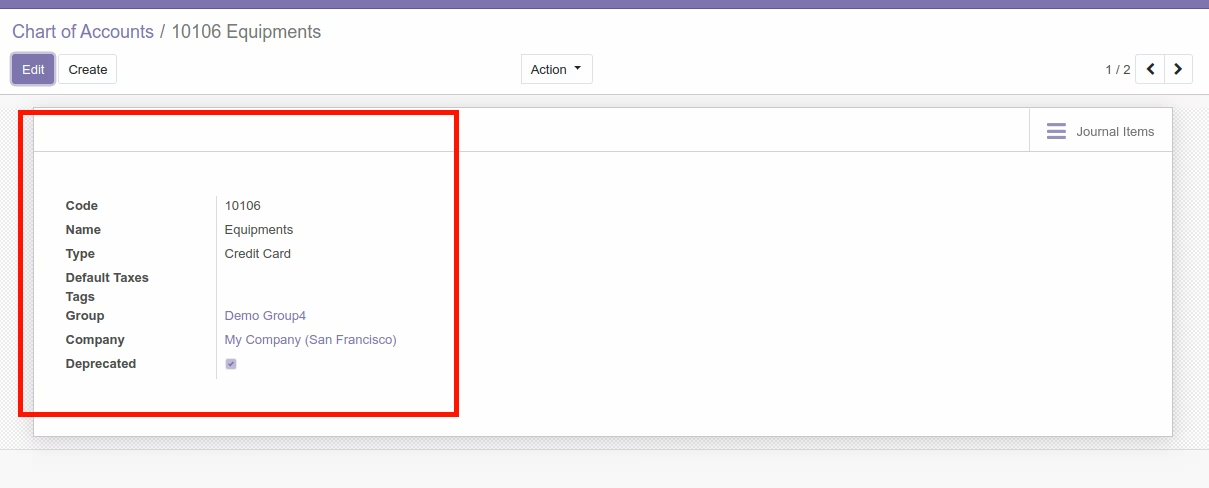
Bank of Account View
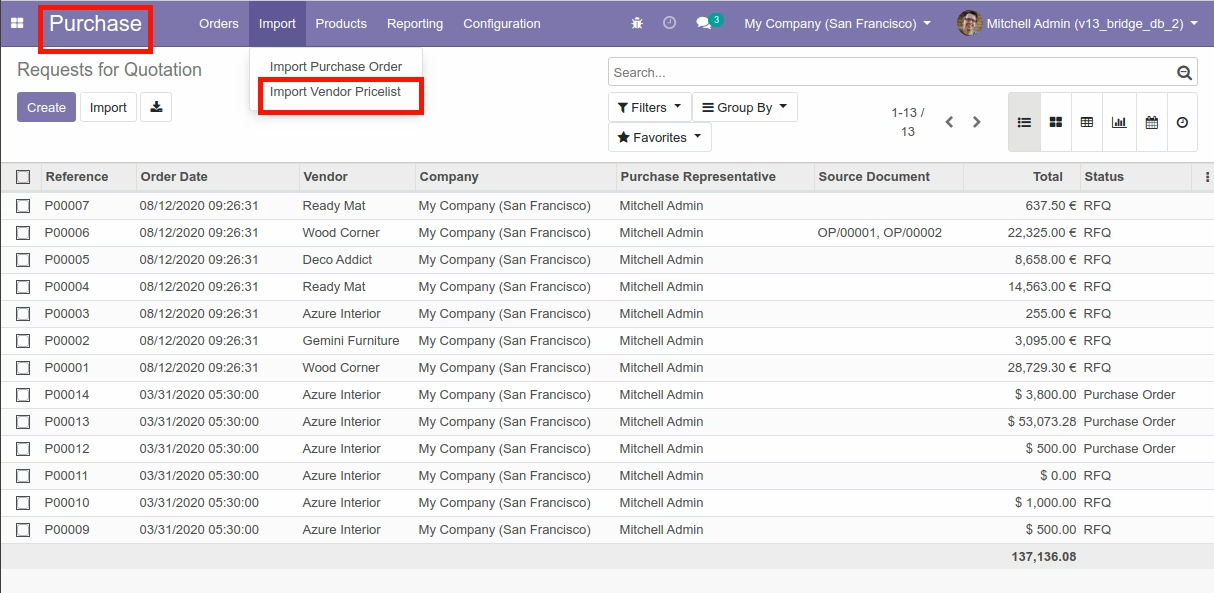
Import Vendor Pricelist Menu
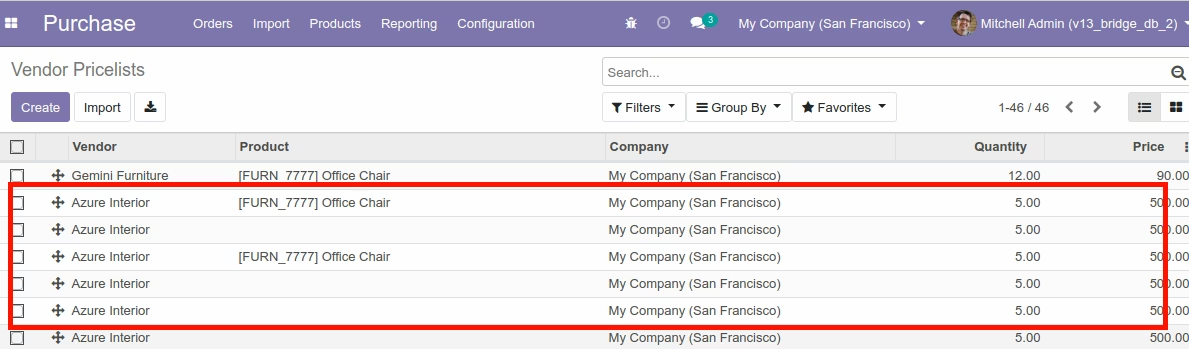
Import Vendor Pricelists

Import Vendor Pricelist Wizard
Vendor Pricelist View
Import Inventory Menu
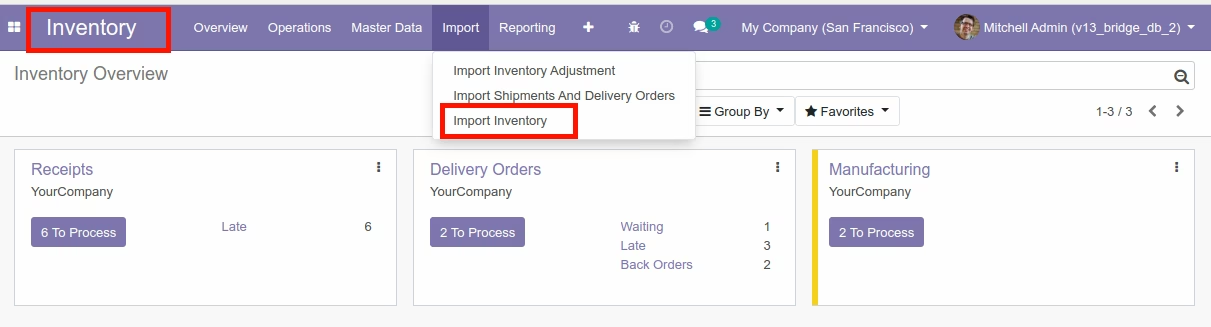
Import Inventory



Import Inventory Wizard
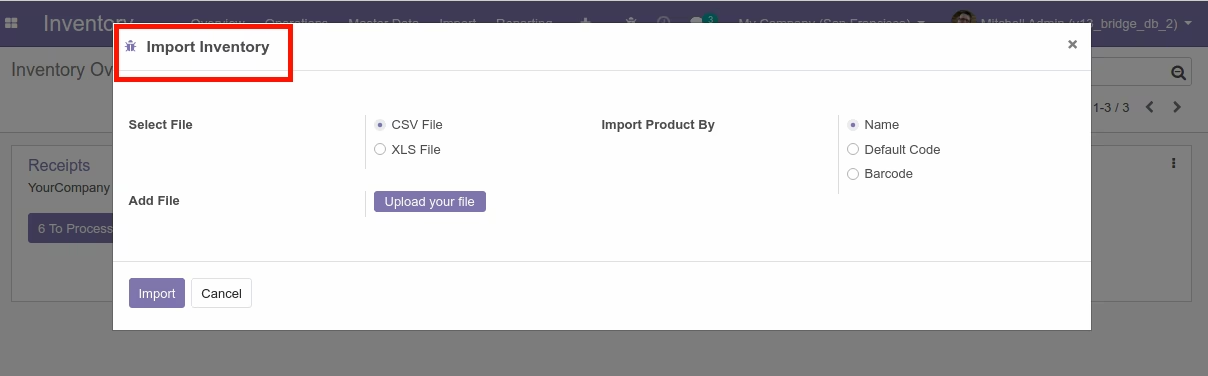
Inventory View
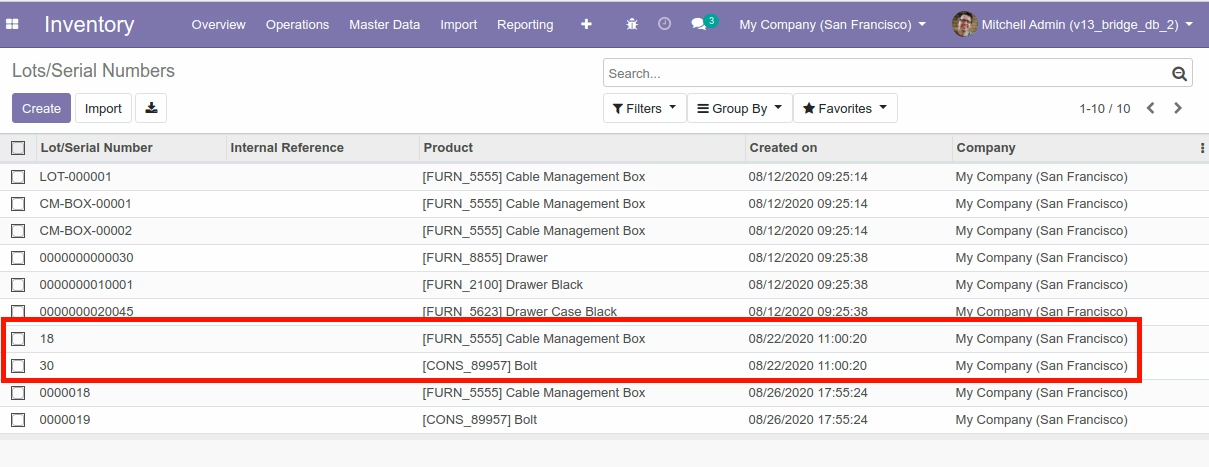
Import Inventory Adjustment Menu
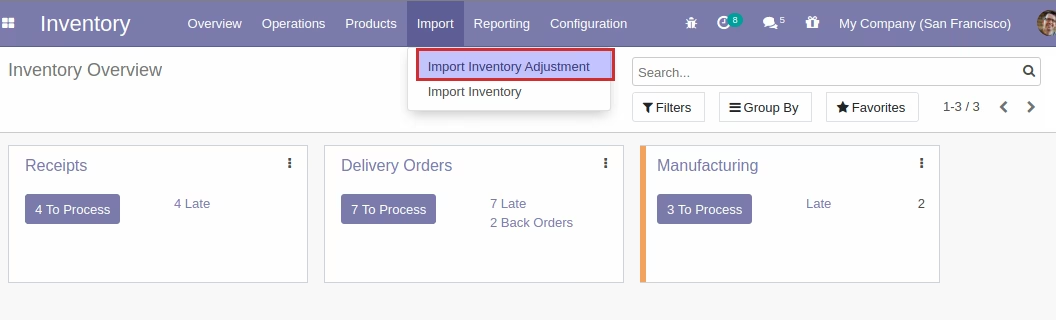
Import Inventory Adjustment



Import Inventory Adjustment Wizard
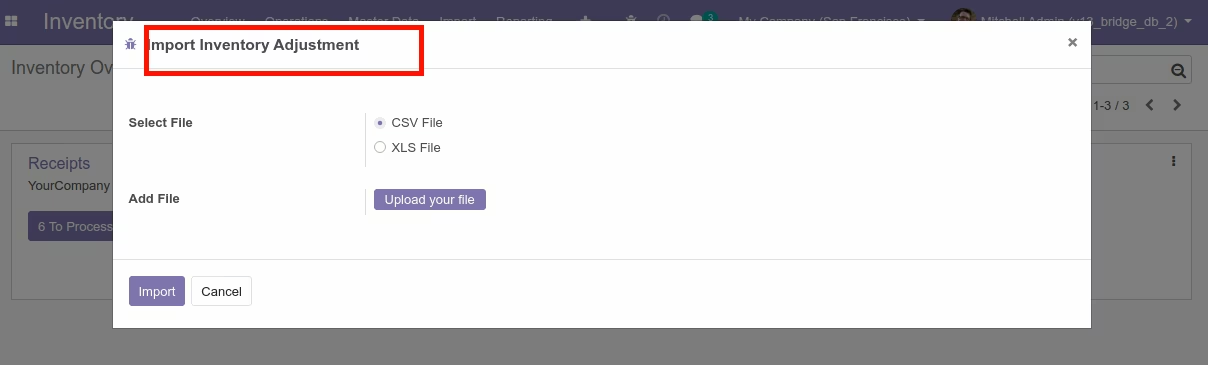
Inventory Adjustment View
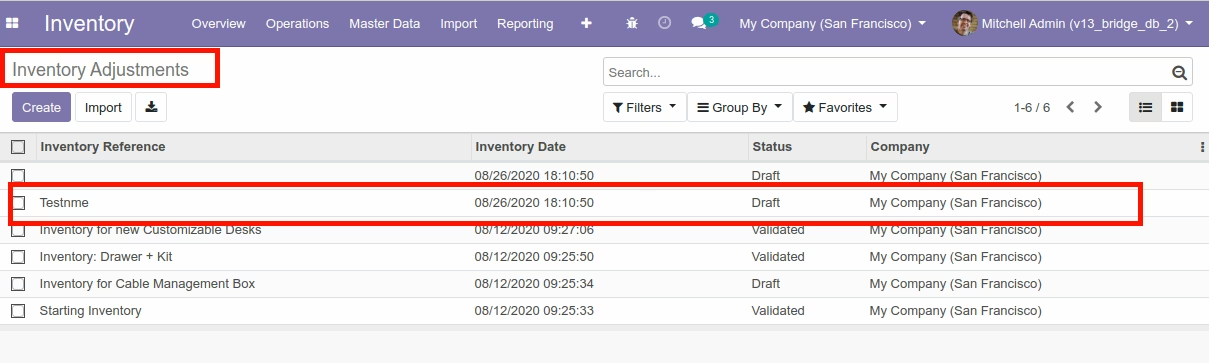
Import Product Template


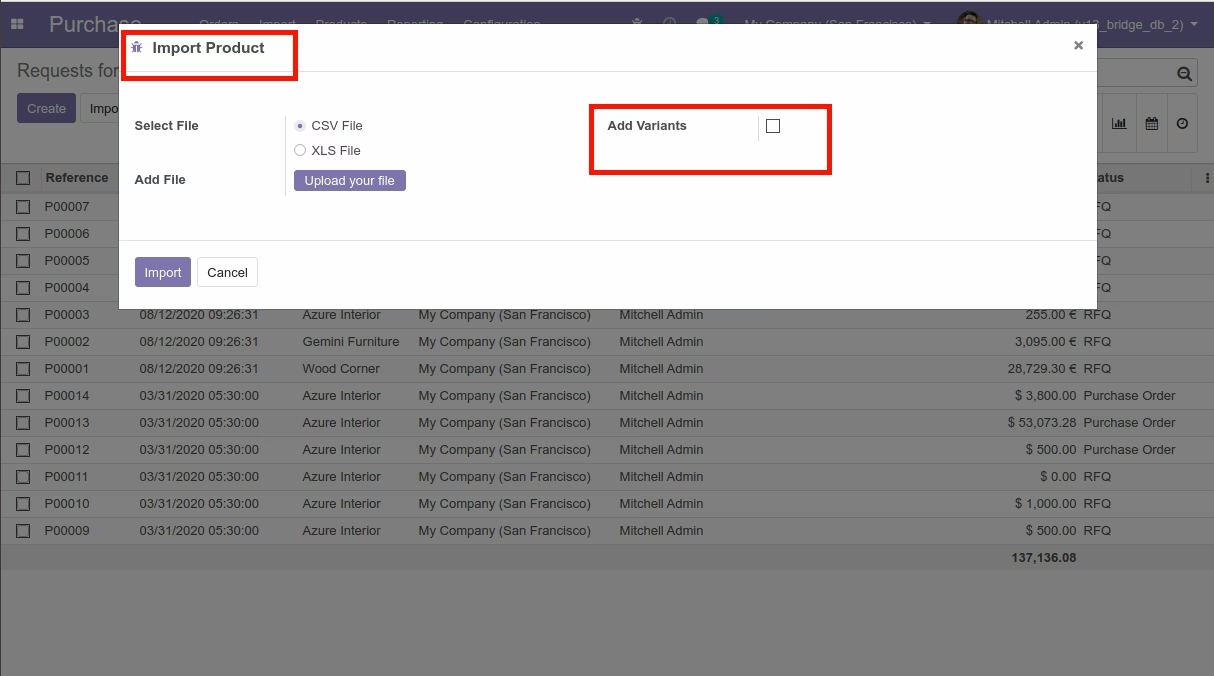
Import Product Menu (Without Attribute/Variants) Wizard
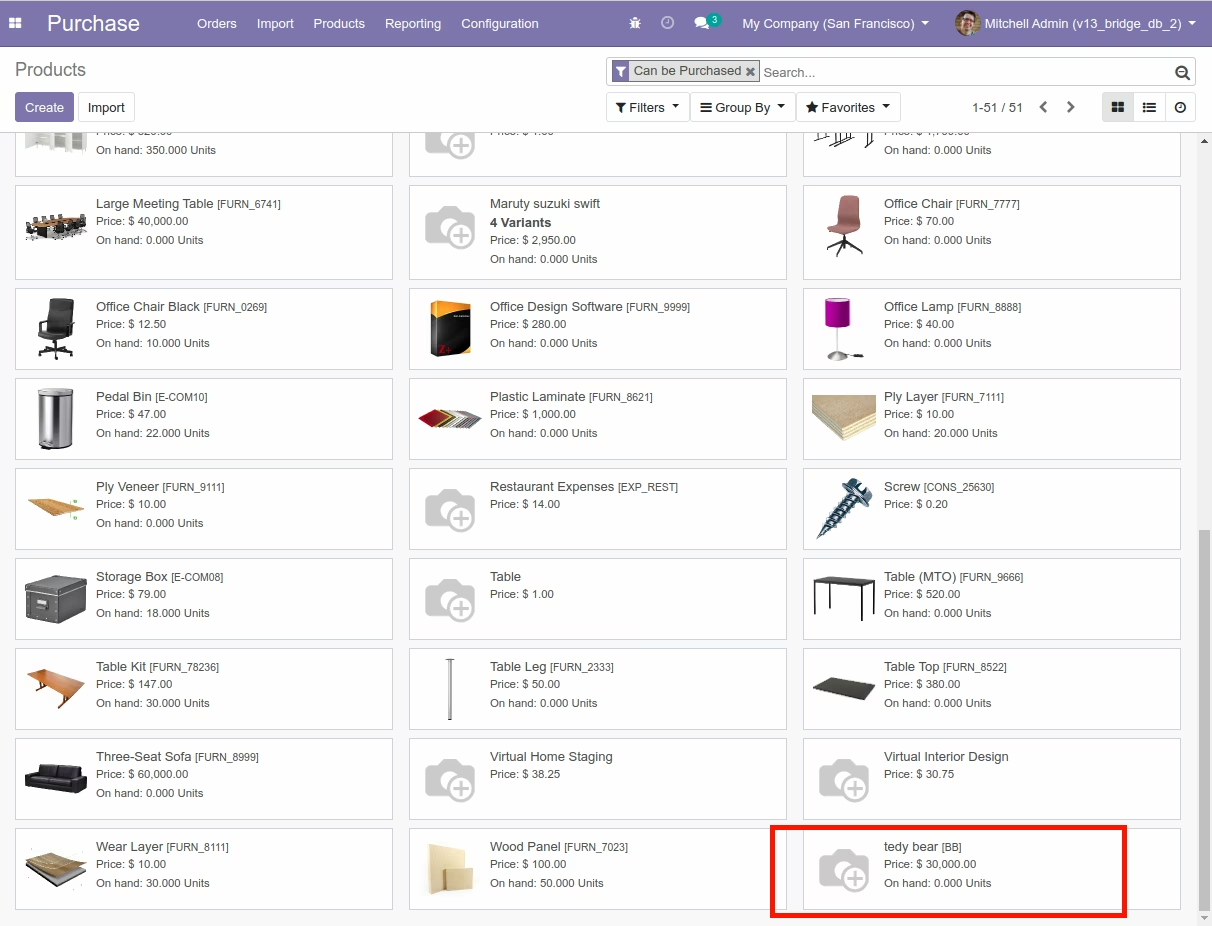
Product Template View
Import Product Template Menu (With Attribute/Variants) Wizard
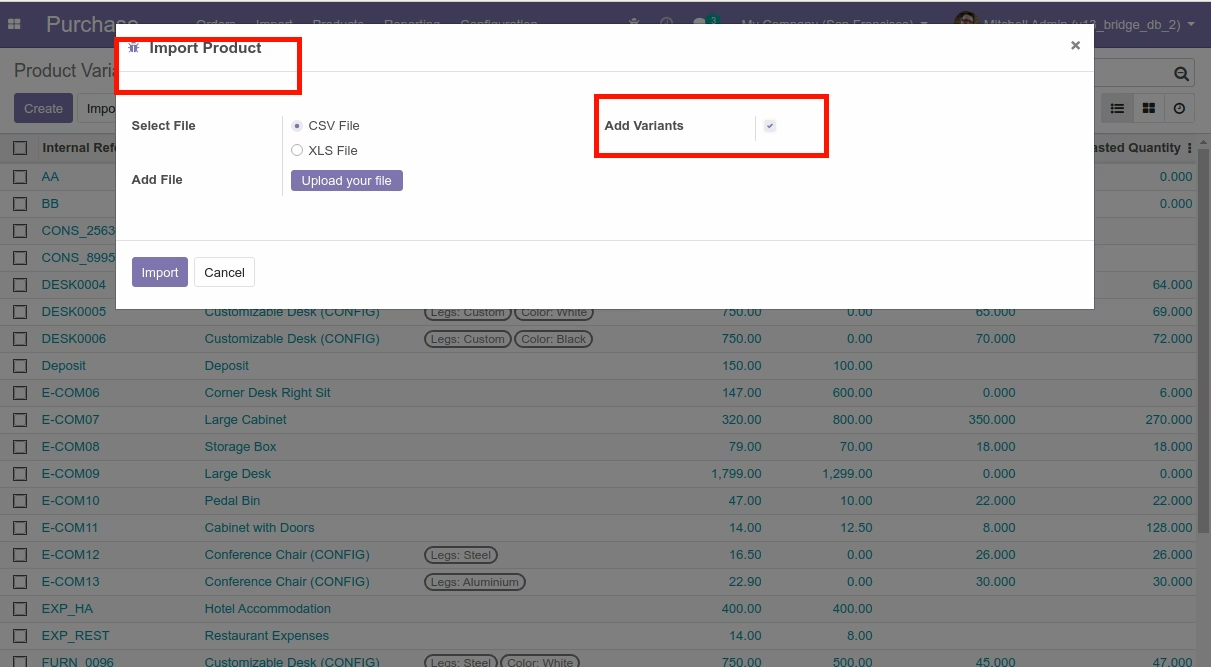
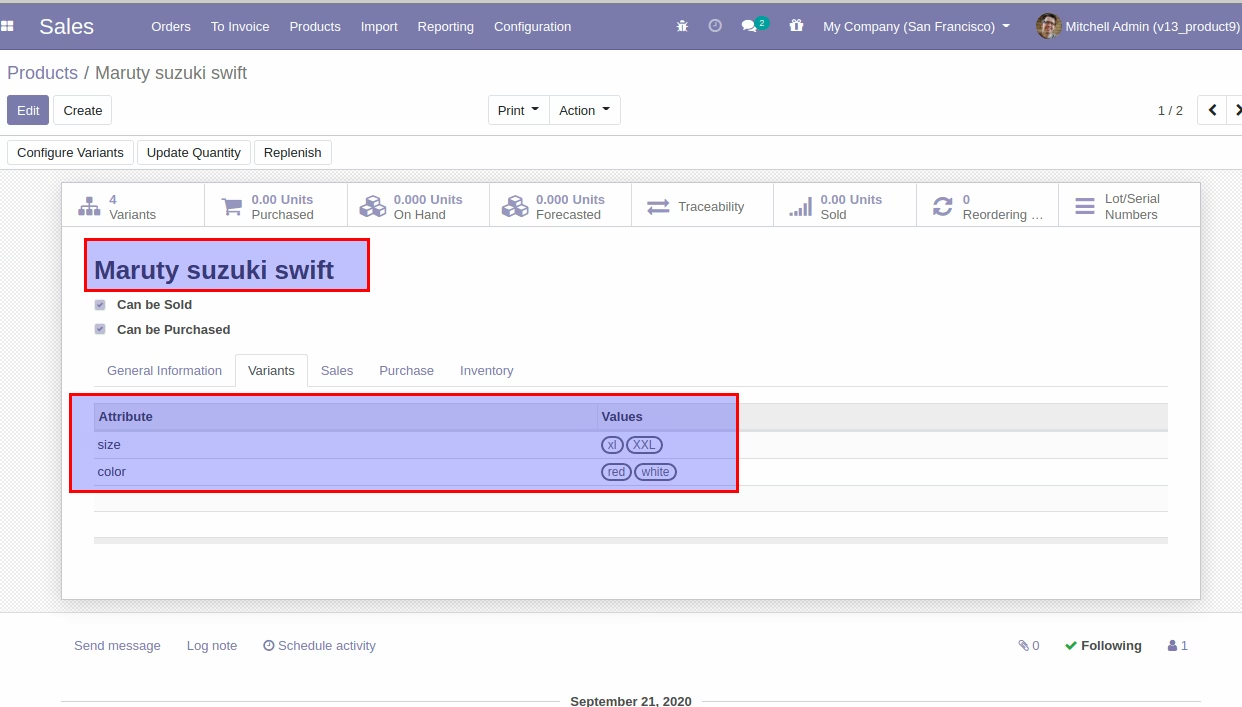
Product Variants View
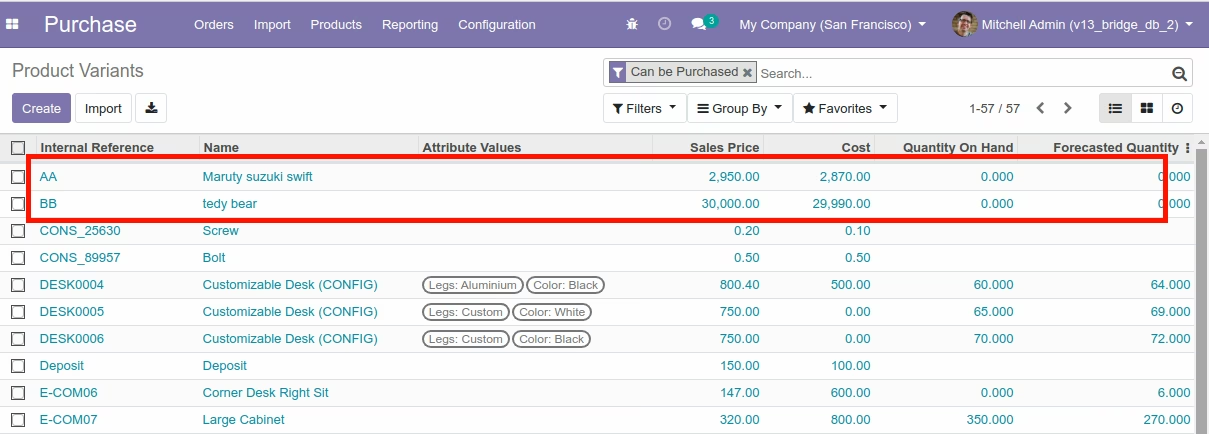
Imported Product Variant Deatails view.
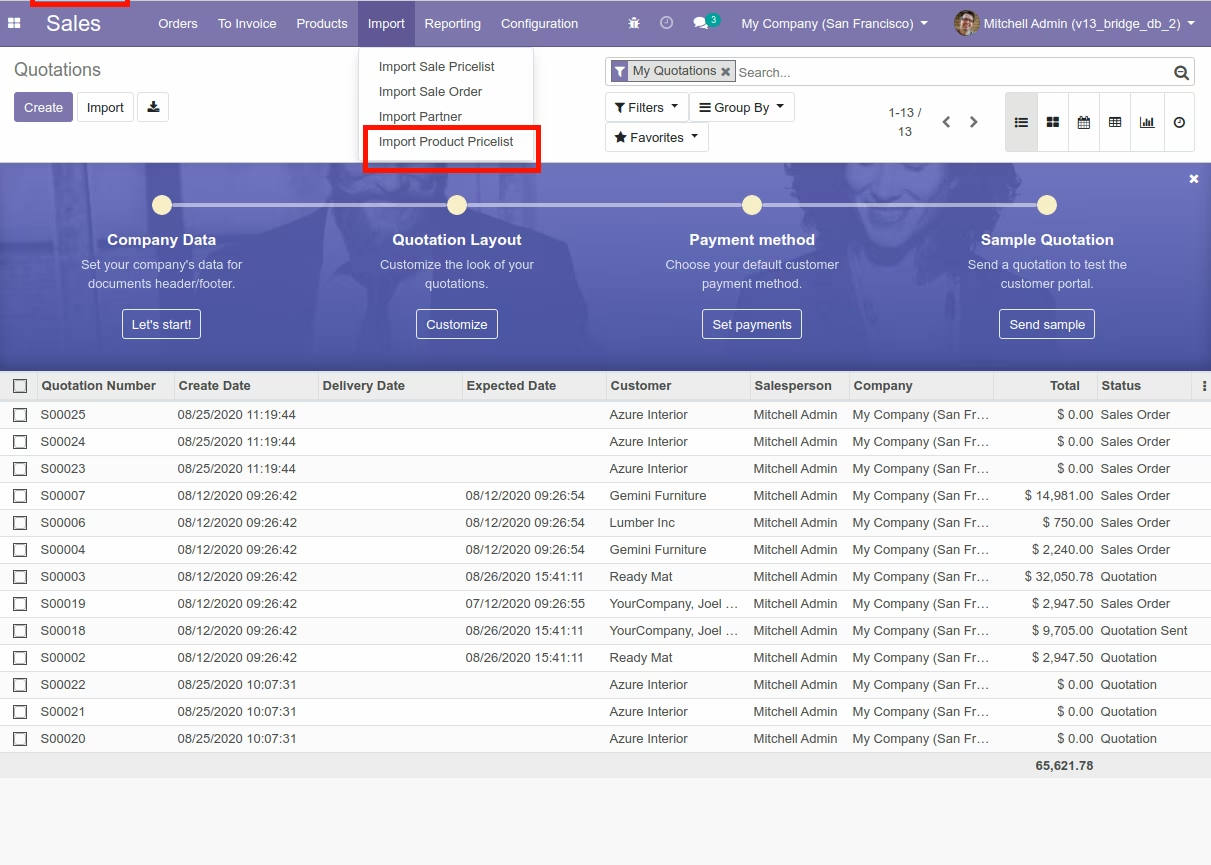
Import Product Pricelist Menu
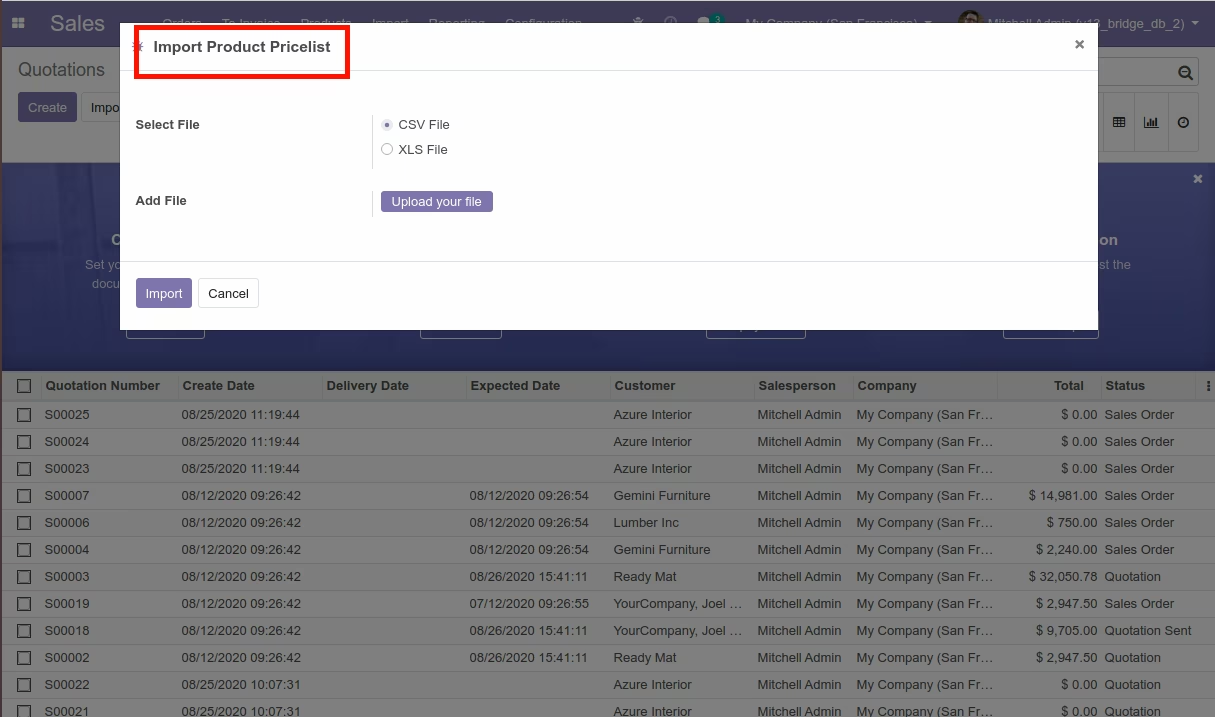
Import Product Pricelist

Import Product Pricelist Wizard
Product Pricelist View
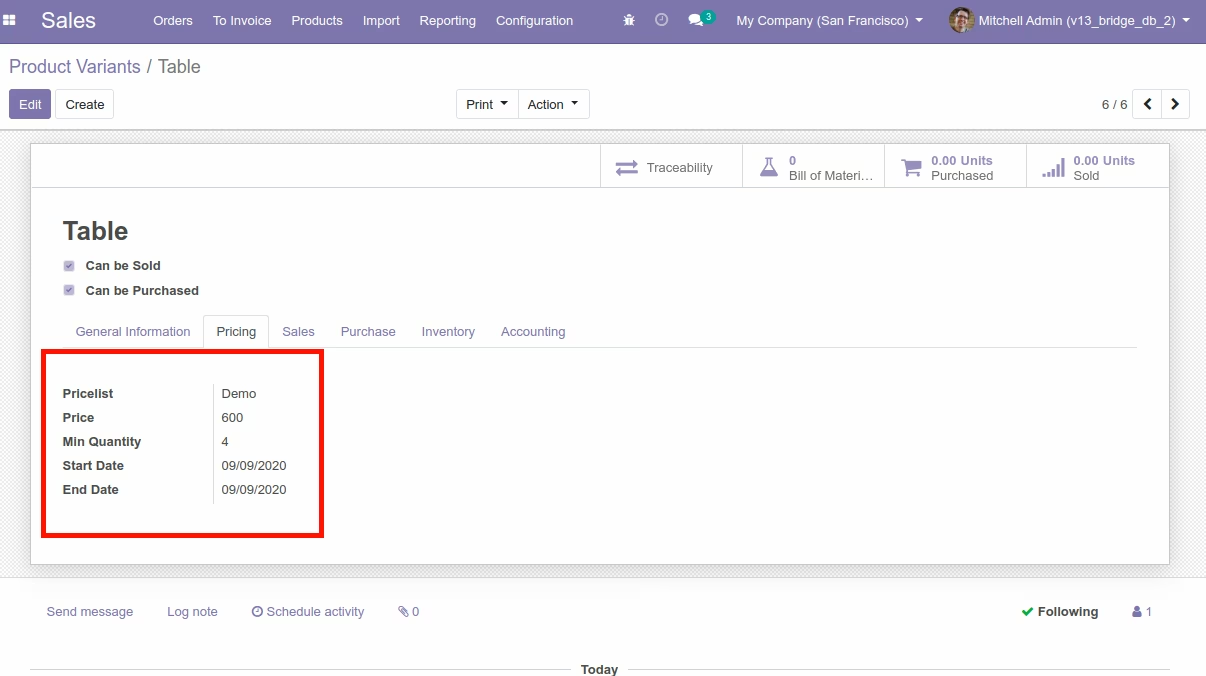
Import Sale Pricelist

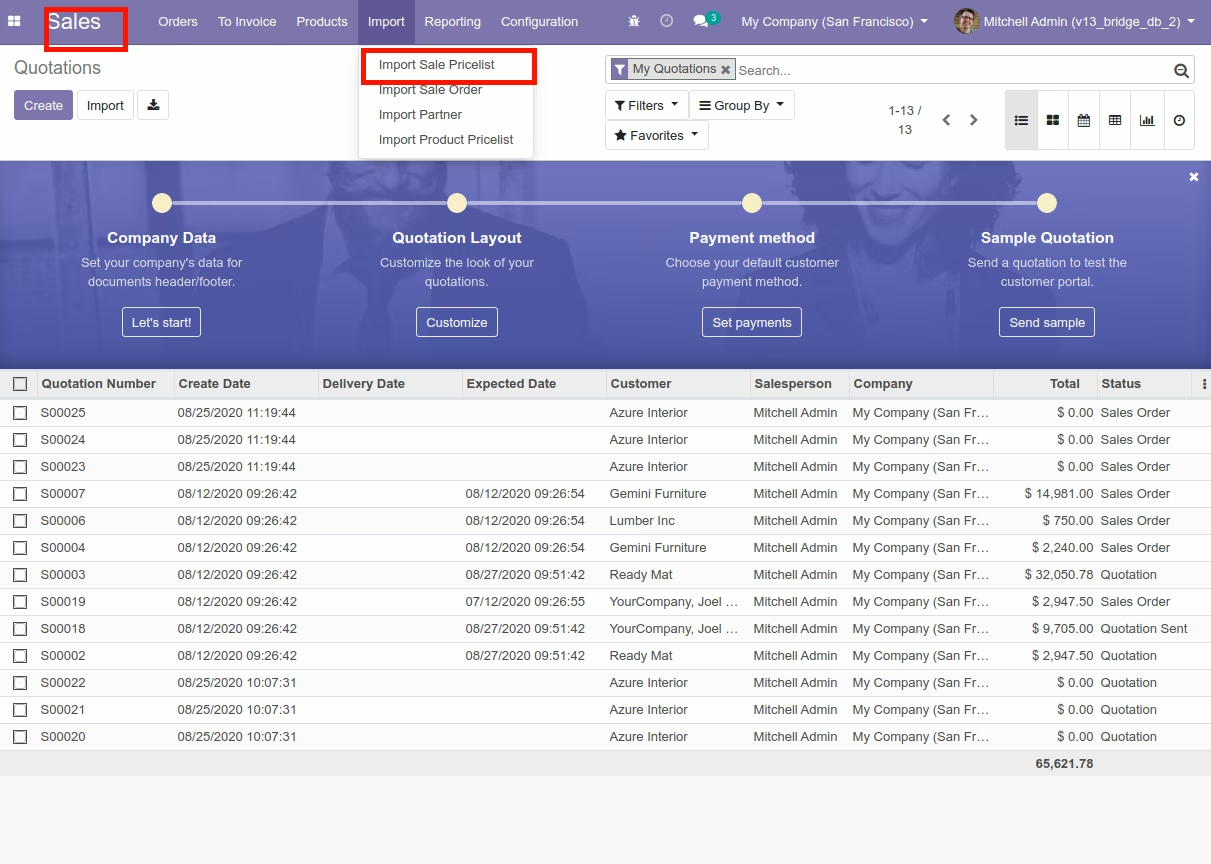
Import Sale Pricelist Menu
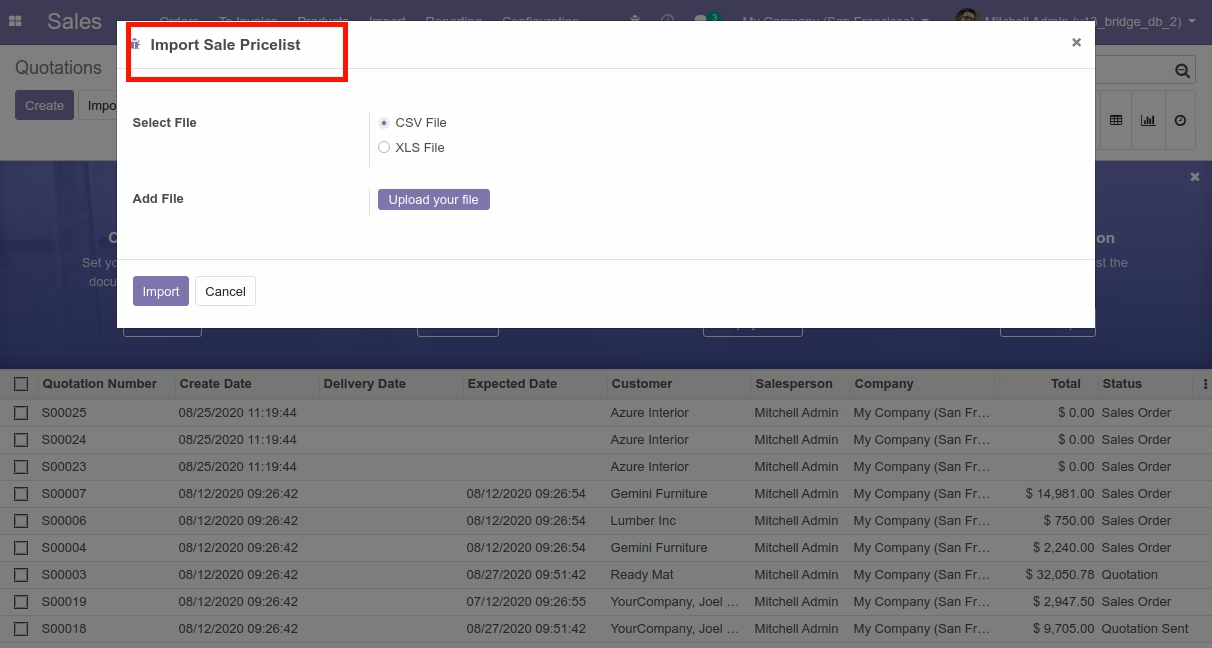
Import Sale Pricelist Wizard
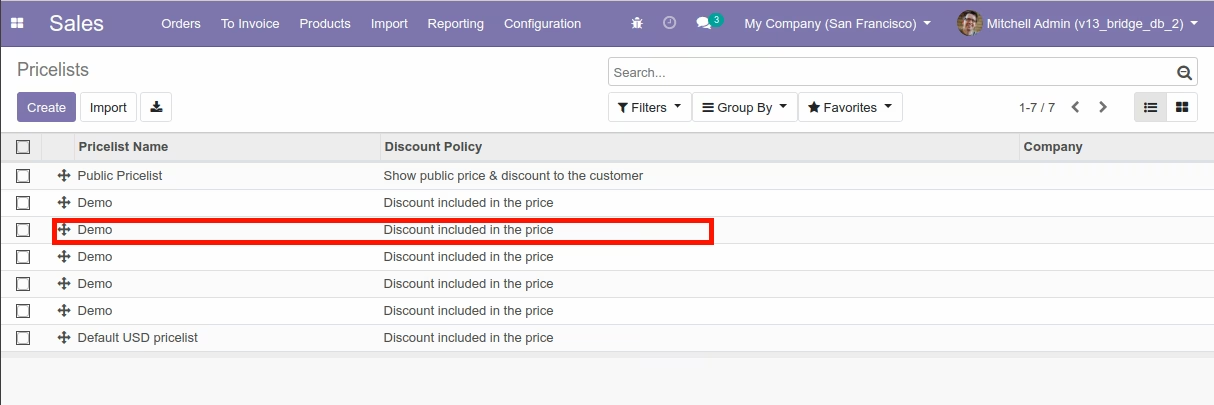
Sale Pricelist View
Import Pos Order Menu
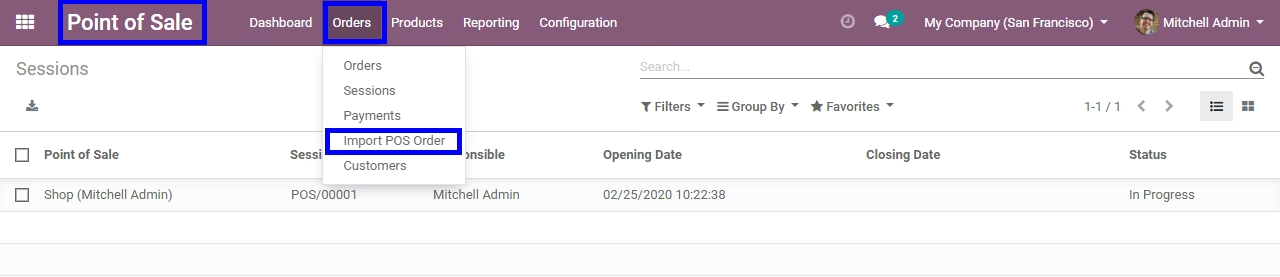

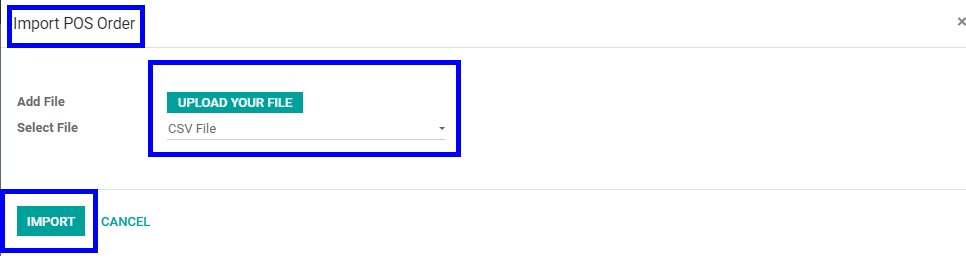
Import Option
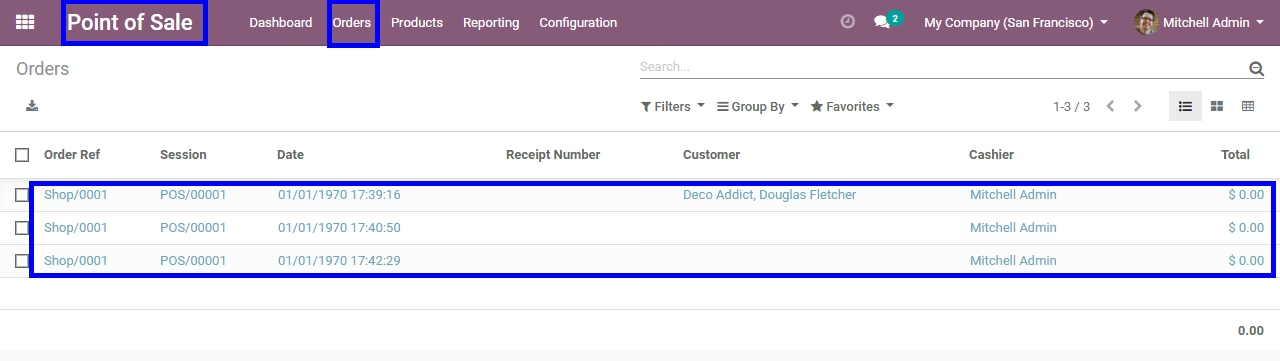
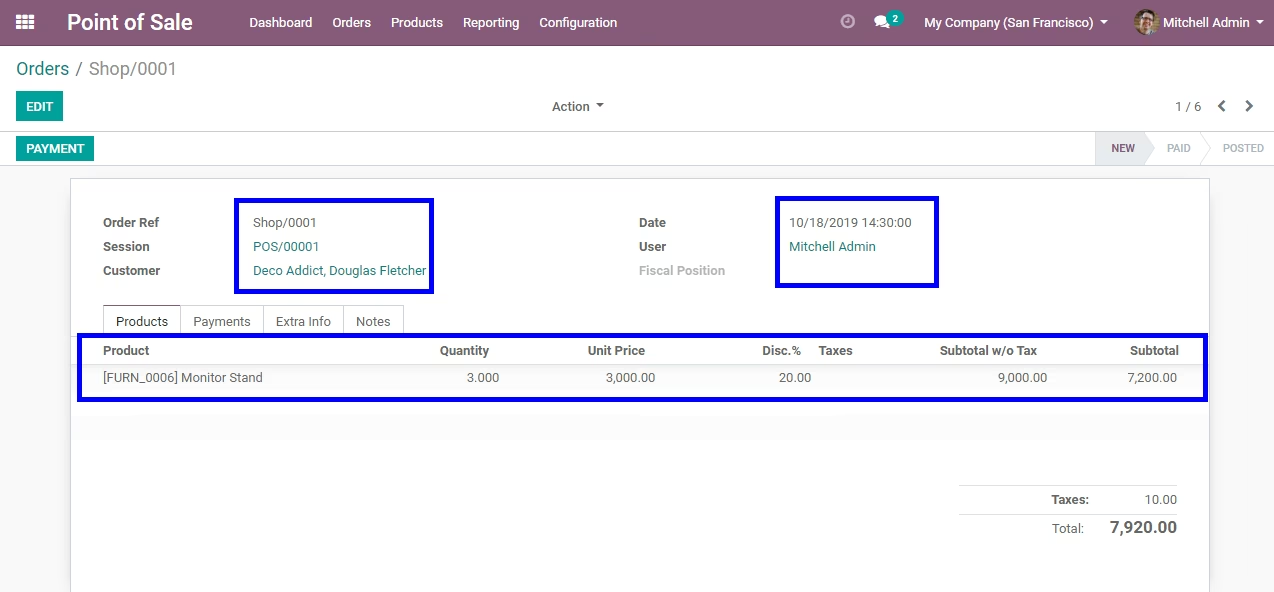
POS Order View
Sample Files download for Import Data