Transform your sales order management with the Import Sale Orders from Excel/CSV module. This indispensable tool is designed for businesses that handle a high volume of orders or receive them in spreadsheet format. Eliminate the inefficiency and potential for errors associated with manual order entry by importing all necessary details including customer information, products, quantities, and pricing directly into your system. By automating this crucial step, you can accelerate your entire sales workflow, from quotation to delivery and invoicing, ensuring faster processing and improved customer satisfaction.
Import complete sale orders, including multiple order lines, from a single file.
Supports both Excel (.xlsx) and CSV (.csv) file formats for your convenience.
Flexible product mapping using the product's name, internal reference, or barcode.
Automatically apply customer-specific pricelists and taxes during import.
Choose to import records as draft quotations or automatically confirm them as sales orders.
Optionally use the order numbers from your source file or let generate them.
Supports multi-line orders by grouping rows with the same order reference.
Comes with easy-to-use sample files to ensure your data is perfectly formatted.
Drastically cuts down on the time spent creating sales orders and quotations.
Significantly reduces the risk of costly data entry mistakes.
Streamlines the order processing workflow for faster fulfillment.
Ideal for integrating orders from external systems, e-commerce platforms, or sales reports.
Improves data accuracy for better sales analysis and inventory forecasting.
Empowers your sales team to handle larger order volumes with greater efficiency.
Simplifies the process of migrating historical sales data.
Sales Order Line Import
This module imports sales order lines from excel file.
Main Features
- Allow you to Import Sale Order Lines from excel file.
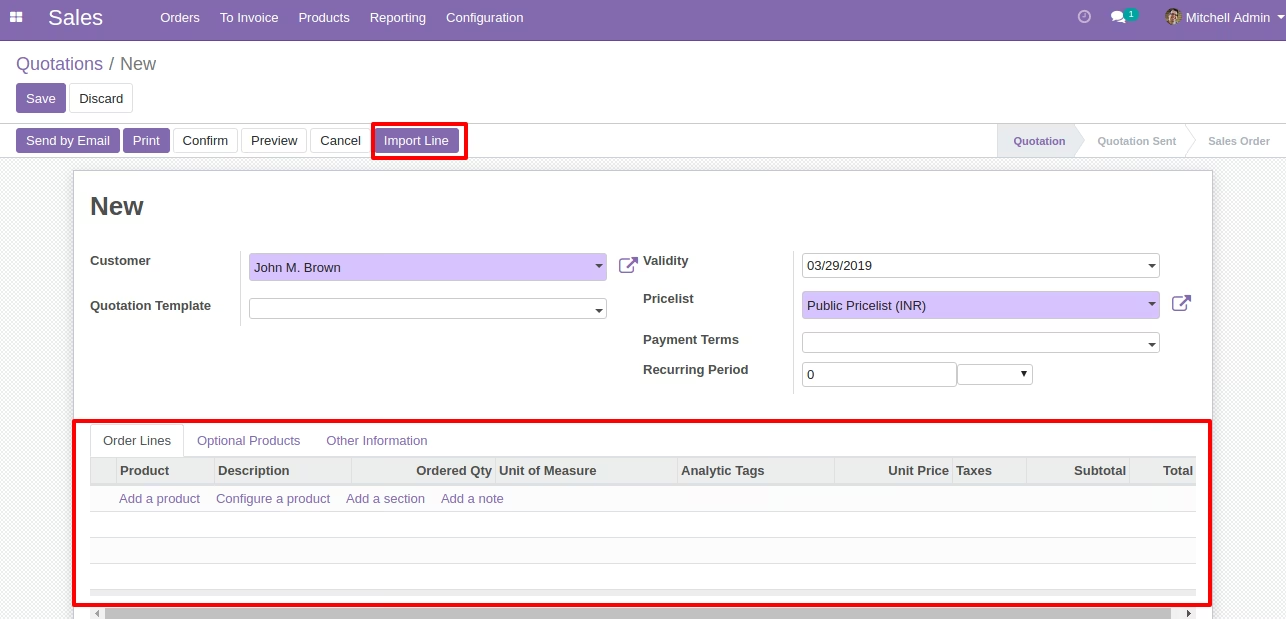
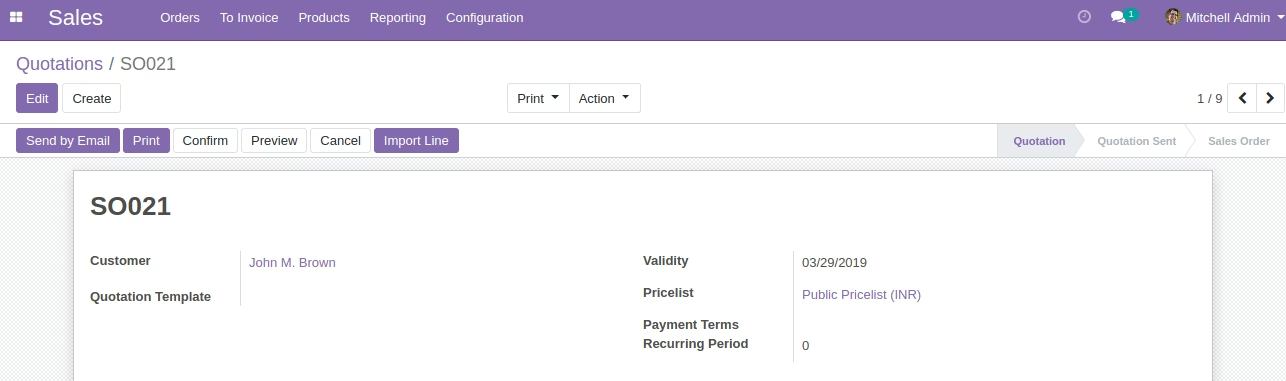
- Open Sale Order and Sale Order Form Click on Import Line Button.
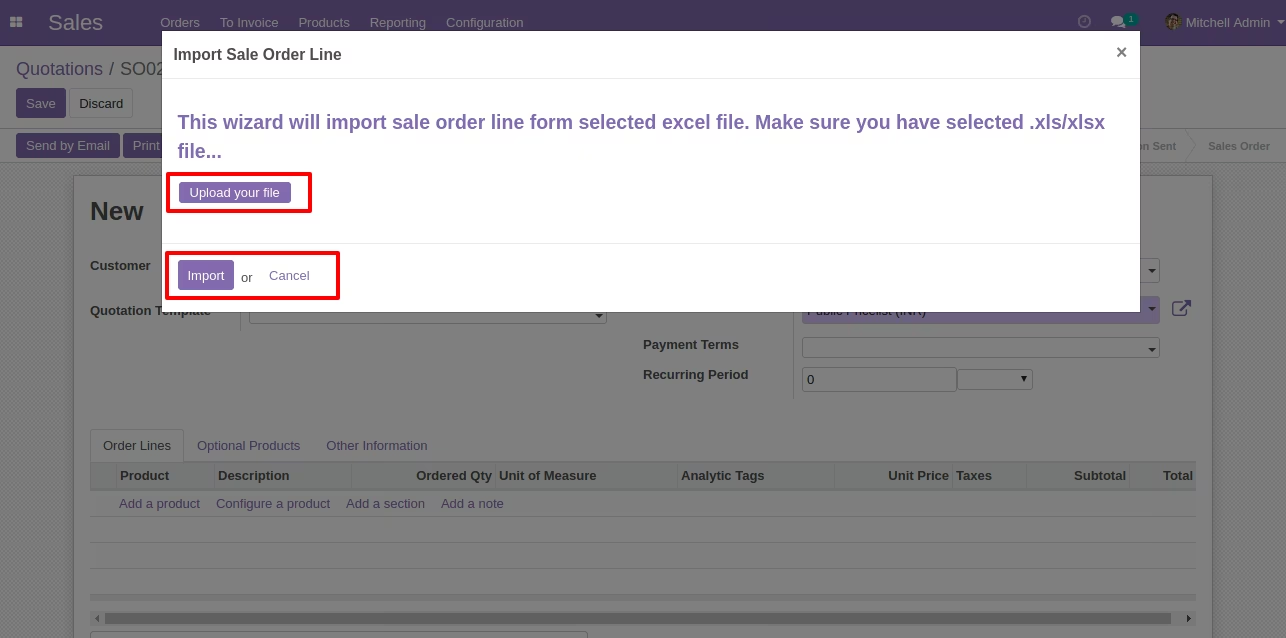
- Open Wizard for selecting file for importing sale order lines on selected sale order.
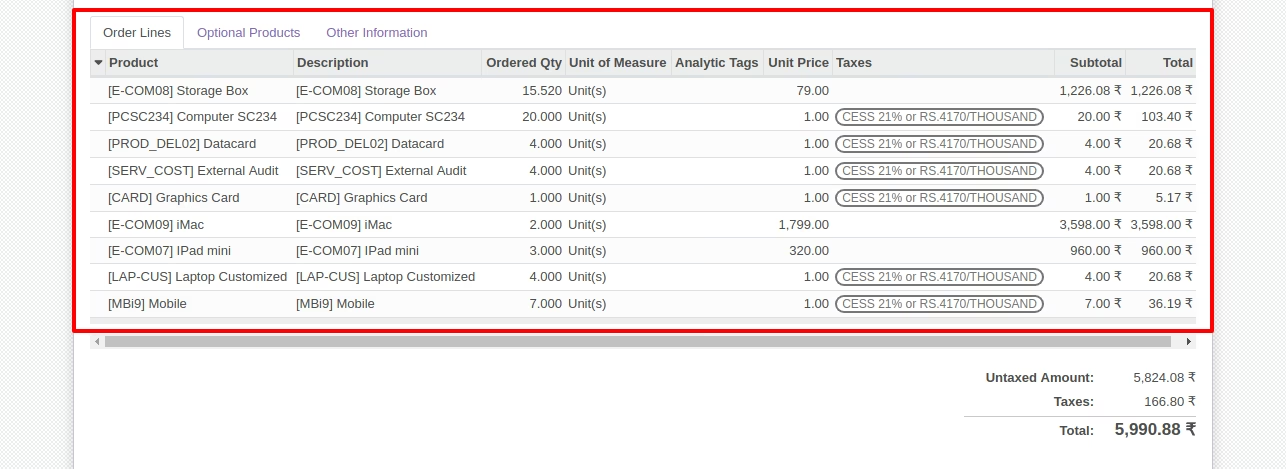
- Created Sale Order lines on sale order will appear.
- Make sure you have xlrd Python Library installed.
- For more details please see screenshots and watch the video.
Quatations Menu
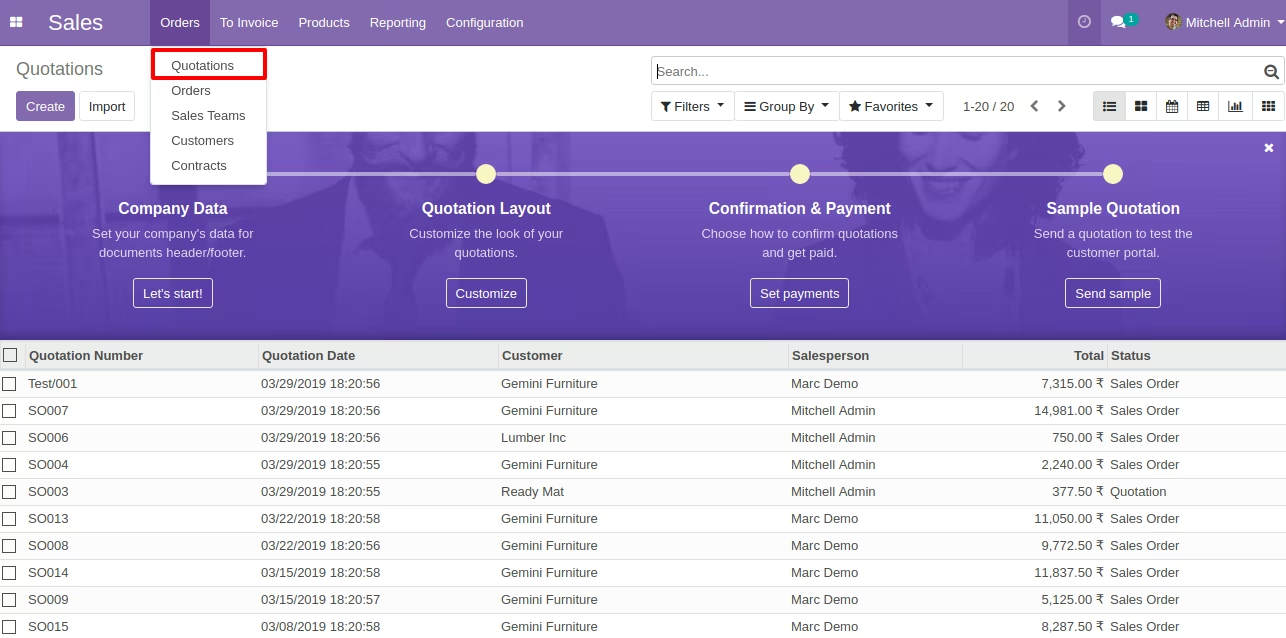
By clicking "Import line" button it will open the new wizard and on wizard we can select file to import.

Sale Order Line Import Wizard
Created Sales Order lines after Running Wizard.
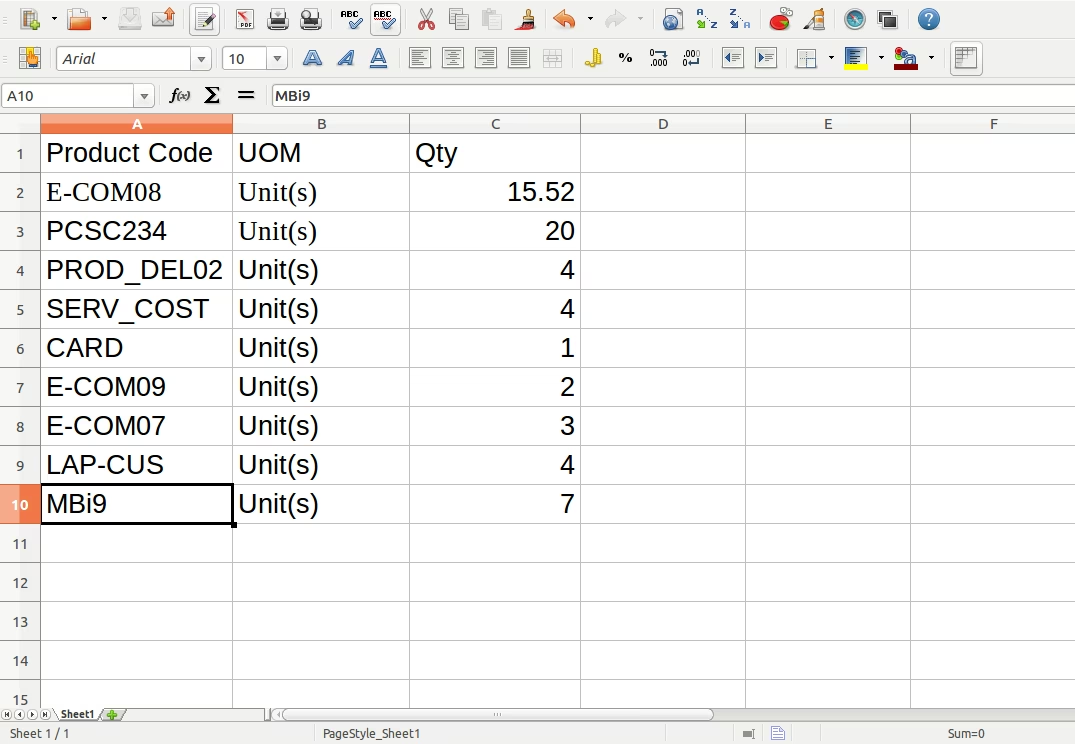
Sample Excel File