The module for allows businesses to import multiple purchase orders simultaneously using Excel files. This streamlines the procurement process, reduces manual data entry, and improves operational efficiency.
Bulk Import: Import multiple purchase orders at once from Excel files, saving time and reducing errors.
Data Validation: Ensure data integrity with built-in validation checks during the import process.
Error Handling: Identify and address errors promptly with detailed error messages and logs.
Automated Workflow: Automatically confirm purchase orders and validate delivery orders upon import, if configured.
Compatibility: Works seamlessly with Community and Enterprise editions.
Time Efficiency: Significantly reduce the time spent on manual data entry by importing multiple purchase orders in bulk.
Error Reduction: Minimize human errors associated with manual entry, ensuring accurate procurement data.
Streamlined Operations: Enhance procurement workflows by automating the purchase order creation process.
Improved Data Accuracy: Maintain consistent and accurate data across the procurement system.
Purchase Order Line Import from Excel
This app will allow your purchase team to import purchase order lines from excel file.
Main Features
- Allow you to import the purchase order lines from excel.
- Make sure you have xlwt Python library installed.
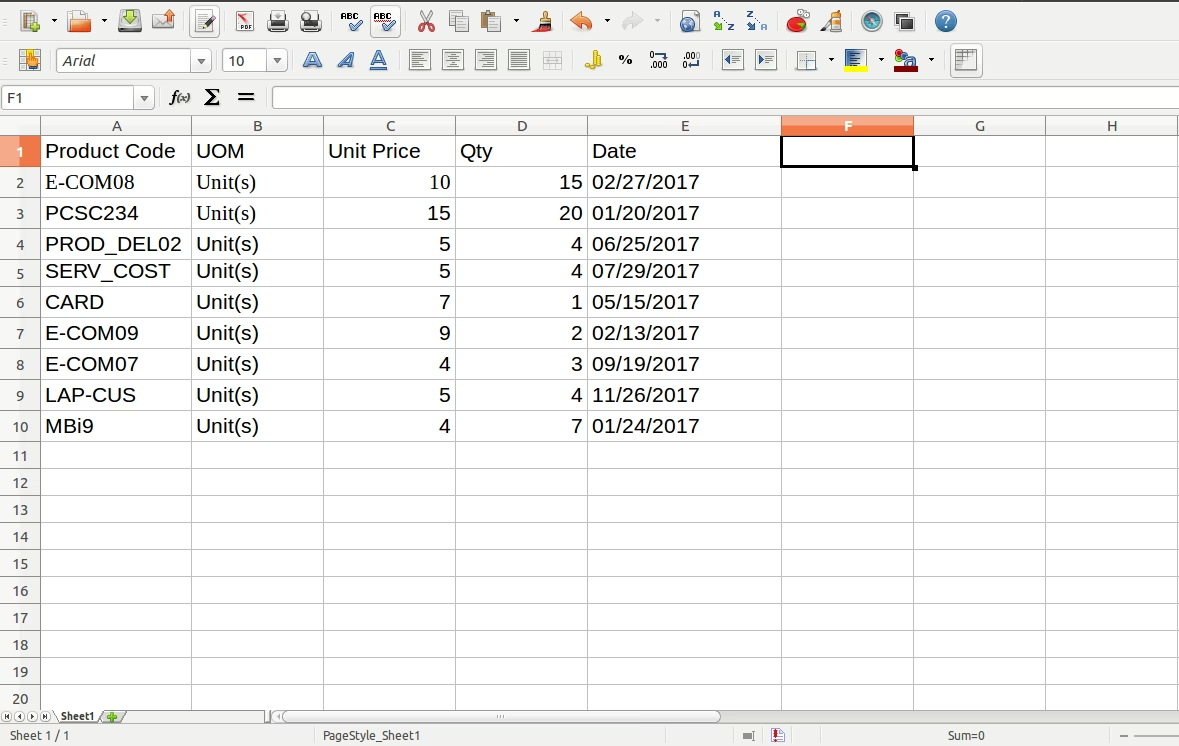
- Sample Excel is available inside the module folder.
- For more details please watch the video and check the screenshots below.
Fields to be imported:
- Product
- UOM
- Scheduled Date
- Taxes
- Description
- Quantity
- Unit Price
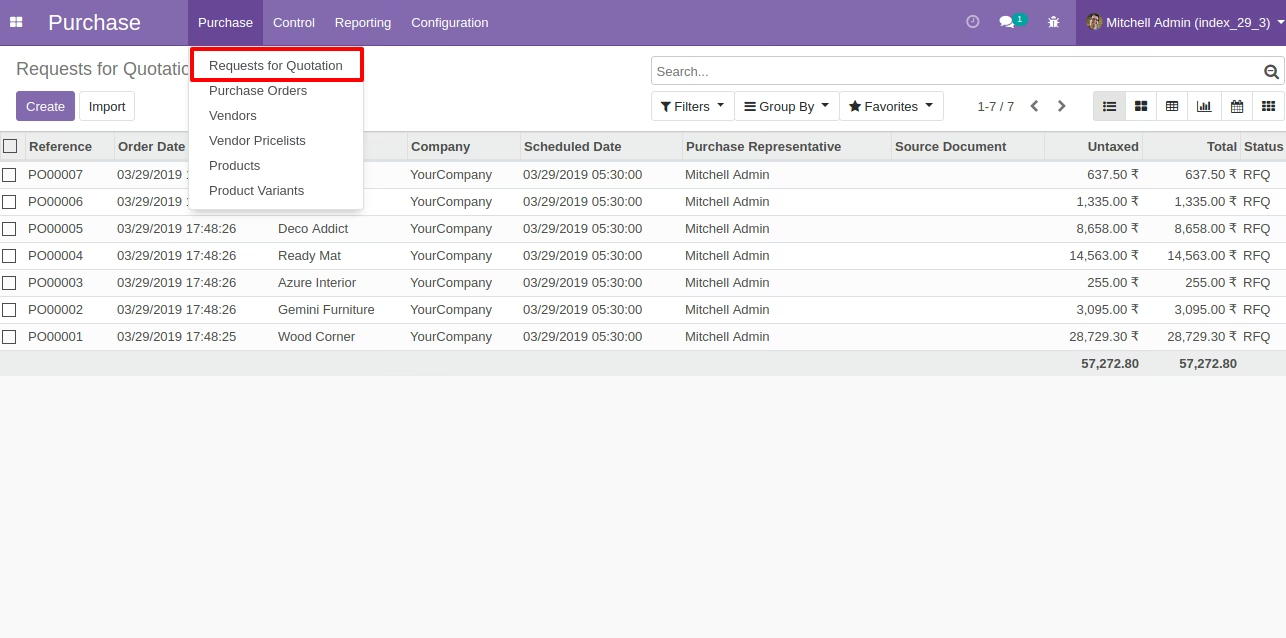
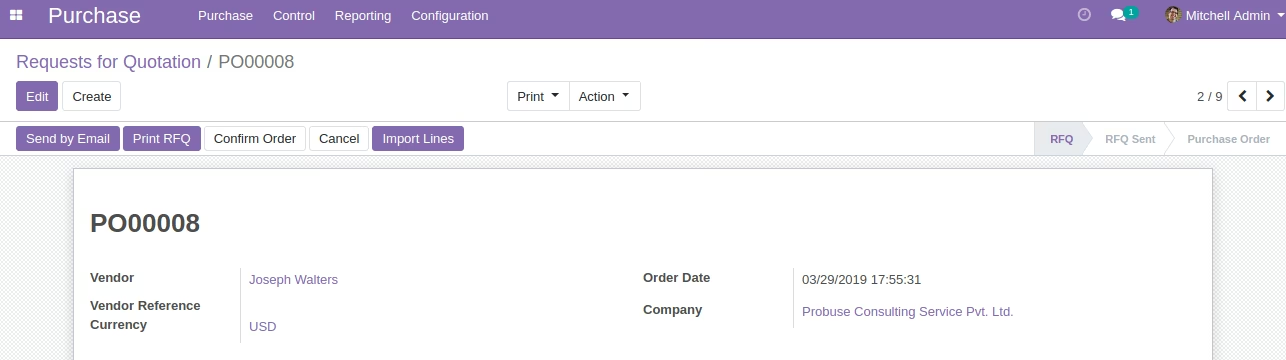
Requests for Quotation Menu
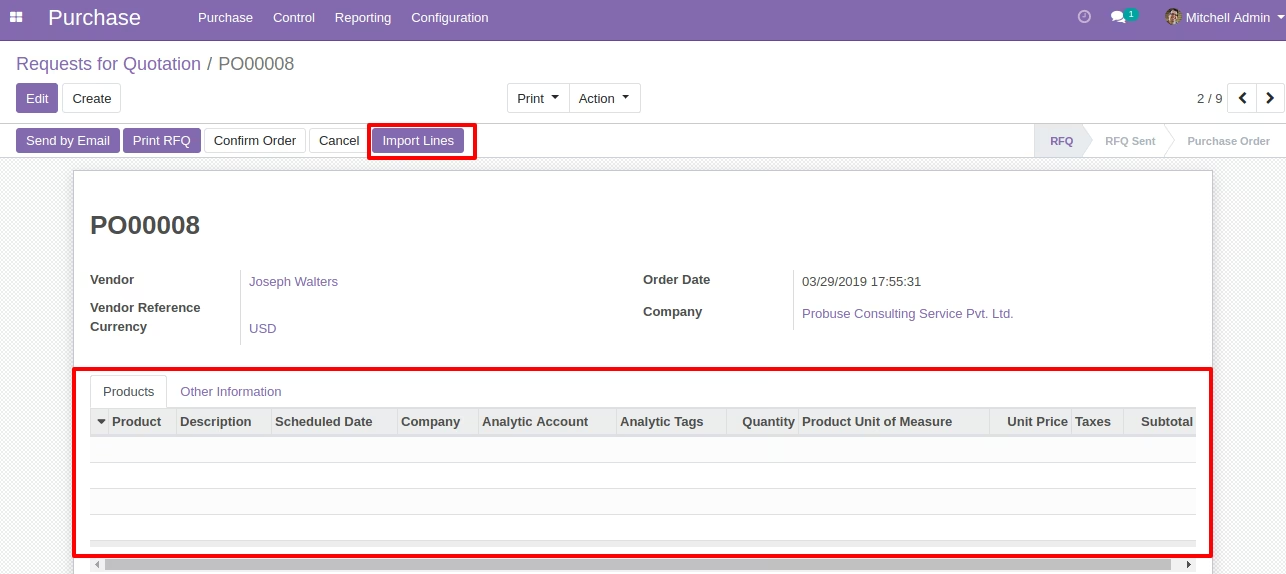
By clicking "Import line" button it will open the new wizard and on wizard we can select file to import.

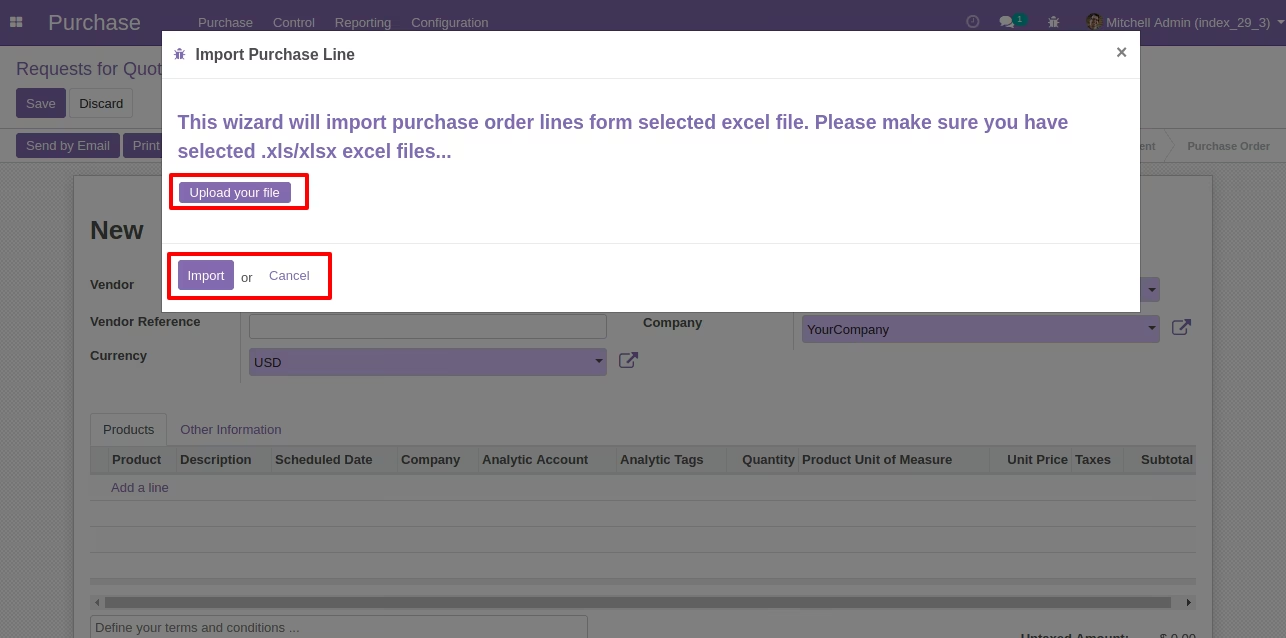
Purchase Order Line Import Wizard
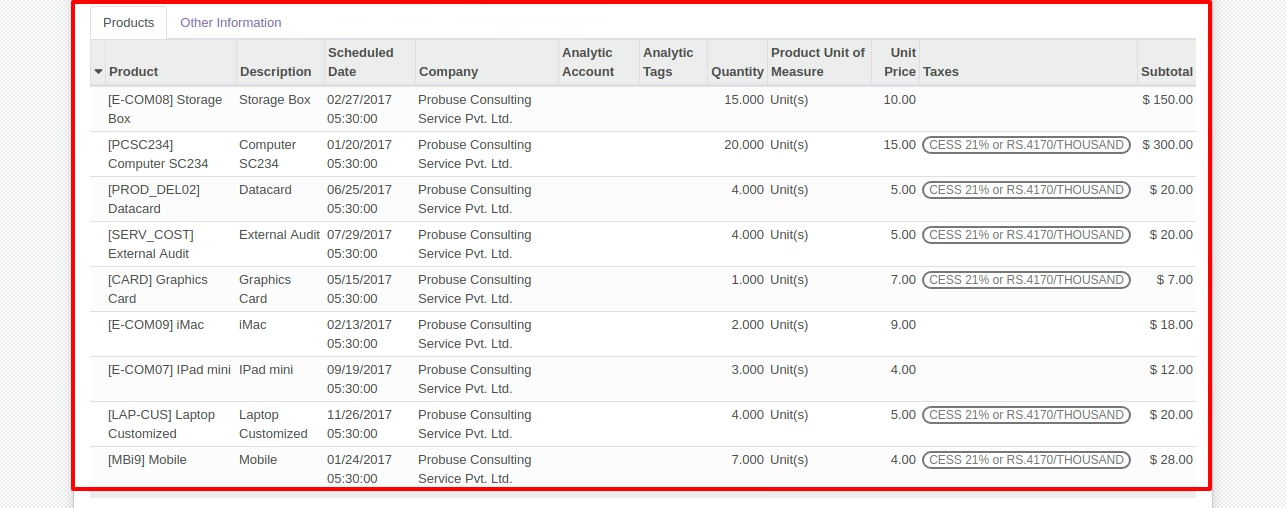
Created Purchase Order lines after Running Wizard.

Sample Excel File