Accelerate your project workflows and enhance productivity with the Import Projects and Tasks module. This essential tool is crafted for project managers and teams who need to set up complex projects quickly and accurately. By eliminating the laborious process of manually creating individual projects and tasks, this module allows you to import all necessary data in bulk from a single Excel or CSV file. Whether you are migrating from another project management system, setting up templated projects, or simply managing a high volume of tasks, this import utility ensures a fast, efficient, and error-free start to any project.
Dual import functionality to create both new projects and tasks in bulk.
Seamlessly import data from either Excel (.xlsx) or CSV (.csv) file formats.
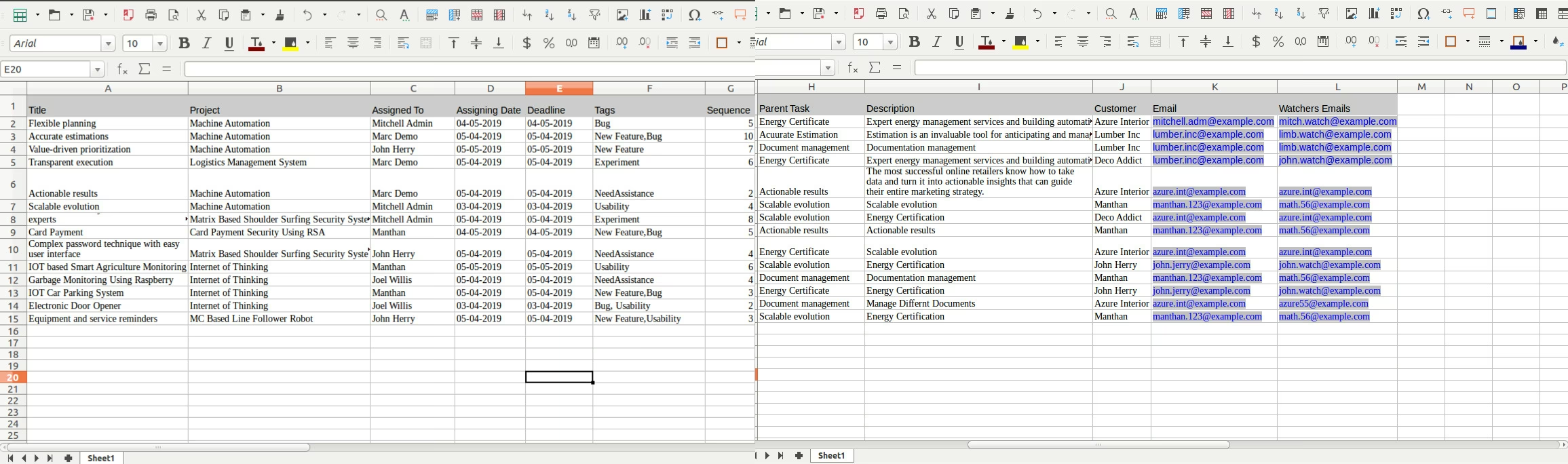
Map comprehensive task details, including task name, assigned user, project, tags, and deadlines.
Create new projects with just a project name or include more detailed information.
Intelligent validation to prevent errors by checking for existing projects, users, and tags.
User-friendly wizards for both project and task imports to guide you through the process.
Includes clear and simple-to-use sample files to ensure your data is formatted correctly.
Provides informative error messages to quickly identify and correct any issues in your import file.
Drastically reduces the time and effort required to set up new projects and task lists.
Ensures accuracy and consistency by eliminating manual data entry mistakes.
Perfect for migrating project data from other software or spreadsheets.
Streamlines the creation of recurring or template-based projects.
Allows for rapid onboarding of new clients and their associated project tasks.
Improves overall project management efficiency by automating initial setup.
Empowers project managers to focus on execution rather than administrative tasks.
Import Project Tasks from Excel in Odoo
This app allows you to Import Projects and Tasks from excel file.
Main Features:
Menus Available:
- Project
- Import
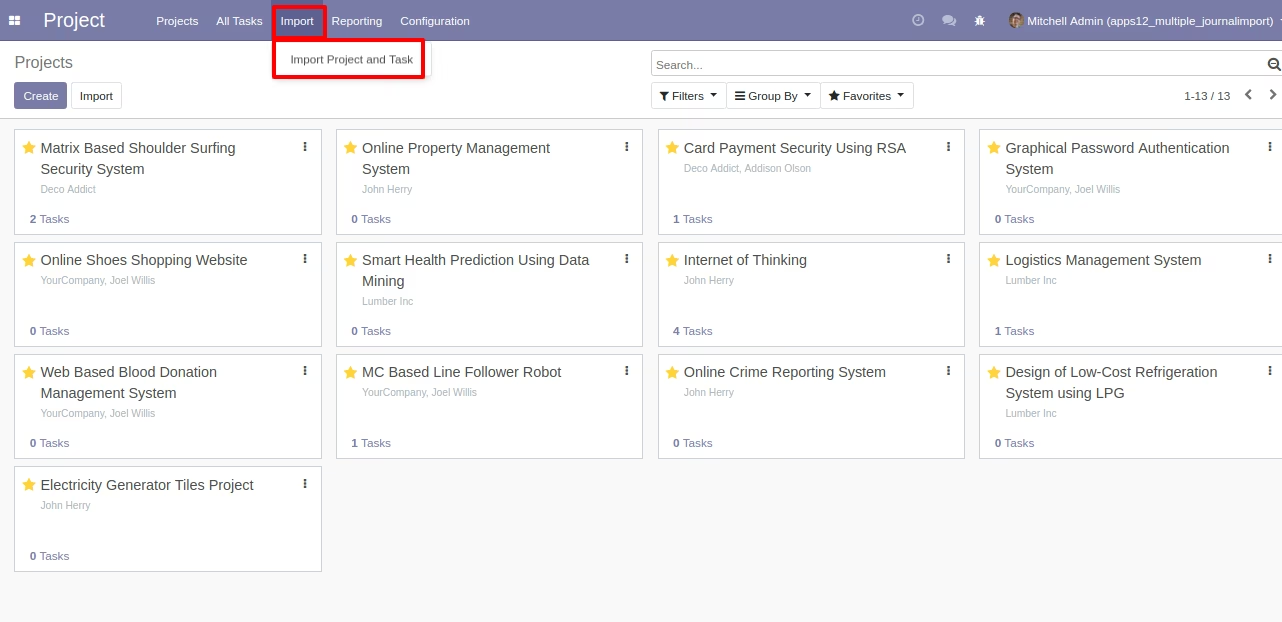
- Import Project and Task
Menu - Project :Import/Import Projects and Tasks
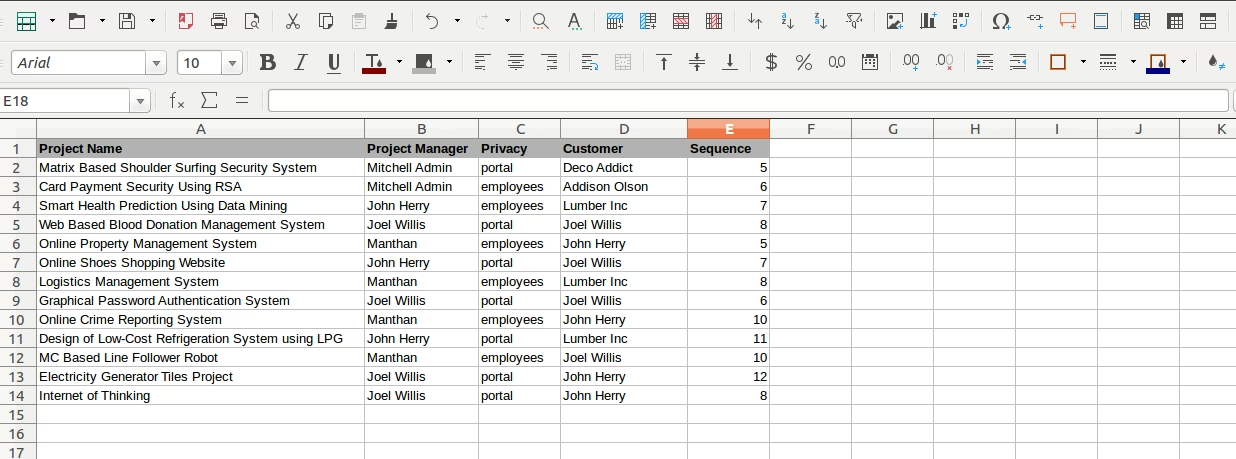
Sample Excel File for Project Import
(Also available inside Module/Sample Folder)
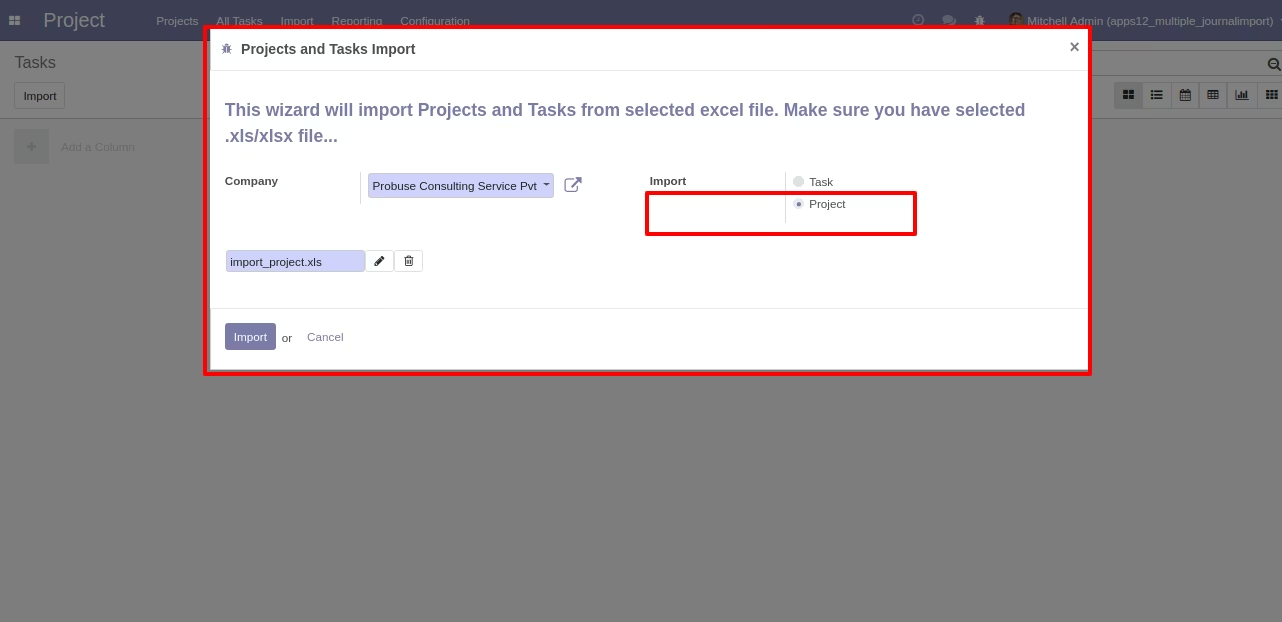
Wizard to Select Excel - Import Project
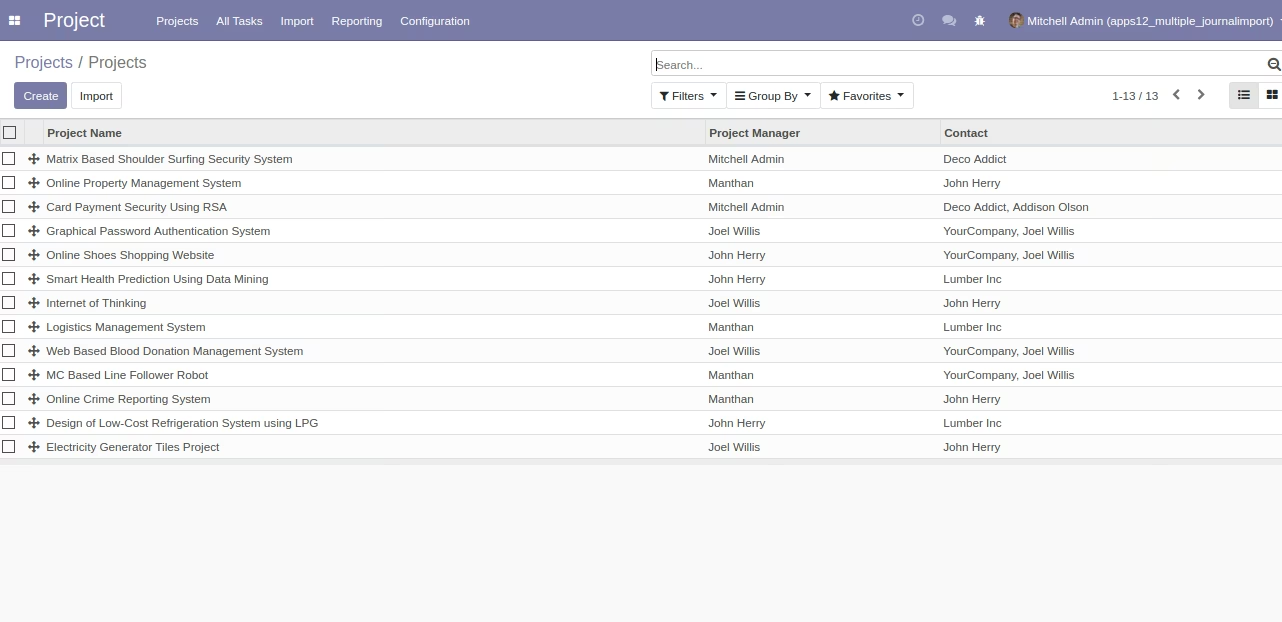
Imported Projects in List View
Sample Excel File for Task Import
(Also available inside Module/Sample Folder)
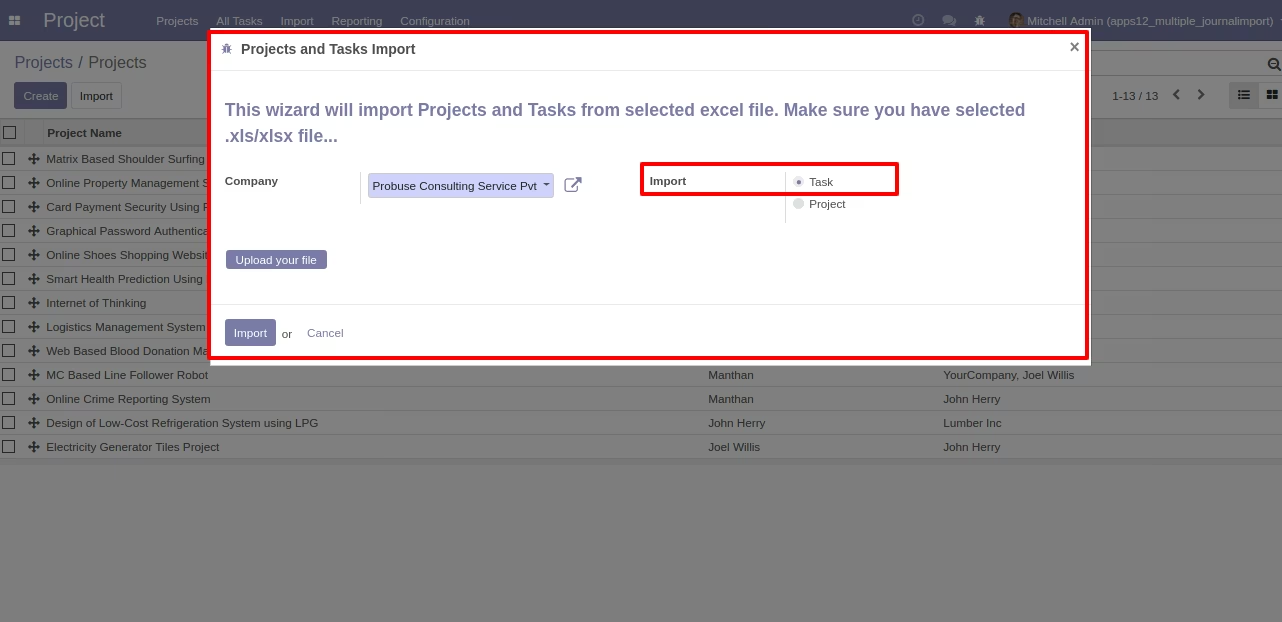
Wizard to Select Excel - Import Task
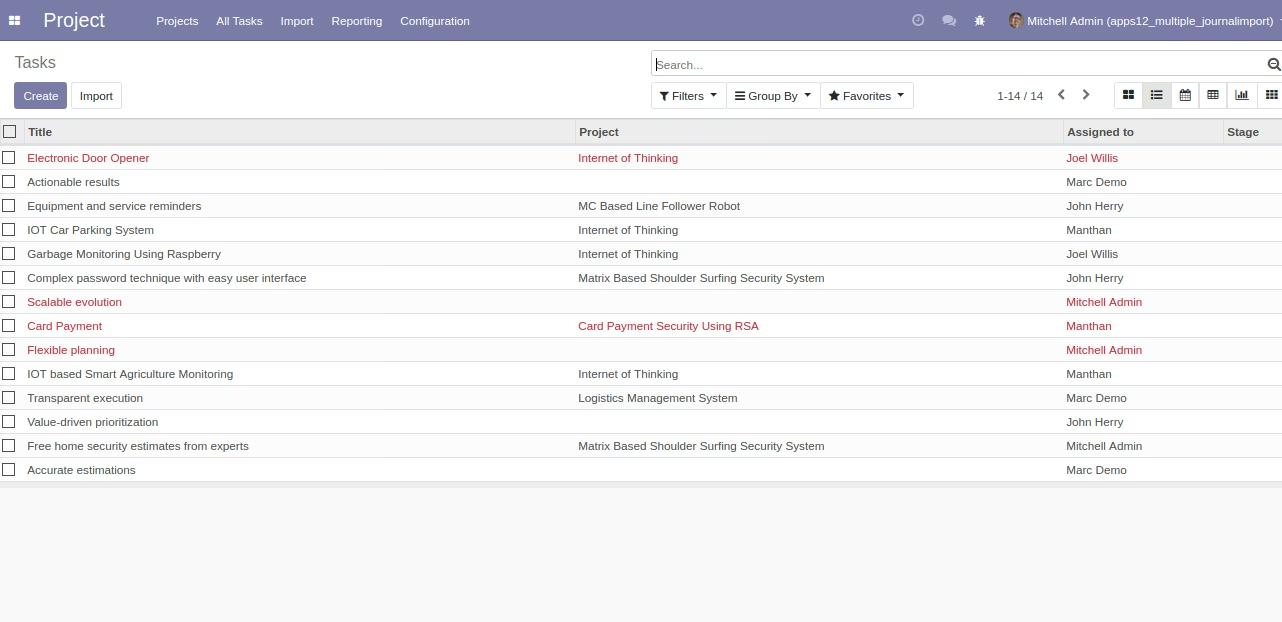
Imported Tasks in List View