
Streamline your contact management and accelerate your business setup with the Import Customers & Suppliers module. This essential tool is designed to eliminate the highly inefficient and error-prone task of manually creating partner records one by one. By allowing you to import comprehensive customer and supplier details including company information, contact persons, addresses, and payment terms in bulk from a single Excel or CSV file, you can build a robust and accurate contact database in a fraction of the time. This module is the ideal solution for migrating data from a legacy system, onboarding a large number of new clients or vendors, or simply keeping your partner information consistently up-to-date.
Import both customer and supplier (partner) data from a single, unified interface.
Supports both Excel (.xlsx) and CSV (.csv) file formats for your convenience.
Flexibility to create new partner records or update existing ones.
Differentiates between individual contacts and company records during import.
Import a wide range of partner details, including name, address, phone, email, and website.
Set key commercial information such as payment terms and pricelists.
Includes an easy-to-use sample file to ensure your data is perfectly formatted for a smooth import.
Provides clear validation and error messages to help you quickly identify and fix any issues.
Drastically reduces the time and effort required for contact data entry and management.
Ensures high levels of accuracy and consistency across your entire partner database.
Accelerates the setup process for new implementations or company migrations.
Streamlines the onboarding of new customers and suppliers.
Enables easy and efficient bulk updates to contact information.
Improves the quality of your CRM and accounting data.
Empowers your sales and purchasing teams with accurate and readily available contact information.
Import Products and Partners in Bulk
Import Large Records via Excel or CSV
Auto-Generate Variants from Attribute Values
Upload Templates with Multiple Variants Easily
If you have bulk of products template , product variants or partner in excel or csv format. When you get data of partner or products from marketing company than don't need to enter them manually. With using this apps you can import them quickly. Don't worry while you are having large records of customers/partners and products, after installing this module it will be easily imported in single click. Import Product Advance option of this Apps features helps to import product template with multiple variants together, you have to add product template with all attributes and attributes values than product template imported with its attributes data and create all variants automatically according to the attributes.
Import Product Template and it's Product Variants with Attributes and Attributes Values
Here this import "Product Template with Attributes" feature allows user to import product template with multiple product variant along with it's attributes and attributes value. single line of template with multi attribute creates several variant automatic same as process. if we assign 2 attributes with 3 values then it will create 1 product template with attributes value along with 6 variants.
Import/Update Product Template
Data File Sample.
Given below is the sample of import file to upload product,It is mandatory to use given format to create XLS file.


- Name
- - Name of the product.
- INTERNAL REFERENCE
- - Internal reference of the product.
- CATEGORY
- - Category of the product.
- TYPE
- - Type of the Product.
- BARCODE
- - Barcode of the product.
- UOM
- - Unit of Measure of the product.
- PURCHASE UOM
- - Purchase uom of the product.
- SALE PRICE
- - Sale price of the product.
- COST PRICE
- - Cost price of the product.
- WEIGHT
- - Weight of the product.
- VOLUME
- - Volume of the product.
- CUSTOMER TAXES
- -taxes of salable product
- VENDOR TAXES
- -taxes of purchase product
- TRACKING
- - tracking of the product
- ATTRIBUTES
- - Product Attributes.
- - Format of the product attributes:-
- Product attributes & value are separate by ':'
- Product new attributes are separated by ';'
- Product new attribute line is separated by '#'
- Note: Ex. Product Name - 'SHIRT' , Product Attributes - 'Size:XL;XXL#Color:Red;White' in that 'Size & Color' is an attributes, 'XL,XXL' & 'Red,White' is a value, attributes & value are separated by ':', new attributes are separated by ';' , 'Size:XL;XXL' & 'Color:Red;White' is a separate attribute line and it is separated by '#'.
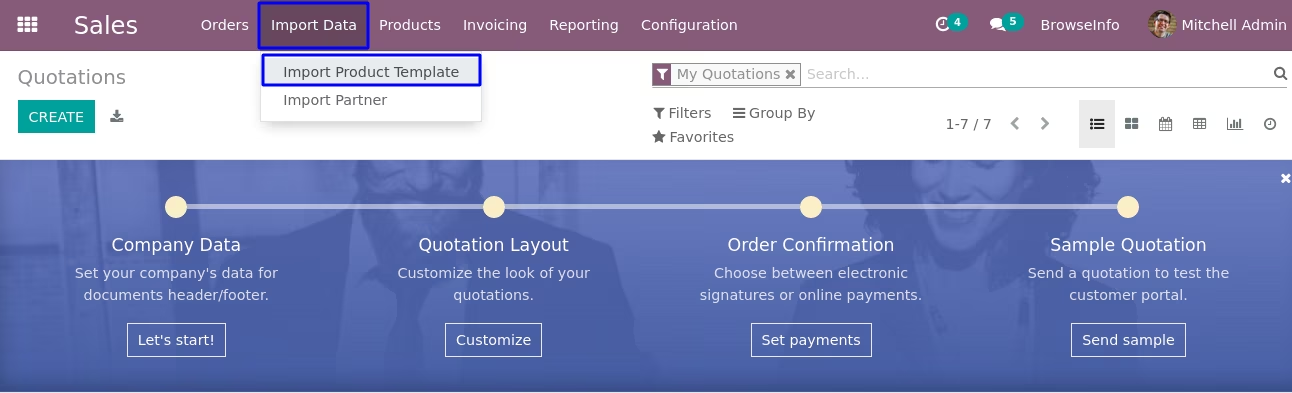
Import Product Template Menu
Menu for importing data of product template.
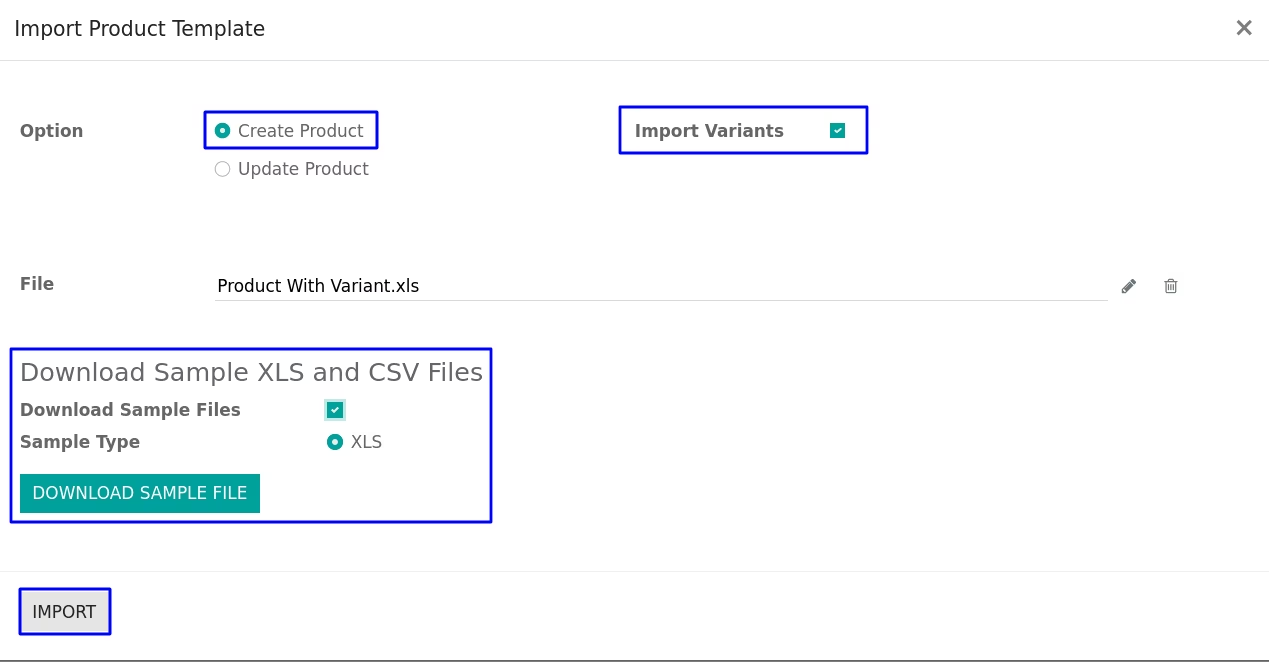
Import Product Variants Wizard with Attributes
In this wizard you have to tick 'Import Variants' for upload properly formatted XLS file which you want to import for upload new product variants or update data of existing product.
User can download sample file to import product by enable "Download Sample Files" option and select "Sample Type" as CSV or XLS and click "DOWNLOAD SAMPLE FILE" button on wizard.
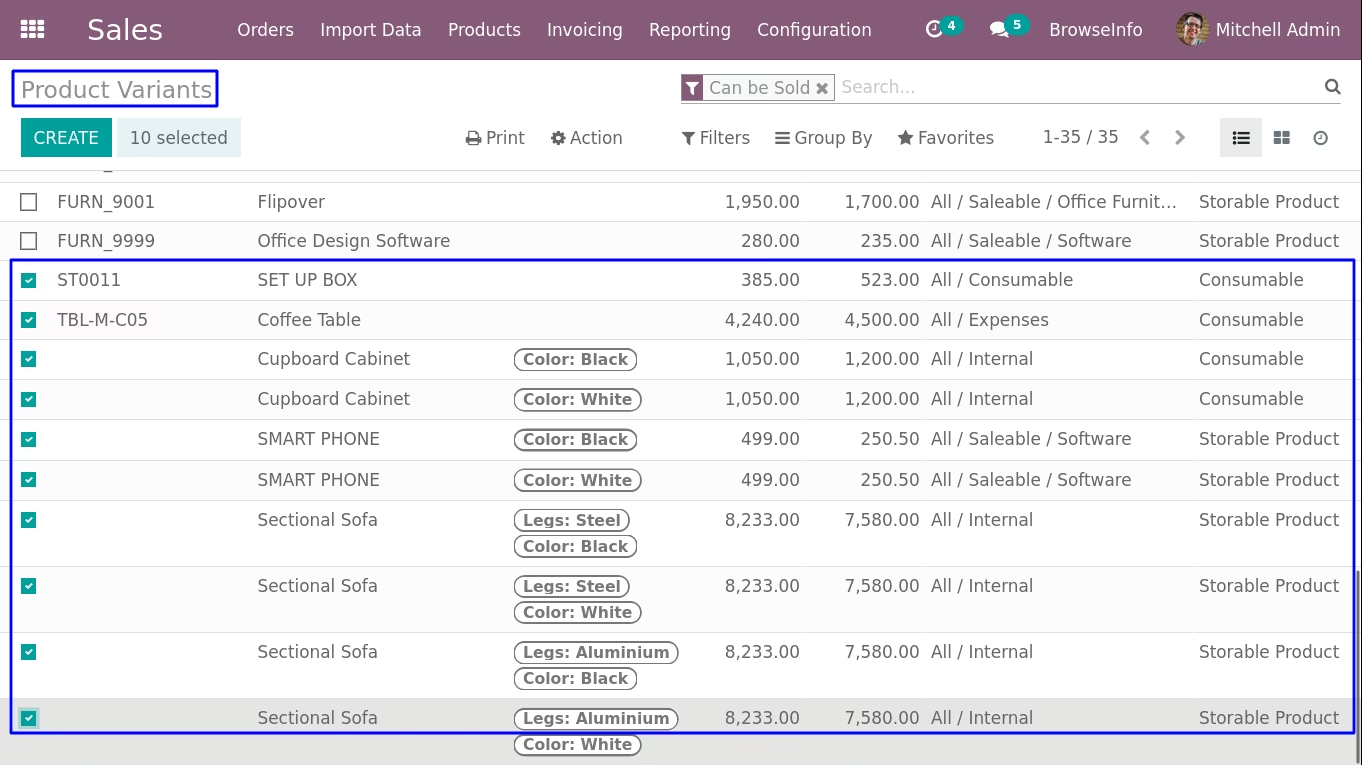
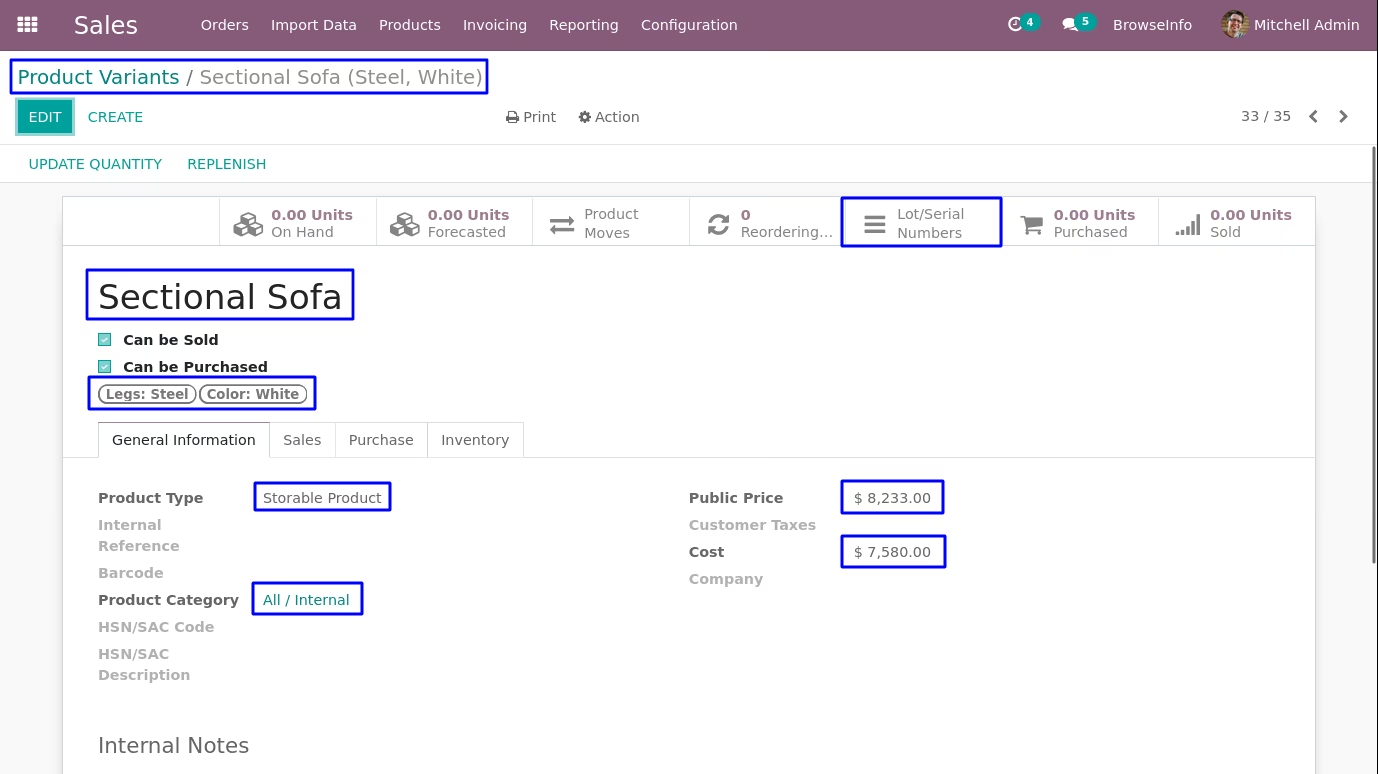
Created Product Variants View
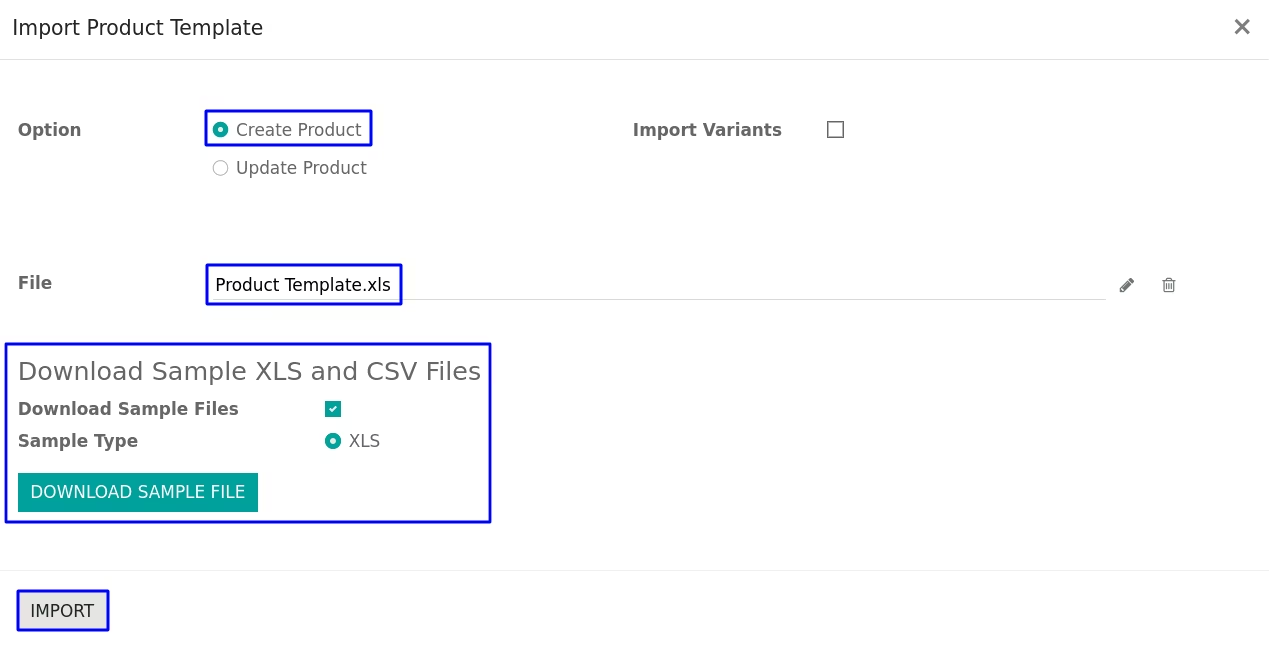
Import Product Template Wizard without Attributes
In this wizard you have to upload properly formatted XLS file which you want to import for upload new product or update data of existing product.
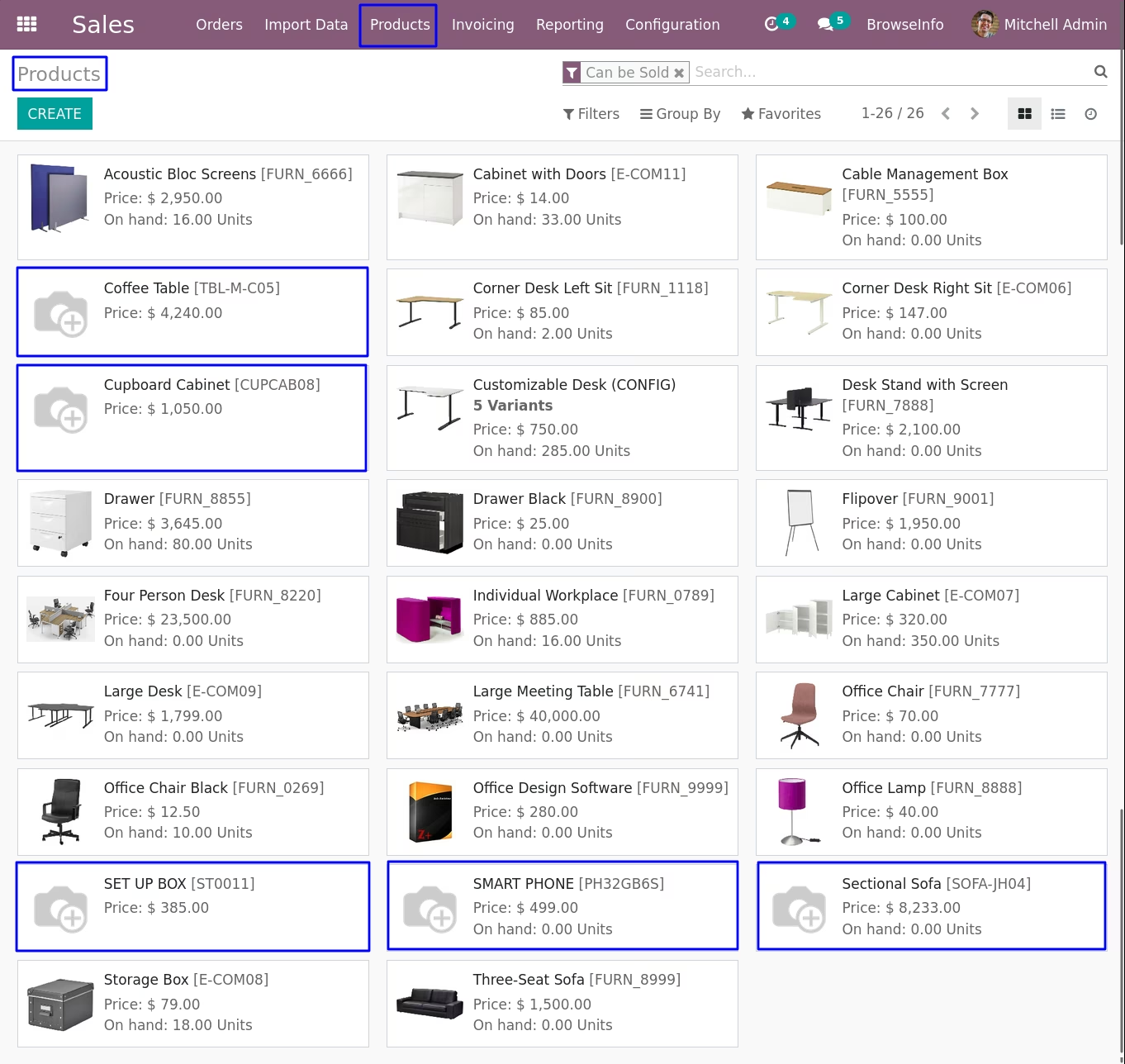
Created Product Template View
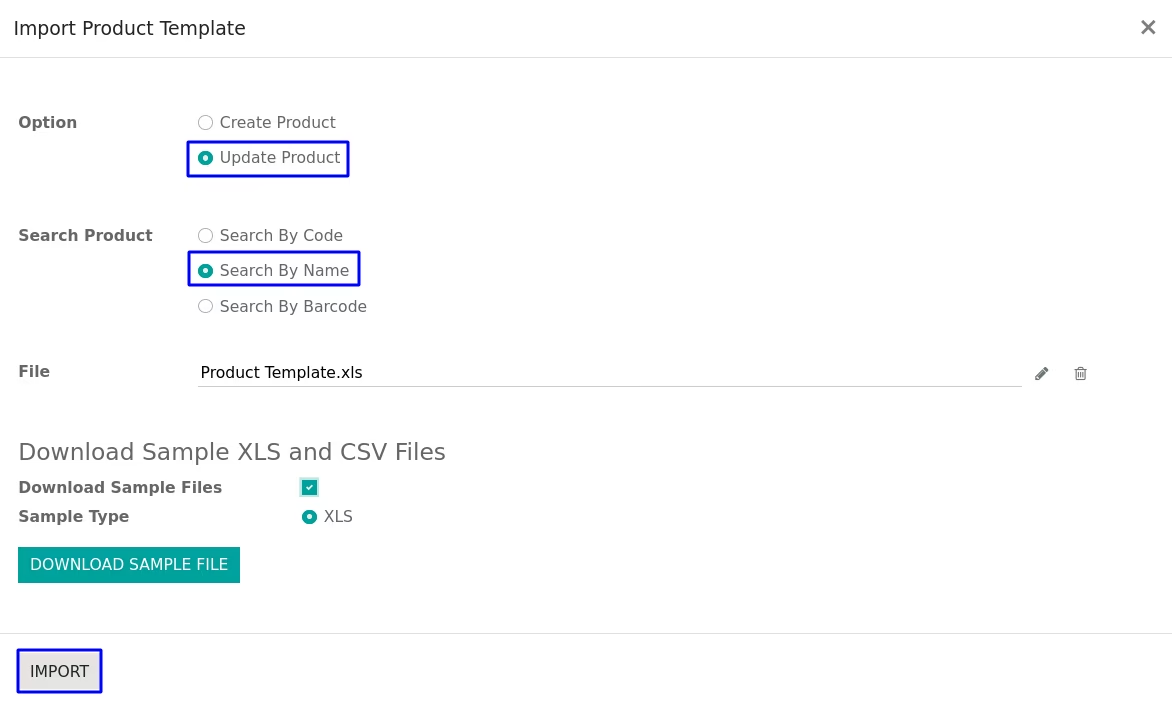
You can update product by search product by their "Name" or "Internal Reference(Code)" or "Barcode"
If you added value on column that field will be updated rest other you can put blank and we have to keep format of the file same as current.
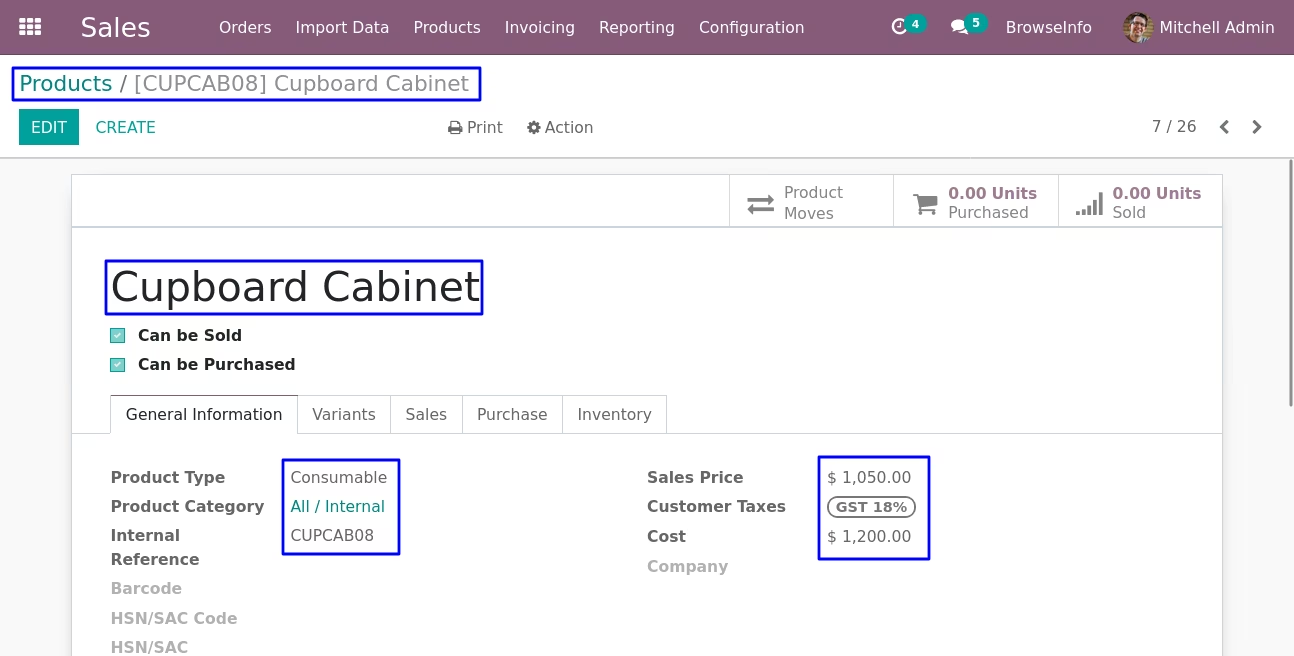
Product After Updated Data is Displayed
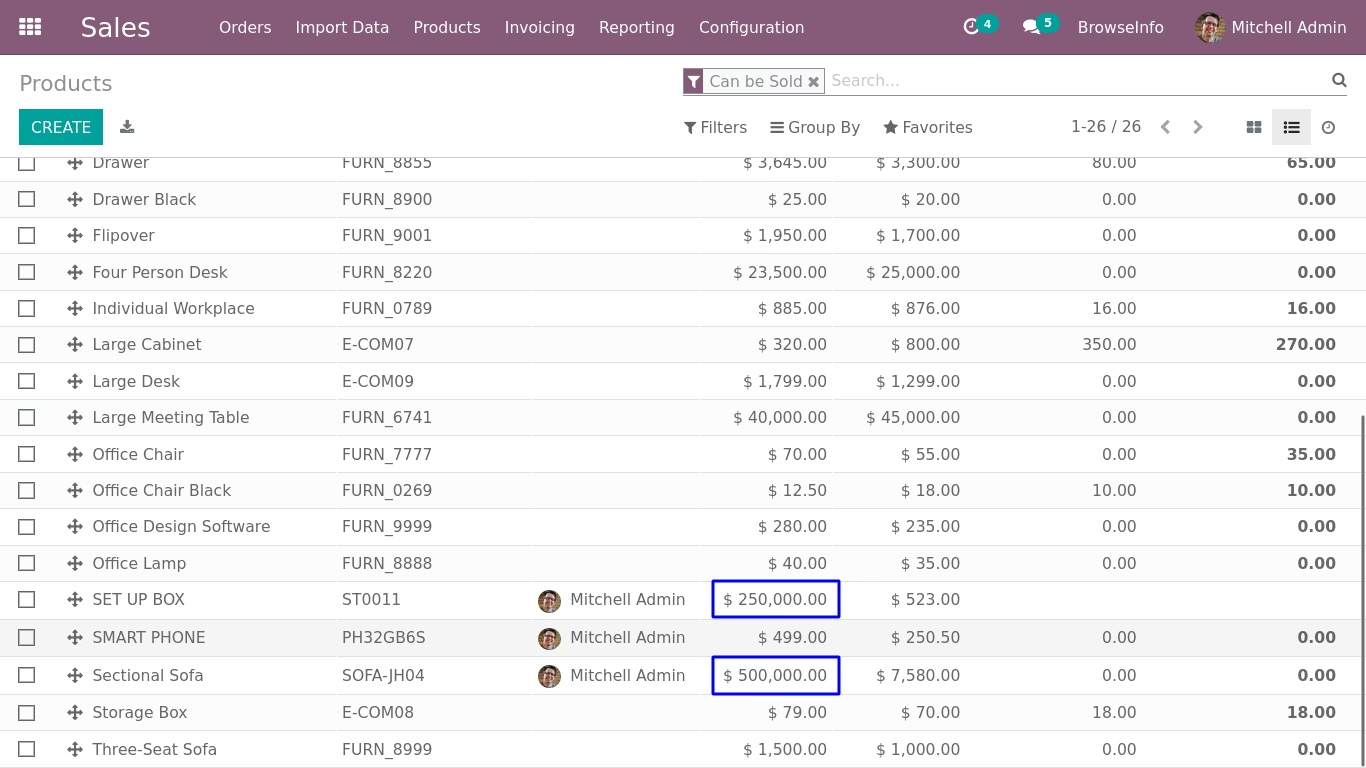
Import Product Variants without Attributes and Attributes Values
Here this import "Product Variants without Attributes" feature allows user to import product variant. if you want to use "Product Variants with Attributes and Attributes Values" then you can use above feature of import "Product Template with Attributes".
Import and Update Product Variant
Data File Sample.
Given below is the sample of import file to upload product,It is mandatory to use given format to create XLS file.


- Name
- -Name of Product
- Internal Reference
- -Reference for product.
- Category
- -Category of product.
- Type
- -Type of product
- Barcode
- -Barcode of product
- UOM
- -Unit of measure for product
- Purchase UOM
- -Purchase product unit of measure
- Customer Taxes
- -taxes of salable product
- Vendor Taxes
- -taxes of purchase product
- Description
- -Description of product
- Invoice Policy
- -Invoice policy of product
- Sale Price
- -Price of product saleable product variant
- Cost Price
- -Cost price of product variant
- Weight
- -Weight of product variant.
- Volume
- -Volume of product variant.
- Image Path
- -Path of the product image.
- Can Be Sold
- -True/False for sold product.
- Can Be Purchase
- -True/False for purchase product.
- On Hand Quantity
- -On hand quantity of product.
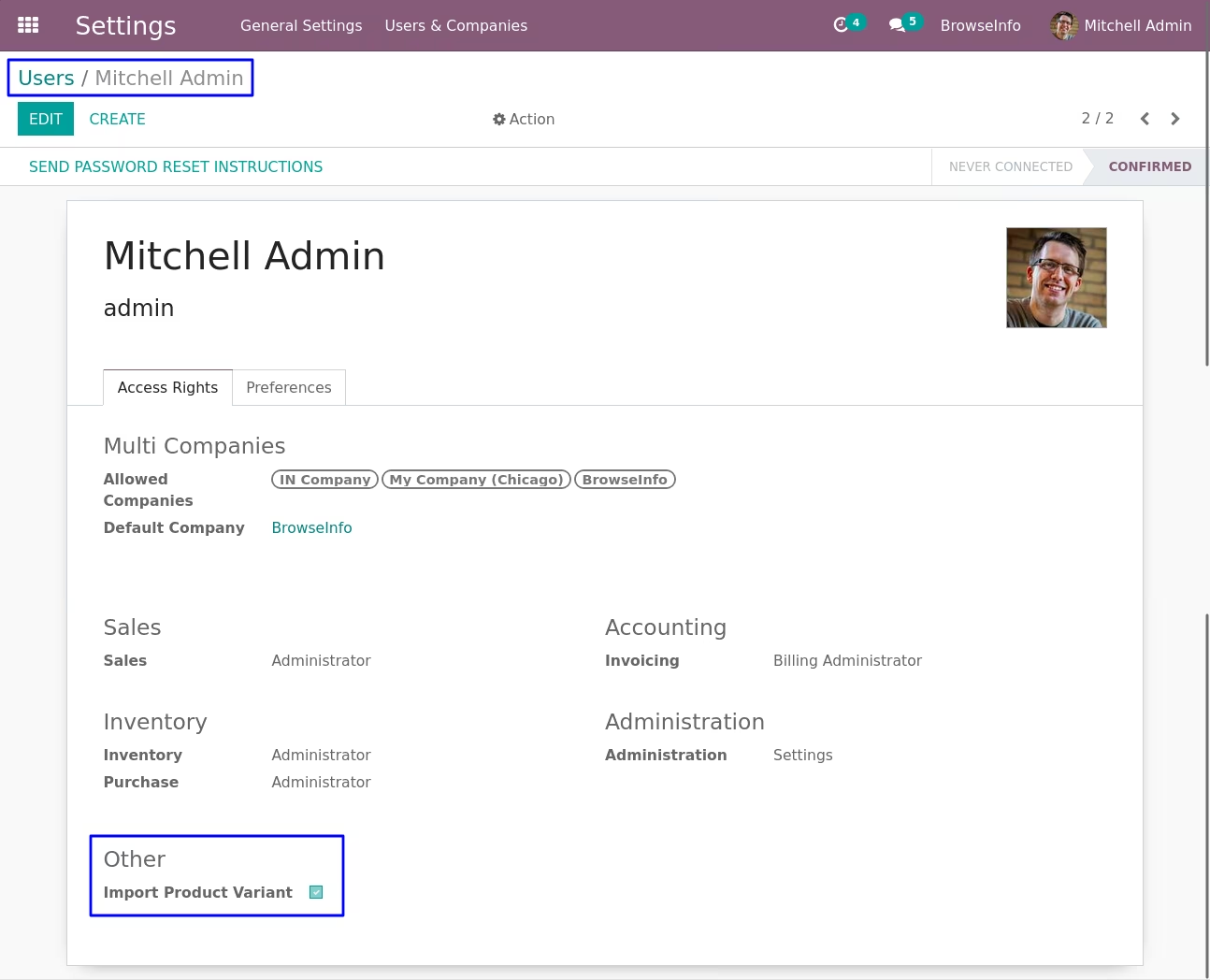
Configuration of Product Variant
Figure shows the access right given to user then user can see the 'Import Product Variant' menu.
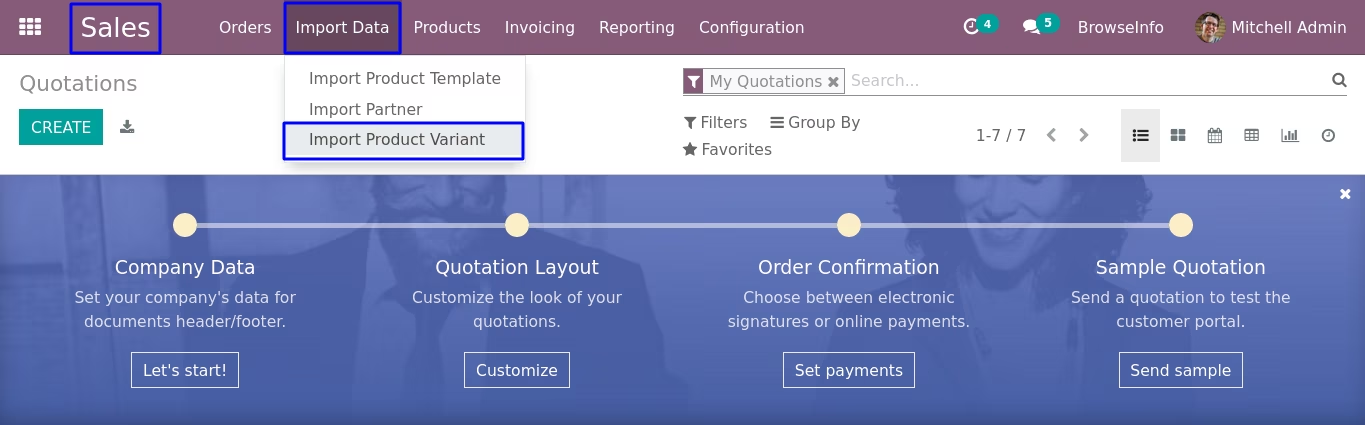
Product Variant Menu
Figure shows the menu for importing data of Product variants.
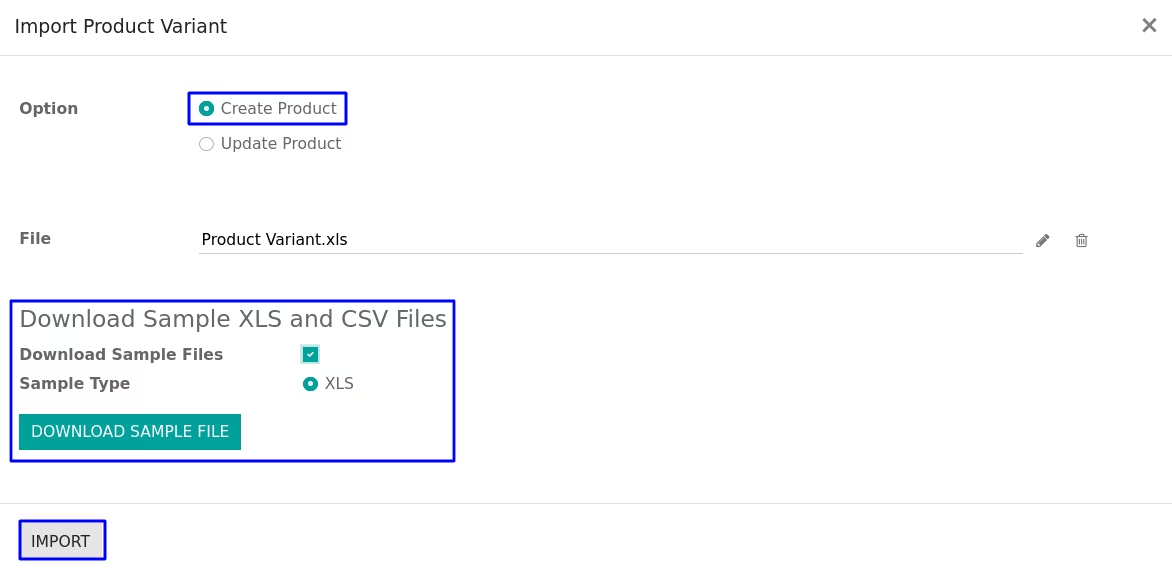
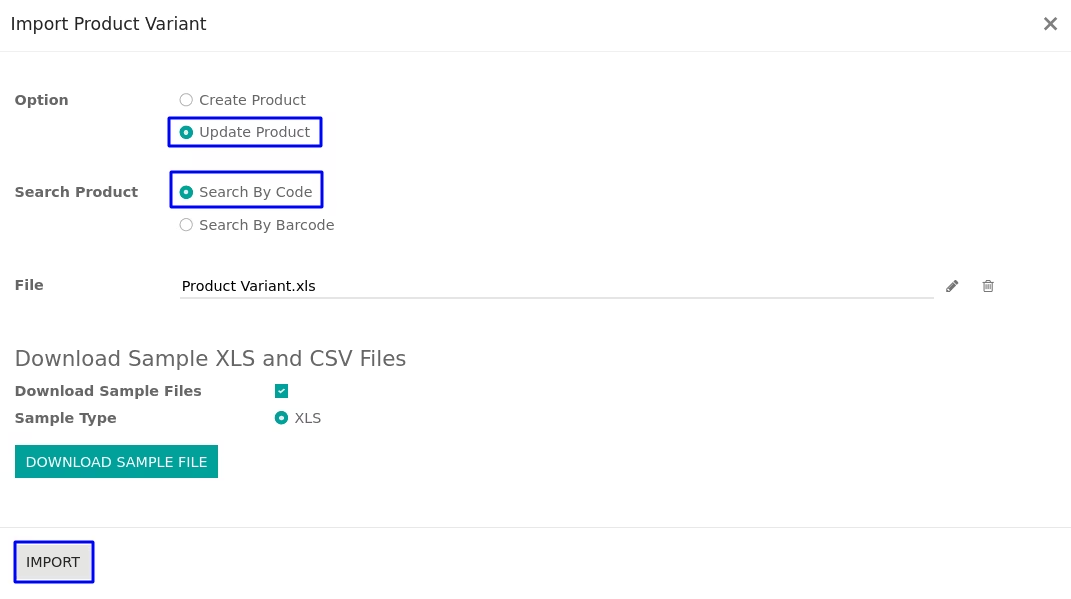
Product Variant Wizard
In this wizard you have to upload properly formatted XLS file which you want to import for upload new product or update data of existing product.
User can download sample file to import product variants by enable "Download Sample Files" option and select "Sample Type" as CSV or XLS and click "DOWNLOAD SAMPLE FILE" button on wizard.
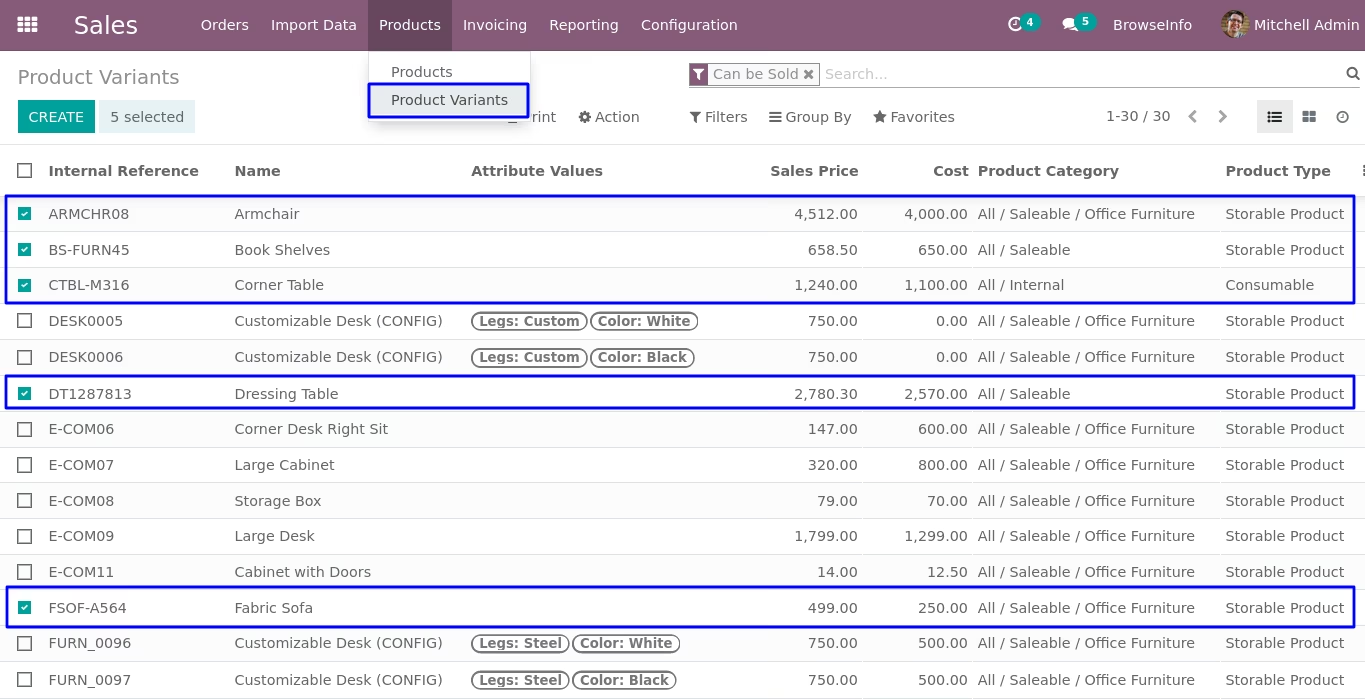
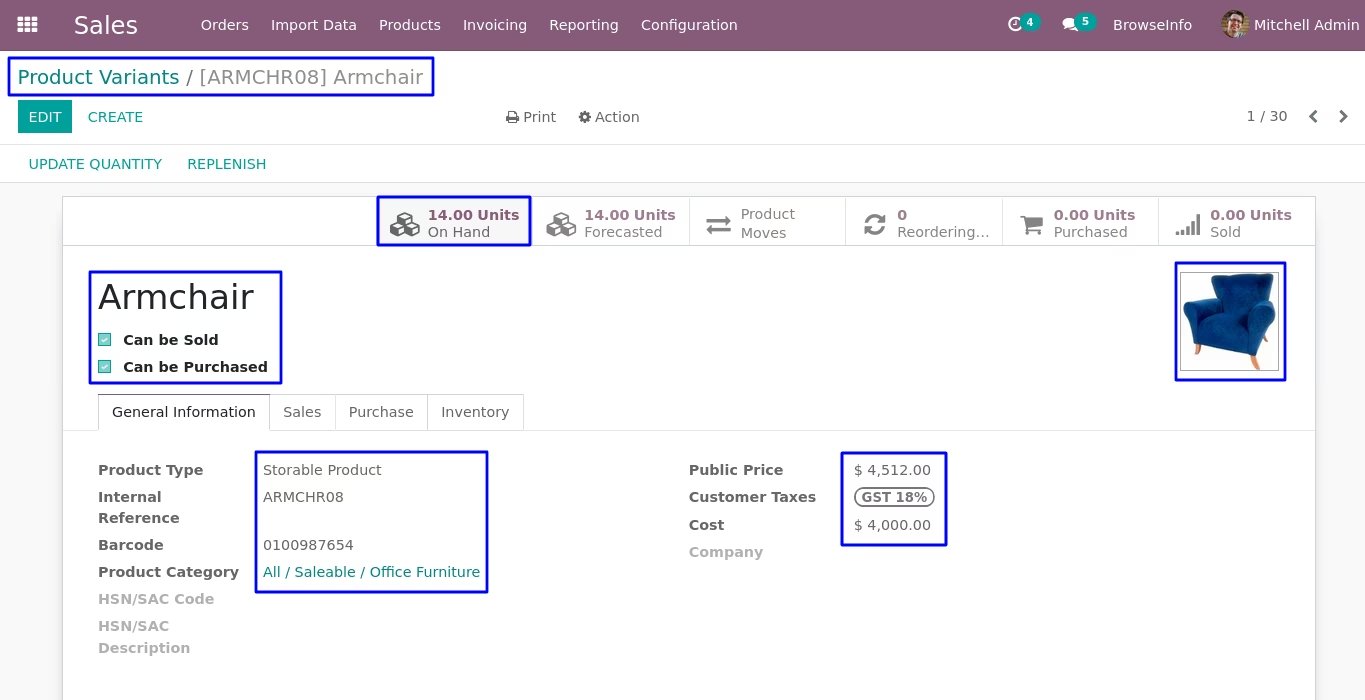
Product Variant View
Figure shows the products variant created from given data file.
You can update product by search product by their "Barcode" or "Internal Reference(Code)"
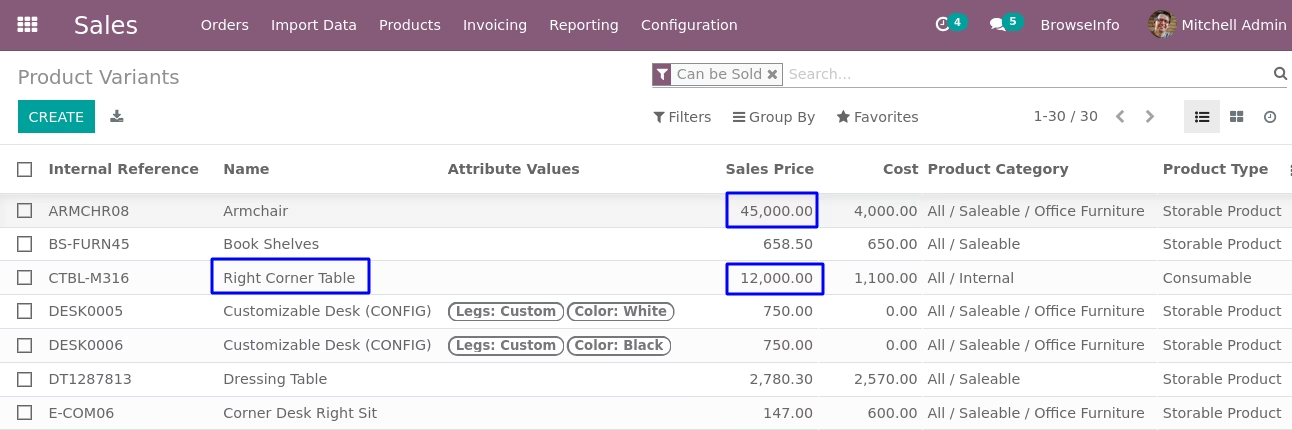
Product After Updated Data is Displayed
Import and Update Contact
Data File Sample.
Given below is the sample of import file to upload product,It is mandatory to use given format to create XLS file.

- Name
- -Name of partner
- Type
- -Type of partner.
- Parent
- -Parent of partner.
- Street
- -Street name of partner's address
- Street2
- -Street2 name of partner's address
- City
- -City name of partner's address
- State
- -State name of partner's address
- Zip
- -Zip code of partner's address .
- Country
- -Country name of partner.
- Website
- -Website of partner.
- Phone
- -Phone number of partner.
- Mobile
- -Mobile number of partner.
- -Email of partner.
- Customer
- -Set True if partner is customer.
- Vendor
- -Set True if partner is vendor.
- SalesPerson
- -Salesperson for create partner.
- Internal Reference
- -Internal Reference for partner.
- Customer Payment Method
- -Payment method of customer.
- Vendor Payment Term
- -Payment period for vendor.
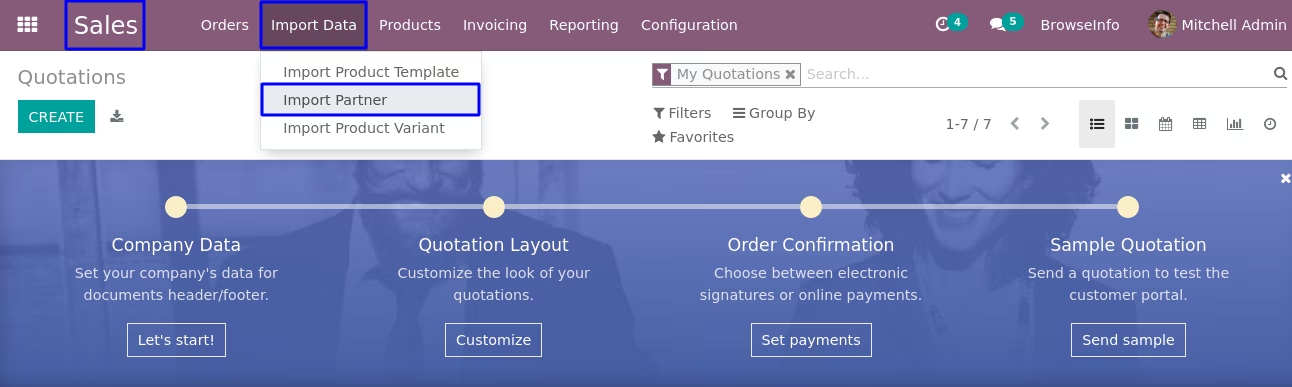
Import Partner Menu
Figure shows the menu for importing data for create partner or update partner data.
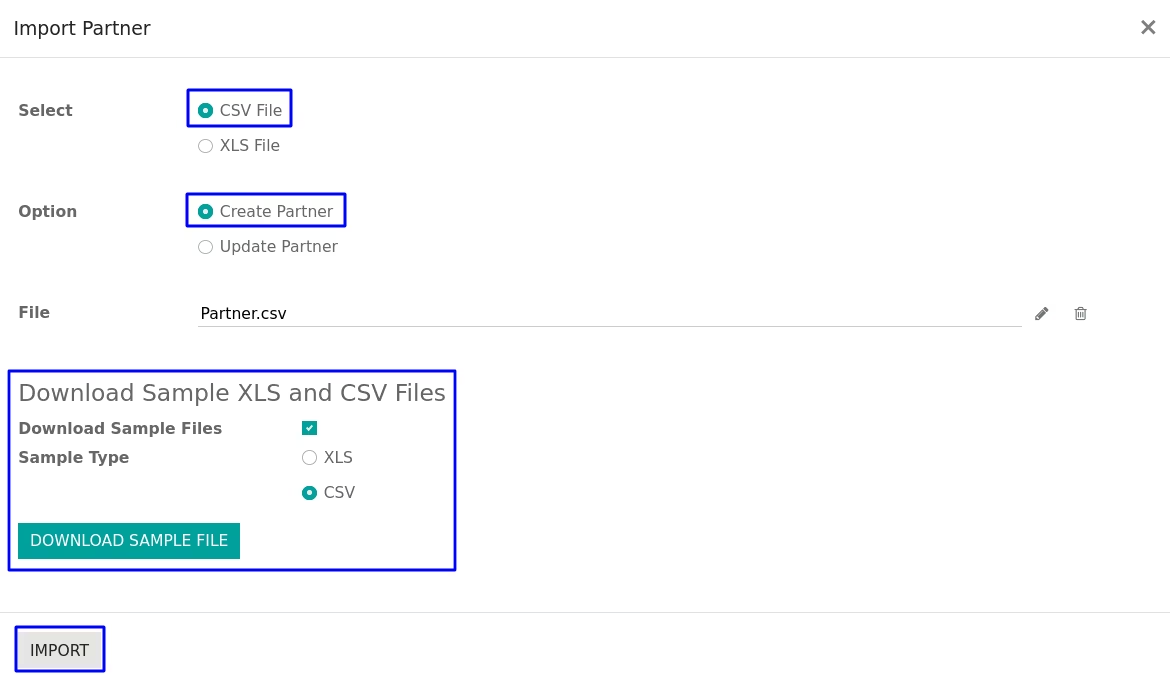
Import Partner Wizard
In this wizard you have to upload properly formatted XLS or CSV file which you want to import for partner.
User can download sample file to import update partner by enable "Download Sample Files" option and select "Sample Type" as CSV or XLS and click "DOWNLOAD SAMPLE FILE" button on wizard.
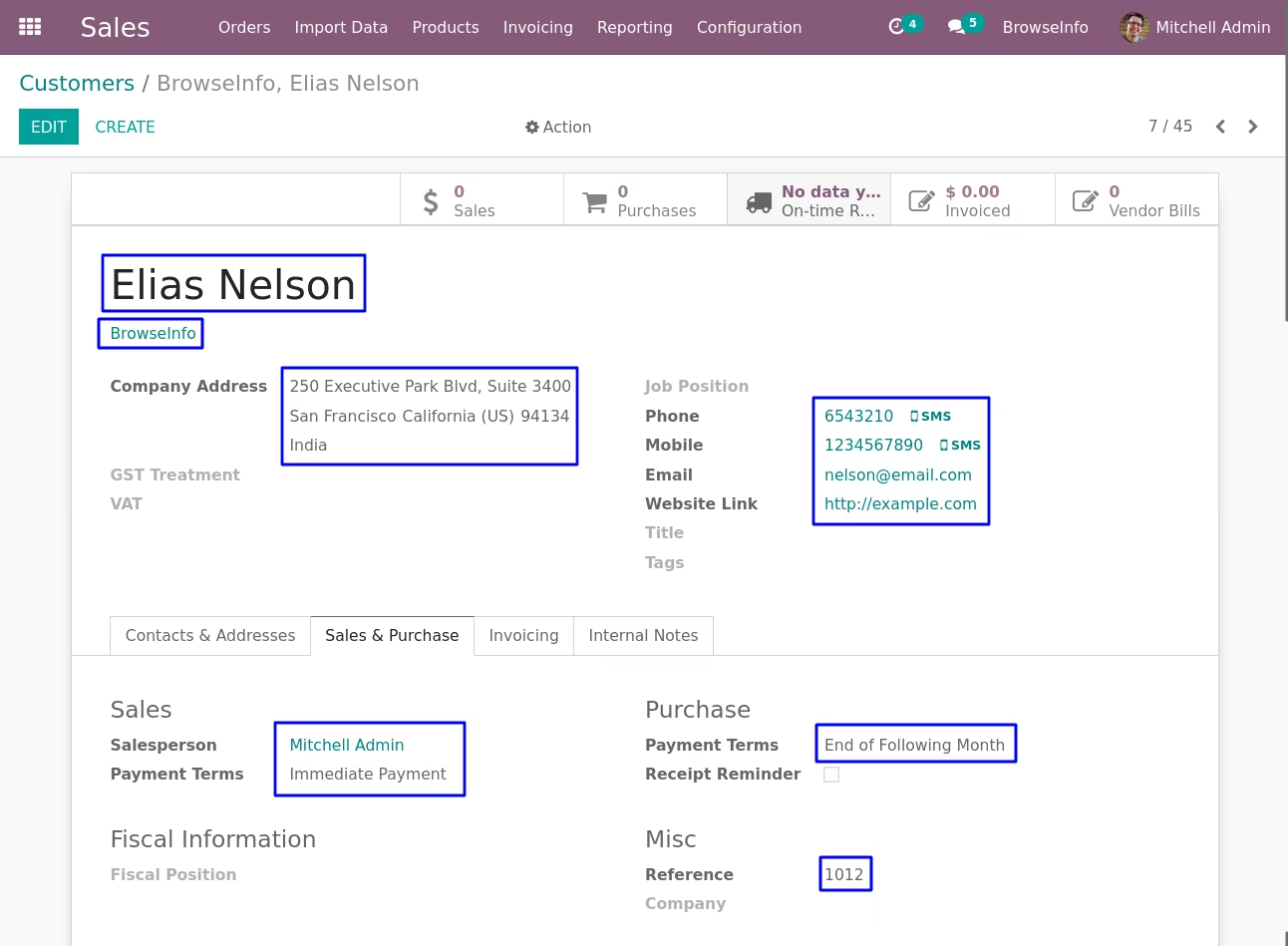
Created Partner View
Figure shows the partner created from given data file.

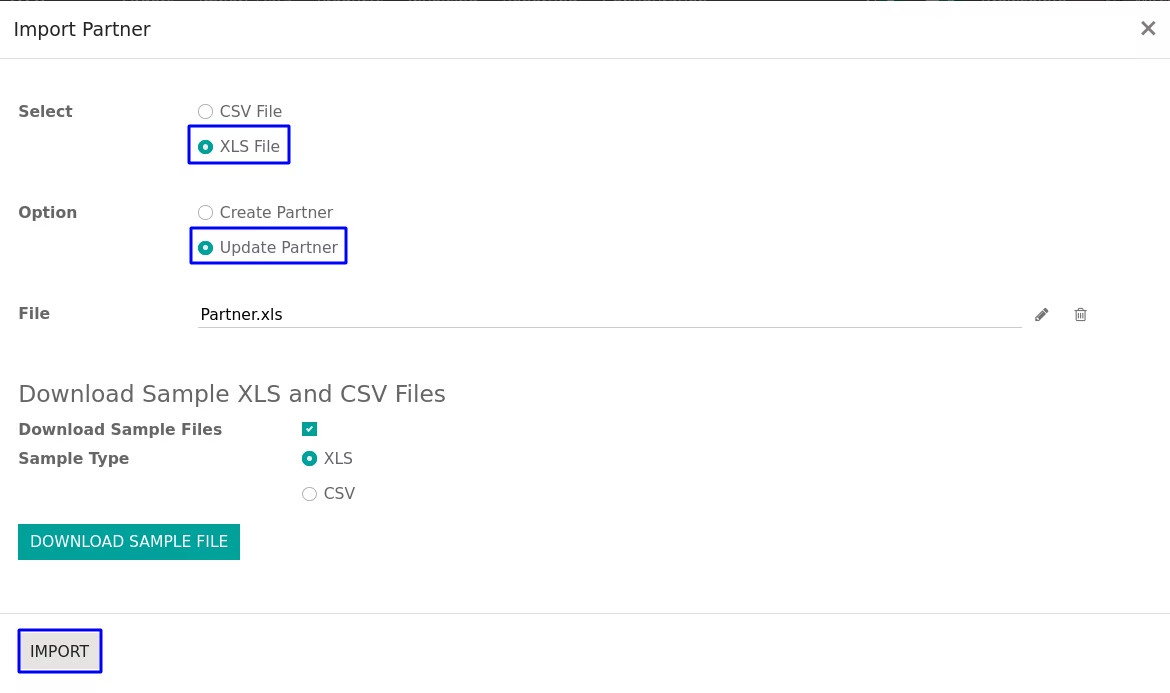
When you want to update partner data then select "Update Partner" data
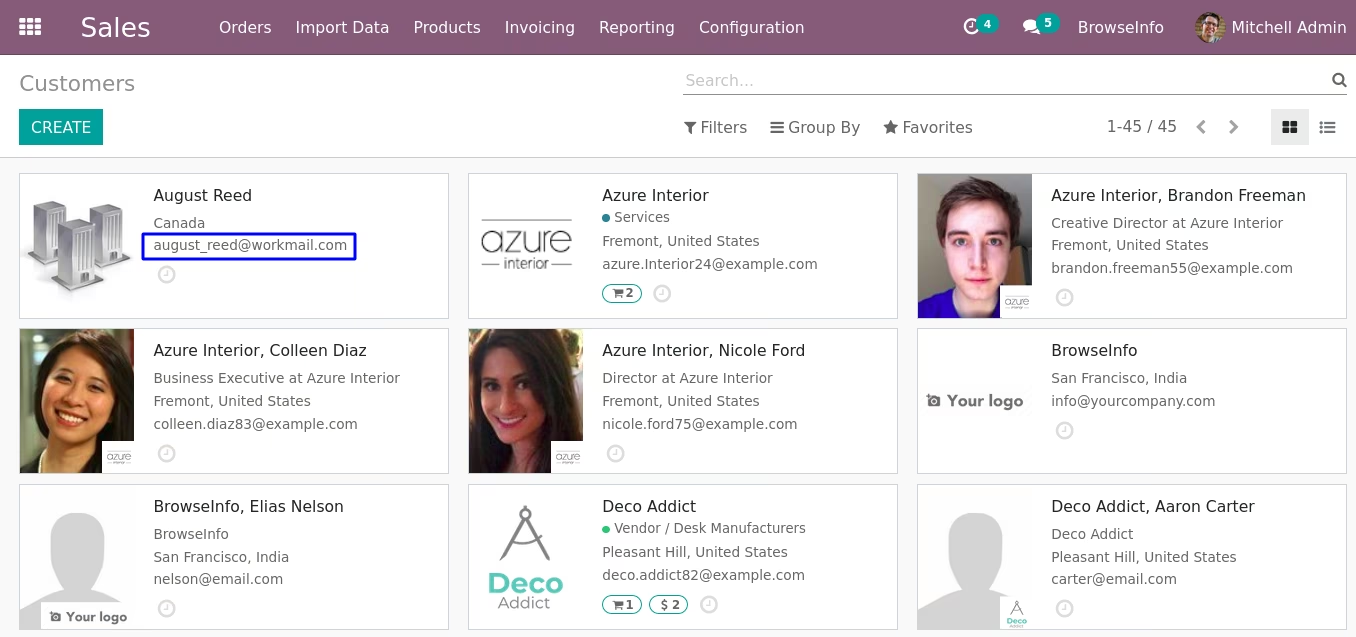
Kanban view of partner after update partner data
Additional Features
It will generate error if you select type as company,which is shown in figure.

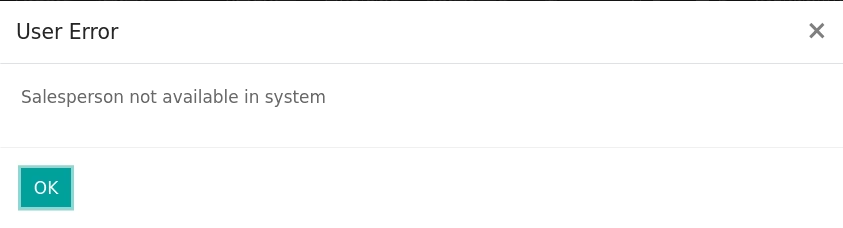
It will generate error if you don't select salesperson as Administrator,which is shown in figure.
Installation Guide
Before installing this module you have to install following packages in your system.
1.sudo pip install xlrd
2.sudo pip install xlwt
OR
1.sudo apt-get install python-xlrd
2.sudo apt-get install python-xlwt
Version :
15.0.0.0
20 October 2021
Initial release of the app.
Version :
15.0.0.3
30 May 2022
Minor Bug Fixes.