Efficiently manage your complex product catalogs with the Import Product Variants module. This powerful tool is expertly designed to eliminate the time-consuming and error-prone process of manually creating or updating products with multiple attributes like size, color, and style. By allowing you to import comprehensive variant data including unique SKUs, barcodes, and price adjustments directly from an Excel or CSV file, you can populate your entire product matrix in minutes, not hours. This module is an indispensable asset for any business in retail, manufacturing, or e-commerce looking to streamline product setup, ensure data accuracy, and accelerate time-to-market.
Import multiple product attributes and their corresponding values in a single operation.
Create or update thousands of product variants simultaneously from one file.
Supports both Excel (.xlsx) and CSV (.csv) file formats for maximum flexibility.
Flexibly map products using their name, internal reference, or barcode.
Set specific details for each variant, including its own internal reference and barcode.
Define extra prices for specific attribute values to automatically adjust variant costs.
Choose to import variants for either product templates or specific product variants.
Intelligent data validation to prevent the creation of duplicate attributes or variants.
Includes easy-to-use sample files to ensure your data is structured correctly for a seamless import.
Drastically reduces the time and effort required to manage products with variants.
Ensures complete accuracy across your product catalog by eliminating manual entry errors.
Streamlines the initial setup and ongoing maintenance of complex product offerings.
Accelerates the process of launching new product lines with multiple variations.
Improves inventory and sales tracking with unique identifiers for each product variant.
Enhances the efficiency of your product and e-commerce management teams.
Simplifies data migration from other systems.
Do you want to import products with product variants From CSV/Excel? This module helps to import products with product variants from the CSV or Excel files. This module provides a facility to import custom fields also. It will auto-create or update product and product variant with image, price, quantity, stock, etc from CSV/Excel. You can identify the same name product/product variant by 'Unique Identification' field.
- You can create or update product variants by barcode, name & internal reference.
- You can identify the same name product/product variant by "Unique Identification" fields.
- Easy to import Product Variant (image, price, quantity, stock, etc) from CSV or Excel.
- Easy to import custom fields with product variants.
- You can import product images by image URL or local image path. (Local URL means URL of your server files location, please note it is not your user local system path.)
- Easy to import products with stock on-hand quantity.
- Easy to create and update product variants.
- Download Sample CSV or Excel file from import wizard directly.
- Very useful for mass records.
- Very well formated Excel and CSV files.
First, you need to tick the 'Import Product Variants' group to import product Variant.
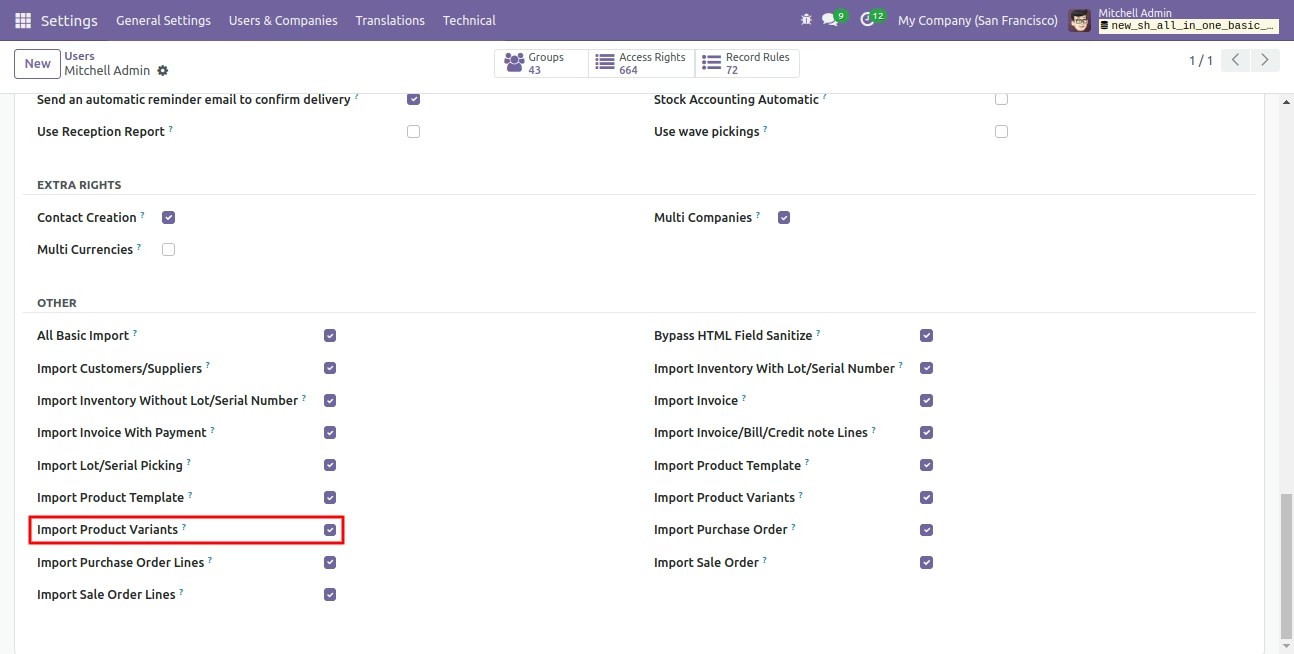
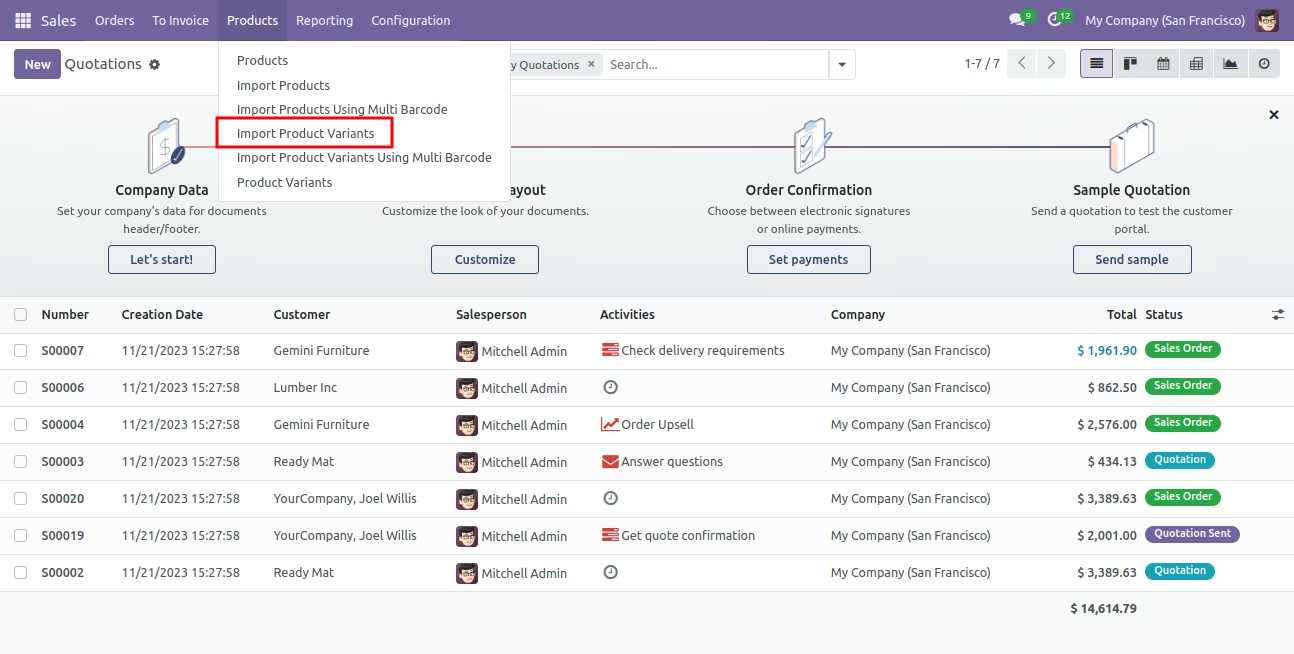
'Import Product Variants' menu.
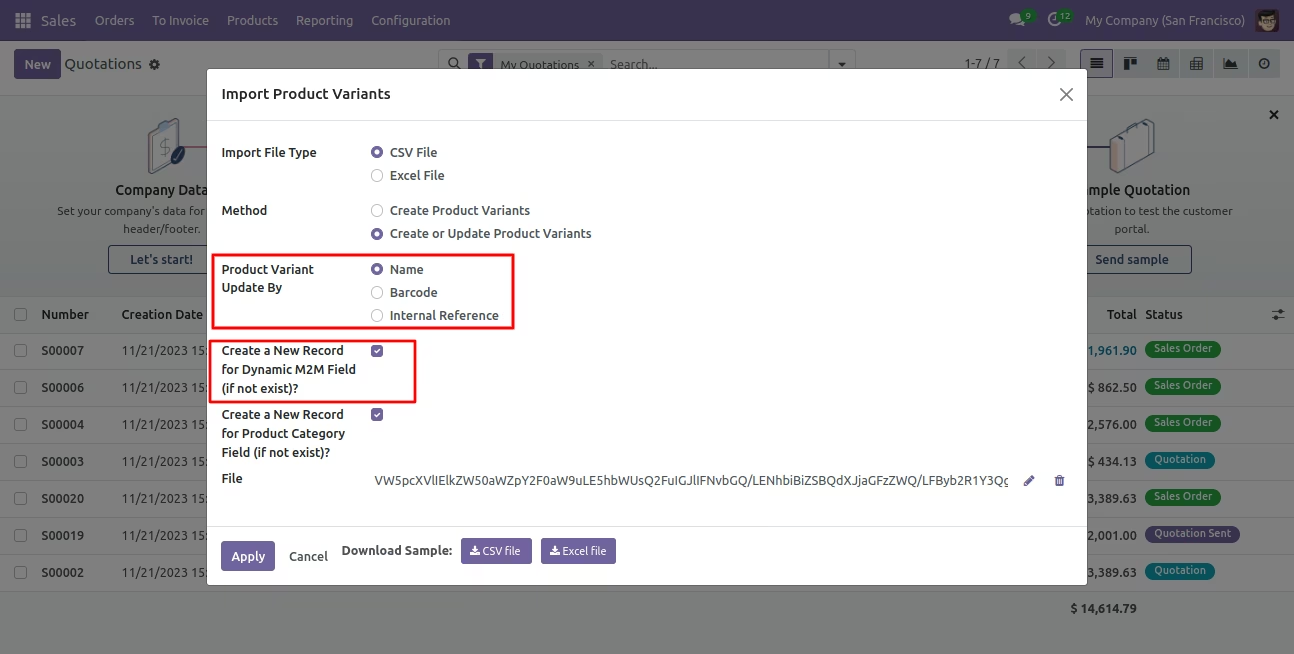
After that one wizard open here you can import products with product variants From CSV/Excel.
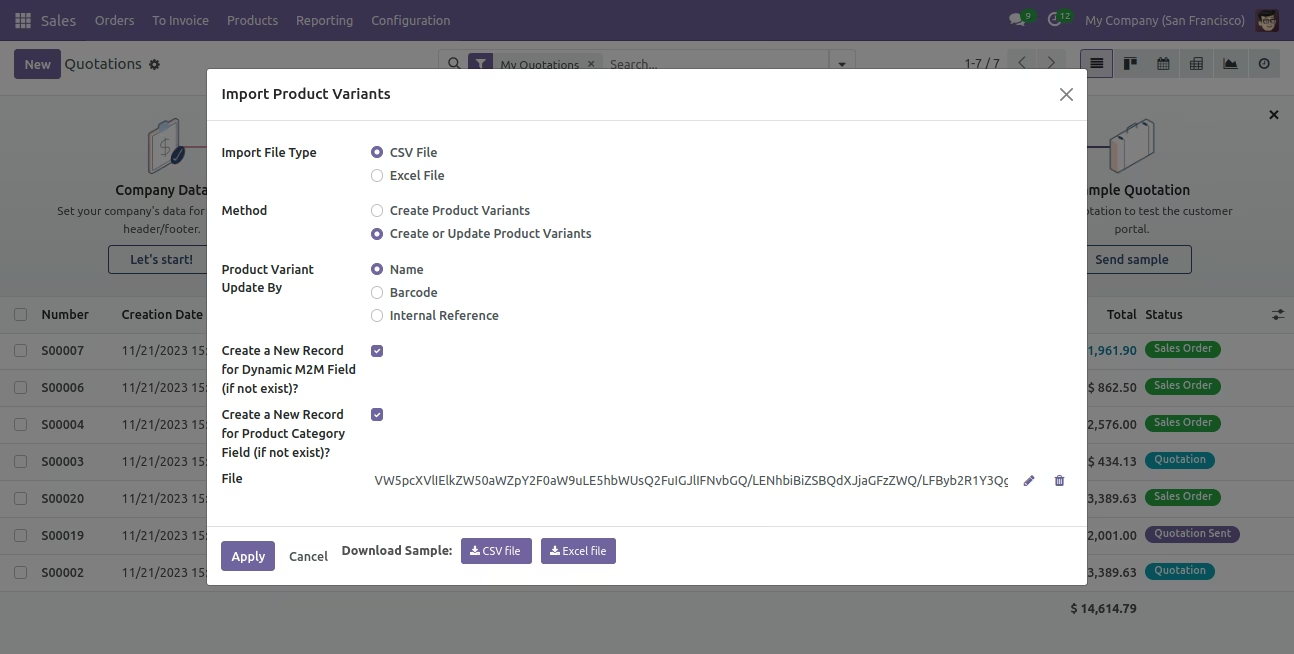
You can create or update product variants by barcode, name & internal reference.
Please tick this option during import to create record auto for many2many.
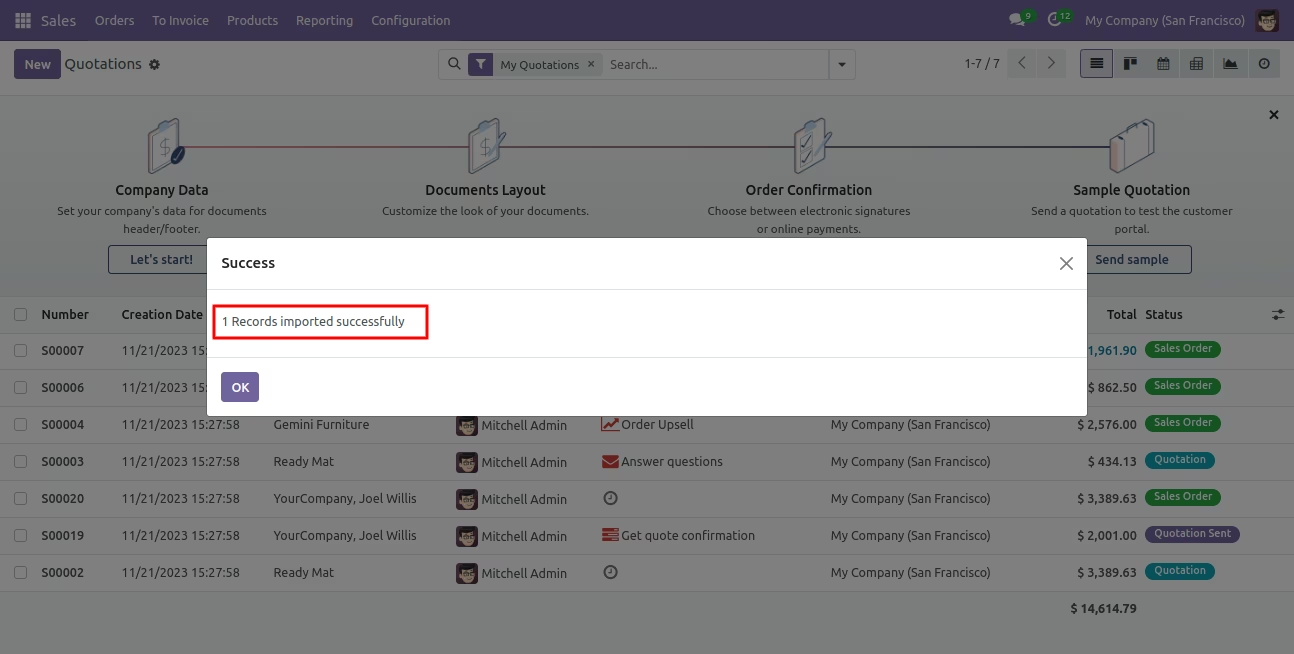
Success message looks like below it shows successfully imported records.
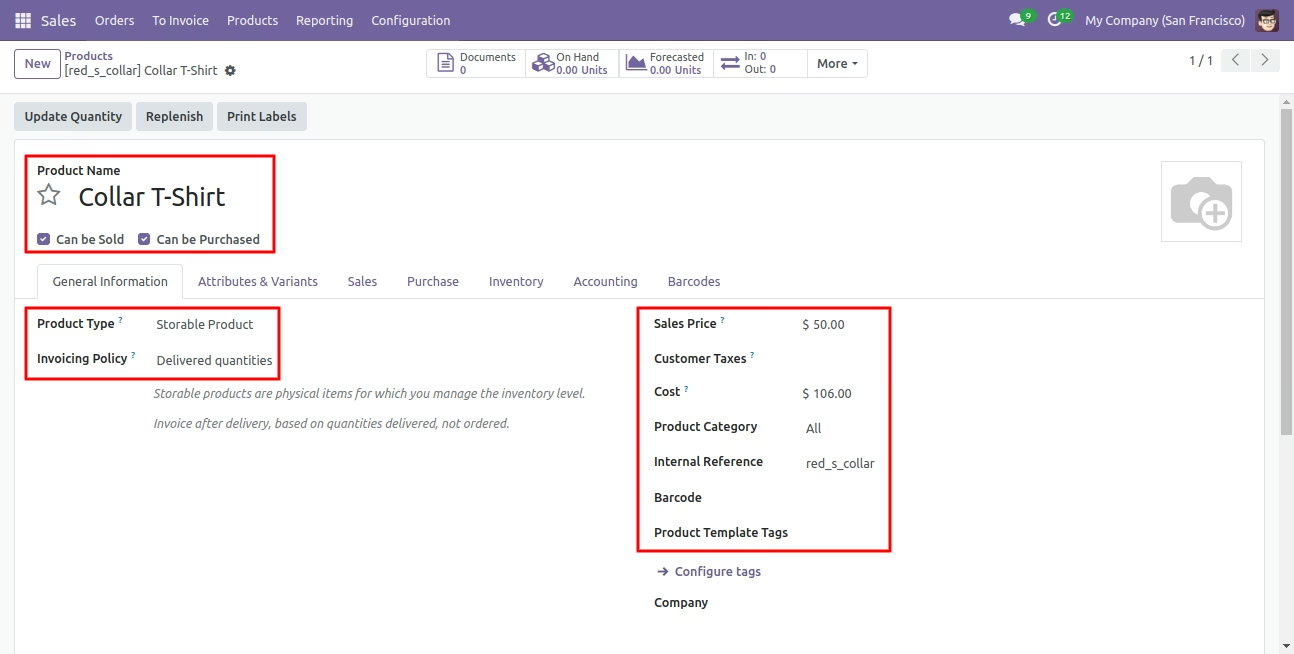
The following product template fields are imported.
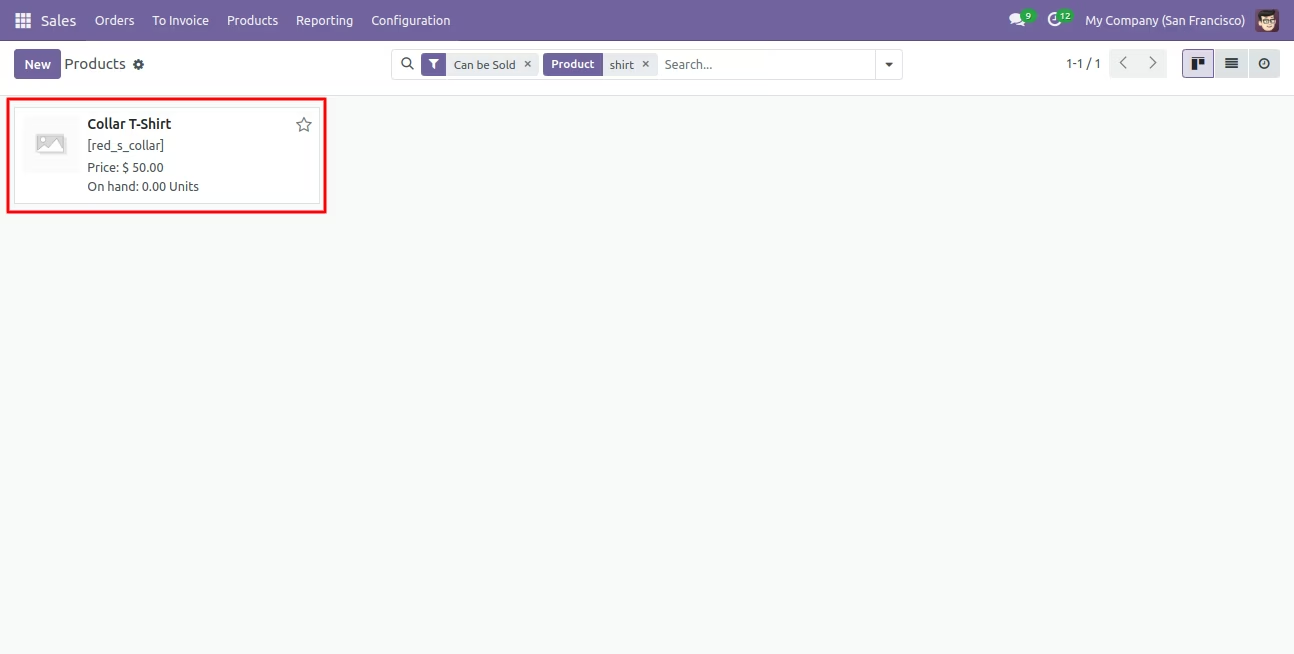
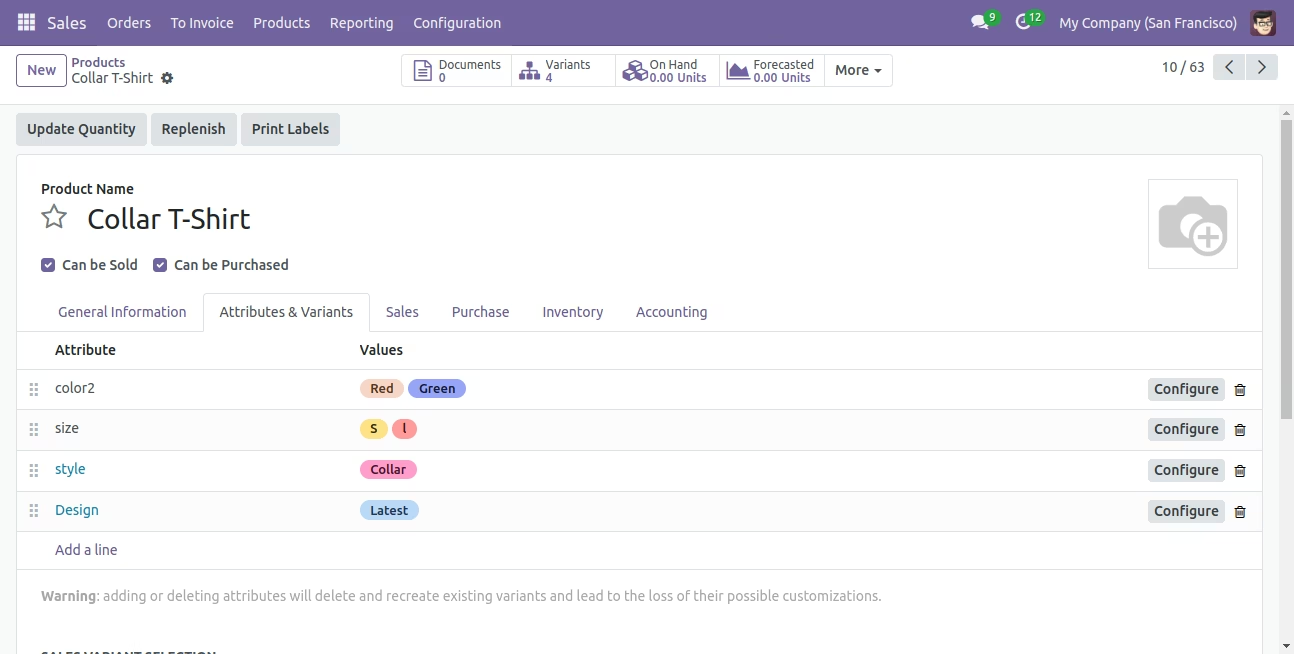
We see the imported product 'Collar T-Shirt' fields.
Product variants.
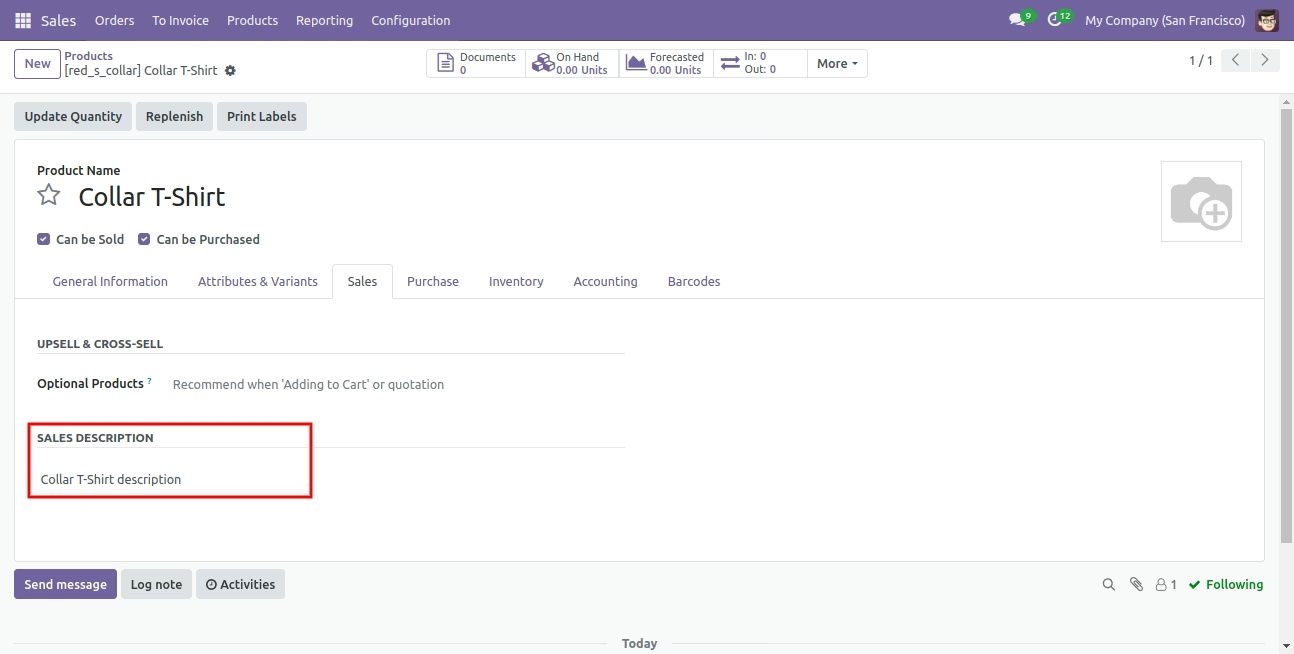
The 'Sales' tab in the product 'Collar T-Shirt'.
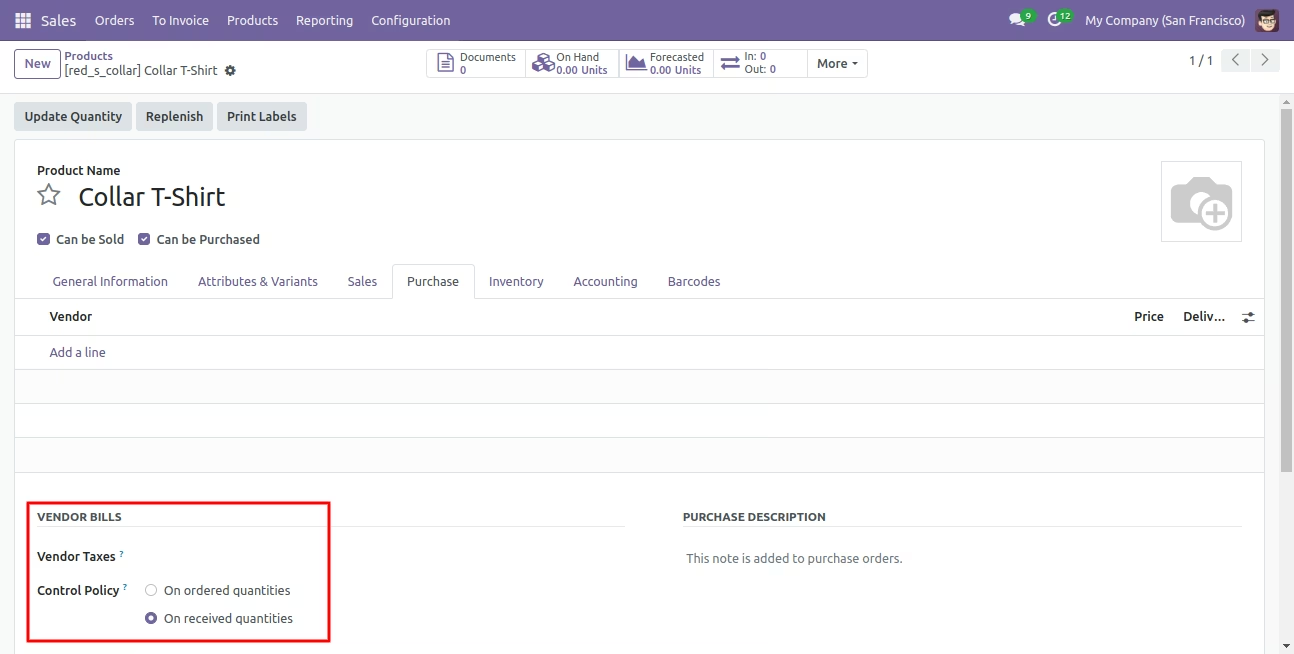
The 'Purchase' tab in the product 'Collar T-Shirt'.
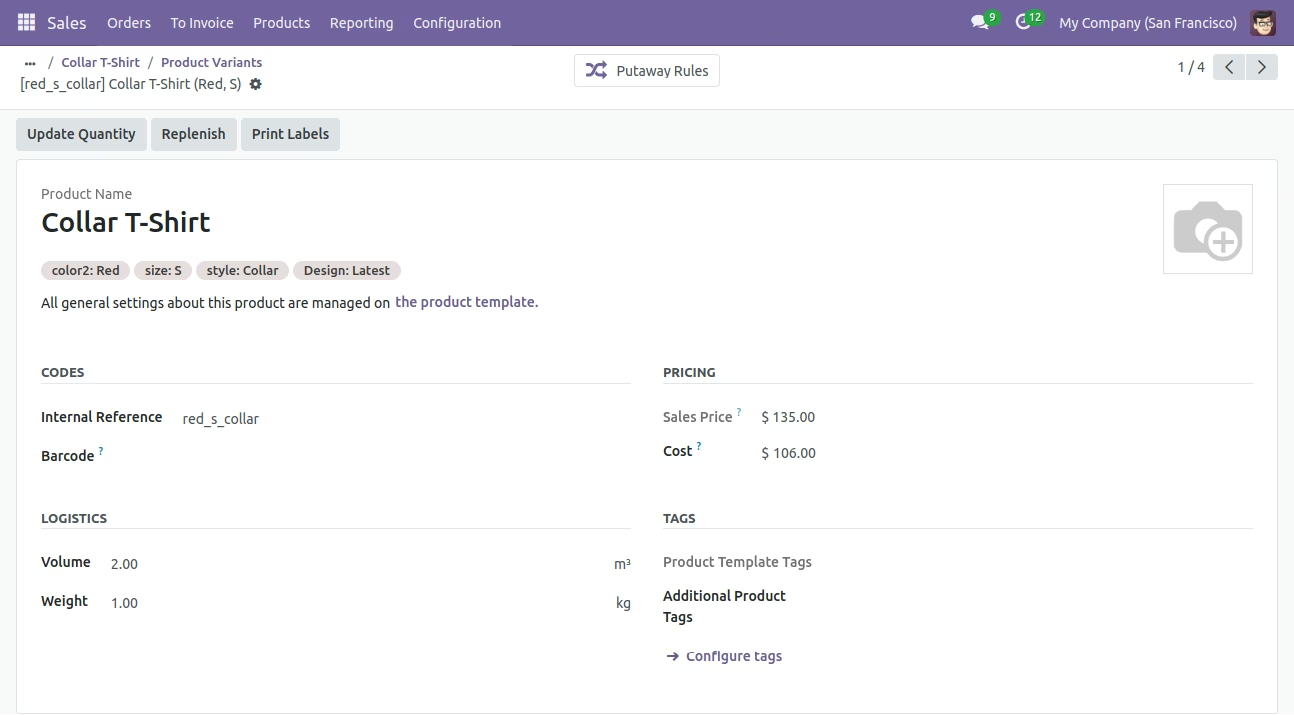
Product variant imported succesfully.
Product variant details with on hand qty.
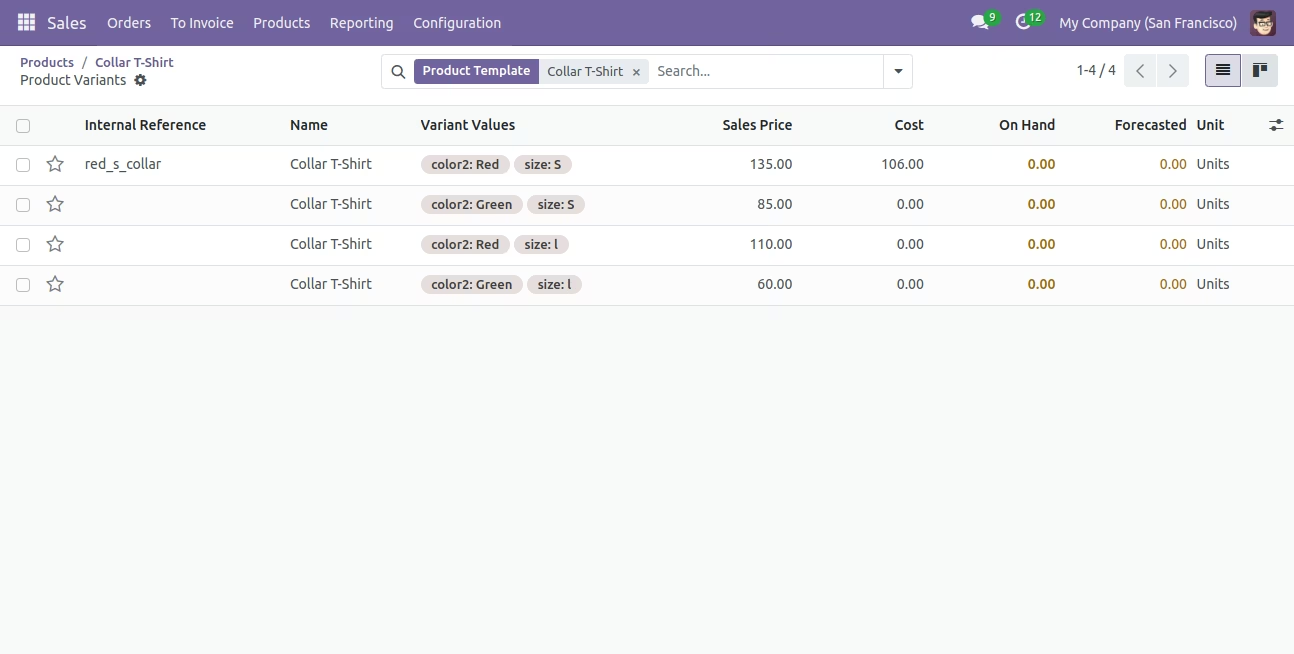
You can see the product variant field which is imported.
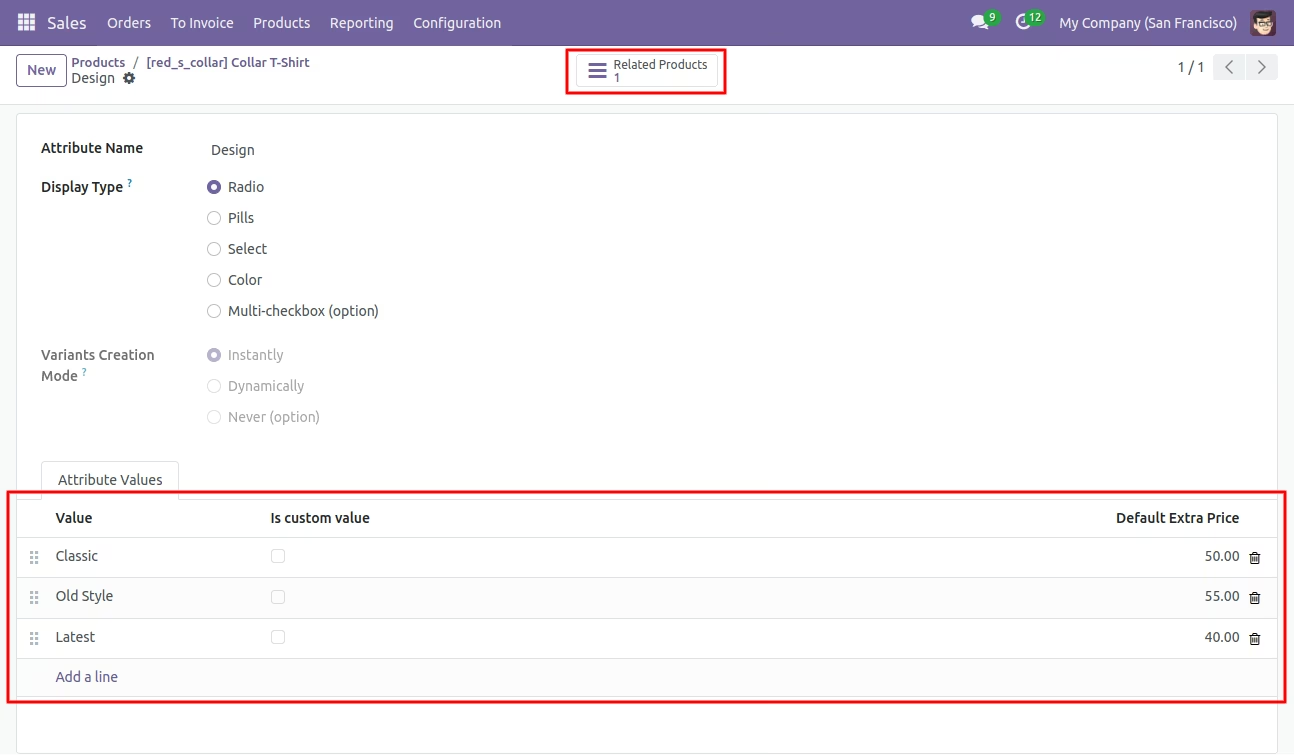
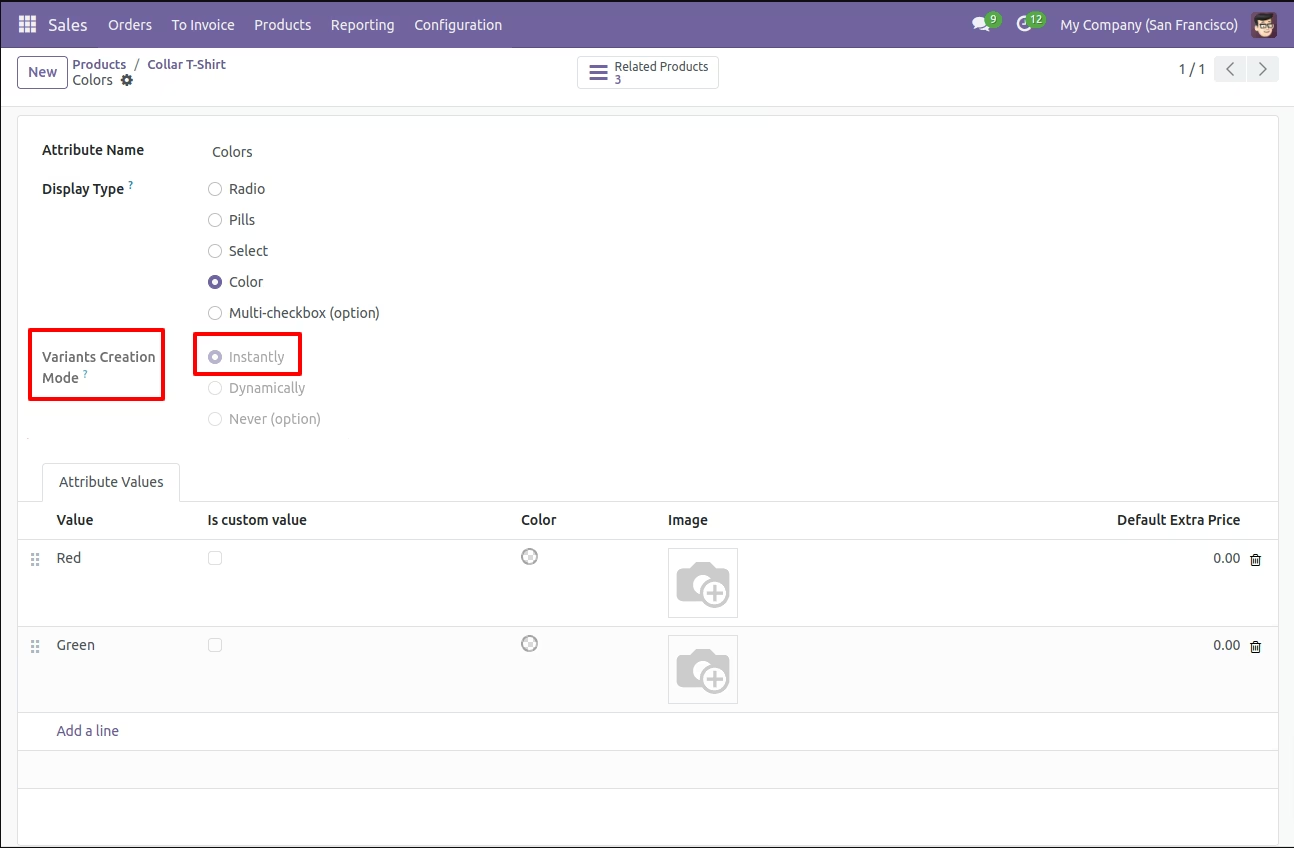
In Attribute, Our app works only when "Variants Creation Mode" must be set "Instantly".
About Fields
| Column | Product Model | Field Name | Description | Required |
|---|---|---|---|---|
| A | Product template (product.template) | Unique Identification | You can identify the same name product/product variant by "Unique Identification" field. | Yes |
| B | Product template (product.template) | Name | Define the product/product variant name. | Yes |
| C | Product template (product.template) | Can Be Sold? | It takes true by default if not provided. | No |
| D | Product template (product.template) | Can be Purchased? | It takes true by default if not provided. | No |
| E | Product template (product.template) | Product Type | In the "Product type" take consumable by default if not provided. | No |
| F | Product template (product.template) | Category | It takes default category if not provided. | No |
| G | Product template (product.template) | Unit of Measure | Take the same name as ERP in the "UOM". | No |
| H | Product template (product.template) | Purchase Unit of Measure | Take the same name as ERP in the "UOM". | No |
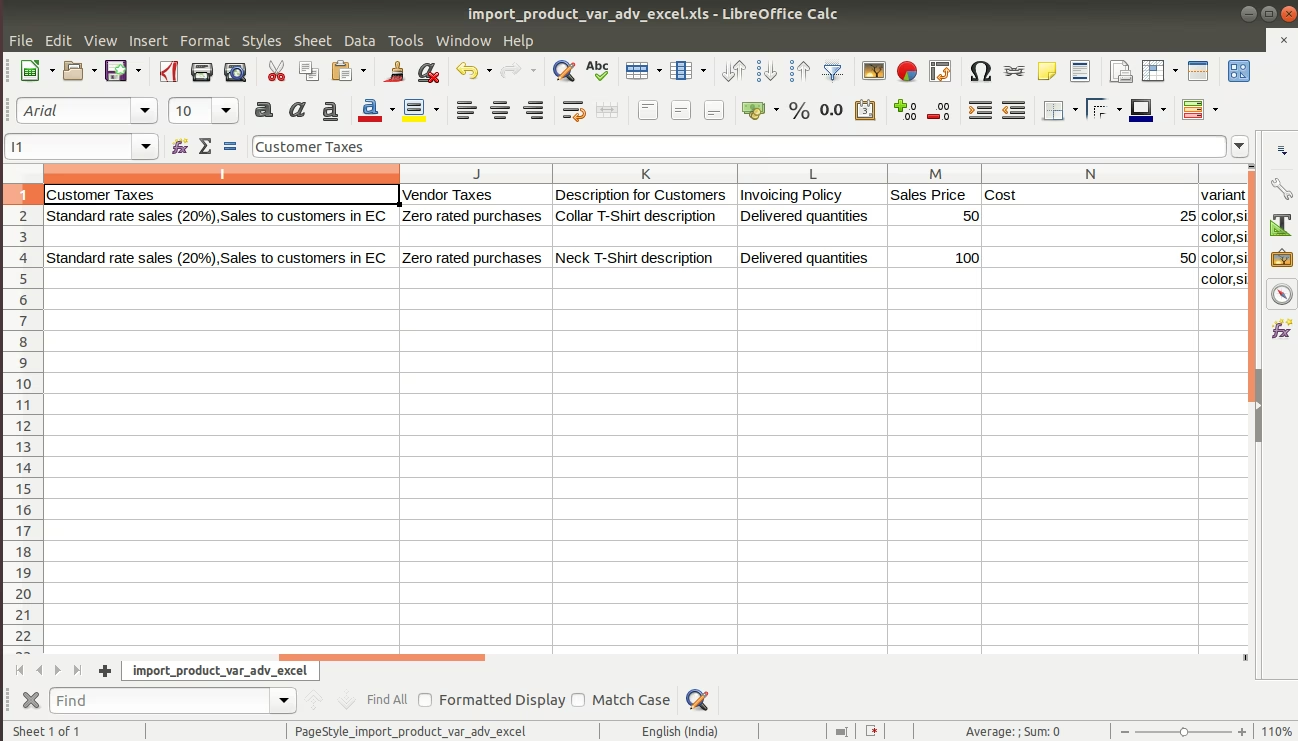
| I | Product template (product.template) | Customer Taxes | Taxes are separated by comma(,). You have to provide customer tax here. | No |
| J | Product template (product.template) | Vendor Taxes | Taxes are separated by comma(,). You have to provide vendor tax here. | No |
| K | Product template (product.template) | Description for Customers | You have to write a product description here. | No |
| L | Product template (product.template) | Invoicing Policy | Enter the same text of selection field the same as ERP in the"Invoice policy" otherwise by default it takes ordered quantities. | No |
| M | Product template (product.template) | Sales Price | You have to enter the product sales price here. | No |
| N | Product template (product.template) | Cost | You have to enter the product cost here. | No |
| O | Product variant (product.product) | variant Attributes | You have to enter the product variant attributes. | No |
| P | Product variant (product.product) | Attribute Values | You have to enter the product attribute values. | No |
| Q | Product variant (product.product) | Internal Reference | You have to enter the product internal reference number. | No |
| R | Product variant (product.product) | Barcode | You have to enter the product barcode number. | No |
| S | Product variant (product.product) | Weight | You have to enter the product weight. | No |
| T | Product variant (product.product) | Volume | You have to enter the product volume. | No |
| U | Product variant (product.product) | Qty On Hand | You have to enter the product on hand quantity. | No |
| V | Product variant (product.product) | Image path/url | Enter the complete URL or local path in the "Image path/URL". | No |
| W | Product variant (product.product) / Product template (product.template) | Custom Fields | You can import custom fields from here. Please go to the "Custom Fields" tab for more details. | No |
General Notes:
1) Don't remove the column from the sample sheet given, you can leave an empty column if the column is not the required type. You can see the table above for that.
2) Don't change the sample sheet column sequence.
3) Please don't use excel if you don't know the very well sheet formatting which is given in the sample sheet. Use CSV for hassle-free import without format issue. If you want to use excel and want to clear the format then please check this video.
Watch
Video
Your CSV/Excel file format must match like below.
In the 'Can be sold & purchased?' take true by default if not provided.
In the 'Product type' take consumable by default if not provided.
Take the same name as ERP in the 'UOM'.
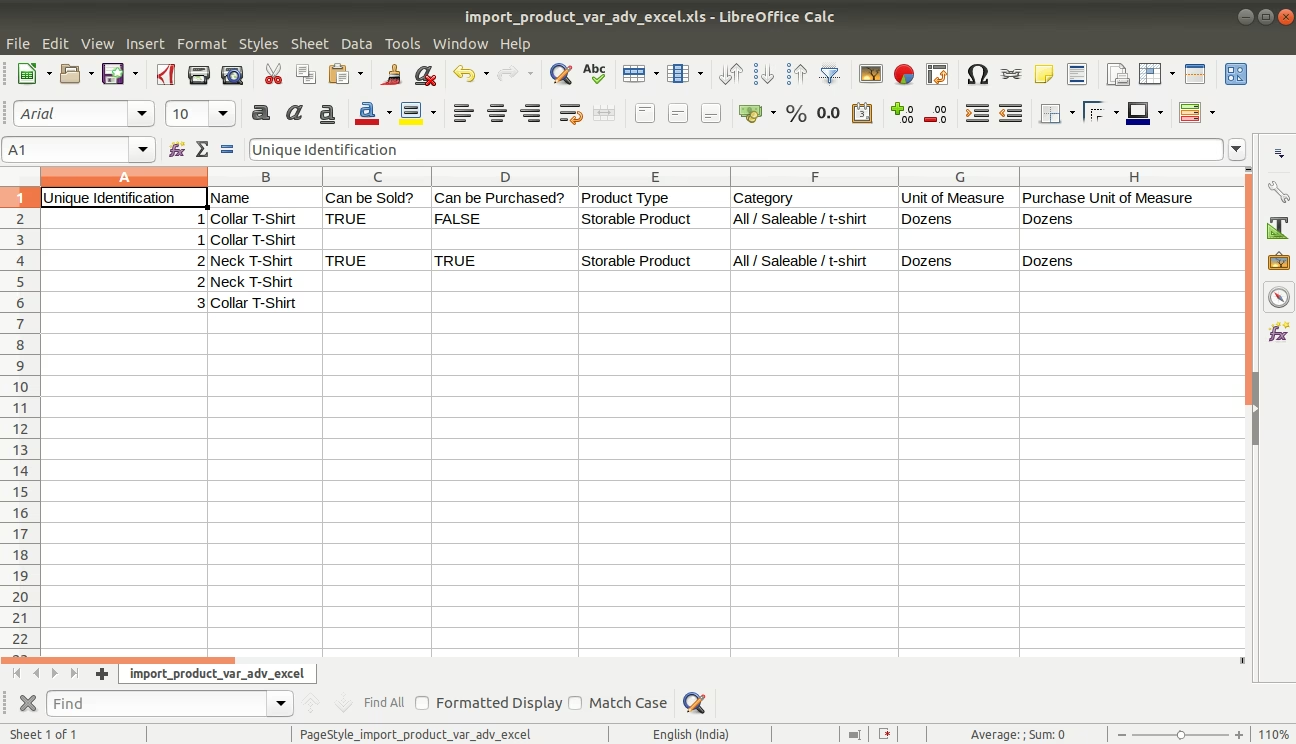
Taxes are separated by comma(,).
Enter the same text of selection field the same as ERP in the 'Invoice policy' otherwise by default it takes ordered quantities.
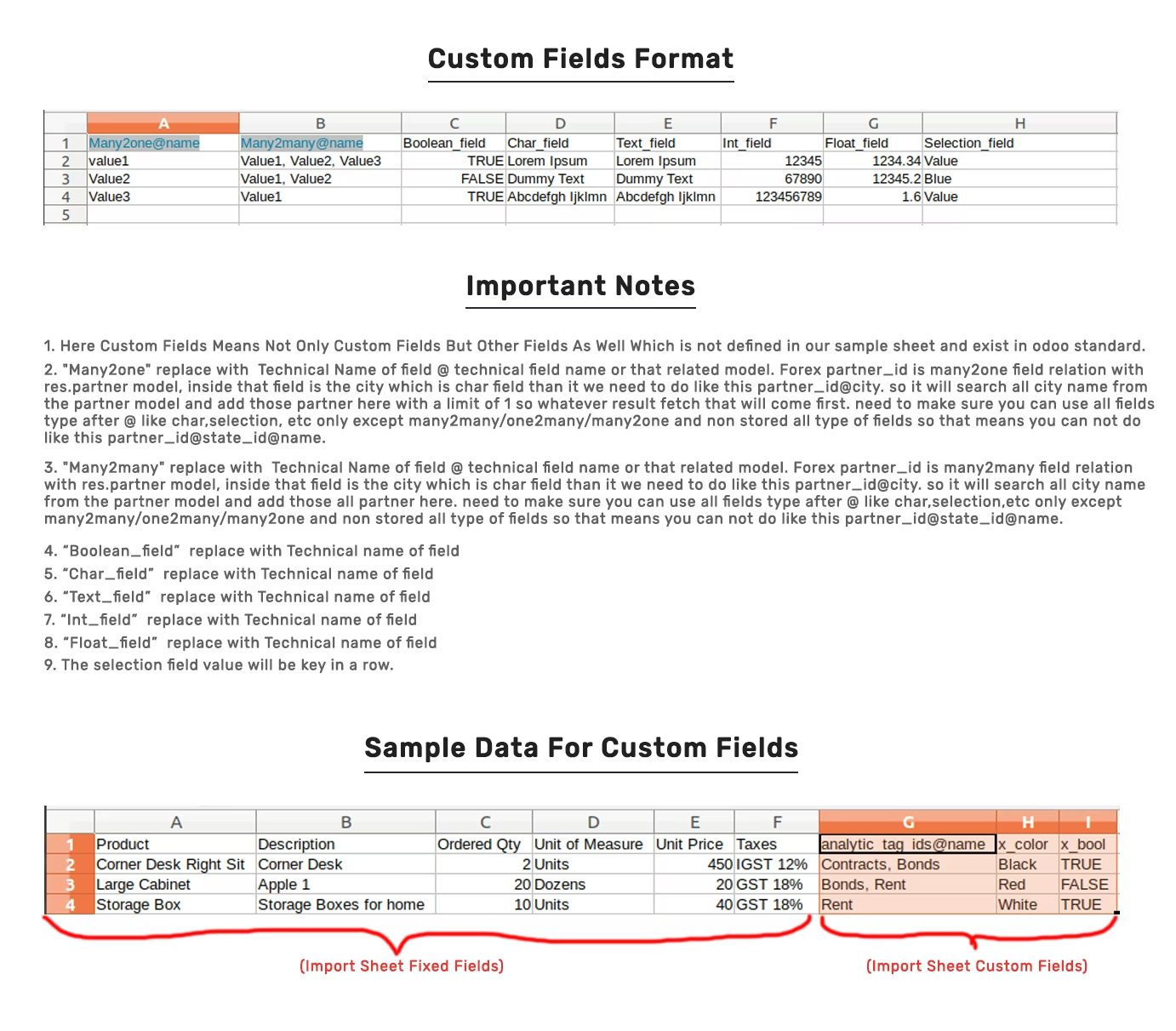
You can import any number of custom fields. All custom fields must exist on the product.product model.
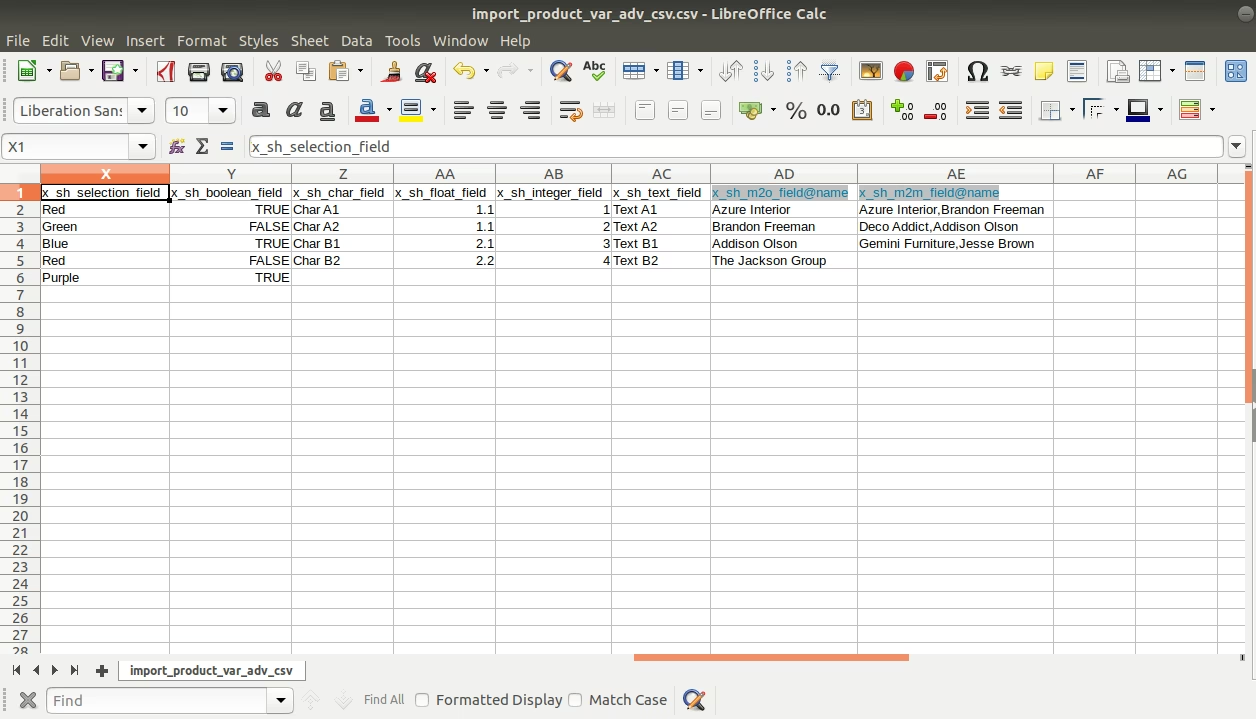
Custom Fields / Non Existing Standard Fields

Do you want to import fields which is created by any custom modules, studio, or standard fields which are not present inside the sample sheet provided in the module? You can add all those kinds of fields in the sheet at the end after the sample sheet fields it means from column "W".
Videos