
Elevate your product presentation and streamline your catalog management with the Import Product Images from Excel/CSV module. This powerful tool is specifically designed to eliminate one of the most time-consuming tasks in e-commerce: uploading product images one by one. By enabling you to bulk import all your product visuals directly from local computer paths or from web URLs listed in a simple spreadsheet, this module drastically cuts down on administrative time. It's the perfect solution for businesses launching new product lines, migrating from another platform, or performing a complete visual overhaul of their online store, ensuring every item is showcased professionally and efficiently.
Bulk import product images using either local file paths or direct web URLs.
Compatible with both Excel (.xlsx) and CSV (.csv) file formats for easy data preparation.
Accurately map images to products using their name, internal reference, or barcode.
Flexibility to assign images to both main product templates and specific product variants.
Choose to create new products with their images or simply update existing ones.
User-friendly import wizard to guide you through the process step-by-step.
Includes downloadable sample files to ensure your data is structured correctly.
Provides clear success and error logs for easy validation of the import process.
Massively reduces the time and manual effort required to manage product visuals.
Dramatically improves the aesthetic quality and professionalism of your product catalog and website.
Accelerates the launch of new products by simplifying the image uploading process.
Ensures visual consistency across your entire range of products.
Makes seasonal or promotional updates of product images quick and effortless.
Frees up your e-commerce and product management teams to focus on more strategic tasks.
An essential tool for any business with a large or frequently changing product inventory.
This module allows you to import images for a product/product variant from a CSV file using URL and file path.
INSTRUCTION TO USE THIS MODULE
- Go to Sales menu
- Go to Products Menu -> Products
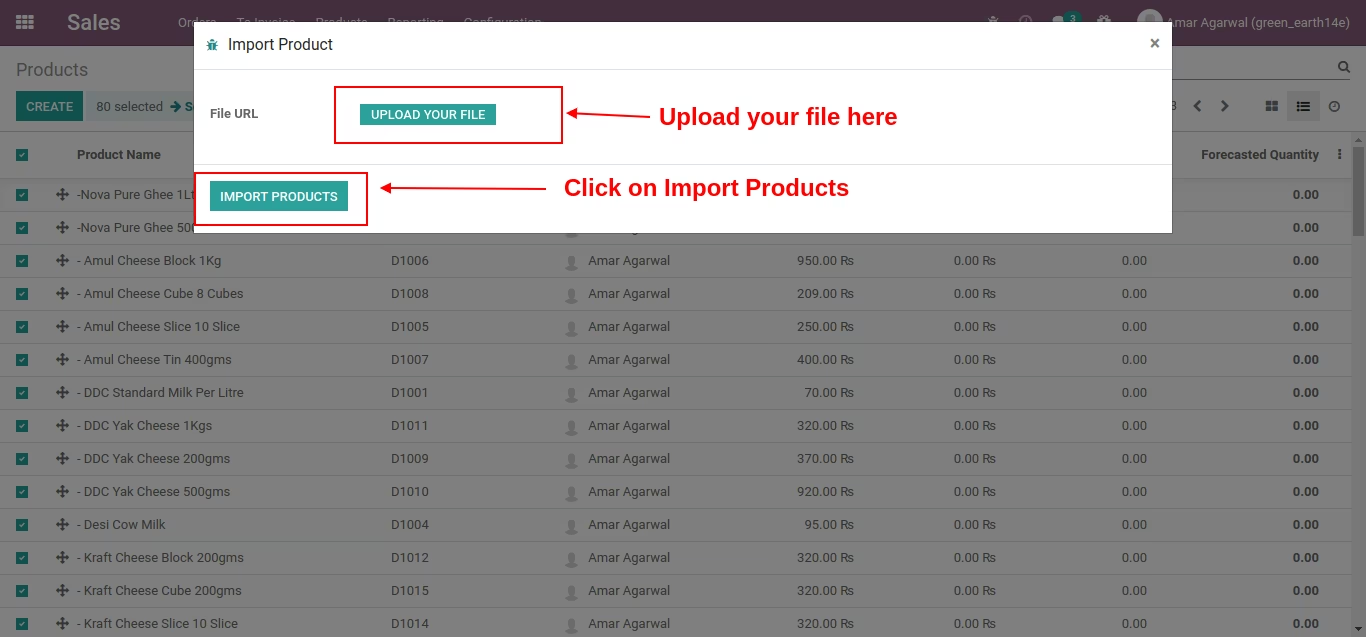
- Click on Action Menu -> Import Products
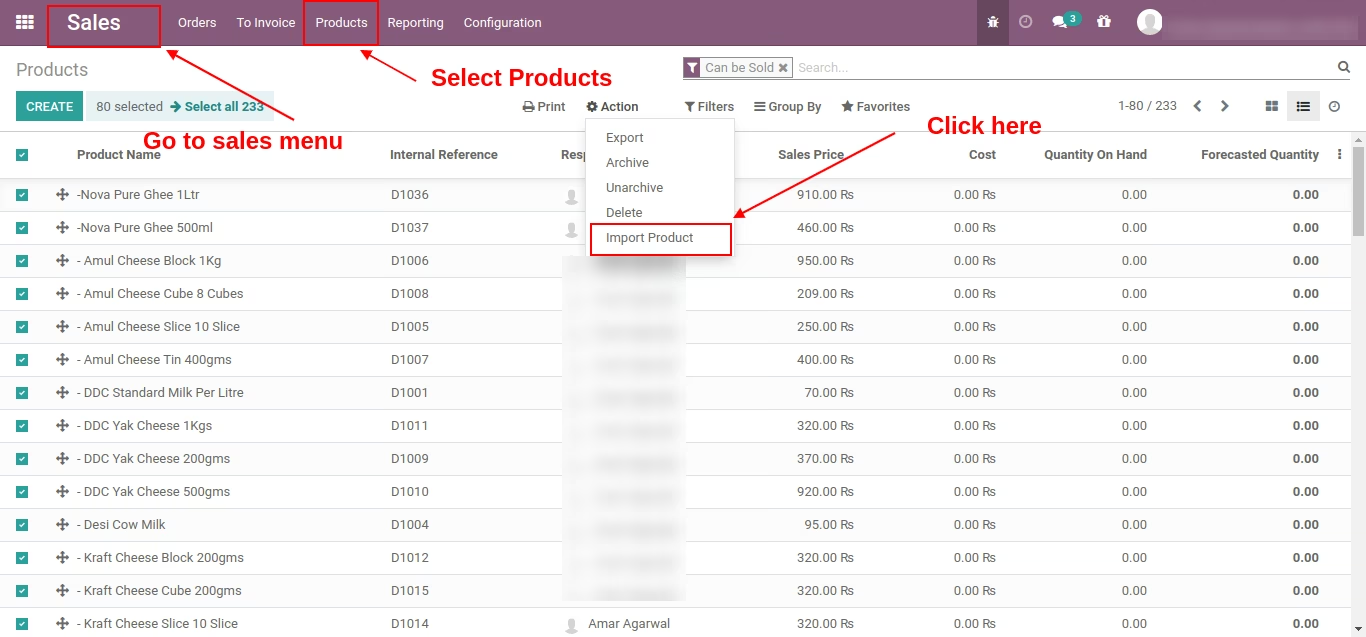
Please import excel file with .csv extension
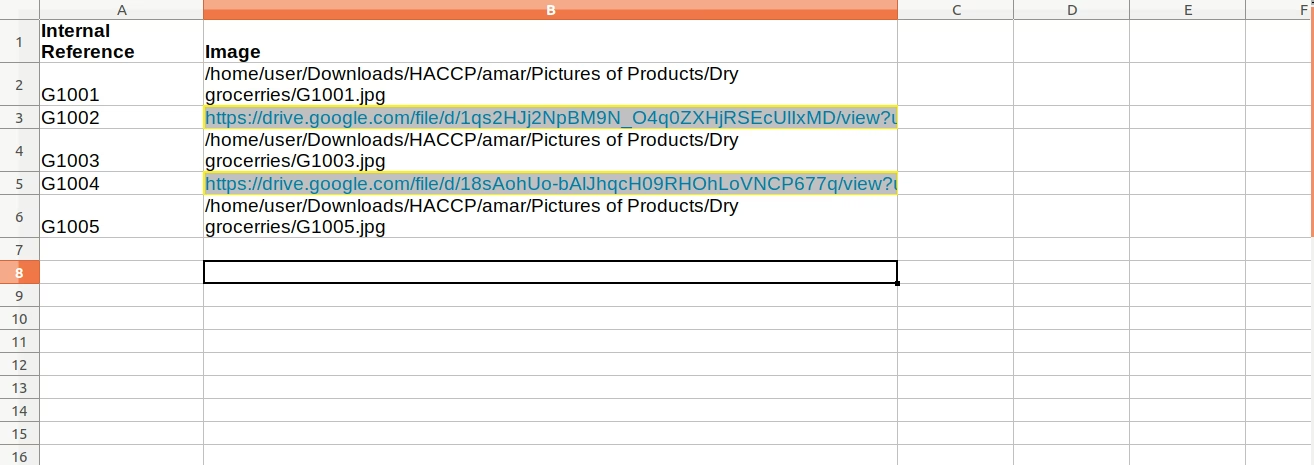
Note:-Product should already available in system with internal reference
Note:-You can import only those product's images which internal reference already available in the system