Take full control of your pricing strategies with the Import Pricelists from Excel/CSV module. This comprehensive tool is engineered to eliminate the complex and time-consuming task of manually configuring pricing rules. By allowing you to bulk import sales, vendor, and product-specific pricelists from a single, user-friendly interface, you can implement and update your pricing with exceptional speed and accuracy. This module is an indispensable asset for any business that manages diverse pricing structures, deals with frequent price updates, or needs to migrate pricing data into a new system seamlessly.
All-in-One Pricelist Importer: Supports the bulk import of Sales Pricelists, Vendor Pricelists, and Product-Specific Pricelists.
Flexible File Formats: Easily import your data using either Excel (.xlsx) or CSV (.csv) files.
Multiple Product Mapping Options: Identify products for pricelist rules by their name, internal reference, or barcode.
Comprehensive Rule Definition: Import detailed pricelist rules, including minimum quantities, start/end dates, and fixed or formula-based price computations.
Vendor Pricelist Details: Import key supplier pricing information, including delivery lead times.
Easy-to-Use Templates: Includes downloadable sample files for each pricelist type to ensure your data is structured correctly.
Intuitive Import Wizard: A user-friendly interface guides you through the process for each type of pricelist.
Robust Validation: Provides clear error messages to help you quickly identify and correct any issues in your import file.
Drastically reduces the time and manual effort required to set up and maintain pricing.
Ensures accuracy and consistency across all your pricing strategies, eliminating costly errors.
Enables rapid implementation of new pricing models or promotional offers.
Streamlines the process of updating supplier pricing across your entire product catalog.
Simplifies the management of complex, multi-level pricing for different customer segments or purchase volumes.
Empowers your sales and purchasing teams with the most current and accurate pricing information.
Accelerates data migration for a faster and smoother implementation.
Import Pricelists from Excel App
This app allow you to import pricelists and pricelist items from excel file.
Main Features:
- Allow you to import pricelists from excel.
- Make sure you have xlrd Python libarary installed.
- Sample Excel is available inside sample folder inside module.
- For more details see video and below screenshots.
Menu:
- Sales
- Sales
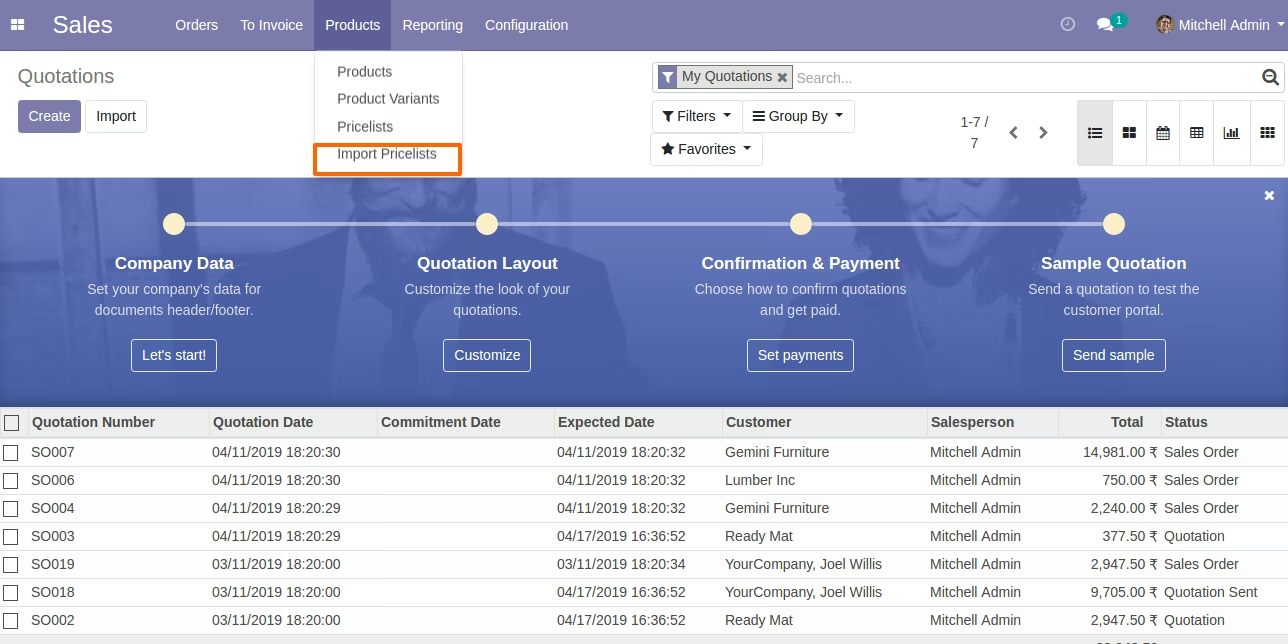
- Products
- Import Pricelists
- Sales
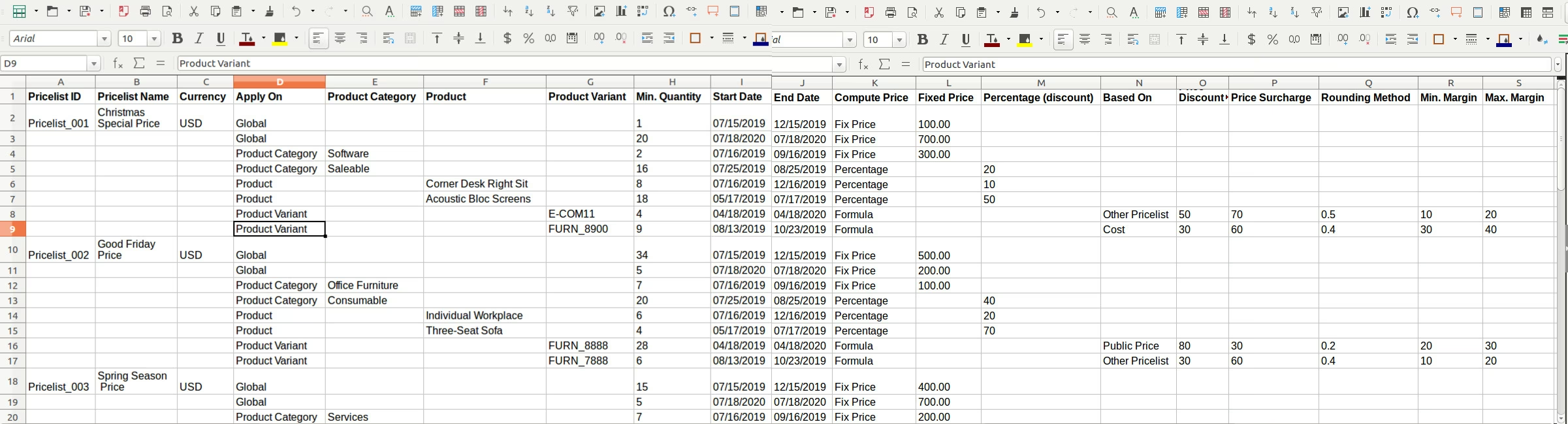
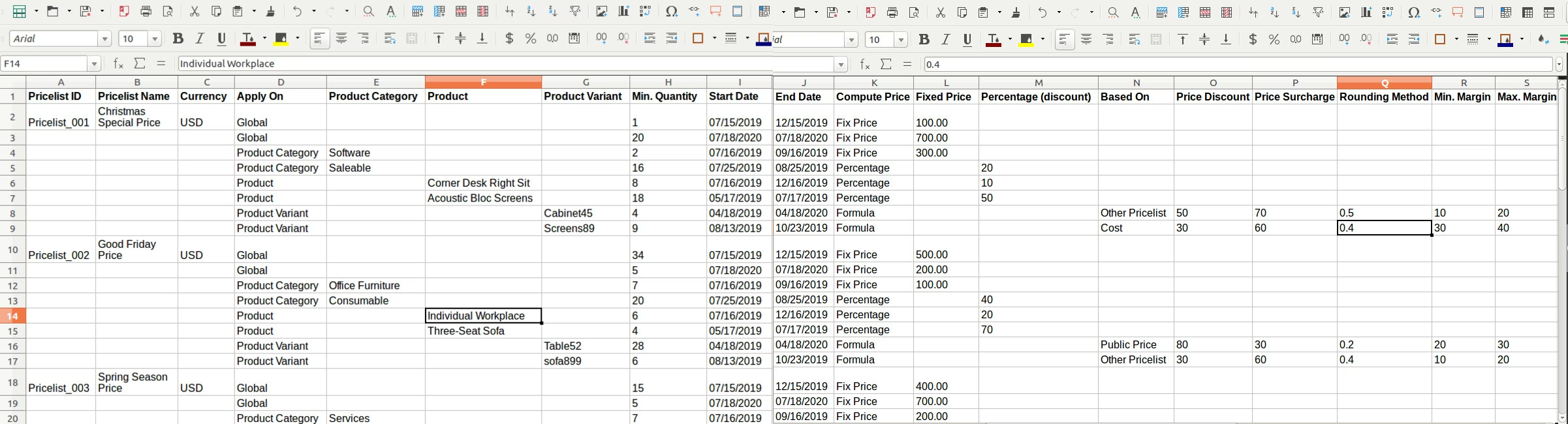
Following fields can be Import From Excel Column.
- Pricelist ID : Pricelist ID for Pricelist.
- Pricelist Name : Name of Pricelist.
- Currency : Name of Currency.
- Apply On : Apply On for Pricelist Items.
- Product Category : When you're enter Product Category in Apply on column then you can compulsory put Product Category name.
- Product : When you're enter Product in Apply on column then you can compulsory put Product name or Product code or Product Barcode.
- Product Variant : When you're enter Product Variant in Apply on column then you can compulsory put Product Variant name or Product Variant code or Product Variant Barcode.
- Min. Quantity : Min. Quantity for Pricelist Items.
- Start Date : Start Date for Pricelist Items.
- End Date : End Date for Pricelist Items.
- Compute Price : Compute Price for Price Computation of Pricelist Items.
- Fixed Price : When you're enter Fix Price in Compute Price column then you can compulsory put Fixed Price.
- Percentage (discount) : When you're enter Percentage in Compute Price column then you can compulsory put Percentage (discount).
- Based On : When you're enter Formula in Compute Price column then you can compulsory put Based On.
- Price Discount : When you're enter Formula in Compute Price column then you can compulsory put Price Discount.
- Price Surcharge : When you're enter Formula in Compute Price column then you can compulsory put Price Surcharge.
- Rounding Method : When you're enter Formula in Compute Price column then you can compulsory put Rounding Method.
- Min. Margin : When you're enter Formula in Compute Price column then you can compulsory put Min. Margin.
- Max. Margin : When you're enter Formula in Compute Price column then you can compulsory put Max. Margin.
Make sure you have xlrd Python module installed. https://pypi.python.org/pypi/xlrd
For more details please see Video in Live Preview section. Excel sample is available inside module.
Menu to Import Pricelists
Sample Excel File with Import Product By Name & Import Product Variants By Code
(Also available inside Module/Sample Folder)
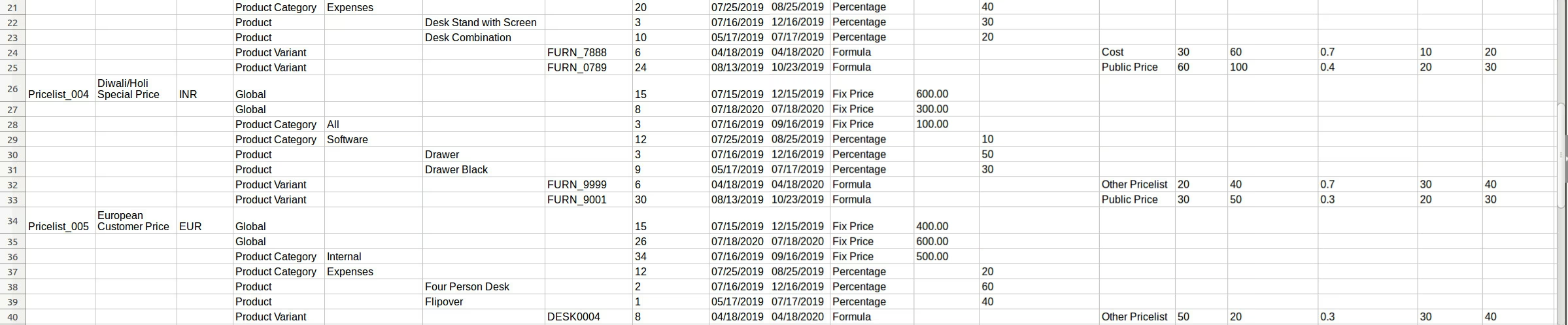
Import Excel with Options Product By Name & Import Product Variants By Code
Wizard to Select Excel
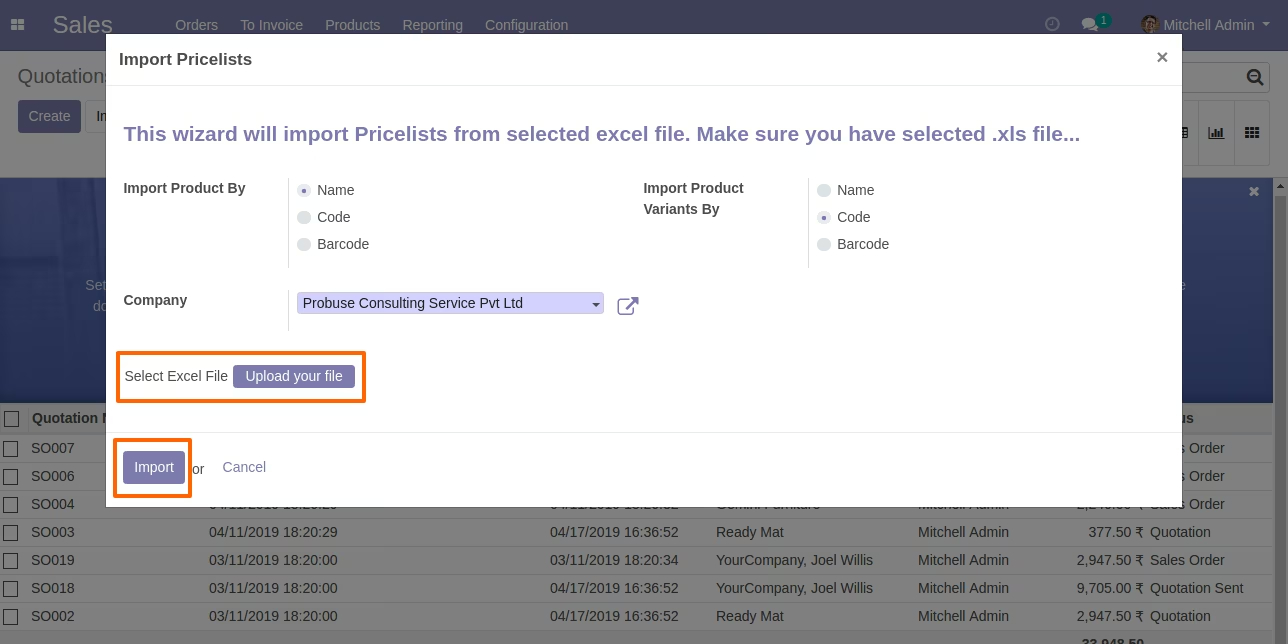
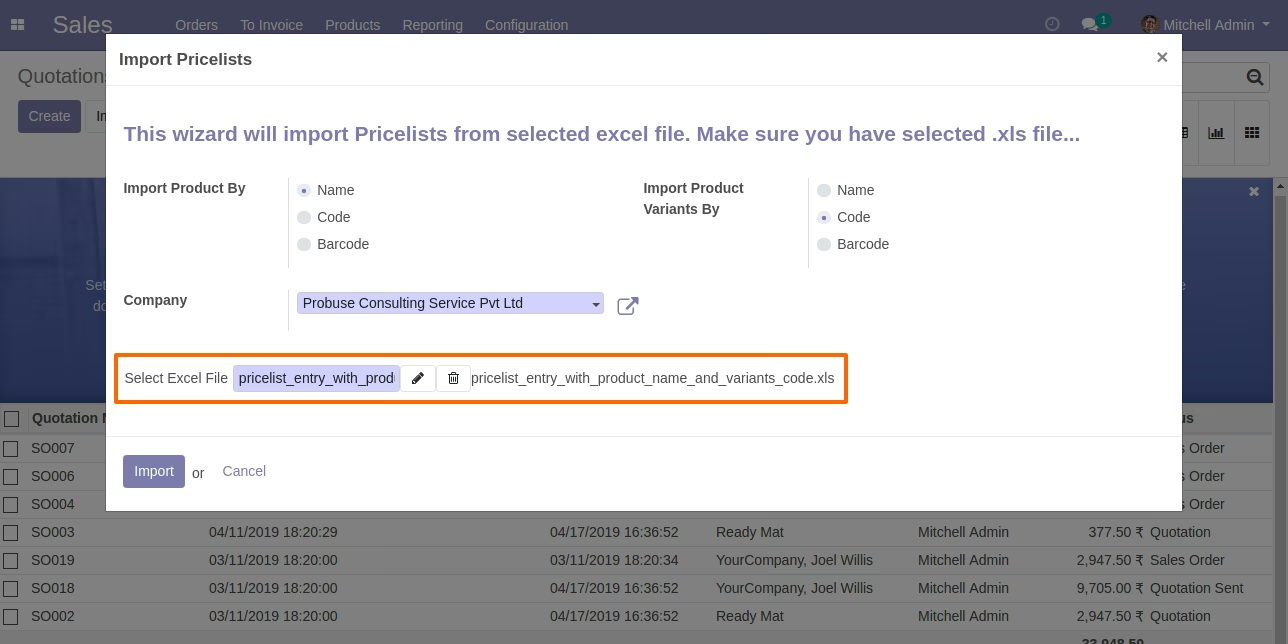
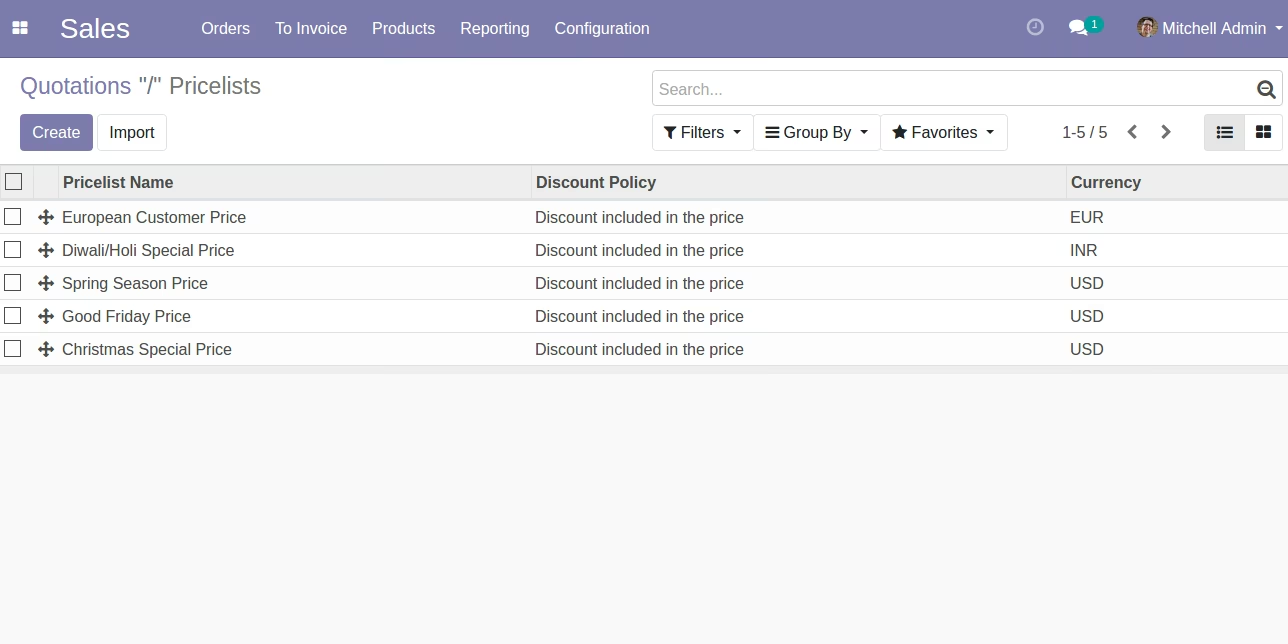
Imported Pricelists in List View
Imported Pricelist in Form View
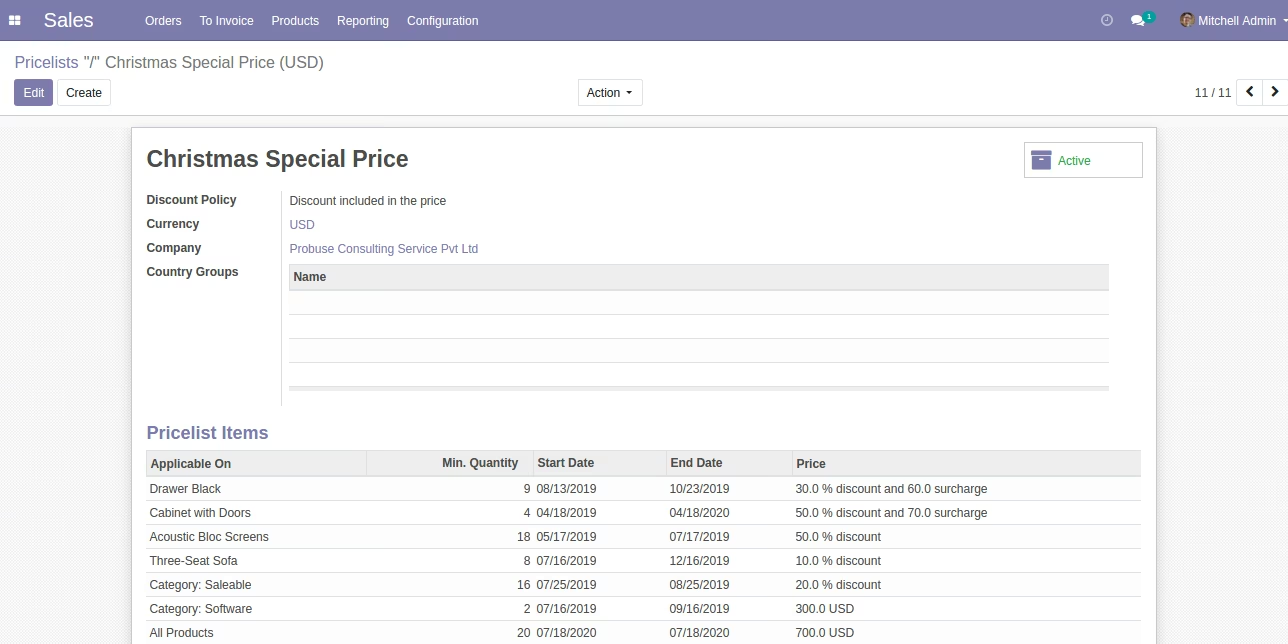
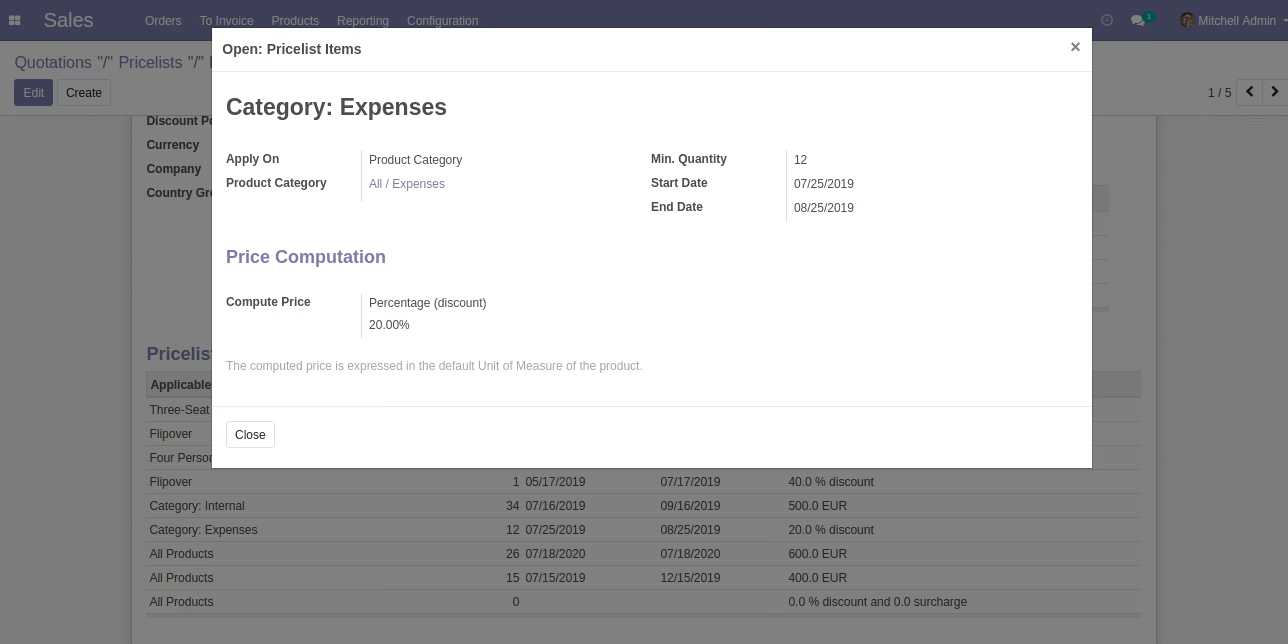
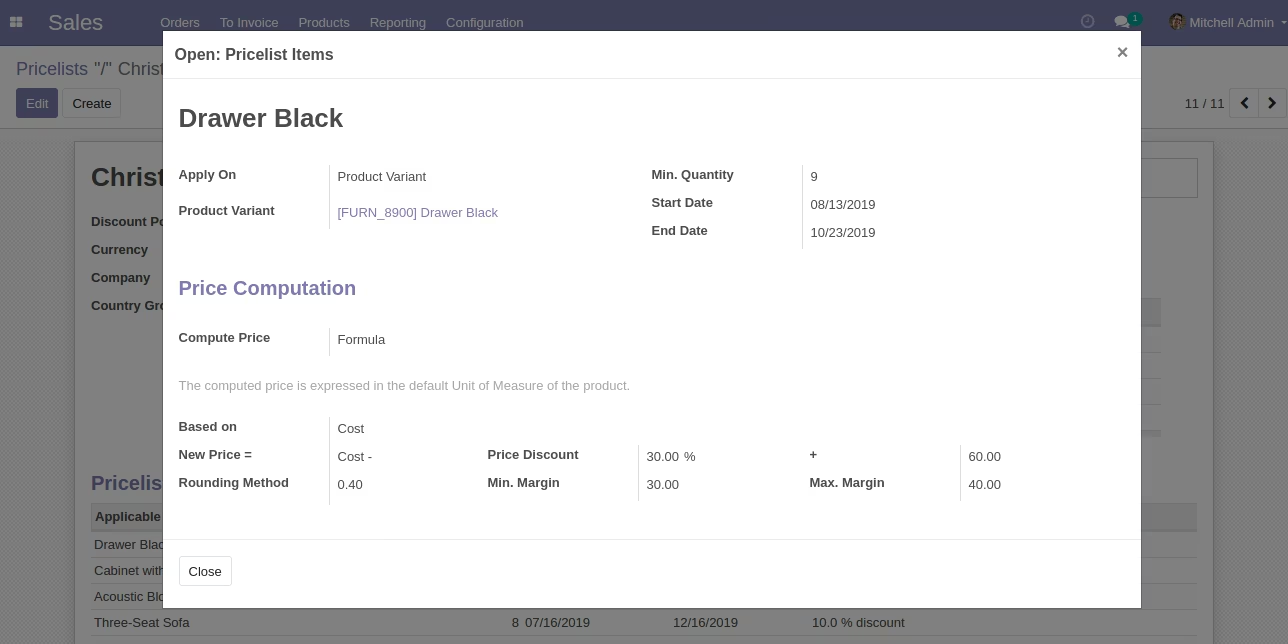
Imported Pricelist Items in Form View
Sample Excel File with Import Product By Name & Import Product Variants By Barcode
(Also available inside Module/Sample Folder)
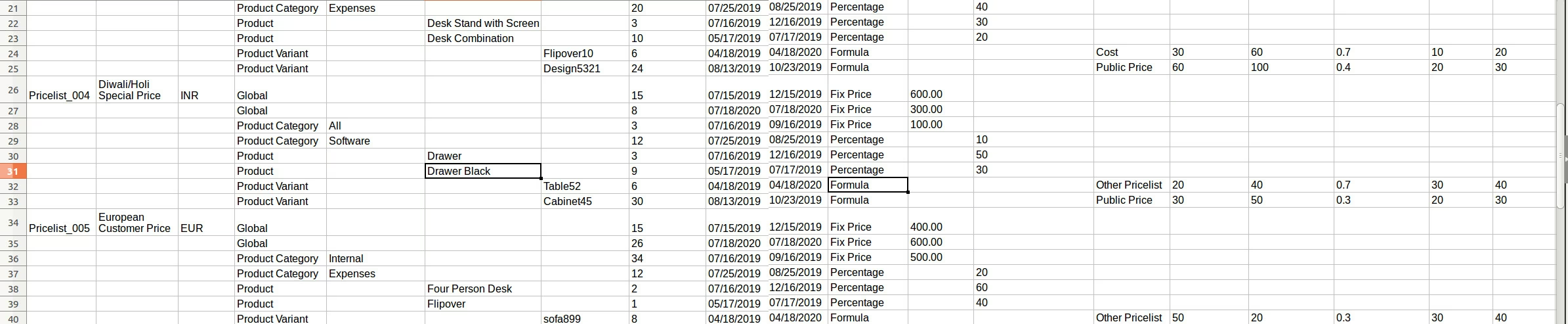
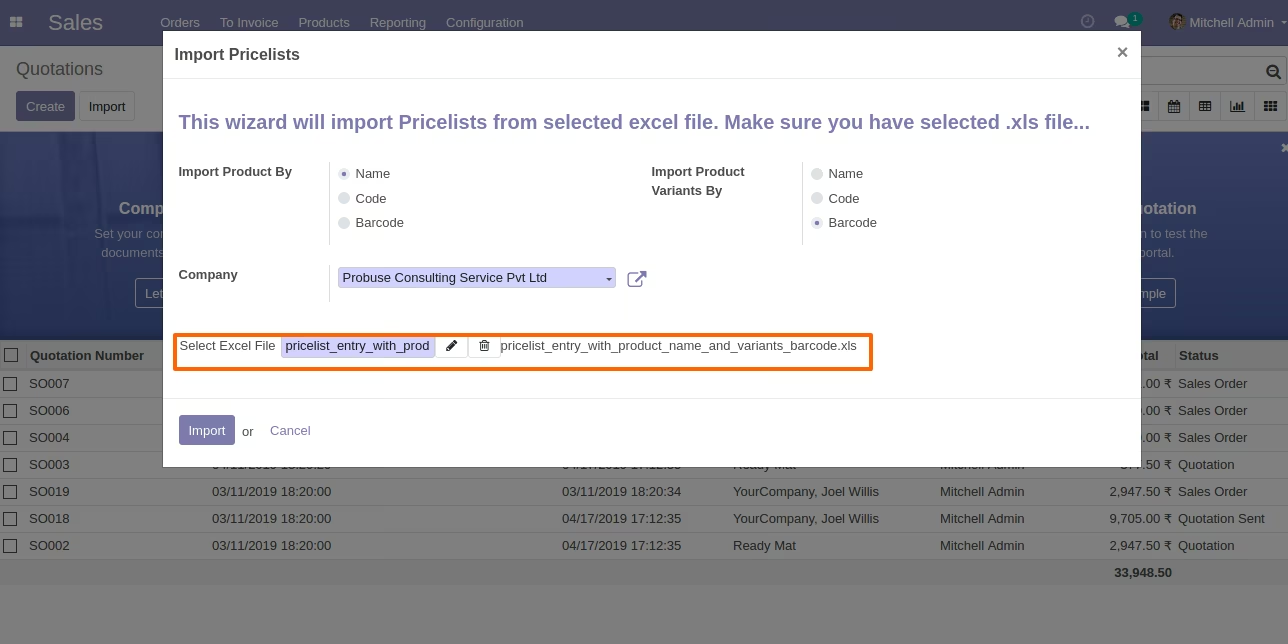
Import Excel with Option Product By Name & Import Product Variants By Barcode
Wizard to Select Excel
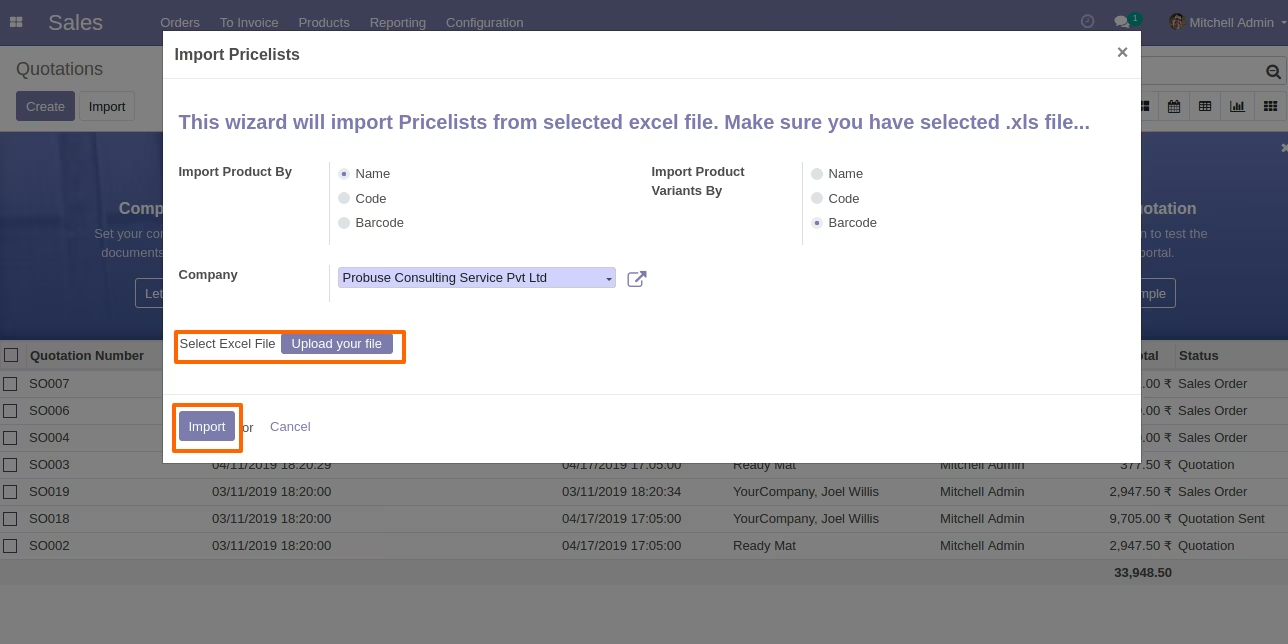
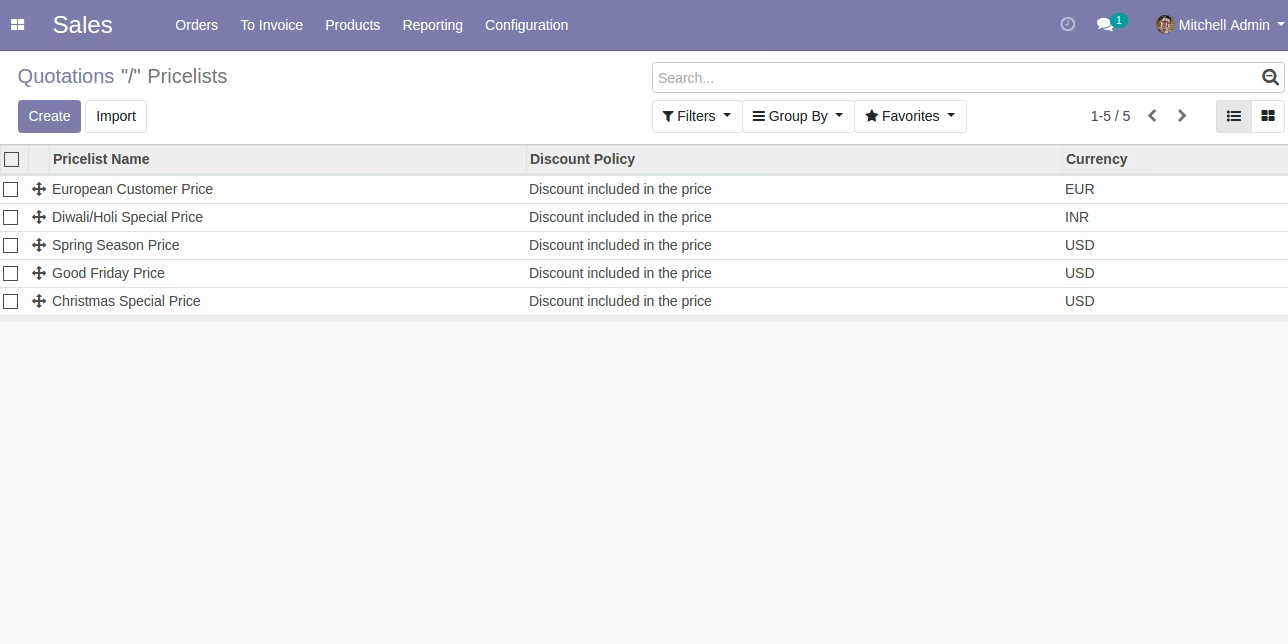
Imported Pricelists in List View
Imported Pricelist in Form View
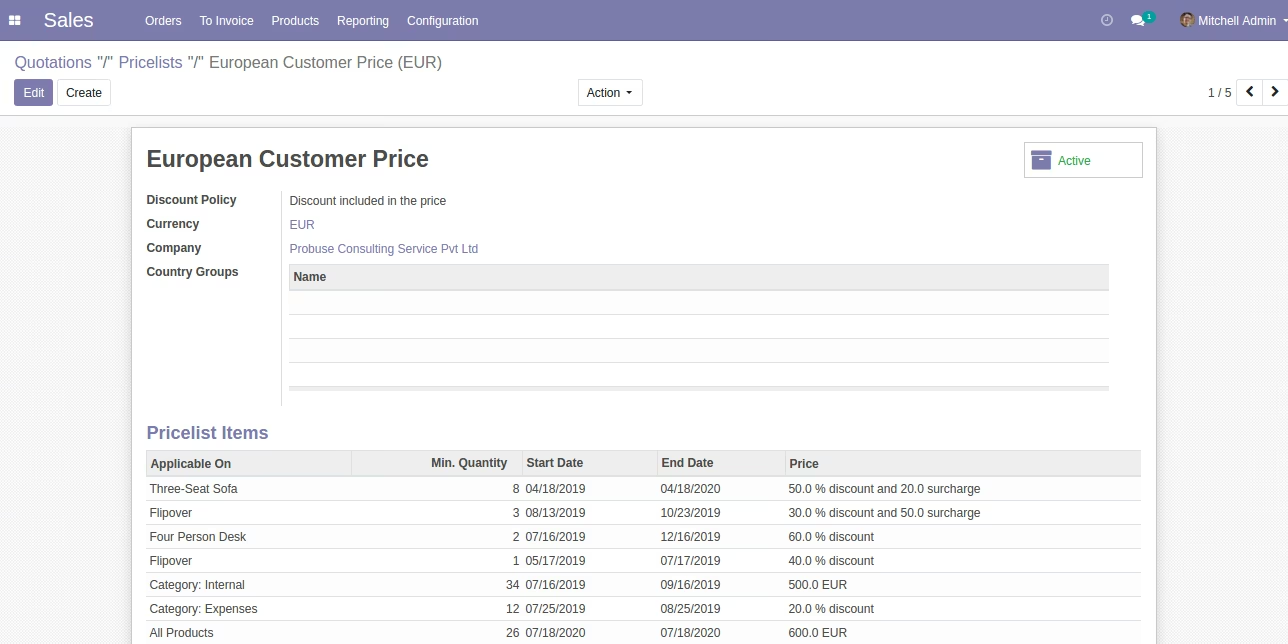
Imported Pricelist Items in Form View