Seamlessly integrate your historical or external sales data into with the Import POS Orders from Excel/CSV module. This powerful and easy-to-use tool is designed to solve the critical challenge of migrating Point of Sale transaction data without tedious and error-prone manual entry. By allowing you to bulk import complete POS orders including customer details, products, quantities, prices, discounts, and payment information from a simple spreadsheet, you can ensure a complete and accurate sales history within your database. This is the ideal solution for businesses transitioning to POS, consolidating data from multiple sources, or needing to import offline sales for comprehensive reporting.
Import complete Point of Sale orders, including multiple product lines and payments.
Supports both Excel (.xlsx) and CSV (.csv) file formats for maximum flexibility.
Automatically maps order details to the correct POS session, customer, and salesperson.
Accurately imports product quantities, prices, discounts, and taxes for each order line.
Records payment details, including the payment method (journal) and amount.
Option to import orders into a specific state (e.g., Paid, Invoiced).
Includes a clear and easy-to-use sample file to ensure your data is formatted correctly.
Provides intelligent validation to catch errors before import, ensuring data integrity.
Drastically simplifies the migration of historical Point of Sale data.
Saves countless hours by eliminating the need for manual re-entry of past sales.
Ensures high accuracy of imported data for reliable sales reporting and analysis.
Provides a complete 360-degree view of customer purchase history.
Ideal for consolidating sales data from offline events or third-party POS systems.
Improves the efficiency of your accounting and administrative teams.
Empowers better business decisions with a complete and unified sales dataset.
Point of Sale Orders Import App for from Excel
This app allows you to import point of sale orders from an excel file.
Main Features:
- This module will allow you to import multiple point of sale orders from excel file.
- Make sure you have the xlrd python library installed on your server.
- Please note that the POS session should be in In Progress State.
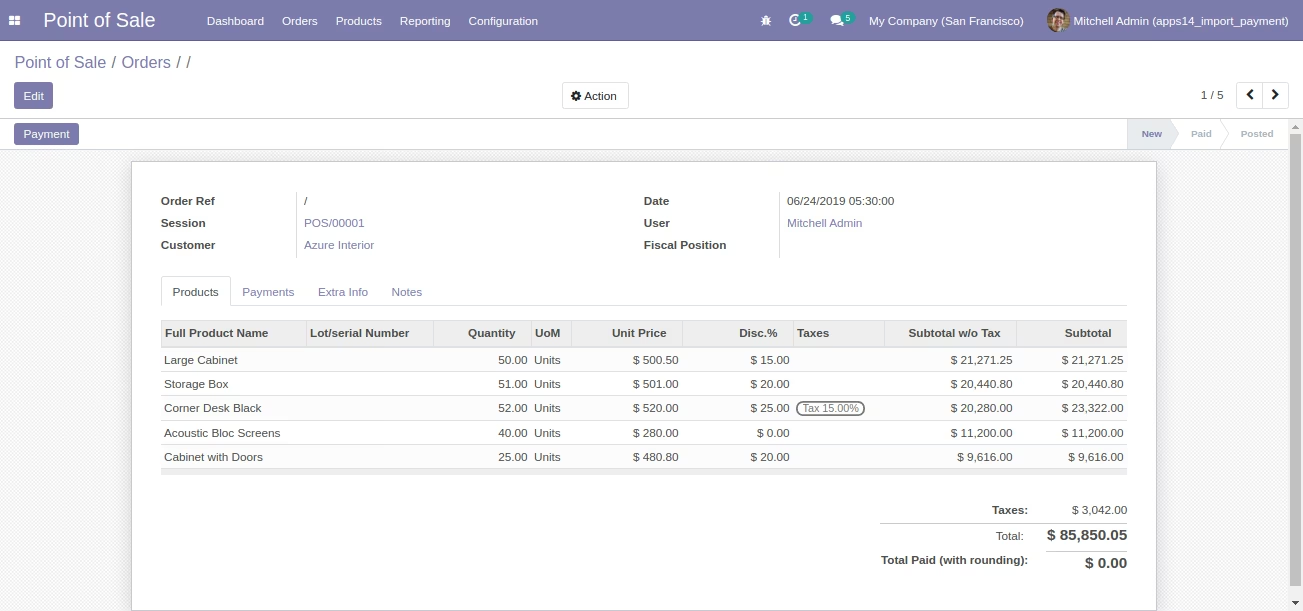
- All Point of Sales Orders which are imported from excel file state will be New/Draft.
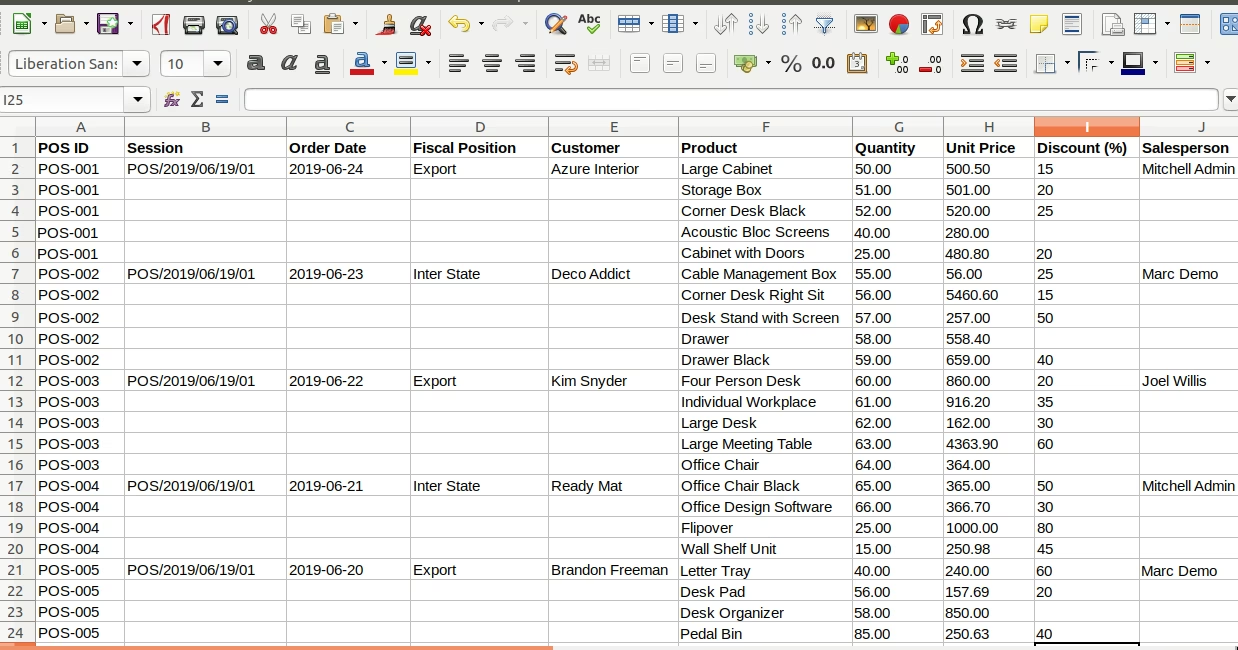
- Sample excel is available inside the sample folder in the module.
- For more details see the video and below screenshots.
Following fields can be Import From Excel Columns.
- POS ID : POS ID is used to Create a Product Line
- Session ID : Session ID for Session order
- Fiscal Position : Fiscal Position is show Inter State or Export
- Order Date : Order Date show the Date of Order
- Customer : Customer filed show the Customer Name
- SalesPerson : SalesPerson show the SalesPerson Name
- Product : Product Name show in Product Field
- Quantity : Quantity for order product
- Unit Price : Unit Price for order product
- Discount : Discount Field show the Product Discount
Make sure you have xlrd Python module installed. https://pypi.python.org/pypi/xlrd
For more details please see Video in Live Preview section. Excel sample is available inside module.
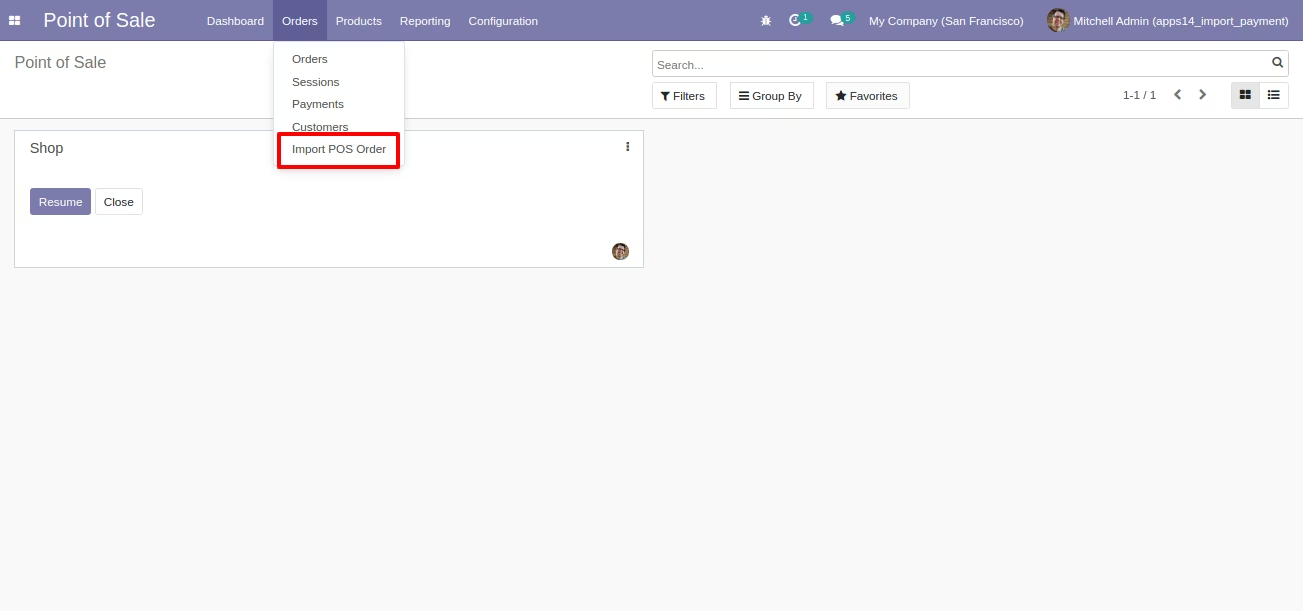
Wizard Menu to Import Point of Sale Order
Wizard to select Excel for Import POS
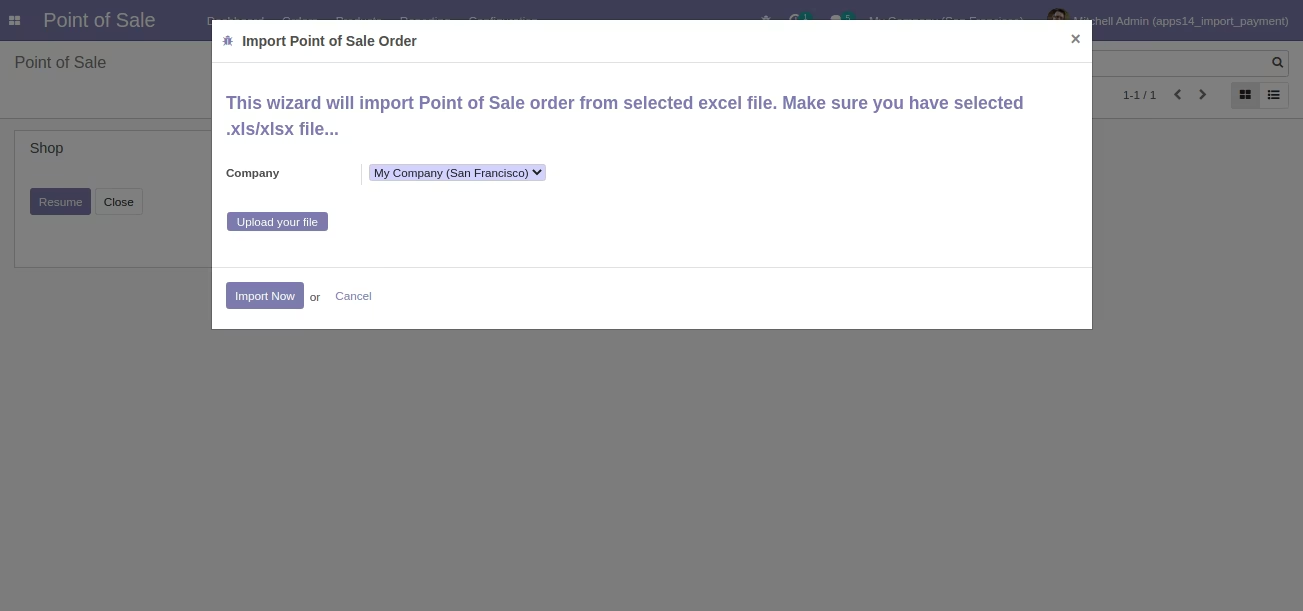
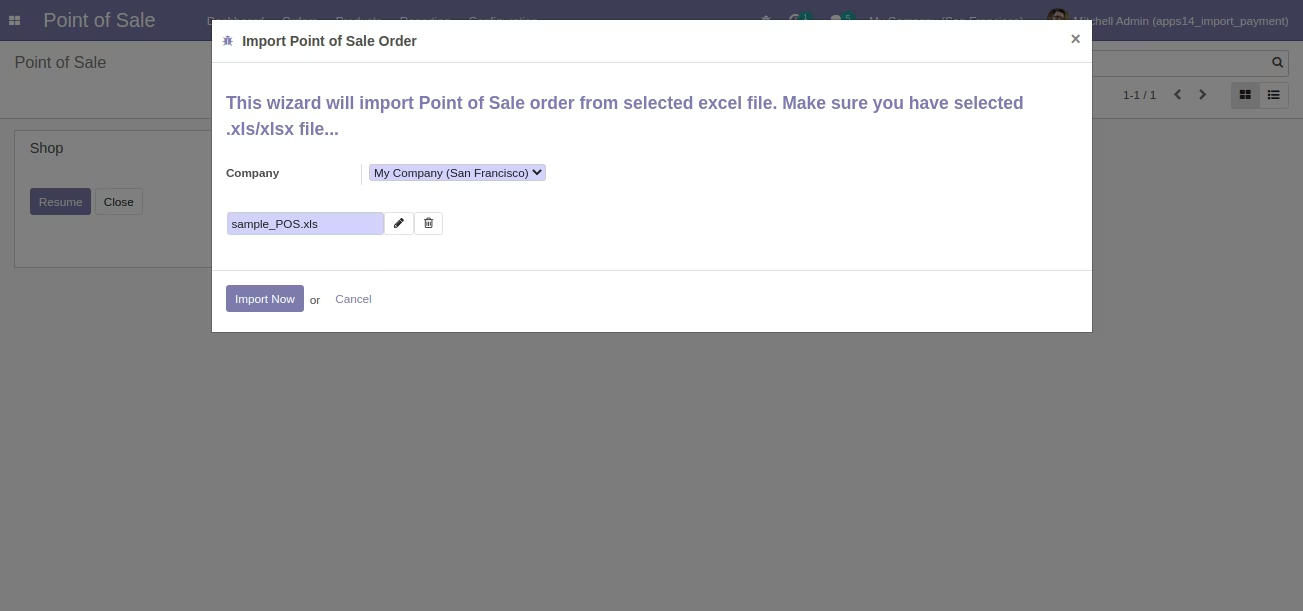
Imported Point of Sale Orders in List View after Running Wizard
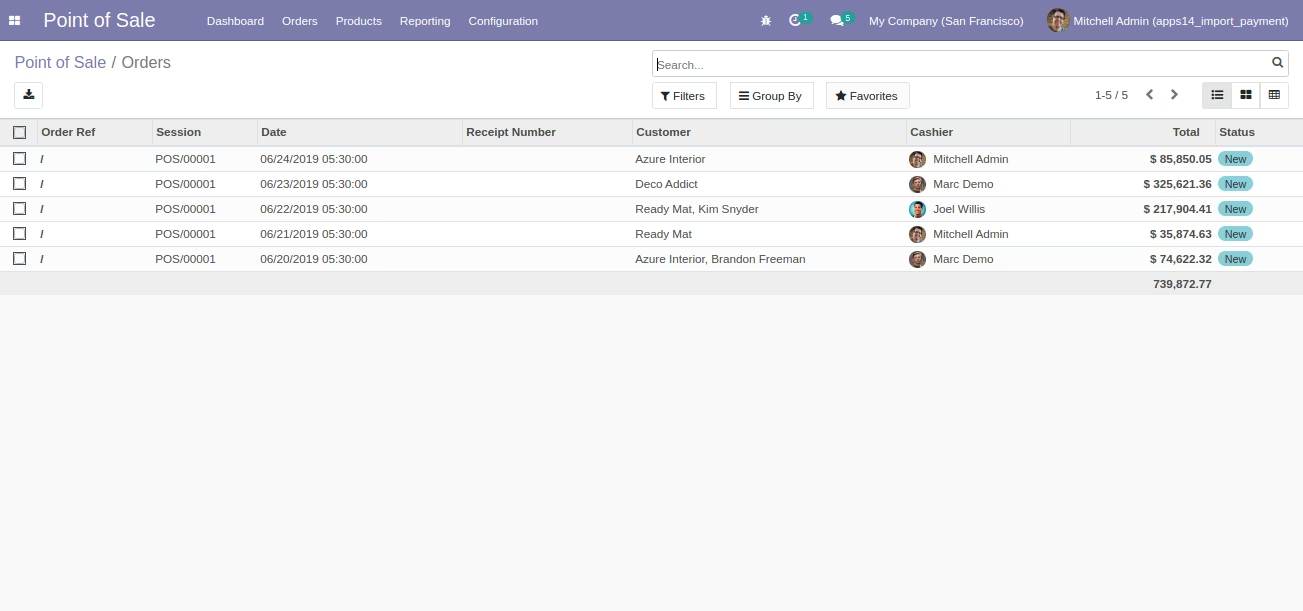
Imported Point of Sale Order in Form View Sample
Sample Excel File (Also available inside Module/Sample Folder) for Import