
The module is designed to simplify accounting operations. It allows businesses to upload journal entries in bulk from CSV or Excel files, making it easier to manage opening balances and streamline accounting processes across journals.
Import multiple journal entries from CSV or Excel formats.
Sample file templates included for accurate data mapping.
Wizard interface for selecting files and defining import type.
Supports multiple journals and companies.
Error detection for invalid accounts, currencies, or journal items.
Save time by reducing manual data entry.
Improve accuracy with built-in validation checks.
Simplify accounting management across journals and companies.
User-friendly interface for reliable bulk imports.
Bulk Journal Entry Import Made Simple
Seamless CSV/XLS Journal Upload for Accounting
Effortless Opening Balance & Entry Updates
One-Click Import of Multiple Journal Items Across Journals
This apps is useful for Multiple Journal Entries Import from CSV or XLS for multiple journal entry. This apps helps to import Multiple Journal/Entry items form CSV or Excel with single click. This apps will be useful when you start with your busniess or want to import account opening balance on or if you want to update/fixed the account balance on with journal entry import with different journal. This apps is very useful for all those scenario just prepare you journal-entry or journal-item single file and import them easily using our this module.
If you want to import extra fields from default apart from our sample files, we will add those on our import module without any extra cost. You can purchase our module and contact us on sales@browseinfo.in e.,g If you want to add company details and reference on journal entries, we will add without any cost
If you want to import journal entry/item lines on single journal entry, please check below apps.
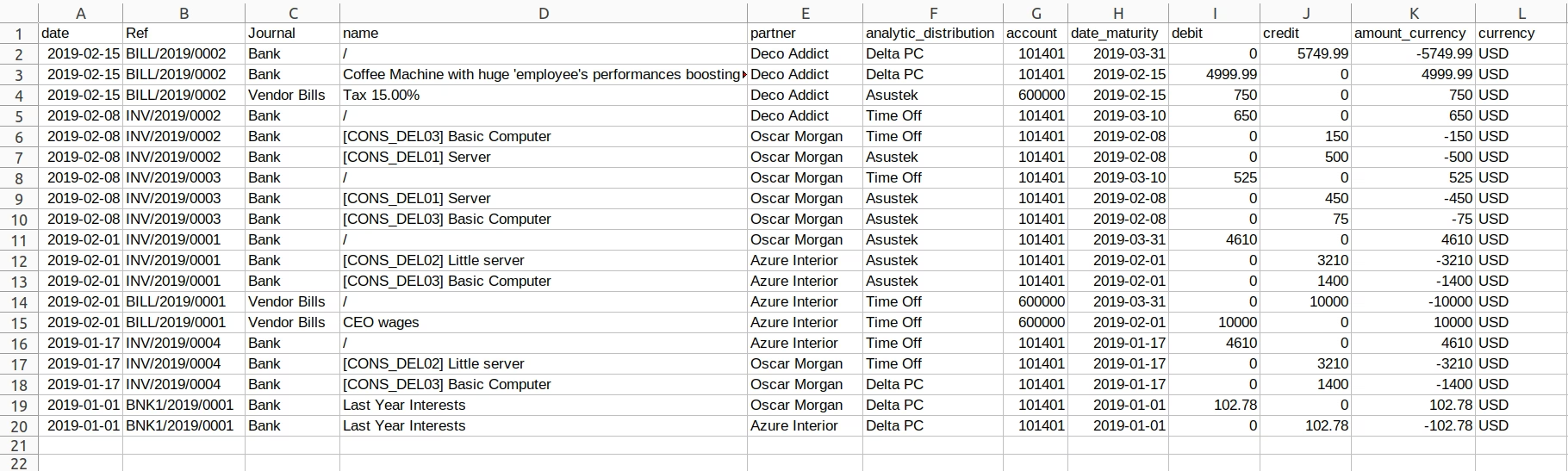
Data File Sample.
Given below is the sample of import file.
- Date
- - Date for journal entry.
- Ref
- - Reference for journal entry.
- Journal
- - Type of journal entry.
- Name
- - Name of the label for journal entry.
- Partner
- - Partner name belong to the journal entry.
- Analytic account
- - Analytic account of partner used for the journal entry.
- Account
- - Code of Account Analytic account.
- Date Maturity
- - Date of the journal entry.
- Debit Amount
- - Debit amount of the journal entry
- Credit
- -Credit
- Amount Currency
- - Credit amount of the journal entry
- Currency
- - Currency of the journal entry
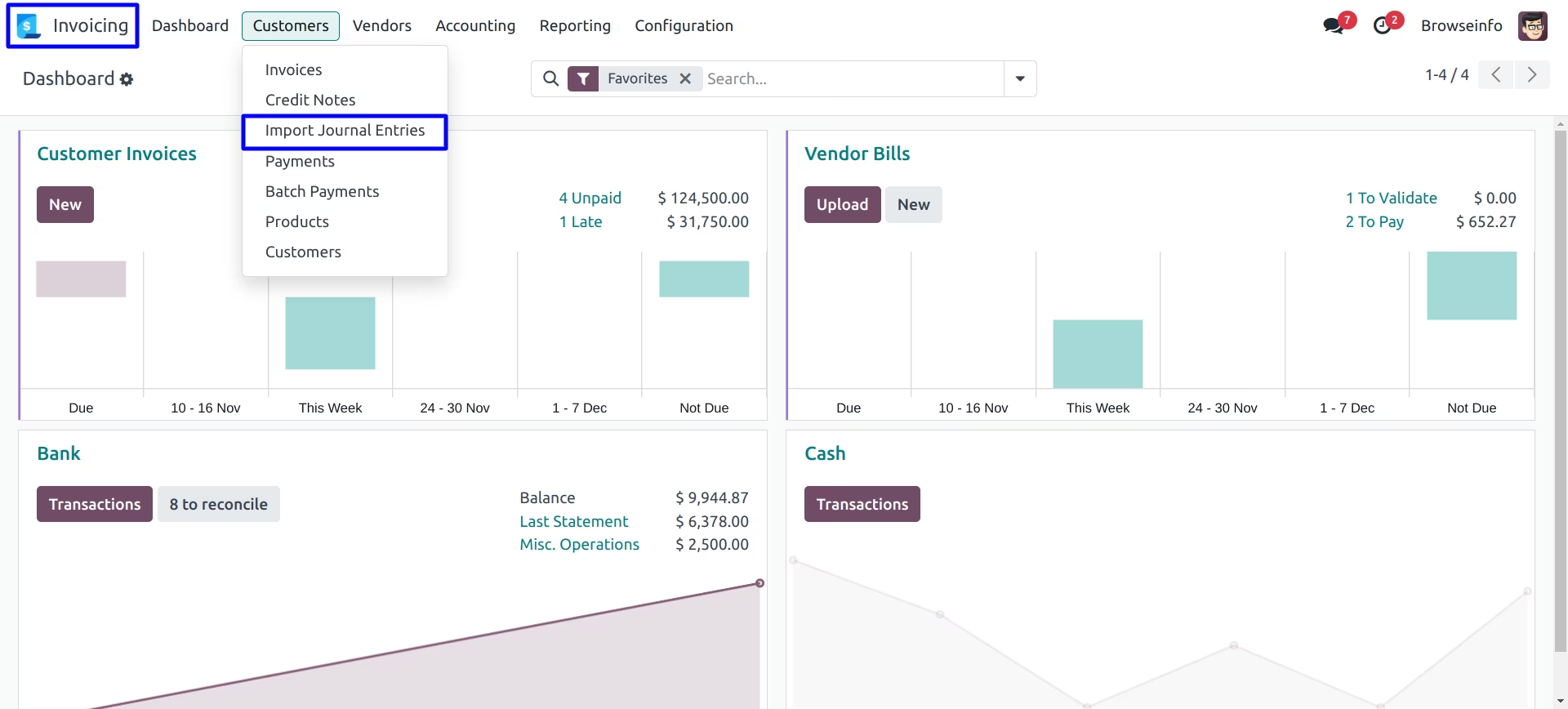
Import Multiple Journal Entries - Menu
Under Invoicing >Customers > Import Journal Entries menu you can import multiple journal entries from CSV or XLS.
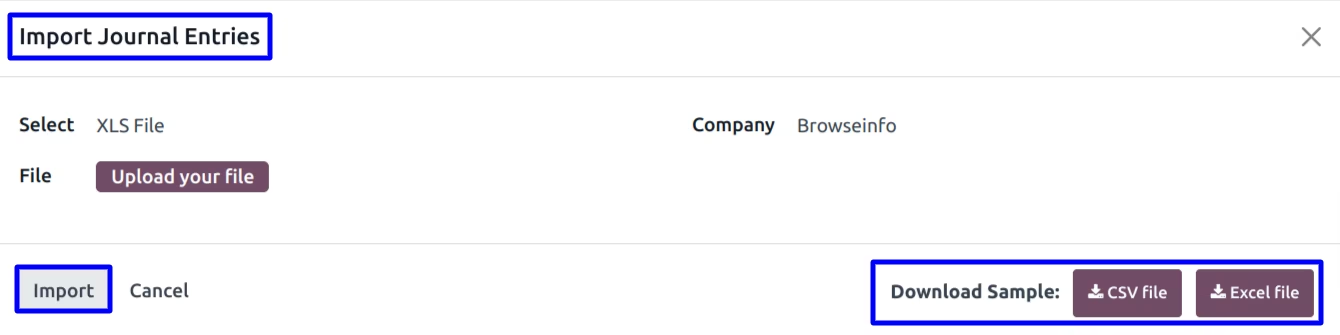
After clicking that button a wizard will be open where you have to select the format of the file from which you will import your data and the file for it.
User can download sample file to import multiple journal entry by clicking "CSV FILE or EXCEL FILE" button on wizard.
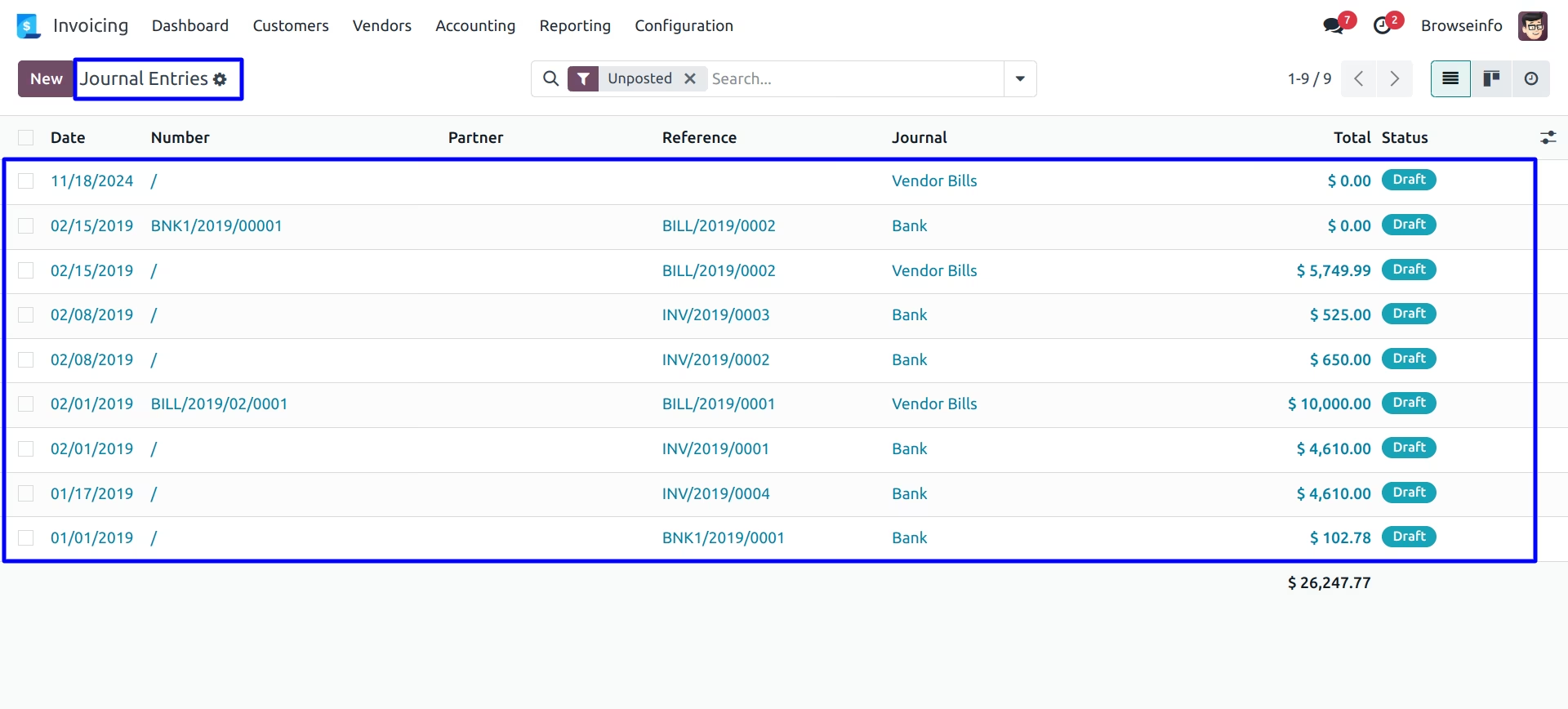
After importing the file in correct format you can see created Journal Entries base on journal of selected company, user can also import journal entry for multiple company.
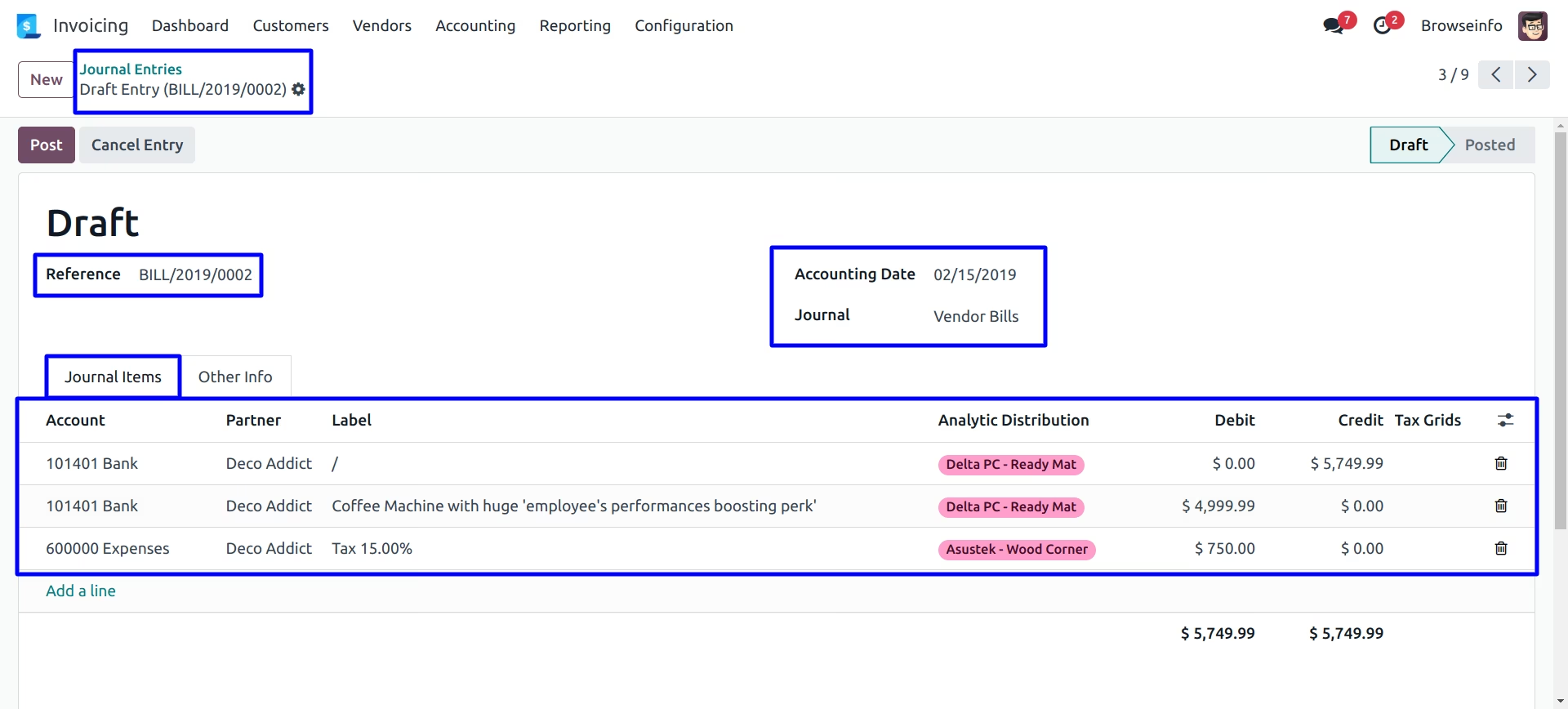
You can see the imported journal entry form view.
Mismatched Currency Error
If currency is not found in the system, It will show following erro

Mismatched Account Code Error
If account code is not found in the system, It will show following error.

Mismatched Journal Item Error
If account journal item is not found in the system, It will show following error.

Installation Guide
Before installing this module you have to install following packages in your system.
1.sudo pip install xlrd
2.sudo pip install xlwt
OR
1.sudo apt-get install python-xlrd
2.sudo apt-get install python-xlwt