
The module for is designed to facilitate the bulk import of lot numbers and their associated stock quantities directly into the system. This functionality is particularly beneficial for businesses that manage large volumes of inventory and require efficient methods to update their stock levels.
Bulk Import: Import multiple lot numbers and their corresponding stock quantities simultaneously using Excel or CSV files.
Data Validation: The module performs checks to ensure that the imported data is accurate and consistent, reducing the risk of errors.
Traceability: Enhances inventory traceability by accurately recording lot numbers, which is crucial for industries with strict regulatory requirements.
User-Friendly Interface: Provides an intuitive interface for users to upload and manage their import files, simplifying the import process.
Sample Files: Users can download sample Excel or CSV files to understand the required format, ensuring smooth data import.
Efficiency: Significantly reduces the time and effort required to update inventory records, especially when dealing with large datasets.
Accuracy: Minimizes human errors associated with manual data entry, leading to more reliable inventory records.
Compliance: Assists businesses in maintaining compliance with industry standards and regulations by ensuring accurate lot number tracking.
Cost Savings: Streamlines inventory management processes, potentially leading to cost savings through improved operational efficiency.
Initialize Stock with Serial/Lot Numbers in One Click
Easily Import Initial Stock with Lot Details via CSV/Excel
Import Inventory Quantities with Lot Numbers Effortlessly
Import Lot or Serial Numbers with Stock Quantities from Excel
Import lot with stock apps helps to import lots/serial number with stock from excel or csv file, If you want to import your stock data or inventory stock with lot number then this apps will be really helpful for you.When you are new with and just started and want to import your initial inventory balance along with lot number and serial number from other software or may be from excel file.Then this apps will be useful for you, you can make your excel/csv file with lot number and its available stock and import it easily. This apps support for both version community as well as enterprise.
Data File Sample.
Given below is the sample of import file to upload lot number with stock but without date details, It is mandatory to use given format to create XLS or CSV file.
If you are using only numeric value for Internal ref or Barcode field then please make sure the cell type/format is Text/Character
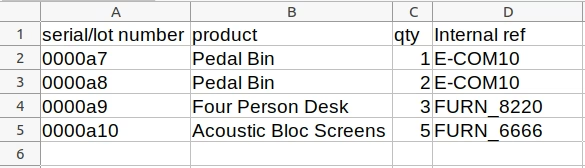
Given below is the sample of import file to upload lot number with stock and date details, It is mandatory to use given format to create XLS or CSV file.
If you are using only numeric value for Internal ref or Barcode field then please make sure the cell type/format is Text/Character

- serial/lot number
- -serial/lot number of product
- product
- -Name of product.
- qty
- -qty of product.
- Internal ref
- -Internal reference of product
- best before date
- -best before date of product
- removal date
- -removal date of product
- end of life date
- -end of life date of product
- alert date
- -alert date of product.
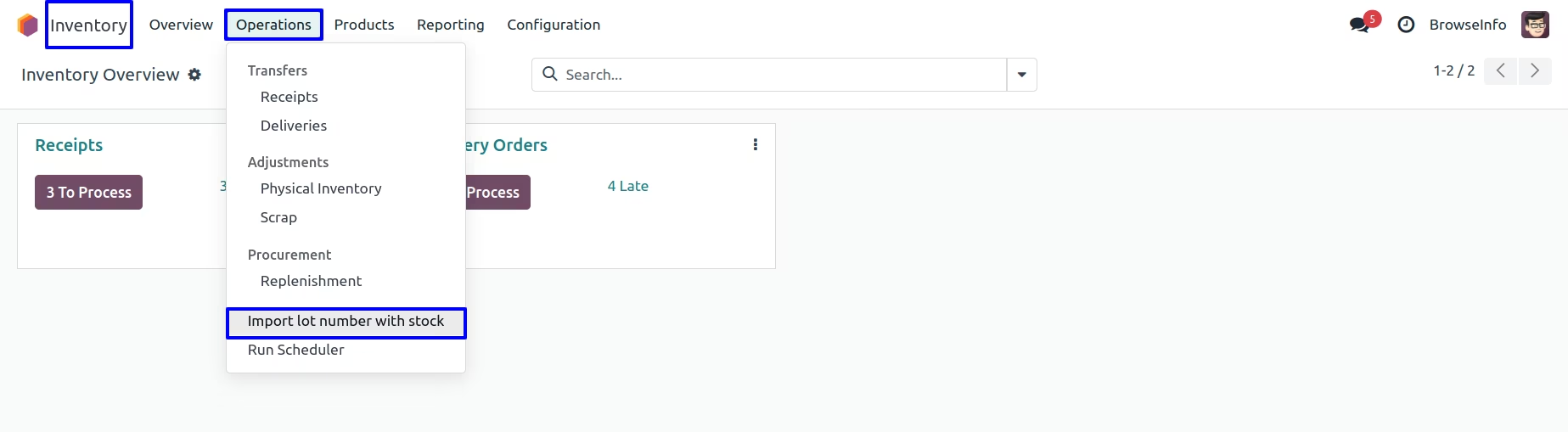
Import Lot Number with Stock Menu
Figure shows the menu for importing data for create product lot number with stock data.
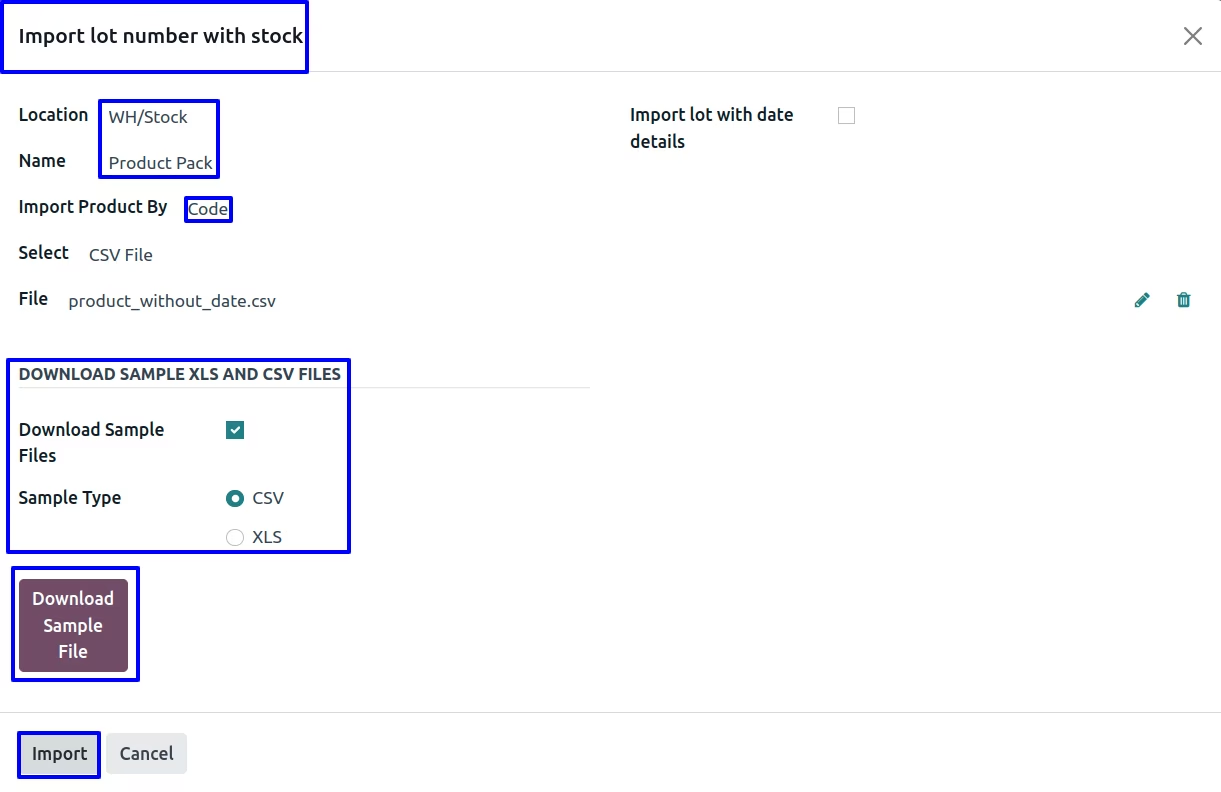
Import Lot Number with Stock Wizard without Date Details
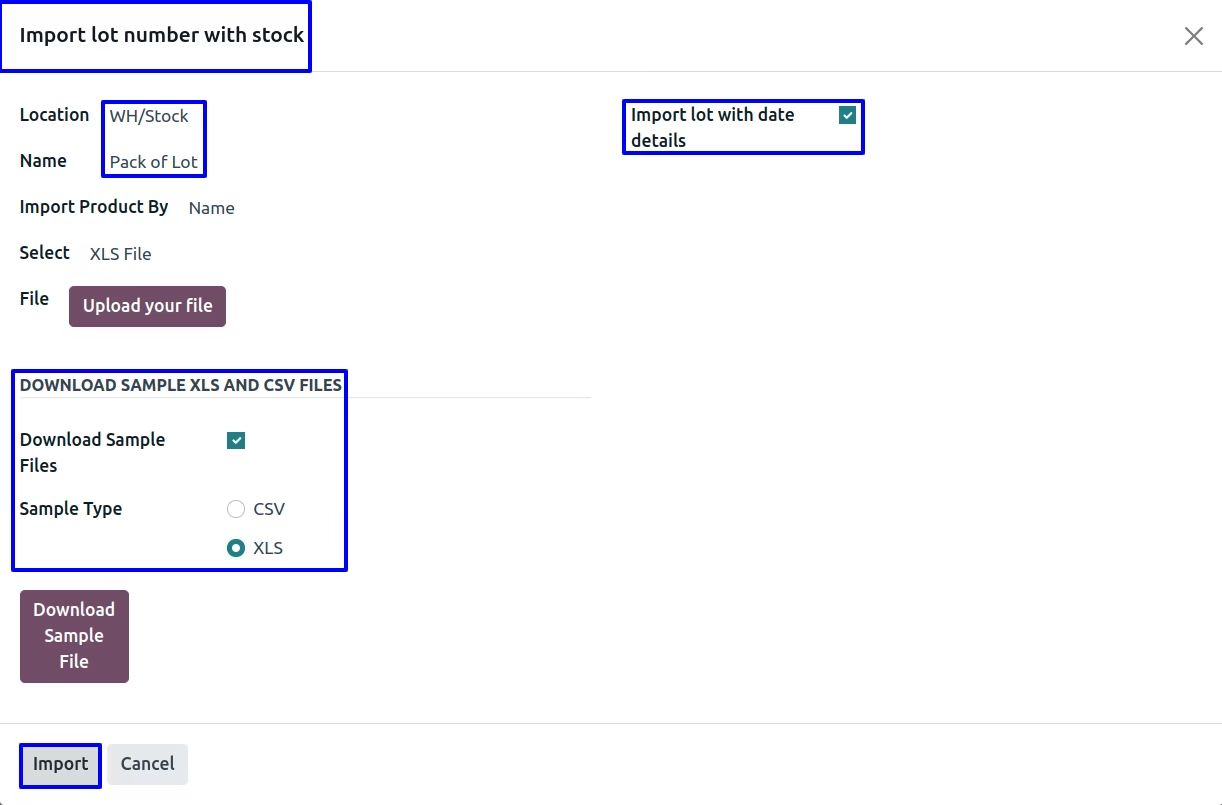
In this wizard you have to upload properly formated XLS or CSV file which you want to import for product lot number.
User can download sample file to import lot number with stock by enable "Download Sample Files" option and select "Sample Type" as CSV or XLS and click "DOWNLOAD SAMPLE FILE" button on wizard.
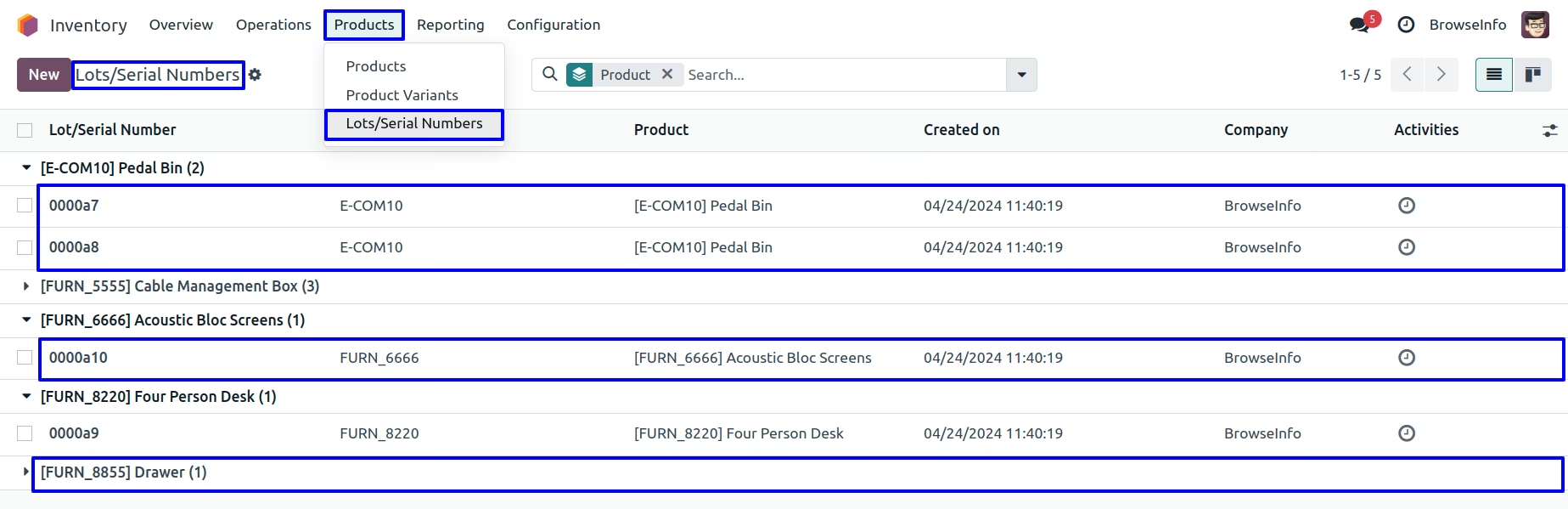
Created Lots/Serial Number Tree View
Figure shows the product lots/serial number created without date details from given data file.
Import Lot Number with Stock Wizard with Date Details
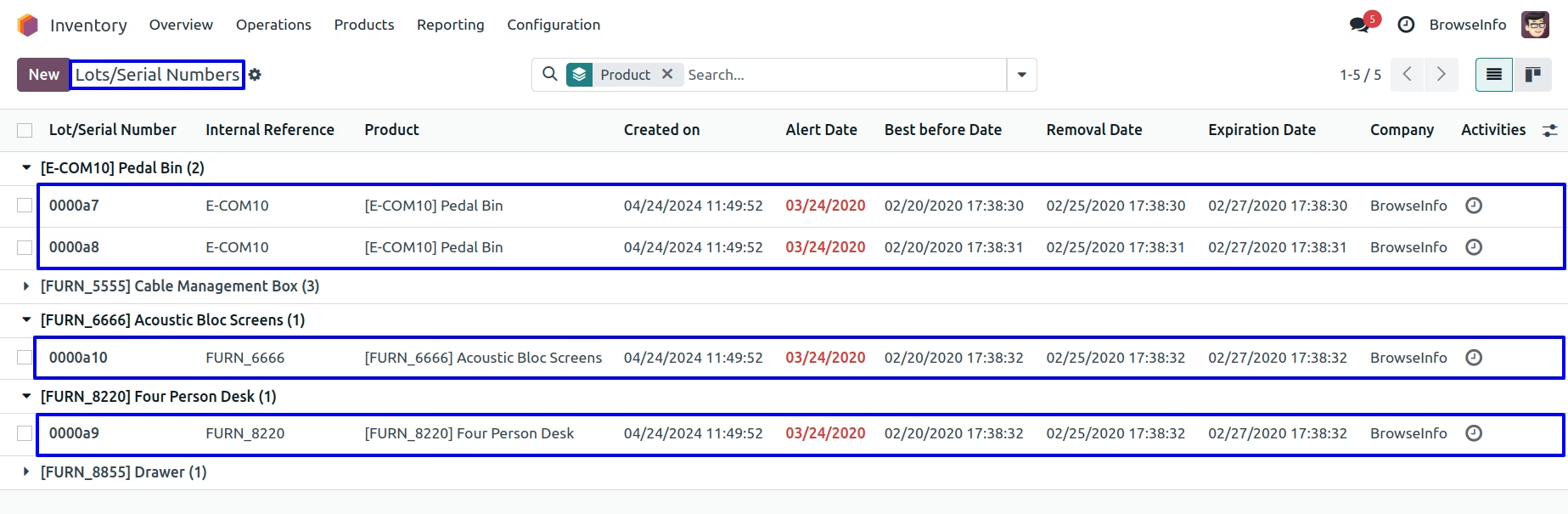
Created Lots/Serial Number Tree View
Figure shows the product lots/serial number created with date details from given data file.
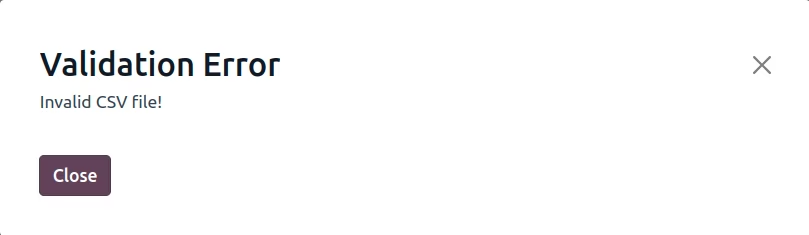
Warning or Validation
When importing wrong data file that time warning or validation message will be generated.
Installation Guide
Before installing this module you have to install following packages in your system.
1.sudo pip install xlrd
2.sudo pip install xlwt
OR
1.sudo apt-get install python-xlrd
2.sudo apt-get install python-xlwt