The module the process of importing and exporting Bills of Materials (BOM) in using Excel or CSV files. This functionality is particularly beneficial for businesses that need to manage large numbers of BOMs, ensuring efficiency and accuracy in data management.
Import BOMs from Excel/CSV: Easily import BOMs from structured Excel or CSV files.
Export BOMs to Excel/CSV: Export existing BOMs to Excel or CSV files for offline editing or reporting.
User-Friendly Interface: Provides an intuitive interface for importing and exporting BOMs, making it accessible even for users with minimal technical expertise.
Supports Multiple BOM Types: Allows import and export of different BOM types, including manufacturing and kit BOMs.
Data Validation: Ensures data integrity by validating the imported data against existing records.
Efficiency: Reduces the time and effort required to set up or update BOMs by allowing bulk import and export.
Accuracy: Minimizes the risk of errors associated with manual data entry.
Flexibility: Provides flexibility in managing BOMs, supporting both import and export functionalities.
Scalability: Facilitates the easy creation or modification of multiple BOMs, supporting business growth.
This Module Allow to Import/Export Bill of Materials in Excel format.
Make sure you have xlwt and xlrd Python Library installed.
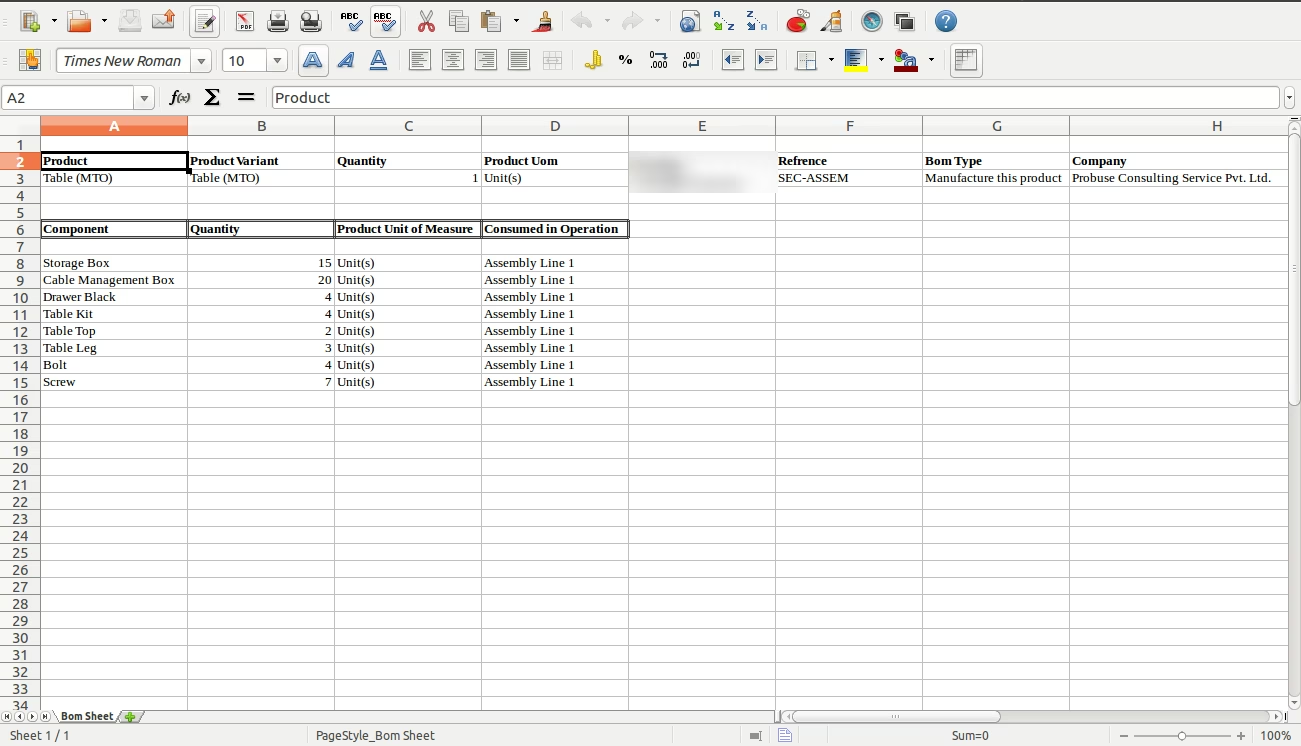
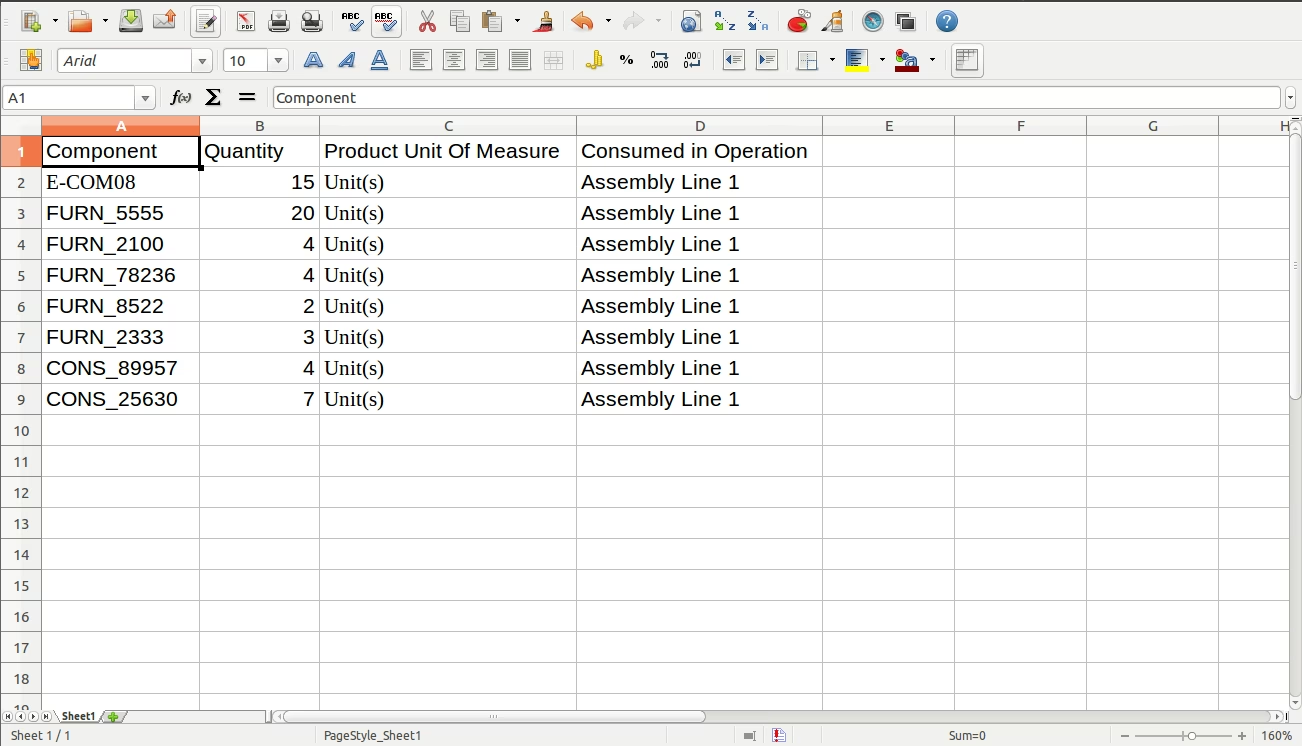
Main Features- Allow you to Import Bills of Materials Lines. Sample excel file is in inside module folder.
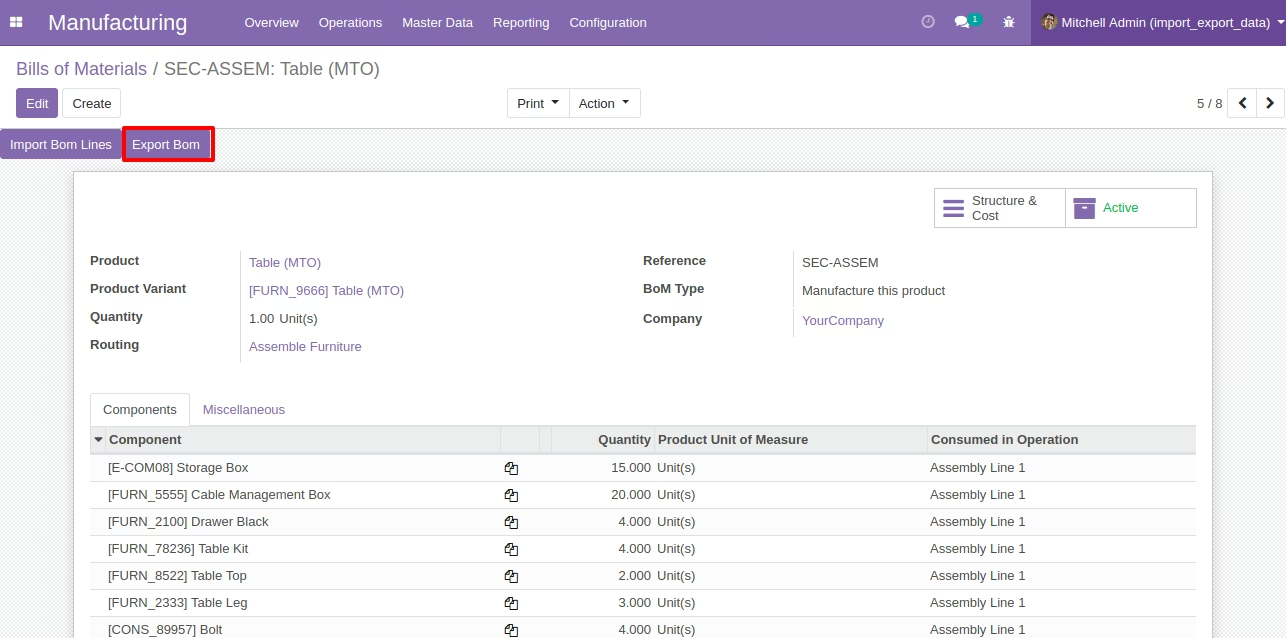
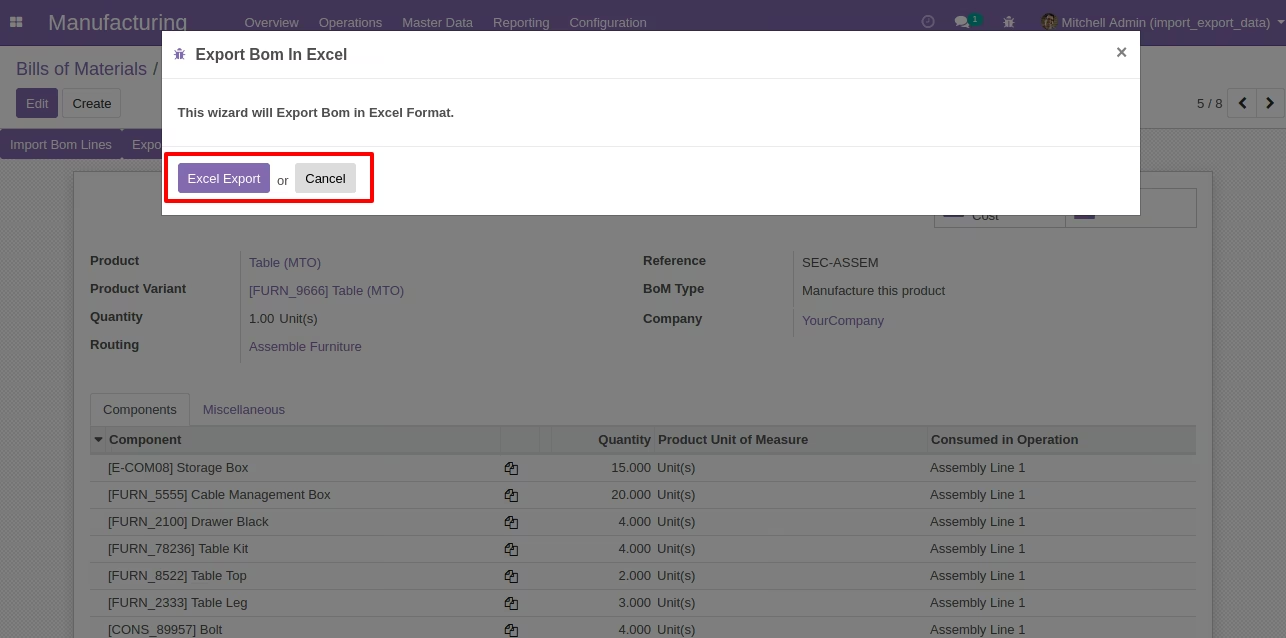
- Allow You to Export Bills of Materials In Excel.
- For more details please watch Video and Screenshort.
Manufacturing : Master Data/Bills of Materials Menu [Standard Menu]
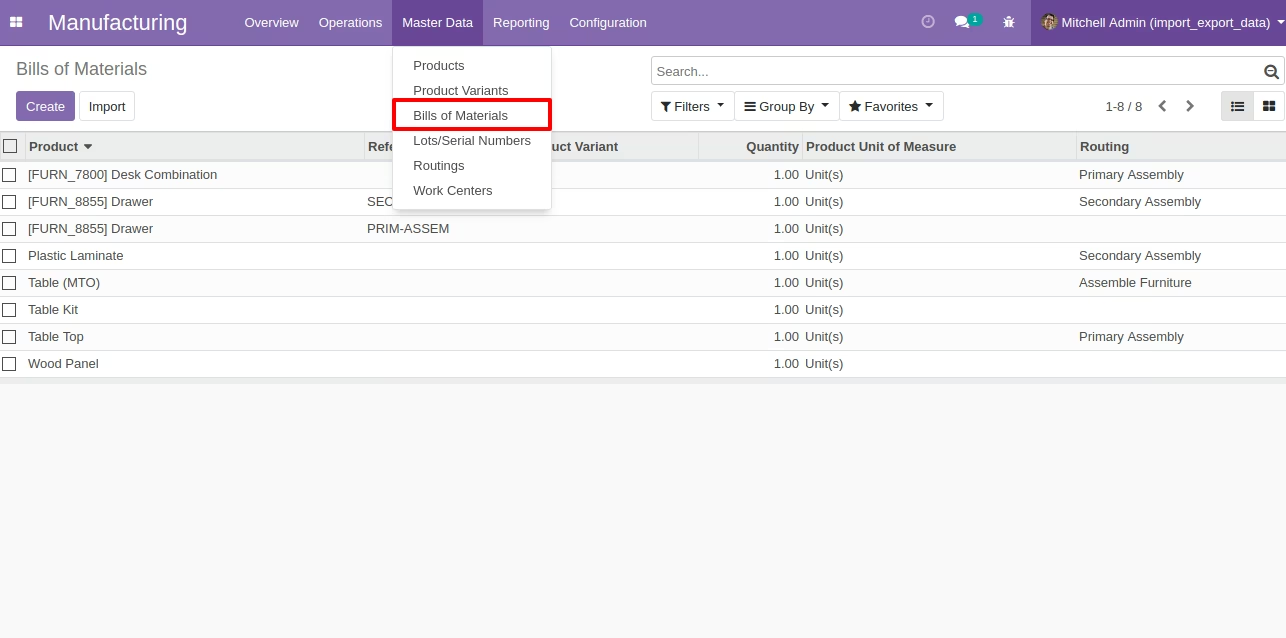
Bills of Materials : Import Bills of Materials Lines
By clicking "Import Bom Lines" button it will open the new wizard and on wizard we can select file to import.
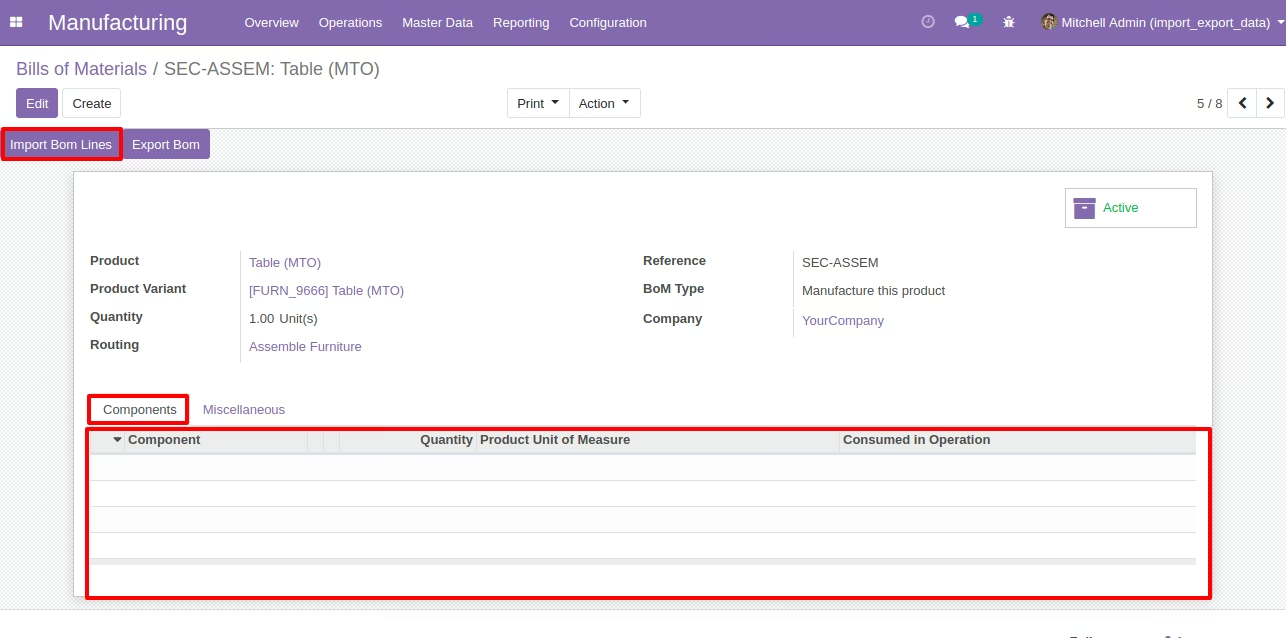
Bills of Materials Lines Import Wizard
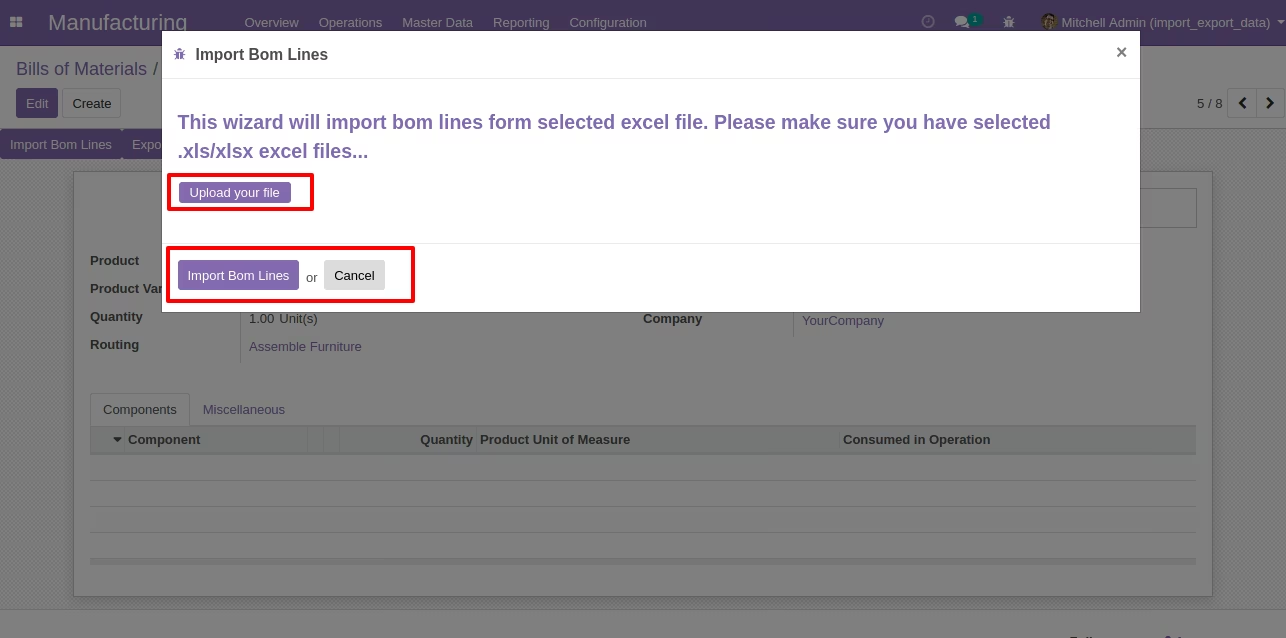
Import Bills of Materials lines after Running Wizard.
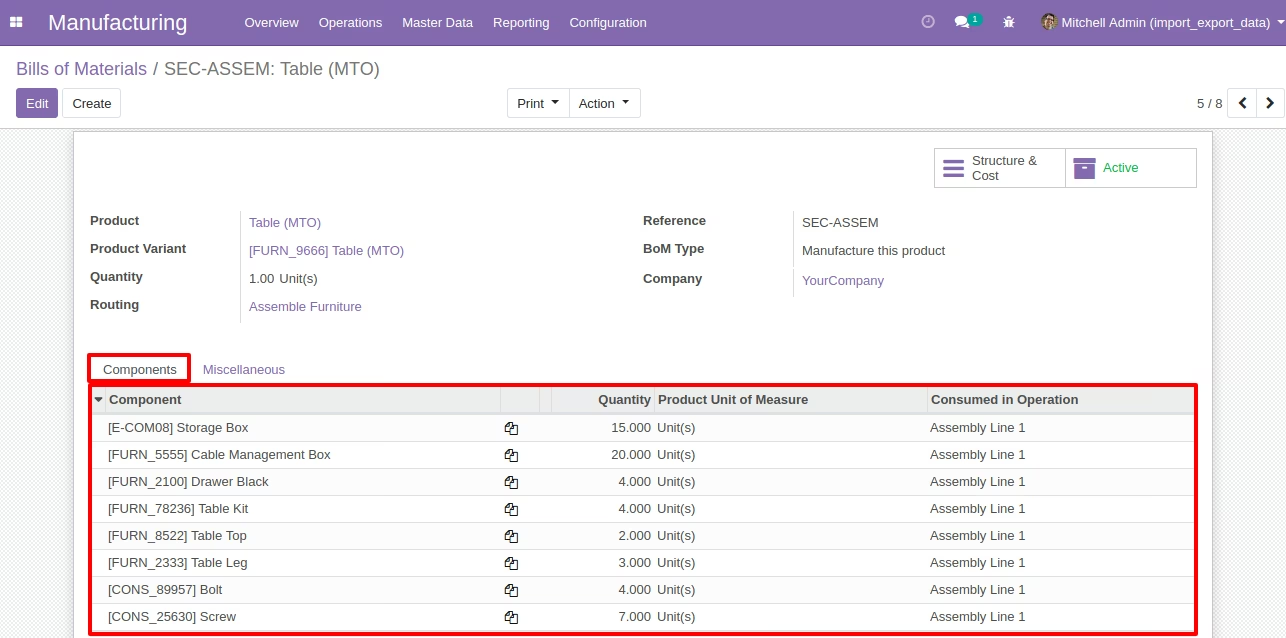
Sample Excel File
Bills of Materials : Export Bills of Materials
Export Bills of Materials In Excel Wizard
Exported BOM