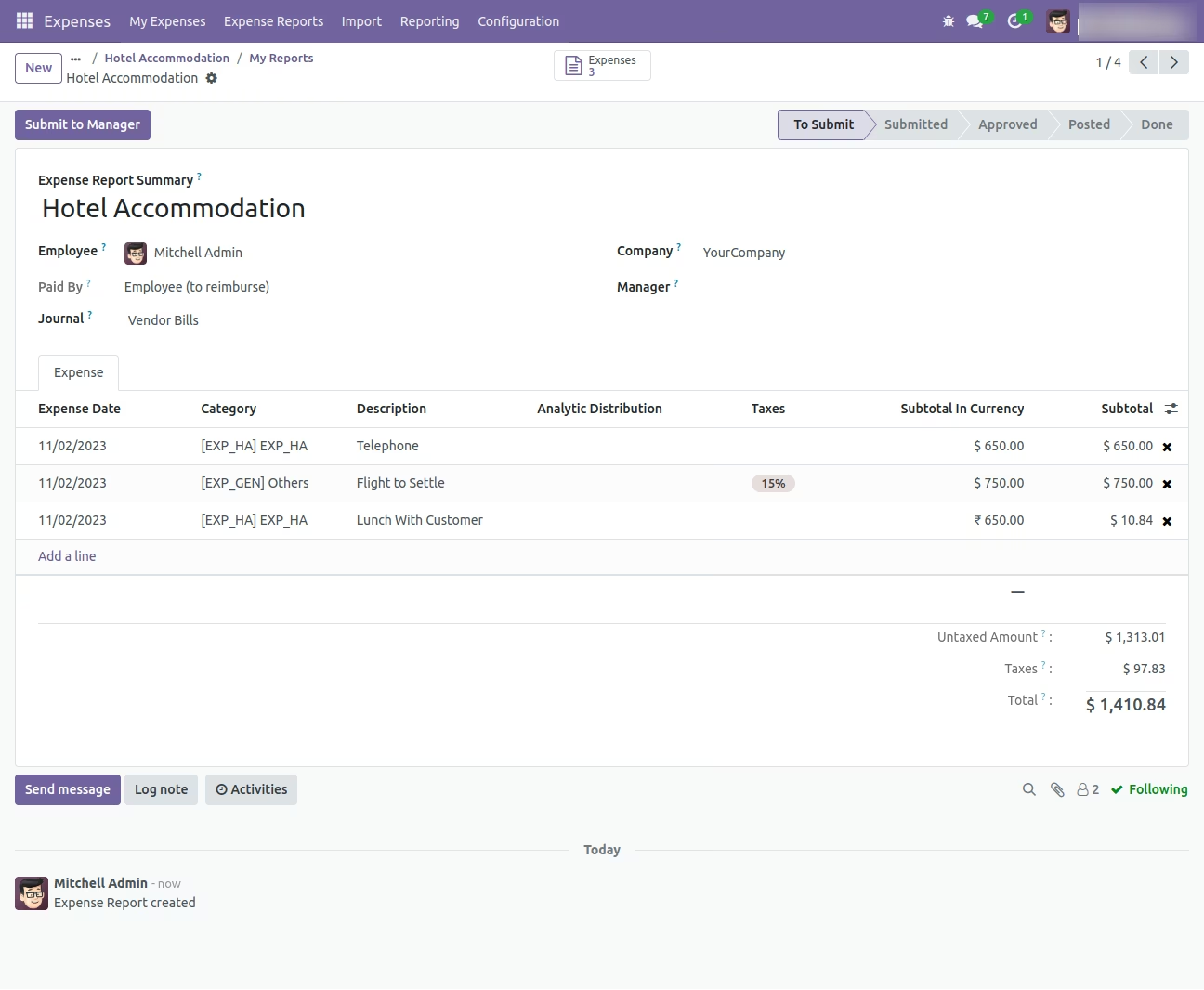
Transform your expense management process with the Import Expense and Expense Sheet module. This powerful tool is designed to eliminate the inefficient and error-prone task of manually submitting employee expenses one by one. By enabling you to import individual expense lines or complete multi-line expense reports in bulk from a simple Excel or CSV file, you can dramatically accelerate the entire workflow. This module is the perfect solution for businesses looking to streamline expense submission, improve accuracy in financial records, and provide a faster, more convenient reimbursement process for their employees.
Dual Import Capability: Import both individual employee expenses and complete multi-line expense sheets.
Flexible File Formats: Seamlessly import your data using either Excel (.xlsx) or CSV (.csv) files for maximum convenience.
Comprehensive Data Mapping: Import all essential expense details, including the expense description, product, quantity, unit amount, and employee.
Intelligent Record Matching: Easily identify employees by their name and expense products by their name, internal reference, or barcode.
Automated Report Creation: Automatically generates expense reports, ready for manager approval and accounting review.
User-Friendly Templates: Comes with downloadable sample files to ensure your data is structured perfectly for a hassle-free import.
Clear Validation: Provides informative error messages to help you quickly identify and correct any issues within your import file.
Drastically reduces the time and effort required for employees and managers to submit and process expenses.
Significantly minimizes the risk of data entry errors, ensuring accurate expense allocation and reimbursement.
Accelerates the entire expense approval and payment cycle, improving employee satisfaction.
Simplifies the process of submitting large or complex expense reports with multiple items.
Enhances financial control and visibility with timely and accurate expense data.
Streamlines the workflow for your HR and accounting departments.
Empowers your team with a faster, more efficient way to manage their business expenses.
This app allow you to Import Expense and Expense Sheet from excel file.
Main Features:
- Allow you to import multiple Expense from excel.
- Allow you to Import Expenses.
- Allow you to Import Expense Sheets.
- Sample Excel files are available inside sample folder in app.
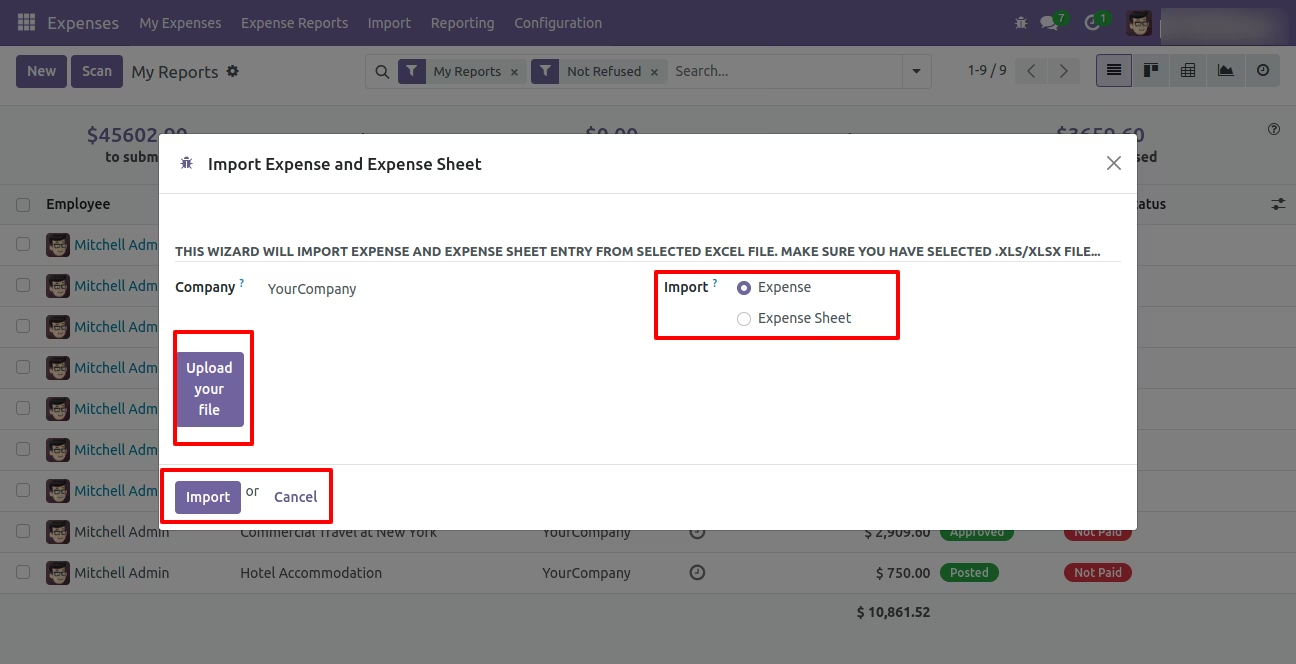
- This module allow you to Import Employee Expenses and Expense Sheets from Wizard using Excel Import.
- Make sure you have xlrd Python library installed.
- For more details see video and below screenshots.
Menus Available:
- Expenses
-
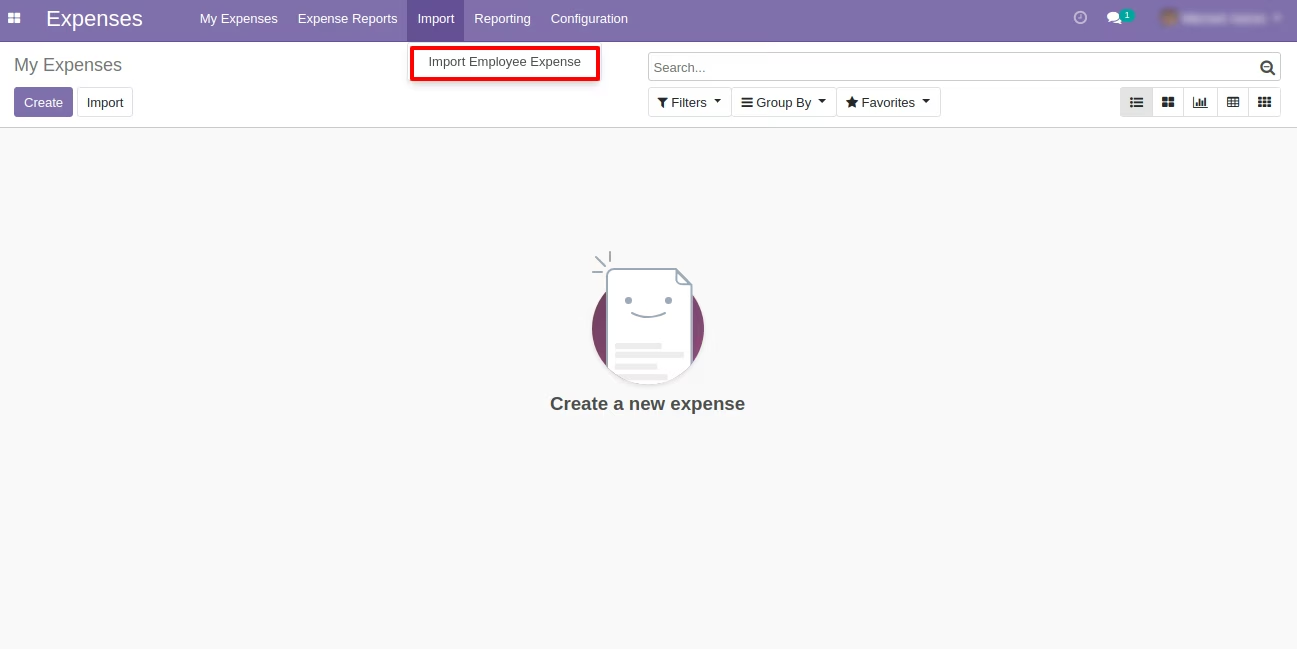
Import
- Import Employee Expense
Menu - Expenses :Import/Import Employee Expense
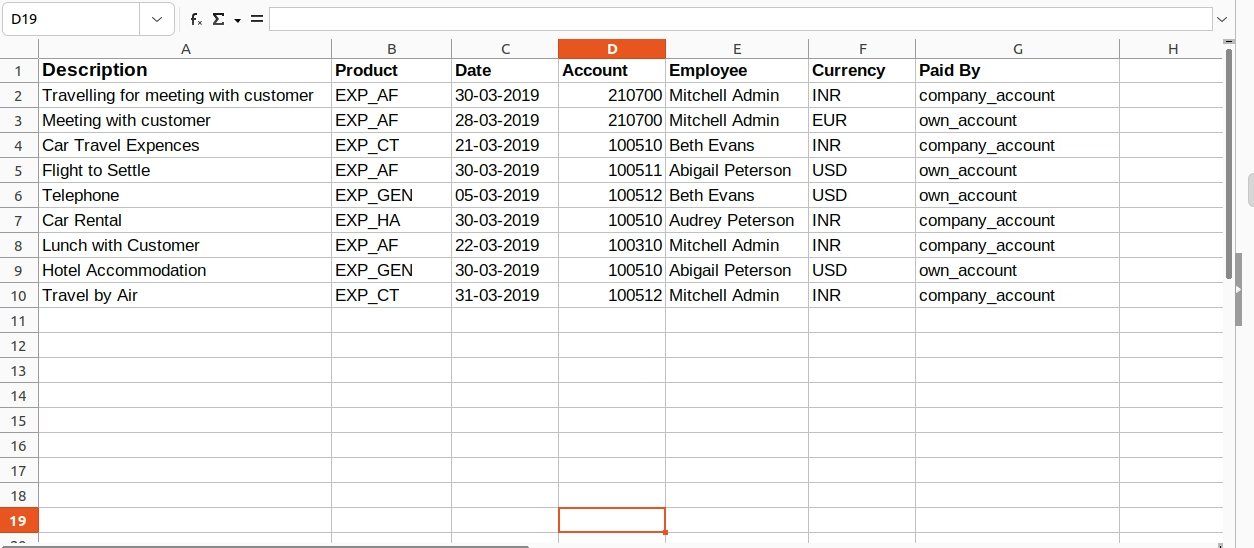
Sample Excel File for Expenses Import
(Also available inside Module/Sample Folder)
Wizard to Select Excel - Import Expense
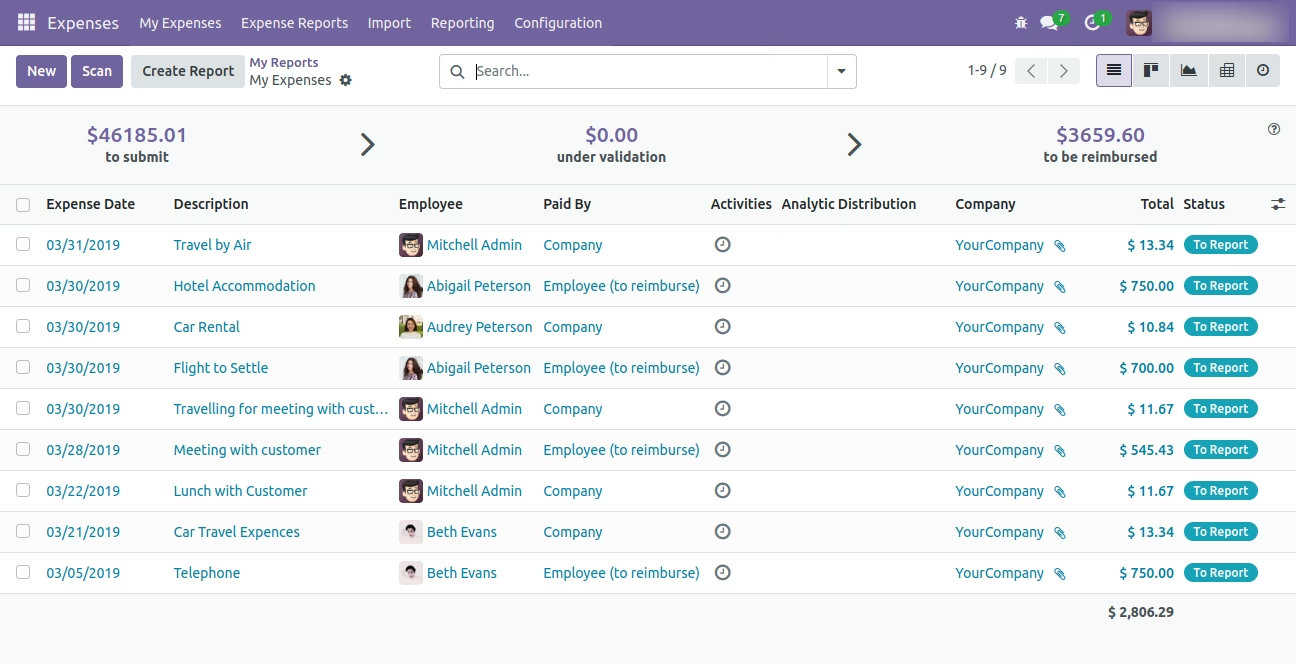
Imported Expenses in List View
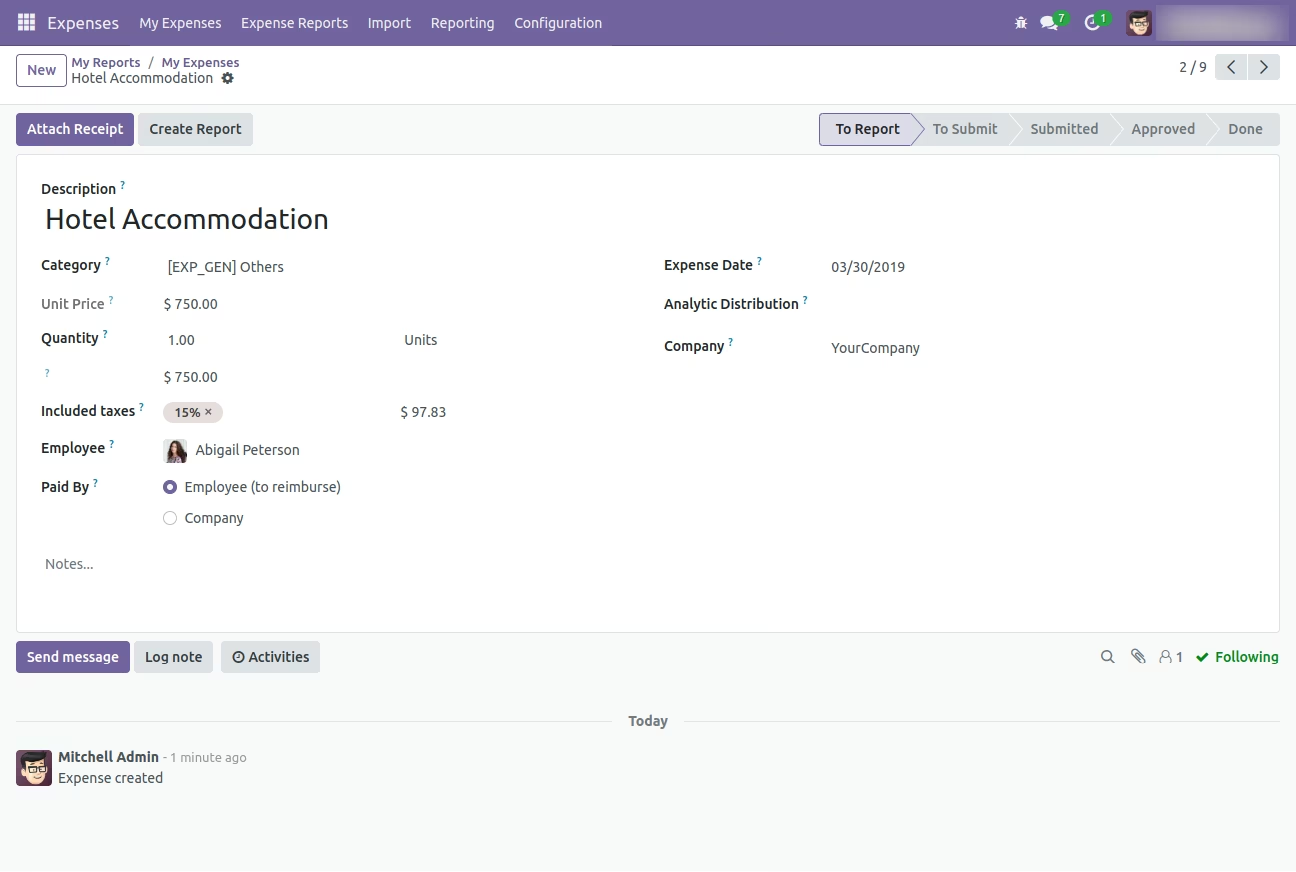
Imported Expense in Form View
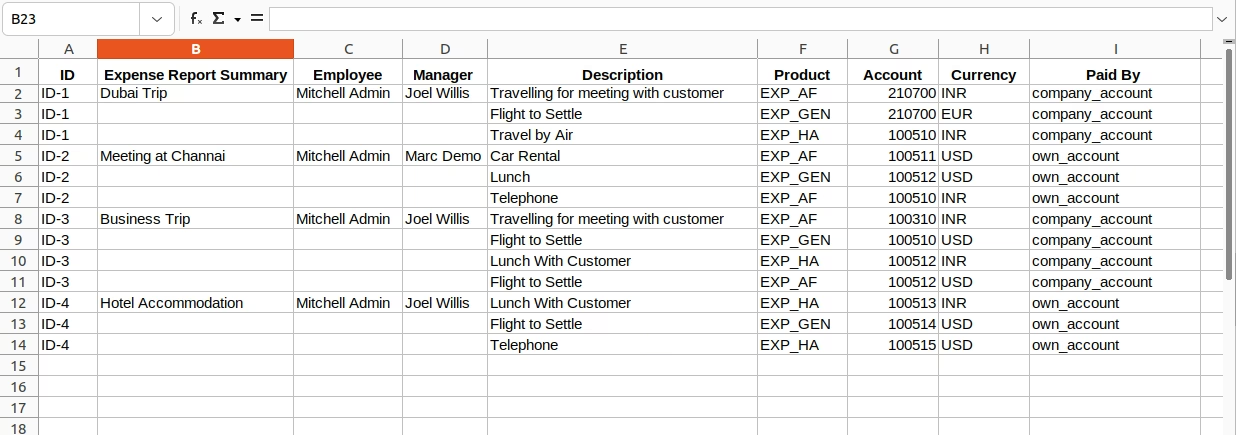
Sample Excel File - Multiple Expense Sheets
(Also available inside Module/Sample Folder)
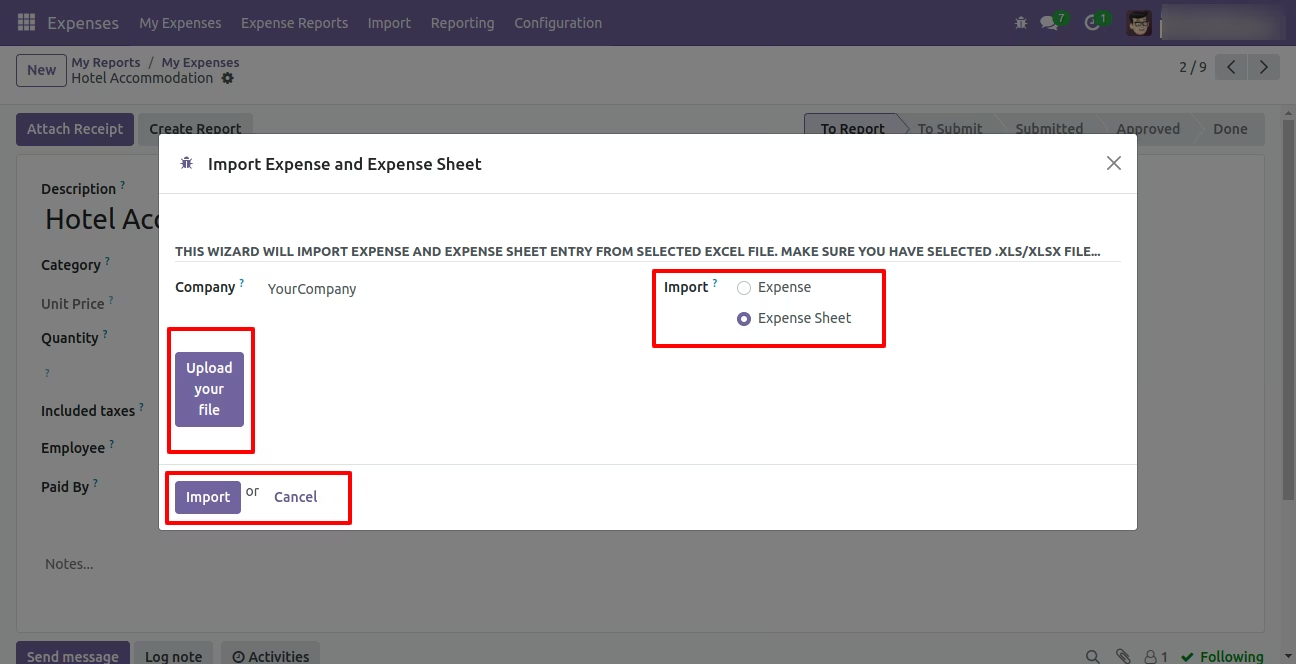
Wizard to Select Excel - Import Expense Sheet
Imported Expense Sheets in List View
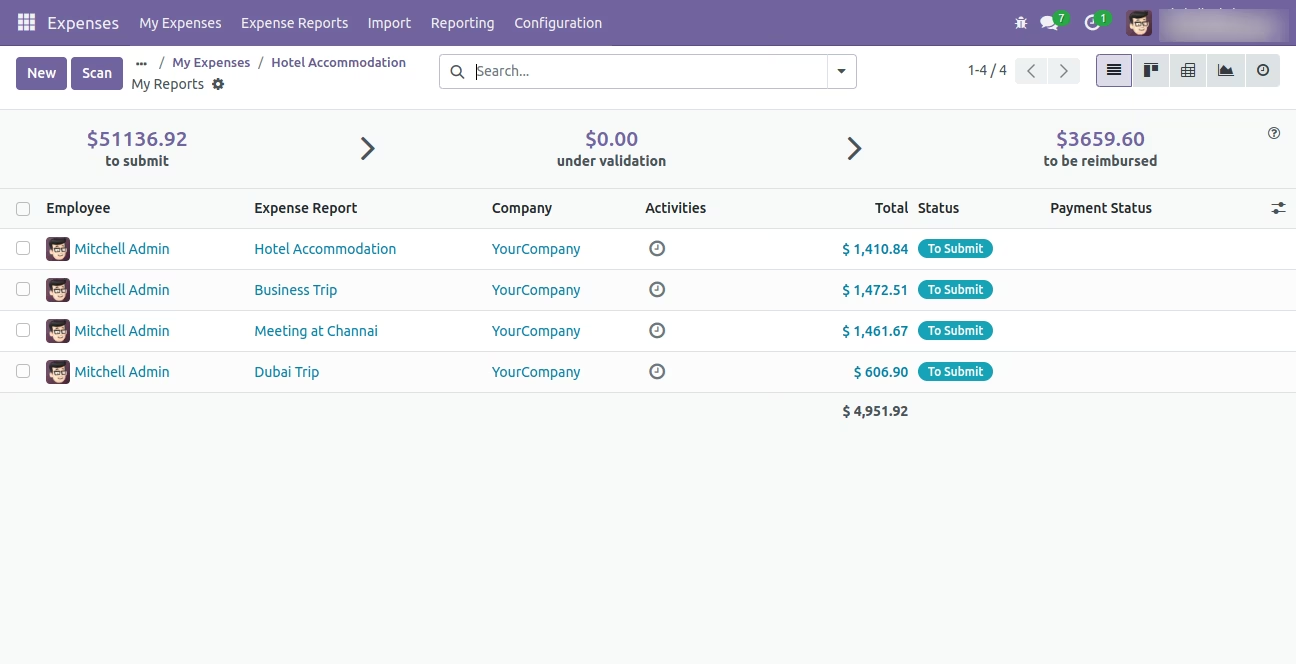
Imported Expense sheet in Form View