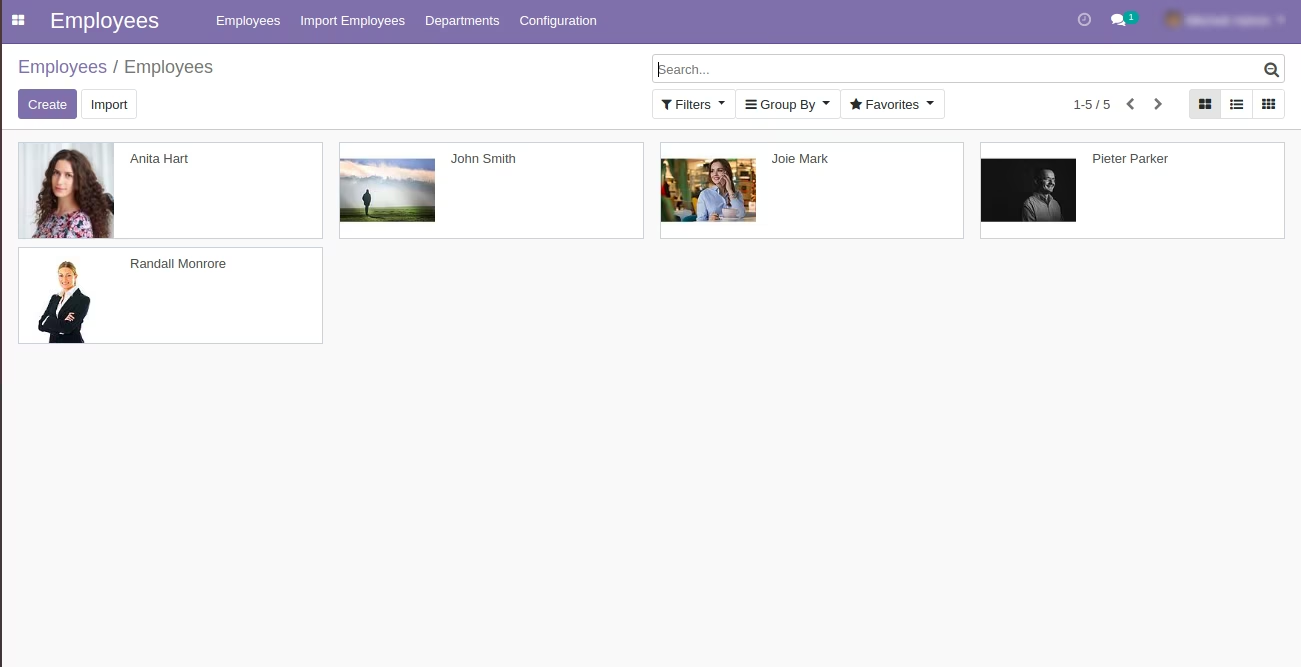
Personalize your company’s HR system and create a complete, professional employee directory with the Import Employee Images module. This powerful utility is designed to solve the tedious task of uploading employee photos one by one. By enabling you to bulk import all employee images directly from local file paths or web URLs using a straightforward Excel or CSV file, this module saves your HR department countless hours of administrative work. It’s the perfect tool for setting up a new Odoo HR system, onboarding a large group of new hires, or simply ensuring every employee profile is complete and easily recognizable.
Bulk import profile photos for multiple employees in a single, streamlined operation.
Dual import options: use either local file paths from your computer or direct web URLs.
Supports both Excel (.xlsx) and CSV (.csv) file formats for maximum flexibility.
Accurately map images to the correct employee profiles using their name or other unique identifiers.
Automatically updates the employee's profile picture within the Employees module.
Includes clear, easy-to-use sample files to ensure your data is structured correctly for a seamless import.
Provides a user-friendly wizard to guide you through the import process step-by-step.
Features robust data validation to prevent errors and provides informative logs to resolve any issues.
Drastically reduces the manual effort and time required to populate employee photos.
Enhances the usability and personal feel of your internal employee directory and other apps.
Significantly speeds up the HR onboarding process for new employees.
Ensures visual consistency and completeness across all employee profiles.
Simplifies the process of updating employee photos in bulk after a company event or new headshots.
Frees up your HR team to focus on more strategic initiatives rather than manual data management.
Improves internal communication and team recognition with a complete visual directory.
Import Images of Employees in Excel
(With File Path and Web URL Options)
This module allows you to import images from excel using URL and Path.
Main Features:
- Allow to import *.jpg or .png or .jpeg ... files types.
- Make sure you have xlrd Python library installed.
- This module allows you to create New Employees and Modify Existing Employees images using the wizard process.
- Allow you to create a new Employee based on your choice and selected on wizard.
- Allow you to modify existing employees based on your choice and selected on wizard.
- Allow you to have an image file path of your directory and Website URL where you keep your image. (Both options can work together with single import.)
- Allow you to give http or https as website URL to import image using Excel.
- Create Employee Image
- For Create Employee Template you should select on wizard model as Employee and operation as Create Employee on wizard.
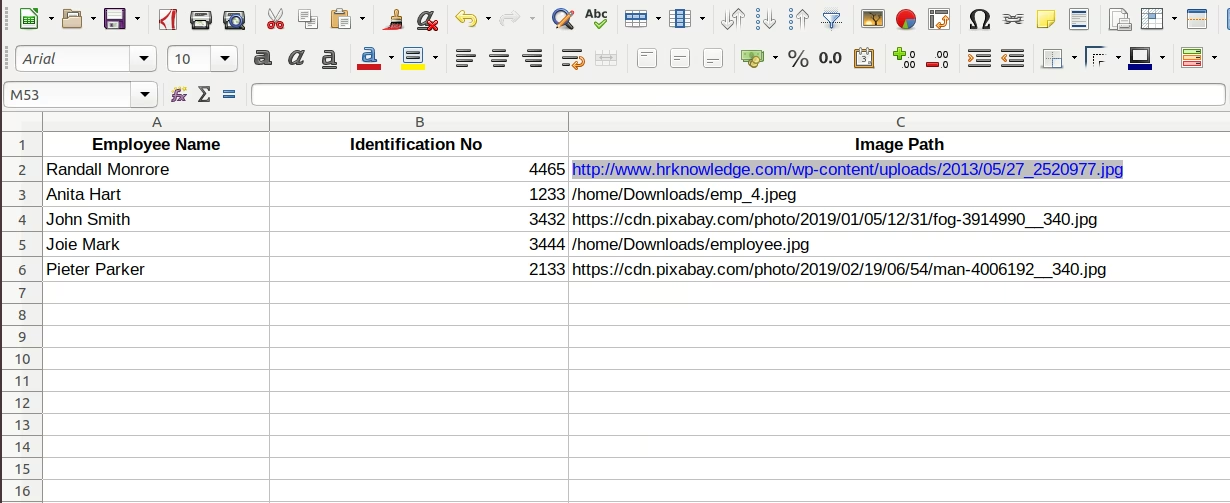
- You can add columns like Employee Name, Identification No, Image Path on your .xls file
- Update Employee Image
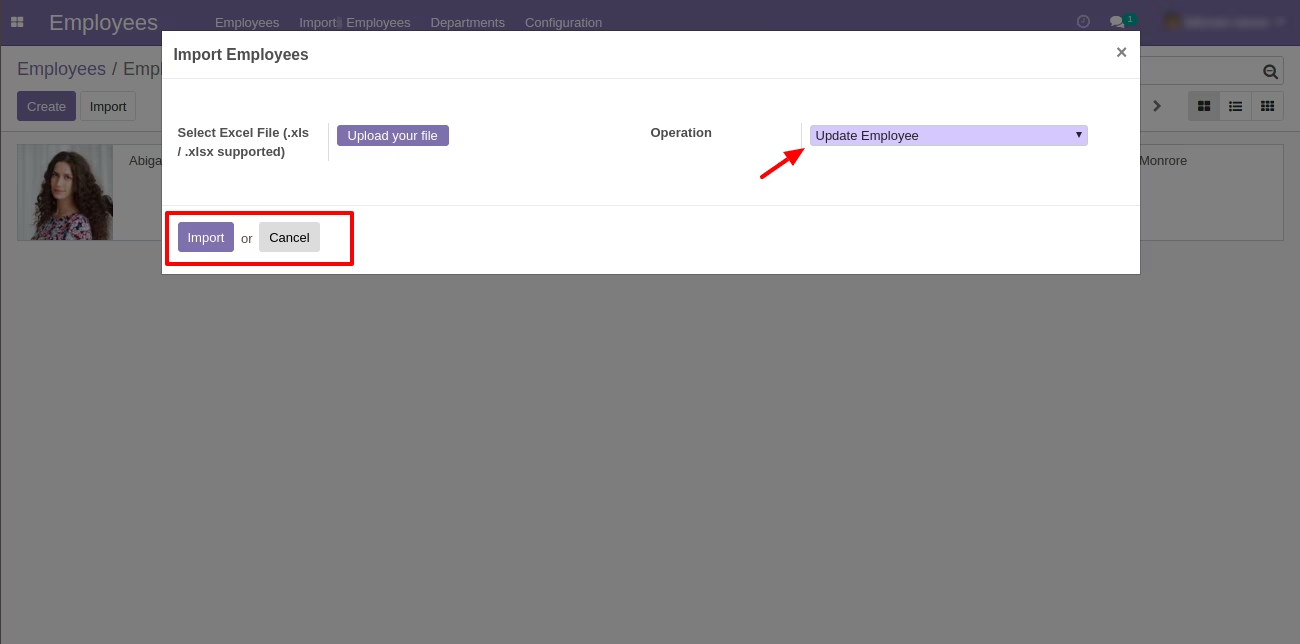
- For Update Employee you should select on wizard model as Employee and operation as Update Employee on wizard.
- You have add values as Employee Name or Employee Identification No and Image Path on .xls file.
- For more details please watch Video and Screenshort.
Menus Available:
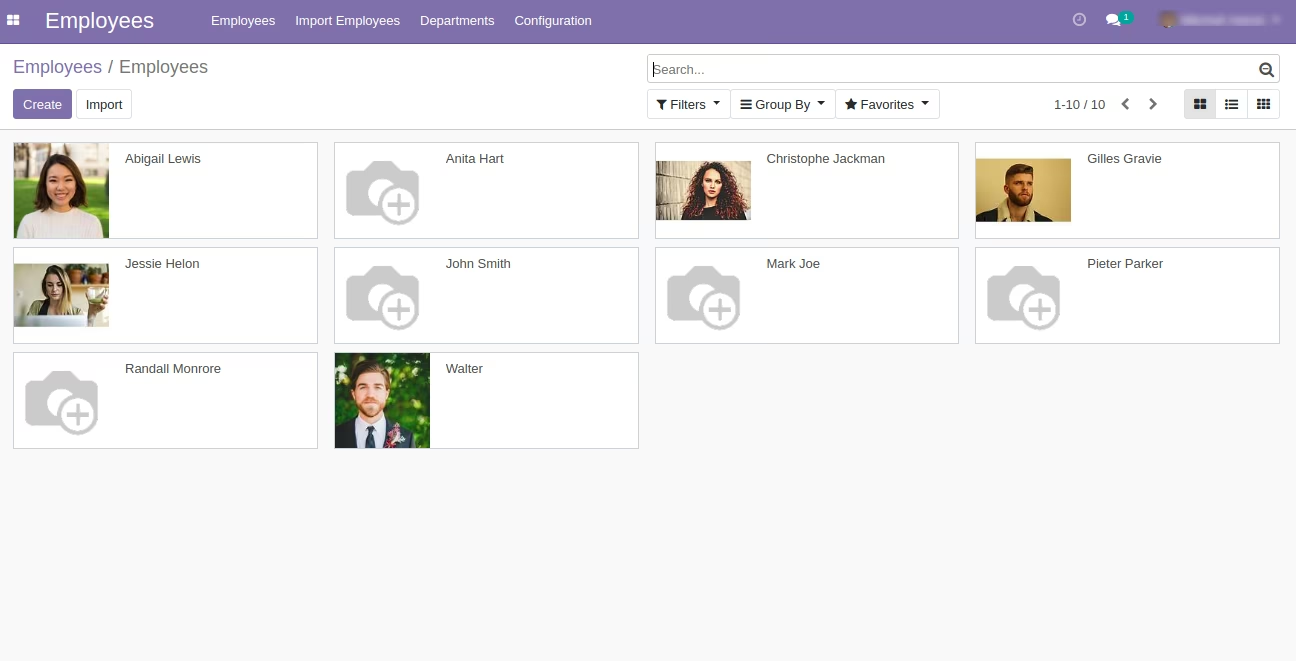
- Employees
- Import Employees
Menu Of Employee
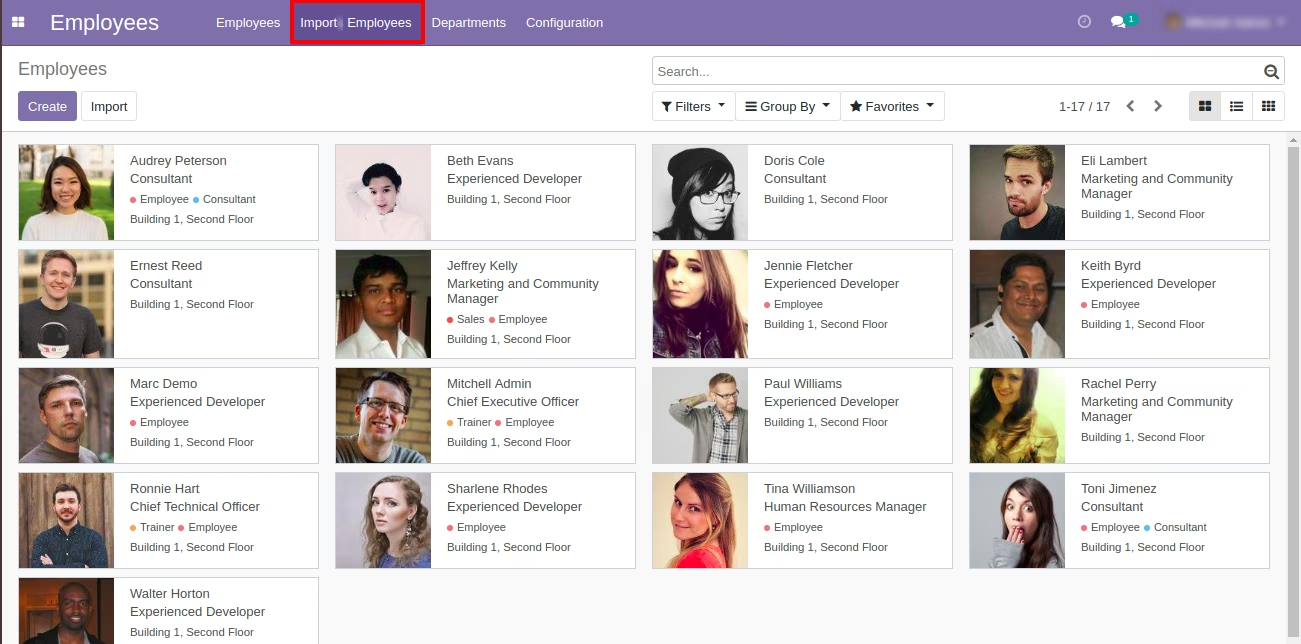
1. Import Employee from Wizard
Select Operation as Create for create Employee
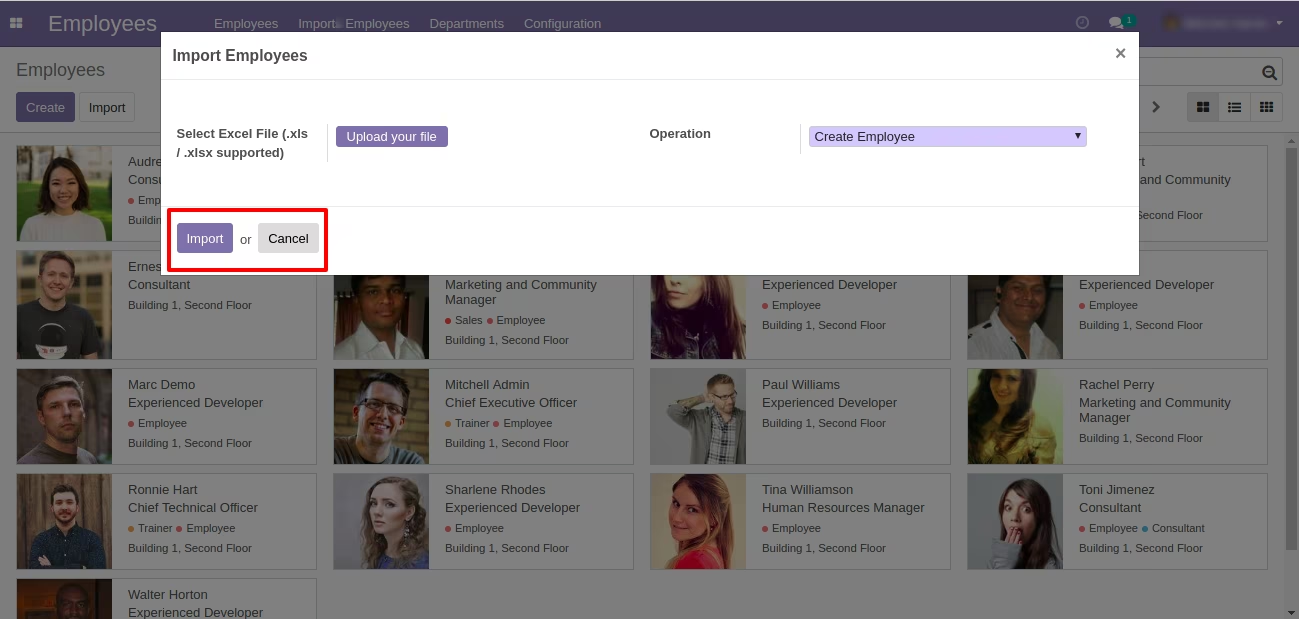
Sample of Import Employee
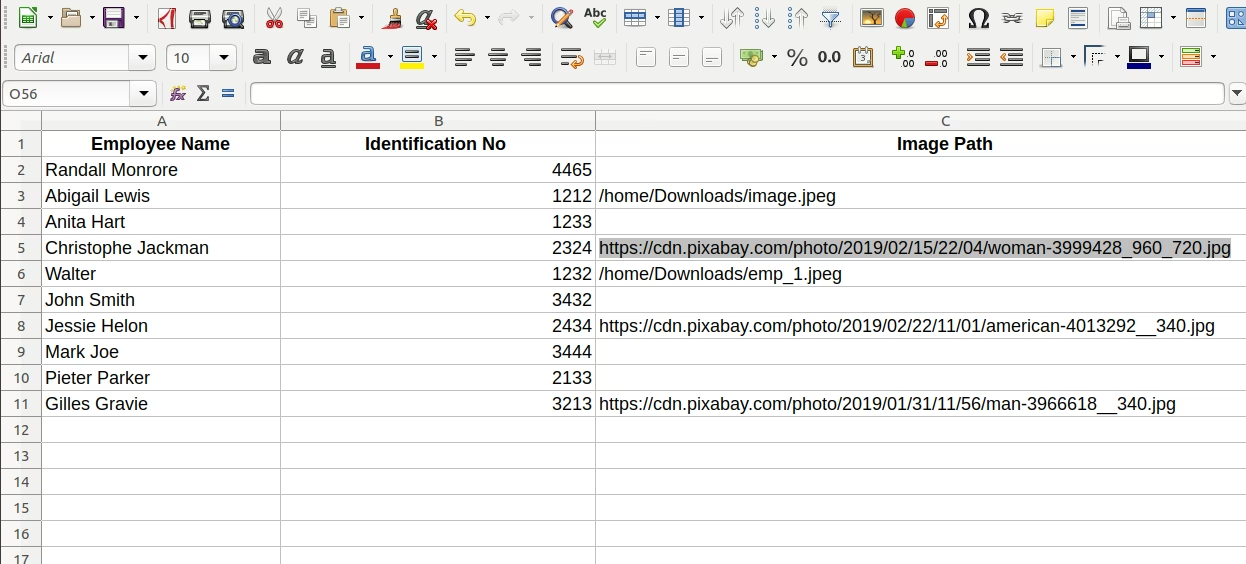
Created Employee
2. Update Existing Employee from Wizard
Select Operation as update Employee for update Employee
Sample of Update Employee - Existing Employee
Updated Employee