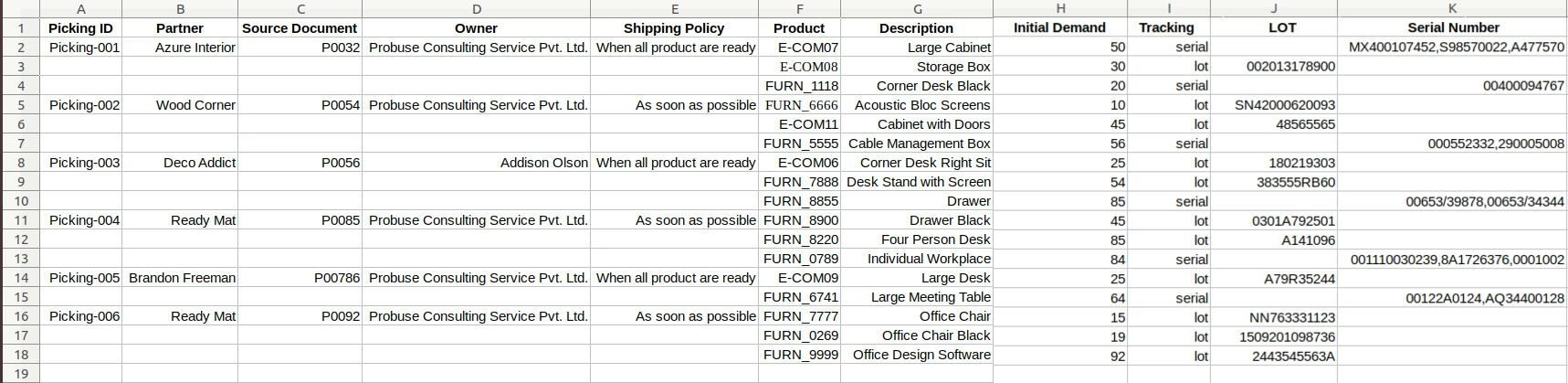
The module allows users to import various picking operations such as delivery orders, incoming shipments, and internal transfers into using Excel files. This functionality streamlines inventory management by enabling bulk data import, reducing manual data entry, and enhancing operational efficiency.
Bulk Import: Import multiple picking operations from a single Excel file.
Flexible Import Options: Choose to import data with or without lot numbers and serial numbers.
Location Mapping: Specify source and destination locations during the import process.
State Configuration: Determine the initial state (draft or processed) of the imported pickings.
Sample Files Provided: Access sample Excel files within the module to facilitate the import process.
Efficiency: Significantly reduces the time and effort required for data entry by automating the import process.
Accuracy: Minimizes human errors associated with manual data entry.
Scalability: Easily manage large volumes of inventory data, supporting business growth.
User-Friendly: Provides an intuitive interface for importing data, making it accessible to users with varying technical expertise.
Import Delivery Order from Excel / Import Incoming Shipments from Excel
Import Internal Transfer from Excel
With and Without Lot Number Import Available
This app allows you to import Incoming , Outgoing and Internal Transfer Picking from the excel file. Allow you to Import Delivery Orders Incoming Shipments and Internal Transfer Pickings from Excel Make sure you have xlrd Python library installed.
Main Features:
- Allow you to import delivery orders from an excel file.
- Allow you to import incoming shipments from an excel file.
- Allow you to import internal transfer pickings from an excel file.
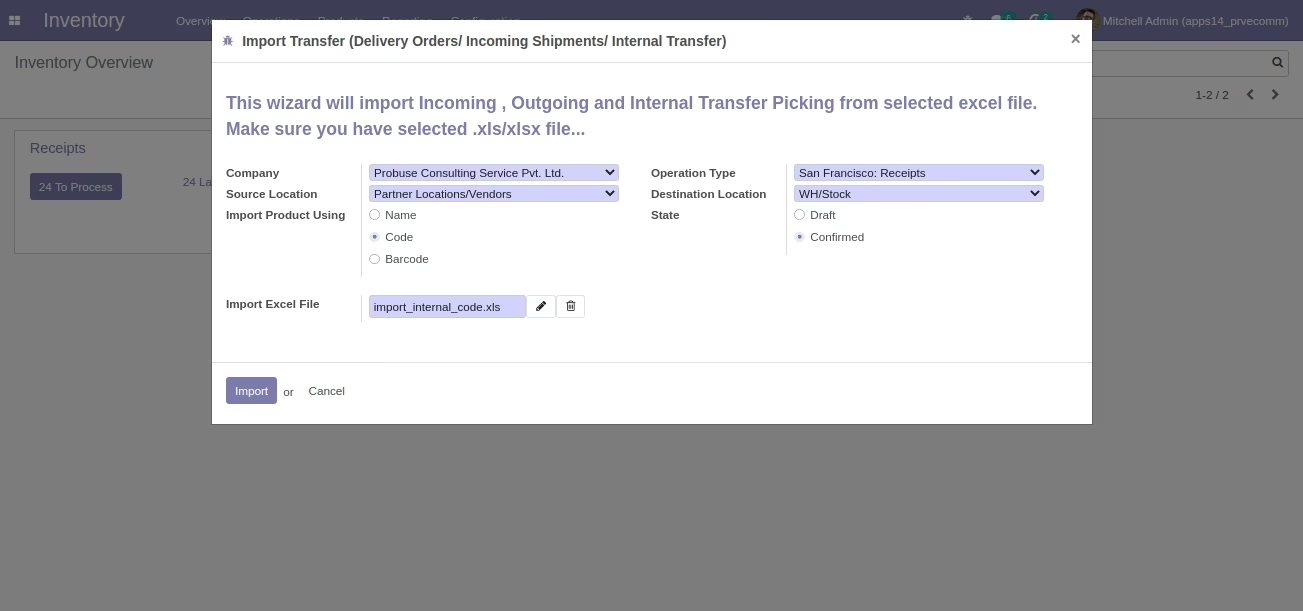
- Allow you to select a source location and destination location on the wizard while it will be used to create picking records.
- Allow you to choose a wizard with option about after processing or running excel wizard what will be the state of pickings whether it will be draft state or processed/confirmed.
- Allow you to import multiple pickings (Delivery/Incoming/Internal) in a single excel file.
- Sample excel files are available inside the sample folder inside the app/module.
- For more details see the video and check below screenshots.
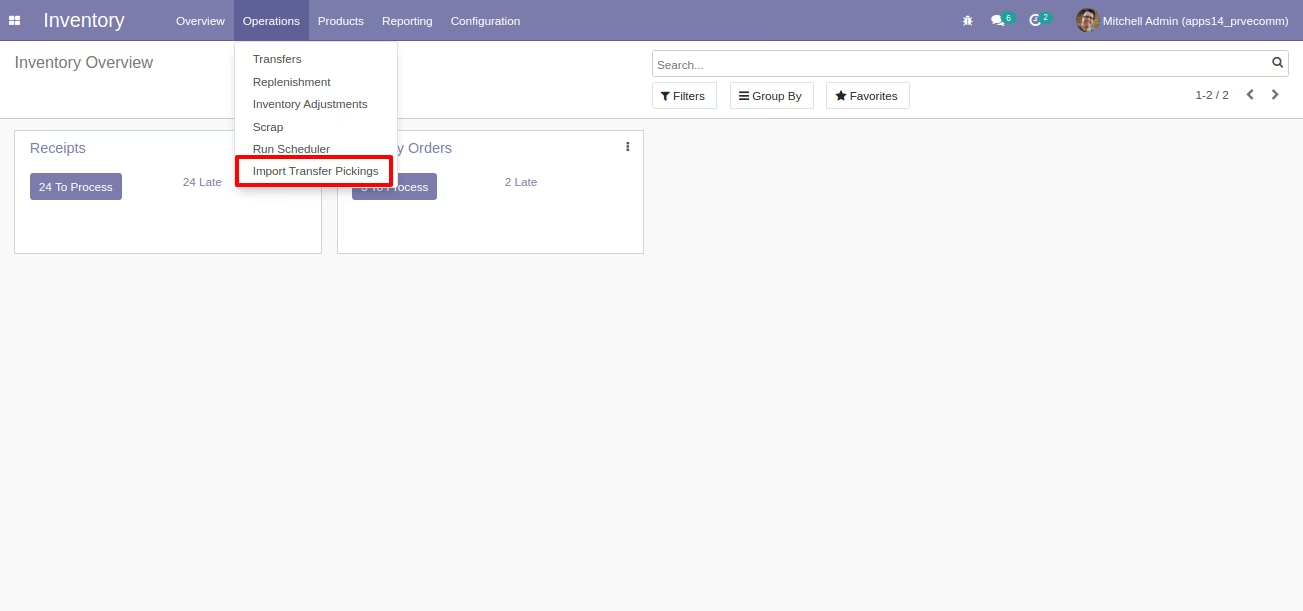
Inventory : Operations -> Import Transfer Pickings
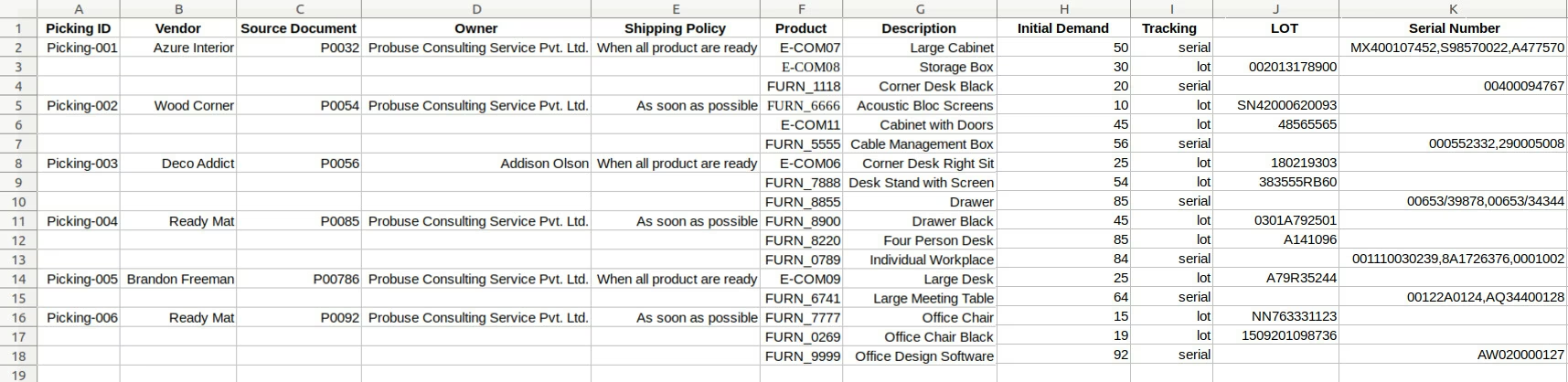
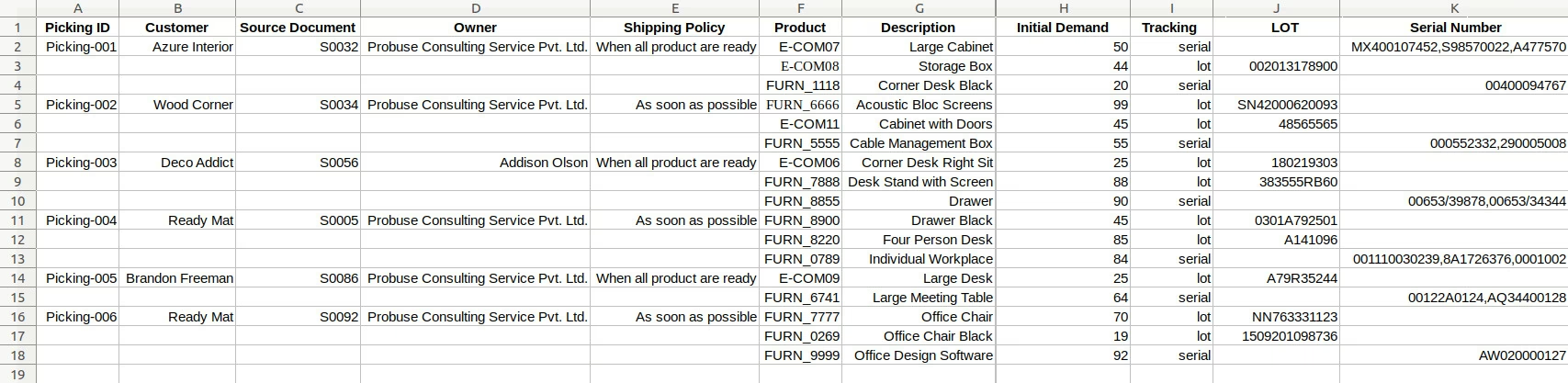
Sample Excel File - Incoming Shipments
(Also available inside Module/Sample Folder)
Wizard to select Excel - Import Incoming Shipments using Product Code Example
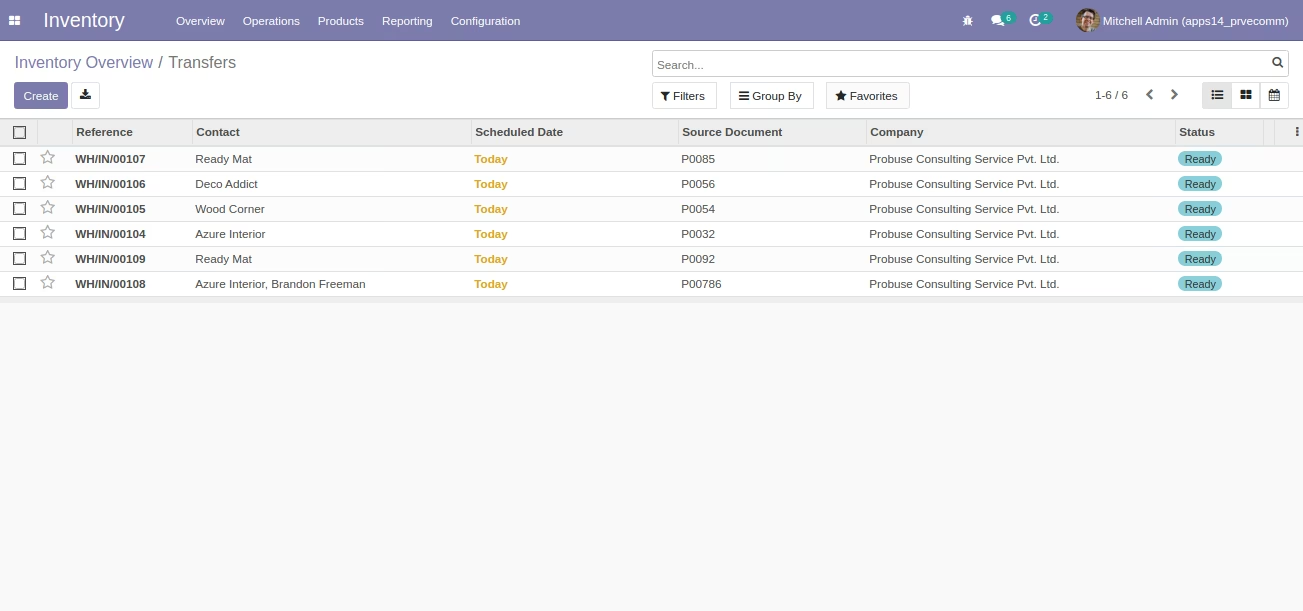
Imported Incoming Shipments in List View [Standard]
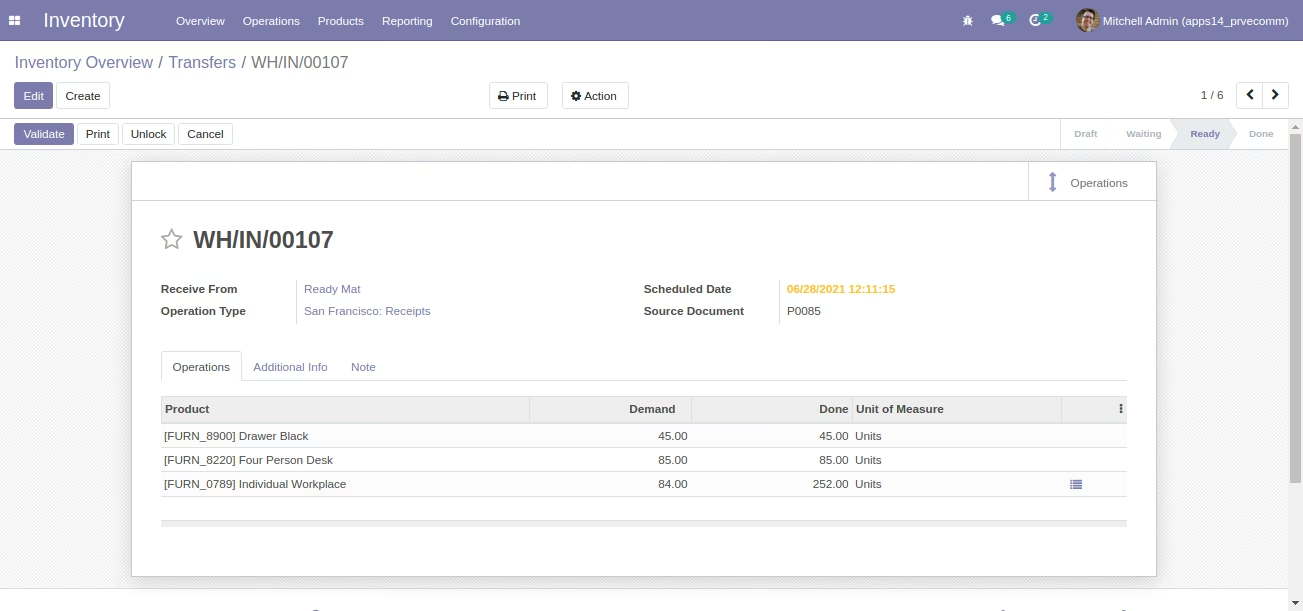
Imported Incoming Shipments in Form View [Standard]
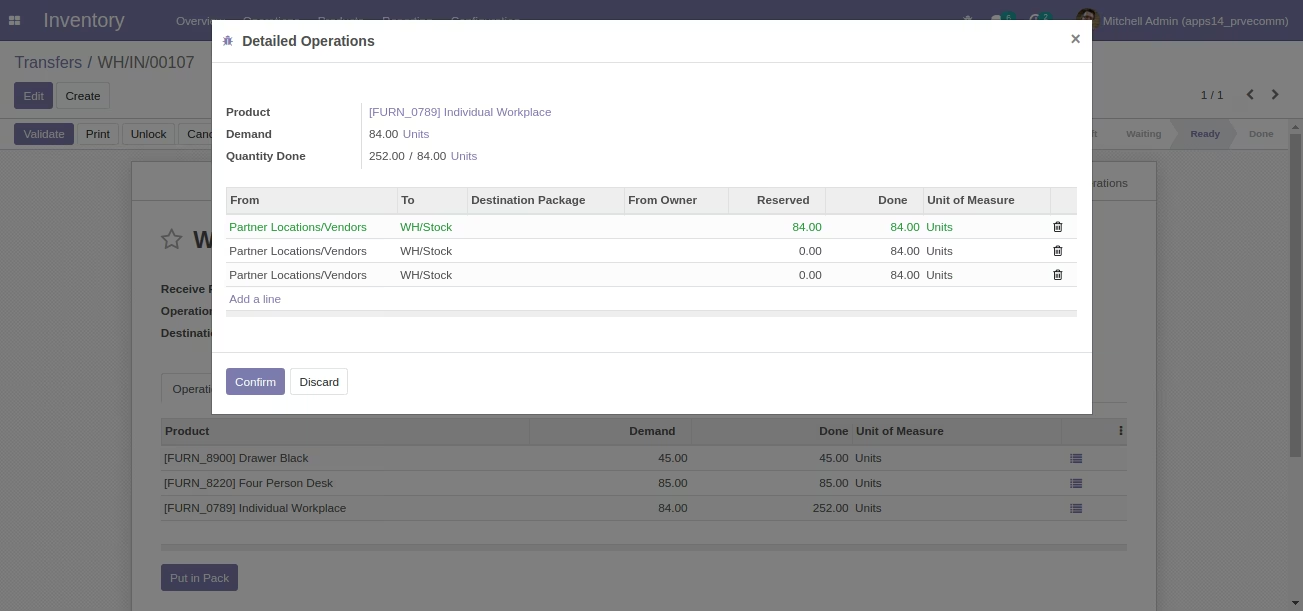
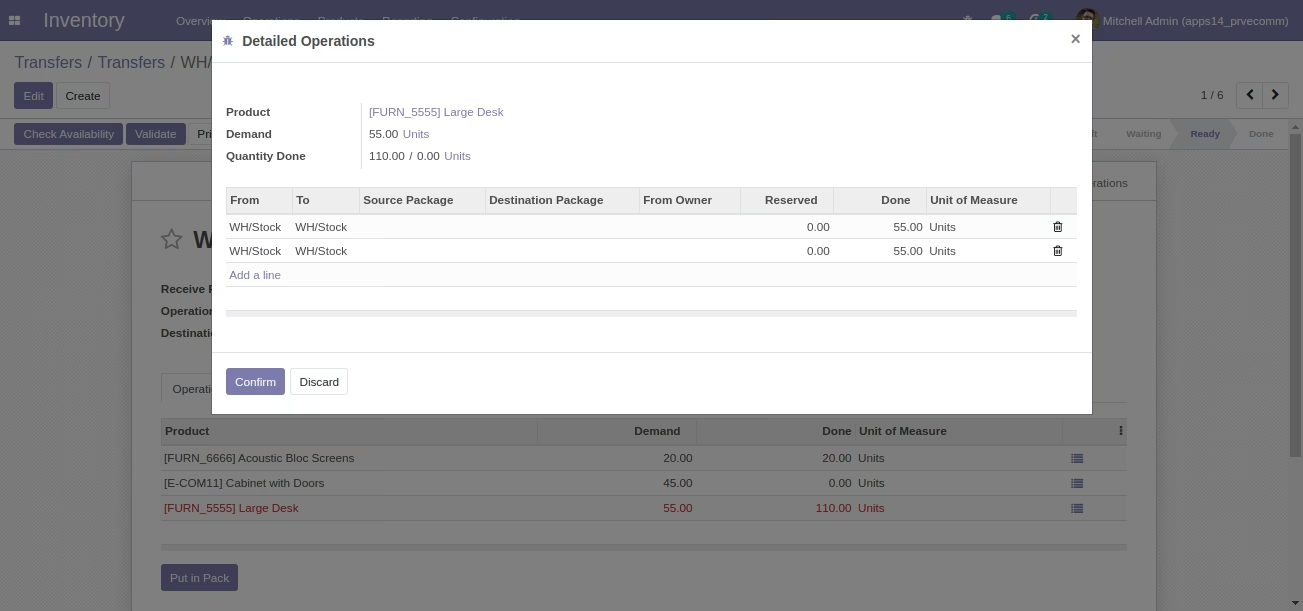
Showing Imported Incoming Shipments - Detailed Operations [Standard]
Sample Excel File - Delivery Orders
(Also available inside Module/Sample Folder)
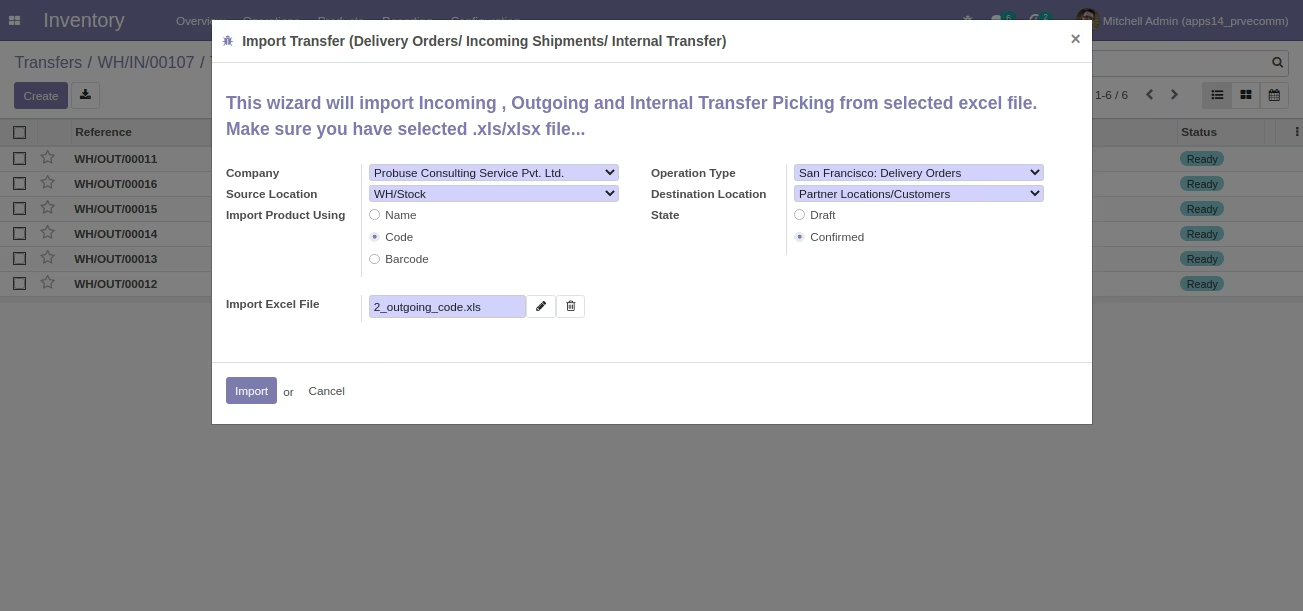
Wizard to select Excel - Import Delivery Orders using Product Code Example
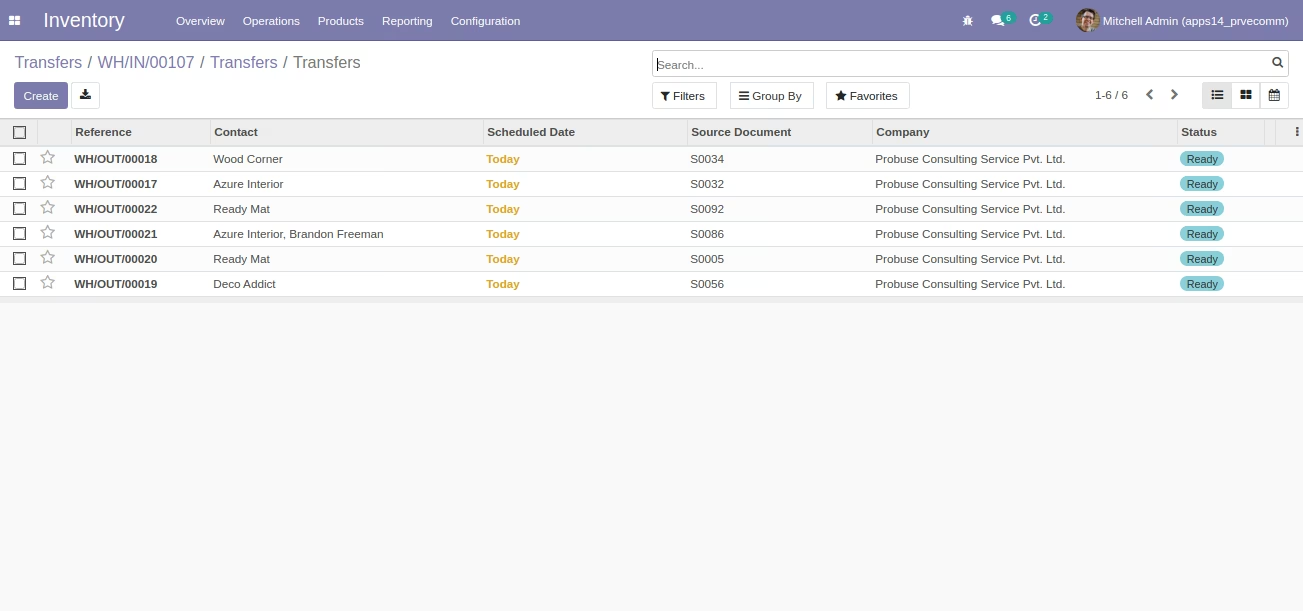
Imported Delivery Orders in List View[Standard]
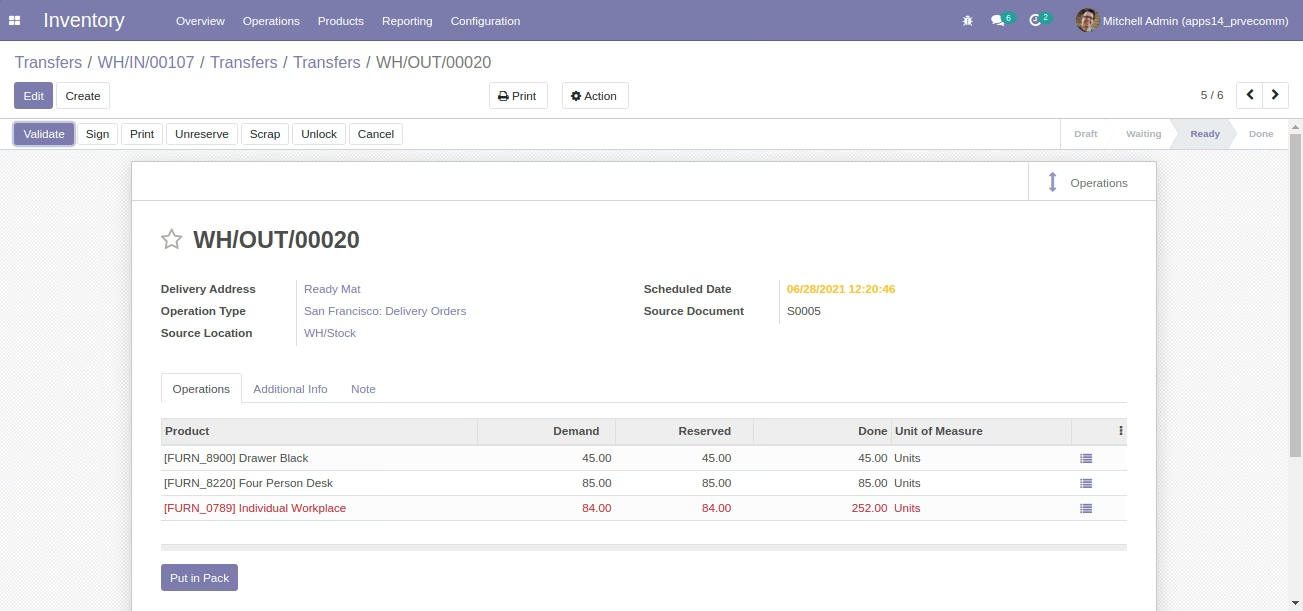
Imported Delivery Order in Form View [Standard]
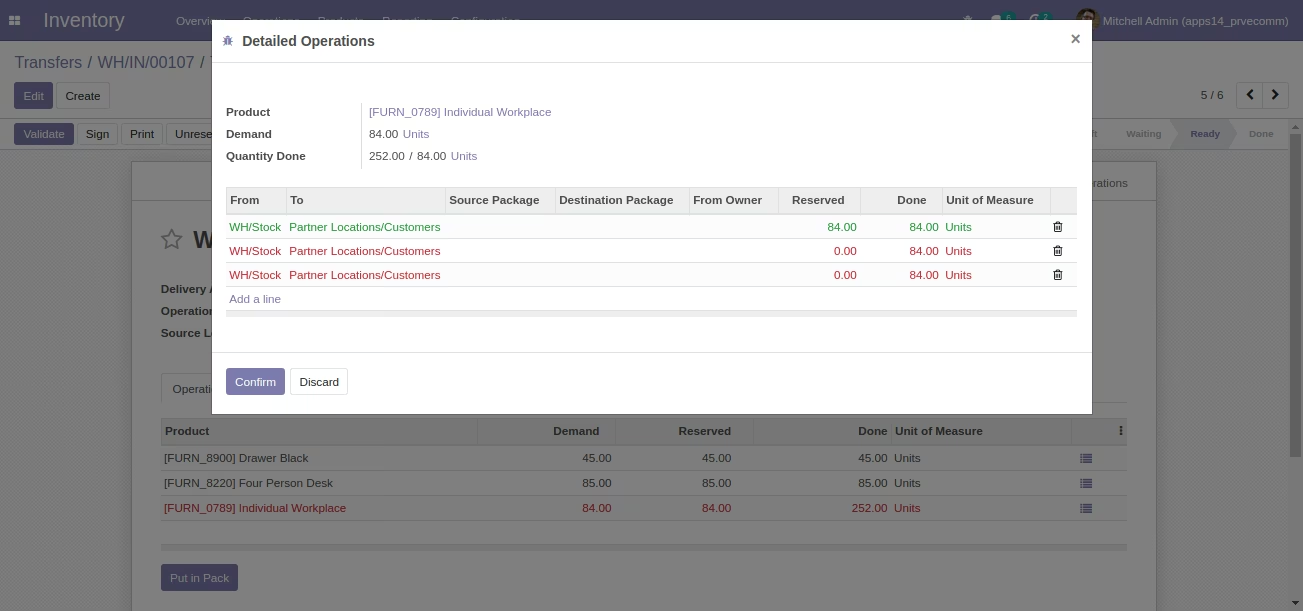
Showing Imported Delivery Orders - Detailed Operations [Standad]
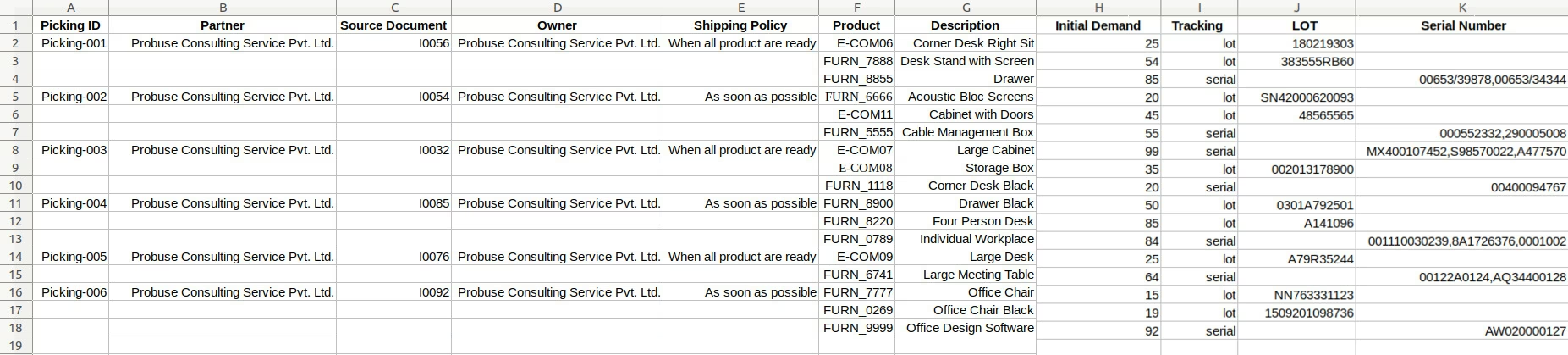
Sample Excel File - Internal Transfer
(Also available inside Module/Sample Folder)
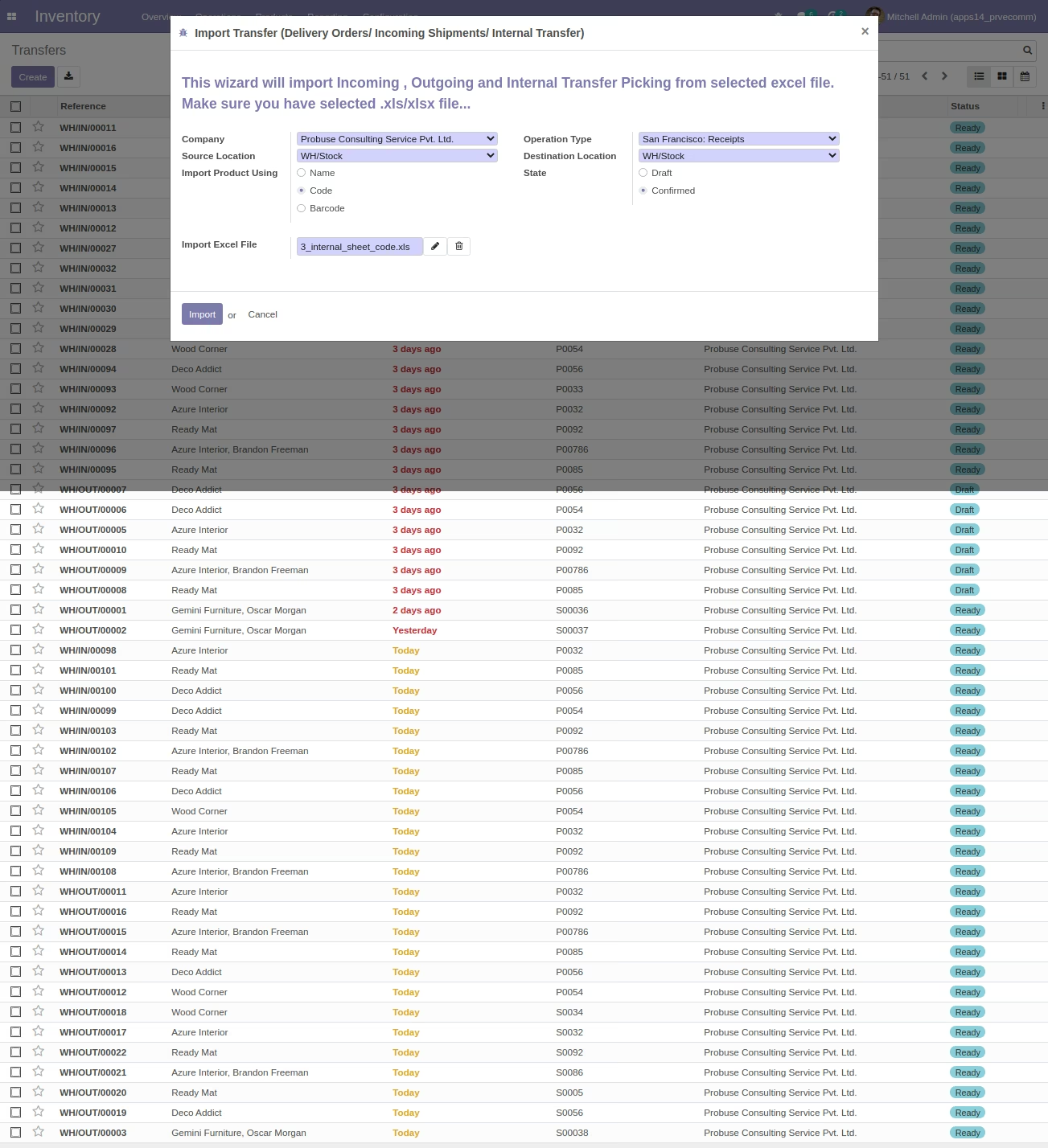
Wizard to select Excel - Import Internal Transfer Picking using Product Code Example
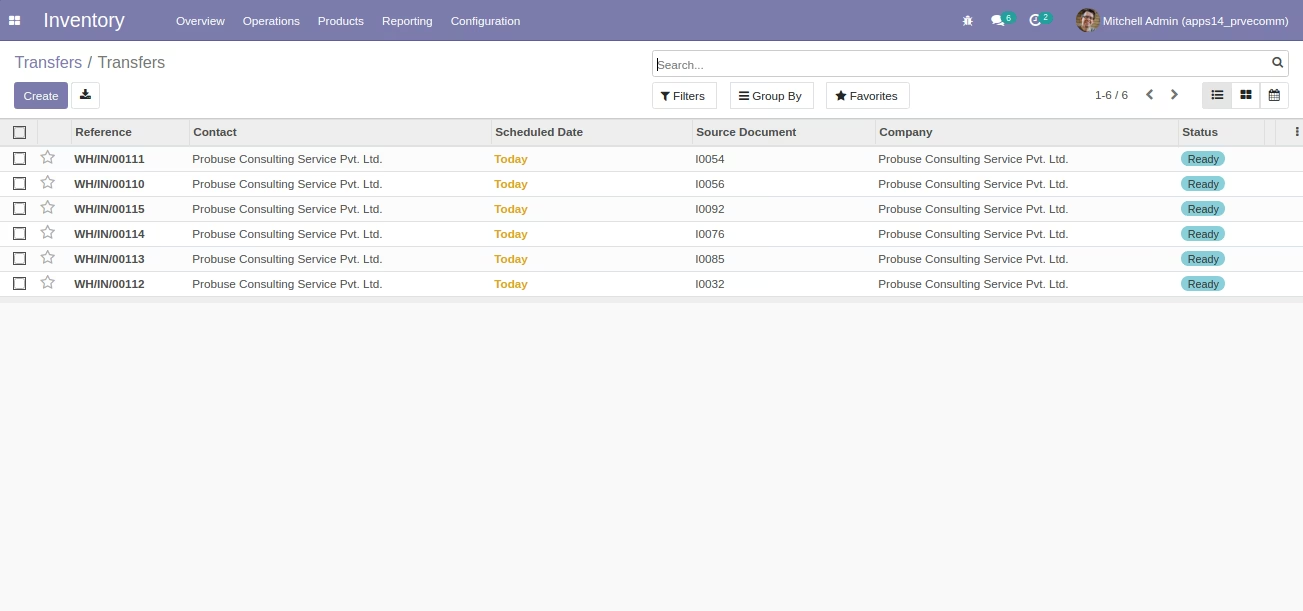
Imported Internal Transfer Picking in List View [Standard]
Imported Internal Transfer Picking in Form View [Standard]
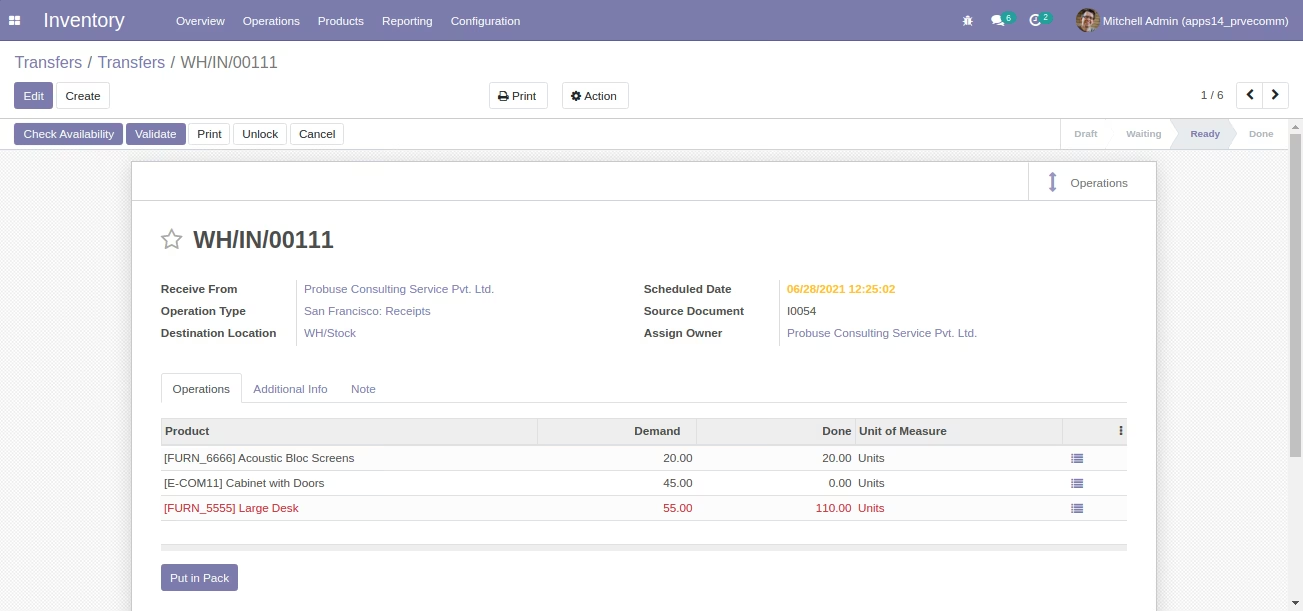
Showing Imported Internal Transfer Picking - Detailed Operations [Standard]
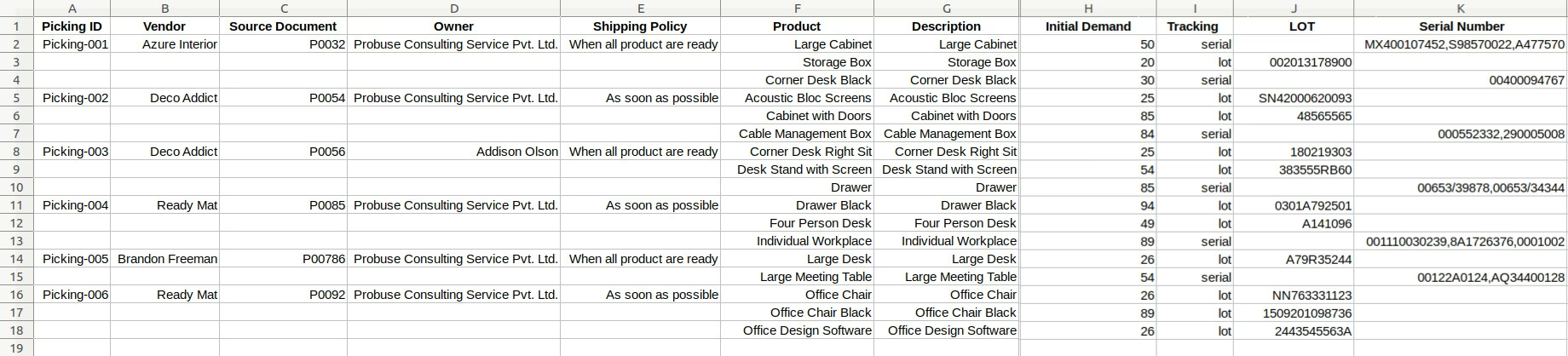
Sample Excel File - Incoming Shipments
Import Incoming Shipments Using Product Name
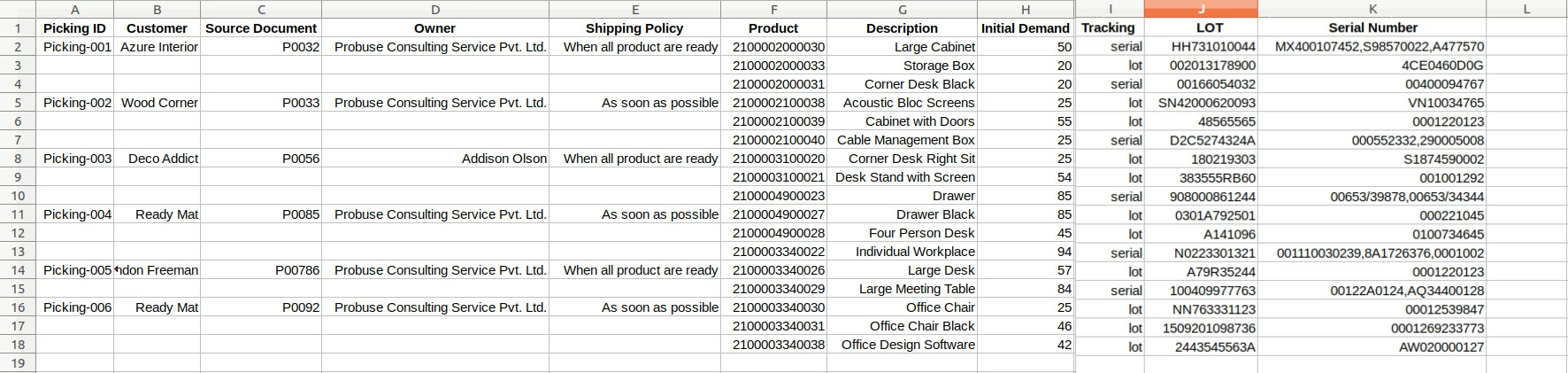
Sample Excel File - Delivery Orders
Import Delivery Orders Using Product Barcode
Sample Excel File - Internal Transfer
Import Internal Transfer Picking Using Product Code