Elevate your financial management with the Import Customer & Supplier Payments module. This powerful tool is engineered to eliminate the time-consuming and error-prone process of manually recording individual payment transactions. By enabling you to bulk import both customer and supplier payments directly from a simple Excel or CSV file, you can significantly reduce administrative workload, ensure the accuracy of your financial records, and accelerate your reconciliation process. This module is an essential asset for any business looking to streamline its payment handling, manage high volumes of transactions, or efficiently migrate financial data.
Dual-Function Import: Seamlessly import both customer payments and supplier (vendor) payments from a single, intuitive interface.
Flexible File Formats: Supports both Excel (.xlsx) and CSV (.csv) files for your convenience.
Multiple Import States: Choose to import payments as drafts for review or have them automatically validated and posted.
Direct Invoice Reconciliation: Option to directly reconcile payments against specific invoice numbers included in your import file.
Comprehensive Data Mapping: Import all essential payment details, including partner, payment amount, journal, payment date, and memo/reference.
Easy-to-Use Templates: Comes with downloadable sample files to ensure your data is structured correctly for a flawless import.
Robust Validation: Provides intelligent warnings for common errors such as incorrect partner names, invalid journals, or issues with invoice status.
Drastically reduces the manual effort and time spent on recording payment transactions.
Significantly improves the accuracy of your accounts receivable and payable records.
Accelerates the bank reconciliation process by ensuring timely and accurate payment entries.
Streamlines the application of payments to outstanding invoices, improving cash flow visibility.
Simplifies the migration of historical payment data from other accounting systems.
Empowers your accounting team to handle a larger volume of transactions with greater efficiency.
Enhances overall financial control with a more streamlined and less error-prone workflow.
This app will allow your accounting team to import customer payments and supplier payments from excel files.
Main Features
- This app allows your accounting users to import customer payments and supplier payments data from excel files.
- Make sure you have the xlrd python library installed.
- For more details please see screenshots and watch the video.
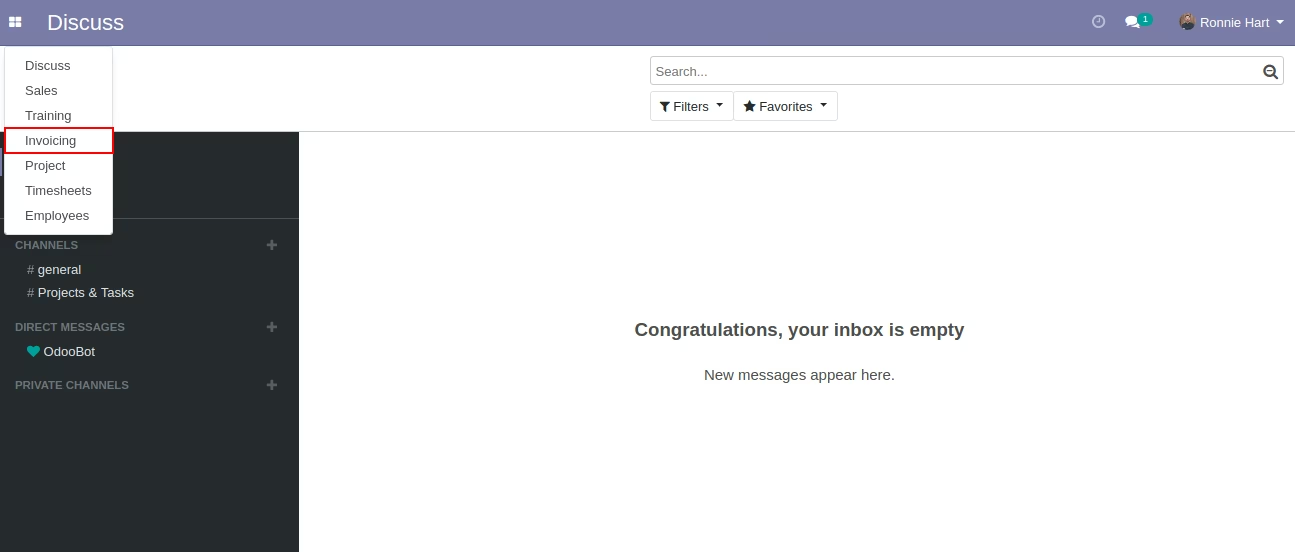
Menus Available:
- Invoicing
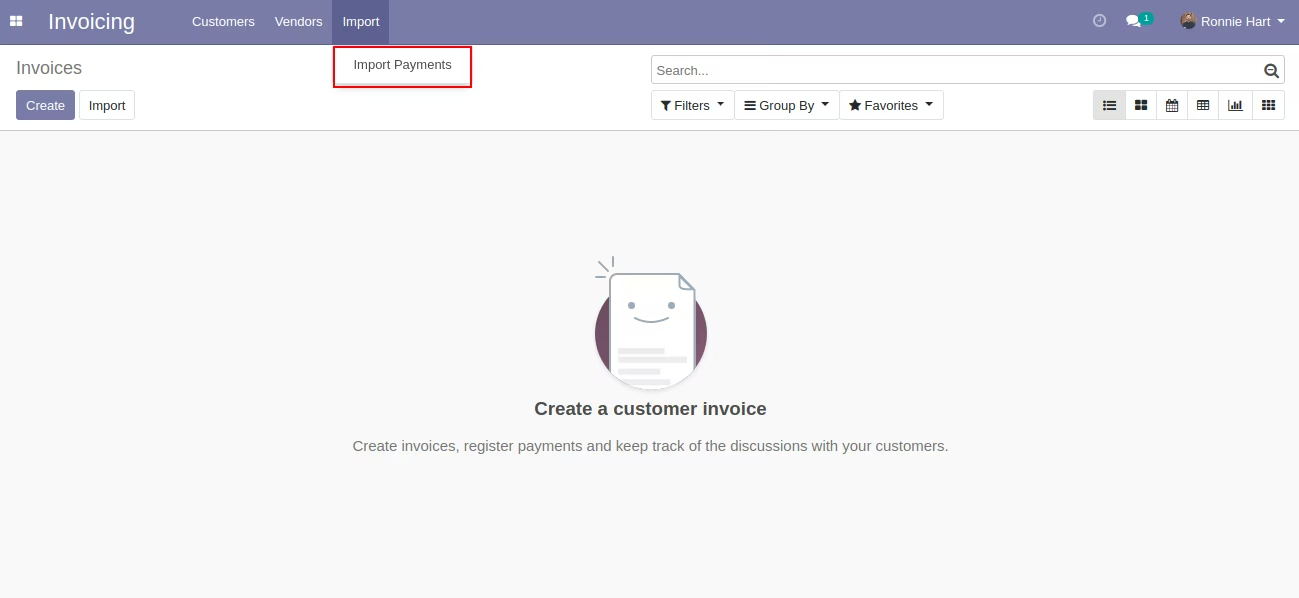
- Import
- Import Payments
Note:
- You have to install xlrd python package on your server/machine/instance to use this app.
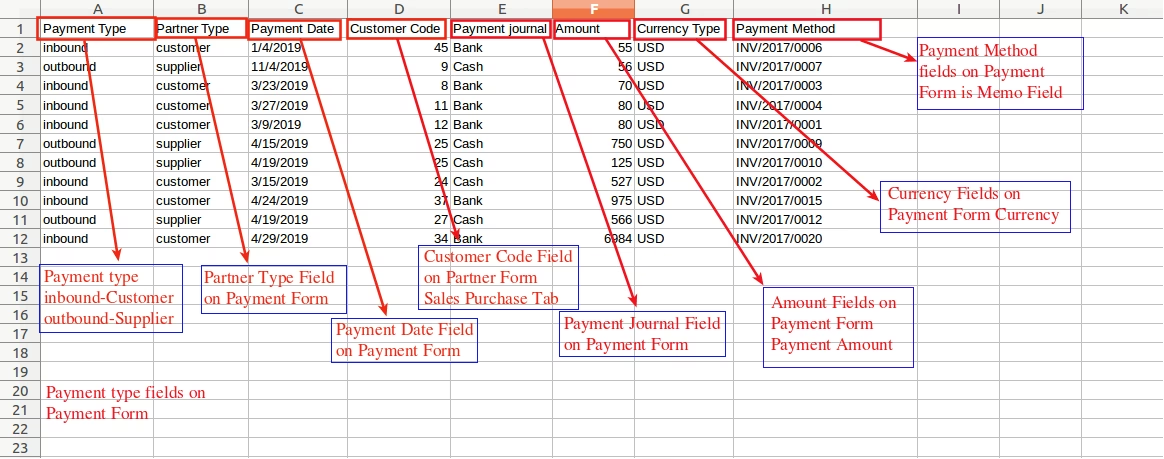
- You can only import fields shown on an excel sample.
- Customer code can be found in the customer/supplier form view as a new field.
- Import excel format sample available in Doc folder inside module folder.
Invoicing Menu [Standard]
Import Payments Wizard Menu
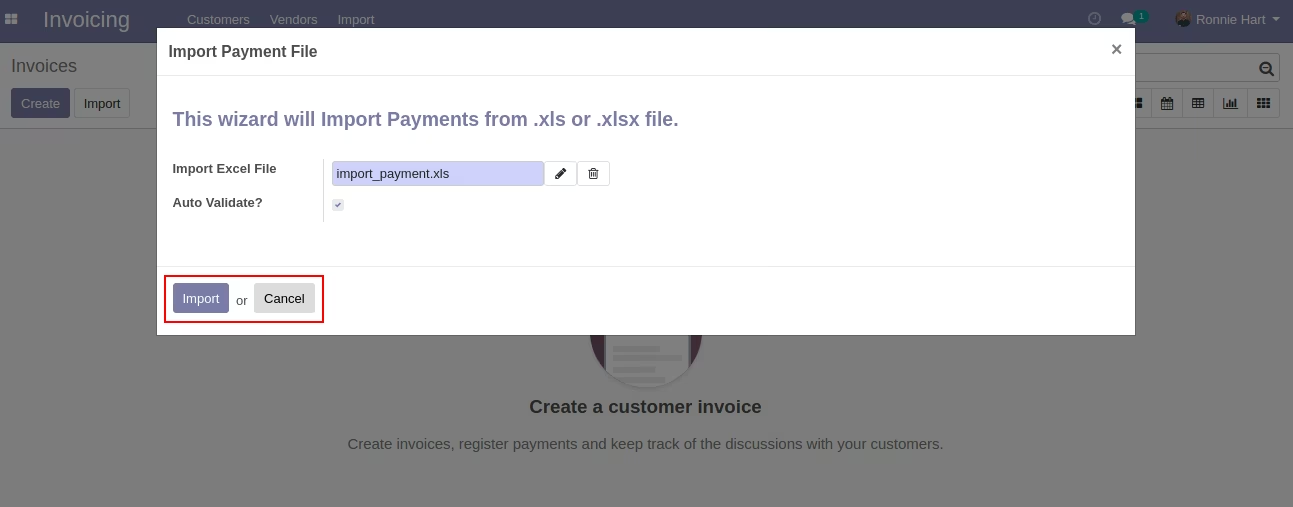
Import Customer/Supplier Payments Using Wizard
This wizard allows users to select an excel file that will create customer/supplier payments.
Excel Sample Format For Import Payments
Below is an excel file in which you have to prepare your data. Note that the columns header are fixed position so while preparing your sheet you have to follow that sequence. Import Excel Format Available in Doc Folder inside the module.
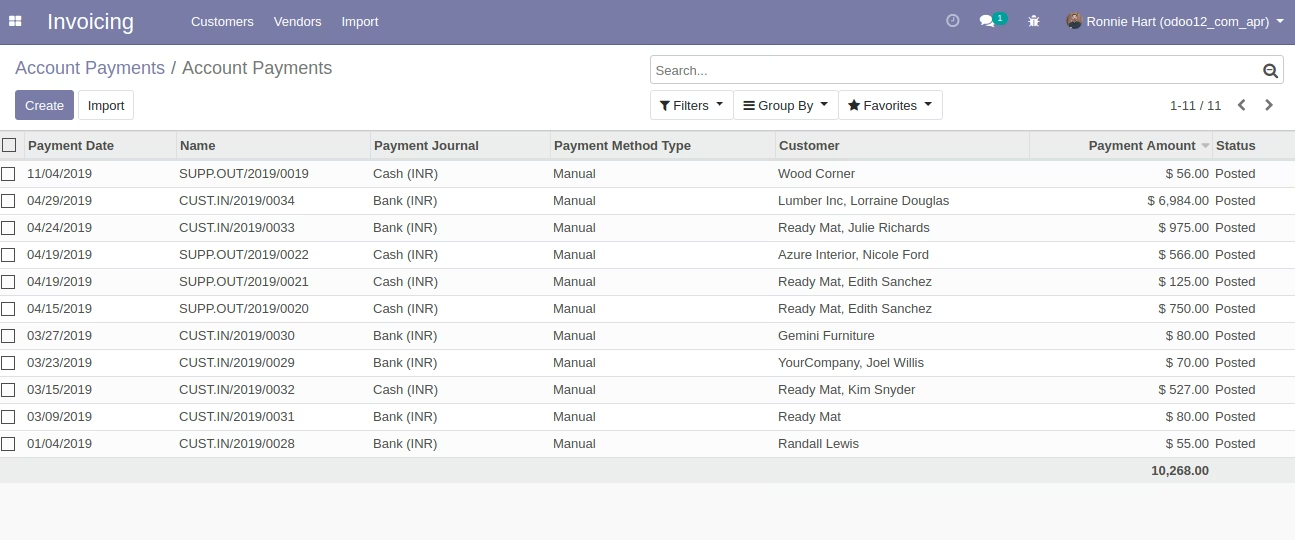
Created Payments after Running Wizard
It will create customer and supplier payments once you run the wizard. You can see them on the menu of customer payments and supplier payments.