Build the foundation of your financial system with precision and speed using the Import Chart of Accounts module. This essential tool is designed for accountants and implementation specialists to eliminate one of the most critical and time-consuming setup tasks: manually creating the Chart of Accounts. By enabling you to import your entire account structure including account codes, names, types, and relationships in bulk from a single Excel or CSV file, you can ensure a fast, accurate, and consistent accounting setup. This module is indispensable for new implementations, migrating from another accounting system, or deploying custom accounting structures for specific industries.
Import a complete, multi-level Chart of Accounts in a single, streamlined operation.
Supports both Excel (.xlsx) and CSV (.csv) file formats for maximum flexibility.
Import all essential account details, including Code, Name, Internal Type, and Group.
Optionally link accounts to specific taxes and tags for advanced reporting.
Ability to mark accounts as deprecated or allow reconciliation as needed.
Intelligently creates the hierarchical structure of your accounts based on your file.
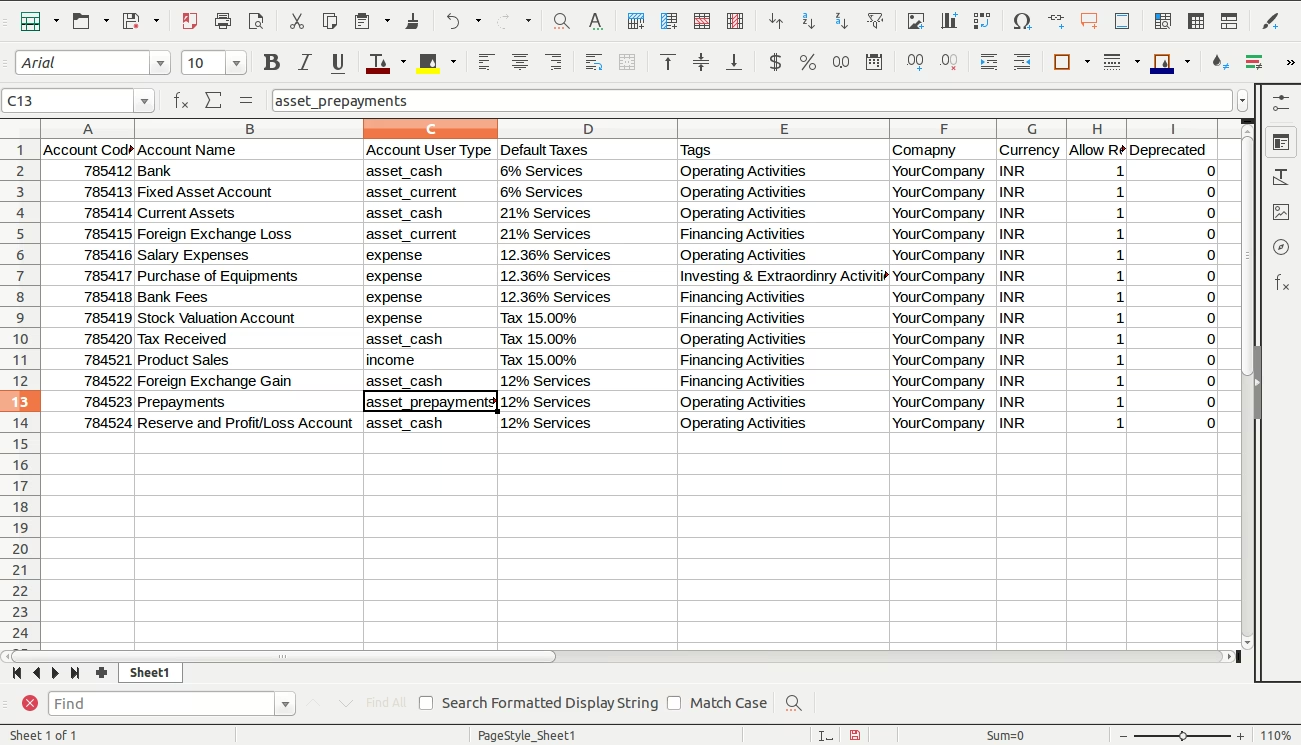
Includes a clear, easy-to-use sample file to ensure your data is structured correctly.
Provides robust validation to prevent errors and ensure the integrity of your accounting setup.
Drastically reduces the time and manual effort required for accounting configuration.
Ensures a high degree of accuracy and consistency, preventing foundational setup errors.
Significantly accelerates the implementation process for new accounting systems.
Simplifies the migration of your existing Chart of Accounts from a legacy system.
Allows for easy replication of standardized accounting structures across multiple companies.
Empowers finance teams to manage and customize their Chart of Accounts without extensive technical help.
Creates a solid, reliable accounting foundation for all future financial transactions and reporting.
Allow your accounting team manager to import your company chart of accounts into using Excel file.
Main Features- Allow you to import your company chart of accounts into using Excel file.
- Make sure you have xlwt python library installed.
- For more details please watch the video and check the below screenshots.
- Invoicing
- Imports
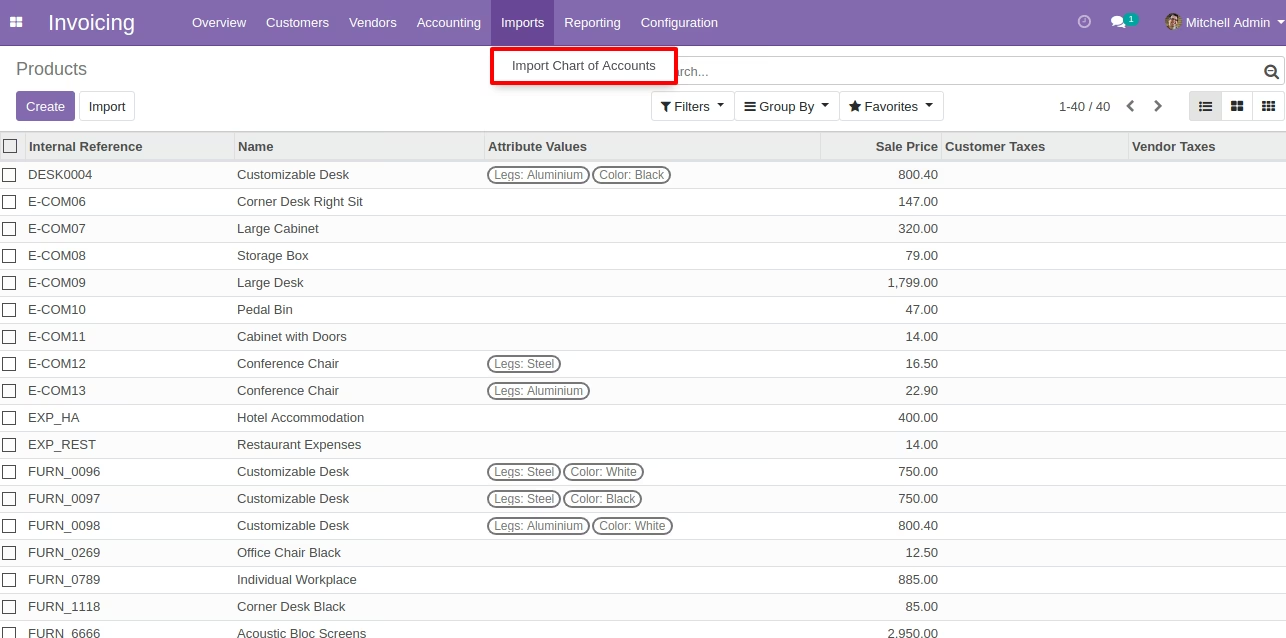
- Import Chart of Account
Sample Excel File for Account Import
Import Chart of Account Menu for Managers
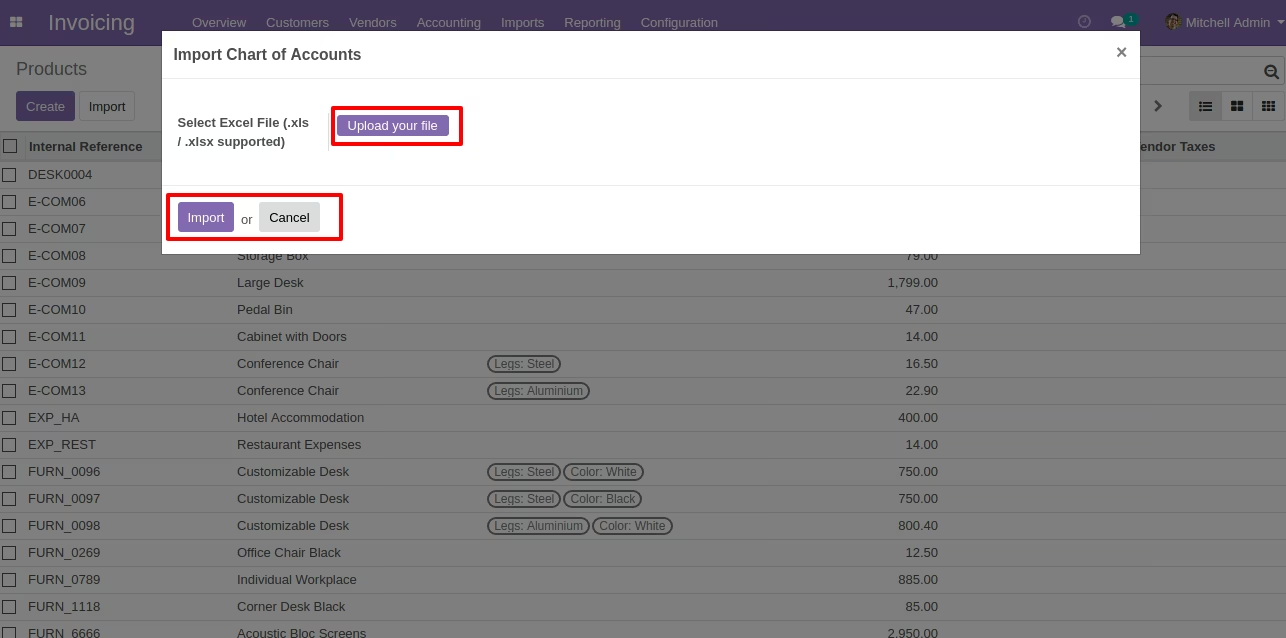
Wizard to Import Chart of Accounts
Open Wizard From Import Chart of Account menu
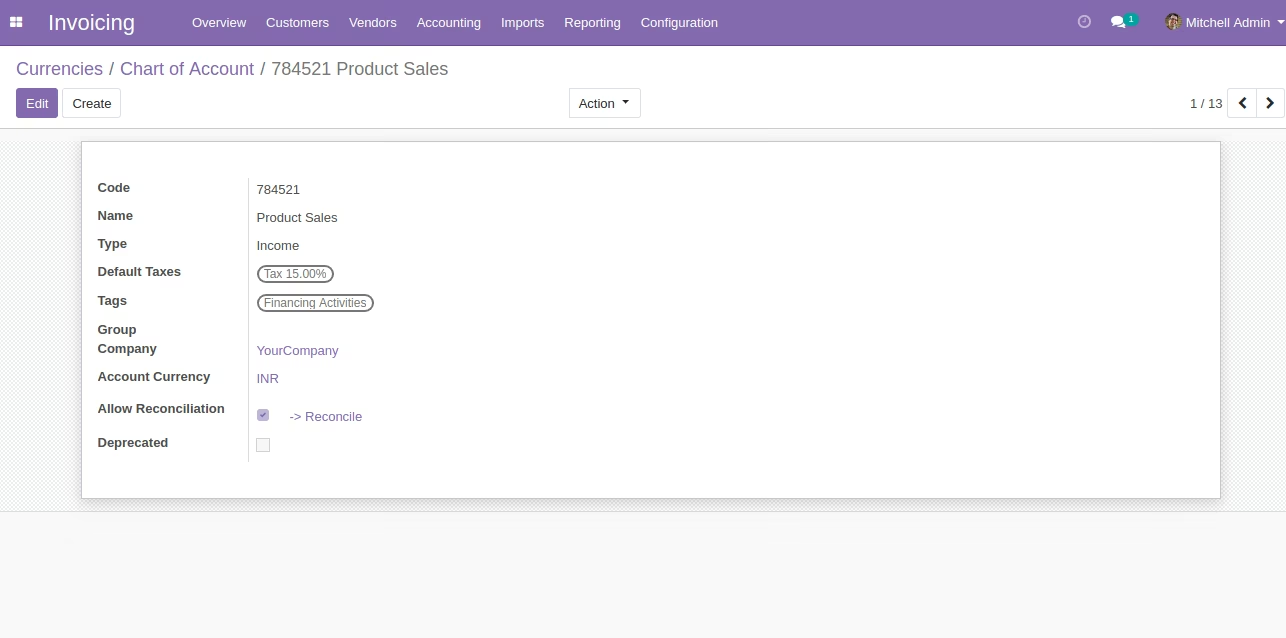
After Import Created Chart of Accounts
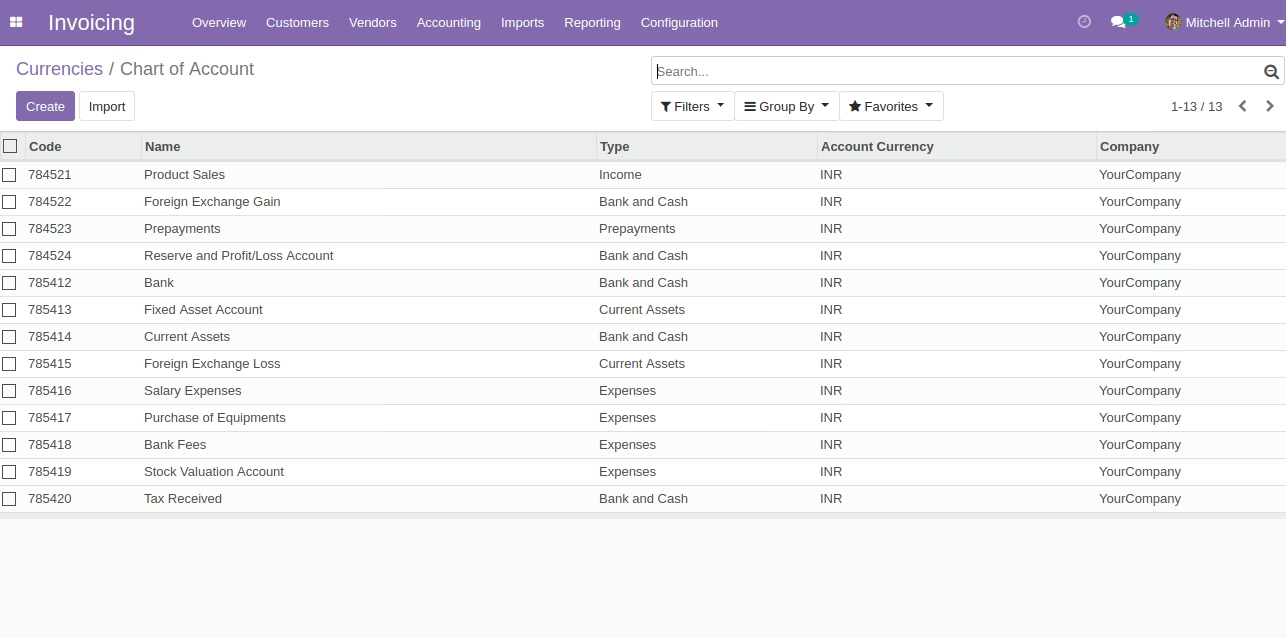
Form of Created Chart of Account