Revolutionize your manufacturing and product setup with the Import Multiple Bills of Materials (BOMs) module. This powerful tool is engineered to eliminate one of the most complex and time-consuming data entry tasks: creating Bills of Materials. By enabling you to import multiple, multi-level BOMs complete with components, quantities, and operations from a single, structured Excel file, you can define your product structures with unparalleled speed and accuracy. This module is an indispensable asset for any manufacturing or assembly-based business looking to accelerate product setup, migrate data from a legacy system, or efficiently manage complex product assemblies.
Import multiple Bills of Materials for different products in a single operation.
Supports both simple, single-level BOMs and complex, multi-level BOMs (sub-assemblies).
Seamlessly import data using a pre-formatted Excel (.xlsx) file.
Map and import crucial BOM details including product, components, quantities, and units of measure.
Define BoM types (Manufacture this product, Kit) and specify the routing for operations.
Automatically links components and products by their internal reference for accuracy.
Includes a clear, easy-to-use sample file to ensure your data is structured correctly.
Provides robust validation to prevent errors and ensure the integrity of your manufacturing data.
Drastically reduces the time and manual effort required to create and manage BOMs.
Ensures a high degree of accuracy in your product structures, preventing costly production errors.
Significantly accelerates the setup for new products and manufacturing workflows.
Simplifies the migration of complex product data from other ERP or CAD systems.
Empowers your engineering and production teams to manage product data more efficiently.
Provides a solid foundation for accurate cost calculation and inventory planning.
Enhances overall operational efficiency by automating a critical setup process.
This module allow you to Import Multiple Bill of Materials from excel file.
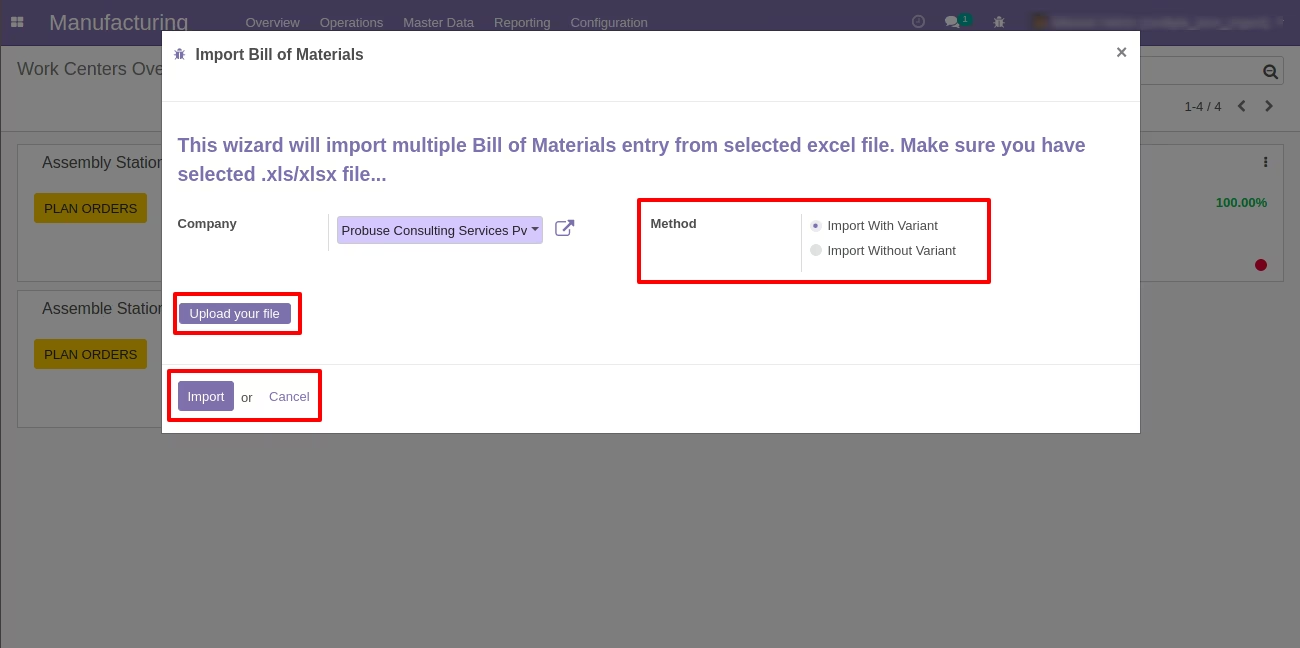
This module allow you to Import Bill of Materials With Variant and Without Variant on wizard
Make sure you have xlrd Python library installed.
Main Features:
- Allow you to import multiple bill of materials from excel.
- Allow you to Import With Variant based on your choise and selected on wizard.
- Allow you to Import Without Variant based on your choise and selected on wizard.
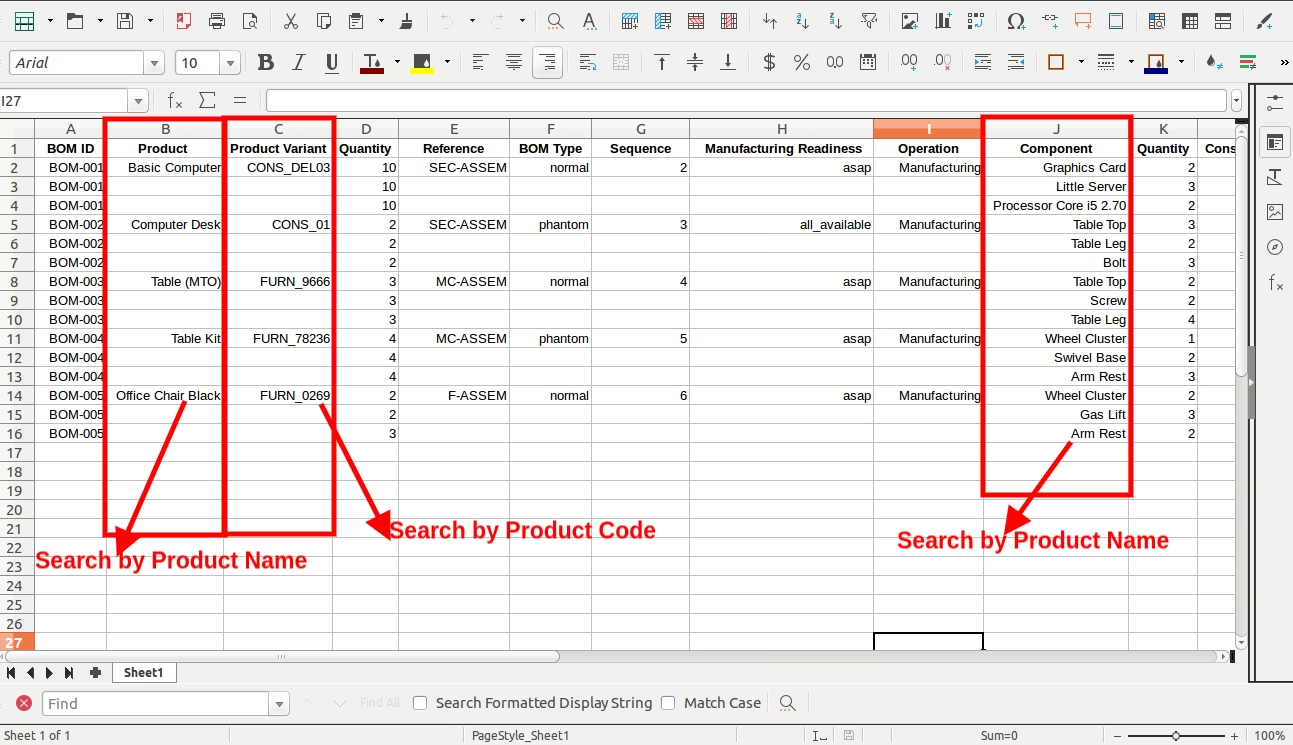
- Sample Excel files are available inside sample folder in module.
- For more details see video and below screenshots.
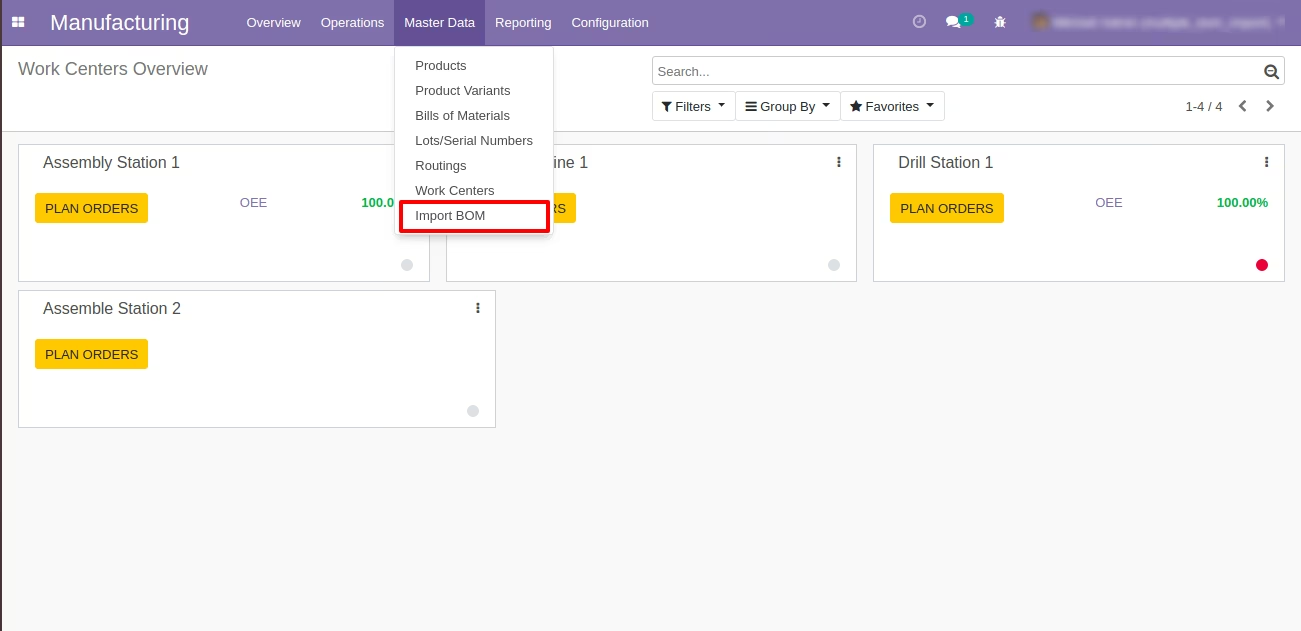
Manufacturing : Master Data/Import BOM
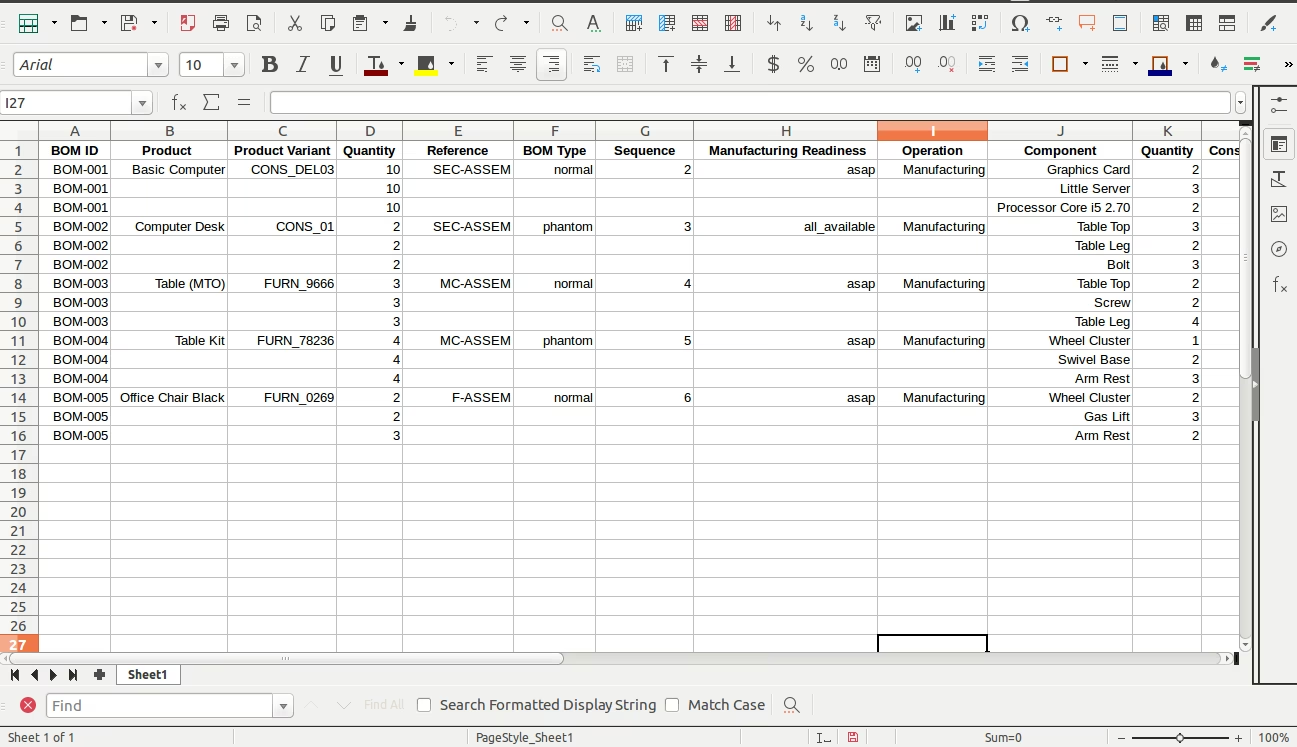
Part 1
Sample Excel File
(Also available inside Module/Sample Folder)
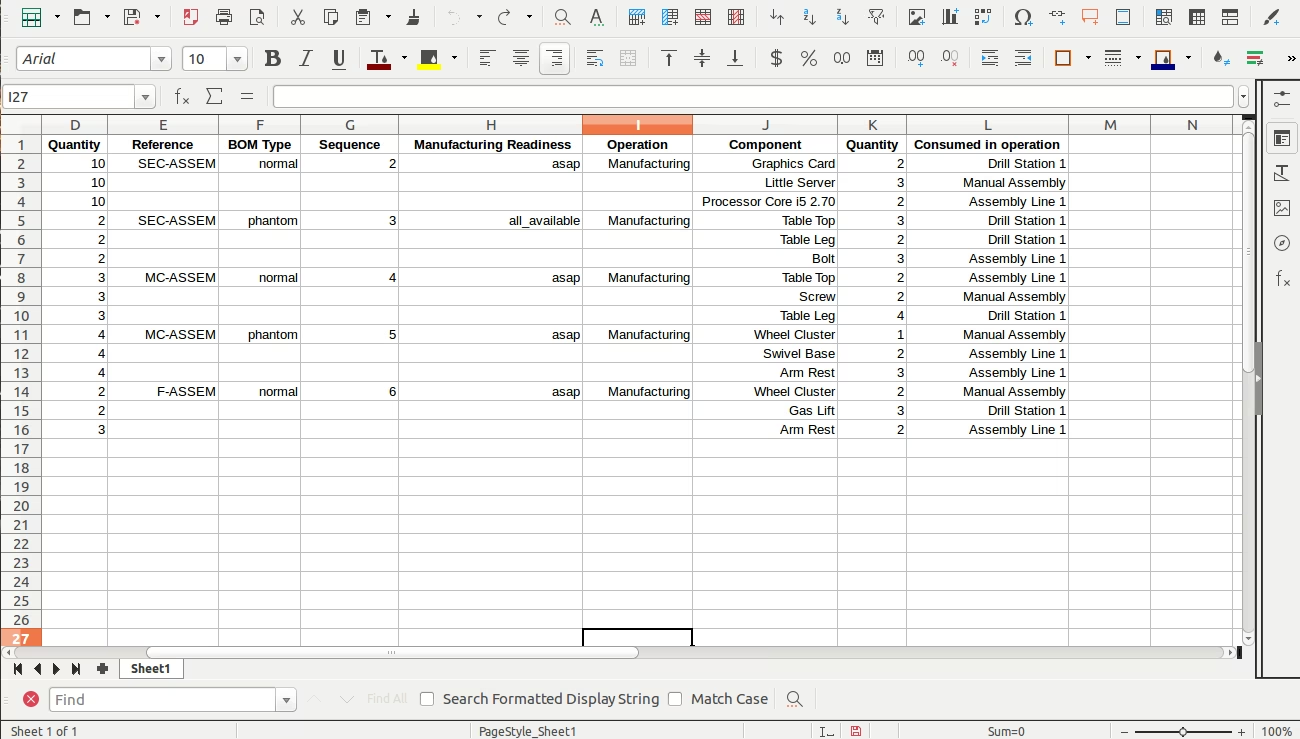
Part 2
Sample Excel File
(Also available inside Module/Sample Folder)
Wizard to Select Excel - Import With Variant
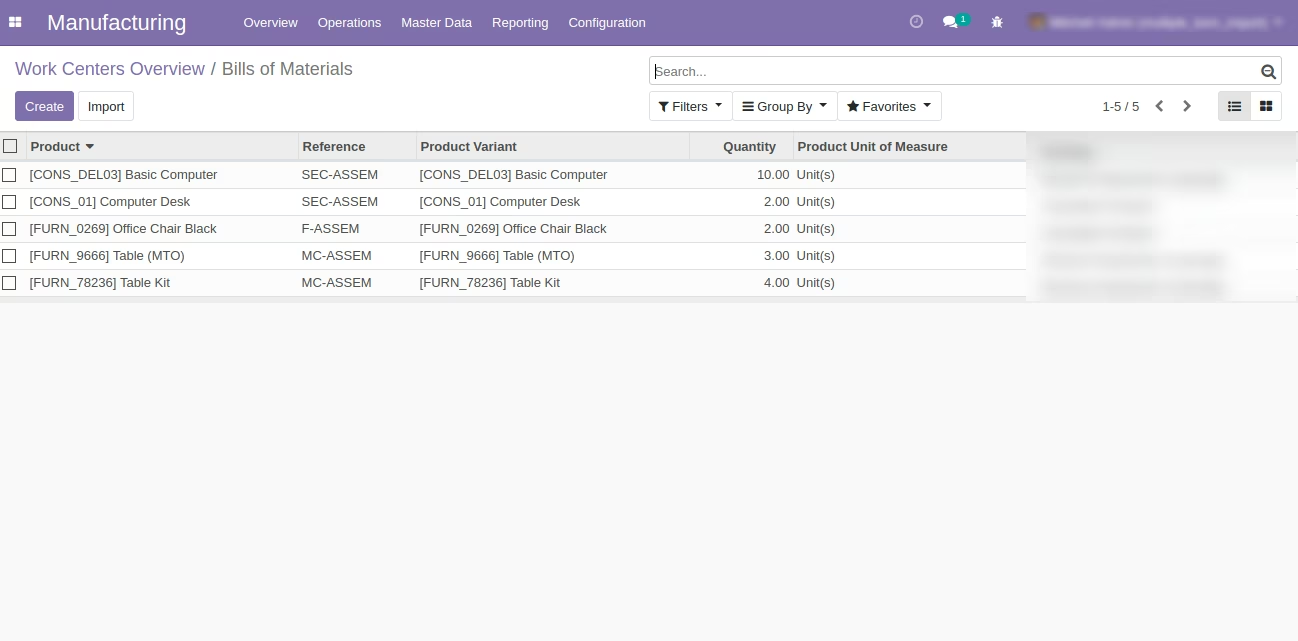
Imported Bill of Materials in List View
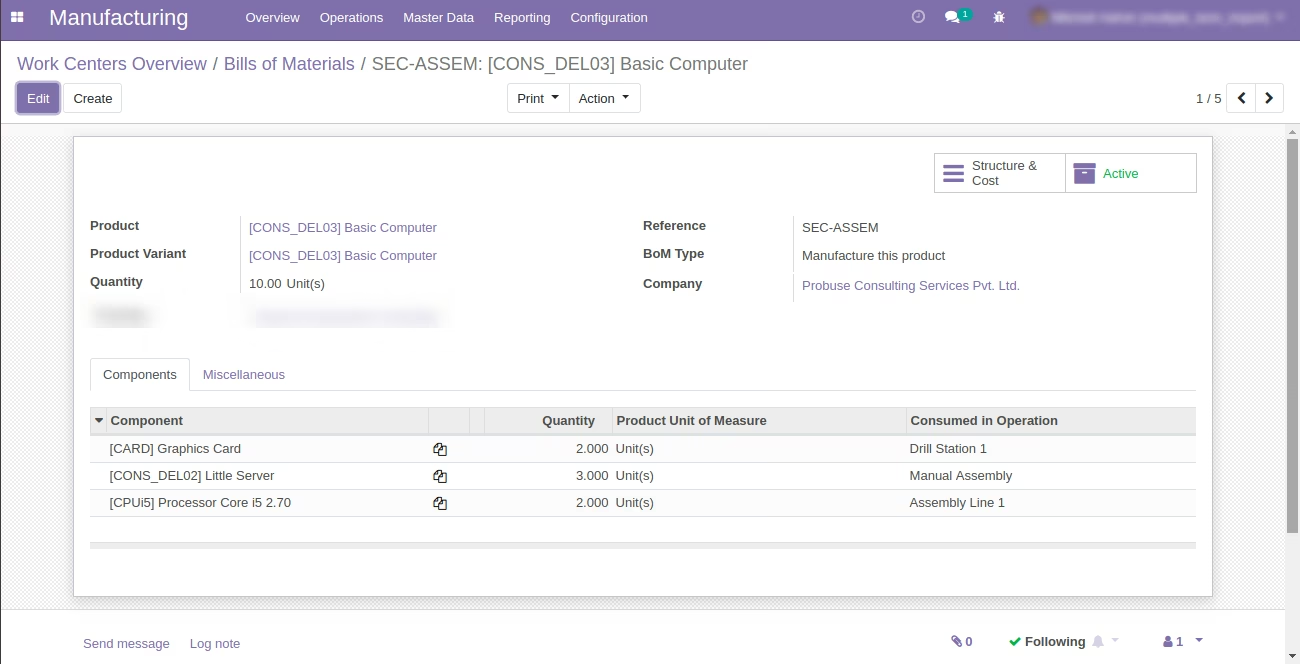
Imported Bill of Materials in Form View
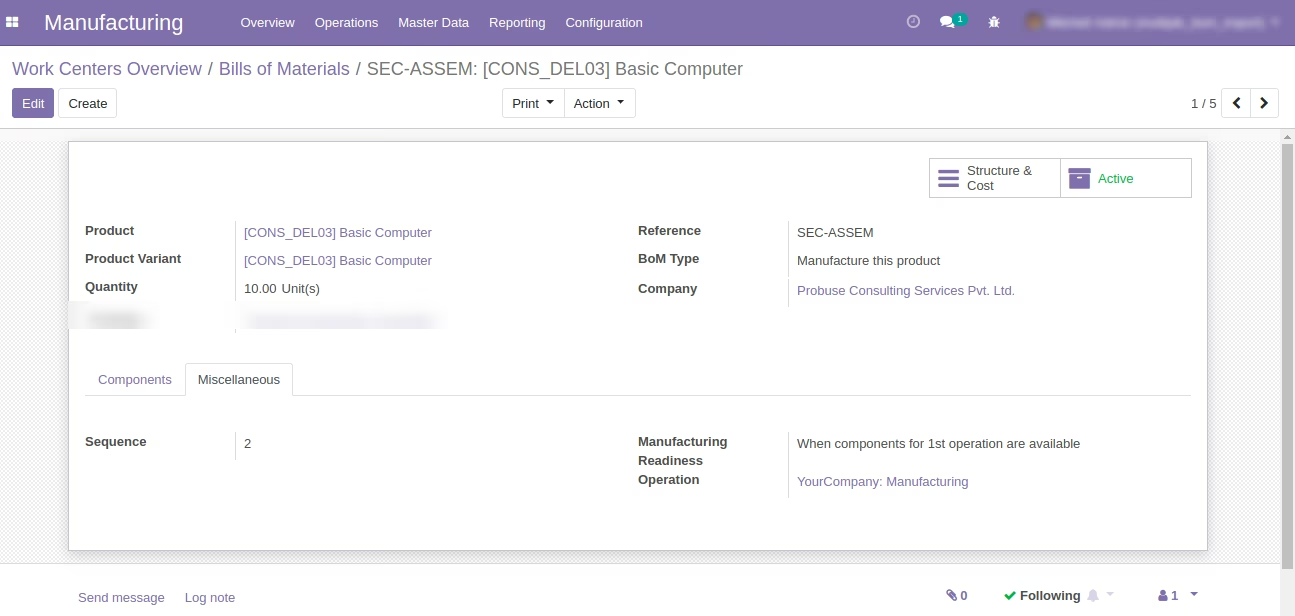
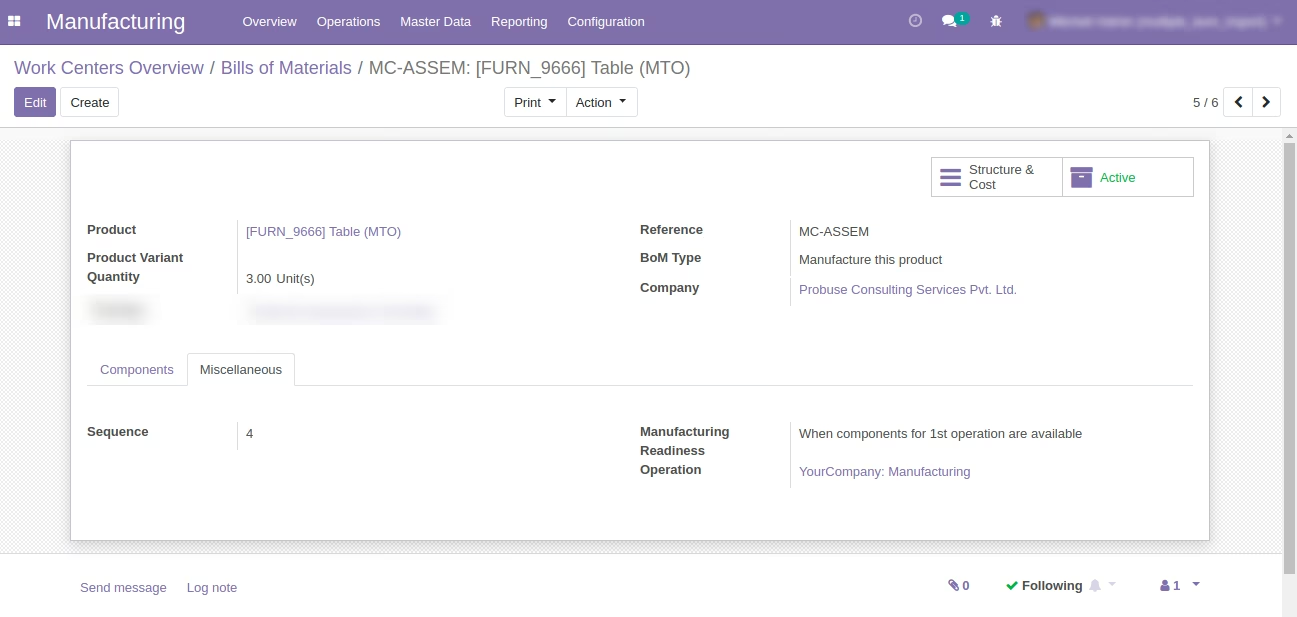
Imported Bill of Materials - Miscellaneous Tab in Form View
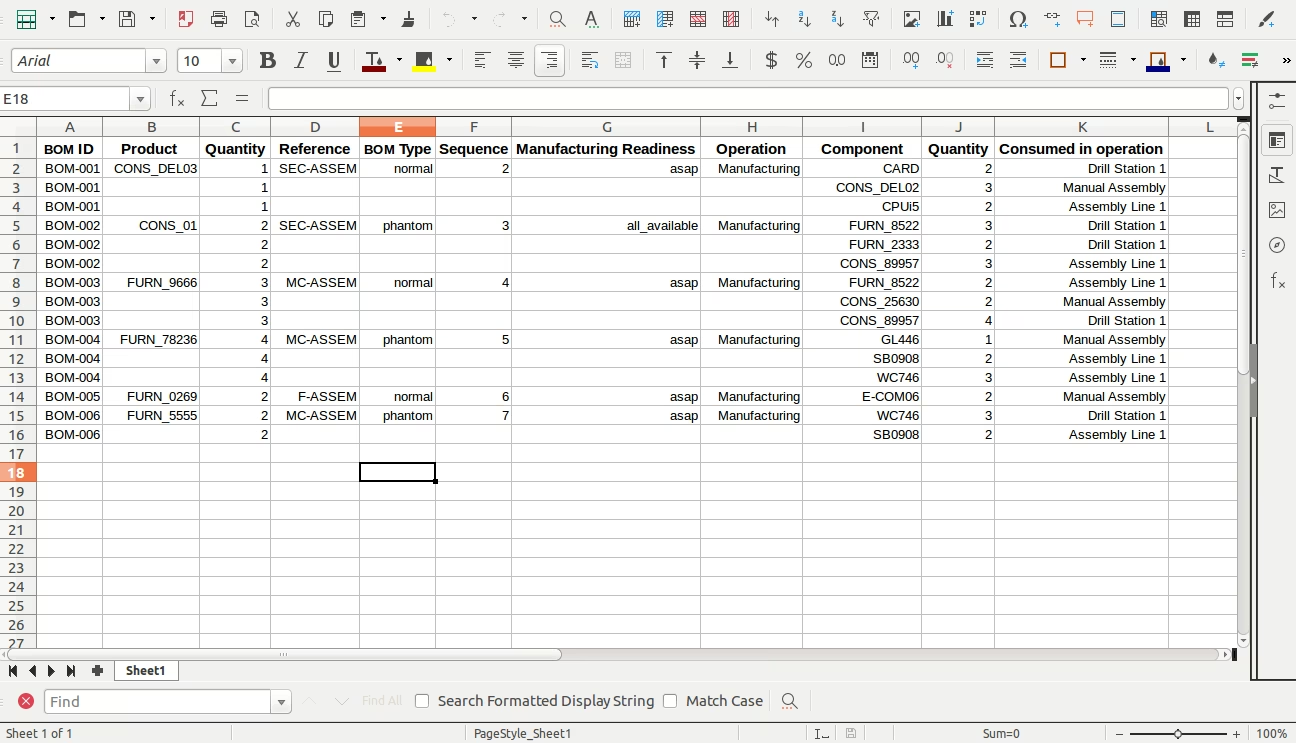
Sample Excel File
(Also available inside Module/Sample Folder)
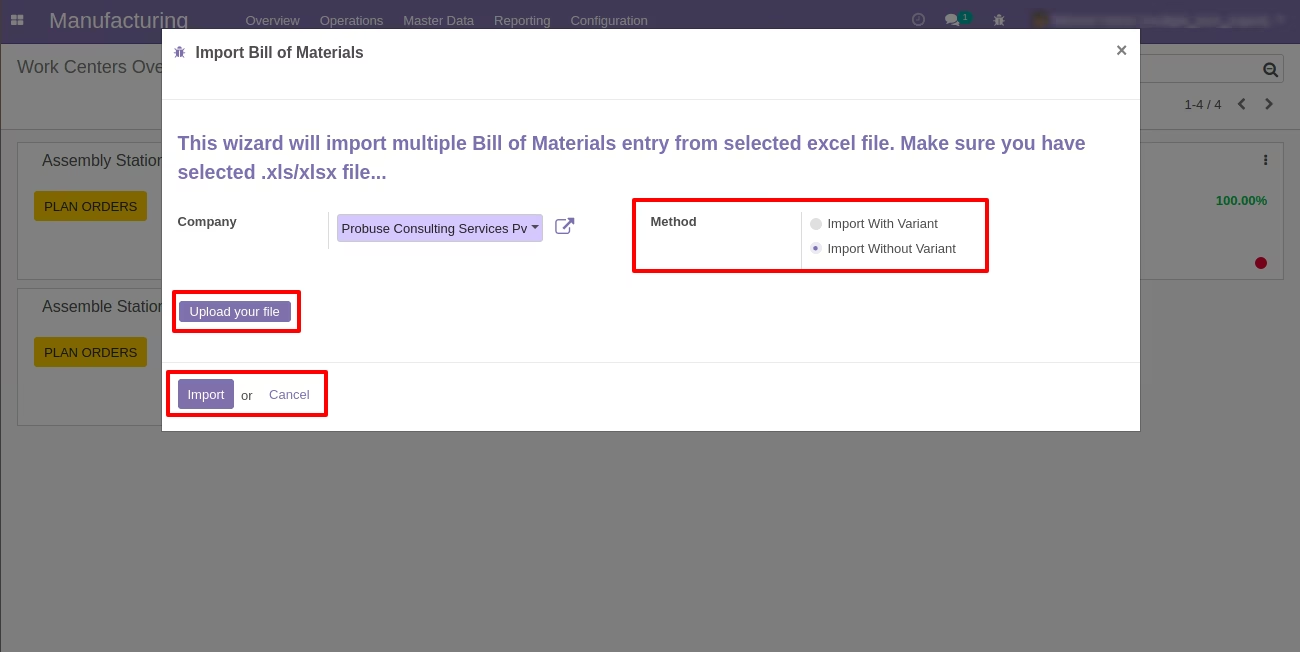
Wizard to Select Excel - Import Without Variant
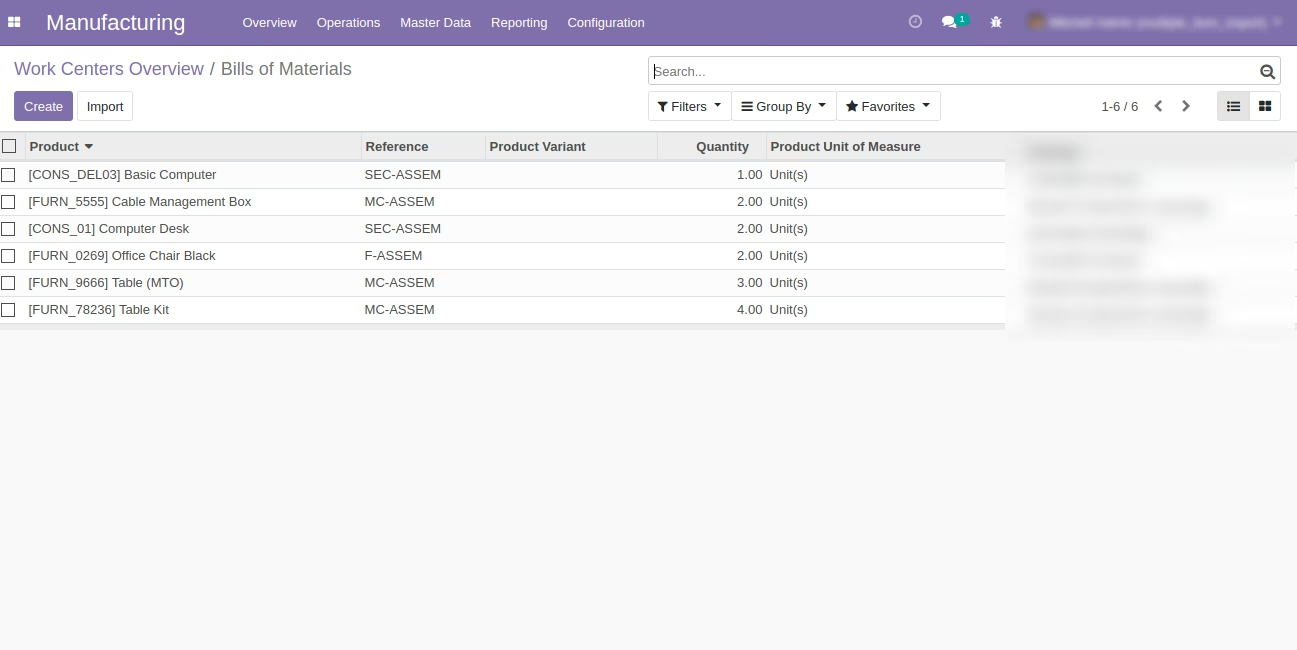
Imported Bill of Materials Variant in List View
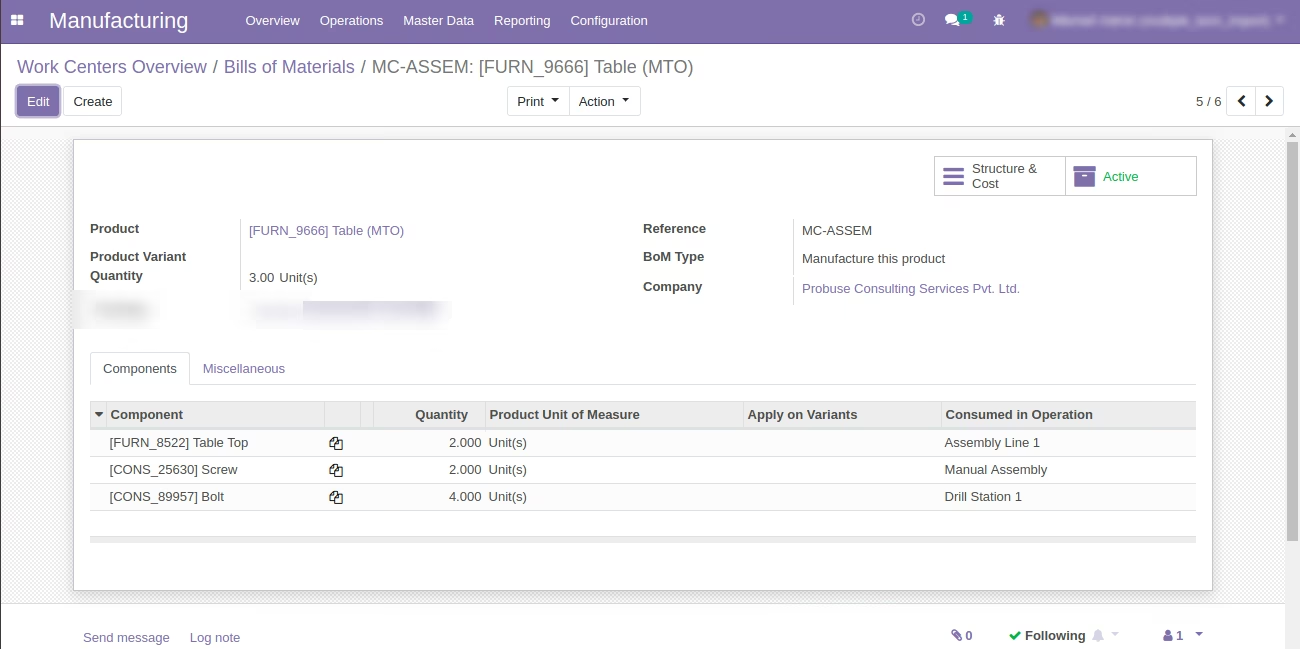
Imported Bill of Materials Variant in Form View
Imported Bill of Materials - Miscellaneous Tab in Form View
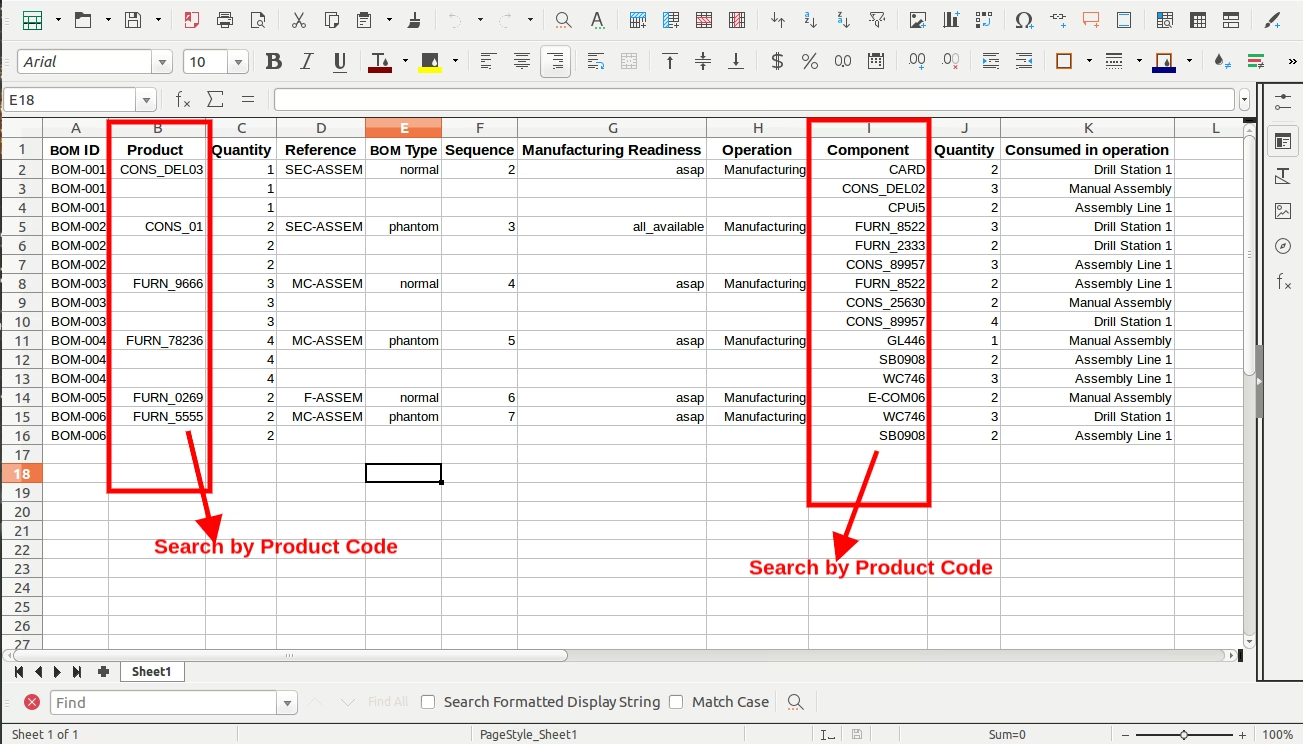
Import Bom With Variant Sample Excel File
(Also available inside Module/Sample Folder)
Import Bom Without Variant Sample Excel File
(Also available inside Module/Sample Folder)