Expand your e-commerce reach in the MENA region with the HyperPay Payment Acquirer. This powerful module seamlessly integrates HyperPay, one of the fastest-growing and most trusted payment service providers in the Middle East and North Africa, directly into your Odoo website. By offering a secure, reliable, and user-friendly payment option, you can significantly enhance the checkout experience for your customers. This integration allows for quick and secure transactions directly on your website without redirection, helping to build customer trust, reduce cart abandonment, and ultimately boost your online sales.
Seamless On-Site Checkout: Customers complete transactions directly on your website without being redirected, ensuring a fast and smooth payment process.
Multiple Payment Methods: Accept a wide range of payment options, including major credit and debit cards (Visa, Mastercard), Mada, and digital wallets like Apple Pay.
Enhanced Security: Transactions are processed with HyperPay's robust, PCI-DSS compliant security, protecting both you and your customers.
Easy Configuration: Simple setup within using your HyperPay Merchant ID and Authorization Token.
Full Refund Capability: Process full or partial refunds for transactions directly from the backend, streamlining your customer service.
Comprehensive Transaction Tracking: All payment transactions are recorded and easily accessible within both your backend and your HyperPay merchant portal.
Increased Sales & Conversion: Cater to a wider customer base in the MENA region by offering preferred and trusted local payment methods.
Reduced Cart Abandonment: A quick, secure, and non-redirective checkout process minimizes friction and encourages completed purchases.
Enhanced Customer Trust: Associating your brand with a leading payment provider like HyperPay builds credibility and customer confidence.
Streamlined Financial Management: Centralize your transaction data within for easier tracking, reporting, and reconciliation.
Improved Operational Efficiency: Automate payment processing and refund management, saving valuable administrative time.
Secure Global Transactions: Leverage world-class security standards to protect your business and your customers from fraud.
The HyperPay Payment Acquirer app helps businesses in the MENA (Middle East and North Africa) region efficiently process online transactions in multiple currencies and countries. This app allows the admin to select and enable the HyperPay payment method for smooth transactions. Admin can enter important information like Entity ID, Entity ID (MADA), and Authorization Bearer to ensure secure payments. The app supports various card options, giving customers the choice of payment methods at checkout. By integrating HyperPay, businesses can improve their payment processes and provide a better experience. https://www.hyperpay.com
HyperPay Payment Provider with Refund Benefits

Improved Security for Online Transactions

Enhanced Payment Flexibility

Seamless Customer Experience

Increased Customer Trust

Better Transaction Tracking

Simplified Refund Process
HyperPay Payment Provider with Refund Features
Dual Card Option Availability:
- Admins can enable both Hyperpay (VISA, MasterCard, Amex) and Hyperpay MADA options in the payment method settings, offering customers varied choices during checkout.
Secure Checkout with 3DS:
- After selecting a card, customers fill in card details and are redirected to a 3DS security page to verify transactions, adding an extra layer of security to the transaction verification process.
Easy Payment Method Configuration:
- Admins can select and enable Hyperpay by entering credentials like Entity ID, Entity ID (MADA), and Authorization Bearer, simplifying the setup process.
Customizable Payment Options:
- Customers can choose from three card types (VISA, MasterCard, Amex) under Hyperpay or select the MADA card for online transactions, according to preferences.
Refund Functionality:
- Admins can initiate partial or full refunds for customers directly in the backend.
Comprehensive Admin Controls:
- The admin can access payment transaction details and history in the backend.
HyperPay Payment Provider with Refund Workflow
- Navigate to the Website -> Configuration menu.
- Open the payment providers sub-menu and configure the HyperPay payment method.
- Enter the Entity ID, Entity ID (MADA), and Authorization Bearer details.
- Configure the payment journal as required.
- Add products to the cart and proceed to checkout.
- Select the HyperPay Payment method options.
- Enter the card details.
- Show 3D security and select an option to verify the payment transaction details.
Payment Providers
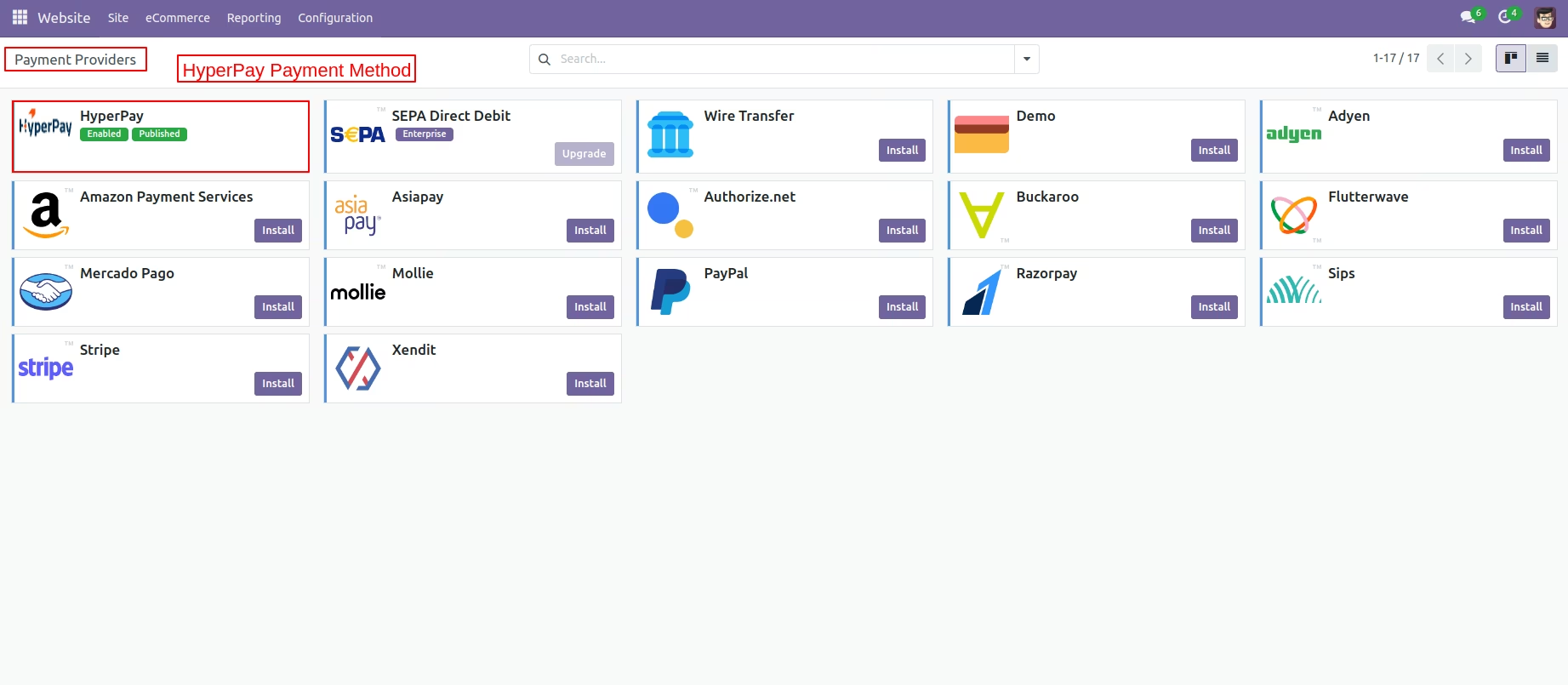
First, navigate to the website and select configuration to configure payment options for online transactions. Next, click on payment providers to access the available payment methods. Finally, select the hyperpay payment provider.
Enter The Credentials
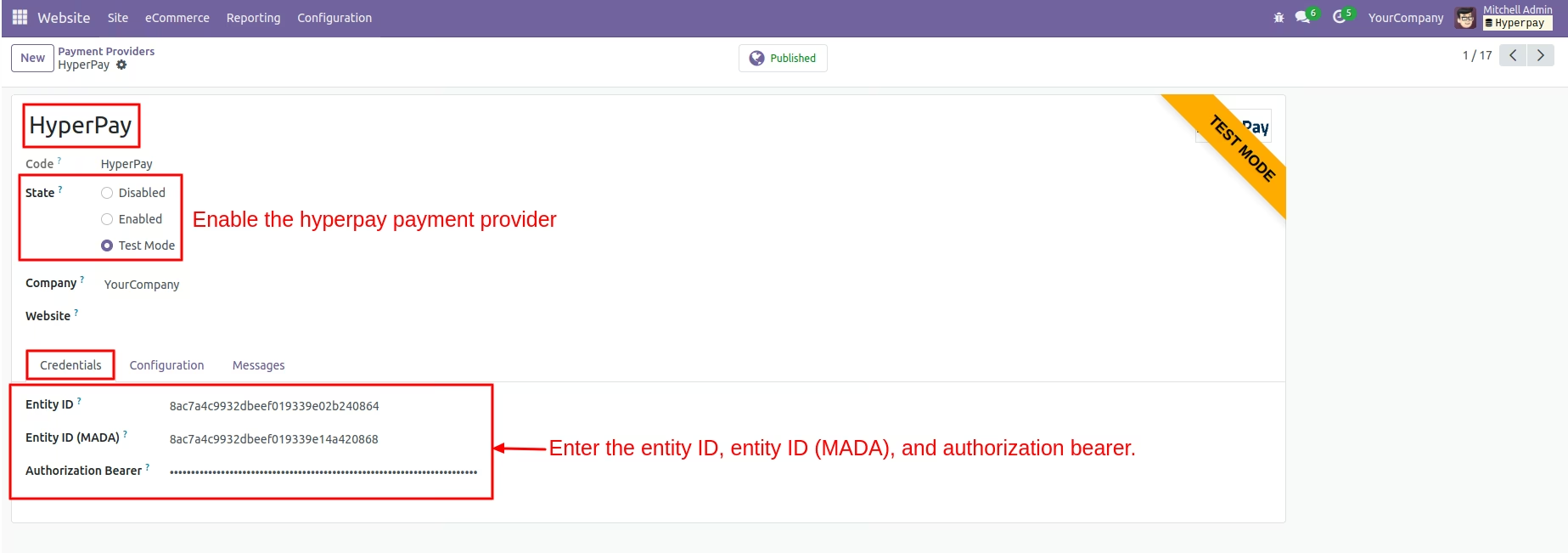
Select the HyperPay payment provider to enable it to process transactions. After activation, enter the necessary credentials, including Entity ID, MADA Entity ID, and Authorization Bearer, on the payment providers page.
Enable Payment Method
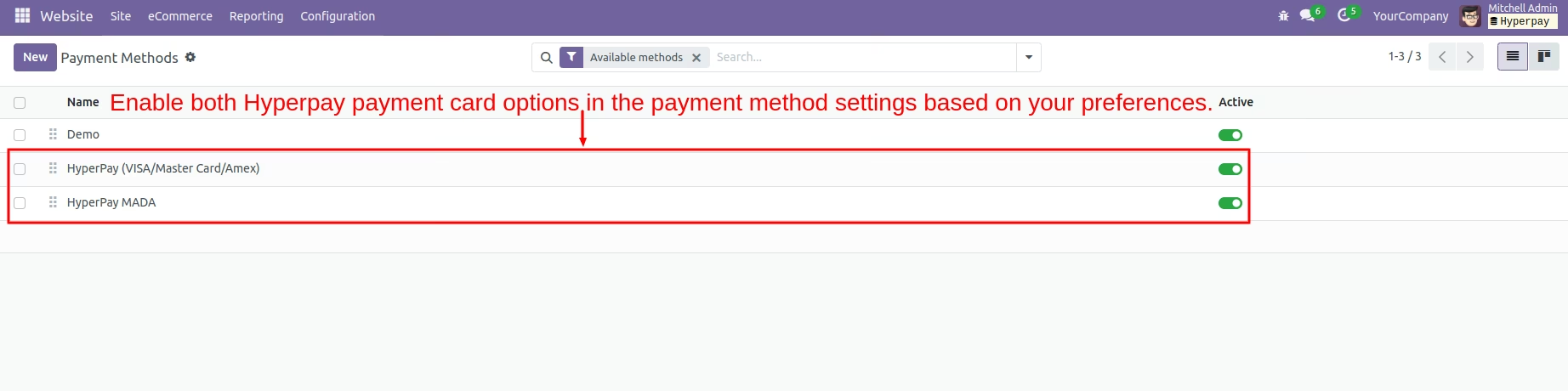
Activate both HyperPay payment options in the payment method settings based on your preferences. This allows for flexible transaction processing
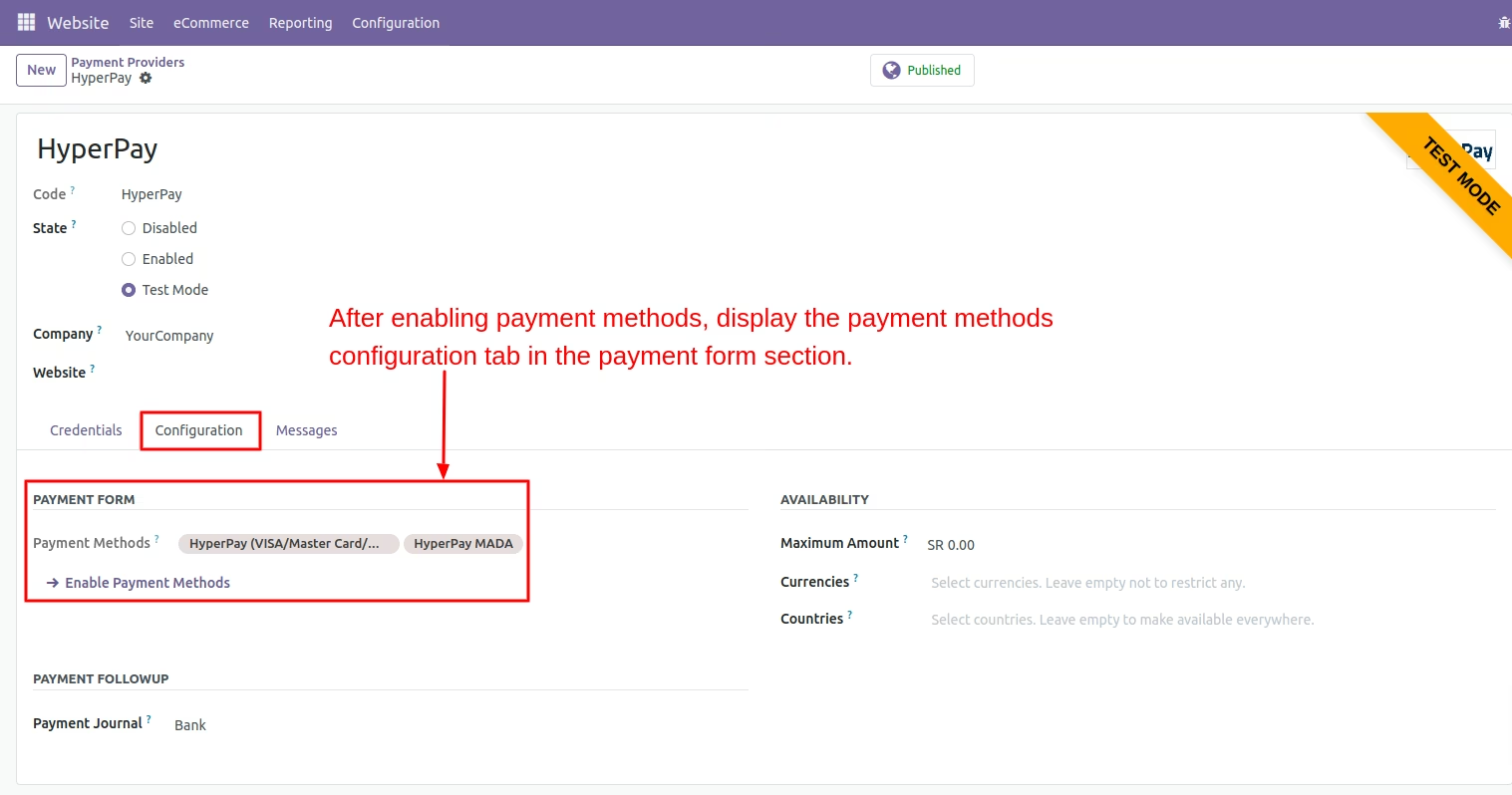
Configuration Tab in Payment Provider Page
After enabling the payment method, the configuration tabs for the payment methods will be displayed in the payment section. This provides quick access for managing and adjusting payment settings.
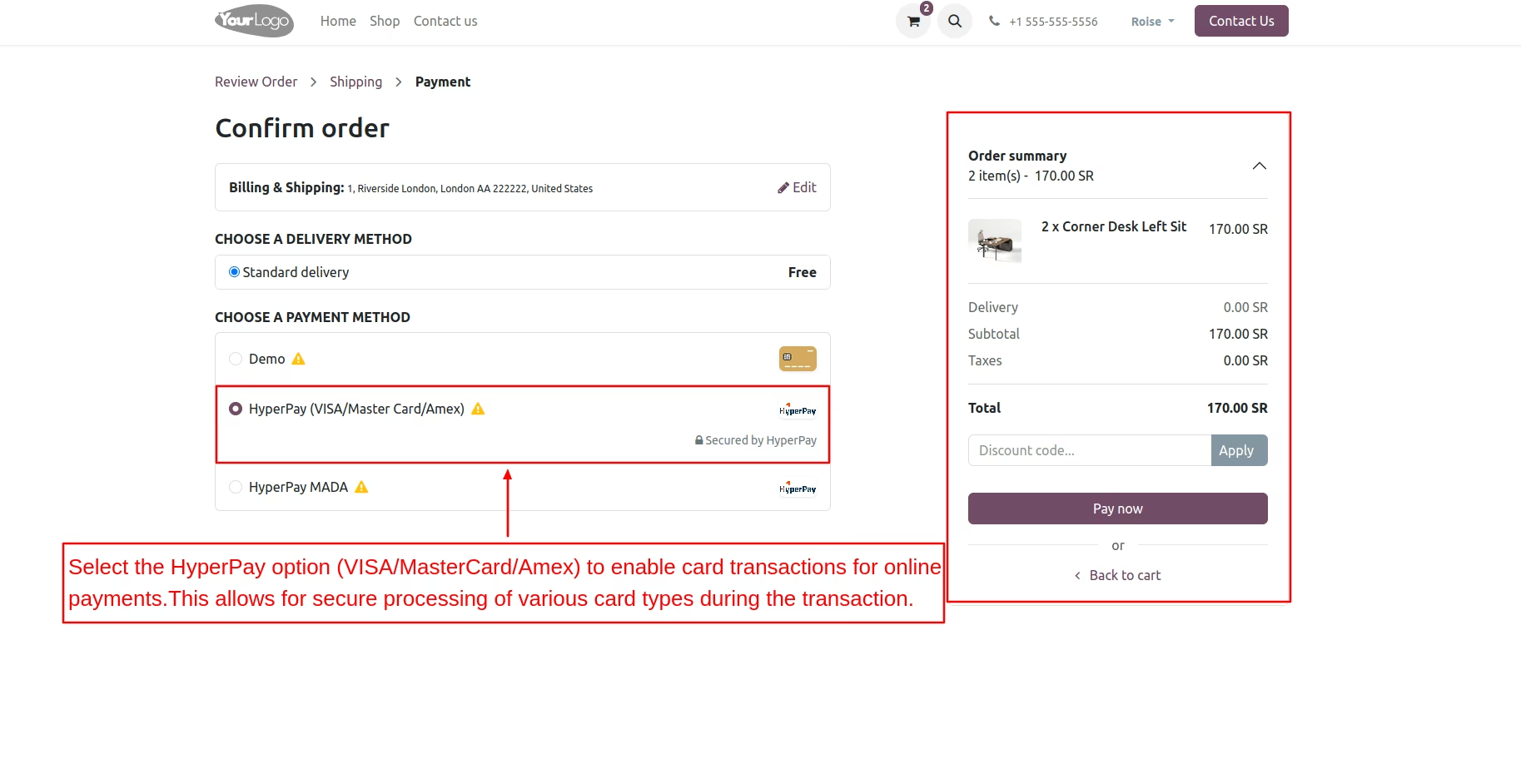
Select HyperPay (VISA/Master Card/Amex)
Choose the HyperPay option (VISA/MasterCard/Amex) to activate card transactions for online payments. This selection allows customers to complete their purchases using various card types.
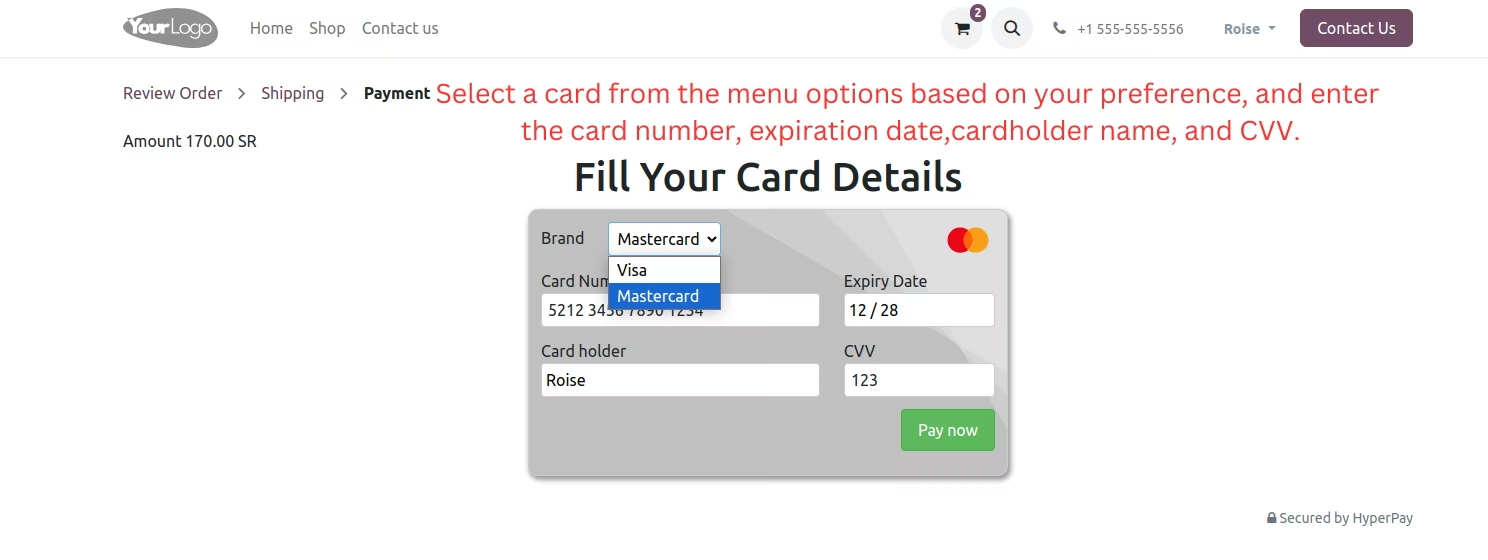
Fill Your Card Details
Select a card from the menu options and enter the card number, expiration date, cardholder name, and CVV. This information is necessary to complete the payment securely.
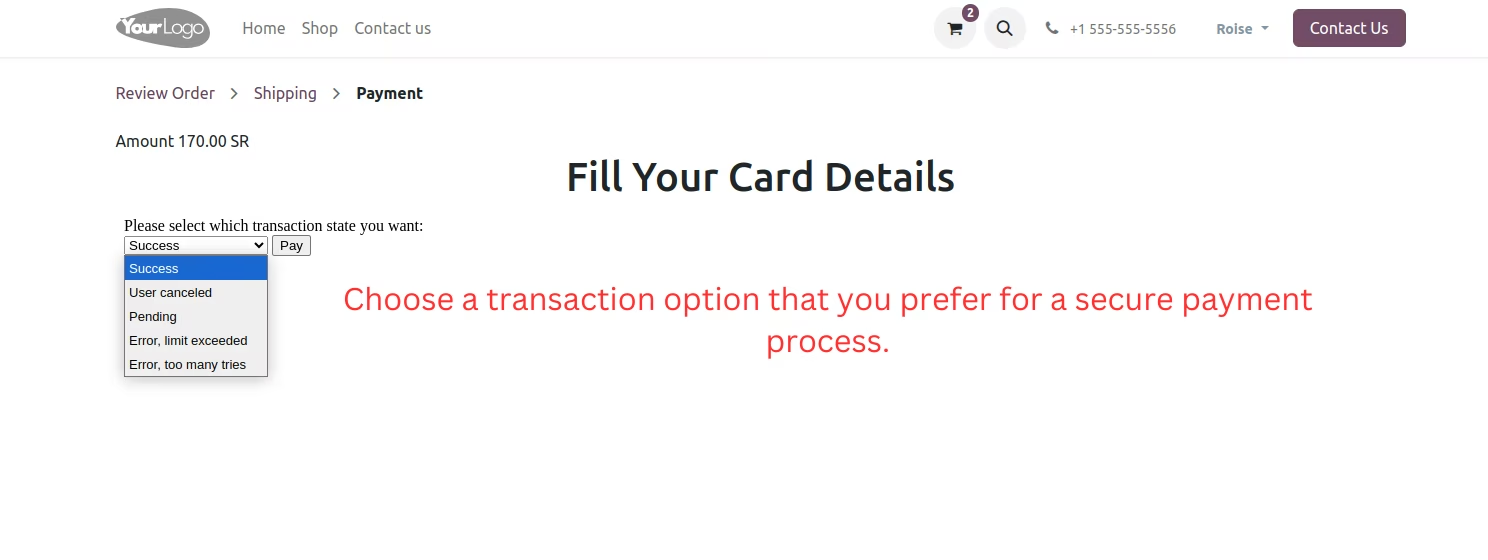
3DS Secure
Choose the transaction state option to initiate a secure payment process. This selection is for maintaining transaction integrity and security.
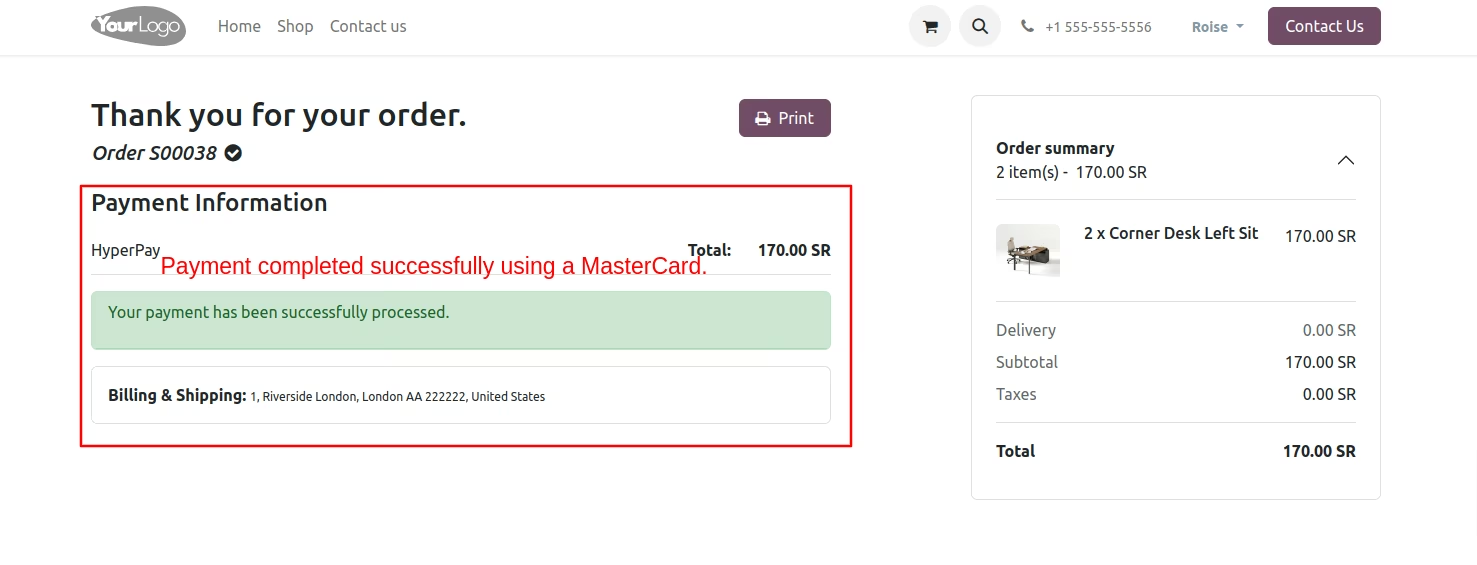
Payment Information
The payment confirmation is shown, indicating the successful processing of the transaction. This assures users that their payment has been completed.
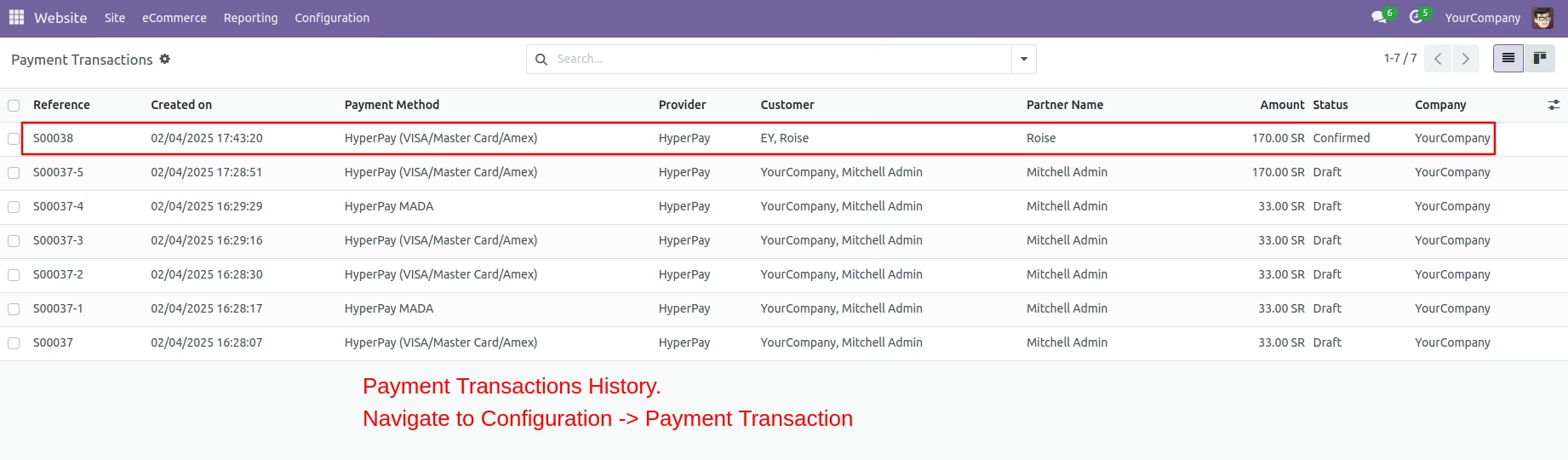
Payment Transaction History
Access the configuration settings to view the payment transaction history. This section provides a list of all transactions along with their current statuses for easy monitoring.
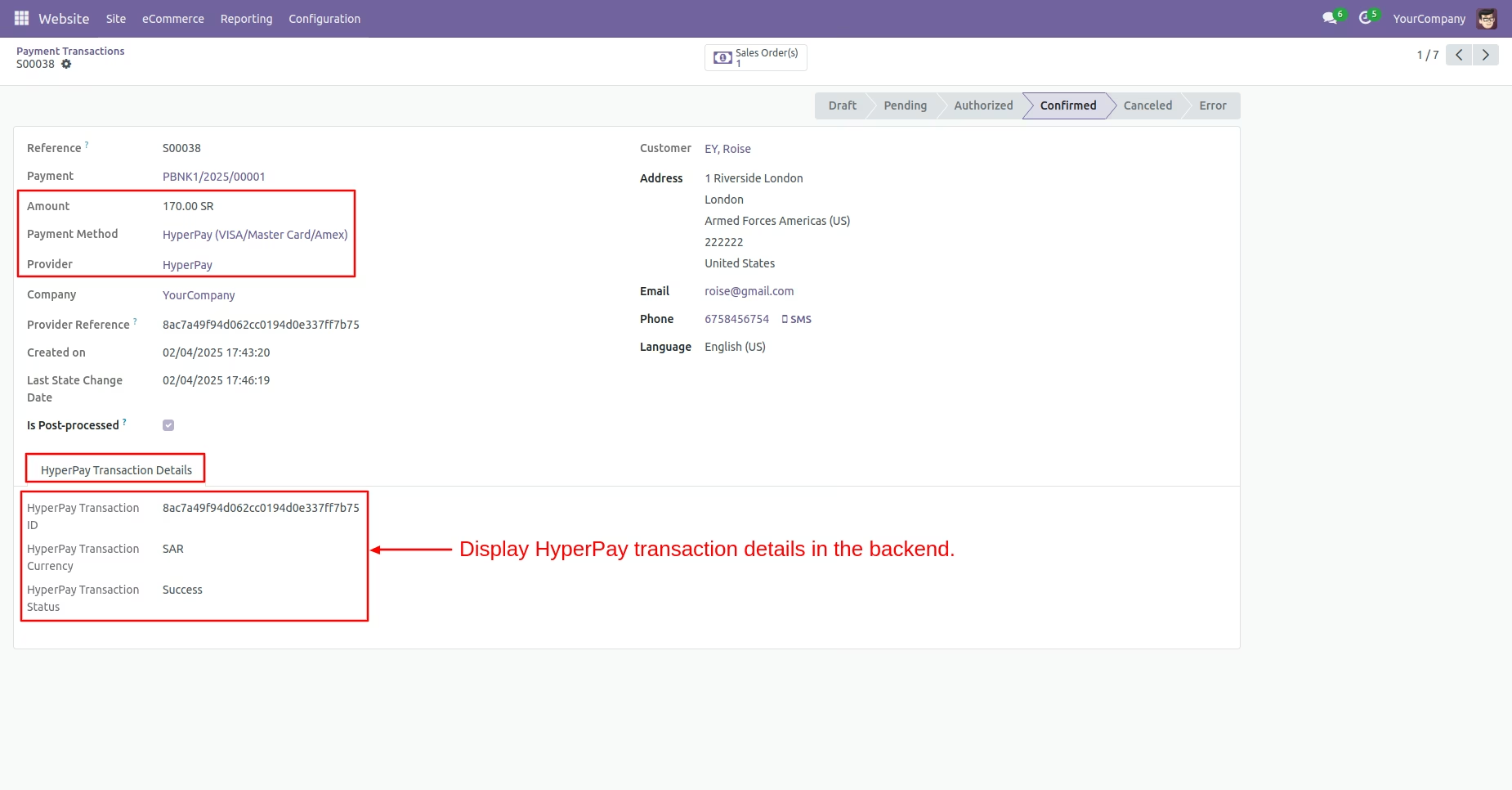
Transaction Details
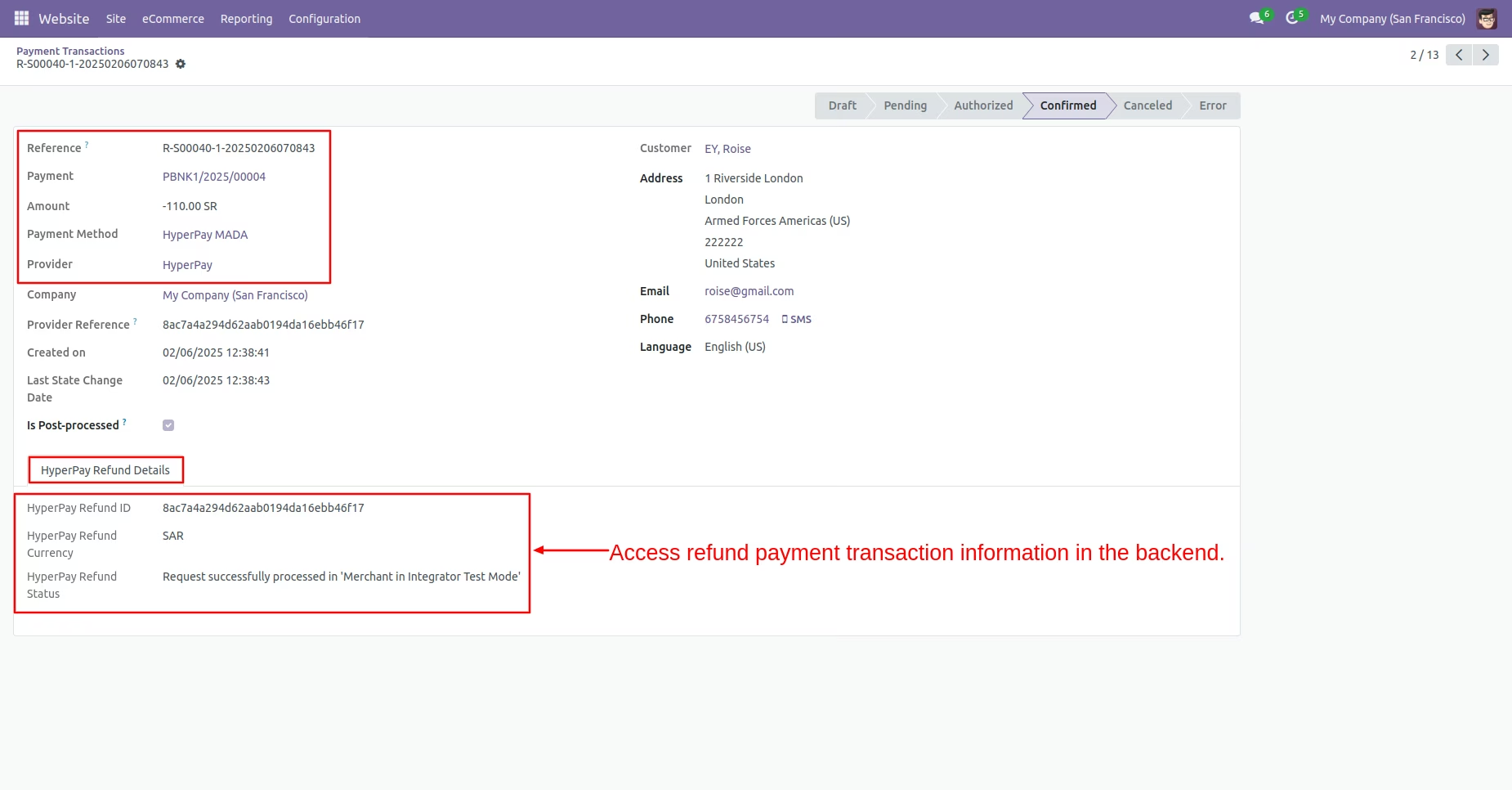
Access the complete payment transaction details in the backend, including the HyperPay transaction ID, currency, and status. This information offers a clear overview of the transaction.
Hyperpay MADA
Select the HyperPay MADA payment method to facilitate online transactions. This option allows customers to make secure payments using the MADA card.
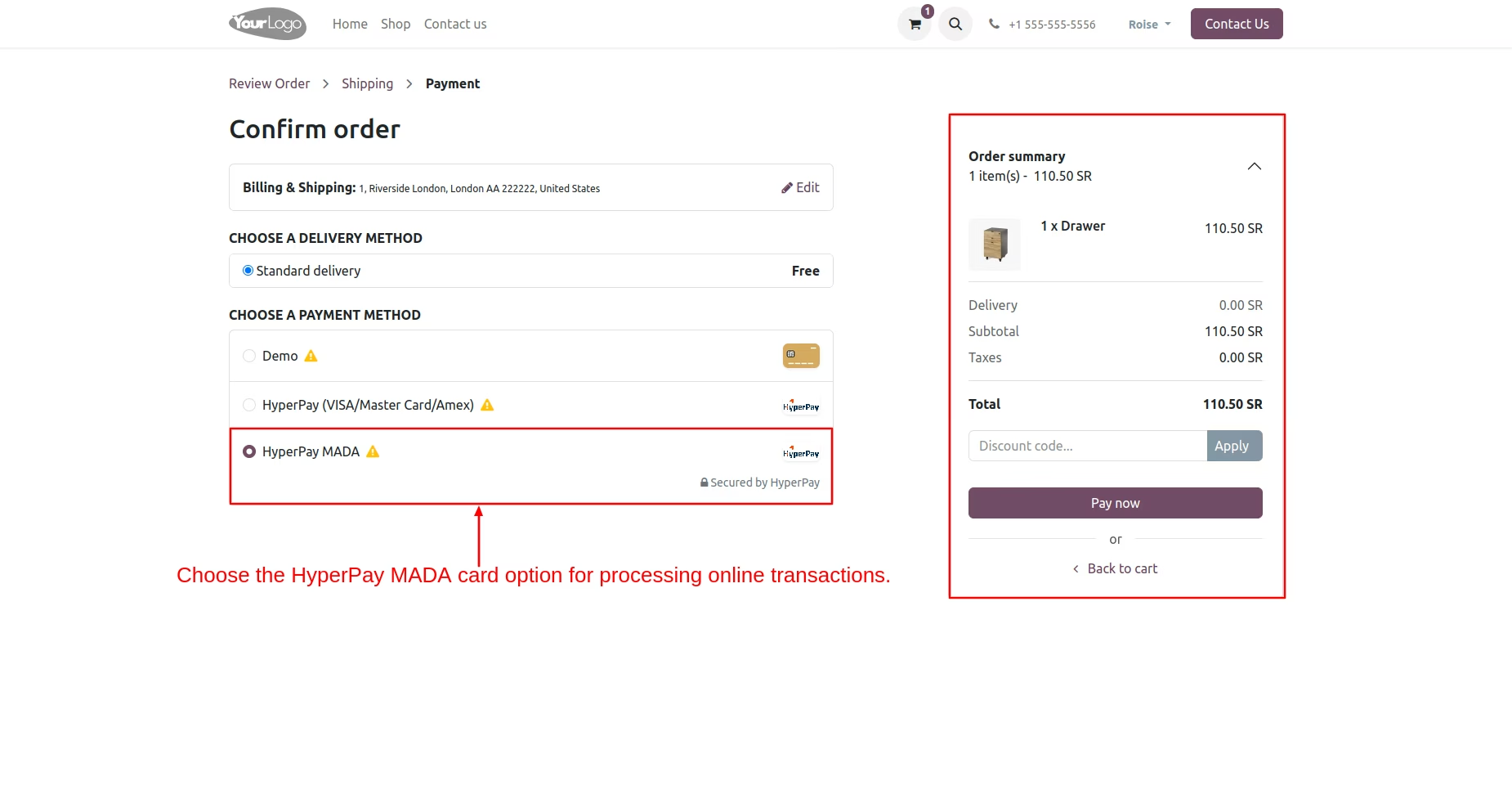
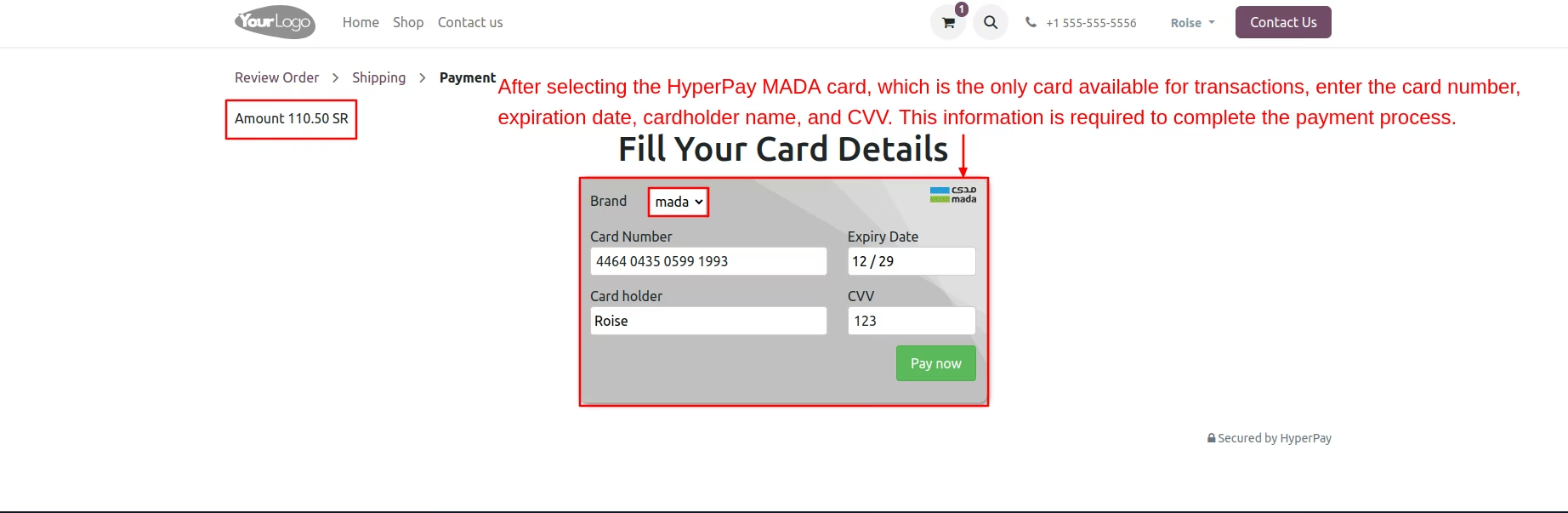
Fill In MADA Card Details
The HyperPay MADA option provides a single card for customer online payment transactions.
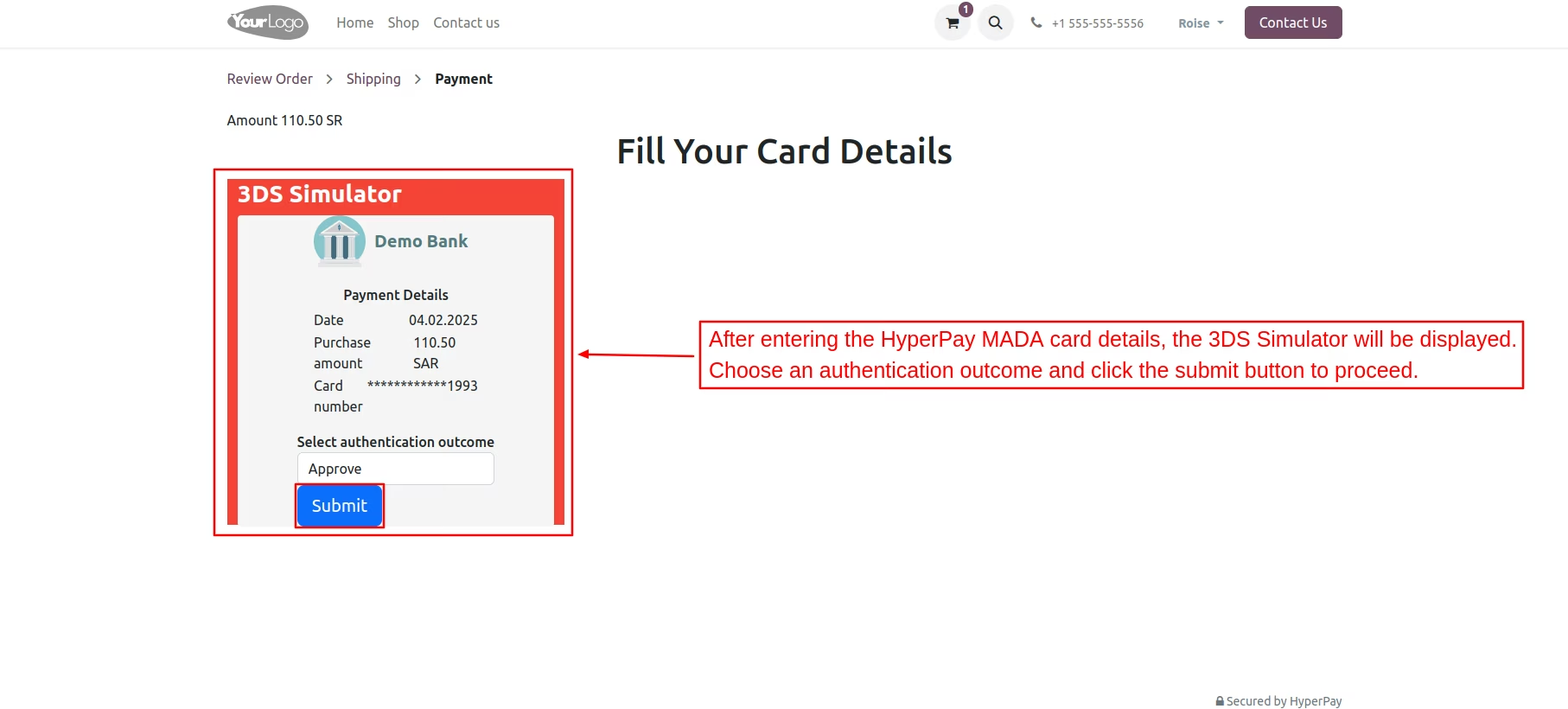
3DS Simulator
The 3DS simulator displays transaction details and requires you to select an authentication outcome to verify the transaction. This step is essential for ensuring the security of the payment process.
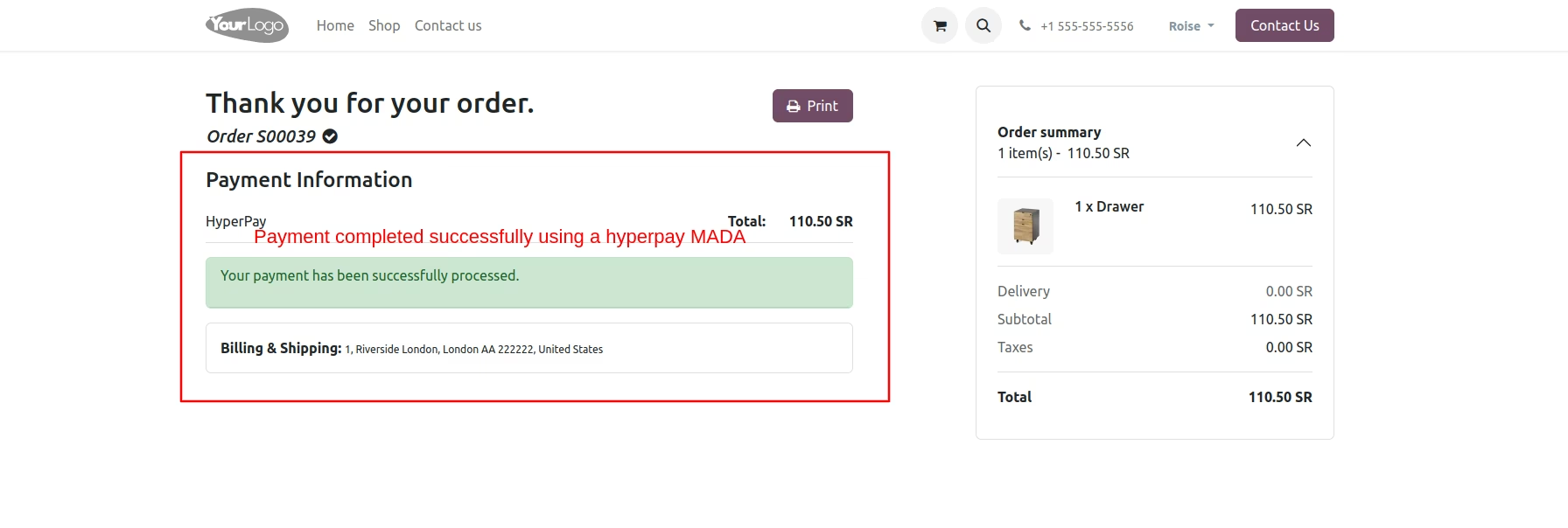
MADA Payment Information
The payment confirmation is shown, indicating the successful processing of the transaction. This assures users that their payment has been completed.
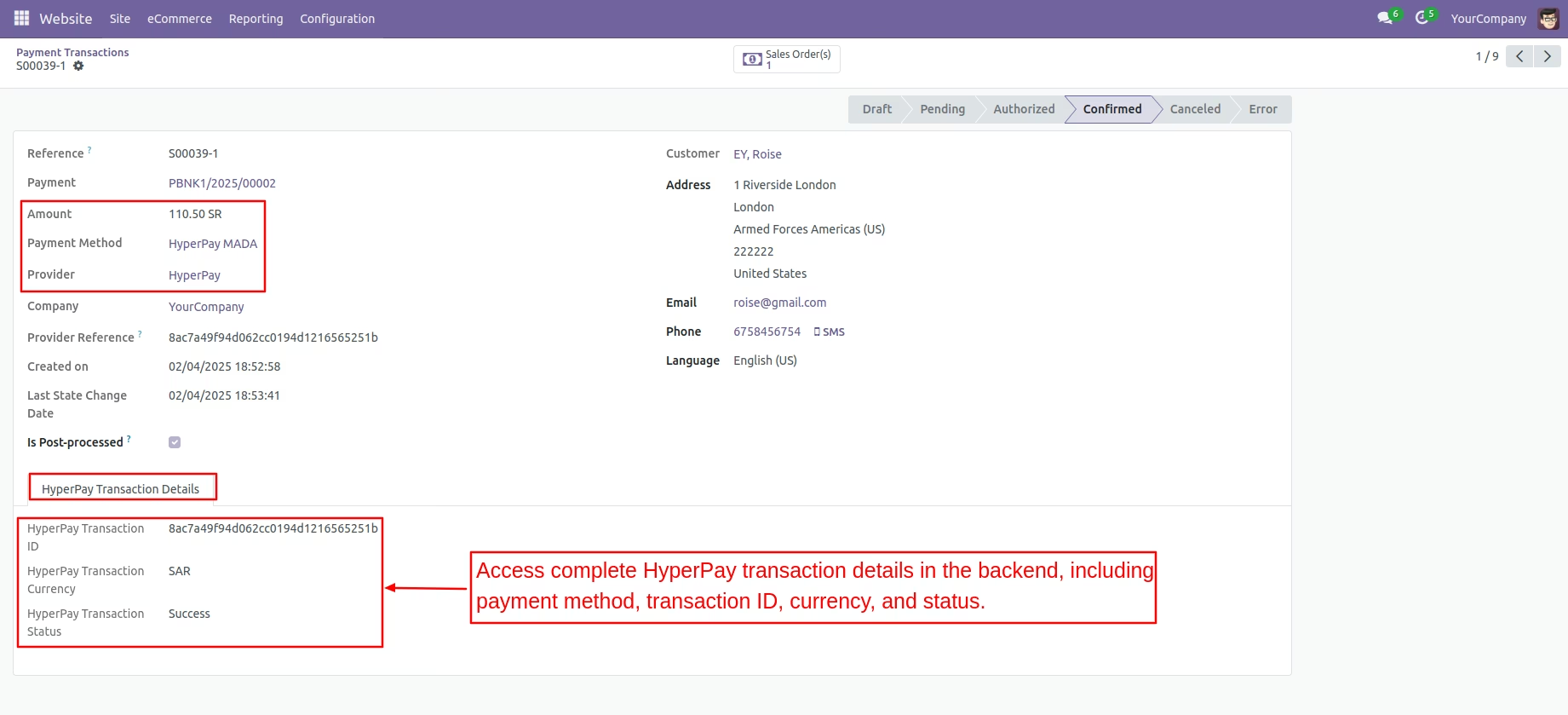
MADA Payment Transaction Details
Access the complete HyperPay MADA transaction details in the backend for tracking.
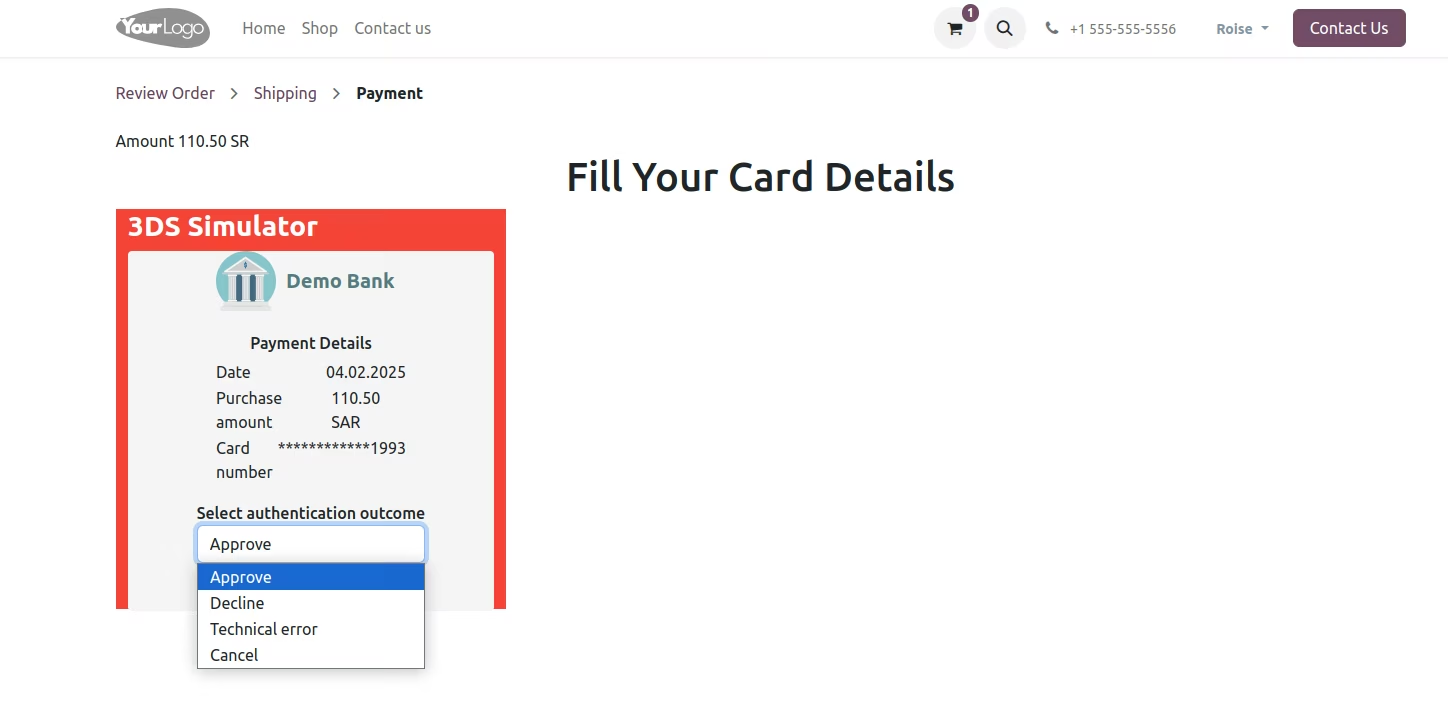
3DS Simulator
The 3DS Simulator provides four options in the authentication outcome menu for verification purposes. Selecting one of these options is essential for successfully verifying the transaction.
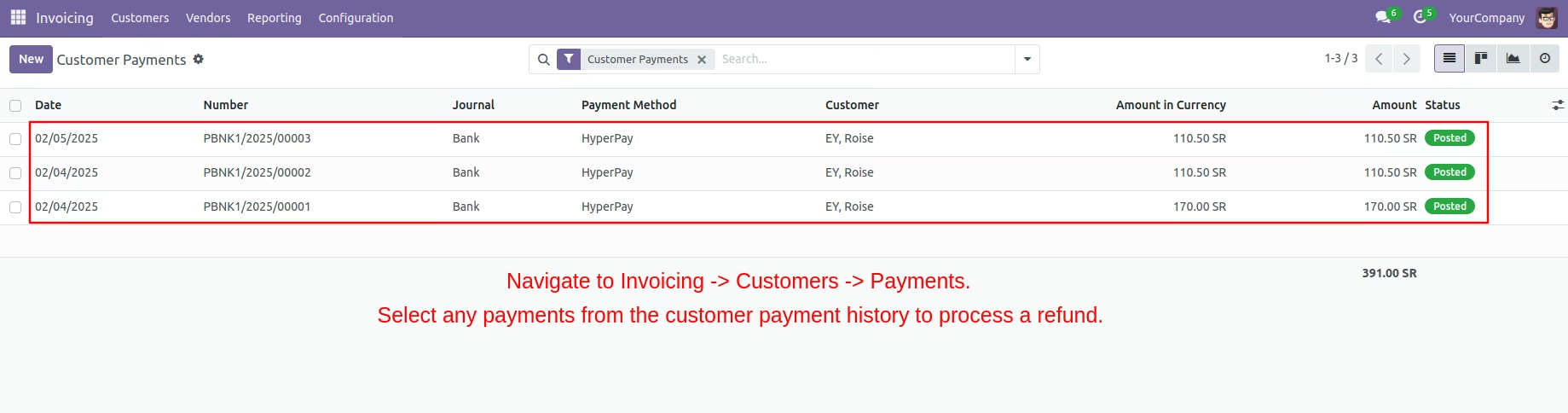
Haperpay Refund Process
Choose any payment from the customer's payment history to process a refund.
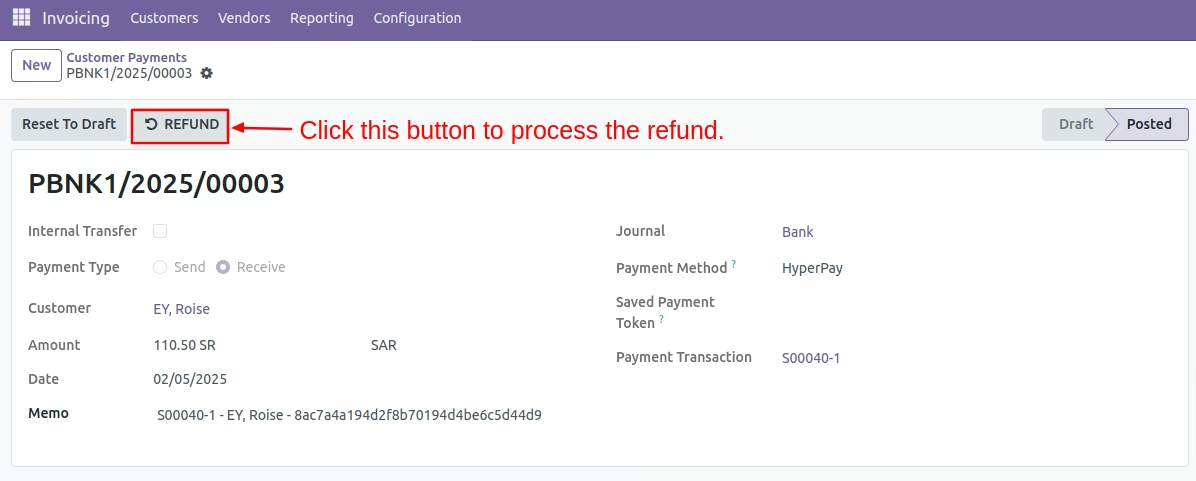
Refund Button
Click this button to initiate the refund process
Refund Amount
Enter both the full refund amount and the desired partial amount for processing.
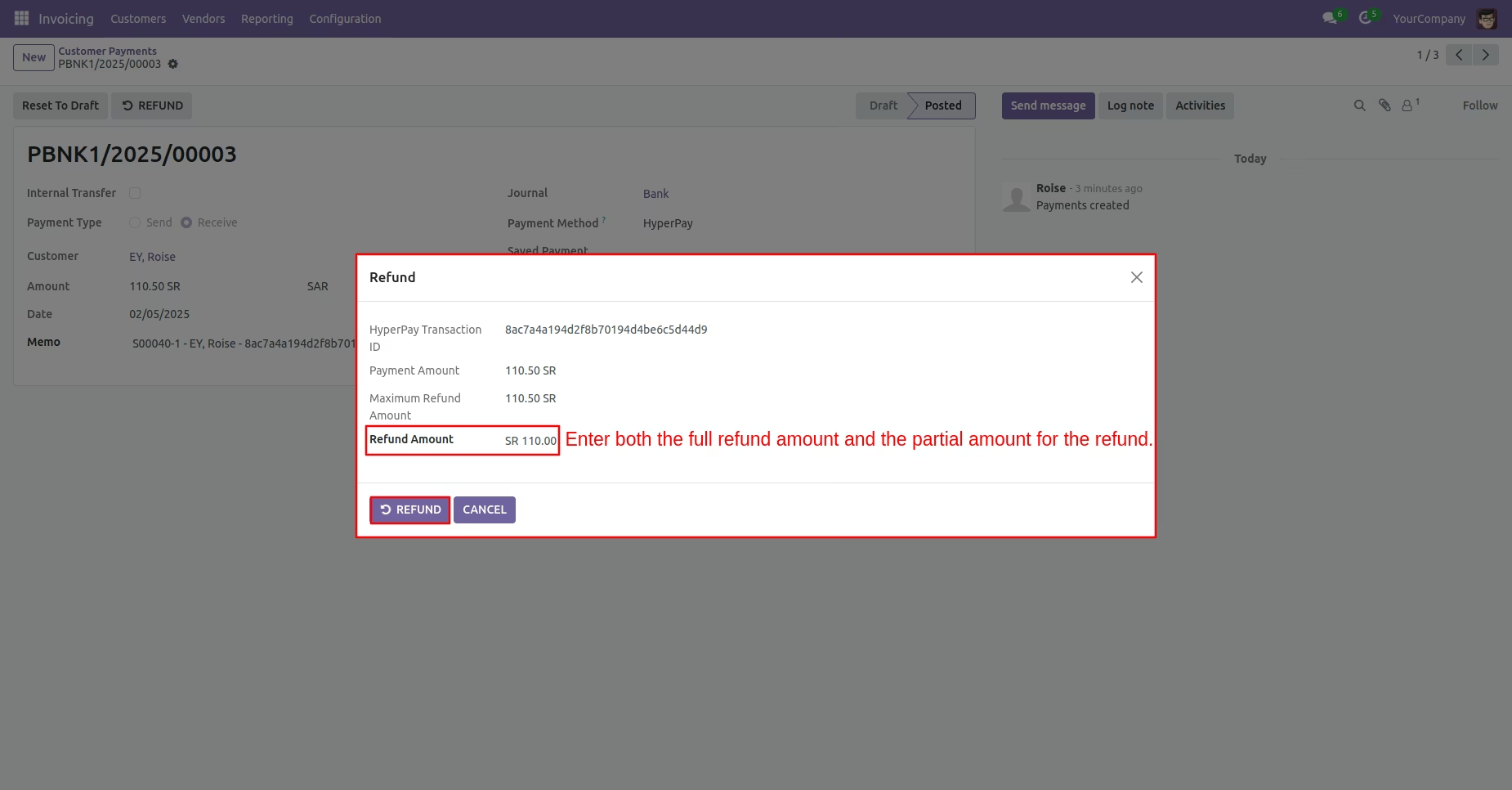
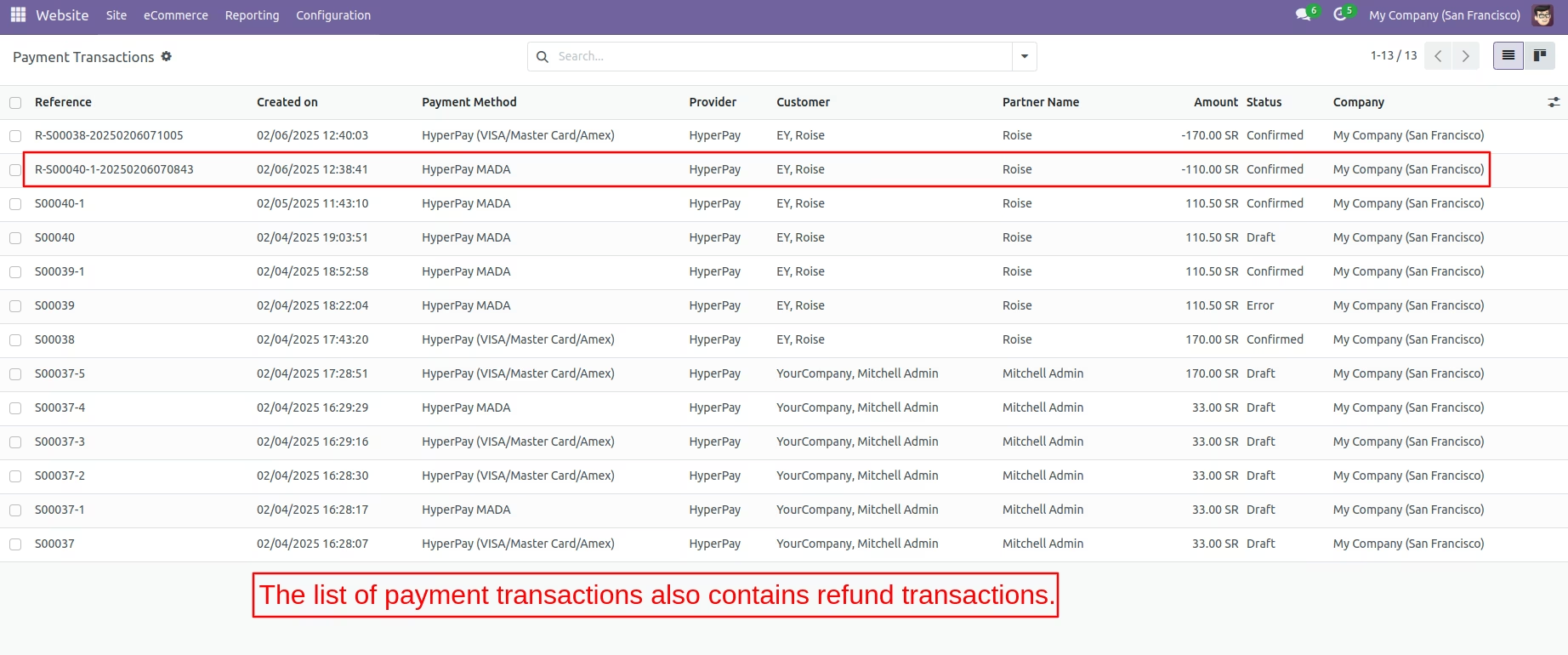
Refund Transaction
Refund transactions are also available in the payment transactions list.
Haperpay Refund Details
View refund payment transaction details in the backend.