Bring professional organization and enhanced traceability to your financial workflows with the Custom Expense Sheet Numbering module. This tool addresses a key challenge in expense management: the need for a clear, consistent, and sequential numbering system for expense reports. By default, may not provide a simple sequential reference, making it difficult to track and manage a high volume of reports. This module elegantly solves this problem by generating a unique, customizable sequence number for every expense sheet, ensuring your financial documents are as organized and professional as the rest of your business operations.
Automatic Sequential Numbering: Generates a unique, sequential number for each new expense sheet upon creation.
Customizable Sequence: Easily configure your own numbering format, including a custom prefix, suffix, and padding for the sequence.
Standard and Custom Options: Provides the flexibility to use either the standard naming convention or your own custom-defined sequence.
Seamless Integration: Works perfectly with the Expenses application for a smooth, integrated user experience.
Easy Configuration: A simple setup page allows you to define and manage your expense sheet sequence with ease.
Improved Traceability: Easily track and reference expense reports with a clear and predictable numbering system.
Enhanced Professionalism: Present clean, organized, and professionally numbered expense documents to managers and accountants.
Simplified Auditing: A sequential and unbroken numbering system makes auditing and financial review processes much simpler and more efficient.
Reduced Confusion: Eliminates ambiguity and makes it easier for employees, managers, and accounting to communicate about specific expense reports.
Better Organization: Keeps your expense records neatly organized and easy to search, filter, and report on.
Greater Financial Control: Provides a more structured and controlled approach to managing employee expense submissions.
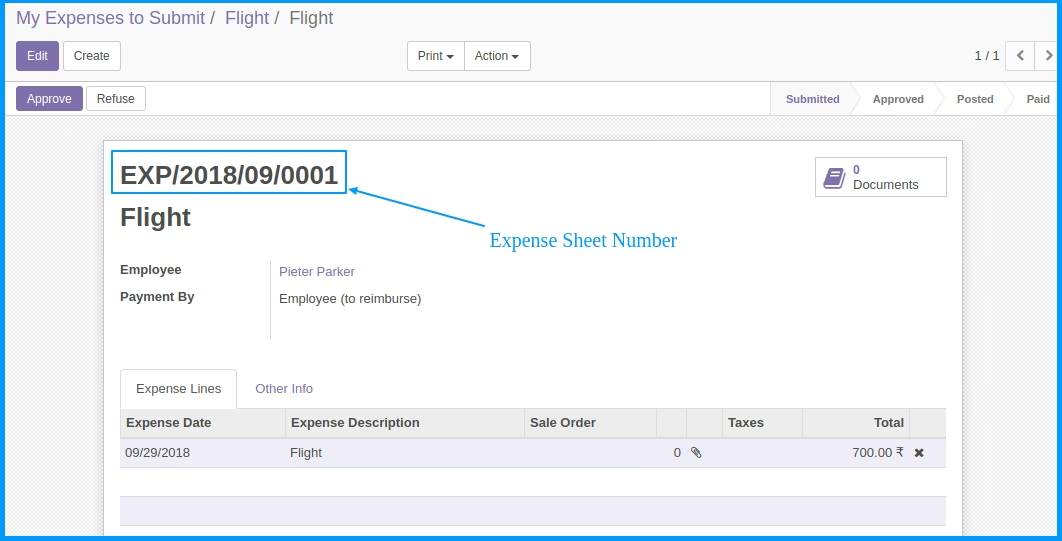
App will add unique number for each newly hr expense sheet
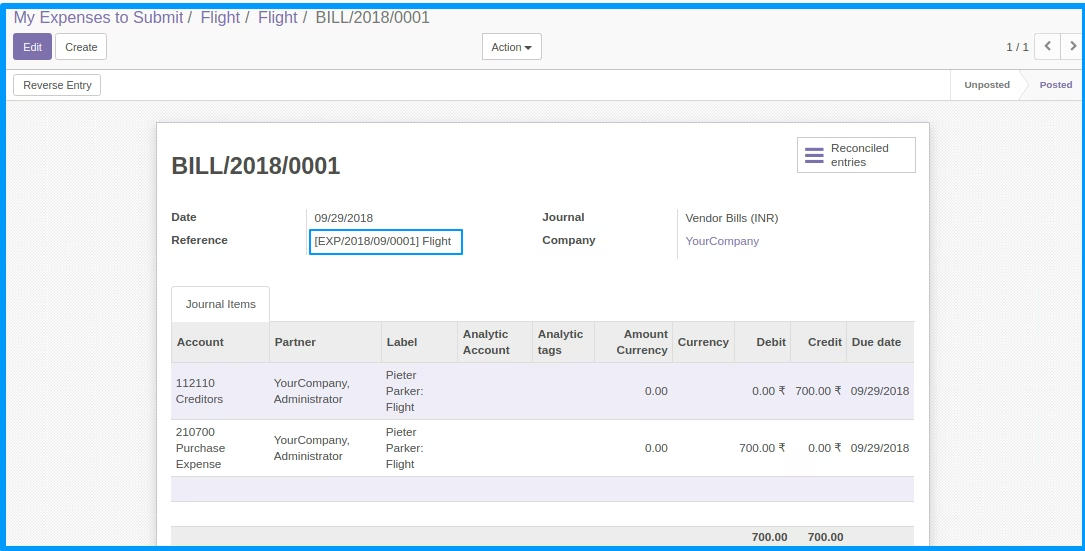
 Generate Unique number for hr expense sheet Number will pass to Journal Entry Number include current year and month