Bring structure, transparency, and control to your company's expense process with the Advance Expense Management module. This comprehensive tool is designed to formalize and streamline the handling of employee cash advances for business-related expenses. By replacing informal requests with a fully integrated system, you can manage the entire lifecycle of an expense advance, from the initial request and multi-level approvals to payment and final reconciliation against the actual expense report. This module is essential for any organization seeking to improve financial oversight, ensure policy compliance, and simplify the expense workflow for employees, managers, and the accounting department.
Formal Advance Requests: Provides a dedicated system for employees to submit detailed requests for expense advances.
Multi-Stage Approval Workflow: Ensures proper oversight with a sequential approval process involving the employee's direct manager, an expense manager, and the accounting department.
Automated Notifications: Keeps all stakeholders informed with automatic email notifications at each stage of the request and approval process.
Integrated Payment Processing: Once an advance is fully approved, it can be paid directly through Accounting, generating the necessary journal entries.
Seamless Expense Reconciliation: Allows employees to easily submit their final expense report against a paid advance, with the system automatically calculating any remaining balance to be paid or returned.
Control Over Pending Advances: A configurable restriction prevents employees from requesting new advances until previous ones have been fully reconciled.
Mass Advance Creation: Enables HR or finance administrators to efficiently create and process advance requests for multiple employees at once.
Comprehensive Reporting: Generate detailed PDF and Excel reports of all advance expenses with robust filtering options for in-depth analysis and auditing.
Enhanced Financial Control: Gain complete visibility and an auditable trail for all cash advances, minimizing financial risk.
Streamlined and Automated Workflow: Save significant administrative time by automating the entire advance request, approval, payment, and reconciliation process.
Improved Policy Compliance: Enforce your company's expense policies consistently with a structured and mandatory workflow.
Increased Transparency: Provides clarity for employees, managers, and accounting on the status of all advance requests and expense reports.
Accelerated Reimbursement Cycle: Simplifies the final settlement process, whether it's reimbursing an employee for additional expenses or recovering unused advance funds.
Reduced Administrative Burden: Frees up your HR and finance teams from chasing paperwork and manually tracking advances.
Empowered Employees: Offers a clear and straightforward process for employees to request the funds they need to perform their duties.
Triple Level Approval Workflow
Automated Email Alerts at Every Stage
Manager, HR, and Expense Manager Validation
Streamlined and Transparent Expense Approvals
Human Resource Employee Expense Tripple Approval Request App allows your employees to create requests for expenses with triple approval with expense including multiple approval validation process with email notification. Once an Employee Expense Request is submitted to the manager then the manager gets mail notification then they will approve the request after that second approval done by the hr manager and third approval done by the expense manager. After an approved expense request by the expense manager employee gets mail for expense approval.
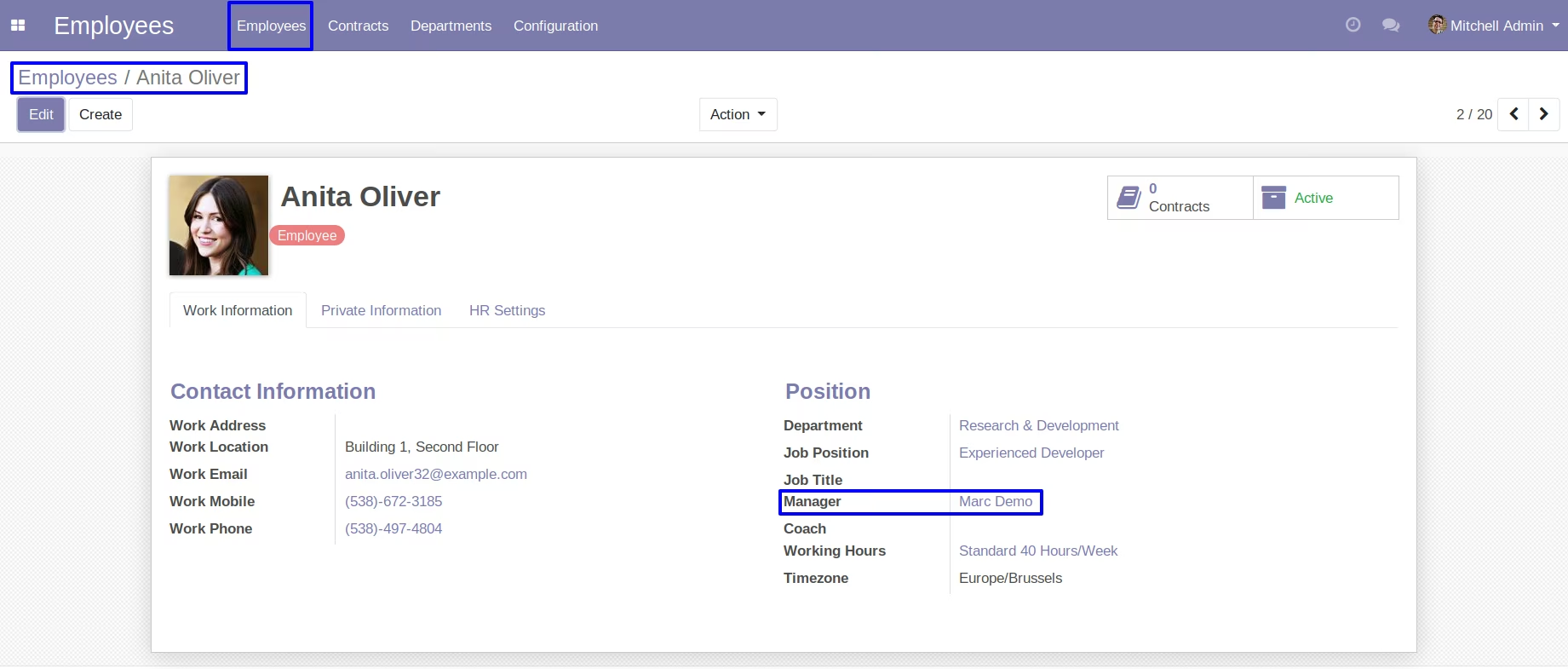
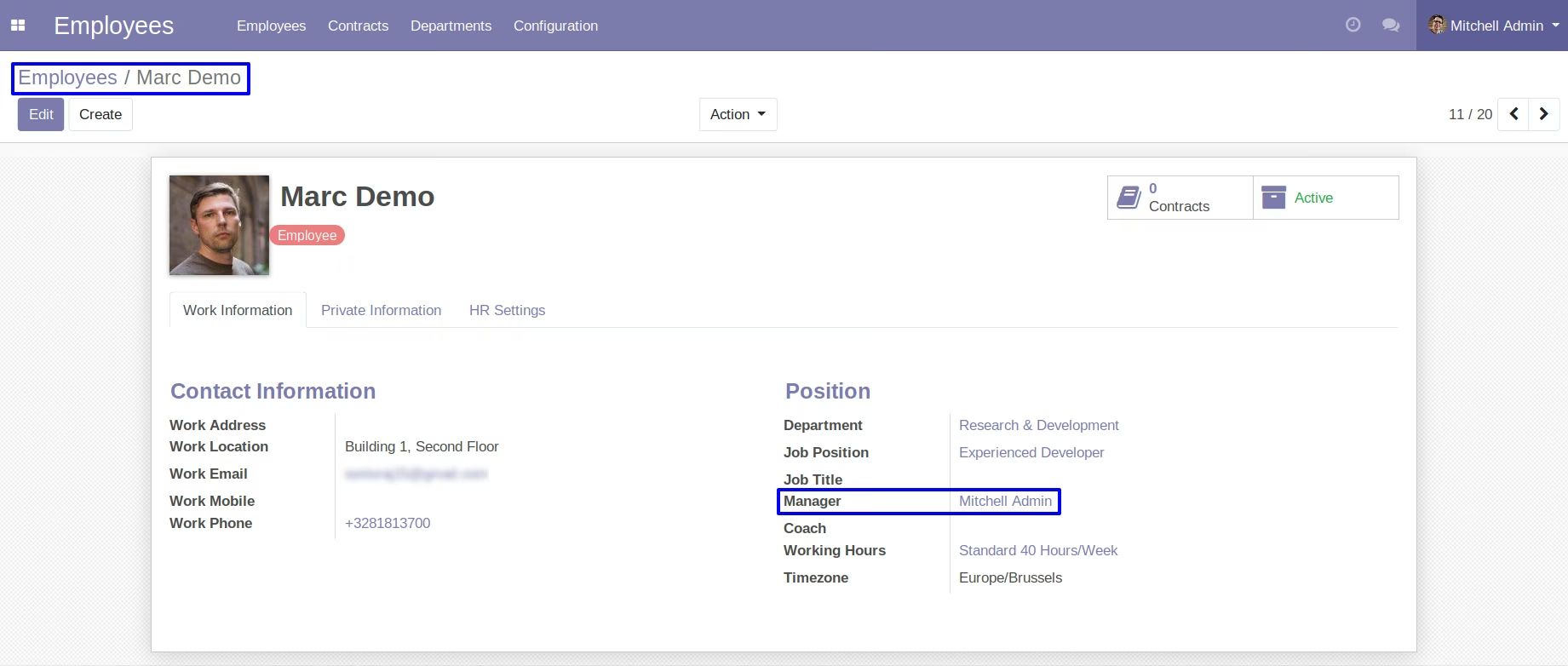
Set an Employees Manager
Here you can set employees manager to send expense requests.
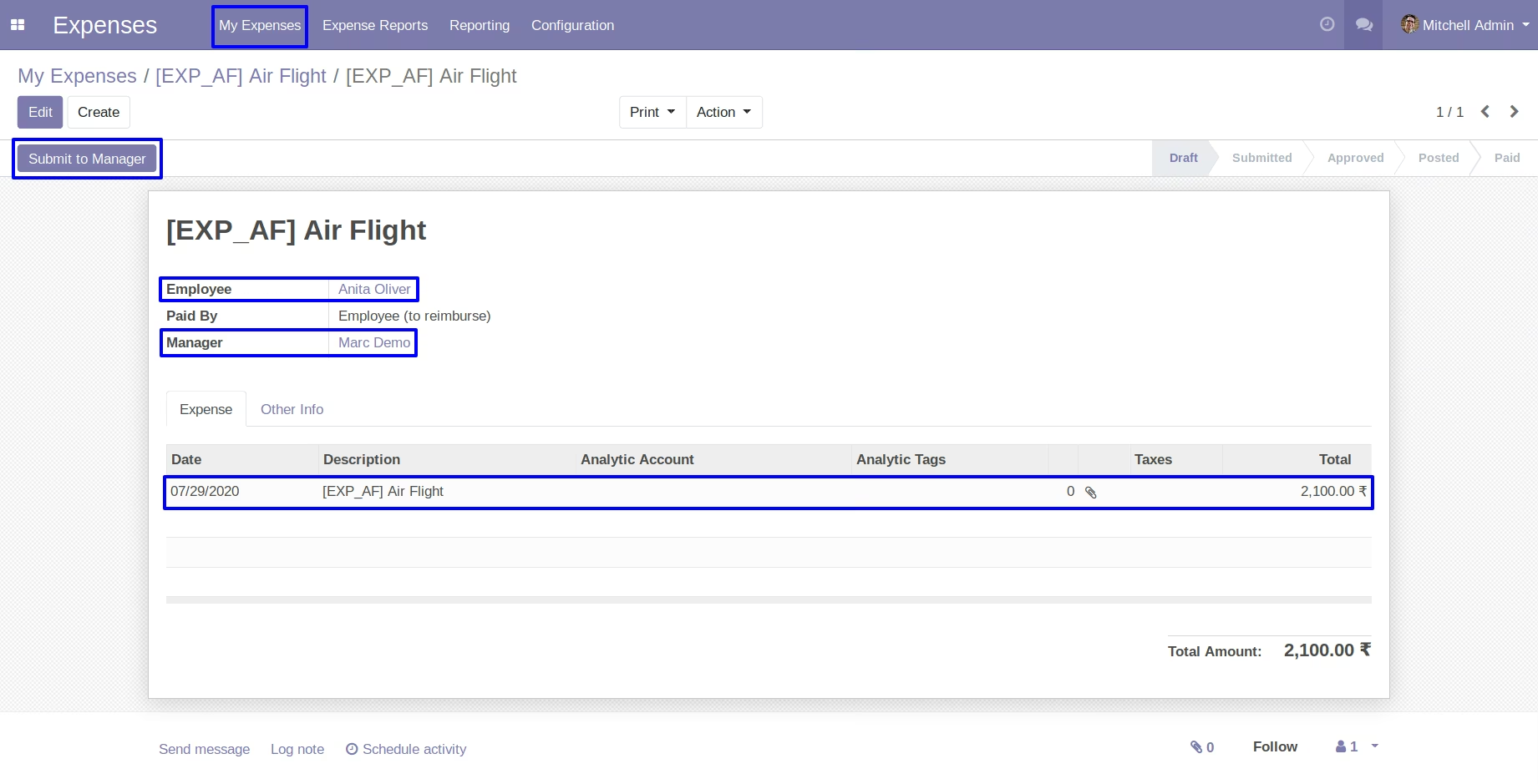
Create an Expense Request
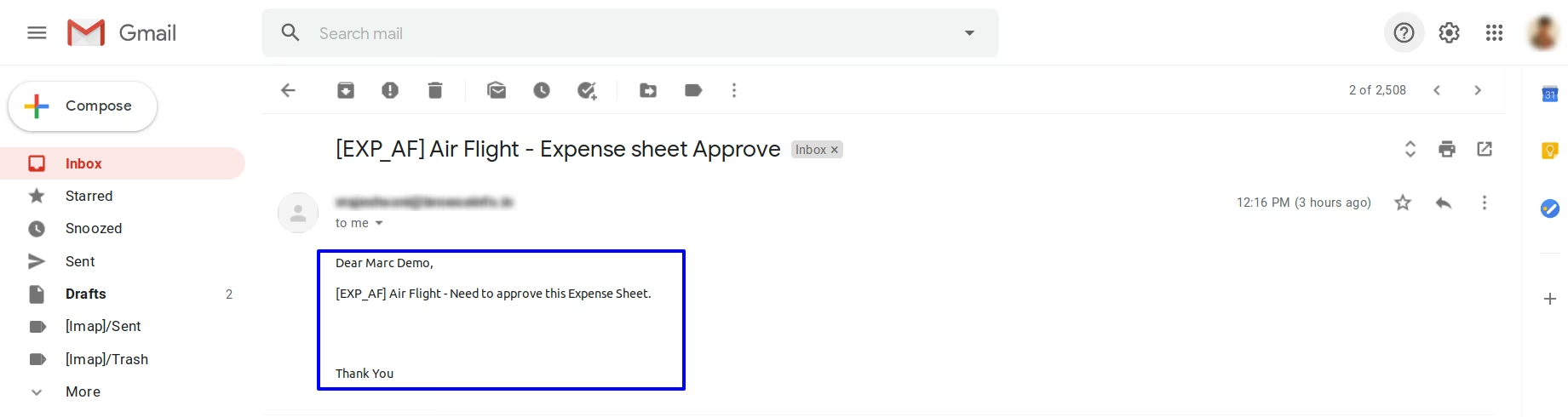
Create an expense request and click on submit to manager button so request sent with mail.
Manager See Expense Request by Mail
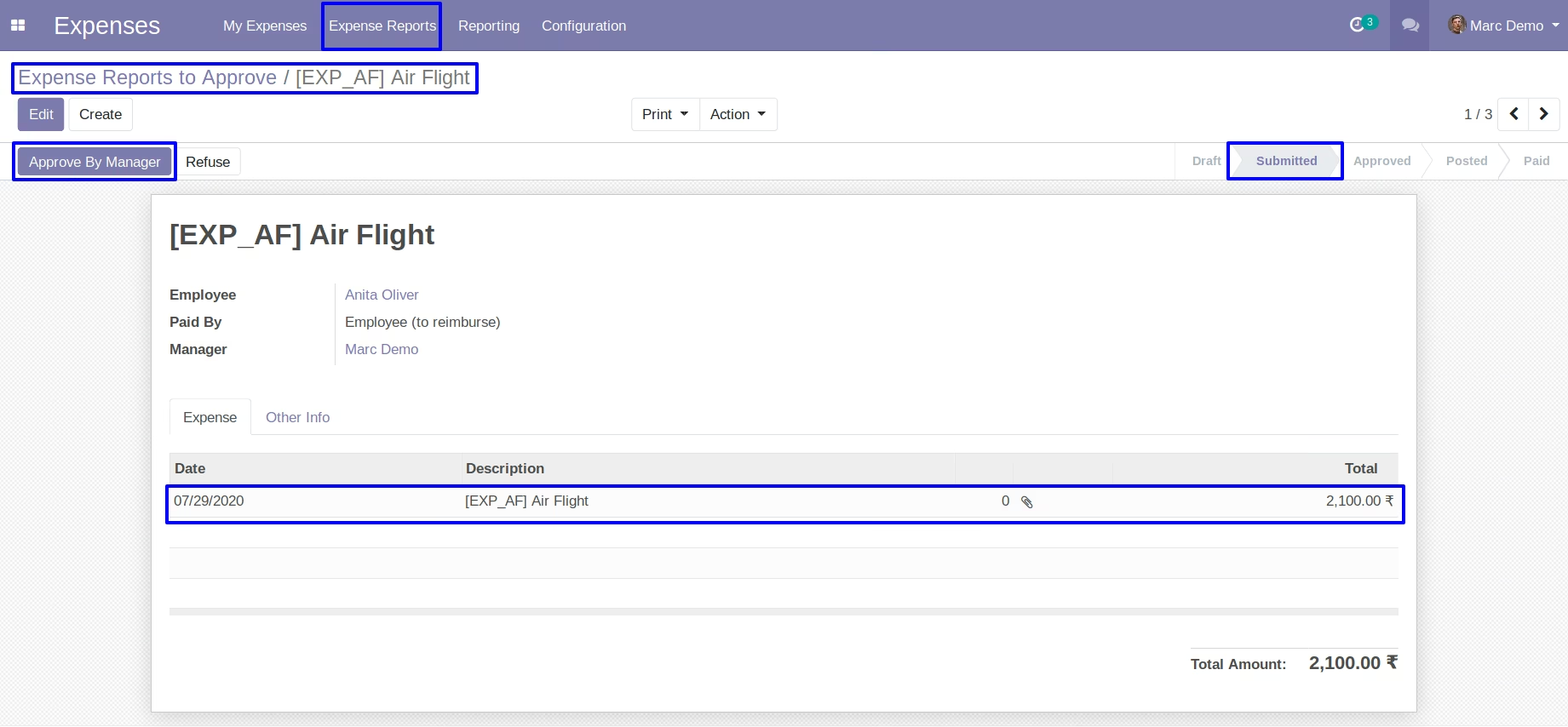
View Expense Request and Approved by Manager
Manager can see expense request and click on approve by manager button so request approved.
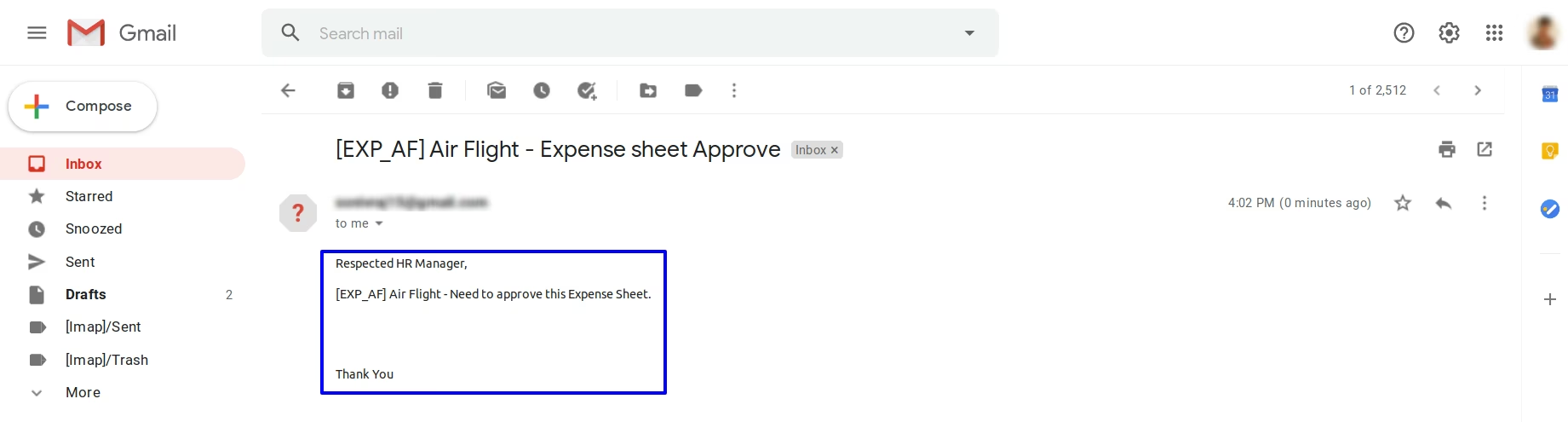
HR Manager See Expense Request by Mail
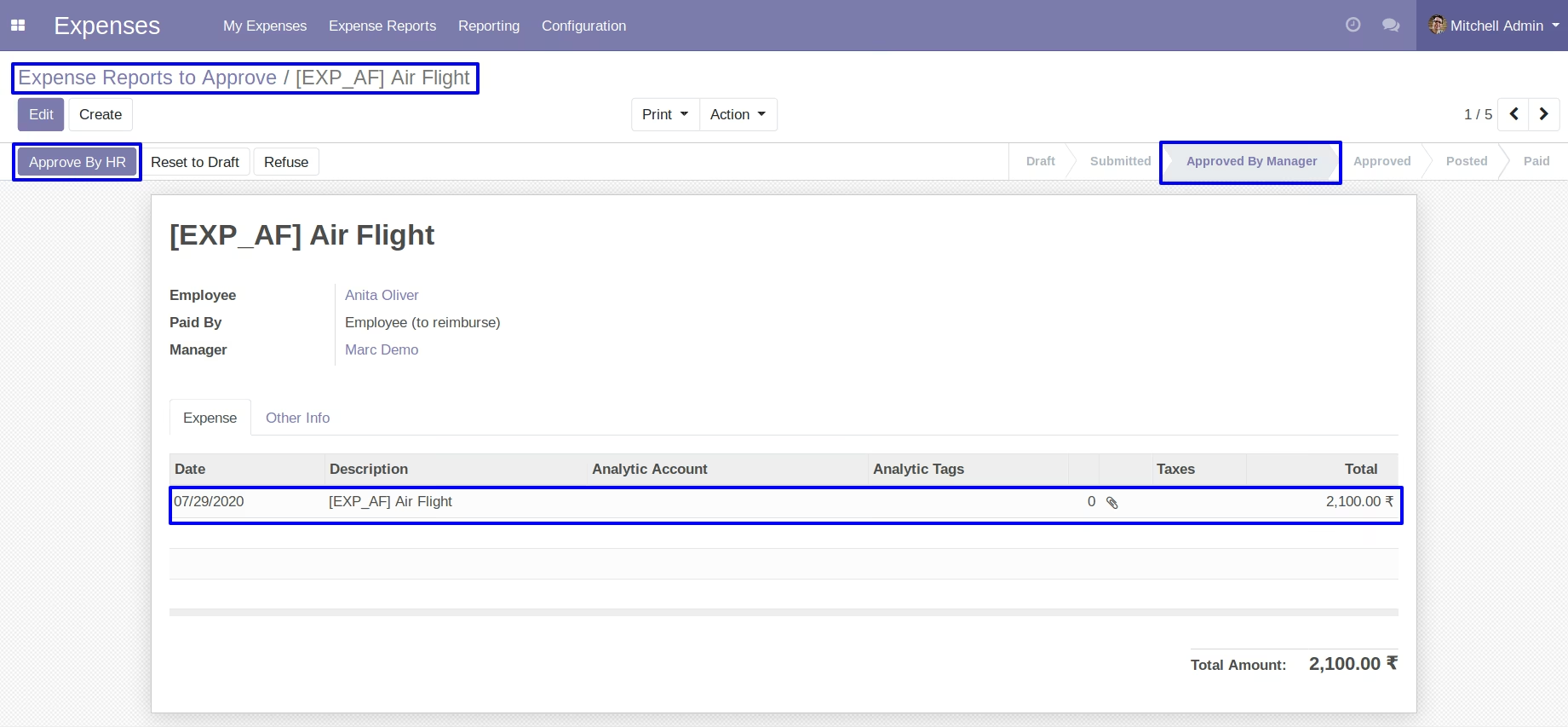
View Expense Request and Approved by HR Manager
HR Manager can see expense request and click on approve by hr button so request approved.
Expense Manager See Expense Request by Mail
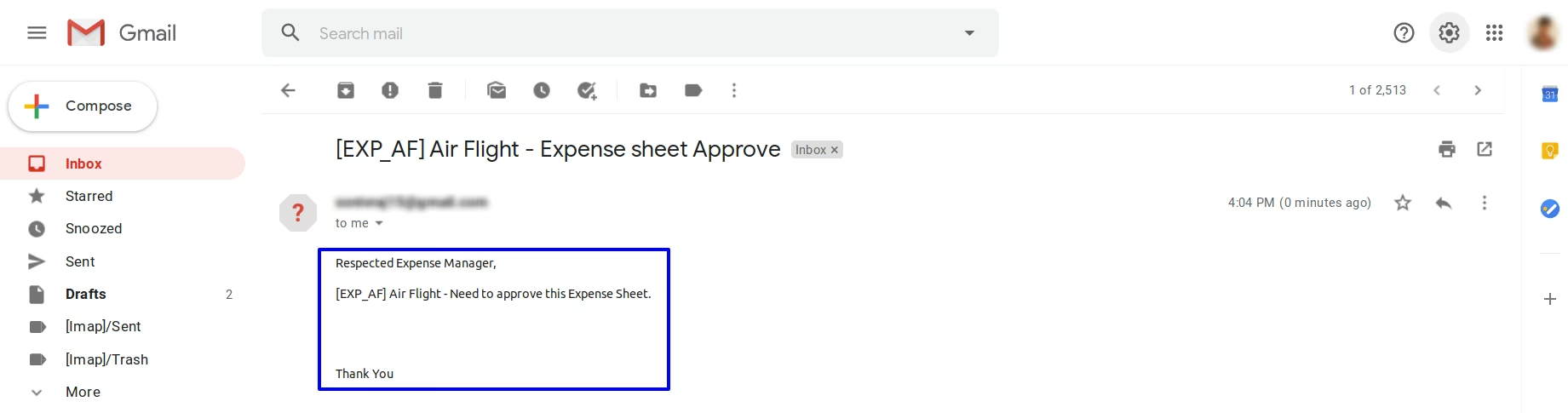
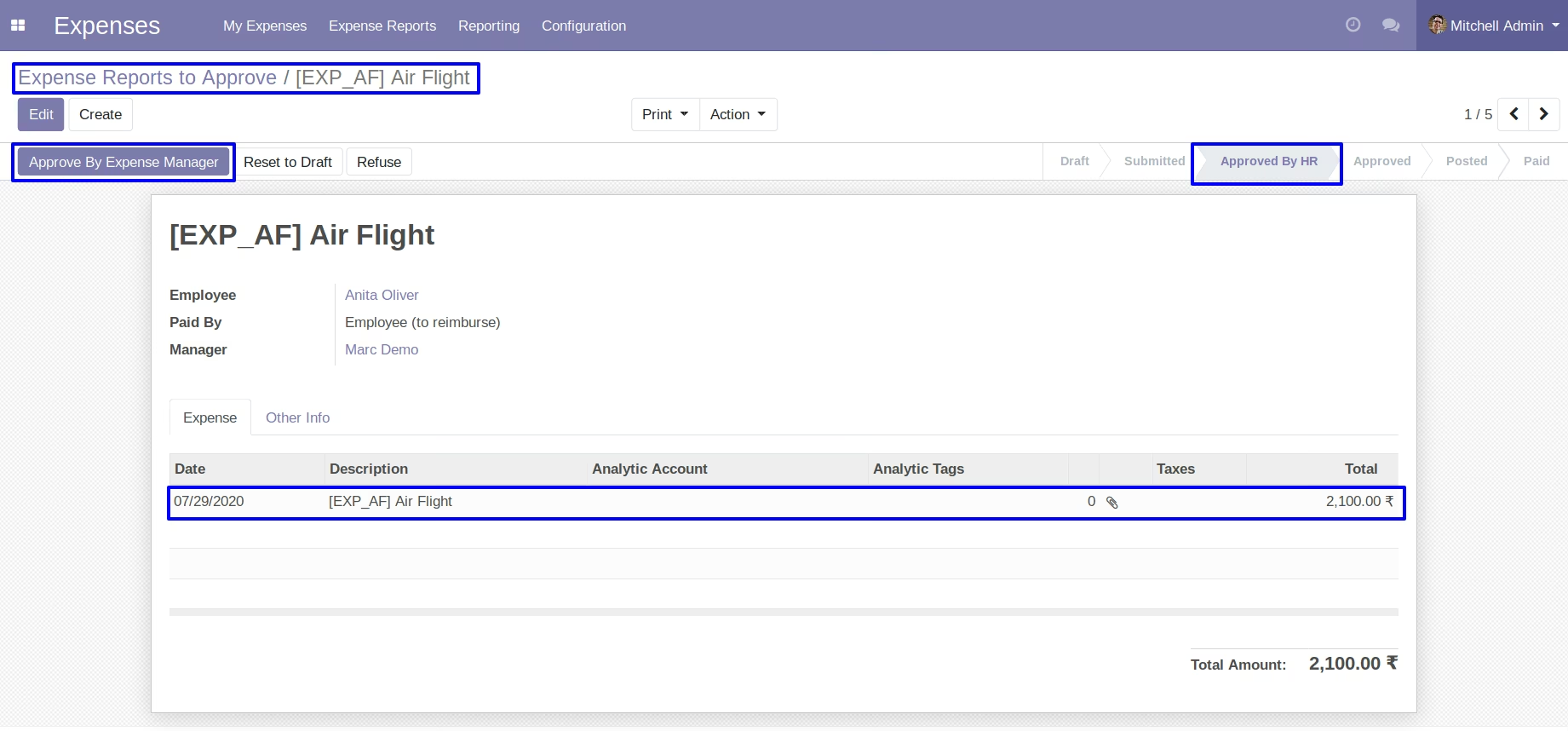
View Expense Request and Approved by Expense Manager
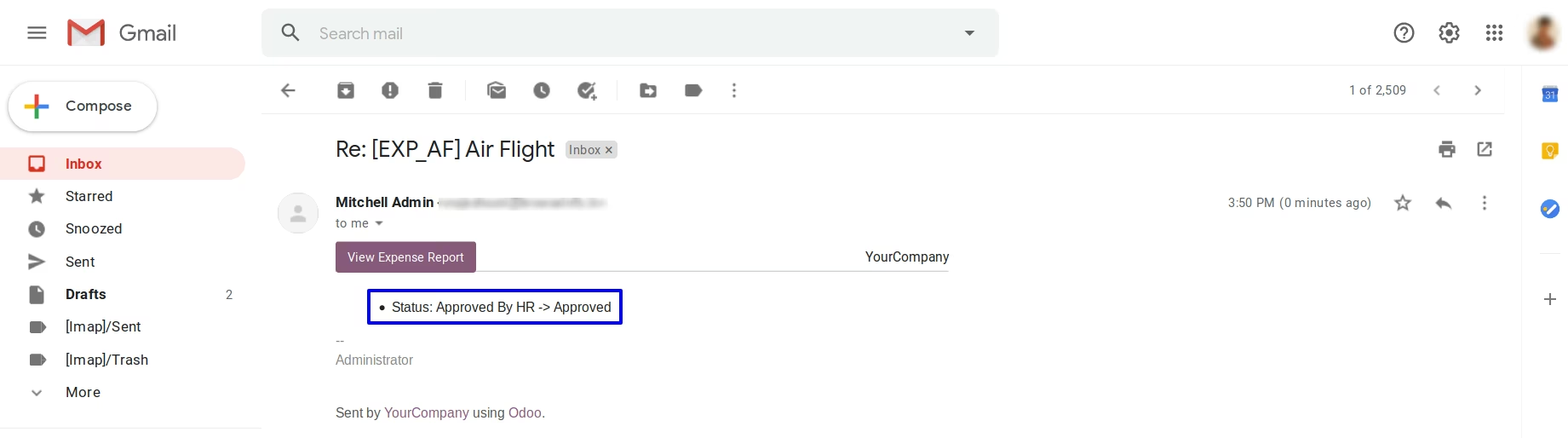
Expense Manager can see expense request and click on approve by expense manager button so request approved and sent mail to employee.
Employee See Expense Request Approval by Mail
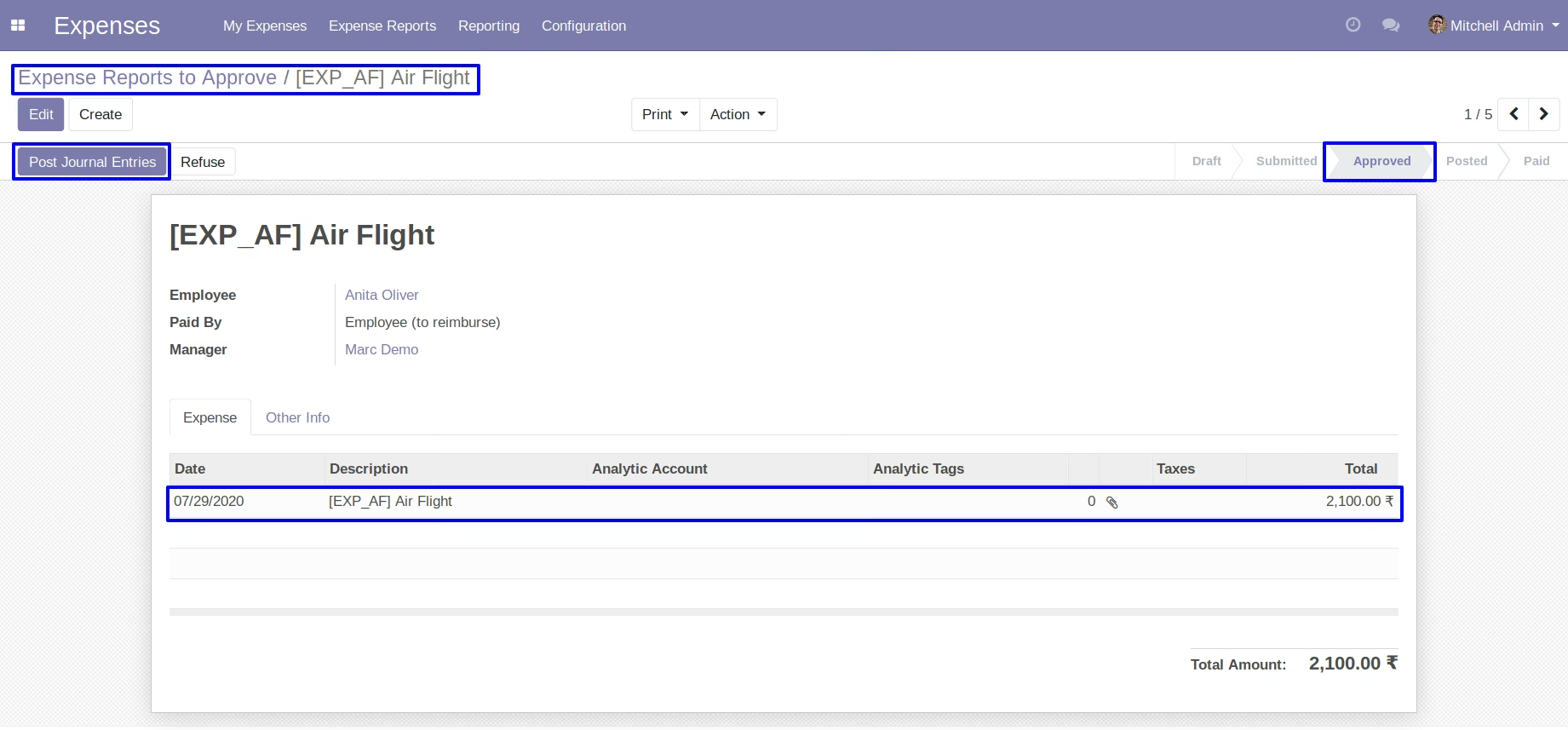
Expense Manager Approved Request than going to Approved stage
Expense Manager Approved Request than going to Approved stage and click on post journal entry.
After Payment Done Expense Moved to Paid Stage
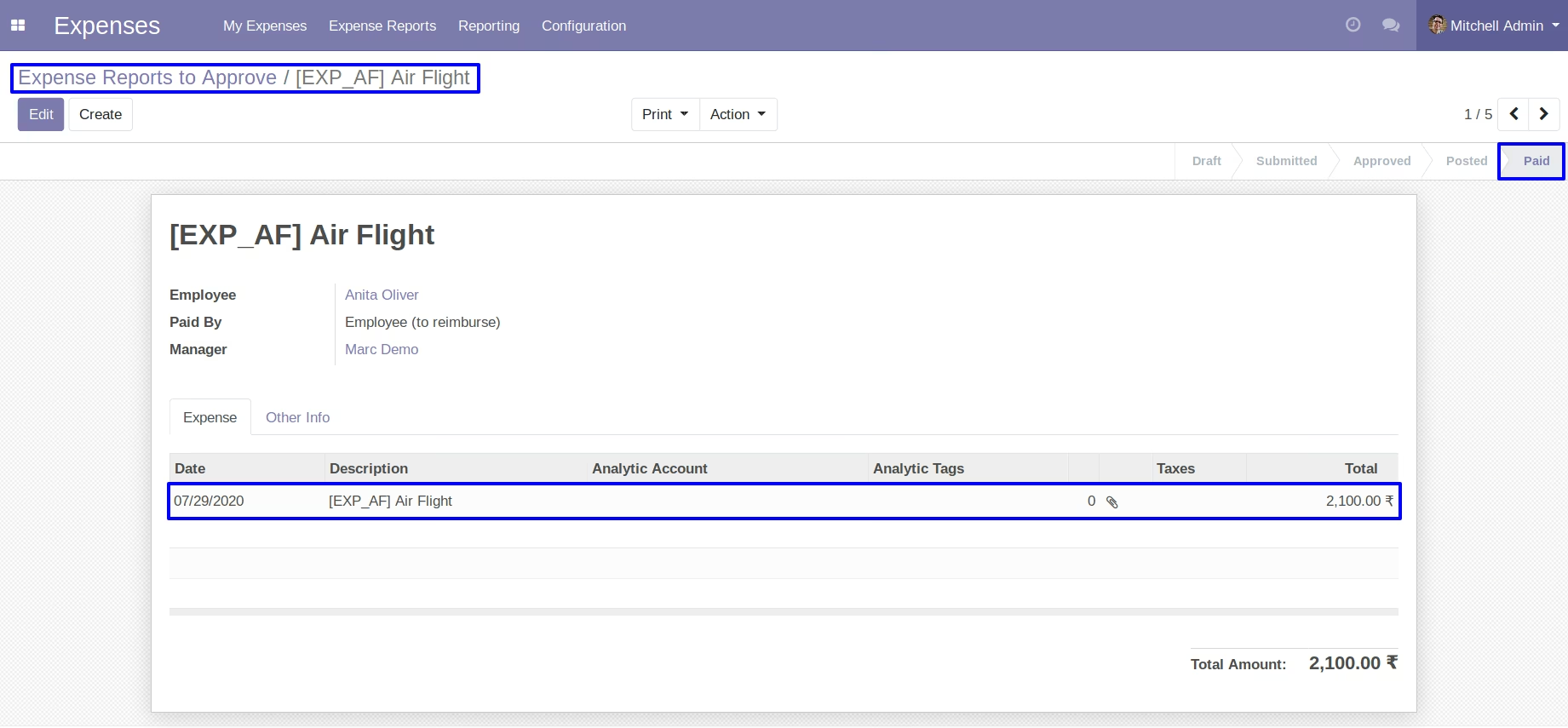
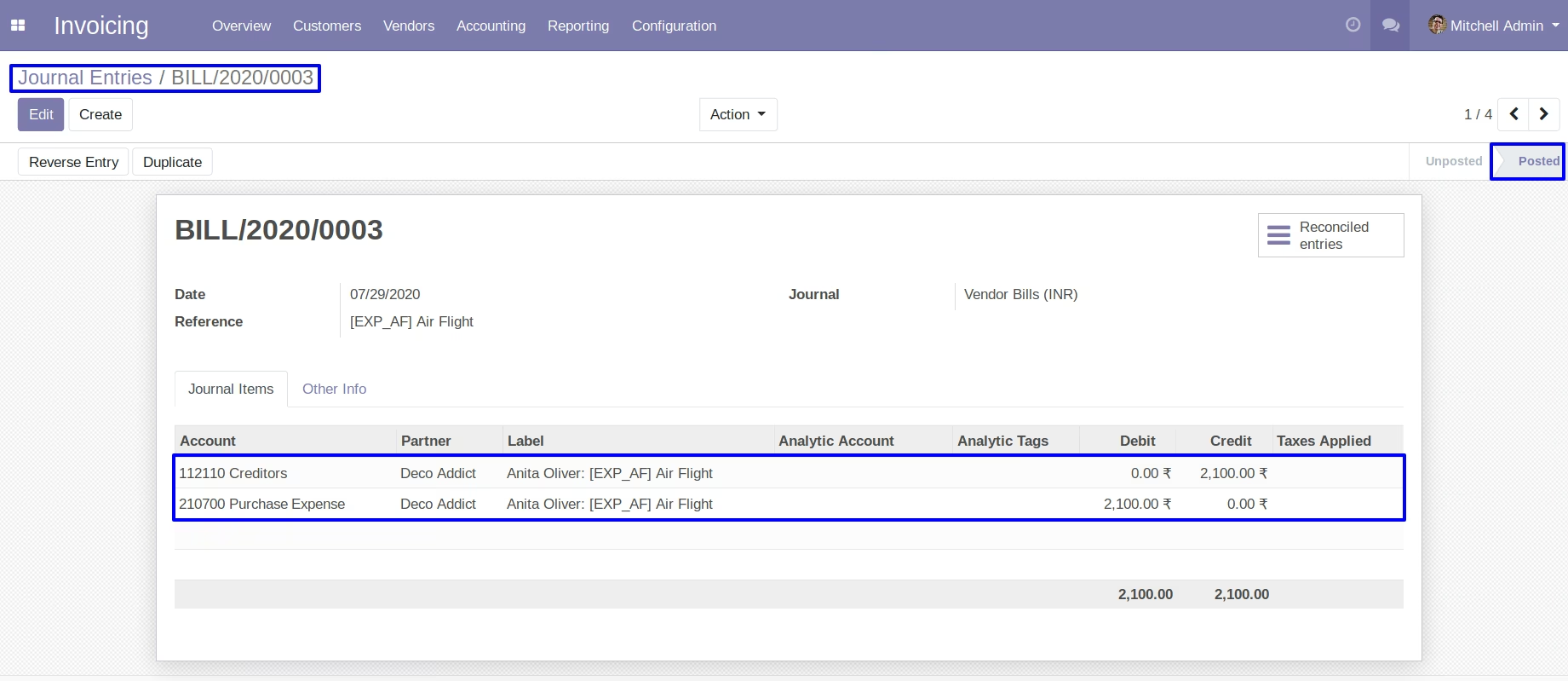
Journel Entry can be Easily Seen
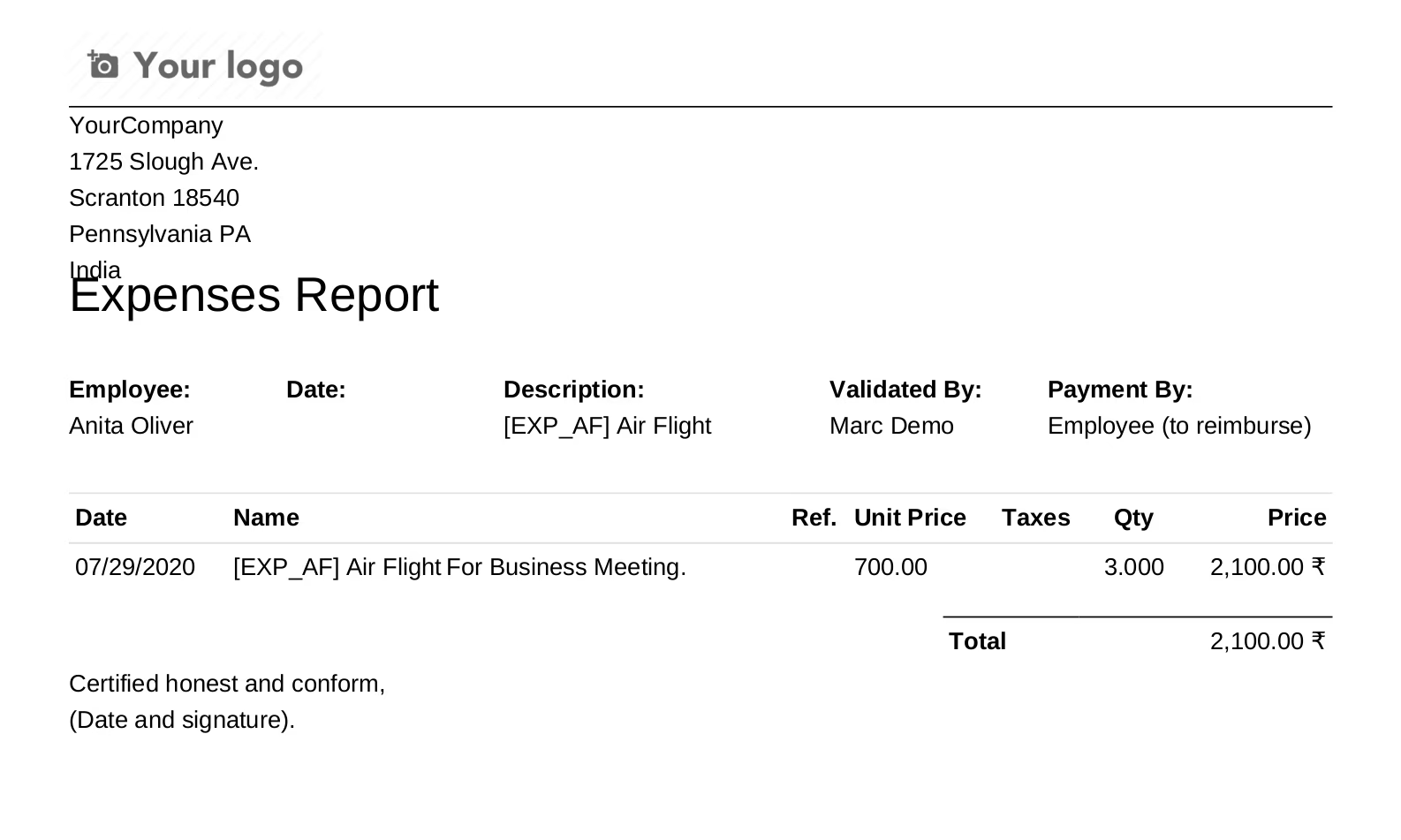
Print Report about the Expenses.