Streamline your company's expense workflow and improve financial control with the Advance Expense Management module. This comprehensive tool empowers employees to formally request advance payments for anticipated business expenses, such as travel, events, or procurement. By formalizing the advance process, you can eliminate informal requests and gain a clear, auditable trail from the initial request to the final reconciliation. The module features a multi-stage approval workflow, seamless integration with Accounting for payment processing, and a straightforward method for employees to submit their actual expenses against the advance, ensuring transparency and accountability.
Employee Advance Requests: A dedicated menu for employees to create and submit detailed requests for expense advances.
Multi-Stage Approval Workflow: Automated approval process involving the employee's manager and the expense manager for robust control.
Integrated Accounting: Automatically generates journal entries upon payment of an approved advance request.
Expense Reconciliation: Employees can easily submit their final expense reports directly against a paid advance for clear reconciliation.
Mass Advance Creation: Allows HR or expense administrators to create and process advance payments for multiple employees simultaneously.
Automated Reminders: Configure automatic email reminders to be sent to employees and approvers for pending retirement of advances.
Comprehensive Reporting: Generate detailed PDF and Excel reports for all advance expenses, with multiple filtering options for in-depth analysis.
Control Over Pending Advances: Prevents employees from requesting a new advance until their previous ones are fully reconciled, with an option to bypass this for specific users.
Enhanced Financial Control: Gain complete visibility and control over cash advances provided to employees for business expenses.
Streamlined Processes: Automate the entire lifecycle of an expense advance, from request and approval to payment and reconciliation.
Improved Employee Experience: Provide a clear and simple process for employees to request necessary funds for their work-related activities.
Increased Accountability: Ensures that all advanced funds are properly accounted for with corresponding expense reports.
Reduced Administrative Workload: Minimizes the manual effort for HR, management, and accounting teams involved in managing expenses.
Better Budgeting and Forecasting: Track and report on advance expenses to get a clearer picture of committed and upcoming expenditures.
Enforced Compliance: Ensures that all advance requests and expense submissions follow a consistent and approved company policy.
This App allows employees to create advance expenses requests
- Employee create advance expense request.
- Approver can Approve or Reject
- Once employee has been paid for advance expense then Journal entry created.
- Employee can submit actual expense agaist the advance expense.
- Employee will not be able to submit another advance expense if any pending advance expense is not retired.
- Configuration available to bypass above restriction for specific employee.
- Expense Admin can allocate mass advance expense entries for multiple employees.
- Download pdf report of Advance Expense from tree/form view.
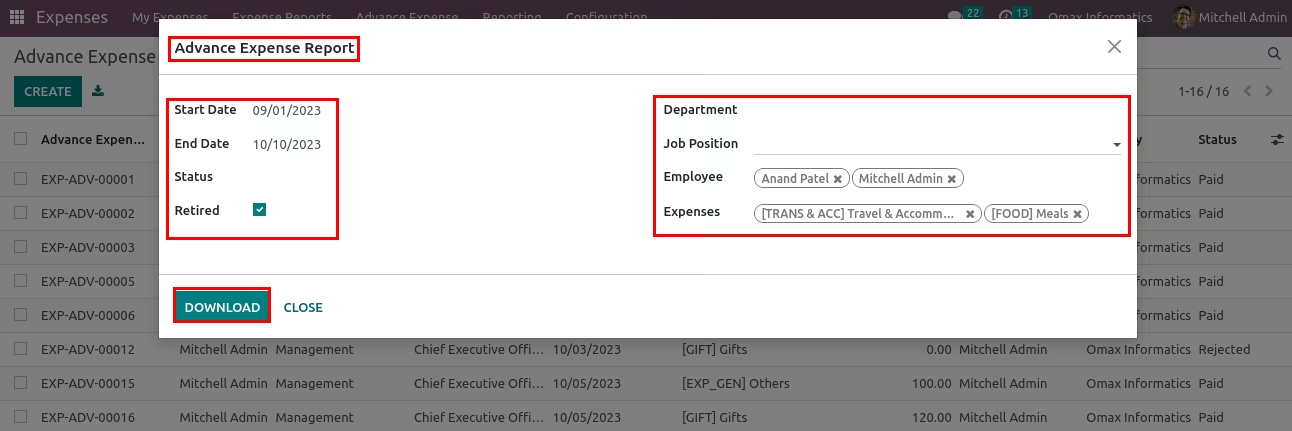
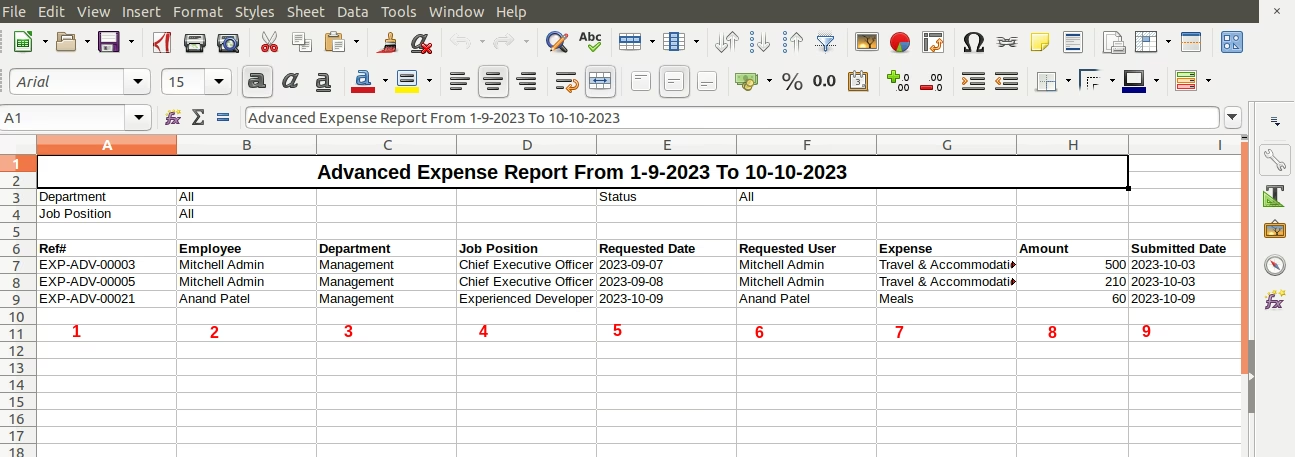
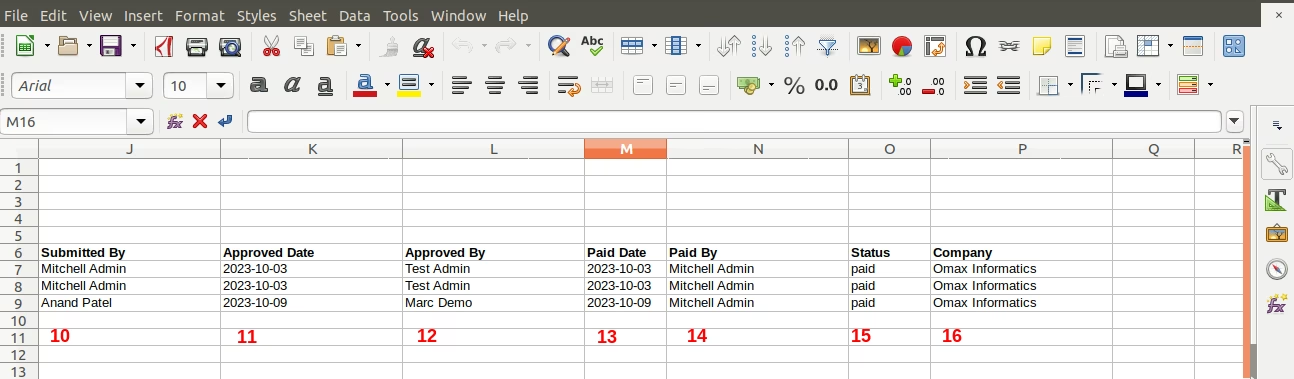
- Download excel report of Advance Expense from 'Advance Expense Report' wizard.
- Multiple filter options available in 'Advance Expense Report' wizard.
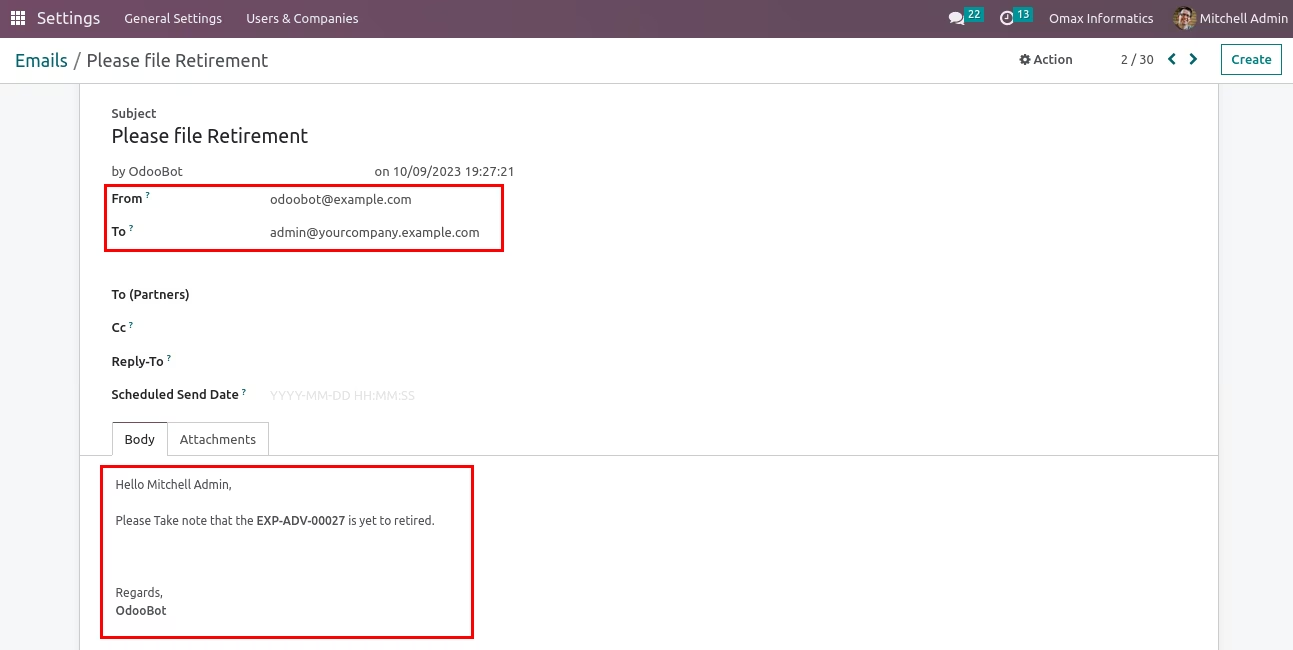
- Auto send Reminder for retirement mail to employee and approval based on configuration. Please check below instructions and Video for more Details
Advance Expense Request Menu.
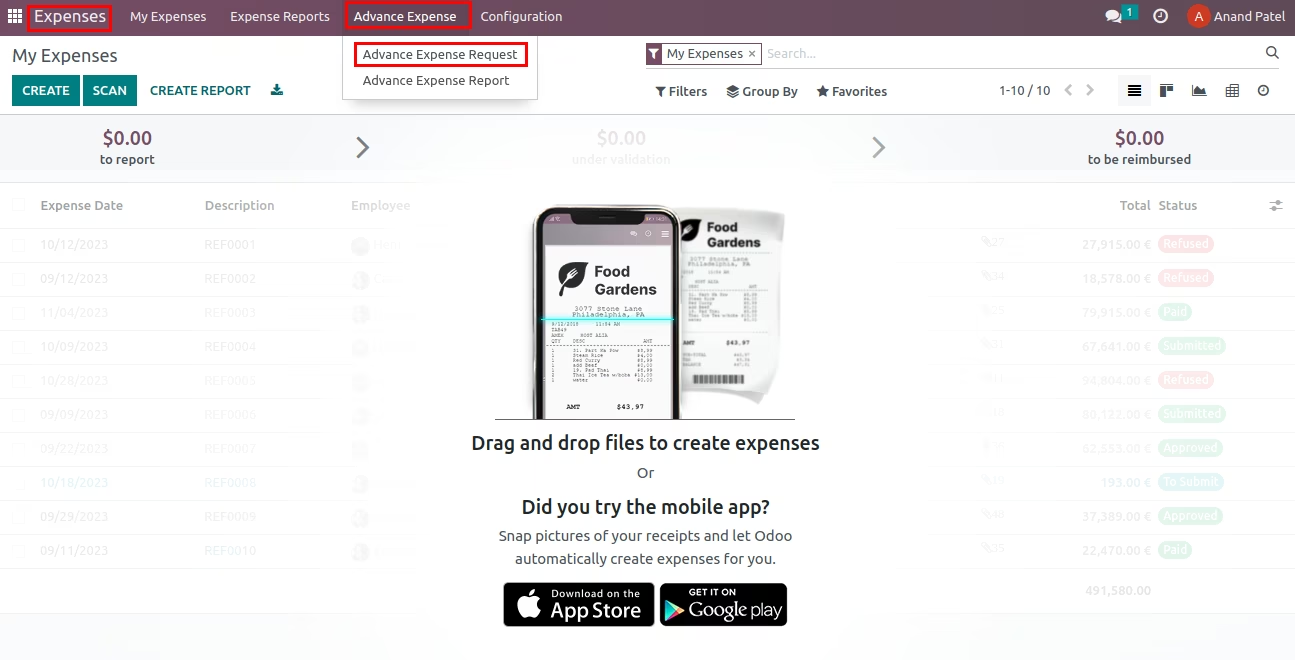
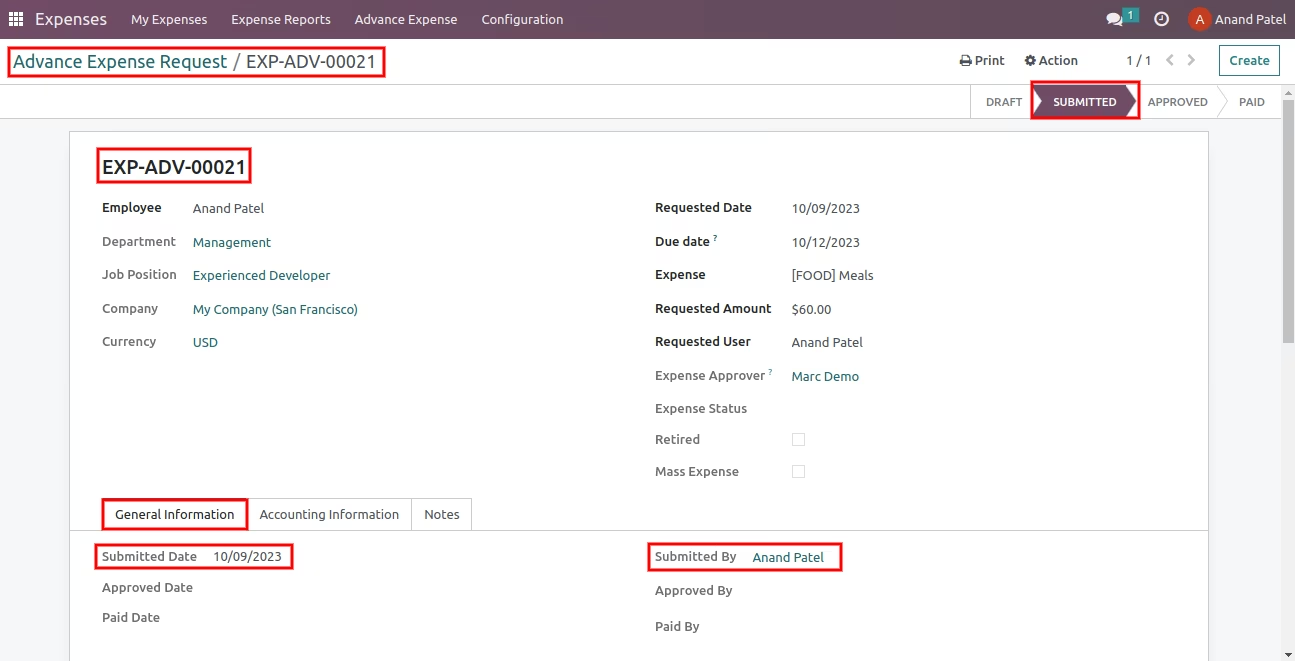
Advance Expense Request form.
Employee and Requested User auto set based on login user.
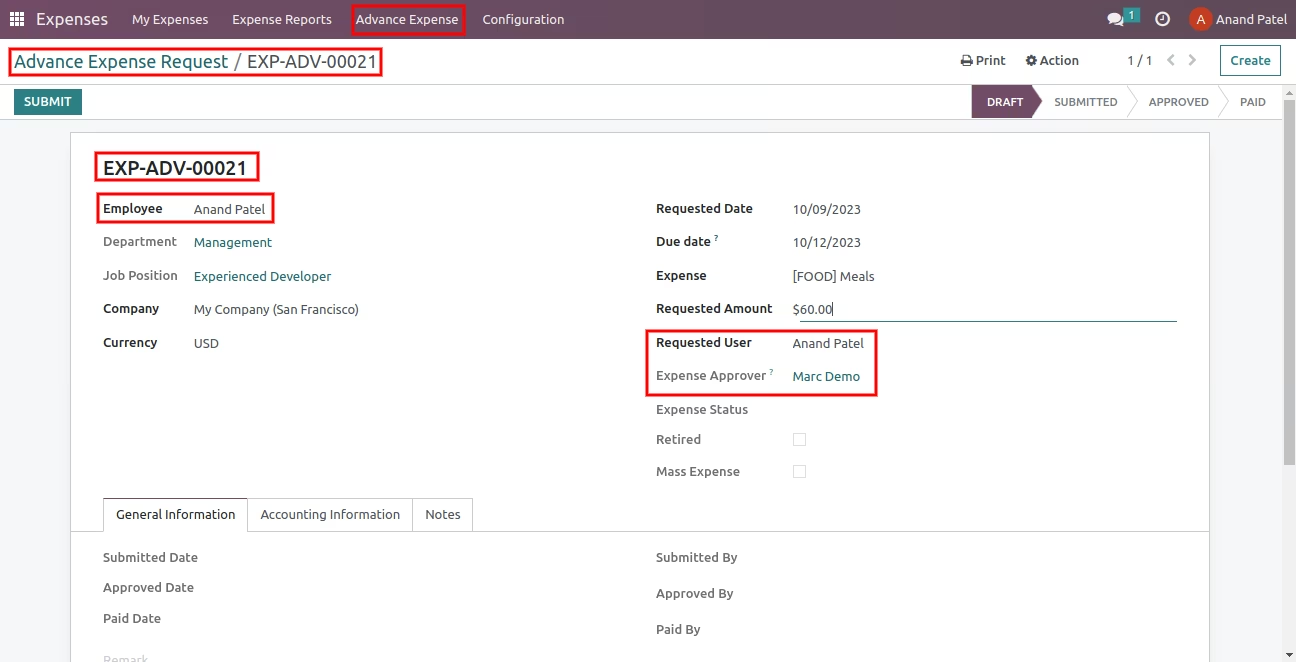
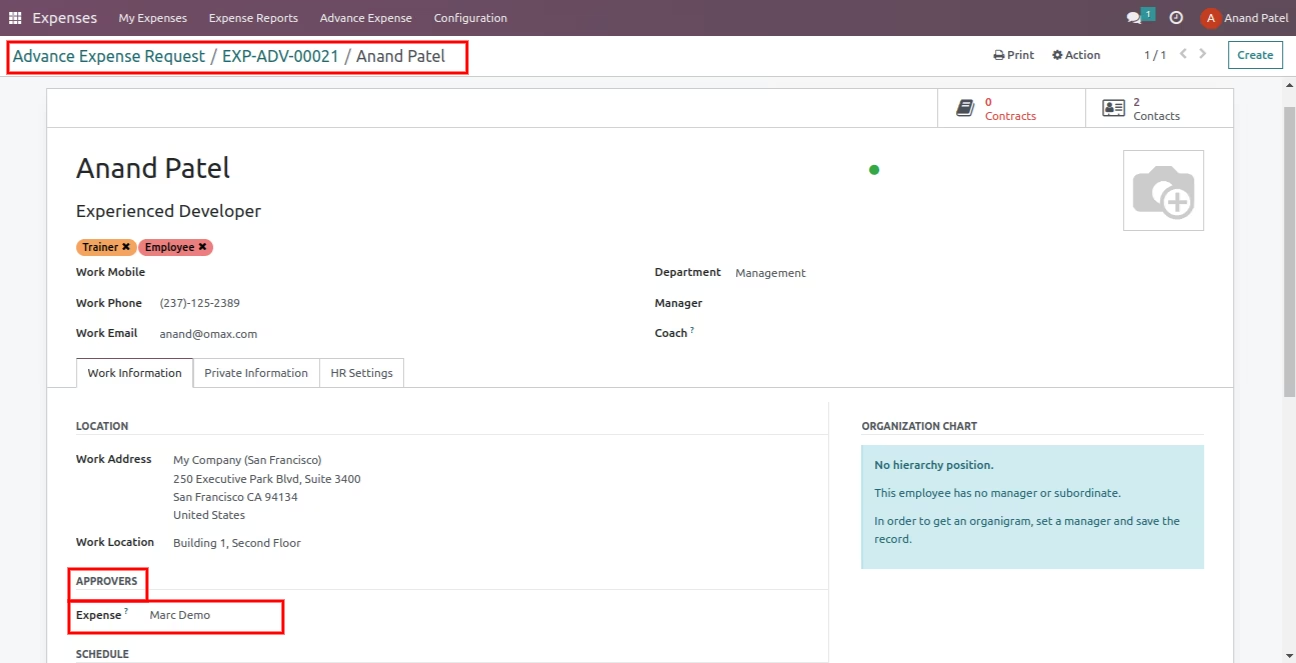
Expense Approver auto set based on employee.
Submit Advance Expense.
Once submit then Submitted Date and Submitted By auto set value
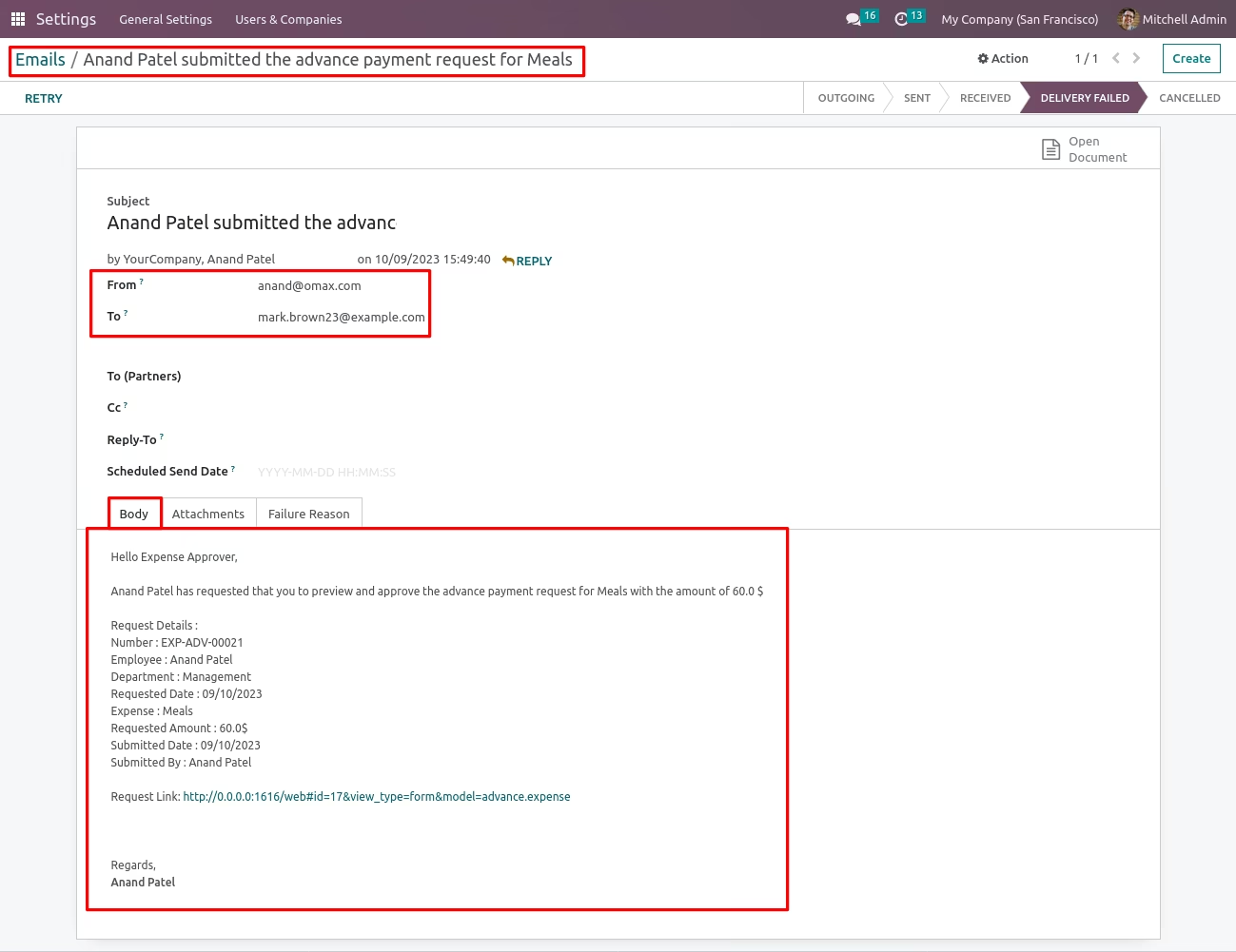
Once submit then auto send mail to Approval
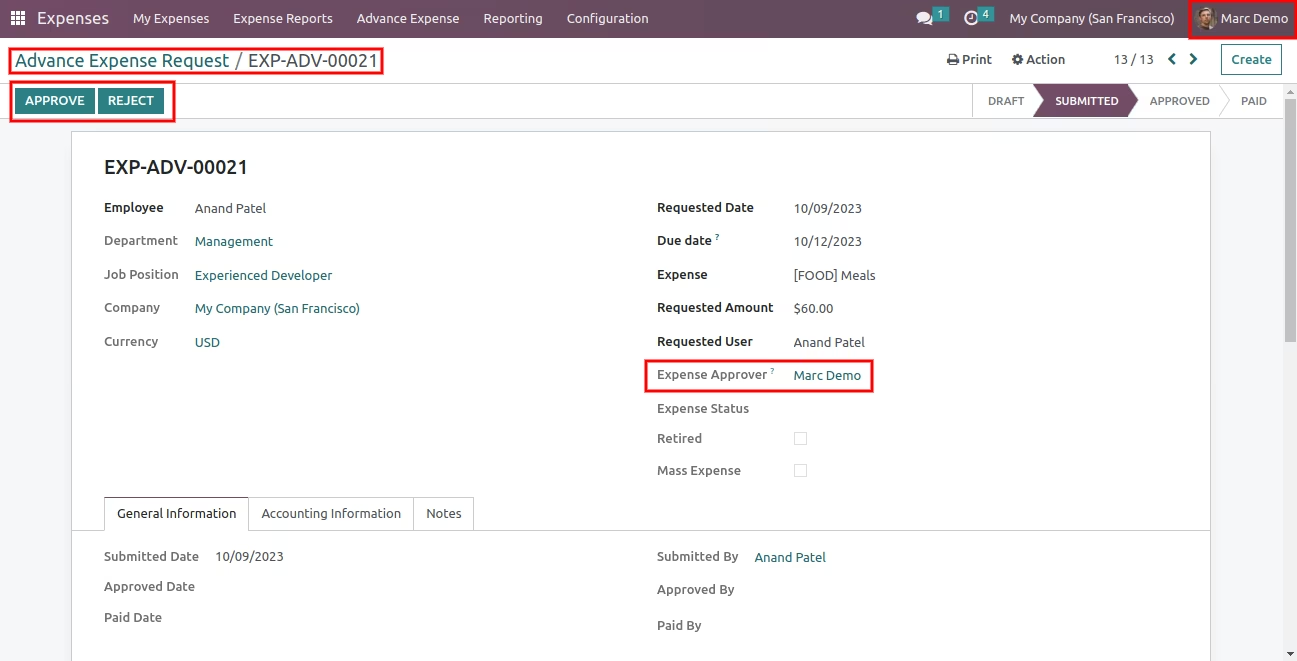
Once submit then Approver can see Approve and Reject buttons
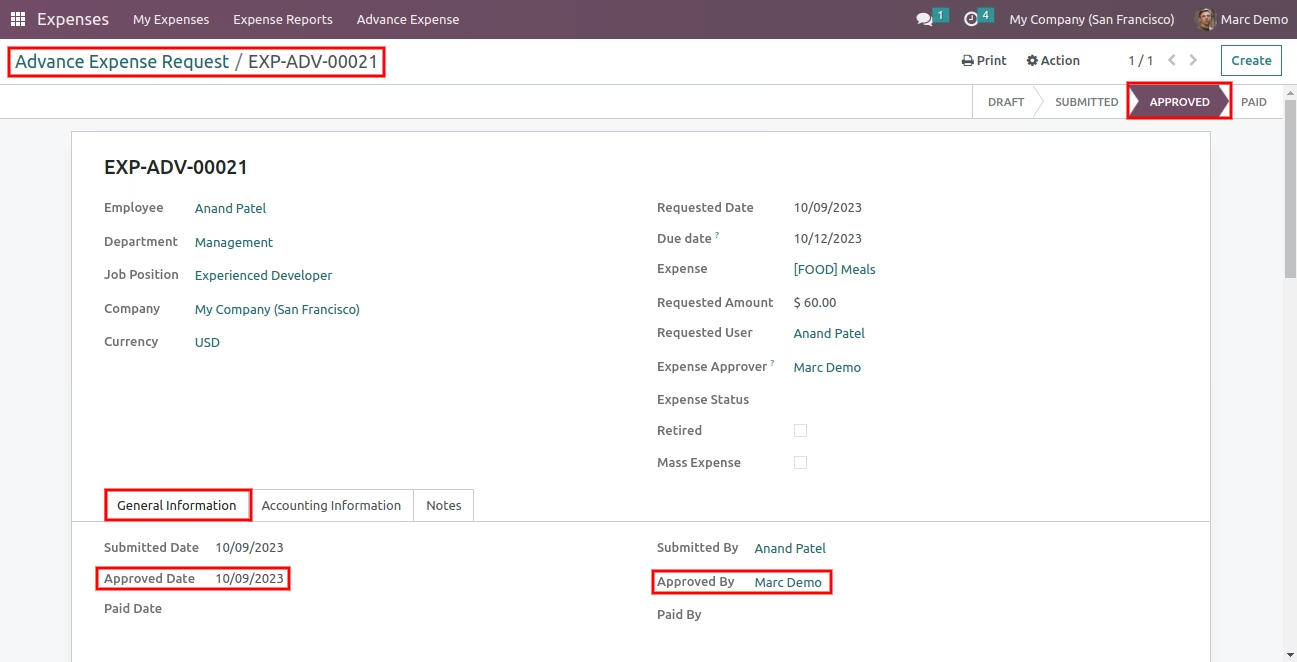
Approve Advance Expense.
Once approve then values of 'Approved Date' and 'Approved By' are auto set
Once approved then auto send mail to Expense Manager(Expense Administrator)
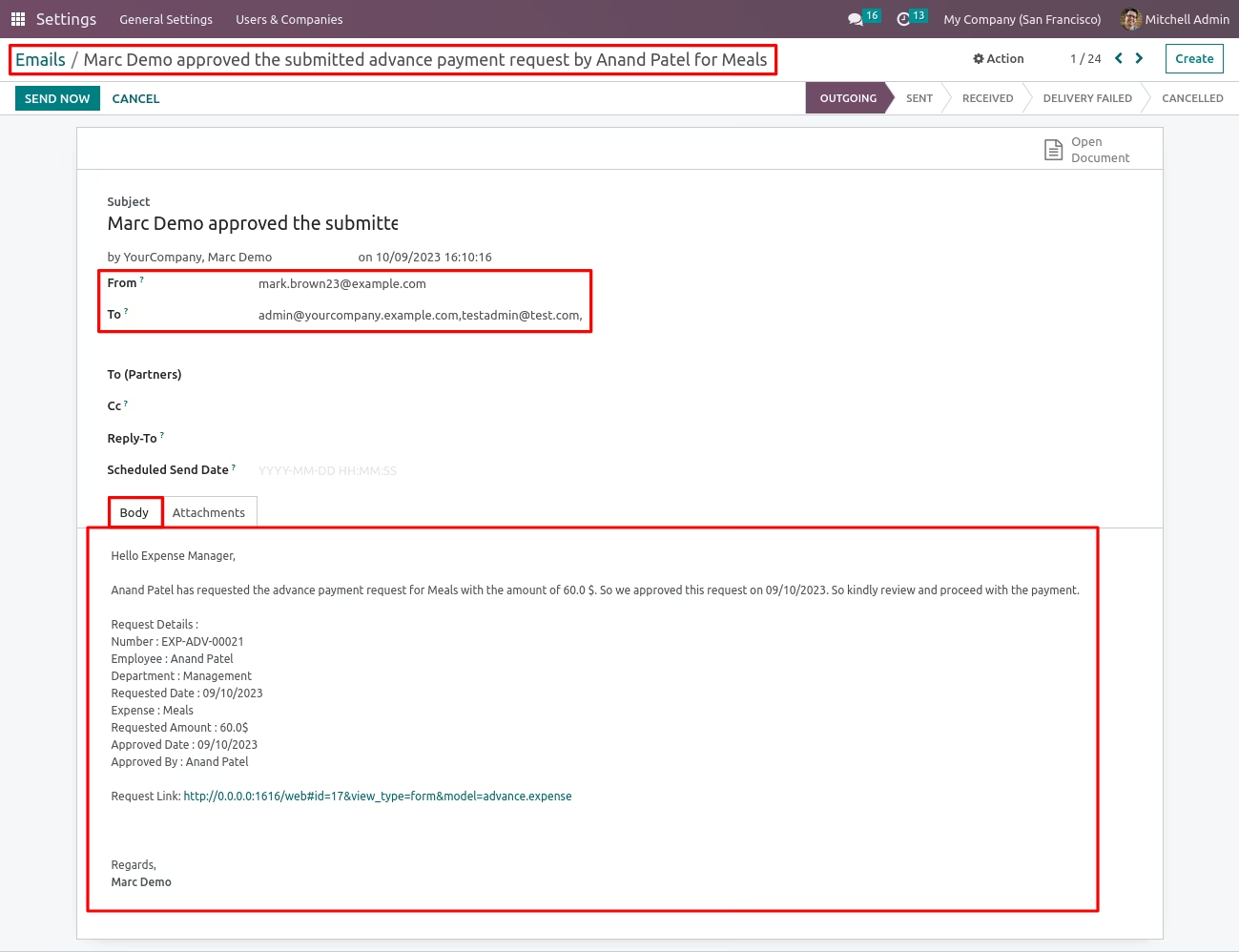
Once approved then Expense Manger can see 'Register Payment' button
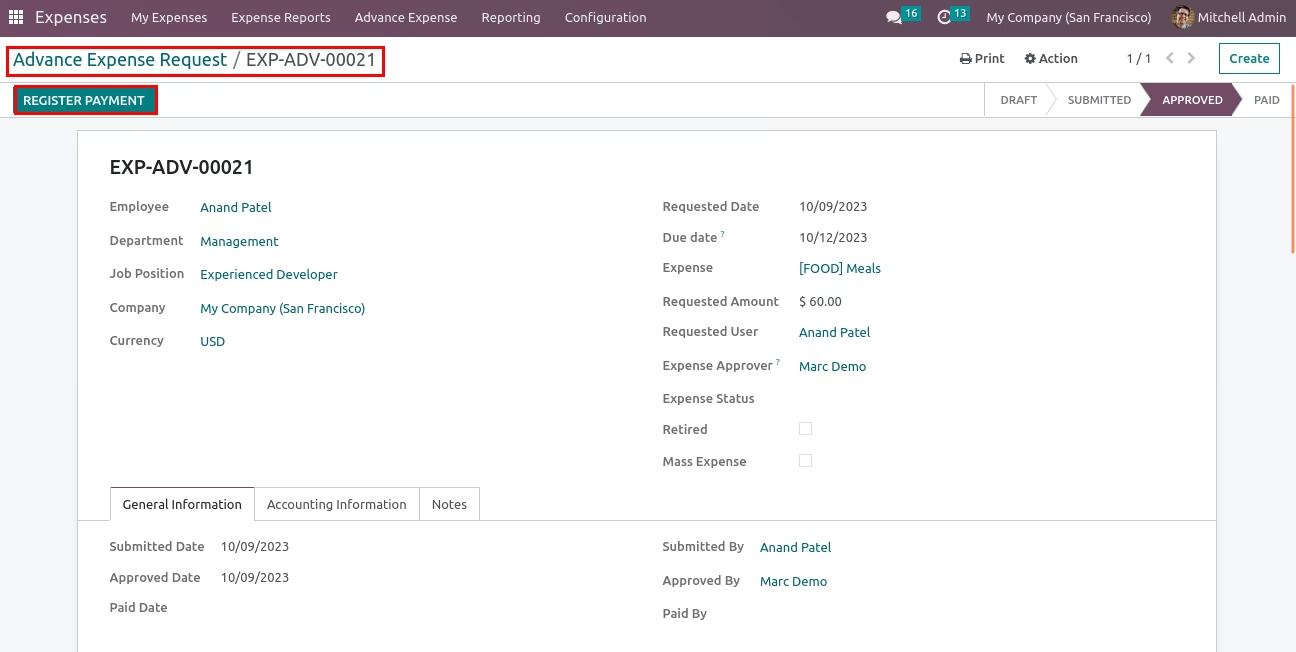
Register Payment of Advance Expense.
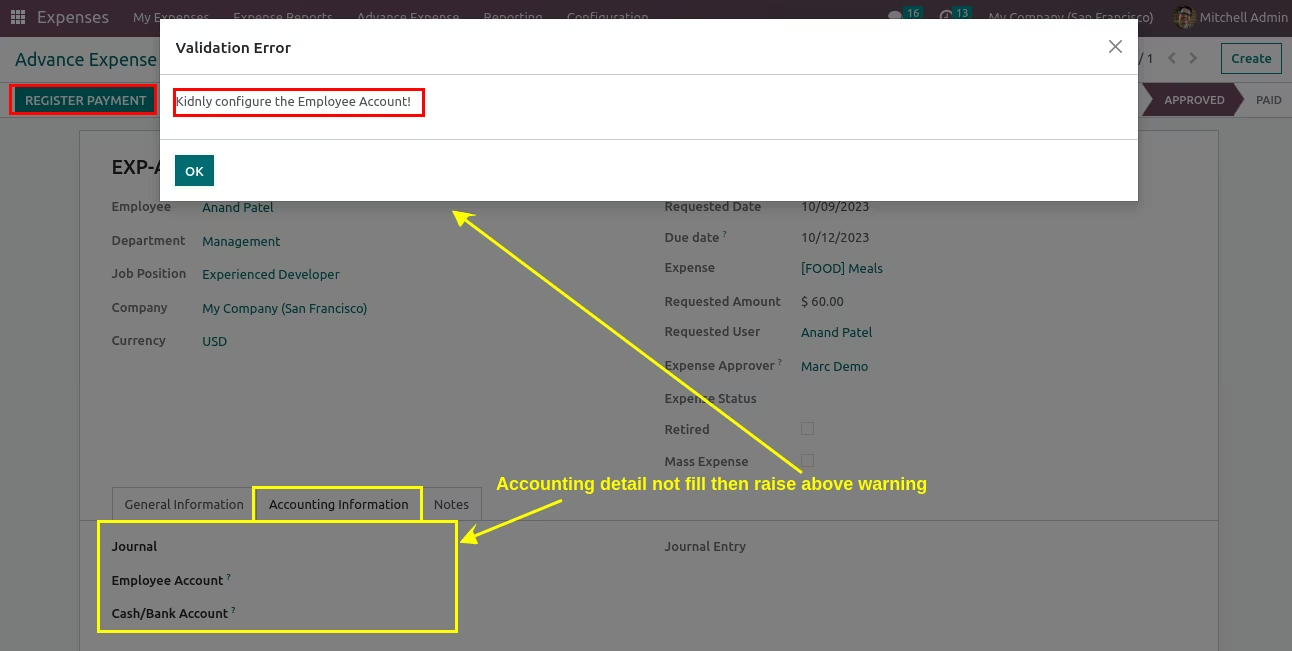
Approver click Register Payment and not set accounting detail then raise warning.
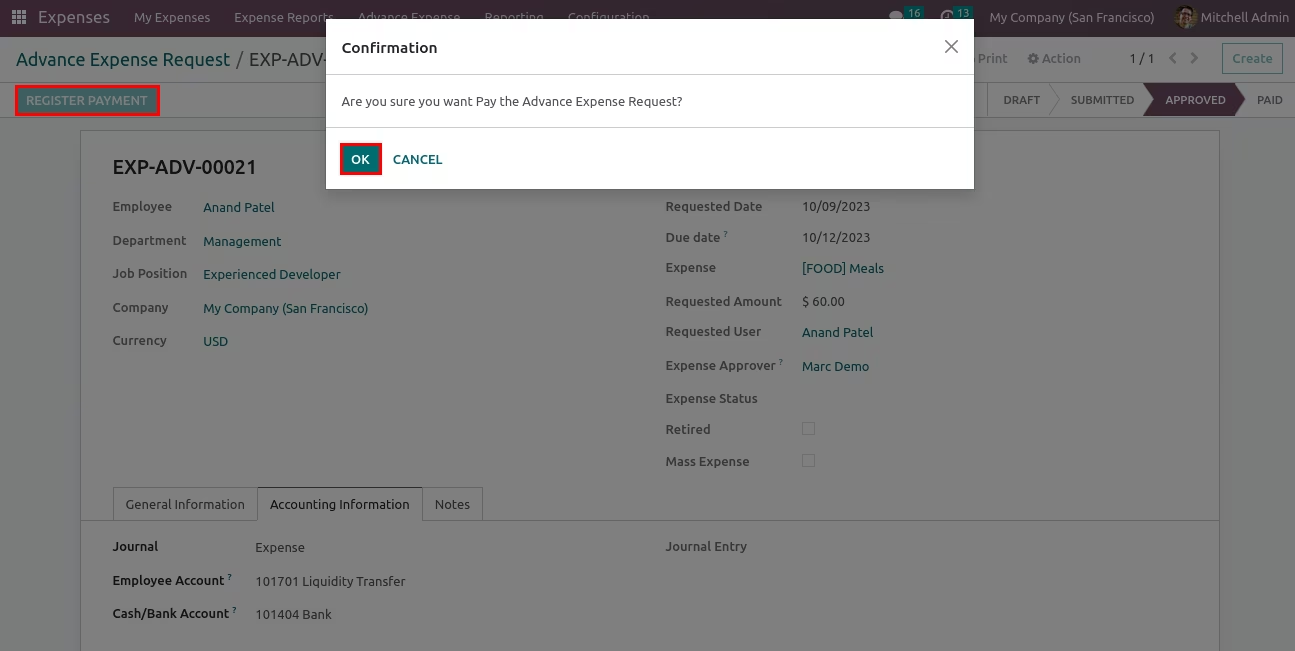
Approver click Register Payment then open confirmation msg popup and then click ok then it will be paid.
Once Paid then auto set Paid date and Paid By and Submit Expense button visible.
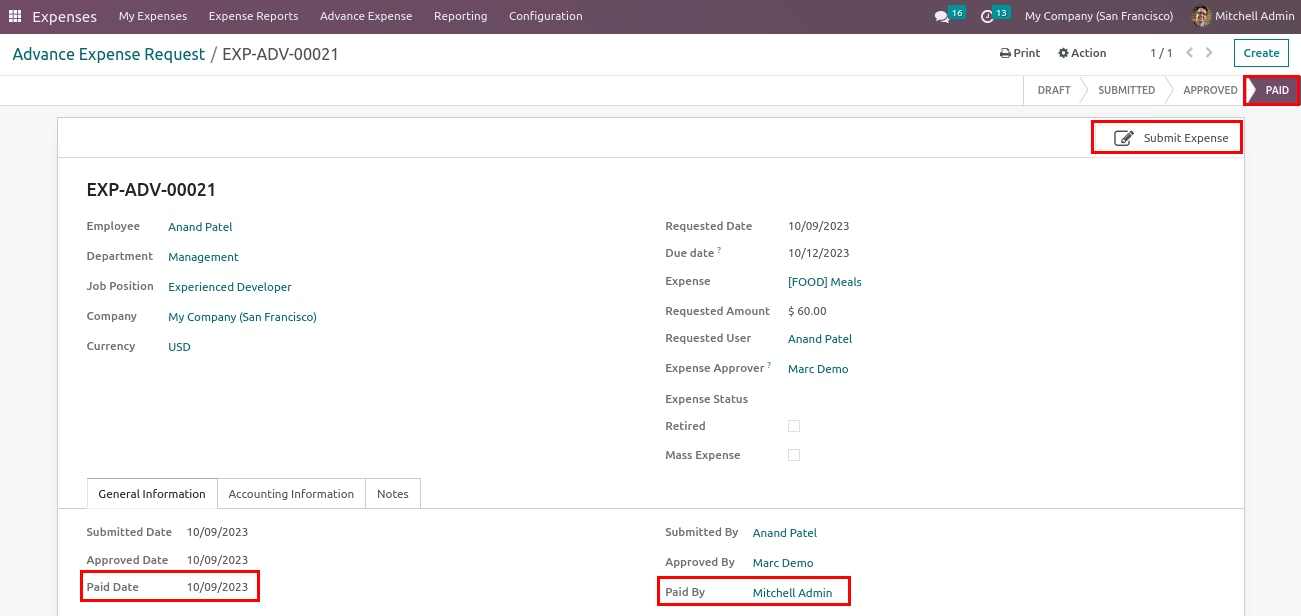
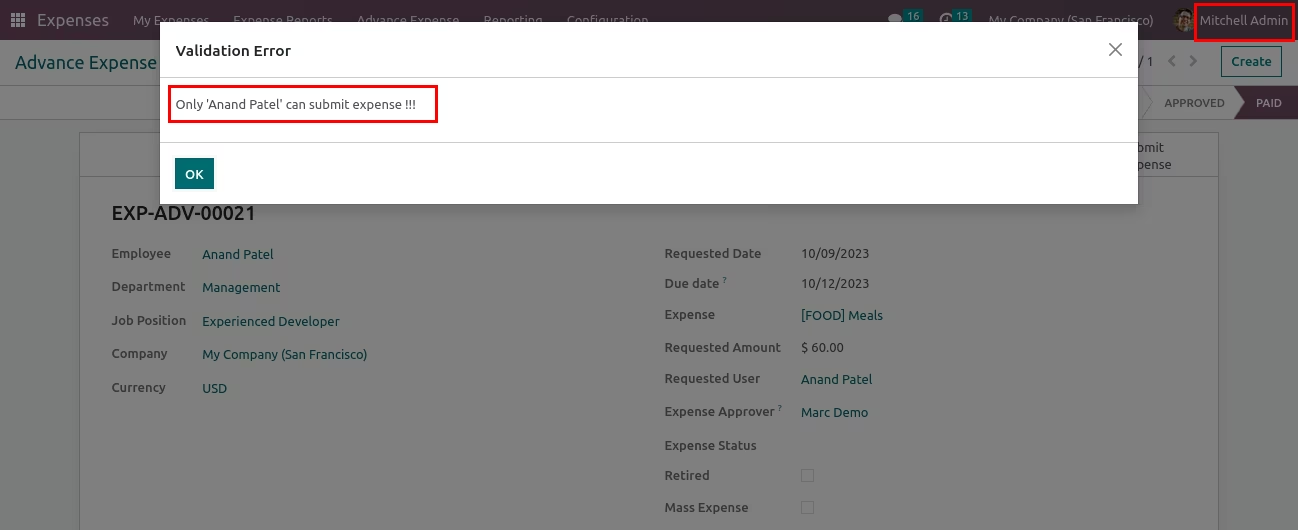
Submit Expense warning.
Requested User and Login user are different and try to submit expense then raise warning.
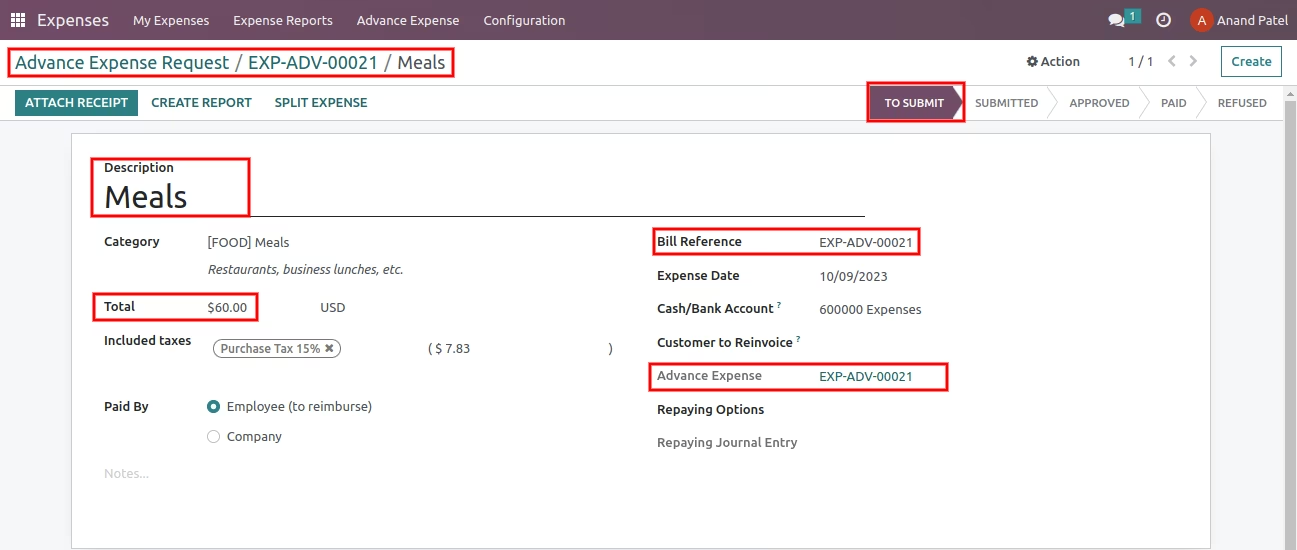
Submit Expense.
This details is auto fill in Expense.
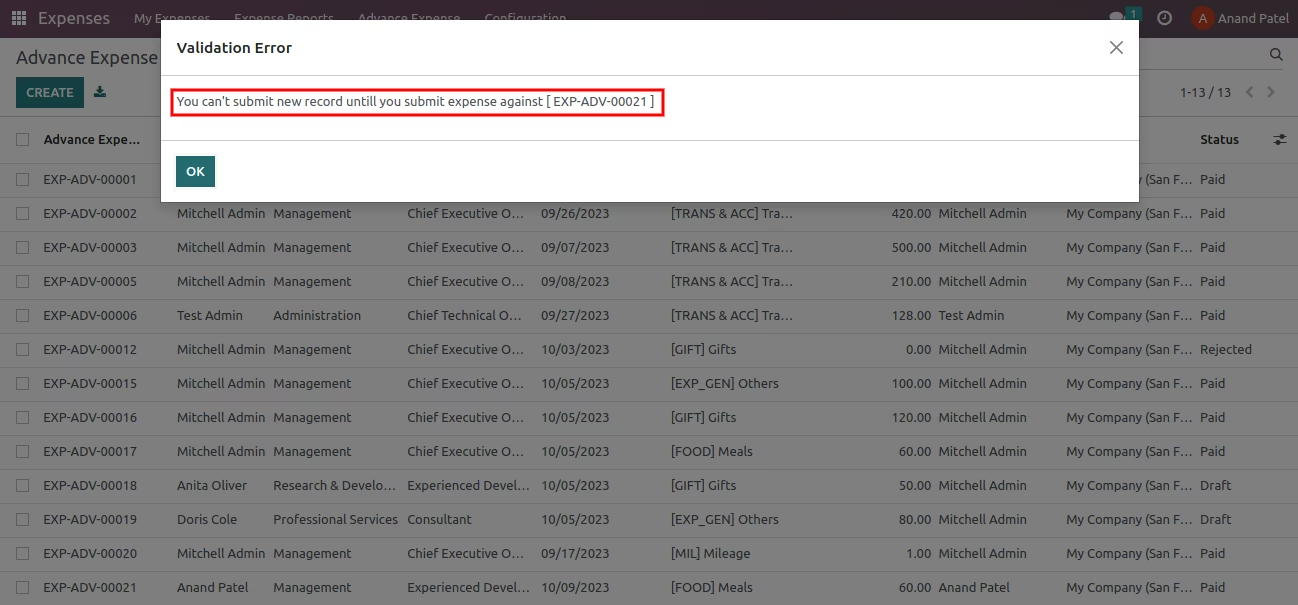
Submited Expense not paid and try to create new Advance Expense then raise warning.
This warning not work in Mass Advance Expense.
Allowed Create Advance Even Retirement is Pending Configuration.
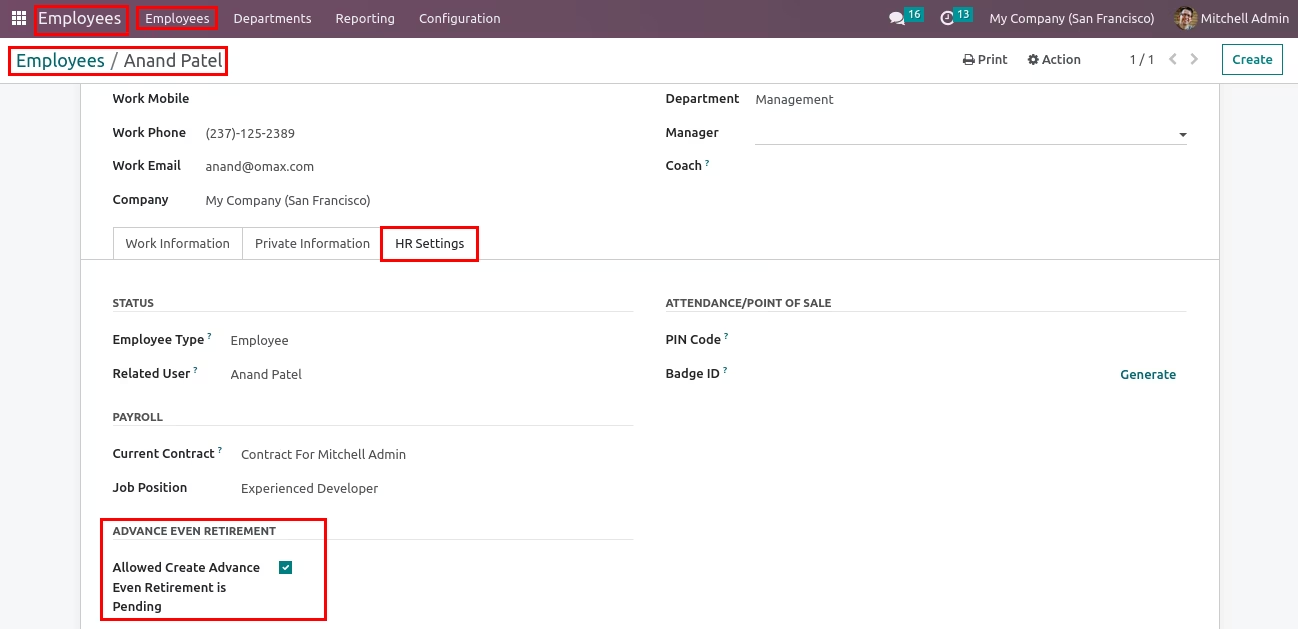
Now warning is bypass and employee can create Advance Expense.
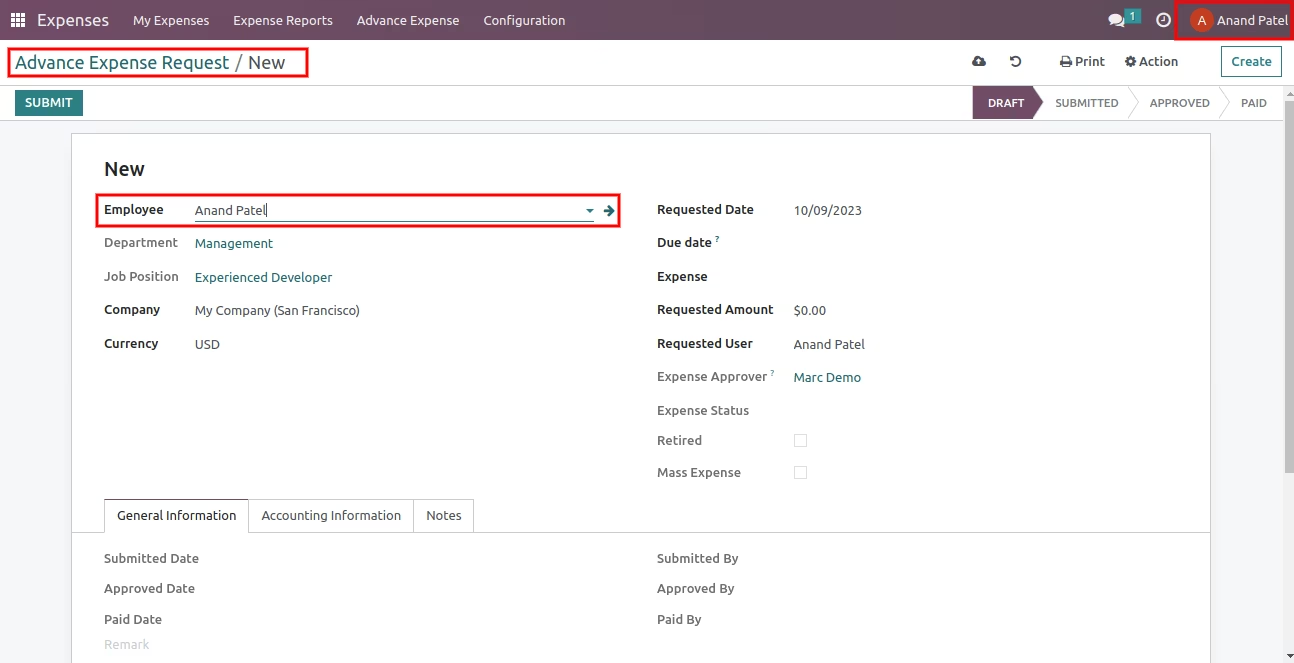
Retired in Advance expense.
Now paid remaining expense.
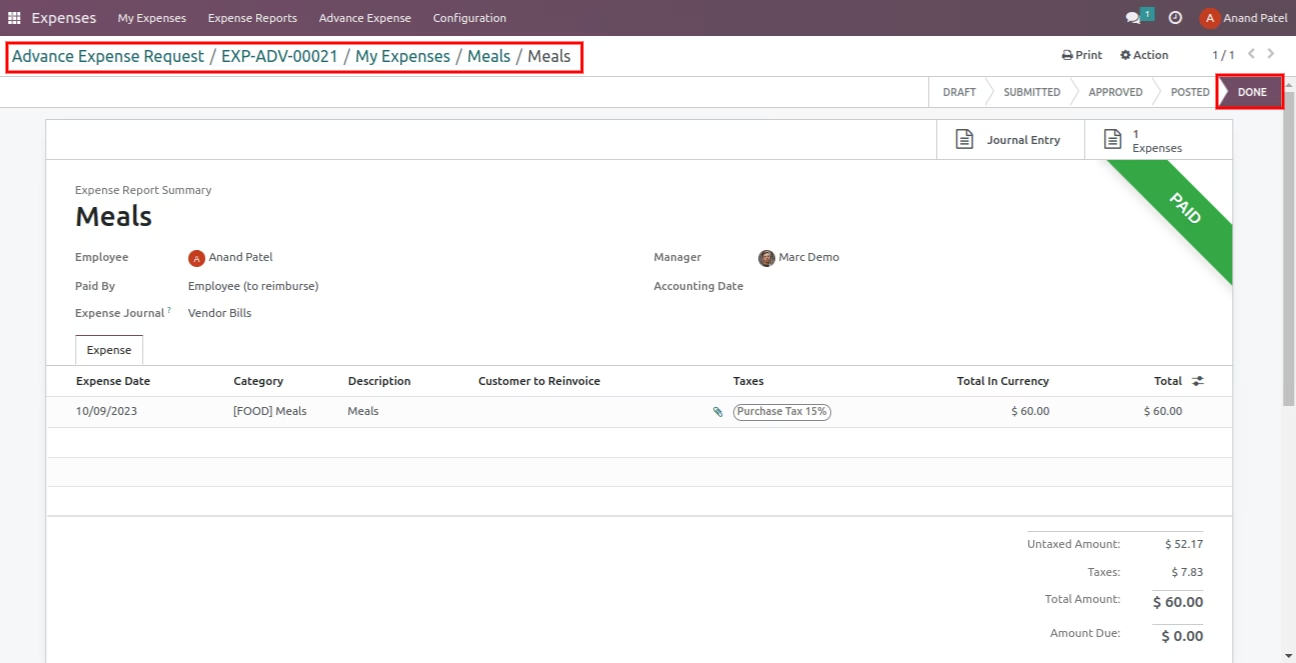
Once paid Expense then related Advance Expense is Retired.
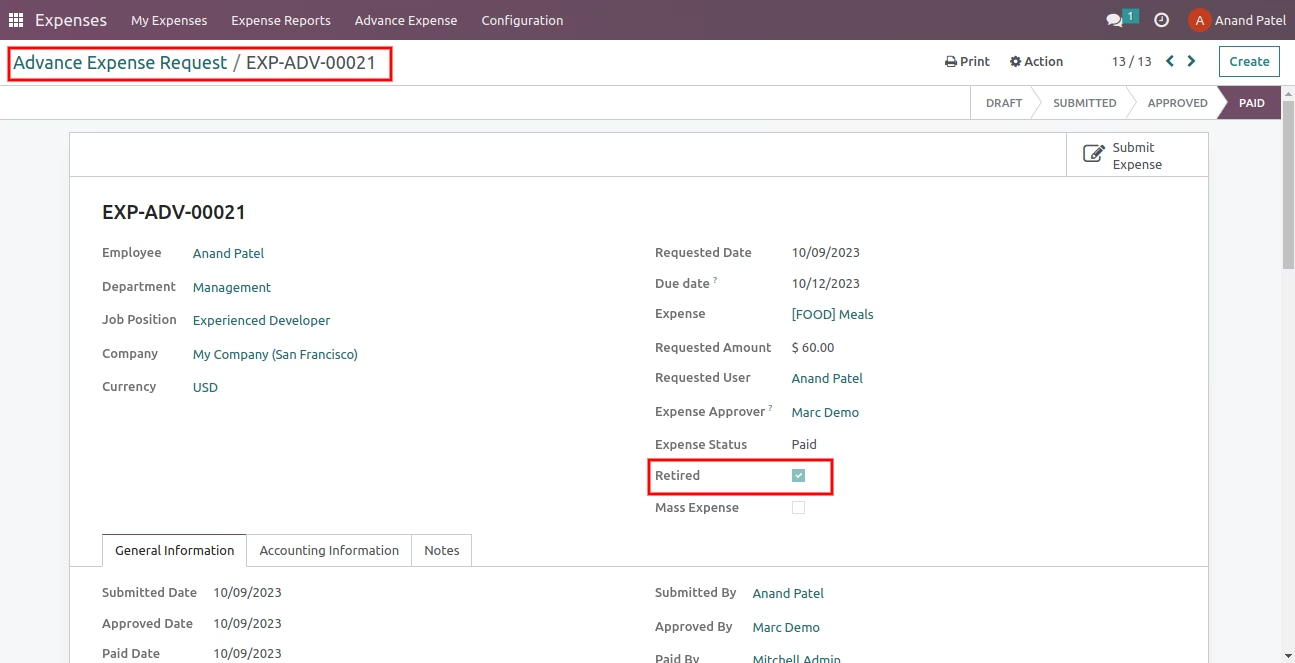
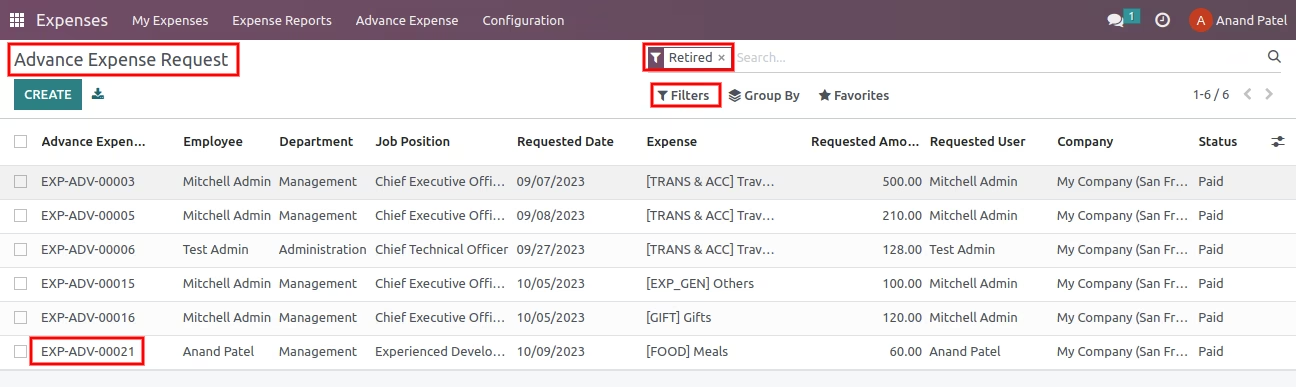
Retired filter in Advance expense tree view.
User can easily track records which are Advance Expenses and Expense both are paid.
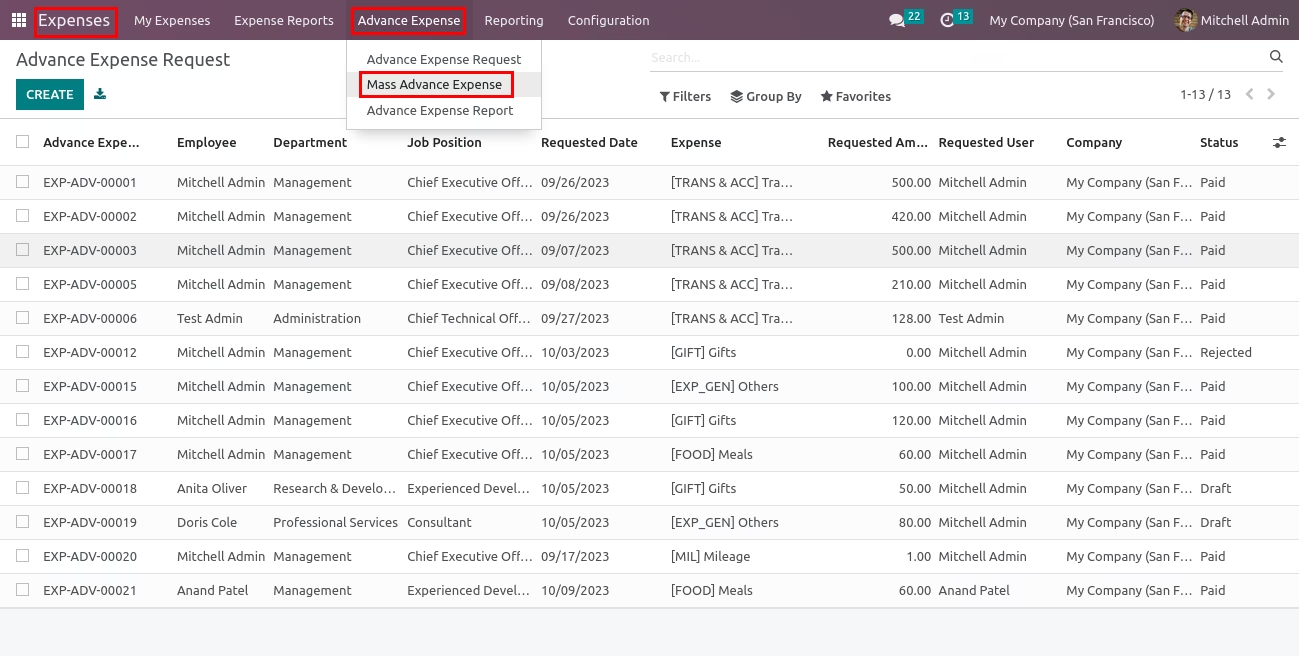
Mass Advance Expense menu.
Only Expense Manager(Expense Administrator) able to show menu.
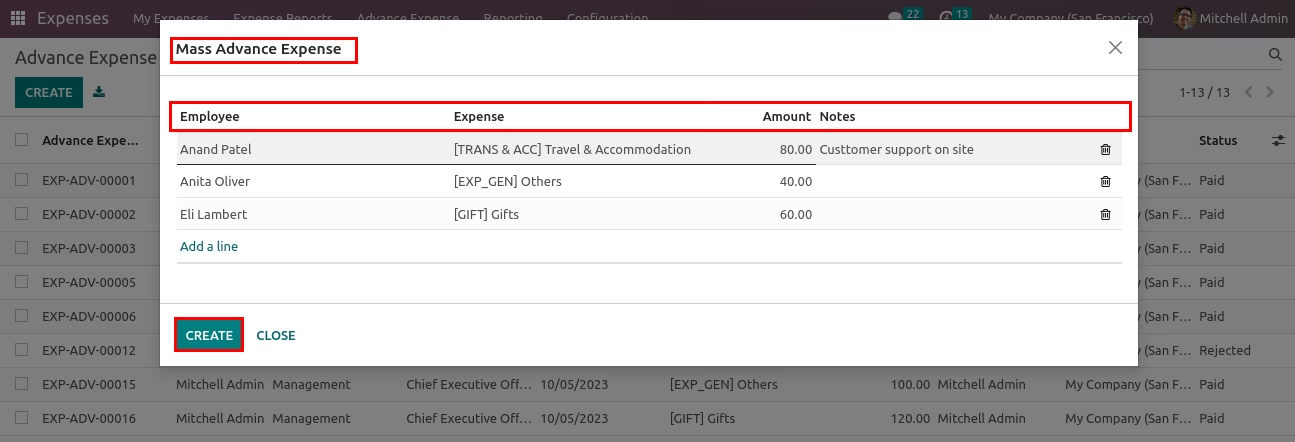
Mass Advance Expense wizard.
User can create multiple Advance Expense at same time.
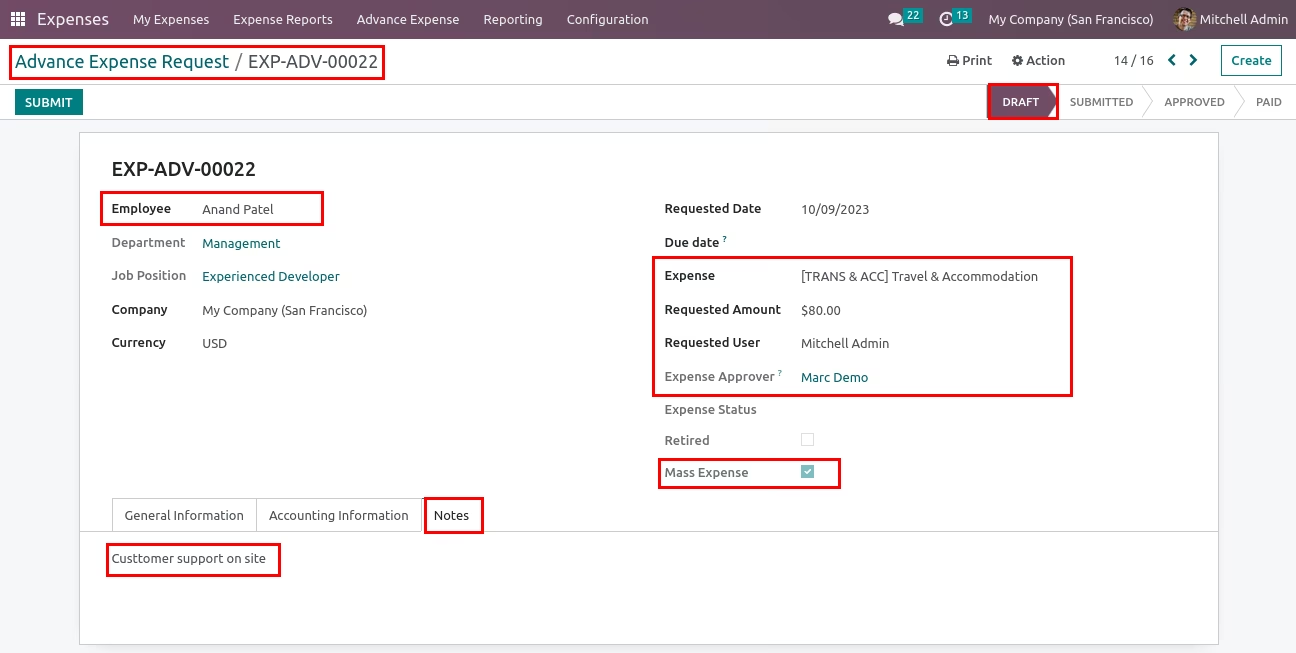
Mass Advance Expense Records.
Created records have Mass Expense tick.
User can use 'Mass Expense' filter to track those records.
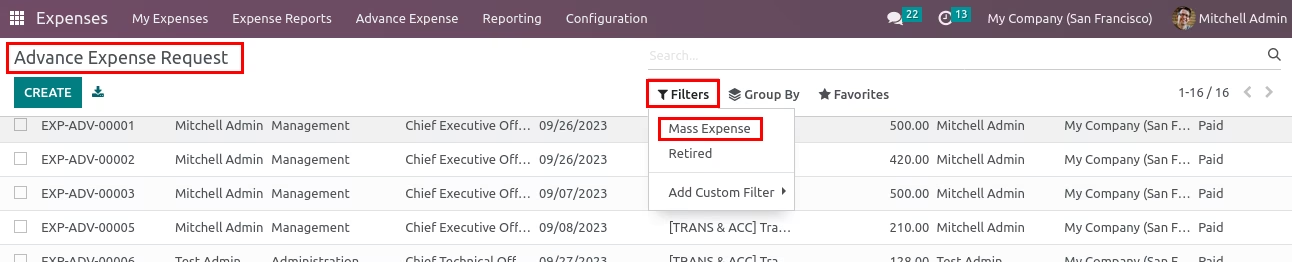
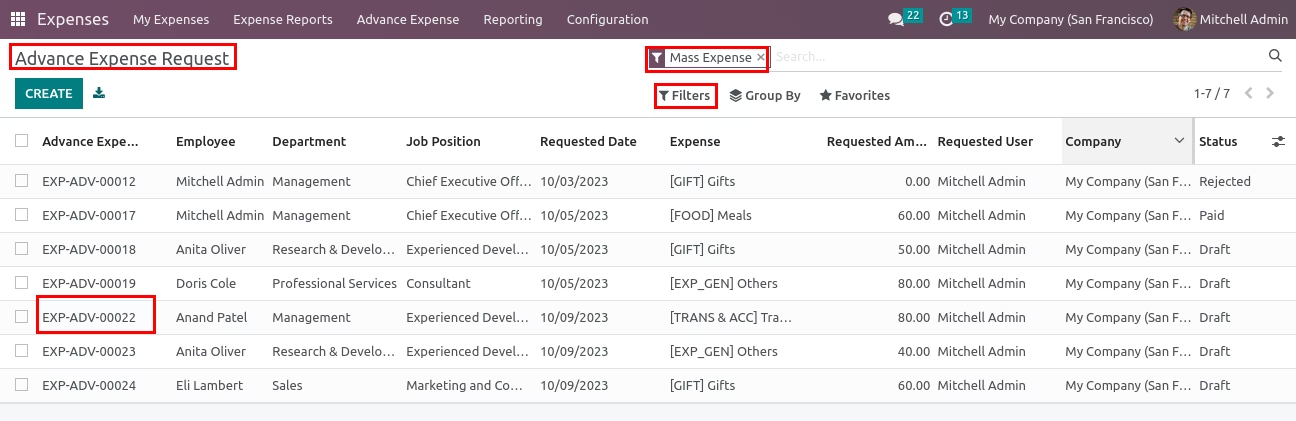
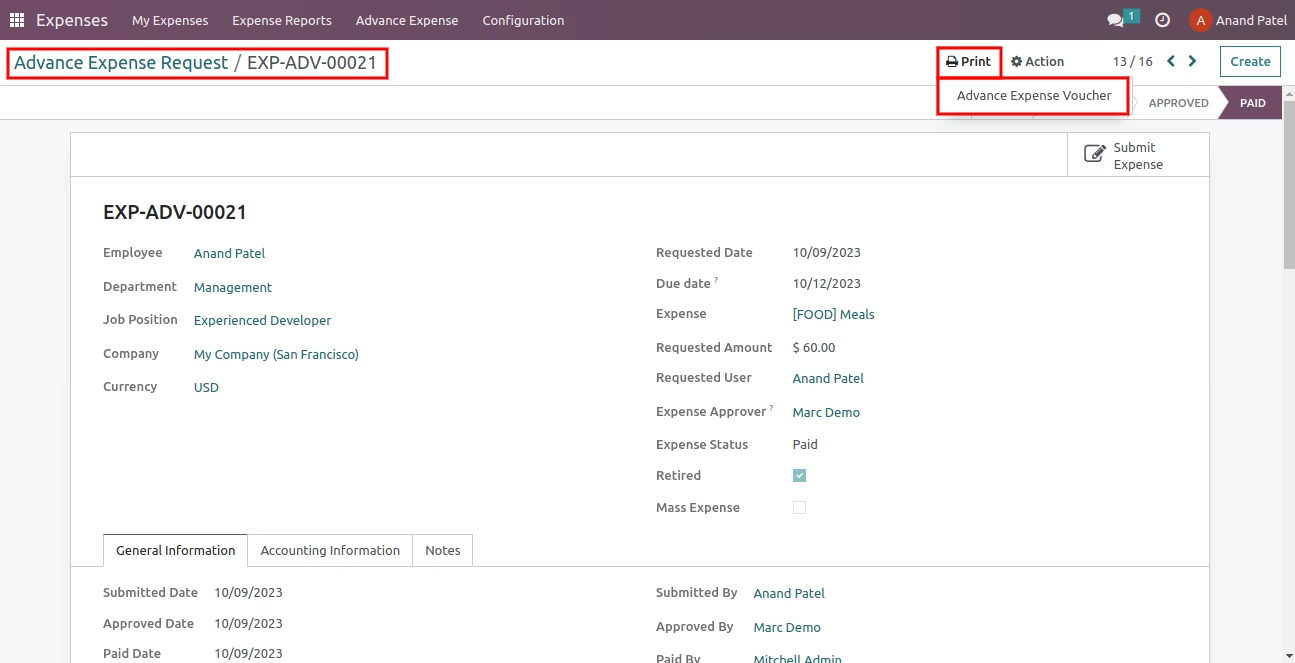
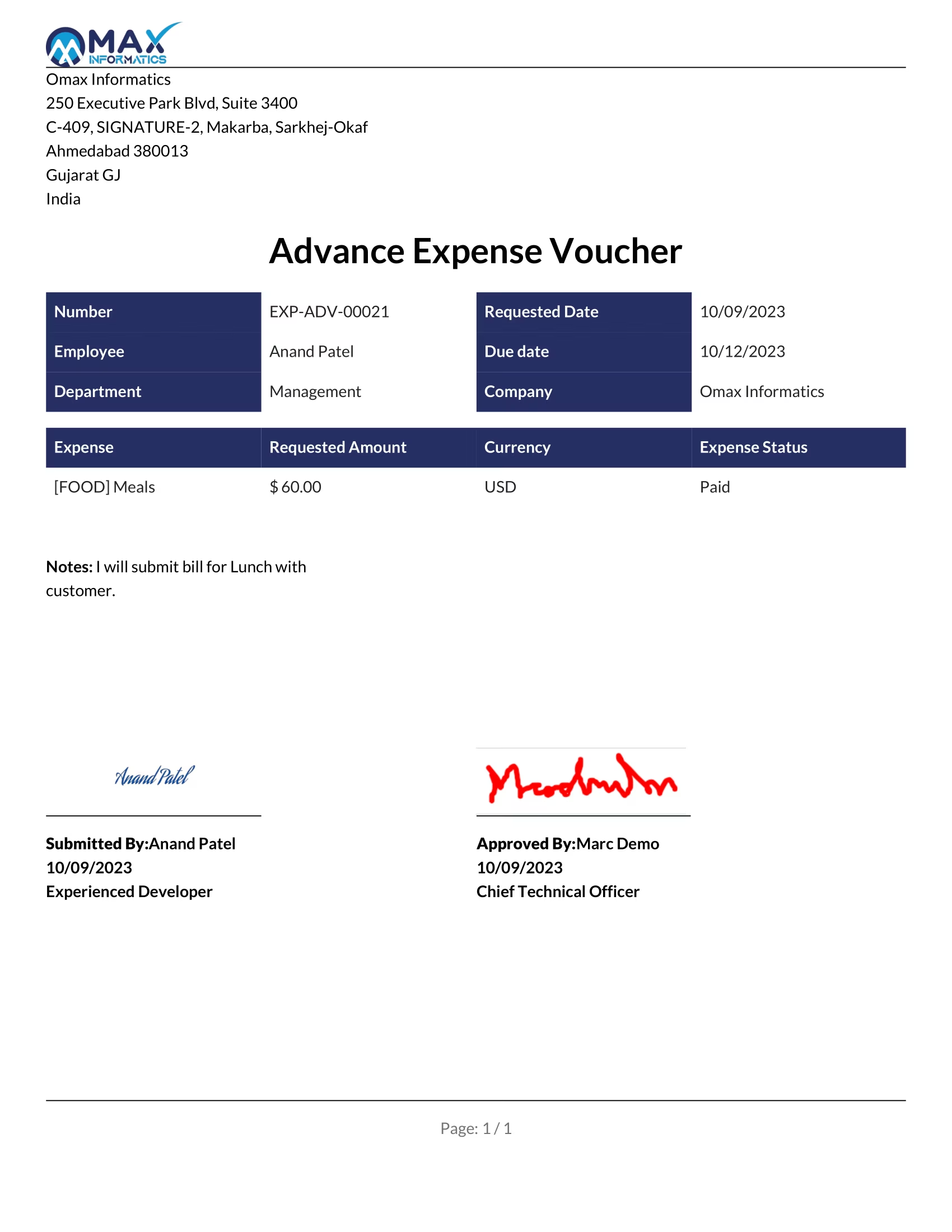
Advance Expense Voucher Report.
Print Menu.
Report.
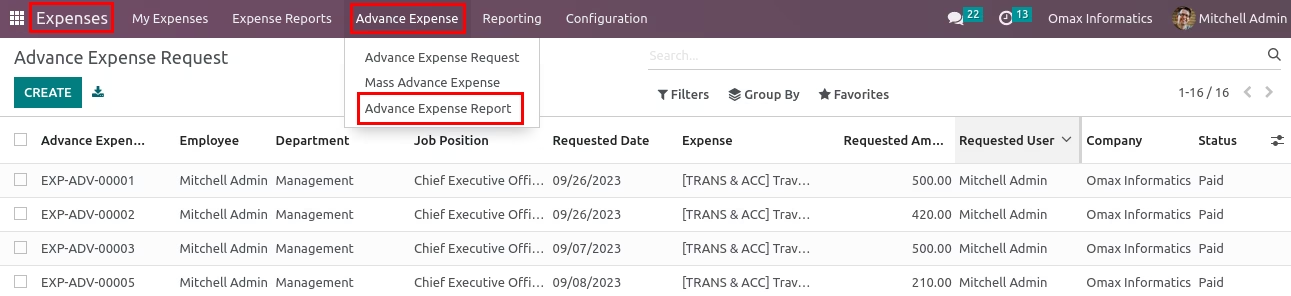
Advance Expense Report Menu.
Multile filters available in wizard.
Advance Expense Report wizard.
Multile filters available in wizard.
Advance Expense Report.
Reminder of Retirement configuration.
Assign days after due date to send reminder email to Employee and Approver.
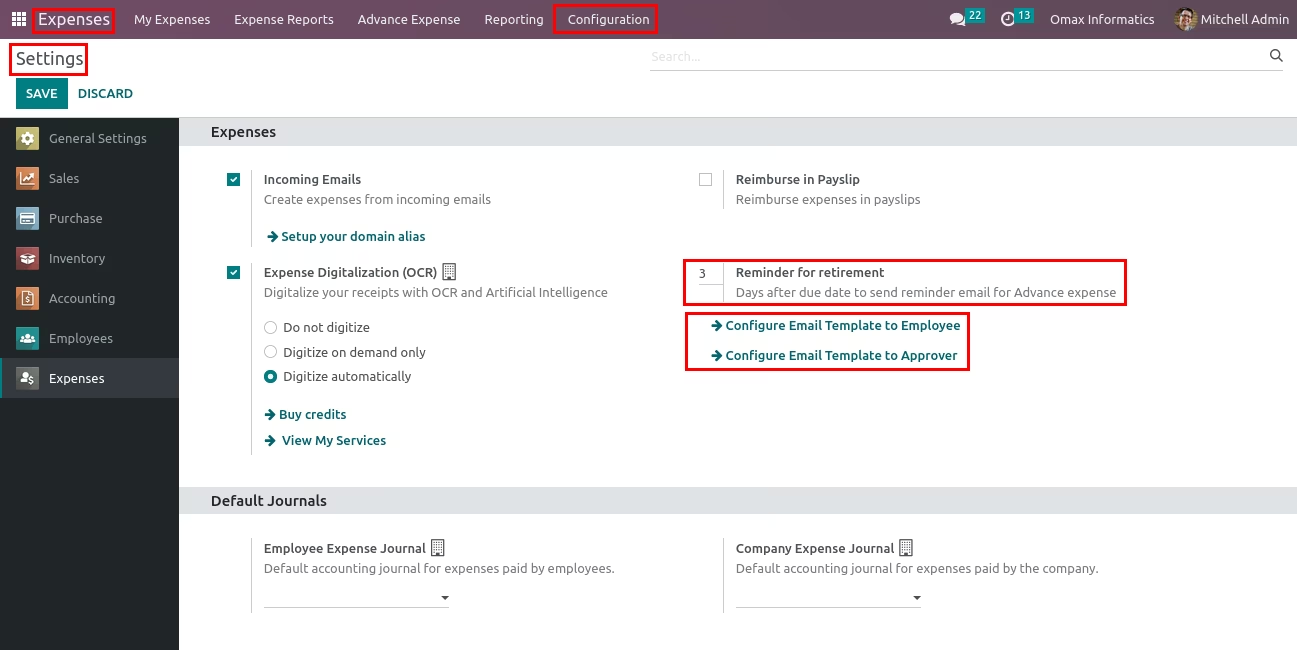
Reminder of Retirement Mail.
Record.
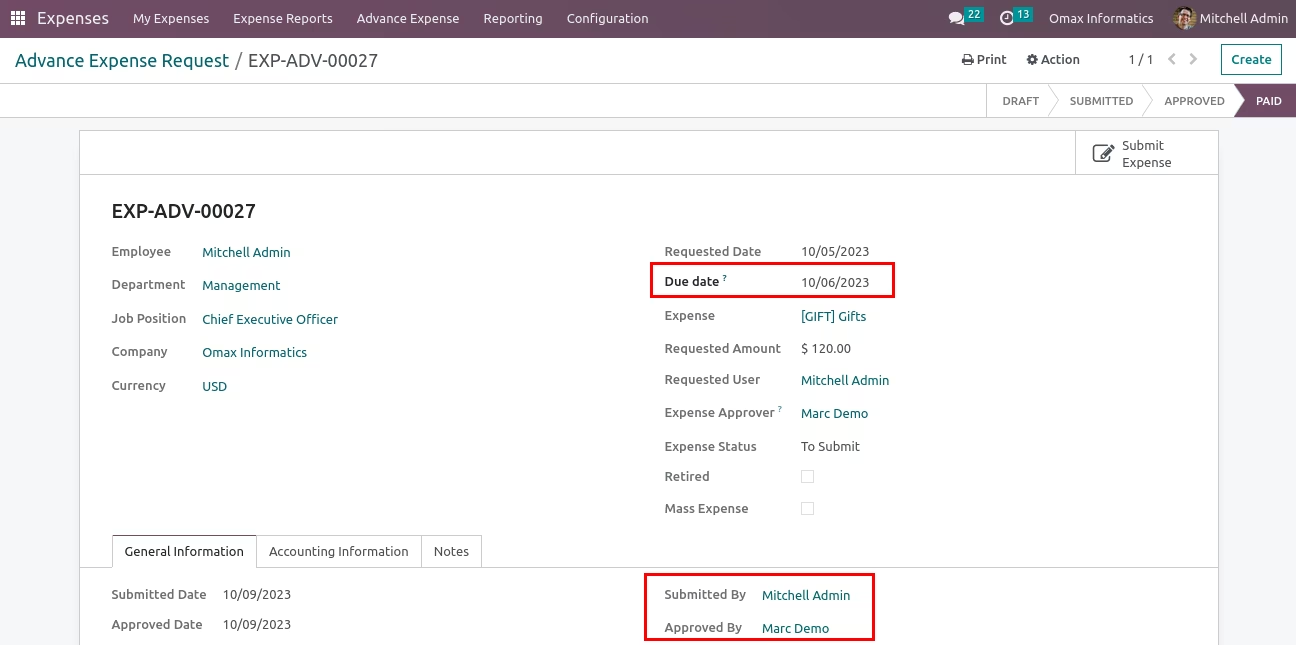
Email to Approver.
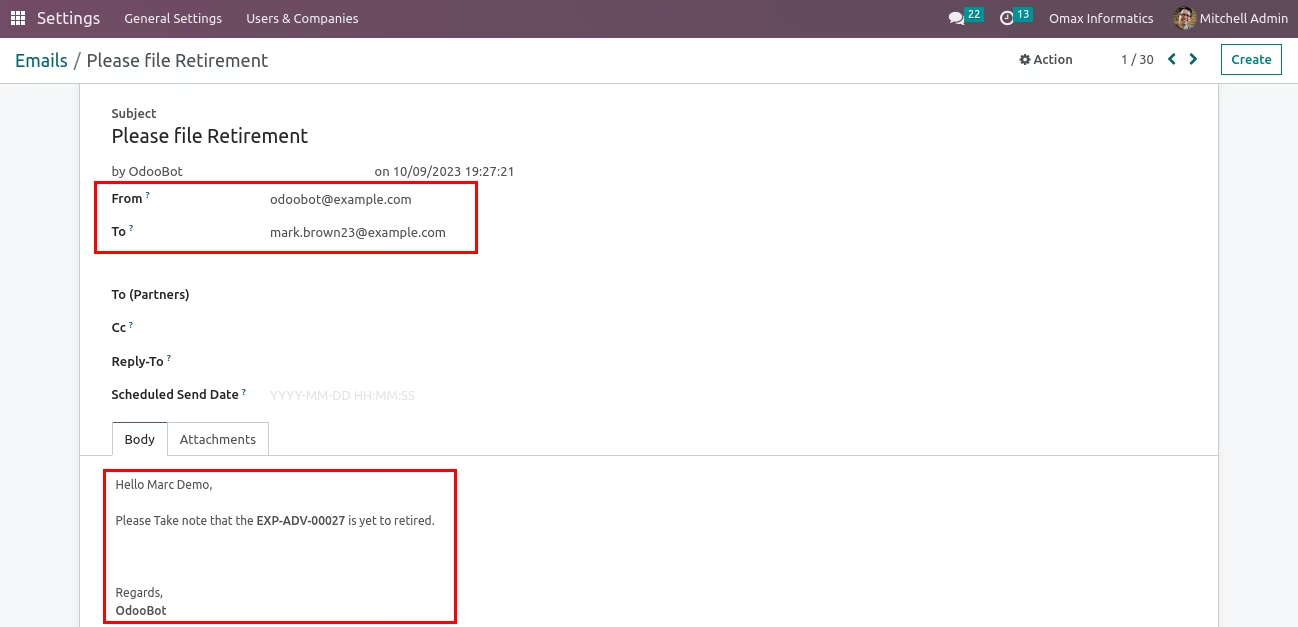
Email to Employee.