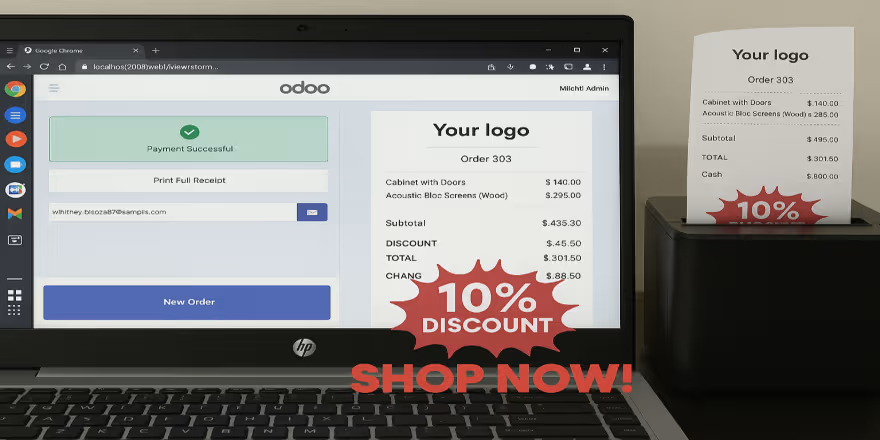
This module integrates ESC/POS-compatible network printers with the point-of-sale system via TCP/IP, enabling fast and reliable printing directly from POS. By bypassing additional hardware dependencies, businesses can print receipts and order tickets instantly over the network. Optimized for efficiency in high-demand environments, it streamlines printing workflows while maintaining reliability.
Key Features
Enable direct printing to TCP/IP network-connected ESC/POS thermal printers from POS.
Bypass external hardware like POSBoxes for reduced complexity.
Support immediate ticket printing across wired or Wi-Fi networks.
Ensure consistent receipt printing even in high-volume retail environments.
Improve operational reliability with stable ESC/POS-based communication protocols.
Benefits
Speeds up checkout by enabling instant, direct printing workflows.
Reduces hardware requirements and simplifies printer setup.
Enhances printing reliability for busy POS operations.
Supports scalable deployments with minimal latency.
Streamlines maintenance with straightforward network printer management.
POS ESC/POS Printer
Use Point of Sale TCP ESC/POS Printers Without an IoT Box Supports both kitchen printers and order receipt printer This module works ONLY with the same network ESC / POS network printer as the system. You don't need a POS Box.
- Supports both kitchen printers and order receipt printer .
- Activate the connectivity between Onvodo® Point of Sale and your IP-based ESC/POS printer.
- An IoT Box is not necessary for printing POS tickets and receipts once the module has been installed.
- Join the network that your Onvodo® POS and POS printer are connected to.
- Savour simplified, trouble-free printing without requiring complex settings Simple to operate
- This module works ONLY with the same network ESC/POS network printer as the system
- This module require external python library "pip3 install python-escpos"
- Support Community and Enterprise Editions Onvodo®.sh & Onvodo® Online Not supported
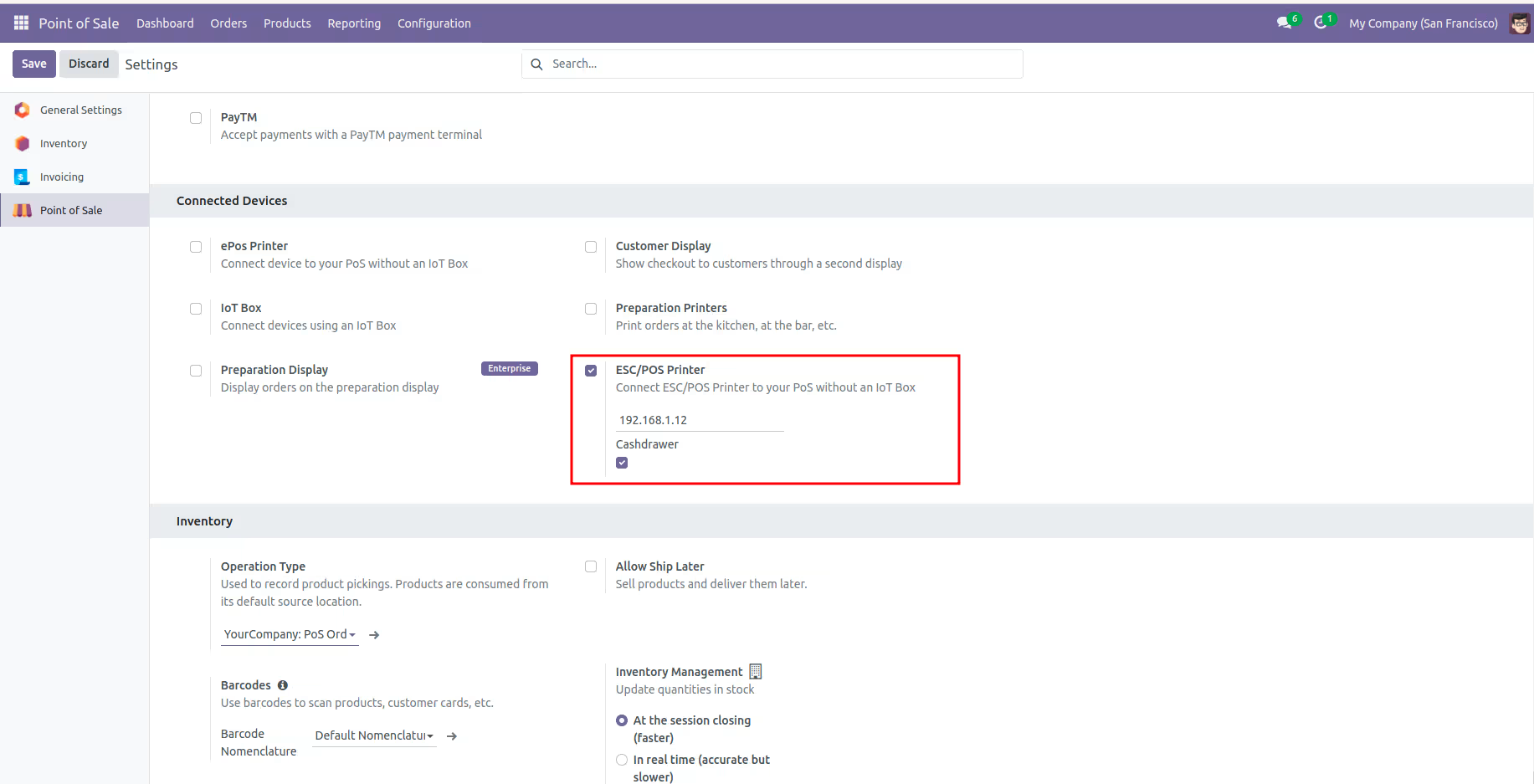
After installing the module, In the Point of Sale, enter the printer's IP address => Under Configuration => Settings, activate the cashdrawer option.
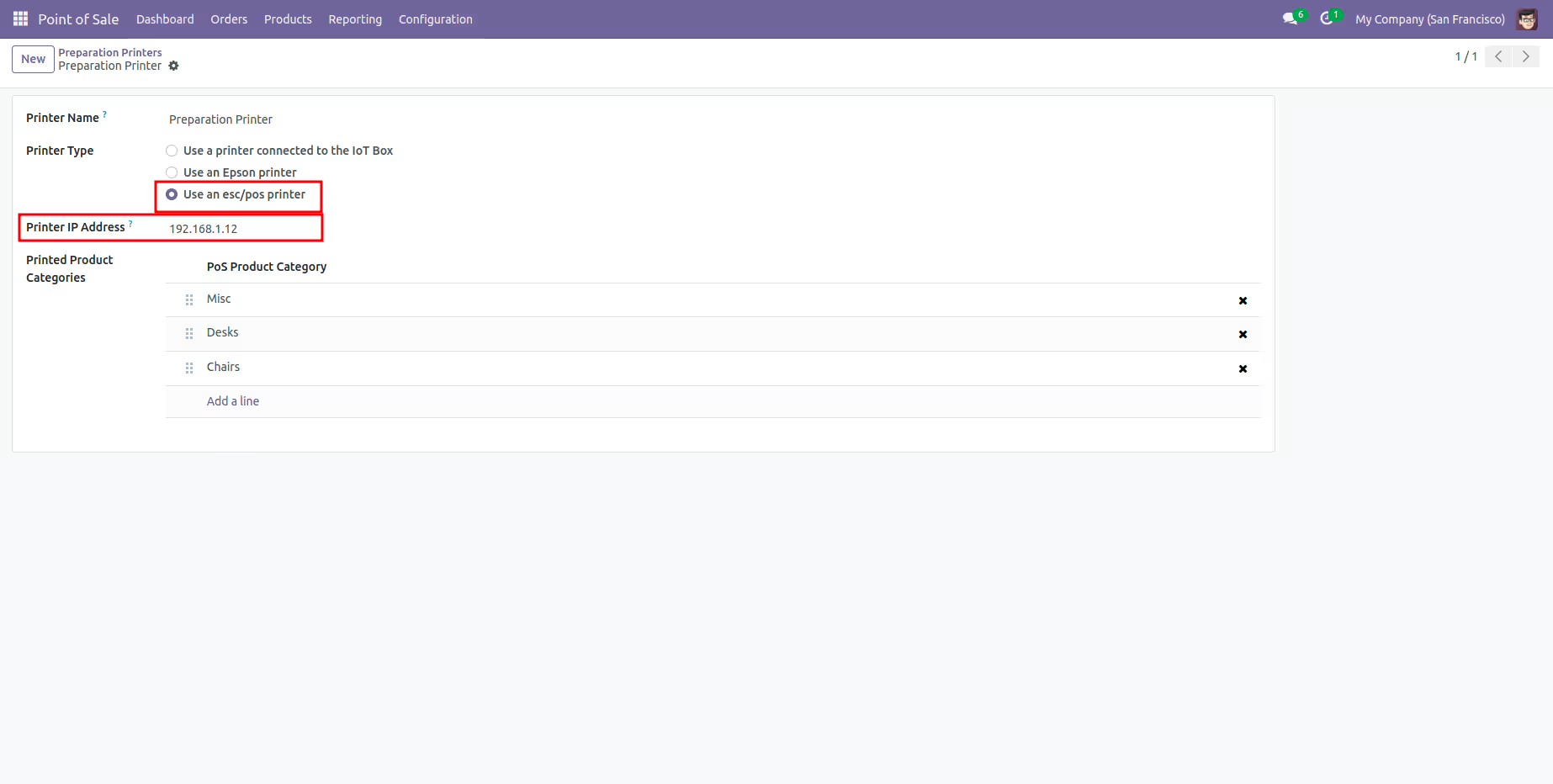
Additionally from Point of Sale => Printers for Order Preparation Use Option Select Printed Product Categories, enter the printer's IP address, and use an esc/pos printer.
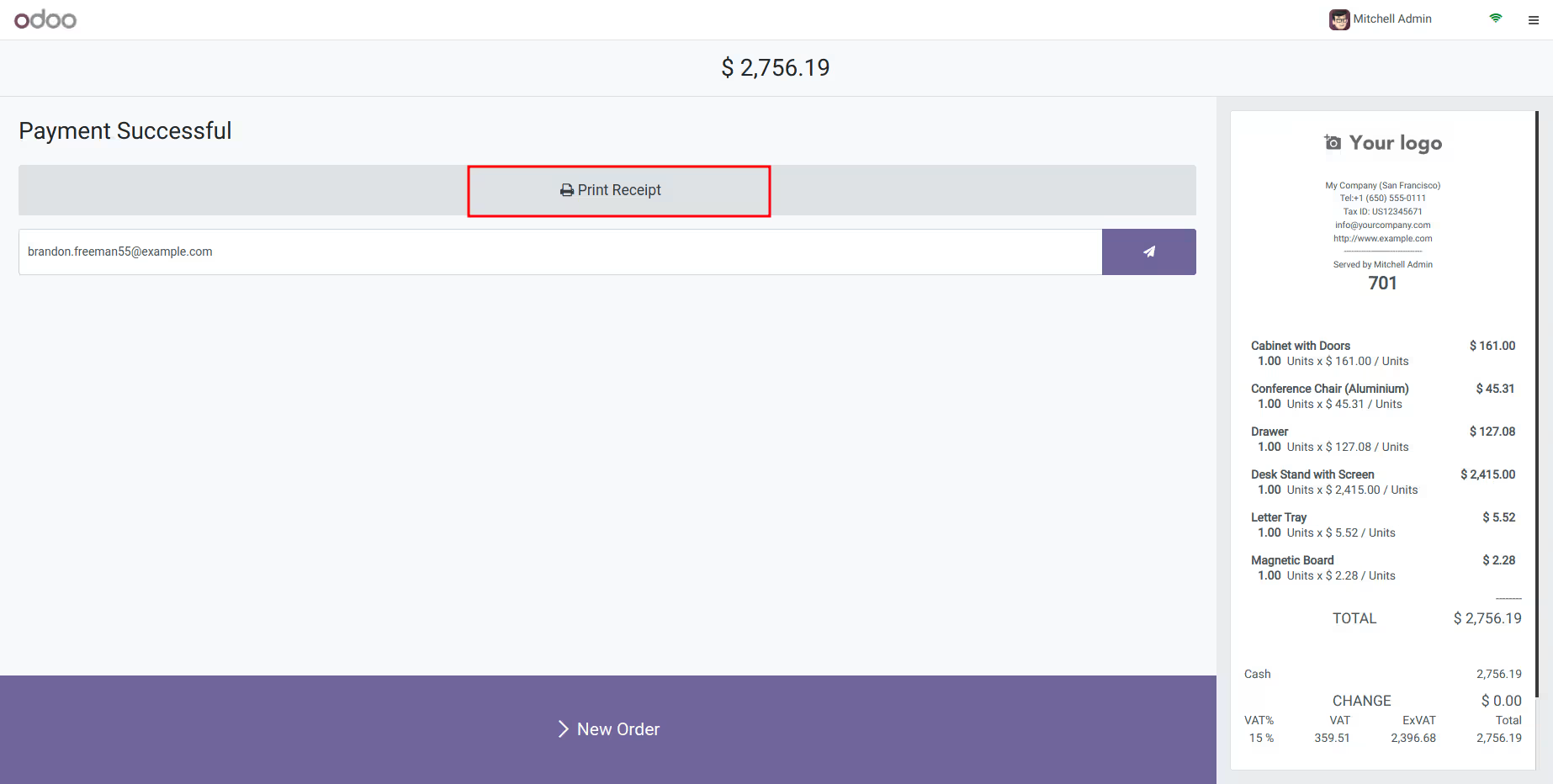
To print using a network printer, click Print Receipt.
Our Onvodo® Services
Onvodo® Support Services
Get expert support for your Onvodo® system to ensure smooth operations and rapid issue resolution.
Onvodo® Customization
Tailor Onvodo® modules to match your business processes with precision and flexibility.
Onvodo® Integration
Seamlessly integrate Onvodo® with third-party apps like payment gateways, CRMs, or eCommerce platforms.
Onvodo® Deployment
Deploy Onvodo® on cloud or on-premise environments with scalability, security, and best practices in mind.
Onvodo® Migration
Upgrade your Onvodo® system to the latest version while preserving data integrity and customizations.
Onvodo® Outsourcing
Let our experienced Onvodo® developers handle your project end-to-end, saving time and cost.