Create a seamless and unified guest experience with the Hotel POS Extension. This essential module is the bridge between your Hotel Management System and your Point of Sale, designed to solve the common challenge of managing and billing for in-house services like restaurant dining and room service. By allowing your POS users to directly assign orders to a specific hotel room, this extension eliminates billing discrepancies and the hassle of separate payments. All charges are automatically consolidated onto the guest's final folio, ensuring a smooth, professional, and convenient checkout process that enhances guest satisfaction and streamlines your accounting.
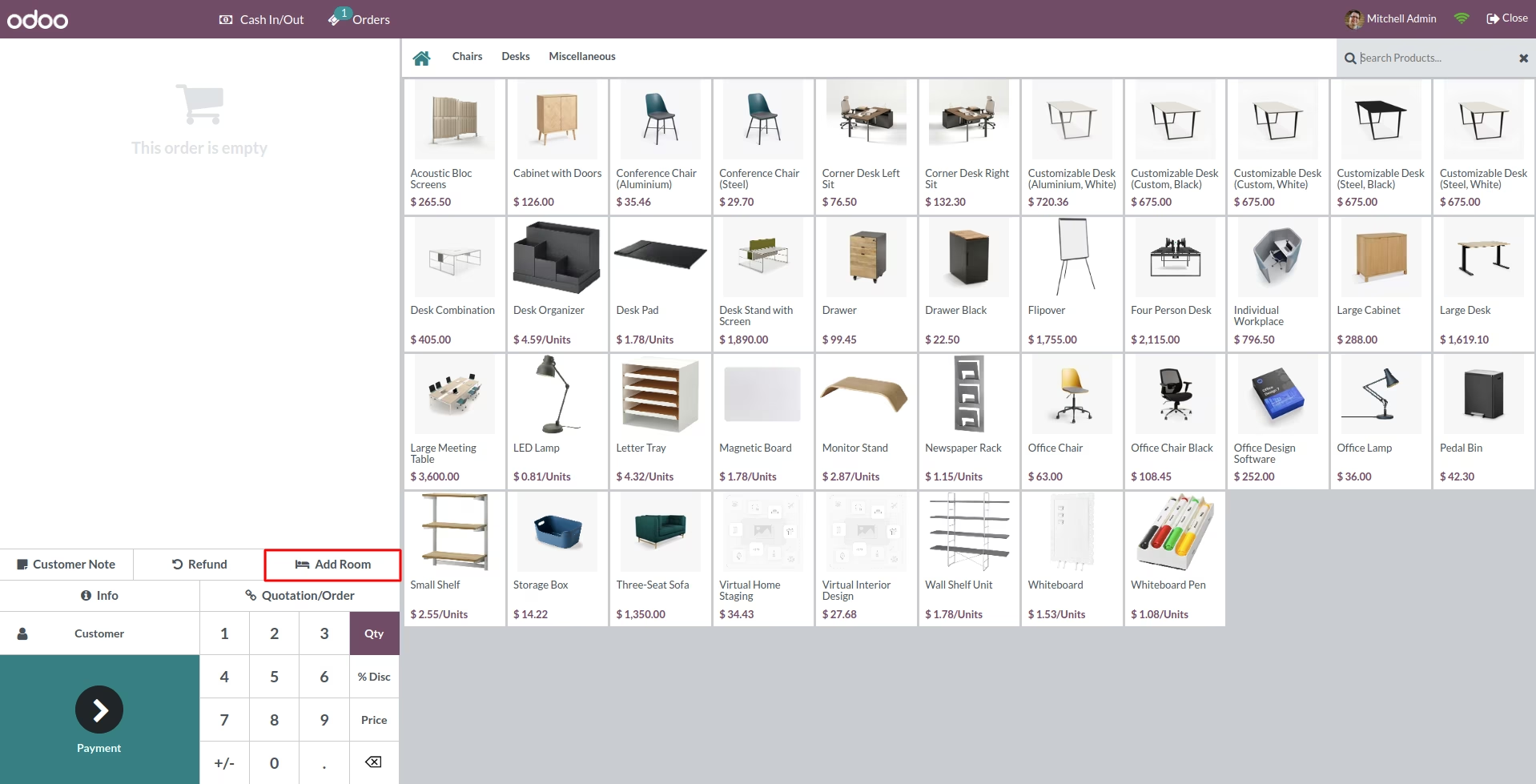
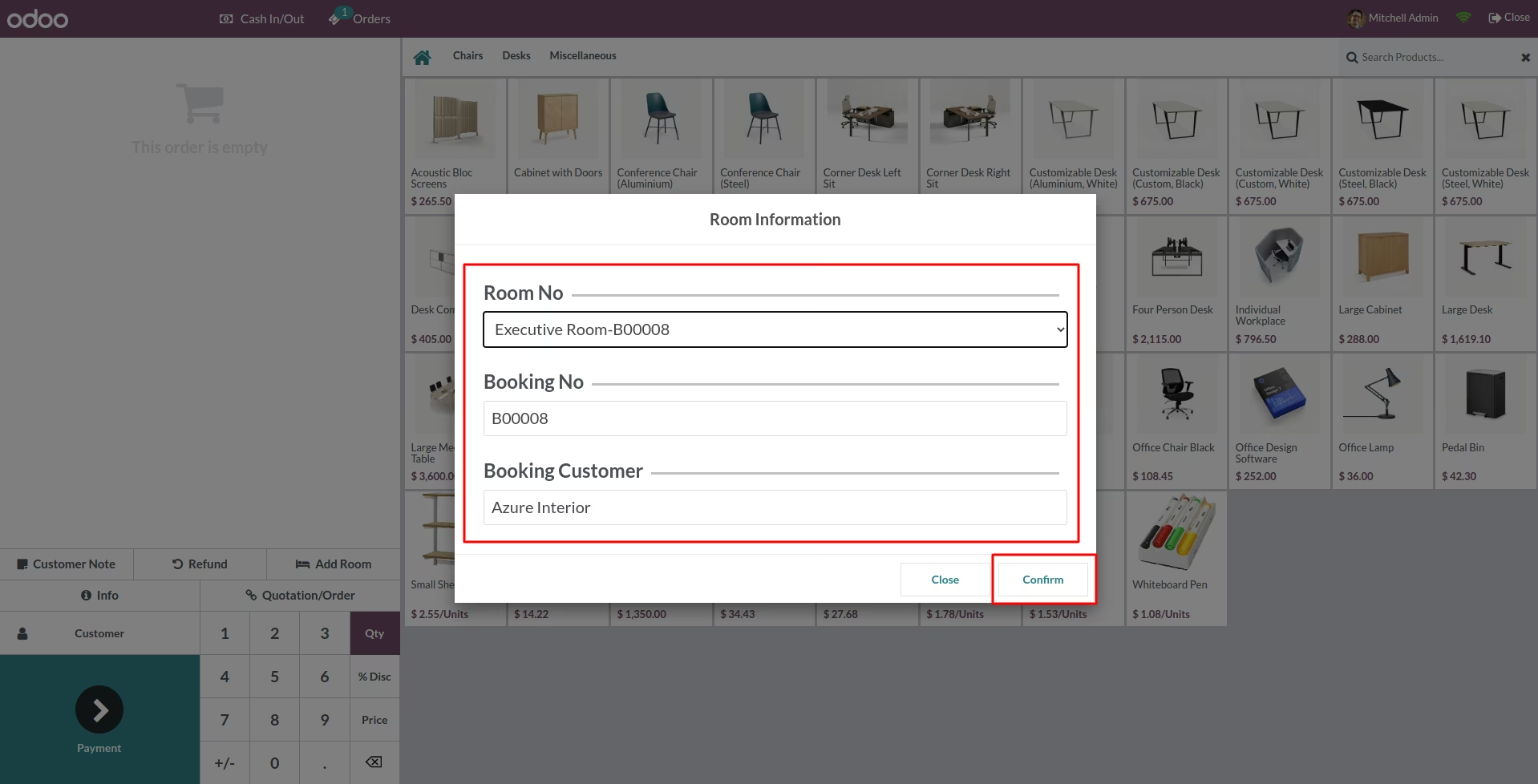
Direct-to-Room Charging: Adds an "Add Room" button to the POS interface, allowing staff to select a guest's booked room for an order.
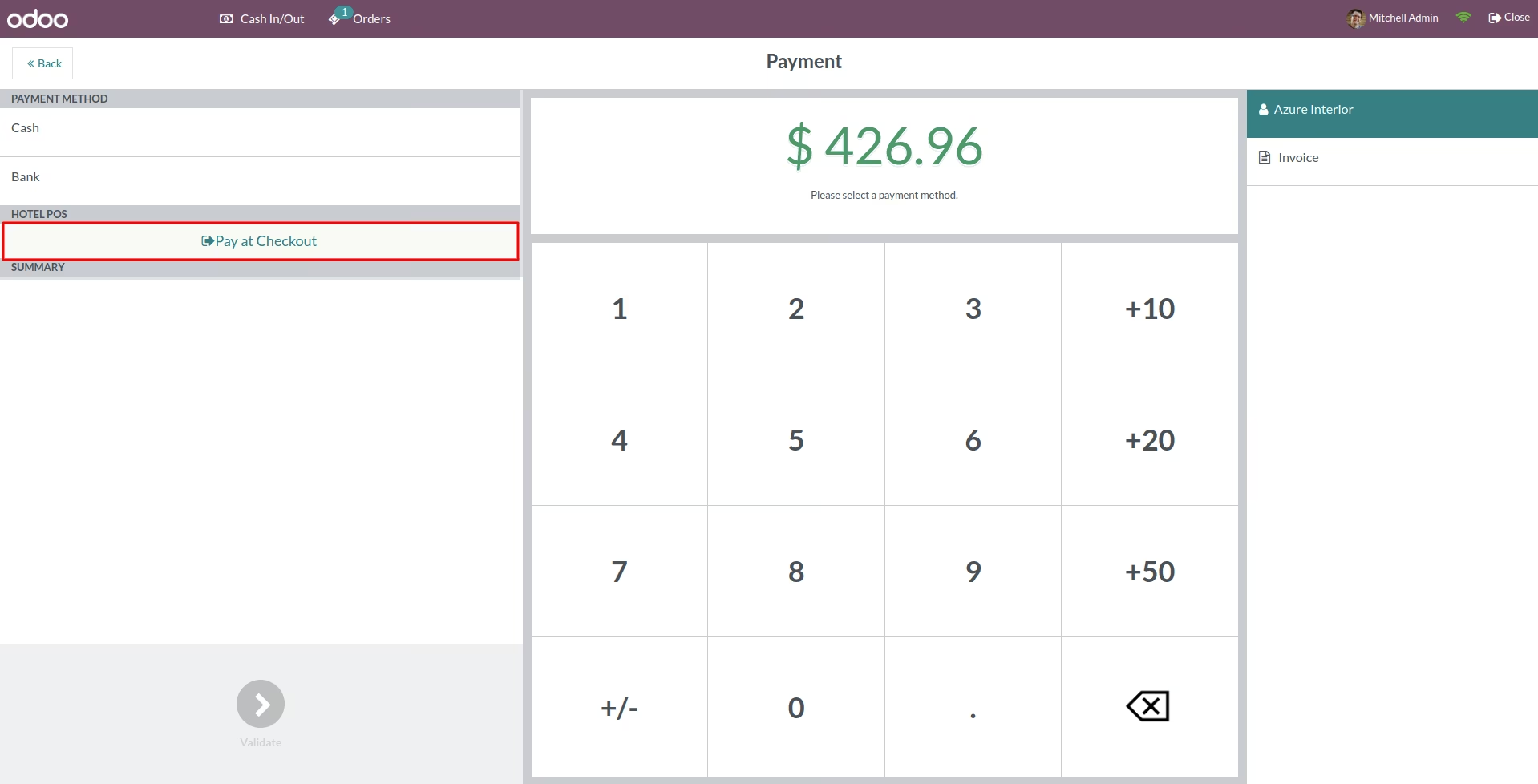
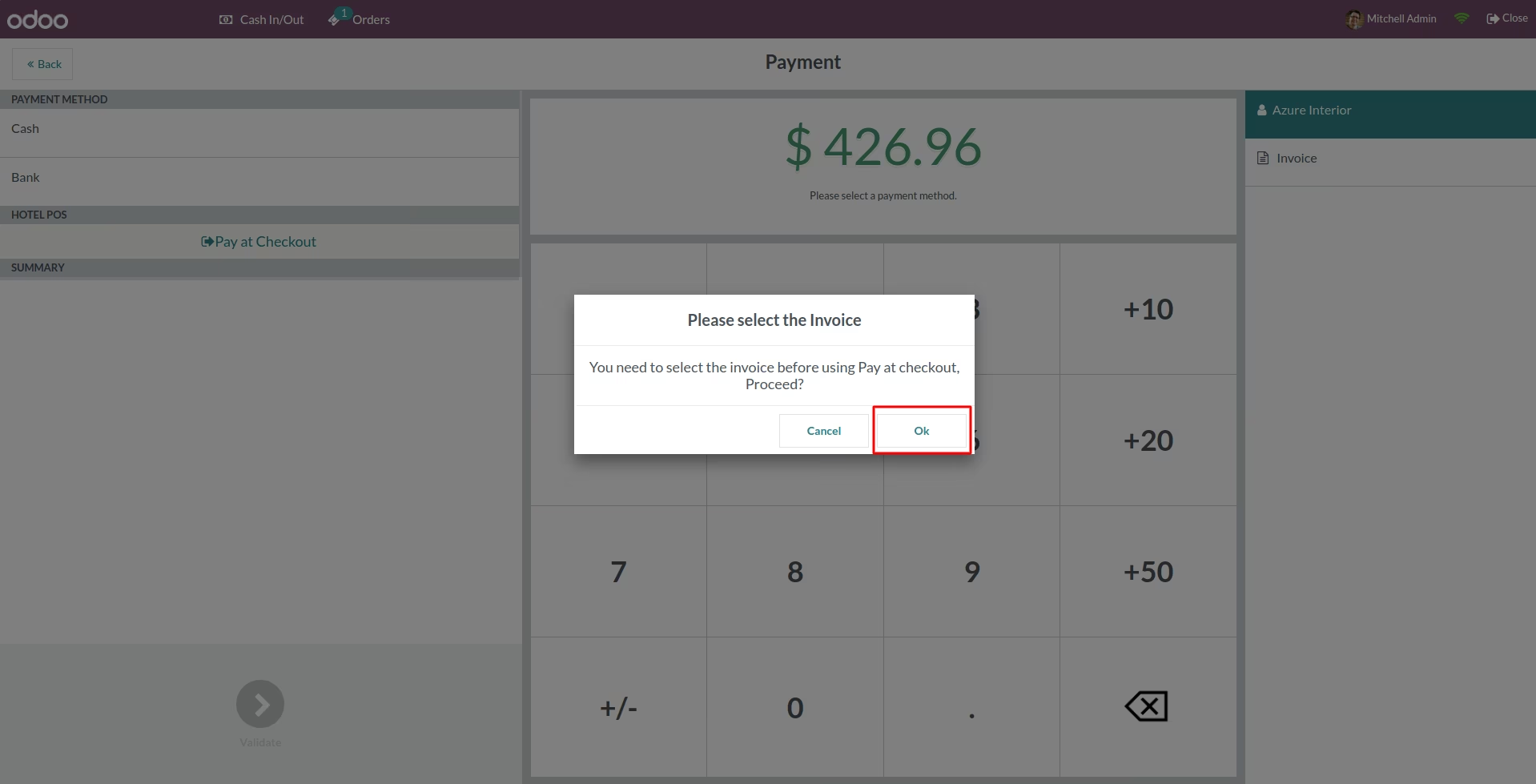
Pay at Checkout Option: Provides a "Pay at Checkout" payment method in the POS, which posts the order total directly to the guest's hotel folio.
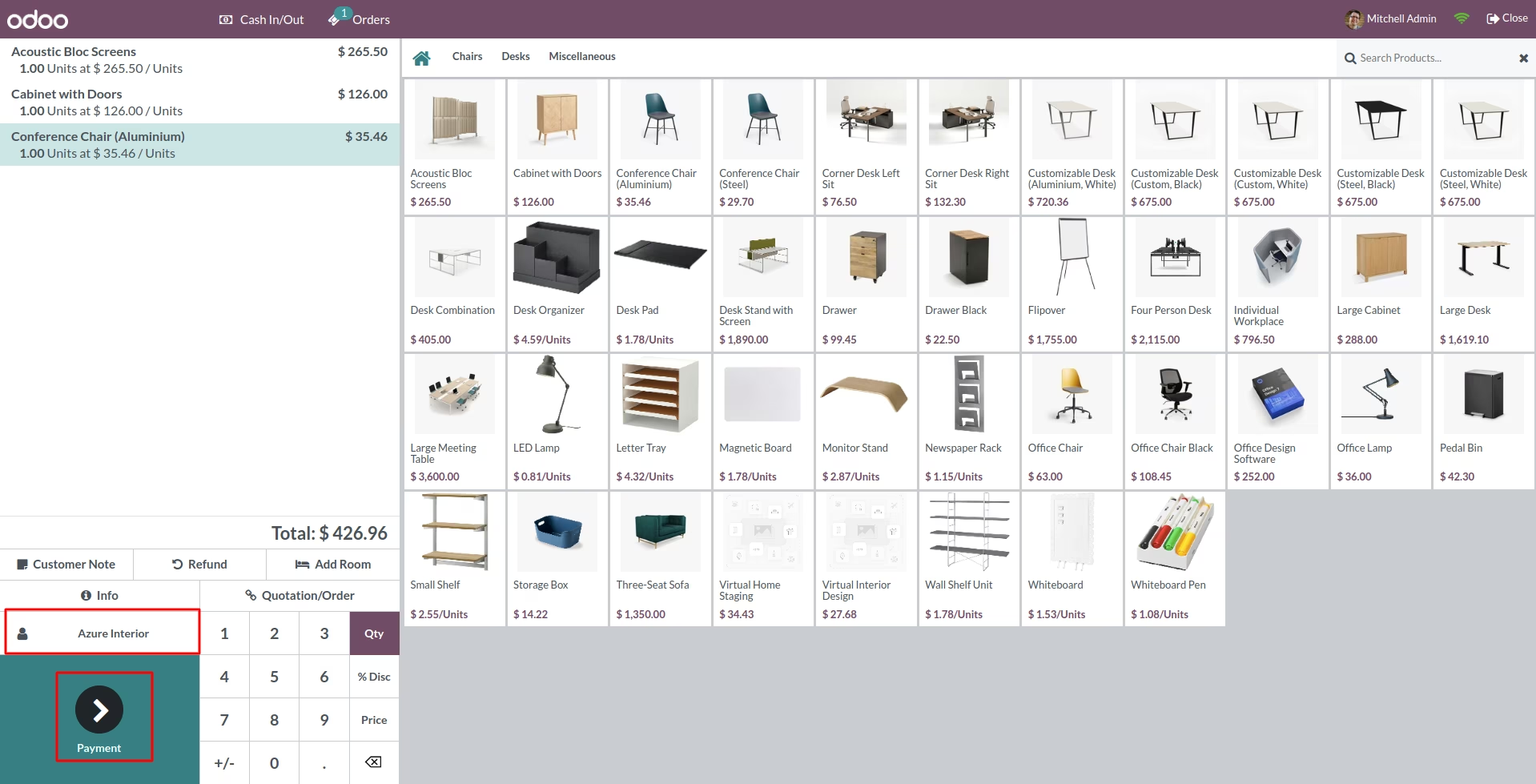
Automated Customer Selection: Automatically assigns the correct guest to the POS order when their room is selected.
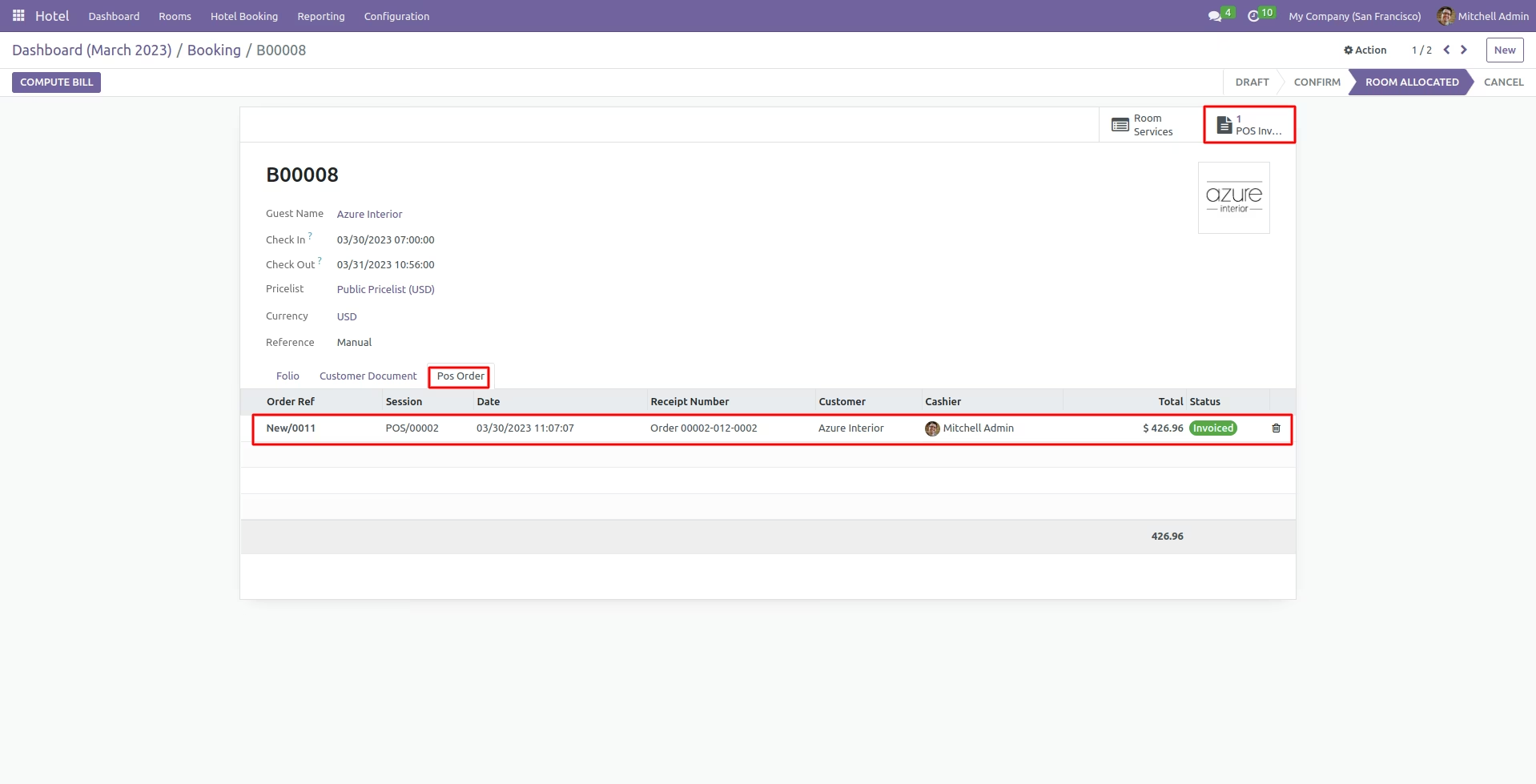
Consolidated Billing: All POS orders charged to a room are clearly itemized on the guest's final folio at checkout.
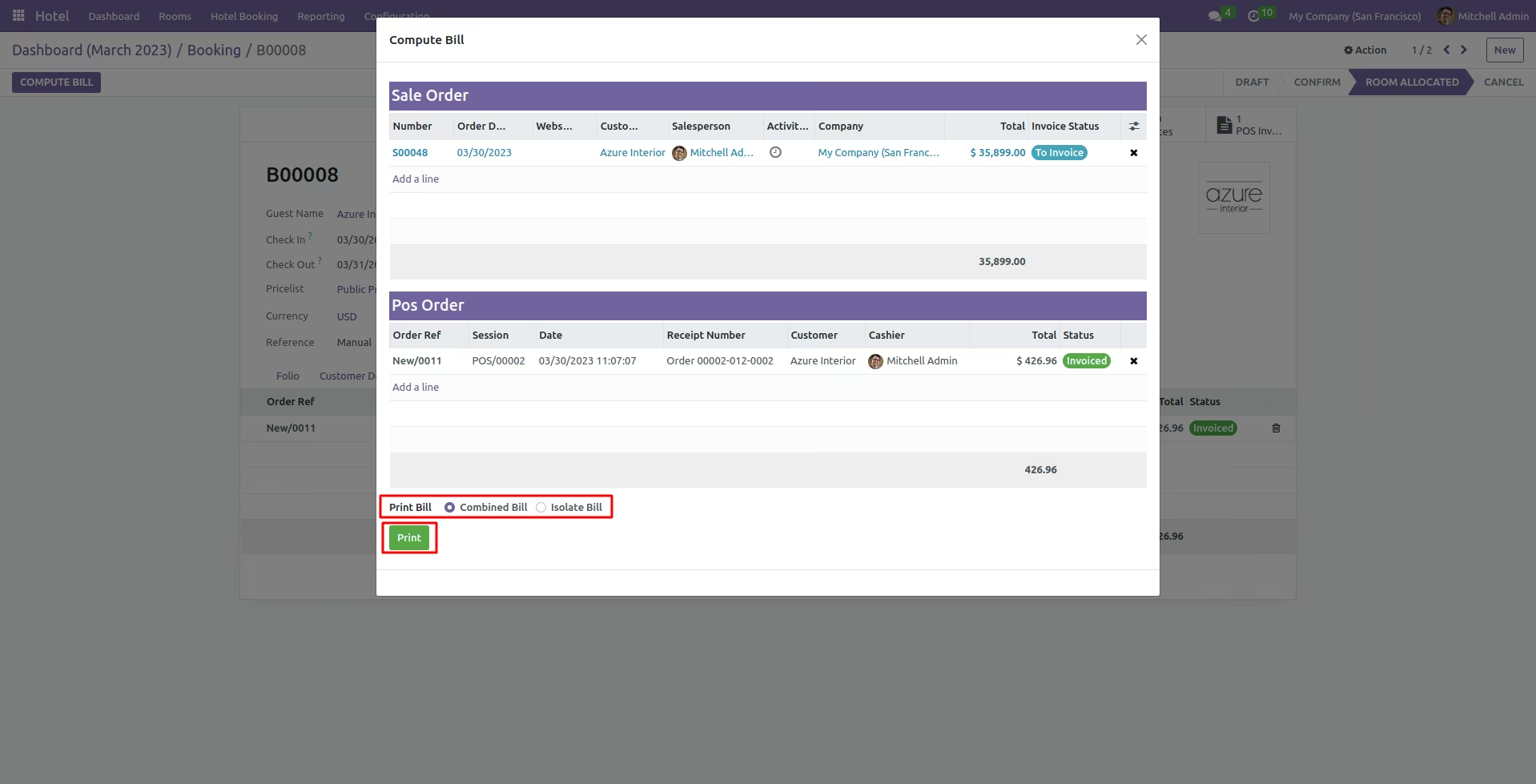
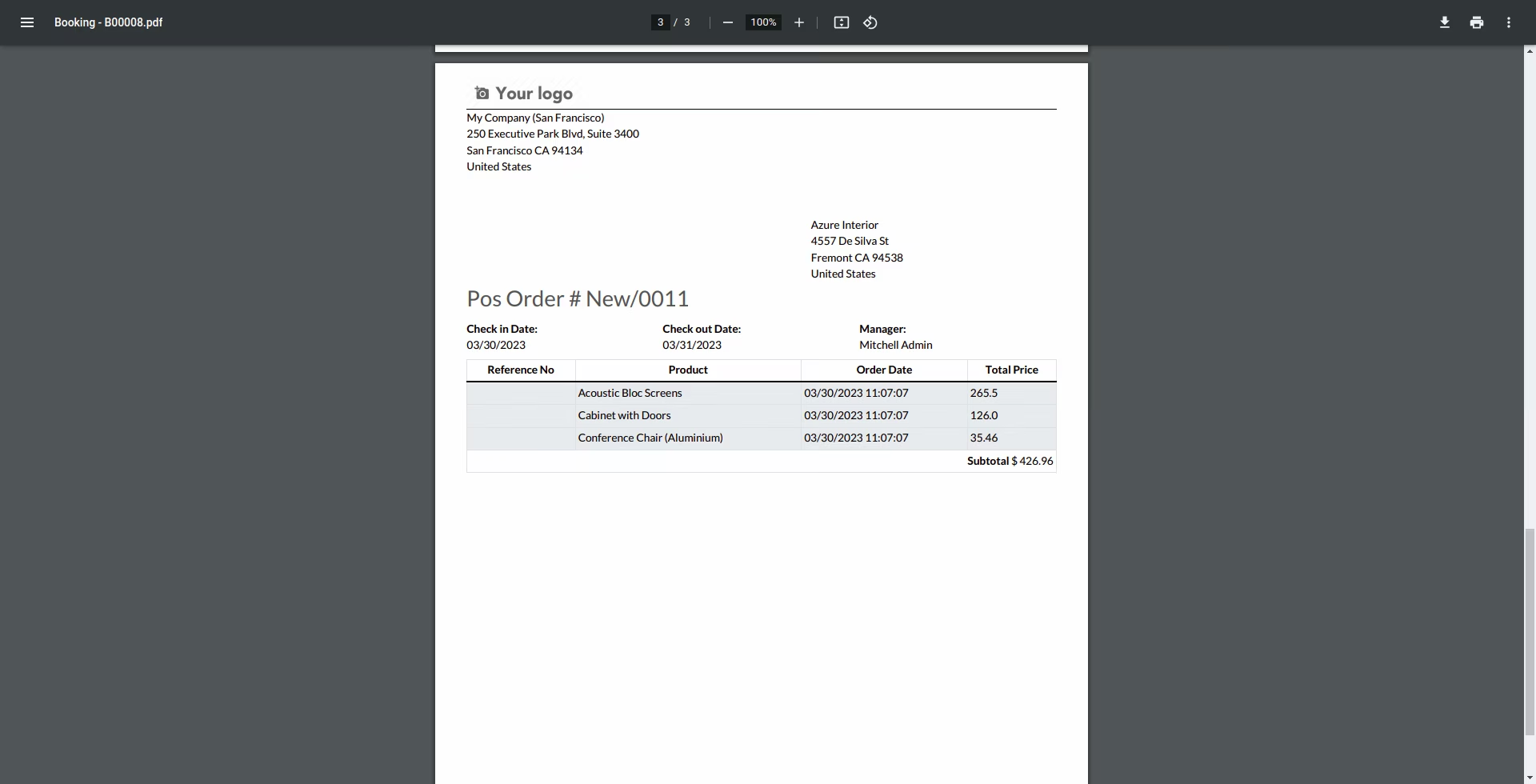
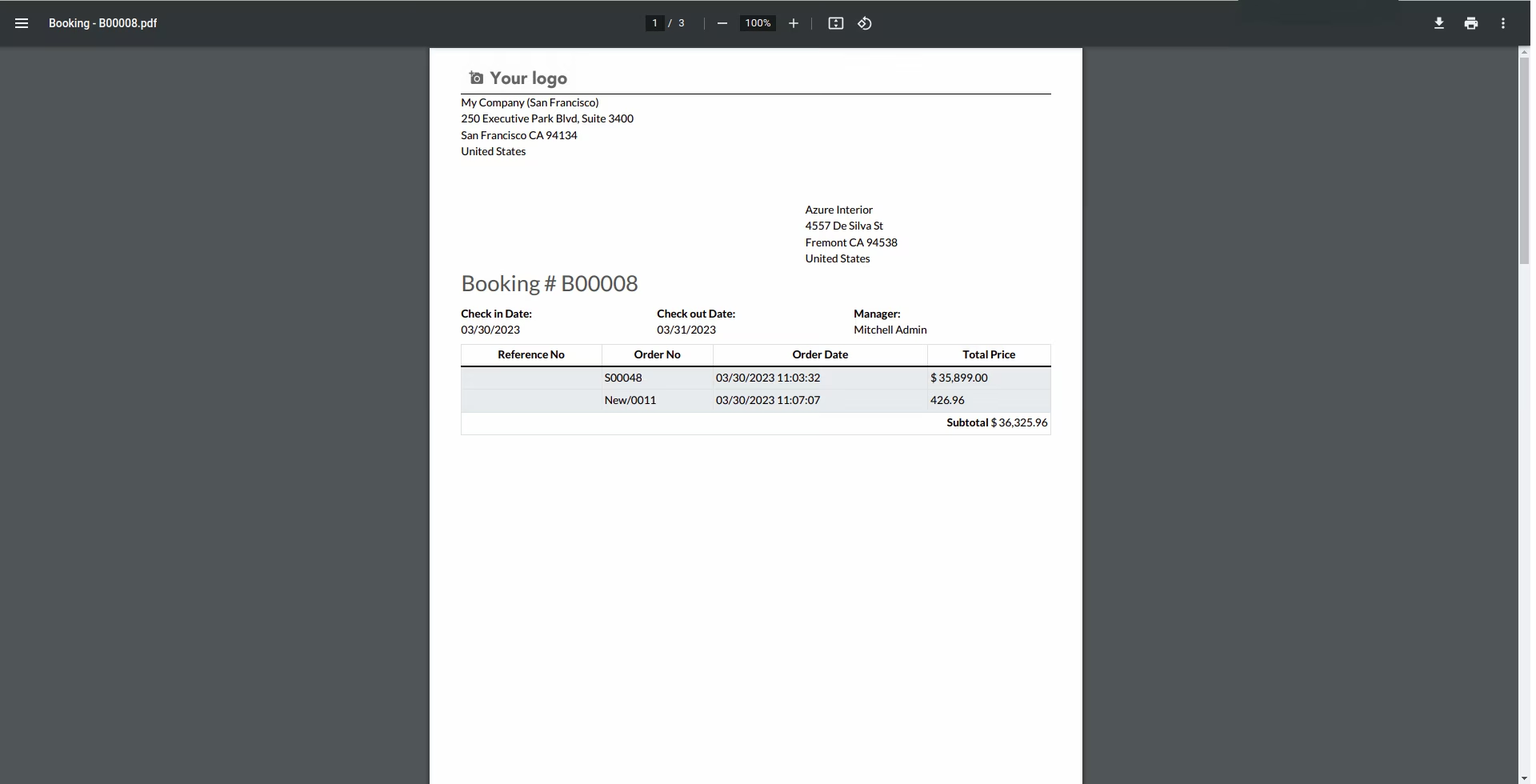
Flexible Bill Printing: Option to print a single, consolidated bill with all charges or separate, isolated bills for room and POS orders.
Seamless Integration: Works as a powerful extension of the Hotel Management and Point of Sale modules.
Enhanced Guest Convenience: Allows guests to enjoy all hotel amenities and settle their entire bill in a single transaction at the end of their stay.
Increased On-Site Sales: Encourages guests to utilize hotel restaurants, bars, and room service by offering a simple and integrated payment process.
Improved Billing Accuracy: Eliminates the risk of missed charges or manual errors by automating the transfer of POS orders to the guest's folio.
Streamlined Front Desk Operations: Speeds up the checkout process with a single, consolidated bill that is ready for payment.
Greater Financial Control: Provides a complete and accurate overview of all guest spending, improving revenue tracking and accounting.
Professional Guest Experience: Delivers a seamless and professional hospitality experience that boosts guest satisfaction and encourages repeat business.
Hotel POS Restaurant Extension
Calculate all POS purchase bills
Hotel POS Restaurant Extension allows you to generate POS invoices for room orders. The module prints the invoices to be paid later on at checkout. You can print the Sale order and POS order bills in a combined or isolated PDF format at checkout.

Need of Hotel POS Restaurant Extension

Get the Most Out of the Hotel POS Restaurant Extension Module

Quickly Pay Hotel POS Restaurant Bills!

Ordering Items by POS


Sync Hotel Management with POS
- The module integrates POS and Hotel Management Solution
- It allows the generation of invoices for room service bills.
Add and select the room to provide service
- You can choose the room in the POS with the 'Add Room' button.
- After adding a room customer will be selected accordingly, and you can place the order.
Billing of the POS Order
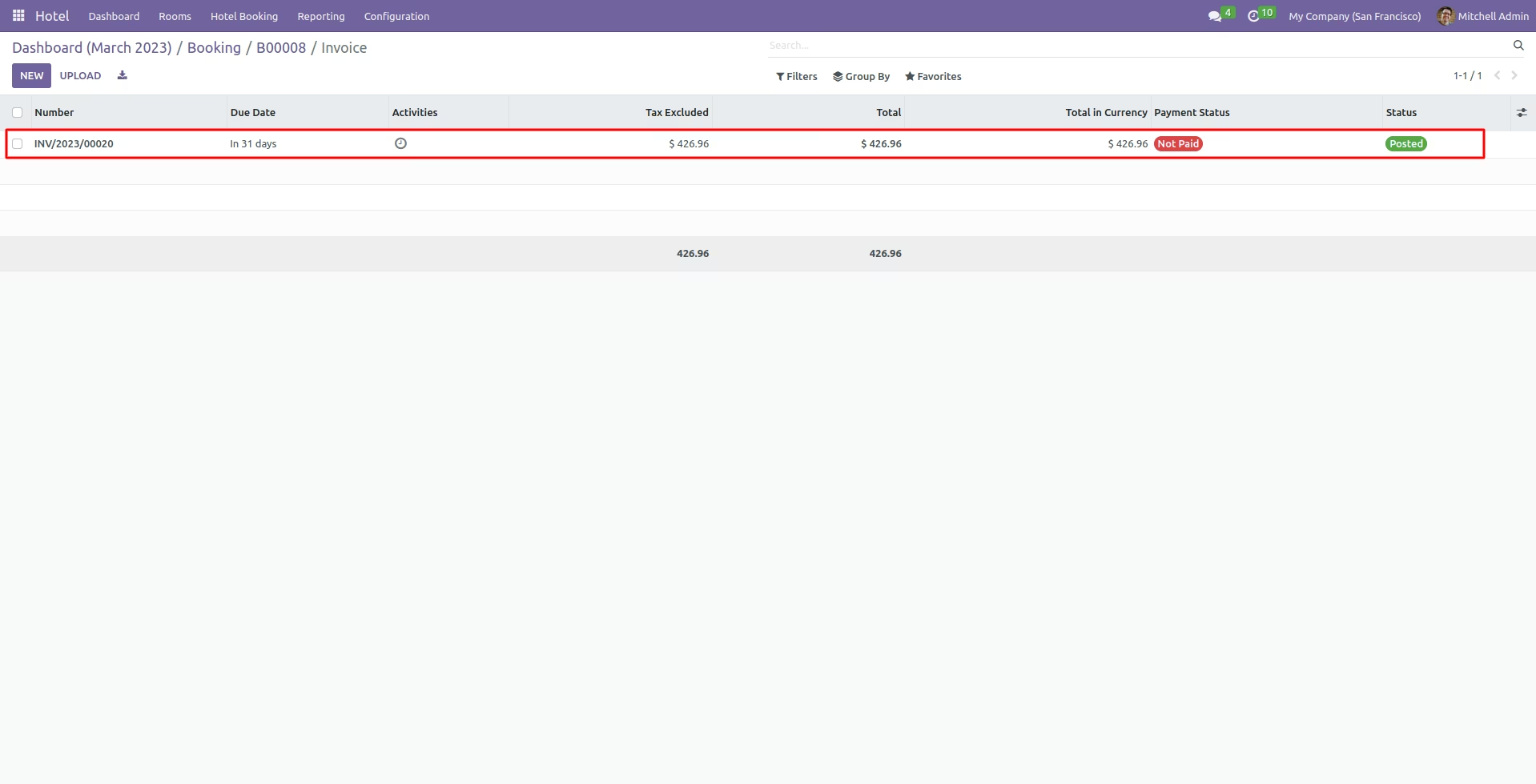
- The Hotel management POS order will be invoiced when a customer order it.
- Customers can conveniently pay the bill at checkout along with other room bills.
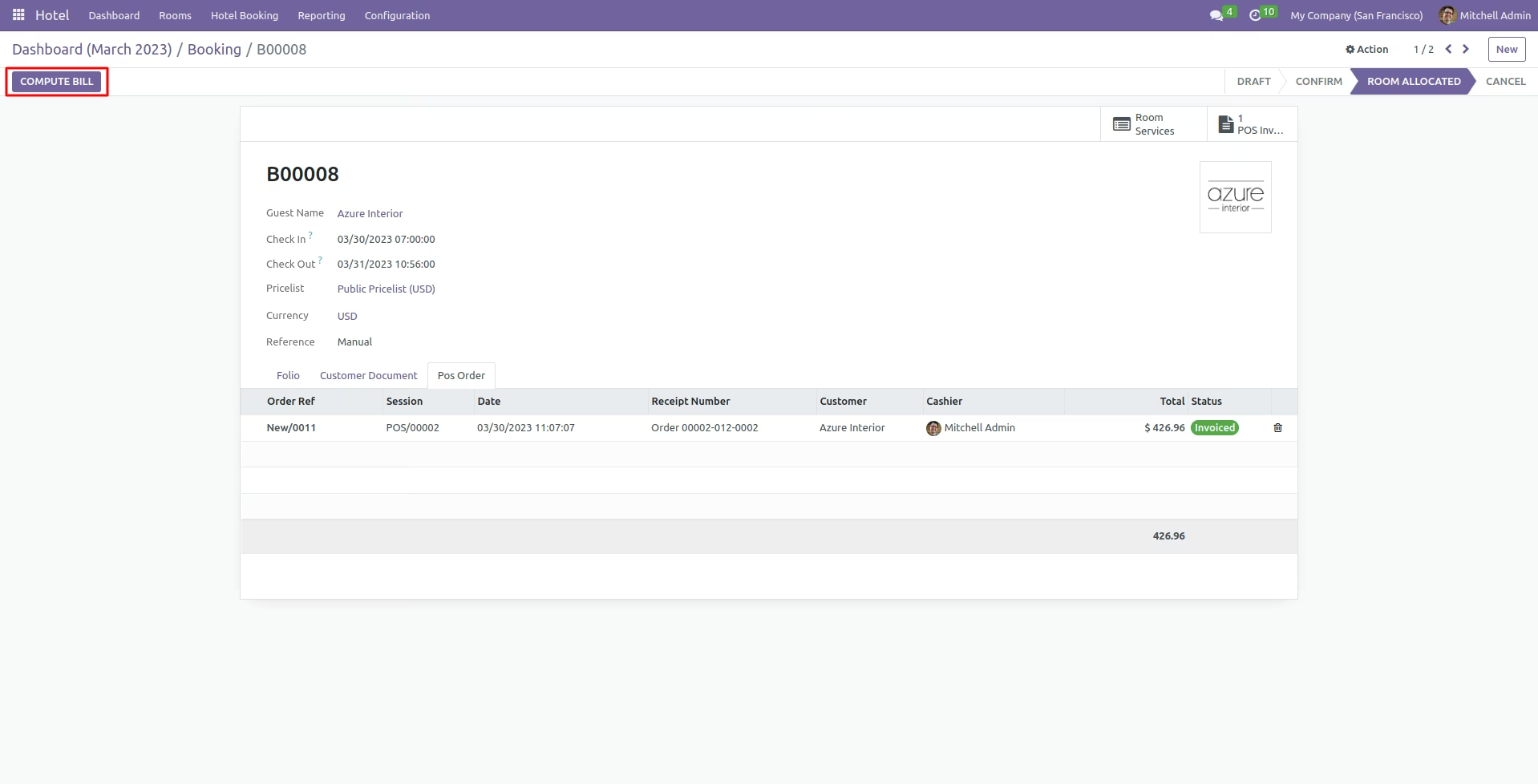
Computing Bills at the Customer Check out
- The admin can compute the customer room and POS bills at checkout.
- You can compute an isolated and computed bill per the customer's or admin's preference.